Farming Simulator 25 mods
77,956 results- 15 per page
- 30 per page
- 45 per page
- 60 per page
-
See more per page
Bigger pages, fewer clicks - and no ads anywhere.
Go Pro
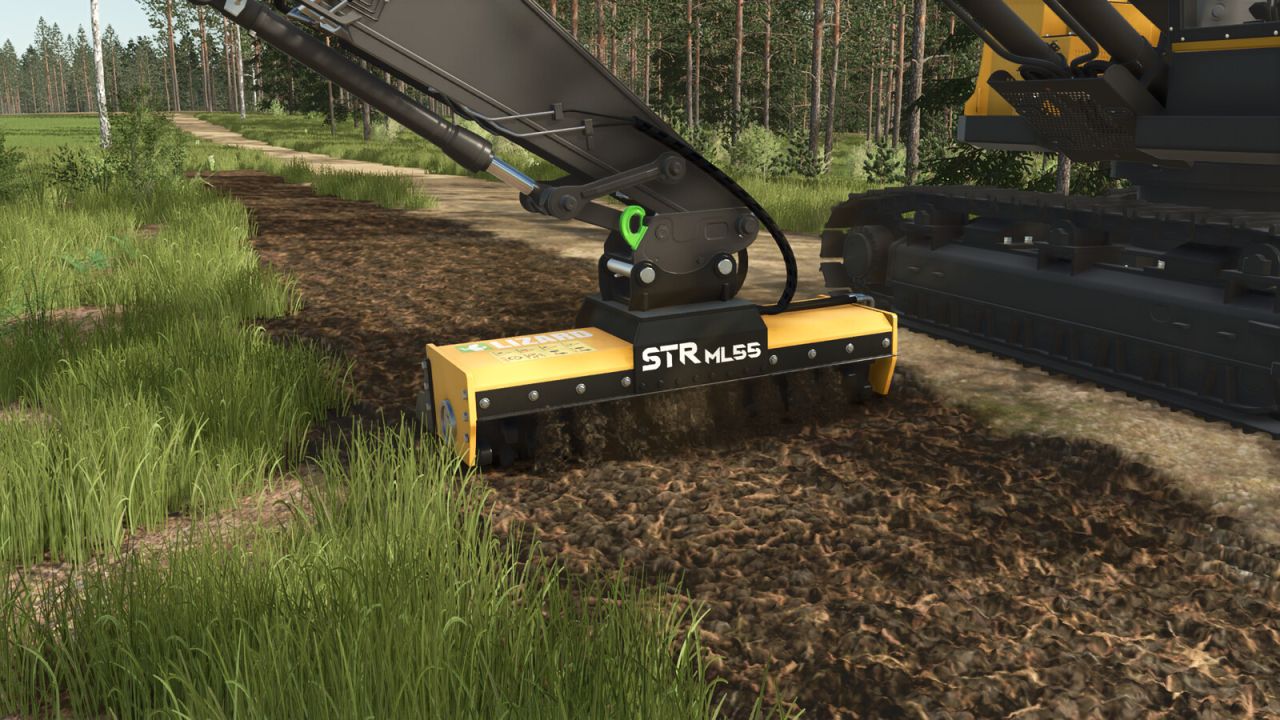
Lizard STR Aufsätze V1.0.0.0
Lizard STR Aufsätze V1.0.0.0 Lizard STR ML55 Kategorien: Mulcher, Baggerwerkzeuge Preis: 15.800 US-Dollar Erforderliche Leistung: 80 PS Arbeitsbreite: 2,6 m Lizard STR RM1 Kategorien: Rasenmäher, Baggerwerkzeuge Preis: 14.500 US-Dollar Erforderliche Leistung: 80 PS Arbeitsbreite: 2,5 m Tags: Erforderliche LeistungPS
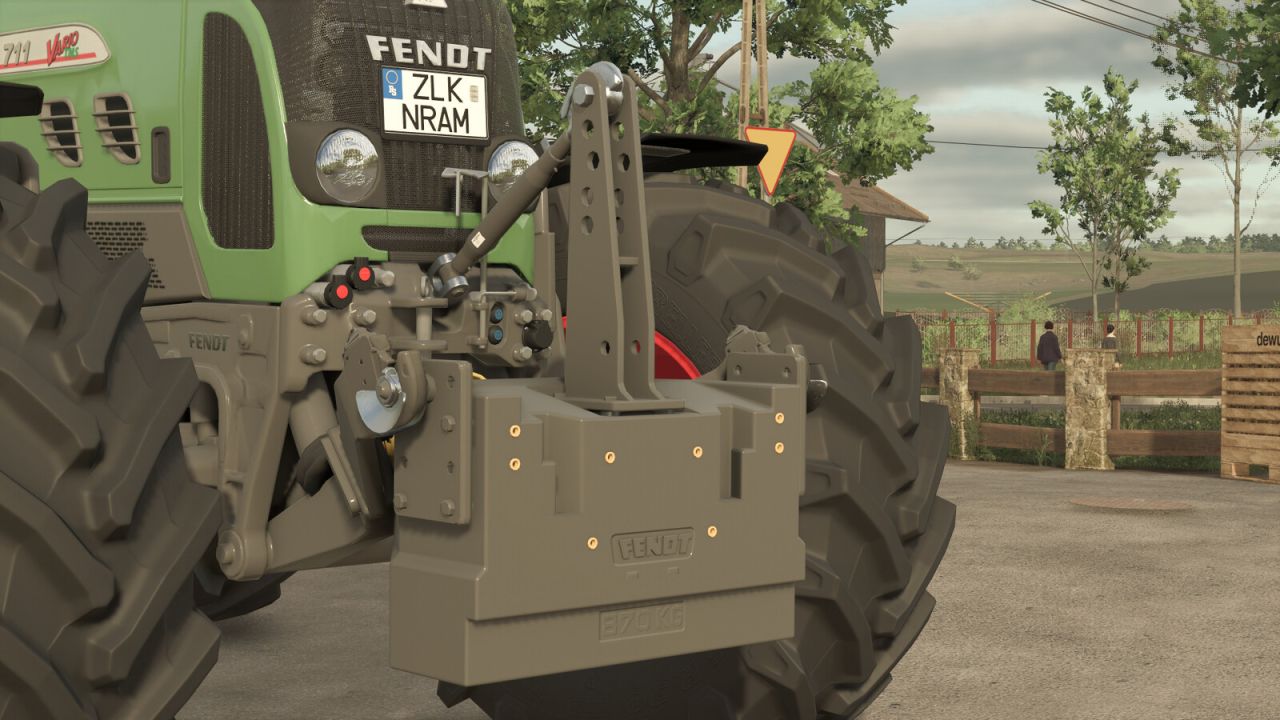
Fendt W 870, W 1800 V1.0.0.0
Fendt W 870, W 1800 V1.0.0.0 Dieses Set enthält die Fendt-Gewichte W 870 und W 1800. Beide Gewichte lassen sich mit zusätzlichen Gewichtsplatten und verschiedenen Anbauteilen an unterschiedliche Traktoren und Einsatzbereiche anpassen. Sie sind für die Front- und Heckmontage geeignet. Kategorie: Gewichte W 870: – Preis: 1.150 $ – Gewichtskonfigurationen: 870 / 990 / 1.110 / 1.230 kg W 1800: – Preis: 1.550 $ – Gewichtskonfigurationen: 1.800 / 1.920 / 2.040 / 2.170 kg Konfigurationen: Grundfarbe: Grau – Fendt-Logofarbe: Grau oder Rot – Farbe der Schraubenabdeckungen: Gelb oder Grau – Seilfarbe: Blau, Grau, Rot oder Grün – Bis zu drei zusätzliche Gewichtsscheiben – Anhängerkupplung, Unterlenkerhaken oder beides kombiniert – Optionales Seil (nur in Verbindung mit Anhängerkupplung oder beidem erhältlich) – Einstellbare Befestigungsposition Tags: Kategorie Gewichte
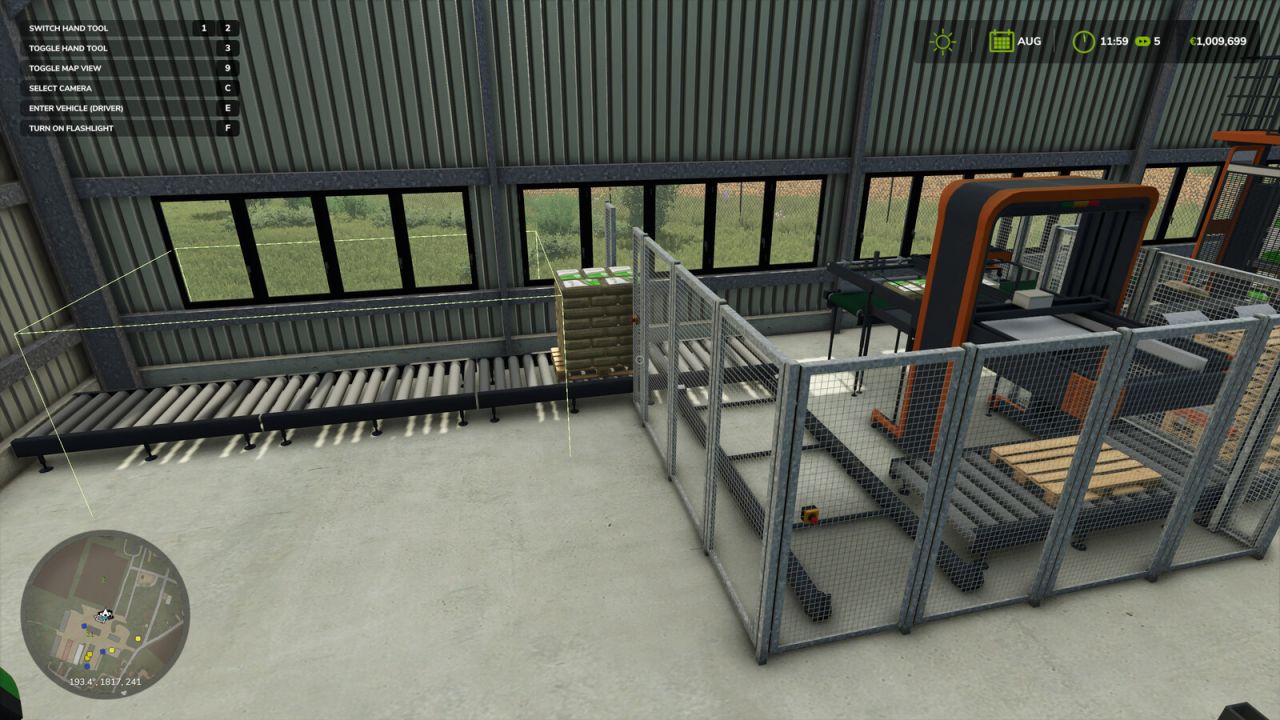
Automatischer Pellethallenstapler V1.0.0.0
Automatischer Pellethallenstapler V1.0.0.0 Diese Mod benötigt das Straw Harvest-Add-on und funktioniert nur mit dessen Pellet Hall. Ohne dieses Add-on ist sie wirkungslos. Die Pellethalle stellt die Produktion ein, sobald alle drei Ausgabeplätze belegt sind. Diese Modifikation transportiert die fertigen Paletten vom Ausgabeband in die Lagerbereiche innerhalb der Halle und stapelt sie zweifach hoch, sodass die Produktionslinie weiterläuft und nicht alle paar Minuten stillsteht. Es basiert auf diesem einen Gebäude. Alles andere im Spiel bleibt unberührt: Kein Fahrzeug wird verändert, keine andere Mod modifiziert, keine Tastenbelegung hinzugefügt und kein Bedienfeld gezeichnet. So funktioniert es: Die Mod überwacht die Halle über einen globalen Listener, anstatt sich an ein Fahrzeug oder ein platzierbares Objekt anzuhängen. Dadurch kann sie andere Skript-Mods nicht beeinträchtigen. Die Positionen der Slots werden anhand der lokalen Koordinaten der Halle berechnet. Deshalb folgt das Stapeln dem Gebäude, egal wo es auf der Karte platziert wird. Die Mod wartet, bis der Palettierer eine Palette loslässt, bevor sie diese bewegt. Bei einem Fehlschlag wird ein erneuter Versuch unternommen, und die Mod bricht den Vorgang sauber ab, anstatt gegen das Spiel anzukämpfen. Wenn alle Lagerplätze belegt sind, stoppt der Prozess einfach: Das Förderband füllt sich mit seinen drei Paletten und die Produktion kommt zum Erliegen, genau wie ohne die Modifikation. Aufräumen zu Beginn: Einmal pro Sitzung, nachdem sich die physikalischen Gegebenheiten eingestellt haben, werden die bereits in den Buchten befindlichen Paletten wieder an ihren vorgesehenen Platz zurückgestellt, sodass ein Stapel, der durch den Lader aus der Reihe geschoben wurde, von selbst wieder geradegestellt wird. Nur für Einzelspieler. Keine neuen Gebäude, keine Modelle, keine Texturen: Es handelt sich um ein Skript. Die Einstellungen befinden sich in der Datei modSettings/FS25_PelletHallStacker/settings.xml und sind optional. Hallenpositionen, Rastergröße, Stapelreihenfolge und Zeitabläufe können dort angepasst werden, ohne die ZIP-Datei zu öffnen. Die Kalibrierungsoptionen auf dem Bildschirm können aktiviert werden, falls Ihre Halle anders positioniert ist. Tags: Die EinstellungenDie ModDiese ModifikationKein Fahrzeug

FS25 Lighting by DeutzFahrTeam
FS25 Lighting by DeutzFahrTeam I’m releasing the lighting setup that I use myself :) Perhaps in the near future, I’ll also release some shaders. Best regards!
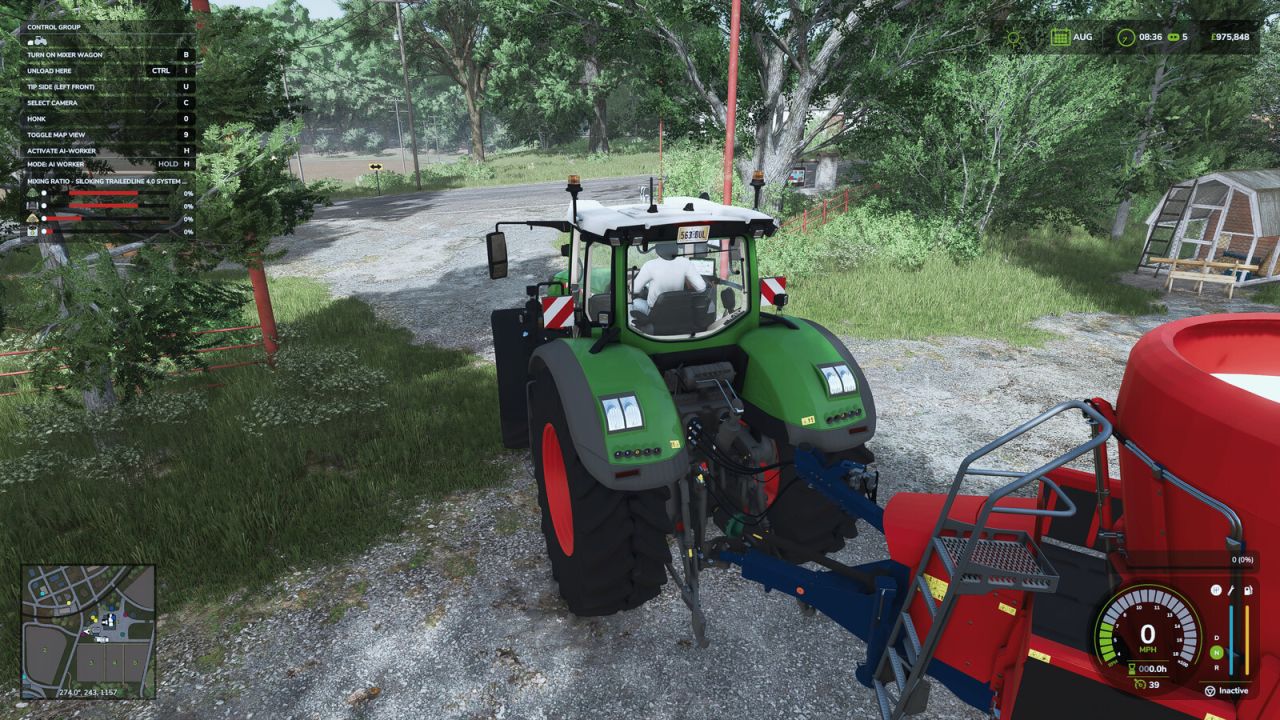
Benutzerdefinierte Tierfutterrezepte V1.0.0.0
Benutzerdefinierte Tierfutterrezepte V1.0.0.0 Individuelle Tierfutterrezepte Über das In-Game-Menü können Sie individuelle Tierfutterrezepte erstellen, speichern und verwalten. ÜBERBLICK Die Mod bietet separate Seiten für den Rezepteditor, gespeicherte Rezepte, Stallzuweisungen, Zutatenauswahl und Tierfutterbalance. Rezepte und Einstellungen werden mit dem Spielstand gespeichert. REZEPTREDAKTEUR Wähle eine Tierart und bis zu acht Zutaten. Lege für jede Zutat die Mindest- und Höchstmenge fest. Die Verhältnisbalken dienen nur der Anzeige und richten sich nach den eingestellten Werten. Die gewählte Tierart bestimmt die Mischmenge. Kühe und Büffel benötigen TMR oder Raufutter, Schweine Schweinefutter, Schafe und Ziegen geeignetes Gras oder Heu, Hühner Getreide und Pferde bevorzugen Hafer, sofern verfügbar. Tierarten aus Karten oder anderen Mods verwenden nach Möglichkeit deren geladene Futterdaten. GESPEICHERTE REZEPTE UND GLOBALER MIX Mit „Rezept speichern“ wird eine Mischung für später gespeichert, ohne sie global zu machen. Die Option „Globale Mischung“ legt die Rezeptur als Standard für nicht zugewiesene Ställe dieser Tierart fest und befüllt den aktuellen oder angeschlossenen Futtermischwagen, sobald dieser leer ist. Auf der Rezeptseite kann jedes gespeicherte Rezept in einen leeren Mischwagen geladen werden. Leeren Sie den Mischwagen immer, bevor Sie ein anderes Rezept auswählen. SCHEUNENZUWEISUNGEN Die Seite „Ställe“ weist jedem Stall ein spezielles Futterrezept zu. Stallrezepte benötigen mindestens zwei Zutaten. Ein zugewiesener Stall verwendet die Zutaten seines Rezepts, während andere, nicht zugewiesene Ställe weiterhin die Standardmischung verwenden. Dies ermöglicht beispielsweise eine Kälberration in einem Stall und eine Ration für ausgewachsene Rinder in den anderen. EINGABEMATERIALIEN Die Seite „Eingaben“ steuert, welche Materialien in der Zutatenauswahl für Rezepte angezeigt werden. Materialien für den Mischwagen sind standardmäßig verfügbar. Geeignete Füllmaterialien, die von der aktuellen Karte oder anderen Mods bereitgestellt werden, können ebenfalls aktiviert werden. Ein Material, das in einem gespeicherten Rezept verwendet wird, steht wieder zur Verfügung, sobald dieses Rezept ausgewählt wird. FUTTERGLEICHE Die Seite „Futterbilanz“ ist optional und funktioniert unabhängig von der Rezepterstellung. Wählen Sie eine Tierart aus, um deren übliche Futtergruppen anzuzeigen. Jede Futtergruppe kann beibehalten oder reduziert werden, und ihr Nutzen für das Tier sowie ihr Futterverbrauch können angepasst werden. Gras-, Wiesen- und Weidefuttergruppen sind geschützt, da das Spiel auf sie für die Tierhaltung und das Weideverhalten angewiesen ist. Benutzerdefinierte Rezepte berücksichtigen ebenfalls die gewählte Futterbilanz. Milchersatzpalette Die beiliegende Milchersatzpalette kann in Rezepten für Kälber- und Rinder-Rollenspiele verwendet werden. Shop-Kategorien: Paletten, Lebensmittel Inhalt: 2000 l Preis: 1000 $ VERWENDUNG DER MOD Öffne das Spielmenü und wähle „Benutzerdefinierte Tierfutterrezepte“. Erstelle ein Rezept im Editor und speichere es mit „Rezept speichern“ oder lege es als Standardrezept fest und lade einen leeren Mischer. Auf der Rezeptseite kannst du gespeicherte Rezepte laden oder löschen, auf der Stallseite Rezepte für die individuelle Tierhaltung, auf der Eingabeseite die sichtbaren Zutaten und auf der Futterbalance die Futtermittel für die normalen Tierfuttergruppen anpassen. Tags: Benutzerdefinierte RezepteJede FuttergruppeMit RezeptREZEPTREDAKTEUR
Erweiterte Wiegestation V1.0.0.0
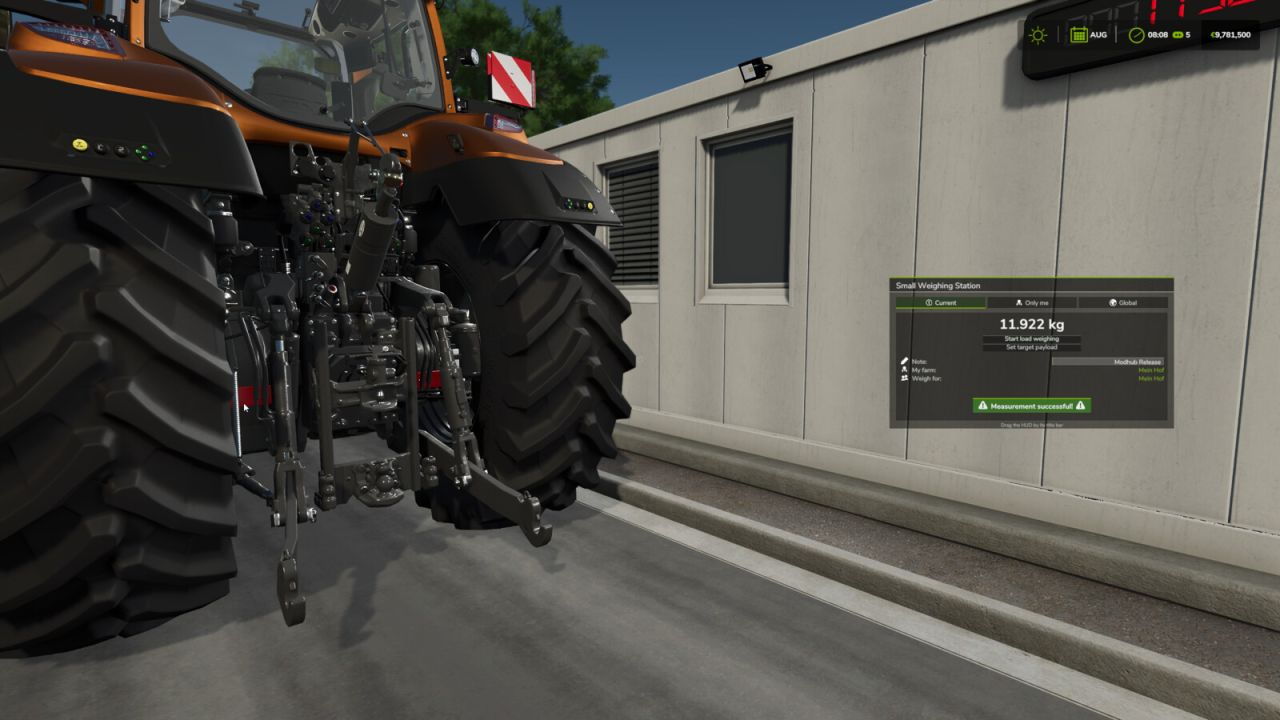
Erweiterte Wiegestation V1.0.0.0 Advanced Weighing Station erweitert die bestehenden FS25-Waagen um ein umfassendes, multiplayerfähiges Wiegesystem inklusive HUD, Verlauf, Statistiken und zusätzlichen Steuerungsmöglichkeiten. Merkmale: Erweitert automatisch kompatible platzierbare Objekte mithilfe der Basisspiel-Spezialisierung „Waage“. Übersichtliches HUD mit aktuellem Messstatus und Gewichtsdaten Das HUD kann mit der Maus bewegt werden. Automatische Erkennung des Bauernhofs des Fahrers Frei wählbarer Zielbetrieb „Wiegen“ vor vollständiger Wiegung Treiberfarm und Zielfarm werden für jede Messung gespeichert. Persönliche und globale Wiegegeschichte Globale Statistiken mit Zielbetriebsfilterung Bearbeitbare Verlaufs-Einträge für Zeit, Spieler, Hof, Füllart, Notiz, Tara, Netto und Brutto Unterstützung für stationäre Wägeanlagen, überfahrbare Achswaagen und dynamische Wägeanlagen Tara-, Netto- und Bruttogewichtshandhabung Stütze für lose Gegenstände Optionale steuerbare Schranken und Ampeln Mehrere Barrierenanimationen pro Maßstab werden unterstützt Notfallsteuerung für konfigurierte Schranken Die Waage kann bequem vom Fuß aus direkt am Auslöser ein- und ausgeschaltet werden. Verwendet standardmäßig die normale R-Interaktionstaste. Optionaler separater XML-Schalterauslöser Unterstützung für externe Gewichtsanzeigen Deaktivierte Waagen stellen den Wiegevorgang ein und deaktivieren Anzeigen, Ampeln und Warnleuchten. Serverweite Einstellungen können von Administratoren im In-Game-Menü verwaltet werden. Einstellungen, Verlauf und Energiestatus werden im Mehrspielermodus synchronisiert. Der Energiestatus und relevante Daten werden im Spielstand gespeichert. Dedizierter Server und Unterstützung für späten Beitritt Optimierte ereignisgesteuerte Auslösung und Gewichtshandhabung für geringe Stoßleistung Die Modifikation erweitert automatisch kompatible Waagen. Zusätzliche Funktionen wie Schranken, Ampeln oder ein separater Schalterauslöser können über die entsprechenden platzierbaren XML-Einträge konfiguriert werden. Tags: Automatische ErkennungDedizierter ServerDie ModifikationHUD
Jahresrückblick für den Bauernhof V1.0.0.0
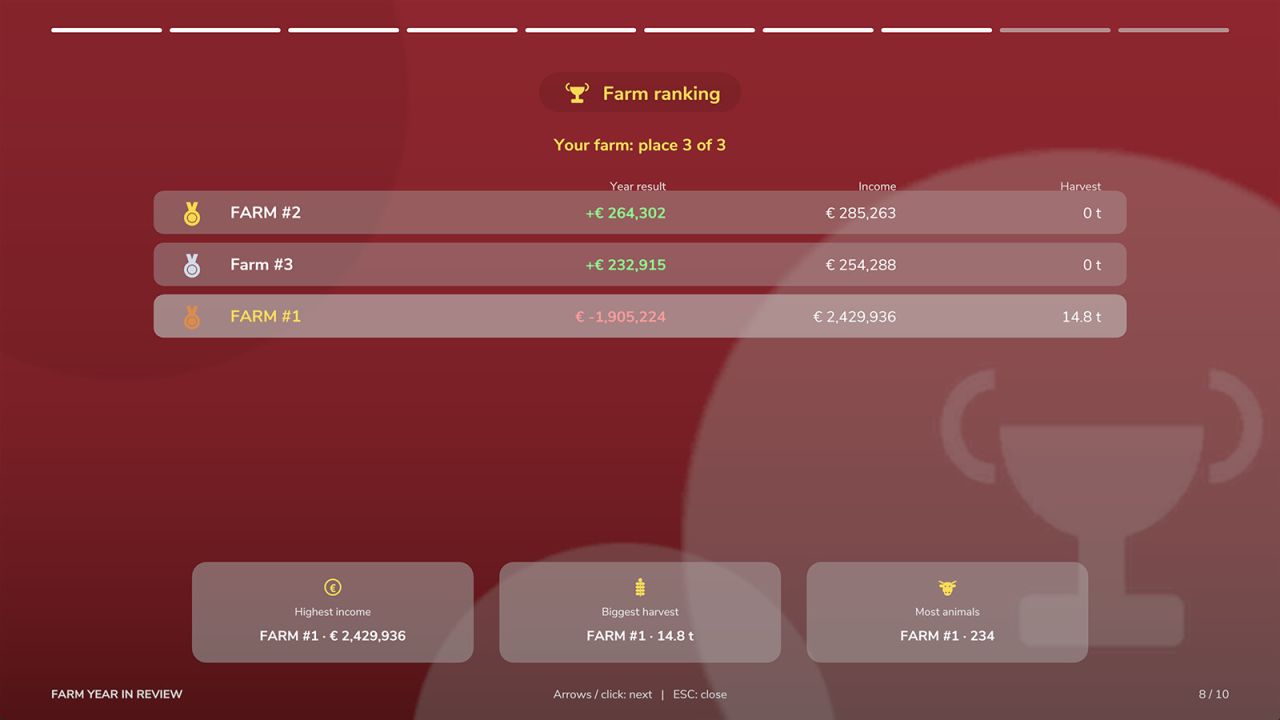
Jahresrückblick für den Bauernhof V1.0.0.0 Dein Landwirtschaftsjahr im Rückblick. „Landwirtschaftsjahr im Rückblick“ zeichnet unauffällig dein gesamtes Spieljahr auf und präsentiert es als farbenfrohe Vollbild-Diashow, ähnlich dem Jahresrückblick deiner Lieblingsmusik-App. Die Mod verändert das Gameplay nicht – sie sammelt lediglich Daten. Was Sie sehen werden: – Finanzen: Jahresergebnis, höchste Einnahmen und Ausgaben, monatliche Übersicht und der beste Monat – Felder und Verkäufe: Ernte pro Kultur (auch gemähtes Gras), Ballen aus Ihren Ballenpressen, Ihr bestes Feld mit Ertrag pro Hektar, beste Verkäufe – Tiere und Produktion: Herdenbestand pro Art im Vergleich zur Vorsaison, gekaufte und verkaufte Tiere, Milch, Eier, Wolle und Dung, Erzeugnisse Ihrer Produktionsstätten – Gebäude und Anlagen: Einnahmen jedes Solarparks, jeder Windkraftanlage und anderer einkommenserwirtschaftender Gebäude, Amortisation ihrer Investition – Maschinen-Podium: Ihre drei meistgenutzten Maschinen mit Werkstattbildern, Markenlogos, Motorbetriebsstunden und gefahrenen Kilometern – Das Jahr in Zahlen und das Wetter: Entfernungen, Feldarbeit, gefällte und gepflanzte Bäume, Sonne, Regen, Schnee und Stürme, der heißeste und der kälteste Tag – Chronik: Kauf und Verkauf von Ackerland und Maschinen, erste Ernten, Rekordtage und Meilensteine – Dein Bauerntyp mit Bronze-, Silber- oder Goldstufe – Eine abschließende Zusammenfassungskarte – perfekt für einen Screenshot Am Ende jedes Spieljahres ist die Zusammenfassung fertig (Fenster, Benachrichtigung oder nichts – du hast die Wahl). Alle Jahre sind außerdem auf der neuen Seite „Jahresrückblick“ im Spielmenü verfügbar, zusammen mit einer Übersicht deiner gesamten Karriere und deiner Rekorde. Jede Zusammenfassung umfasst maximal 10 Folien. Mehrspieler: Unterstützt. Die Daten werden für jeden Bauernhof separat auf dem Server erfasst. Jeder Spieler sieht die Zusammenfassung seines eigenen Bauernhofs, und eine Rangliste vergleicht alle Bauernhöfe. Die Daten werden mit dem Spielstand gespeichert. Die Datenerfassung beginnt mit der Installation der Mod, daher können die Daten des ersten Jahres unvollständig sein. Sprachen: Englisch, Deutsch, Französisch, Spanisch, Italienisch, Polnisch, Tschechisch, Russisch. Tastenkombinationen: – Linke Alt-Taste + W: Zusammenfassung des letzten abgeschlossenen Jahres öffnen/schließen (zu Fuß und in Fahrzeugen) – Pfeiltasten links/rechts, Mausklick, Eingabetaste: nächste und vorherige Folie – Pfeiltasten (Auf/Ab), Mausrad: Chronik scrollen – ESC: Zusammenfassung schließen – Steuerung: Navigieren Sie mit den Menüschaltflächen durch die Folien; die Öffnungsaktion kann in den Steuerungseinstellungen zugewiesen werden. – Im Spielmenü, Seite „Jahresrückblick Farm“: Mit „Eingabe“ wird das ausgewählte Jahr geöffnet, „Gesamte Karriere“ öffnet die Zusammenfassung aller Jahre, „Jahresende“ schaltet zwischen Fenster/Benachrichtigung/Aus um. Tags: Die DatenerfassungMaschinenSeite JahresrWetter Entfernungen
Vintage-Dieselkraftstoffpumpe V1.0.0.0
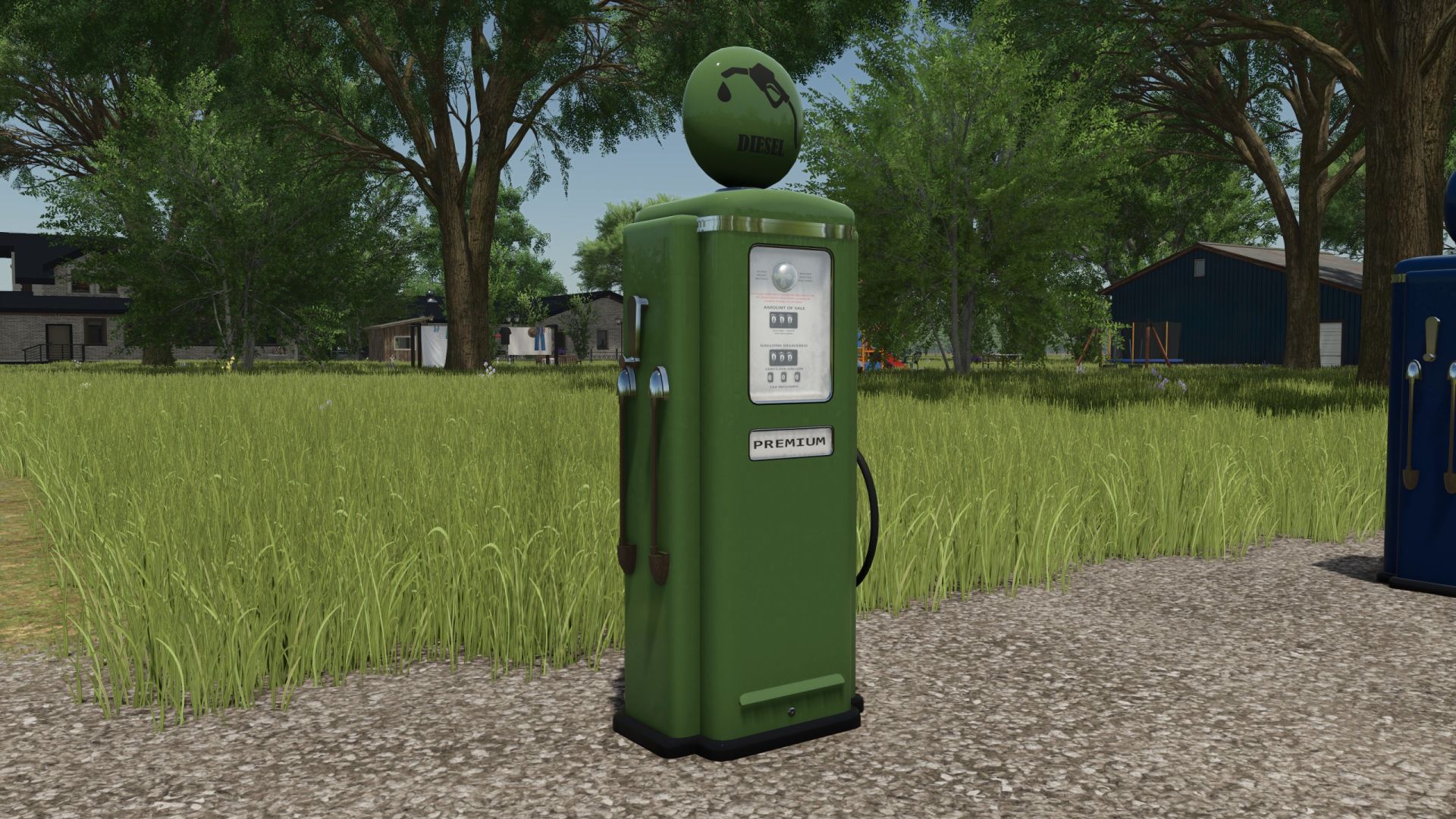
Vintage-Dieselkraftstoffpumpe V1.0.0.0 Klassische Zapfsäule – Retro-Charme im Stil der 1960er Jahre! Diese nostalgische Zapfsäule im klassischen Retro-Stil der 1960er Jahre ist die perfekte Ergänzung für Ihren Bauernhof. Kapazität Tankvolumen: 30.000 Liter Merkmale Symbole ein-/ausblenden: Sie können die Symbole mit der Taste Z ein- oder ausblenden, solange Sie sich im entsprechenden Auslösebereich befinden. Farbkonfiguration: Passen Sie die Kraftstoffpumpe Ihren Wünschen an. Kosten und Wartung Kaufpreis: 3.900 € Monatliche Wartungskosten: 5 € Nostalgie trifft auf Funktionalität! Ob im Hof, in der Werkstatt oder als Blickfang auf Ihrem Firmengelände – diese klassische Zapfsäule vereint zeitloses Design mit praktischer Funktionalität. Tags: Ihren BauernhofMonatliche Wartungskosten
CCM Feldhäckslersystem V1.0.0.0
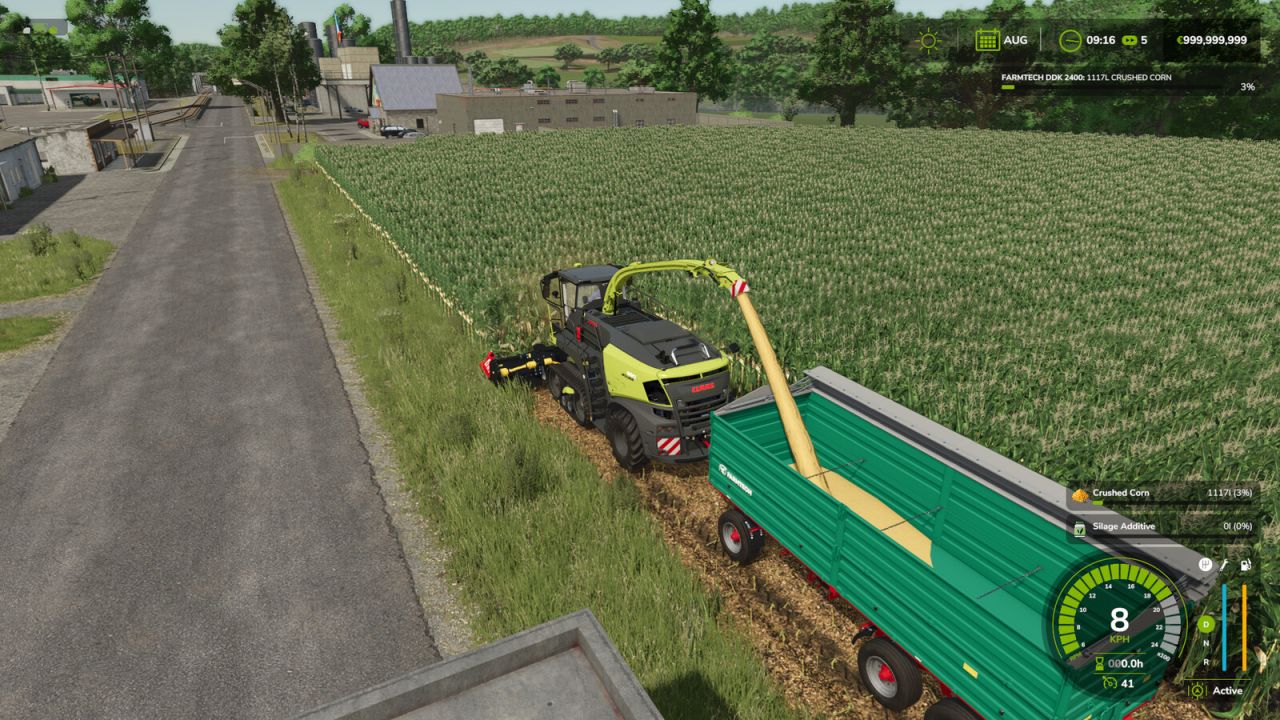
CCM Feldhäckslersystem V1.0.0.0 Universelles System zur Ernte von CCM (Maiskolbenmischung / gebrochener Mais) mit kompatiblen Maisvorsätzen an Feldhäckslern. Kompatible Maispflücker behalten ihre normale Funktionalität an Mähdreschern und können auch an Feldhäcksler angebaut werden. Bei Verwendung eines kompatiblen Maispflückers an einem Feldhäcksler wird der Mais während des Betriebs in CCMRAW mit einem Ertragsfaktor von 1,25 umgewandelt. Die CCM-Ernte ist nur im letzten grünen, futterreifen Wachstumsstadium vor der Kornreife möglich. Standardmäßige Futtermaispflücker wie ORBIS bleiben unverändert und produzieren weiterhin Spreu. Die Modifikation fügt außerdem drei unabhängige Auslaufrohr-Steuerungsmodi für kompatible Feldhäcksler hinzu: AUTO – Standard GIANTS automatische Rohrausrichtung. HALBAUTOMATISCH – Automatisches Links-/Rechts-Zielen mit manueller Auf-/Ab-Steuerung. MANUELL – Vollständige manuelle Steuerung nach links/rechts und oben/unten. Standardsteuerung: Strg + O – Schalten Sie den Rohrsteuerungsmodus um. Halten Sie die mittlere Maustaste gedrückt und bewegen Sie die Maus – so steuern Sie das Abflussrohr. Strg + Alt + Pfeiltasten – Alternative Tastatursteuerung für Pipes. Im Halbautomatik-Modus wird die Rohrhöhe ausschließlich durch Mausbewegungen gesteuert. Im manuellen Modus werden sowohl die horizontale Drehung als auch die vertikale Bewegung durch Mausbewegungen gesteuert. Alle Tastatursteuerungen können im Steuerungsmenü im Spiel neu belegt werden. Erfordert das CCM Production Pack . Tags: Bei VerwendungCCMRAWDie ModifikationHalten Sie
Platzierbares Versorgungssystem V1.0.0.0
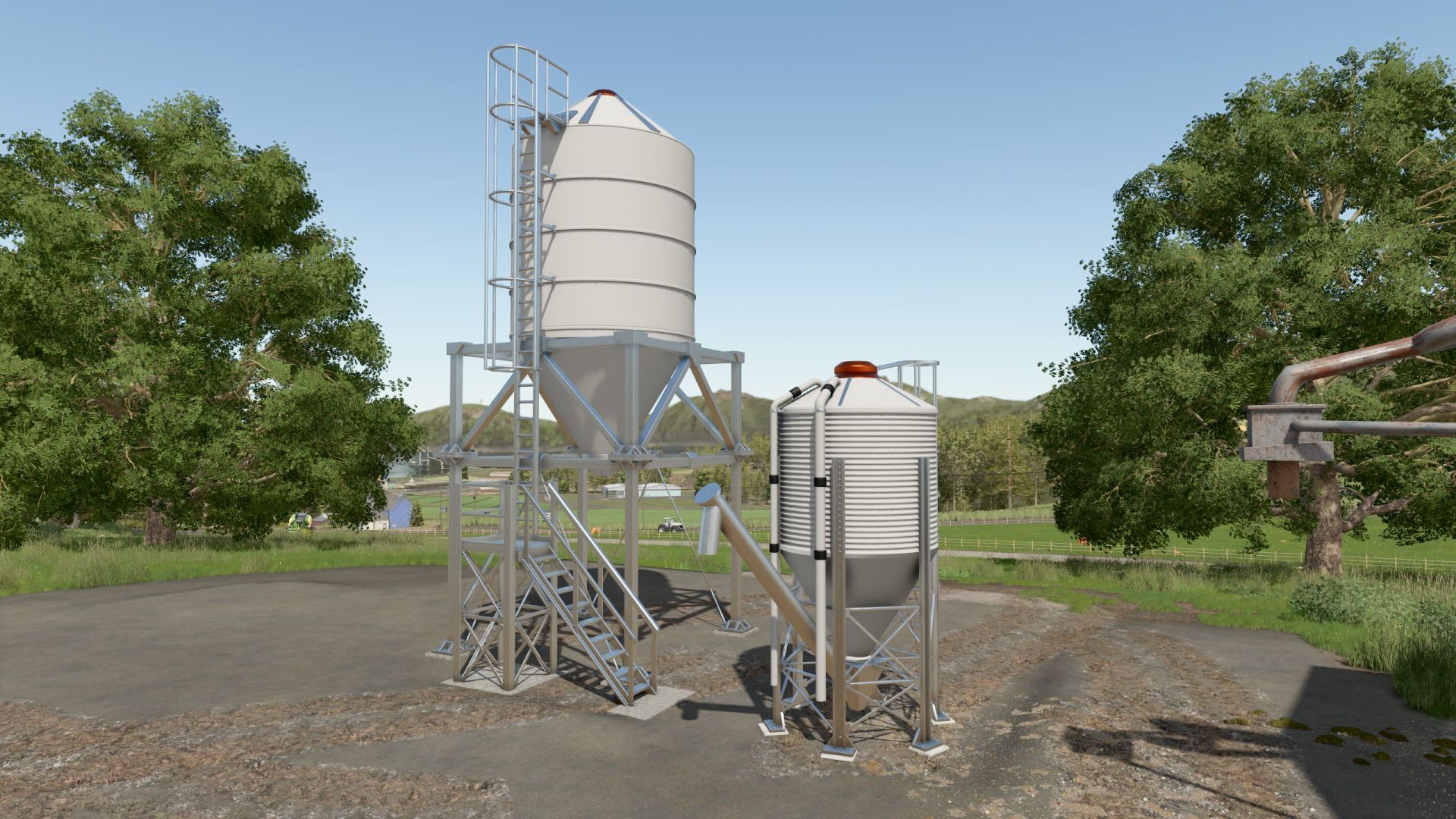
Platzierbares Versorgungssystem V1.0.0.0 Flexible Nachfüllstationen für Kalk, Saatgut und Dünger – realistisch oder praktisch! NutriPoint – Ihre flexible Nachfüllstation für den Bauernhof! Ob Kalk, Saatgut oder Mineraldünger – mit NutriPoint können Sie Ihren landwirtschaftlichen Betrieb genau so versorgen, wie Sie es wünschen! Entscheiden Sie sich für eine Einkaufsstation mit direkter Nachfüllung oder ein befüllbares Silo für ein realistischeres Spielerlebnis. Funktionen und Merkmale Drei Arten von Füllmaterial: Kalk, Saatgut und Mineraldünger. Einkaufsstation: Hier können Sie Verbrauchsmaterialien direkt kaufen und auffüllen. Befüllbares Silo: Für ein realistischeres Bauernhofkonzept. Farbkonfiguration: Passen Sie das Design an Ihren Garten an. Fülltyp-Symbole ein-/ausblenden: Für eine bessere Übersicht oder ein einfacheres Erscheinungsbild sorgen. Kosten und Wartung Kaufstation Je eins für Kalk, Saatgut und Mineraldünger. Shop-Kategorie: Verschiedenes Kaufpreis: 23.500 € Tägliche Wartung: 10 € Befüllbares Silo Je eins für Kalk, Saatgut und Mineraldünger. Shop-Kategorie: Nachfüllbare Tanks Kaufpreis: 19.500 € Tägliche Wartung: 10 € Tags: Drei ArtenEntscheiden SieIhren GartenSie Ihren
Radkeil-Konfigurator V1.0.0.0
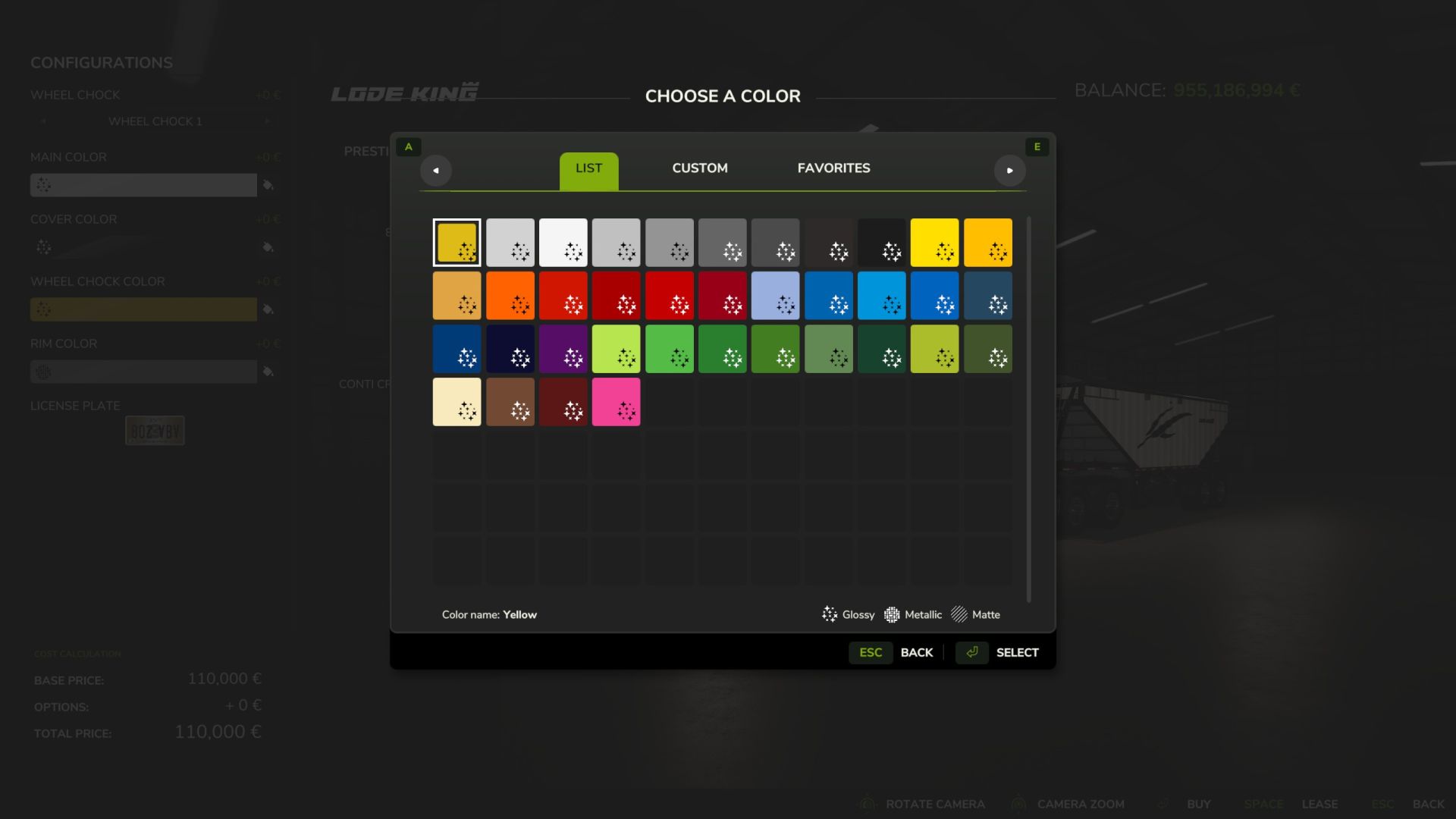
Radkeil-Konfigurator V1.0.0.0 Maßgefertigte Radkeile für Ihren Fuhrpark! Der Radkeil-Konfigurator bietet Ihnen zusätzliche Konfigurationsmöglichkeiten für Radkeile. Egal ob es sich um einen Trailer aus dem Basisspiel, einem DLC oder einer Mod handelt – das Skript erweitert automatisch die Konfigurationsmöglichkeiten. Funktionen und Merkmale Modellauswahl: Wählen Sie zwischen vier Radkeilen. Individuelle Farbauswahl: Passen Sie die Farbe der Radkeile direkt über die Fahrzeugkonfiguration an. Automatische Erweiterung: Das Skript erweitert das Konfigurationssystem automatisch um die entsprechenden Modell- und Farboptionen. Für Modder Die Konfigurationen werden automatisch erstellt. Benutzer, die mehr Kontrolle über die verfügbaren Optionen wünschen, können die Einstellungen individuell über die Fahrzeug-XML-Datei erweitern. Definieren Sie Ihre eigenen Farboptionen: Radkeil-Farbkonfigurationen Zusätzliche Materialvorlagen können über definiert werden. useDefaultColors="true" Die Standardfarbpalette des Spiels kann auch mithilfe der Option .defaultColorIndex integriert werden. Die Standardfarbe wird über festgelegt. Tags: Definieren Sie IhreDie KonfigurationenDie StandardfarbeDLC
Fendt/MF Ballenpressen-Wickel-Kombination V1.0.0.5
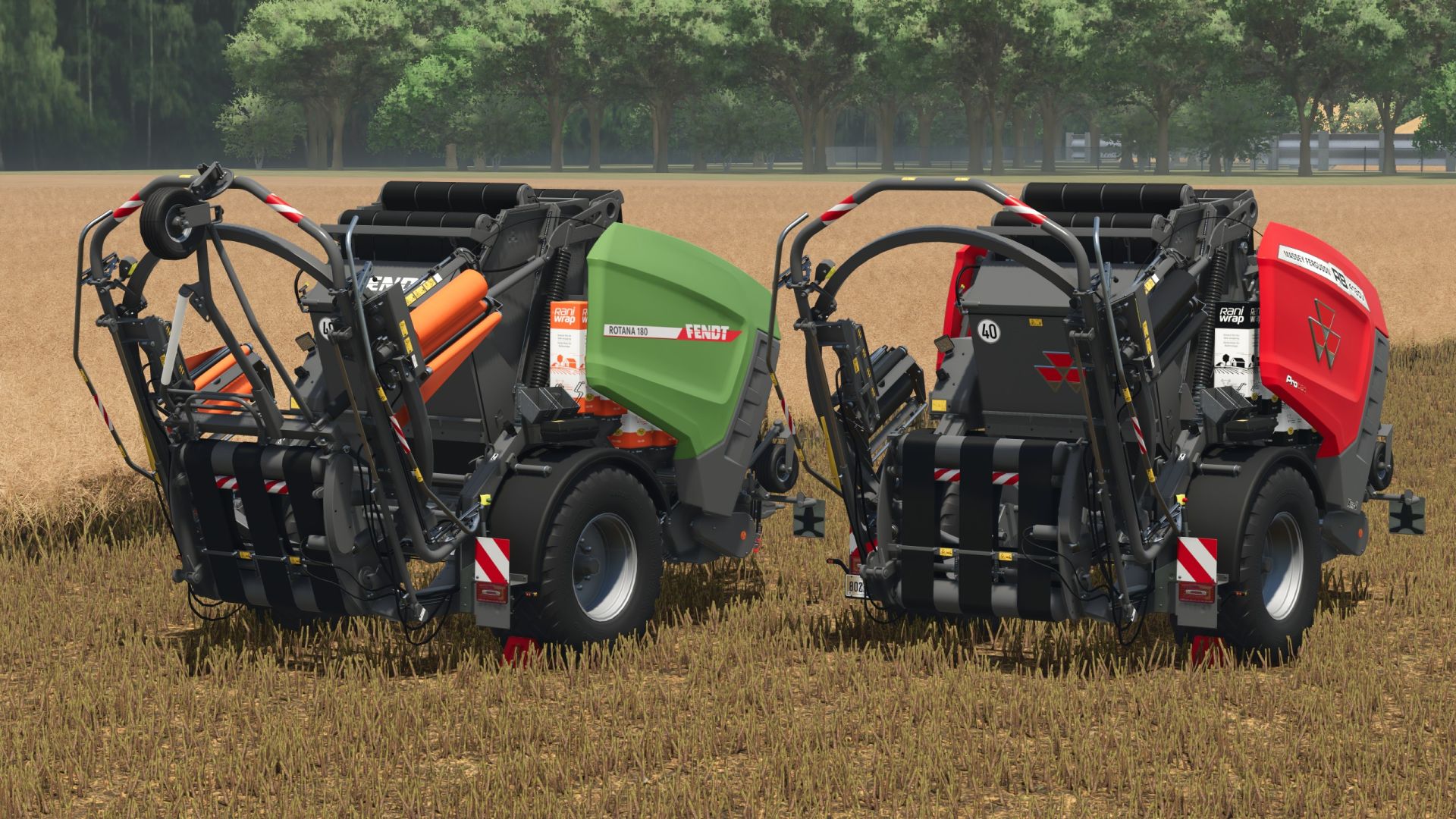
Fendt/MF Ballenpressen-Wickel-Kombination V1.0.0.5 Ballenpresse- und Wickelkombination – Ballenpressen und Verpacken in einem Arbeitsgang! Direkt pressen und wickeln – mit dieser leistungsstarken Ballenpresse-Wickel-Kombination sparen Sie wertvolle Zeit und optimieren Ihre Arbeitsabläufe. Dank der integrierten Vorkammer und des großzügigen 120-Liter-Silagezusatztanks sind Sie bestens für die Silageproduktion gerüstet. Geeignet für Ballen mit einem Durchmesser von bis zu 1,80 m! Technische Spezifikationen und Funktionen Ballendurchmesser: 1,25 m bis 1,80 m Wählbare Arbeitsbreite: 2 m bis 5 m Silagezusatztank: 120 Liter Erforderliche Leistung: 103 kW / 140 PS Maximale Arbeitsgeschwindigkeit: 17 km/h Kaufpreis: ab 84.500 € Tags: Erforderliche LeistungMaximale ArbeitsgeschwindigkeitPSTechnische Spezifikationen
Laubordnungskorrektur V1.0.0.0
Laubordnungskorrektur V1.0.0.0 Bananen wurden gepflanzt, Pflanzen verschwanden und laut Kartenübersicht wächst dort plötzlich Kaffee? Hier wurde kein neues Anbausystem entdeckt – Server und Client können zusätzliche Fruchtarten unterschiedlich erfassen. Ein kleiner Mehrspieler-Gruß, der offenbar durch die Maschen der Qualitätssicherung gerutscht ist. Foliage Order Fix stellt sicher, dass die zusätzlichen Fruchtarten auf dem Client in der vom Server festgelegten Reihenfolge registriert werden. Wird nur im Mehrspielermodus benötigt, wenn der Beans & Alpacas DLC zusammen mit dem Highlands Fishing DLC verwendet wird. Erforderliche Mods: Erweiterung der Fischerei in den Highlands Bohnen & Alpakas Expansion Tags: Bohnen Alpakas ExpansionErforderliche ModsFoliage Order FixPflanzen
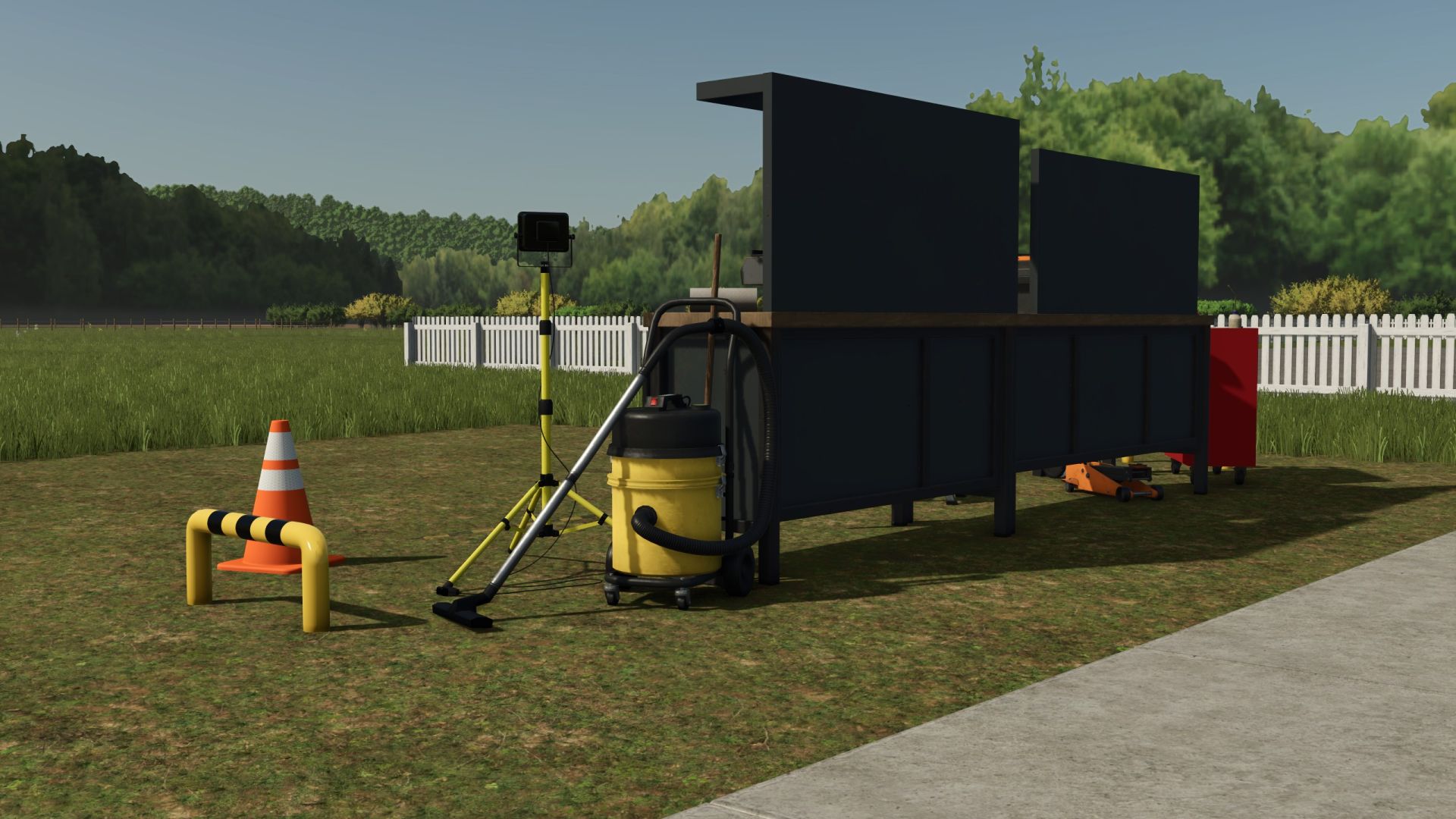
Automatisierte Multifunktionswerkstatt V1.0.0.6
Automatisierte Multifunktionswerkstatt V1.0.0.6 Vollautomatisierte Werkstatt – Reparatur, Wäsche, Lackierung und Betankung alles in einem Mit dieser vollautomatisierten Werkstatt haben Sie alles, was Sie für die Pflege und Wartung Ihrer Fahrzeuge benötigen. Merkmale Automatisierte Reparatur: Die Werkstatt führt Reparaturen an Fahrzeugen selbstständig durch und sorgt so dafür, dass Ihre Maschinen stets in Top-Zustand bleiben. Waschen und Lackieren: Ihre Fahrzeuge werden nicht nur gewartet, sondern auch gründlich gewaschen und professionell lackiert – alles vollautomatisch. Integrierte Tankstelle: Die Werkstatt ist mit einem integrierten Betankungssystem ausgestattet, sodass Sie Ihre Fahrzeuge jederzeit schnell und einfach betanken können. Anpassung Z-Taste: Mit der Z-Taste können Sie die Warnstreifen und -symbole ein- oder ausblenden, sofern Sie sich im richtigen Auslösebereich befinden. Kosten und Wartung Werkstatt mit integrierter Tankstelle, Autowaschanlage, Reparatur- und Lackieranlage Shop-Kategorie: Verschiedenes Preis: 15.000 € Tägliche Wartungskosten: 10.000 € Werkstatt mit integrierter Tankstelle, Autowaschanlage und Reparatur (ohne Lackierung) Shop-Kategorie: Verschiedenes Preis: 12.000 € Tägliche Wartungskosten: 7.000 € Werkstatt mit Autowäsche, Reparatur und Lackierung Shop-Kategorie: Verschiedenes Preis: 13.000 € Tägliche Wartungskosten: 8.000 € Werkstatt mit Autowaschanlage und Reparaturservice Shop-Kategorie: Verschiedenes Preis: 10.000 € Tägliche Wartungskosten: 5.000 € Luftpumpe Shop-Kategorie: Verschiedenes Preis: 500 € Tägliche Wartung: 0 € Ladestation für Elektrofahrzeuge Shop-Kategorie: Verschiedenes Preis: 3.000 € Tägliche Wartung: 5 € Vintage-Kraftstoffpumpe Shop-Kategorie: Dieseltanks Preis: 3.900 € Tägliche Wartung: 5 € Unterschlupf Shop-Kategorie: Hallen Preis: 4.500 € Tägliche Wartung: 0 € Dieser Workshop ist die perfekte Lösung, um Ihre Arbeit zu erleichtern und Ihre Fahrzeugflotte effizient und in Top-Zustand zu halten. Tags: Ihre ArbeitIhre FahrzeugflotteIhre MaschinenSie Ihre Fahrzeuge
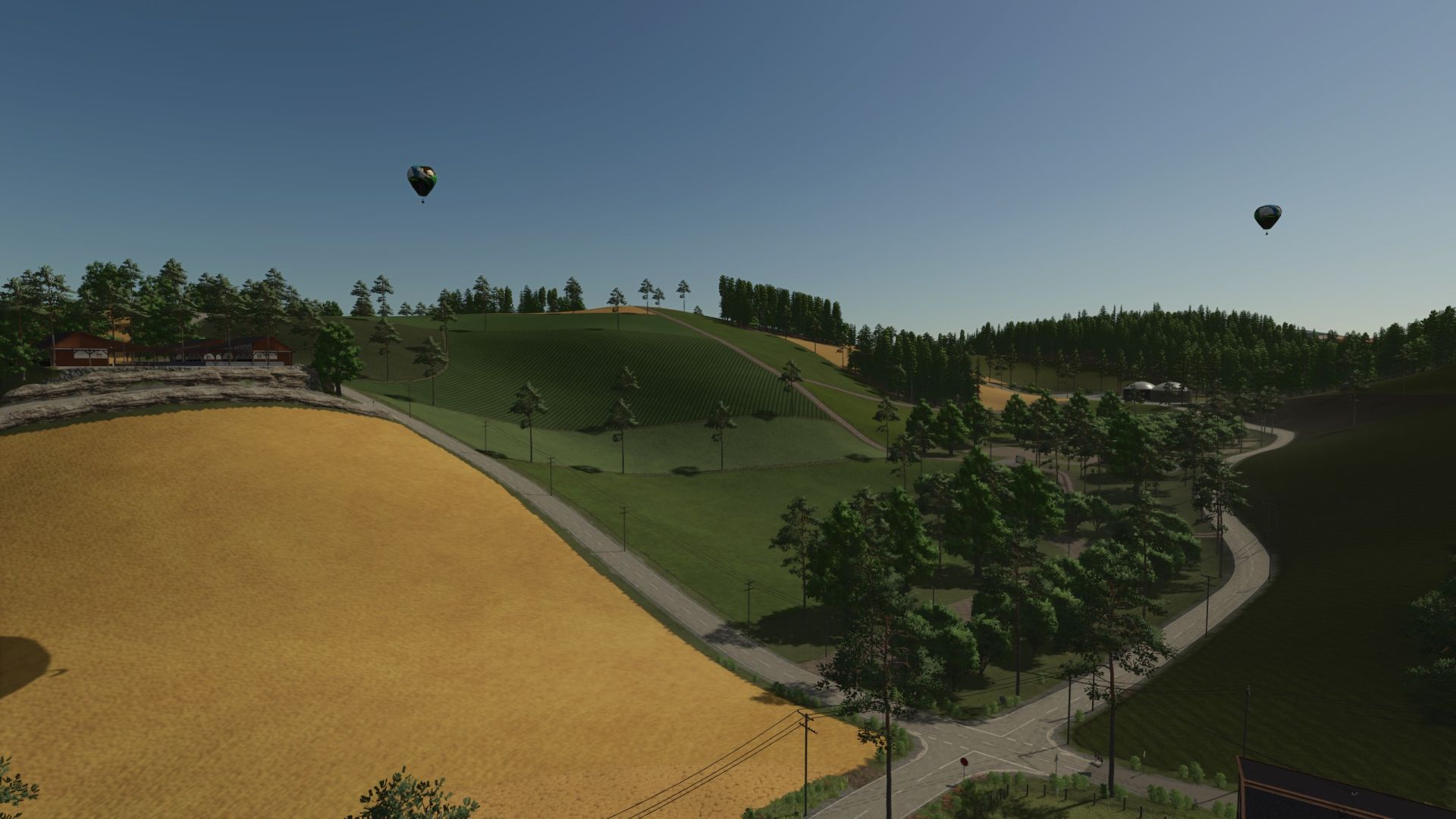
Chornberg – Schweizer Landwirtschaft zwischen Bergen und Tälern V1.0.0.3
Chornberg – Schweizer Landwirtschaft zwischen Bergen und Tälern V1.0.0.3 Chornberg – Schweizer Landwirtschaft zwischen Bergen und Tälern Willkommen in Chornberg, einer hochdetaillierten Karte für den Landwirtschafts-Simulator 25, die auf einer realen Schweizer Region basiert. Große Teile des Straßennetzes, der Feldaufteilung und der Landschaft wurden nach dem Vorbild des Originals gestaltet und vermitteln so das typische Gefühl der Landwirtschaft in den Alpen und Voralpen. Die Karte bietet 91 Felder mit einer Größe von 1,5 bis 6 Hektar. Dank seines ausgeprägten Höhenprofils mit steilen Hängen, schmalen Straßen und anspruchsvollen Zufahrtswegen ist Chornberg besonders gut geeignet für leistungsstarke Traktoren oder Kettenfahrzeuge. Wer die Herausforderung der Landwirtschaft in hügeligem Gelände sucht, wird hier fündig. Neben den klassischen Nutzpflanzen erwarten Sie zahlreiche Spezialkulturen. Mehrere Wein- und Olivenhaine sowie eine Hopfenplantage sind bereits in die Karte integriert. Folgende Früchte sind ebenfalls erhältlich: Roggen Triticale Dinkel Tabak Sesam Erdnüsse Lavendel Buchweizen Minze Hüpfen Weiße Trauben Auch der Obstanbau spielt in Chornberg eine wichtige Rolle. Bewirtschafte deine Apfel-, Kirsch-, Pflaumen-, Aprikosen- und Pfirsichplantagen und verarbeite die Ernte in den zahlreichen Produktionsstätten auf der Karte. Für Tierliebhaber bietet Chornberg eine breite Palette an Tierhaltungsmöglichkeiten. Es gibt bereits einen Rinderzuchtbetrieb, einen Hühnerzuchtbetrieb und einen kombinierten Schaf- und Ziegenzuchtbetrieb. Darüber hinaus wurden Gänse, Enten und Kaninchen als weitere Tierarten hinzugefügt, was für noch mehr Vielfalt auf Ihrem Bauernhof sorgt. Ein Schwerpunkt der Karte liegt auf der Produktion. Zahlreiche Fabriken ermöglichen umfangreiche Produktionsketten: Marmeladenfabrik Saftfabrik Molkerei Tabakfabrik Große Mühle Bäckerei Feinkostfabrik Brauerei Brennerei Metzger Sägewerk Zimmerei Papierfabrik Alle Produktionsanlagen wurden erweitert und benötigen nun neben den üblichen Rohstoffen auch Strom, leere Paletten und Verpackungsmaterialien wie Papier oder Karton. Dies führt zu realistischen und miteinander verbundenen Produktionsprozessen. Die Stromversorgung kann auf verschiedene Weise erfolgen. Erzeugen Sie Energie mit einer Biogasanlage (BGA), einem Blockheizkraftwerk oder verlassen Sie sich auf tragbare Solarpaneele, um Ihre Fabriken zuverlässig mit Energie zu versorgen. Für Garten- und Obstbaubegeisterte steht auch ein kompletter Gewächshauskomplex zur Verfügung. Die Verwendung von Kompost ist unerlässlich. damit Ihre Plantagen und Gewächshäuser ihr volles Potenzial ausschöpfen können. Auch das Tierfutterangebot wurde deutlich erweitert. Neben den Standardfuttersorten sind nun auch Maiskolbenmischung (CCM), Eiweißmehl und Getreidemehl erhältlich. Eine eigene Getreidemühle Die Anlage wurde zur Herstellung von Getreidemehl integriert und ist für die Verarbeitung von Mais geeignet. Das für Tierfutter benötigte CCM wird aus dem entsprechenden Rohmaterial hergestellt, das zuvor in einem Überfahrsilo siliert werden muss. Eine große Kompostierungsanlage vervollständigt das Produktionssystem. Es verfügt über insgesamt sechs überfahrbare Silos – drei für die Kompostproduktion und drei für CCM-Silage. Der erzeugte Kompost kann nicht nur zur Düngung der Felder verwendet werden, sondern ist auch unerlässlich für den erfolgreichen Betrieb aller Obstgärten und Gewächshäuser. Chornberg verbindet authentische Schweizer Landwirtschaft mit modernen Produktionsketten und einem erweiterten Obst- und Gemüseanbau. vielfältige Tierhaltung und anspruchsvolles Gelände. Die Karte richtet sich an Spieler, die realistische Landwirtschaft, komplexe Wirtschaftszyklen und anspruchsvolle Berglandschaften lieben. AD-Kurse sind in die Karte integriert. Beim ersten Start, wenn Autodrive fragt, ob Kurse erstellt werden sollen, klicken Sie auf „Nein“, und die Kurse werden geladen. Auf der Karte sind geeignete Erntemaschinen für Lavendel, Hopfen, weiße Trauben und Erdnüsse eingezeichnet. V1.0.0.3 Was wurde getan: – Anpassungen am neuen DLC – Tausche und spiele weiter Erforderliche Mods: Metzger im Fachwerkstil Gewächshauspaket – Vielfalt unter Glas Tags: Chornberg Schweizer LandwirtschaftDie KarteErforderliche ModsIhre Fabriken
- 15 per page
- 30 per page
- 45 per page
- 60 per page
-
See more per page
Bigger pages, fewer clicks - and no ads anywhere.
Go Pro