Farming Simulator 25 mods
77,956 results- 15 per page
- 30 per page
- 45 per page
- 60 per page
-
See more per page
Bigger pages, fewer clicks - and no ads anywhere.
Go Pro
Drumard Farm Extended V1.0.0.0
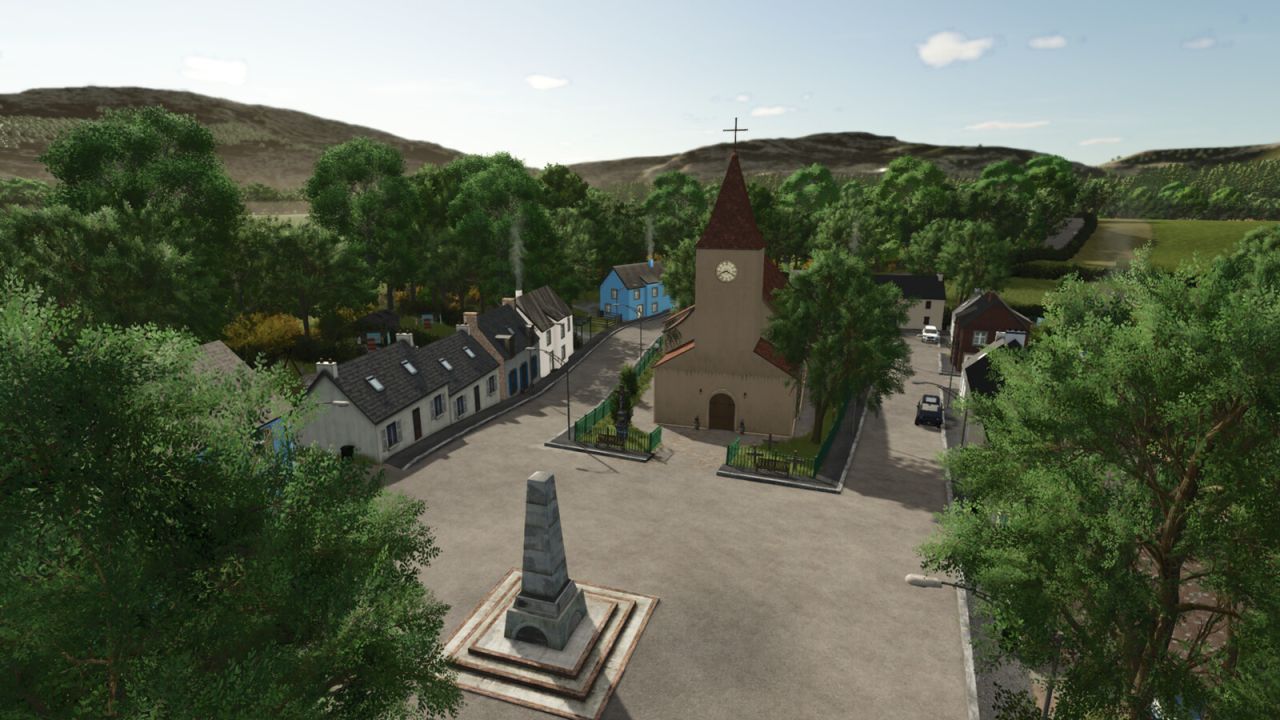
Drumard Farm Extended V1.0.0.0 Drumard Farm ist ein realer, aktiver Rinderzuchtbetrieb inmitten der grünen Felder von Irland, County Louth. Es gibt zwei Höfe: Drumard Farm, wo Kühe und Schafe gehalten werden, und Drumard Ackerbaubetrieb, wo die Schweine untergebracht sind. Die Kartenmerkmale sind: – Zwei bewirtschaftete Bauernhöfe, einer davon mit Getreidesilo. Zwei Forstgebiete auf der Karte. – 36 Felder – Einige Forstgrundstücke – Ein Verkaufsbereich mit zwei Verkaufsstellen (Drumard Grains 1/2) für die verschiedenen Feldfrüchte. – Saatgut- und Düngemittelstelle auf dem Drumard Ackerbaubetrieb. Bitte beachten Sie, dass es an Hecken, Zäunen und Mauern zu Kollisionen kommen kann. Um den Arbeitern zu helfen, gibt es jedoch großzügige Grasstreifen rund um die Felder. – Automatische Tore und Beleuchtung an den meisten Hof- und Hofgebäuden. – Die meisten Basisspiel-Produktionen auf der Karte. – Viele Schuppen wurden hinzugefügt. – Maßgefertigter Kuhstall (mittelgroß) hinzugefügt. – Platzierbare Hecken und 2 Mauertypen. – Geänderte Produktionspunkte. – Der Feststoffdüngertank kann nun auch Kalk aufnehmen, der Flüssigdüngertank kann nun auch Herbizid aufnehmen. – Neue Füllarten hinzugefügt. – Präzisionslandwirtschaft bereit mit einer individuellen Bodenkarte. – 25 Sammelobjekte zum Finden. – MissyBs britischer Kalender. – Neue Feldfrüchte, Winterweizen, Wintergerste, Winterhafer, Grünroggen (auch Ganzpflanzensilage genannt), Roggen, Dinkel, Triticale und Klee, Sommerweizen, Sommerhafer, Sommergerste und Ackerbohnen. Die KI hat die Anpflanzung von Baumwolle, Sorghum, Sonnenblumen und Langkornreis gestoppt; Sie können diese Pflanzenarten jedoch anbauen, wenn Sie möchten. – Die Ernteerträge wurden an den britischen Durchschnittsertrag in Tonnen pro Hektar angepasst. – Die Preise wurden an die britischen Preise pro Tonne angepasst. – Alle neuen Feldfrüchte werden dem Tierfutter beigemischt. – Veränderungen der Produktionswerte von Milch, Eiern und Wolle bei Tieren (Kühe, Hühner und Ziegen verlangsamen ihre Produktion in bestimmten Altersstufen und stellen sie in bestimmten Altersstufen ganz ein. Schafe produzieren nach einem bestimmten Alter weniger Wolle. Dies dient der besseren Simulation realer Gegebenheiten). – Die Tiere werden nun mehr Futter konsumieren, um den realen Konsum besser widerzuspiegeln. Pferde werden allerdings erst ab einem Alter von 36 Monaten für 50.000 verkauft. Erforderliche Mods: Größere Tierställe Tags: Die KartenmerkmaleDrumard AckerbaubetriebDrumard FarmErforderliche Mods
Lizard Getreideaufbewahrung und Tierfuttermischer V1.3.0.0
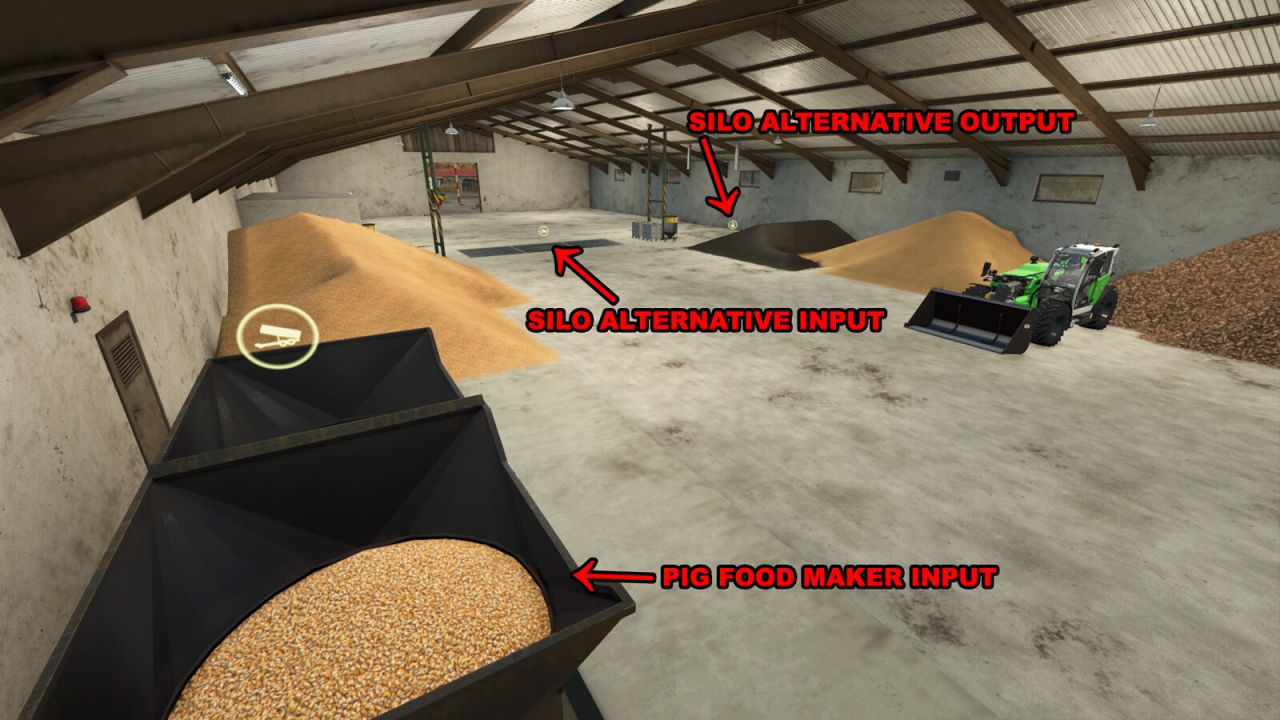
Lizard Getreideaufbewahrung und Tierfuttermischer V1.3.0.0 Diese Mehrzweckanlage verfügt über eine große Lagerhalle, in der Sie Erntegut am Boden lagern oder aufbewahren können, bevor es von einem Häcksler verarbeitet wird. Getreide kann auch in großvolumigen Lagersilos gelagert werden. Auch für Fahrzeuge oder zur Palettenlagerung ist ausreichend Platz vorhanden. Der Shredder bereitet Futter für Ihre Schweine zu. 2 Rezepte: 1) Mais + Gerste + Raps + Kartoffel 2) Sauerteig + Weizen + Sonnenblume + Zuckerrübe Die Beleuchtung im Schuppen lässt sich von jedem beliebigen Ort im Gebäude aus manuell steuern. Die Außenbeleuchtung über den Toren schaltet sich nachts automatisch ein. Es besteht die Möglichkeit, Solarpaneele auf dem Dach zu installieren. Preis pro Paneel: 265 $. Ertrag pro Paneel und Monat: 21,6 $ (bei geeigneten Wetterbedingungen). Preis: 487.000 $ Tägliche Unterhaltskosten: 250 $ Fülltyp-Kategorie: FARMSILO Silokapazität: 1.700.000 l Futterproduktionsrate des Shredder-Schweins pro Spielmonat: 90.000 l Funktionale und nicht-funktionale – dekorative Gebäudevarianten verfügbar. V1.3.0.0 – Es wurde eine dekorative Gebäudevariante für Kartenersteller hinzugefügt, die das Gebäude für andere Zwecke nutzen möchten. (Die Silo- und Produktionspunktfunktionen wurden entfernt, um Konflikte oder Probleme bei der anderweitigen Nutzung des Gebäudes zu vermeiden. Beleuchtung, Türfunktionen und die Option zur Installation von Solarmodulen bleiben erhalten.) Tags: Die AuDie BeleuchtungIhre SchweineSie Erntegut
Lizard L4560 Roller V1.0.0.0
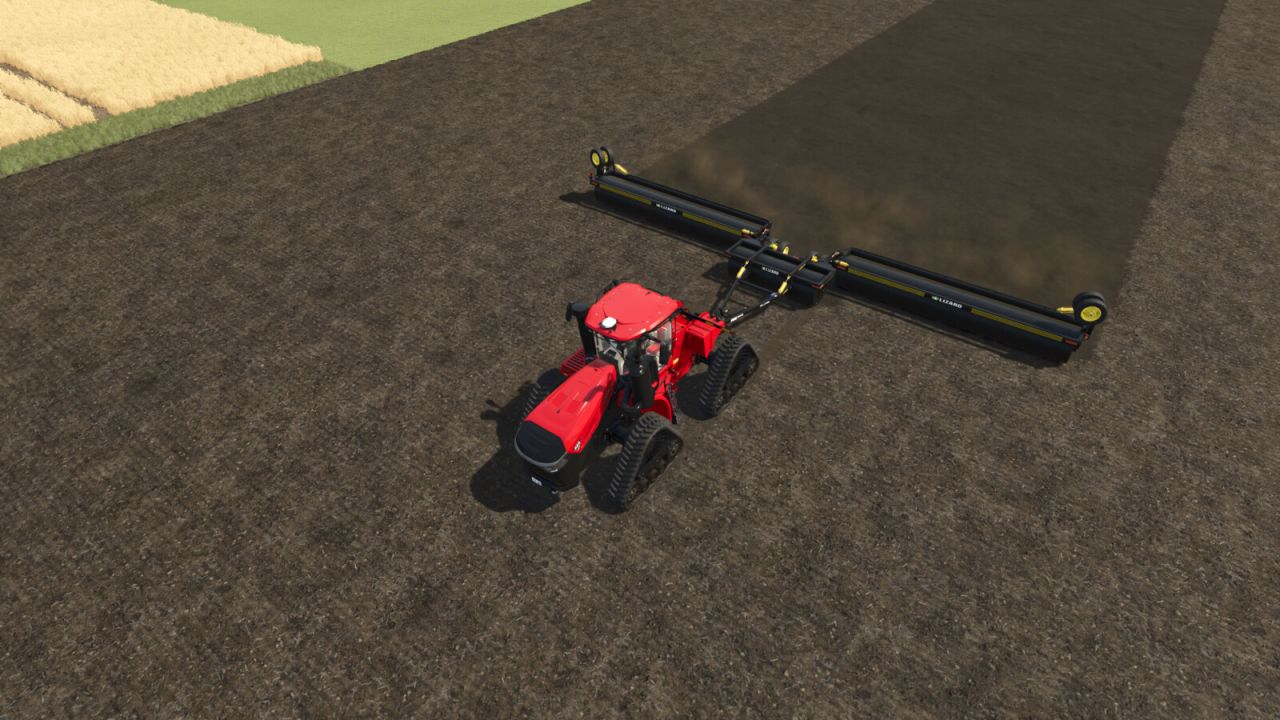
Lizard L4560 Roller V1.0.0.0 Kategorie: Walzen Preis: 52.659 $ Erforderliche Leistung: 210 PS Arbeitsbreite: 18,4 m Arbeitsgeschwindigkeit: 30 km/h Tags: Erforderliche LeistungPS
Schlammleitungssystem V1.0.1.8
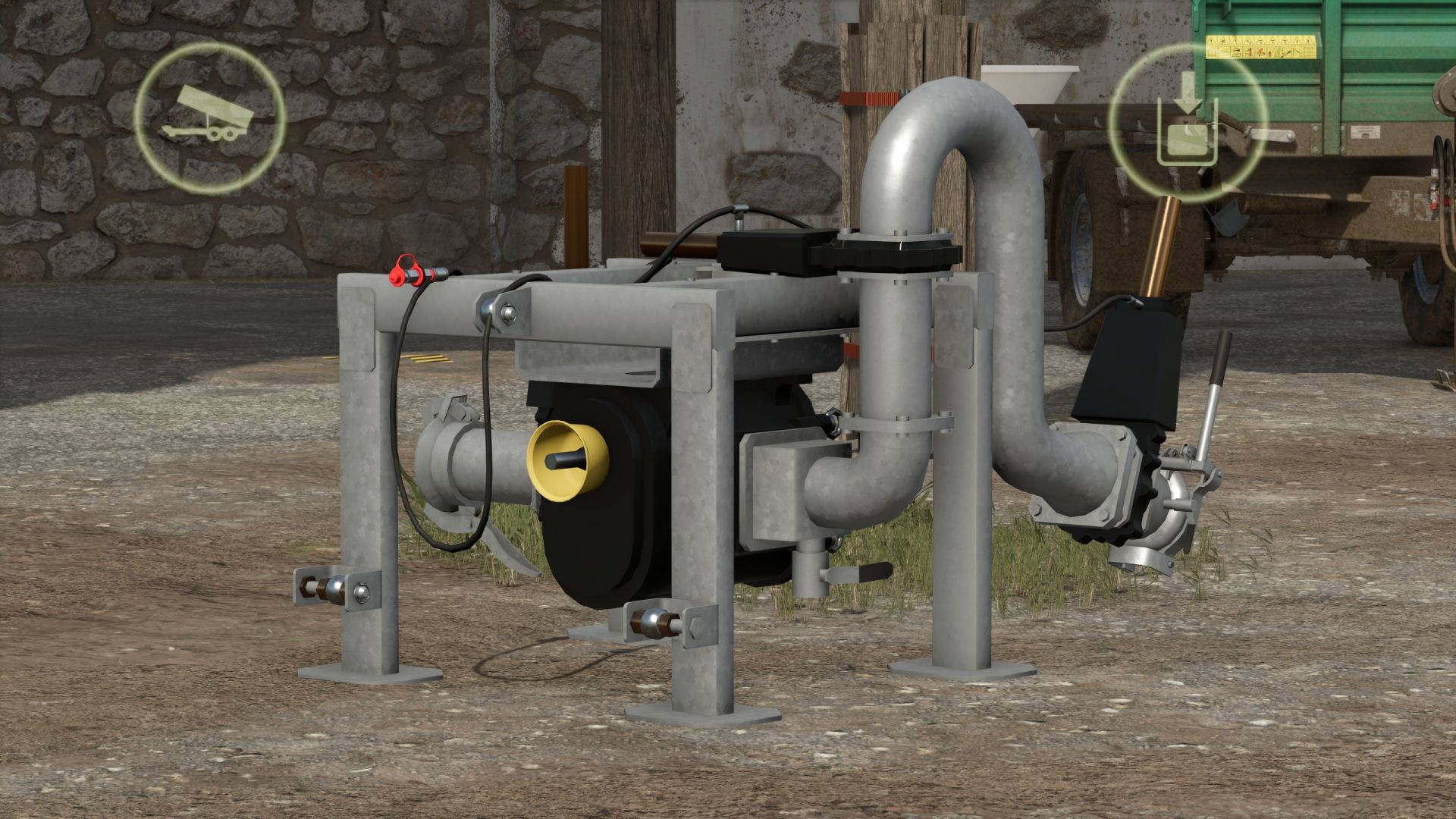
Schlammleitungssystem V1.0.1.8 Realistisches physikalisches Güllerohrsystem für den Landwirtschafts-Simulator 2025. Ersetzt die herkömmliche "Fahren in einen Auslöser und Befüllen"-Mechanik durch ein haptisches System, bei dem man Tankwagen-Füllarme oder Rohrketten physisch verbindet, eine zapfwellengetriebene Pumpe betreibt, Druck aufbaut, die Durchflussrichtung steuert und beobachtet, wie sich die Gülle durch echte Rohrleitungen bewegt – mit einer Gülle, die tatsächlich eindickt, verkrustet und verstopft, wenn man sie vernachlässigt. Was es tut Sanitärinstallationen und Transfer Die Füllarme wurden per Joystick aus dem Tankwagen in offene Schlammgruben oder Gummistutzen an Gebäuden und anderen Fahrzeugen geschwenkt. Rohrketten – mehrsegmentige Rohre, die durch Gehen von einem Kupplungsstück zum nächsten verlegt werden und einrasten, wenn beide Enden über passende Kupplungen verfügen. Direkte Bez-Rohre – ein einzelnes Verbindungsrohr zwischen zwei nahe beieinander liegenden Kupplungen für schnelle Pumpentransfers zwischen einem Tankwagen und einem Gebäude. Leitungspumpe (Zapfwellen-Schlammpumpe) – ein passiver Pumpenanhänger, durch den zwei Rohrketten den Förderstrom transportieren. Animierte Kupplungen und Ventile – Klemmgriffe schließen sich beim Verbinden, Ventilräder drehen sich beim Öffnen. Farbige Rohre – pro Rohrsegment aus einer Farbpalette auswählen, pro Speicherstand speichern. Unterstützung mehrerer Füllarten — funktioniert mit Flüssigmist und Gärrest; die Transfers wählen automatisch die jeweils vorhandene Füllart aus. Pumpen und Druck Pumpentypen – Vakuum (Modell mit gespeichertem ±bar-Druck und Manometer), HVP-Hochvolumenpumpe, Leitungspumpstation und offene passive Behälter (z. B. Vorratstanks). Druckmodell – Vakuumtanker bauen eine gespeicherte Ladung auf, halten sie, verjüngen sie und entleeren sie, wodurch die Befüllung und Entleerung gesteuert wird; das Ausbreitungsverhalten skaliert mit dem Druck und nicht mit einem einfachen Ein/Aus-Prinzip. Zapfwellen-Scherbolzen (optional) — verschleißt und bricht unter Last beim Drehen mit eingeschalteter Zapfwelle; begehbarer Haltepunkt zur Reparatur. Schlamm, der sich wie Schlamm verhält Dickenverhältnis / Trockenmasse – Die Gülle dickt ein, wenn sich die Trockenmasse konzentriert; die Dickenverhältnisse beeinflussen Fließfähigkeit und Ausbreitung. Krustenbildung und Verstopfungen – ungemischte Gülle verkrustet im Laufe der Saison; verkrustete, klumpige Gülle kann die Auslässe des Streuers und den Zerkleinerer verstopfen. Durch Mischen wird dieses Risiko beseitigt; die Zugabe von Wasser verdünnt die dickflüssige Gülle. Agitation – ein managergesteuerter Agitator funktioniert an jedem registrierten Fahrzeug mit einem Agitatorspitzenknoten, keine Spezialisierung erforderlich. Wasserentnahme – Füllarme können Wasser direkt aus Seen und Teichen auf der Karte entnehmen, sofern die Karte SPS-Wasserflächen bereitstellt. Verbreitung Tropfleisten und Bandverteiler – Verstopfungsmodellierung pro Auslass, Verteiler-Zerkleinerer und ein Verteiler-HUD. Dünger-/Herbizidspritzgeräte – Flüssigdünger oder Herbizid wird über dasselbe Kupplungs- und Rohrsystem mittels einer speziellen Spritzeneinheit zugeführt und von einer zentralen Pumpensteuerung bedient. Die Spritzgeräte arbeiten ohne Druckregelung – der Durchfluss ist konstant. V1.0.1.8 Physische Schläuche, SPS-Dockingstation, SPS-Turmmischer und zahlreiche Fehlerbehebungsaufgaben. Neu hinzugefügt Schläuche: Schläuche können erworben, transportiert, angeschlossen und manuell miteinander verbunden werden (als Alternative zu fest installierten Leitungen). Für jeden Schlauchtyp (Gülle/Wasser/Milch), in Längen von 4 m oder 6 m, mit verschiedenen Anschlüssen und in unterschiedlichen Farben, gibt es eine eigene Shopseite. Zum Lösen festsitzender Schläuche (linke Alt-Taste + F, während man einen Schlauch hält): Der Schlauch kann durch Fahrzeuge bewegt werden, bis er sich löst. Schlauchhalter sind an Tankwagen und der SPS-Dockingstation (mobiler Anschlusspunkt) erhältlich. SPS-Turmmischer: Ein Rührwerk für Schlammbecken mit integrierter Pumpe zum Befüllen von Tankwagen. Die Durchflussanzeigen für Pumpen (Zapfwellenpumpe, Turmmischer) beinhalten eine Angabe der Gründe für Pumpenausfälle; die Durchflussrate wird auch im HUD des Tankwagens angezeigt. Wasser und Milch können über Schläuche transportiert werden (Anschlüsse mit Ventilen, Schwerkraftfluss, Transfer zwischen Tankwagen); Unterstützung wird für den zentralen Kuhstall (SPS) sowie für Düngemittel-/Herbizidsilos bereitgestellt. Schläuche, Dockingstation, Zapfwellenpumpe und Turmmischer unterliegen Verschmutzung und Verschleiß; sie können mit einem Hochdruckreiniger gereinigt werden. Im Baumenü können benutzerdefinierte Wasserwege eingezeichnet werden. Fehlerbehebungen Mehrspieler: Synchronisierung von Ventilen, Pumpen und Verbindungen; beitretende Spieler erhalten den korrekten Status; SPS-Einstellungen können nur von einem Administrator geändert werden; andere Farmen können Ihre Geräte nicht bedienen. Der Status der Scherbolzen wird gespeichert; die Schwimmschicht in Güllebecken wird nun pro Becken synchronisiert; Gea/Vector-Kuhställe verwenden ihre eigene Konfiguration; Schlauchhalter für den Farmtech SuperCis 800 hinzugefügt. Shop: Kategorie „Slurry Technology“, „PLC Slurry Set“, Kameras und Schlauchvorschauen. Änderungen Besser organisiertes Protokoll (Routinemeldungen in den Debug-Kanal "Info" verschoben), Downloadgröße um ca. 50 MB reduziert, geringere Verarbeitungslast pro Frame. Tags: Durch MischenHUDKonfiguration SchlauchhalterMehrspieler Synchronisierung
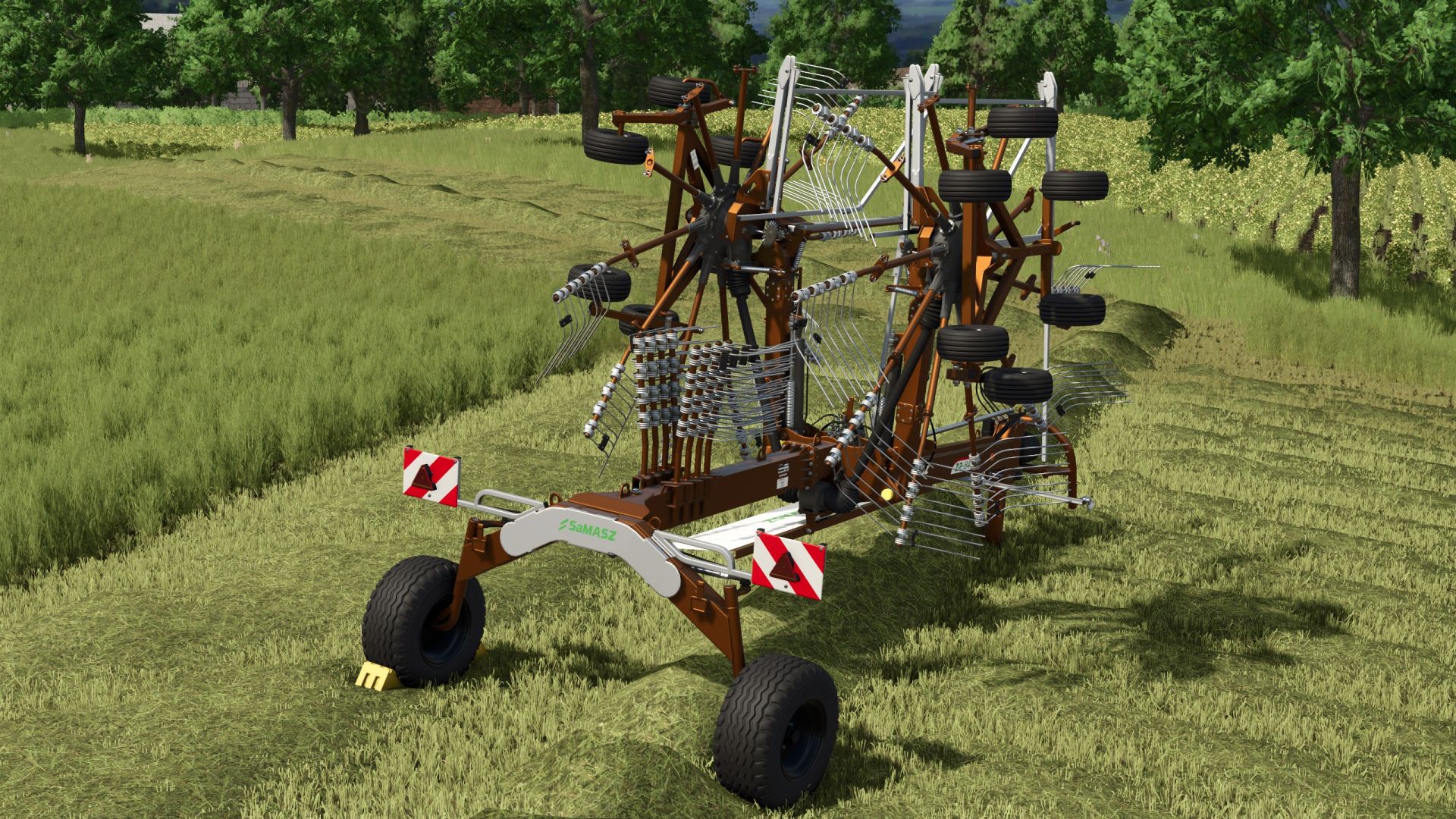
Samasz Z2840 V2.1.0.0
Samasz Z2840 V2.1.0.0 Sie besitzen einen kleinen Samasz Z-2840 Heuwender, der sich perfekt für Ihre kleinen Felder eignet. Arbeitsbreite 8,4 m Die Arbeitsgeschwindigkeit wurde auf 25 km/h geändert. Auswahl der Rahmen- und Felgenfarbe. mehr Farbauswahl hinzugefügt Rader inklusive Rahmen kann farbig gestaltet werden. Die Arbeitsgeschwindigkeit wurde auf 25 km/h erhöht. Das Reparaturintervall wurde verlängert. V2.1.0.0 ModDesc angepasst Konfigurierbares LED-Rücklicht Neue Farben hinzugefügt Tags: Das ReparaturintervallDie ArbeitsgeschwindigkeitNeue FarbenSamasz Z-2840 Heuwender
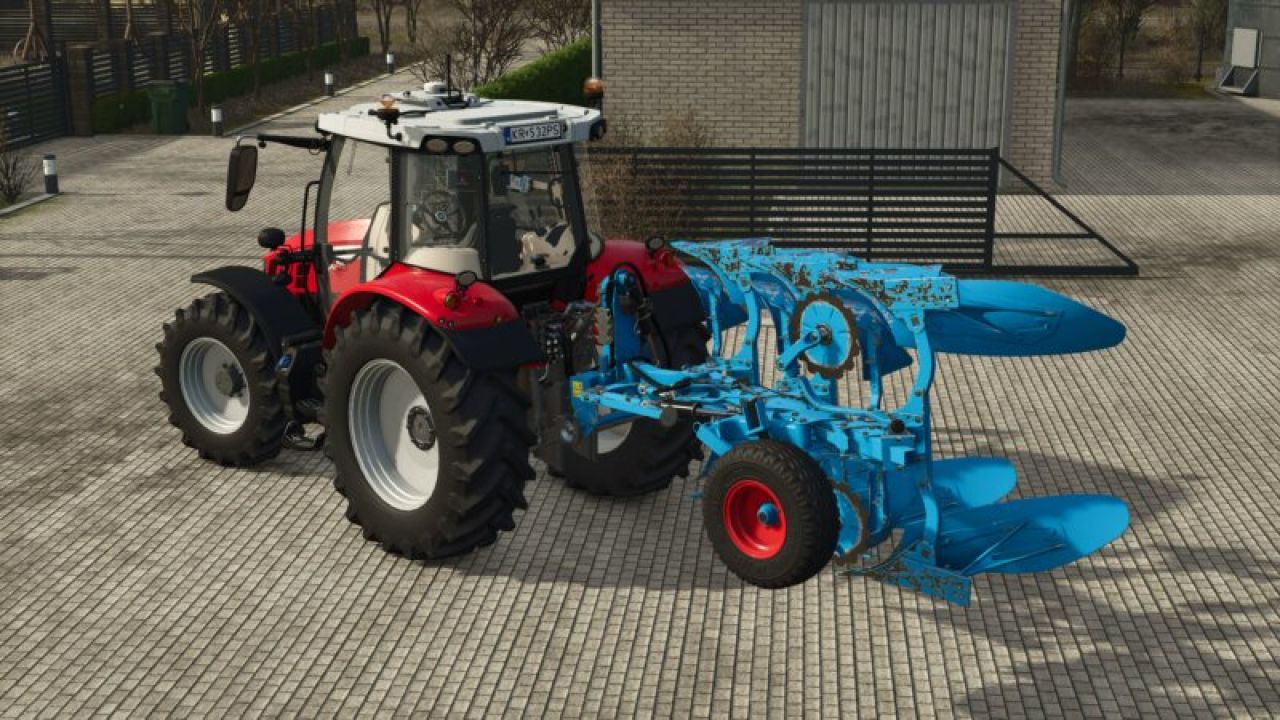
Lemken Juwel 6 Vario V1.0.0.0
Lemken Juwel 6 Vario V1.0.0.0 Ein Lemken Jewel 6 Vario Variable 3-Furchen-Konfigurationen: – Festkörper – Körper ausziehen – Transportposition SAUBERE PROTOKOLLDATEI! ALLES FUNKTIONIERT; ZIEHT DIE FURCHE PERFEKT.

FS25 Fendt/MF Baler-Wrapping Combination v1.0.0.5
FS25 Fendt/MF Baler-Wrapping Combination v1.0.0.5 Baler-wrapper combination – baling and wrapping in one operation! Bale and wrap directly – with this powerful baler-wrapper combination, you save valuable time and optimize your workflows. Thanks to the integrated pre-chamber and the generous 120-liter silage additive tank, you’re perfectly equipped for silage production. Suitable for bales with a diameter of up to 1.80 m! Technical specifications & features Bale diameter: 1.25 m to 1.80 m ↔ Selectable working width: 2 m to 5 m Silage additive tank: 120 liters Required power: 103 kW / 140 hp Max. working speed: 17 km/h Price Purchase price: from €84,500
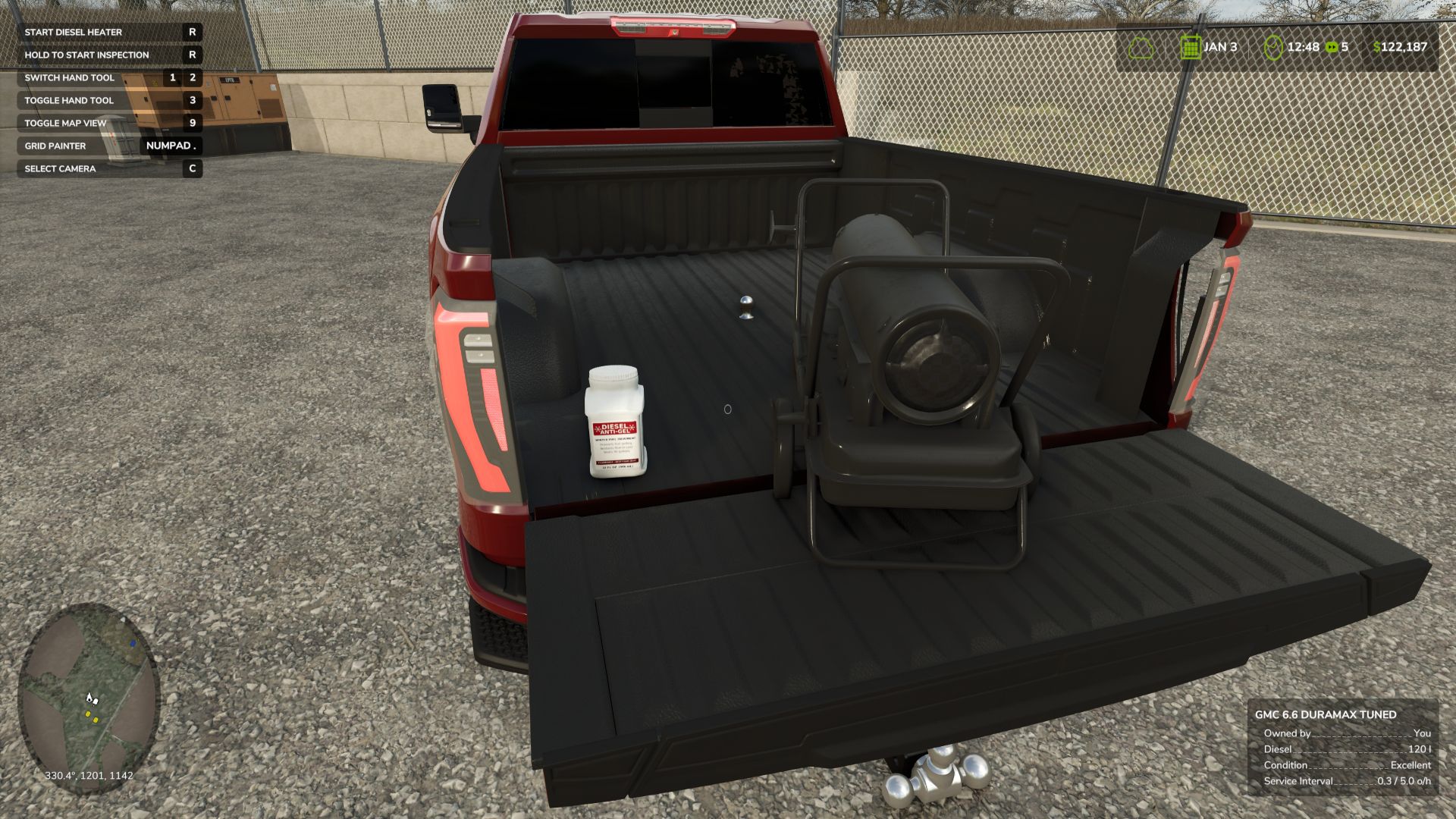
Diesel Gel System BETA 2 v1.0.0.0
Diesel Gel System BETA 2 v1.0.0.0 Das Diesel-Gel-System sorgt in Farming Simulator 25 für realistisches Dieselverhalten bei Kälte. Mit sinkenden Temperaturen verlieren dieselbetriebene Fahrzeuge allmählich an Leistung und starten unter Umständen nicht mehr, wenn der Kraftstoff stark geliert. Die Konsolenbefehle, mit denen Sie die Gelierung des Kraftstoffs jederzeit erzwingen können, finden Sie in der README-Datei. Zukünftige Updates werden eine käufliche Motorvorwärmung und das Diesel911-Additiv umfassen. BETA 2 Tragbare Dieselheizung und eine Flasche Anti-Gel hinzugefügt. Der Dieselheizer hat derzeit keine Textur und die Farbe kann im Shop ausgewählt werden. Die Anti-Gel-Flasche ist mit einem Etikett versehen, um sie zu identifizieren. Tags: BETADie KonsolenbefehleFarming SimulatorTragbare Dieselheizung

FS25 Automated multifunction workshop v1.0.0.6
FS25 Automated multifunction workshop v1.0.0.6 Fully automated workshop – repair, washing, painting and refueling all in one With this fully automated workshop, you have everything you need for the care and maintenance of your vehicles. Features Automated repair: The workshop independently carries out repairs on vehicles, ensuring your machines always remain in top condition. Washing and painting: Your vehicles are not only serviced, but also thoroughly washed and professionally painted – all automatically. Integrated refueling station: The workshop is equipped with an integrated refueling system, so you can refuel your vehicles quickly and easily at any time. Customization Z key: You can use the Z key to show or hide the warning stripes and icons, as long as you are in the correct trigger area. Costs and maintenance Workshop with integrated gas station, car wash, repair and painting Shop category: Miscellaneous Price: €15,000 Daily maintenance: €10,000 Workshop with integrated gas station, car wash and repair (excluding painting) Shop category: Miscellaneous Price: €12,000 Daily maintenance: €7,000 Workshop with car wash, repair and painting Shop category: Miscellaneous Price: €13,000 Daily maintenance: €8,000 Workshop with car wash and repair service Shop category: Miscellaneous Price: €10,000 Daily maintenance: €5,000 Air pump Shop category: Miscellaneous Price: €500 Daily maintenance: €0 Electric charging station Shop category: Miscellaneous Price: €3,000 Daily maintenance: €5 Vintage fuel pump Shop Category: Diesel Tanks Price: €3,900 Daily maintenance: €5 Shelter Shop category: Halls Price: €4,500 Daily maintenance: €0 This workshop is the perfect solution to make your work easier and keep your fleet efficient and in top condition.
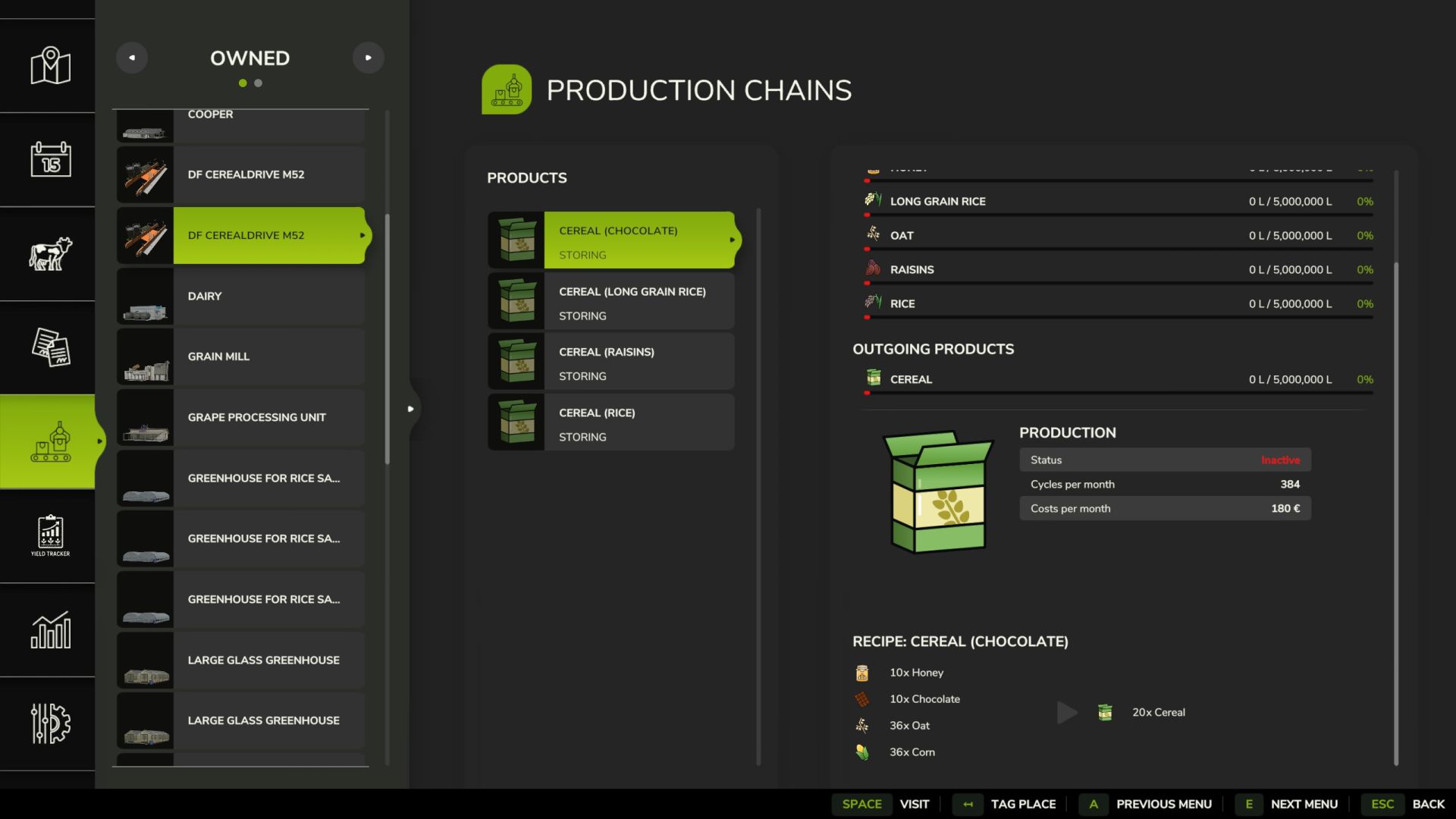
DF Cereal Drive M52 V1.0.0.0
DF Cereal Drive M52 V1.0.0.0 Mit dem DF Cereal Drive M52 bringen wir die erste hocheffiziente Getreidefabrik mit echtem Drive-in-Konzept in den Landwirtschafts-Simulator 25! Das mühsame und millimetergenaue Manövrieren großer Lkw an engen Entladestellen gehört der Vergangenheit an: Man rollt den Getreidezug einfach in die Einfahrt, kippt die Rohstoffe auf die geräumige Wiegeplattform und fährt sofort wieder los. Die Fabrik ist von Grund auf perfekt auf automatisierte Fahrsysteme (wie AutoDrive) optimiert – KI-Fahrer navigieren mühelos durch die Spurführung. Optische Highlights wie die integrierte Beleuchtung und ein separater, klar strukturierter Palettenablagebereich runden das Gesamtpaket ab. Die wichtigsten Fakten zum Werk: Kaufpreis: 58.500 € Wartung: 0 €/Tag Kategorie: Produktionspunkte Wareneingang: Weizen, Gerste, Hafer, Sorghum, Rosinen, Schokolade, Honig Abgehende Waren: Müsli / Getreideprodukte Änderungsprotokoll/Versionsinformationen Version 1.0.0.0 (Veröffentlichung) Drive-in-Konzept: Integration der Müsliproduktion in ein Drive-Through-Silo. Sauberes Protokoll: Die Mod läuft auf dem neuesten Patch absolut fehlerfrei. Helferfreundlich: Fahrspuren und Kollisionserkennung speziell für AutoDrive angepasst. Letzte Handgriffe: Animierte Komponenten (dynamicallyLoadedParts) erfolgreich für FS25 kalibriert. Tags: Die FabrikKategorie Produktionspunkte
DF EcoFuel M50 V1.0.0.0
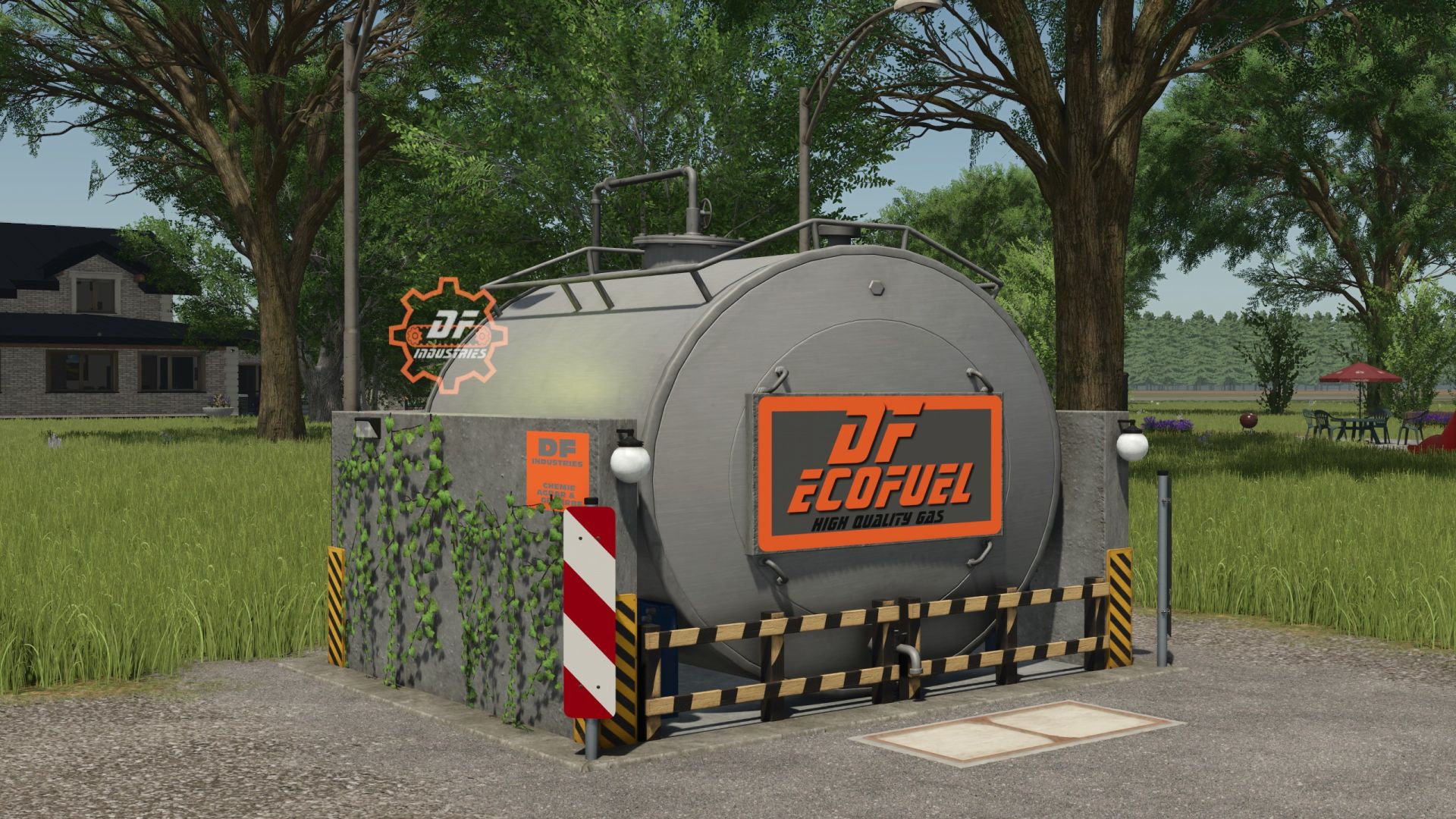
DF EcoFuel M50 V1.0.0.0 Das große Jubiläum ist da! Mod Nummer 50 der erfolgreichen DF-Serie! Die DF EcoFuel M50 ist die ultimative Tankstelle für Farming Simulator 25. Dieses kompakte und hocheffiziente Meisterstück wurde speziell für moderne landwirtschaftliche Betriebe entwickelt. Sie suchen eine platzsparende und optisch ansprechende Betankungslösung für ihre Fahrzeugflotte. Verabschieden Sie sich von sperrigen, überdimensionierten Tanks, die das Erscheinungsbild Ihres Bauernhofs beeinträchtigen. Der DF EcoFuel M50 bietet maximale Funktionalität auf minimalem Raum und fügt sich dank seines realistischen Designs nahtlos in jedes landwirtschaftliche Layout ein. Ausgestattet mit modernster Technologie und den unverwechselbaren individuellen Symbolen von DF Industries, glänzt diese Zapfsäule besonders beim Tanken in der Nacht. Highlights & Funktionen Jubiläums-Mod: Das offizielle Meisterwerk zum 50. Jubiläum – bis ins kleinste Detail optimiert! Kompaktes Design: Extrem platzsparende Konstruktion mit integrierter Auffangwanne aus Beton, ideal für jede Ecke des Bauernhofs. Beleuchtung für die Nachtschicht: Zwei perfekt positionierte Straßenlaternen sorgen für stimmungsvolle und optimale Beleuchtung beim Tanken in der Nacht. Individuelles Branding: Großes, auffälliges und hell erleuchtetes DF-ECOFUEL-Schild sowie leuchtende Zahnradlogos für eine unverwechselbare Markenpräsenz. AutoDrive-freundlich: Dank des freien Zugangs und der kompakten Abmessungen eignet es sich perfekt für KI-Assistenten und automatisierte Routen. 100 % sauberes Log: Vollständig optimiert für den LS25-Motor. Keine Fehler, keine Warnungen – die gewohnt erstklassige Qualität! Tags: Farming SimulatorKeine FehlerMod NummerVerabschieden Sie
DF Dual H2O Tank M51 V1.0.0.0
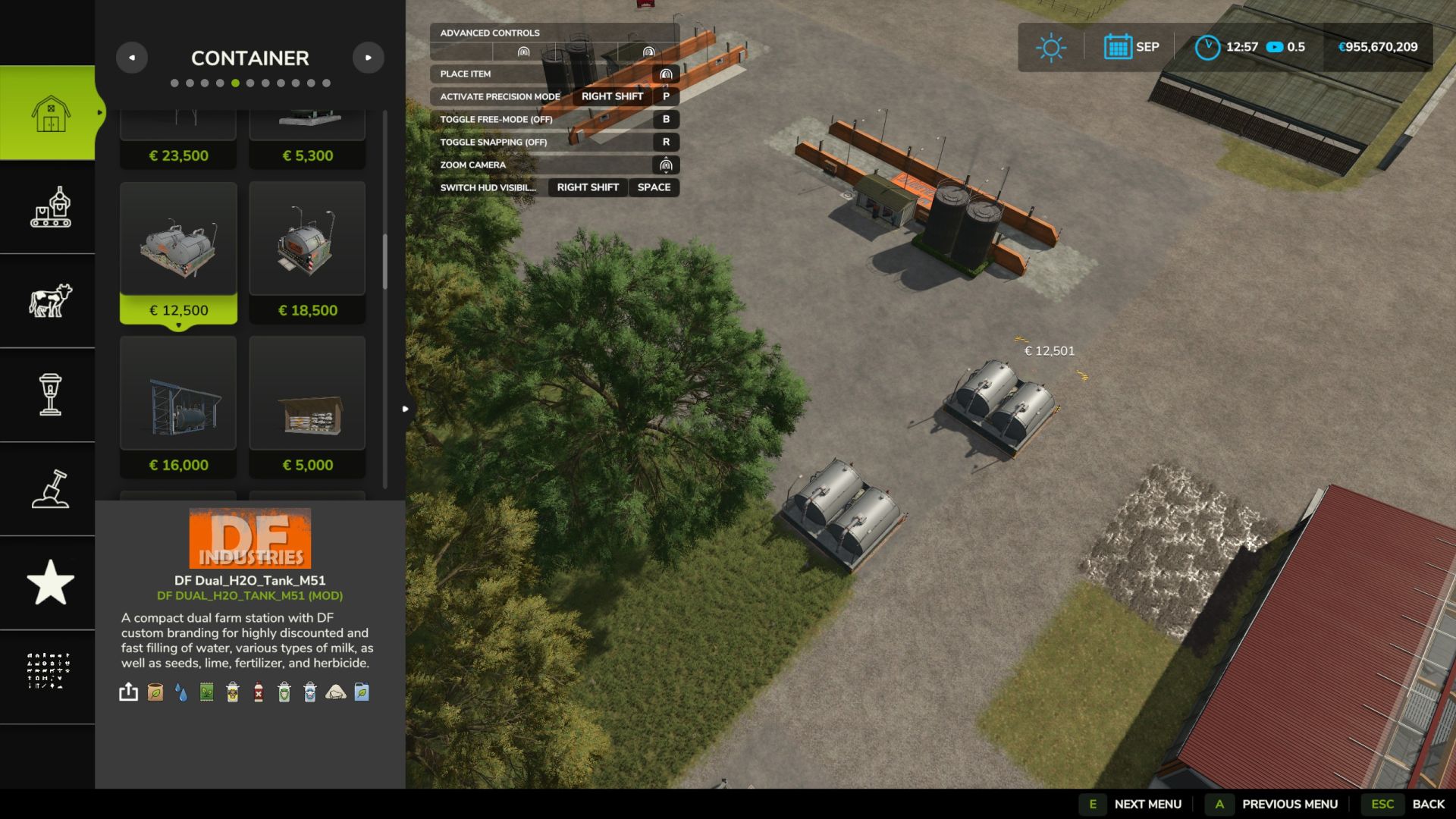
DF Dual H2O Tank M51 V1.0.0.0 Das epische große Finale – Mod Nummer 51 der erfolgreichen DF-Serie! Dieses letzte Meisterwerk vereint ein schönes, kompaktes Doppeltank-Design mit der ultimativen Funktionalität einer All-in-One-Landwirtschaftsversorgungsstation! Diese Mod spart dir zusätzlichen Platz auf deiner Farm: Sie dient nicht nur als Wasserstelle, sondern versorgt Ihren gesamten Betrieb in kürzester Zeit mit allen notwendigen Flüssigkeiten und Vorräten. Dank ihres platzsparenden Designs fügt sich die Station perfekt in jede Ecke des Bauernhofs ein und erstrahlt dank ihrer stimmungsvollen Beleuchtung besonders nachts in ihrer ganzen Pracht. Das absolute Highlight für jeden landwirtschaftlichen Betrieb: Wasser ist an dieser Station komplett kostenlos (0 €)! Alle anderen verfügbaren Waren wurden in der XML-Datei optimiert, sodass dass sie mit einem erheblichen Rabatt von 75% erworben werden können. Ein wahres Abschiedsgeschenk der Mod-Götter! Highlights & Funktionen Das große Finale: Das offizielle Meisterwerk Nr. 51 – die Krönung! Alles für den landwirtschaftlichen Betrieb aus einer Hand: Bequemer Zugriff auf Wasser, Milch, Büffelmilch, Ziegenmilch, Mineraldünger, Flüssigdünger, Kalk, Saatgut und Herbizide von einem einzigen Auslösepunkt aus. Spargarantie: Wasser ist 100 % kostenlos (0 €). Alle anderen Produkte sind um sage und schreibe 75 % reduziert (Sie zahlen nur ein Viertel des Normalpreises)! Höchstgeschwindigkeit: Extrem schnelle Befüllrate von 2200 Litern pro Sekunde – keine langen Wartezeiten mehr! Atmosphäre der Nachtschicht: Zwei hocheffiziente Straßenlaternen und zwei rustikale, funktionale Sturmlaternen direkt auf den Tanks erzeugen ein brillantes Lichtspiel in der Dunkelheit. AutoDrive-freundlich: Ungehinderter Zugang und perfekt abgestimmte Kollisionsboxen garantieren einen reibungslosen Betrieb mit KI-Assistenten und großen Fahrzeugen. 100% sauberes Log: Wie immer optimiert für die FS25-Engine in makelloser Premium-Qualität. Tags: Diese ModFinale Mod NummerHighlights FunktionenMeisterwerk Nr
Westfalia 4x V1.0.0.0
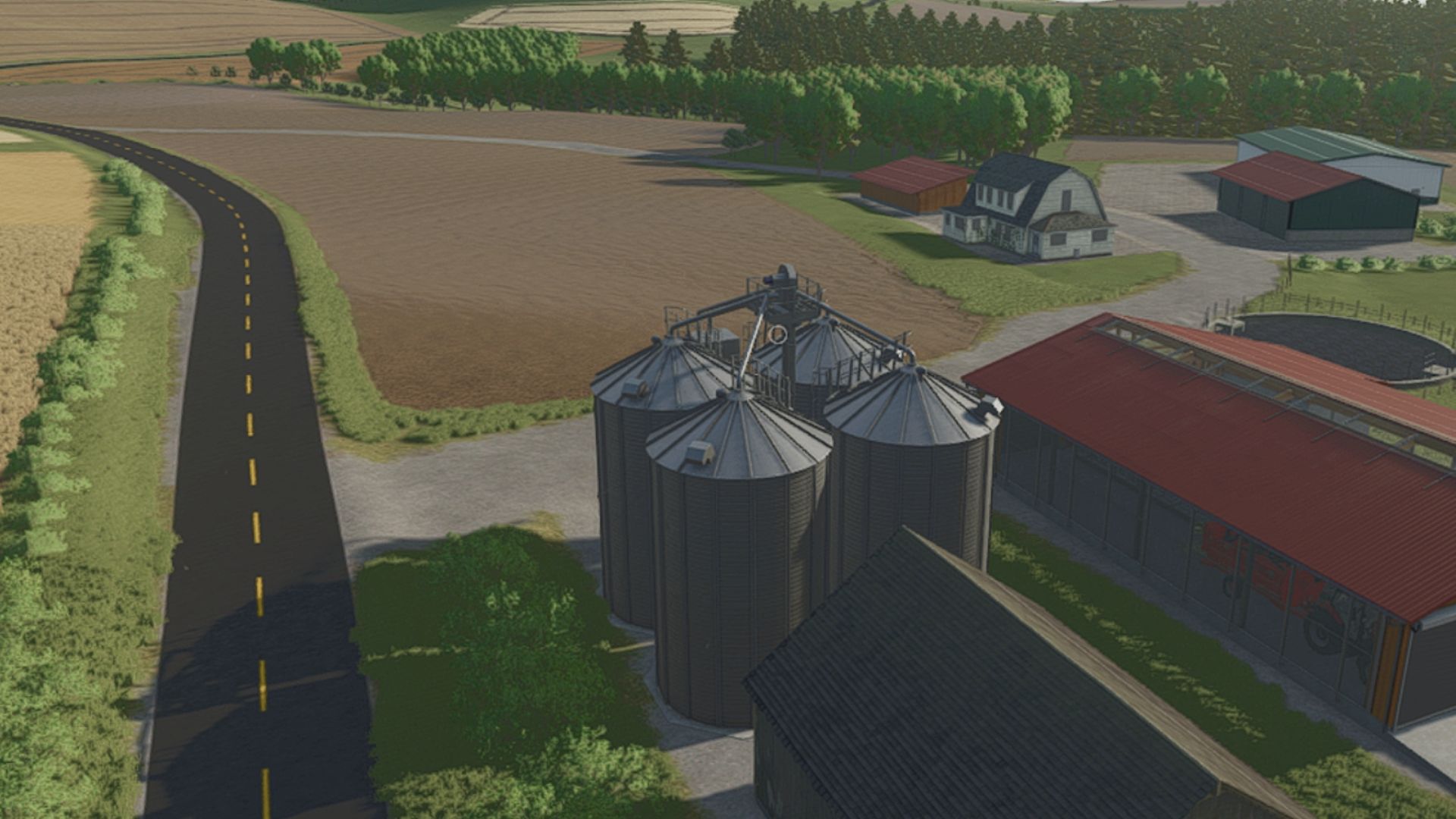
Westfalia 4x V1.0.0.0 Karte basierend auf der südlichen Region Brasiliens, genauer gesagt auf der Gemeinde Westfalia. Enthält 92 käufliche Felder und 99 Felder Tags: Gemeinde WestfaliaRegion Brasiliens
Renault K480 8×4 V1.0.0.0
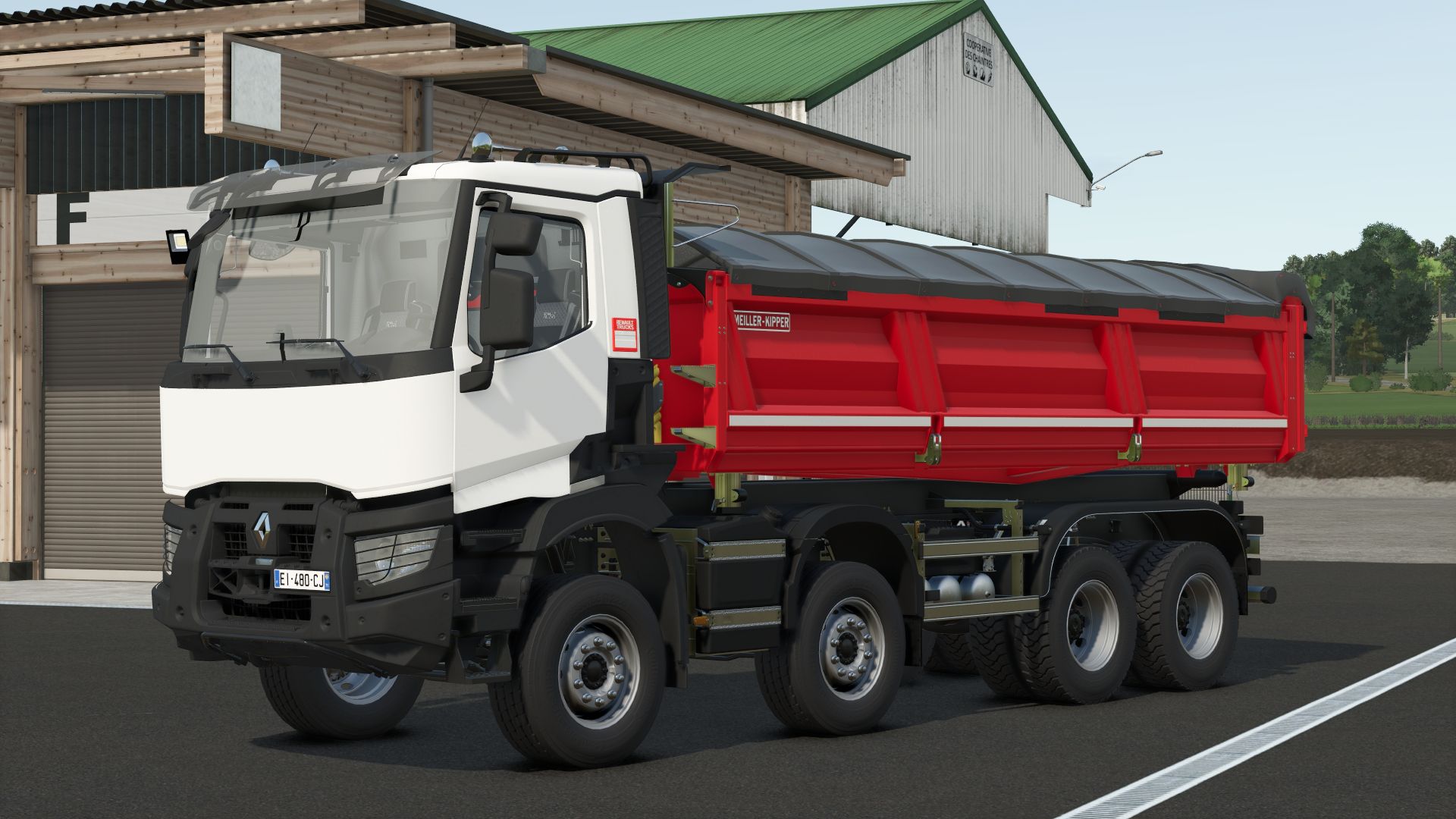
Renault K480 8×4 V1.0.0.0 Renault K480 8×4 Lkw mit Meiller Kipper-Kippaufbau der nächsten Generation Farbkonfigurationen für Fahrerhaus, Kippmulde und Plane. Konfigurationen von Warnleuchten. Konvoi-Kennzeichenkonfigurationen. Mehrere Entlademöglichkeiten: durch die große Hecktür, durch Kippen nach links, durch Öffnen der Türen oder durch Benutzen der linken und rechten Luken. Realistisches Fassungsvermögen von 20.000 Litern. Dieser LKW ist ideal für Ihre öffentlichen Bauprojekte! Viel Spaß euch allen! Erforderliche Mods: Interaktive Steuerung Tags: Erforderliche ModsInteraktive SteuerungViel Spa
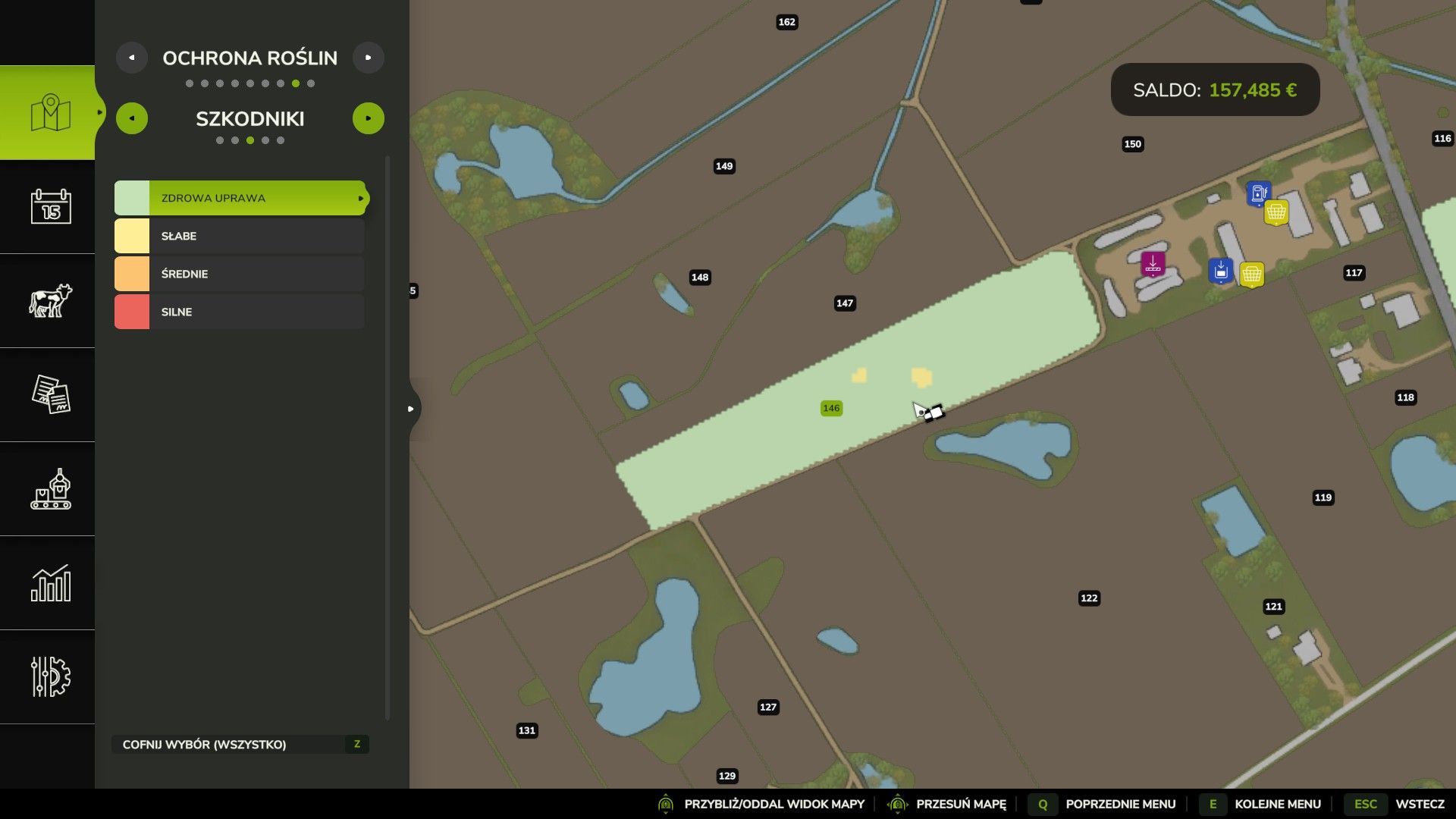
Feldgesundheit – Pflanzenkrankheiten und Schädlinge V1.1.0.0
Feldgesundheit – Pflanzenkrankheiten und Schädlinge V1.1.0.0 Feldgesundheit: Pflanzenkrankheiten und Schädlinge Mit Field Health werden Pflanzenkrankheiten und Schädlinge in den Landwirtschafts-Simulator 25 integriert. Das System basiert auf realen Bedrohungen in ganz Europa, wobei die Häufigkeit des Auftretens von polnischen Agrardaten inspiriert ist. Die Mod befindet sich noch in der frühen Entwicklungsphase, daher können Fehler und Balanceprobleme auftreten. Hauptmerkmale – Jedes Anbaufeld kann pro Saison von einer Krankheit und einem Schädling befallen werden. – NPC-Felder sind nicht betroffen. – Insgesamt 44 Bedrohungen: – 24 Krankheiten – 20 Schädlinge – Beinhaltet Mehltau, Septoria, Rost, Fusarium, Krautfäule, Blattläuse, Getreidehähnchen, Kartoffelkäfer, Maiszünsler und mehr. – Die Bedrohungen betreffen nur kompatible Nutzpflanzen und Wachstumsstadien. Das Risiko hängt von der Fruchtfolge, dem Pflügen, der Kalkung, dem Mulchen, der Düngung, der Unkrautbekämpfung und dem Wetter ab. Krankheiten und Schädlinge treten zunächst in kleinen Bereichen auf, breiten sich mit der Zeit aus und können sich auf benachbarte Felder ausbreiten. – Ernteschäden treten erst in fortgeschrittenen Stadien auf, sodass Sie Zeit zum Reagieren haben. Behandlung Fungizide heilen Krankheiten. – Insektizide beseitigen Schädlinge. Eine korrekte Behandlung schützt das Feld bis zur Ernte. – Die Produkte sind für normale Sprühgeräte geeignet. – Die KI-Helfer besprühen nur die Felder, die eine Behandlung benötigen. Pflanzenschutzmittel – 1-Liter-Flaschen, 5-Liter- und 20-Liter-Kanister. – Fungizide und Insektizide erhältlich. – Marken Opryskex und MST. – Konzentrierte Produkte: – Aus 1 Liter Fungizidkonzentrat lassen sich 290 Liter Spritzbrühe herstellen. – Aus 1 Liter Insektizidkonzentrat lassen sich 1.450 Liter Spritzbrühe herstellen. – Die nicht entladene Sprühflüssigkeit wird in 20-Liter-Kanistern aufbewahrt. Feldüberwachung ESC > Karte > Pflanzenschutz umfasst Ebenen für: – Schutz – Krankheiten – Schädlinge – Krankheitsarten – Schädlingsarten Eine Minimap-Ebene kann mit der Tastenkombination Alt + . umgeschaltet werden. Die Informationen zu Feldern und Ackerland enthalten außerdem zusätzliche Gesundheitsdaten sowie Benachrichtigungen über neue oder schwerwiegende Bedrohungen. Einstellungen 25 In-Game-Einstellungen ermöglichen Ihnen die Anpassung: – Wahrscheinlichkeit für Krankheiten und Schädlinge – Einfluss von Landwirtschaft und Wetter – Wachstums- und Ausbreitungsgeschwindigkeit – Patchgröße – Ernteschäden – Schutzdauer – Produktnutzung und Preise – Bedrohungen für Wiesen – Benachrichtigungen Das System kann vereinfacht, erschwert oder vollständig deaktiviert werden. Im Mehrspielermodus können nur Administratoren diese Einstellungen ändern. Sprachen 13 Sprachen werden unterstützt: Englisch, Polnisch, Französisch, Deutsch, Spanisch, Lateinamerikanisches Spanisch, Portugiesisch, Brasilianisches Portugiesisch, Italienisch, Russisch, Tschechisch, Rumänisch und Ungarisch. Die Mod verwendet automatisch deine Spielsprache. Nicht unterstützte Sprachen verwenden Englisch. Kompatibilität – Unterstützung für Präzisionslandwirtschaft – Die Zwiebeln des Highlands Fishing DLC werden unterstützt – Modifizierte Pflanzen sind häufigen Bedrohungen wie Grauschimmel und Blattläusen ausgesetzt. – Mehrspielerunterstützung Die Mod-Daten werden getrennt vom Spielstand gespeichert, daher werden Spielstände durch das Entfernen der Mod nicht beschädigt. – Aktualisierungen erhalten Felder, Einstellungen und gekaufte Produkte. Bitte fügen Sie Ihre log.txt-Datei, den Kartennamen, die installierten Mods und die Schritte zur Reproduktion des Problems bei. Lizenz: CC BY 4.0 V1.1.0.0 Neue Sprachen – Französisch – Deutsch – Spanisch (Spanien) – Spanisch (Lateinamerika) – Portugiesisch (Portugal) – Portugiesisch (Brasilien) – Italienisch – Russisch – Tschechisch – Rumänisch – Ungarisch Die Spielsprache wird automatisch ausgewählt. Andere Spielsprachen werden wie bisher auf Englisch angezeigt. Was wird übersetzt? – Kartenseite „Pflanzenschutz“ mit allen fünf Ebenen, Legenden und dem Feld für Ackerland – Minimap-Ebene und deren Tastenbelegung im Steuerungmenü – Feldinformationslinien: Bedrohungen, Schweregrad, Risiko und dessen Ursache, Schutz – Benachrichtigungen über neue und schwerwiegende Bedrohungen – Alle 25 Einstellungen mit ihren Beschreibungen und Optionen – Artikel mit Beschreibungen, Flüssigkeiten und Markenoptionen im Shop anzeigen – Jede Seite der In-Game-Hilfe (ESC > Hilfe) – Titel und Beschreibung der Mod in der Mod-Liste Behebt – Die polnische Beschreibung der Einstellung „Einfluss des Wetters“ verwendet nun die gleichen Optionsnamen wie die Einstellung selbst. Kompatibilität Spielstände der Version 1.0.0.0 werden unverändert geladen; Felder, Bedrohungen, Schutzmechanismen, Einstellungen sowie gekaufte Flaschen und Kanister bleiben erhalten. Es wurde nichts aus dem Spiel entfernt. – Multiplayer: Der Server und alle Spieler benötigen die gleiche Version (1.1.0.0). Gut zu wissen Die Tabellen in der Spielhilfe sind derzeit noch Bilder in englischer Sprache. Übersetzte Tabellen folgen in einem späteren Update; momentan würde die manuelle Übersetzung zu viel Zeit in Anspruch nehmen. Field Health von MatrikSky. Konzept inspiriert von BMProds Crop Diseases Mod. Vielen Dank an die MST-Crew, insbesondere an Bronczek und Jankus. Viel Spaß und gesunde Felder! Tags: Das RisikoDas SystemDie ModFeldgesundheit Pflanzenkrankheiten
- 15 per page
- 30 per page
- 45 per page
- 60 per page
-
See more per page
Bigger pages, fewer clicks - and no ads anywhere.
Go Pro