Farming Simulator 25 mods
76,924 results- 15 per page
- 30 per page
- 45 per page
- 60 per page
-
See more per page
Bigger pages, fewer clicks - and no ads anywhere.
Go Pro
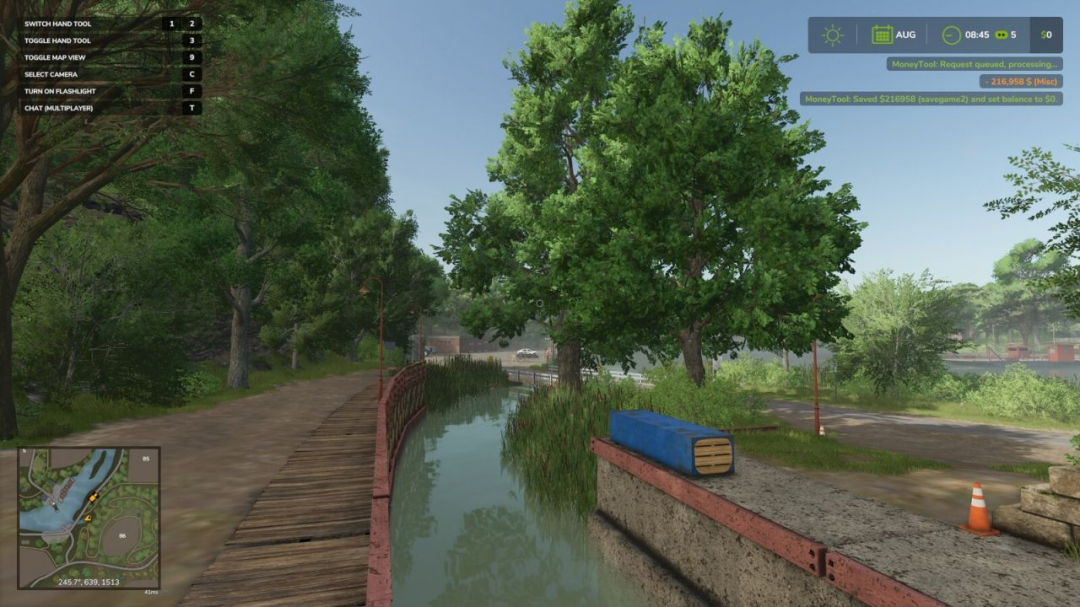
Multiplayer Money Pause Mod Server Side V1.0
Running a multiplayer farm with friends is great – until time keeps ticking while you're offline and your bank account takes the hit. If you've ever logged back in to find your balance drained because others kept playing or fast-forwarded time, this mod solves that problem while keeping things fair and consistent. The Multiplayer Money Pause Mod allows all players on the server to save their farm balance before leaving and restore it when they return – all handled server-side for proper multiplayer support. It helps maintain realism by effectively pausing your farm’s money while you’re away. **Player Controls:** - CTRL + ALT + 9 ? Save your current balance and set it to $0 - CTRL + ALT + 0 ? Restore your saved balance **How it works:** - Supports saving and restoring both positive and negative balances - Balances are stored per savegame slot (savegame1 through savegame20) - Once saved, the server keeps your balance locked at $0 to prevent changes while you’re offline **Server Admin Console Commands:** - moneyToolWipeSave savegame0 ? Clears saved balances for a specific save slot **Example:** moneyToolWipeSave savegame10 will only clear saved money for that save. You can specify any savegame from 1–20. - moneyToolWipeSave all ? Clears all saved balances across every savegame slot on your server **Important:** - This is a multiplayer-only mod; singleplayer does not require these features - All data is stored server-side, not on individual player machines - Each savegame slot maintains its own independent saved balances for each farm Ideal for dedicated servers — keeping things fair when the farm never sleeps.
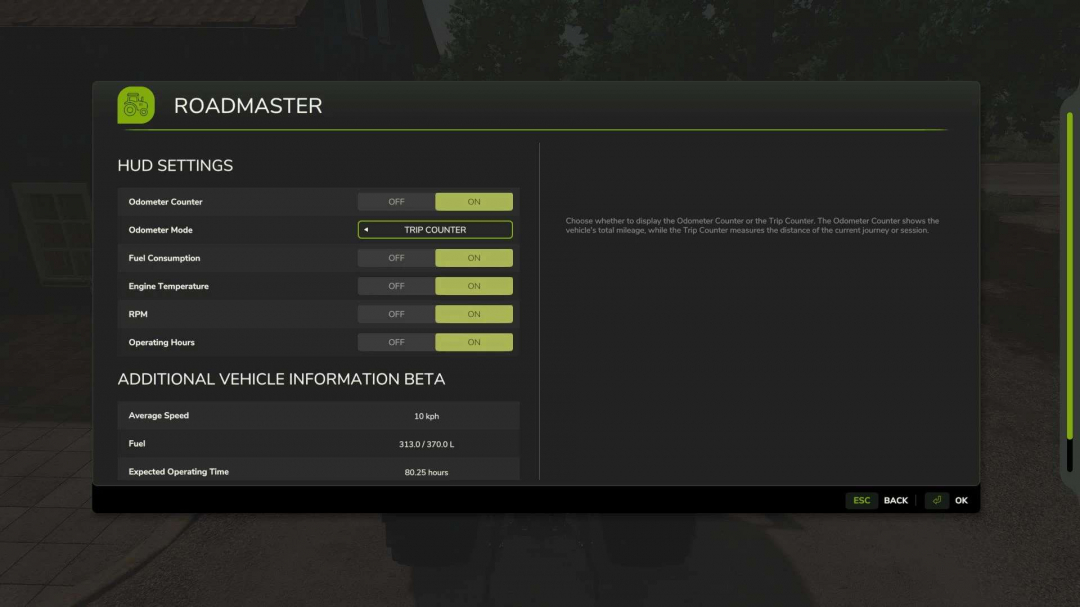
RoadMaster V1.2
The RoadMaster mod is an extremely useful addition to FS25, offering a range of valuable data and options for monitoring vehicle operation. **Changelog 1.2.0.0:** - HUD information unified into a single interface, switchable via key input (operating hours, total km, daily km, consumption, etc.) - Description version increased **Changelog 1.1.0.4:** - Fixed a compatibility issue with conveyor belt type vehicles (e.g., AGIWESTFIELD STX² 10-51) **Changelog 1.1.0.3:** - Fixed a fuel unit bug (Github issue #8) **V1.1.0.2:** - Corrected rounding of the odometer display - Removed lastDieselFuelUsage variable - HUD performance optimized - Description version increased **V1.1.0.1:** - Fixed Github issues #5 - Fixed lastDieselFuelUsage - RPM now increases gradually - Description version increased **V1.1.0.0:** - Added new variable: lastDieselFuelUsage, showing diesel fuel consumption (not AdBlue) - Created global settings - Continuous odometer display on HUD - Fixed Github issues #2 and #1 - Description version increased **Changelog 1.0.0.1:** - Fixed MP issue - Fixed compatibility with Real Vehicle Breakdowns mod Information such as odometer, fuel consumption, engine temperature, RPM, average speed, and range enhances the player’s experience by providing more efficient vehicle management and operation. All features and settings are easily accessible in-game, allowing customization of the display during gameplay. Open RoadMaster (RM) – default key combination: Left Ctrl + n Reset Trip Counter – default key combination: Left Ctrl + m Please note: There is a feature currently in Beta, which has not yet been tested on a server.
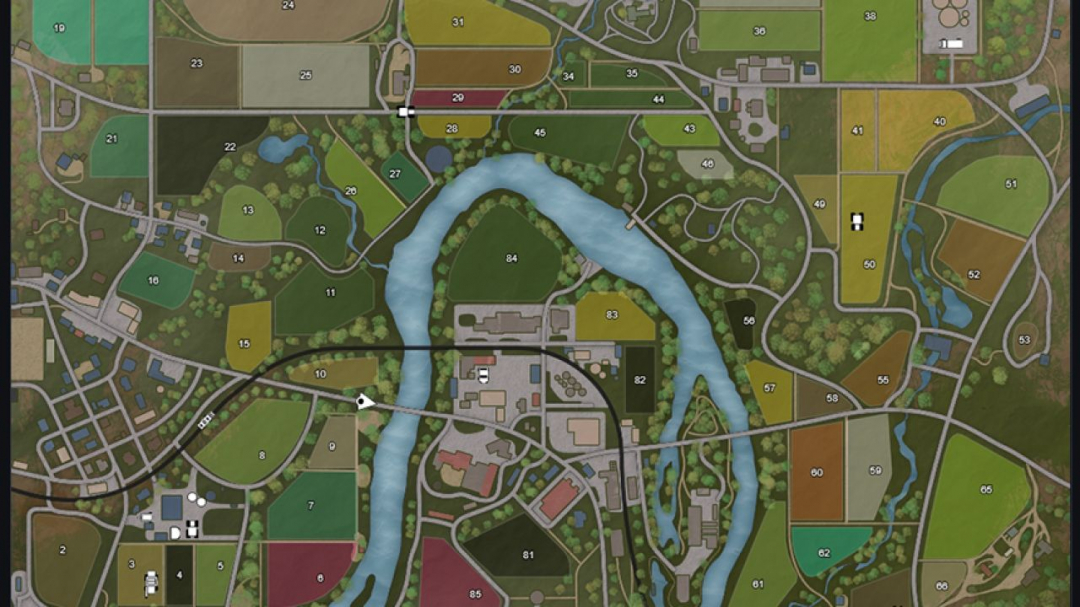
LiveMap Companion App v1.0
Get the map from the game and display it on your PC, tablet, or smartphone: large, clear, and customizable. LiveMap exports live map data from the currently loaded save game and saves it locally in the modSettings folder. Together with the FS25 LiveMap Companion App (Windows program), this data can be displayed as a live map in the browser on PC, tablet, or smartphone. This allows the small in-game map in the HUD to be hidden and a larger external map view to be used on a second monitor or mobile device instead. The project consists of two files: - FS25_LiveMap.zip for the mod folder - FS25_LiveMap_Companion for displaying the data in a browser or tablet Features: - Live map in browser on PC, tablet, or smartphone - Display on private local network/Wi-Fi - Player and vehicle display with custom icons - Different vehicle icons depending on vehicle type - Vehicle and player names can be shown or hidden - Individual vehicle types can be filtered separately - Multiplayer compatible - Multiplayer farm colors for vehicles - Filters for own and other players’ farm vehicles/players - Fullscreen mode - Player follow mode - Full map mode - Zoom functions in the browser - Multilingual interface - Different performance levels for data retrieval Multiplayer: The exported files are not saved in the savegame, but locally in the modSettings folder of the respective client. This makes FS25 LiveMap fully multiplayer compatible. Even when playing on a dedicated server, the necessary data is generated locally on your own computer and can be used from there via the companion app.
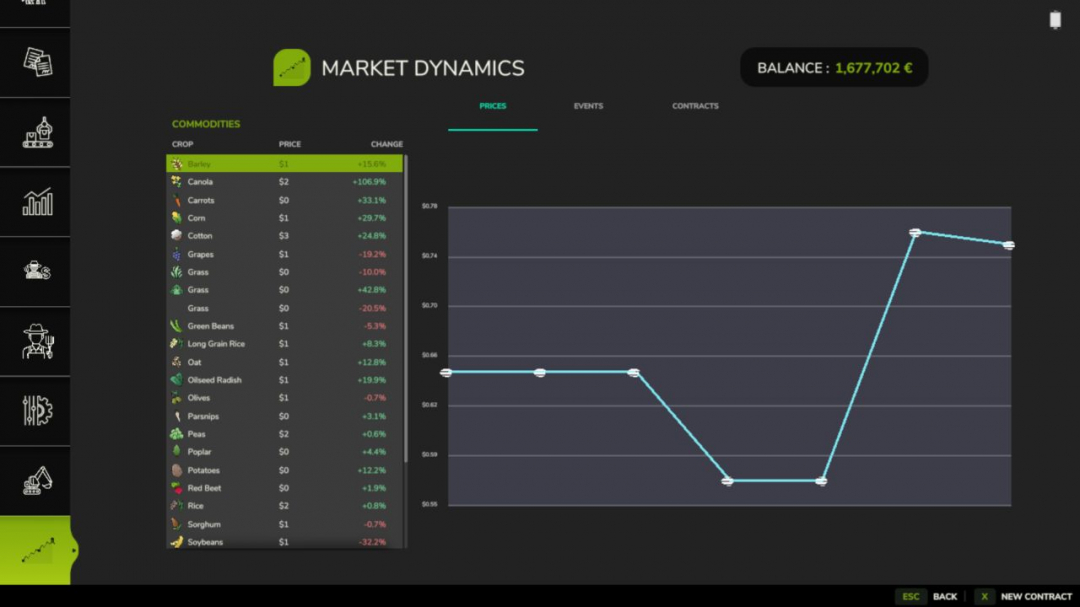
Market Dynamics V1.1.5.1
Real-world inspired dynamic crop pricing for Farming Simulator 25. Prices fluctuate daily and intraday based on world events, supply, demand, and seasonal drift. This is the first public release covering all core systems. **What’s included:** - Dynamic pricing engine — every tracked crop has a live price built from a base price, a volatility factor, and an event modifier stack. - Prices drift intraday every in-game minute and shift daily with mean-reversion toward the base. They clamp between 50% and 200% of base so things stay volatile but never absurd. - Seven world events — Regional Drought, Bumper Harvest, Trade Disruption, Geopolitical Crisis, Biofuel Initiative, Livestock Feed Boom, and Root Crop Blight. Each fires probabilistically with per-type cooldowns and randomised intensity so markets feel alive without becoming noise. - Futures contracts — lock in a sell price today for delivery up to 120 in-game days from now. Fulfill on time for the full locked-price payout; miss the deadline and you take a 15% penalty on the unfulfilled portion. If you have FS25_UsedPlus installed your credit score scales that penalty between 10% and 20%. **Market screen (F10)** — a full InGameMenu page with three tabs: - live prices with % change and a session trend chart, - active world events with intensity and time remaining, - and your contract history. Press N or click New Contract to open the contract dialog from anywhere on the screen. **Mod integrations — FS25_BetterContracts:** completing a harvest contract applies a short-lived supply-spike to that crop. **FS25_UsedPlus:** contract outcomes feed your credit score and your score scales the default penalty. Both integrations activate automatically on detection. **Translations** — all 25 Farming Simulator 25 languages included. **Settings** — enable/disable dynamic prices, enable/disable events, event frequency, volatility scale, and debug logging, all accessible in-game under ESC > Settings > Market Dynamics. **Known limitations** - Multiplayer is singleplayer only in this release. Price state, events, and contracts are not synced across clients. - Dedicated server hosting works but only the server player sees live MDM prices. - Multiplayer sync is planned for a future release. - Save data is stored in savegame/modSettings/FS25_MarketDynamics.xml. Removing the mod mid-save is safe — the file is simply ignored on next load. **V1.1.5.1** - Improved all the dialogs (should feel less noisy) - 2 new options for contract creation (custom amount & custom days) - Time Unit toggle added to choose between in-game & real days - Rework of the admin commands - Several small bugs fixed **Required mods:** - Better Contracts
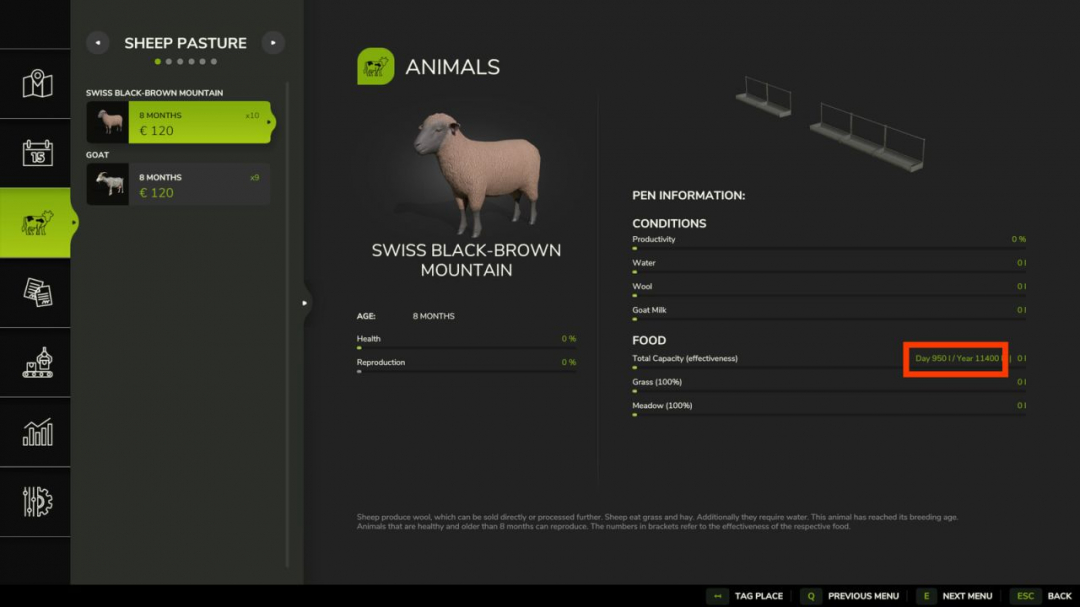
Animal Food Calculator V1.1.0.1
The Animal Food Calculator (AFC) enhances animal husbandry in FS25 by providing significantly greater clarity and control. In the animal menu, the mod not only displays estimated daily and annual consumption but can also, depending on the settings, adjust the actual in-game values to the selected reference and scaling. It supports food, water, and straw, as well as output values such as milk, manure, slurry, and pallet output. In the EnhancedAnimalSystem, AFC takes lactation factors into account for supported animals so that the display and calculations better align with the enhanced animal systems. AFC can read its values from various sources: – from the base game, – from the map, if a custom animals.xml is built in, – from the FS25_AnimalPackage_vanillaEdition by BavarianRedneck, – from a custom animals.xml within the mod. Easily switch modes in-game in the game settings under Animal Food Calculator. The modes explained: 1. Reference Source The reference source determines which animal data AFC uses as a basis. So the question is: Which values should apply? – Basegame: AFC uses the animal values from the base game. Good for players who want to stay as close as possible to the standard LS. – Map: AFC uses the animal values from the currently selected map, provided the map includes its own animals.xml file. Good for mod maps with their own animal balancing. – AnimalPackage: AFC uses the values from the installed FS25_AnimalPackage_vanillaEdition. If the mod is active, it takes precedence and may override other sources. – Custom: AFC uses the mod’s own animals.xml as a reference. This is the right choice for custom balancing or adjusted values. 2. Scaling Mode The scaling mode determines how much the input and output are additionally adjusted. So the question is: Should the values simply be adopted, or should they be scaled as well? – Basegame: Scaling is off. AFC displays values and operates without additional scaling. The multiplier is effectively set to 1.0, and the number of days is not factored in separately. – Auto: AFC scales automatically based on the set number of days per month, but without an additional multiplier. Useful if you want the values to grow automatically with your time system. – Manual: AFC scales only using your set multiplier. The number of days per month is not automatically factored in here. Good if you want full manual control. – Hybrid: AFC combines both, scaling based on days per month plus an additional custom multiplier. This is the most flexible mode for balancing and gameplay. 3. Multiplier The multiplier is an additional factor for AFC scaling. The menu offers fixed levels ranging from 0.25x to 10.00x. It is only active in Manual and Hybrid modes. V1.1.0.1 – Fixed reference handling for missing inputs and outputs. – Missing reference entries now correctly display as zero. – Missing reference entries no longer consume or generate resources. – Fixed Basegame reference handling for duplicate age keys, especially eggs. – Fixed AnimalPackage reference loading from split per-animal XML files. – Fixed reference source selection when AnimalPackage is active. – Fixed pallet output scaling for eggs, wool, and goat milk. – Fixed milk output/display scaling inconsistencies. – Improved separation between runtime values and selected reference values. – Disabled reference fallback debug logging by default.
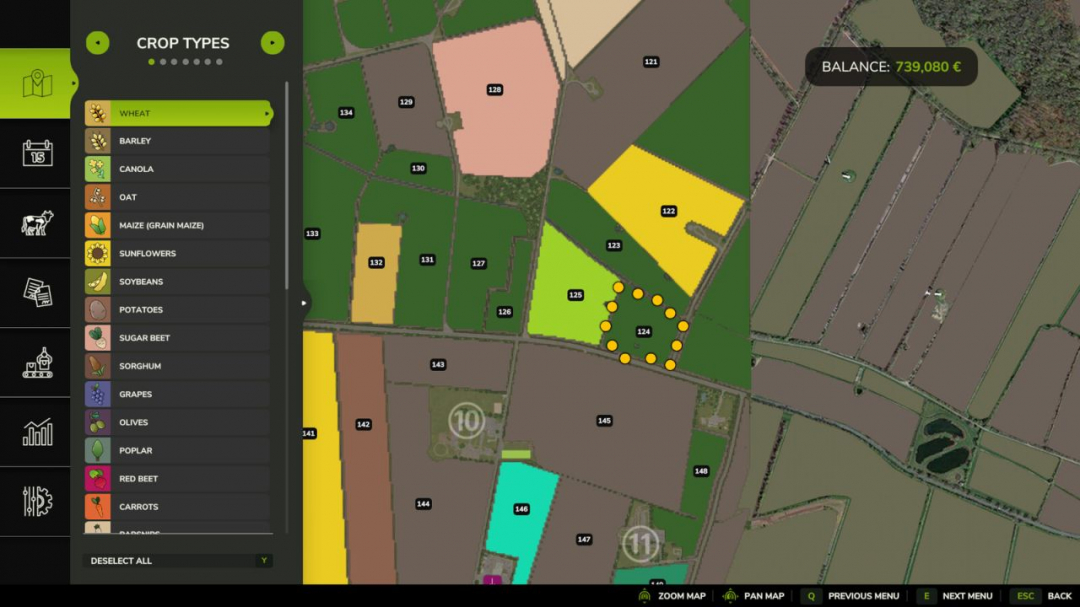
Farmland Auctions V1.0.0.1
This mod introduces regular farmland auctions. On auctioned land, bids can be placed directly on the field using the B key. Each new bid increases the current auction price and provides an alternative way to purchase land. Depending on the mod settings, NPC bidders can be enabled or disabled. It is also possible to restrict farmland purchases so that land can only be bought through auctions, blocking standard purchases. In multiplayer, farms can bid against each other. **Available console commands:** - faStartNow ? immediately starts the next auction - faStartAuction ? manually begins an auction for a specific farmland - faEndNow ? immediately ends the current auction - faCancelAuction ? cancels the current or scheduled auction - faSetAuctionTime ? sets the minimum and maximum duration of an auction - faSetStartInterval ? defines the minimum and maximum times before the next auction begins **V1.0.0.1** - Fixed multiplayer issues - Corrected timing problems
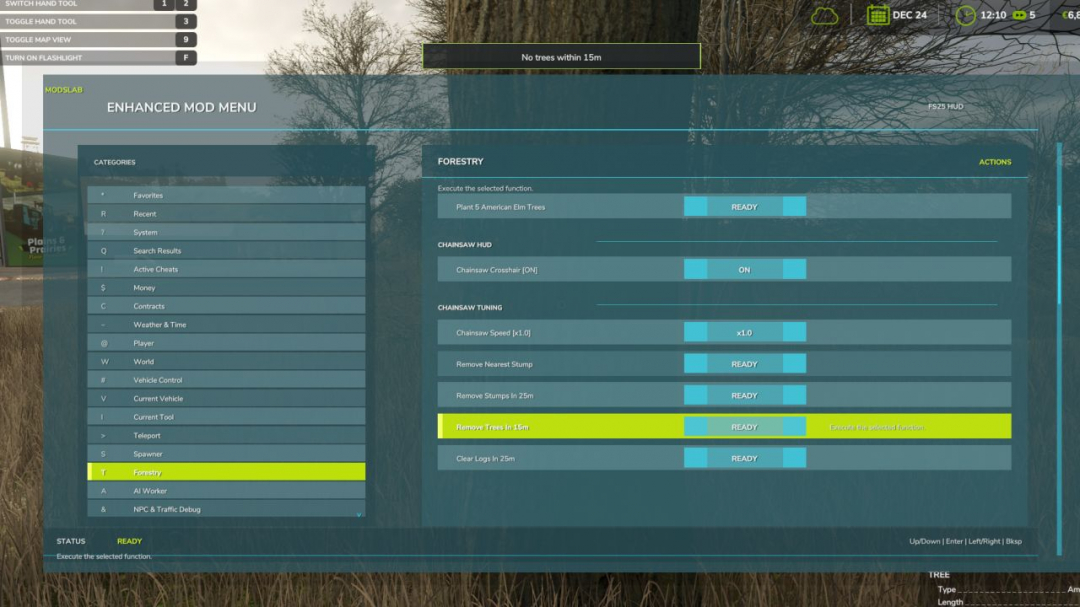
Enhanced Mod / Cheat Menu V1.5
This FS25 modification introduces a comprehensive mod and cheat menu packed with a wide array of features. Dozens of functionalities are available. **General Menu Features:** - Full in-game Enhanced Mod Menu for Farming Simulator 25, accessible via Left Alt + M; - Favorites system for quick access to frequently used functions; - Recent actions section; - Function search with search results; - Overview of active cheats; - Undo last action option; - Reset button to restore supported changes to default values. **Money And Economy:** - Preset money options: add or remove $10,000, $100,000, or $1,000,000; - Custom money editing: add, remove, or set to a specific amount; - Ideal Market option; - Dynamic Difficulty Breaker; - Refund all costs; - Free purchases and buildings; - Toggle daily costs; - Instant production payback; - Multiple currency options with a selector; - Custom currency creation with editable code, name, symbol, and exchange rate. **Contracts:** - Infinite contracts; - Custom reward multiplier; - Instant completion of all contracts; - Contract board refresh. **Time, Weather, and Seasons:** - Weather control: clear sky, rain, snow, tornado; - Editable temperature; - Calendar date selection; - Custom clock and time editing; - Quick time presets: dawn, morning, noon, evening, night; - Time skip options: 1 day, 2 days, 7 days, 1 month, 3 months, 6 months, 1 year; - Editable time scale; - Freeze time; - Season switching: spring, summer, autumn, winter; - Override field requirements and weather impact; - Always ideal conditions mode. **Player Tools:** - No Clip mode; - Flight mode; - Super strength; - Player invisible mode; - Toggle default HUD; - Editable player run speed and jump height. **World Cleanup And Markers:** - Traffic and pedestrian toggles; - Cleanup of owned pallets, bales, and loose freight; - Tracking markers for owned pallets and bales; - Freight marker cleanup. **Vehicle Tools:** - Vehicle repair, fuel refill, full tank refill; - Vehicle washing; - Dirt and paint wear management; - Full appearance restoration; - Vehicle cloning, selling, and deletion; - Prevent vehicle flips; - Teleport vehicle to map marker; - Repair attached implements; - Full tank refill for attached tools; - Lift and lower attached implements. **Vehicle Editing:** - Max speed, reverse speed, power, and mass editing; - Power reset; - Crop damage toggle; - Ghost mode; - Vehicle name and configuration management; - Configuration application and info display. **Tool Editing:** - Target selection, work width, speed, power editing, and cloning. **Teleportation:** - Destination filters and selection; - Teleport to selected destinations. **Spawner:** - Category-based spawning menu; - Item spawning; - Pile material and amount editing; - Pile spawning. **Forestry:** - Tree selection and growth stage; - Planting trees ahead of the player; - Chainsaw crosshair and speed switching; - Remove nearby living trees and cut stumps; - Clear logs within range. **AI Helpers:** - Free helpers; - Finish all AI workers; - Teleport to helpers. **Traffic Control:** - Cleanup traffic around the player; - Freeze traffic; - Respawn traffic. **Market And Crop Prices:** - Insider trading and peak forecast; - Auto trader; - Custom harvest sales multiplier and reset; - Emergency crop price restoration; - Crop selection and pricing; - Set crop to max or normal market price. **Field And Crop Tools:** - Perfect field, growth editing, instant grow, harvest; - Crop selection, planting, weed removal, stone removal; - Soil cycling, plowing, cultivating, sowing, fertilizing, rolling. **Field Ownership And State:** - Switch and select fields; - Purchase, sell, and make fields owned; - Reset ownership; - Control field states: lime, mulch, plow, roll; - Fertilization levels; - Remove weeds and stones. **Custom Map Markers:** - Create, edit, place, select, teleport to, and delete markers. **Conflicts:** - Grow now (thanks CollapsingVoid for testing) - Interactions with other scripts affecting the same code/functions. The mod is still in early BETA. **V1.5.0.0** A major update with new options and fixes: - Spawn piles of bulk materials; - Favorites system for quick access; - Mouse control alongside hotkeys; - Search system for functions; - Vehicle dirt, wear, and restoration options; - Duplicate vehicles and tools; - Delete/sell current vehicle; - Active Cheats category showing permanent cheats; - Recent Actions menu; - Undo last action; - AI helper interactions; - Field editing and ownership controls; - Tree and stump removal within radius; - Save menu position and settings; - Fixed bugs with reverse speed, day skipping, vehicle flip prevention; - Improved translation quality; - Updated ModDesc for compliance and testing.

Player Workers V1.0
Player Workers is a simple visual immersion mod that makes hired AI workers use the same visible character appearance as your player. This mod is especially useful for content creators, video editors, roleplay players, and farm story series where visual consistency matters. Instead of random helper characters appearing in your machines, hired workers match your player model to help preserve authenticity in recorded scenes and screenshots. The mod does not add new clothing, edit base game character files, or change gameplay balance. It only applies your current player appearance to AI worker vehicle characters. Features: – AI workers copy the local player’s visible character style – Helps maintain visual continuity for videos and screenshots – Great for roleplay farms and story-based series – No gameplay balance changes – Lightweight script mod

Farm Tablet V2.3
FarmTablet — A compact, all-in-one farm management tablet for Farming Simulator 25. Originally inspired by a tablet mod for FS17, built from scratch for FS22 and now fully converted and rewritten for FS25. The goal is simple: useful farm info at a glance, without getting in the way of gameplay. The mod has been rebuilt with a clean, modular structure — every app lives in its own file, making it easy to expand, fix and improve over time. It’s actively developed and shaped by community feedback. **What’s in it right now:** Dashboard — farm overview with balance, fields, vehicles and world state Weather — current conditions, temperature, wind, cloud cover and forecast Fields — all owned fields with crop type and growth stage Animals — pen status with food, water and cleanliness levels Workshop — nearby vehicle diagnostics with fuel, wear and operating hours Bucket Tracker — load counter for wheel loaders and excavators Digging — excavation tracking and soil scanner App Store — browse and manage installed apps Settings — configure the tablet from the pause menu Updates — changelog and version history Mod integrations (auto-detected at runtime, safe to run without them): NPC Favor, Soil Fertilizer, Seasonal Crop Stress, Income Mod, Tax Mod **What’s coming next:** Better tablet visuals and frame design Icons instead of text labels Sounds, color tweaks and UI polish More apps and deeper interactions based on feedback Multiplayer improvements The mod is in active development. Bug reports, ideas and suggestions are always welcome — this is a community project and your feedback directly shapes what gets built next. **V2.3.0.0** Three new apps have been added alongside a handful of fixes that have been building up since v2.2.0.0. Whether you’re managing a large fleet, running production chains, or just want a quick snapshot of how your farm is doing financially, this update adds a dedicated screen for each. **What’s new:** – Fleet Manager app lists every vehicle you own, sorted by fuel level so the emptiest machines are always at the top. Each entry shows a fuel bar, wear bar, and total operating hours. Vehicles driven by a hired worker are flagged with an AI badge. – Production app shows every production building you own (cheese factory, bakery, sawmill, etc.) with its current active/stalled status and the ingredients it needs and what it makes. – Farm Stats app provides a full farm overview: current balance, loan, net worth; session income and expenses; field count and total hectares owned; vehicle, animal pen, and production building counts; plus current day, season, and time. – App Store fix ensures the Mod Integrations section always displays all supported companion mods. Previously, uninstalled mods didn’t appear, leaving the list empty. Now, uninstalled mods are dimmed with a note on which mod to install. **What’s fixed:** – Farm Admin and Time Controls apps now work correctly in multiplayer (non-host players no longer see errors when opening them). – Mouse input handling has been rewritten to use the proper FS25 event system, fixing rare conflicts with other mods that also handle mouse clicks. – Crop Stress app moisture data was reading from the wrong field in some situations, now corrected. – Soil health data is now shown correctly in the Crop Stress and Soil Fertilizer drawers. – Dashboard widget customization: you can now toggle individual dashboard sections on and off to show only what matters to you. – Contracts app added in a previous patch lists your active contracts with completion status, reward, and time remaining. Save compatibility: no migration needed. Load your existing save and everything carries over automatically. **Requires:** Income Mod Tax Mod NPC Favor Realistic Soil & Fertilizer Seasonal Crop Stress Market Dynamics Realistic Worker Costs Random World Events
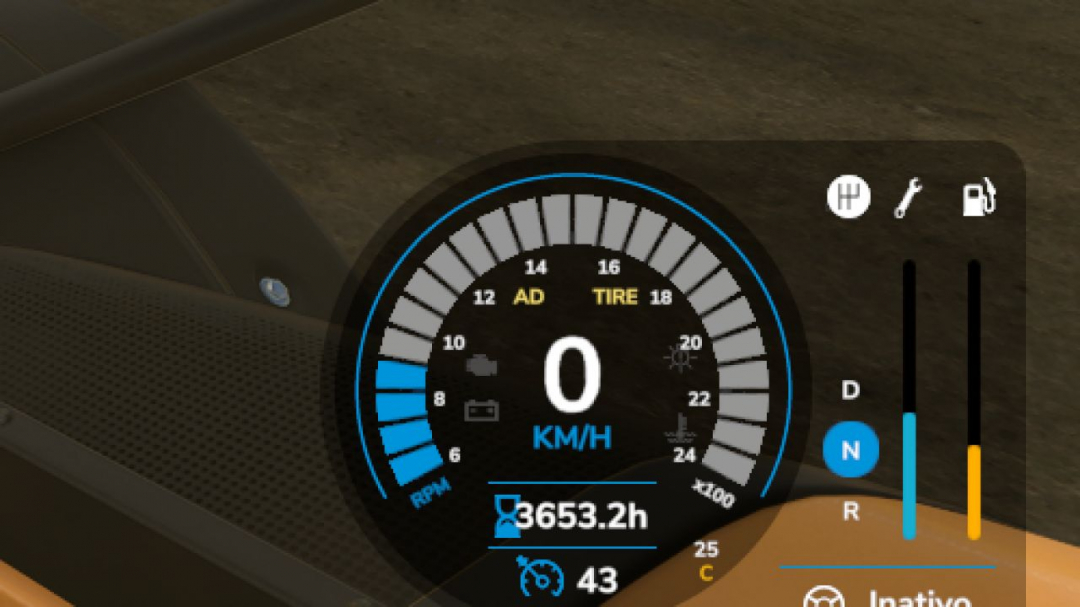
Pure Mechanic System BETA 2 v1.0
Mechanic, maintenance, inspection, and workshop system for Farming Simulator 25. Includes workshop inspection, fault reporting, maintenance, general repairs, and single-part repairs. Some repairs require access to the workshop and the correct part inside the workshop area. Keys: K – to inspect (must be very close to vehicles or implements) J – open tablet, where you can buy items or perform field maintenance. Multiplayer may not work 100%. IMPORTANT: This is a beta versionBETA 2. New translations: Es, Ru, Fr, Pl, Nl. Fixes for interactive controls. New speedometer HUD (Tire) when experiencing tire issues. Fixes for scale bugs. Dirt now causes machinery problems (it’s slow, but after some days, it will start to cause damage, e.g., to the air filter).
Wheel slip BETA 2 v1.0
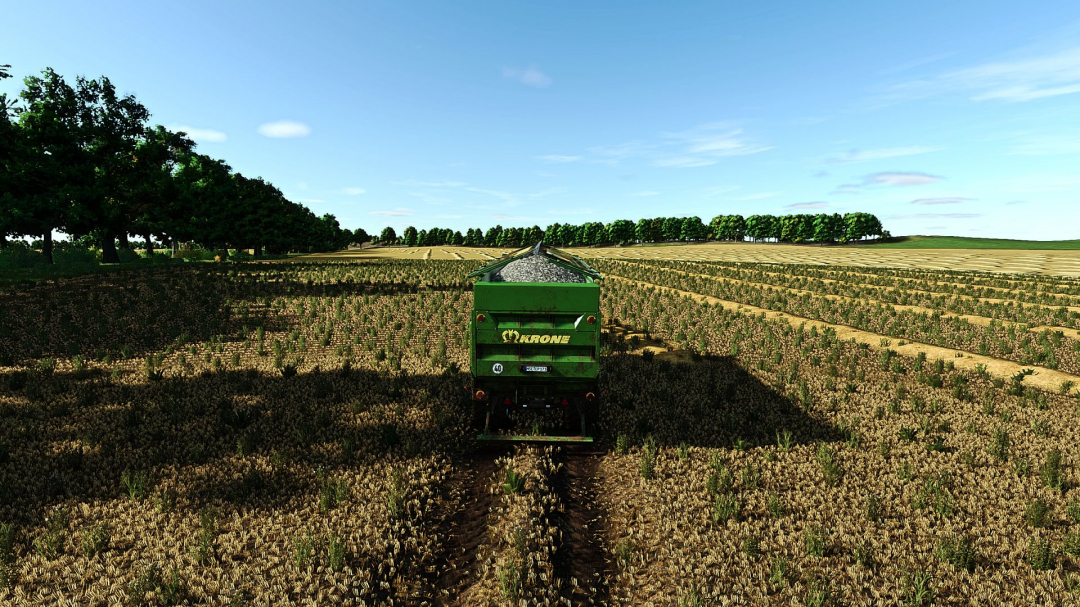
Wheel slip creates cultivator texture on field soil – Slip threshold decreases when the ground is wet (more damage in the rain) – Heavy vehicles cause damage even with less slip – Differential and all-wheel lock reduce the slip effect – Compatible with FS25_VariableTirePressure: low tire pressure = less damage, high pressure = more damage – HUD display shows the current maximum wheel slip next to the speedometer (in progress) – Settings: HUD on/off, color coding, position (in game settings menu) – I’m currently still testing it so it’s a beta version BETA 2 Terrain deformation (rutting) proportional to slip intensity Grip reduction on wet and soft ground Wheels sink into the ground when slipping Automatic tire type recognition (wide tires = less damage, road tires = more) Physics (WheelPhysics.serverUpdate): Reads slip directly from engine physics precisely and reliably Grip, sinking, braking and deformation on farmland only Anti-bounce suspension adjustment during active deformation Compatible with MudSystemPhysics (common radius combiner)
Weather Forecast HUD v1.0
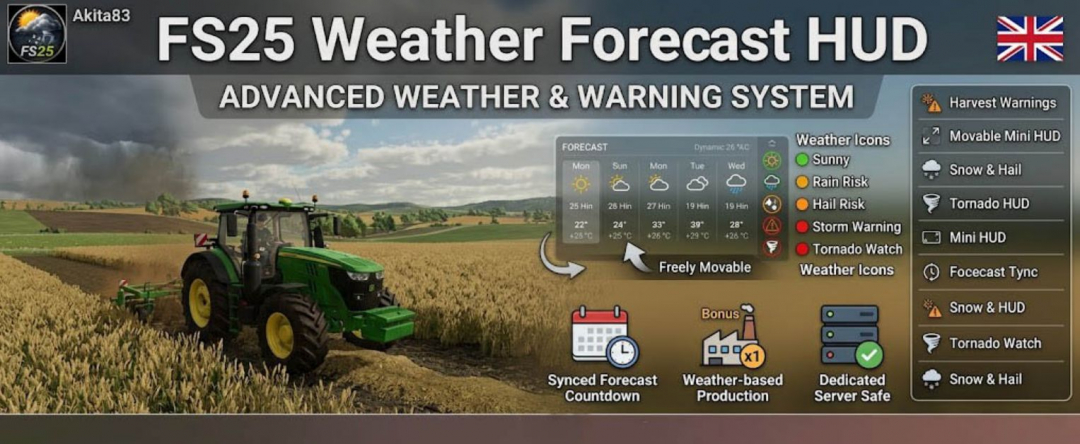
The FS25 Weather Forecast HUD introduces a modern, dynamic weather and warning system to Farming Simulator 25, emphasizing immersion, readability, performance, and production planning. It displays upcoming weather changes, storm warnings, harvest risks, and weather-based production bonuses directly within the HUD for both singleplayer and dedicated servers. **Main development focuses:** – Stable dedicated server support – Optimized HUD performance – Synchronized weather timing – Clean and easy-to-read UI – Optional mini HUD – In-game configuration support The mod functions independently and is compatible with our production and weekly schedule system. **Description:** - Shows current weather directly in the HUD - Displays upcoming weather changes with a synchronized timer - Rain, storm, hail, snow, and tornado warnings - Detects dangerous weather conditions for harvesting - Production reacts to weather conditions - Adjustable settings: Off / Weak / Normal / Strong / Extreme - Choose HUD alignment: Left / Center / Right - Freely move the HUD position - Reset HUD position directly in-game - Small event and warning display - Color-coded: Green / Orange / Red based on conditions - Dedicated warnings and harvest danger alerts - Supports tornado and storm events - Shows only relevant information - Configure settings directly in-game - Weather timing synchronized with LS25 system - Tested in singleplayer and dedicated servers - No heavy, permanent loops - Compatible with our production week schedule mod - Operates without additional mods **Features:** - Current weather display - Weather countdown timer - Storm warnings - Harvest warnings - Adjustable HUD position - Movable and mini HUD options - Dynamic color schemes - Snow and hail support - Tornado warning system - Smart HUD functionality - In-game settings - Forecast synchronization timer - Safe for dedicated servers - Performance optimized - Standalone usability

Realistic Soil & Fertilizer V2.1.5.7
Realistic Soil & Fertilizer Mod for Farming Simulator 25 adds meaningful depth to farming without overwhelming complexity. Each field has its own soil health — nitrogen, phosphorus, potassium, organic matter, and pH — which change based on what you grow, what you apply, and the weather. Neglect your soil and yields will suffer. Manage it well for more efficient farm operation. SOIL NUTRIENTS Each field independently tracks five values: – Nitrogen (N) — depletes heavily from most crops, especially corn and canola – Phosphorus (P) — depletes more slowly, crucial for root crops – Potassium (K) — lost in large quantities with high-yield harvests; especially important for potatoes and sugarbeets – Organic Matter (OM) — improves long-term fertility; manure and compost increase it; chopped straw also contributes – pH — affects nutrient absorption; lime and gypsum adjust pH Crops extract different amounts of each nutrient. Fallow fields recover slowly. Legumes (soybeans, peas, beans) provide a nitrogen boost in spring. Growing the same crop consecutively increases nutrient extraction. FERTILIZER TYPES Supports all major fertilizer types used in the base game and common mods: Synthetic: – Liquid Fertilizer — balanced N/P/K, quick uptake – Solid Fertilizer — higher phosphorus, standard cost – Digestate — biogas byproduct, rich in nitrogen and potassium – UAN28 / UAN32 — liquid nitrogen solutions – Anhydrous Ammonia — high-concentration nitrogen source – AMS / Urea — dry and liquid nitrogen options – Starter Fertilizer — high-phosphorus pop-up fertilizer – MAP / DAP — phosphorus-heavy dry and liquid fertilizers – Potash — pure potassium source Organic: – Manure — slow-release, boosts organic matter – Slurry — liquid organic rich in potassium – Compost — excellent organic matter enhancer – Biosolids — versatile organic option – Chicken Manure — concentrated nutrients, increases organic matter – Pelletized Manure — processed for easier application pH Management: – Lime — significantly raises pH – Liquid Lime — gentler than dry lime – Gypsum — slightly lowers pH and improves organic matter Crop Protection: – Insecticide — reduces pest pressure – Fungicide — reduces disease pressure Each fertilizer type has realistic nutrient profiles with appropriate application rates in metric or imperial units. SPRAYER RATE CONTROL Control application rates precisely: – Rate Up / Rate Down keys allow on-the-fly adjustments – 20 stepped rate multipliers from 0.10x to 2.00x in 0.10 increments – Over-application risk: exceeding 1.25x risks pH and nitrogen burn; at 1.50x burn is guaranteed – Auto-Rate mode adjusts based on soil depletion levels – Rate settings persist per vehicle. YIELD PENALTY Low nutrient levels reduce yields. Fields need N, P, and K at or above optimal thresholds for full output. Falling below increases penalties, with a cap depending on crop demands. PEST, WEED & DISEASE PRESSURE Fields track weed, pest, and disease pressures independently. Cultivation reduces weed and pest pressure; plowing more effectively reduces pest and disease. Insecticide and fungicide applications directly lower respective pressures. HUD A real-time soil panel displays current nutrient levels: – 6 preset positions (top right, top left, bottom right, bottom left, center right, custom) – Custom position is draggable – 4 color themes: Green, Blue, Amber, Mono – 3 font sizes – 5 transparency levels – Compact mode for smaller screens – Toggle HUD with a keybinding – Settings are per-player and do not affect others in multiplayer A full Soil Report is available via keybinding, providing detailed data for the current field. SOIL MAP OVERLAY Access a color-coded map overlay while the in-game map is open: – Switch between 9 data layers: Nitrogen, Phosphorus, Potassium, pH, Organic Matter, Urgency Score, Weed Pressure, Pest Pressure, Disease Pressure – Each field cell is colored based on its status. PDA SCREEN A dedicated PDA page with two tabs: – Farm Overview — lists all fields with N/P/K/pH/OM and status, plus farm-wide averages – Treatment Plan — highlights fields needing attention with details. SETTINGS Open with Shift+O. In multiplayer, gameplay settings are admin-controlled; HUD settings are per-player. Toggle systems: – Fertility system (enable/disable mod) – Nutrient cycles – Fertilizer costs – Seasonal effects – Rain effects – Plowing bonus – Auto-Rate Control – Notifications Difficulty levels: – Simple — less depletion, lower costs, more forgiving – Realistic — standard rates (default) – Hardcore — rapid depletion, higher costs, no neglect tolerated Units: Switch between metric (kg/ha) and imperial (lb/ac). COMPATIBILITY Works with all maps and vehicles, compatible with crop rotation mods, no known conflicts, and save game compatible. INSTALLATION Extract the zip into your mods folder. Configure via Shift+O. No additional steps. COPYRIGHT All rights reserved. Unauthorized redistribution, copying, modification, or claiming as your own is prohibited. V2.1.5.7 – Translations in all 25 languages included and synced.

FS25 Work Mode
🚜 Work RPM for Farming Simulator 25 Version 1.0.0.0 Release Notes Work RPM intelligently increases your engine speed during tasks that would normally leave the RPM sitting at idle. It integrates seamlessly with the game’s existing dashboard and HUD no extra displays or clutter. ⚙️ What It Does 🔄 Automatic Work RPM Boost While you are in control of a vehicle from the cab, the mod dynamically raises engine RPM during active work situations: Hydraulic Operations Loader arms, telehandler booms, skid steers, forklifts, and other hydraulic movements. Loader type machines receive a stronger boost, matching Giants’ intended high-flow behaviour. Tipping & Unloading Maintains higher RPM while unloading for smoother operation. Implement Folding Activates when tools are folding or unfolding. Attacher Movement Engages during three-point linkage or hitch lifting/lowering. Combine / Auger Pipe Movement Applies when pipes are folding or unfolding. 🎛️ Customisation All features can be individually enabled or disabled in the ingame settings, giving you full control over how the system behaves. 👤 Credits Original Mod by kenny456 Reworked & Updated for FS25 by massy007 🚜
Belgian, Spain, Moldovan, Polish Radio Stations V1.0
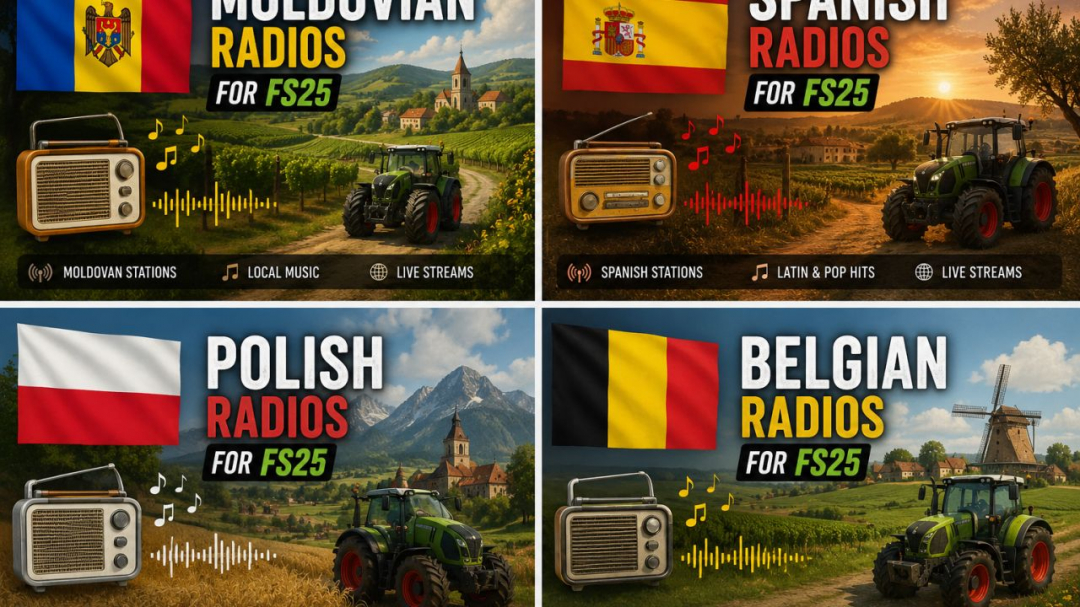
This FS25 radio pack includes separate internet radio presets for Moldova, Spain, Poland, and Belgium. Each country has its own dedicated folder with a ready-to-use streamingInternetRadios.xml file, making it easy to choose and install the radio set you want in Farming Simulator 25. The pack is designed to add more local atmosphere to your gameplay by bringing country-specific radio stations into your tractor cab. Whether you want Moldovan stations, Spanish music and talk radio, Polish broadcasts, or Belgian live streams, each version is organized separately for quick installation. Included countries: Moldova, Spain, Poland, BelgiumGame: Farming Simulator 25 File type: Internet radio XML preset Installation path: Documents/My Games/FarmingSimulator2025/music To install, open the folder of the country you want, copy the included streamingInternetRadios.xml file, and paste it into your FS25 music folder. Restart the game if needed, then use the in-game radio menu to access the stations.
- 15 per page
- 30 per page
- 45 per page
- 60 per page
-
See more per page
Bigger pages, fewer clicks - and no ads anywhere.
Go Pro