Farming Simulator 22 mods
50,377 results- 15 per page
- 30 per page
- 45 per page
- 60 per page
-
See more per page
Bigger pages, fewer clicks - and no ads anywhere.
Go Pro
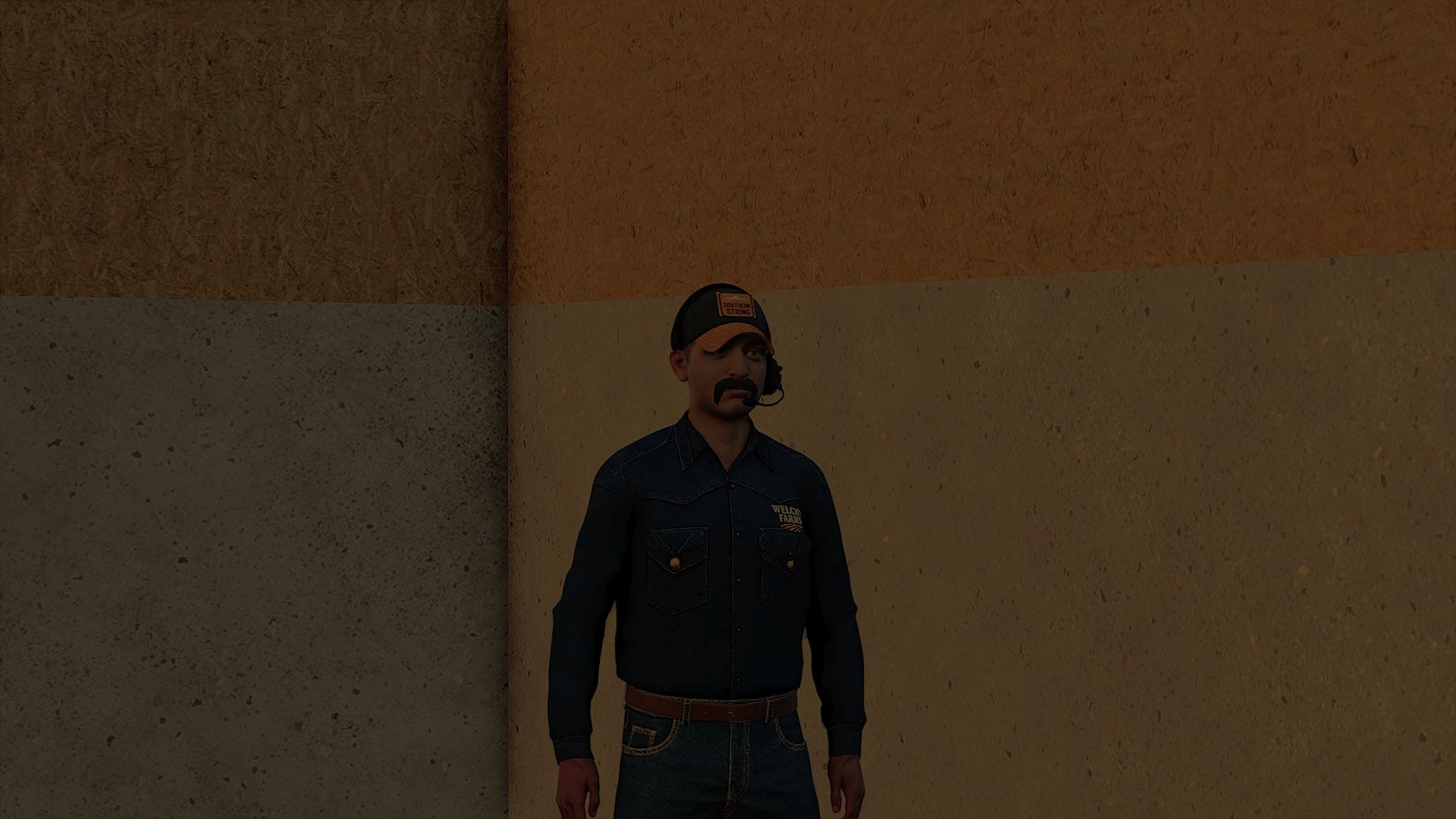
Clothing Hardworking blue collar boys FS25
30+ color peral snap, carhartt, trucking, work shirts (HANDS ARE FIXED)
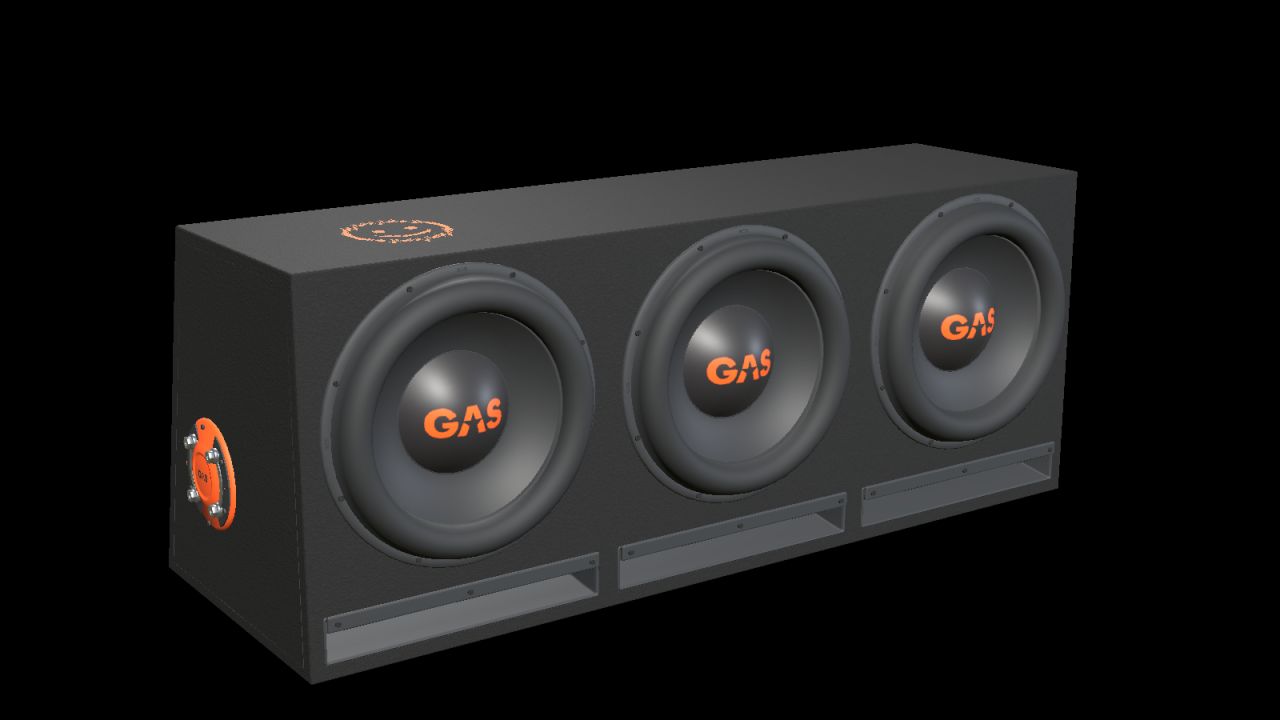
GAS MAD B2-310V (Prefab) FS25
Add a detailed car-audio installation to your vehicle build with this decorative prefab for Farming Simulator 25. Based on the GAS factory enclosure with three 10-inch drivers and three open horizontal slot ports. Black carpet, orange GAS branding and a side terminal with metal bridging plates. - Real-scale model with separate materials and two detail levels. - Nominal enclosure dimensions, width × height × depth (bottom/top where two depths are listed): 900 × 355 × 330/250 mm. - Complete kit with I3D, DDS textures, editable Blender source, images and installation guides in English, Swedish and Norwegian. INSTALLATION Import the prefab into your vehicle mod with GIANTS Editor 10. Parent the complete root to a fixed body group and adjust placement. Follow README_EN.txt. This is a mod-building prefab with no separate shop entry. It is not a standalone playable mod to drop into the mods folder. FUNCTION Static decoration without audio playback, cone animation, separate physics or collision. Check placement and appearance in the vehicle in which it is installed. VERSION AND CREDITS Version: 1.0.0.0 Model and FS25 prefab: NorthernLight Modding. GAS product designs, names and logos belong to Winn Scandinavia AB. See README_CREDITS.txt. GE images show GIANTS Editor. Studio images are supplemental Blender renders of the model, not gameplay screenshots.
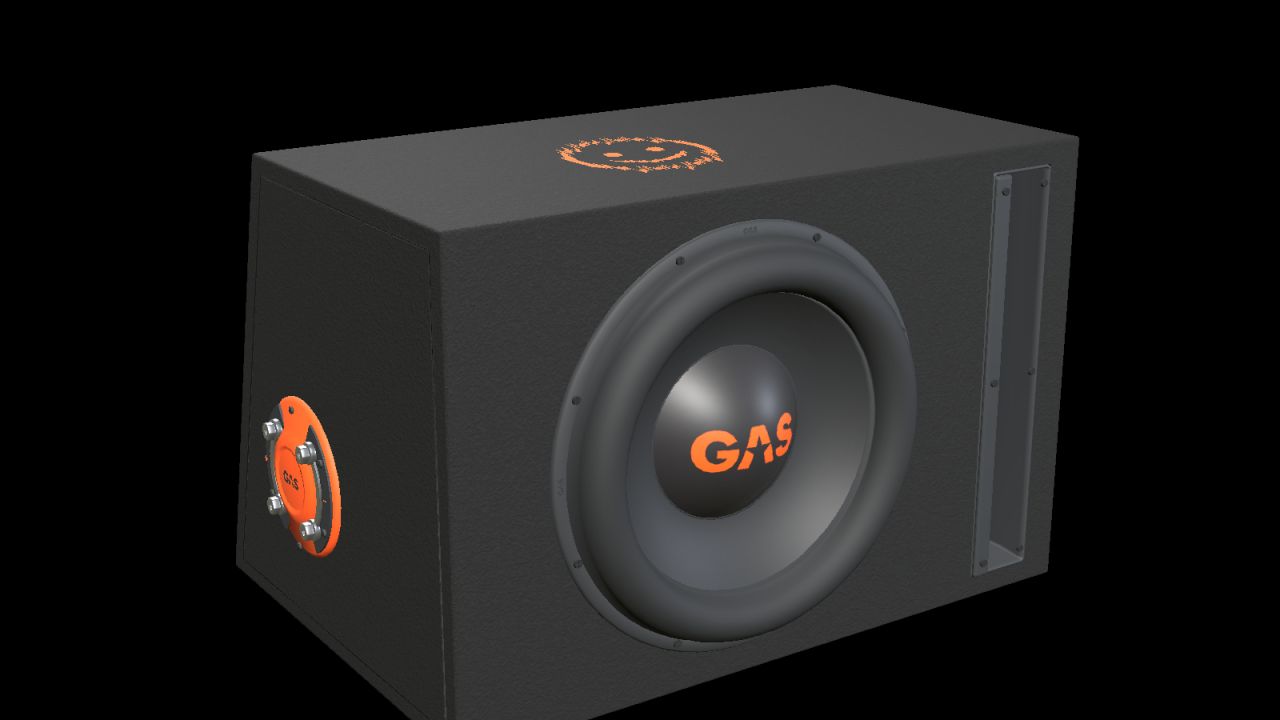
GAS MAD B2-110V (Prefab) FS25
Add a detailed car-audio installation to your vehicle build with this decorative prefab for Farming Simulator 25. One 10-inch driver, an open vertical slot port, black carpet, orange GAS branding and a moulded side terminal with metal bridging plates. - Real-scale model with separate materials and two detail levels. - Nominal enclosure dimensions, width × height × depth (bottom/top where two depths are listed): 470 × 310 × 330/250 mm. - Complete kit with I3D, DDS textures, editable Blender source, images and installation guides in English, Swedish and Norwegian. INSTALLATION Import the prefab into your vehicle mod with GIANTS Editor 10. Parent the complete root to a fixed body group and adjust placement. Follow README_EN.txt. This is a mod-building prefab with no separate shop entry. It is not a standalone playable mod to drop into the mods folder. FUNCTION Static decoration without audio playback, cone animation, separate physics or collision. Check placement and appearance in the vehicle in which it is installed. VERSION AND CREDITS Version: 1.0.0.0 Model and FS25 prefab: NorthernLight Modding. GAS product designs, names and logos belong to Winn Scandinavia AB. See README_CREDITS.txt. GE images show GIANTS Editor. Studio images are supplemental Blender renders of the model, not gameplay screenshots.
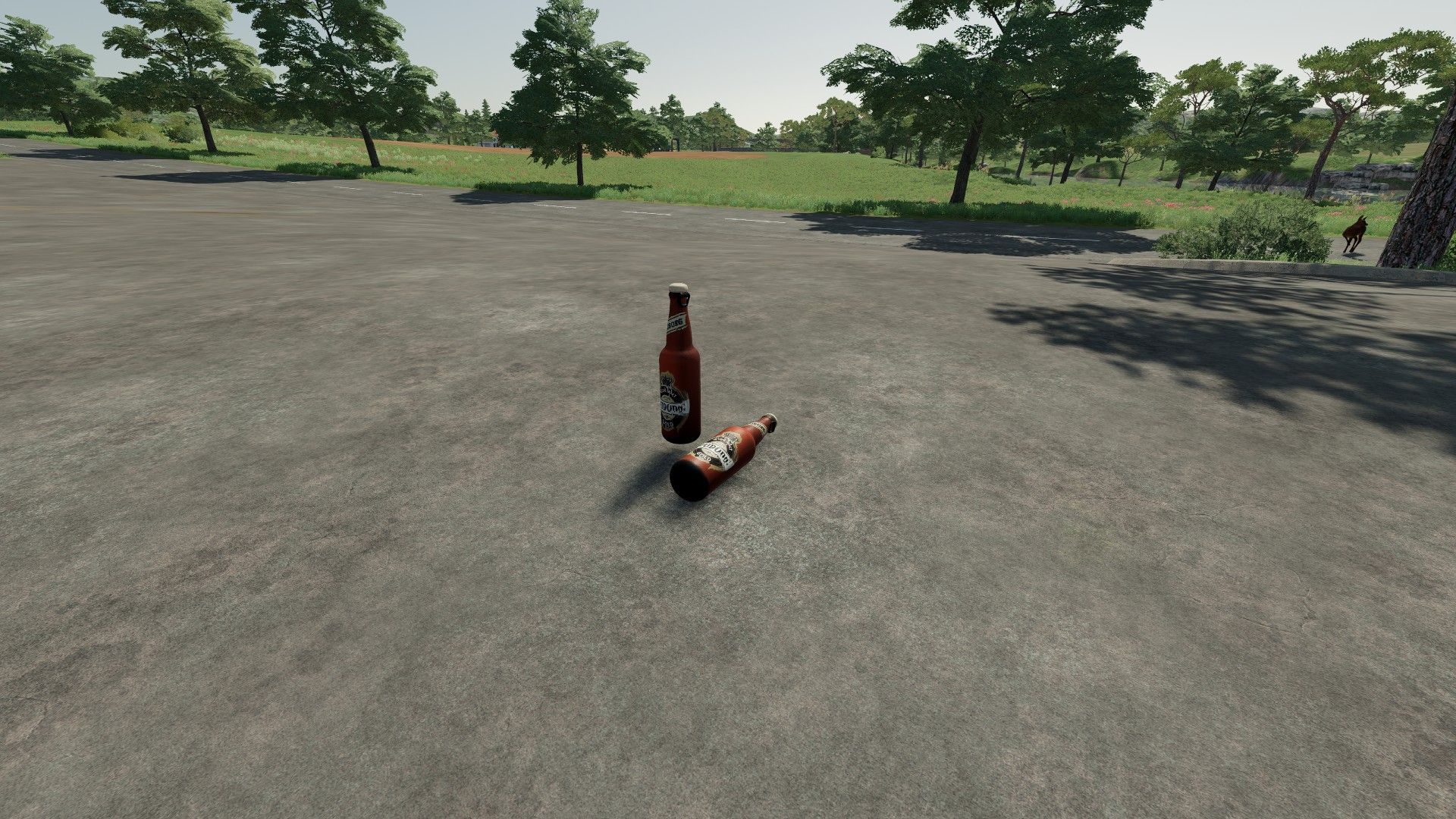
Tuborg Beer FS22
-Price €20- -Honestly, don't expect too much; it's purely for decoration and roleplay purposes. If you're actually playing the game, I wouldn't recommend downloading it—don't waste disk space unnecessarily!- -The mod is currently in beta; there may be bugs!- -If you like the mod, please hit the like button; I put a lot of effort into it. The mod is entirely my own work!- -Thank you for downloading my mod.-
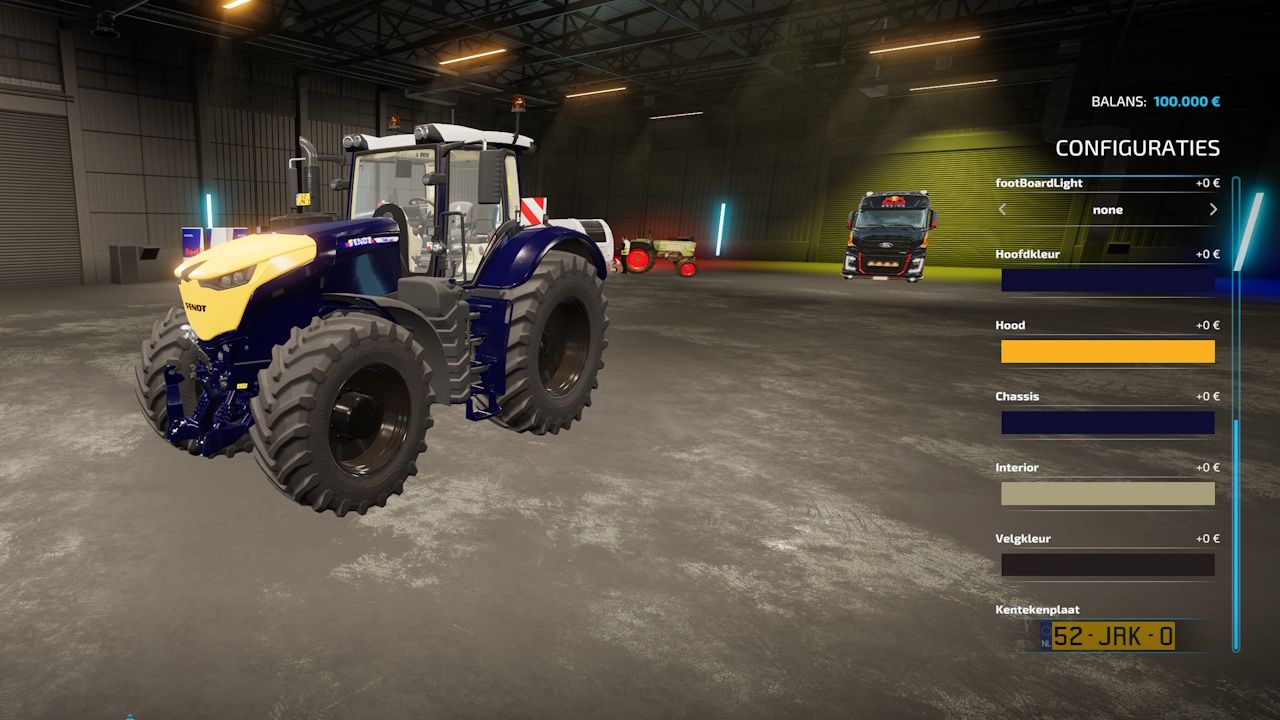
Fendt 1000 MAX RedBull FS22
This is Fendt vario 1000 tractor Red Bull version. Size: 9.2 MB - Lifetime 1000. - Exhaust effect black smoke. - Engine configurations 1038 and 1042 is replaced. - Engine configurations decal 1038 and 1042 also replaced on the hood. - 2 new motor configuration 1090 900hp 75km/h and Engine configuration 1100 1100hp 95/h "MAX POWER" - BackwardSpeed; 22, 27, 35 km/h depending on engine configuration. - More fill unit diesel 1000L. - Beter brake. Engine configuration: - Vario 1046 (476 hp) - Vario 1050 (517 hp) - Vario 1090 (900 hp) - Vario 1100 (1100 hp) Price: $378,000 - 548,000 Power: 476 - 1100 hp Configurations: - Redbull Design - Window Design - Eagle Eyes 8 colors - Bol Light 8 colors - FootBoard Light 2 colors Red and Orange -Added more color options -Added 3 color Configurations "hood, interior and Chassis"
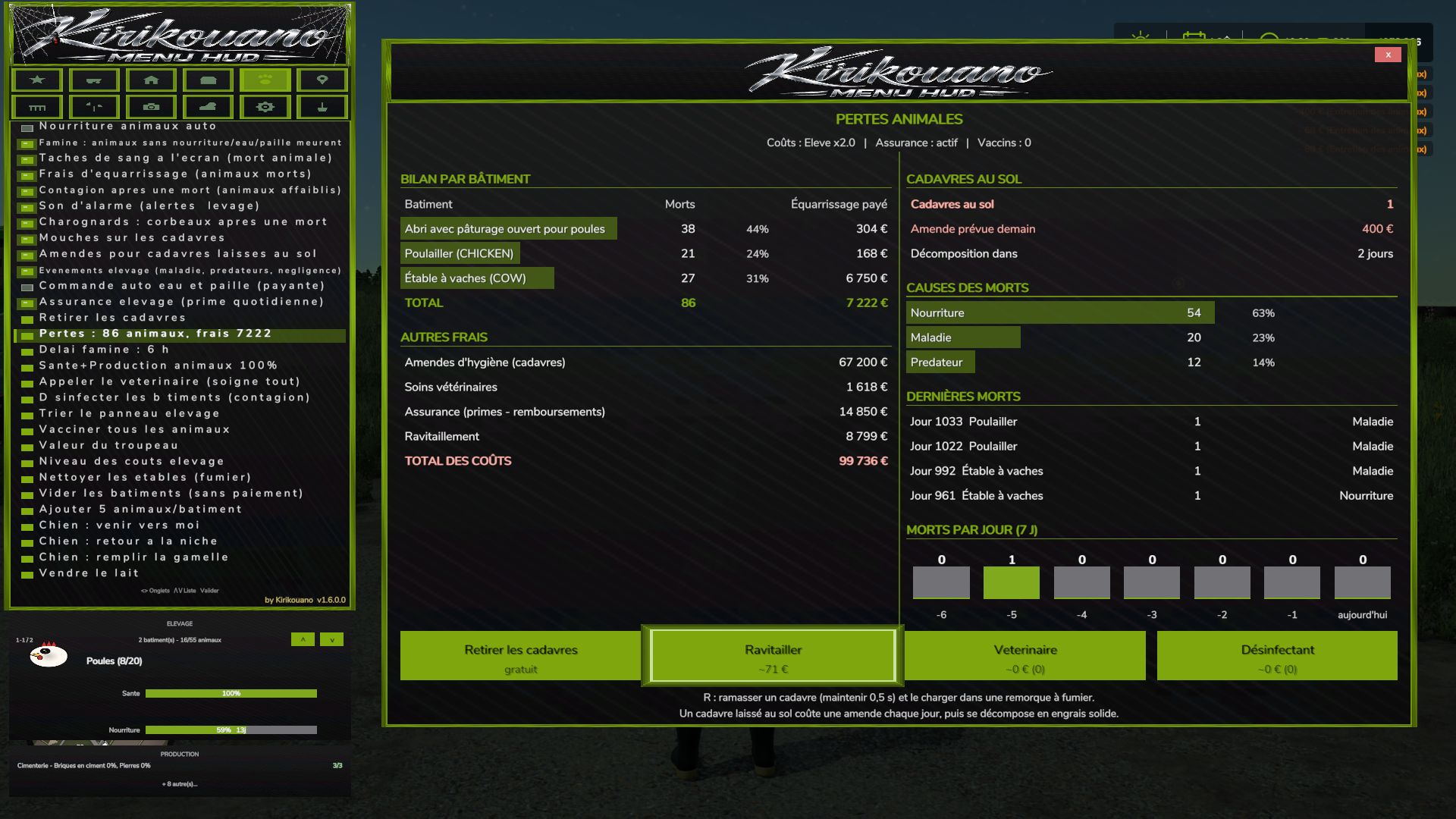
Kirikouano Menu HUD FS25
Kirikouano menu: F12 opens/closes a modular and compact panel. Includes silver, full fill, no wear, flight, fast speed, strength, automatic doors/barriers and free terraforming (toggles); clean/repair/empty vats, choose grain, spawn pallets/bales, buy all terrain, field status editor, right overturned vehicle, quick save, movable and recolorable panel. Keyboard navigation (wheel/click or Up/Down/Enter) by default. Controller: no buttons automatically assigned (to avoid any conflict with your own settings) -- assign the "KM_MENU_*" actions yourself in Options > Controls > Controller if necessary. The panel moves with the dedicated I/J/K/L keys (not the arrows, to avoid conflicts with the camera). Note: Time and Weather actions use game developer console commands and require the "-cheats" launch option; all other features work without it. © Kirikouano. Do not redistribute or reupload without permission. Controller and menu Full controller navigation in shops, signs and the death panel: D-pad to move, A to confirm, B to go back. Legend in the window. Green halo matching the menu color. The menu no longer blocks doors, jumping or crouching. VEHICLE tab split into sub-tabs: Maintenance, Fleet, Tools, Driving, Shop, IC. One button for the beacon. Complete translations in fr, en, de, pl, it. Automatic translation of notifications and signs. The language follows the game. Halloween Spider webs, swinging spider, scary sound when opening the menu. Hail, blood rain (red sky, red filter, drops on the screen). Weather sounds: haunted rain, demonic thunder with red lightning, wolves at night. Terror Pack: random events, from jumpscares to whispers. Scream when teleporting. Animal deaths Starvation: without food, water or straw, the animal dies. Prior warning, adjustable delay. Rendering fees, livestock insurance, blood stains on the screen, death sound. 3D carcasses on the ground, according to their actual age: adult, young, baby. Flies on the carcasses, carrion crows. Daily hygiene fine. Contagion that weakens the remaining animals. Pickup with R (held for 0.5 s), grouped, loading into a manure trailer. Once picked up, it produces manure. If not picked up, it decomposes into solid fertilizer placed on the ground, without filling trailers. Loss report by building, button to clean up the manure. Health and alerts Two-stage disease with a countdown before death. Overpopulation alert and contagion alert. Veterinarian: heals everything and clears the contagion. Estimated cost displayed. Disinfectant: cheaper, contagion only. Bell on every new alert, can be disabled. Alt+G: teleport to the building under alert, even with the menu open. Performance and reliability List caches, protection against deleted objects. No duplicate code or translations. Copyright in the scripts' header. New: tree planting («Plant a tree» button + tree type selection, FARM tab). New: hail added to the weather. VEHICLE tab divided into sub-tabs (Maintenance, Fleet, Tools, Driving, Shop, IC). Beacon light: a single ON/OFF button. Complete automatic translation (FR, EN, DE, PL, IT): menu, notifications and panels. Language selector removed: the menu follows the game language. Descriptions and key texts translated into Polish and Italian. New: cargo straps, tighten/loosen all with one click (VEHICLE tab) - Pallet/bale loading: completely redesigned custom system (physics disabled during transport, no more objects flying away) - Loading: stacking up to 3 levels high (instead of 2) - Loading: automatic positioning according to the actual dimensions of each attached trailer - Loading: filter All / Pallets only / Bales only - Loading: fixed the positioning of round and square bales (they no longer touched the ground or protruded) - Loading: reduced empty spaces between pallets, tighter loading - Loading: fixed overhangs at the front and rear of the trailer - Unloading: completely redesigned, clean stacking like "farm storage" - Unloading: choose the unloading direction (front/rear/left/right) - Removed an old duplicate loading system that caused inconsistencies - Vehicle teleportation: fixed articulated vehicles (tractors), which could fly away after teleportation - Manual tool attachment: fixed several coupling bugs - Shops (purchase/sale/pallets): double-click protection to prevent duplicate purchases/sales - Multiplayer stability fixes and various internal adjustments Complete interface redesign: new dark theme, decorative border, revised banner and icons You can also make the dog move, make the dog return to its kennel, and feed it Vehicle teleportation • New BUILDINGS tab: spawn any building or fence from the game's entire catalog, with live photo preview of the selected object (whether in the spawn list or by browsing your already placed buildings). • Directional cross to precisely position a building: movement, rotation, setting on the ground — with real arrow icons, rather than text. • Deletion of a building secured by double confirmation (one click arms, a second click within 4 seconds confirms) to avoid accidental deletions. • Successive installations of the same building or the same vehicle are now automatically spaced, to prevent them from overlapping. • Note about fences: the game automatically merges two fences of the same model placed nearby, into a single continuous network — this is a behavior of the game itself (not something the mod can change). To have several separate fences that can be moved independently, choose a different fence model for each installation. If two fences have already merged, you must go through the game's native store to separate them again. • New image preview of the selected fruit in the field editor (FIELD tab), with the real icons of the game. • Menu button pressing animations, in the spirit of the game's native menus. • New graphic palette featuring the true colors of the Farming Simulator 25 interface. • Completely revised controller navigation: the camera and vehicle controls are no longer disturbed while the menu is open (except on the BUILDINGS tab, where the camera voluntarily remains free to properly position what you place). • Tab switching on keyboard and controller fixed (previously only worked with mouse). FIXES • Fixed: a bug sometimes prevented a building from being properly deleted. • Fixed: a crash could occur just after deleting a building. • Fixed: the menu could get stuck on the preview of an old building without returning to the list. • Fixed: Collision avoidance for fences/buildings did not work when placed via the game's native store (now works both from the menu and from the store). • Fixed: some vehicles appeared as failed in the game logs when they had actually loaded successfully in-game. • Fixed: large vehicles could fail to spawn on non-flat terrain (landing position now based on actual terrain). • Various stability and general reliability adjustments to the menu. Complete visual overhaul real colors sampled on the game, custom icons for tabs and animals Vehicle repaint + new wash/repair/paint sounds Real floating window for firm dashboard Fixed menu movement bug (I/J/K/L) Removed DEBUG tab (development tools, not intended for normal gaming I added a new FIELD tab entirely in French, which replaces the game's Field Status window (previously only in English) with 12 translated settings (crop, growth stage, weeds, stones, soil type and angle, spraying, lime, plowing, rolling, stubble grinding). I added a fleet manager (repair/clean/refuel all vehicles at once), a firm dashboard, a list of active contracts, a list of connected players in multiplayer, fast forward time (1 day/week/month), and an interface scaling setting. I replaced the native "Set Money" window with a system fully integrated into the menu (adjustable amount + add/remove), to avoid opening an external window. I fixed several bugs: the filling of silos which never emptied correctly, the filling of factories which remained stuck at zero, and a crash of unlimited filling on harvesters in multiplayer during active harvest.
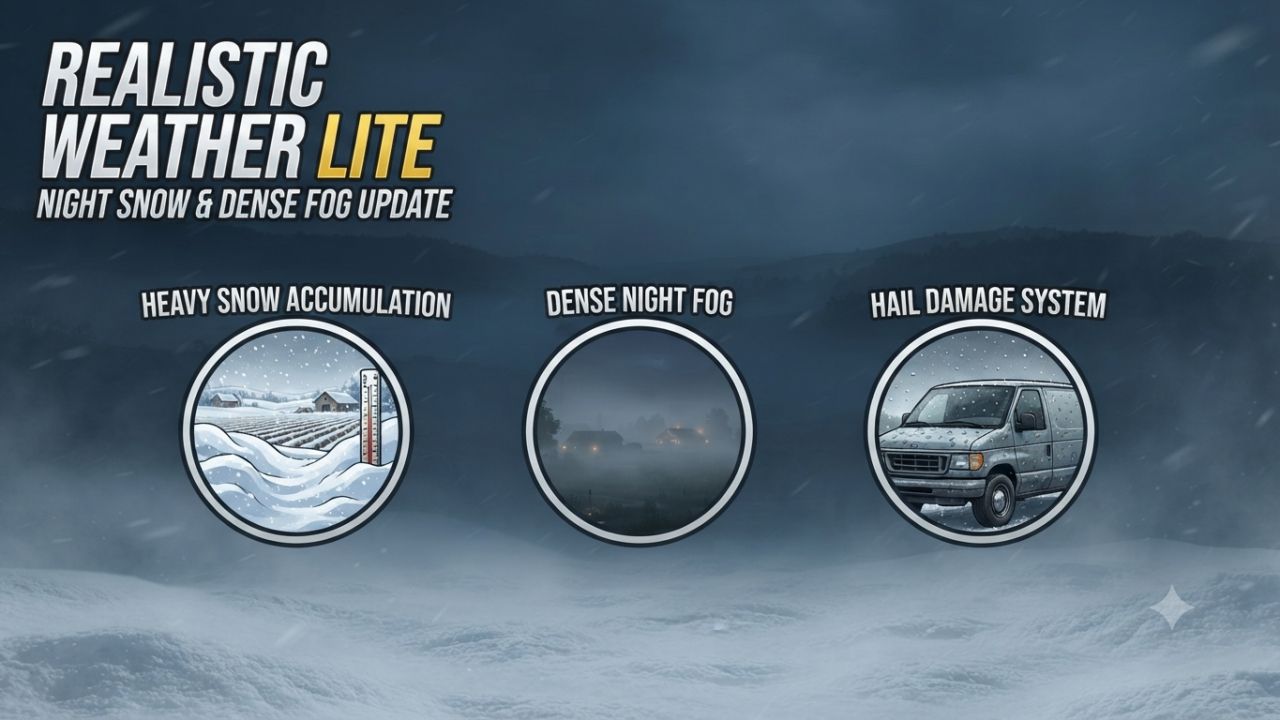
Realistic Weather Lite FS25
Hello everyone! I am releasing a major update for this mod, which is now fully stable, tested, and 100% working. 💡 Credits & Inspiration: This mod is inspired by the original concept created by Arrow, further developed and optimized to deliver a smooth and immersive weather experience. 🌦️ HOW THE MOD WORKS (Features) Dense & Dynamic Fog: Very thick and rare fog, generated randomly during rain, snow, or cold winter mornings, with a density and height much higher than the base game. Atmospheric Transitions: Climatic changes and realistic effects during bad weather. Advanced Snow Accumulation: Detailed management of snow depth on the ground and random blizzards with significant snowdrifts. Hail & Vehicle Damage: Hailstorms cause wear and visual damage to uncovered vehicles (fully compatible with advanced damage management mods like Advanced Damage System). Extended Game Info Display Integration: Extended Game Info Display has been fully integrated directly into the mod's code for a seamless and conflict-free experience. Enhanced Snow & Blizzard InfoBox: Upgraded the on-screen info box to accurately display snow accumulation in centimeters during snowfalls and provide timely alerts when a blizzard is approaching. 1.Overhauled Hail Damage Mechanics: Rewrote the vehicle and implement wear algorithm to prevent hail from damaging machinery too rapidly. 2.Time Scale Optimization: Adjusted hail wear calculations to scale dynamically with higher game speeds, preventing instant vehicle degradation when fast-forwarding time. 3.Restored In-Game Settings Menu: Re-enabled and fully integrated mod options into the native FS25 settings menu. 4.UI & Layout Fixes: Resolved UI synchronization issues, ensuring setting toggles update and refresh correctly on screen. 5.Fixed Settings Persistence: Ensured user configuration choices now save and load reliably across every game session. 6.Dedicated Savegame XML: Configured the mod to automatically create and manage realisticWeatherLiteSettings.xml directly within the active savegame directory. Version 1.4.0.0 introduces a complete overhaul of winter mechanics, an enhanced fog simulation model based on real-time environmental physics, new HUD indicators, and key compatibility updates. Detailed Changes 1. Snow System & Dynamic Accumulation Rework Intensity-Based Depth Scaling: Snow accumulation is no longer static. Depth now scales proportionally with snowfall severity. Accumulation Caps: Standard snowfall events peak at a maximum depth of 50 cm. Severe blizzards and intense winter storms can now push accumulation over 1.0 meter. Realistic Snow Fog Synergy: Snowfall no longer guarantees instant 100% dense fog. Visibility drops dynamically depending on storm severity—light snow creates subtle haze (~45%), while severe blizzards trigger dense white-outs (~95%). 2. HUD & User Interface Additions Real-Time Snowfall Tracker: Added live HUD metrics displaying active snowfall status. Predicted Snow Limit Display: The HUD now calculates and displays the expected maximum snow depth (in centimeters) for the current weather event, allowing players to prepare fields and clearance equipment in advance. 3. Refined Dense Fog Physics Elimination of False Triggers: Overhauled global activation logic (fogRoll). Simple cloudy days no longer trigger accidental fog. Wind Speed Dissipation: Integrated active wind vectors. Wind speeds exceeding 5.5 m/s (~20 km/h) actively dissipate fog or prevent its formation entirely. Probabilistic Winter Fog: Removed unconditional winter fog forced density. Winter fog now strictly depends on active humidity, snowfall, or cold morning dew points (04:00–11:00 window). Dynamic Density Transitions: Implemented smoothSpeed scaling tied to game speed (timeScale), ensuring smooth visual transitions during normal gameplay (1x) and fast-forwarding, with map-wide coverage up to 120 meters. 4. Compatibility, Stability & Settings Status Temporary Settings Menu Hibernation: In-game mod settings options have been temporarily disabled in version 1.4.0.0 to prevent UI mapping conflicts and ensure maximum overall stability. Upcoming Hotfix (v1.4.0.1): A minor update (v1.4.0.1) will be released very soon to officially restore and re-enable the fully working in-game settings menu, fix persistent saving, and resolve multiplayer UI sync (special thanks to community support and contributor feedback!). Removed the snow physics and field slip/traction management to prevent conflicts with the Mud System Physics mod. New Features & Physics: Added realistic traction loss specifically when driving on snow. To maintain good control and performance, it is now recommended to use dual tires, twin wheels, or tracked vehicles (crawlers), giving a meaningful purpose to your equipment choices in winter conditions. 1.Weather & Base Game Integration: Restored native base game fog/weather presets while keeping our custom dense fog system fully functional and active on top of them. 2.Optimizations & Fixes: Optimized overall Lua code performance and stability. 3.Added and verified full translations across supported languages. Stable Core: The weather system has been completely locked down and is now free of log errors, ready for seamless sessions in both singleplayer and multiplayer. Settings: The in-game configuration panel is temporarily disabled in this version and will be introduced with a full fix in the next update. New In-Game Menu: Fixed the issue where mod settings didn't show up in the general options menu. You can now toggle weather notifications and hail damage directly in-game. Full Multiplayer Support: Added dedicated network events for complete server/client synchronization. The mod now works perfectly on dedicated servers and multiplayer sessions. Audio System Fix: Fixed the ambient sound system integration. Hail and blizzard sounds now trigger correctly based on FS25 native weather scales. Dynamic Damage Balancing (Time Scale): Vehicle damage and wear calculations now automatically scale with the game's time speed (from 1x up to 360x). This prevents vehicles from breaking too fast at real-time speeds or escaping damage when speeding up time.

FS25 Realistic Clouds
FS25 Realistic Clouds unpack RealisticClouds.fx add to Farming Simulator 25\reshade-shaders\Shaders And that’s it—enjoy the realistic clouds.
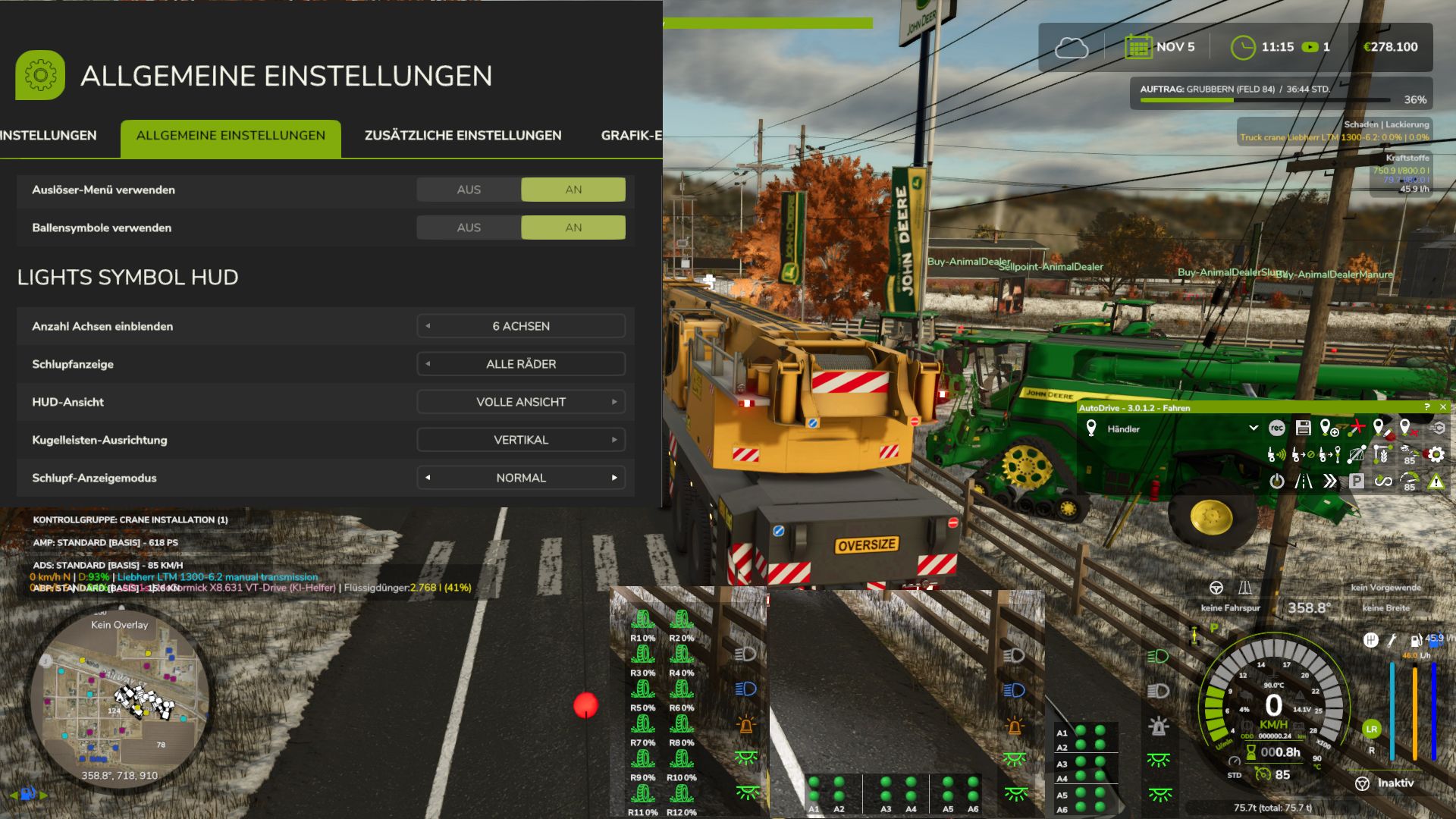
Lights Symbol HUD FS25
The Lights Symbol HUD displays the vehicle’s most important lighting and chassis information clearly in a separate HUD. Low beam, high beam and work lights Beacon light Left/right indicators and hazard warning lights Indicator arrows follow the active indicator rhythm Slip indicator for driven axles and wheels Automatic chassis and axle detection, even with complex multi-unit, belt and tracked undercarriages Dynamic display of up to 6 driven axles Selectable axle pairs or individual driven wheels Three HUD views: Full view, Compact view and Minimal view Minimal view optionally with a vertical or horizontal dot-light bar Dot-light bar with separate slip states and a clear axle assignment Adjustable slip display: Direct, Normal or Reduced Adjustable number of displayed axles: 0, 2, 4 or 6 Separate black background for the minimal dot-light bar Other publications on external sites that have not been expressly permitted or made by me are not allowed. I also provide no support for third-party uploads. Displays for the Tire Wear mod implemented https://github.com/duesterelegende/LS25_Real_Physik_Reifenverschleiss/releases/tag/LS25 The mod is not strictly required, but is recommended and can be completely hidden in-game I have added Cobra Modding as a blocked author because parts of my mod were used without permission or consultation. There is now a clear warning message in which you must choose which mod you want to use. All functions of my mod will be disabled as long as the mod by Cobra Modding is also active. You are free to decide which mod you want to use in the future. But I will not tolerate Cobra Modding! - New engine torque display as a live bar, toggle in the settings to show/hide - Torque display on the speedometer as a live bar / option in the settings to turn it on/off - further optimizations for axle displays and detection of motorcycles and trikes Integration for the Real Physics Tire Wear MOD -Various displays added for tire wear, belts and tracked vehicles, trailers, etc. - Display options Version 1.0.1.4.9 some language entries updated Before - only a light symbol display and a 2-axle slip display Update 1.1.0.44 - Various HUD display modes - Multiple-axle detection up to 6 axles and corresponding display for up to 6 axles - Individual wheel and axle-pair display - Improved wheel-slip display and analysis for up to 6 axles and 12 wheels - Several wheel-slip display modes - Options menu entries with multiple selection switches
Farm Life Plus FS25
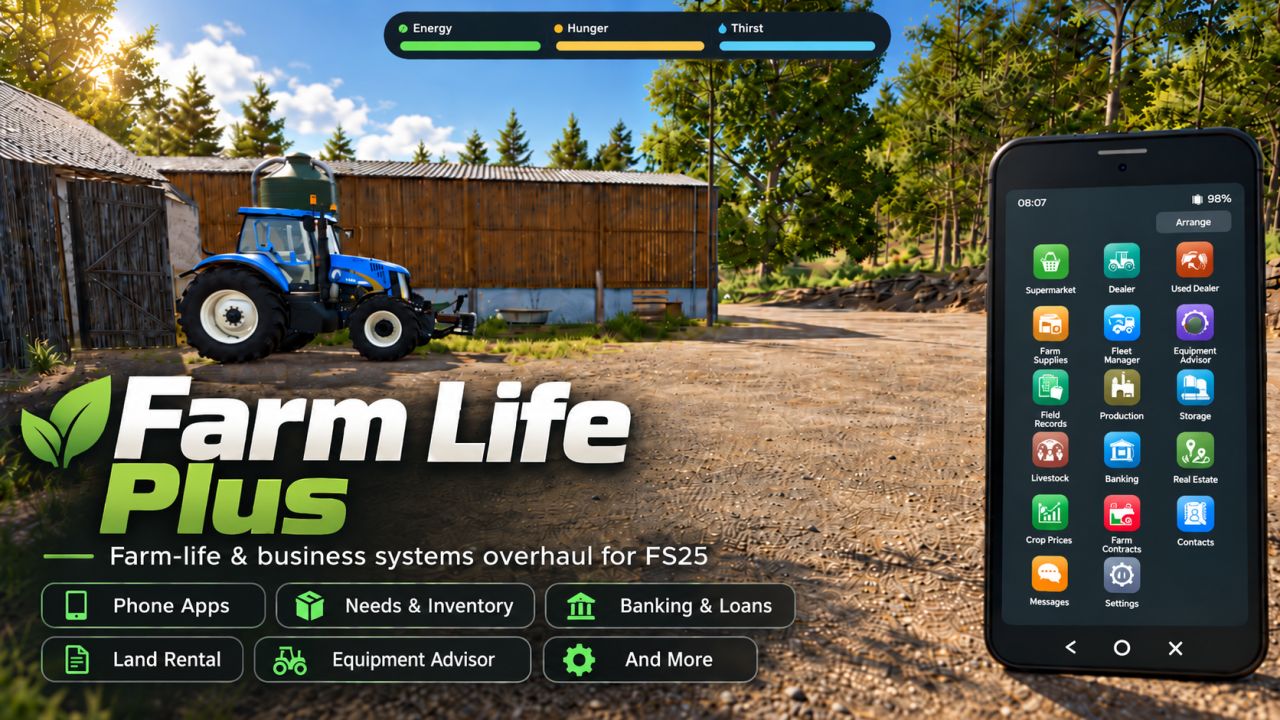
Official Distribution Notice Farm Life Plus is officially uploaded and distributed through KingMods only. Any copy of Farm Life Plus found on another website, file host or mod-sharing service has not been uploaded or authorised by me. Please only download Farm Life Plus from the official KingMods page. Farm Life Plus expands Farming Simulator 25 with deeper personal life, farm management, finance and progression systems. The goal is to make your farm feel more like a real business and your character feel like someone actually living and working in the world. Farm Life Plus is currently in Beta. Bugs, balance issues, compatibility problems and unfinished features may still be present. Player Needs Your farmer now has personal needs: - Hunger - Thirst - Energy - Activity-based drain - Movement penalties - Sleep and recovery Food & Drink More than 100 food and drink items are included, with different hunger, thirst and energy effects, shelf life, expiry and packaging. Personal Inventory Carry food, drinks and other supported items in a dedicated personal inventory. Smartphone Most Farm Life Plus systems are managed through an in-game smartphone with 17 apps. Apps can be rearranged or disabled. The phone also supports notifications and Do Not Disturb. Banking & Finance Manage your farm finances with: - Transaction history - Monthly cash-flow - Credit score from 0-999 - Personalised borrowing limits - Interest rates - Loan repayments - Arrears - Overpayments - Early settlement Field Renting & Real Estate Expand your farm without buying every field. You can: - Rent fields from NPC landowners - Advertise your own fields for rent - Receive rental offers - Manage tenancy agreements - Pay deposits and monthly rent - Give or receive notice - Benefit from reputation-based discounts Contracts & Reputation Receive job offers through messages, accept or decline work, complete contracts, collect payment and build reputation. Reputation can influence opportunities, rental offers and land deals. Equipment Advisor & Setup Builder Find compatible tractors, implements and machinery combinations based on the job and your budget. Build and save complete equipment setups before spending money. Machinery & Farm Management Farm Life Plus includes: - New machinery dealer - Used machinery dealer - Farm supplies - Fleet Manager - Field records - Crop rotation guidance - Crop prices - Storage management - Production management - Livestock management - Farm calendar and reminders Fleet Manager Manage your machinery from the phone: - View vehicle information - Locate vehicles - Switch to vehicles - Recover vehicles - Sell owned equipment - Return leased equipment One Connected System Farm Life Plus is designed as one connected experience. Your finances affect borrowing. Your reputation affects opportunities and land deals. Your fields build history. Your machinery can be planned and managed through the phone. Contracts arrive through messages. Your farmer still needs to eat, drink and rest. The goal is to turn Farming Simulator 25 into a deeper farm-life and farm-business simulation while keeping farming at the centre. Beta Notice Farm Life Plus is in active development. You may encounter bugs, UI issues, balance problems, compatibility issues and features that change in future updates. Backing up important savegames before using Beta versions is recommended. Feedback and bug reports are welcome. Farm Life Plus is officially distributed through KingMods only. Any copies hosted elsewhere are unauthorised.
RP-Tablet – The Business Tablet FS25
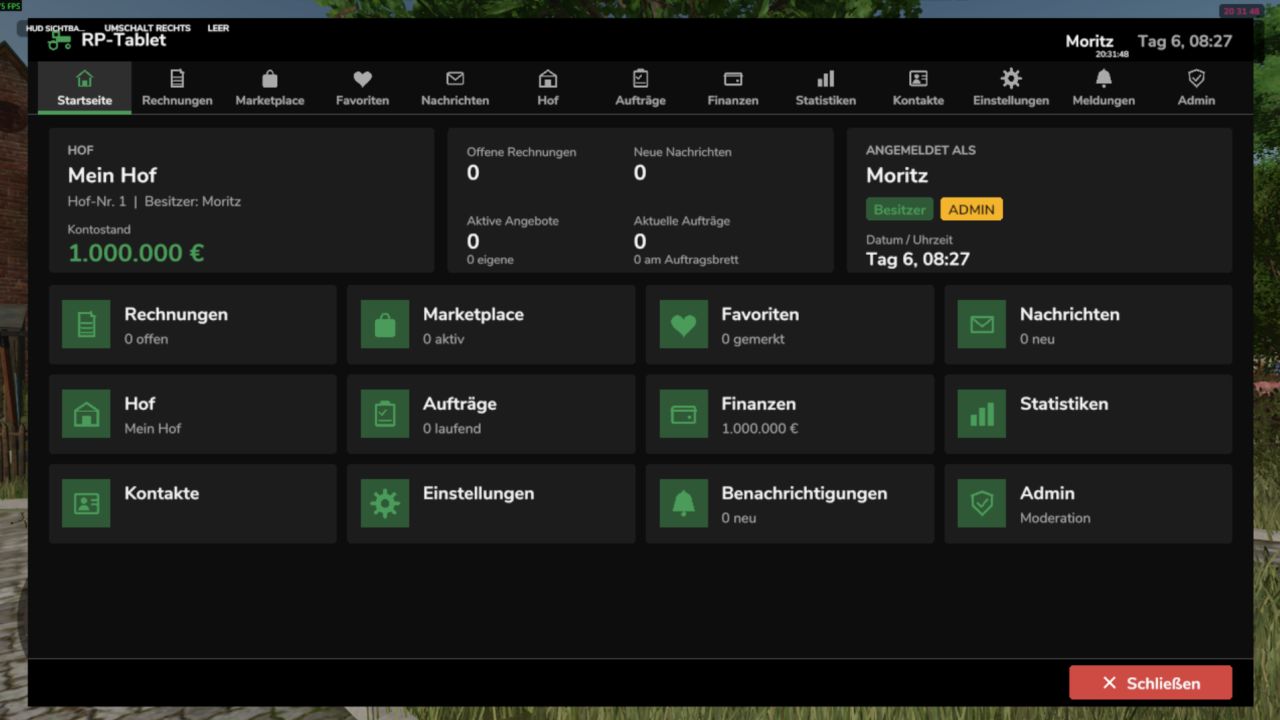
The RP Tablet brings a business tablet into your multiplayer session. With the press of a button, you open a menu styled like the game's own interfaces, where your farm manages its business: issuing and paying invoices, listing machinery and goods, negotiating, holding auctions, assigning contracts, sending messages, and monitoring finances. Everything runs via the server—money, permissions, and contracts cannot be manipulated on the client side. Screenshots Home – Account balance, outstanding invoices, messages, offers, and contracts at a glance; app bar at the top. Invoices – Line items, tax, payment deadline, status; options to pay, reject, or report. "Back," "Home," and "Close" buttons always at the bottom. Marketplace – Offers and auctions featuring search, categories, filters, favorites, and negotiation options. Finances – Account balance, income and expenses by category, recent transactions, receipts, and pending reviews. The images are rendered from the mod's test setup (using sample data, without the in-game background) and illustrate the layout and feature set. Fonts and details may vary slightly in-game. What can the RP Tablet do? Invoices Invoices with multiple line items, optional tax, payment deadlines, and notes Custom invoice numbers (INV-YYYY-NNNNNN); statuses: Open / Overdue / Paid / Cancelled Recipient can pay, reject, or report the invoice; funds are transferred immediately between farms Every payment automatically generates a receipt (TX-YYYY-NNNNNN) Marketplace Vehicles, machinery, trailers, tools, animals, crops, products, bales, timber, services, etc. m. Search, categories, price range, sorting, "My Offers," and favorites Buying, negotiating (price proposals, counter-offers), reserving, and auctions with minimum bid increments Optional market fee; notifications for sellers, buyers, and watchers Messages and notifications Messages to players or entire farms, inbox and sent items, search, replies Centralized notifications with counters (new invoice, sale, outbid, job completed, etc.) Brief alerts visible even when the tablet is closed Farm and roles Farm profile, members, and farm vehicles/machinery Roles with configurable permissions (e.g., owner, manager, employee)—users see only what they are authorized to see Revoke and restore tablet access for individual members Jobs Job board with description, payment, deadline, and optional restriction to a specific farm Open → Accepted → In Progress → Completed → Finalized Automatic payment upon acceptance; If funds are insufficient, an invoice is issued Finances, statistics, contacts Account balance, income/expenses/fees by category, transaction history with filters, receipts Statistics with 7-day chart Contacts, farm profiles, and ratings (1–5 stars; only for genuine, completed transactions) Administration Moderation area for server admins: users, farms, invoices, offers, transactions, reports, logs Configurable (fees, auctions, negotiations, limits, accent color, debug) via the in-game interface or config.xml Controls Action How Open / close tablet Left Alt + T (customizable under Settings → Controls) Back "Back" button or Esc (dialog first, then sub-page, then app) Home "Home" button or first entry in the app bar Close "Close" button, same key, or Esc on the home screen The tablet is linked to the farm: You only see your own farm's data and the apps your role is authorized to access. Multiplayer and security Server-authoritative: Money, marketplace, invoices, contracts, permissions, messages, and transactions reside exclusively on the server. The client only sends requests. Identity never originates from the client—player, farm, and role are determined server-side. Validation of every action (permissions, price, status, funds), protection against duplicate execution and spam, audit log. Works on dedicated servers, as a host, and in single-player mode. Data is saved along with the game save (rpTablet.xml in the savegame folder, with backup). Installation Place RP_Tablet.zip (unzipped) into the mods folder (Windows: Documents\My Games\FarmingSimulator2025\mods). Load your savegame or start the server, then activate the mod. Press Alt + T in-game. On a dedicated server, the mod must be active on both the server and all players' clients. Notes The tablet manages money, permissions, and documentation. Vehicles and goods are not transferred automatically; the handover is part of the roleplay. Transactions use the in-game currency (base: €). The tablet is a 2D overlay (not a 3D handheld device). The mod has been tested in a simulated game environment (89 automated tests). Details regarding engine integrations are listed in the README under "API Assumptions." Please report errors by providing the relevant excerpt from the log.txt file.
Vehicle Control Addon (VCA) FS25
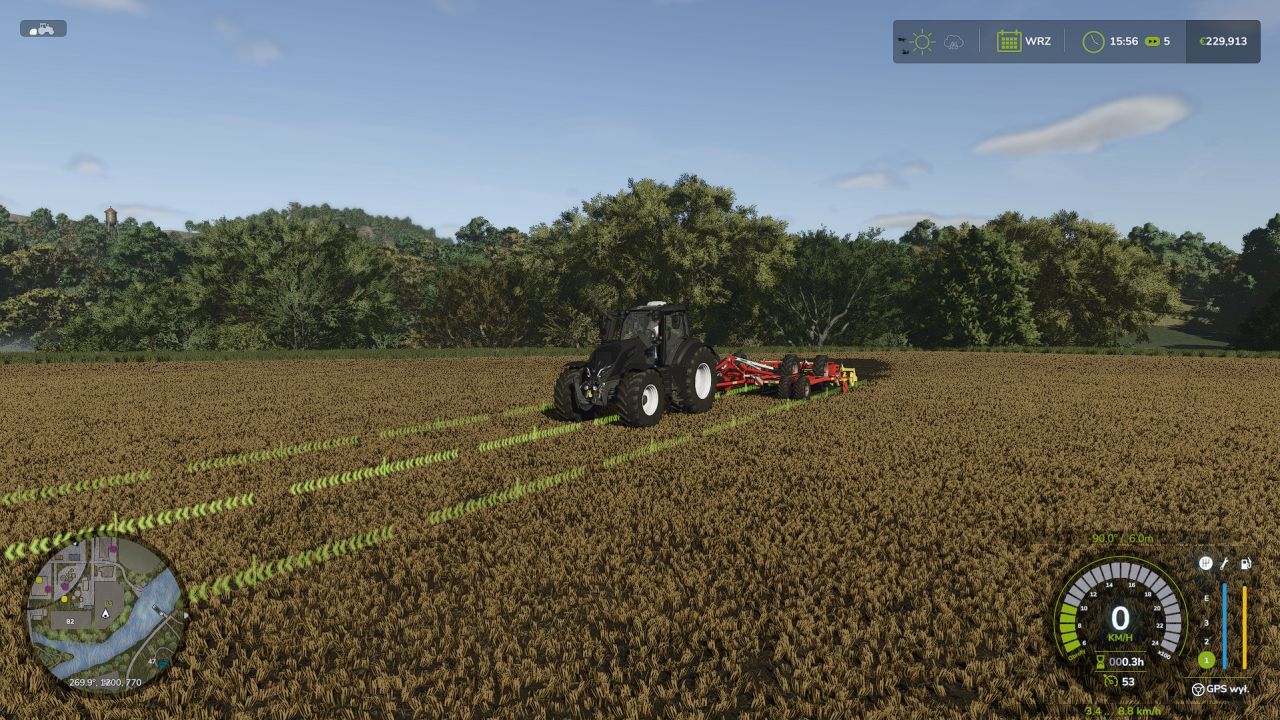
Vehicle Control Addon (VCA) is a set of features that make driving vehicles in Farming Simulator 25 easier and more customizable. Choose the settings that suit your play style, keyboard, or controller. - Adaptive steering adjusts the steering response to the vehicle's speed. - The camera can rotate according to the direction of travel and steering; quick glances in a selected direction are also available. - GPS guidance helps maintain direction and drive the vehicle along parallel tracks. You can set the working width, offset, and the track selected when turning around. - Two GPS line styles: classic VCA and new. The new line adapts its height to the terrain and crop growth stage, fades smoothly at the ends, and can be occluded by vehicles and buildings. - Refreshed VCA menu, with the HUD and GPS line accent color matching the game's active HUD color. - Speed control: additional options for cruise control, speed limiter, speed holding, and manual throttle. - Transmission and drivetrain: settings for automatic shifting, clutch, and Powershift, as well as manual control of the drivetrain and differential locks — if supported by the vehicle. - Additional options, including traction control, handbrake, and transmission HUD. Most features are disabled by default. The vehicle settings menu opens by default with Left Ctrl + C, while GPS guidance is activated with Left Ctrl + W. The remaining shortcuts can be checked and changed in the game's controls menu under the name Vehicle Control Addon.

FS22 John Deere 8R Series Edit v1.8.0.5
FS22 John Deere 8R Series Edit v1.8.0.5 Price:250`000 Power: 290-450hp Configurations: Engine Wheels Carpet BeaconLights realGPS Rimscolor Interactive control for doors and back window Passenger seat for multiplayer Ledbar light is made as “high beam” (CTRL+F to turn it on) Animated wunderbaum inside V1.8.0.5 LED Flashers configuration added LED Bar replaced with new model Few visual improvements V1.8.0.4 Left front wheel issue fixed V1.8.0.3 Wheels configuration changes V1.8.0.2 Variable Tire pressure mod support added V1.8.0.1 modDesc changes descVersion changed Version changed V1.8.0.0 IC Functions update Ignition added Lights toggle added Radio toggle added Radio next added Radio previous added Steering base folding/unfolding added Lower/turn on/off / folding added V1.7.0.0 Added Dashboard live support Added FS22 version DashboardLive configuration with: Lemken, Zunhammer, Kuhn, Krone, Amazone with support to FS25 Dashboard live version Fixed loading screen animation for seat dashboard V1.6.0.0 Fixed textures issue Hubs color now copy color of rims color configuration V1.5.0.0 Added main color configuration Added sound modifier for IC Added interior configuration for “dark interior” V1.4.0.0 New IC Icons added Sound modifier added V1.3.0.0 Interactive control mod support corrected for FS25 version V1.2.0.0 Precision farming crop sensors configuration added V1.1.0.0 Textures issue fixed
Unused Mods FS25
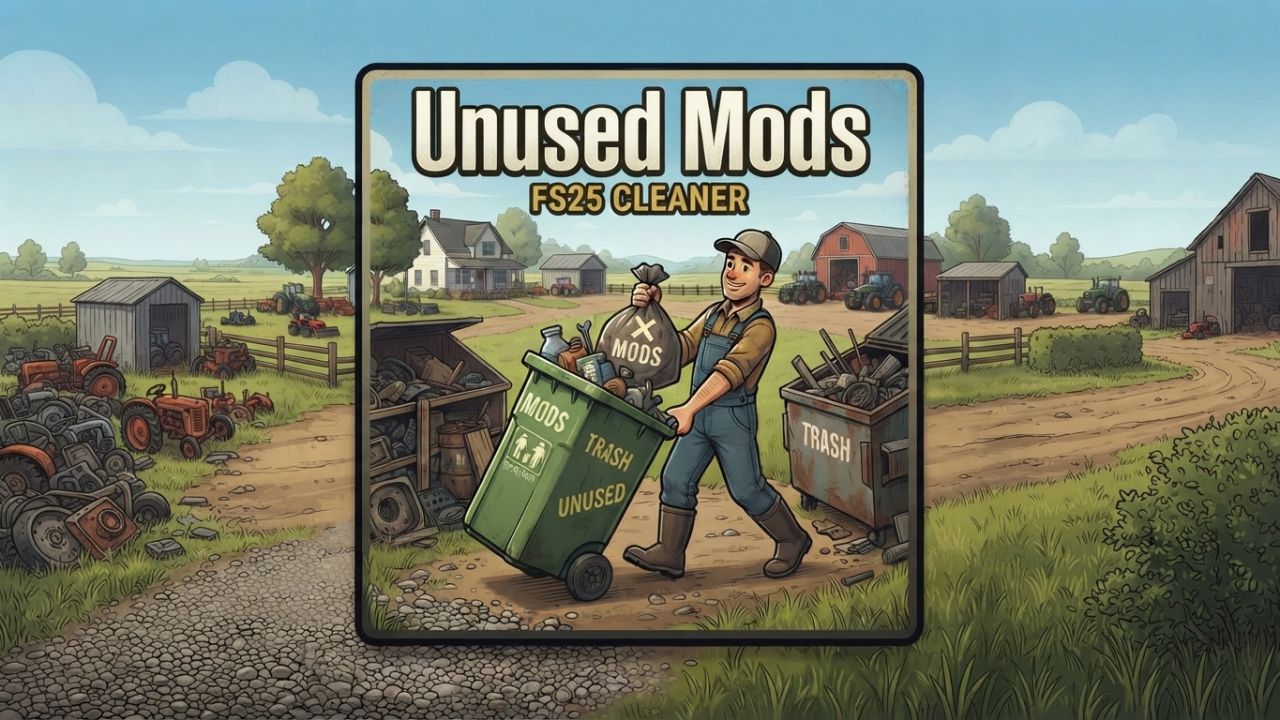
This mod finds downloaded mods (e.g. a tractor you have as a mod but have never purchased in any save) that you aren't actually using in any of your savegames. When a savegame starts, it checks every savegame for owned vehicles, placeables, hand tools and items and lists the mods that have none. Maps, mods without store items, and script mods enabled in a savegame are ignored. The list, with each mod's file path, is written to: * the log (search for ) * modSettings/FS25_UnusedMods/unusedMods.xml. It includes a summary of what it found and other details. If you find an issue, throw a comment or find me on github: https://github.com/BenOberholzer/FS25_UnusedMods
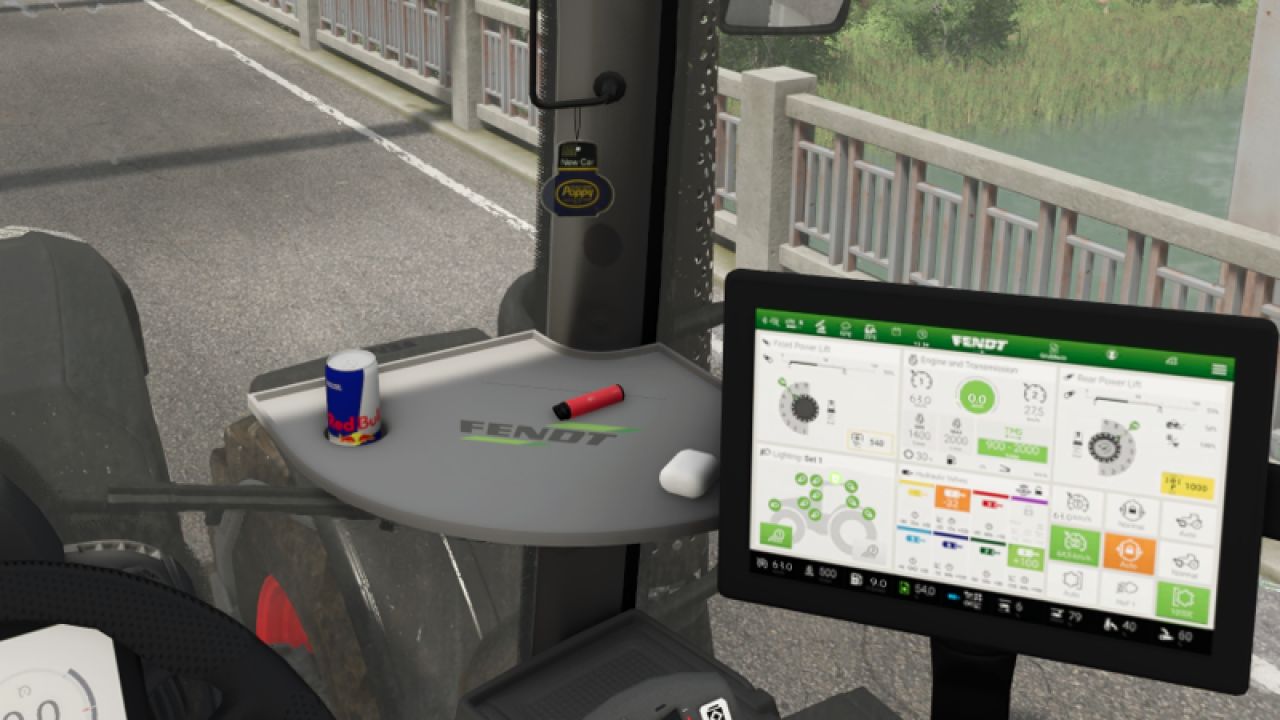
Poppy air freshener (Prefab) FS25
A small air freshener from Poppy/New Car. The air freshener must be installed manually in GE.
- 15 per page
- 30 per page
- 45 per page
- 60 per page
-
See more per page
Bigger pages, fewer clicks - and no ads anywhere.
Go Pro