Farming Simulator 22 mods
50,377 results- 15 per page
- 30 per page
- 45 per page
- 60 per page
-
See more per page
Bigger pages, fewer clicks - and no ads anywhere.
Go Pro

Change terrain angle FS25
This mod allows you to change the ground angle! Controls: ESC > Settings > Game Settings > Ground Angle. Selection via mouse, keyboard or controller; no additional key bindings. Multiplayer: Only the host and server admins can change the selection. All players will receive the server settings, even if they join later. Saving per game state on the server.
Udder to Tank FS25
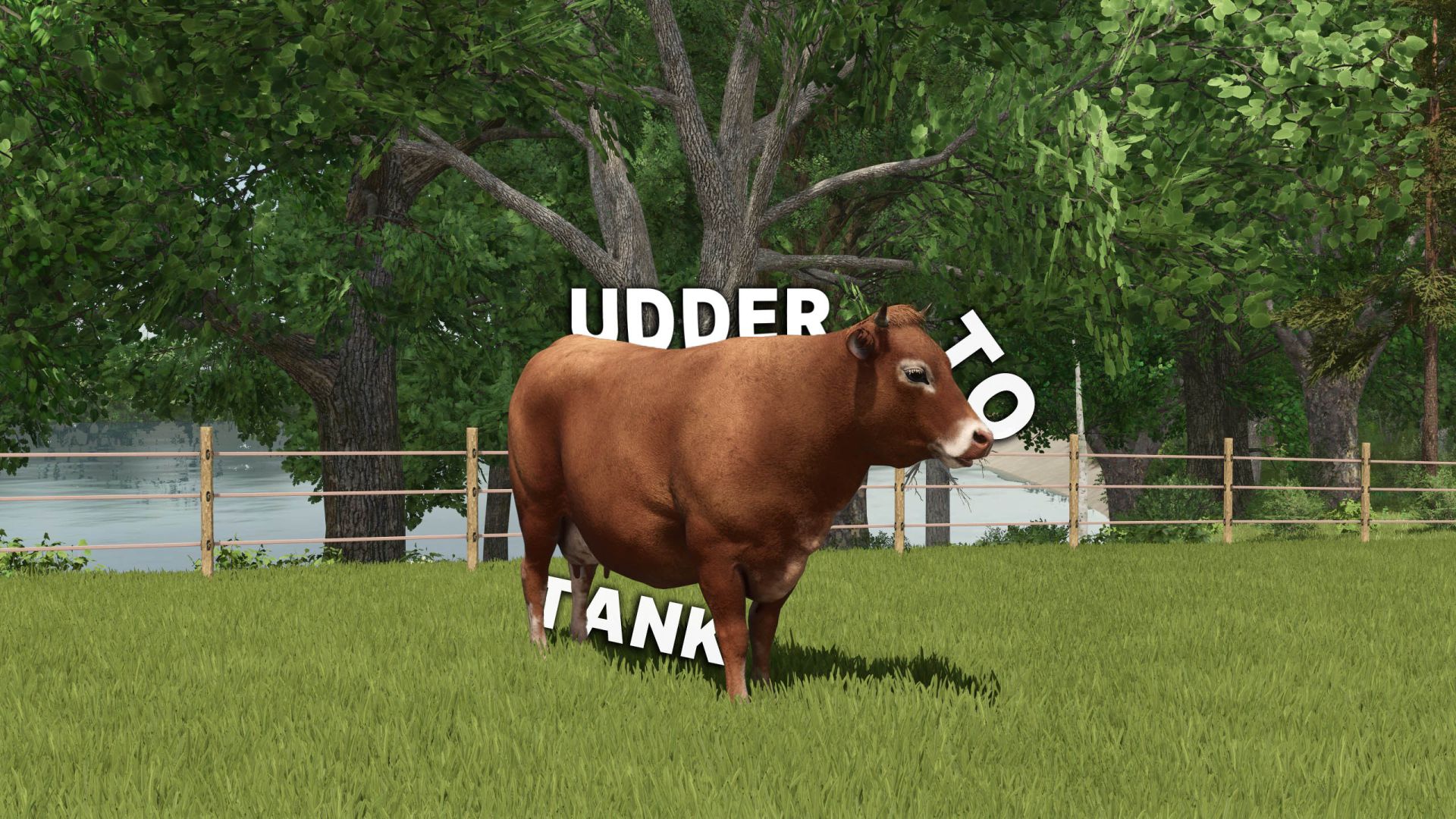
Does it also annoy you that when you put cows out to pasture, they don't produce any milk? That changes now with this mod. With this mod, dairy cows and goats get udders and have to be milked in the barn. MILK ON PASTURES: Dairy cows, water buffalo, and goats produce milk in their own udders on managed pastures. Young animals and meat breeds do not produce milk. MILKING COWS: Bring the cows into a barn equipped with a milking robot. At the next full hour, the milk will be transferred from the udders into the barn tank. Collect it there as usual with a milk tanker trailer. If the barn tank is full, the milk will remain in the udder. MILKING GOATS: Bring the goats into a barn. At the next full hour, the milk is transferred from their udders into the barn tank, and milk cans are produced. Collect the pallets there as usual with a front loader. If a pallet is full, more milk remains in the udder.
Barrier 4.5 meters FS22
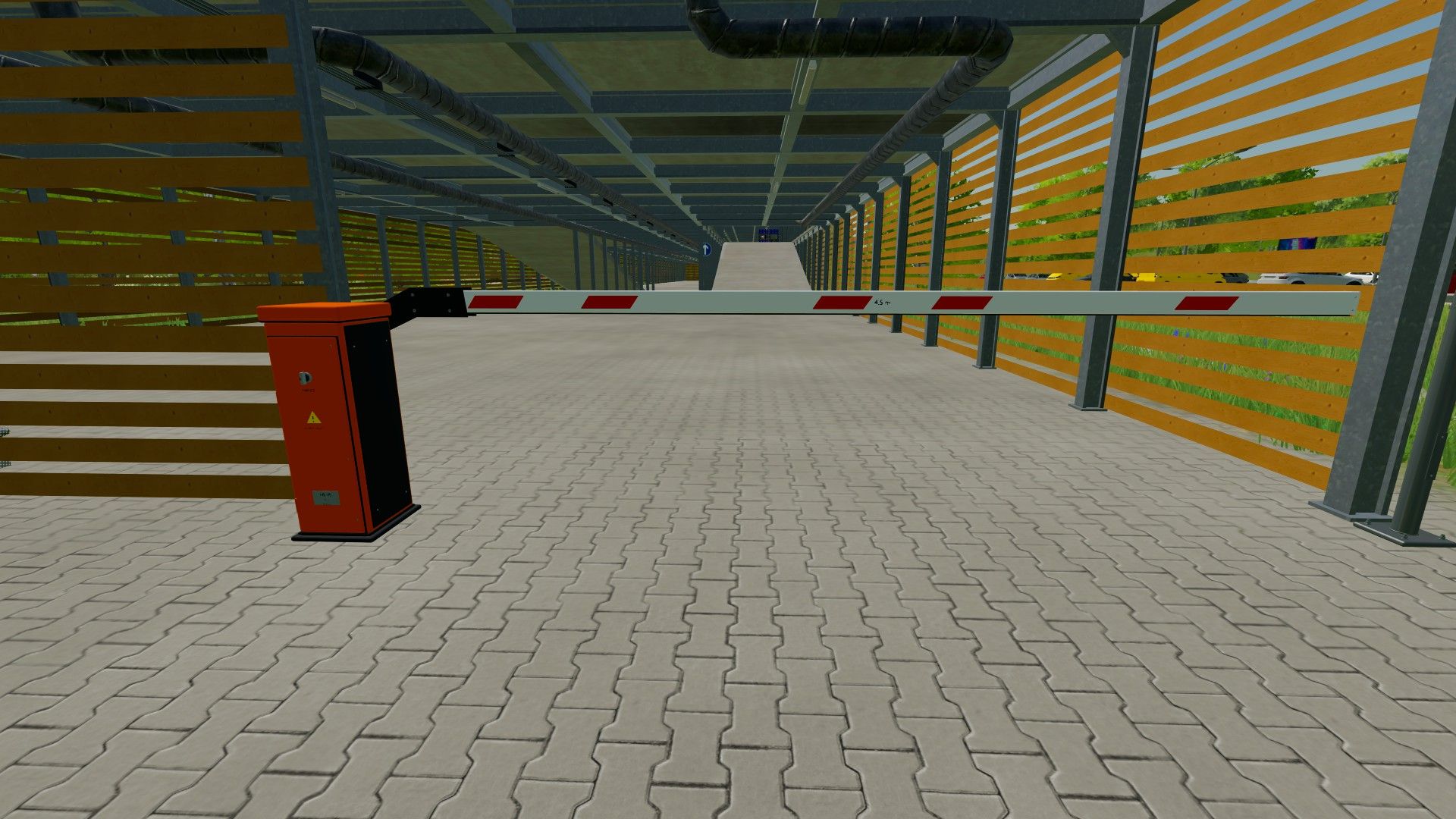
With the animated 4.5-meter barrier gate from ScriptHub Modding, you can make your farm premises, parking lots, entrances and industrial facilities in Farming Simulator 22 even more realistic. The barrier gate features a movable 4.5-meter boom arm and can be opened and closed manually at the press of a button. Thanks to the animated barrier movement, this mod is ideal for realistic access controls, roleplay projects and individually designed farm premises. Features - Animated barrier gate with a 4.5-meter boom arm - Manual opening and closing - Realistic movement of the boom arm - Detailed model with barrier drive unit - Ideal for parking lots, farm premises and entrances - Versatile use for map design Controls - Key K: Open and close the barrier gate Mod information - Game: Farming Simulator 22 - Mod name: Barrier Gate 4.5 Meters - Manufacturer: ScriptHub Modding - In-game category: Decoration - Barrier length: 4.5 meters - Control: Manual via keyboard - Special feature: Animated boom arm ScriptHub Modding wishes you lots of fun with the mod!
Fire station exit traffic light FS22
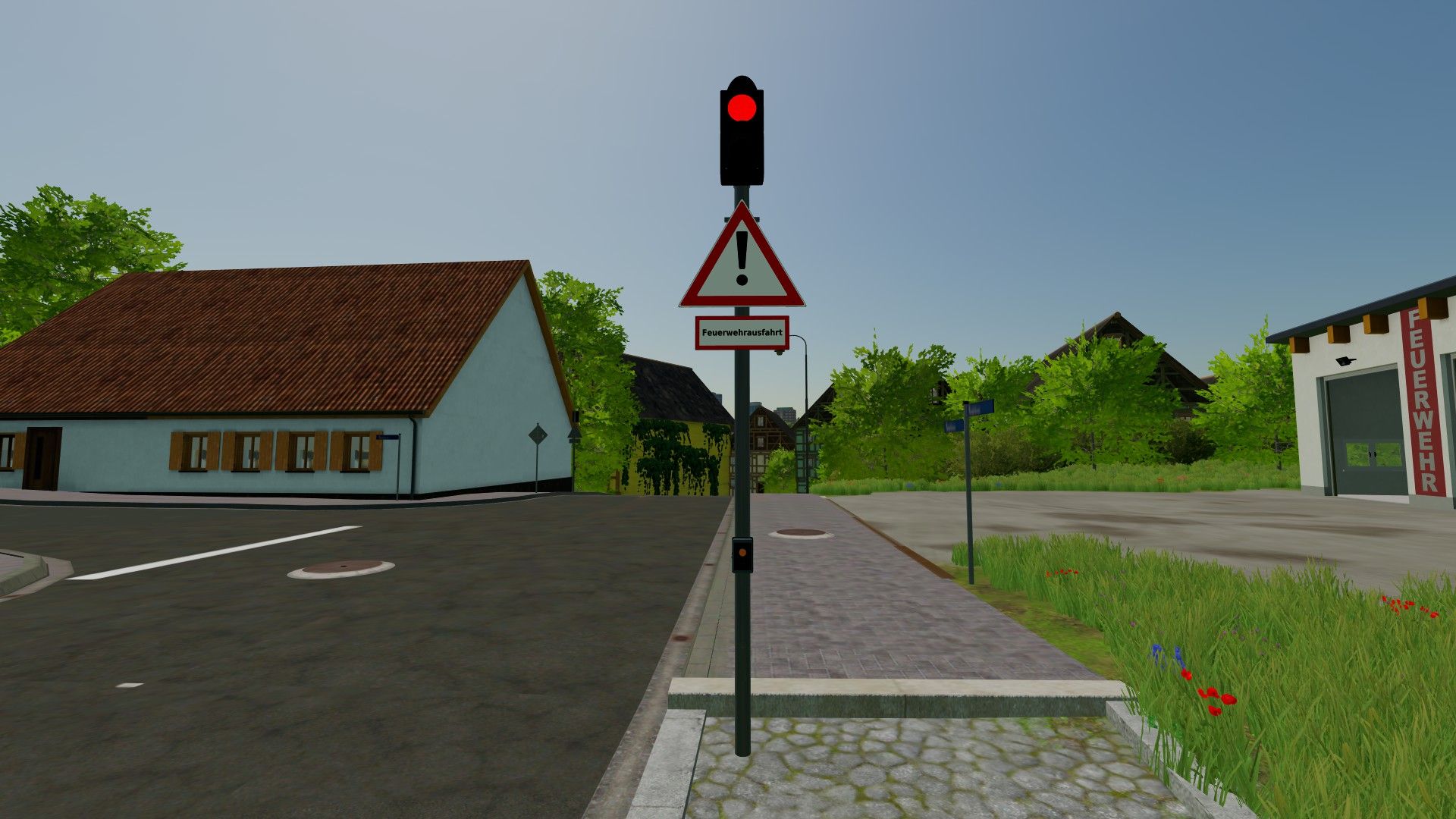
With the animated fire station exit traffic light by ScriptHub Modding, you can make your fire stations and emergency service locations in Farming Simulator 22 even more realistic. The traffic light features a manually controlled signal system with an animated signal change. When activated, the traffic light first switches to amber for 3 seconds and then to red to warn traffic and bring it to a stop before a fire station exit. After being deactivated, the traffic light switches to amber again for 3 seconds before turning off completely. This makes the mod ideal for realistic firefighting operations, roleplay projects and individually designed fire station locations. Features - Animated fire station exit traffic light - Realistic signal change with time delay - Manual activation and deactivation - Amber phase lasting 3 seconds each time - Red signal to secure the fire station exit - Integrated warning sign with supplementary sign “Fire Station Exit” - Detailed traffic light pole with control element - Ideal for fire stations and emergency service locations Controls - Left mouse button: Activate traffic light - Amber for 3 seconds - Then permanently red - Right mouse button: Deactivate traffic light - Changes from red to amber for 3 seconds - Then switches off completely Mod information - Game: Farming Simulator 22 - Mod name: Fire Station Exit Traffic Light - Manufacturer: ScriptHub Modding - In-game category: Decoration - Controls: Manual via mouse click - Special feature: Animated signal change with a 3-second amber phase ScriptHub Modding wishes you lots of fun with the mod!
Lane control signal FS22
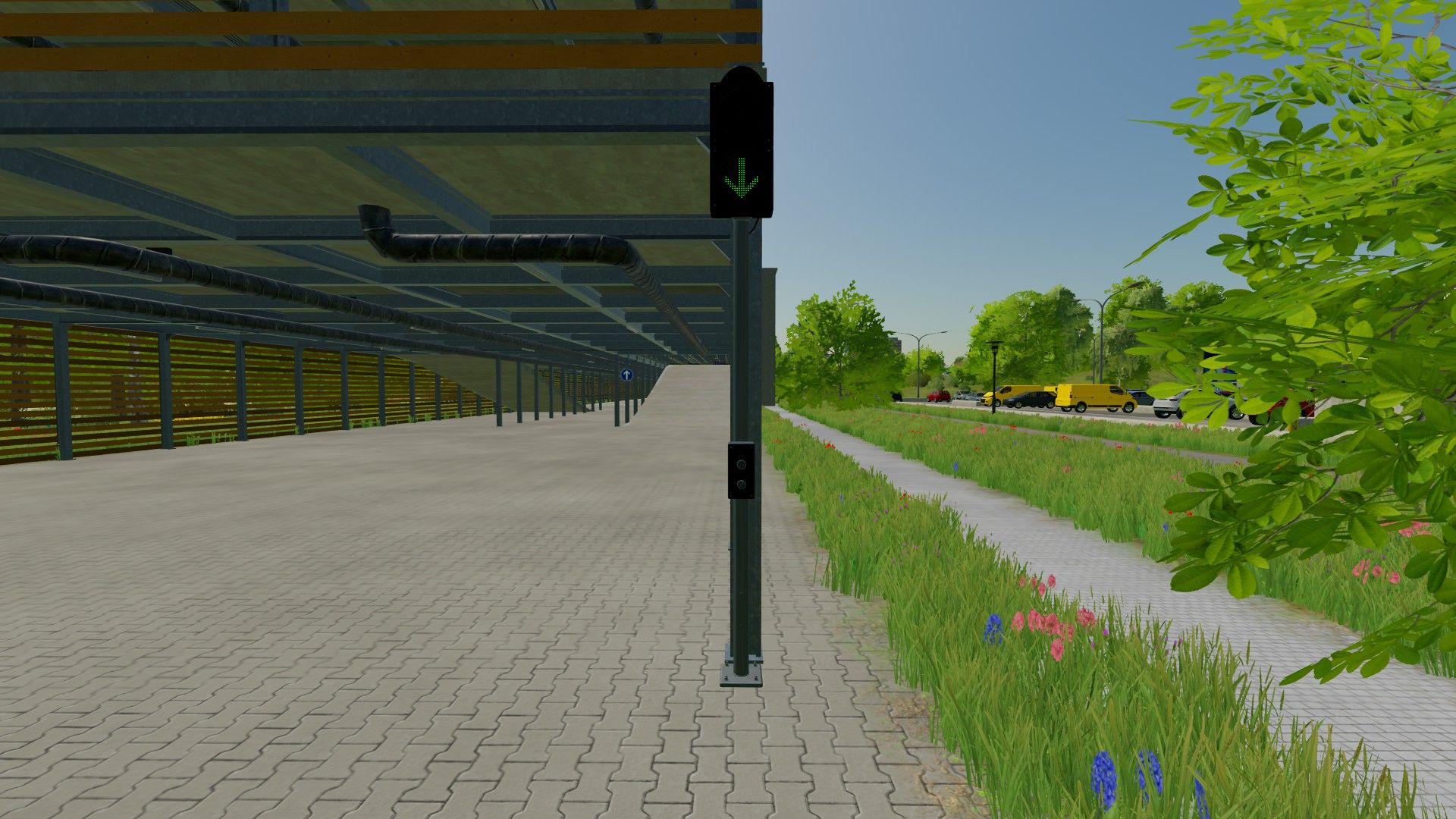
With the lane traffic light by ScriptHub Modding, you can make your roads, company premises, parking garages and access roads in Farming Simulator 22 even more realistic. The lane traffic light features a manually controlled signal display, allowing you to switch between a green arrow and a red stop signal. The traffic light can also be switched off completely. This makes the mod ideal for custom traffic routing, roleplay projects and realistic map design. Features - Manually switchable lane traffic light - Green arrow to allow traffic on the lane - Red signal to close the lane - Signal display can be fully switched on and off - Realistic model with traffic light pole - Ideal for parking garages, company premises and roads Controls - Key J: Switch the traffic light on and off - Key K: Switch between green and red Mod information - Game: Farming Simulator 22 - Mod name: Fahrstreifenampel - Manufacturer: ScriptHub Modding - In-game category: Decoration - Controls: Manual via keyboard ScriptHub Modding wishes you lots of fun with the mod!

FS25 Realistic Weather Lite v1.4.0.2
FS25 Realistic Weather Lite v1.4.0.2 Hello everyone! I am releasing a major update for this mod, which is now fully stable, tested, and 100% working. Credits & Inspiration: This mod is inspired by the original concept created by Arrow, further developed and optimized to deliver a smooth and immersive weather experience. HOW THE MOD WORKS (Features) Dense & Dynamic Fog: Very thick and rare fog, generated randomly during rain, snow, or cold winter mornings, with a density and height much higher than the base game. Atmospheric Transitions: Climatic changes and realistic effects during bad weather. Advanced Snow Accumulation: Detailed management of snow depth on the ground and random blizzards with significant snowdrifts. Hail & Vehicle Damage: Hailstorms cause wear and visual damage to uncovered vehicles (fully compatible with advanced damage management mods like Advanced Damage System). V1.4.0.2 Extended Game Info Display Integration: Extended Game Info Display has been fully integrated directly into the mod’s code for a seamless and conflict-free experience. Enhanced Snow & Blizzard InfoBox: Upgraded the on-screen info box to accurately display snow accumulation in centimeters during snowfalls and provide timely alerts when a blizzard is approaching. V1.4.0.1 1.Overhauled Hail Damage Mechanics: Rewrote the vehicle and implement wear algorithm to prevent hail from damaging machinery too rapidly. 2.Time Scale Optimization: Adjusted hail wear calculations to scale dynamically with higher game speeds, preventing instant vehicle degradation when fast-forwarding time. 3.Restored In-Game Settings Menu: Re-enabled and fully integrated mod options into the native FS25 settings menu. 4.UI & Layout Fixes: Resolved UI synchronization issues, ensuring setting toggles update and refresh correctly on screen. 5.Fixed Settings Persistence: Ensured user configuration choices now save and load reliably across every game session. 6.Dedicated Savegame XML: Configured the mod to automatically create and manage realisticWeatherLiteSettings.xml directly within the active savegame directory. V1.4.0.0 Version 1.4.0.0 introduces a complete overhaul of winter mechanics, an enhanced fog simulation model based on real-time environmental physics, new HUD indicators, and key compatibility updates. Detailed Changes 1. Snow System & Dynamic Accumulation Rework Intensity-Based Depth Scaling: Snow accumulation is no longer static. Depth now scales proportionally with snowfall severity. Accumulation Caps: Standard snowfall events peak at a maximum depth of 50 cm. Severe blizzards and intense winter storms can now push accumulation over 1.0 meter. Realistic Snow Fog Synergy: Snowfall no longer guarantees instant 100% dense fog. Visibility drops dynamically depending on storm severity—light snow creates subtle haze (~45%), while severe blizzards trigger dense white-outs (~95%). 2. HUD & User Interface Additions Real-Time Snowfall Tracker: Added live HUD metrics displaying active snowfall status. Predicted Snow Limit Display: The HUD now calculates and displays the expected maximum snow depth (in centimeters) for the current weather event, allowing players to prepare fields and clearance equipment in advance. 3. Refined Dense Fog Physics Elimination of False Triggers: Overhauled global activation logic (fogRoll). Simple cloudy days no longer trigger accidental fog. Wind Speed Dissipation: Integrated active wind vectors. Wind speeds exceeding 5.5 m/s (~20 km/h) actively dissipate fog or prevent its formation entirely. Probabilistic Winter Fog: Removed unconditional winter fog forced density. Winter fog now strictly depends on active humidity, snowfall, or cold morning dew points (04:00–11:00 window). Dynamic Density Transitions: Implemented smoothSpeed scaling tied to game speed (timeScale), ensuring smooth visual transitions during normal gameplay (1x) and fast-forwarding, with map-wide coverage up to 120 meters. 4. Compatibility, Stability & Settings Status Temporary Settings Menu Hibernation: In-game mod settings options have been temporarily disabled in version 1.4.0.0 to prevent UI mapping conflicts and ensure maximum overall stability. Upcoming Hotfix (v1.4.0.1): A minor update (v1.4.0.1) will be released very soon to officially restore and re-enable the fully working in-game settings menu, fix persistent saving, and resolve multiplayer UI sync (special thanks to community support and contributor feedback!). V1.3.0.1 Removed the snow physics and field slip/traction management to prevent conflicts with the Mud System Physics mod. V1.3.0.0 New Features & Physics: Added realistic traction loss specifically when driving on snow. To maintain good control and performance, it is now recommended to use dual tires, twin wheels, or tracked vehicles (crawlers), giving a meaningful purpose to your equipment choices in winter conditions. 1.Weather & Base Game Integration: Restored native base game fog/weather presets while keeping our custom dense fog system fully functional and active on top of them. 2.Optimizations & Fixes: Optimized overall Lua code performance and stability. 3.Added and verified full translations across supported languages. V1.2.0.0 Stable Core: The weather system has been completely locked down and is now free of log errors, ready for seamless sessions in both singleplayer and multiplayer. Settings: The in-game configuration panel is temporarily disabled in this version and will be introduced with a full fix in the next update. V1.1.0.0 New In-Game Menu: Fixed the issue where mod settings didn’t show up in the general options menu. You can now toggle weather notifications and hail damage directly in-game. Full Multiplayer Support: Added dedicated network events for complete server/client synchronization. The mod now works perfectly on dedicated servers and multiplayer sessions. Audio System Fix: Fixed the ambient sound system integration. Hail and blizzard sounds now trigger correctly based on FS25 native weather scales. Dynamic Damage Balancing (Time Scale): Vehicle damage and wear calculations now automatically scale with the game’s time speed (from 1x up to 360x). This prevents vehicles from breaking too fast at real-time speeds or escaping damage when speeding up time.
Better Sleep FS25
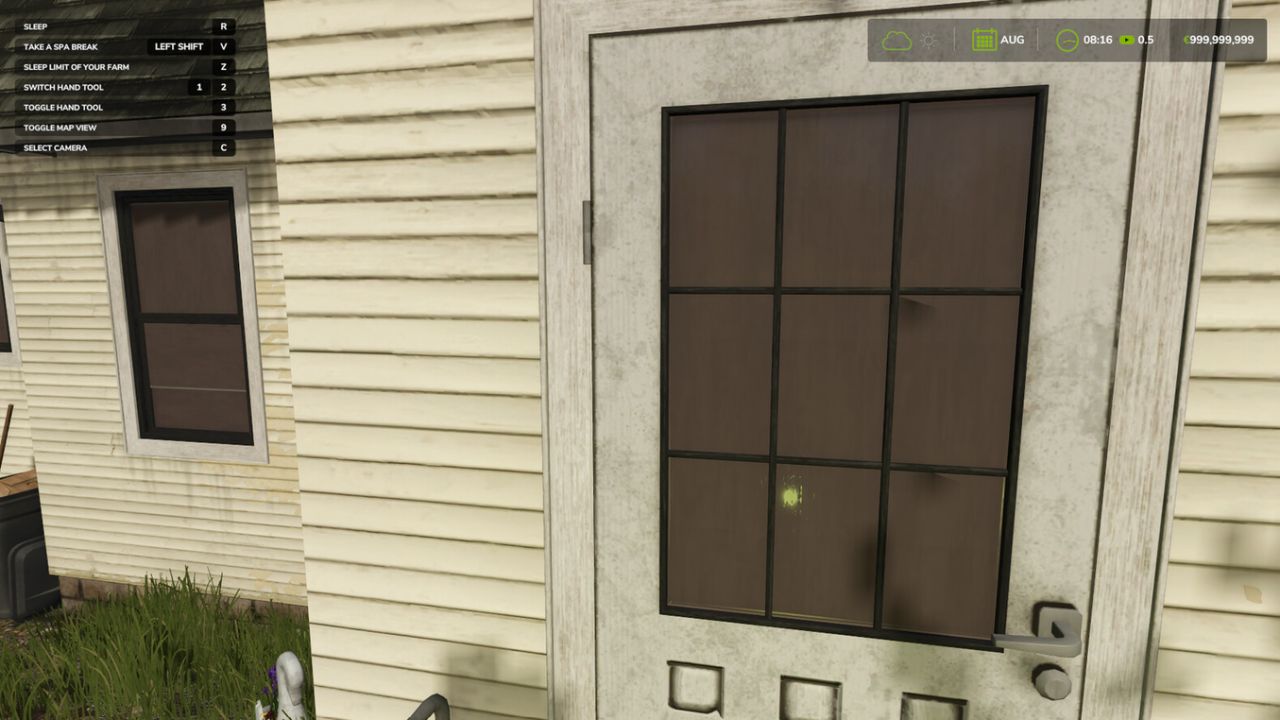
Better Sleep extends the sleep system, especially for multiplayer. Every farm can set a sleep limit up to which other players may skip time, so nobody sleeps past an offline farm. Players can also take time off for several days, during which time is skipped automatically according to the server settings. With the sleeping bag you can sleep anywhere on the map, independent of a farmhouse. Sleep limit Stand at your bed in the farmhouse and press the key for "Sleep limit of your farm" (default: Y). Choose month and day. While sleeping or taking time off, time is stopped at the earliest sleep limit of the other farms. Without a limit, sleeping works as usual. Time off You can also start a multi-day time off at your bed (default: Left Shift + V). The maximum length depends on the server settings. The activity changes with every time off. Sleeping bag The sleeping bag can be bought in the shop under Hand Tools, Miscellaneous for 254$. Select the sleeping bag and activate it to sleep anywhere. Console commands (host) - bsStatus: shows all limits and settings - bsSetLimit : sets the limit of your own farm - bsClearLimit: removes the limit of your own farm - bsSetRights manager|member|admin: who may set limits - bsSetVacation : length and wake-up time of the time off - bsSetAnywhere on|off: switches the sleeping bag on or off
Delivery Points FS25
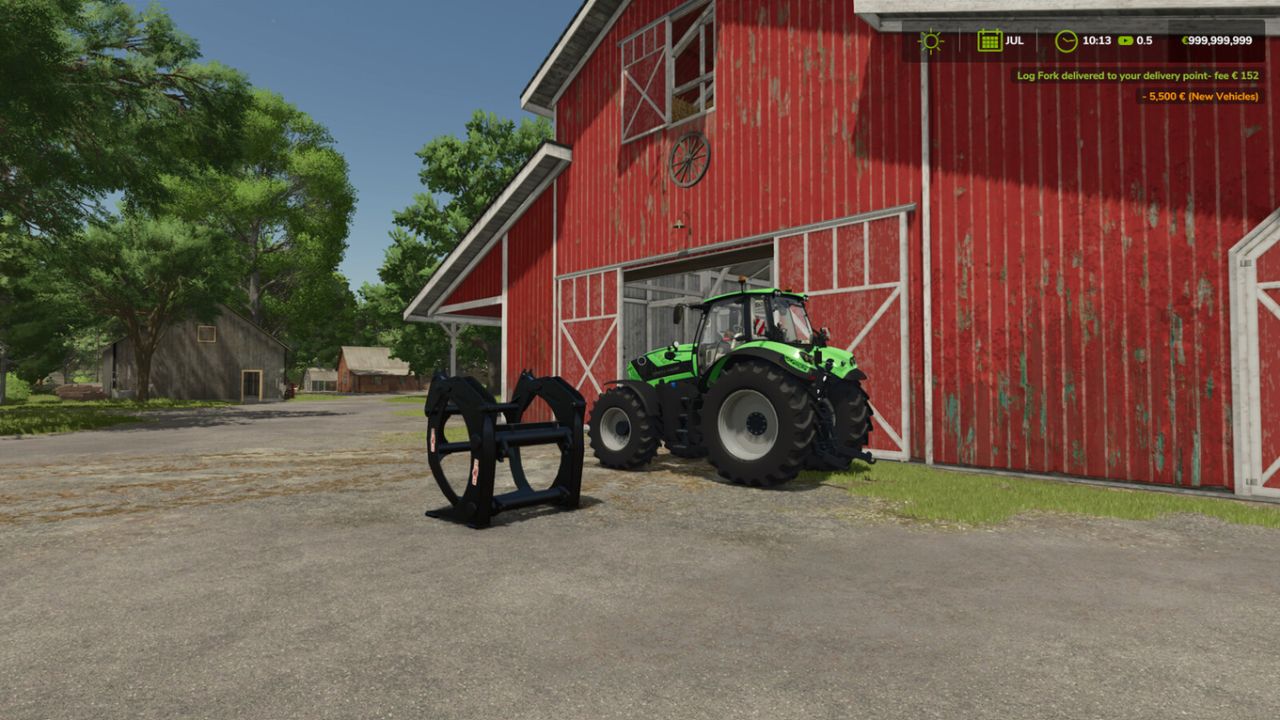
This mod adds a delivery system for shop items: bought goods end up at the points you set. In multiplayer every farm can set its own points. Two points per farm are possible, the size of the delivery area can be chosen when setting a point: - Standard: for everything - Pallets and bales Delivery costs a fee based on distance (2.5 % + 0.4 % per km, max. 7500), the estimated cost is shown in the shop below the price. With economy delivery the fee is halved, but vehicles arrive with a low fuel level only. Default key bindings: - Hold Left Shift + Left Alt: show delivery areas - Left Shift + Left Alt + S: set a point where you are looking - Left Shift + Left Alt + O: change the options of your points - Left Shift + Left Alt + X / C: remove standard point / pallet point Console commands (host / single player): - sdStatus: shows the settings and all points - sdFee on/off: switch the fee on or off - sdSetFee : e.g. sdSetFee 2.5 0.4 7500 - sdSetEconomy : e.g. sdSetEconomy 0.5 12
Norwegian Bigbags FS25
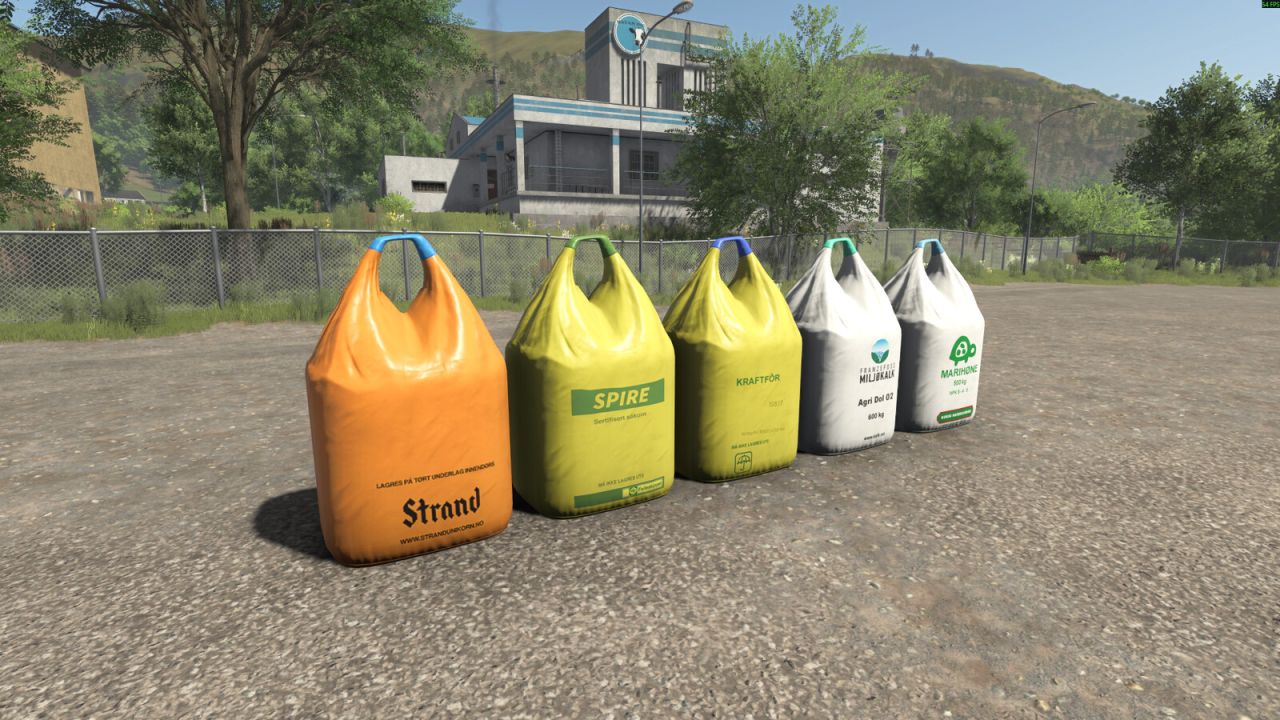
This pack contains 5 different BigBags from Norwegian brands. - Spire (Seeds) Price: 800€ Capacity: 1000L - Strand Unikorn (Seeds) Price: 800€ Capacity: 1000L - Franzefoss Miljøkalk (Lime) Price: 350€ Capacity: 1000L - Marihøne Naturgjødsel (Fertilizer) Price: 1820€ Capacity: 1000L - Felleskjøpet Kraftfôr (TMR) Price: 1000€ Capacity: 1000L
Swath Router FS25
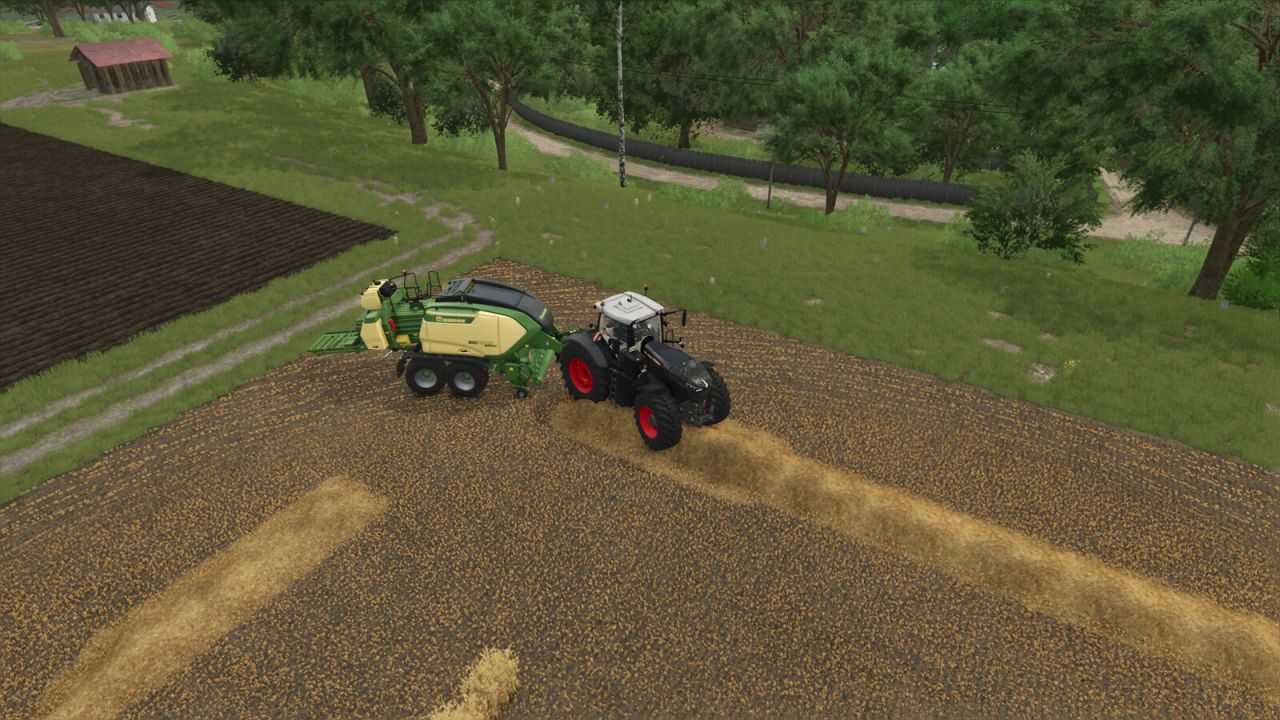
A hired helper bales, or picks up with a forage wagon, by driving along the swaths themselves instead of a generated course. When it starts, the helper looks over the field for swaths and plans a route over them, nearest first. It follows each swath as it lies - straight, curved, at any angle, or round and round where the field was cut in rounds - and turns only where a swath ends. When the route is done it looks over the field again and carries on until there is nothing left to pick up. Straw, hay and grass swaths, with round or square balers and forage wagons. Field work only, single player only. A game saved in the middle of a job starts that job again when it is loaded. The way round is not always the shortest one, and a little straw can be left for the next pass. Also included, for every helper: square balers no longer slow down to a crawl before each bale. Round balers are unchanged. Hotkeys: none. Hitch a baler or a forage wagon on its own and hire a helper for field work as usual.
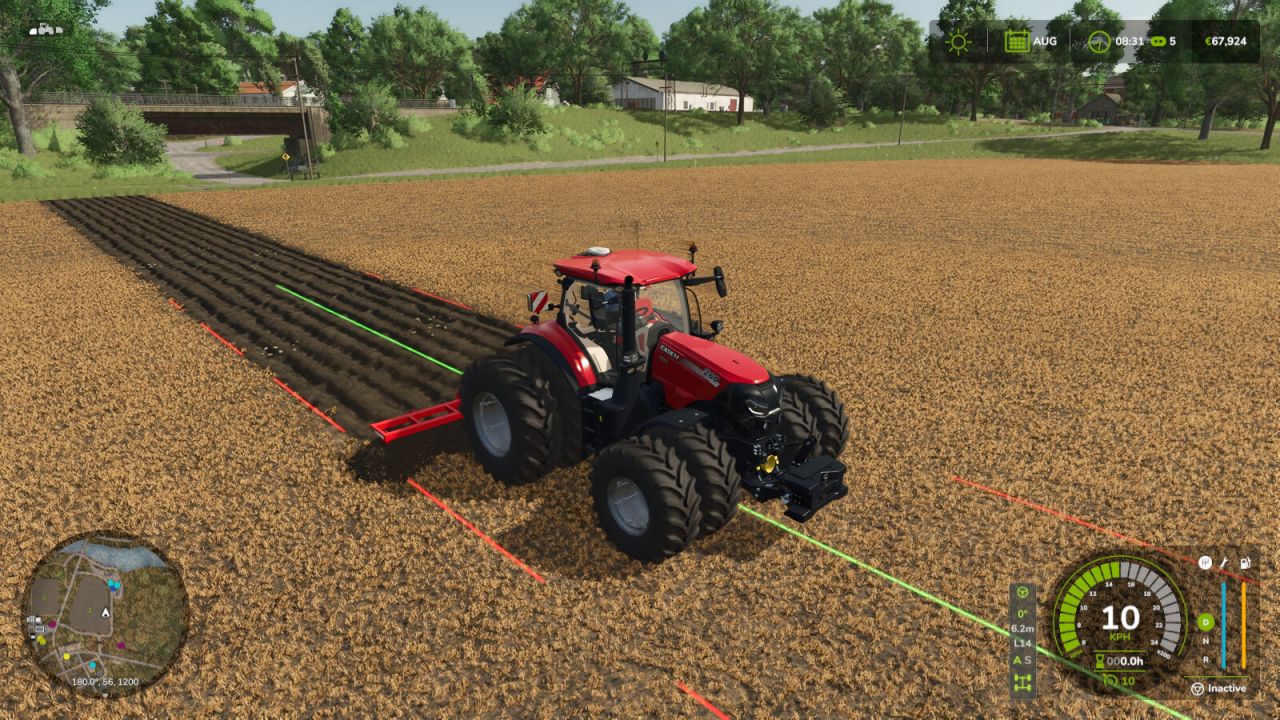
Precision Track FS25
Create your fields with precision. Switch gears and differential locks with a single shortcut. Precision Track is an easy-to-use guidance and vehicle-control mod, designed to help you create new fields from scratch. It guides your vehicle along straight, parallel lines at your chosen angle, without scanning fields or relying on existing field boundaries. AUTOMATIC / SEQUENTIAL: Right Shift + 0 switches between automatic and sequential shifting on compatible geared vehicles. The selected A or S indicator lights up green. In sequential mode, change gears with the game's shift controls. DIFFERENTIAL LOCKS: Right Shift + 9 cycles through factory settings, front lock, rear lock, both axle locks and back to factory settings. Locked wheels turn red on the HUD. Unsupported axle modes are skipped; the centre differential is not changed. GPS MADE SIMPLE Choose a native angle or Manual (1°). In Manual mode, point the tractor in the desired direction. Press Left Ctrl + W to engage or disengage guidance, and use Left Alt + W to forget the reference before defining a new one. - Guidance lines have uniform width and rounded ends: the continuous center line is bright green while guidance is engaged and pale yellow while the reference is ready, with bright red dashed side lines marking the current working width. Line display can be Always, Temporary (1–20 s), or Hidden. - Steering tolerance for wheels and analog sticks is adjustable from 0% to 20% in the settings menus, with a default of 8%. Each player saves their own preference. - Adjustable line height: ground level, 0.5 m, 1 m or 1.5 m above the terrain. This visual preference is saved per player. - Automatic working width, or manual adjustment. Without a working implement, the vehicle width is used. - Native terrain angles: 0°, 22.5°, 45°, 67.5°, 90°, 112.5°, 135° and 157.5°. Manual mode adjusts the direction in 1° steps. Straight guidance works forward and in reverse, and the optional 90° preview can be switched on or off. - Smooth, player-triggered headland turns spanning 1 to 15 working widths. Enable the turn option, engage the GPS and use Left Alt + A/D. - Compact HUD aligned with the bottom of the speedometer, with larger text and indicators for guidance, angle, working width, lane, transmission and differentials. It follows the game's HUD scale. - Short notification sounds with adjustable volume. - Compact settings menu and a Precision Track tab in the game's settings. Actions can be rebound to keyboard, controller or steering-wheel buttons recognized by the game. IMPORTANT Creating new ground still requires an appropriate plow, the game's Allow create fields option and land-use permissions. Precision Track controls steering, not throttle, brakes or implement operation. Turns do not detect field ends or avoid obstacles: the driver chooses when and where to turn. Transmission and differential controls require compatible vehicles. The mod does not add gears or axle differentials to vehicles that lack them. Its differential controls are disabled on vehicles controlled by Enhanced Vehicle, Vehicle Control Addon or Vehicle Dynamics Control. No external mod dependencies. DEFAULT SHORTCUTS — remappable in Controls Right Ctrl + P: Open Precision Track settings Left Ctrl + W: Enable / disable Precision Track Left Alt + W: Forget guidance reference Left Ctrl + Left Alt + W: Refresh guidance width Left Ctrl + ←: Shift guidance left Left Ctrl + →: Shift guidance right Left Ctrl + ↑: Increase guidance angle Left Ctrl + ↓: Decrease guidance angle Left Shift + Numpad +: Increase GPS working width Left Shift + Numpad -: Decrease GPS working width Left Ctrl + Numpad +: Increase turn lane count Left Ctrl + Numpad -: Decrease turn lane count Left Alt + A: Automatic turn left Left Alt + D: Automatic turn right Right Shift + 9: Cycle differential locks Right Shift + 0: Automatic / sequential transmission
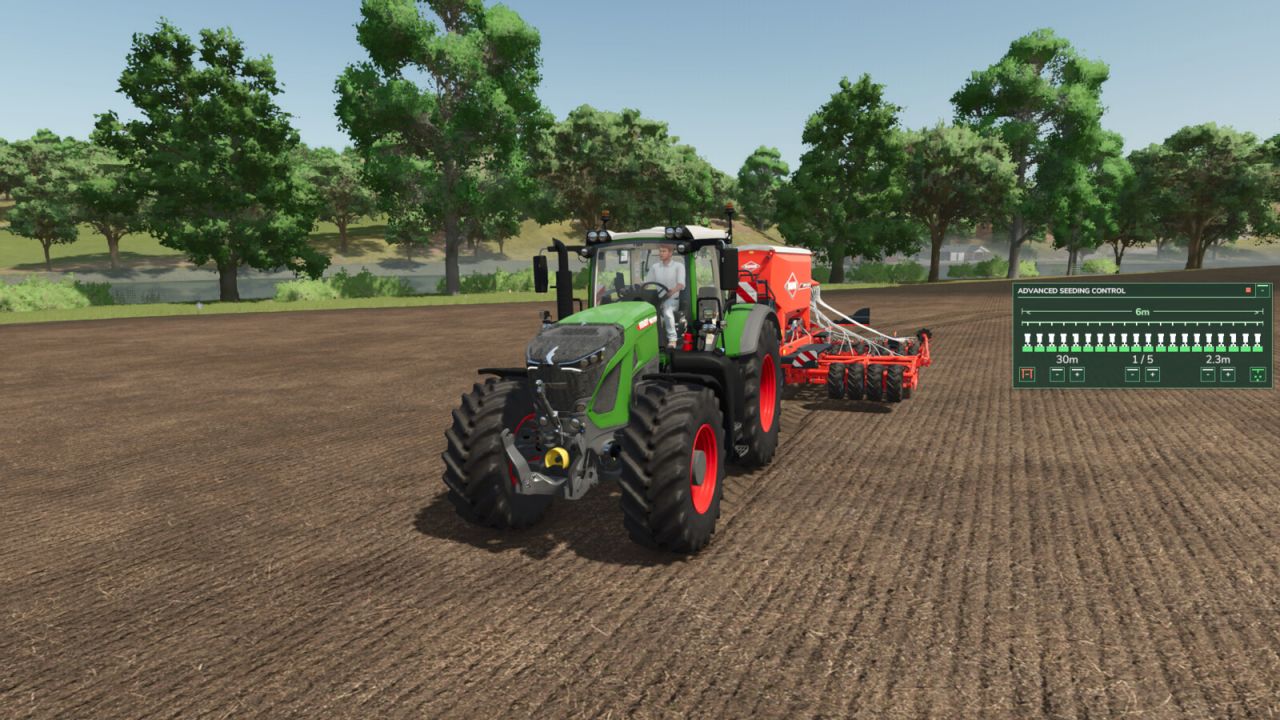
Advanced Seeding Control FS25
Advanced Seeding Control expands seeders and planters in Farming Simulator 25 with an advanced tramline and seeding management system. The mod calculates tramlines based on the working width of the seeder and the desired follow-up working width, for example for sprayers or fertilizer spreaders. The tramline counter can be controlled automatically or manually and ensures that the required seeding areas are disabled at the correct time. Advanced Seeding Control is also designed to work together with Universal Section Control. When Section Control is installed, the required sections can automatically be controlled for tramline creation without overwriting sections that were manually disabled by the player. Features Automatic tramline calculation Adjustable follow-up working width Automatic tramline counter Manual tramline counter Automatic and manual operating modes Support for even and odd tramline rhythms Manual tramline override Separate fertilizer control for combined seeders Support for pre-emergence markers on compatible machines Audio feedback for important state changes Compact and easy-to-read HUD Support for seeders and planters Compatible with base-game and modded machines Compatible with Universal Section Control Multiplayer support No additional shop configuration required Universal Section Control Integration When used together with Universal Section Control, Advanced Seeding Control uses the machine's available sections to create tramlines. Sections that have been manually disabled by the player remain disabled. Advanced Seeding Control only controls the sections required for the current tramline and releases them again once the tramline is finished. This allows both mods to work together without interfering with each other's section states. Advanced Seeding Control makes seeding more precise, convenient and realistic while providing a modern tramline management solution for Farming Simulator 25.
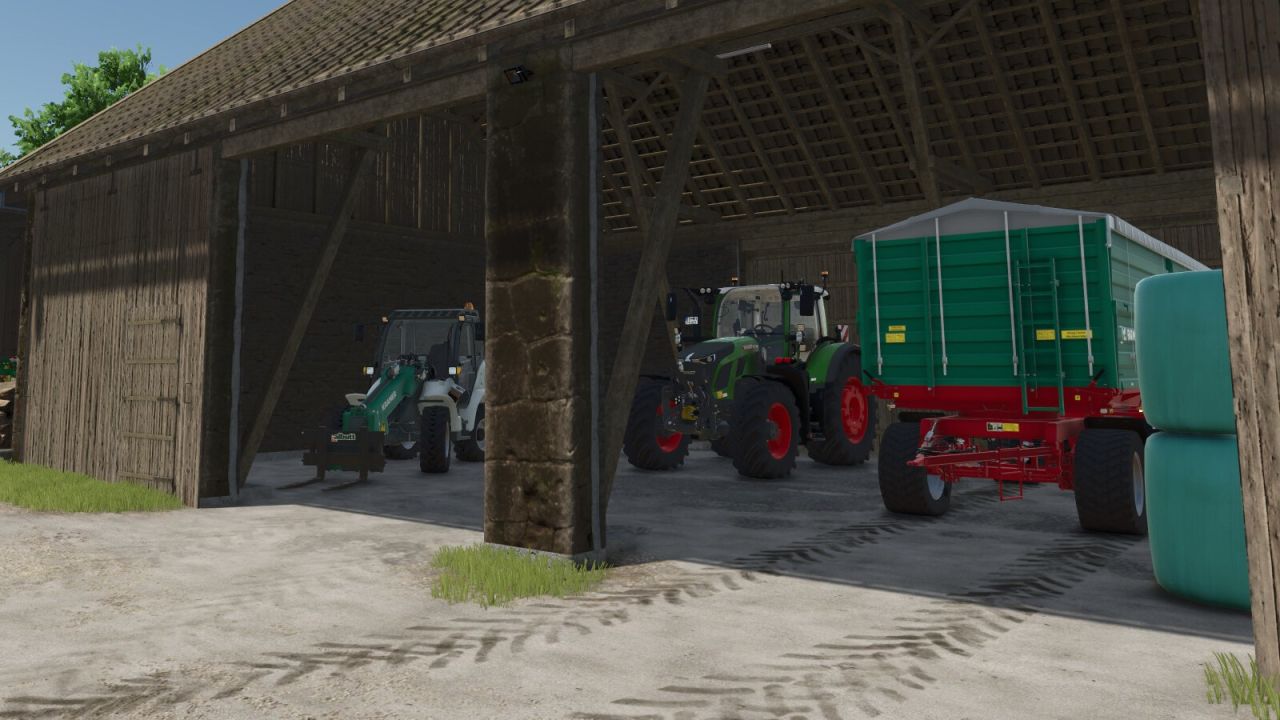
Door Time Switch FS25
Add a time switch to the doors and gates of your sheds and animal barns. Only buildings on land owned by a player farm are included. Shed doors and gates are closed from 22:00 and reopened from 05:00. Animal barns use different switching times for each animal type (cows: 21:30–05:30; sheep: 18:30–07:30; pigs: 21:00–07:00; chickens: 19:00–05:00; horses: 19:00–07:00). At opening time, only doors and gates that a player previously opened manually and left open are reopened. This selection remains saved until the respective door or gate is closed manually.
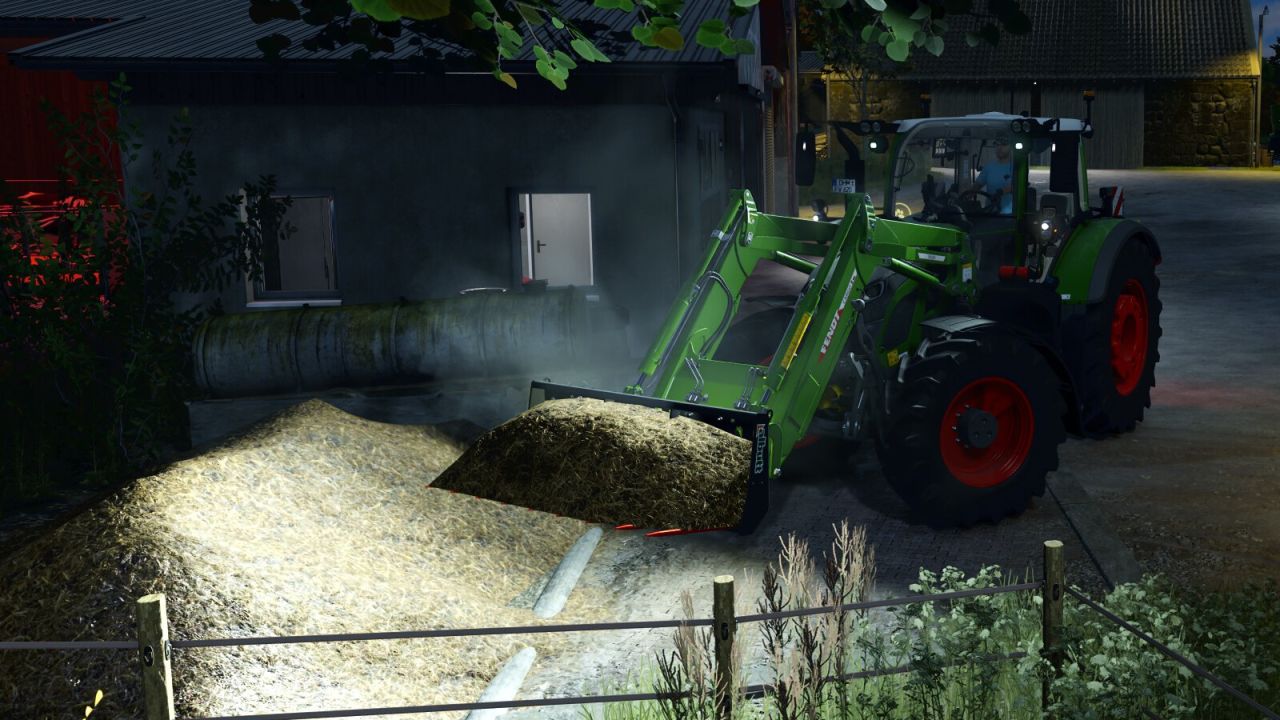
Manure Heap Fix FS25
Adds temperature- and wind-dependent steam to manure heaps and vehicles loaded with manure. A change in the amount of manure activates the effect for ten in-game minutes; it then gradually fades out over five in-game minutes. Each player can enable or disable the steam effect separately in the General Settings. In addition, the mod prevents negative fill levels in manure heaps when they are completely emptied manually.
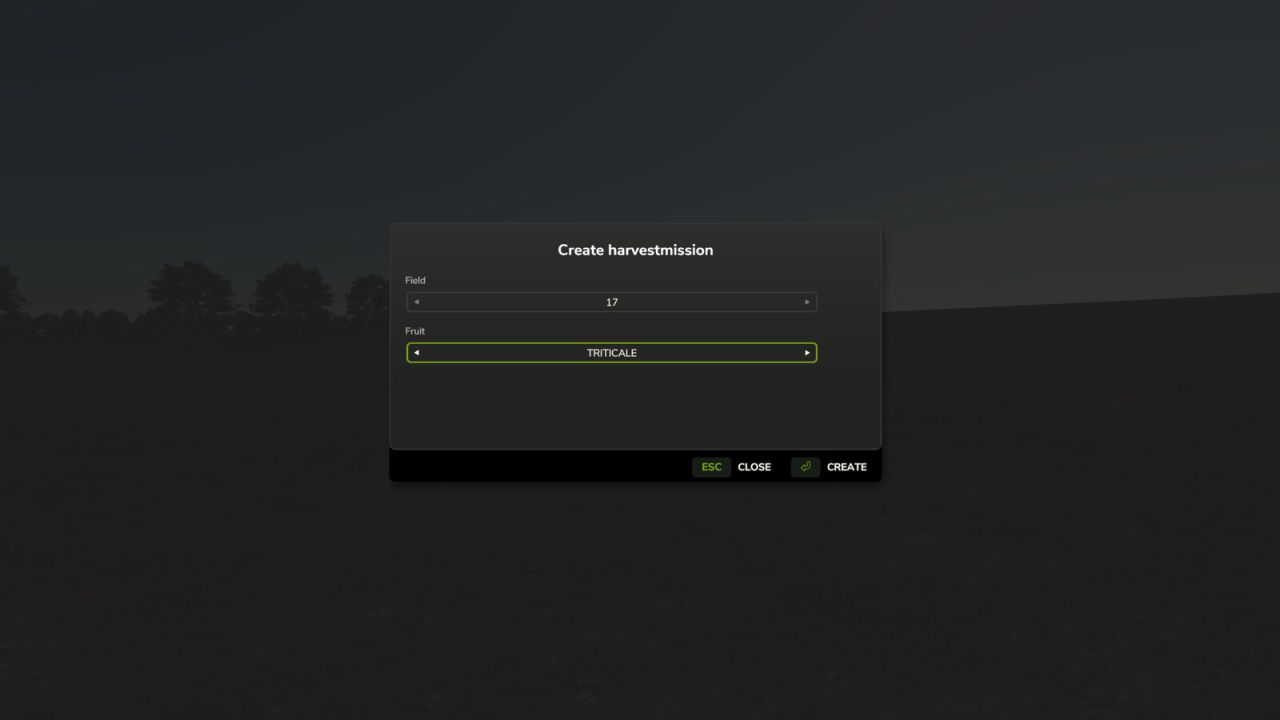
Harvestmission Creator FS25
This script allows you to specifically create a harvesting contract for a field and crop of your choice. The script is operated via a dedicated menu that can be opened using a customizable key (default: SHIFT+H). Within the menu, you can select the desired field and crop using dropdown lists. A harvesting contract must not already exist for the selected field. To ensure maximum map compatibility, the script automatically detects which crops are available on the current map. If a harvesting contract cannot be created for a specific crop—such as cover crops, grass, or poplars—a corresponding message is displayed in the menu. Note: If Precision Farming is in use, the script removes tramlines from NPC fields (but not from your own fields). This is necessary to prevent calculation errors on large fields. Multiplayer mode is supported; however, the script can only be executed by the host.
- 15 per page
- 30 per page
- 45 per page
- 60 per page
-
See more per page
Bigger pages, fewer clicks - and no ads anywhere.
Go Pro