Farming Simulator 22 mods
50,377 results- 15 per page
- 30 per page
- 45 per page
- 60 per page
-
See more per page
Bigger pages, fewer clicks - and no ads anywhere.
Go Pro
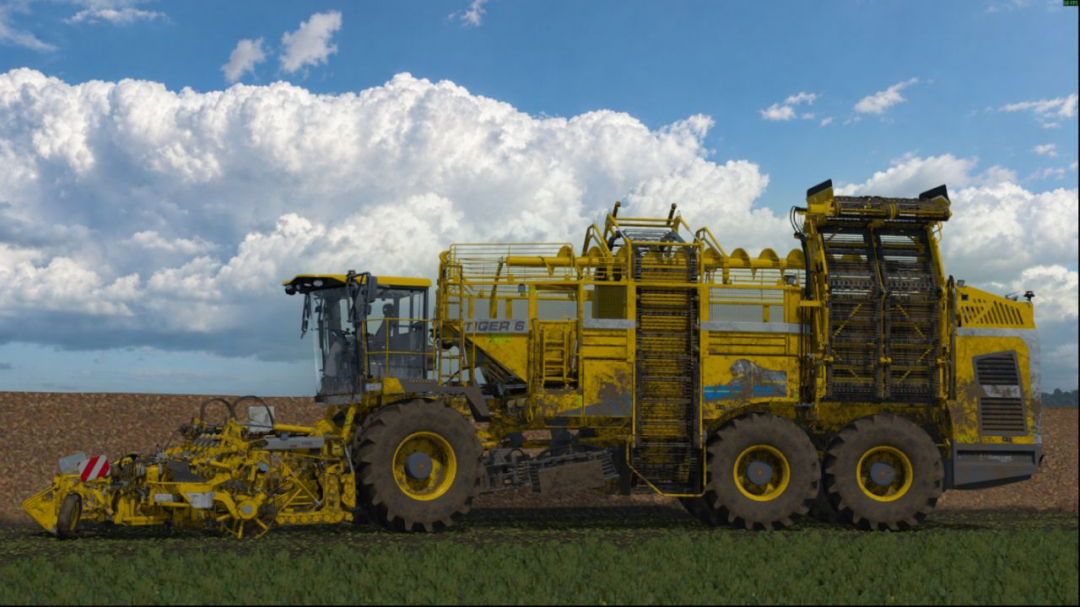
Realistic Clouds V1.0
Unpack RealisticClouds.fx into the farming simulator 25\reshade-shaders\Shaders folder, and that's it—enjoy the realistic clouds.
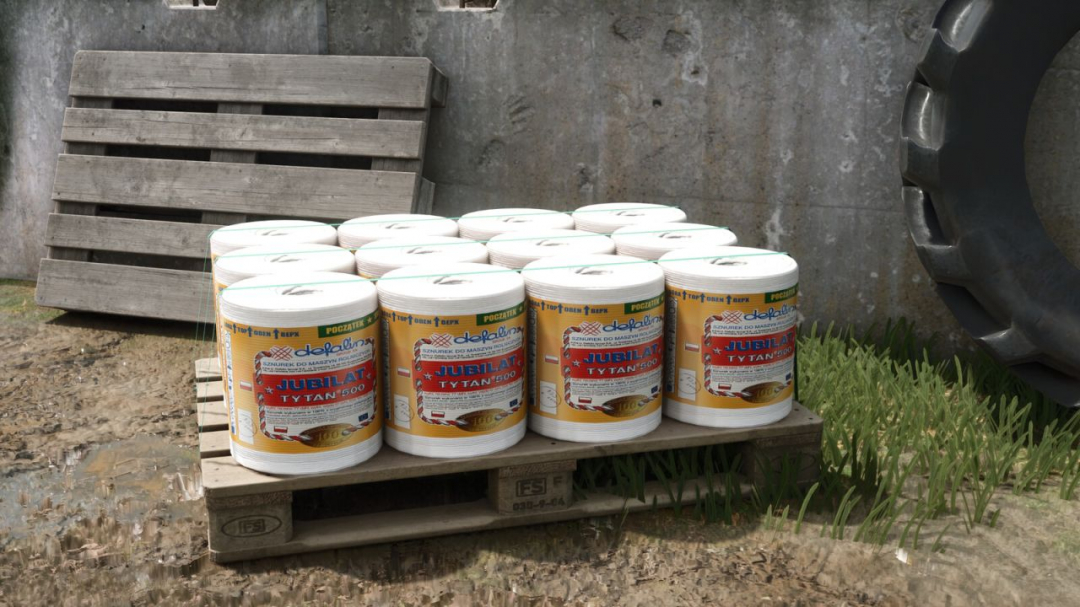
Bale Twine Jubilat Tytan 500 V1.0
Jubilat Tytan 500 agricultural baler twine by DEFALIN, suitable for both square and round balers. Available as a single roll or a full pallet. Single Roll: Type: Baler Twine Category: Pallets Capacity: 1 Roll Price: $12 Pallet: Type: Baler Twine Category: Pallets Capacity: 12 Rolls Price: $144

GAS MAD B2-110V (Prefab) V1.0
Enhance your vehicle build with a detailed car-audio installation using this decorative prefab for Farming Simulator 25. It features a 10-inch driver, an open vertical slot port, black carpet, orange GAS branding, and a molded side terminal with metal bridging plates. This real-scale model includes separate materials and two levels of detail. The nominal enclosure dimensions are 470 × 310 × 330/250 mm (width × height × depth, with two depths specified). The complete kit comes with I3D files, DDS textures, an editable Blender source, images, and installation guides available in English, Swedish, and Norwegian. **INSTALLATION** Import the prefab into your vehicle mod using GIANTS Editor 10. Parent the entire root to a fixed body group and adjust its placement accordingly. Follow the instructions in README_EN.txt. This prefab is designed for mod-building purposes and does not have a separate shop entry. It is not a standalone playable mod to be placed directly into the mods folder. **FUNCTION** This is a static decoration without audio playback, cone animation, physics, or collision detection. Verify its placement and appearance within the vehicle where it is installed. **Version:** 1.0.0.0 Model and FS25 prefab created by NorthernLight Modding. GAS product designs, names, and logos are owned by Winn Scandinavia AB. See README_CREDITS.txt. Images from GIANTS Editor show the model in the editor; studio images are Blender renders of the model and are not gameplay screenshots.

GAS MAD B2-310V (Prefab) V1.0
Add a detailed car-audio installation to your vehicle build with this decorative prefab for Farming Simulator 25. Based on the GAS factory enclosure featuring three 10-inch drivers and three open horizontal slot ports. Includes black carpet, orange GAS branding, and a side terminal with metal bridging plates. This real-scale model has separate materials and two levels of detail. The nominal enclosure dimensions are 900 × 355 × 330/250 mm (width × height × depth, with two depths listed). The complete kit includes I3D files, DDS textures, an editable Blender source, images, and installation guides in English, Swedish, and Norwegian. **INSTALLATION** Import the prefab into your vehicle mod using GIANTS Editor 10. Parent the entire root to a fixed body group and adjust its placement accordingly. Follow the instructions in README_EN.txt. This is a mod-building prefab without a separate shop entry and is not a standalone playable mod—drop it into your mods folder. **FUNCTION** Serves as static decoration without audio playback, cone animation, physics, or collision detection. Check its placement and appearance within the vehicle where it is installed. Version: 1.0.0.0 Model and FS25 prefab: NorthernLight Modding. GAS product designs, names, and logos are owned by Winn Scandinavia AB. See README_CREDITS.txt. Images from GIANTS Editor show the model in the editor. Studio images are additional Blender renders of the model and are not gameplay screenshots.
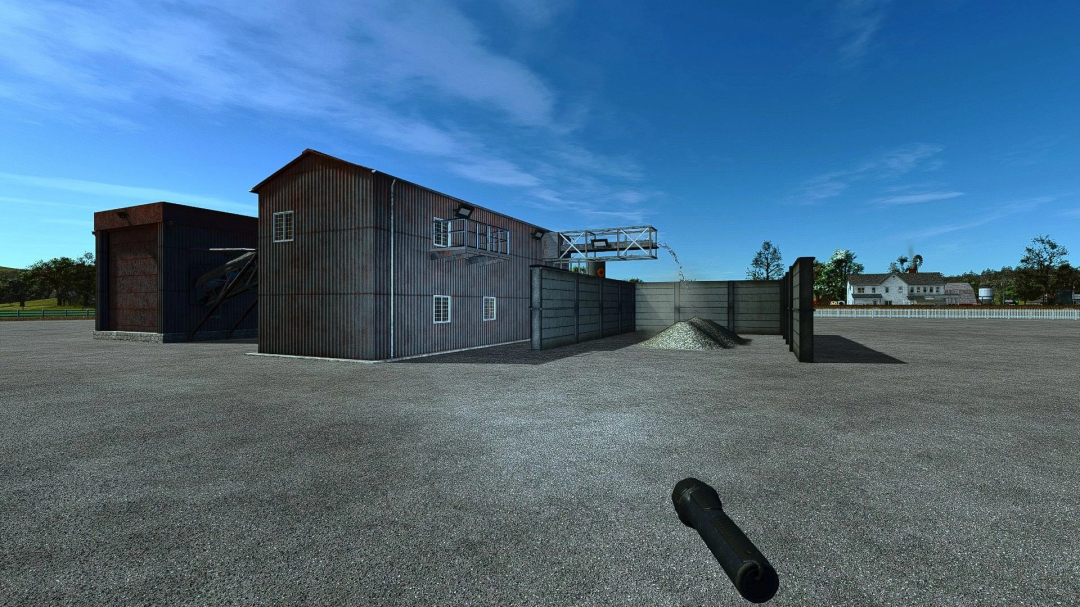
Lime Production Pack v1.0
Complete pack for lime production and storage. Includes: Stone production plant (requires no setup, just place it) Lime production plant from stone (can be supplied from your own plant, fields, or extracted in quarries with the Terra Farm mod) Main lime silo (accepts and dispenses lime, also allows purchasing ready-made lime, making trailer loading easier without handling big bags one by one) Silo extension Each additional extension increases total capacityCrusher: Stone capacity: 250,000 l Lime capacity: 200,000 l Water capacity: 100,000 l 50 production cycles per hour Authors: Silo models: GIANTS Software Crusher: BK Mods Stone plant: Rockhound Modding Pack assembly and processing: sermed
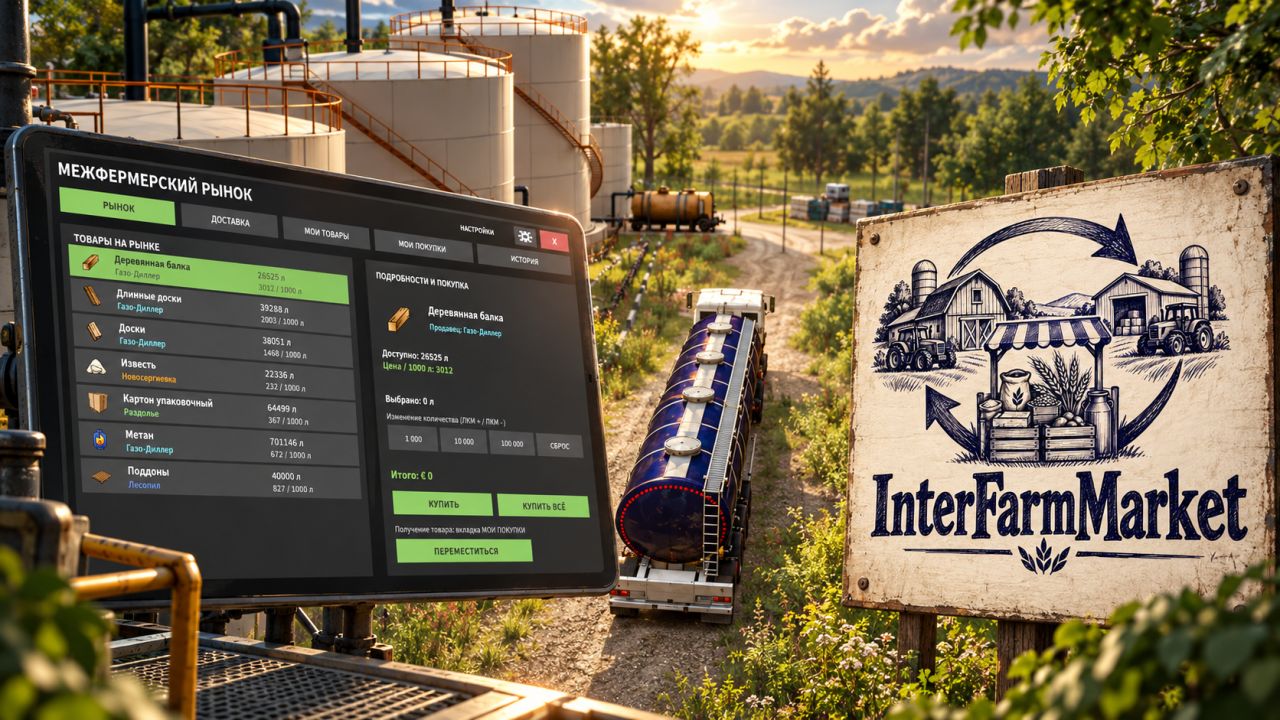
InterFarm Market — Inter-farm market FS25
InterFarm Market — Inter-Farm Marketplace Open Market Menu: Right Ctrl + M Trade, collaborate, and grow your farms—even when other players are offline! No more waiting for a neighbor to log in just to buy their produce or order essential materials. With InterFarm Market, trade between farms continues regardless of whether the owners are online! 🏭 Your farm keeps working even when you're away! List your products for sale and create standing orders for raw materials to keep your production lines running. While you're offline, other players can buy your goods and restock your factory warehouses, ensuring operations continue uninterrupted. For example, you can set a factory to produce flour, list it for sale, and place an order for grain. Other farmers can supply your facility and purchase the finished product—all while you aren't even on the server! 📋 Inter-Farm Market Features - Selling Goods — List products from your factories, silos, and warehouses, and set your own prices. - Ordering Goods — Place requests for necessary materials and pay other farmers for the products and their delivery. - Standing Orders — Maintain a steady supply for your production facilities without needing to create a new order after every delivery. - Construction Orders — Order materials for bridges, houses, factories, and other projects on your farm. Automatic order creation is available for subsequent construction stages. - Urgent Orders — Set a delivery deadline and an extra reward. A player accepting such an order enters into a contract; completing it on time earns a bonus, while cancellation or late delivery incurs a financial penalty. 🏗️ Build together, even when you're online at different times! Started construction but running low on materials? Place an order and leave the game without worry! Other farmers can deliver materials directly to your construction site and get paid for both the goods and the transport. Thanks to automated orders, the market can also list materials needed for upcoming construction stages. Now, constructing large-scale projects can become a true collaborative effort between multiple farms! 📍 Not sure where to pick up your purchased goods? Arrived at a factory for the first time and can't find the pickup point? No problem! The mod highlights the designated area with a circle, showing you exactly where to go to collect your items. No more endlessly circling an unfamiliar facility looking for the right spot! 🛠️ Administrative Recovery If a purchase remains incomplete due to an error or server loading issues, the administrator can use the special "Recovery" function. It allows you to check the transaction status and, where applicable, issue a refund for undelivered goods. This function is available only to the administrator or server host. 🌍 Three-language support The mod's interface is translated into three languages: - 🇷🇺 Russian - 🇬🇧 English - 🇩🇪 German The language is selected automatically based on each player's game settings. 🚜 Build a real inter-farm economy! One farmer grows grain, another produces flour, a third handles logging, and a fourth constructs new buildings. Now everyone can help each other and earn money, even if you're rarely online at the same time! InterFarm Market — your farms collaborate even when you're not around! 🧪 Beta testing and feedback InterFarm Market is currently in open beta testing. Despite the work done, the mod may still contain errors, flaws, or unexpected issues, especially in multiplayer or when interacting with other mods. I am always open to your help, feedback, and suggestions! If you encounter a problem, please describe it in as much detail as possible. Be sure to include: - What exactly happened versus what was supposed to happen. - The circumstances under which the problem occurred and the actions that led to it. - Whether you are playing in single-player mode or on a dedicated server. - If possible, attach screenshots or relevant excerpts from the game log. Important: Messages such as "it doesn't work," "it's broken," or "fix the bug" without a detailed description of the situation will not be considered. Without specific details and the ability to reproduce the issue, it is virtually impossible to determine the cause. Every constructive message helps make InterFarm Market better, more stable, and more user-friendly for all players. Thank you to everyone helping to develop this project! Mod Information Name: InterFarm Market Author: Vovainter Version: 1.0.1.0 (Beta) Game: Farming Simulator 25 Multiplayer: Supported Dedicated Server: Supported Languages: Russian, English, German Open Market: Right Ctrl + M For trading to occur while farm owners are offline, the server must remain running. Production processes depend on the progression of in-game time, the availability of materials, and production settings.

Massey Ferguson 8700S Series V1.0
Interactive control Horn Beacon Kadir inscription Window tint Credits: ALEM MODS 3.7/5 - (4 votes) Download mod File File size FS22_MF_8700S 30 MB
LS Lifestyle FS25
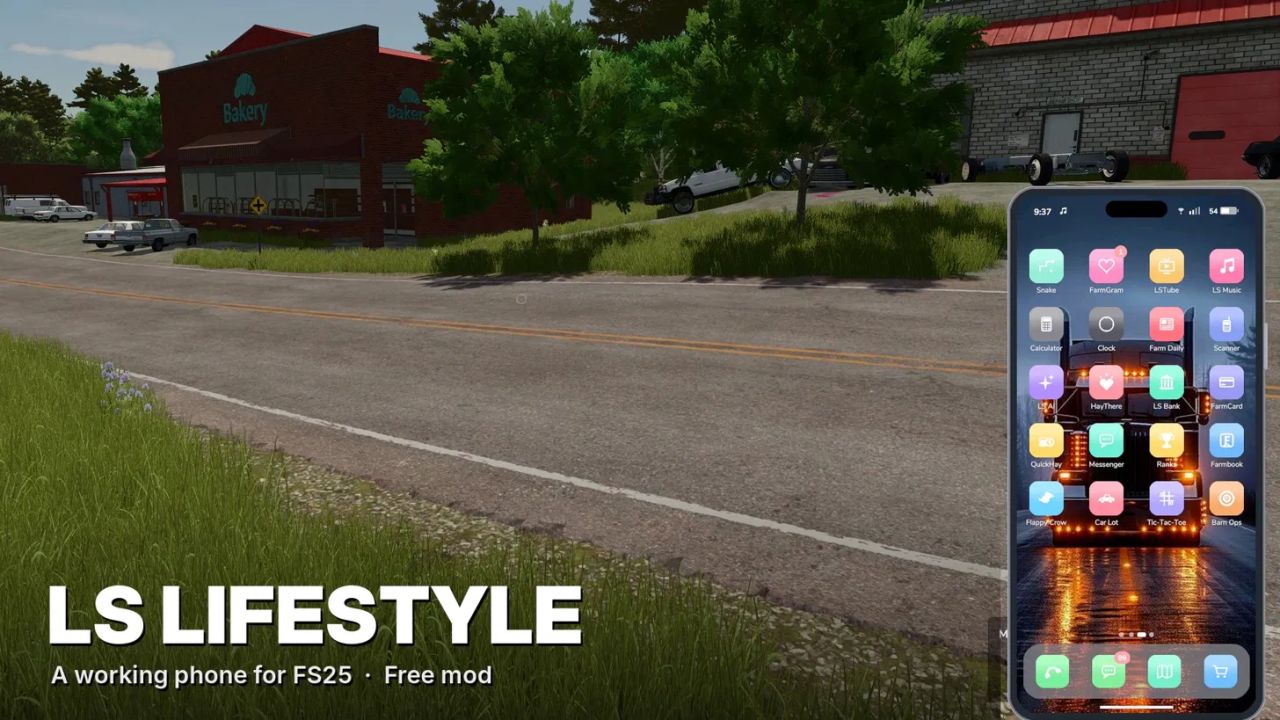
LS Lifestyle, way more than a phone for Farming Simulator 25. 📱 THE PHONE Press Esc or Left Alt + O (controller: RB + View). The phone replaces the pause menu; the normal menu is the "Classic menu" app. Camera with stories and a photo editor, music, videos, books, mail, bank, finances, health, needs, weather, contracts, shop and phone games. 🧍 MAKE THE CHARACTER YOURS - 28 tattoo spots, from face and neck to full sleeves and knuckles - Custom clothing: caps, cowboy hat, hoodies, tees and western boots - 50+ emotes and dances: line dance, two-step, mic drop, beer cheers, selfie pose - 19 walk styles: swagger, cowboy, catwalk, sneaky, old timer and more - Pets: dogs, cats, pigs and even a kangaroo, with 14 tricks to learn 🌐 ONLINE (OPTIONAL) The mod works fully offline, in single player and multiplayer. For the online apps (FarmGram, Farmbook, Messenger, Reels, real-player chat and calls, real weather and news), use the free Lifestyle Link helper for Windows and a free account at mylifestylemod.com. 👥 MULTIPLAYER Everyone needs the mod; only the host needs Lifestyle Link. ⚙️ INSTALL Put HS25_Lifestyle_Mod.zip in Documents\My Games\FarmingSimulator2025\mods (don't unpack it) and enable it in your savegame. This is a beta (v0.1.9.7), so expect rough edges. Help, controls and the full guide are at mylifestylemod.com.

Massey Ferguson 8700S Series FS22
Interactive control Horn Beacon Kadir inscription Window tint

Fire station exit traffic light V1.0
With the animated fire station exit traffic light by ScriptHub Modding, you can make your fire stations and emergency service locations in Farming Simulator 22 even more realistic. The traffic light features a manually controlled signal system with an animated signal change. When activated, the traffic light first switches to amber for 3 seconds and then to red to warn traffic and bring it to a stop before a fire station exit. After being deactivated, the traffic light switches to amber again for 3 seconds before turning off completely. This makes the mod ideal for realistic firefighting operations, roleplay projects and individually designed fire station locations. Features – Animated fire station exit traffic light – Realistic signal change with time delay – Manual activation and deactivation – Amber phase lasting 3 seconds each time – Red signal to secure the fire station exit – Integrated warning sign with supplementary sign “Fire Station Exit” – Detailed traffic light pole with control element – Ideal for fire stations and emergency service locations Controls – Left mouse button: Activate traffic light – Amber for 3 seconds – Then permanently red – Right mouse button: Deactivate traffic light – Changes from red to amber for 3 seconds – Then switches off completely Mod information – Game: Farming Simulator 22 – Mod name: Fire Station Exit Traffic Light – Manufacturer: ScriptHub Modding – In-game category: Decoration – Controls: Manual via mouse click – Special feature: Animated signal change with a 3-second amber phase Credits: ScriptHub Modding 4/5 - (2 votes) Download mod File File size FS22_Feuerwehrausfahrt_Ampel 3 MB

Lane control signal V1.0
With the lane traffic light by ScriptHub Modding, you can make your roads, company premises, parking garages and access roads in Farming Simulator 22 even more realistic. The lane traffic light features a manually controlled signal display, allowing you to switch between a green arrow and a red stop signal. The traffic light can also be switched off completely. This makes the mod ideal for custom traffic routing, roleplay projects and realistic map design. Features – Manually switchable lane traffic light – Green arrow to allow traffic on the lane – Red signal to close the lane – Signal display can be fully switched on and off – Realistic model with traffic light pole – Ideal for parking garages, company premises and roads Controls – Key J: Switch the traffic light on and off – Key K: Switch between green and red Mod information – Game: Farming Simulator 22 – Mod name: Fahrstreifenampel – Manufacturer: ScriptHub Modding – In-game category: Decoration – Controls: Manual via keyboard Credits: ScriptHub Modding 2/5 - (1 vote) Download mod File File size FS22_Fahrstreifenampel 4 MB

FS25 Mouse Driving
FS25 Mouse Driving MOUSE DRIVING – mouse-based driving for Farming Simulator 25 Control your vehicle using just the mouse, similar to the popular mod from FS19 and FS22. The mod is disabled by default; you can toggle it on with a single shortcut whenever you wish. HOW IT WORKS – Mouse up – accelerate forward – Mouse down – brake; reverse after coming to a stop – Mouse sideways – steer – Throttle and steering inputs remain set where you place them, just like on a joystick – Works with both automatic and manual direction switching CONTROLS (default) – Ctrl + Shift + M – toggle Mouse Driving on/off – Left Alt (hold) – look around with the camera; mouse driving is paused while holding – F7 or Ctrl + Shift + O – settings window You can rebind all keys under Options > Controls (e.g., set activation to the left mouse button). ON-SCREEN DISPLAY An FS19-style circle with a dot appears next to the speedometer, showing your current steering angle and throttle input. SETTINGS An F7 window featuring sliders, toggles, a live preview, and a mouse response graph. These same options are also available under ESC > Settings, in the Mouse Driving section. – Steering and throttle sensitivity (0.25–5) – Deadzone – Linearity (gentler near the center, stronger at the extremes) – Steering smoothing – Steering and throttle inversion – On-screen wheel display – Vehicle memory: automatically enables mouse driving in vehicles where it was previously active – Automatic gears: switches the transmission to automatic mode when enabled (single-player and host) MULTIPLAYER – Each player enables mouse driving independently and uses their own settings – The server and all players must use the same version of the mod INSTALLATION Place the FS25_MouseDriving.zip file in the following folder: Documents\My Games\FarmingSimulator2025\mods Do not unzip the file. Version: 4.5.0.0
Simson S51 FS22
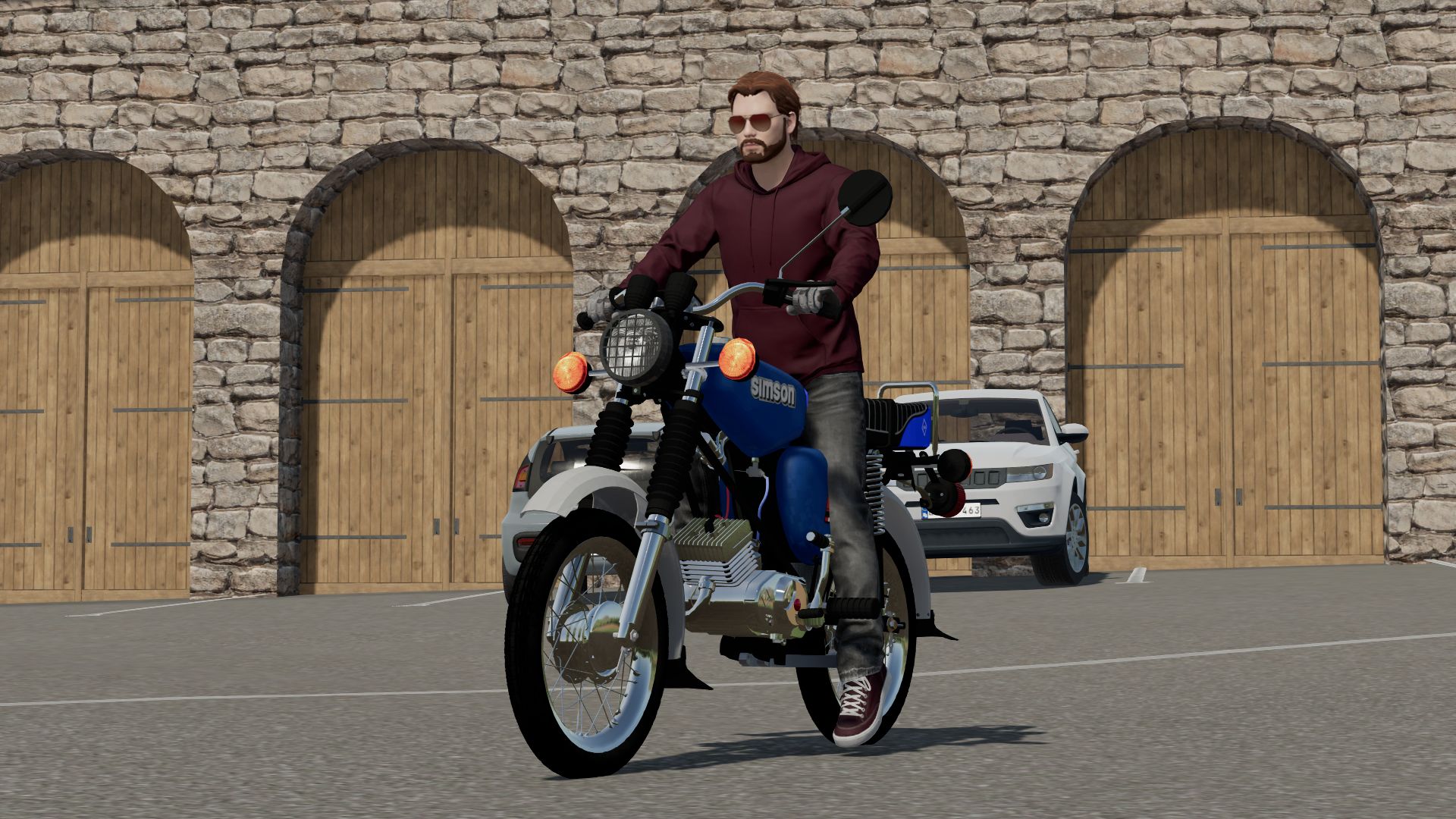
A small bike, perfect for going to buy bread or for a Sunday ride. Maximum power: 4 hp. Maximum speed: 60 km/h. Lighting, speedometer, tachometer, mirrors, accessory headlight guard/subframe, 2 mufflers, choice of color, signs of wear, dust, animated running boards.
Simson KR51 Schwalbe FS22
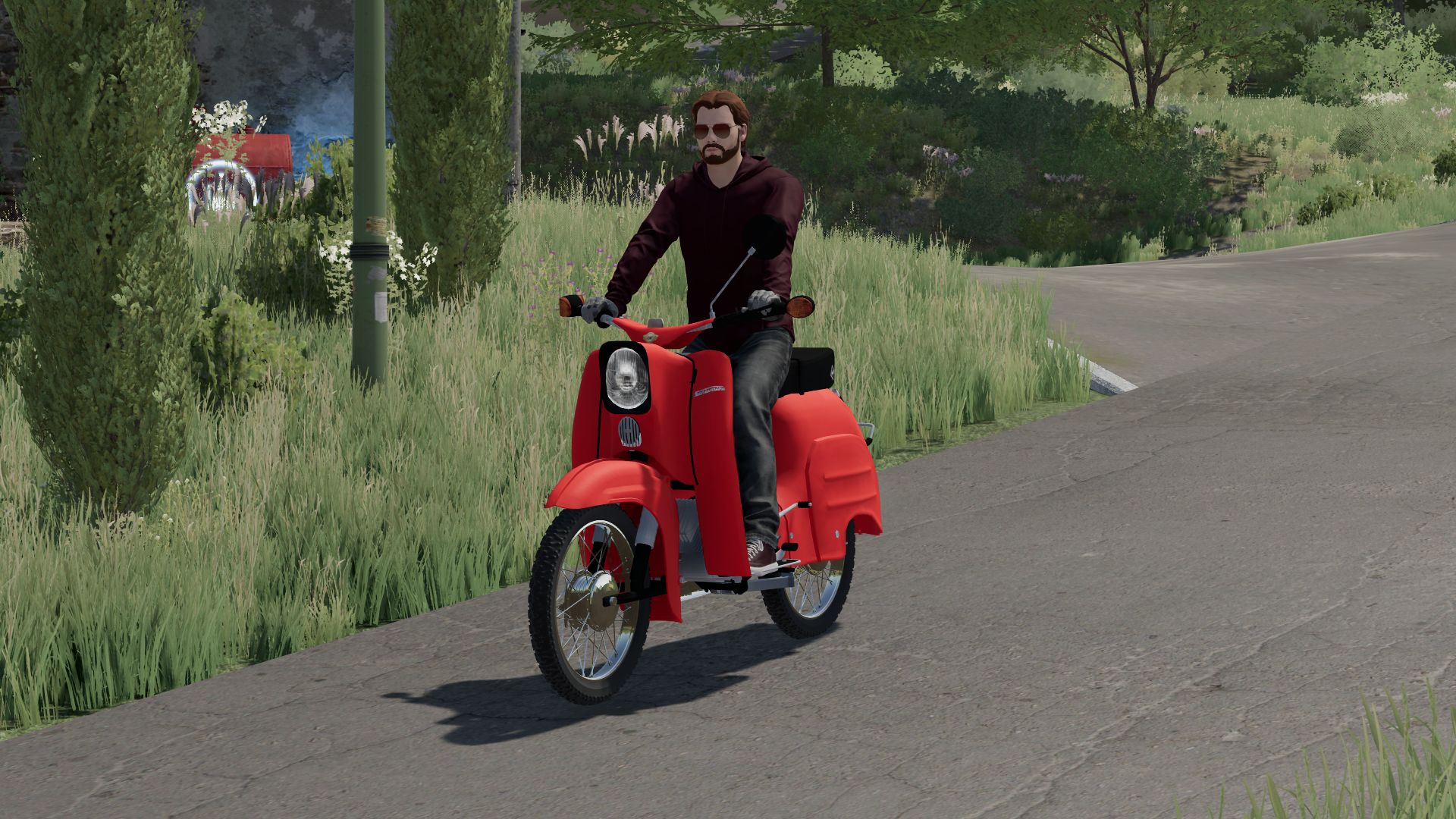
A small bike, perfect for going to buy bread or for a Sunday ride. Maximum power – 4 hp. Maximum speed – 60 km/h. Lighting, speedometer, mirrors, color selection, tire marks, dust buildup, running board animation. Washable.
Brielmaier motor mower FS22
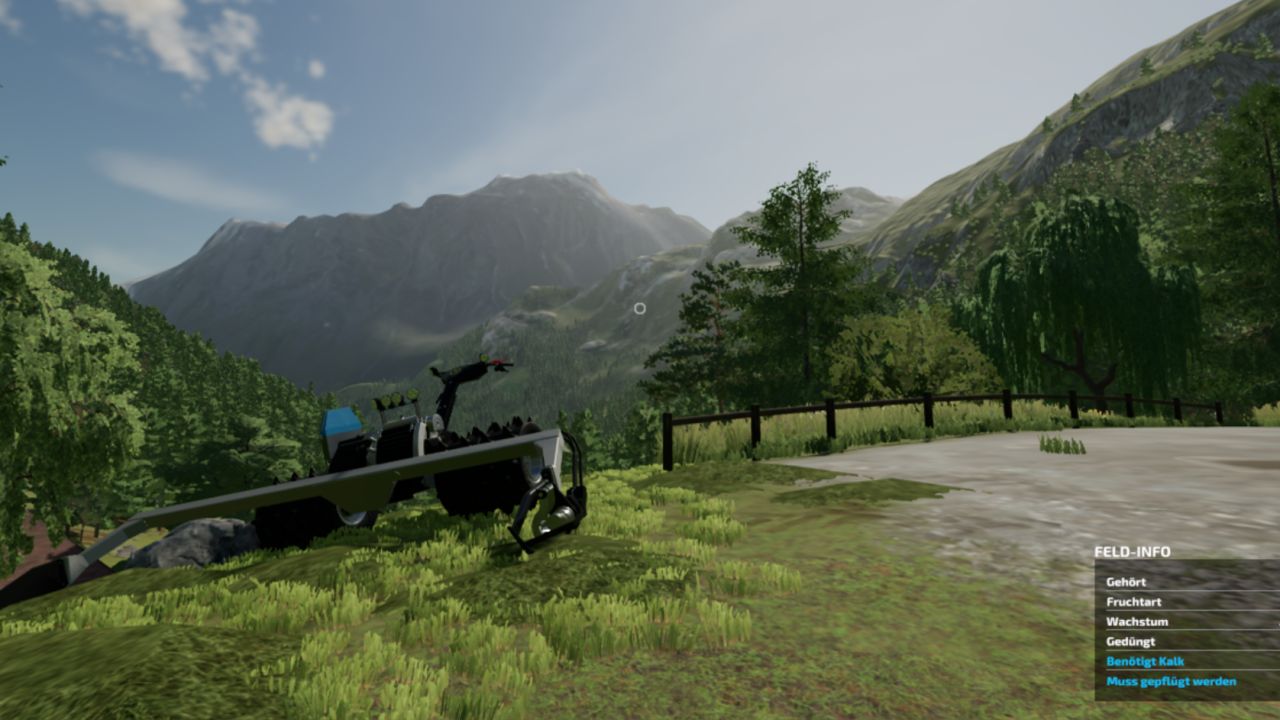
Brielmaier Motor Mower Description Brielmaier motor mower for Farming Simulator 22 With this Brielmaier motor mower, you can realistically manage your grassland and mountain farming. The mod offers several implements, tyre variants and further configuration options. Technical Data Power: 19 kW / 26 hp Transmission: Continuously variable Tank: 10 litres Transport speed: 12 km/h Working speed: 8 km/h Weight: approx. 545 kg Base price: €40,000 Category: Mowers Author: Simon Implements / Designs Mower: +€10,000 Pasture harrow: +€2,500 Heuram 3M: +€12,500 Belt rake: +€12,500 Heuwolf new: +€12,600 Tyre Configurations Tyre manufacturer: LIZARD 5-row: +€0 9-row small: +€1,000 Flexispike 12-row: +€1,000 LS-Grip twin tyres: +€1,000 Further Configurations Fuel pump cover: Yes / No Underbody protection: Yes / No Light: Yes / No Design: Yes / No 30 Years BergLöwe Edition: Yes / No Higher air intake: Small Price: from €40,000 Maximum price according to the shown configuration: €61,200 Have fun with the Brielmaier motor mower! Author: Simon
- 15 per page
- 30 per page
- 45 per page
- 60 per page
-
See more per page
Bigger pages, fewer clicks - and no ads anywhere.
Go Pro