Farming Simulator 22 mods
50,369 results- 15 per page
- 30 per page
- 45 per page
- 60 per page
-
See more per page
Bigger pages, fewer clicks - and no ads anywhere.
Go Pro
RPM Responsive Speeds V1.0
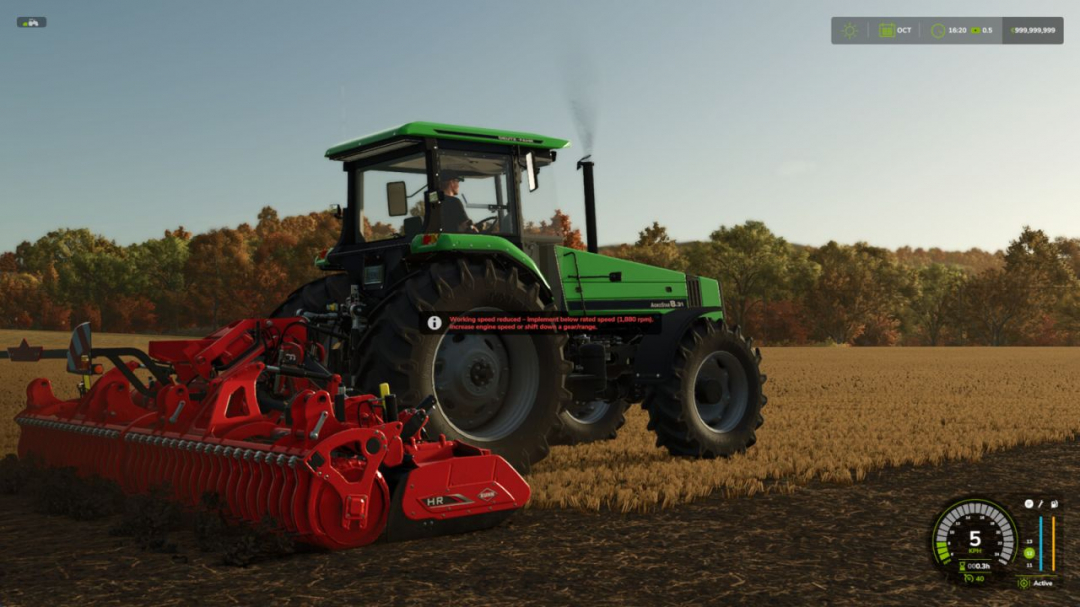
RPM Responsive Speeds This mod enables selected vehicle and implement functions to respond to engine RPM. Movements and work functions operate more slowly at low RPM, becoming faster and more responsive as RPM increases. The mod includes its own hand throttle, so it works without needing an additional RPM control mod. It can also utilize hand throttle values from: - Vehicle Control Addon (VCA) - CVT Addon - RealismAddon Gearbox (RAGB) Each player can choose how strongly RPM influences supported functions: - Off – disables the mod, maintaining normal game behavior. - Comfort – keeps behavior close to the standard game. - Balanced – offers a middle ground between comfort and stronger RPM dependency. - Realistic – gives more influence to engine RPM, PTO behavior, and pump performance. The internal hand throttle can be adjusted in steps, with a self-centering analog axis allowing relative adjustments. The center position holds the current setting. A non-centering slider or rotary control can set it directly from 0 to 100%. Three additional buttons set it directly to Target 1, Target 2, or reset it. All buttons and axes are unassigned by default and must be configured in the game controls. The values for Target 1 and Target 2 are set in the general settings. An optional "Separate harvester and header control" setting prevents a harvester from automatically toggling its attached header on or off simultaneously. The header can then be controlled with a separate button, which is also unassigned by default. Depending on the vehicle and implement, the following functions may be affected: - Lifting and lowering attached implements - Folding animations - Work animations - Hydraulic movements (e.g., on loaders) - Tipping and unloading - Filling and discharging liquid tanks For PTO-driven implements, PTO speed is also considered, and their working speed can be reduced if PTO speed is too low. Hydraulic functions respond like an RPM-dependent hydraulic system. Pump performance determines how quickly liquid tanks fill or discharge. Settings are stored locally for each player. In multiplayer, the setting of the player currently controlling the vehicle or implement applies. Each player can disable the mod or use their own preset independently. Since vehicles and implements are built differently, the effect may vary slightly between models.
Vehicle Inspection (HU) V1.0
Adds a periodic vehicle inspection system (HU) to Farming Simulator 25 for all vehicles with a license plate – tractors, trucks, cars, trailers, harvesters, auger wagons, and more. WHAT DOES THIS MOD DO? Every vehicle with an actual license plate mounted automatically gets an inspection interval based on its vehicle class, speed, or permissible gross weight (e.g., car/motorcycle every 24 months, truck every 12 months, tractor up to 40 km/h every 24 months / above every 12 months, trailer up to 10 t every 24 months / above every 12 months). Once due, the vehicle is marked “Due” or “Overdue” but always remains drivable – fully usable for roleplay without gameplay limitations.INITIAL SETUP (one-time, admins only) In the game settings under “Vehicle Inspection,” two roles can be assigned: – Inspection farm: can perform inspections and renew inspection dates. – Decommissioning authority: can decommission or revoke a vehicle. Both roles are admin-only, saved with the savegame, and synchronized for all players.USING THE INSPECTION STATION Accessible via its own tab in the pause menu (green clock icon), showing the full vehicle register across all farms. Select a vehicle, then proceed.VEHICLE CLASSES AND INTERVALS Based on real German inspection regulations (§ 29 StVZO) as a game-balanced approximation – not legal advice. All classes, thresholds, and over 60 vehicle categories are freely adjustable in huSettings.xml, no coding required.MULTIPLAYER All settings and inspection data are saved with the savegame and continuously synchronized between server and players.

Courseplay: Unload Me V1.1.5
Courseplay: Unload Me enables Courseplay unloader tractors to automatically track, match speed, and unload combines driven manually by the player on the go. Features: - Unload player-driven combines on the move without hiring Courseplay AI for the combine. - Unloader automatically matches combine speed and aligns trailer under the pipe. - Unfolding the combine pipe automatically summons the nearest idle Courseplay tractor. - Folding the pipe acts as a dismiss command: the tractor safely steers away and departs. - Starting to drive after calling while stopped won’t strand the tractor; it chases and catches up. - Right Shift + U: manually summon the nearest unloader on demand. - Right Shift + I: toggle auto-call when tank reaches 80% capacity. Requires Courseplay for FS25 V1.1.5.0 - Unloader Selection and Long-Range Dispatch - Expanded search radius up to 4000 meters for seamless unloader dispatch across large maps. - Added intelligent unloader candidate scoring prioritizing tractors already serving the active field. - Trailer fill level weighting in tractor selection to prefer empty or partially loaded wagons. - Support for dispatching unloaders in waiting states. - Harvester Detection and Trailer Filtering - Strict verification to prevent false assignments. - Fixed misidentification of trailers and auger wagons. - Support for genuine trailed root and forage harvesters. - Carrier and implement hierarchy validation for complex setups. - Curved Swaths and Dynamic Path Tracking - Relaxed alignment angle tolerance up to 60°. - Expanded lateral offset tolerances up to 6 meters. - Proximity verification before switching to active unloading. - Improved dynamic targeting along real-time heading and curved paths. - Pipe Controls and Unloader Lifecycle - Smart pipe-folding dismissal tracking. - Dismissal triggered after active unloading or pipe folding. - Automatic unloader release when player exits forage harvester for over 20 seconds. - Clean state reset upon tractor departure. - Forage Harvester Turn Handling - Fixed hook argument signature. - Removed open-loop steering routines. - Restored clean swath-end waiting. - Improved speed matching and rearward follow. - Stability and Engine Crash Guards - Recursive cleanup of despawned, sold, or reset vehicles. - Entity existence and node checks. - Collision avoidance checks wrapped in protected calls. - Safety guards for input bindings. Required mods: CoursePlay
Casino/Game Tablet V1.0
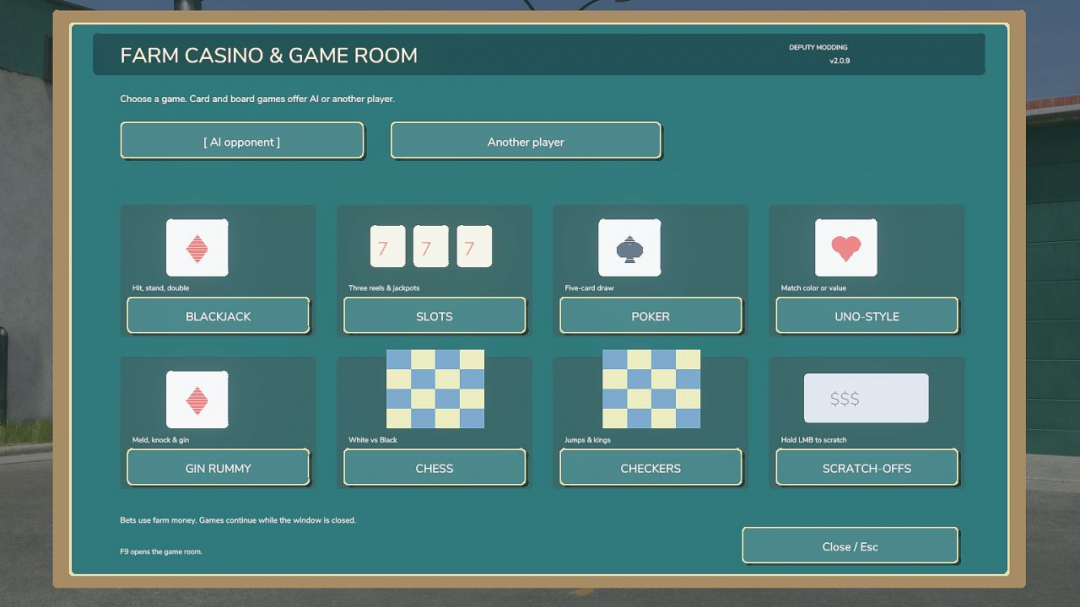
Casino & Game Room — FS25 Take a break from farming and enjoy a game night! Press F9 to open the game room and choose from blackjack, slots, five-card draw poker, Uno-style, gin rummy, chess, checkers, and scratch-off tickets. Features: - Play card and board games against AI or another player on your multiplayer server. - Bet farm money with wagers up to $10,000. - Animated slot reels with illustrated symbols and slot-machine sounds. - Drag-and-drop cards in gin rummy. - Ohio Lottery-themed scratch-offs: Winning Number and Match Three. - Hold the left mouse button and drag to scratch circular prize spots. - Scratchable 3× and 5× prize boosters. - Button clicks, card sounds, and victory/loss tunes. - Multiplayer: Install the same mod version on the server and every player’s computer. Select Another player, then choose the same game to join a table. - Option to play against AI or another player in your game. Created by Deputy Modding. All wagers use in-game farm money.
Production Info Hud V1.3
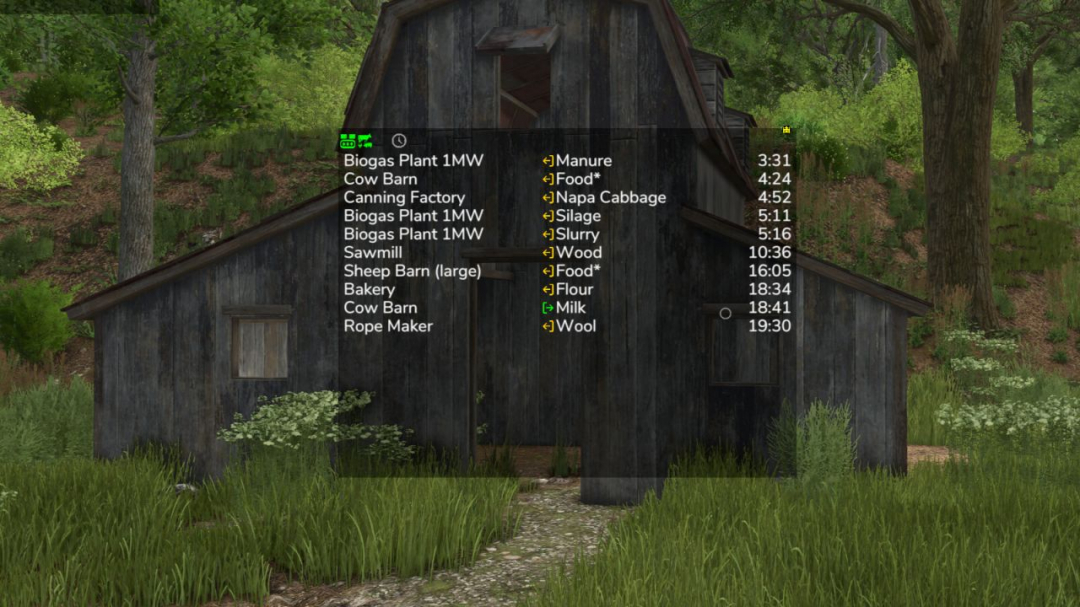
Keep an eye on your productions and husbandries without clicking through menus. The mod displays a small on-screen list indicating where issues may arise: which raw materials are running low and which output storages are nearly full. The list is sorted by remaining time, so the most urgent entries are always at the top. What the list shows Column 1: name of the production or husbandry Column 2: the fill type Column 3: switchable between remaining time, amount (for raw materials, how much still fits; for products, how much is stored) and production per hour Symbols and words in the list Full, Empty: storage is at its limit Missing: production is creating something but has no storage for it Pallets: the product is only stored as a pallet ~ in front of the time: the value fluctuates, for example due to weather-dependent production speed, recipes using random amounts, or storage filling itself depending on weather > 100 days: the mod does not look further ahead than that A behind the fill type: the husbandry accepts several kinds, e.g., hay, silage, or grass Several fill types in one line, such as “Wheat, Barley”: production can use any of them Filters in the filter line – Show or hide productions, animals, and storages separately; storages only appear with the cargo filter – Time filter: show only those that will be empty or full within 24 hours or a month – Hide automatically collected distributed products – Cargo filter: matching locations for the current vehicle—delivery points for loaded cargo, and refill points for seeders, spreaders, or sprayers, even when tanks are empty Mouse controls – Move the window with the arrow icon in the top left corner – Open the filter line with the down arrow in the top left corner – Switch the filter line to settings with the gear wheel in the bottom left corner, where font size and line spacing can be adjusted – Show only while the mouse cursor is active: the lock in the bottom left corner – Change window size with the arrow icon in the bottom right corner – Save changes with the disc icon in the top right corner – Left-click on a production or fill type to filter the list by it; the filtered entry turns green. Click again to remove the filter – Right-click on a production to open it in the menu – Left-click on column 3 to switch the display Production consumption in the menu A separate page shows for each crop and fill type which productions produce and consume it, and how much is stored, distributed, or sold. The time unit can be switched between hour, day, month, and year. If a crop is short, the page also shows the additional area needed annually. Some icons only appear when hovered over. Feeding robots are not supported; only the husbandries are. Next to your money at the top, right-click the wrench icon to access display system settings. These settings apply to all mods using this system, including automatic saving. Take a look there. V1.3.0.0 – New page in the menu: shows for each fill type what your productions produce and consume, and how much is stored, distributed, or sold – New cargo filter: shows only delivery points matching the current vehicle and load – The cargo filter now also displays refill points for seeders, spreaders, and sprayers, as well as pickup points for empty vehicles when items are ready for collection – The cargo filter now includes your own storages, silo extensions, and pallet storages – Prepared for Revamp – The display now requires significantly less computing time, especially with many productions – Productions hidden by the GTX production script are no longer shown here
Farm Reputation V1.1.0.2
Farm Reputation enhances Farming Simulator 25 and Better Contracts by introducing a comprehensive reputation and career progression system. This adds long-term development and a more authentic contract experience. Build your reputation both as a farmer and a dependable contractor to unlock better opportunities throughout your career. Features: - Complete career progression with multiple ranks - Individual reputation for each contractor - Contractor-specific contract value bonuses - Farm reputation system with long-term growth - Quarterly farm evaluations - Field analysis - Unlock new rewards as your reputation increases - Increase the number of active contracts - Unlock higher maximum contract values - Earn additional bonuses on contract payments How it works: - Earn reputation by successfully completing contracts - Gain extra reputation through positive quarterly farm evaluations - Lose reputation by canceling contracts or receiving poor evaluations - Each contractor has a unique reputation - Higher contractor reputation unlocks higher contract value limits for that contractor - Your career rank determines your base contract limits, reward bonuses, and maximum active contracts - Farm evaluations are based on weed control, stone management, fertilization, liming, and plowing Controls: - F9: Move the reputation HUD - A: Previous page - D: Next page - Arrow Up: Select previous contractor - Arrow Down: Select next contractor Requirements: - Better Contracts (latest version) is required Compatibility: - Multiplayer supported - Existing savegames supported V1.1.0.2 - IMPROVEMENTS: - Contractor-specific contract value limits now use the individual reputation - Contract value bonuses are applied consistently when accepting contracts and starting missions - Contract value limits no longer depend on the NPC job counter - Reputation values are correctly synchronized between server and multiplayer players - HUD positions are saved per player and synchronized across multiplayer - Savegame data is integrated into the Farming Simulator save process to prevent farmReputation.xml loss during savegame replacement - FIXES: - Fixed issues with contractor reputation bonuses not applying correctly to contract value limits - Fixed leasing contracts using the farm-wide base limit instead of the contractor-specific limit - Fixed reputation display and synchronization issues for multiplayer players after joining - Fixed HUD positions not restoring correctly after restart or reload Required mods: Better Contracts
Advanced Seeding Control V1.0
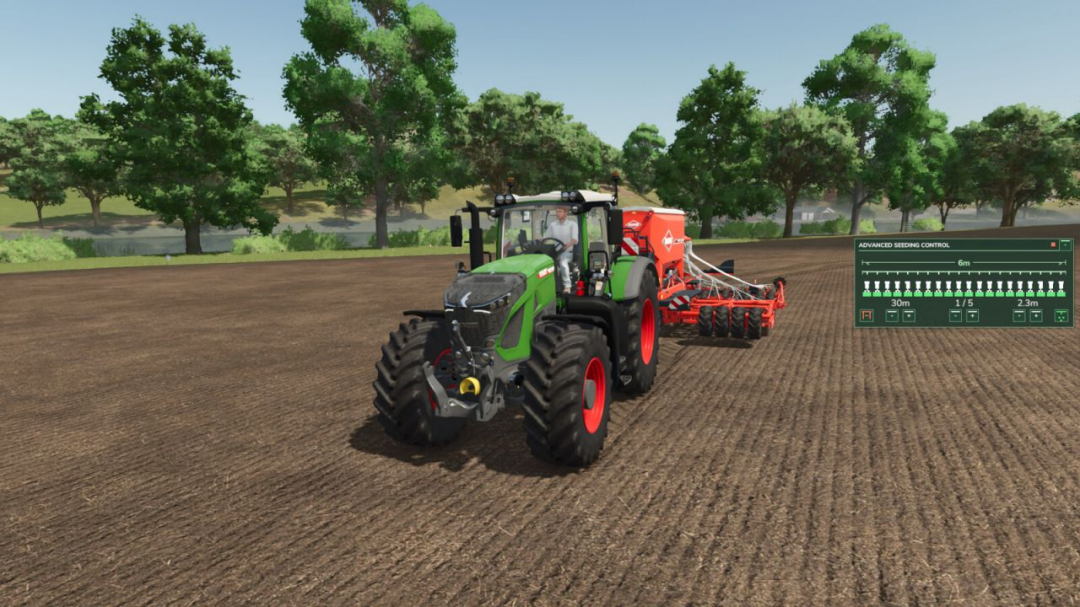
Advanced Seeding Control enhances seeders and planters in Farming Simulator 25 with an advanced tramline and seeding management system. The mod calculates tramlines based on the working width of the seeder and the desired follow-up working width, such as for sprayers or fertilizer spreaders. The tramline counter can be operated automatically or manually, ensuring that the necessary seeding areas are disabled at the right time. It is also designed to work seamlessly with Universal Section Control. When both mods are used together, the system automatically manages sections for tramline creation without overriding sections manually disabled by the player. Features include: - Automatic tramline calculation - Adjustable follow-up working width - Automatic and manual tramline counters - Support for even and odd tramline patterns - Manual override of tramlines - Separate fertilizer control for combined seeders - Support for pre-emergence markers on compatible machines - Audio feedback for important status changes - Compact, easy-to-read HUD - Compatibility with seeders and planters, both base game and modded - Integration with Universal Section Control - Multiplayer support - No additional shop configuration needed When used with Universal Section Control, Advanced Seeding Control utilizes the machine’s sections to create tramlines, keeping manually disabled sections intact. It only controls the sections needed for the current tramline and releases them once finished, allowing both mods to operate without conflict. This system makes seeding more precise, convenient, and realistic, providing a modern tramline management solution for Farming Simulator 25.
Realistic Clouds V1.0
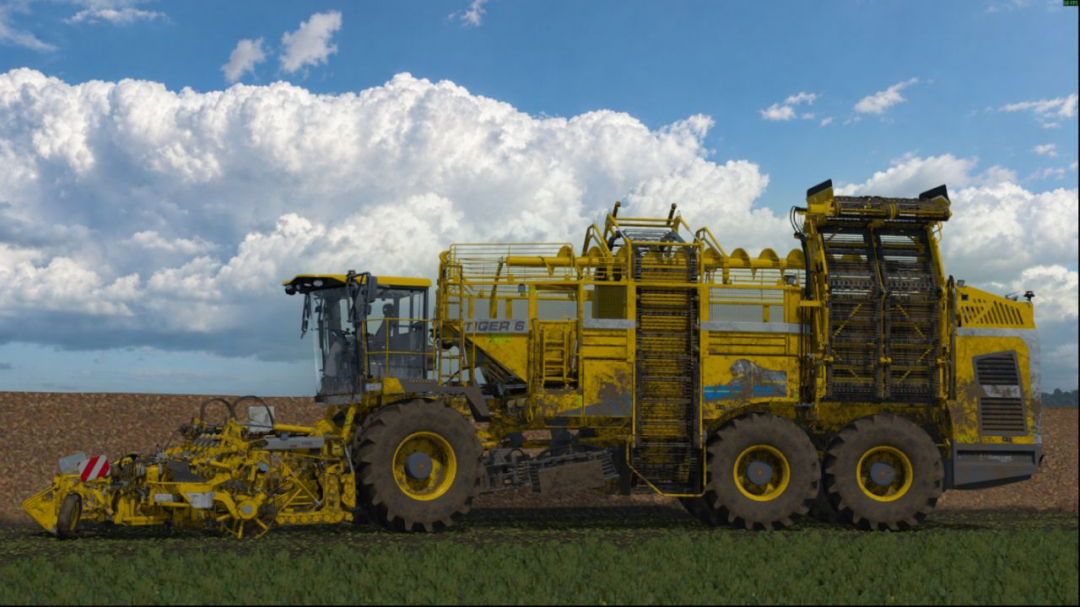
Unpack RealisticClouds.fx into the farming simulator 25\reshade-shaders\Shaders folder, and that's it—enjoy the realistic clouds.
Bale Twine Jubilat Tytan 500 V1.0
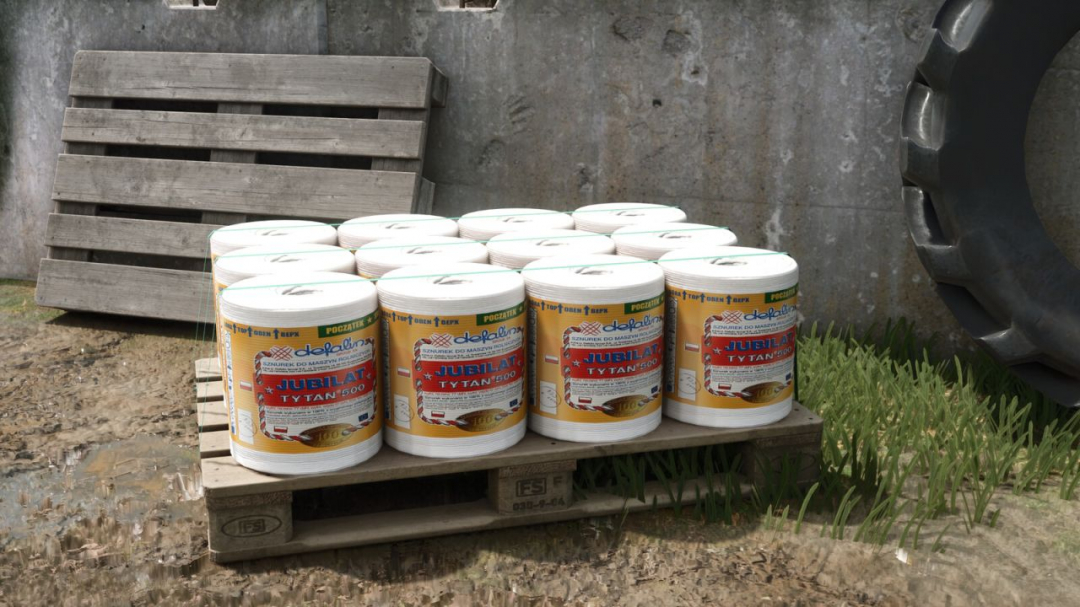
Jubilat Tytan 500 agricultural baler twine by DEFALIN, suitable for both square and round balers. Available as a single roll or a full pallet. Single Roll: Type: Baler Twine Category: Pallets Capacity: 1 Roll Price: $12 Pallet: Type: Baler Twine Category: Pallets Capacity: 12 Rolls Price: $144
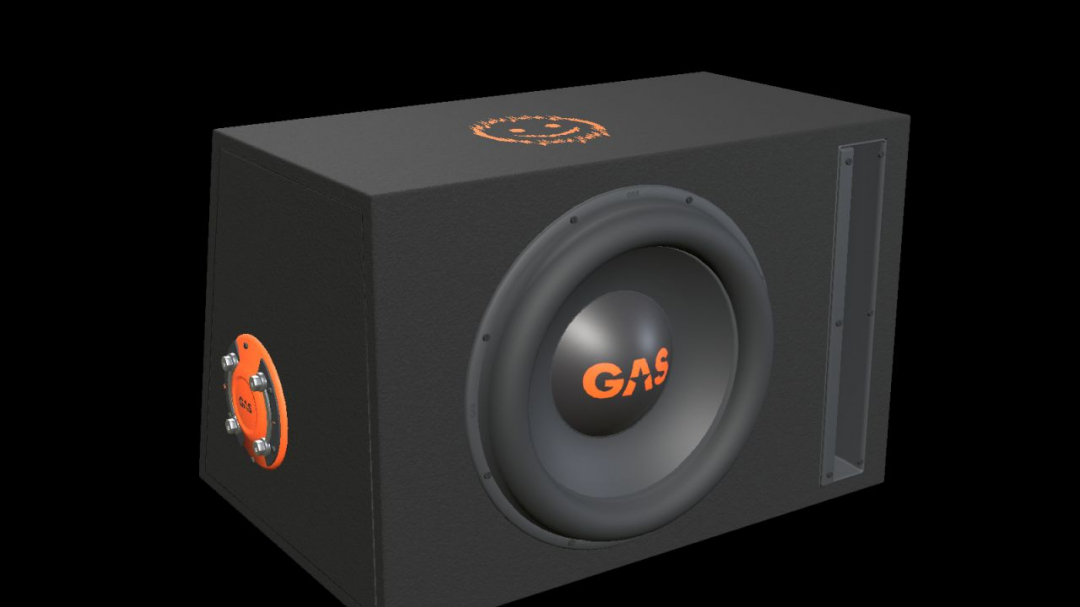
GAS MAD B2-110V (Prefab) V1.0
Enhance your vehicle build with a detailed car-audio installation using this decorative prefab for Farming Simulator 25. It features a 10-inch driver, an open vertical slot port, black carpet, orange GAS branding, and a molded side terminal with metal bridging plates. This real-scale model includes separate materials and two levels of detail. The nominal enclosure dimensions are 470 × 310 × 330/250 mm (width × height × depth, with two depths specified). The complete kit comes with I3D files, DDS textures, an editable Blender source, images, and installation guides available in English, Swedish, and Norwegian. **INSTALLATION** Import the prefab into your vehicle mod using GIANTS Editor 10. Parent the entire root to a fixed body group and adjust its placement accordingly. Follow the instructions in README_EN.txt. This prefab is designed for mod-building purposes and does not have a separate shop entry. It is not a standalone playable mod to be placed directly into the mods folder. **FUNCTION** This is a static decoration without audio playback, cone animation, physics, or collision detection. Verify its placement and appearance within the vehicle where it is installed. **Version:** 1.0.0.0 Model and FS25 prefab created by NorthernLight Modding. GAS product designs, names, and logos are owned by Winn Scandinavia AB. See README_CREDITS.txt. Images from GIANTS Editor show the model in the editor; studio images are Blender renders of the model and are not gameplay screenshots.
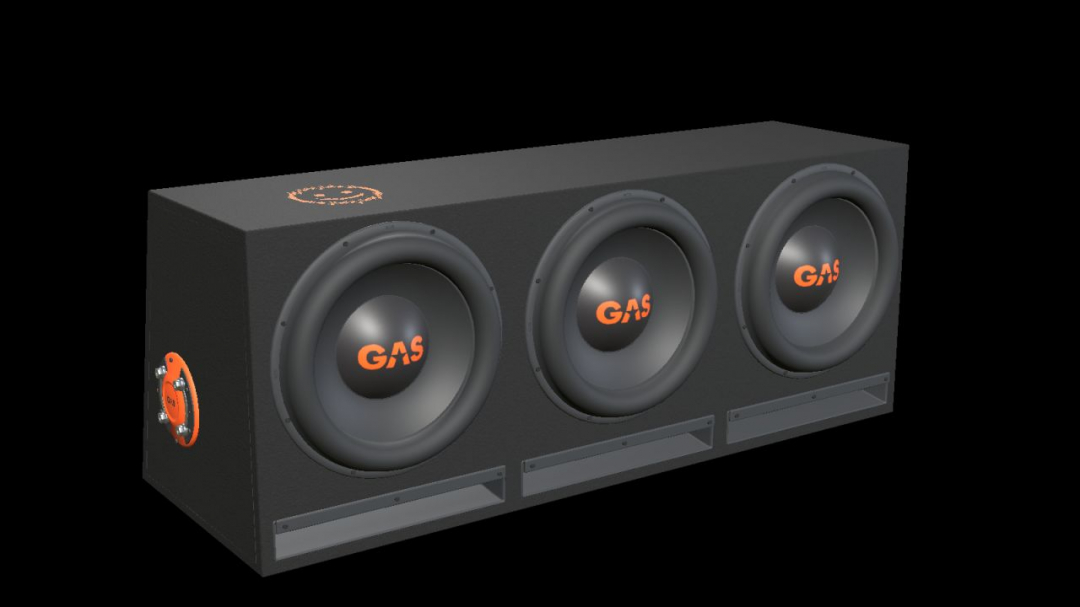
GAS MAD B2-310V (Prefab) V1.0
Add a detailed car-audio installation to your vehicle build with this decorative prefab for Farming Simulator 25. Based on the GAS factory enclosure featuring three 10-inch drivers and three open horizontal slot ports. Includes black carpet, orange GAS branding, and a side terminal with metal bridging plates. This real-scale model has separate materials and two levels of detail. The nominal enclosure dimensions are 900 × 355 × 330/250 mm (width × height × depth, with two depths listed). The complete kit includes I3D files, DDS textures, an editable Blender source, images, and installation guides in English, Swedish, and Norwegian. **INSTALLATION** Import the prefab into your vehicle mod using GIANTS Editor 10. Parent the entire root to a fixed body group and adjust its placement accordingly. Follow the instructions in README_EN.txt. This is a mod-building prefab without a separate shop entry and is not a standalone playable mod—drop it into your mods folder. **FUNCTION** Serves as static decoration without audio playback, cone animation, physics, or collision detection. Check its placement and appearance within the vehicle where it is installed. Version: 1.0.0.0 Model and FS25 prefab: NorthernLight Modding. GAS product designs, names, and logos are owned by Winn Scandinavia AB. See README_CREDITS.txt. Images from GIANTS Editor show the model in the editor. Studio images are additional Blender renders of the model and are not gameplay screenshots.
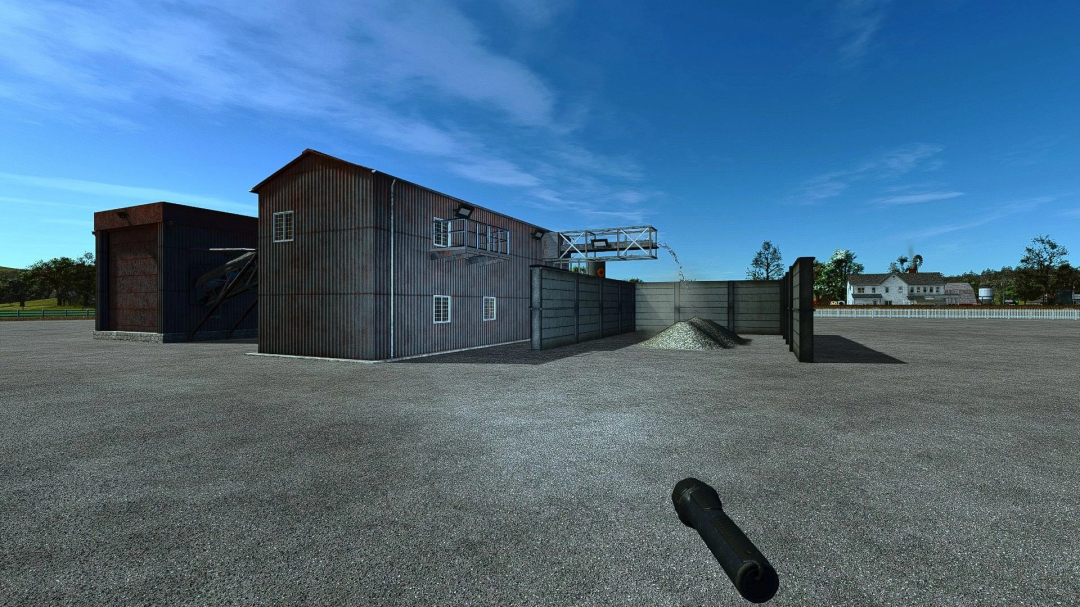
Lime Production Pack v1.0
Complete pack for lime production and storage. Includes: Stone production plant (requires no setup, just place it) Lime production plant from stone (can be supplied from your own plant, fields, or extracted in quarries with the Terra Farm mod) Main lime silo (accepts and dispenses lime, also allows purchasing ready-made lime, making trailer loading easier without handling big bags one by one) Silo extension Each additional extension increases total capacityCrusher: Stone capacity: 250,000 l Lime capacity: 200,000 l Water capacity: 100,000 l 50 production cycles per hour Authors: Silo models: GIANTS Software Crusher: BK Mods Stone plant: Rockhound Modding Pack assembly and processing: sermed
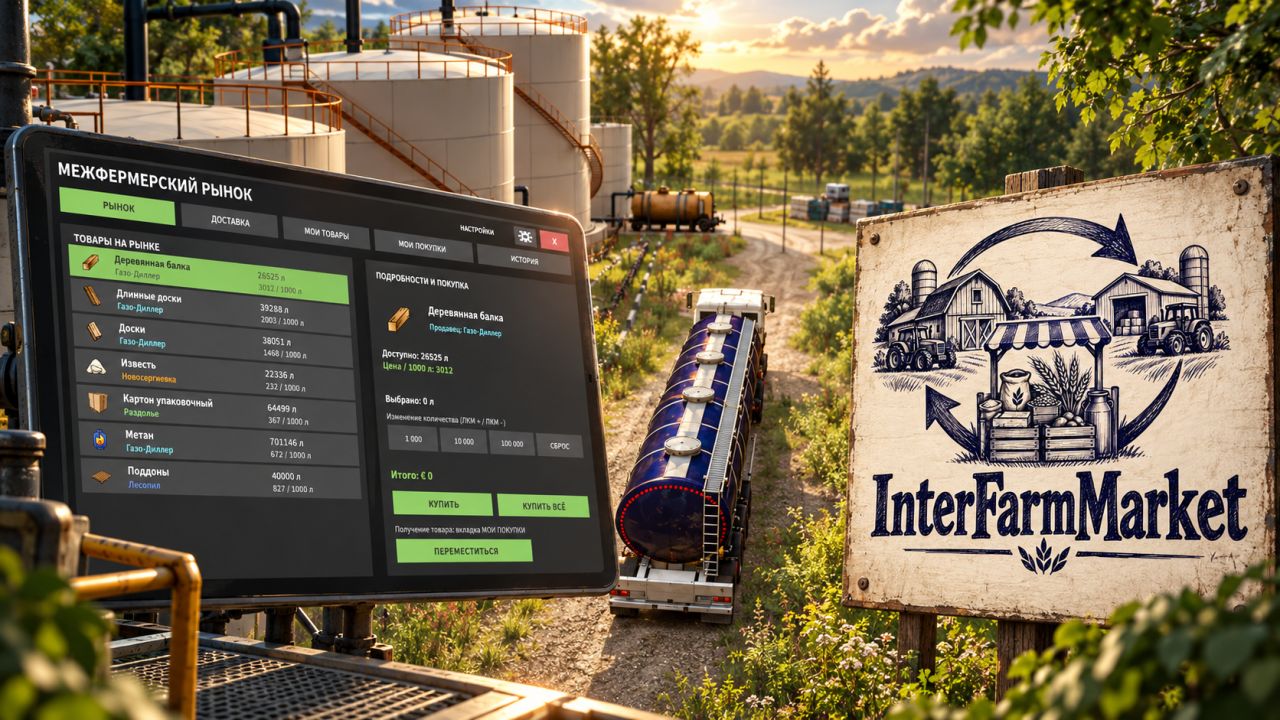
InterFarm Market — Inter-farm market FS25
InterFarm Market — Inter-Farm Marketplace Open Market Menu: Right Ctrl + M Trade, collaborate, and grow your farms—even when other players are offline! No more waiting for a neighbor to log in just to buy their produce or order essential materials. With InterFarm Market, trade between farms continues regardless of whether the owners are online! 🏭 Your farm keeps working even when you're away! List your products for sale and create standing orders for raw materials to keep your production lines running. While you're offline, other players can buy your goods and restock your factory warehouses, ensuring operations continue uninterrupted. For example, you can set a factory to produce flour, list it for sale, and place an order for grain. Other farmers can supply your facility and purchase the finished product—all while you aren't even on the server! 📋 Inter-Farm Market Features - Selling Goods — List products from your factories, silos, and warehouses, and set your own prices. - Ordering Goods — Place requests for necessary materials and pay other farmers for the products and their delivery. - Standing Orders — Maintain a steady supply for your production facilities without needing to create a new order after every delivery. - Construction Orders — Order materials for bridges, houses, factories, and other projects on your farm. Automatic order creation is available for subsequent construction stages. - Urgent Orders — Set a delivery deadline and an extra reward. A player accepting such an order enters into a contract; completing it on time earns a bonus, while cancellation or late delivery incurs a financial penalty. 🏗️ Build together, even when you're online at different times! Started construction but running low on materials? Place an order and leave the game without worry! Other farmers can deliver materials directly to your construction site and get paid for both the goods and the transport. Thanks to automated orders, the market can also list materials needed for upcoming construction stages. Now, constructing large-scale projects can become a true collaborative effort between multiple farms! 📍 Not sure where to pick up your purchased goods? Arrived at a factory for the first time and can't find the pickup point? No problem! The mod highlights the designated area with a circle, showing you exactly where to go to collect your items. No more endlessly circling an unfamiliar facility looking for the right spot! 🛠️ Administrative Recovery If a purchase remains incomplete due to an error or server loading issues, the administrator can use the special "Recovery" function. It allows you to check the transaction status and, where applicable, issue a refund for undelivered goods. This function is available only to the administrator or server host. 🌍 Three-language support The mod's interface is translated into three languages: - 🇷🇺 Russian - 🇬🇧 English - 🇩🇪 German The language is selected automatically based on each player's game settings. 🚜 Build a real inter-farm economy! One farmer grows grain, another produces flour, a third handles logging, and a fourth constructs new buildings. Now everyone can help each other and earn money, even if you're rarely online at the same time! InterFarm Market — your farms collaborate even when you're not around! 🧪 Beta testing and feedback InterFarm Market is currently in open beta testing. Despite the work done, the mod may still contain errors, flaws, or unexpected issues, especially in multiplayer or when interacting with other mods. I am always open to your help, feedback, and suggestions! If you encounter a problem, please describe it in as much detail as possible. Be sure to include: - What exactly happened versus what was supposed to happen. - The circumstances under which the problem occurred and the actions that led to it. - Whether you are playing in single-player mode or on a dedicated server. - If possible, attach screenshots or relevant excerpts from the game log. Important: Messages such as "it doesn't work," "it's broken," or "fix the bug" without a detailed description of the situation will not be considered. Without specific details and the ability to reproduce the issue, it is virtually impossible to determine the cause. Every constructive message helps make InterFarm Market better, more stable, and more user-friendly for all players. Thank you to everyone helping to develop this project! Mod Information Name: InterFarm Market Author: Vovainter Version: 1.0.1.0 (Beta) Game: Farming Simulator 25 Multiplayer: Supported Dedicated Server: Supported Languages: Russian, English, German Open Market: Right Ctrl + M For trading to occur while farm owners are offline, the server must remain running. Production processes depend on the progression of in-game time, the availability of materials, and production settings.

Massey Ferguson 8700S Series V1.0
Interactive control Horn Beacon Kadir inscription Window tint Credits: ALEM MODS 3.7/5 - (4 votes) Download mod File File size FS22_MF_8700S 30 MB

LS Lifestyle FS25
LS Lifestyle, way more than a phone for Farming Simulator 25. 📱 THE PHONE Press Esc or Left Alt + O (controller: RB + View). The phone replaces the pause menu; the normal menu is the "Classic menu" app. Camera with stories and a photo editor, music, videos, books, mail, bank, finances, health, needs, weather, contracts, shop and phone games. 🧍 MAKE THE CHARACTER YOURS - 28 tattoo spots, from face and neck to full sleeves and knuckles - Custom clothing: caps, cowboy hat, hoodies, tees and western boots - 50+ emotes and dances: line dance, two-step, mic drop, beer cheers, selfie pose - 19 walk styles: swagger, cowboy, catwalk, sneaky, old timer and more - Pets: dogs, cats, pigs and even a kangaroo, with 14 tricks to learn 🌐 ONLINE (OPTIONAL) The mod works fully offline, in single player and multiplayer. For the online apps (FarmGram, Farmbook, Messenger, Reels, real-player chat and calls, real weather and news), use the free Lifestyle Link helper for Windows and a free account at mylifestylemod.com. 👥 MULTIPLAYER Everyone needs the mod; only the host needs Lifestyle Link. ⚙️ INSTALL Put HS25_Lifestyle_Mod.zip in Documents\My Games\FarmingSimulator2025\mods (don't unpack it) and enable it in your savegame. This is a beta (v0.1.9.7), so expect rough edges. Help, controls and the full guide are at mylifestylemod.com.
- 15 per page
- 30 per page
- 45 per page
- 60 per page
-
See more per page
Bigger pages, fewer clicks - and no ads anywhere.
Go Pro