Farming Simulator 22 mods
50,369 results- 15 per page
- 30 per page
- 45 per page
- 60 per page
-
See more per page
Bigger pages, fewer clicks - and no ads anywhere.
Go Pro

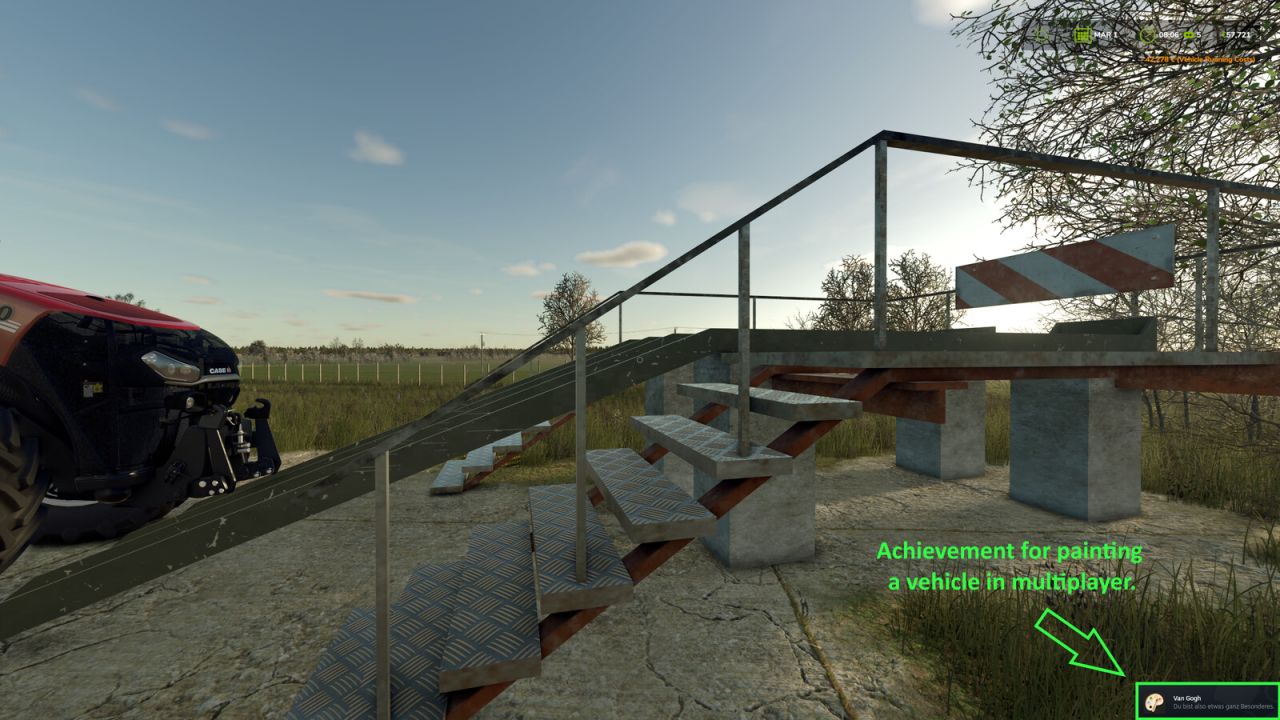
Multiplayer Achievements - Per Player FS25
Enables selected Farming Simulator 25 achievements in multiplayer. Depending on the achievement, progress is tracked per player, per farm or for the entire server. Personal progress includes field work, driving, bale wrapping, riding, forestry, repairs, repainting, playtime, completed contracts, purchases and attributable deliveries. Actions by other players or AI helpers do not count towards these personal achievements. Farm progress includes verified wealth and natural births of cows, sheep, pigs and chickens. Members of the same farm share this progress; different farms are tracked separately. Collectibles count server-wide for all players and farms in the current savegame, including players who join later. Known money cheats, free console spawns and console-spawned animals are excluded from the relevant counters. Existing money and earlier births are not counted retroactively.

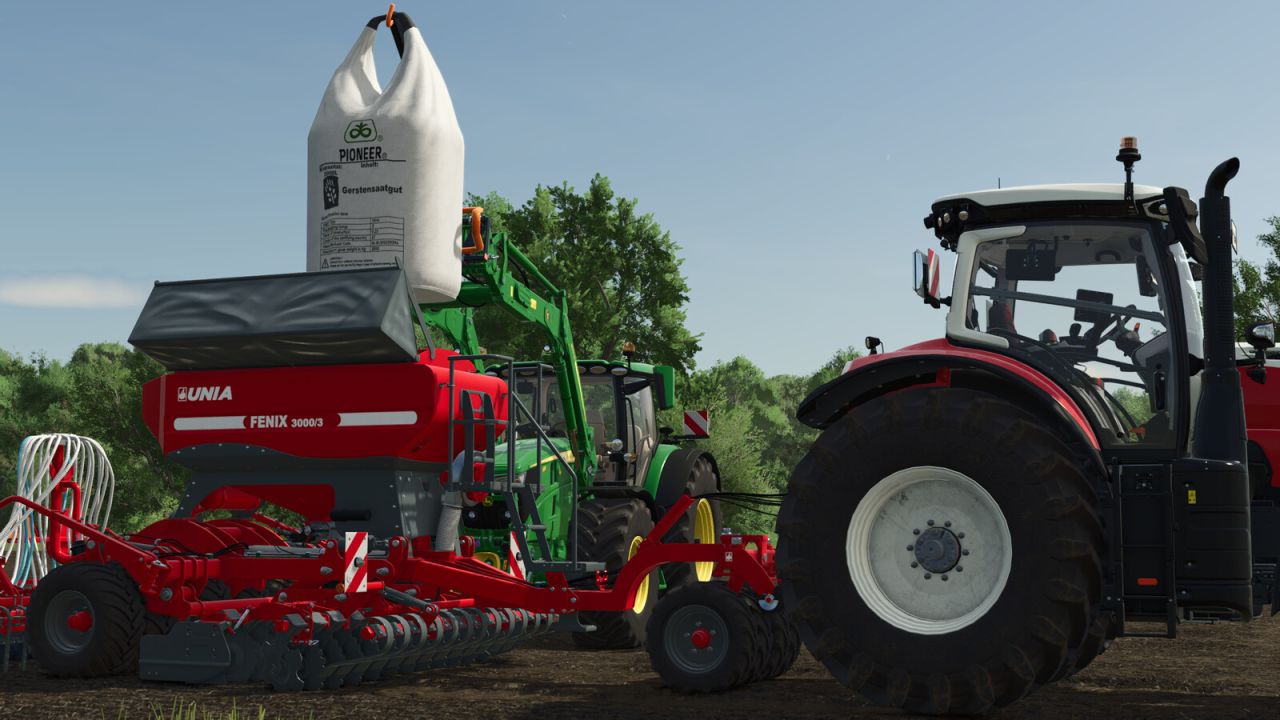
Realistic Seeder FS25
This mod aims to make working with seeders a bit more realistic. This mod adds dedicated seed pallets, big bags, and bags for the following crops if these are registered on the map, you can use them: Standard crops: - Barley [will be automatically replaced with summer barley if available on map] - Wheat [will be automatically replaced with summer wheat if available on map] - Winter barley - Winter wheat - Canola - Cotton - Grass - Maize - Oilseed radish - Potato - Soybean - Sugar beet - Sunflower - Beetroot - Carrot - Parsnip - Pea - Green bean - Spinach - Long-grain rice Multi-crops: - Field grass - Green rye - Flowering cover crop (humusactive) - Mustard - Rye - Silage maize - Spelt - Triticale - Vetch rye - Clover - Onion - Alfalfa If you are unable to sow a specific crop on your map, the seed pallets, big bags, and bags for that crop will not appear in the shop either. If you fill a front tank or seeder using one of these seed pallets, big bags, or bags, you will only be able to sow the specific crop for which the seed was intended, cycling through different crop types will no longer be possible. However, if you fill them with standard seed, you can cycle through the crop types as usual. On potato planters, the bunker tilts up as the potato level decreases, allowing the potatoes to slide forward towards the dosing units. The bunker returns to its original position once it is empty or when the potato planter is raised. Four new categories have also been created in the shop after the seeding category: Realistic Seeder Pallets Realistic Seeder Big Bags Realistic Seeder Bags Realistic Seeder Accessories You can purchase up to 8 pallets or big bags at a time. For bags, you can buy up to 24—handy if you happen to need a bit more seed. All the bags are intentionally priced the same and are cheaper relative to the pallets or big bags. This is simply because you have to hold each bag individually over the planter to fill it, simply driving up and pressing "R" won't work here. The seed pallet textures have all been reworked and are now sharper, featuring 2K resolution. Additionally, every front tank can now load both fertilizer and seed. You can now select the specific fill unit for unloading, allowing you to unload seed and fertilizer separately if the implement is filled with both. You can also choose between pallets and big bags for unloading. If the fill level reaches 50 liters or less, bags will automatically be used for unloading. The only exception is seed potatoes, which will always be unloaded on pallets. Furthermore, the unloading side can now be specified, you can unload pallets and big bags either to the left or to the right of the implement. In the construction menu, under the "Silos" tab, you will find three seed storage silos for storing large quantities of seed. A seed purchasing station is also available there, ideal for buying seed in bulk. Supported languages: German English Polish Czech French Spanish If a language other than those listed here is used, English will be the default. The Realistic Seeder supports also the "Take Single Objects" Mod from Modhub. If you have installed this mod, you can take single bags of the pallet. Keyboard shortcuts: (Can ofcourse be changed ingame) Unload: Keyboard: + Controller: + D-pad Left Switch fill unit: (Only available if the implement has more than one) Keyboard: + Controller: + Press Right Stick Change unload type: Keyboard: + Controller: + D-pad Down Change unload side: Keyboard: [Right CTRL] + Controller: + + Press Right Stick Turn fertilizer function on/off: (Only available when sowingmachine has an fertilizer function!) Keyboard: [Right CTRL] + Controller: + + Press Left Stick Attach/detach pallet: Keyboard: Controller: + Included in the mod: - Pallets - Description: Pallets containing seeds, fertilizer, or lime for filling compatible agricultural equipment. - Prices: $250 - $1,240 depending on contents - Capacity: 1,050 l - Big Bags - Description: Big Bags containing seeds, fertilizer, or lime for filling compatible agricultural equipment. - Prices: $1,025 - $2,390 depending on contents - Capacity: 2,000 l - Bags - Description: Bags containing seeds, fertilizer, or lime for filling compatible agricultural equipment. - Price: $50 - Capacity: 25 l - Big Bag Lifter - Description: Equipment for picking up and transporting Big Bags. - Price: $800 - Pallet Forks - Description: Pallet forks for picking up and transporting pallets with the option to lock them in place. - Front Loader - Price: $1,700 - Telehandler - Price: $2,000 - Wheel Loader - Price: $2,500 - Seed Purchase Station - Description: At this seed purchase station, you can refill your seeders with Realistic Seeder seeds. - Price: $15,000 - Small Seed Silo - Description: This silo can be used to store Realistic Seeder seeds. - Price: $117,000 - Capacity: 400,000 l - Medium Seed Silo - Description: This silo can be used to store Realistic Seeder seeds. - Price: $125,000 - Capacity: 500,000 l - Large Seed Silo - Description: This silo can be used to store Realistic Seeder seeds. - Price: $147,000 - Capacity: 800,000 l Have fun with the mod!
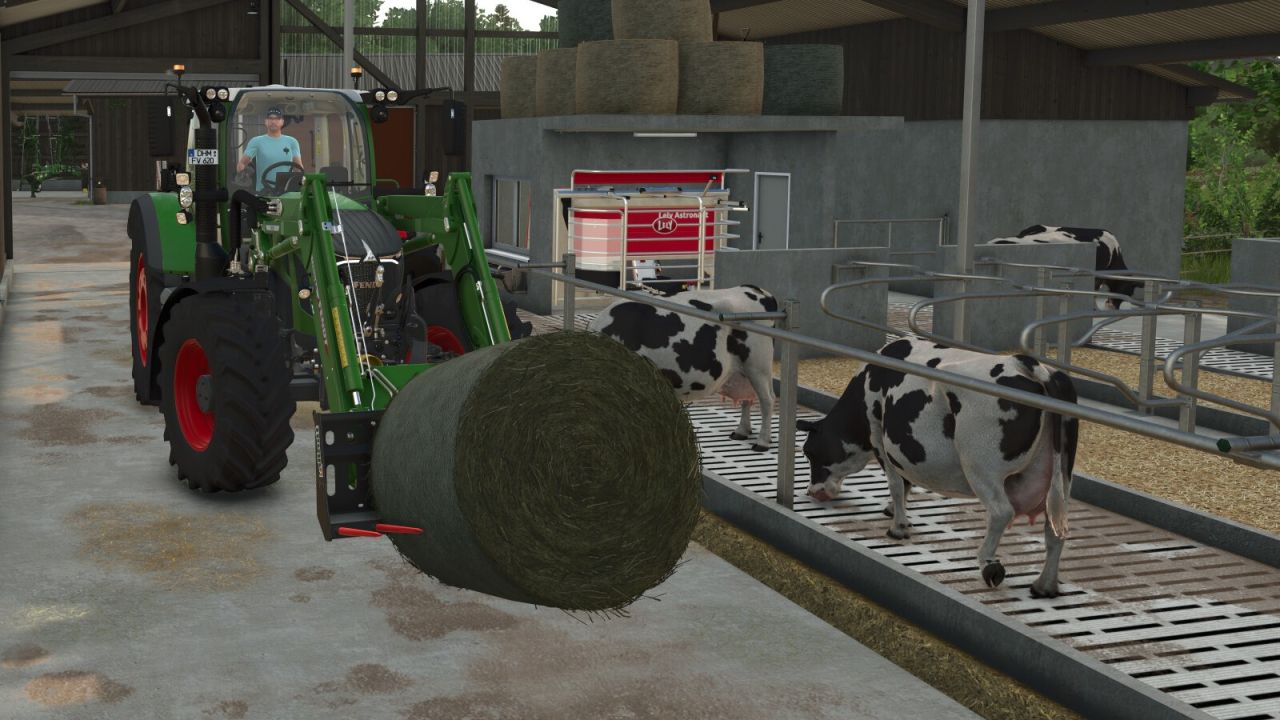
Cow Feed Order FS25
Did you accidentally place a hay bale in the feeding trough, and is feed with low efficiency now blocking the barn's entire capacity? This mod changes the consumption order for cow feed: feed types with lower efficiency are consumed first. On cow pastures, meadow grass is used only after all feed in the trough has been consumed.
Husbandry Fence Manager FS25
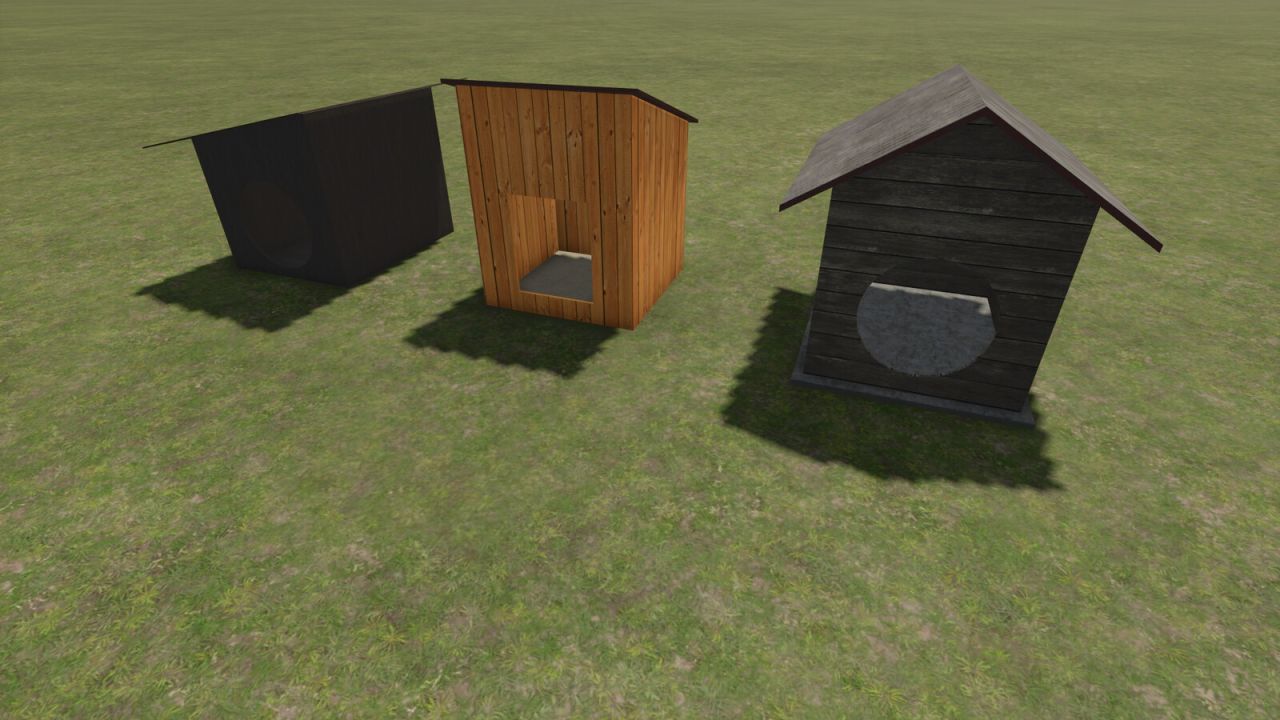
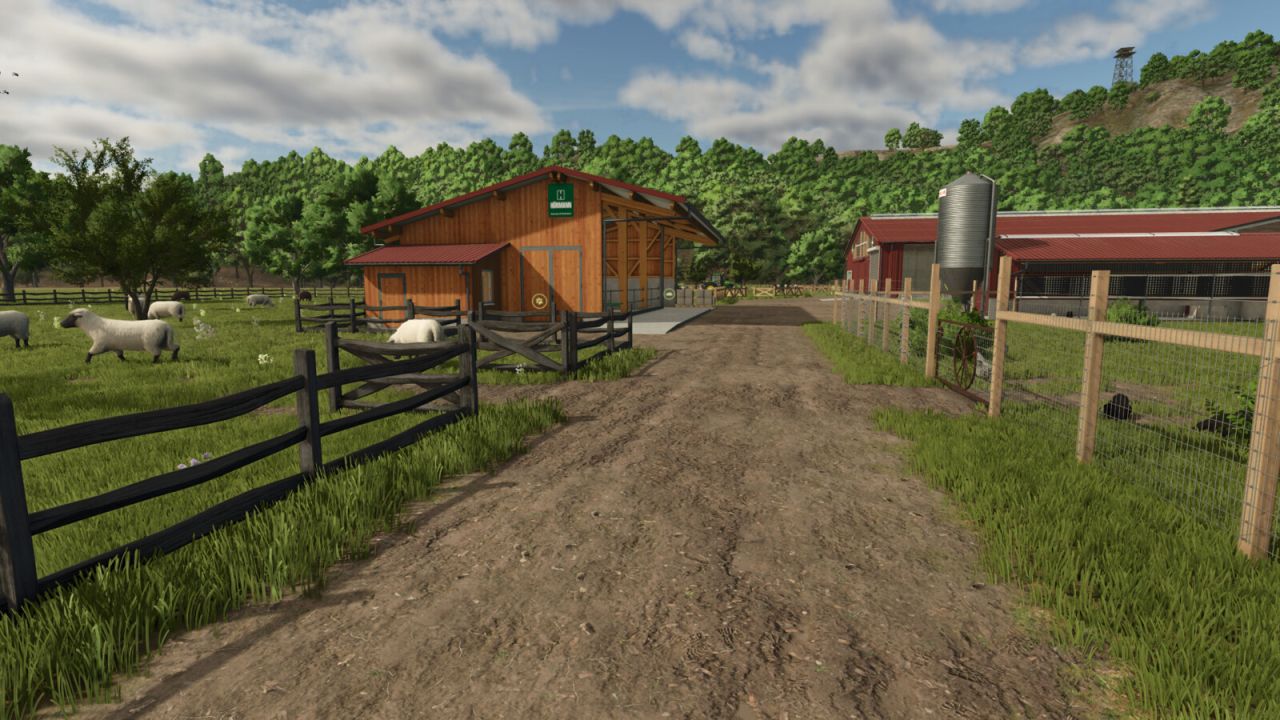
Singleplayer only! Choose your style and build animal pastures that fit your farm. Husbandry Fence Manager allows you to choose a compatible base-game fence for animal husbandries and edit their pastures after placement. The mod works with both new and existing husbandries. There is no need to sell or replace a husbandry to change its fence or adjust the pasture layout. Features: - Choose a fence from the Customize menu when placing a new husbandry - Browse compatible base-game fences in the graphical Fence Browser - Change the fence style of an existing husbandry - Edit, redraw and resize pastures after placement - Animal capacity changes according to the size of the pasture - Supports compatible base-game husbandries - Supports compatible mod husbandries that use the standard Farming Simulator 25 pasture fence system How to use: New husbandry: - Select a compatible animal husbandry from the construction menu - Open Customize and select Fence - Choose a fence style from the Fence Browser - Continue placing the husbandry and build the pasture using the normal in-game fence tools Existing husbandry: - Open the husbandry information window - Select Edit Pasture to redraw or resize the pasture using its current fence style - Select Change Fence to choose a different fence style before redrawing the pasture The size of the pasture determines how many animals the husbandry can hold. Enlarging the pasture increases its capacity, while making it smaller reduces it. Helpful tip: - Different fence styles use different segment lengths - If the fence does not connect correctly to the final anchor point, adjust or redraw only the last few fence sections until it connects - Some fence styles may fit certain husbandries and pasture layouts better than others Compatibility: Using Husbandry Fence Manager together with other mods that edit or rebuild pasture fences after placement is not recommended. Different editing and anchor systems may conflict and create incorrect fence layouts. The mod supports compatible base-game husbandries and mod husbandries that use the standard Farming Simulator 25 pasture fence system. Husbandries with fixed fences built directly into the building model cannot be edited. Only fence styles included in the base game are available in this release. Please note: Open gates do not allow animals to escape. Animal containment is handled by the husbandry system, so gates can be left open for vehicle access. Husbandry Fence Manager is currently singleplayer only. Multiplayer support is planned for a future update. - Fixed pasture navigation after cancelling a fence style change. - Animals now correctly remain inside the restored pasture area. - Fixed pasture fence editing for the Hörmann cow barn. - Additional stability and compatibility improvements.
Disable Perspective Cam FS25
"Disable Perspective Cam" ensures that supported vehicles in Farming Simulator 25 are limited to their interior views (cab views). When the option is enabled, exterior and perspective views are removed from the selection; when disabled, the vehicle's normal camera list is available again. Overview of "Disable Perspective Cam": "Disable Perspective Cam" is a script for first-person driving in Farming Simulator 25. It is aimed at players who want to control tractors and other supported vehicles from the driver's seat without having to switch between external, orbital, or other perspective views. The mod checks the camera list of each loaded vehicle, retains the interior views, and temporarily removes the other camera options while the setting is active. The change is reversible. The script saves the vehicle's original camera views before filtering them; therefore, disabling the option restores the normal external and perspective views. This makes the mod ideal for a savegame that consistently uses the cab view, while still allowing the player to quickly revert to the standard LS25 camera system if an external view is needed. What the mod does: When a vehicle is loaded, the script identifies the cameras marked as having an interior view and creates a camera list limited to the cabin. The same principle is applied to the camera lists for supported passenger seats, so passengers don't automatically retain an exterior view that was removed from the vehicle's main camera. When this option is enabled, it restricts supported vehicles to the available interior views (cabin views). It removes exterior and perspective views from the vehicle's active camera cycle. If the player is currently using an exterior view when the option is enabled, it switches to the first available interior view. It filters both the camera lists for supported passenger seats and the vehicle's main cameras. It restores the vehicle's original camera lists once the setting is disabled. It also applies changed settings to vehicles already loaded in the current game. This mod adds the "Disable Perspective Cam" option to the general game settings page. This option has two distinct states: "Enabled" and "Disabled." By default, it is enabled, so only the cabin view is available immediately after activating the mod. The selected state is saved in the current save game's memory settings and loaded later. In multiplayer, the project metadata declares support, and the code restricts editing to the server or the master user. All participants in a multiplayer test should use the same mod version, and the host should confirm the option after the game save has been loaded.
Volvo E-Series wheeled excavators FS22
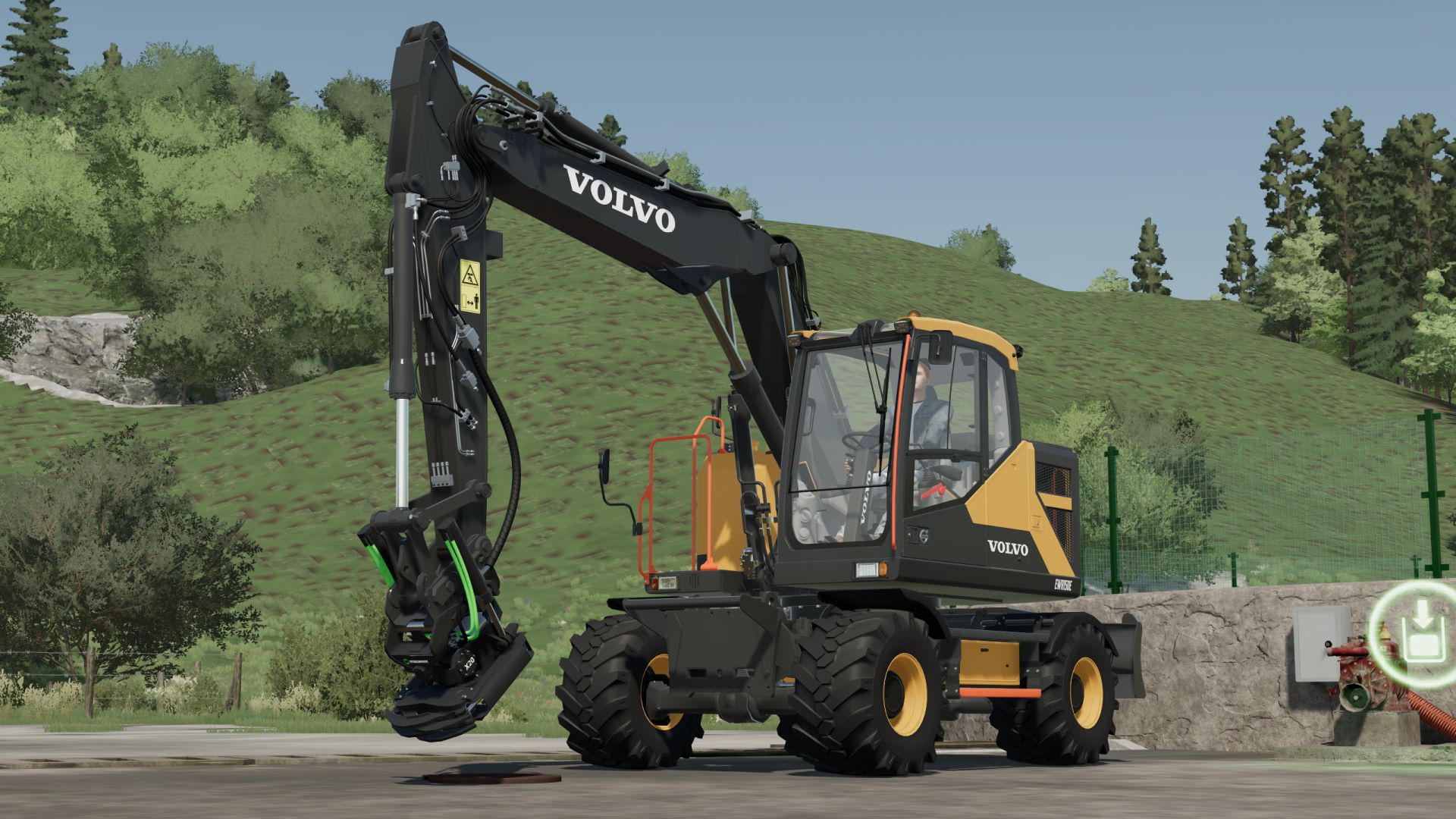
Upgrade your fleet with the complete Volvo E Series Wheeled Excavator Pack! This mod brings realistic handling, extensive customization options, and extra features designed to enhance your gameplay experience. Key Features & Configurations: All-in-One Models - Select any E-Series model directly through the shop configuration menu Wheel & Tire Setup - Choose between standard, dual heavy-duty, and wide flotation tires Customization - Configurable beacon lights, road lights, hoses, stabilizers, and toolboxes Interactive Features - Animated cab doors/windows and dynamic dashboards Realistic Physics - Fine-tuned hydraulic speed, suspension, and stability controls Custom-Made Lights - 100% remodeled by me and fine-tuned to be as realistic as possible

Peugeot 5008 2025 PN V1.0
– No interior – License plate selection – Custom – UDIM – Simple IC (protect) Features: – Price: 43500 – Power: 180 Requires: Simple IC Credits: MG COMMUNITY FS squir3d jessy35 Download mod File File size FS22_Peugeot_5008_2025_PN 34 MB
Keep Speed FS25
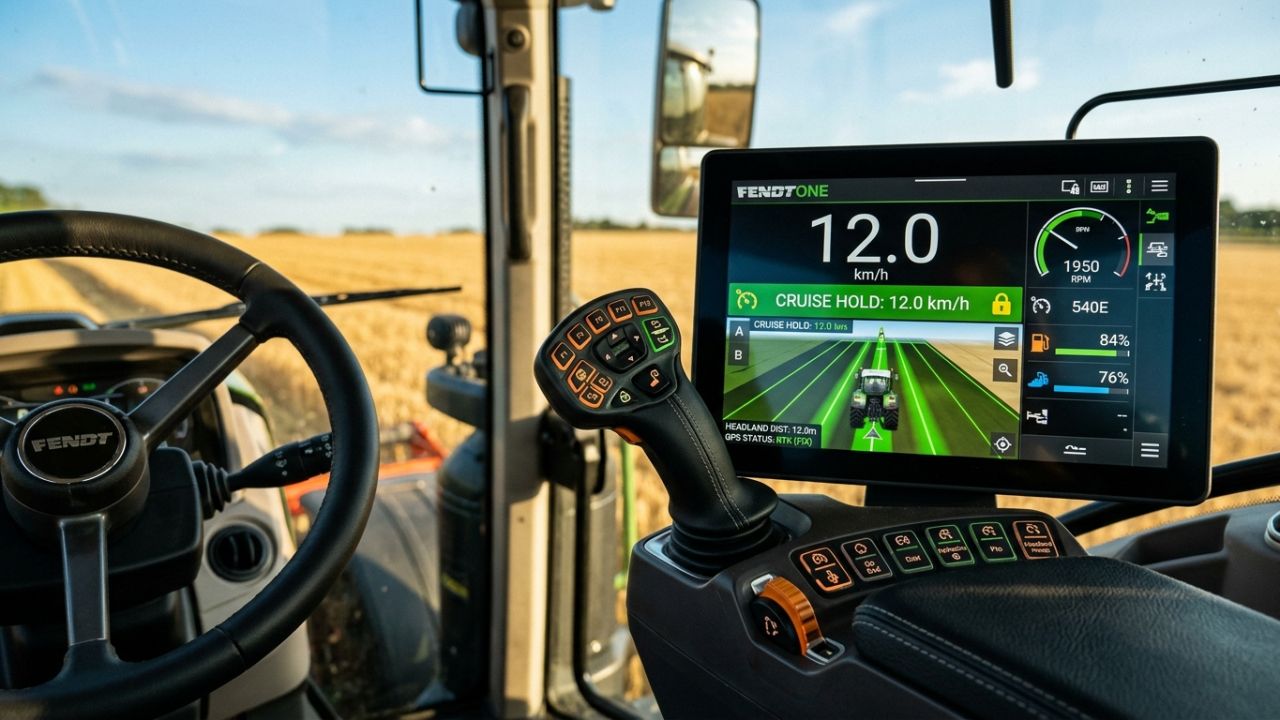
KeepSpeed — Simple & Dynamic Speed Hold (Forward & Reverse) KeepSpeed provides a simple and intuitive way to control your vehicle speed in FS25. Accelerate forward or in reverse: release the pedal and the vehicle automatically maintains that exact speed! Instantly cuts off drive when braking or pressing the opposite direction. 🚜 How It Works (Simple Concept): 1. Accelerate: Drive forward (W) or in reverse (S) until reaching your target fieldwork speed. 2. Release the pedal / key: KeepSpeed immediately locks in and holds that exact constant speed automatically! 3. Brake or counter-steer: Tapping the brake or pressing the opposite direction key instantly cuts active drive, bringing the vehicle to a smooth and safe halt. 4. Seamless resumption: Ready to move again? Just accelerate normally; once you release the throttle, the newly reached speed is immediately maintained. 5. Toggle on/off anytime: The entire system can be quickly enabled or disabled with a single hotkey. 🎮 Direct Functions & Hotkeys: - Left Alt + V — Toggle KeepSpeed On / Off (authentic dual-tone console chime) - Right Shift + Up Arrow — Increase Target Speed (+0.5 km/h) (hold to scroll) - Right Shift + Down Arrow — Decrease Target Speed (-0.5 km/h) (fine step-tuning) - Left Alt + B — Toggle Camera Look Direction (flips view 180° for easy reversing)
Pumpkin Hunt Hallowen FS25
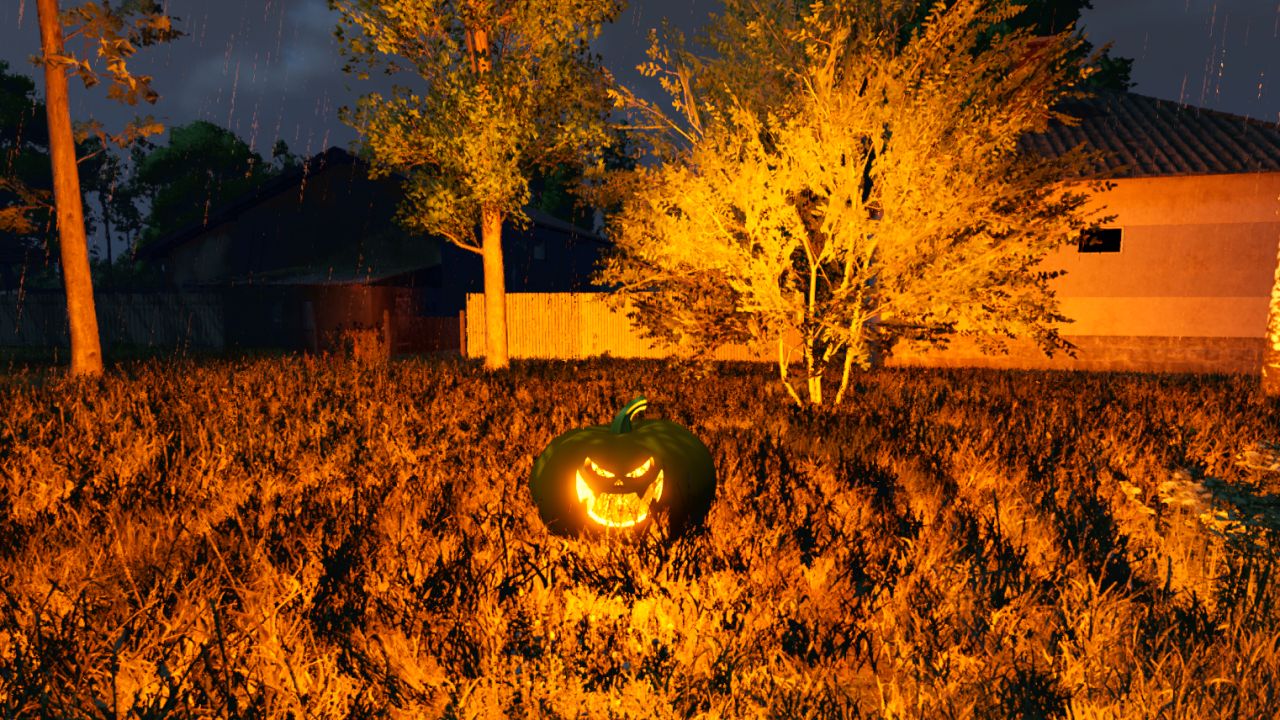
🎃 Halloween Pumpkin Hunt Mod for Farming Simulator 25 Get ready for a spooky farming experience! The Halloween Pumpkin Hunt mod automatically spawns 50 collectible Halloween pumpkins across any map the moment you load in. Explore every corner of the map, hunt down the hidden pumpkins on foot, and collect them using the interaction key (R). ✨ Key Features: Dynamic & Intelligent Spawning: Pumpkins are scattered randomly across open areas and paths upon map load, automatically avoiding all cultivated fields and obstacles so they never interfere with your farming operations. Collision & Safety Check: Uses advanced spatial filtering and raycasting to ensure pumpkins are placed cleanly on the ground without overlapping buildings, trees, or vehicle physics. Interactive Collection: Simply walk up to a pumpkin (within 1.5 meters) on foot, and the R key interaction prompt will appear. Custom Halloween Soundscape: Enjoy a unique, spooky custom sound effect (halloween.ogg) every time you pick up a pumpkin, completely replacing the default game sounds. Generous Rewards: Each pumpkin rewards your farm with 20,000 €, adding up to a grand total of 1,000,000 € if you manage to find all 50! Grand Finale & Surprise: When you collect the final (50th) pumpkin, a special victory sound (halloween2.ogg) plays, a celebratory message lights up your screen, and a special secret surprise awaits the player! Tip: It’s worth collecting the pumpkins in the evening, as that’s when you can see them best—they glow in an orange light. Full Savegame & Multiplayer Support: Fully synchronized for multiplayer servers and saved automatically in your savegame (halloweenPumpkins.xml), ensuring your collected progress is never lost.
IPad (Prefab) FS25
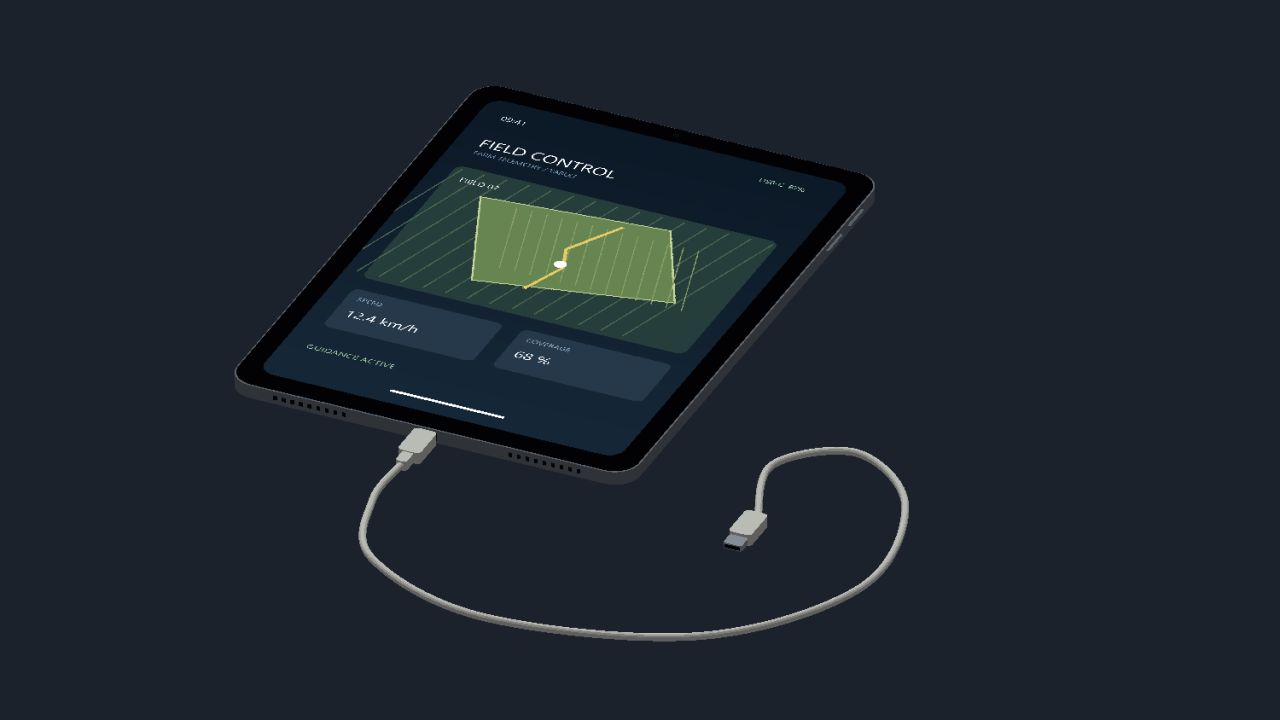
Here I’m making my iPad available to you, have fun with it The iPad is for you to install/build yourself, it is not a mod!!!

Real Tire Wear FS25
This mod adds significantly more realistic tire wear to Farming Simulator 25. Tires visibly wear down, and the wear is also visually represented on the tire itself. Each wheel is calculated separately and can wear at different rates. Tire wear depends on several factors: distance traveled wheel slippage load on the wheel speed surface driven on Tires can burst unexpectedly, which can cause tire damage during work. Tire changes are done axle by axle – for example, both tires on an axle are replaced together, not each tire individually. The mod includes a workshop function for changing tires. There is a specific sound for air loss/tire damage. The mod also supports tracked/crawler chassis. Also suitable for Hof Bergmann (visual tire wear is not possible on Farmer_Andy's railcar). -New tire service HUD -Translation fixed 1.7.0.0 : -Three wear zones: the inside, middle and outside wear down separately. (Road driving puts more strain on the center, field work and curves on the outer edges) -Three-zone wear for supported rubber tracks -New tire service menu: Tire passport: Individual tire ID, mileage, operating hours, road/field use, slippage distance, and repairs. Tire storage: Store removed tires and remount them later. Used tire trade: Buy, sell, or dispose of tires. Tire condition and history are retained during storage and exchange. Axle-wise tire change and a dedicated button for changing flat tires. Storage filters and alerts for unsuitable, damaged, or excessively worn tires.
- 15 per page
- 30 per page
- 45 per page
- 60 per page
-
See more per page
Bigger pages, fewer clicks - and no ads anywhere.
Go Pro