Farming Simulator 22 mods
50,366 results- 15 per page
- 30 per page
- 45 per page
- 60 per page
-
See more per page
Bigger pages, fewer clicks - and no ads anywhere.
Go Pro
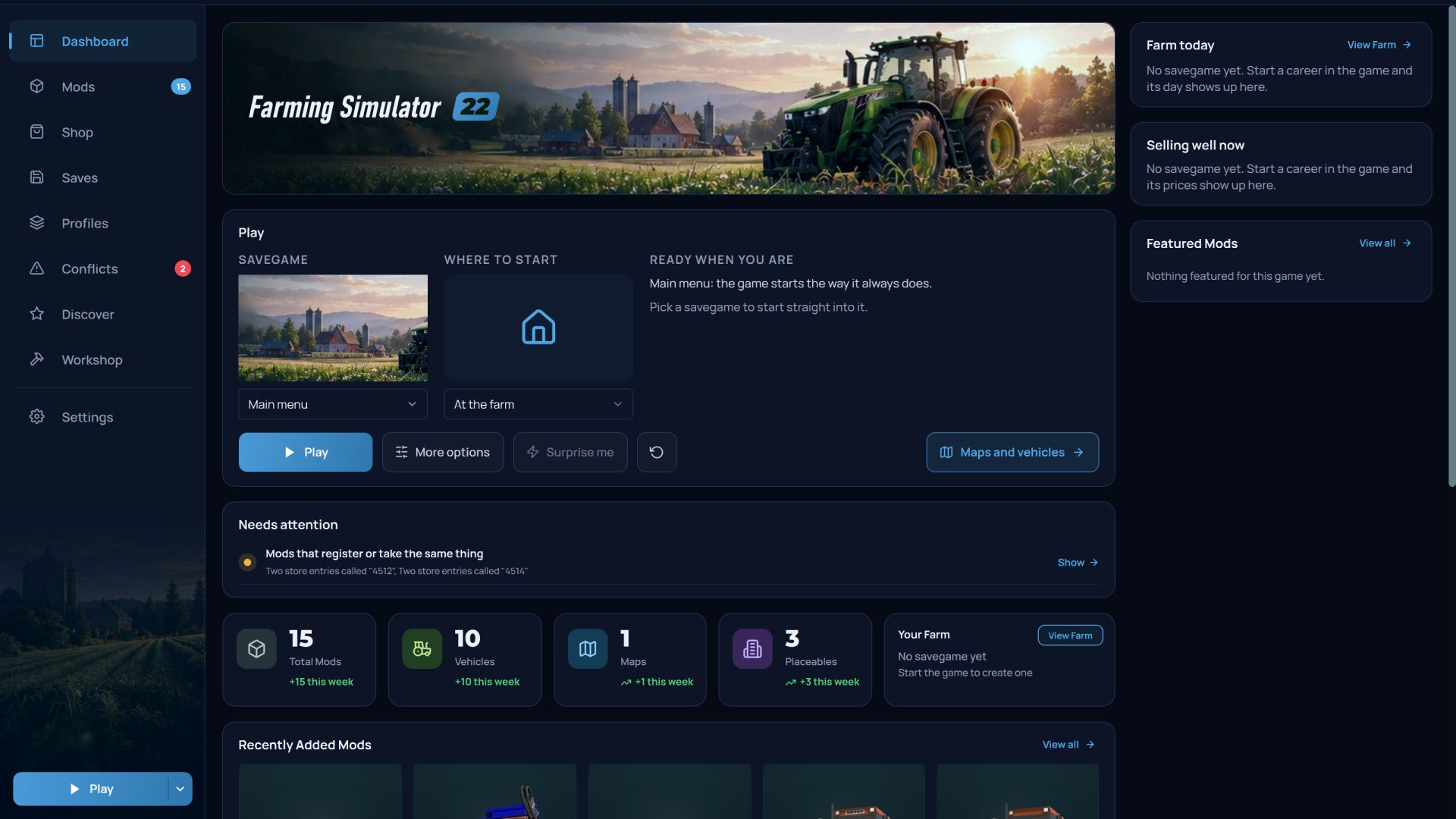
AVA Mod Manager FS22
Your farm, your mods and your savegames in one window, so you spend less time sorting folders and more time farming. 🗺️ See your farm on an interactive map Open any savegame and see your farm from above: fields with what’s growing on them, every vehicle you own with its load and wear, your buildings, bales, even the collectibles you haven’t found yet. Zoom in, search, click anything for details. 🚜 Start exactly where you want Pick a save, then choose where to begin: in the farmyard, behind the wheel of any of your vehicles, or on foot at any point on the map. One click, and the game loads right there. Not sure what to do today? “Surprise me” picks for you. 🌾 Your farm today The dashboard shows the day on your newest save: date, weather and forecast, active contracts, animals, what’s in storage, and which goods are worth holding until the price goes up. ✏️ Edit your career, safely Change money and loans, farm names, game rules, time and weather. In the vehicle editor you can repair, wash, refill or sell any machine. Everything is edited while the game is closed, and nothing is touched without a backup. 📦 Every mod, explained Each mod gets its own page with the full description, everything it adds to the shop (with pictures) and the keys it binds. Browse your whole modded shop sorted by price, power, working width or capacity, and look at any tractor or building in 3D. 🛡️ Problems caught before you press Play Missing mods for a save, mods that clash, broken archives, mods the game won’t load: all listed with a one-click fix. After a session, the game’s log is read for you and each error is pointed at the mod that caused it. 🎮 Profiles for every playstyle Keep a mod set for each map, for multiplayer with friends, or for testing, and switch between them in a click. 💾 Backups that have your back Back up your mods and savegames, and undo changes from restore points. Updated a mod and regret it? The previous version is still there. For mod makers: a release check that catches broken modDesc entries, missing files and XML errors, plus shop icons rendered straight from your 3D model. Also works with FS25, FS19, BeamNG.drive, Euro Truck Simulator 2, American Truck Simulator and The Sims 4.
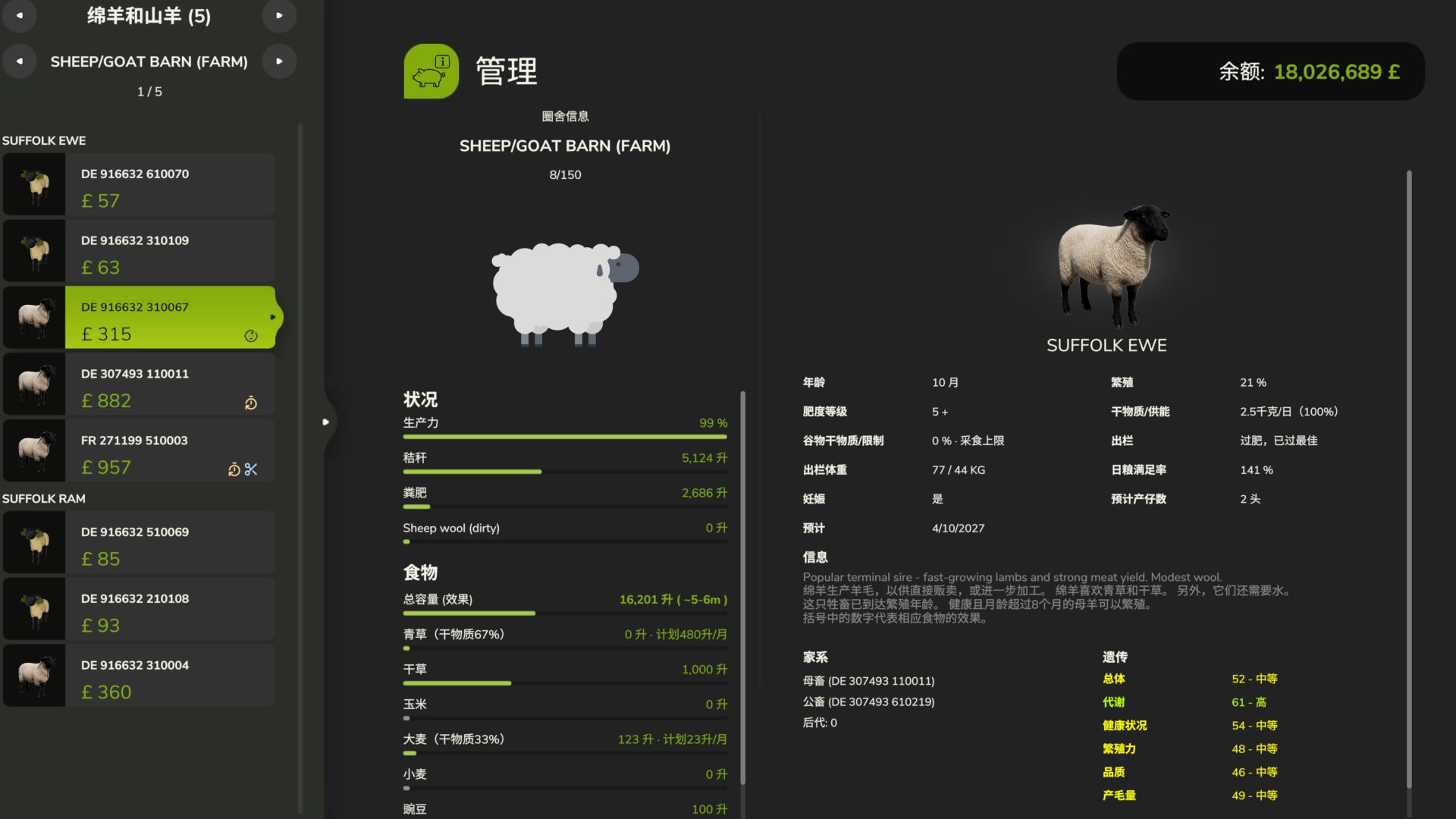
Realistic Livestock: Farm to Market FS25
A Realistic Livestock Production & Economy Expansion for Farming Simulator 25 Livestock farming is more than feeding animals, waiting for them to grow, and selling them. Realistic Livestock: Farm to Market aims to make animal husbandry a more complete farming experience, where genetics, breed characteristics, feeding strategies, growth, reproduction, processing costs, and market conditions all matter. https://github.com/xtcg/FS25_RealisticLivestockF2M - New saves default to Real-equivalent nutrition with pig and sheep v2 growth enabled. Cattle growth, body condition and calf rearing remain enabled. - Integrates sire semen collection, service fees, batch identity and pedigree, straw withdrawal and return, species-specific pricing, and monthly dealer purchase quotas. - Corrects the per-mille conversion in the conception age curve and performs one conception roll per insemination. Supports the FS25 1.25 Animals page, adds manual castration confirmation and the Chinese/English player guide, and fixes - the display of primary feed and grass with zero stock. - Retains menu button capacity, description and finance translation compatibility fixes. Informational startup popups are removed. - Standardizes the archive name as FS25_RealisticLivestockF2M.zip. Fixes hardcoded RM namespaces in dewars, insemination tools and pedigree lookup so runtime names follow the actual package name.
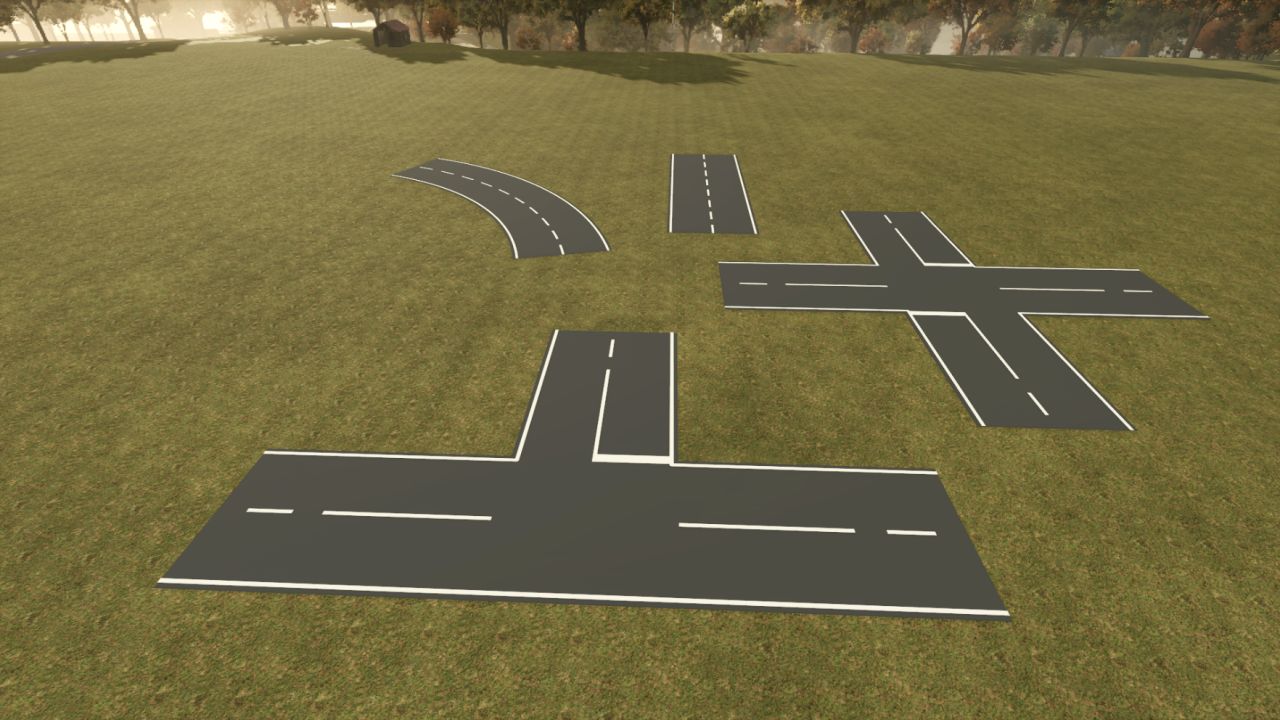
Road Painter FS25
With Road Painter for LS25, you can create your own roads directly in the game. Different surfaces, freely drawn routes and ready-made intersection templates allow you to customize your farm roads and connecting roads. Features and keyboard shortcuts • Alt + Insert – Open or close the drawing view. • F2 – Change surface: asphalt, French cobblestone, bone paving, three cobblestone variants and paving stones. • F3 – Select road width: 3, 4, 5, 6, 7 or 8 metres. • F4 – Adjust alignment: Rotate intersections in 15° increments or change the bend and curve side in curve mode. • F5 – Change construction template: road, T-junction or X-junction. • F6 – Turn placement assistance on or off: preview with guide lines and crosshairs. • F7 – Select straight or freehand: also ends curve mode. • F8 – Turn two-point curve mode on or off: click the starting point, select the bend with F4 and click the endpoint. • F9 – Turn the road tool on or off. • F10 – Undo: remove the last road from your own farm or discard a pending curve start. • Left mouse button – Build: hold, drag and release for freehand routes and straight roads. Place intersections with a click. Arrow keys – Move the camera: Hold Shift to move faster. Alternatively, move the mouse to the edge of the drawing area. Esc – Leave the drawing view. Notes: For LS25 on PC. I cannot say whether multiplayer works, as I only play single-player. Naysayers and know-it-alls, keep your hands off this MOD • Mouse wheel in curve mode: up = tighter radius, down = larger radius. Left Shift + mouse wheel activates fine adjustment – F4 switches the side of the curve (the first left-click sets the starting point, the second left-click creates the curve). • F11: Toggle markers for newly built roads on all surfaces. The selection is saved for each road. • New roads are automatically flattened into the terrain along a smoothed elevation profile. • 2 texture images adjusted
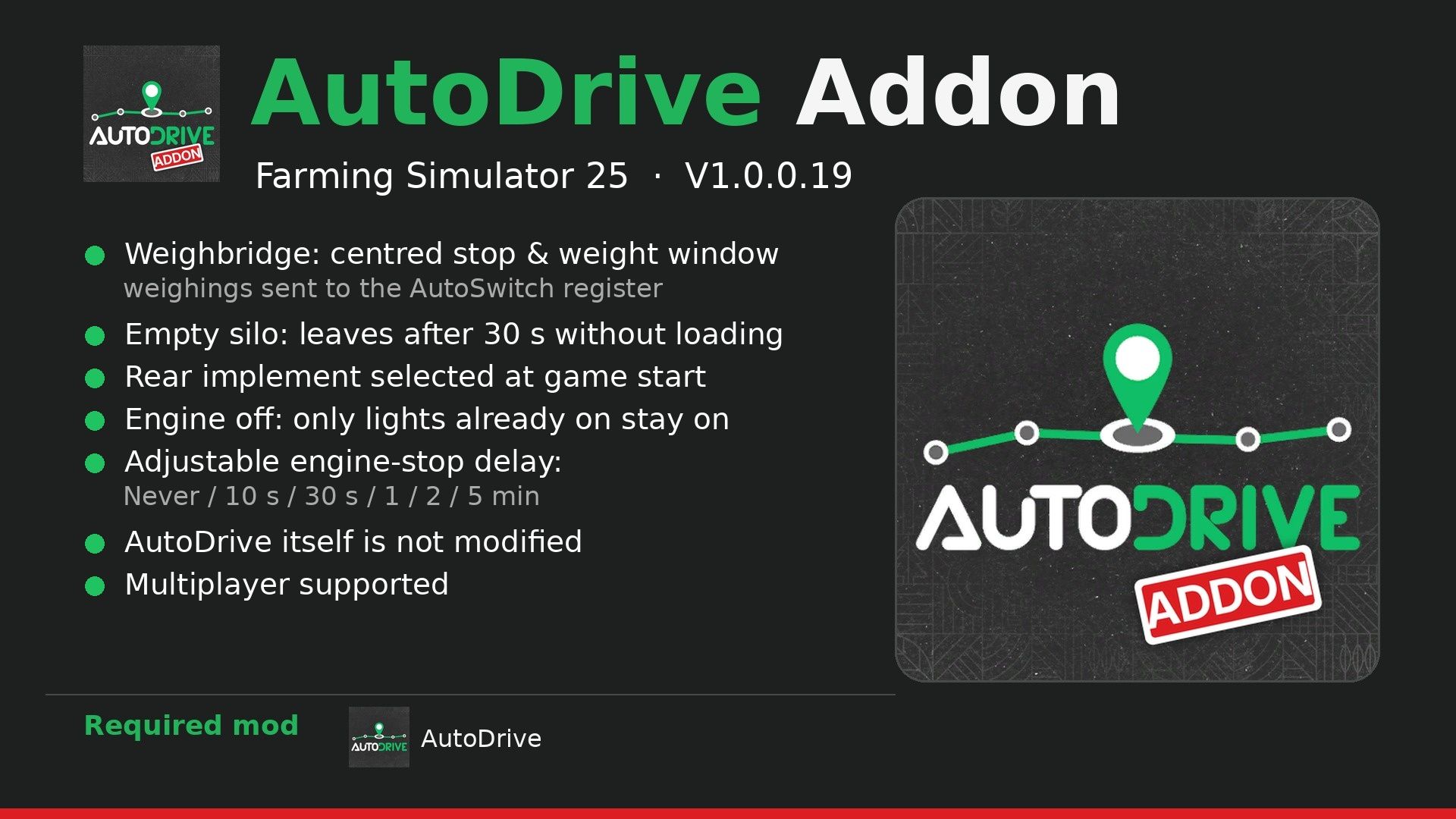
AutoDrive Addon FS25
Addon for AutoDrive: it changes some of AutoDrive's behaviors without modifying AutoDrive itself. Only AutoDrive is required. Features: - Weighbridge: when AutoDrive drives over a weighbridge, it centers all the wheels of the vehicle combination on it, stops for 5 seconds, and a small window displays the product, load, and total weight. This also works when you stop on it yourself (3 seconds). With AutoSwitch, each weighing is recorded in its log (Right Ctrl + R). - Empty silo: during loading, if the trailer already contains something and nothing more enters for 30 seconds, AutoDrive leaves with what it has. - Rear implement: when the game starts, each tractor selects the implement attached behind it. - Engine-off lights: when AutoDrive switches off the engine, the standard headlights remain on only if they were already on (during the day, everything stays off); work lights, high beams, beacons, and turn signals are switched off, and everything is restored when the engine restarts. - Engine shutdown: Settings > AutoDrive Addon, idle time before AutoDrive switches off the engine (Never, 10 sec, 30 sec, 1 min, 2 min, 5 min). Settings are saved in modSettings/FS25_AutoDriveAddon/settings.xml. Multiplayer supported. Required mod: AutoDrive. Optional (AutoSwitch) Discord: https://discord.gg/yrFBwCgtA7 V1.0.0.19 Weighbridge (centered stop, weighing window, AutoSwitch register), empty silo (restarts after 30 s without filling), rear implement selected when starting the game, lights with the engine switched off: the standard headlights remain on only if they were already on. Realistic Mechanical Systems is no longer required: only AutoDrive is required.
Realistic Storm System FS25
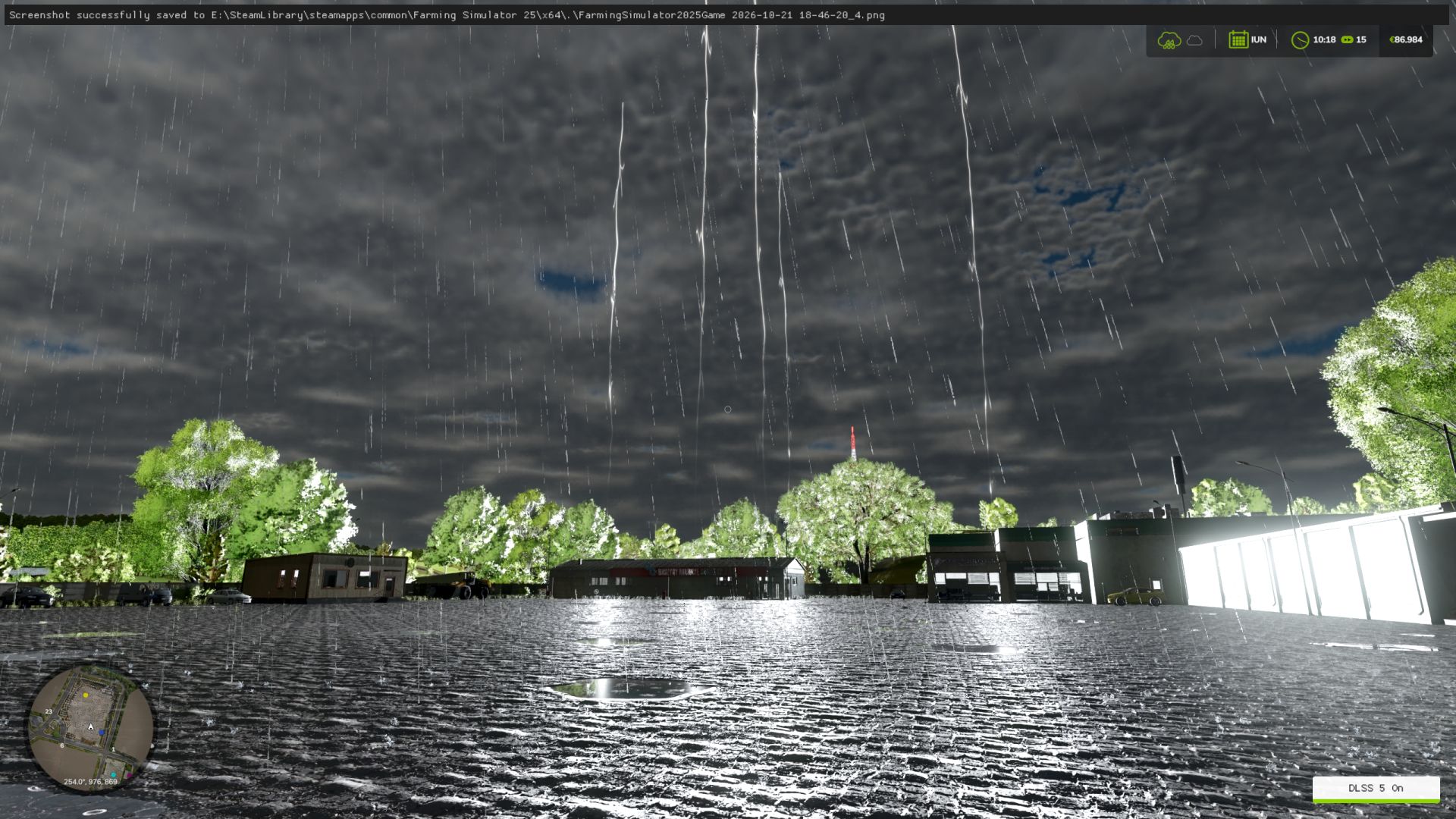
Bring more atmosphere and realism to thunderstorms in Farming Simulator 25 with the Realistic Storm System. This mod adds a dynamic lightning system designed to make storms feel more powerful, immersive and natural. Lightning strikes can appear across the map at different locations and are synchronized in multiplayer. FEATURES: • Dynamic lightning strikes during rainy weather • Realistic lightning clusters with 5–6 visible lightning bolts appearing simultaneously • Multiple flash sequences for a more natural lightning effect • Three different lightning visual effects • Large and highly visible lightning bolts • Ground impact effect when lightning reaches the terrain • Lightning can appear across the entire playable map • Lightning distance and position are randomized for a more natural storm experience • Realistic thunder delay based on the distance between the player and the lightning strike • Dynamic thunder volume depending on distance • Thunder can be heard from a long distance during strong storms • Multiplayer synchronization • Console command available for manually testing a lightning strike CONSOLE COMMAND: gsRealisticStormStrike This command manually generates a realistic lightning strike and can be used to test the lightning effects and thunder system. The lightning system is designed to work together with the game's rainy weather, creating a more immersive storm atmosphere without replacing the normal Farming Simulator weather system. Enjoy a more dramatic and atmospheric thunderstorm experience on your farm! What I’ve changed Bright white light: I reduced the color intensity and opted for a slightly cooler, more natural hue. Illumination range: reduced from 7,000 m to 2,500 m, to limit excessive lighting of the surroundings. The lightning bolts themselves: I kept the original appearance, textures, and animations.

FS25 Far Sight
FS25 Far Sight See what’s working in your fields from far away, day and night. In the base game, vehicles disappear at a fixed distance set inside each model (usually 300-500 m), no matter your graphics settings. At night it’s even worse: other vehicles only use a reduced set of lights, and their light on the ground fades out early. Far Sight fixes this for vehicles only: – Tractors, combines and implements stay visible up to 3x further (max 1500 m) – Headlights and beacons stay lit far away – Work and road lights light the ground up to 500 m – Vehicles with lights on use their full set of lights, like the one you drive (up to 300 m) Light on performance: – Only vehicles are changed, never the map – Small details (bolts, hoses) keep their normal distance – Indicators, reverse, plate and interior lights are not touched Controls: – Ctrl+Shift+V: switch on/off to compare – Ctrl+Shift+J: light report in log.txt (for bug reports) Settings: modSettings/FS25_FarSight.xml Visual only, works in single player and multiplayer.

FS25 Real Dirt Color v1.2.0.1
FS25 Real Dirt Color v1.2.0.1 Real Dirt Color changes all vehicles/tools dirt color to the surrounding enviroment. – 10 color variations including: Brown Dirt, Brown Mud, Red Dirt, Red Mud, Grass, Chaff, Manure, Slurry/Digestate, Lime, and Snow. – Slurry and Digestate covered fields will make the tires wet, this setting can be limited or disabled via xml settings file. – Uses a map’s default dirt color as the default color. (Useful for southern maps with red dirt). – Any map detected with a name set in the settings file’s “Red Dirt Maps” section will use both red dirt and mud colors. – Colors are blended back and forth using a variable speed. – 2 modes available via xml settings file: “Simple mode” and “Independent wheel mode”. – Tweakable color change speed. – See files in your game’s “modSettings folder” for modding options / information. – Real time snow melting detector changes the snow on your vehicles back to the normal dirt color. Change Log v1.0.4.0 Added support to check the parts of vehicles which will prevent errors if the game removes any during gameplay. Change Log v1.1.5.0 Bug fixes; updated the checks performed on vehicle parts. Change Log v1.2.0.0 Added wet tire feature for slurry/digestate. Slightly greener slurry/digestate color to better match the field’s sprayed color. Re-added old method for detecting Maps with Red dirt, both methods now work (method 2: custom map’s set default color). Fixed detection areas for vehicles with more than one wheel (duals, triples etc). New bug fixes for vehicle parts. Change Log v1.2.0.1 Fixed error in snowmelting script.

FS25 Realistic Crop Rotation v1.1.0.1
FS25 Realistic Crop Rotation v1.1.0.1 Make crop rotation matter. Every field remembers its last 4 rotation entries, whether crops or fallow years. Plan what returns, watch the disease risk, and protect a sensitive crop before an outbreak destroys part of it. PLANNING – A rotation calendar with a real repeating cycle of 2, 3 or 4 yearly slots, filled with crops or fallow, including the return from the last slot to the first – A planned fallow slot adds one full year of spacing before the next sensitive crop; it does not instantly clear the field or guarantee that every disease has disappeared – A clear rotation quality rating, tailored advice, and conflicts flagged before you sow – Diversity pays: rotate more crops, avoid repeating the same family, and alternate winter and spring sowings – Fields sharing a plan are grouped, with combined area, rotation quality and residue DISEASES Nine diseases affect specific crops: sclerotinia, phoma, take-all, septoria, rust, fusarium, late blight, beet cyst nematode and clubroot. How it works: – A first outbreak can happen even if the field has never been affected. Favourable weather raises the chance for weather-sensitive diseases. Rust and late blight never remain in the field after the crop. – After a real outbreak, sclerotinia, phoma, take-all, septoria, fusarium, beet cyst nematode or clubroot can remain in the field after harvest. The more advanced the outbreak, the greater the risk for a future sensitive crop. A crop that is never infected adds no new disease to the field. – This remaining risk falls once per calendar year. Beet cyst nematode and clubroot can become very weak, but they may remain in the field indefinitely. Spacing sensitive crops gives the risk time to fall. The planner warns when a crop returns too soon, and still checks crop-family diversity separately. The Disease Risk map highlights fields where the current crop is more likely to become infected; favourable weather can raise the chance further. An infection starts at a low attack level and progresses each day. It remains hidden until it begins to damage the crop; before then, only the Disease Risk map and preventive advice show that conditions are favourable. Once damage begins, the outbreak appears on the Infected Fields map, field card and on-foot HUD, and a notification is sent. TREATMENTS Fungicide AMISTAR (Syngenta) and nematicide VELUM PRIME (Bayer), sprayed with any compatible sprayer. Protection is measured from the share of the field you spray. Fungicide lowers the chance of an outbreak, slows an active disease and protects sprayed crop from destruction. A smaller outbreak leaves less disease behind for future crops, but spraying does not clean a field that is already affected. Nematicide protects sprayed crop from nematode damage but does not remove nematodes from the field. Neither product restores lost crop, so spray early. – Fungicide: used up on the ground you harvest or mow; harvesting ends the active outbreak, but disease may remain for future crops – Nematicide: protects sprayed ground for three months per field; spraying again renews protection without removing nematodes – No product works against take-all or clubroot. Only rotation keeps them down. NITROGEN RESIDUE A legume destroyed by tillage, not merely harvested, returns real nitrogen, split between the next crop and the one after. With Precision Farming it lands on the nitrogen map; without it the mod adds one fertilizer level. In kg N/ha, next crop then the one after: alfalfa 80 then 50, vetch-rye 60 then 20, clover 50 then 20, soybean 40 then 10, pea 40 then 10, green bean 20 then 5, peanut 20 then 0. Cover crops count as an estimated +25 in the planner. IN GAME – A dedicated “Crop Rotation” tab in the menu (ESC) – Three views on the map: infected fields, disease risk, treated ground – Treatment gauge: the share of the field sprayed, the disease status, and how long protection lasts – Field card: current crop, growth stage, required soil work, weeds, detected disease and its treatment, nitrogen, pH – On-foot HUD and a weather header so you can time your spraying CONSOLE COMMANDS (host or an admin client) – rcrDisease : prints active disease, remaining field risk and treatment – rcrDiseaseInfect : forces an infection – rcrDiseaseTick : runs one cycle, infection roll then progression – rcrDiseaseClear : clears active disease and any remaining field risk Valid values: SCLEROTINIA, PHOMA, TAKEALL, SEPTORIA, RUST, FUSARIUM, LATEBLIGHT, BCN, CLUBROOT Singleplayer and multiplayer, with or without Precision Farming. 27 languages. Issues & suggestions: https://github.com/Squallqt/FS25_RealisticCropRotation Changelog: 1.1.0.1: – Fixed disease damaging roads and other plants around an infected crop – Fixed disease destroying an entire crop on land without a defined field 1.1.0.0: – Added buckwheat, peanut, sesame and mint to crop rotation – Fixed long freezes and low frame rates in the crop rotation menu on some maps and savegames – Fixed advice text cut short in some languages – Fixed an unnecessary warning when loading a singleplayer game – Fixed the current-date marker in the crop rotation calendar – Fixed incorrect crop detection on fields with missing boundaries – Fixed fungicide and nematicide missing on large maps and long mod lists: the game’s limit of 255 fill types is raised to 511 1.0.0.0: – Initial release Please download this mod only from the official Farming Simulator ModHub and keep the original link. Reuploading, redistribution, modification or copying of this mod or any of its files, in whole or in part, is not permitted without the author’s written consent.

Zetor 69XX / 67XX V Beta
It includes the Zetor 69XX and Zetor 67XX series. Eventually, the Zetor 50XX, 60XX, 70XX, 56XX, and 57XX series will be added as well. The sounds are my own. I spent three months working on this mod, so I hope you enjoy it. Credits: kral zetor6911 5/5 - (2 votes) Download mod File File size FS22_Zetor_69XX 207 MB

UMZ-6 4×4 Turbo V1.0
The legendary YuMZ-6 tractor. The tractor’s base model was taken from a freely available source and further developed. Configurations: • Engine: standard YuMZ / Mercedes OM366. • Front axle: standard / from an MTZ tractor. • Additional lights on the cab. • Additional fenders with mudguards. • Exhaust pipe along the cab. • Side-mounted air filter along the cab. Note: • No further updates to the mod are planned. • We have no objections to anyone who wishes to modify or improve this mod. Enjoy the game! Credits: FOP MYKOKA Download mod File File size FS22_UMZ_6_FM 191 MB

John Deere 6030P Hungarian Edit V1.0.0.1
I will now release my edit of DinceV2 John Deere 6030 premium series. I have added row-crop tires, fire extinguishers, different license plate positions and fixed some small issus Motor Configuration (6534P 6530P 6630P 6830P 6930P) (With PowerQuad, AutoQuad, AutoQuad2, AutoPower and completely NEW CommandArm AutoPower Transmission) (Fully animated transmissions) Wheel brand Configuration (Trelleborg-Mitas-Continental-Michelin-BKT-Vredestein-Nokian) Wheels Configuration (Standard-Wide-Wide2-Wide+weights-Twin Back Wheels-Narrow-Narrow Twin Back Wheels-Narrow Twin Wheels) Front Attacher Configuration (Bracket-300kg-500kg-700kg-900kg-1000kg-1150kg-Front hydraulic) Cabine Worklights Configuration (Standard-Additional Front-Additional 2-Additional Front+Additional 2-Additional Front+Additonal Back-All) TLS and SCV Pairs Configuration (3 SCV Pairs-4 SCV Pairs-TLS+3 SCV Pairs-TLS+4 SCV Pairs) Bonnet Lights and Front Window Configuration (Standard-Premium Lights-Front Window-Premium Lights+Front Window) Fenders Configuration (No-Front-Front+Wide Back) Beacons and Mirrors Configuration (No-Left-Left+Electric Mirrors-Right-Right+Electric Mirrors-Both-Both+Electric Mirrors) StarFire Configuration (SF3000-SF6000-SF3000+Monitor-SF6000+Monitor) Doors and Cabine Controls Configuration (Standard-PTO Control-Premium Controlls-Panoramic+Standard-Panoramic+PTO Control-Panoramic+Premium Controlls) Roof Configuration (Standard-Standard openable-Panoramic-Panoramic openable) Front loader configuration (No-Yes-Yes+Tool Box-Yes+Shield-Yes+Tool Box+Shield) Base Material Configuration (John Deere Green Plastic-John Deere Green-Original Green Plastic-Original Green-) Design Material Configuration (John Deere Green Plastic-John Deere Green-Original Green Plastic-Original Green) Credits: EdvinFendt DinceV2 5/5 - (1 vote) Download mod File File size FS22_JohnDeere_6030_Premium_Hungary 70 MB
Selfmade Bumper 1900kg FS25
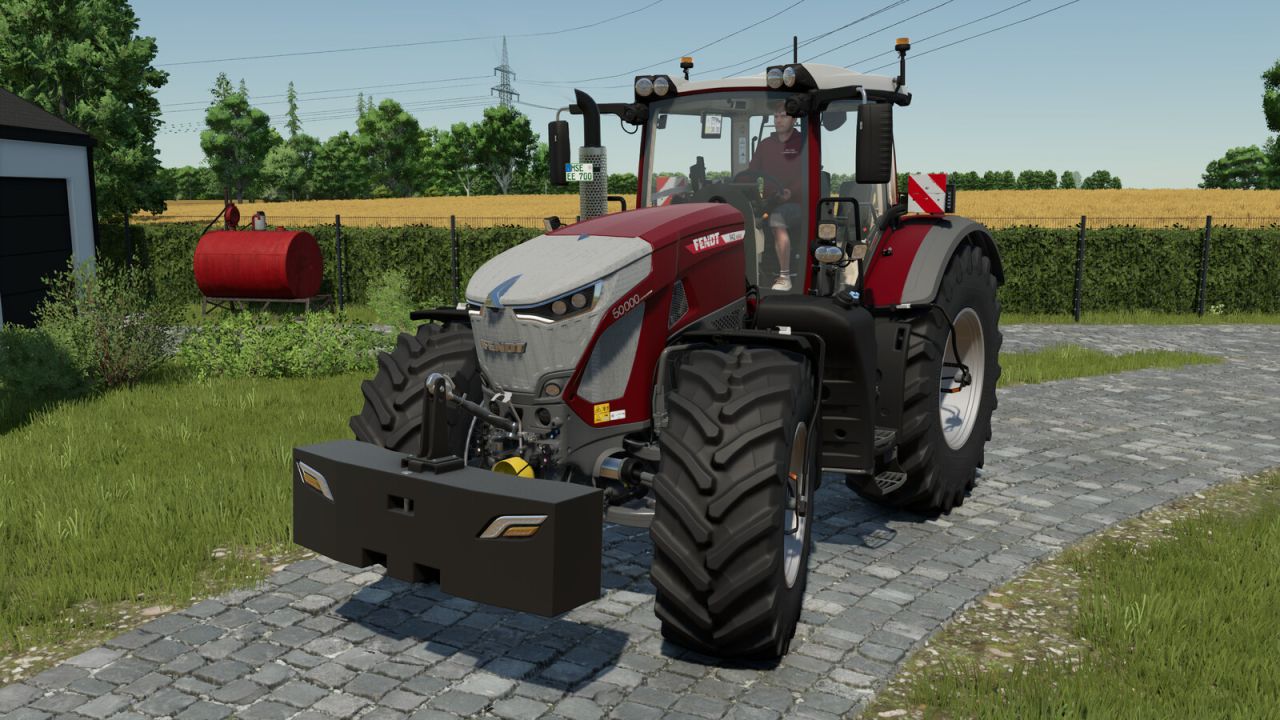
Selfmade Bumper 1900kg Heavy-duty, custom-built front weight weighing 1,900 kg. Ideal for heavy-duty work and provides additional stability for your tractor. -Price: 1800$ -Category: Miscellaneous / Weights -Weight: 1900kg Configurations: -Lights -> Choose between activating the Top or the Bottom Lights of your tractor. -Mouse Control -> Choose between a fixed position for the weight or mouse control. -Rope -Main color -Rope color
Work Speed Booster FS25
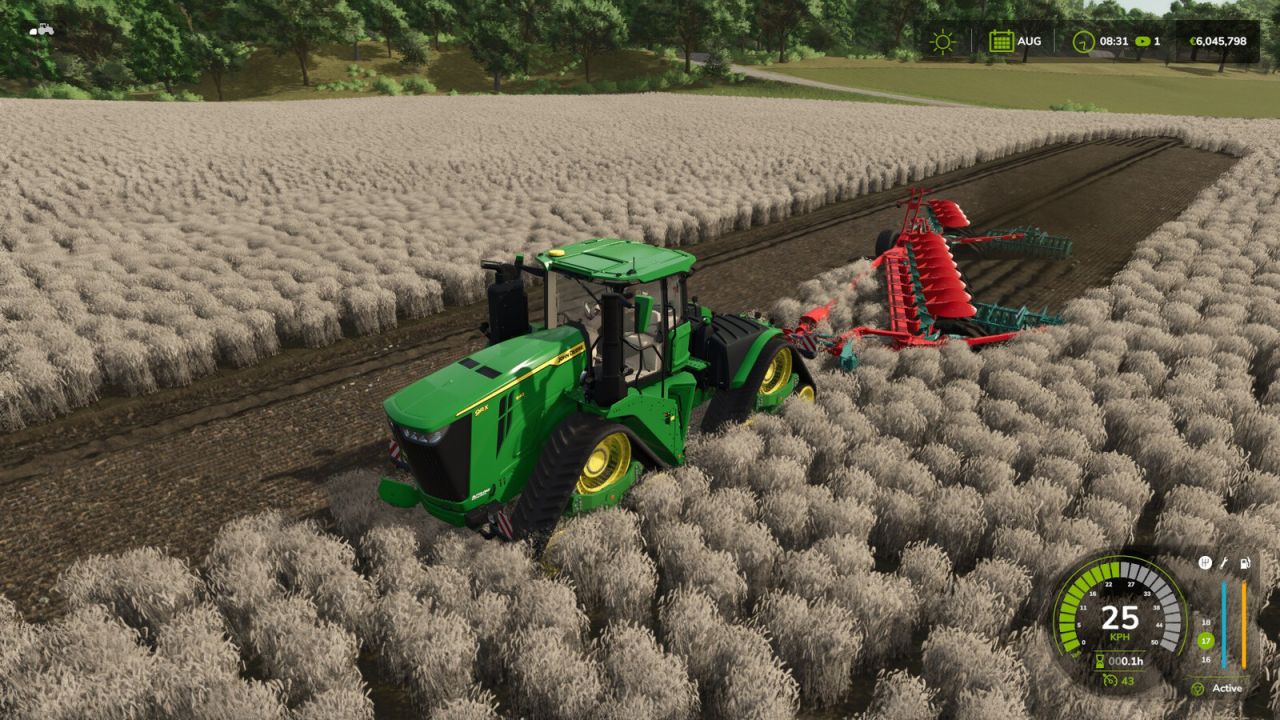
Work Speed Booster lets you select a rounded maximum working speed for compatible agricultural equipment, up to 25 km/h. Attach a genuine field-work implement and press Left Alt + L to cycle through the useful values above its original limit and OFF. The selection is stored with the vehicle and is available during manual work and with compatible AI helpers. Only the permitted working-speed limit is affected. Transport speed, engine power, vehicle physics and cruise control remain untouched. Actual speed may be lower during acceleration, turns, slopes or other operating conditions. Transport trailers and cargo bodies do not activate the control. Default control: Left Alt + L: select maximum working speed. Multiplayer supported.
Capacity Upgrade FS25
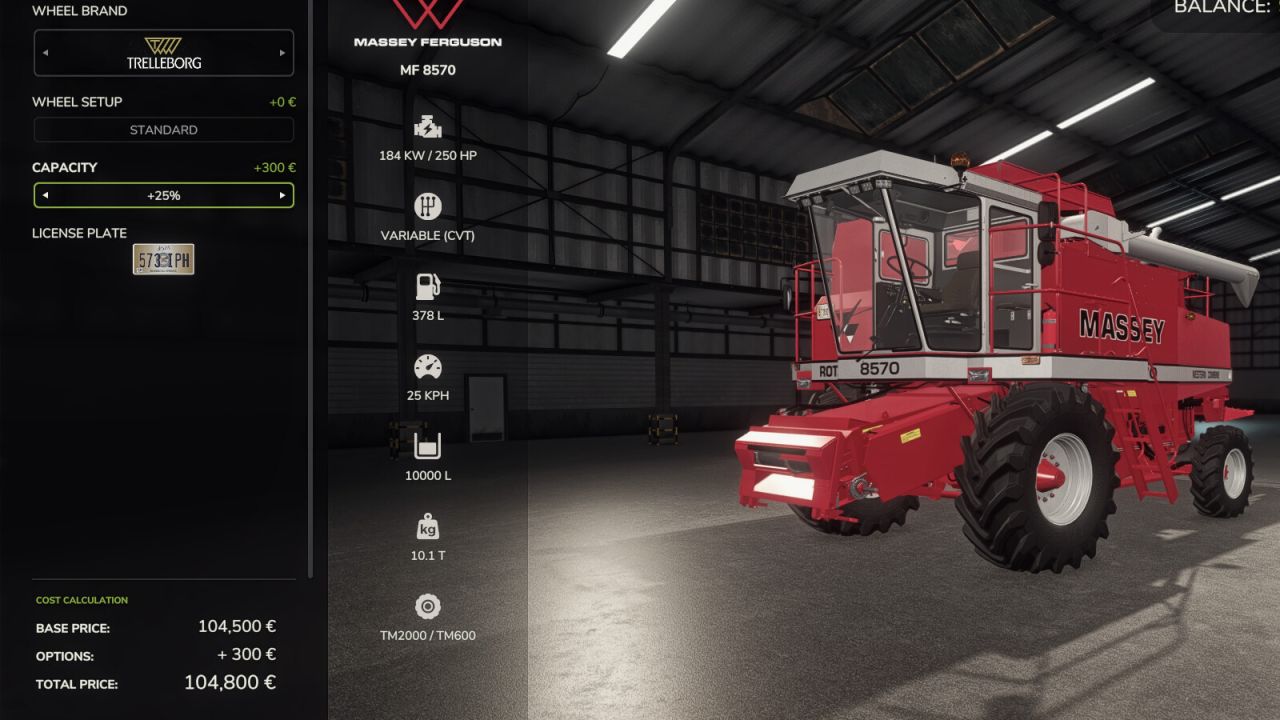
Adds a "Capacity" configuration row to every vehicle that carries something worth carrying. Pick it when you buy the machine, or change it later in the workshop. No duplicate machines in the shop, and it works on mod vehicles too. Seven levels: Stock / +25% / +50% / +100% / +150% / +200% / +500%. Each level costs a share of the vehicle's own price, so taking it to the top adds only 4% of the sticker price. Only the capacity that matters is changed. Which tanks those are is not a guess: the game already decides it for the shop, and the mod uses the same list. Crop tanks, seed hoppers, sprayer and slurry tanks, mixer drums and auger wagons are upgraded; diesel, DEF and air tanks are never touched. Tractors therefore have no row at all, and neither do balers. The load's weight grows exactly as it always did up to the original capacity, then stops. A half-full trailer feels like a half-full trailer, a machine loaded past its stock capacity never gets heavier - so an upgraded vehicle stays driveable instead of dragging fifty tonnes around, without losing the difference between empty and full. Goods bought full count too: seed, fertiliser, lime and animal feed big bags, liquid fertiliser and herbicide IBCs, mineral feed, silage additive, liquid seed treatment, and seed potato, sugar cane, poplar, tree sapling and rice sapling pallets. A pack can be bought at any level, priced by its contents (six times the fertiliser costs six times the big bag), and arrives full. A tree planter - which carries none of its own and feeds straight from the pallet it holds - goes far further on one load, and the rice planter's seedling trays grow as well. Because this is a real configuration, the shop and workshop prices, the savegame and multiplayer sync are all handled by the game itself.
Horsch Suitcase Weight FS25
Horsch Suitcase Weight Base Weight: 450 kg Additional Weights: 300 kg, 500 kg, 700 kg, 900 kg, 1100 kg, 1300 kg Total Weight: 450 kg - 1750 kg Base Price: $1,650 Configurations: - Base Color configuration ($150) - Suitcase Color configuration ($250) - Additional Weights $1100 - $4700 - Tow Bar configuration Scharmueller K80 ($500) - Fixed an issue with the hitch for drawbar trailers - Fixed texture issues and replaced the specular map
- 15 per page
- 30 per page
- 45 per page
- 60 per page
-
See more per page
Bigger pages, fewer clicks - and no ads anywhere.
Go Pro