Farming Simulator 22 mods
50,366 results- 15 per page
- 30 per page
- 45 per page
- 60 per page
-
See more per page
Bigger pages, fewer clicks - and no ads anywhere.
Go Pro
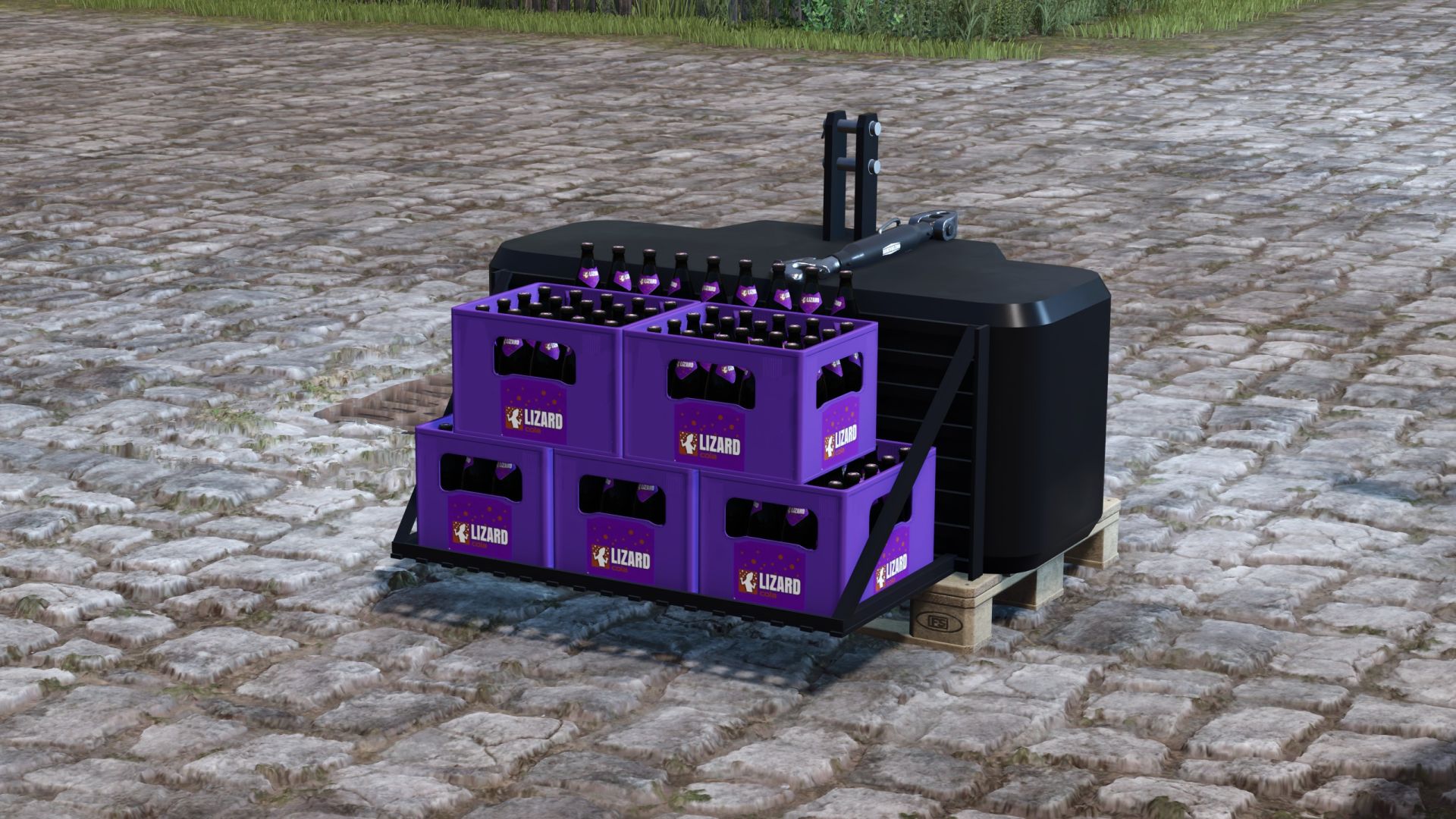
Lizard 1050 kg - front and rear weight FS25
Lizard 1050 KG front and rear weight Shop information: Shop category: Weights Price: 850€ Capacity: 1000 L Stones Mass: 1050 KG Configurations: - Additional lights - Front attachments - Main color (weight) - Design color (stone basket, if configured) The configurable stone basket can be filled with stones. ========================================================= CAUTION! If the basket is filled with stones, the tractor will be harder to drive, as stones are heavy.:D ========================================================= Other: - The weight is completely based on FS25 standards. ie: material system + raindrops + color choice. - It is based on the Suer 1000 KG from the Ls19 (Giants Standard!) model but was partly rebuilt - New Vmask for the full weight + stone basket - Weight model rebuilt -> more curves = more polygons ^^ - Weight material adjusted (now always fits) - Tow hitch has a different material than the rest - Configurable lights now finally work when you turn on the front work light. Version 1.1.1.0 - DescVersion to 104 (Patch 1.14 is required!) - Weight shines more Version 1.0.0.1 Hotfix: Palette should no longer glitch
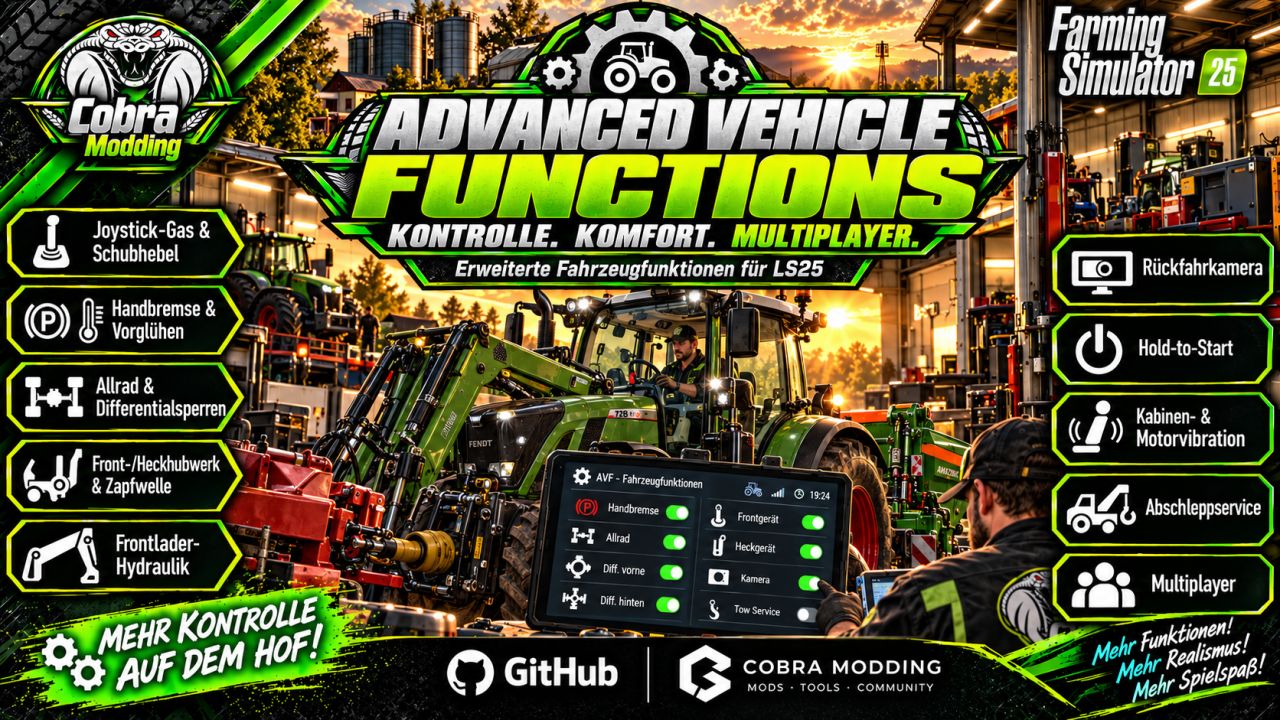
Advanced Vehicle Functions FS25
Advanced Vehicle Functions Note: Four-wheel drive and differentials must be purchased separately in the shop for each desired vehicle. Important: The key bindings must be configured; nothing has been preset. Analog joystick control for throttle and brake Switchable analog drive lever Glow plug system for cold engines Display of engine speed and engine temperature in the HUD Functional handbrake Sounds when applying and releasing the handbrake Sounds from the four-wheel drive and differentials Selectable four-wheel drive Separate differential locks for the front and rear axles Four-wheel drive and differential can be purchased in the shop. Realistic compressed-air braking system for vehicles Simulated air pressure from 0 to 10 bar Speed-dependent compressor output Air consumption when braking and using the handbrake Air consumption when connecting a compressed-air trailer The handbrake cannot be released if the air pressure is too low. Reduced braking performance at low tire pressure Load-dependent vehicle center of gravity Dynamic load shifting in curves and on slopes Increased risk of tipping due to loaded trailers and raised implements Increased pushing force from heavy trailers on downhill sections Load loss with covers open and at higher driving speeds (minor) Detection of rollovers and vehicle accidents Spillage or loss of bulk material after an accident (must be loaded with a front loader) Towing service for damaged vehicles Towing costs are calculated based on the distance to the repair shop. Joint lifting and lowering of front-mounted implements Joint lifting and lowering of rear-mounted implements Simultaneous lifting and lowering of all attached implements Separate activation and deactivation of front and rear implements Simultaneous activation and deactivation of all implements Separate folding and unfolding of front and rear implements Simultaneous folding and unfolding of all implements The camera automatically rotates in the interior view when reverse gear is engaged. This can be disabled in the general settings. The helper automatically applies the handbrake in helper mode. Automatic drivetrain (intelligent automatic control of four-wheel drive and differential). The four-wheel drive has 2 systems and can be engaged at any time. The slight vibration of the interior camera is intended to simulate the running engine. The front loader can be raised and lowered faster at idle by increasing the throttle (engine speed). When starting the engine, the key or button (ignition switch) must be held down for 0.8 seconds; otherwise, the vehicle will not start (this is intended to simulate a real ignition switch). -Two-wheel drive corrected: combine harvesters at the front, tractors at the rear. -Negative torque distribution and center differential lock removed for two-wheel operation. Added DieselExhaust.lua Fixed air pressure consumption when the handbrake is engaged Manual all-wheel drive is automatically deactivated from 20 km/h Automatic all-wheel drive (from 40 km/h) is only activated when braking above 40 km/h

Employees FS25
The "Employees" mod expands the game with a comprehensive personnel system. Employees can be hired, assigned to different work areas, and developed through training. They also take care of tasks such as animal husbandry and machine maintenance. Contract types, salaries, illnesses, retirement, and temporary workers ensure more realistic personnel planning. - Employee Management: Up to 10 fixed employee profiles with their own name, age, and assigned AI helper. - Four contract types: Casual for €600/month and 40 in-game hours, part-time for €1,600/month and 80 hours, full-time for €3,200/month and 160 hours, and temporary workers for €120 per assignment. - Temporary Workers: Available for 8 in-game hours from the time of request and then automatically leave the farm. They receive no further training and work at full performance level. - Job Categories: Each employee can be assigned fieldwork, transport, animal husbandry, or machinery operation. New employees start with "Unassigned." - AI Helper Linking: Fieldwork is only assigned to employees with fieldwork skills; GoTo, Delivery, Conveyor Belt, and Transport jobs require Transport. - Employee Selection in Single Player: When starting a suitable AI job, a selection of available employees appears. - Automatic Selection in Multiplayer: A suitable employee is automatically selected. The employee with the lowest percentage of their allocated hours is given priority. - Real employee names: Instead of "AI Helper A/B/C…", the employee's name is displayed for managed jobs. - Working hours: Regular employees use up their monthly hour allowance while performing AI tasks. Once this allowance is exhausted, the job is terminated. - Monthly salaries: Salaries are deducted at the end of the month; at the same time, the hour allowance of regular employees is reset. - Terminations: An employee can be terminated. Termination occurs after three month-ends; the termination can be withdrawn beforehand. - Aging: Employees age over the course of the game. - Retirement: Employees retire at age 65. A warning is issued three months in advance. The vacated position can then be rehired with the employee's original starting age. - Illnesses: Regular employees have a 3% monthly chance of becoming ill. - Four illnesses: colds, gastroenteritis, flu, and back problems with varying recovery times. - Recovery in game time: Illness expires after in-game hours. Sick employees cannot be deployed or trained; ongoing work and maintenance are terminated. - Training: Fieldwork, transport, animal husbandry, and machine technology each have 3 levels. - Training costs: Level 1 costs €750, Level 2 €1,500, Level 3 €2,250. - Training duration: The three levels take 2, 5, and 8 in-game hours, respectively. - Performance levels: Without training, a normal employee works at 25%, then at 50%, 75%, and 100%. - Fieldwork and Transport: The training level affects the actual AI driving speed and the vehicle's speed limit. - Animal Husbandry and Machinery: Higher training reduces the required working time. - Automatic Animal Checks: An animal caretaker automatically checks the herds at 8:00 AM and 5:00 PM. - Occupied Sheds Only: Empty barns and pastures are skipped. - 20% Threshold: Feed, water, and bedding are only replenished when the respective stock level falls below 20%. - 95% Target: The animal caretaker then attempts to raise the stock level to 95%. - Fair Feed Distribution: If there isn't enough feed available, herds in need are considered together, instead of the first barn found receiving all the feed. - Feed from Farm Stores: The mod searches for usable feed in various locations, including regular silos, silo extensions, bale storage, pallet storage, big bags, and object storage facilities. - Hof Bergmann Support: The storage logic takes into account the special Hof Bergmann pallets and ObjectStorages. - Pet Food: Special fill types such as dog/cat food can also be accommodated. - Water: The animal caretaker fills suitable water troughs directly and free of charge; no water is taken from a farm storage area. - Bedding: The mod recognizes both straw and wood shavings, depending on what the respective barn actually supports. - Wood Shavings on Hof Bergmann: Even stored wood shavings pallets in the ObjectStorage can be recognized as stock and removed. - Stock Protection: If feed or bedding is not accepted by the barn, the mod attempts to return the reserved stock instead of simply making it disappear. - Manure: Existing manure is moved to the nearest accessible manure slab on the farm. - Farm Separation: The automatic supply only accesses stocks and holdings to which the respective farm has access. - Mechanical Technician: Works automatically between 8:00 AM and 5:00 PM. - Repair Threshold: Vehicles are selected for maintenance when they reach approximately 20% damage. - Vehicle Selection: Preference is given to a damaged vehicle belonging to the operator that is not currently being driven, is not in motion, and is not performing an active AI job. - Maintenance Duration: This depends on the Mechanical Technician's training level and only continues during working hours from 8:00 AM to 5:00 PM. - Vehicle Lockout During Maintenance: The vehicle cannot be entered, tabbed through, used, or normally attached during maintenance. - Repair Display: The remaining repair time is displayed in the vehicle information. - Repair costs: Before and upon completion, the system checks whether the farm can afford the repair. - Staff overview: The employee menu displays employees by contract type and job description, as well as status, age, available hours, and other contract information. - Status indicators: These include "Available," "On Duty," "Training," "Sick," "Hours quota reached," "Maintenance task," and "Assign job description." - Multiplayer: The actual employee logic runs server-side. - Multiplayer synchronization: Employees, contracts, working hours, age, roles, training, illnesses, active AI jobs, and maintenance are transferred to the clients. - Farm security in multiplayer: A client may only perform administrative actions for employees on their own farm. - Synchronized actions: Hiring, changing job descriptions, starting training, resigning, and retracting resignations are sent to the server. - Multiple farms: Animal care and machinery maintenance are managed separately for each farm in multiplayer. - Savegame support: Employees, development, illnesses, training, maintenance, and animal check times are saved in a separate employees.xml file. Repair start adjustable in the general game settings (10–90%) Courseplay did not include the staff quota in its calculations. 2.4.0.0 : Dedicated server storage fixed Employee quota linked to days per month (thanks smartys 1809, I hope I can accommodate you a little with the update) Starting salary added: Employees without further training now receive lower pay; this increases again with each training course. Reduced training costs: Employees receive a higher salary after successful further training. Don't be surprised that the moderator's statistics, for example, show a quota of 5.71 hours for 1 day per month for full-time work. This is due to the "day per month" conversion. With 28 days per month, it would show 160 hours. I've left it like this for clarity. 2.3.0.0 : Added vehicle assignment for employees (thanks Creck) 2.2.0.0 : Compatible with AutoDrive version 3.0.1.4 No changes to the RC version The field worker now drives to the field and starts his work. (Previously, this was only possible with a transport employee.) Here's how to activate the system: You get into a vehicle with an attachment While seated in the vehicle, press H for Helper (this opens the Giants job window). There you select a field on the map (don't even think about sending the helper somewhere else, that won't work) Select a helper from the Employees Mod (and he should drive off) The vehicle must not be parked inside a building or anything like that; it must be parked outdoors. I have no idea why the Giants helper can't find his way inside a building. -The training course only starts the next day at 8 a.m. -The employee can continue working until then. -The ongoing work will be interrupted at the start of the training course. -Training hours are from 8 a.m. to 5 p.m. (no longer at night) 1.9.0.0 Small fix for the farm miner: -The zookeeper automatically lets the chickens, ducks and geese out of the barn at 8 a.m. and locks them back in at 5 p.m. 1.8.0.0: -Seasonal workers added (thanks @Lenni-zockt) -Seasonal workers were added in version 1.8.0.0. They can be hired in March and must be employed until the end of October. -Seasonal workers receive €200 less per month, but they also only work at 80% speed. 1.7.0.0: -Employees can be transferred to another job (thanks Dvexx) -from casual to part-time and to full-time -from part-time to full-time -Please note: Switching from full-time to part-time or casual employment is not possible. The employee must be given notice of termination beforehand. - Spanish translation added (thanks, Merlu7) - Remaining translation entries from the script added to the translation files (thanks, Merlu7) Attention: All AutoDrive users (version 3.0.1.3.RC) must download the FS25_EmployeesRC.zip file; otherwise, it will not work. - English translation fixed (thx @Sauge) - French translation added - AutodriveFix.lua inserted Version 1.4.0.0 CourseplayFix.lua added Change only to the driver's appearance. No change to Courseplay logic Version 1.3.0.0 English language added
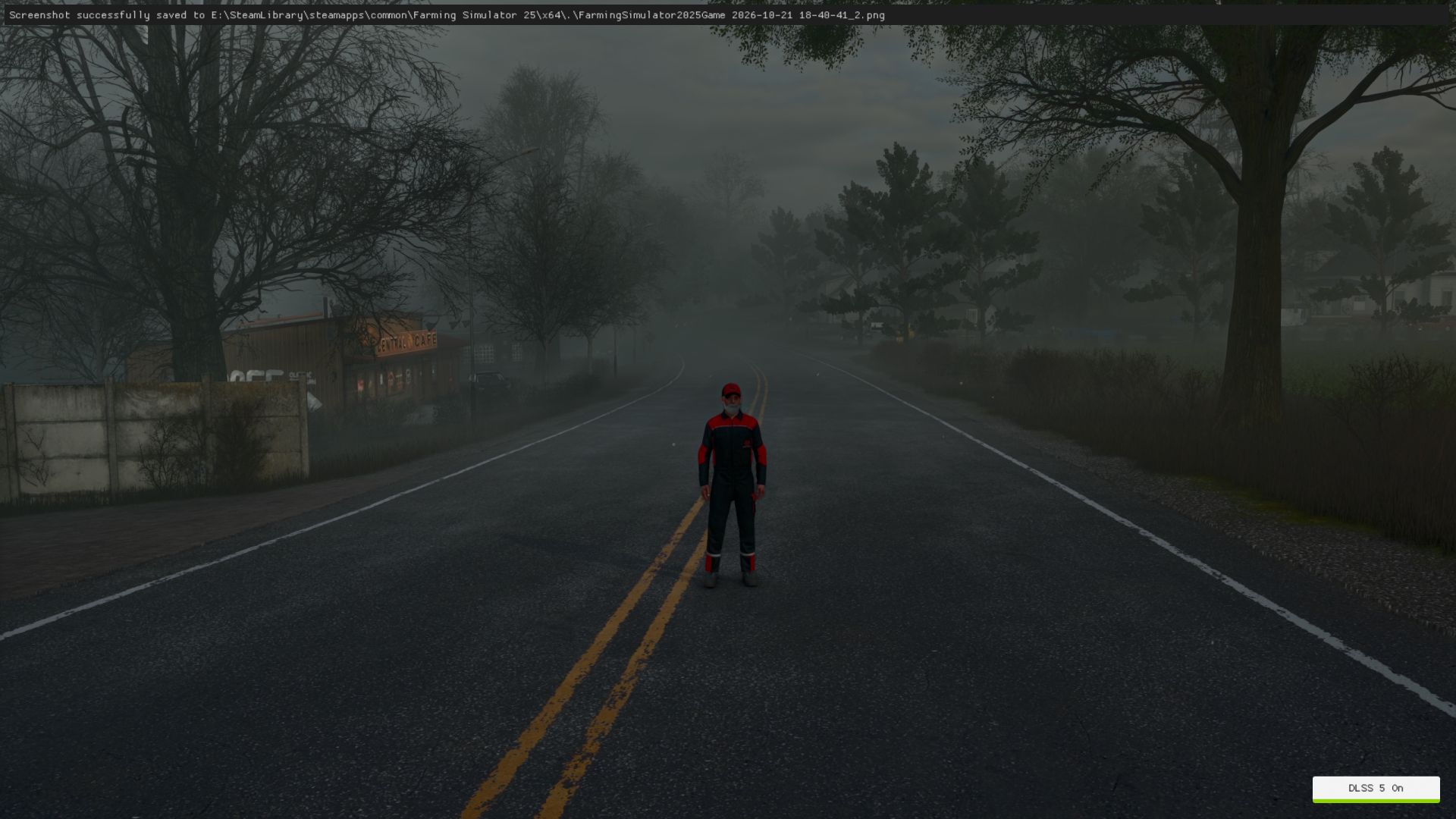
Realistic Weather FS25
Realistic Weather enhances the atmospheric experience in Farming Simulator 25 by introducing additional weather effects and customizable settings, creating a more immersive and natural farming environment. Experience a more dynamic atmosphere with improved fog effects, snow-related visual enhancements, and greater control over the weather experience. Main Features: - Realistic Fog Effects: Enhances the atmosphere with more natural and immersive fog effects. - Snow Effects: Provides additional snow-related visual effects for a more realistic winter atmosphere. - Customizable Weather Settings: Easily enable or disable the mod, fog effects, and snow effects directly from the in-game settings menu. - Individual Player Settings: In multiplayer, each player can customize their own visual weather preferences without changing those of other players. - Multiplayer Support: Designed for both single-player and multiplayer gameplay, including dedicated servers. - Immersive Atmosphere: Adds visual variety to different weather conditions, making the farming environment feel more natural. Available Settings: 1. Enable / Disable Realistic Weather 2. Enable / Disable Fog Effects 3. Enable / Disable Snow Effects Multiplayer Information: Each player can independently customize the available visual effects. Disabling fog or snow-related visual enhancements locally does not change other players' preferences. The game's shared weather simulation and snow accumulation remain controlled by the server. Compatibility: - Farming Simulator 25 - Single Player - Multiplayer - Dedicated Servers Created by Barba Albă
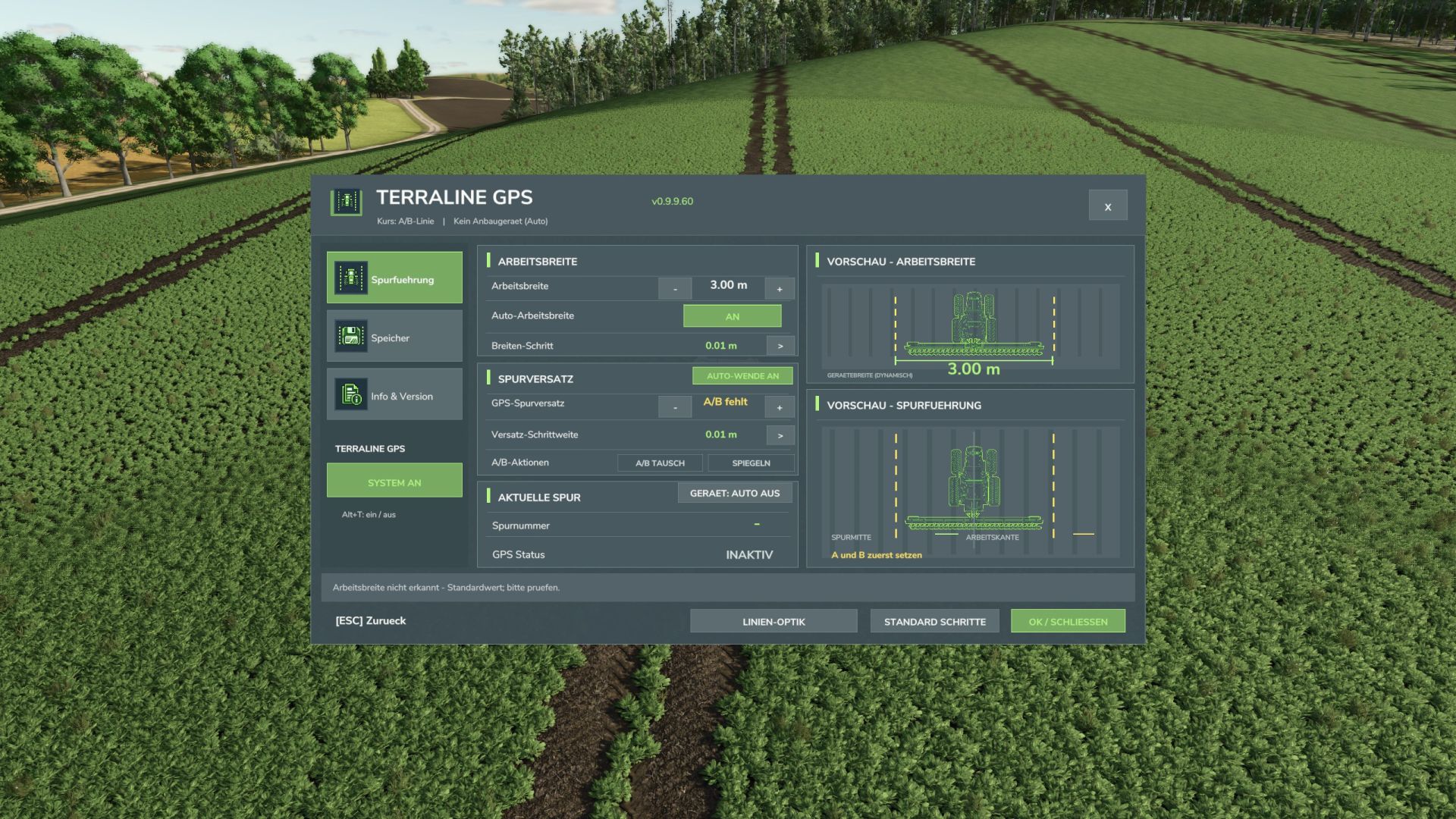
TerraLine GPS FS25
TerraLine GPS is an independently developed GPS guidance system for Farming Simulator 25. With TerraLine GPS, you can create, save, and reuse precise A/B tracks at any time. The integrated automatic steering assist guides your tractor, enabling consistent and efficient work in the field. We placed particular emphasis on ease of use, a clear menu, and integration into the original LS25 interface. Functions GPS lane guidance: Set A/B reference points and create parallel lanes. Automatic steering: GPS steering assistance for straight lanes up to 30 km/h. GPS course management: Create, name, save, load, and delete your own courses. Shared farm courses: GPS courses are stored on a farm-specific basis and can be used and managed by all members of the same farm. Working width: Automatic detection of the working width of the attached device, as well as manual adjustment. Lane offset: Precisely shift GPS lanes and adjust the offset. Lane direction: Rotate lanes by 90° or enter a desired angle. Device offset: Functions for considering and diagnosing device offsets. Custom display: Adjust the color and appearance of the GPS guidance lines. Custom settings menu: Clear user interface in LS25 style. GPS status display: Compact display directly next to the original LS25 speedometer. GPS equipment for vehicles TerraLine GPS is integrated directly into the original vehicle configuration. When purchasing a suitable tractor, two options are available: Without TerraLine GPS: €0 surcharge With TerraLine GPS: €10,000 surcharge Vehicles already purchased can be retrofitted via the original LS25 workshop. The GPS equipment is stored on a vehicle-specific basis and is retained after a restart. Multiplayer TerraLine GPS supports server-side storage of shared GPS courses per farm. The current version has been successfully tested with a client on a dedicated server. Vehicle equipment, GPS steering, and the saving and loading of courses were tested in-game. Important: Simultaneous operation with multiple players and vehicles, as well as self-hosted multiplayer games, have not yet been fully tested. TerraLine GPS – Update v0.9.11.0 -Improved automatic lane detection: The tractor now steers proactively from the yellow boundary line to the GPS center line. Successfully tested in single-player mode at speeds of up to approximately 29.4 km/h. -The original FS25 GPS sounds are integrated when activating and deactivating GPS steering. -Improved lane tracking followed by precise GPS line keeping. -Also included are savable farm courses, fine adjustment of the course angle, lane shifting and the GPS status display on the speedometer. -The existing safety shut-offs remain active.
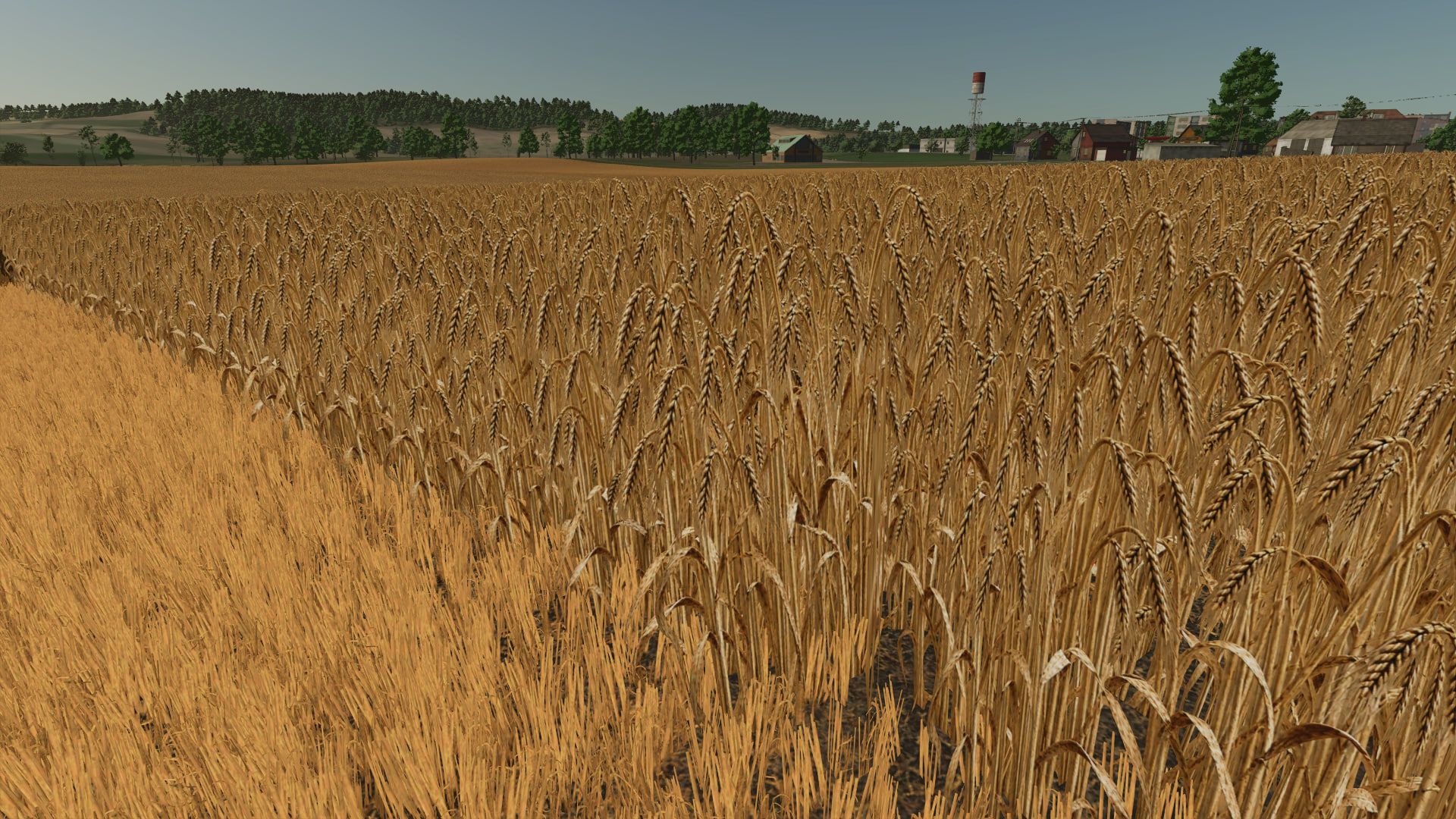
Realistic barley texture FS25
The barley texture in the game is far from realistic. So I decided to fix it by making the texture of ripe barley more realistic and adding tire tracks to the texture of cut barley.
Farm radios & Proxy chat FS25
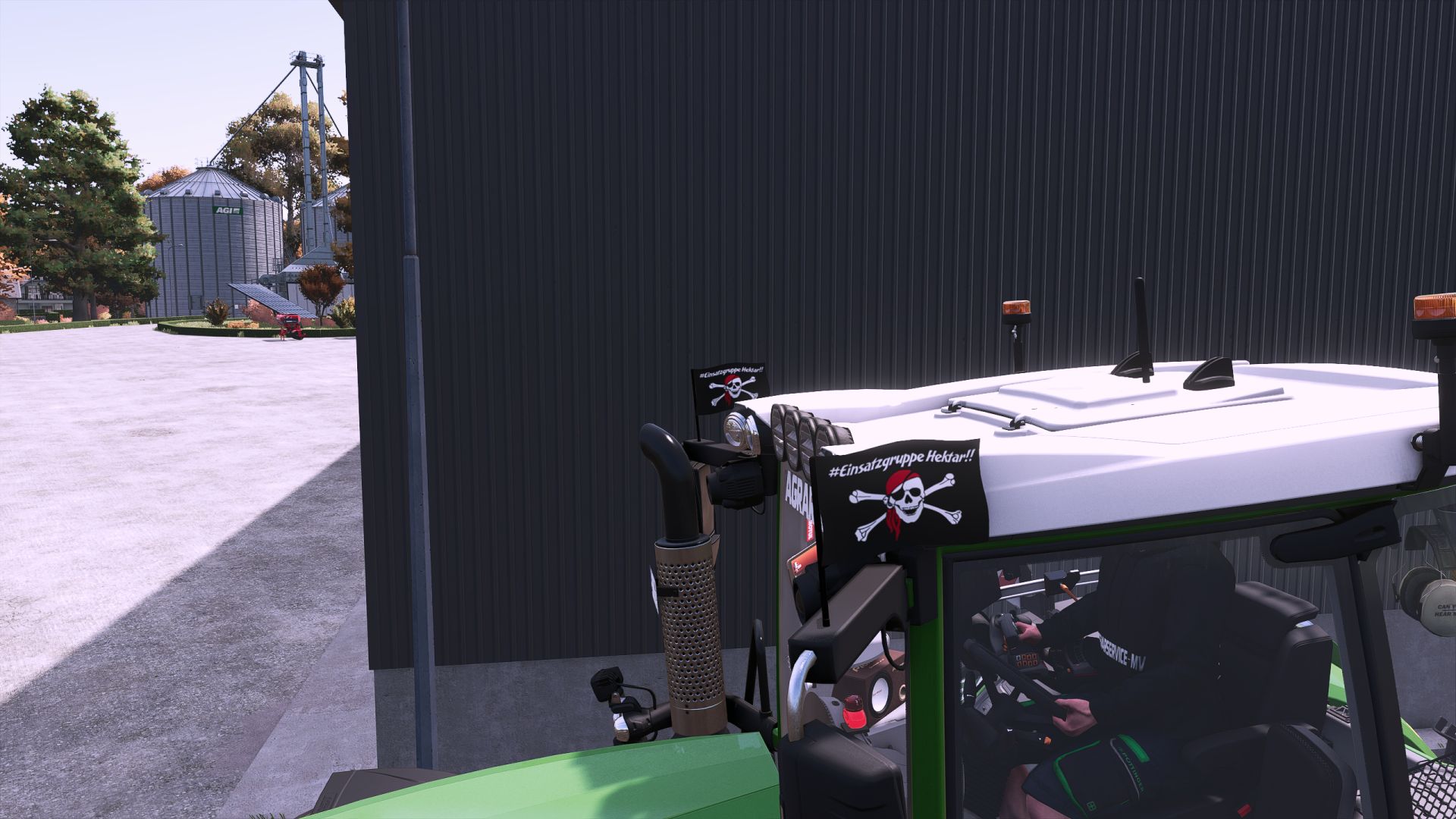
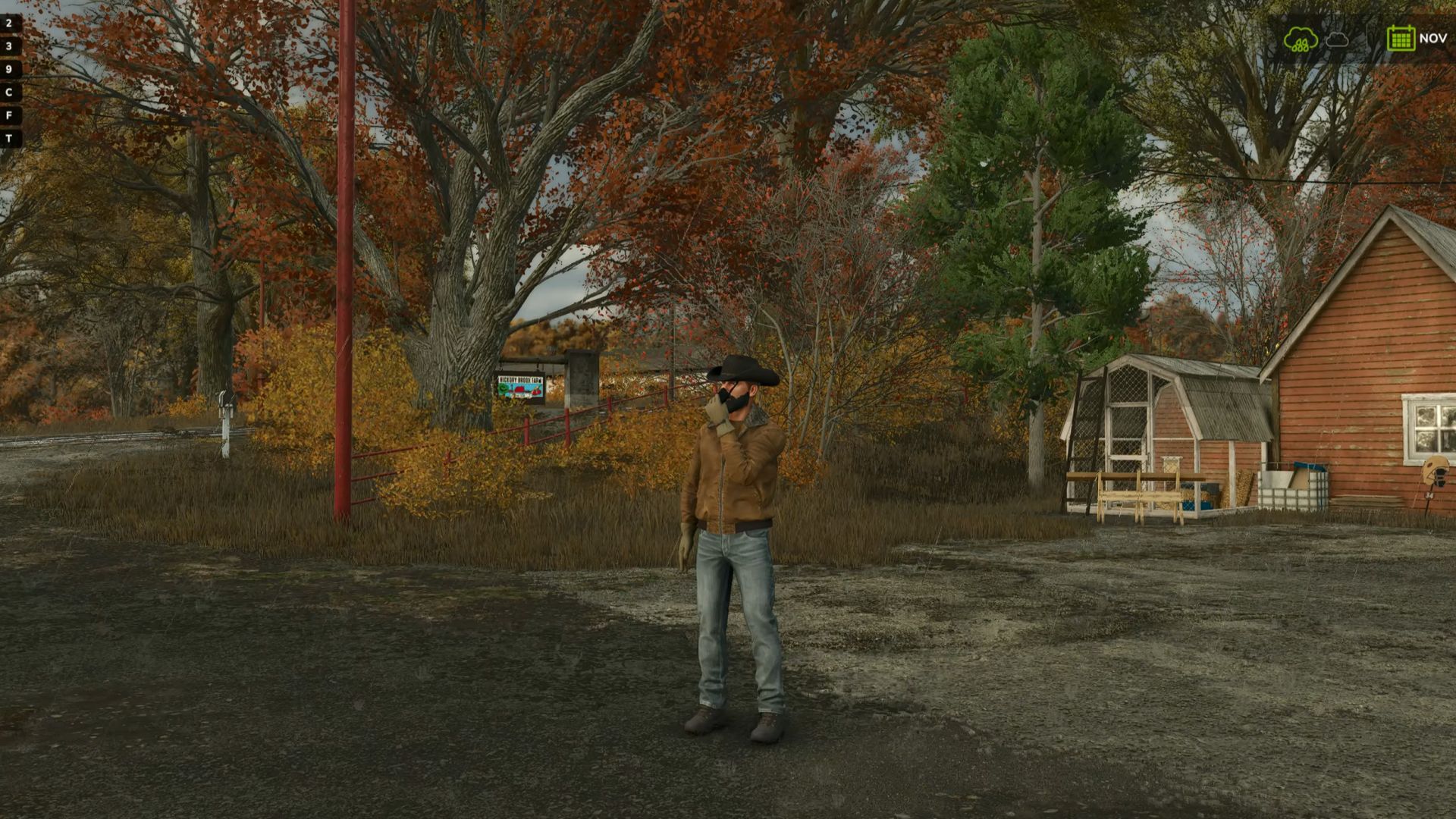
Farm Radio for Farming Simulator 25 Keep your crew connected with farm-based radio communication and proximity voice for Farming Simulator 25 multiplayer. Coordinate with your own farm across the map, contact neighboring farms through the Repeater channel, or speak with players nearby. A compact radio display shows transmission activity, while character animations bring the handheld radio into the game. Getting Started - Install and enable the same mod version on the multiplayer host/server and all participating players. - Enable in-game voice chat and check your microphone settings. - Join a farm to access the Local and Repeater radio channels. Radio Controls - Local — hold Comma (,): Speak to members of your own farm, regardless of distance. - Repeater — hold Forward Slash (/): Speak to players across all farms, including your own. - Proximity voice: Speak with nearby players using the game’s voice activation or normal push-to-talk setting. Radio channels are available only to players assigned to a farm. Players without a farm cannot transmit or receive radio calls. Changing Key Bindings Open Settings → Controls and look under Player for: - Farm Radio (hold) - Repeater Radio (hold) Both controls can be reassigned independently of the game’s normal voice-chat control. Reading the Radio Display - Local highlights in your farm color while you transmit on the Local channel. - Repeater highlights red while you transmit on the Repeater channel. - Your own name and speaker icon match your outgoing channel color. - Incoming calls from your farm highlight the speaking member. - Incoming Repeater calls from another farm display that farm’s name and color. Existing voice mute and block settings remain respected. Test Release Feedback Please report audio issues, vehicle key-binding problems, animation glitches, or incorrect display indicators. Include a short description, your game log, and a screenshot or recording where possible. This build includes an experimental voice-volume increase. The audible result may vary and remains under testing.
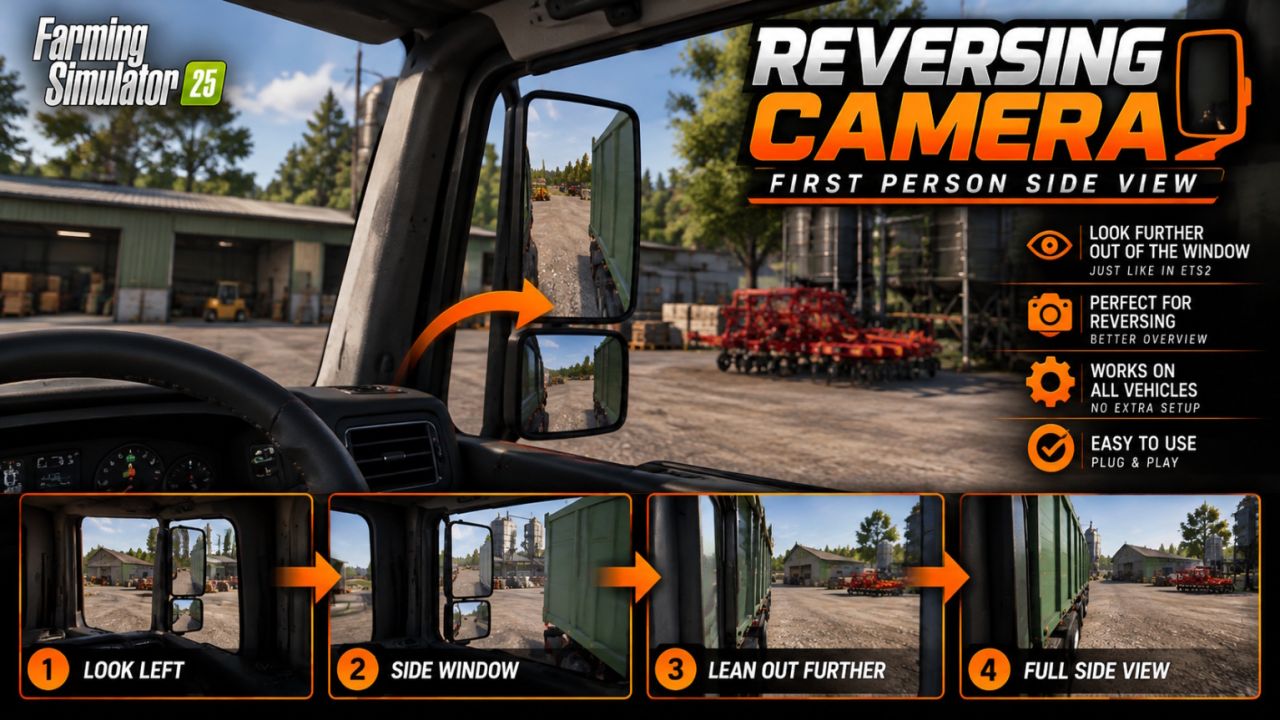
Indoor Reversing Camera FS25
through the side window. This allows you to look alongside your vehicle and trailer, just as you would in real life! No more hassle of constantly switching to the third-person camera to see where you are driving. 🔧 Features ✅ Realistically look through the side window from first-person view. ✅ Smooth camera movement, similar to ETS2. ✅ Much better visibility when reversing and manoeuvring. ✅ Works automatically when you look far enough to the side. ✅ Optional support for the right window. ✅ Adjustable distance for how far you lean your head out. ✅ Designed for use with various vehicles. 🎮 Controls Mouse to the left: Automatically look out of the window. Ctrl + Numpad 0: Toggle feature on/off. Ctrl + Numpad Enter: Toggle right window on/off. Ctrl + Numpad + / -: Adjust distance. 🧡 Credits DBG Community – FS25 adaptation kenny456 – Original FS19 concept A small addition that makes a big difference for players who enjoy driving realistically from the cab! Enjoy driving on behalf of DBG Community! 🚛🧡
Metal weight FS25
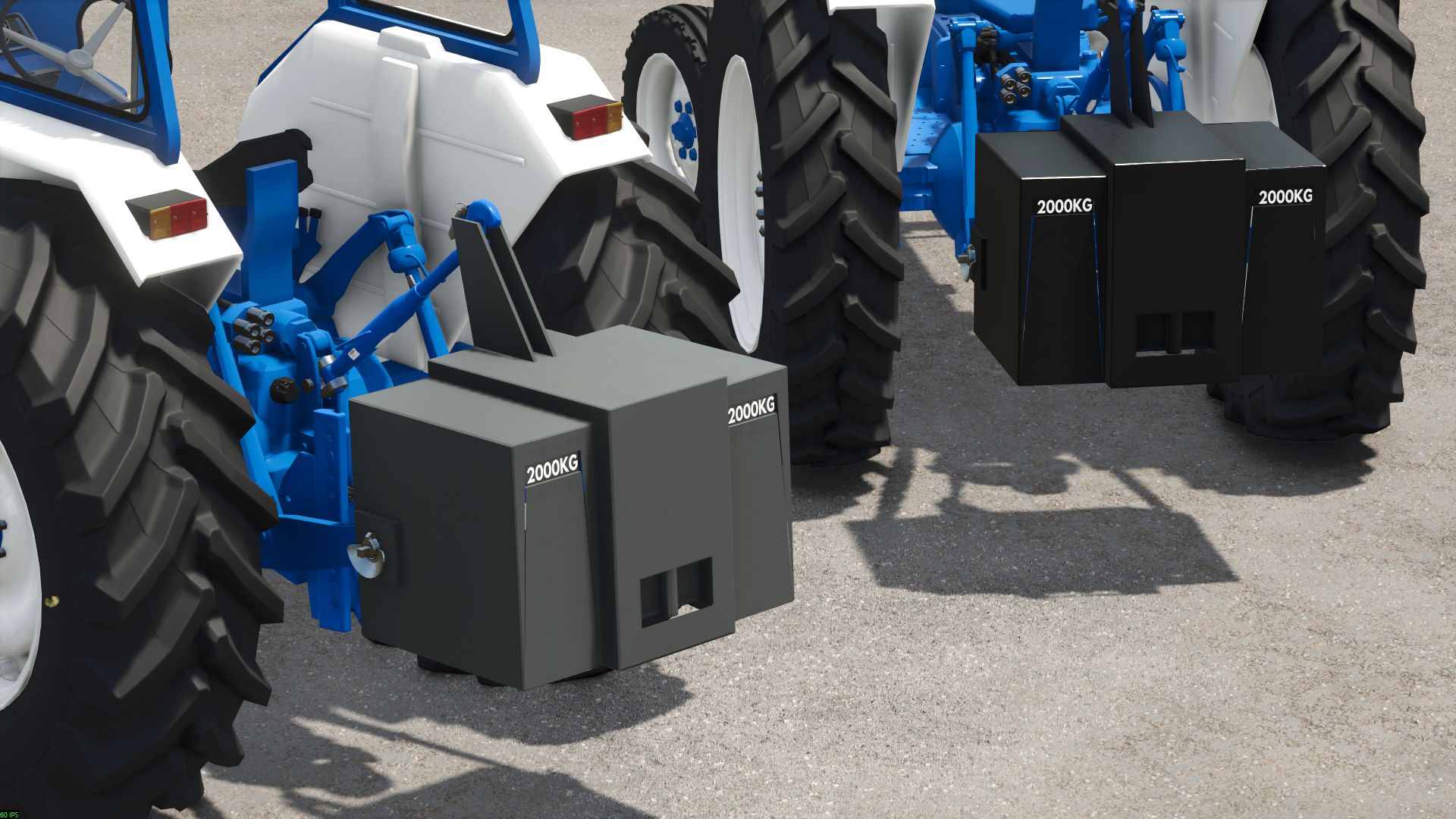
here is a weight price: 1 000€ weight: 2T category: counterweight -optimized 3D -dirt and wear implemented -color configuration for the weight
Perf Profiler FS25
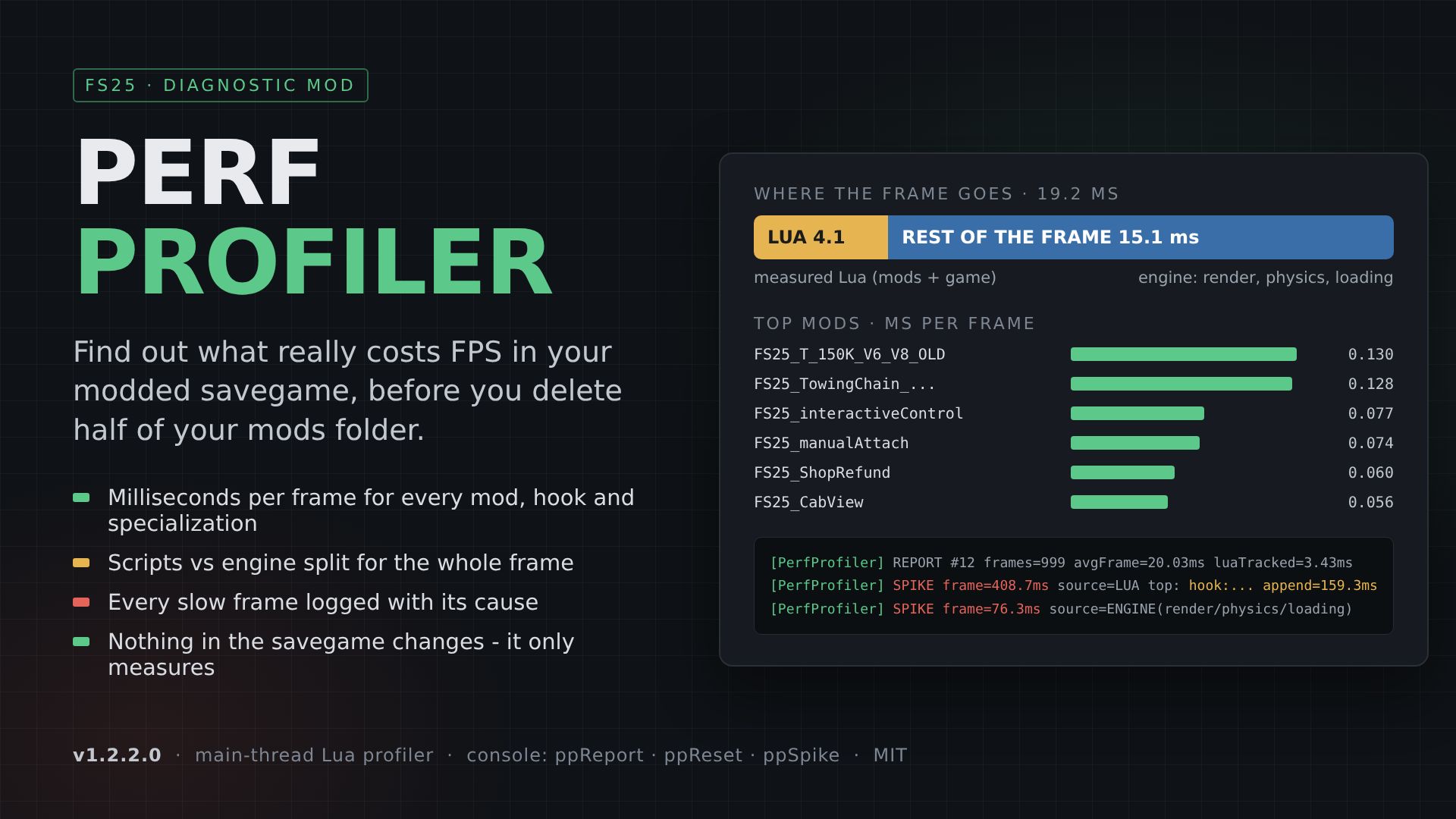
This is early development mod, not a standalone software Low or unstable FPS with a big mod list? Before you start deleting mods at random, measure. Perf Profiler times the game's main Lua thread from the inside and writes a clear ranking to log.txt every 20 seconds: - Which MOD costs the most milliseconds per frame - Which FUNCTION inside it (hooks, listeners, vehicle/placeable specializations, game systems) - How much of the frame is Lua at all and how much is the engine (render, physics, loading) - Every SPIKE (frame over 40 ms) with its top contributors, marked as LUA or ENGINE Real example from a 2,489-mod savegame: scripts were only ~4 ms of a ~19 ms frame. The expensive part was somewhere else, and the profiler showed that in 20 minutes instead of a week of trial and error. WHAT IT MEASURES - hook: functions attached by mods (Utils.appendedFunction / prependedFunction / overwrittenFunction) - ovr: functions overwritten by specializations, by name - mod: update()/draw() of mod event listeners - spec: onUpdate / onUpdateTick / onPostUpdate / onDraw of vehicle, placeable and hand-tool specializations - veh: / plc: total update of each vehicle and placeable - sys: game systems (environment, AI, traffic, water, economy...) - frame: total Lua per frame - the scripts vs engine split Every entry shows "self" time (no double counting) and "incl" time (with everything nested). HOW TO USE 1. Put AAA_PerfProfiler.zip into your mods folder and activate it in the savegame. Keep the name - "AAA_" makes it load first, which it needs to catch other mods' hooks. 2. Play normally. The first 20 seconds after loading are skipped. 3. Read the lines in log.txt (Documents/My Games/FarmingSimulator2025/log.txt). CONSOLE COMMANDS (~) ppReport - write a report now ppReset - reset statistics (measure night, rain, fieldwork separately) ppStart / ppStop - resume / pause measuring ppSpike - spike threshold (default 40) ppTop - ranking length (default 35) ppInterval - report interval (default 20) GOOD TO KNOW - This is a testing tool. Measuring costs about 0.5 ms per frame, so remove it when you are done. - It changes nothing in your savegame or gameplay. It only times functions and logs the results. - Measures main-thread Lua. The engine side (render, physics) shows up as "engine" time and ENGINE spikes. - Multiplayer: supported. Like any mod, every player needs the same file if the host has it active. - Full documentation (README.md) with an explanation of every log line is inside the zip. VERSION 1.2.2.0 AUTHOR Siemanek LICENSE MIT - free to use, modify and share. Credit appreciated.
NLM COB LED Whip Pole 4ft (Prefab) FS25
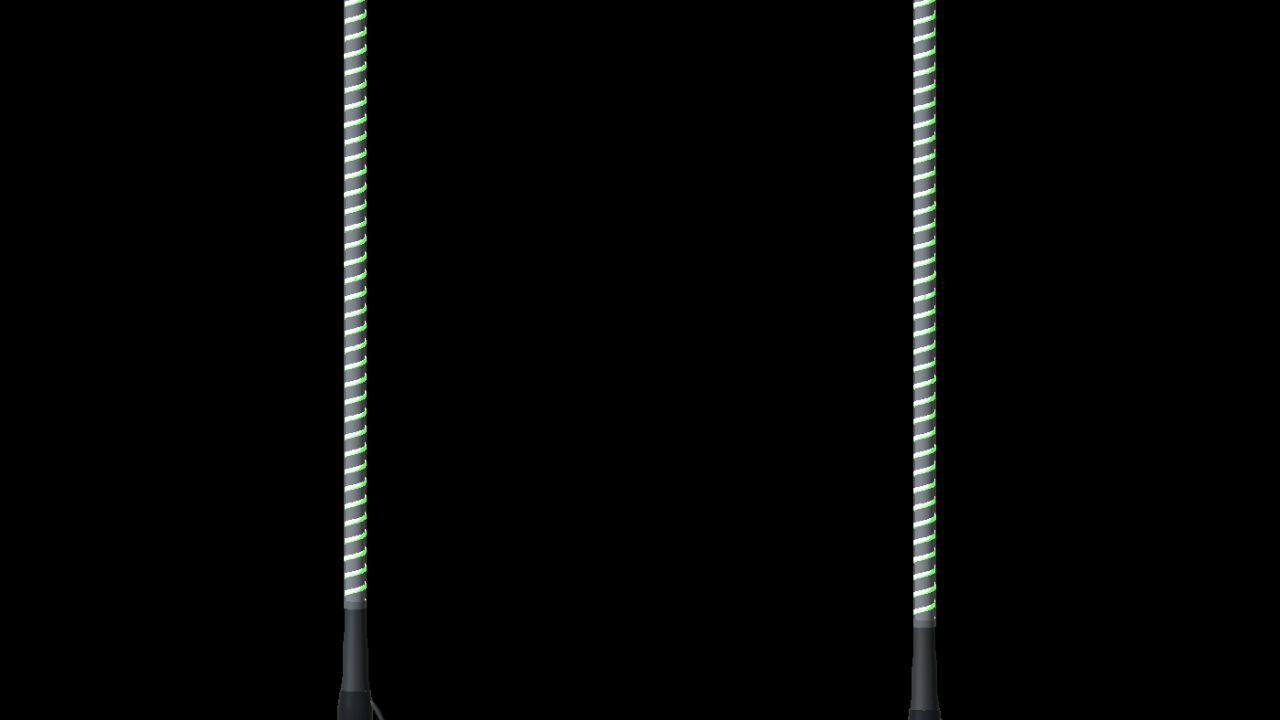
NLM COB LED Whip Pole 4ft Illuminated marker poles for Farming Simulator 25, featuring spiral COB lighting, a black base and a cable connection. The package includes both a single pole and a pair for vehicle installation. - Nominal length of 4 feet, approximately 1.22 metres above the mounting shoulder. - Five decorative modes: steady, chase, rainbow, pulse and left/right alternating. - Eight selectable colours: white, amber, red, green, blue, cyan, magenta and yellow. - Can follow the vehicle's indicators, hazard lights, brake lights and reverse lights. - Two geometry LODs and a GIANTS-based dirt mask. - English, Norwegian and Swedish installation guides, XML examples and an offline XML helper. This is a prefab for modders, not a standalone shop mod. Install the poles with GIANTS Editor and register the included Lua controller as described in the guide. Colour, mode and signal overrides are configured in the vehicle XML. The Lua controller requires PC/Mac. The poles have no flexible physics, and decorative animation is not synchronized between multiplayer clients. Images were captured in GIANTS Editor. Author: NorthernLight Modding Product design reference: UTV Products / LUKA Game engine and native shaders: GIANTS Software
Ozz SQR 3 without blitz (Prefab) FS25
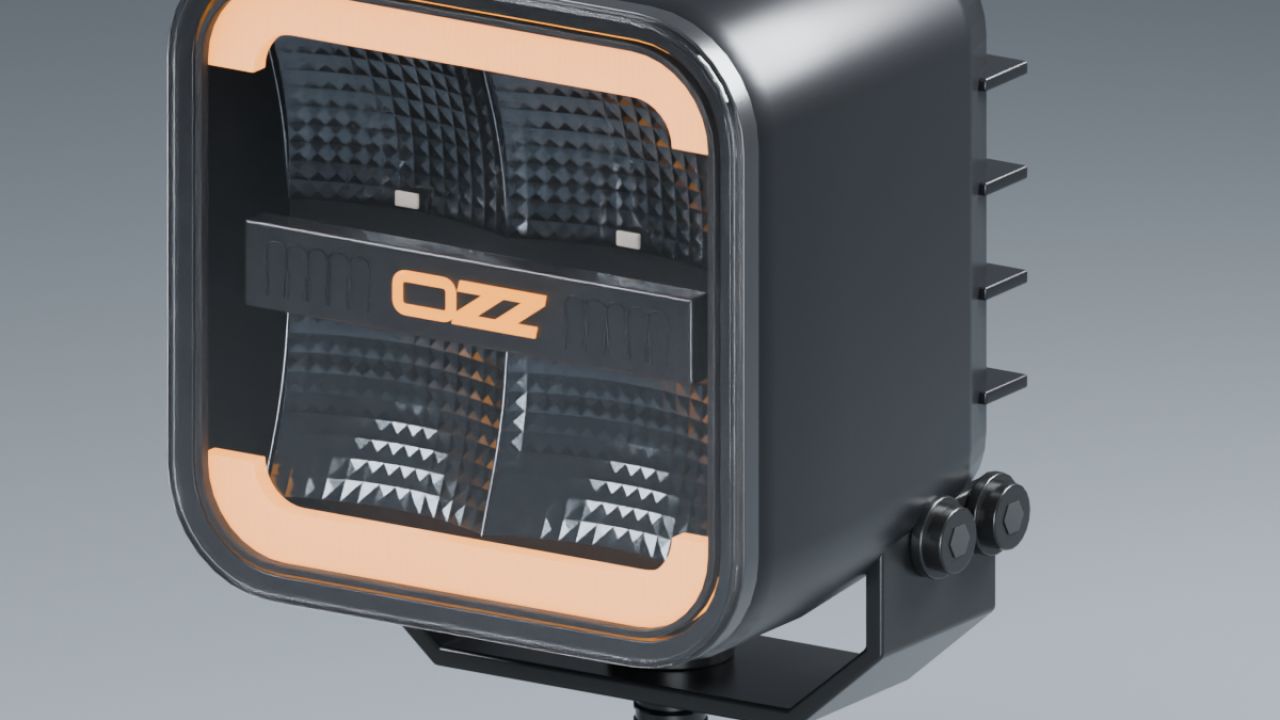
The OZZ SQR 3 prefabs without blitz function. Author: Northernlight Modding.
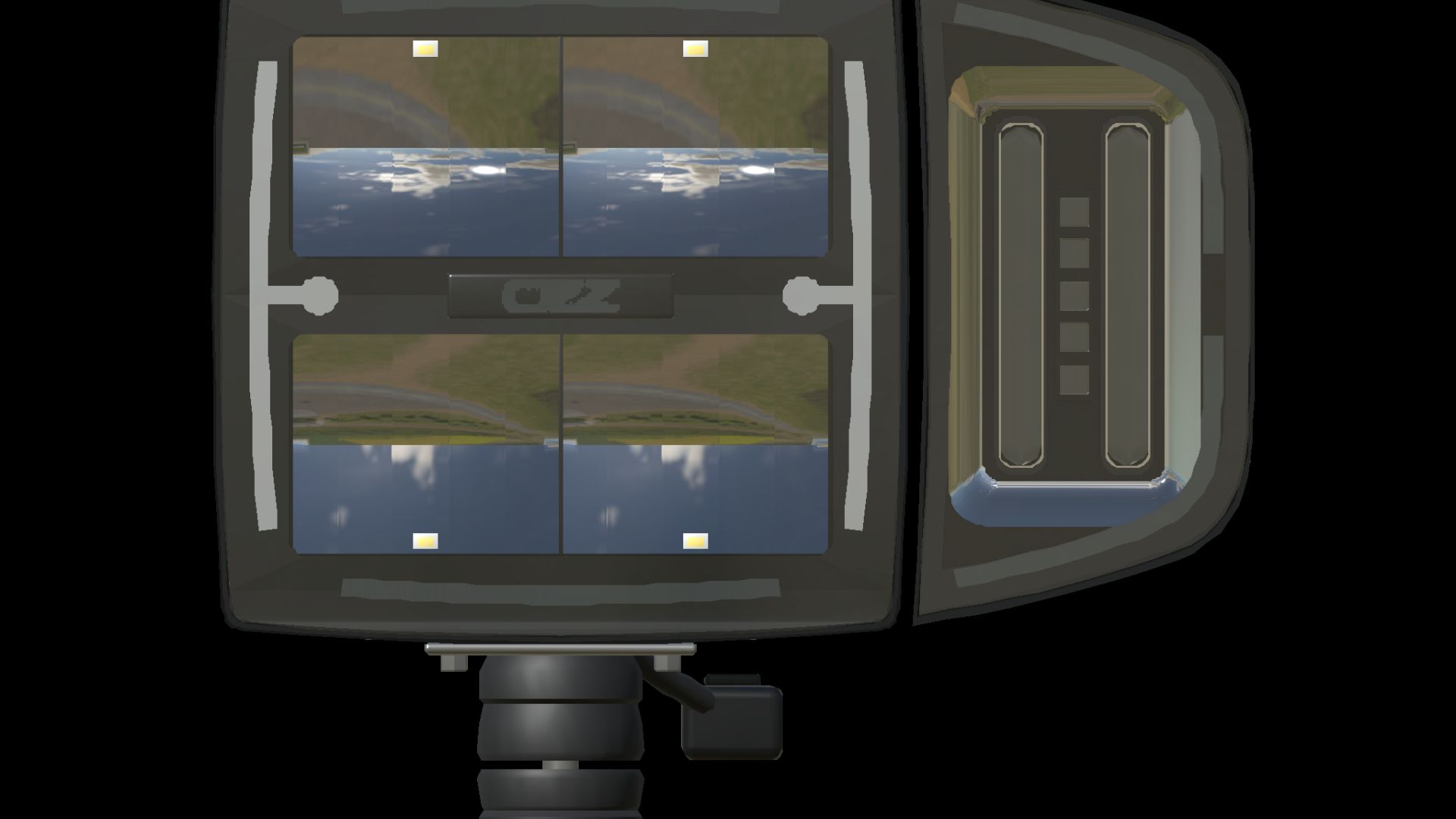
NLM OZZ XP1 (Prefab) FS25
NLM OZZ XP1 A complete headlight prefab for Farming Simulator 25 with low beam, high beam, position lights, indicators and separate amber warning lights. The package includes left and right lamps with detailed optics, transparent lenses and adjustable housings. Features: - Four variants: left and right lamps with white or amber DRL. - Low and high beam with separate light beams. - Indicators and an independent amber double flash that can operate together. - Engine-controlled DRL through the game's standard system. - Fixed mounting bracket and tilting lamp housing. - Two geometry LODs and corrected dirt masks using GIANTS data. - Installation guide, complete XML integration examples and a GIANTS Editor mapping helper. This is a prefab for modders and must be installed in a vehicle using GIANTS Editor and XML. It is not a standalone shop mod. Choose the DRL colour when importing the lamp. Lighting uses the game's standard light and beacon functions without an additional gameplay script. Author: NorthernLight Modding Product design reference: OZZ Game engine and native shaders: GIANTS Software
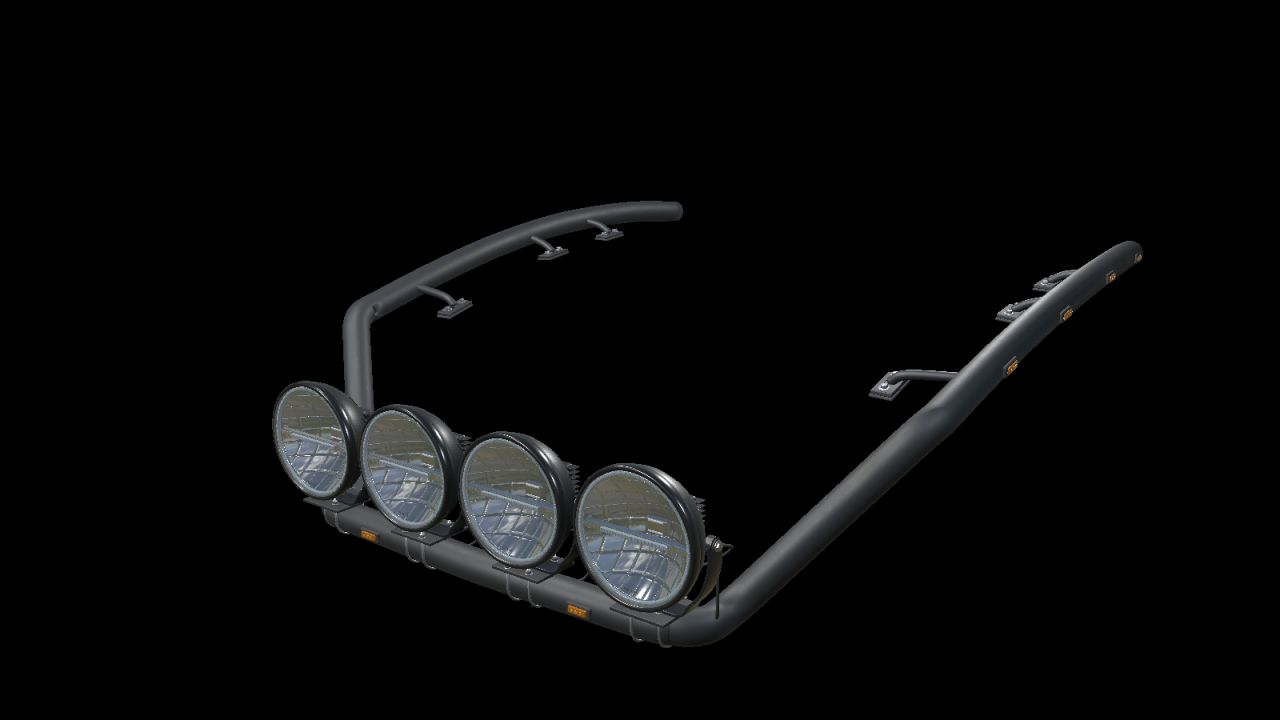
NLM Ponsse Mammoth Roof Bar (Prefab) FS25
NLM Ponsse Mammoth Roof Bar A black roof-bar prefab for Farming Simulator 25, shaped to follow the Ponsse Mammoth cab. The bar features detailed roof mounts, clamps and surface materials. Three versions are included: - Completely empty bar with roof mounts, without lamps, lamp clamps or cables. - Bar with ten amber marker lights and prepared lamp mounts. - Complete bar with four NLM Strands Ambassador 9 lamps, amber position lights and white beams. Each lamp can be aimed independently. XML examples provide work-light or high-beam connections, with separately controlled position lights. The package uses standard game functions without an additional Lua script. Dirt masks have been updated using GIANTS data. English, Norwegian and Swedish installation guides, XML examples, an XML helper and product images are included. This is a prefab for modders, installed in a vehicle using GIANTS Editor and XML. The Ponsse machine is not included. Fit is based on the Ponsse Mammoth Active Frame reference mod by HR Forst und Fahrzeugbau; other cabs or modified versions may require adjustments. Author: NorthernLight Modding Roof bar, lamp models and FS25 adaptation: NorthernLight Modding Design references: RST-Steel and Strands Cab fit reference: Ponsse Mammoth Active Frame — HR Forst und Fahrzeugbau Game engine and native shaders: GIANTS Software
- 15 per page
- 30 per page
- 45 per page
- 60 per page
-
See more per page
Bigger pages, fewer clicks - and no ads anywhere.
Go Pro