Farming Simulator 22 mods

47,970 results
154 / 3,198
BAZ-6944 (Radar System Variant) V1.0.0.0
other

BAZ-6944 (Radar System Variant) V1.0.0.0

BAZ-6944 (Radar System Variant) V1.0.0.0 Technical Profile and Description of the BAZ-6944 (Radar System Variant) The vehicle shown in the image features the heavy amphibious military transport chassis, the BAZ-6944 of Soviet origin, configured here as a mobile radar system platform. Key Specifications Configuration and Drivetrain: Features an 8×8 all-wheel-drive system distributed across four axles, designed to provide high off-road mobility across difficult, uneven, or muddy terrains. Amphibious Hull Design: Built upon a completely sealed, watertight load-bearing steel hull, allowing the vehicle to float and navigate across water obstacles. Payload and Radar Integration: The rear cargo deck is adapted to carry a specialized radar system and associated electronic equipment, utilizing the robust payload capacity (exceeding 12 tonnes) normally reserved for heavy tactical systems. Mobility and Performance: Powered by a high-output diesel engine coupled with an advanced transmission and independent suspension, giving it rapid deployment speeds on roads and stable cross-country handling. Summary and Military Utility Mobile Air Surveillance and Tracking: Acts as a self-propelled radar platform, capable of providing continuous airspace monitoring, target acquisition, and tracking data for field units. Tactical Versatility: By mounting a heavy radar system onto the amphibious BAZ-6944 chassis, military forces gain high strategic mobility, allowing the unit to deploy quickly, scan regional airspace, and relocate rapidly to avoid counter-measures.

Tesla Semi V1.0.0.0
other

Tesla Semi V1.0.0.0

Speed: 120 km/h; Cost: 97.500 $; Selectable body сolor; License plate configuration; Animated dashboard, turn switches, pedals, wipers; Interactive Control support; Mercedes-Benz Trucks Pack support (rearview camera) ; Required mods: Mercedes-Benz Trucks Pack Interactive Control

Smart Weight HUD V1.0.0.0
implements

Smart Weight HUD V1.0.0.0

Smart Weight HUD V1.0.0.0 Never have to wonder how heavy your team really is again! SmartWeight HUD expands Farming Simulator 25 with a compact and clear weight display. While driving, it displays the most important information about the towing vehicle, connected trailers and the entire trailer directly on the screen. Towing vehicle and each connected trailer are listed individually – with curb weight, load weight and total weight. Fill types, mixed loads, pallets, bales and other objects secured with straps are taken into account. Front attachments are included in the towing vehicle; Tank, water, fuel and service trailers are also supported. Features Separate display for towing vehicle and each connected trailer Display of empty weight, load weight and total weight per vehicle Calculation of the total weight of the complete vehicle combination Detection of different filling types and mixed loads Display of the fill quantity and appropriate fill type symbols Consideration of pallets, bales and other objects secured with straps Support for front attachments as well as tank, water, fuel and service trailers Automatic shortening of long vehicle names Intelligent weight warning The total weight of the team is highlighted in color: Green: vehicle combination without load White: Weight within normal range Red: Warning area from 35 tons Dark red with warning symbol: total weight of the trailer over 40 tons The color changes smoothly so that critical weights are immediately noticeable. Customizable HUD HUD size, font size, display width, background transparency, one of nine screen positions and the color scheme in blue, green, orange, red or gray can be adjusted. All settings are saved automatically and can be reset to default values ​​at any time. Key assignment Left Ctrl + Left Shift + W: Show or hide SmartWeight HUD Left Ctrl + left Shift + S: Open settings menu The key assignment can be changed as usual in the game settings. Mod name: SmartWeight HUD Version: 1.0.0.0 Author: xXDerManniXx Mode: MP capable SmartWeight HUD does not change vehicles or their driving behavior. It uses the existing vehicle and load data and displays it clearly in a modern HUD. V1.0.0.0 CHANGES FROM VERSION 0.5.1.8 TO VERSION 1.0.0.0 SmartWeight HUD released as stable version 1.0.0.0. Multiplayer operation successfully tested on a dedicated server with a joined client. Compatibility with specialized loader weighing systems improved. SmartWeight HUD automatically hides when driving wheel loaders, telehandlers, standalone loaders and skid steers. Tractors with front loaders remain fully supported. Front loader arms, shovels, front weights and other front attachments continue to be counted as part of the towing vehicle. Connected implements remain part of the calculated team total. Trucks, tractors, trailers, semi-trailers, as well as tank, water, fuel and service trailers remain fully supported. Stability tested during numerous vehicle and input context changes. No SmartWeightHUD warnings or SmartWeightHUD Lua errors were detected in the final client test log. Cleaned up mod package for server and platform checks. Documentation and screenshots are no longer included within the game mod ZIP. Mod icon changed from PNG to DDS with mipmaps.

Visual Mud Tracks V1.3.7.3
other

Visual Mud Tracks V1.3.7.3

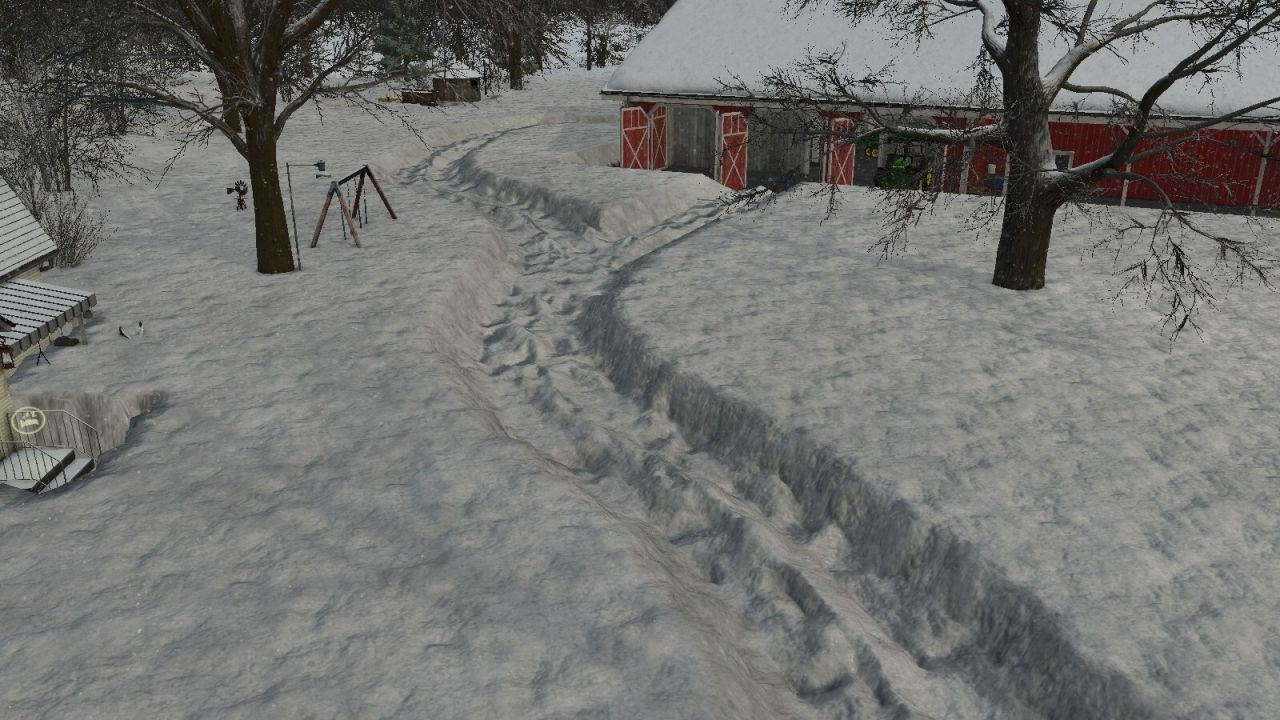
Visual Mud Tracks V1.3.7.3 V1.3.7.3 Fixed bug when it was raining that you couldn’t drive faster than 20 on the road. V1.3.7.2 VISUAL MUD TRACKS – VMT Changelog 1.37.1.0 to 1.37.1.15 Tire contamination / GIANTS-Washable – Tire contamination fully adapted to the original GIANTS washable system. – VMT leaves the original LS25 tire dirt as a basis and no longer writes its own dirt/wetness values ​​on dry fields or grass. – Additional VMT mud is only activated when the ground is actually wet or soft. – Mud color tuned darker; Build-up and breakdown occur more slowly and naturally. – When exiting real mud conditions, the original GIANTS dirt/wetness/color condition will be restored and will not be overwritten further thereafter. – VMT-Radschlamm remains savegame and multiplayer capable. Driving physics / sinking / suspension – Stuck driven wheels can create a physical terrain groove directly at the wheel contact even without forward movement. – If there is a lot of slip when stationary, a short, elongated tire pocket is created in the direction of rolling instead of just a transverse line. – Temporary wheel radius sinking and permanent heightmap groove are offset against each other so that the same effect is not shown twice. – Transitions to real terrain deformation remain continuous so that vehicles do not jump up or sink additionally when a groove occurs. – Wet/soft floors affect wheel suspension via the native GIANTS interface setSuspensionMultipliers. – The original vehicle/axle suspension remains the technical basis; VMT does not replace XML spring values. – On heavily saturated ground, the suspension is softer, but the damping is deliberately kept higher. Low tire pressure increases compliance slightly. – Dry fields, roads and frozen ground continue to use the original GIANTS suspension. – Existing RWSM/VMT soil data will be reused; no additional full field or DensityMap queries for the suspension. Permanent terrain grooves – Permanent heightmap grooves are written directly on the actual wheel contact. – The previous delayed groove queue has been removed because batched subsequent terrain writes could cause larger sections of terrain to sink behind the vehicle. – Distance-based sampling is retained; there are still no heightmap writes in each frame. – Wheel contact may only leave grooves at the same depth or lower them further, never raise them. – Existing grooves no longer jump up when you drive over them again. – Before each write, the actual terrain height is taken into account; the effective groove depth is monotonic. – Tillage remains the normal path, which is allowed to consciously raise a saved groove again. Unchangeable original height – For each persistent groove, the original height is permanently locked when first detected. – originalHeight may not be replaced by later wheel contacts, loading, verification or migration. – When loading, the current heightmap depth is only observed and not adopted as the new logical groove depth. – This prevents saved grooves from being gradually committed deeper and deeper upon reboot or mod update. – VMT only stores the logical depth actually applied by VMT. – In legacy migrations, if several old entries meet the same new cell, the original height that was adopted first is retained. – Cultivator/plow always returns to this unchangeable original height. Savegame persistence/update security – Groove persistence extended to Format 7 / Restore Scheme 3. – Older save game formats 3, 4, 5 and 6 remain readable and are migrated in an update-safe manner. – Exact world position X/Z of each groove is stored in addition to grid indices. – The original height, applied depth and absolute target height are saved. – Old grooves are found again via their physical world position and not just via possibly differently quantized heightmap keys. – Primary and backup files use a monotonic save sequence; When loading, the newer valid generation wins. – Persistence files are reopened after writing and validated for format, restore scheme, sequence and groove count. – The dirty state is only reset after successful validation. – Temporary terrain write errors no longer discard loaded grooves; they remain until they are successfully processed. – The final save game callback is registered centrally via the VMTSaveCoordinator. Loaded grooves / double deformation – When loading, VMT first checks the heightmap already saved by GIANTS. – If the physical groove already exists, it will not be written into the terrain again. – This means that grooves are not applied deeper again after a restart or mod update. – If a groove actually needs to be added, this is done exclusively via the Lower-Only-Terrain-Writer. – A mod update cannot raise existing terrain.Tillage/Restoration – Cultivators and plows reset persistent grooves to the saved original height. – A groove entry is not deleted until the recovery is written successfully or the original height is already physically present. – In the event of temporary terrain write errors, the groove remains saved and can be reprocessed later. – After successful tillage, the groove will be removed from the persistent chunk record and will not appear again after restart. – Old or newly quantized groove cells at work area edges are reliably detected. – Terrain that is already higher than the original historical height due to landscaping or map updates will never be lowered to the old value again. Performance in old save games – A 16 m spatial index has been added for persistent grooves. – Cultivators and plows only check grooves in the immediate vicinity of their current work area. – Expensive wide heightmap/grid passes over large areas have been removed. – Legacy baselines are only reconstructed when necessary for the actual cell being edited; no full card scan. – Lazy load verification of old grooves heavily budgeted so that saves with many thousands of grooves do not produce large FPS spikes. – Chunk-based storage and local queries remain the foundation for large savegames. Stability / Entity Security – Added protection against GIANTS entities that have already been deleted. – Vehicle nodes are checked with entityExists before world position, speed and direction queries. – Invalid vehicles no longer enter the VMT physics cache; Wheel position queries only fall back to valid nodes. – Stuck, mud, groove, tire pressure and traction logic remains stable even when deleting or selling vehicles. User Interface/Localization – Fixed VMT menu header L10N error; “Visual Mud Tracks” appears without a missing translation key. – HUD, tire pressure, soil moisture and multiplayer displays are retained. Compatibility – RWSM connection for moisture, saturation, load capacity and compaction is retained. – Tire pressure, slip, sink physics, wet suspension, mud particles, compaction, multiplayer and savegame persistence continue to work together. – GIANTS-native tire contamination and vehicle physics remain the basis; VMT only supplements the wet/soft ground effects. – Existing saves with grooves from older VMT versions remain loadable and can be migrated without restarting the career. Current status: Visual Mud Tracks 1.37.1.15 Visual Mud Tracks expands Farming Simulator 25 with a comprehensive simulation of lanes, soil moisture, tire behavior, compaction, fruit destruction, root damage and bogging. This means that vehicles react much more realistically to dry, moist and water-saturated soils. The mod is designed for single player and multiplayer and can work with the **Realistic Water & Soil Management System**. Soil moisture, load capacity and waterlogging not only influence the display, but also tire contamination, sinking, slippage, driving resistance and plant damage. Physical lanes and terrain grooves Tires can permanently lower the terrain and create real grooves in the terrain heightmap. The depth and width of the tracks are calculated individually for each wheel. To be taken into account: Vehicle weight actual wheel load Tire width and tire radius Tire pressure Soil moisture Soil saturation Carrying capacity Speed Wheel slip Cornering Number of previous crossings Trailers, levels and attachments Left and right bike lanes remain separate. The center of the vehicle is not lowered unnecessarily. The grooves have a narrow, steep cross section so that the edge areas do not sink over a large area. Existing tracks can be deepened by further difficult crossings. A maximum depth protects the terrain from extreme deformation. The groove is created directly at the actual wheel contact. There is no delayed post-processing behind the vehicle. Steered, mirror mounted and differently aligned wheels are taken into account. Restoration through tillage Physical lanes can be removed again through appropriate tillage. The following are supported, among others: Plows Cultivator Disc harrows Subsoiler Mulcher Reels Seeders Direct seeding machines Planters The terrain is only reset within the actual work area being worked on. Pending trace calculations and saved visual traces are also removed there. Safe Terrain Journal The mod uses separate savegame files: `visualMudTracksTerrainBackup.xml` `visualMudTracksActiveRuts.xml` `visualMudTracksState.xml` The original terrain height of a cell is saved during the first intervention and is not later overwritten by further passes. Active grooves and recovery information are managed separately. This allows tracks to be reset in a more controlled manner. Interrupted restores can be resumed the next time you start the game. Important note for updates: Before switching from an older version, existing lanes with the old version still installed should be removed using tillage equipment and the score saved. Grooves that have already been permanently written into the terrain height map may otherwise remain. Visible and physical sinking Tires visibly and physically sink on soft and wet surfaces. The sinking is implemented via the effective wheel physics radius. This means that the tires, suspension and ground contact react together. The sinking occurs progressively and not suddenly. On solid ground, the wheel lifts itself out of the ground in a controlled manner. The sinking depth depends on: Soil moisture Saturation Carrying capacity Wheel load Tire width Tire pressure Speed Slip existing track depth Wide tires distribute the load better. Narrow, heavily loaded tires cut deeper. Tire pressure system The tire pressure can be changed while driving. The value is saved for each wheel and synchronized in multiplayer. Low tire pressure: increases the contact area Improves grip on soft ground reduces cutting can make it easier to get out of soft tracks High tire pressure: reduces the contact area increases cutting increases the risk of getting stuck on wet ground may be cheaper on solid ground A compact HUD shows the current pressure in bar and evaluates it in color. Soil moisture HUD and RWSM connection The Soil Moisture HUD shows the current RWSM topsoil value in percent. The display uses the same soil moisture value as the RWSM field info. Values ​​above 100 percent can represent severe waterlogging or waterlogging. RWSM soil moisture affects: Sludge content Tire contamination Particle effects Carrying capacity Sinking depth Tire grip Wheel slip Groove depth Danger of getting stuck Fruit and root damage Increased soil moisture caused by irrigation can also change the soil physics. Tire dirt and mudThe amount of mud is stored individually for each tire. A tire remains dirty after leaving the field and cleans itself depending on the surface. Asphalt cleans quickly Gravel cleans slower Clean dirt roads only slightly high speed throws more mud out of the tread Rain also washes off the tires a light film of dirt may remain The particle effects distinguish between dry earth and wet mud. Included are: fine dry soil particles medium dry soil particles fine wet splashes medium mud particles rare heavy mud lumps The amount of particles depends on wheel rotation, slip, tire width, radius, moisture, sink factor and load capacity. Particles are only generated when there is suitable ground contact. Progressive stuck physics On heavily waterlogged and less stable ground, a vehicle can progressively become stuck. Continuous slippage causes driven wheels to dig in further. At the same time, the transferable grip decreases and the driving resistance increases. To be taken into account: Soil moisture and saturation Carrying capacity Wheel load Tire pressure Slip Speed Engine utilization Engine speed Tensile load Working resistance Duration of exposure Plows, cultivators, disc harrows, subsoilers, seed drills, power harrows and rollers produce different pulling resistances. Working width and working depth influence the power requirement. In extreme conditions, propulsion can be almost completely lost. Lifting or uncoupling an implement immediately reduces the additional load. Controlled reversing can reduce the digging condition and free the vehicle along its own lane. Soil compaction Vehicles compact the top and bottom soil depending on wheel load, soil moisture, slip and number of passes. Included are: Topsoil compaction Subsoil compaction Stronger compaction in wet soil Multiple experiences Additional load due to cornering and slipping Plow sole for frequent plowing Different effects of plow, cultivator and subsoiler Targeted reconsolidation by rolling slow biological recovery Compaction and soil structure can be viewed in the field info. Fruit destruction Plants in the immediate tire area may be damaged or completely removed. The native LS25 fruit destruction is used for this. The damage depends on: Wheel load Tire width Soil moisture Slip Cornering Growth stage Root health Soil structure Number of crossings Young plants react more sensitively. Repeated crossings significantly increase the damage. Normal tires remove plants after several trips over the same spot at the latest. Detected maintenance tires reduce the damage, but do not prevent it completely if the vehicle is driven frequently. Root Health Each contaminated soil cell can receive its own root health value. Root damage occurs due to: high wheel load wet ground strong slip Cornering Multiple crossings unfavorable growth stages compacted soil If root health declines, the risk of visible plant damage increases. below 70 percent: increased sensitivity below 40 percent: further crossings lead to destruction more quickly less than 20 percent: very high risk of failure Root health is saved and can slowly recover biologically. Field info and settings menu The mod expands the field information to include numerous land values, including: Soil compaction Underbody status Root health Soil structure Sink factor Carrying capacity Fruit and root damage The settings menu contains detailed descriptions of all options. High and low values, interactions, performance consequences and save game effects are explained. The menu texts are available in twelve languages: German, English, French, Spanish, Italian, Dutch, Polish, Portuguese, Russian, Czech, Hungarian and Turkish. Multiplayer and performance The crucial physics calculations run on the server side. Tire pressure, contamination and important soil conditions are synchronized. To optimize performance, the mod uses: limited groove points adjustable storage intervals Event and bulk caches sleeping floor cells Reduced refresh rates for removed or inactive areas delayed safe initialization of the particle systems Clean release of particle effects when deleting vehicles Required mods: Realistic Water & Soil Management (RWSM)

Realistic Water & Soil Management (RWSM) V1.3.9.0
other

Realistic Water & Soil Management (RWSM) V1.3.9.0

Realistic Water & Soil Management (RWSM) V1.3.9.0 V1.3.9.0 The bug where the weather wasn’t applied correctly and it was constantly raining has been fixed. REALISTIC WATER & SOIL MANAGEMENT – RWSM Changelog 1.38.42.0 to 1.38.45.112 Rainstar / irrigation – Rainstar hose retraction technically revised and neatly coupled to the connected water pump; Removed duplicate input contexts and adjusted F1 HUD to actual pump/connection state. – Retraction speed of the Bauer Rainstar T32 increased from 30 to 60 m/h; Remaining time display adjusted accordingly. – Slow final approach is maintained so that the sprinkler carriage is pulled towards the drum in a controlled manner. – Automatic slope/holding brake for the sprinkler trolley added. As long as no retraction is running, rolling away is prevented; When starting, the brake remains active briefly until the hose tension is built up and then releases automatically. – The drum unit is held in work mode via the main physical body. A permanent X/Z anchor position prevents the drum from moving downhill or backwards as the sprinkler cart is further extended. – A tractor on the sprinkler truck no longer releases the drum lock; Only transporting the drum unit or leaving work mode releases the anchor. – Traction force significantly increased without further increasing the 60 m/h target speed. – Adaptive pulling force expanded to 9 finer levels. Smoothed readings, hysteresis and delayed downshifting reduce swinging between force levels and ensure more consistent feed-in, especially at 1x game speed. Irrifrance Optima 1036 (Handed over to honved4) – Optima fully integrated with RWSM water, pump, pressure, irrigation and soil moisture logic. – Own AutoReel implemented with up to 550 m of hose travel and GIANTS-native component/joint physics. – Active ingestion of Rainstar and Optima will be saved and resumed after dedicated server restart. – Traction force, wheel contact, braking effect, chassis/sway physics, straight-line stability and short-range centering optimized. – Original wheel, tire, suspension, fake wheel and component joint structure preserved as a technical basis. – Optima moved out of the normal RWSM shop and prepared for an independent addon; Devices that have already been purchased remain loadable via legacy compatibility. – RWSM remains the sole source for soil, water, weather and yield calculations. Gameplay/Multiplayer – RWSM menu expanded to include options for yield loss, waterlogging, drought stress, compaction, frost, weeds, root damage, plant stress optics, wet soil driving physics, vehicle compaction, rain crusting and field info. – Yield influence selectable between off, 50%, realistic and 125%. – Settings are saved savegame-safe and synchronized on the server side in multiplayer. – Menu/L10N bug fixed; New and changed visible texts are maintained synchronously in all existing mod languages. Soil / water / compaction – More realistic post-harvest soil model: Heavy traffic can cause real compaction when soil is wet; Rain alone does not create unrealistic deep compaction. – Heavy rain can cause siltation and surface crusting on uncovered, harvested or cultivated areas; Crop residues reduce the risk. – Crusting can reduce infiltration and is assessed in the field information with recommendations for action. – Deep loosening is only recommended if deep compaction is actually present and the soil is sufficiently stable. – The entire RWSM field grid was converted to a uniform 2 x 2 m grid. This means that soil water, topsoil/root space/subsoil, compaction, driving load, root damage, plant stress, waterlogging, irrigation, yield/agronomy cells, plant height assignment and field information work in a much finer spatial manner. – The previously tested separate 1m tramline solution has been completely removed after it caused instability when boarding vehicles. – Old 8/12m cells are migrated to the new 2m grid upon loading; Existing water, compaction, waterlogging and damage values ​​are retained. – The topography auxiliary cache for sinks remains adaptive for performance reasons and is not kept as a 2m full map scan. Performance / management map – Extensively optimized management map and read caches without removing stored land values or map layers. – GIANTS terrainSize, ownership data and field masks are cached and reused; Farmland ownership is updated based on events. – Field/road masks are shared and only invalidated locally when there are real changes. – Finished screen rectangles are reused; Map layers are preloaded in the background with a small time budget. – Read proxy invalidation is cell-based instead of global. – GIANTS/Precision Farming data for soil type, nitrogen, pH, weeds, weather, ownership and field status will continue to be used directly. Plant Height/Crop Vitality – Plant height expanded from a special corn solution to a general cross-crop solution. – GIANTS growth states, harvest maturity and fruit density maps are not changed for the visual height change. – Five fixed RWSM height classes: 100 / 90 / 80 / 70 / 60%. – Fruit-specific render profiles for cereals, corn, oilseeds, legumes, grass, rice, leafy/root crops and compatible mod crops. – Beetroot, sugar beet, potatoes, carrots, parsnips and similar crops react visually more strongly than tall grain crops. – Bad cells that already exist are taken into account directly when the map starts. Multiple neighboring samples and stable treble mixing reduce hard block edges. – Shader writes are budgeted over multiple frames; no permanent full field scan and no additional parallel plant grid. – Plant height is locked after map start per real GIANTS growth phase. Changes in moisture, stress, irrigation or soil do not immediately change height within the same growing season. The level will only be reassessed at the next real growth state change. – Crop rotation or new sowing resets the phase lock correctly. – Remaining maintenance commands: rwsmCropHeightStatus, rwsmCropHeightRebuild, rwsmCropHeightVisualReset. Field Info – Field info uses current live values for weather, precision farming, culture and water stress. – “Plant water / root space” divided into two lines: first line Kc/Ks, second line available water/RAW. – Waterlogging is explicitly displayed again when the culture is active. – Root depth, root health, O2/drought stress, soil structure, compaction and yield factors are retained. Weather / Weather HUD – Weather HUD shows the time of the next actual weather change, e.g. B. → 6:30 p.m. or the following day → +1 2:00 a.m. – Time comes directly from the synchronized GIANTS/RWSM forecast queue; no additional weather calculation and no permanent polling. – Weather region, state/country and climate year have a config revision and are stored redundantly in rainstarWeather.xml and rwsmState.xml. – When loading, the newer valid configuration wins; Old save games without revision are automatically migrated and both sources are synchronized. – A mod/ZIP update should no longer reset the selected weather region. Savegame security / ground data – Persistence of soil, water and agronomy cells significantly secured against data loss during mod updates. – rwsmState.xml is first fully loaded into temporary tables and validated; only then are active cell tables replaced. – loaded=true is only set after a successful restore or when the game state is clearly new. – New saves store expected cell counts, cell sizes and a persistent state revision. – If the saved and loaded cell numbers do not match, the restore is rejected and save protection is activated. – In the event of loading, XML or schema errors, an existing rwsmState.xml is not overwritten by empty/default cells. – When loading successfully for the first time, rwsmState_backup.xml is created once as a recovery copy and is not automatically overwritten afterwards. – Older savegames remain readable and receive the new protection information the next time they are successfully saved. Compatibility – No additional write access to GIANTS Growth States or Fruit-DensityMaps for the plant height function. – Precision farming remains authoritative for its own soil, nutrient and pH data. – Multi-layered hydrology, compaction, root damage, waterlogging, irrigation and season/yield history remain persistently stored. – Existing save games should be able to continue to be used without restarting the career and migrated to the new 2 m grid. Current status: RWSM 1.38.45.112 Realistic Water & Soil Management expands Farming Simulator 25 with a permanently stored water, soil and plant balance. Rain, irrigation, evaporation, soil type, terrain, compaction, tire pressure, tillage and plant development are directly intertwined. As a result, fields no longer only react with simple conditions such as “dry” or “wet”, but rather have a multi-layered water balance with topsoil, root zone and subsoil. Natural depressions stay moist longer, heavy vehicles compact wet soil more and inadequate tire pressure increases the load on the topsoil. These influences have long-term effects on soil structure, root health, plant development and yield. Features Multi-layered water balance The soil water balance is calculated separately for: Topsoil from 0 to 10 cm Root zone from 10 to 30 cm Subfloor from 30 to 60 cm Precipitation, irrigation, evaporation, seepage, drainage, surface runoff, plant water absorption, soil type, soil structure, compaction and landform are taken into account. The usable field capacity is displayed separately from the complete pore saturation. Water above field capacity appears as excess water and can seep away, run off or cause waterlogging. Different soil types RWSM differentiates between different types of soil with their own properties, including: loamy sand sandy loam Clay silty clay Each soil type has its own values for field capacity, wilting point, water retention, infiltration, drainage, bearing capacity, risk of compaction and sinking depth. Sandy soils dry faster. Loamy and clay-rich soils store more water, but remain soft longer and are at risk of compaction. Dynamic weather and climate Regional climate profiles influence: Precipitation Temperature Evaporation Wind Humidity Sunlight exposure Seasonal distribution The game’s actual weather data directly affects soil moisture, drying and evaporation. Realistic drying Drying does not take place via a simple timer. Temperature, wind, sun, humidity, soil type, compaction and surface water determine the speed. A wetness memory prevents a field from becoming completely dry and viable again immediately after rain. #Natural depressions and waterlogging RWSM detects local low areas within a field. These areas: collect water dry more slowly have lower load capacity Promote sinking and track formation increase the risk of compaction can cause oxygen deficiency to the roots The terrain evaluation is cached for better performance. Soil compaction The compression is saved separately for: Topsoil Root space Underbody have an influence: Vehicle weight Payload Wheel load Axle load Tire width Tire pressure recommended field pressure Soil moisture Soil type Slip Speed Cornering Multiple crossings High tire pressure puts greater strain on the topsoil for the same wheel load. A suitable low field pressure increases the contact area and protects the ground. High axle loads can still compact deeper soil layers. Multiple crossings Repeated crossings of the same lane are taken into account. The first crossing usually causes the greatest immediate damage. Further passes further compact the already contaminated soil. Among other things, the following are saved: Crossings Compaction Track depth Shear damage Plant damage Edit history Roots and plant stress RWSM simulates: Root health Fine root health achievable root depth Drought stress Waterlogging Lack of oxygen Compaction stress Nutrient stress pH stress mechanical damage Damaged roots are less able to absorb water and nutrients. Impact on earnings The actual yield is influenced, among other things, by: Water balance Dryness Waterlogging Root health Compaction Soil structure Nutrients pH value Seedbed Weeds Lanes mechanical damage Damage does not take full effect immediately, but builds up depending on the strength and duration. Crop Vitality Visuals (Alpha Version) A stored vitality system creates local differences in the plant population. Possible are: different plant heights changed stock density incomplete stocks Visible stress zones weaker development Storage locations The plants remain technically ready for harvest. RWSM does not alter original growth or harvest maturity levels. Weed competition Weeds compete with cultivated plants for water, nutrients, light and development space. Strong weed pressure can reduce development and yield.## Tillage Different devices have different effects: Plow Cultivator Disc harrow Rotary harrow Subsoiler Seeder Roller Working depth, soil moisture, compaction, soil structure, seedbed strength, multiple cultivation and possible plow soles are evaluated. Deep loosening is only fully effective when the soil moisture is suitable. Cultivating when the soil is too wet can cause additional structural and lubrication damage. Seedbed and rollers RWSM evaluates seedbed strength. A seedbed that is too loose offers poor soil sealing. Too much reconsolidation can impair air flow and root development. Rolling acts as a real area-wide reconsolidation and is evaluated depending on the type of soil, moisture and compaction. Irrigation system The mod includes a functional Rainstar irrigation system with: Motor pump Hose reel Sprinkling rail adjustable pump pressure adjustable radius real application rate Water consumption Soil input in millimeters automatic hose retraction Work and transport mode Parking brake Clutch aid Connection markers sound visible water jet The water applied changes the actual water balance of the soil. Extended field info The field info shows, among other things: Topsoil moisture Pore saturation Surface condition Excess water Water in all layers of soil Soil type Evaporation Temperature and wind Compaction Soil structure Seedbed strength Root condition Plant vitality visible height and density main cause of stress Climate values Water-Soil API RWSM provides a versioned interface for other mods. The API provides, among other things: Soil type Soil moisture Pore saturation water available to plants Surface moisture Carrying capacity Trafficability Sink factor possible sinking depth Compaction Track depth Root condition Evaporation recommended tire pressure Plant vitality Other mods can report traffic loads and ground effects back to RWSM. Connection with Visual Mud Tracks In connection with Visual Mud Tracks, among other things, the following are transmitted: Wheel load Axle load Tire pressure Tire width Slip Vehicle weight Payload Soil moisture Carrying capacity Sink factor possible track depth This allows visible tracks, sinking, mud and tire behavior to be linked to the actual ground condition. Saving and multiplayer The following are permanently stored and synchronized, among other things: Water balance Precipitation history Compaction Track depth Soil structure Root condition Edit history Plant vitality Irrigation data Pump pressure Irrigation radius Hose retraction The calculation is server authoritative and designed for multiplayer saves. Highlights 1. Multi-layered water balance Topsoil, root zone and subsoil react separately to rain, irrigation, evaporation and infiltration. 2. Long-term compaction with an impact on yield Tire pressure, wheel load, axle load, soil moisture, slip and multiple passes influence the soil and plants in the long term. 3. Direct connection to Visual Mud Tracks Soil moisture and load capacity control sinking, tracks, mud and tire behavior. 4. Local waterlogging in natural depressions Low areas stay wet for longer and become real problem areas. 5. Visible Plant Vitality Elevation, density and stress zones can vary locally without changing crop maturity. 6. Realistic tire pressure influence Excessive pressure increases topsoil stress, while appropriate field pressure protects the soil. 7. Root Health and Long-Term Plant Stress Dryness, waterlogging, compaction, pH value and nutrients work together. 8. Functional irrigation Pump pressure, radius and application rate determine the real water input. 9. Different tillage systems Plows, cultivators, subsoilers and rollers have their own effects and risks. 10. Extensive field info Water, soil, compaction, roots, seedbed and plant condition are directly visible. 11. Persistent Multiplayer System Ground and water damage is retained and synced after saving. 12. Open Water-Soil API Other mods can read land values and connect their own systems to them. 13. No change in growth stages RWSM assesses and visualizes plant stress without overwriting original harvest maturity levels. The pump only reads the real vanilla hose status: Hose not connected → Pump does not start Hose disconnected while pump is running → Pump switches off immediately Weather Hud 3 size adjustment options now available. Normal, small, very small And Vanilla Hud Performance fixes Required mods: Precision Farming Visual Mud Tracks

Kuzey Agro Bale Trailer V1.1.0.0
implements

Kuzey Agro Bale Trailer V1.1.0.0

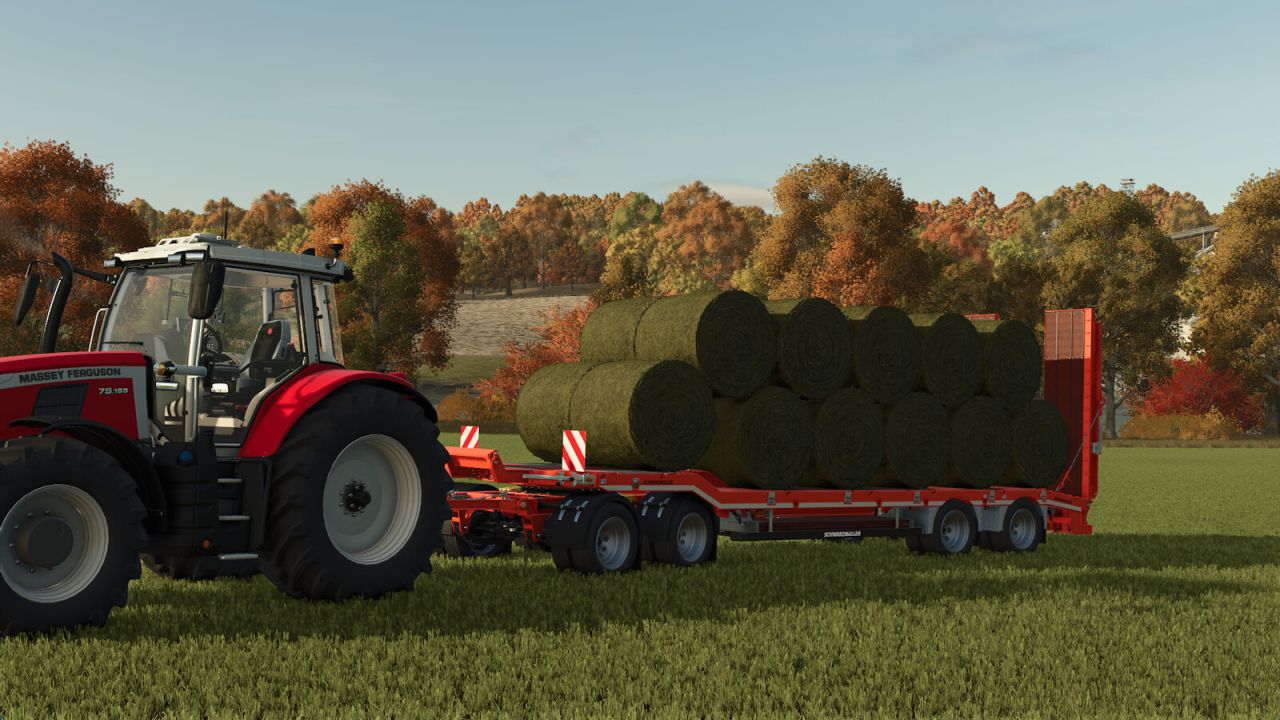
Kuzey Agro Bale Trailer V1.1.0.0 Northern Agro Bale Trailer Mod Price: 15,000 Autoload Types 120cm Square Bale 180cm Square Bale 220cm Square Bale 240cm Square Bale 125cm Round Bale 150cm Round Bale I wish you good games. If you discover any errors, do not hesitate to mention them in the Comment section. V1.1.0.0 Some problems of the model have been resolved, contamination has been corrected, 180, 220, 240 cm square bale types have been added, except for autoload, which is only 120 cm. Apart from that, 125 cm and 150 cm round bales can also be loaded. Now the trailer can Autoload not only 120cm bales but also all bales except round 180cm and cotton bales.

Deutz Fahr 4080 Edit FS22
tractors

Deutz Fahr 4080 Edit FS22

IT IS IMPORTANTLY REQUESTED THAT YOU DO NOT TAKE ANY PARTS FROM IT AND USE IT OTHER PLACES!!! Engine Power Increased from 80 HP to 92 HP Torque Loading Made (Small Amount) Speed Limit Increased from 40 to 52 Extra Weight Added Tractor Color Changed to Black Tire Text Added to Wide Tires Rim Color Option Added Stickers Added to the Windows Exhaust Made in Chrome Turkish Flag Placed on Fenders Added Doormats to Stairs Fire Extinguisher Added to Front Weights Flashing and Marine Horn Installed in the Cabin Amber Color Underfoot LED Added to the Cabin

Autodrive Vyacheslavka V1.0.0.1
other

Autodrive Vyacheslavka V1.0.0.1

Autodrive Vyacheslavka V1.0.0.1 V1.0.0.1 Courses updated for map version 5.0.0.2 All fields, vegetable gardens, production points, sales, parking are connected. Required mods: Autodrive Vyacheslavka

Bale Conveyor V1.0.0.1
other

Bale Conveyor V1.0.0.1

Bale Conveyor V1.0.0.1 V1.0.0.1 Updated issue with hook and collision Converts bales directly into loose material using an integrated roller-fed hopper and conveyor belt. Place a compatible bale in the intake tray and the machine will process it automatically, allowing the material to be transferred to other conveyors, trailers, storage facilities or production points. A practical solution for automating bale handling without relying on ground-based bulk filling. Features: Supports compatible bale materials. Roller-fed intake hopper. Continuous conveyor discharge. Works with other conveyors and production systems. Configurable frame color. Transportable design. PC/Mac only due to custom scripts.

Log Error Extractor V1.2.0.0
tractors

Log Error Extractor V1.2.0.0

Log Error Extractor V1.2.0.0 Stop scrolling through thousands of lines of log file trying to work out which mod broke your game. Log Error Extractor captures every error and warning your game produces and writes them to a clean, readable report — errors and warnings only, nothing else. It then ranks every mod in your folder by how many distinct problems it’s causing, so the culprit is sitting at the top of the list instead of buried somewhere in a 6,000-line log. What it does Writes a report containing only errors and warnings, saved as log_errors.txt next to your normal log Ranks your mods worst to best by distinct error count, with flags on the serious offenders Collapses repeated messages — one mod throwing the same warning 500 times shows once with a count, not 500 lines Breaks the report down mod by mod so you can see exactly what each one is throwing Console commands are there for anyone who prefers them: dumpLogErrors, topLogErrors, countLogErrors, clearLogErrors Getting started Bind a key under Options → Controls → Log Error Extractor, load your save, and press it. The menu opens anywhere — on foot, in a vehicle, doesn’t matter. Cycle the options with the arrows and hit OK. Save Report To File — writes the full report to log_errors.txt in your Farming Simulator 2025 folder. Show Worst Mods — puts your top offenders straight on screen, no file needed. Show Count — tells you how many errors and warnings have been captured so far. Clear — wipes everything collected up to now so your next report starts clean. That last one is the most useful when you’re hunting a specific conflict. Clear the buffer, recreate whatever broke, then save the report — and it’ll contain nothing but what happened in between. Important — do not rename the mod The folder is called FS25_AAA_LogErrorExtractor on purpose. Farming Simulator loads mods alphabetically, and the AAA forces this one to load first so it can capture errors from everything that loads after it. Rename it and it drops down the list, and anything loading before it goes uncaptured. Requirements and limitations PC only. This is a script mod, and script mods are not supported on PlayStation or Xbox. Singleplayer only for now. Multiplayer is untested rather than known-broken — it’s declared unsupported so it won’t load in an MP save. If you’d like to help, flip in the modDesc, test it, and let me know what happens. It cannot capture errors that occur before it loads, so base game startup and engine-level messages won’t appear. Check the game’s own log.txt for those. Reporting problems The mod writes a small health check file, log_status.txt, every time you load a save. If something isn’t working, open it — and please attach it if you’re reporting an issue. V1.2.0.0 Unneeded files removed from the zip. I know I said not to rename the zip in both my posting and the video showing how to use. But a caveat I had not thought about was brought up in the comments. The FS25_ prefix is a GIANTS ModHub submission rule, not something the game engine requires. The game only cares that the name is letters, digits and underscores, and doesn’t start with a digit. Renaming the zip to AAA_LogErrorExtractor.zip works fine. So go ahead and Right click the mod, choose rename and then delete the FS25_ prefix if you are finding you have mods not being found. Check your console or basegame log and see a texture warning showed up in `log.txt` — a raw-format PNG that should have been a DDS and The Log Error Extractor didn’t capture it. The report came back clean. That looked like a bug in the extractor. It isn’t. It’s a boundary of how the mod works, and it’s worth writing down. How the extractor actually works It can’t read `log.txt`. That was settled early on: the Lua sandbox only allows `io.open` in write mode, and the game holds the log file open exclusively anyway. Nothing in a script mod can open it and scrape it. So instead of reading the log, the extractor sits in front of the functions that *write* to it. At load time it wraps `printError`, `printWarning`, the whole `Logging` family, and a filtered `print`, buffers everything they’re handed, and dumps that buffer on command. That works well. On a 1,200-mod load order it captured 3,182 messages. Why this one slipped through The hooks aren’t failing. If this warning had passed through any of those functions, it would have been sitting in the dump with the other three thousand. It wasn’t. So it never went through Lua at all. Texture loading happens in the engine’s C++ layer, which writes to `log.txt` directly. There’s no Lua function in the path, so there’s nothing to wrap. Combine that with not being able to read the log back, and the message is genuinely unreachable. Not “hard to catch” unreachable by this design. What else is in that category Anything the engine handles itself rather than routing through script: texture format and loading problems i3d loading failures shader compilation messages Anything a mod’s Lua code reports is still caught normally, which is the large majority of what actually matters when you’re chasing a broken mod. The practical takeaway “0 errors” from the extractor means “0 errors that Lua reported.” It does not mean the log is clean. That distinction belongs in the README, because a tester who reads it the wrong way will report a mod as healthy when it isn’t. Possible future work Covering this class would need a completely different mechanism scanning the mods folder for raw format textures directly, rather than waiting for the engine to complain. That sidesteps the log entirely. It depends on directory listing being available in the sandbox, which hasn’t been verified. Worth a look, but it’s a new feature rather than a fix.

Fazenda Condor V2.0.0.0
maps

Fazenda Condor V2.0.0.0

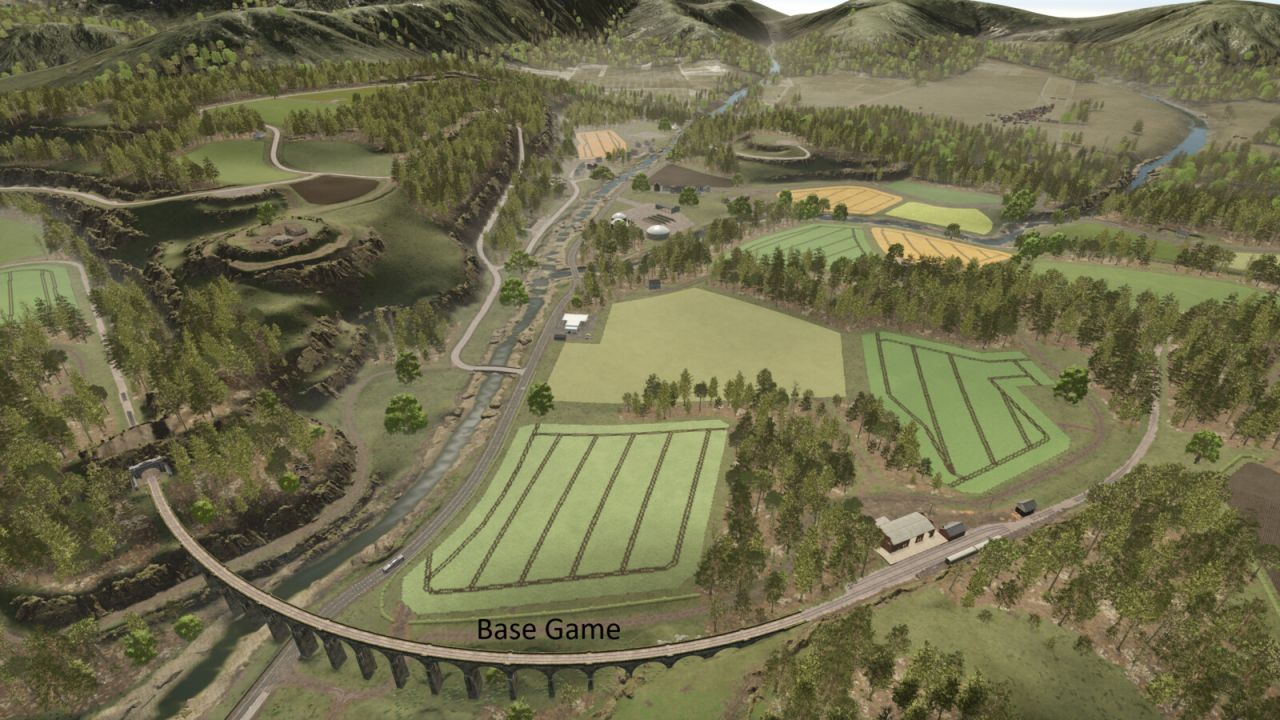
Fazenda Condor V2.0.0.0 V2.0.0.0 Crops that bugged when harvesting fixed Performance improvement Updated version Some visual improvements ATTENTION!! UNZIP TO GET THE DEPENDENT MODS! Map based on the central south region of Paraná! Typical reliefs, contains various crops and RowCrop! Good Game and credits for the models to their owners!

RLRM – Butcher Table Mods Bridge v1.0.0.0
implements

RLRM – Butcher Table Mods Bridge v1.0.0.0

RLRM – Butcher Table Mods Bridge v1.0.0.0 This mod adds compatibility between Realistic Livestock RM and Butcher Table. Instead of every animal producing the same amount of meat, the butcher yield is now calculated using: Live Weight Meat Quality (Genetics) Features: Weight-based butcher yield Meat Quality affects production Supports: Cattle Pigs Sheep / Goats Chickens Horses (Experimental) Plug & Play Multiplayer compatible Reference Weights: Cattle: 1000 kg Pigs: 200 kg Sheep/Goats: 60 kg Horses: 550 kg Chickens: 4 kg Meat Quality Multipliers: 0-9 = 0.70x 10-19 = 0.80x 20-29 = 0.90x 30-39 = 0.95x 40-59 = 1.00x 60-69 = 1.10x 70-79 = 1.15x 80-89 = 1.20x 90-99 = 1.30x Requirements: Realistic Livestock RM Butcher Table Experimental: Horse support is currently experimental and may not perfectly match the intended live-weight calculation. Enjoy!

Kotschenreuther K300r Rust Edition v1.5.0.0
tractors

Kotschenreuther K300r Rust Edition v1.5.0.0

Kotschenreuther K300r Rust Edition v1.5.0.0 Category: Miscellaneous Price: $310000 Power: 301 hp Max. speed: 40 kph Added rust for wear shader Made configs free Added window tint configs Changelog 1.5.0.0 Updated the modDesc

Kubota M7 Rust Edition v1.6.0.0
tractors

Kubota M7 Rust Edition v1.6.0.0

Kubota M7 Rust Edition v1.6.0.0 Category: Small Tractors Price: $118500 Power: 130 hp – 170 hp Max. speed: 50 kph Free configs Added rust for wear shader Added window tint configs Changelog 1.6.0.0 Updated the modDesc

Deutz Fahr KH4S v1.7.0.0
placeables

Deutz Fahr KH4S v1.7.0.0

Deutz Fahr KH4S v1.7.0.0 Placeable decorative Deutz Fahr KH4S tedder.Cost 1000$ Changelog 1.7.0.0 Updated the moddesc

154 / 3,198

We use essential cookies to keep you signed in and remember your theme. With your consent we also use functional storage (to remember preferences like downloaded mods, kept on your device) and ad cookies that help keep ModNest free. Pro members never see ads. Privacy & cookies.