Farming Simulator 22 mods
47,884 results- 15 per page
- 30 per page
- 45 per page
- 60 per page
-
See more per page
Bigger pages, fewer clicks - and no ads anywhere.
Go Pro

Leave the pedestrians alone V1.0.0.0
Leave the pedestrians alone V1.0.0.0 A simple mod for… running over pedestrians. Well, no… better avoid that then, because pedestrians are expensive.
JVN Natural Vision V1.0.0.0
JVN Natural Vision V1.0.0.0 Installing the JVN shader is relatively easy. The included files simply need to be copied into the correct folders. The ReShade preset file JVN_Cinematic_Agriculture.ini goes into the folder: Farming Simulator 25×64 The existing ReShade installation must also be located in the x64 folder. The files environment.xml, ColorgradingNight.xml and colorgrading.xml go into the folder: Farming Simulator 25/data/maps/mapUS/config Existing files may need to be replaced. It’s best to create a backup of the original files beforehand, so you can switch back to the standard graphics at any time. The “Additional Game Settings” mod is also required. After installation, you will find it at: Settings → Additional settings → Non-standard lighting The appropriate setting. For the intended look, the non-standard lighting should be set to Riverbend Springs. I myself play at a resolution of 2560 × 1440 (WQHD) and maximum graphics settings. For non-standard lighting, I use Riverbend Springs, and for the ReShade preset, I use the JVN Natural Vision.ini. The shader may look slightly different at other resolutions, graphics settings, or maps. Afterwards, you can start Farming Simulator 25 as normal and select the JVN Natural Vision.ini preset in ReShade. The shader is tailored to my personal look and combines a customized environment, custom day and night color grading, and ReShade. Depending on the monitor, brightness, resolution, map, weather and graphics settings, colors and lighting may vary slightly. Important: For the intended look, both the supplied XML files and the non-standard Riverbend Springs lighting should be used. Using only the ReShade file will not result in an exactly identical look.
Realistic Stubble Tillage V1.0.0.0
Realistic Stubble Tillage V1.0.0.0 After tillage with the cultivator or disc harrow, part of the foliage remains visible instead of being completely removed and real Volunteer Grain grows after it. Volunteer Grain grows every day to keep a balance between realism and fun gameplay. Three profiles with per-crop-type adjustable values (found in the mod folder), selectable in the game settings. Custom crop types can also be added there. There are two pre-configured profiles for Giants Maps (Vanilla) or maps that use the Template from WeekendFarmers/T4xs (TemplateMap) Example from custom1.xml: settings name=”YOUR NAME” Here, you can enter your own profile name, which will also be displayed in the in-game menu. DO NOT rename the file itself! Otherwise, the profile can no longer be loaded! fruit name=”WHEAT” densityReductionPercent=”2″ targetFoliageState=”10″ fruit name: The name of the crop, exactly as it is listed, for example, in fillTypes.xml. densityReductionPercent: The percentage by which the stubble should be reduced with each pass. It is intentionally set low (1–3). Higher values will thin out the stubble very quickly. targetFoliageState: The crop state that should be set during cultivation. This depends heavily on the map being used and the respective crop! If something does not look as expected, it is best to use Easy Development Controls to first set the state to “sown” (FoliageState “1”). Then count up from there until you reach the desired result, and enter that number here. You can also test this without restarting the game. Simply change the values, save the file, briefly select a different profile in-game, then switch back to your desired profile — your changes will be active immediately! volunteerGrain: Should volunteer grain grow after tillage? (true/false) volunteerGrainChance: The chance in % at which volunteer crop can grow. New/custom crops: You can easily add your own crops following the same pattern. THIS MOD WAS MADE WITH THE HELP OF AI
Paint & Decal Studio V3.6.0.0
Paint & Decal Studio V3.6.0.0 PHANTOMAS Paint & Decal Studio paints EVERY paintable material on a vehicle – not just the handful of colour slots the vehicle maker exposed.even not paintable vehicles. Enable “PHANTOMAS Paint Studio” in the shop or workshop to open the studio. The LIST contains full paint presets: every curated shade is available in Glossy, Metallic and Matte, with additional Pearl, Candy, Chrome and Galvanized selections. Use any RGB colour, premium finishes and more than twenty original patterns. Switch to the per-part tree for independent left/right material-slot control. Cycle an extensive collection of curated whole-vehicle themes with STYLE PRESET or generate a four-role chromatic combination with SURPRISE. Applying paint costs an adjustable fee, and every design survives buying, saving, workshop changes and multiplayer. Version 3.1 adds the first visual Decal Library. Open DECAL STUDIO to replace the paint rail with a clean thumbnail catalog and choose PHANTOMAS Emblem, Spectral Wolf, Mechanical Raven or Harvest Crown. The shop camera stays completely native while browsing: Alt + left drag rotates it and plain mouse wheel zooms. Shift + mouse wheel adds a precision close-up range for detailed decal placement and returns cleanly to the native field of view when the studio closes. Decal commands are armed only while Left Ctrl is held. Ctrl + left-click places the chosen design; Ctrl + right-click selects an existing decal for editing. Middle-mouse drag uses Surface Snap and follows detected vehicle panels; large false jumps through render-only panels are rejected. Ctrl + middle-mouse drag provides Free Move without raycasting or changing decal orientation, allowing positioning over aluminium boxes and other visual-only body panels. Shift + middle-mouse drag tilts freely on two axes. Placement rays ignore existing PHANTOMAS decals and showroom geometry. Ctrl + wheel resizes, Ctrl + Shift + wheel rotates on the surface, Ctrl + Alt + wheel adjusts depth, and Ctrl + Shift + right-click deletes. Rotation and both tilt angles are shown live in the library and persist through buying, saving and multiplayer. Decals are rendered double-sided so glass-mounted designs remain visible from both outside and inside the cab. Clicking a catalog thumbnail exits the current edit and prepares that design for placement. No vehicle I3D edit is required. Every design follows the selected vehicle component. Version 3.2 introduces the Layer Manager. Every applied decal appears in a paged visual list and can be selected without clicking the vehicle, reordered for clean overlap, hidden, locked against accidental edits, duplicated or deleted. Layer visibility, protection and order persist with purchased vehicles, savegames and multiplayer. Version 3.2.1 keeps Cyber Phoenix as a premium 4K decal and adds one-click MIRROR in Layer Manager. MIRROR creates a matching copy across the vehicle’s central left/right axis while preserving design, size, rotation and tilt. The mirrored copy is selected immediately for final surface adjustment. Version 3.3 adds Livery Presets. Six model-specific slots store and restore the complete current design in one action: every custom colour, finish, material pattern and decal layer. Presets are kept in the current savegame and can be overwritten or deleted directly from the new LIVERIES tab. Version 3.4 introduces Decal Packs. The DECALS tab now browses named packs and pages without crowding the studio. Its catalog is loaded from decals/decalPacks.xml, so future decals require only their DDS, thumbnail, I3D and one catalog entry; rendering and GUI scripts remain untouched. Existing decal IDs and saved vehicles remain fully compatible. Version 3.5 fills the studio with ten new original 4K decals: Diesel Bull, Golden Harvest, Mud Tracks, Twin Turbo, Cyber Tiger, Cyber Stallion, Mech Eagle, Gear Shield, Reactor Skull and Wheat Pinstripe. The collection is organised into Farming, Racing, Animals, Industrial and Ornaments packs. Every new asset includes a lightweight thumbnail and loads its full-resolution texture only when used on a vehicle. Version 3.6 rebuilds Paint Studio with a premium header and permanent STYLE, SURPRISE and PARTS controls. Whole-vehicle styles now reach every safe paintable part instead of inheriting the Advanced-list visibility filter, use a fourth semantic detail role and report their coverage live. Eight new chromatic templates and twenty-one exotic Pearl, Candy, Satin and coloured-Chrome finishes expand the palette. PHANTOMAS edition. Based on the original Manual Paint project by Robin (diod.es).
Automatic delimbing V1.0.0.0
Automatic delimbing V1.0.0.0 TO UNZIP Text document explaining how it works. If needed, contact me on Discord. Automatic delimbing of felled trees. You fell a tree with a chainsaw: the trunk reaches the ground already cleared of its branches and foliage. All that remains is to cut it into logs and load it. No more spending five minutes walking along each trunk to delimb it by hand before being able to sell it properly. NOTHING TO CONFIGURE No key to assign, no menu, no file to edit. You install the mod, activate it in your game, and the trees fall already delimbed. That’s all. WHAT’S HONEST ABOUT THIS MOD Auto Delimb calls the game’s native delimbing function. Nothing is simulated, nothing is secretly removed. The volume and quality of the wood remain exactly what they would be if you had done the work by hand: the sale price is not changed by a single cent. You save time, not money.
Small French flag (Prefab) V1.0.0.0
Small French flag (Prefab) V1.0.0.0 Hello, I’m sharing this little French flag with you to decorate your vehicles.
AutoDrive HobosHollow 4x V1.0.0.0
AutoDrive HobosHollow 4x V1.0.0.0 AutoDrive for HobosHollow 4x map
Liebherr 918 Compact V1.1.1.1
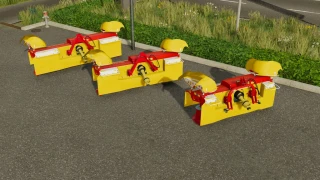
Liebherr 918 Compact V1.1.1.1 Liebherr 918 Compact Mobile Excavator Compatible with the OQ70/55 and Likufix SW48 Pack
Field Finder v1.0.0.0
Field Finder v1.0.0.0 Field Finder adds a Search button to the map tab: enter a field number and the map view centers on it. Ideal for quickly relocating a specific field, farmyard or forest on large maps.
Helpers On Credit V1.0.2.0
Helpers On Credit V1.0.2.0 Tired of your AI helper quitting on you just because your account isn’t exactly overflowing right now? This mod fixes that: helpers (field work and more) now keep working even when the farm balance is negative or too low to cover their running cost. In the base game, a helper job stops immediately with an “out of money” error the moment the balance can’t cover it anymore. With this mod the cost is still deducted as usual, your balance is just allowed to slide into the red instead of the job stopping on the spot. V1.0.2.0 New: Purchase vehicles and equipment on credit. If your balance is insufficient but your accepted contracts cover the price, the purchase will still go through. New: an overdraft limit of 50,000. At this account balance, helpers stop working and credit purchases are blocked.
Realistic Water & Soil Management (RWSM) V1.4.0.1
Realistic Water & Soil Management (RWSM) V1.4.0.1 V1.4.0.1 Rainstar retraction and road/field behavior optimized. Weather region is now reliably saved on dedicated servers. Server performance on very wet soils significantly improved. Compaction and DensityMap write operations batched and optimized. Topsoil, root-zone and subsoil compaction fully preserved Realistic Water & Soil Management expands Farming Simulator 25 with a permanently stored water, soil and plant balance. Rain, irrigation, evaporation, soil type, terrain, compaction, tire pressure, tillage and plant development are directly intertwined. As a result, fields no longer only react with simple conditions such as “dry” or “wet”, but rather have a multi-layered water balance with topsoil, root zone and subsoil. Natural depressions stay moist longer, heavy vehicles compact wet soil more and inadequate tire pressure increases the load on the topsoil. These influences have long-term effects on soil structure, root health, plant development and yield. Features Multi-layered water balance The soil water balance is calculated separately for: Topsoil from 0 to 10 cm Root zone from 10 to 30 cm Subfloor from 30 to 60 cm Precipitation, irrigation, evaporation, seepage, drainage, surface runoff, plant water absorption, soil type, soil structure, compaction and landform are taken into account. The usable field capacity is displayed separately from the complete pore saturation. Water above field capacity appears as excess water and can seep away, run off or cause waterlogging. Different soil types RWSM differentiates between different types of soil with their own properties, including: loamy sand sandy loam Clay silty clay Each soil type has its own values for field capacity, wilting point, water retention, infiltration, drainage, bearing capacity, risk of compaction and sinking depth. Sandy soils dry faster. Loamy and clay-rich soils store more water, but remain soft longer and are at risk of compaction. Dynamic weather and climate Regional climate profiles influence: Precipitation Temperature Evaporation Wind Humidity Sunlight exposure Seasonal distribution The game’s actual weather data directly affects soil moisture, drying and evaporation. Realistic drying Drying does not take place via a simple timer. Temperature, wind, sun, humidity, soil type, compaction and surface water determine the speed. A wetness memory prevents a field from becoming completely dry and viable again immediately after rain. #Natural depressions and waterlogging RWSM detects local low areas within a field. These areas: collect water dry more slowly have lower load capacity Promote sinking and track formation increase the risk of compaction can cause oxygen deficiency to the roots The terrain evaluation is cached for better performance. Soil compaction The compression is saved separately for: Topsoil Root space Underbody have an influence: Vehicle weight Payload Wheel load Axle load Tire width Tire pressure recommended field pressure Soil moisture Soil type Slip Speed Cornering Multiple crossings High tire pressure puts greater strain on the topsoil for the same wheel load. A suitable low field pressure increases the contact area and protects the ground. High axle loads can still compact deeper soil layers. Multiple crossings Repeated crossings of the same lane are taken into account. The first crossing usually causes the greatest immediate damage. Further passes further compact the already contaminated soil. Among other things, the following are saved: Crossings Compaction Track depth Shear damage Plant damage Edit history Roots and plant stress RWSM simulates: Root health Fine root health achievable root depth Drought stress Waterlogging Lack of oxygen Compaction stress Nutrient stress pH stress mechanical damage Damaged roots are less able to absorb water and nutrients. Impact on earnings The actual yield is influenced, among other things, by: Water balance Dryness Waterlogging Root health Compaction Soil structure Nutrients pH value Seedbed Weeds Lanes mechanical damage Damage does not take full effect immediately, but builds up depending on the strength and duration. Crop Vitality Visuals (Alpha Version) A stored vitality system creates local differences in the plant population. Possible are: different plant heights changed stock density incomplete stocks Visible stress zones weaker development Storage locations The plants remain technically ready for harvest. RWSM does not alter original growth or harvest maturity levels. Weed competition Weeds compete with cultivated plants for water, nutrients, light and development space. Strong weed pressure can reduce development and yield.## Tillage Different devices have different effects: Plow Cultivator Disc harrow Rotary harrow Subsoiler Seeder Roller Working depth, soil moisture, compaction, soil structure, seedbed strength, multiple cultivation and possible plow soles are evaluated. Deep loosening is only fully effective when the soil moisture is suitable. Cultivating when the soil is too wet can cause additional structural and lubrication damage. Seedbed and rollers RWSM evaluates seedbed strength. A seedbed that is too loose offers poor soil sealing. Too much reconsolidation can impair air flow and root development. Rolling acts as a real area-wide reconsolidation and is evaluated depending on the type of soil, moisture and compaction. Irrigation system The mod includes a functional Rainstar irrigation system with: Motor pump Hose reel Sprinkling rail adjustable pump pressure adjustable radius real application rate Water consumption Soil input in millimeters automatic hose retraction Work and transport mode Parking brake Clutch aid Connection markers sound visible water jet The water applied changes the actual water balance of the soil. Extended field info The field info shows, among other things: Topsoil moisture Pore saturation Surface condition Excess water Water in all layers of soil Soil type Evaporation Temperature and wind Compaction Soil structure Seedbed strength Root condition Plant vitality visible height and density main cause of stress Climate values Water-Soil API RWSM provides a versioned interface for other mods. The API provides, among other things: Soil type Soil moisture Pore saturation water available to plants Surface moisture Carrying capacity Trafficability Sink factor possible sinking depth Compaction Track depth Root condition Evaporation recommended tire pressure Plant vitality Other mods can report traffic loads and ground effects back to RWSM. Connection with Visual Mud Tracks In connection with Visual Mud Tracks, among other things, the following are transmitted: Wheel load Axle load Tire pressure Tire width Slip Vehicle weight Payload Soil moisture Carrying capacity Sink factor possible track depth This allows visible tracks, sinking, mud and tire behavior to be linked to the actual ground condition. Saving and multiplayer The following are permanently stored and synchronized, among other things: Water balance Precipitation history Compaction Track depth Soil structure Root condition Edit history Plant vitality Irrigation data Pump pressure Irrigation radius Hose retraction The calculation is server authoritative and designed for multiplayer saves. Highlights 1. Multi-layered water balance Topsoil, root zone and subsoil react separately to rain, irrigation, evaporation and infiltration. 2. Long-term compaction with an impact on yield Tire pressure, wheel load, axle load, soil moisture, slip and multiple passes influence the soil and plants in the long term. 3. Direct connection to Visual Mud Tracks Soil moisture and load capacity control sinking, tracks, mud and tire behavior. 4. Local waterlogging in natural depressions Low areas stay wet for longer and become real problem areas. 5. Visible Plant Vitality Elevation, density and stress zones can vary locally without changing crop maturity. 6. Realistic tire pressure influence Excessive pressure increases topsoil stress, while appropriate field pressure protects the soil. 7. Root Health and Long-Term Plant Stress Dryness, waterlogging, compaction, pH value and nutrients work together. 8. Functional irrigation Pump pressure, radius and application rate determine the real water input. 9. Different tillage systems Plows, cultivators, subsoilers and rollers have their own effects and risks. 10. Extensive field info Water, soil, compaction, roots, seedbed and plant condition are directly visible. 11. Persistent Multiplayer System Ground and water damage is retained and synced after saving. 12. Open Water-Soil API Other mods can read land values and connect their own systems to them. 13. No change in growth stages RWSM assesses and visualizes plant stress without overwriting original harvest maturity levels. The pump only reads the real vanilla hose status: Hose not connected Pump does not start Hose disconnected while pump is running Pump switches off immediately Weather Hud 3 size adjustment options now available. Normal, small, very small And Vanilla Hud Performance fixes Required mods: Precision Farming Visual Mud Tracks
Visual Mud Tracks V1.4.0.4
Visual Mud Tracks V1.4.0.4 V1.4.0.4 FPS drops significantly improved during heavy rain and on extremely wet fields. Visual Mud Tracks expands Farming Simulator 25 with a comprehensive simulation of lanes, soil moisture, tire behavior, compaction, fruit destruction, root damage and bogging. This means that vehicles react much more realistically to dry, moist and water-saturated soils. The mod is designed for single player and multiplayer and can work with the **Realistic Water & Soil Management System**. Soil moisture, load capacity and waterlogging not only influence the display, but also tire contamination, sinking, slippage, driving resistance and plant damage. Physical lanes and terrain grooves Tires can permanently lower the terrain and create real grooves in the terrain heightmap. The depth and width of the tracks are calculated individually for each wheel. To be taken into account: Vehicle weight actual wheel load Tire width and tire radius Tire pressure Soil moisture Soil saturation Carrying capacity Speed Wheel slip Cornering Number of previous crossings Trailers, levels and attachments Left and right bike lanes remain separate. The center of the vehicle is not lowered unnecessarily. The grooves have a narrow, steep cross section so that the edge areas do not sink over a large area. Existing tracks can be deepened by further difficult crossings. A maximum depth protects the terrain from extreme deformation. The groove is created directly at the actual wheel contact. There is no delayed post-processing behind the vehicle. Steered, mirror mounted and differently aligned wheels are taken into account. Restoration through tillage Physical lanes can be removed again through appropriate tillage. The following are supported, among others: Plows Cultivator Disc harrows Subsoiler Mulcher Reels Seeders Direct seeding machines Planters The terrain is only reset within the actual work area being worked on. Pending trace calculations and saved visual traces are also removed there. Safe Terrain Journal The mod uses separate savegame files: `visualMudTracksTerrainBackup.xml` `visualMudTracksActiveRuts.xml` `visualMudTracksState.xml` The original terrain height of a cell is saved during the first intervention and is not later overwritten by further passes. Active grooves and recovery information are managed separately. This allows tracks to be reset in a more controlled manner. Interrupted restores can be resumed the next time you start the game. Important note for updates: Before switching from an older version, existing lanes with the old version still installed should be removed using tillage equipment and the score saved. Grooves that have already been permanently written into the terrain height map may otherwise remain. Visible and physical sinking Tires visibly and physically sink on soft and wet surfaces. The sinking is implemented via the effective wheel physics radius. This means that the tires, suspension and ground contact react together. The sinking occurs progressively and not suddenly. On solid ground, the wheel lifts itself out of the ground in a controlled manner. The sinking depth depends on: Soil moisture Saturation Carrying capacity Wheel load Tire width Tire pressure Speed Slip existing track depth Wide tires distribute the load better. Narrow, heavily loaded tires cut deeper. Tire pressure system The tire pressure can be changed while driving. The value is saved for each wheel and synchronized in multiplayer. Low tire pressure: increases the contact area Improves grip on soft ground reduces cutting can make it easier to get out of soft tracks High tire pressure: reduces the contact area increases cutting increases the risk of getting stuck on wet ground may be cheaper on solid ground A compact HUD shows the current pressure in bar and evaluates it in color. Soil moisture HUD and RWSM connection The Soil Moisture HUD shows the current RWSM topsoil value in percent. The display uses the same soil moisture value as the RWSM field info. Values above 100 percent can represent severe waterlogging or waterlogging. RWSM soil moisture affects: Sludge content Tire contamination Particle effects Carrying capacity Sinking depth Tire grip Wheel slip Groove depth Danger of getting stuck Fruit and root damage Increased soil moisture caused by irrigation can also change the soil physics. Tire dirt and mudThe amount of mud is stored individually for each tire. A tire remains dirty after leaving the field and cleans itself depending on the surface. Asphalt cleans quickly Gravel cleans slower Clean dirt roads only slightly high speed throws more mud out of the tread Rain also washes off the tires a light film of dirt may remain The particle effects distinguish between dry earth and wet mud. Included are: fine dry soil particles medium dry soil particles fine wet splashes medium mud particles rare heavy mud lumps The amount of particles depends on wheel rotation, slip, tire width, radius, moisture, sink factor and load capacity. Particles are only generated when there is suitable ground contact. Progressive stuck physics On heavily waterlogged and less stable ground, a vehicle can progressively become stuck. Continuous slippage causes driven wheels to dig in further. At the same time, the transferable grip decreases and the driving resistance increases. To be taken into account: Soil moisture and saturation Carrying capacity Wheel load Tire pressure Slip Speed Engine utilization Engine speed Tensile load Working resistance Duration of exposure Plows, cultivators, disc harrows, subsoilers, seed drills, power harrows and rollers produce different pulling resistances. Working width and working depth influence the power requirement. In extreme conditions, propulsion can be almost completely lost. Lifting or uncoupling an implement immediately reduces the additional load. Controlled reversing can reduce the digging condition and free the vehicle along its own lane. Soil compaction Vehicles compact the top and bottom soil depending on wheel load, soil moisture, slip and number of passes. Included are: Topsoil compaction Subsoil compaction Stronger compaction in wet soil Multiple experiences Additional load due to cornering and slipping Plow sole for frequent plowing Different effects of plow, cultivator and subsoiler Targeted reconsolidation by rolling slow biological recovery Compaction and soil structure can be viewed in the field info. Fruit destruction Plants in the immediate tire area may be damaged or completely removed. The native LS25 fruit destruction is used for this. The damage depends on: Wheel load Tire width Soil moisture Slip Cornering Growth stage Root health Soil structure Number of crossings Young plants react more sensitively. Repeated crossings significantly increase the damage. Normal tires remove plants after several trips over the same spot at the latest. Detected maintenance tires reduce the damage, but do not prevent it completely if the vehicle is driven frequently. Root Health Each contaminated soil cell can receive its own root health value. Root damage occurs due to: high wheel load wet ground strong slip Cornering Multiple crossings unfavorable growth stages compacted soil If root health declines, the risk of visible plant damage increases. below 70 percent: increased sensitivity below 40 percent: further crossings lead to destruction more quickly less than 20 percent: very high risk of failure Root health is saved and can slowly recover biologically. Field info and settings menu The mod expands the field information to include numerous land values, including: Soil compaction Underbody status Root health Soil structure Sink factor Carrying capacity Fruit and root damage The settings menu contains detailed descriptions of all options. High and low values, interactions, performance consequences and save game effects are explained. The menu texts are available in twelve languages: German, English, French, Spanish, Italian, Dutch, Polish, Portuguese, Russian, Czech, Hungarian and Turkish. Multiplayer and performance The crucial physics calculations run on the server side. Tire pressure, contamination and important soil conditions are synchronized. To optimize performance, the mod uses: limited groove points adjustable storage intervals Event and bulk caches sleeping floor cells Reduced refresh rates for removed or inactive areas delayed safe initialization of the particle systems Clean release of particle effects when deleting vehicles Required mods: Realistic Water & Soil Management (RWSM)
Pallet Physics Stabilizer V1.2
Pallet Physics Stabilizer V1.2 Stops unrealistic pallet sliding on normal slopes Makes pallets more stable when stationary or stacked Reduces unwanted movement Maintains realistic behavior when moved with a forklift or transported In short: pallets no longer slide around and behave much more naturally. V1.2.0.0 Better pallet stability
Hide Silo Filltypes - Hirschfeld Mods FS25
The Hide Silo Filltypes Mod saves you time and hassle. The mod only shows you the fill types available in your silo or at the point of sale. Highlights: Save time: Never scroll through endless lists again. Intelligent display: Only the matching fill types are shown. Flexible: Works with all trailers, barrels and containers. Installation: Simply copy the file into the mod folder, activate it and get started right away.
Liebherr 926 Compact V1.2.1.1
Liebherr 926 Compact V1.2.1.1 Liebherr 926 Compact Crawler Excavator Compatible with the: OQ70/55 and Likufix SW48 pack Required: Mercedes-Benz DLC for the cameras Dashboard Live
- 15 per page
- 30 per page
- 45 per page
- 60 per page
-
See more per page
Bigger pages, fewer clicks - and no ads anywhere.
Go Pro