Farming Simulator 22 mods

47,884 results
129 / 3,193
Railway locomotives V1.0.0.0
other

Railway locomotives V1.0.0.0

Railway locomotives V1.0.0.0 JWEEZY IS BACK ON FARMING SIMULATOR 25 This is my pack of railroad locomotives converted to FS25! For release it does not include everything from FS25 yet, but it will eventually! CHECK THE DEVLOGS FOR NOTES ON WHAT WAS ADDED/CHANGED IN THE MOST RECENT UPDATE. Here is a quick guide for setup with an explanation below: Store deliveries mod to spawn loco next to track. Some kind of extra strength to place loco on track (I recommend LUMBERJACK), with invisible wheels in the middle between the rails. Enter the locomotive and unfold to unlock the trucks to turn freely. For all of the locomotives, I use the store deliveries mod to spawn it next to the track, then I use super strength to place the locos on the track. There are invisible wheels in the middle of the front and rear axle of every truck. Those invisible wheels sit down in between the rails and thats what keeps them on the tracks. the trucks will sit on the tracks as they should. Once you have the locomotive on the tracks correctly with the invisible wheels between the tracks, you then must hit the “fold” function to unfold the loco. This will allow the trucks to turn freely as they should and allow them to follow the rails correctly. All locomotives can be connected to rolling stock and to other locomotives from either end. Currently, connecting multiple locomotives together does not increase the pulling power. However, you can use the follow me mod to combine pulling power! All locomotives have the option to select the locomotive number. All locomotives also have multiple different lights, including headlights for SHF and LHF, illuminated number boards, truck lights, step lights, and ditch lights. Turning on the locomotive will turn the bell on. This mod, like most of my mods is a big WIP. I add stuff as I think of them and I am constantly tweaking and updating it. As always, let me know if you have any suggestions or feedback. Required mods: JWeezy Store Category

AutoDrive Redstone County-Oklahoma V1.0.0.0
maps

AutoDrive Redstone County-Oklahoma V1.0.0.0

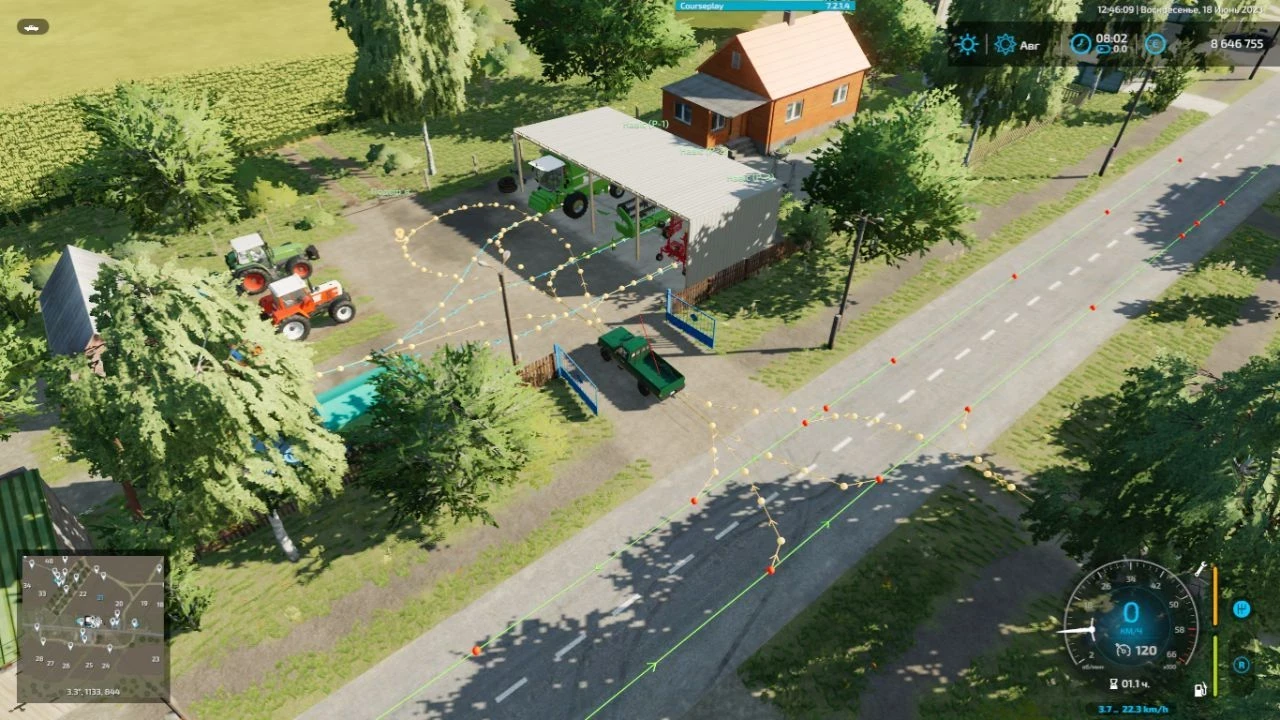
AutoDrive Redstone County-Oklahoma V1.0.0.0 An AutoDrive course for the Redstone County map! For now, it features the main roads. Required mods: Autodrive Redstone County-Oklahoma

JVN Northlight V1.0.0.0
other

JVN Northlight V1.0.0.0

JVN Northlight V1.0.0.0 Installing the **JVN Shader** is relatively easy. The included files simply need to be copied into the correct folders. The ReShade preset file **JVN Northlight.ini** goes into the folder: `Farming Simulator 25/x64` The existing ReShade installation must also be located in the **x64 folder**. The files **environment.xml**, **ColorgradingNight.xml** and **colorgrading.xml** go into the folder: `Farming Simulator 25datamaps/mapUS/config` Existing files may need to be replaced. It’s best to create a backup of the original files beforehand so you can revert to the default graphics at any time. Additionally, the mod **“Additional Game Settings”** is required. After installation, you will find it at: **Settings → Additional Settings → Non-standard Lighting** Select the appropriate setting. For the intended look, the non-standard lighting should be set to **Riverbend Springs**. I personally play at a resolution of **2560 × 1440 (WQHD)** and maximum graphics settings. For non-standard lighting, I use **Riverbend Springs** and for the ReShade preset, **JVN Northlight.ini**. The shader may look slightly different at other resolutions, graphics settings, or maps. You can then start Farming Simulator 25 as normal and select the preset **JVN Northlight.ini** in ReShade. The shader is tailored to my personal look and combines a customized environment, custom day and night color grading, and ReShade. Colors and lighting may vary slightly depending on the monitor, brightness, resolution, map, weather, and graphics settings. Important: For the intended look, both the included XML files and the non-standard lighting **Riverbend Springs** should be used. Using only the ReShade file will not produce the exact same look. Required mods: Reshade

JWeezy Store Category V1.0.0.0
other

JWeezy Store Category V1.0.0.0

JWeezy Store Category V1.0.0.0 Currently I have it separated into straight, curves, misc track, track extras and trenches. I haven’t updated the trenches yet, so that one will be empty, but all of the track is updated and in its proper category, so enjoy! I will update this and add categories as necessary.

JWeezy Store Category FS25
other

JWeezy Store Category FS25

Currently I have it separated into straight, curves, misc track, track extras and trenches. I haven't updated the trenches yet, so that one will be empty, but all of the track is updated and in its proper category, so enjoy! I will update this and add categories as necessary.

Placeable railway tracks FS25
placeables

Placeable railway tracks FS25

This is my placeable railroad tracks converted to FS25! It does not include everything from FS25 yet, but will in the future. CHECK THE DEVLOG FOR NOTES ON WHAT WAS ADDED IN THE MOST RECENT UPDATE!! This mod, like most of my mods is a WIP. I add stuff as I think of them and I am constantly tweaking and updating it. As always, let me know if you have any suggestions or feedback.

Railway wagons FS25
other

Railway wagons FS25

This is my railroad rolling stock converted to FS25! Not everything has been converted yet, but will be eventually. CHECK THE DEVLOGS FOR NOTES ON WHAT WAS ADDED/CHANGED IN THE MOST RECENT UPDATE. Here is a quick guide for setup with an explanation below: Store deliveries mod to spawn rolling stock next to track. Some kind of extra strength to place rolling stock on the track (I recommend LUMBERJACK), with invisible wheels in the middle between the rails. Connect a locomotive and unfold the rolling stock. For all of the rolling stock, I use the Store Deliveries mod to spawn it next to the track, then I use super strength to place the railcars on the track. I recommend the LUMBERJACK mod, as it is capable of lifting the rolling stock if you change the settings in-game. Anyway, there are invisible wheels in the middle of the front and rear axles of every truck. Those invisible wheels sit between the rails, and that is what keeps them on the tracks. The trucks will sit on the tracks as they should. Once you have the rolling stock correctly on the tracks with the invisible wheels between the rails, you can connect a locomotive to it. You then have to use the "fold" function to unfold the rolling stock. This will allow the trucks to turn as they should and follow the rails correctly. All rolling stock can be connected from either side, except for the passenger cars and the intermodal cars. Those can only be connected when they are all facing the same way. This mod, like most of my mods, is a big WIP. I add things as I think of them and am constantly tweaking and updating it. As always, let me know if you have any suggestions or feedback.

Railway locomotives FS25
other

Railway locomotives FS25

JWEEZY IS BACK ON FARMING SIMULATOR 25 🎊 This is my pack of railroad locomotives converted to FS25! For release it does not include everything from FS25 yet, but it will eventually! CHECK THE DEVLOGS FOR NOTES ON WHAT WAS ADDED/CHANGED IN THE MOST RECENT UPDATE. Here is a quick guide for setup with an explanation below: Store deliveries mod to spawn loco next to track. Some kind of extra strength to place loco on track (I recommend LUMBERJACK), with invisible wheels in the middle between the rails. Enter the locomotive and unfold to unlock the trucks to turn freely. For all of the locomotives, I use the store deliveries mod to spawn it next to the track, then I use super strength to place the locos on the track. There are invisible wheels in the middle of the front and rear axle of every truck. Those invisible wheels sit down in between the rails and thats what keeps them on the tracks. the trucks will sit on the tracks as they should. Once you have the locomotive on the tracks correctly with the invisible wheels between the tracks, you then must hit the "fold" function to unfold the loco. This will allow the trucks to turn freely as they should and allow them to follow the rails correctly. All locomotives can be connected to rolling stock and to other locomotives from either end. Currently, connecting multiple locomotives together does not increase the pulling power. However, you can use the follow me mod to combine pulling power! All locomotives have the option to select the locomotive number. All locomotives also have multiple different lights, including headlights for SHF and LHF, illuminated number boards, truck lights, step lights, and ditch lights. Turning on the locomotive will turn the bell on. This mod, like most of my mods is a big WIP. I add stuff as I think of them and I am constantly tweaking and updating it. As always, let me know if you have any suggestions or feedback.

AutoDrive Redstone County-Oklahoma FS25
maps

AutoDrive Redstone County-Oklahoma FS25

An AutoDrive course for the Redstone County map! For now, it features the main roads.

JVN Northlight FS25
other

JVN Northlight FS25

Installing the **JVN Shader** is relatively easy. The included files simply need to be copied into the correct folders. The ReShade preset file **JVN Northlight.ini** goes into the folder: `Farming Simulator 25\x64` The existing ReShade installation must also be located in the **x64 folder**. The files **environment.xml**, **ColorgradingNight.xml** and **colorgrading.xml** go into the folder: `Farming Simulator 25\data\maps\mapUS\config` Existing files may need to be replaced. It's best to create a backup of the original files beforehand so you can revert to the default graphics at any time. Additionally, the mod **“Additional Game Settings”** is required. After installation, you will find it at: **Settings → Additional Settings → Non-standard Lighting** Select the appropriate setting. For the intended look, the non-standard lighting should be set to **Riverbend Springs**. I personally play at a resolution of **2560 × 1440 (WQHD)** and maximum graphics settings. For non-standard lighting, I use **Riverbend Springs** and for the ReShade preset, **JVN Northlight.ini**. The shader may look slightly different at other resolutions, graphics settings, or maps. You can then start Farming Simulator 25 as normal and select the preset **JVN Northlight.ini** in ReShade. The shader is tailored to my personal look and combines a customized environment, custom day and night color grading, and ReShade. Colors and lighting may vary slightly depending on the monitor, brightness, resolution, map, weather, and graphics settings. **Important:** For the intended look, both the included XML files and the non-standard lighting **Riverbend Springs** should be used. Using only the ReShade file will not produce the exact same look.

DAF 460 SUPER SPACE CAB 4X2 V1.0.0.0
trucks
Precision Farming DLC
packs
LIGHTPACK V1.1
placeables
2018 CHEVY SILVERADO V1.0
cars
ERDALLAR 10 Feed Mixer V1.0.0.0
other

ERDALLAR 10 Feed Mixer V1.0.0.0

ERDALLAR 10 Feed Mixer V1.0.0.0 ERDALLAR DMR 10 CAPACITY 10,000-LITER THE MOD IS CURRENTLY UNDER DEVELOPMENT; THERE MAY BE SOME ISSUES. ENJOY THE GAME.

129 / 3,193

We use essential cookies to keep you signed in and remember your theme. With your consent we also use functional storage (to remember preferences like downloaded mods, kept on your device) and ad cookies that help keep ModNest free. Pro members never see ads. Privacy & cookies.