Farming Simulator 22 mods

47,884 results
128 / 3,193
JD Terminal HUD V1.0.0.0
other

JD Terminal HUD V1.0.0.0

JD Terminal HUD V1.0.0.0 Bord-Tablet-Terminal, echte Rundinstrumente (Geschwindigkeit, Drehzahl), Funktionsknöpfe, die mit den tatsächlichen Fahrzeugaktionen verknüpft sind. Unabhängige Modifikation.

Ego-Perspektive-Spielerkörper V1.0.0.0
other

Ego-Perspektive-Spielerkörper V1.0.0.0

Ego-Perspektive-Spielerkörper V1.0.0.0 Die Erweiterung „First-Person Player Body“ fügt in Farming Simulator 25 eine „vollständige“ Charakterdarstellung im Ego-Modus hinzu. Beim Blick nach unten sieht der Spieler nun seinen animierten Körper, Beine und Arme, während die Bewegungen der Spielfigur korrekt zusammen mit der Kamera dargestellt werden. Der Kopf bleibt hinter der Kamera, sodass er die Sicht nicht behindert, trägt aber dennoch zur Schattenbildung bei. Die Mod verbessert außerdem die Ego-Perspektive in Fahrzeugen. Bei Verwendung der Innenraumkamera wird das standardmäßige sitzende Fahrermodell angezeigt. Die Kamera kann der Augenanimation und den Bewegungen der sitzenden Figur folgen. Die Mod-Einstellungen umfassen: Zu Fuß Sichtbarkeit des Spielerkörpers. Seitliche Kamerabewegung. In Fahrzeugen Sichtverhältnisse für den Fahrer. Kameraposition – Standardeinstellung oder Augenhöhe. Die Kamera folgt den Bewegungen des Fahrers. Tags: Bei VerwendungDie KameraDie ModFarming Simulator

Dynamische Roadmap V1.0.0.0
maps

Dynamische Roadmap V1.0.0.0

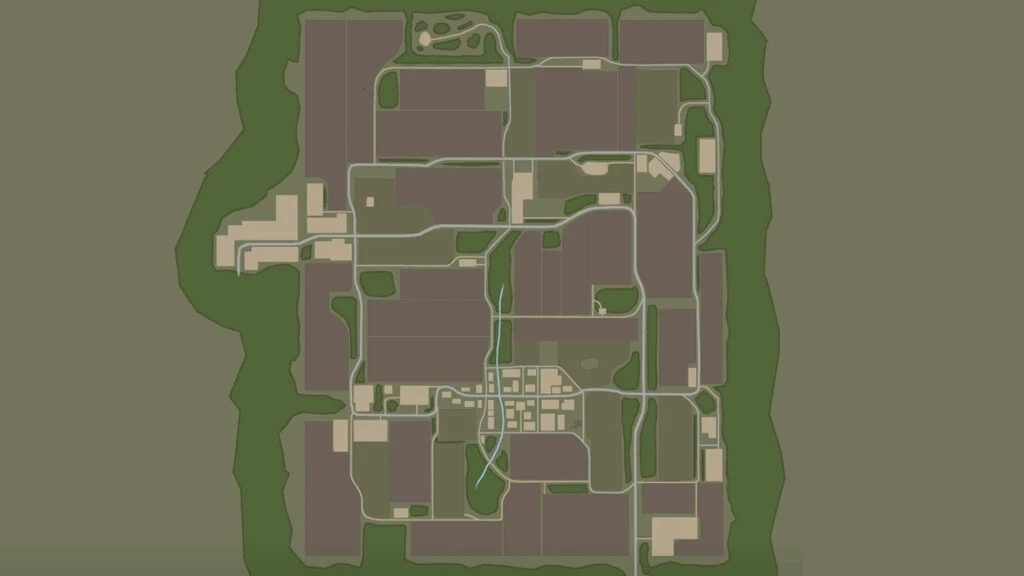
Dynamische Roadmap V1.0.0.0 Die Mod „Dynamische Straßenkarte“ erweitert die Karte des Landwirtschafts-Simulators 25 um eine dynamische Straßendarstellung. Asphalt- und Schotterwege, die der Spieler im Landschafts-Editor erstellt hat, erscheinen automatisch auf der Vollbildkarte und der Minikarte im HUD. Beim ersten Start scannt die Mod außerdem die Karte und importiert vorhandene Straßenoberflächen. Ein separater Bereich „Straßen“ wurde hinzugefügt, um die Anzeige zu steuern. Er bietet Filter für Asphalt-, Schotter- und importierte Straßen. Die Straßendaten werden für jeden Spielstand separat gespeichert und müssen nicht bei jedem Spielstart neu eingescannt werden. Eine nützliche Funktion für Karten mit wenigen Straßen, auf denen der Spieler die neuen Straßen selbst bauen muss. Tags: Bereich StraDie StraHUD

KamAZ-5460 FS22
trucks

KamAZ-5460 FS22

KamAZ-5460 Max. power – 381 hp. Top speed – 100 km/h. Lighting, speedometer, tachometer, fuel gauge, water/air/time displays, cruise control, thermometer, flow meter, indicator lights (headlights, turn signals, hazard warning lights), mirrors, windshield wipers, color selection and numbering, 2 bodywork options, 4 cabins, 2 mud tire variants, optional accessories (radio, beacon lights, roof lights), 2 wheel variants, trailer hitch, tire tracks, dust effects, animations (ignition key, gear lever, handbrake, pedals, кардан shaft, connections). Washable.

ZIL-4334 trucks and trailer FS22
trailers

ZIL-4334 trucks and trailer FS22

ZIL-4334 Truck and Trailer ZiL-4334 Truck: - Power: 401, 482 hp; - Speed: 90 km/h; - Fuel tank capacity: 850 l; - Price: €24,000; - Choice of cab color; - Choice of grille color; - Choice of body color; - Engine configuration; - Wheel configuration; - License plate configuration; - Dynamic hoses; - Animated instruments, pedals, gearshift, suspension, drive shafts; - Working lights; - Working mirrors; - Leaves tracks; - Gets dirty and is washable; - Aging effect; - Cargo volume: 30,000 l. Layner trailer: - Price: €12,000; - Choice of body color; - Choice of rim color; - Wheel configuration; - License plate configuration; - Dynamic hoses; - Animated suspension; - Working lights; - Leaves marks; - Gets dirty and is washable; - Aging effect; - Volume: 20,000 l. Unzip the archive!

Liquid desiccant FS25
other

Liquid desiccant FS25

The Crop Desiccation Mod for FS25 adds a more realistic pre-harvest desiccation system to the game. With it, you can purchase and apply desiccant using any sprayer compatible with liquids, directly to enabled crops. The mod works on any map, has its own settings for choosing crops, the desiccation time and the time system, and was developed to be simple, compatible and fully integrated into Farming Simulator 25. ✅ 100% free ✅ Any map ✅ Any sprayer ✅ Configurable crops ✅ Desiccation system with adjustable timing ✅ More realism in crop management

Bigger Paint Brush FS25
other

Bigger Paint Brush FS25

FS25 - Bigger Paint Brush Tired of the tiny Paint Brush in game? Need one bigger? Look here without further we do! We present the Bigger paint Brush Script! Makes the Paint/Sculpt/Plants Brush bigger! Credits: Kaprrrr Modding TN Fabrication

Big bag hook for compact loader FS25
implements

Big bag hook for compact loader FS25

What you have here is a single and dual Big Bag hook attachment for skid steers. Perfect for carrying big bags with small skid steers! Price: 1.500 / 1.800€

Bigger Paint Brush v1.0.0.0
other

Bigger Paint Brush v1.0.0.0

Bigger Paint Brush v1.0.0.0 Tired of the tiny Paint Brush in game? Need one bigger? Look here without further we do! We present the Bigger paint Brush Script! Makes the Paint/Sculpt/Plants Brush bigger!

Dynamic Road Map FS25
maps

Dynamic Road Map FS25

Dynamic Road Map adds dynamic road display to the Farming Simulator 25 map. Asphalt and gravel roads created by the player through Landscaping automatically appear on the fullscreen map and the HUD minimap. On the first launch, the mod also scans the map and imports existing road surfaces. A separate “Roads” section is added to control the display, with filters for asphalt, gravel and imported roads. Road data is saved separately for each savegame and does not require rescanning every time the game is loaded. A useful feature for maps with few roads, where the player has to build new roads themselves.

Skoda Liaz 706 CAS25 Carosa FS22
cars

Skoda Liaz 706 CAS25 Carosa FS22

Modification for Farming Simulator 22. The modification features fully functional work lights, warning lights, and a sound modulator. Using SIMPLE IC, you can open the shutters and platforms in the modification.

Realistic Combine FS25
harvesters

Realistic Combine FS25

Realistic Combine expands combine harvesters and forage harvesters in the LS 25 with a dynamic harvesting, performance and throughput system. Yield, crop quantity, engine power, engine speed and driving speed are directly related to each other. A thin inventory puts little strain on the machine. When the yield is high, the amount of material picked up increases, the engine is put under greater strain and the possible working speed decreases. If the processing capacity is exceeded, engine speed and driving speed can drop. When a combine harvester is significantly overloaded, harvest losses also increase. Manufacturer automatics For known machines, Realistic Combine recognizes the brand, model or series and assigns the appropriate automatic family from the manufacturer. RCL does not read the real electronics of the machine and does not completely replicate the manufacturer's programs 1:1. Instead, the mod recognizes the vehicle and transfers the real operating principle of the corresponding manufacturer's automatic system to the simulation in the Farming Simulator. Supported or assigned automatic families include: CLAAS CEMOS AUTOMATIC / CRUISE PILOT CLAAS JAGUAR CEMOS AUTO PERFORMANCE John Deere HarvestSmart John Deere Predictive Ground Speed Automation Case IH Harvest Command New Holland IntelliSense / IntelliCruise II Fendt IDEALharvest / HarvestPlus Rostselmash RSM Adaptive Cruise Control KRONE BiG X ConstantPower For example, if a suitable CLAAS LEXION is recognized, RCL can assign the machine to the CEMOS/CRUISE PILOT family. On the CLAAS JAGUAR, the shredder control is based on CEMOS AUTO PERFORMANCE, on the KRONE BiG X on ConstantPower. The detected manufacturer automatic is not just a designation in the HUD. The respective machine profile determines, among other things, processing capacity, target utilization, reaction behavior and the speed control appropriate to the machine class. If the manufacturer's automatic system cannot be clearly determined for an unknown vehicle, the complete realism model remains active. RCL then uses generic load and flow control and does not display incorrect manufacturer automation. Vehicle detection The internal database currently contains 240 combine harvester profiles. These include 204 specific machine models and 36 series or family profiles from around 16 manufacturer groups. The profiles take into account different machine classes and threshing systems such as walkers, rotors and hybrids, as well as different performance and throughput ranges. Mod combines are also recognized Realistic Combine is not limited to vehicles from the base game. If a mod combine uses the usual GIANTS vehicle functions for combine, engine, driving function and machine control, it is automatically recognized as a harvester. The assignment is first done via the specific model. If this is not found, RCL tries to recognize a known series or machine family. If this is also unknown, a generic profile is automatically created based on the available vehicle data and in particular the engine performance. This means that an unknown mod combine with 300 hp will not have the same processing capacity as an unknown machine with 800 hp. Even new mod combines or those not previously included in the database can use the complete RCL system. Forage harvesters and mod shredders Forage harvesters are functionally recognized based on their GIANTS vehicle technology and are therefore not limited to a fixed model list. Correctly constructed mod forage harvesters can also be recognized automatically. RCL uses its own fresh mass model for forage harvesters. The decisive factors are fresh mass throughput in t/h, engine power, intake, chopping drum, ejection accelerator, cutting length if available, header, slope location and current machine load. With the forage harvester there is deliberately no calculation of grain or threshing loss. For well-known shredders, the appropriate manufacturer's automatic system can also be assigned. For example, a CLAAS JAGUAR can receive CEMOS AUTO PERFORMANCE, a KRONE BiG X ConstantPower. Unknown mod shredders continue to receive the full RCL performance model, even if no specific manufacturer automatic can be assigned. Grass pickup A grass pickup is treated separately from a corn head. Native GIANTS pickups and many correspondingly constructed mod pickups are automatically recognized.A thin swath creates little material flow and allows a higher working speed. With a heavy swath, the load on the intake increases. This means that the pickup or the pickup can reach its performance limit first, even though the engine still has reserves. No permanent swath or DensityMap full scans are required. Quick guide – automatic harvesting RCL uses the normal GIANTS cruise control. Switch on RCL Auto: Left Ctrl + Left Alt + A The display initially shows READY. Then set the desired maximum working speed on the normal cruise control. This speed is the upper limit. RCL can automatically regulate below this depending on the machine load. Then switch on the combine harvester or forage harvester as usual and activate the normal cruise control with button 3. As soon as crop is picked up, RCL switches to ACTIVE and takes over automatic cruise control. Example: The cruise control is set to 12 km/h. When the crop is thin, the machine can travel at almost 12 km/h. If the harvest mass increases, RCL can reduce, for example, to 9, 7 or 5 km/h. In the event of extreme overload, creep speed is also possible. Headland As soon as there is no more good flow, RCL releases the cruise control after a short delay, restores the previous cruise control speed and switches the cruise control off. RCL Auto itself remains switched on. After turning, simply drive back into the stock and press button 3. As soon as Good is received again, RCL will take over again. Automatic power control on the field track - control by the driver at the headland. Effects on the combine harvester The actually harvested quantity influences throughput, engine load, required working speed, possible driving speed, load on the threshing and separation system as well as harvest losses in the event of overload. The straw chopper also requires power. If it is switched on, the power requirement increases depending on the amount of material and straw. The additional load is lower when laying swaths. The simulation also works when the automatic harvesting system is switched off. If you manually drive too quickly into heavy crops, you can experience increasing engine load, a drop in speed, natural speed losses and, in the combine harvester, increasing grain losses. HP and machine performance Engine performance really matters. More horsepower basically means more possible processing capacity and greater power reserves. However, they do not mean unlimited speed. Harvest mass, machine type, header, slope and current load remain crucial. This means that a small combine or shredder feels different than a large, high-performance machine. Slope ride The drive requires additional engine power when going uphill. This leaves less power reserve for the threshing mechanism or chopping system and RCL reduces the possible speed sooner. Downhill doesn't just accelerate indefinitely. Integrated downhill sync Realistic Combine also includes vehicle sync for combine harvesters, forage harvesters and downhill tractors. The Sync can be retrofitted in the shop or workshop. Follow-up vehicle / tractor: €4,990 Harvester guidance system: €5,990 Compatible Mod tractors, Mod combine harvesters and Mod forage harvesters can also be recognized via their GIANTS vehicle functions. Start sync: Left Alt + U The steering remains entirely with the driver. RCL mainly synchronizes travel speed and longitudinal distance to the harvester. If the combine harvester or chopper slows down due to heavy crops, the synchronized departure team also reacts accordingly. Automatic reconnection By default, Auto Reconnect is ON. If the connection is paused when turning or because the distance is too great, RCL remembers exactly which harvester was last connected. If the same combine harvester or forage harvester comes into range again, the connection is automatically resumed. The driver does not simply connect with another harvester nearby. Performance and multiplayer Realistic Combine uses existing GIANTS data and vehicle functions wherever possible. There are no permanent full field scans, no permanent swath full scans and no parallel complete crop calculation. Existing engine, header, harvest and vehicle values ​​are preferably used directly. More complex calculations run at limited intervals. Vehicle and sync states are designed for multiplayer and dedicated servers.Goal of Realistic Combine Realistic Combine is not intended to make harvesters artificially slow. The aim is that different machines, engine performance and harvesting conditions actually react differently. Less harvest mass → more speed reserve Lots of harvest mass → higher machine load More horsepower → higher possible processing capacity Overload → Motor speed and speed react Known machine → suitable manufacturer automatic family Unknown mod → still realistic generic performance model This means that Realistic Combine combines yield, throughput, engine power, engine speed and driving speed to create significantly more realistic harvesting behavior. Realistic Combine – Combine & Forage Realism Author Sherman. Reup The realistic throughput, engine load, RPM and loss calculations for combine harvesters have been extensively expanded and stabilized. The F1 display has been expanded to include throughput, utilization, losses, yield and moisture. The respective manufacturer-specific automation systems are named correctly. The vehicle database has been expanded to 259 combine harvester profiles. Unknown GIANTS-compatible mod vehicles use a safe, power-dependent fallback. The moisture model optionally uses Ozz’s Moisture System and adopts the actual crop moisture, as well as crop-specific warning and load thresholds. Without Moisture System, RWSM or native GIANTS weather data is used. Moisture queries have been synchronized for multiplayer and operate without permanent field or DensityMap scans. CEMOS detection for CLAAS forage harvesters has been corrected. The historic JAGUAR 800 Series remains without CEMOS, while CEMOS AUTO PERFORMANCE is available only for recognized JAGUAR 900/1000 generations. Smoothed load and speed controls for players and AI. Strong oscillations between accelerating and braking are reduced. Eliminated feedback between RCL motor load and speed control. Fendt IDEAL 10T added as a separate profile. Cruise control/headland behavior improved. Combine harvester database expanded to 259 profiles. Better detection of standard and mod combines. John Deere S600, S700 and new S7 series cleanly separated. Manufacturer automatics are displayed appropriately in the F1 menu, e.g. E.g.: CEMOS, IDEALHARVEST, HARVESTSMART, HARVEST COMMAND, INTELLISENSE, CONSTANTPOWER. Dashboard Live is supported, CombineXP is not required. Throughput, machine load, yield and moisture status can be passed to Dashboard Live. New dynamic crop moisture model. If RWSM is installed, its humidity/weather data is used. Without RWSM, the native GIANTS weather data serves as a fallback. Moist crops moderately increase the machine load. New humidity display in the HUD. New yield display in t/ha even without precision farming. Yield is calculated from actual harvested mass and GIANTS workedHectars. HUD and Dashboard Live use the same yield value. No additional permanent field or DensityMap scans. Maintain multiplayer and dedicated server orientation. All existing languages ​​fully updated.

Kirikouano Menu HUD FS25
other

Kirikouano Menu HUD FS25

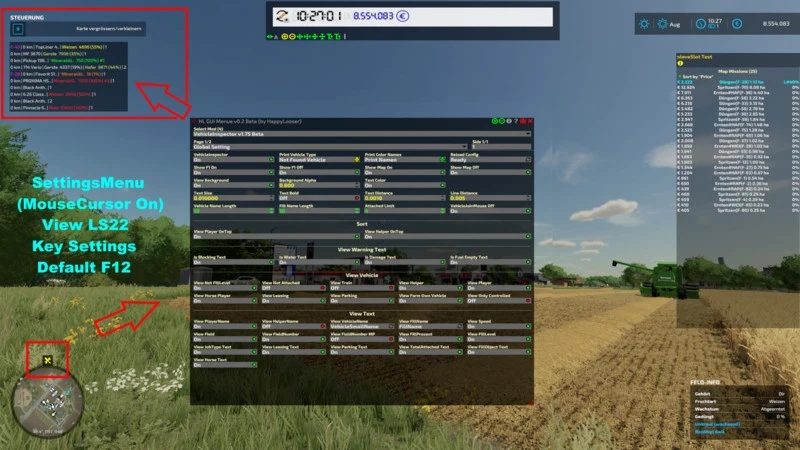
Kirikouano menu: F12 opens/closes a modular and compact panel. Includes silver, full fill, no wear, flight, fast speed, strength, automatic doors/barriers and free terraforming (toggles); clean/repair/empty vats, choose grain, spawn pallets/bales, buy all terrain, field status editor, right overturned vehicle, quick save, movable and recolorable panel. Keyboard navigation (wheel/click or Up/Down/Enter) by default. Controller: no buttons automatically assigned (to avoid any conflict with your own settings) -- assign the "KM_MENU_*" actions yourself in Options > Controls > Controller if necessary. The panel moves with the dedicated I/J/K/L keys (not the arrows, to avoid conflicts with the camera). Note: Time and Weather actions use game developer console commands and require the "-cheats" launch option; all other features work without it. © Kirikouano. Do not redistribute or reupload without permission. New: cargo straps, tighten/loosen all with one click (VEHICLE tab) - Pallet/bale loading: completely redesigned custom system (physics disabled during transport, no more objects flying away) - Loading: stacking up to 3 levels high (instead of 2) - Loading: automatic positioning according to the actual dimensions of each attached trailer - Loading: filter All / Pallets only / Bales only - Loading: fixed the positioning of round and square bales (they no longer touched the ground or protruded) - Loading: reduced empty spaces between pallets, tighter loading - Loading: fixed overhangs at the front and rear of the trailer - Unloading: completely redesigned, clean stacking like "farm storage" - Unloading: choose the unloading direction (front/rear/left/right) - Removed an old duplicate loading system that caused inconsistencies - Vehicle teleportation: fixed articulated vehicles (tractors), which could fly away after teleportation - Manual tool attachment: fixed several coupling bugs - Shops (purchase/sale/pallets): double-click protection to prevent duplicate purchases/sales - Multiplayer stability fixes and various internal adjustments Complete interface redesign: new dark theme, decorative border, revised banner and icons You can also make the dog move, make the dog return to its kennel, and feed it Vehicle teleportation • New BUILDINGS tab: spawn any building or fence from the game's entire catalog, with live photo preview of the selected object (whether in the spawn list or by browsing your already placed buildings). • Directional cross to precisely position a building: movement, rotation, setting on the ground — with real arrow icons, rather than text. • Deletion of a building secured by double confirmation (one click arms, a second click within 4 seconds confirms) to avoid accidental deletions. • Successive installations of the same building or the same vehicle are now automatically spaced, to prevent them from overlapping. • Note about fences: the game automatically merges two fences of the same model placed nearby, into a single continuous network — this is a behavior of the game itself (not something the mod can change). To have several separate fences that can be moved independently, choose a different fence model for each installation. If two fences have already merged, you must go through the game's native store to separate them again. • New image preview of the selected fruit in the field editor (FIELD tab), with the real icons of the game. • Menu button pressing animations, in the spirit of the game's native menus. • New graphic palette featuring the true colors of the Farming Simulator 25 interface. • Completely revised controller navigation: the camera and vehicle controls are no longer disturbed while the menu is open (except on the BUILDINGS tab, where the camera voluntarily remains free to properly position what you place). • Tab switching on keyboard and controller fixed (previously only worked with mouse). FIXES • Fixed: a bug sometimes prevented a building from being properly deleted. • Fixed: a crash could occur just after deleting a building. • Fixed: the menu could get stuck on the preview of an old building without returning to the list. • Fixed: Collision avoidance for fences/buildings did not work when placed via the game's native store (now works both from the menu and from the store). • Fixed: some vehicles appeared as failed in the game logs when they had actually loaded successfully in-game. • Fixed: large vehicles could fail to spawn on non-flat terrain (landing position now based on actual terrain). • Various stability and general reliability adjustments to the menu. Complete visual overhaul real colors sampled on the game, custom icons for tabs and animals Vehicle repaint + new wash/repair/paint sounds Real floating window for firm dashboard Fixed menu movement bug (I/J/K/L) Removed DEBUG tab (development tools, not intended for normal gaming I added a new FIELD tab entirely in French, which replaces the game's Field Status window (previously only in English) with 12 translated settings (crop, growth stage, weeds, stones, soil type and angle, spraying, lime, plowing, rolling, stubble grinding). I added a fleet manager (repair/clean/refuel all vehicles at once), a firm dashboard, a list of active contracts, a list of connected players in multiplayer, fast forward time (1 day/week/month), and an interface scaling setting. I replaced the native "Set Money" window with a system fully integrated into the menu (adjustable amount + add/remove), to avoid opening an external window. I fixed several bugs: the filling of silos which never emptied correctly, the filling of factories which remained stuck at zero, and a crash of unlimited filling on harvesters in multiplayer during active harvest.

Placeable railway tracks V1.0.0.0
placeables

Placeable railway tracks V1.0.0.0

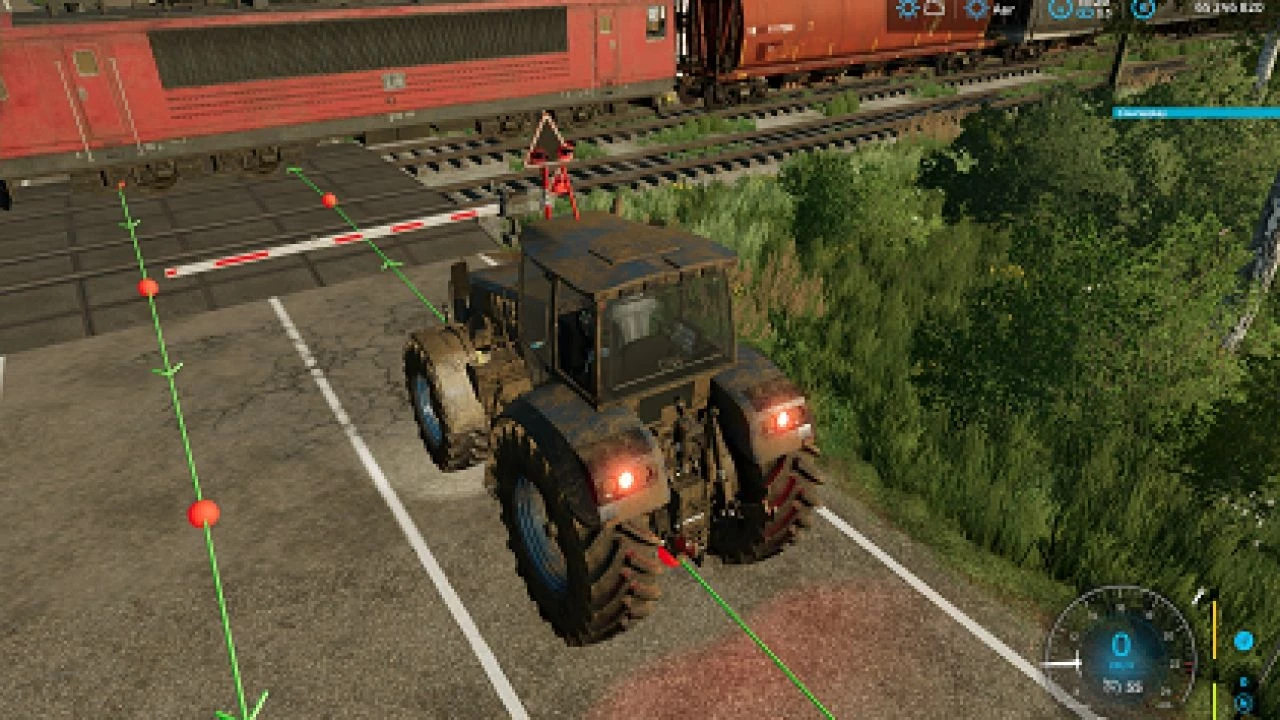
Placeable railway tracks V1.0.0.0 This is my placeable railroad tracks converted to FS25! It does not include everything from FS25 yet, but will in the future. CHECK THE DEVLOG FOR NOTES ON WHAT WAS ADDED IN THE MOST RECENT UPDATE!! This mod, like most of my mods is a WIP. I add stuff as I think of them and I am constantly tweaking and updating it. As always, let me know if you have any suggestions or feedback. Required mods: JWeezy Store Category

Railway wagons V1.0.0.0
other

Railway wagons V1.0.0.0

Railway wagons V1.0.0.0 This is my railroad rolling stock converted to FS25! Not everything has been converted yet, but will be eventually. CHECK THE DEVLOGS FOR NOTES ON WHAT WAS ADDED/CHANGED IN THE MOST RECENT UPDATE. Here is a quick guide for setup with an explanation below: Store deliveries mod to spawn rolling stock next to track. Some kind of extra strength to place rolling stock on the track (I recommend LUMBERJACK), with invisible wheels in the middle between the rails. Connect a locomotive and unfold the rolling stock. For all of the rolling stock, I use the Store Deliveries mod to spawn it next to the track, then I use super strength to place the railcars on the track. I recommend the LUMBERJACK mod, as it is capable of lifting the rolling stock if you change the settings in-game. Anyway, there are invisible wheels in the middle of the front and rear axles of every truck. Those invisible wheels sit between the rails, and that is what keeps them on the tracks. The trucks will sit on the tracks as they should. Once you have the rolling stock correctly on the tracks with the invisible wheels between the rails, you can connect a locomotive to it. You then have to use the “fold” function to unfold the rolling stock. This will allow the trucks to turn as they should and follow the rails correctly. All rolling stock can be connected from either side, except for the passenger cars and the intermodal cars. Those can only be connected when they are all facing the same way. This mod, like most of my mods, is a big WIP. I add things as I think of them and am constantly tweaking and updating it. As always, let me know if you have any suggestions or feedback. Required mods: JWeezy Store Category

128 / 3,193

We use essential cookies to keep you signed in and remember your theme. With your consent we also use functional storage (to remember preferences like downloaded mods, kept on your device) and ad cookies that help keep ModNest free. Pro members never see ads. Privacy & cookies.