Farming Simulator 22 mods
47,884 results- 15 per page
- 30 per page
- 45 per page
- 60 per page
-
See more per page
Bigger pages, fewer clicks - and no ads anywhere.
Go Pro
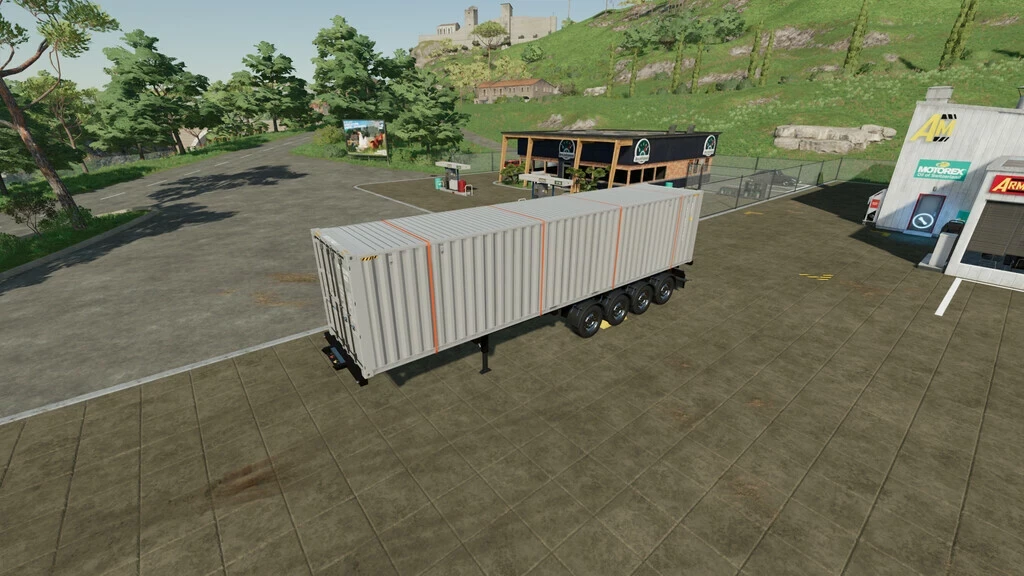
Liebherr 922 Rail Excavator V4.1.1.1
Liebherr 922 Rail Excavator V4.1.1.1 Liebherr 922 Rail Excavator Compatible with the OQ70/55 and Likufix SW48 pack. Required: Mercedes-Benz DLC for the cameras Dashboard Live
Liebherr Likufix SW48 Attachment Pack V1.1.1.1
Liebherr Likufix SW48 Attachment Pack V1.1.1.1 Liebherr Likufix SW48 Attachment Pack Contents: Deep Bucket UL04 Deep Bucket TL04 Grading Bucket PL04 Swivel Bucket SL90 Swivel Bucket GLR90 Tiltrotator TR25 Pallet Fork PL25 Sorting Grapple SG25 600/800 Load Hook LH25 Shell Grapple GMZ22 Railway Construction Shell Grapple GMZ22 Civil Engineering Demolition Hammer MS550H Attachment Compactor HD1200 Required mods: TerraFarm
TinBin TC2 V1.1.1.1
TinBin TC2 suction box attachment Compatible: OQ70/55, Likufix SW48 Required mods: TerraFarm
Leave the pedestrians alone FS25
A simple mod for... running over pedestrians. Well, no... better avoid that then, because pedestrians are expensive 😅
Rice box made from long-grain rice V1.0.0.0
Rice box made from long-grain rice V1.0.0.0 Adds an additional recipe to the cannery: Reisbox can now also be produced from long-grain rice, in addition to the existing recipe using regular rice (which remains unchanged). The recipe is automatically added to every cannery that can already produce Reisbox from regular rice—on every map. Multiplayer compatible: The mod must be installed on the server and by all clients. Hotkeys: None. The mod does not add any new keys/actions, only an additional production recipe in the cannery’s standard production menu. Not crossplay-compatible because it is a script!
Lights Symbol HUD V1.1.0.4
Lights Symbol HUD V1.1.0.4 The Lights Symbol HUD displays the vehicle’s most important lighting and chassis information clearly in a separate HUD. Low beam, high beam and work lights Beacon light Left/right indicators and hazard warning lights Turn signal arrows follow the active indicator rhythm Slip display for driven axles and wheels Automatic detection of chassis and axles, even with complex multiple, belt and tracked drive systems Dynamic display of up to 6 driven axles Axle pairs or individual driven wheels can be selected Three HUD views: Full view, Compact view and Minimal view Minimal view optionally with a vertical or horizontal ball light bar Ball light bar with separate slip statuses and a clear axle assignment Adjustable slip display: Direct, Normal or Calmed Adjustable number of displayed axles: 0, 2, 4 or 6 Separate black background for the minimal ball light bar This file is subject to copyright. Other publications on third-party websites that have not been expressly permitted or published by me are not allowed. I also do not provide support for third-party uploads. V1.1.0.4 Before – only a light symbol display and a 2-axle slip display Update 1.1.0.44 Various HUD display modes Multiple-axle detection up to 6 axles and corresponding display for up to 6 axles Individual wheel and axle-pair display Improved wheel-slip display and analysis for up to 6 axles and 12 wheels Several wheel-slip display modes Options menu entries with multiple selection switches
Autodrive BallySpring V1.0.0.0
Autodrive BallySpring V1.0.0.0 304 Waypoints covering Fields, Farms, Productions and Fill and Sell Points. Due to the narrow roads and small fields, there are no loops around fields. Due to the small layout of farms, no triggers have been mapped. Make note that almost all the points are behind a gate. Please let me know if you find anything wrong or doesn’t work and I will try and get a fix done and new version uploaded. Install instructions You will need to have a game save for Ballyspring25 map with AutoDrive loaded. If not an old game save, open a new game save, say ‘Yes’ to the generation of an AutoDrive course on initial load in, save the game, quit and close the game. Find the ‘savegame #’ folder in game folder (usually documents>my games>FarmingSimulator25>savegame #). Open the corresponding game save folder and find the AutoDrive_config.xml File and delete it. Take the AutoDrive_config.xml file out of the ZIP folder and place in the game save folder. Start up the game again and load up the save game and it should all be there. Tip: you can copy the AutoDriveUsersData.xml as well, it has preferred settings ready for the course. Required mods: Autodrive BallySpring
Mod Manager & Profile Switcher FS25
This is a tool to make managing your mod folders in FS25 easier. At first start, the tool will create a new folder "ModProfiles" in your game folder "C:\Users\username\Documents\My Games\FarmingSimulator2025". In this folder, you can create subfolders with different names for your different profiles/savegames/maps. This allows you to have different mod sets for different savegames/maps without always moving or copying all the mod files from one folder to another. You simply choose the profile/savegame and activate it. The "Launch LS25" button starts the game with your chosen mod set. The tool also compares the versions of mods in the different folders. If a mod has a newer version in another folder, it will notify you, and you can update it to the newer version with one click. You can also move/copy mods between folders. I hope I could make your FS25 life a bit easier.
Parking Brake Mod FS25
I wanted a working parking brake in Farming Simulator 25, but I didn’t need all the additional features that come with larger vehicle mods such as Enhanced Vehicle or Realistic Gearbox. Those are great mods if you want the full package—I just wanted a parking brake. So, I decided to make a small standalone mod that does one job: it gives your vehicle a working parking brake. Press Numpad Enter to apply it, press it again to release it, and get back to farming. Features Working parking-brake physics that holds the vehicle in place Separate engagement and release sounds HUD icon showing whether the brake is applied Smaller 40×40-pixel HUD indicator Movable HUD icon with a saved position Support for standard wheeled and tracked vehicles Automatically releases and bypasses the brake for AI workers Follow Me compatibility Rebindable controls through the game’s control settings Has been run through the test runner Mod Compatibility The Parking Brake Mod works alongside: Mud Physics Deeper Ruts ADS Follow Me Base-game AI workers It can be used with these mods without replacing or interfering with their features. Running this mod alongside another mod that also controls the parking brake is not recommended. Using multiple parking-brake systems at the same time may cause the controls or brake physics to overlap. Default Controls Numpad Enter: Apply or release the parking brake Left Alt + P: Enter or exit HUD layout mode Left Mouse Button: Drag the icon while layout mode is active Right Mouse Button: Save the icon position and exit layout mode All controls can be changed through the game’s control settings.
Pierce bale spike FS25
A pierce bale spike. The main body is attachable to gooseneck style bed attachers and is able to be moved to fit pretty much any pickup bed. Works best with flatbeds!. After attaching the body you can back up to and attach the forks themselves. Be sure to always use our official itch.io page for all of our downloads.
Lizard diesel tank V1.0.0.0
Lizard diesel tank V1.0.0.0 Lizard Mobile Diesel Tank Required mods: Interactive Control
JVN Northern Realism FS25
Installing the JVN shader is relatively easy. The included files simply need to be copied into the correct folders. The file JVN_Shader.ini goes into the Farming Simulator 25\x64 folder. The existing ReShade installation must also be located in the x64 folder. The three files environment.xml, ColorgradingNight.xml, and colorgrading.xml should be placed in the folder Farming Simulator 25\data\maps\mapUS\config. Existing files may need to be replaced. It's best to create a backup of the original files beforehand so you can revert to the default graphics at any time. Additionally, the "Additional Game Settings" mod is required. After installation, you will find the corresponding setting under Settings → Gameplay → Non-standard Lighting. For the intended look, the non-standard lighting should be set to Riverbend Springs. I personally play at a resolution of 2560 × 1440 (WQHD) with maximum graphics settings. For non-standard lighting, I use Riverbend Springs, and for the ReShade preset, I use JVN_Shader.ini. The shader may look slightly different on other graphics settings, resolutions, or maps. You can then start Farming Simulator 25 as normal and select the JVN_Shader.ini preset in ReShade. The shader is tailored to my personal look. Depending on the monitor, brightness, resolution, map, and graphics settings, colors and lighting may vary slightly.
Pallet Physics Stabilizer FS25
Stops unrealistic pallet sliding on normal slopes Makes pallets more stable when stationary or stacked Reduces unwanted movement Maintains realistic behavior when moved with a forklift or transported In short: pallets no longer slide around and behave much more naturally. Better pallet stability Small changes to the glide and stability of the pallet Greater stabilization of the pallet when picked up on forks
Farmland Market V1.0.1.0
Farmland Market V1.0.1.0 Makes farmland acquisition more realistic and strategic. Field prices reflect their actual crop value, and not all fields are always available for purchase. Features Negotiation system – buy and sell farmland through offers and counter-offers, with independent toggles for purchases, sales, and unlisted offers Crop-value adjusted pricing – field price includes estimated harvest value Limited field availability – fields rotate daily with seasonal variation Five difficulty presets – Easy, Normal, Hard, Harder, Realistic (or off) Adjustable base price per hectare Watchlist – track farmlands you are interested in and get notified when one goes up for sale or its cooldown ends Map color coding – for-sale and unavailable fields are visually distinct, with a color-blind palette All settings accessible from the in-game settings menu Notes Multiplayer compatible V1.0.1.0 Added German (de) translation – contributed by Phips98 Added Ukrainian (uk) translation – contributed by daniilua Minor internal changes
Personnel Management V1.1.3.0
Personnel Management V1.1.3.0 Personnel Management for Farming Simulator 25 adds an employee system with applicants, salaries, loyalty, experience, specializations, training, resignations and helper assignment, including savegame configuration and multiplayer sync. The overview of personnel management extends the AI-powered assistants to include named employees, applicants, and long-term personnel development. Employees possess experience, reliability, loyalty, salary, sick days, and specializations. These values influence assistant work, transport orders, fuel and material consumption, wear and tear, salary demands, and terminations. Menu and Settings: Open the ESC menu and select Personnel Management. The page contains Overview, Employee Management, and the Applicant Market. Entries are selected with the mouse. ENTER executes the main action, T toggles the transport assignment, G approves an outstanding salary request, N rejects it, S starts a training session if permitted, and ESC returns to the Overview. Work and Transport: When a normal AI helper task is started, the mod opens a staff selection window instead of launching an anonymous helper. Transport orders are managed via the staff management: Assign a transport worker before an A-to-B transport order by pressing T. Salaries, Dismissals, and Terminations: Employees receive monthly salaries. These are based on the number of days worked per month, the economic situation, and the employee’s performance. Dismissed employees remain available during their notice period and are only removed from the company after their salary has been paid at the appropriate month-end. Low loyalty can trigger warnings, salary demands, and termination. Experience and reliability: Employees gain experience after completing tasks. Extensive experience is now a long-term goal; very high levels should be rare. Inexperienced employees may work more slowly and cause additional wear and tear or moderately higher consumption of fuel, seeds, fertilizer, liquid fertilizer, herbicide, slurry, digestate, and manure. Reliability impacts short-term dips in performance and sick days. Specializations and Training: Employees can progress in multiple specializations simultaneously. The highest amount of progress is displayed. When a specialization reaches 100%, it is considered learned. Training is a strategic decision: one training session per employee per year, only on the first day of each month. For training on one day per month, it must begin by 12:00 PM. The trained employee is unavailable for the remainder of the month. The cost depends on the monthly salary and specialization; training typically yields approximately 30% progress. Configuration and Multiplayer: The toggleable gameplay effects can now be changed in the game settings via the ESC menu. The savegame configuration file remains available and retains the same values. The mod is multiplayer-ready; employee data, applicants, assignments, salaries, and key status values are synchronized across farms. In a completely new and unsaved game, the ESC menu entry will only appear after saving and reloading. Overview Personnel Management expands the AI helper system with named employees, applicants and long-term staff development. Employees have experience, reliability, loyalty, wages, sick days and specializations. These values influence helper work, transport assignments, fuel and material consumption, wear, wage demands and resignations. Menu and hiring Open the ESC menu and choose Personnel Management. The page contains an overview, employee management and the applicant market. Employee and applicant entries are selected with the mouse. ENTER performs the main action, T toggles transport duty, G grants an open raise request, N declines it, S starts training when it is allowed, and ESC returns to the overview. Work and transport When normal AI helper work is started, the mod opens an employee selection window instead of starting an anonymous helper. Transport jobs are controlled through employee management: assign transport duty with T before starting an A-to-B transport job. Wages, dismissal and resignations Employees receive monthly wages. Wages depend on days per month, economy difficulty and employee quality. Dismissed employees remain available during the notice period and are removed only after payroll at the correct monthly change. Low loyalty can cause warnings, wage demands and resignations. Experience and reliability Employees gain experience after completed work. High experience is now a long-term goal and very high values should be rare. Inexperienced employees can work more slowly and can cause additional wear or moderate additional consumption of fuel, seeds, fertilizer, liquid fertilizer,herbicide, slurry, digestate and manure. Reliability affects short performance drops and sick days. Specializations and training Employees can develop progress in several specialization areas at the same time. The highest open progress is shown in the employee entry. When one progress reaches 100%, the specialization is learned. Training is a strategic decision: one training per employee and year, only on the first day of a month. With one day per month, training must start at 12:00. A trained employee is unavailable for the rest of the month. Training costs are based on the monthly wage and the trained specialization and usually add about 30% progress. Configuration and multiplayer The configurable gameplay effects can now be changed in the game settings in the ESC menu. The savegame configuration file remains available and keeps the same values. The mod is prepared for multiplayer; employee data, applicants, assignments, wages and important status values are synchronized per farm. In a completely new and unsaved savegame, the ESC menu entry may appear only after saving and reloading the savegame. V1.1.3.0 New Help Page: A new Help tab has been added to the “Personnel Management†menu. It contains a detailed in-game guide in all 21 supported languages. AutoDrive and Courseplay The simultaneous handover of multiple vehicles from AutoDrive to Courseplay has been fixed. Each vehicle retains its own reserved worker during an automatic handover. Duplicate worker reservations for different vehicles are prevented. Savegames and Worker Data Savegame path resolution and the associated diagnostic messages have been improved. Overwriting an existing helperPersonnel.xml after a failed loading attempt is now prevented. The saving of personnel data has been adapted to the FS25 save process. The main and backup files are written directly and then validated, without leaving new temporary files in the savegame. Loading from a validated backup has been added in case the primary helperPersonnel.xml is corrupted or unreadable.
- 15 per page
- 30 per page
- 45 per page
- 60 per page
-
See more per page
Bigger pages, fewer clicks - and no ads anywhere.
Go Pro