Farming Simulator 25 mods
71,416 results- 15 per page
- 30 per page
- 45 per page
- 60 per page
-
See more per page
Bigger pages, fewer clicks - and no ads anywhere.
Go Pro
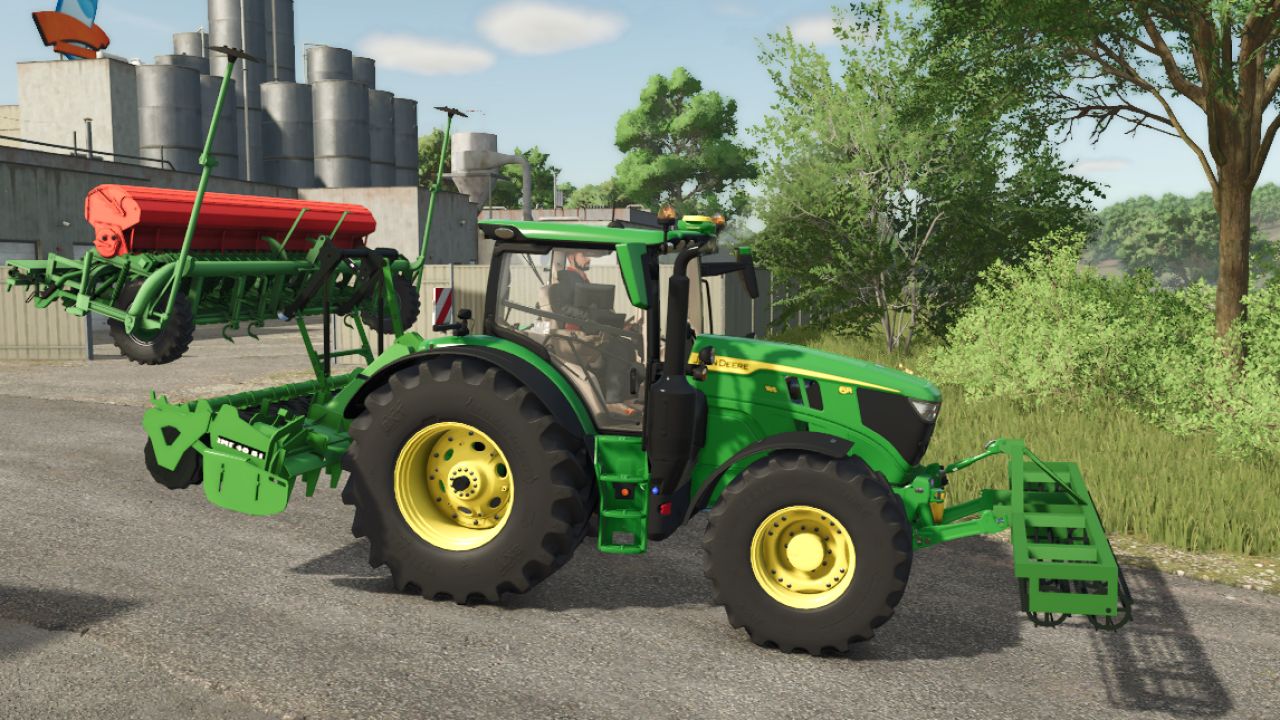
BMF 40-02 V1.0.0.0
BMF 40-02 V1.0.0.0 Ein 4 m breiter, frontseitig montierter Erdklumpenbrecher mit zwei freilaufenden Walzen. Er kann bestehende Felder bearbeiten und, nach Genehmigung, neue Felder anlegen. Tags: BMF
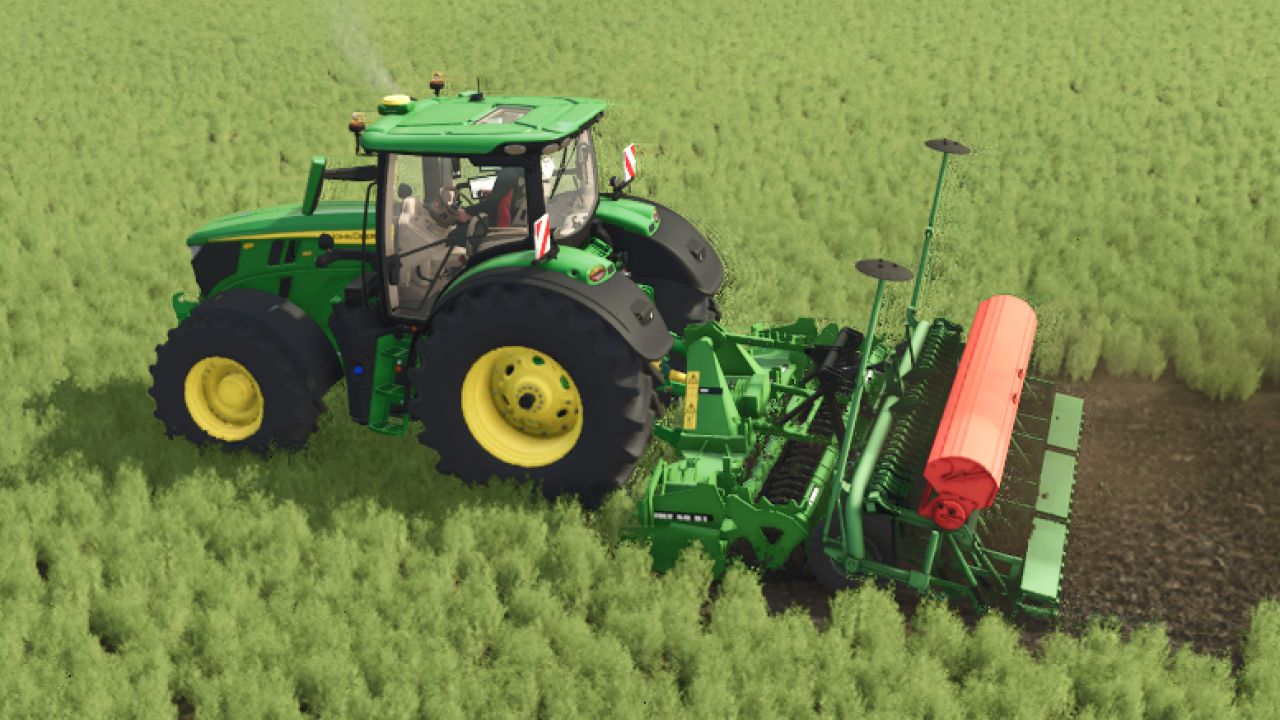
BMF 40-01 V1.0.0.0
BMF 40-01 V1.0.0.0 Preis: 10.500 € Maximale Arbeitsgeschwindigkeit: 14 km/h Erforderliche Leistung: 120 PS Arbeitsbreite: 4,0 m Funktionen: Animierte Nebenantriebswelle und realistische Arbeitsgeräusche Tags: BMFErforderliche LeistungMaximale ArbeitsgeschwindigkeitPS
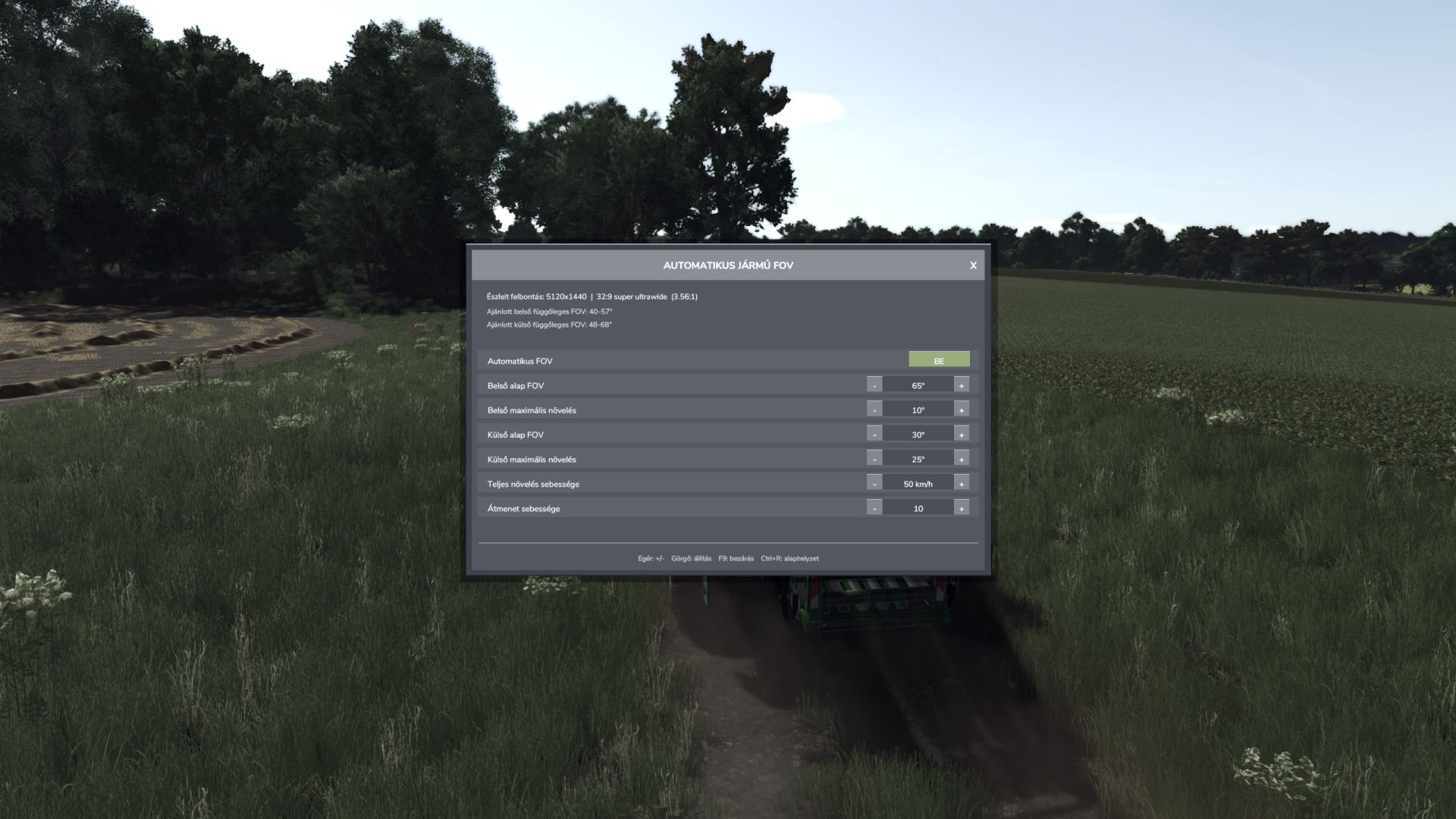
Automatisches Fahrzeug-Sichtfeld V1.2.1.0
Automatisches Fahrzeug-Sichtfeld V1.2.1.0 Die automatische Fahrzeug-FOV-Funktion passt das Sichtfeld der Fahrzeugkamera stufenlos an die Geschwindigkeit an. Innen- und Außenkameras haben separate Basis-Sichtfelder und maximale Verstärkungswerte. Merkmale: – Automatisches, geschwindigkeitsabhängiges Sichtfeld innerhalb und außerhalb des Fahrzeugs. – Sanfte Kameraübergänge ohne plötzliche Sprünge. – Automatische Erkennung von Bildschirmauflösung und Seitenverhältnis. – Empfohlene vertikale Sichtfeldbereiche innerhalb und außerhalb des Sichtfelds. – Separater manueller Modus für das Sichtfeld innerhalb und außerhalb des Sichtfelds. – Mit der Maus klickbare Minus-, Plus- und ANWENDEN-Schaltflächen. Die Einstellungen werden im gemeinsamen FS25-Benutzerprofil gespeichert. – Clientseitiger Mehrspielermodus; die Kameras anderer Spieler werden nicht verändert. Bedienelemente: – F9: Öffnet oder schließt das Einstellungsmenü. – Aufwärts / Abwärts: Wählen Sie eine Einstellung. – Links / Rechts: Den ausgewählten Wert verringern oder erhöhen. – Strg+R: Standardwerte wiederherstellen. – Maus: Zeilen auswählen, Minus/Plus, ANWENDEN und Schließen-Schaltflächen verwenden. – Mausrad: Den ausgewählten Wert anpassen. – Escape: Schließt das Bedienfeld und stellt die normale Maussteuerung wieder her. APPLY-Verhalten: – Automatisches Sichtfeld EIN: APPLY lädt den empfohlenen automatischen Sichtfeldbereich für das erkannte Display. – Automatische FOV-Abschaltung: APPLY aktiviert die ausgewählten manuellen FOV-Werte innerhalb und außerhalb des Sichtfelds. Einstellungsdatei: Dokumente/Meine Spiele/FarmingSimulator2025/modSettings/FS25_AutomaticVehicleFOV.xml Tags: Die Einstellungen
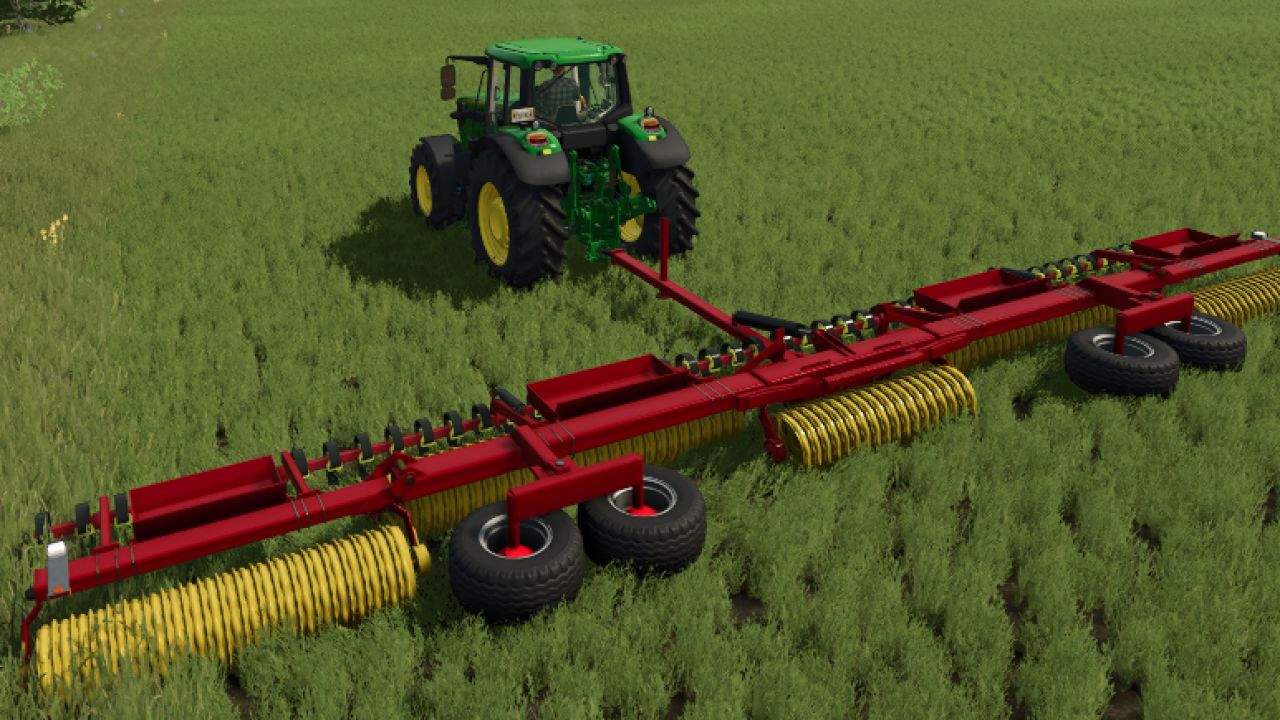
Väderstad Rexius v1.0.0.0
Väderstad Rexius v1.0.0.0 Eigenschaften : Preis: 68.000 € Arbeitsbreite: 10 – 12,0 m
Download Challenger 3 V1.0.0.0
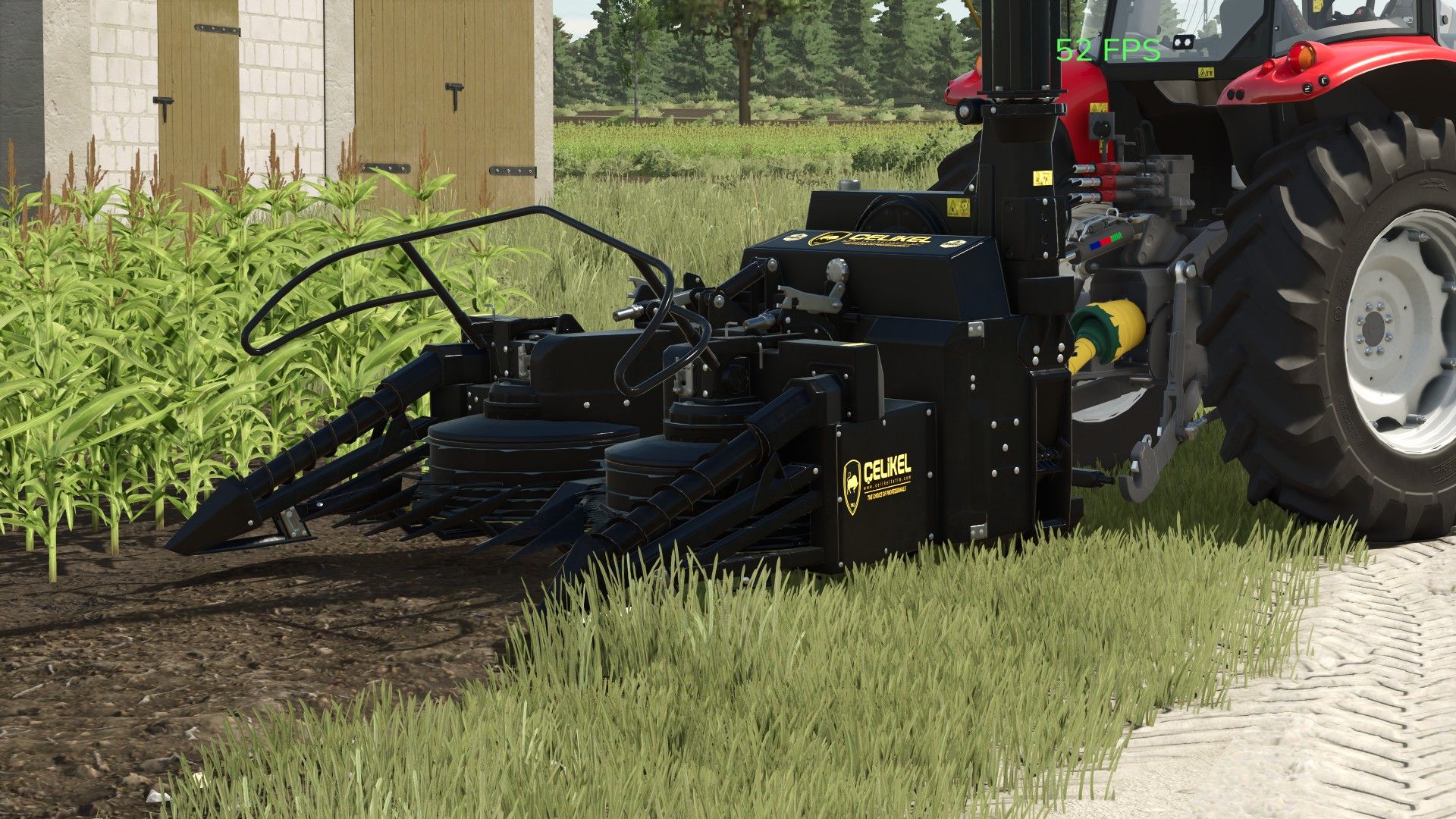
Download Challenger 3 V1.0.0.0 ARBEITSBREITE – 2,2 m ERFORDERLICHE PS-ZAHL – 110 PS UND MEHR ERNTEGESCHWINDIGKEIT – 10 KM/H GEWICHT – 1500 KG Tags: KG
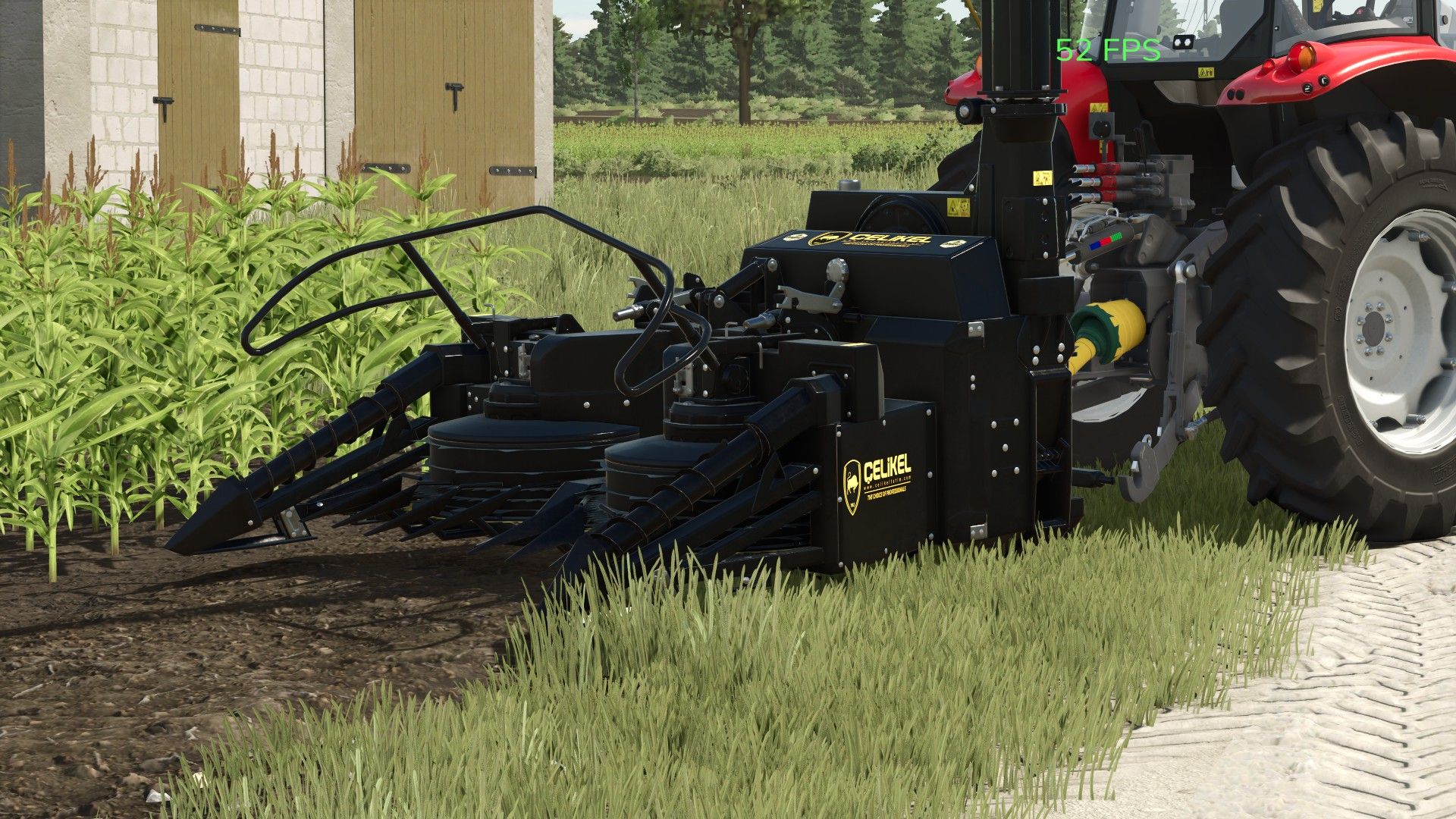
Çelikel Challenger 3 V1.0.0.0 FS25
Farming Simulator 22 Mods · August 30, 2026 WORKING WIDTH – 2.2M REQUIRED HP – 110 HP AND ABOVE HARVESTING SPEED – 10 KM/H WEIGHT – 1500 KG
Automatic Vehicle FOV V1.2.1
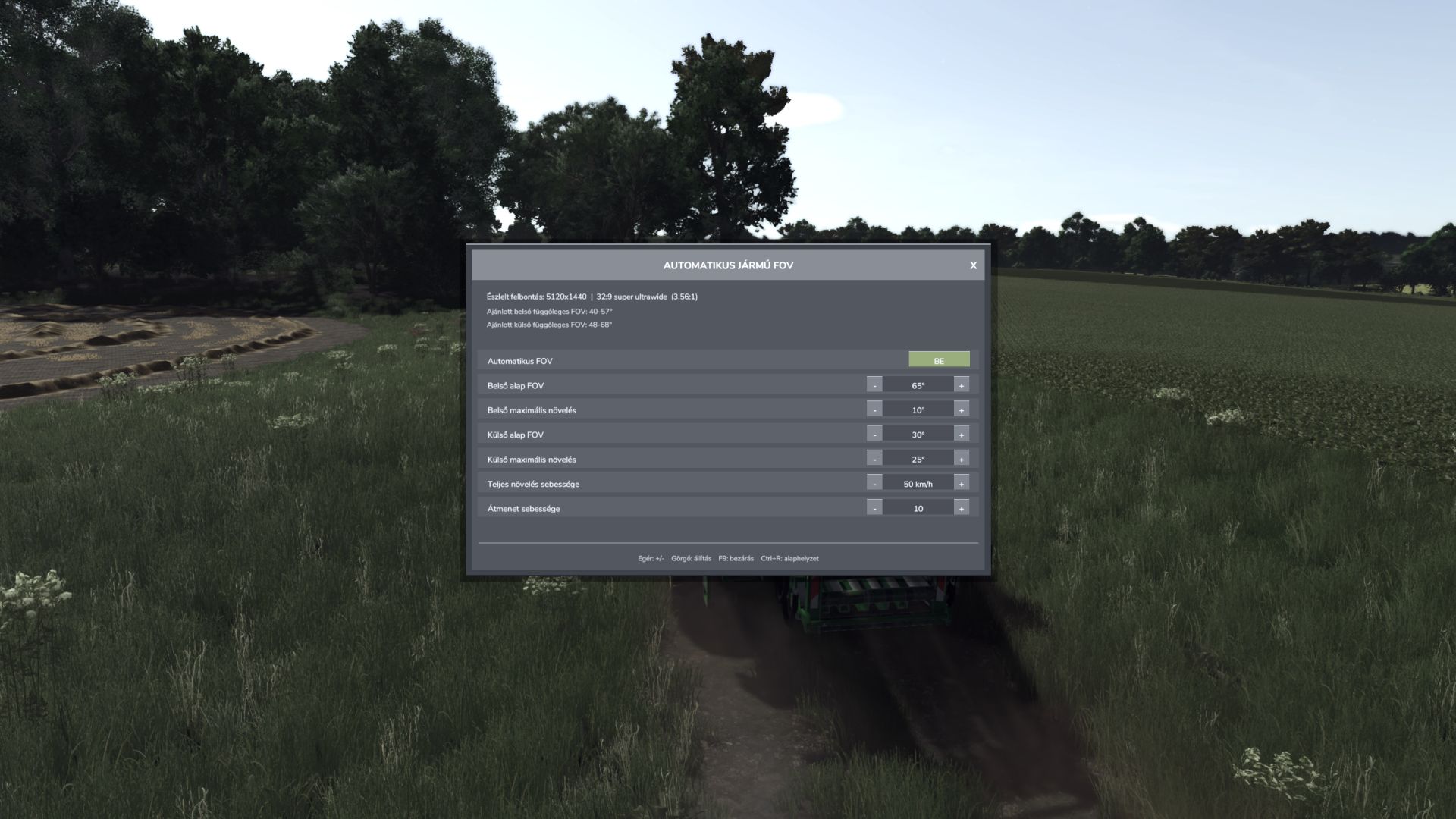
Automatic Vehicle FOV V1.2.1 Automatic Vehicle FOV smoothly changes the vehicle camera field of view according to speed. Inside and outside cameras have separate base FOV and maximum boost values. Features: – Automatic, speed-dependent inside and outside vehicle FOV. – Smooth camera transition without sudden jumps. – Automatic screen resolution and aspect-ratio detection. – Recommended inside and outside vertical FOV ranges. – Separate manual inside and outside FOV mode. – Mouse-clickable minus, plus and APPLY buttons. – Settings are stored in the common FS25 user profile. – Client-side multiplayer operation; other players’ cameras are not modified. Controls: – F9: open or close the settings panel. – Up / Down: select a setting. – Left / Right: decrease or increase the selected value. – Ctrl+R: restore default values. – Mouse: select rows, use minus/plus, APPLY and close buttons. – Mouse wheel: adjust the selected value. – Escape: close the panel and restore normal mouse control. APPLY behaviour: – Automatic FOV ON: APPLY loads the recommended automatic FOV range for the detected display. – Automatic FOV OFF: APPLY activates the selected manual inside and outside FOV values. Settings file: Documents/My Games/FarmingSimulator2025/modSettings/FS25_AutomaticVehicleFOV.xml Author: B O X E R Report bugs in the comments and help modders improve this mod. Always check the comments, you can find a solution. DOWNLOAD MOD
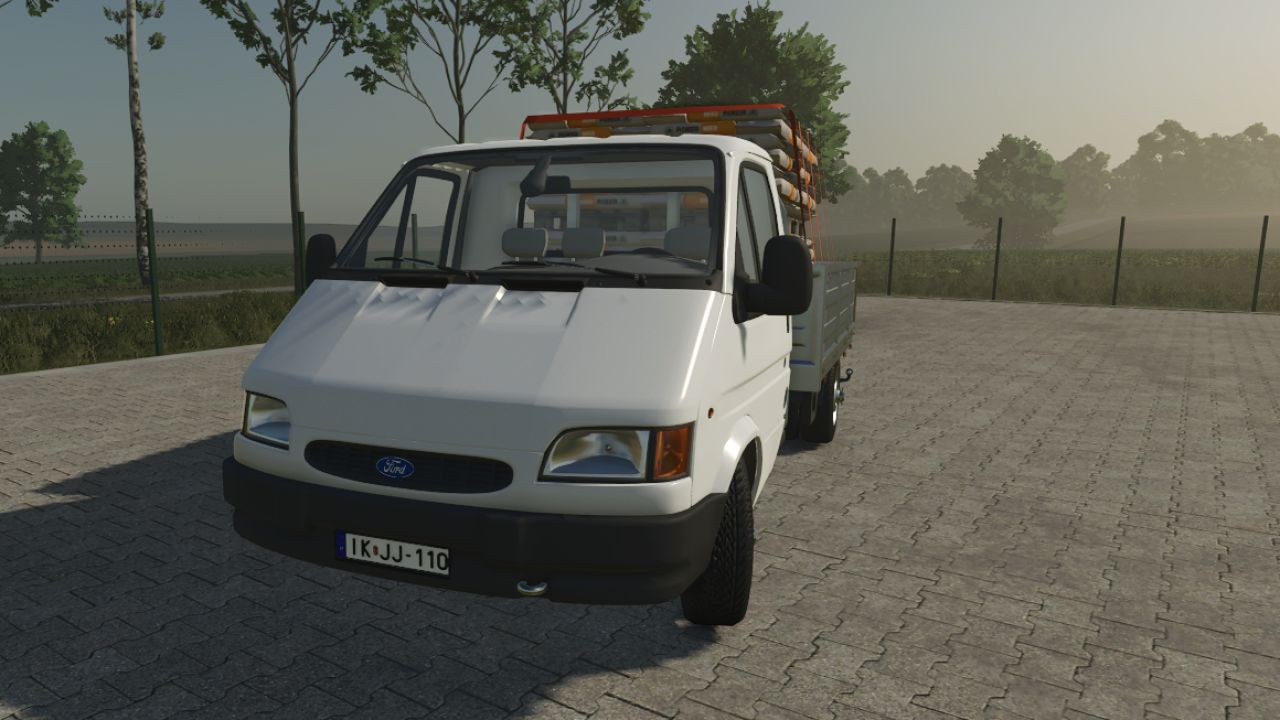
Ford Transit Mk3 V1.0
Ford Transit Mk3 V1.0 You can choose color. You can autoload, you can open doors and platforms with interactive controls. Price : 15.000 Euro in game. Required mods: Interactive Control Universal Autoload Author: honved4, Ragnar Semih Samet Report bugs in the comments and help modders improve this mod. Always check the comments, you can find a solution. DOWNLOAD MOD
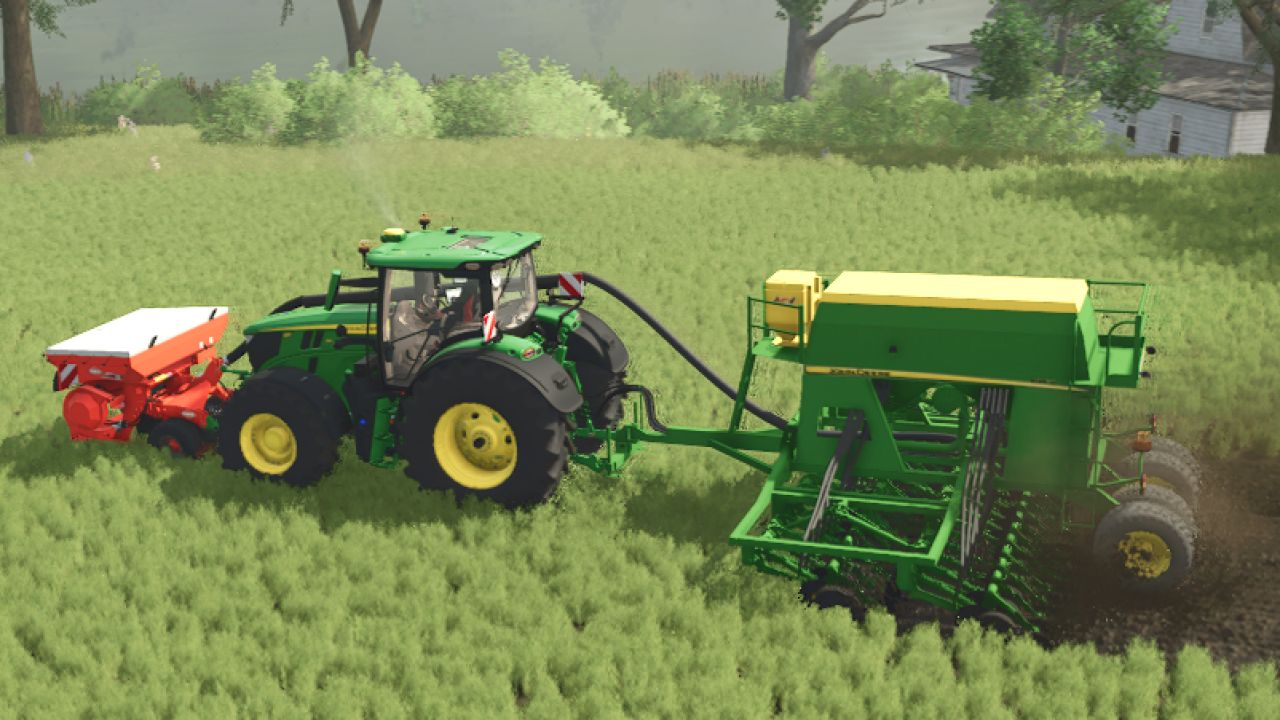
John Deere 750A FS25
John Deere 750A 6-meter direct seeder. 3,100-liter hopper for seeds and fertilizer Power: 180 hp Price: 52000 Option (ROLLER): the seeding is rolled
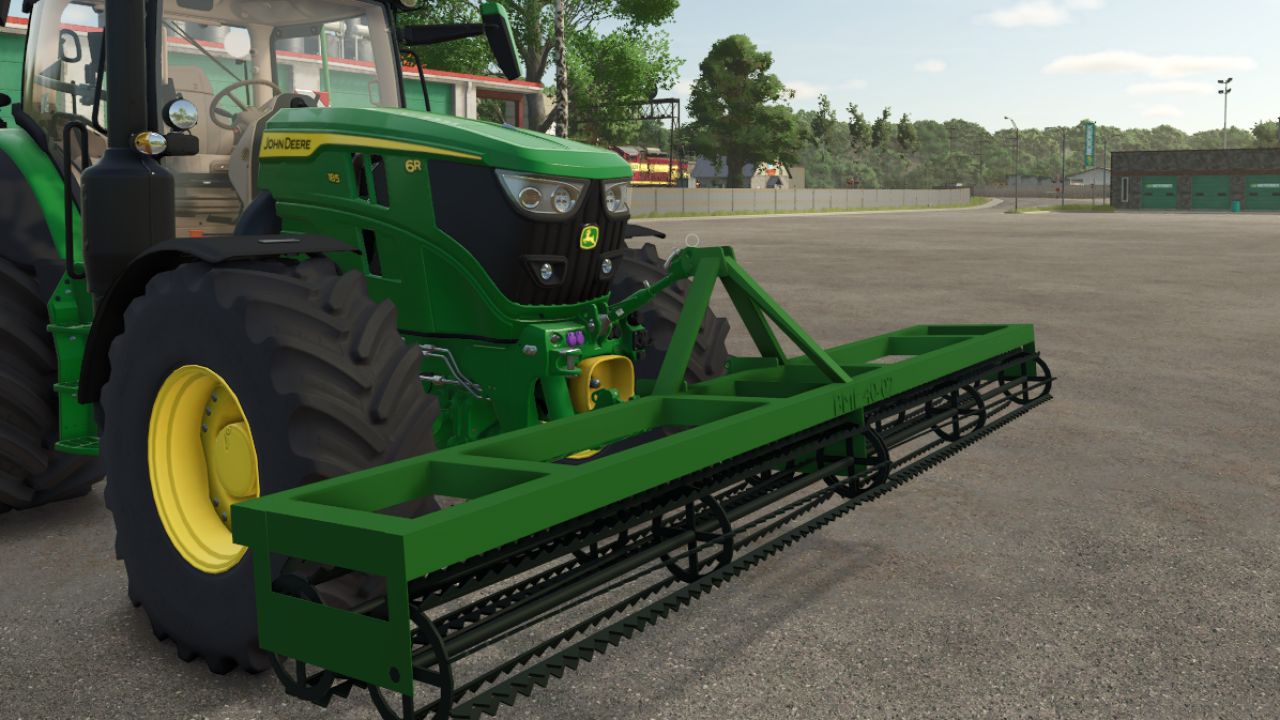
BMF 40-02 FS25
4 m front-mounted clod breaker equipped with two free-rolling rollers. It can cultivate existing fields and, after authorization, create new fields.

Shader by Derbii (bright) FS25
Shader by Derbii in 3 versions, released at the request of a few commenters BRIGHT VERSION The .ini file included in the .zip must be placed in the x64 folder in the game's installation directory BRIGHTNESS 0.7 OSW-https://www.kingmods.net/pl/fs25/mods/58702/oswietlenie-preset-czarny317-shader RESHADE IS REQUIRED!

МОД Ikarus 280 v1.0.0.1 (1.21.x) ДЛЯ FARMING SIMULATOR 2025
Модификация сочленённого автобуса Ikarus 280 Ощутите легендарный сочленённый автобус Ikarus 280! Эта культовая классика готова отправиться в путь с широкими возможностями кастомизации экстерьера. Модификация активно разрабатывается, и в будущих обновлениях запланированы масштабные новые функции, которые позволят в полной мере насладиться общественным транспортом. Текущие возможности Сейчас вы можете полностью настроить внешний вид своего автобуса перед поездкой. Настраиваемые цвета кузова: Выберите из широкого спектра цветов для покраски основного кузова автобуса. Настраиваемые цвета дверей: Подберите цвета дверей к цвету кузова или создайте контраст для уникального дизайна автопарка. В версии 1.0.0.1: - Новый скрипт для пассажиров - Различные улучшения АВТОР МОДА: honved4

HRT radio V1.0
Can be activated/deactivated with “´”. The numeric keypad serves as status buttons: Status 1–8 – numeric keypad 1–8, Emergency call – numeric keypad 0.

RollingRon FS25 Mod Manager PROFI V2.2
The RollingRon FS25 Mod Manager PROFI helps you quickly locate active, inactive and faulty mods – without having to laboriously search for them in the LS25 mod menu or in your mod folders. The mods are automatically detected based on the LS25 log and displayed clearly. Unneeded or faulty mods can be safely moved aside and restored at any time – without deleting them. Ideas, requests or suggestions for improvement? Feel free to write them in the comments! RollingRon FS25 Mod Manager PROFI No more cluttered mod folders and tedious searches for unused or faulty mods. The RollingRon FS25 Mod Manager PROFI is a standalone management and analysis tool for Farming Simulator 25. The program evaluates the LS25 log.txt and compares the mods detected in it with your selected mod folder. Features • Select the mod folder manually • Automatically use the mod folder from the FS25 log • Select and update the FS25 log.txt at any time • Display mods alphabetically from A–Z • Detect active mods • Detect inactive mods • Detect and assign faulty mods based on the log • Display mods that could not be clearly identified • Search and filter mods specifically • Select individual or multiple mods • Select all inactive mods with one click • Move inactive mods out of the active mod folder • Restore moved mods at any time • Isolate faulty mods separately • Restore faulty mods • Display error details from the log • Export detected errors as a TXT file The manager deliberately follows a safe principle. When moving mods aside, the selected mods are not deleted but moved to separate folders. This means they can be restored at any time later. The integrated error section analyzes the current FS25 log and attempts to assign error messages to the corresponding mods. Detected faulty mods are displayed separately and alphabetically. This makes it much quicker to investigate a problematic mod folder. Ideal for large mod folders Especially with several hundred FS25 mods, it quickly becomes unclear which mods are actually being used. The RollingRon LS25 Mod Manager PROFI provides a clear separation between active, inactive, faulty and not clearly identified mods. Installation Fully extract the download. Start RollingRon FS25 Mod Manager PROFI. Select the FS25 log.txt. Select the desired mod folder or automatically use it from the log. Analyze and manage the mods. Important: A backup is generally recommended before making extensive changes to the mod folder. For mods that are required by vehicles, buildings, productions or other content in a savegame, check before moving them aside whether they are still needed. This version is not final. Suggestions for improvement are welcome in the comments. New warning analysis: Warnings from the LS25 log are now detected and assigned to the corresponding mods. Warning assessment: The Manager distinguishes between CRITICAL and NON-CRITICAL warnings. This classification is intended as an analysis aid and does not automatically mean that a warning causes the game to crash. Dedicated “WARNINGS (A–Z)” section: With preview images, number of warnings, assessment, log line and first warning message. Separate warning storage: Critical and non-critical warning mods can be moved to two separate, freely selectable folders. Restore warning mods: Moved mods can be returned to the mod folder at any time. Copy active mods: Active mods can be selected and copied to another freely selectable folder without removing them from the original mod folder. Ideal for creating your own mod sets for different maps or savegames. Improved live statistics: After moving error or warning mods, the displayed numbers are adjusted immediately. Updated lists: Moved error and warning mods also disappear immediately from the respective overview and preview. Expanded storage management: Separate folders for inactive mods, error mods, critical warnings and non-critical warnings. Expanded antivirus scanner assistance: Instructions for Windows Defender, Norton and Bitdefender are included in the documentation. Version 2.0 of the RollingRon LS25 Mod Manager PROFI has been extensively expanded and revised. The focus is on quickly locating active, inactive, faulty, and ambiguous LS25 mods without having to tediously search for them in the game or the mod folder. The manager evaluates Farming Simulator 25log.txt, compares the detected mods with the selected mod folder, and presents the results clearly in separate areas. New features and functions in version 2.0: Clear division into Mods, Inactive Mods, Error Mods and Not Recognized Detection of active and inactive mods based on the LS25 log Improved error detection and assignment of faulty mods Inactive mods can safely be moved out of the actual mod folder. Faulty mods can be removed separately. Outsourced mods can be retrieved at any time. Select all for convenient editing of multiple mods simultaneously. Search function also for outsourced and faulty mods Freely selectable storage locations for inactive mods and faulty mods. This means that the external folders no longer need to be located within the LS25 mod folder and will not be recognized as mods or errors themselves. Support for existing swap folders from previous versions Update the log directly via the program. Detected errors can be clearly displayed and saved as a TXT file. Freely selectable LS25 mod folder Revised and clearer professional user interface in the style of LS25 Improved sorting and display of the mod lists Settings and selected folders will be taken into account for further use. Mods are not deleted when they are moved to a safe, user-defined location. Important: The RollingRon LS25 Mod Manager PROFI does not modify the mods. Version 2.0 is used for analyzing, locating, sorting, and securely storing mods. This allows for significantly faster identification, especially with large mod collections, of which mods are active, inactive, faulty, or have not been clearly identified.
- 15 per page
- 30 per page
- 45 per page
- 60 per page
-
See more per page
Bigger pages, fewer clicks - and no ads anywhere.
Go Pro