Farming Simulator 25 mods
71,416 results- 15 per page
- 30 per page
- 45 per page
- 60 per page
-
See more per page
Bigger pages, fewer clicks - and no ads anywhere.
Go Pro
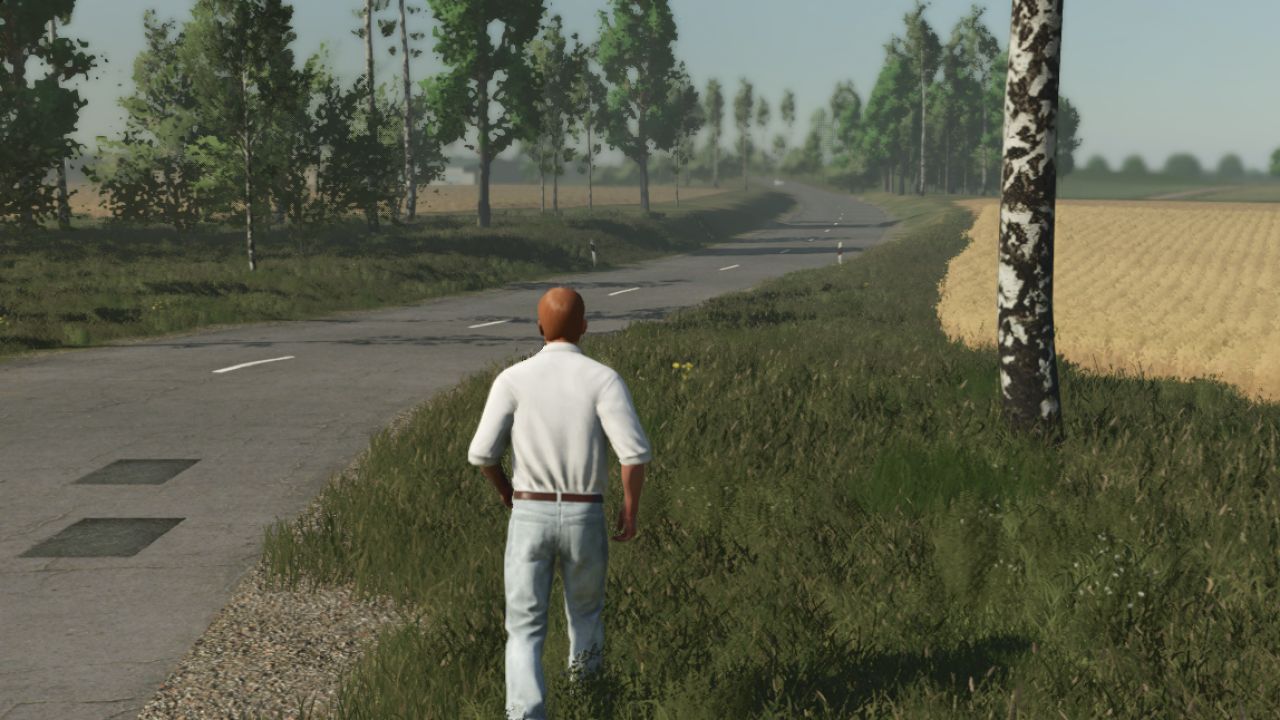
Spielerbewegungs-Fix V1.0.0.1
Spielerbewegungs-Fix V1.0.0.1 Spielerbewegungs-Fix (FS22-Steuerung) Nervt es dich, dass dein Charakter auf dem Bauernhof herumrutscht, als würde er auf Eis laufen? Hast du genug von dem frustrierenden Driften und der unpräzisen Steuerung für Fußgänger? Dann ist diese Mod die perfekte Lösung für dich! Die Spielerbewegungskorrektur behebt die unpräzise Fußgängerphysik von Farming Simulator 25 und stellt die präzise und zuverlässige Steuerung aus Farming Simulator 22 (1:1) wieder her. Keine Trägheit mehr – Ihr Charakter stoppt genau dann und dort, wo Sie die Taste loslassen! Hauptmerkmale: Driften beseitigt: Der lästige "Eislauf"-Effekt ist komplett verschwunden. Präzises Lenken: Sanfte und sofortige Richtungswechsel ohne unnötiges Abbremsen oder Ruckeln. Realistische Geschwindigkeiten: Gehen: 4 km/h Laufen (Sprint): 8 km/h Klassisches FS22-Feeling: 100% identische, reaktionsschnelle und präzise Charaktersteuerung, genau wie Sie es vom Vorgängerspiel gewohnt sind. V1.0.0.1 Farming Simulator 22: Fehlerbehebung bei 13 km/h Laufgeschwindigkeit Tags: Die SpielerbewegungskorrekturFarming SimulatorKeine TrRealistische Geschwindigkeiten
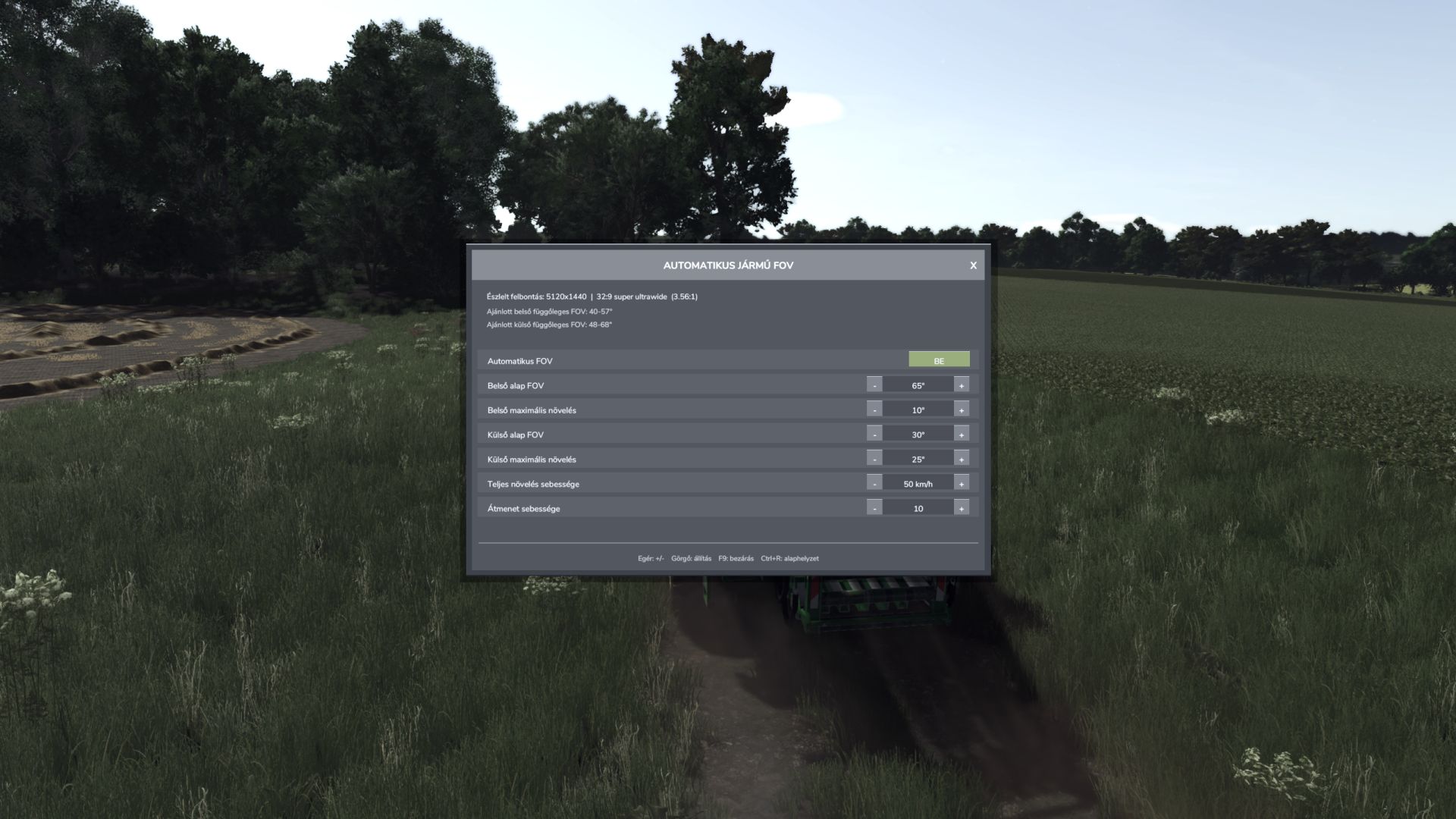
Automatisches Sichtfeld für Fahrzeuge V1.3.0.0
Automatisches Sichtfeld für Fahrzeuge V1.3.0.0 Die automatische Fahrzeug-FOV-Funktion passt das Sichtfeld der Fahrzeugkamera stufenlos an die Geschwindigkeit an. Innen- und Außenkameras haben separate Basis-Sichtfelder und maximale Verstärkungswerte. Merkmale: Automatisches, geschwindigkeitsabhängiges Sichtfeld innerhalb und außerhalb des Fahrzeugs. Sanfter Kameraübergang ohne plötzliche Sprünge. Automatische Erkennung von Bildschirmauflösung und Seitenverhältnis. Empfohlene vertikale Sichtfeldbereiche innerhalb und außerhalb des Sichtfelds. Separater manueller Modus für das Sichtfeld innerhalb und außerhalb des Sichtfelds. Kompaktes, per Maus bedienbares Einstellungsfeld mit klickbaren Minus-/Plus-Tasten und Mausrad-Einstellung. Jede Änderung wird sofort angewendet und automatisch gespeichert; es gibt keine Schaltfläche „Anwenden“. Die auf der Auflösung basierenden Sichtfeldbereiche dienen lediglich als Empfehlung und überschreiben niemals die ausgewählten Werte. Die Einstellungen werden im gemeinsamen FS25-Benutzerprofil gespeichert und beim nächsten Start wieder geladen. Clientseitiger Mehrspielermodus; die Kameras der anderen Spieler werden nicht verändert. Bedienelemente: F9: Öffnet oder schließt das Einstellungsmenü. Maus: Verwenden Sie die Ein-/Aus-, Minus-, Plus- und Schließen-Taste. Mausrad: Stellen Sie den Wert unter dem Mauszeiger ein. Escape: Schließen Sie das Bedienfeld und stellen Sie die normale Maussteuerung wieder her. Einstellungsdatei: Dokumente/Meine Spiele/FarmingSimulator2025/modSettings/FS25_AutomaticVehicleFOV.xml Version 1.3.0.0 behebt außerdem eine leere Einstellungsdatei, indem sie beim Laden die aktuellen/Standardwerte schreibt. V1.3.0.0 Problem mit der Speicherung der XML-Einstellungen behoben. Version 1.2.9.0 erstellte fälschlicherweise eine leere Einstellungsdatei. Die Einstellungen werden beim nächsten Spielstart nun korrekt geladen. Jede Mausbewegung wird sofort angewendet und automatisch gespeichert. Die Schaltfläche „Anwenden“ und das damit verbundene Verhalten wurden entfernt. Die Steuerungsmöglichkeiten zur Wertanpassung und zum Zurücksetzen über die Tastatur wurden entfernt. F9 öffnet und schließt weiterhin das Einstellungsmenü. Die auf der Auflösung basierenden Sichtfeldbereiche sind lediglich informative Empfehlungen. Die README-Datei wurde aktualisiert, um das tatsächliche Verhalten der Mods widerzuspiegeln. Tags: Automatische ErkennungDie EinstellungenDie SchaltflSanfter Kamera
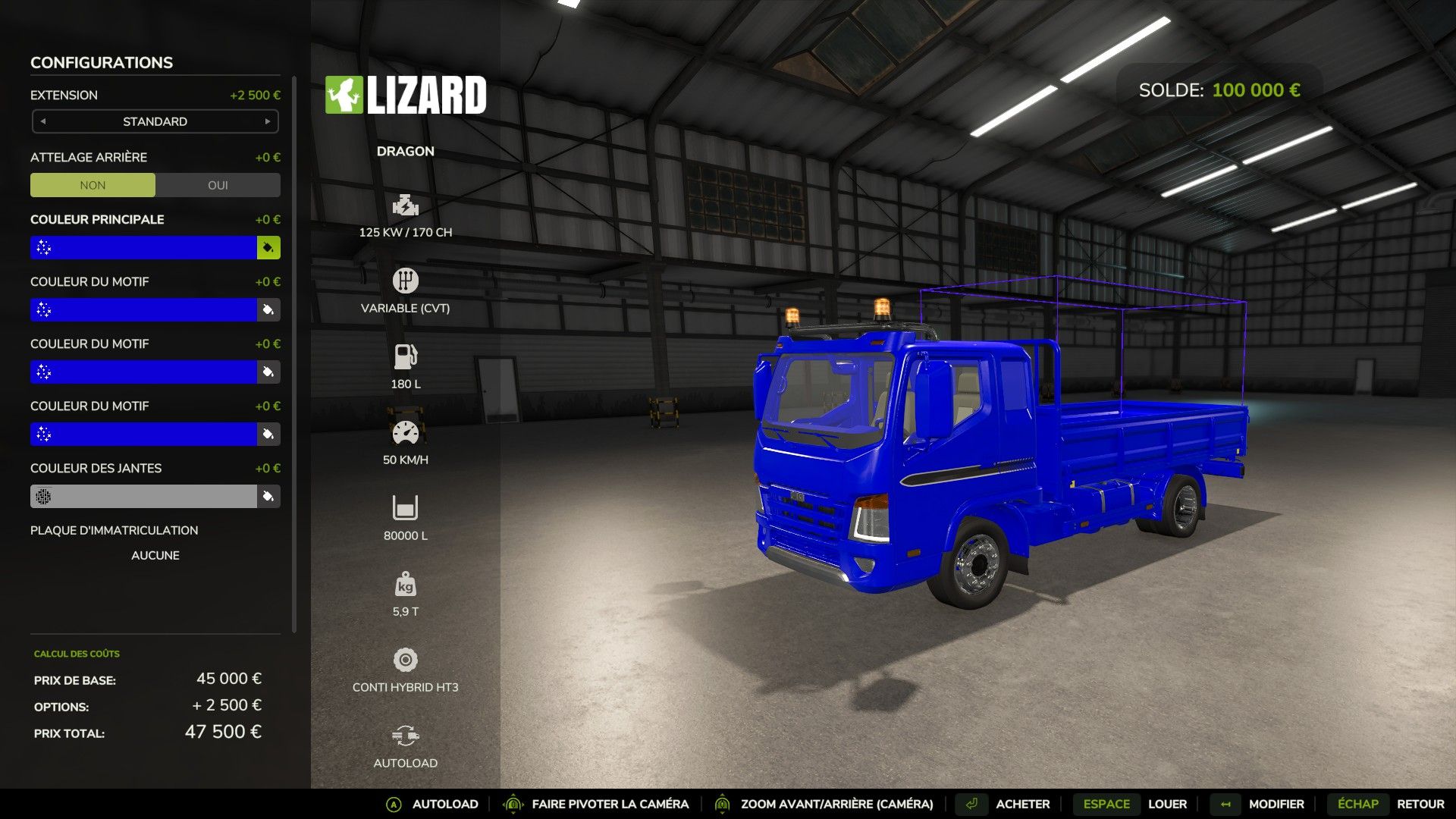
Lizard Dragon Edit V1.0.0.3
Lizard Dragon Edit V1.0.0.3 Erweiterte Farbkonfigurationen hinzugefügt Ein funktionsfähiges Leuchtfeuer wurde hinzugefügt. Zusätzliche Kapazitäten von 40.000 l und 100.000 l Es wurde eine Geschwindigkeitsbegrenzung von 50 Kilometern pro Stunde eingeführt. Mein LKW hat keine automatische Beladungsfunktion; es handelt sich um eine Mod namens Universal Autoload, die diese Funktion hinzufügt. V1.0.0.3 Kapazitätsänderung Tags: Universal Autoload
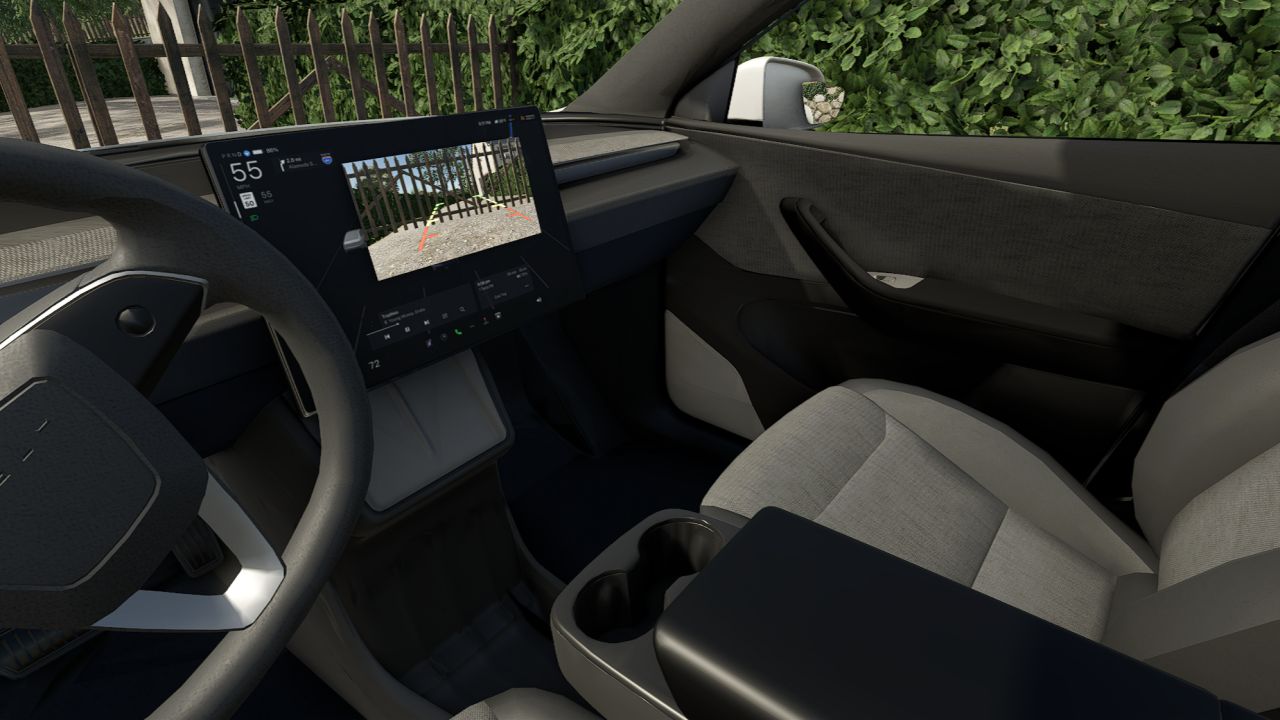
Tesla Model Y Standard 2026 V1.3.0.0
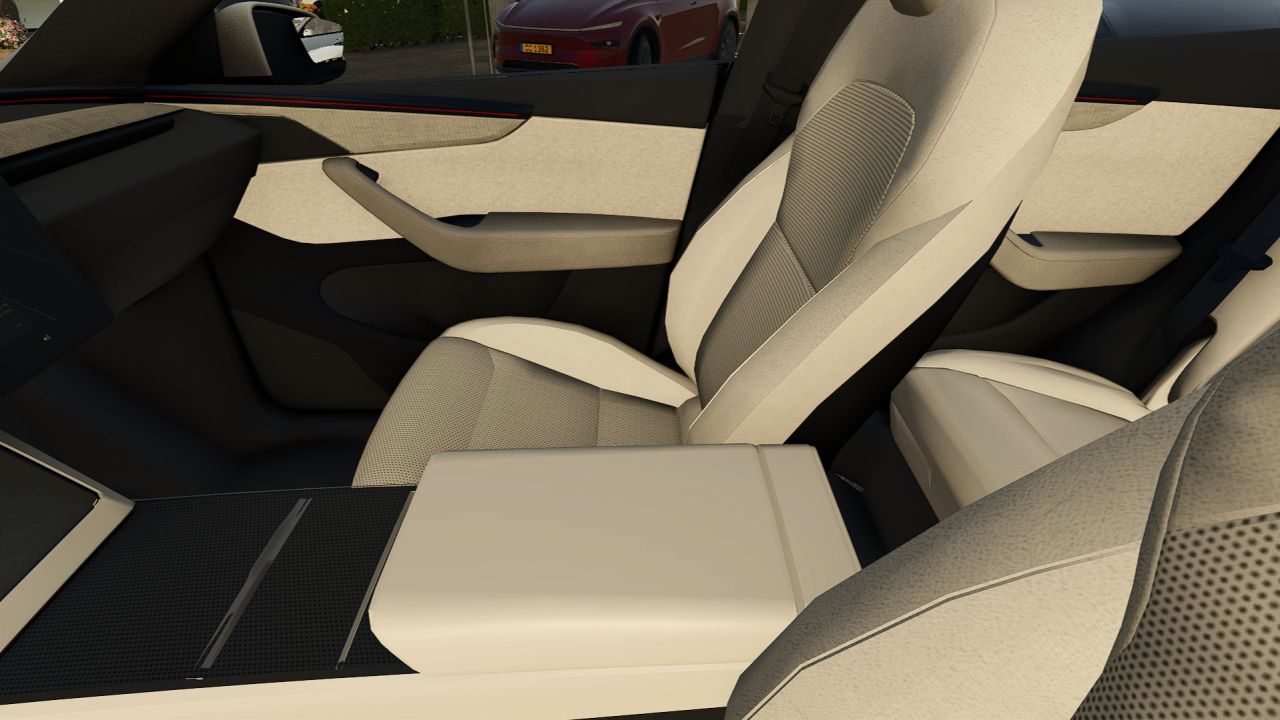
Tesla Model Y Standard 2026 V1.3.0.0 Hier ist mein neues Mod: Das Tesla Model Y Standard 2026 – erschwingliche, technologisch fortschrittliche Elektromobilität ist da! Preis: 39.990 Euro Optionen: Felgen; Öffnung CrossFlow Querstrom ohne Abdeckung Außenfarben: Perlweiß mehrschichtig Schwarzer Diamant Stealth Gray Abschlepphaken Version: Standard-Hinterradantrieb oder Standard-Allradantrieb Diese Modifikation ist mit realistischen Projektionsscheinwerfern ausgestattet. Ich hoffe, euch gefällt diese Modifikation – alles, was ihr an Tesla mögt, aber mit ein paar Kompromissen 😉 V1.3.0.0 Neu im Sortiment: Coastal Blue / Coastal Blue, inspiriert von der kalifornischen Küste! Anpassungen an Rädern, Texturen usw. Und vieles mehr! Erforderliche Mods: Mercedes-Benz Trucks Paket Tags: Diese ModifikationErforderliche Mods
Tesla Model Y 2026 Aktualisierung V3.0.0.0
Tesla Model Y 2026 Aktualisierung V3.0.0.0 Hallo zusammen, guten Abend! Ich habe die Ehre, Ihnen mein neues Mod-Modell vorzustellen: Das Tesla Model Y 2026 Restyled mit seinem neuen Frontlichtstreifen – es wird Sie begeistern! Motorisierung und Version: Hinterradantrieb Allradantrieb mit größerer Reichweite und zwei Motoren Launch-Serie mit größerer Reichweite und Dualmotor-Allradantrieb Leistung Außenfarben aus allen vier Ecken der Welt, um jeden Geschmack zu treffen: Mehrschichtiges Perlweiß Schlichtes Schwarz Schwarzer Diamant Stealth Gray Tiefblau-Metallic Gletscherblau Marineblau Quecksilber Ultrarot Mitternachtskirschrot 2 Felgen, 19" Crossflow oder 20" Helix 2.0 Innenausstattung: Weiß oder Schwarz. Und vieles mehr! Dies ist die erste Version. Updates werden in Kürze verfügbar sein. Gezeichnet: LbxModdingTeam. V3.0.0.0 – Funktionierende Blinker – Hinzufügung der Zen Grey-Innenausstattung – Texturkorrekturen – Sportsitze wurden als Option für die Performance-Versionen hinzugefügt – Strukturiertes Performance-Abzeichen – Anpassungen an 2,3 Punkten in Bezug auf Handling, Bremsen, Räder usw. – Die Farbe Frostblau wurde hinzugefügt Und vieles mehr! Erforderliche Mods: Mercedes-Benz Trucks Paket Tags: Erforderliche Mods
Player Movement Fix FS25
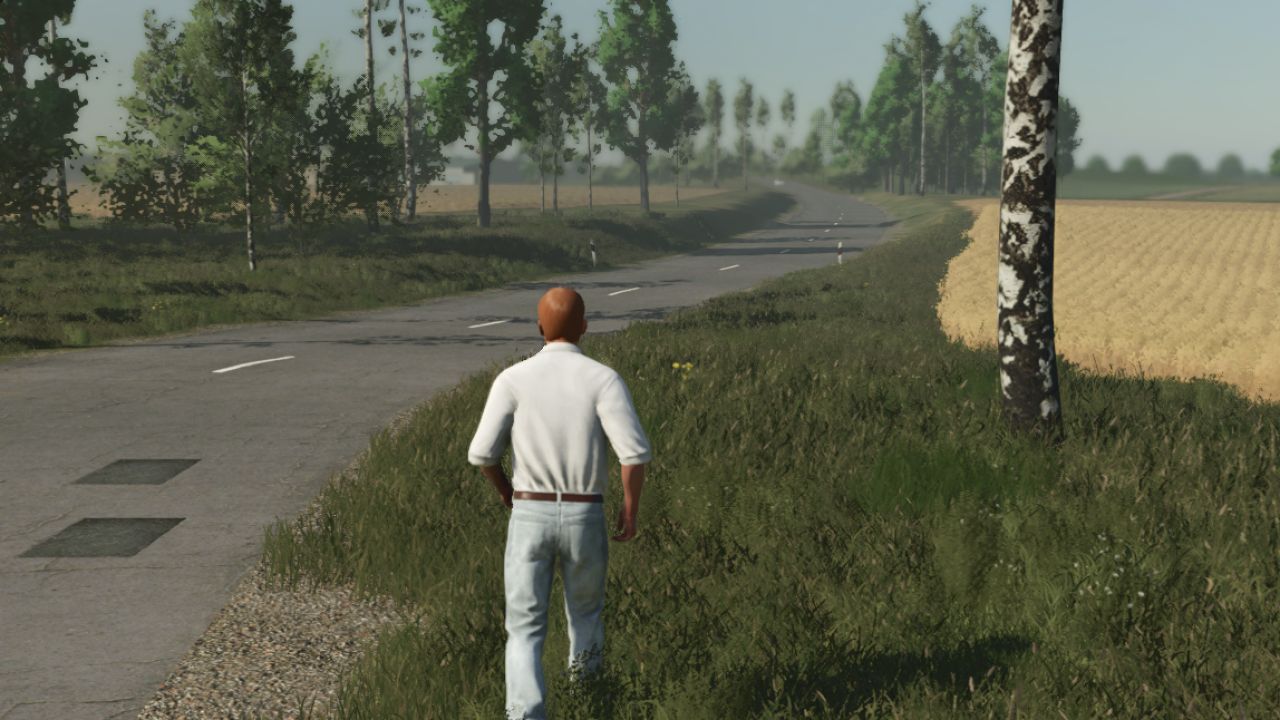
Player Movement Fix (FS22 Controls) Are you annoyed by your character sliding around the farm as if walking on ice? Tired of the frustrating drifting and imprecise pedestrian controls? This mod is the perfect solution for you! The Player Movement Fix completely overrides the slippery pedestrian physics built into Farming Simulator 25 and brings back the tight, reliable movement from Farming Simulator 22 (1:1). No more inertia—your character stops exactly when and where you release the key! Key Features: Drifting Eliminated: The annoying "ice skating" effect is completely gone. Precise Turning: Smooth and immediate directional changes without unnecessary deceleration or stuttering. Realistic Speeds: Walking: 4 km/h Running (Sprint): 8 km/h Classic FS22 Feel: 100% identical, responsive, and precise character controls just like you are used to from the previous game. - Farming simulator 22 13km/h run speed fix
Lucas Autospire FS25
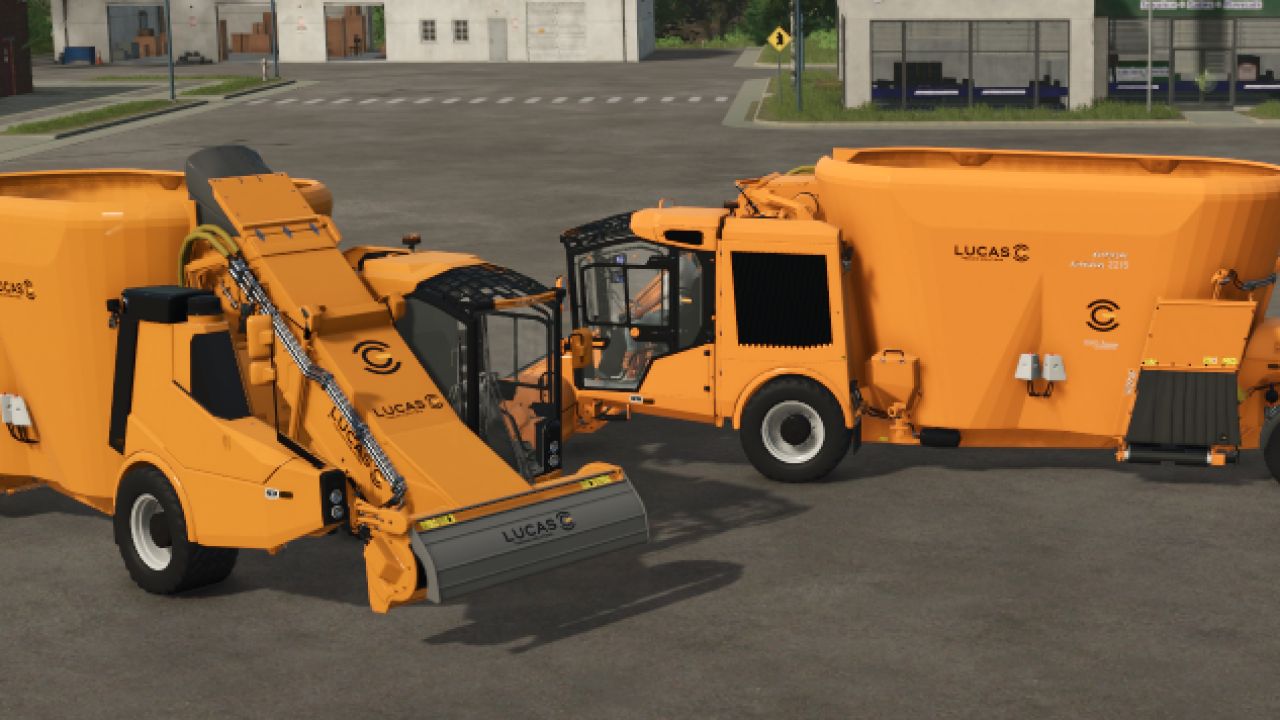
hello I am sharing with you my LUCAS AUTOSPIRE self-propelled mixer, this allows us to refresh the self-propelled range of mixers on Farming Simulator and let's experience the French brands. -price 105,500 euros -power 275hp -capacity of 20000L - wheel config thank you all have fun, thank you for respecting my work and the mod link minor fix addition of the official Lucas color configuration addition of the carpet color configuration category fix
Tesla Model Y 2026 Refresh FS25
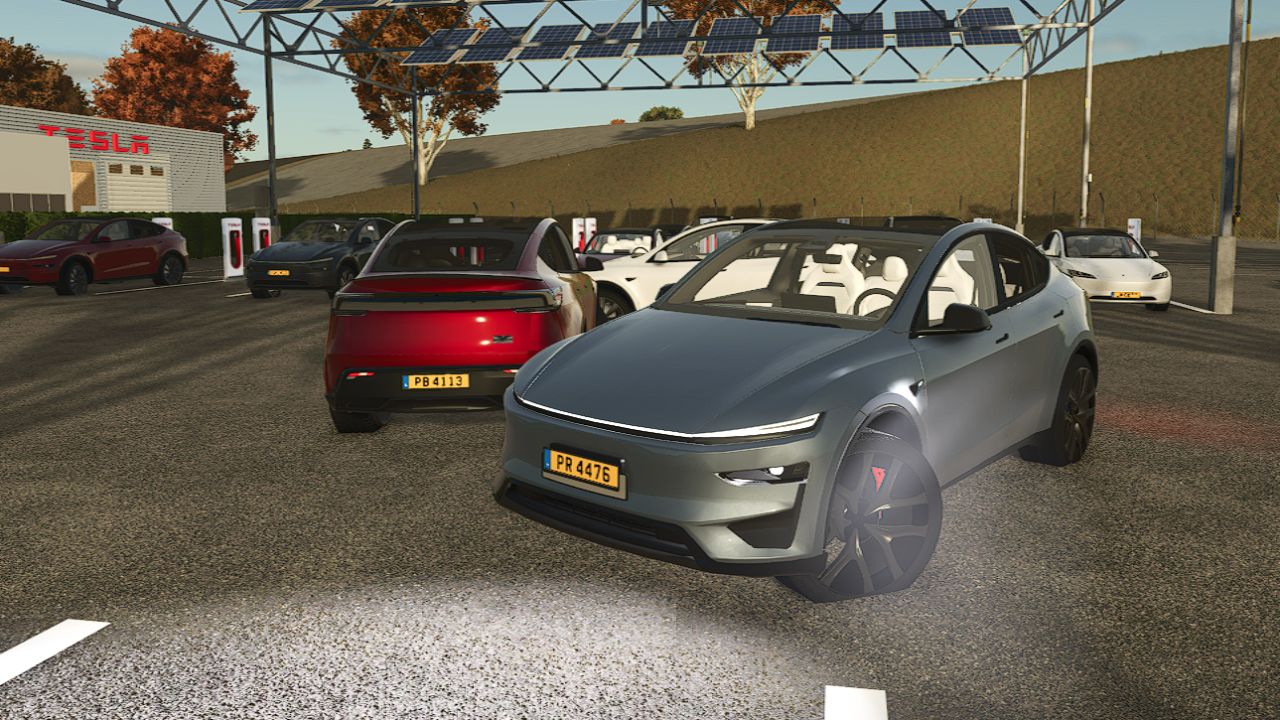
Hello, Good evening everyone, I have the honor to present my new Mod I name: The Tesla Model Y 2026 Restyled, with its new front light strip, it won't leave you indifferent! Options: Motorization and Version: -Rwd propulsion -Longe Range Dual Motor AWD -Launch Series Longe Range Dual Motor AWD -Performance Exterior colors from 4 corners of the world to satisfy everyone: Multi-layer Pearl White Plain Black Black Diamond Stealth Gray Deep Blue Metallic Glacier Blue Navy Blue Quicksilver Ultra Red Midnight Cherry red _______________________ 2 rims, 19" Crossflow or 20" Helix 2.0 Interior; White or Black. and much more! ⛔️It is Strictly Prohibited to Modify OR Republish On another site Unless you ask me for permission and I authorize you to do so. Thank you in advance for your collaboration. This is the first version of the Updates will be available soon. Signed LbxModdingTeam. - Functional turn signals - Addition of the Zen Grey interior - Texture fixes - Sport seats added as an option for the Performance versions - Textured Performance badge - Adjustments to 2–3 points concerning handling, braking, wheels, etc. - Frost Blue color added And much more! - Realistic Projection Headlights in final version - Color Correction: Marine Blue - The completely retextured interior as well as exterior elements - Added third brake light - Rectification of the indirect reflection light bar - camera readjustment - Readjustment of engines - Recalibration of regenerative braking - Miscellaneous and general readjustment - Added realistic projection headlights - Added cameras; Reversing Camera + Front Bumper Camera - Readjustment of suspension road behavior,... - New Navy Blue color - Corrected the matching of the following colors: Quicksilver and Glacier Blue - Added towing hook - Texture correction and general and miscellaneous improvement - Added Passenger support in multiplayer - Added Performance version - Modification of the Helix 2.0 rims which are changed to Dark Gray and Black Badge for the Dual Motor registration - Fixed the hands, now they are on the steering wheel. DEEP Blue METALLIC PAINT
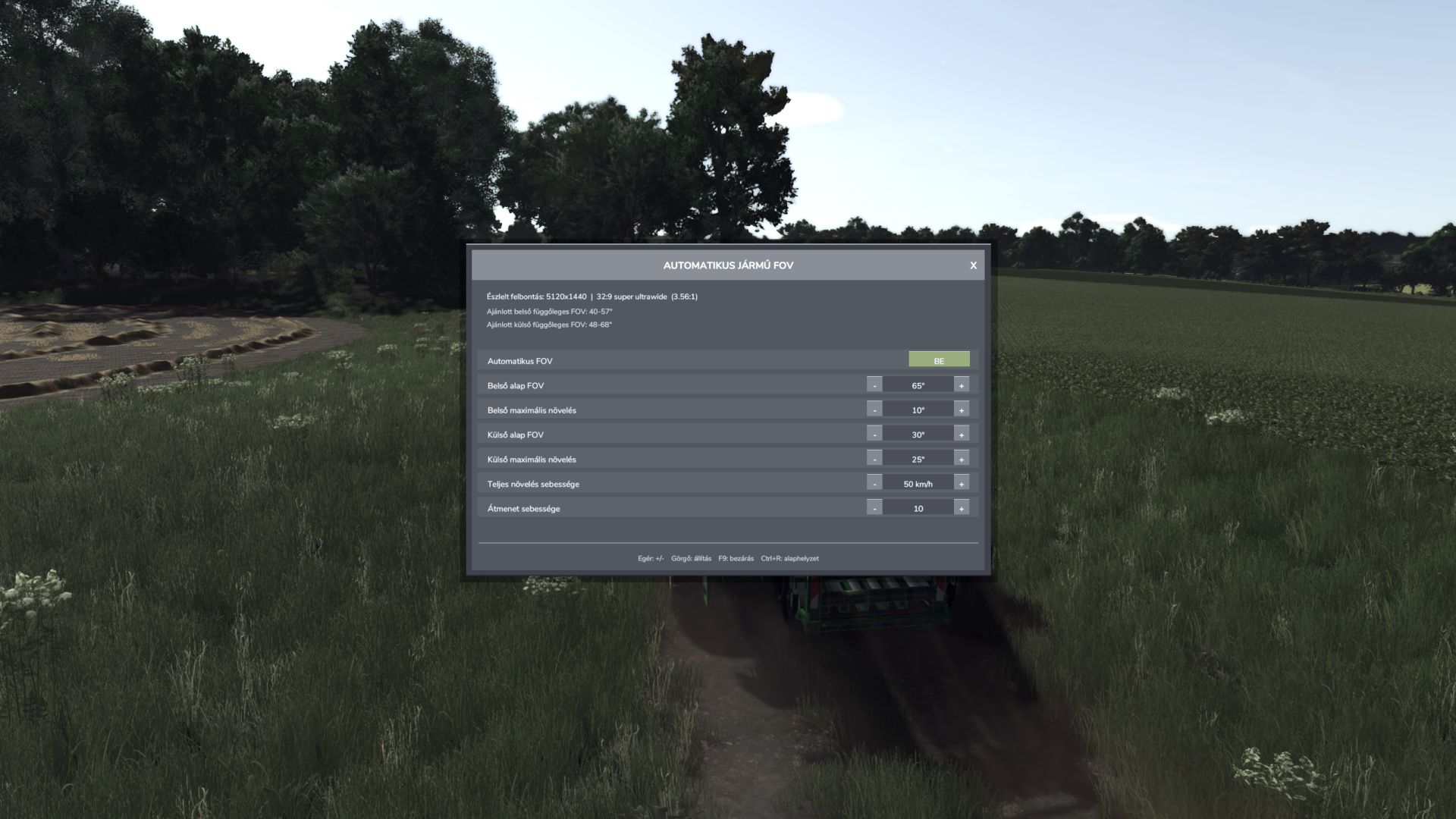
Automatic Vehicle FOV FS25
Automatic Vehicle FOV smoothly changes the vehicle camera field of view according to speed. Inside and outside cameras have separate base FOV and maximum boost values. Features: - Automatic, speed-dependent inside and outside vehicle FOV. - Smooth camera transition without sudden jumps. - Automatic screen resolution and aspect-ratio detection. - Recommended inside and outside vertical FOV ranges. - Separate manual inside and outside FOV mode. - Compact mouse-operated settings panel with clickable minus/plus controls and mouse-wheel adjustment. - Every change is applied immediately and saved automatically; there is no APPLY button. - Resolution-based FOV ranges are advisory only and never overwrite the selected values. - Settings are stored in the common FS25 user profile and loaded again on the next start. - Client-side multiplayer operation; other players' cameras are not modified. Controls: - F9: open or close the settings panel. - Mouse: use the ON/OFF, minus, plus and close buttons. - Mouse wheel: adjust the value under the pointer. - Escape: close the panel and restore normal mouse control. Settings file: Documents/My Games/FarmingSimulator2025/modSettings/FS25_AutomaticVehicleFOV.xml Version 1.3.0.0 also repairs an empty settings file by writing the current/default values on load. Fixed XML settings persistence. Version 1.2.9.0 incorrectly created an empty settings file. Settings are now loaded correctly on the next game start. Every mouse adjustment is applied immediately and saved automatically. Removed the Apply button and its associated behavior. Removed keyboard-based value adjustment and reset controls. F9 still opens and closes the settings panel. Resolution-based FOV ranges are informational recommendations only. Updated the README to reflect the mod’s actual behavior.
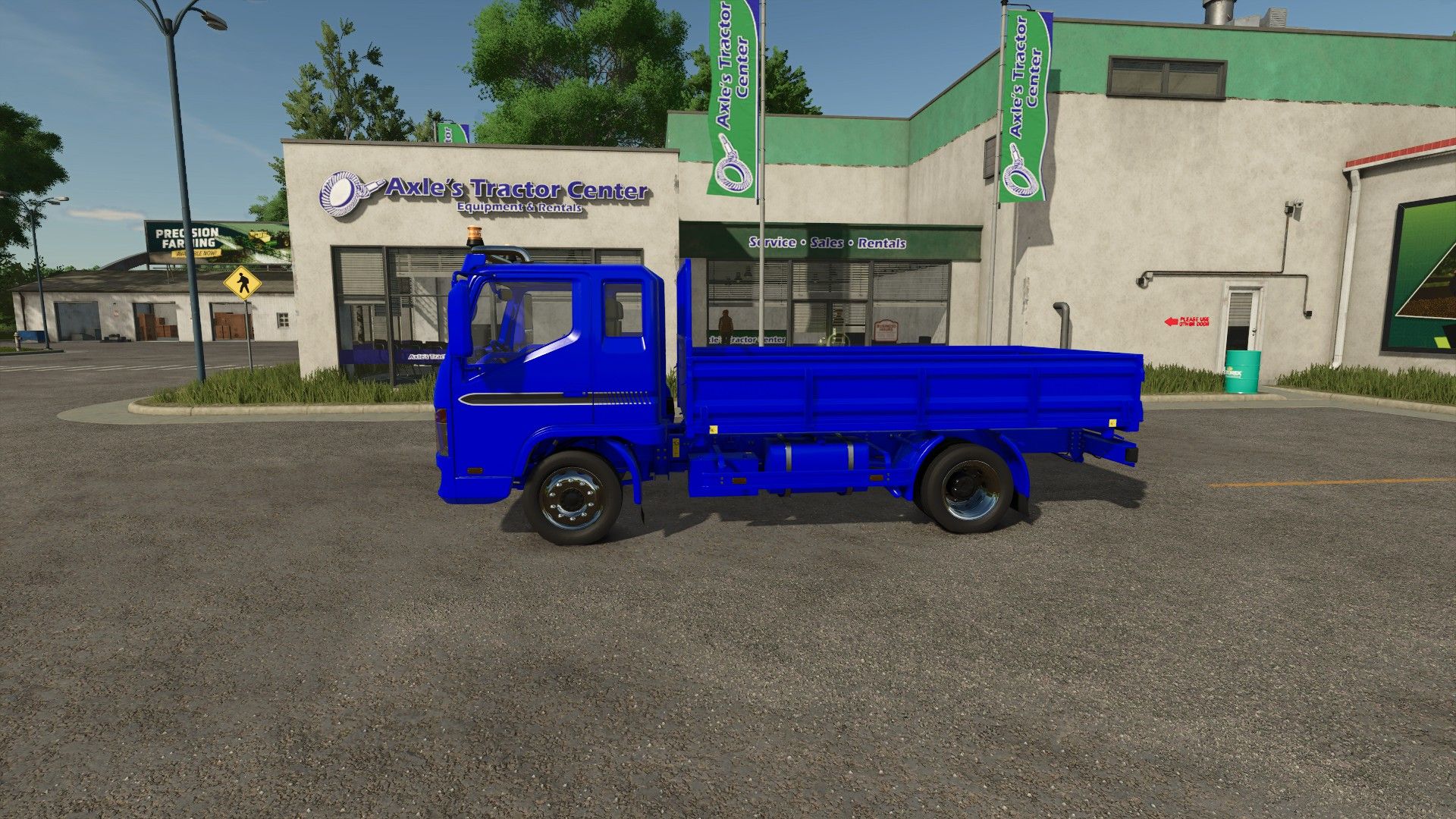
Lizard Dragon Edit FS25
Added more advanced color configurations Added a functional beacon Added capacities of 40,000 l and 100,000 l Added a speed limit of 50 kilometers per hour There is no autoload on my truck; it is a mod that adds autoload called Universal Autoload Do not reupload my mod to other websites Cabin paint correction has not been applied for mat and metallic paints Correction of the Moddesc FR which is in German and emptying acceleration
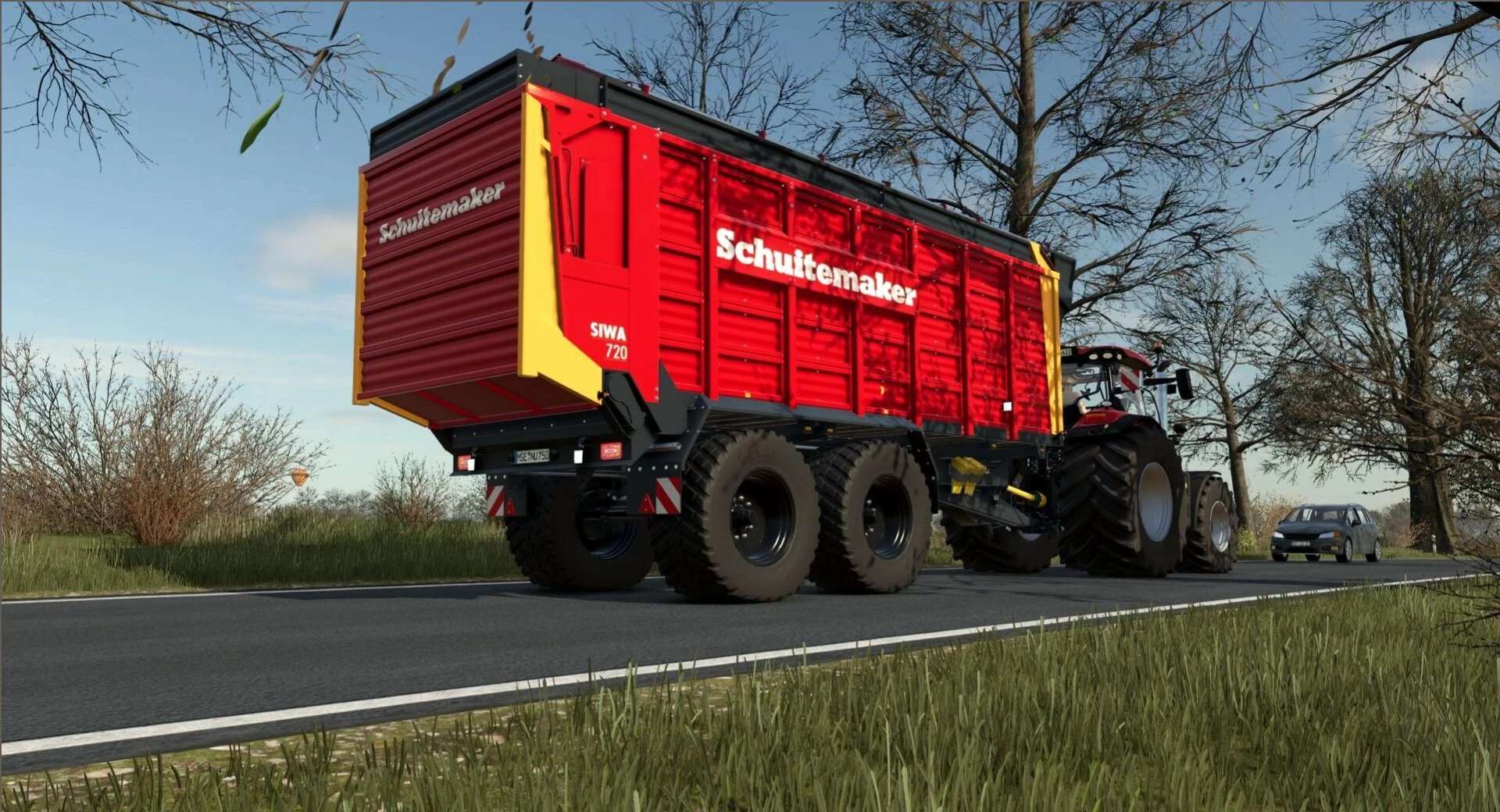
Schuitemaker Siwa 720 100 Serie v1.0.0.0
Schuitemaker Siwa 720 100 Serie v1.0.0.0 Welche Änderungen wurden an der Farbkonfiguration von Nabe, Felge und Mutter in den Siwa FS25-Texturen vorgenommen? Preis: 55.000 US-Dollar Kapazität: 45.000 l Version: S/W Radkonfigurationen: Michelin/Trelleborg/Vredestein/BKT
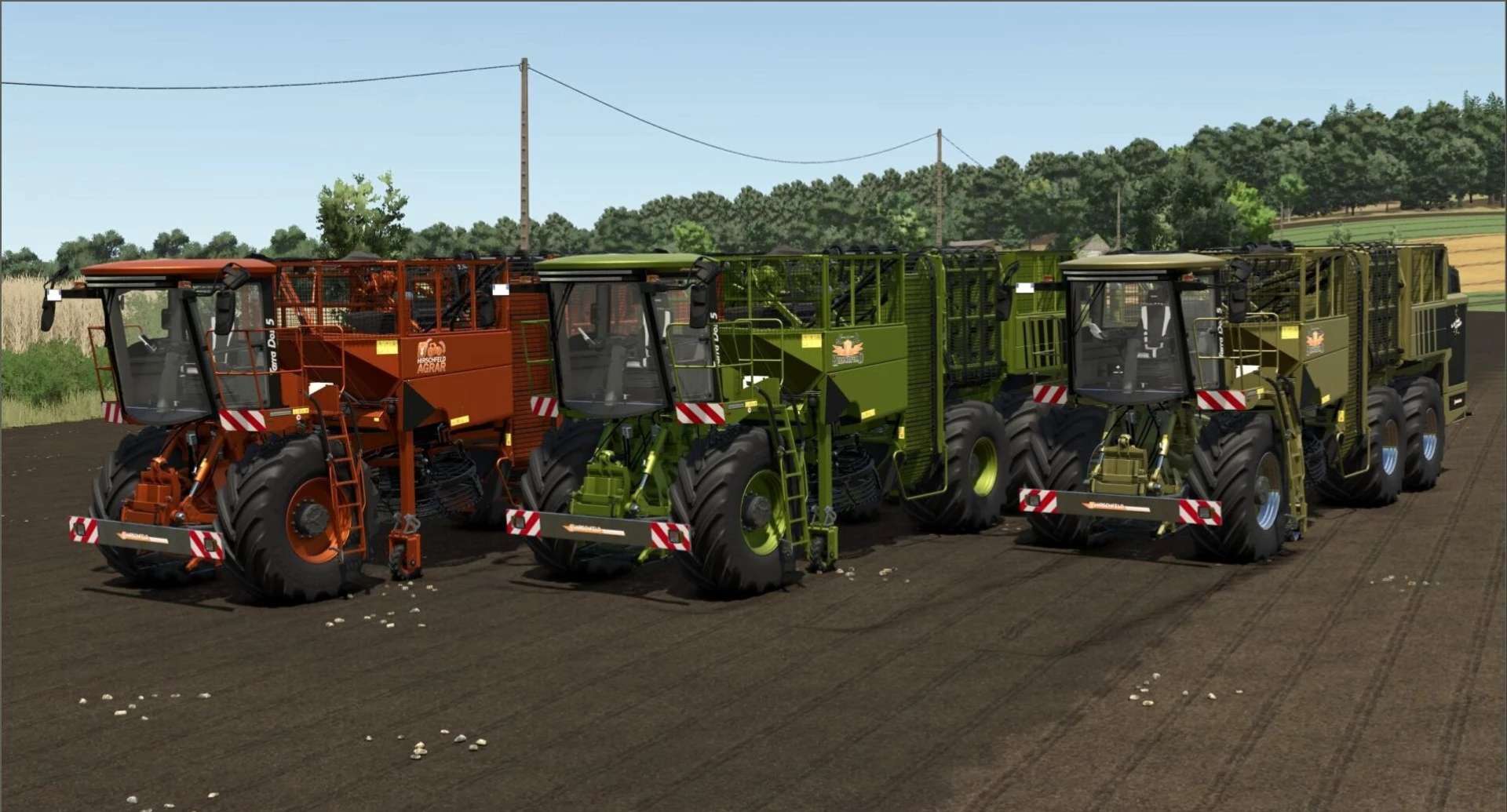
Gemüseernter – Hirschfeld Edition V3.2.1.4
Gemüseernter – Hirschfeld Edition V3.2.1.4 Dieses Erntemaschinenpaket ist ein absolutes Muss für alle Ernteprofis in Farming Simulator 25! Mit diesem Mod können Sie effizient alle Arten von Wurzelgemüse ernten und haben unzählige Gestaltungsmöglichkeiten zur Verfügung. Merkmale: Erntemaschine für Zuckerrüben, Kartoffeln, Rote Bete, Pastinaken, Karotten und vieles mehr. 6 m Harvesterkopf für den Holmer Kompatibel mit verschiedenen Erntemaschinen Umfangreiche Gestaltungsmöglichkeiten Tags: Farming SimulatorRote Bete
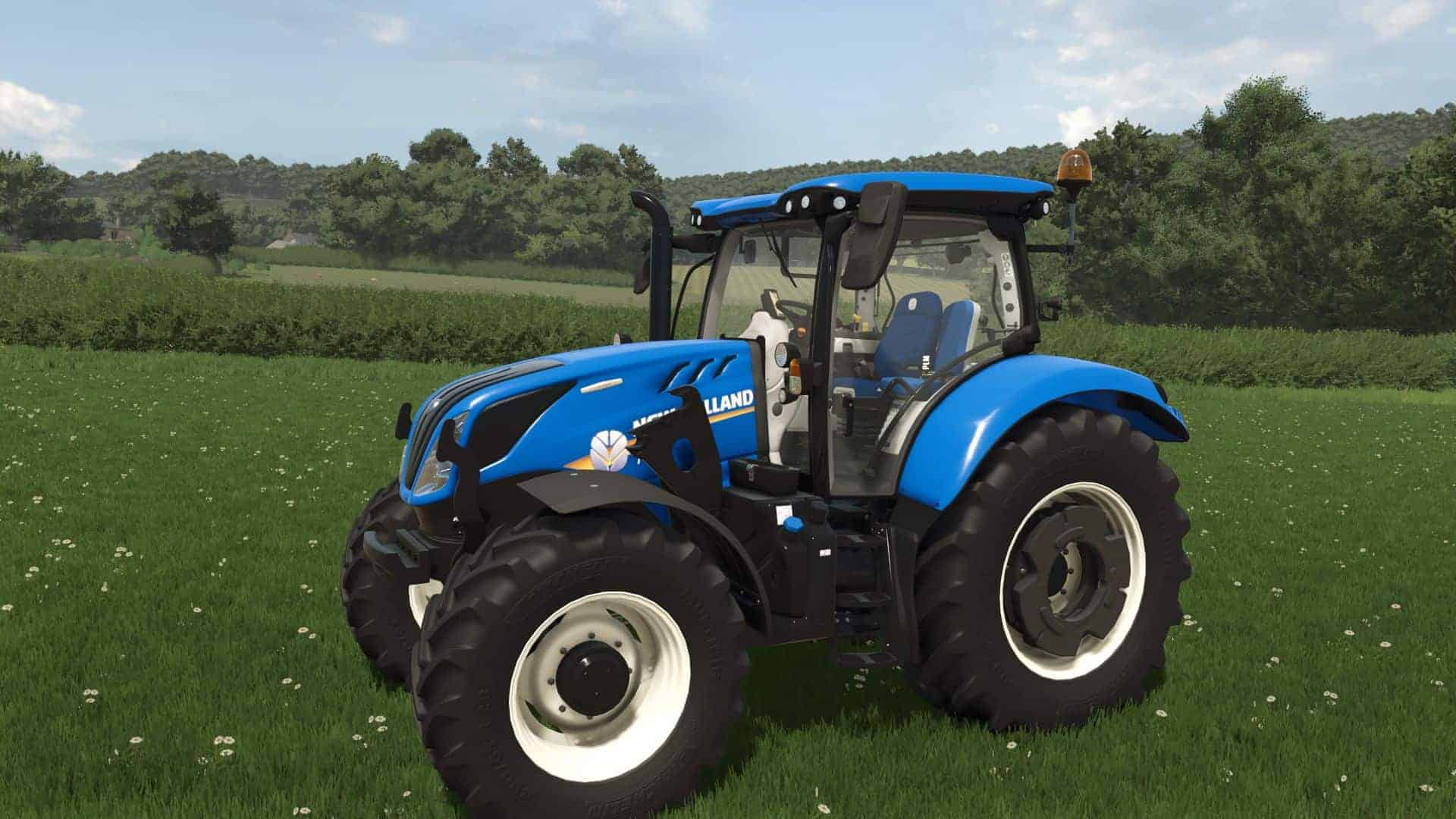
New Holland T6 Series v1.0.0.1
To go with my New Holland T7 Series I’ve decided to release my New Holland T6 Series as well. This mod contains the New Holland T6 range with a T6 4cyl Dynamic Command, T6 4cyl Auto Command, T6 6cyl Dynamic Command and T6 6cyl Auto Command. All contain the same configurations listed below. 4cyl Engine: – T6.145 : T6.155 : T6.165 : T6.175 6cyl Engine: – T6.160 : T6.180 Wheel: – Mitas : Trelleborg : Michelin : BKT Design: – Blue : Blue Power : Fiat-Agri : Black Power Model Year: – MY16 : MY18 : MY22 : MY24 Gearbox: – Dynamic Command : Auto Command Side Lights: – Standard : LED : Standard + Halogen : LED + Halogen Beacons: – MY16 – MY24 : MY26+ Beacon Type: – Halogen : LED GPS Receiver: – None : Trimble : Raven Additional Screen: – No : Intelliview IV : Intelliview IV+ Front Attacher: – Weight Carrier : CNH Linkage Front Loader: – Quickie : Hauer : MX – Weight Block can be attached by downloading my other mod New Holland Disc Weight V1.0.0.1 – Added weight as dependant mod
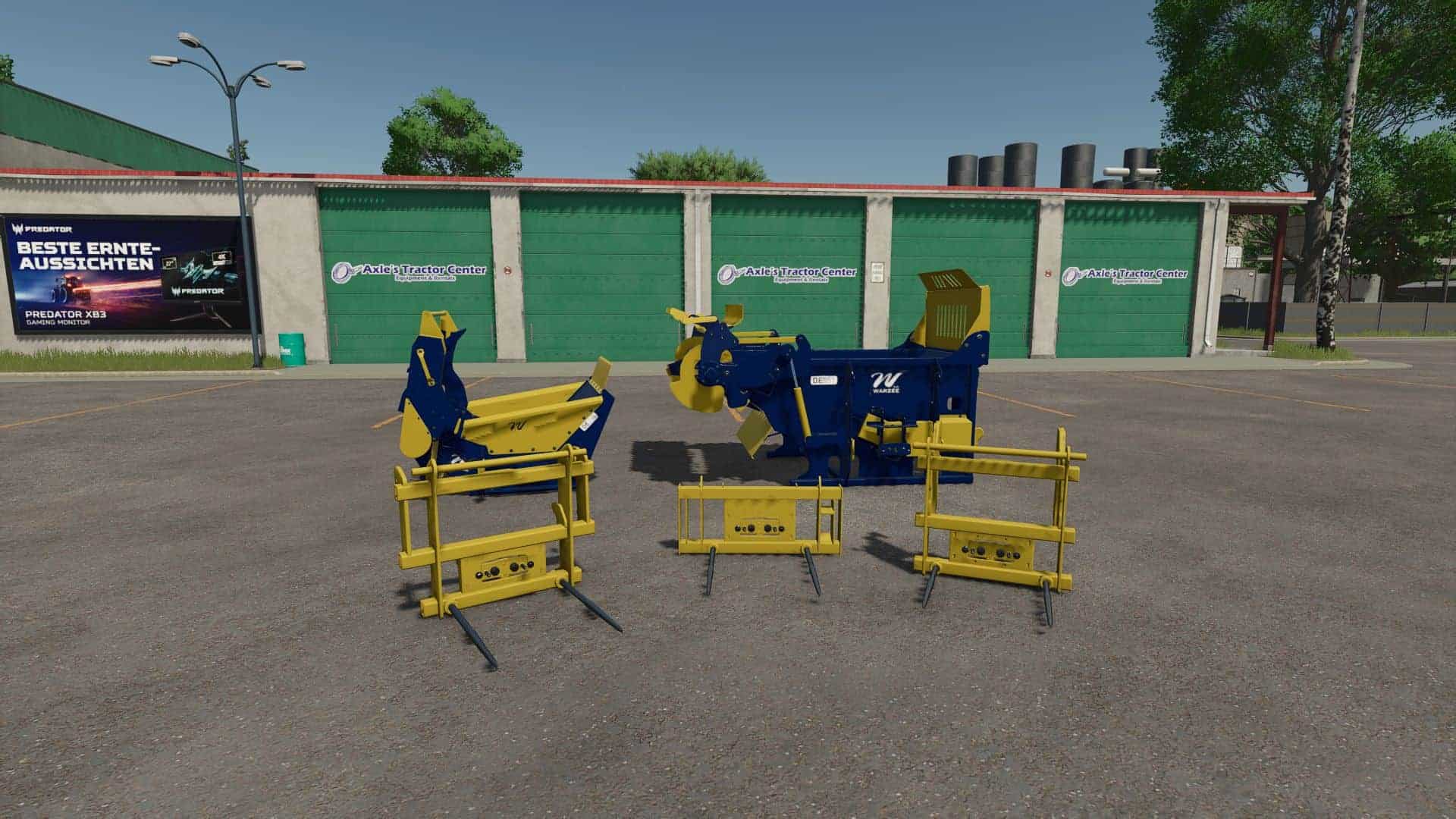
Warzee Pack v1.1
IMPORTANT! Since I no longer have time for the Giants ModHub, I have decided to make the Warzee Pack available via another download link. Interactive Control support Front loader bale spear – Shop category: Front loader tools – Price: €800 Telehandler bale spear – Shop category: Telehandler tools – Price: €1,500 Compact loader bale spear – Shop category: Compact loader tools – Price: €600 Wheel loader bale spear – Shop category: Wheel loader tools – Price: €2,000 Hydraulic hoses configuration. Warzee DE250 – Shop category: Bedding equipment – Price: €1,500 – Capacity: 1 bale – Color configuration Warzee DE551 – Shop category: Bedding equipment – Price: €1,500 – Capacity: 1 bale – Color configuration V1.1.0.0 – Hydraulic hoses added (except for the compact loader spike, which will come later) – New configuration added – Bale spike for wheel loaders added
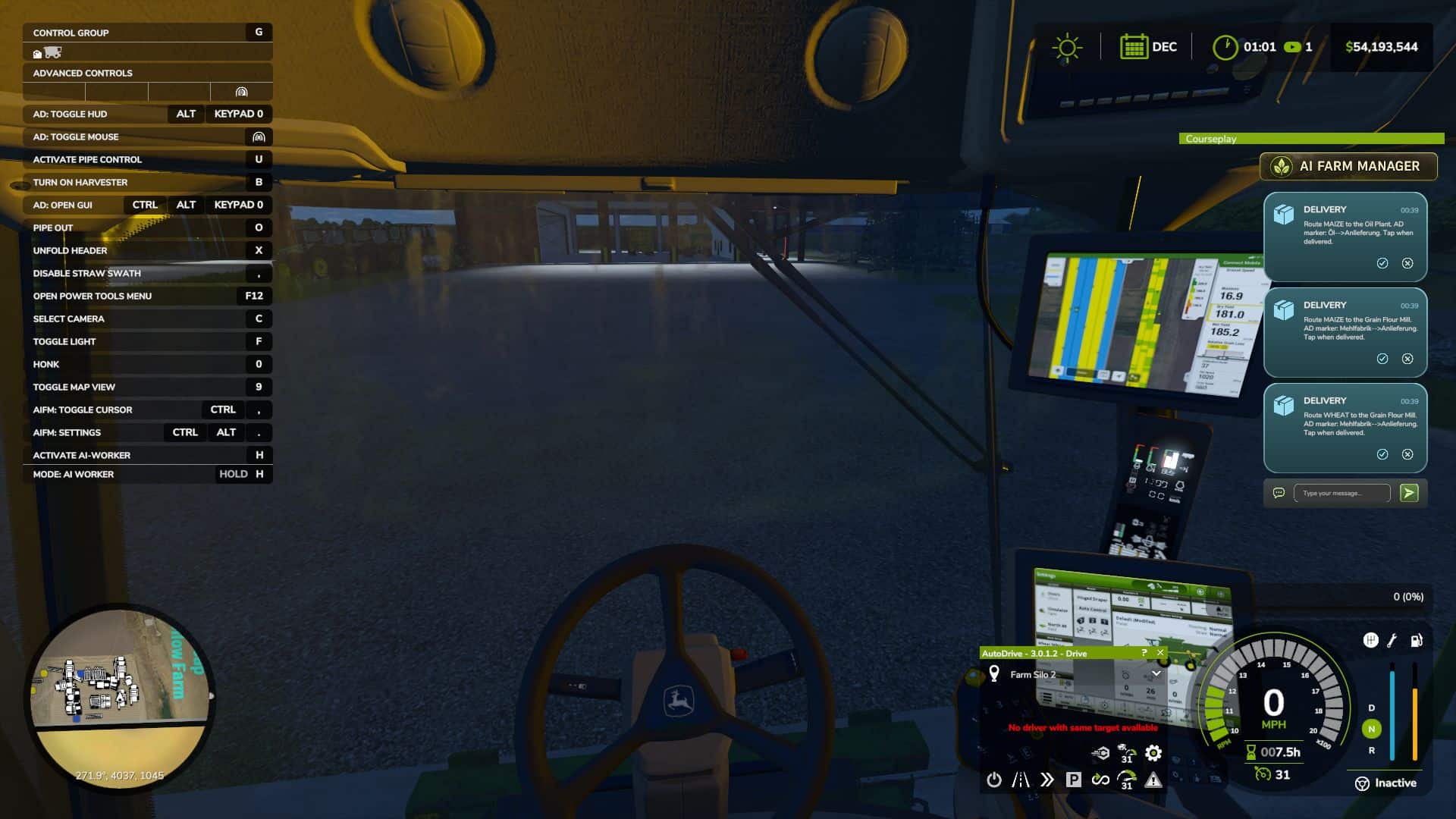
AI Farm Manager v3.0
YOUR FARM FINALLY HAS A MANAGER — one that actually reads your save, watches the prices, and taps you on the shoulder when it matters. AI Farm Manager 25 gives your farm a real manager: an AI that reads your ACTUAL savegame — cash, fields, fleet, prices, weather, the clock — remembers your farm across sessions, and pops colour-coded cards onto your screen the moment something needs a decision. Answer right there in the game with a click or a typed reply, and it answers back. FIRST, THE HONEST BIT (READ THIS) This .zip is only HALF the mod — the part that lives in your game and puts messages on your screen. The other half is the brain: a free tool called Claude Code that runs on your PC and IS the manager. The two talk through tiny files on disk. Install only the .zip and nothing happens — you need the companion set up too (2-minute one-time setup, link below). The upside: you pick the AI. Point it at a cloud model, or run one 100% locally and free with Ollama — either way, your farm data never leaves your computer. HOW IT WORKS 1. You play. FS25 saves your farm to disk as usual. 2. The manager reads it — cash, land, fleet, crops, contracts, silos, prices, weather — straight from your save files. It reads; it never guesses, and it never writes your save. 3. When something actually matters, it drops a card on your screen mid-game — a ripe crop about to spoil, fertilizer at its annual low, a silo filling up. 4. You answer in the game — click /, acknowledge, dismiss, or type a free-text reply. Bring your mouse cursor up the way you already do for AutoDrive / Courseplay. 5. It reacts — reads your answer, remembers it, and follows up. Then it idles at basically zero cost until the next real event. WHAT IT DOES FOR YOU – Real memory — a per-farm history of decisions, plans, and YOUR house rules, so it starts every session already caught up. – Buy/sell price sense — grain flagged at its seasonal peak; seed / fertilizer / lime / herbicide flagged at their annual low — and only if you actually own the storage to stockpile. – Used-equipment reality check — “is this listing actually a bargain?” answered against real new prices. – Planning that respects timing — what to buy and WHEN, not just what. – Notifications you can trust — colour-coded cards (green ok / blue info / amber warn / red critical) with 31 context glyphs. It under-sends on purpose: silence is the default, and it only interrupts when it’s worth your hands off the wheel. – Your overlay, your way — persistent panel or classic pop-ups (toggle Ctrl+Period), movable and restylable, and your unanswered cards survive a restart. – Two-way, for real — it reads your clicks and typed replies back; a double-click can’t double-count. WHAT IT WILL NEVER DO – Never writes to your savegame — not once, not ever. 100% read-only against your game. – Never phones home — everything stays on your PC (run it on a local model and your farm data never touches the internet at all). – Client-side only, safe for singleplayer AND multiplayer; changes no gameplay system. WHAT YOU’LL NEED – Farming Simulator 25 + this mod (PC). – Claude Code installed on your PC — the free companion that runs the manager. – An AI model for it to use — your choice: a Claude / Anthropic account, an OpenRouter key, or a free local model via Ollama. – Python 3 (standard library only — nothing to pip-install). – A one-time 2-minute setup: start Claude Code in your farm folder and say “set up my farm manager.” – Currently WSL / Linux-oriented on Windows (it uses /mnt/c/… paths). To click card buttons you need a mouse cursor on screen (AutoDrive’s MMB, Courseplay’s RMB, or any cursor mod). V3.0.0.0 A new architecture for how Cyrus reads your farm, plus a round of fixes from the manager’s first live sessions on a real save. Added Setup now asks your name and what language to speak, right at the start. Before this, the manager never asked either — it addressed you as “partner” and spoke English no matter what language you actually use. Now it asks first, and speaks the language you give it from that point on. A new cache layer. Dedicated scripts now gather your farm’s state and write it to a verified cache whenever the game saves — including pushing fleet fuel/repair alerts straight to your on-screen overlay the moment a threshold is crossed, with no need to ask. Cyrus reads what those scripts already produced instead of gathering and reporting everything itself in one conversation, so a session starts from more of what the game knows, read the same way every time. Closeout can now offer to send issues to the project’s GitHub tracker. At the end of a session, if anything logged looks like a product defect, Cyrus asks whether to send it — and always asks whether there’s anything else you’d like added or changed, defect or not. Every issue is scanned and the scan result is told to you plainly (“scanned for usernames, home paths and author identifiers” — not a claim your finances were checked); you see the exact title and body before anything is sent, and approve, edit, defer, or drop each one individually. Nothing is batched, and nothing goes anywhere without your say-so. Setup now asks which farm is yours when your save has more than one (for example, a joined multiplayer save), instead of assuming. A field-by-field work list of what needs doing today. Each field reports the operation its own state calls for — ploughing, liming, weeding, and more — grounded in the same read of the field’s own state, not a generic checklist, and with the reading behind each recommendation carried alongside it. Cyrus can now tell you which of your production lines are running dry, and how many hours you have before each one empties — checked against that line’s own input stock, not your farm’s stock as a whole, so a full silo elsewhere doesn’t hide a bin that’s actually about to run out. Where the underlying data can’t say, it tells you that instead of guessing. Changed The “can I sell this?” check no longer states a flat “no” it can’t actually back up. It previously could tell you an item you own (manure, wool, milk, and others) can’t be sold, when it had simply not found where — it now only reports what it has confirmed. File-size limits on your farm’s memory files are now recommendations that warn when crossed, instead of hard caps that block you from continuing. Your farm can also record its own preferred size, which overrides the shipped recommendation. A mistyped notification command is no longer reported as “the game must be closed” — argument mistakes and real delivery failures are now told apart. Fixed Several documented commands referenced a Claude Code variable not defined in current versions, so they silently could not run. Every command in the skill now uses a direct path. Updating an older farm’s memory to a newer format now always backs up your data first, or refuses to run — it could previously destroy your only restore point if interrupted partway through. A background freshness check could keep reporting your farm’s cached data as out of date immediately after it had just been refreshed. Fixed for the affected data sources. “I have no mods” is now accepted as a complete, final answer during setup — the manager no longer keeps re-asking or goes searching your disk for a folder that isn’t there. Checking what equipment you’re missing could time out on a large fleet; it now gets more time to finish that specific check. A quick freshness check on your cached data (used when a full re-check would take too long) could report that data as “verified” when it had only compared each file’s timestamp and size, never read its actual contents. It no longer claims more than it checked. Every field’s crop-growth stage was reading as unknown, always, on every save — a step in building the underlying growth-stage table was silently missing its data, so the table never built. It now builds correctly, and crop state populates the way it was always meant to. Whether a crop was ready to harvest was being judged by the name of its growth stage instead of the flag that actually marks it ready. On this map several crops have a stage named as if it were ready when it isn’t, while the truly ready stage is named something unrelated — so a crop could read as ready when it wasn’t, and vice versa. Readiness is now read from the correct flag.
- 15 per page
- 30 per page
- 45 per page
- 60 per page
-
See more per page
Bigger pages, fewer clicks - and no ads anywhere.
Go Pro