Farming Simulator 25 mods
77,956 results- 15 per page
- 30 per page
- 45 per page
- 60 per page
-
See more per page
Bigger pages, fewer clicks - and no ads anywhere.
Go Pro
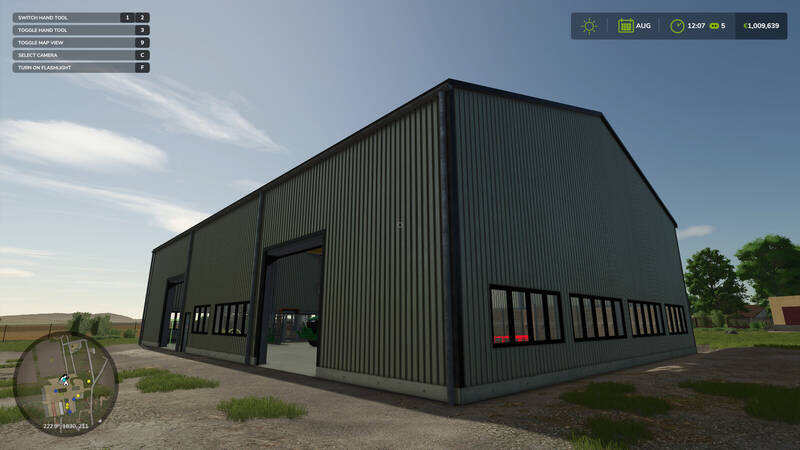
Automatischer Pellet-Hall-Stacker
Diese Skript-Erweiterung benötigt das Add-on Straw Harvest und funktioniert ausschließlich mit dessen Pellet Hall. Ohne das Add-on hat sie keine Wirkung.Entfernt fertige Paletten automatisch von den drei Ausgabepositionen der Halle.Transportiert die Paletten in die Lagerfächer und stapelt sie dort zwei hoch, sodass die Produktion weiterlaufen kann.Verwendet die lokalen Koordinaten der Halle und funktioniert daher unabhängig von ihrer Position auf der Karte.Wartet, bis der Palettierer eine Palette tatsächlich freigegeben hat, und wiederholt einen fehlgeschlagenen Transportversuch.Richtet bereits vorhandene Paletten beim Sessionstart einmalig ordnungsgemäß in den Lagerfächern aus.Stoppt sauber, wenn alle Lagerfächer belegt sind. Die Produktion wird dann wie ohne die Erweiterung angehalten.Die Erweiterung verändert keine Fahrzeuge, bindet keine Tasten ein und zeigt keine zusätzliche Bedienoberfläche. Sie funktioniert nur im Singleplayer und enthält keine neuen Modelle, Gebäude oder Texturen.Optionale Einstellungen befinden sich in modSettings/FS25_PelletHallStacker/settings.xml. Dort lassen sich unter anderem Lagerfachpositionen, Rastergröße, Stapelreihenfolge und Timings anpassen sowie Kalibrierungsboxen für anders platzierte Hallen aktivieren. Diese Skript-Erweiterung benötigt das Add-on Straw Harvest und funktioniert ausschließlich mit dessen Pellet Hall. Ohne das Add-on hat sie keine Wirkung. Die Erweiterung verändert keine Fahrzeuge, bindet keine Tasten ein und zeigt keine zusätzliche Bedienoberfläche. Sie funktioniert nur im Singleplayer und enthält keine neuen Modelle, Gebäude oder Texturen. Optionale Einstellungen befinden sich in modSettings/FS25_PelletHallStacker/settings.xml. Dort lassen sich unter anderem Lagerfachpositionen, Rastergröße, Stapelreihenfolge und Timings anpassen sowie Kalibrierungsboxen für anders platzierte Hallen aktivieren.
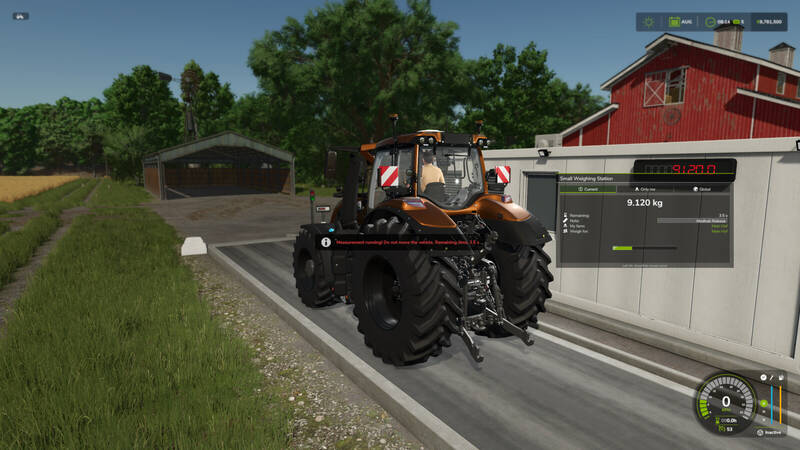
Erweiterte Waagenstation
Erweitert kompatible Waagenstationen um ein umfassendes, multiplayerfähiges Wiegesystem mit HUD, Verlauf, Statistiken und zusätzlichen Steuerungsoptionen.Automatische Erweiterung kompatibler Platzierbare über die standardmäßige weighingStation-SpezialisierungÜbersichtliches HUD mit Status und Gewichtsdaten, das frei mit der Maus verschoben werden kannAutomatische Erkennung des Fahrerhofs und frei wählbarer ZielhofPersönliche und globale Wiegehistorie mit filterbaren StatistikenManuell bearbeitbare Einträge für Zeit, Spieler, Hof, Füllgut, Notiz, Taragewicht sowie Netto- und BruttogewichtUnterstützung für stationäre Waagen, Achswaagen zum Überfahren und Live-Wiegen beim LadenBehandlung von Tara-, Netto- und Bruttogewicht sowie losen GüternOptionale Schranken, Verkehrsampeln, äußere Anzeigen und NotbeleuchtungBedienung vor Ort zu Fuß oder über einen optionalen separaten XML-SchalterServerweite Einstellungen für Administratoren sowie synchronisierte Daten im MultiplayerSpeicherung relevanter Daten und des Betriebszustands im SpielstandUnterstützung für dedizierte Server und verspätet beitretende SpielerEreignisbasierte Verarbeitung für geringe Performance-AuswirkungenSchranken, Verkehrsampeln und zusätzliche Schalter werden über die entsprechenden XML-Einträge der Platzierbaren konfiguriert.
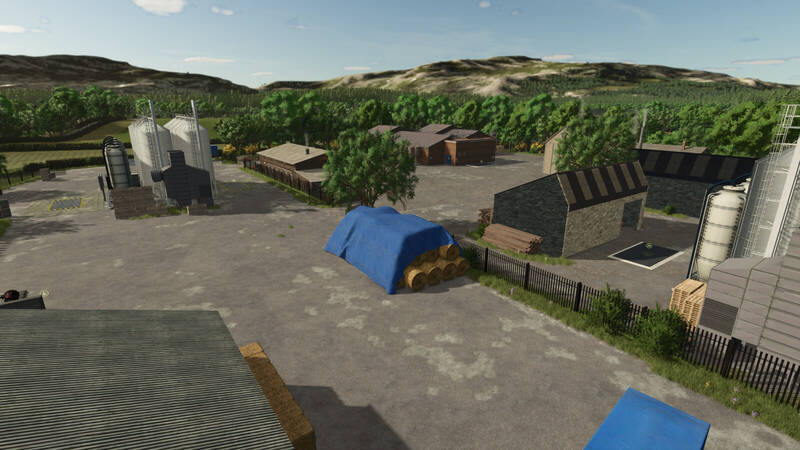
Drumard Farm Erweiterung
Drumard Farm ist eine detailreiche Karte, die nach einem echten, arbeitenden Rinderbetrieb im County Louth in Irland gestaltet wurde. Die Karte verbindet zwei Betriebe: Drumard Farm mit Rindern und Schafen sowie Drumard Arable Farm mit der Schweinehaltung.Features:Zwei Arbeitsbetriebe mit Getreidesilo auf Drumard FarmZwei größere Forstflächen und weitere kleinere Waldgebiete36 FelderEin Verkaufsbereich mit zwei Getreide-Verkaufspunkten (Drumard Grains 1 und 2)Saatgut- und Düngemittelpunkt auf Drumard Arable FarmKollisionen an Hecken, Zäunen und Mauern sowie großzügige Gras-Kopfstreifen an den FeldernAutomatische Tore und Beleuchtung an den meisten Betriebs- und StallgebäudenDie gängigsten Produktionsketten des BasisspielsZahlreiche zusätzliche Schuppen und ein individuell angepasster mittelgroßer KuhstallPlatzierbare Hecken und zwei verschiedene MauertypenAngepasste ProduktionspunkteErweiterte Fülltypen: Der Feststoff-Düngemitteltank kann auch Kalk und der Flüssigdüngertank auch Herbizid aufnehmenEine eigene Bodenkarte für Precision Farming25 Collectibles zum FindenMissyB's britischer KalenderNeue Kulturen: Winterweizen, Wintergerste, Winterhafer, Grünroggen als Ganzpflanzensilage, Roggen, Dinkel, Triticale, Klee, Sommerweizen, Sommerhafer, Sommergerste und AckerbohnenDie KI pflanzt keine Baumwolle, Sorghum, Sonnenblumen oder Langkornreis mehr; diese Kulturen können weiterhin manuell angebaut werdenErträge und Preise wurden an die durchschnittlichen britischen Werte pro Tonne und Hektar angepasstAlle neuen Kulturen können als Tierfutter verwendet werdenRealistischere Tierproduktion: Milch-, Eier- und Wollproduktion verändern sich mit dem Alter, und Schafe verlieren mit zunehmendem Alter weniger WolleDer Futterverbrauch der Tiere wurde erhöht, um den realen Bedingungen in Irland besser zu entsprechenPferde können ab 36 Monaten für 50.000 verkauft werden Drumard Farm ist eine detailreiche Karte, die nach einem echten, arbeitenden Rinderbetrieb im County Louth in Irland gestaltet wurde. Die Karte verbindet zwei Betriebe: Drumard Farm mit Rindern und Schafen sowie Drumard Arable Farm mit der Schweinehaltung.
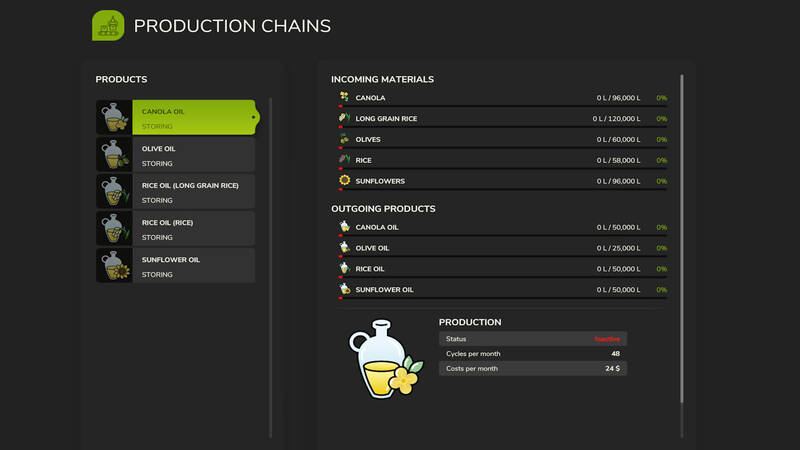
Ölproduktionsanlage
Kompakte Ölproduktionsanlage mit Palettenausgabe, Lagerung und direkter Beladung von Tankern. Moderne Technik ermöglicht eine hohe Produktionsleistung und großzügige Lagerkapazitäten.Preis: 112.500 $Täglicher Unterhalt: 10 $Mit einem Knopfdruck können Sperren aus dem Boden fahren und die Produktion der Palettenwaren stoppen. Das gewonnene Öl wird gelagert und kann lose in Tanker gefüllt oder an andere Produktionsstandorte verteilt werden. Alle benötigten Rohstoffe werden über die Ladestelle bereitgestellt.Produktionsrezepte:Sonnenblumenöl: 200 Sonnenblumen → 100 Sonnenblumenöl, 48 Zyklen pro MonatRapsöl: 200 Raps → 100 Rapsöl, 48 Zyklen pro MonatOlivenöl: 250 Oliven → 100 Olivenöl, 48 Zyklen pro MonatLangkornreisöl: 250 Langkornreis → 100 Reisöl, 48 Zyklen pro MonatReisöl: 120 Reis → 100 Reisöl, 48 Zyklen pro Monat Kompakte Ölproduktionsanlage mit Palettenausgabe, Lagerung und direkter Beladung von Tankern. Moderne Technik ermöglicht eine hohe Produktionsleistung und großzügige Lagerkapazitäten. Preis: 112.500 $Täglicher Unterhalt: 10 $ Mit einem Knopfdruck können Sperren aus dem Boden fahren und die Produktion der Palettenwaren stoppen. Das gewonnene Öl wird gelagert und kann lose in Tanker gefüllt oder an andere Produktionsstandorte verteilt werden. Alle benötigten Rohstoffe werden über die Ladestelle bereitgestellt.
Silverrun Produktionsstätten
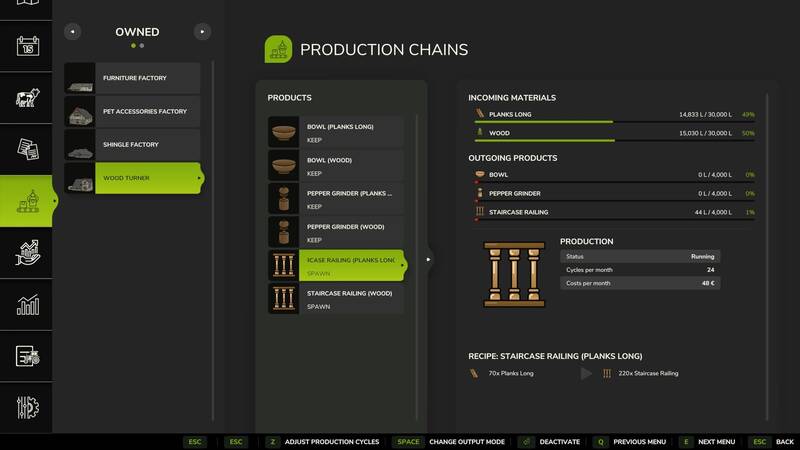
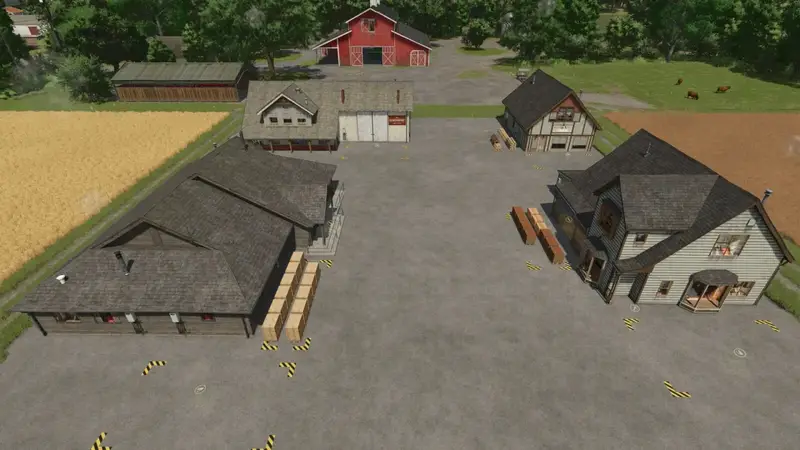
Dieses Paket fügt vier produzierbare Placeable-Fabriken hinzu. Alle Betriebe sind im Shop unter Placeable → Factories erhältlich. Die Rezepte sind nach dem folgenden Schema aufgebaut: Ausgangsmenge → Produktmenge (Zyklen/Monat | Erlös/Monat).MöbelfabrikPreis: $110,000 | Tägliche Unterhaltskosten: $150Zufuhrkapazität: BOARDS 18,000 l; PLANKS 18,000 lAuslieferungskapazität: ARMOIRE 10,000 l; CHAIR 10,000 l; TABLE 10,000 lRezepte:PLANKS 125 → ARMOIRE 166 (24 Zyklen/Monat | $48/Monat)BOARDS 150 → ARMOIRE 166 (24 Zyklen/Monat | $48/Monat)PLANKS 50 → CHAIR 125 (45,6 Zyklen/Monat | $48/Monat)BOARDS 75 → CHAIR 125 (48 Zyklen/Monat | $72/Monat)PLANKS 80 → TABLE 100 (52,8 Zyklen/Monat | $48/Monat)PLANKS 120 → TABLE 100 (57,6 Zyklen/Monat | $72/Monat)HaustierzubehörfabrikPreis: $80,000 | Tägliche Unterhaltskosten: $150Zufuhrkapazität: PLANKS 20,000 l; WOOL 20,000 lAuslieferungskapazität: BIRDHOUSE 10,000 l; CATTREE 10,000 l; DOGHOUSE 10,000 lRezepte:PLANKS 150 → BIRDHOUSE 200 (28,8 Zyklen/Monat | $72/Monat)PLANKS 90 + WOOL 100 → CATTREE 215 (26,4 Zyklen/Monat | $84/Monat)PLANKS 90 → DOGHOUSE 95 (52,8 Zyklen/Monat | $48/Monat)SchindelfabrikPreis: $70,000 | Tägliche Unterhaltskosten: $150Zufuhrkapazität: PLANKS 10,000 lAuslieferungskapazität: SHINGLE 10,000 lRezept:PLANKS 84 → SHINGLE 210 (26,4 Zyklen/Monat | $48/Monat)DrechslereiPreis: $80,000 | Tägliche Unterhaltskosten: $150Zufuhrkapazität: WOOD 30,000 l; PLANKS 30,000 lAuslieferungskapazität: STAIRCASERAILING 4,000 l; PEPPERGRINDER 4,000 l; BOWL 4,000 lRezepte:WOOD 100 → STAIRCASERAILING 220 (24 Zyklen/Monat | $120/Monat)PLANKS 70 → STAIRCASERAILING 220 (24 Zyklen/Monat | $48/Monat)WOOD 50 → PEPPERGRINDER 100 (52,8 Zyklen/Monat | $120/Monat)PLANKS 50 → PEPPERGRINDER 150 (36 Zyklen/Monat | $48/Monat)WOOD 150 → BOWL 150 (33,6 Zyklen/Monat | $120/Monat)PLANKS 150 → BOWL 210 (24 Zyklen/Monat | $48/Monat) Dieses Paket fügt vier produzierbare Placeable-Fabriken hinzu. Alle Betriebe sind im Shop unter Placeable → Factories erhältlich. Die Rezepte sind nach dem folgenden Schema aufgebaut: Ausgangsmenge → Produktmenge (Zyklen/Monat | Erlös/Monat). Preis: $110,000 | Tägliche Unterhaltskosten: $150 Preis: $80,000 | Tägliche Unterhaltskosten: $150 Preis: $70,000 | Tägliche Unterhaltskosten: $150 Preis: $80,000 | Tägliche Unterhaltskosten: $150
Silverrun Produktionsfabriken
Das Paket ergänzt vier platzierbare Produktionsgebäude für die Holzverarbeitung. Alle Fabriken benötigen täglich 150 € Unterhalt.Möbelfabrik – 110.000 €Eingangsmaterialien: Bretter und Planken, jeweils 18.000 l Kapazität.Ausgangsmaterialien: Schränke, Stühle und Tische, jeweils 10.000 l Kapazität.Rezepte:125 Planken ergeben 166 Schränke (24 Zyklen/Monat; 48 €/Monat).150 Bretter ergeben 166 Schränke (24 Zyklen/Monat; 48 €/Monat).50 Planken ergeben 125 Stühle (45,6 Zyklen/Monat; 48 €/Monat).75 Bretter ergeben 125 Stühle (48 Zyklen/Monat; 72 €/Monat).80 Planken ergeben 100 Tische (52,8 Zyklen/Monat; 48 €/Monat).120 Planken ergeben 100 Tische (57,6 Zyklen/Monat; 72 €/Monat).Haustierzubehör – 80.000 €Eingangsmaterialien: Planken und Wolle, jeweils 20.000 l Kapazität.Ausgangsmaterialien: Vogelhäuser, Kratzbäume und Hundehütten, jeweils 10.000 l Kapazität.Rezepte:150 Bretter ergeben 200 Vogelhäuser (28,8 Zyklen/Monat; 72 €/Monat).90 Bretter und 100 Wolle ergeben 215 Kratzbäume (26,4 Zyklen/Monat; 84 €/Monat).90 Bretter ergeben 95 Hundehütten (52,8 Zyklen/Monat; 48 €/Monat).Schindelfabrik – 70.000 €Eingangsmaterial: Bretter mit 10.000 l Kapazität.Ausgangsmaterial: Schindeln mit 10.000 l Kapazität.Rezept: 84 Bretter ergeben 210 Schindeln (26,4 Zyklen/Monat; 48 €/Monat).Drechslerei – 80.000 €Eingangsmaterialien: Holz und Bretter, jeweils 30.000 l Kapazität.Ausgangsmaterialien: Treppengeländer, Pfeffermühlen und Schalen, jeweils 4.000 l Kapazität.Rezepte:100 Holz ergeben 220 Treppengeländer (24 Zyklen/Monat; 120 €/Monat).70 Bretter ergeben 220 Treppengeländer (24 Zyklen/Monat; 48 €/Monat).50 Holz ergeben 100 Pfeffermühlen (52,8 Zyklen/Monat; 120 €/Monat).50 Bretter ergeben 150 Pfeffermühlen (36 Zyklen/Monat; 48 €/Monat).150 Holz ergeben 150 Schalen (33,6 Zyklen/Monat; 120 €/Monat).150 Bretter ergeben 210 Schalen (24 Zyklen/Monat; 48 €/Monat). Das Paket ergänzt vier platzierbare Produktionsgebäude für die Holzverarbeitung. Alle Fabriken benötigen täglich 150 € Unterhalt.
Dekorativer Rinderfang
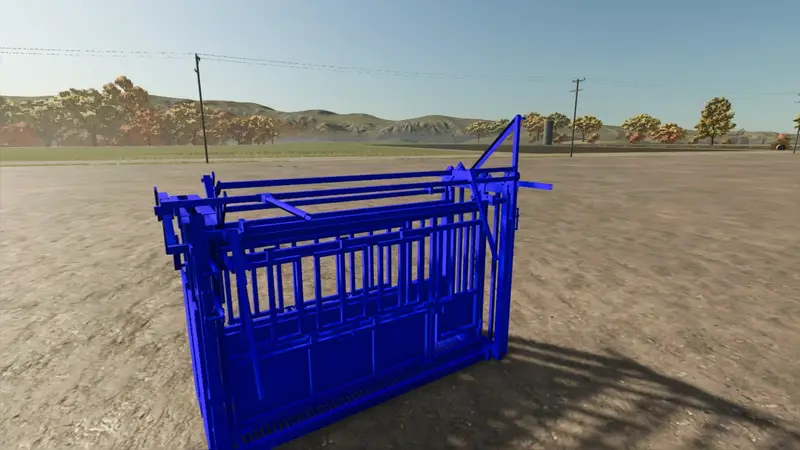
Dieser dekorative Rinderfang bringt zusätzliche Atmosphäre auf deine Farm. Stelle das Modell in deiner Ranch oder in der Nähe deiner Viehflächen auf. Es dient rein als Dekoration und besitzt keine funktionale Interaktion. Dieser dekorative Rinderfang bringt zusätzliche Atmosphäre auf deine Farm. Stelle das Modell in deiner Ranch oder in der Nähe deiner Viehflächen auf. Es dient rein als Dekoration und besitzt keine funktionale Interaktion.
Viehbehandlungsstand
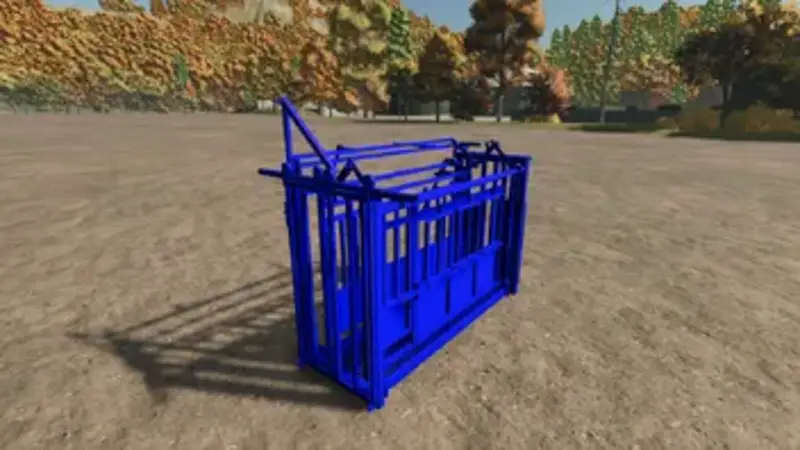
Viehbehandlungsstand für deinen Hof.Dieses dekorative Modell für Höfe und Ranches ist über den lokalen Landhandel erhältlich. Es dient ausschließlich zur optischen Aufwertung deiner Umgebung.Die In-Game-Integration, das Blender-Modell und die XML-Konfiguration wurden vollständig vom Autor erstellt. Viehbehandlungsstand für deinen Hof. Dieses dekorative Modell für Höfe und Ranches ist über den lokalen Landhandel erhältlich. Es dient ausschließlich zur optischen Aufwertung deiner Umgebung. Die In-Game-Integration, das Blender-Modell und die XML-Konfiguration wurden vollständig vom Autor erstellt.
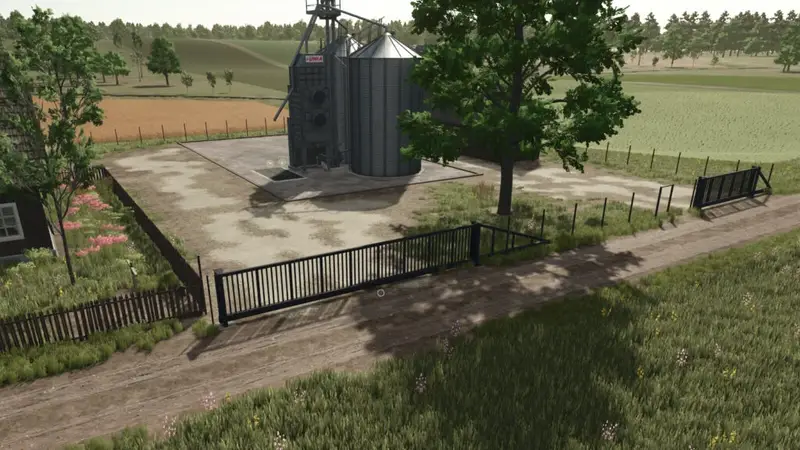
Doppelstabmattenzaun-Set
Ein komplettes Set zur Gestaltung von Weiden, Grundstücken und Hofbereichen. Der robuste Doppelstabmattenzaun überzeugt durch seine langlebige Konstruktion und einfache Optik.Fence: $149Einzeltor: $5007-m-Schiebetor: $7.50010-m-Schiebetor: $13.50013-m-Schiebetor: $19.500 Ein komplettes Set zur Gestaltung von Weiden, Grundstücken und Hofbereichen. Der robuste Doppelstabmattenzaun überzeugt durch seine langlebige Konstruktion und einfache Optik.
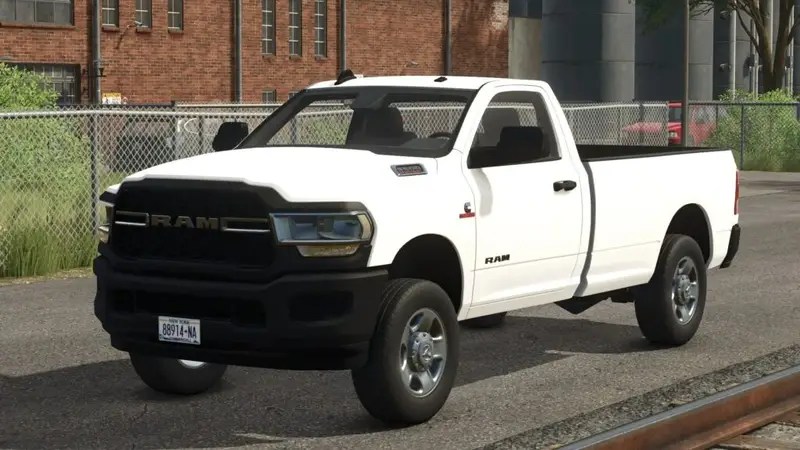
Ram 3500 Single Cab
Der Ram 3500 Single Cab ist ein vielseitiger Pick-up mit zahlreichen Konfigurationsmöglichkeiten:Ein- oder zweireihige Räder (SRW/DRW)Unterschiedliche Räder und AusstattungslinienPassende LackierungenOptionale Aufnahme für SchneepflügeWarnleuchten für den WinterdienstDas Fahrzeug kann mit Western Wide Out Schneepflügen und Western Tornado Streusalzern eingesetzt werden.Ein Dank geht an RWRModding für die Bereitstellung des Fahrzeugs. Der Ram 3500 Single Cab ist ein vielseitiger Pick-up mit zahlreichen Konfigurationsmöglichkeiten: Das Fahrzeug kann mit Western Wide Out Schneepflügen und Western Tornado Streusalzern eingesetzt werden. Ein Dank geht an RWRModding für die Bereitstellung des Fahrzeugs.
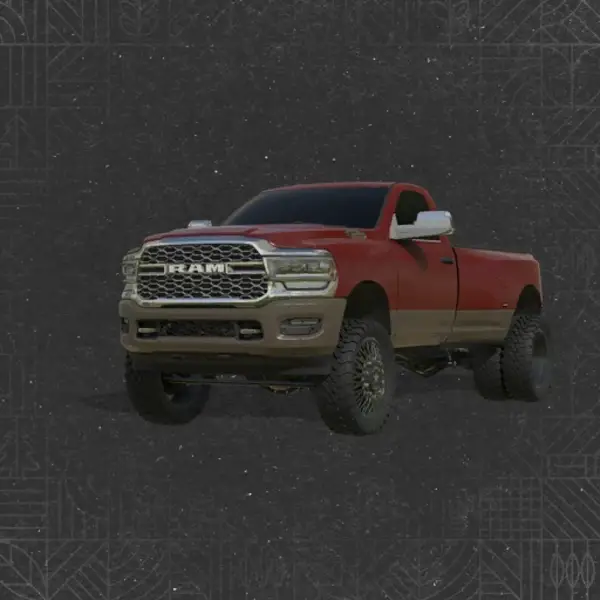
Ram 3500 Pick-up & Pritsche
Der Ram 3500 ist bereit für den Einsatz auf dem Hof. Nutze ihn als alltäglichen Begleiter, individuell ausgestatteten Pick-up oder Ranch-Truck mit Pritsche und Cake-Feeder. Zahlreiche Optionen ermöglichen dir einen Truck, der genau zu deinem Betrieb passt.6.7 Cummins-Motor mit serienmäßiger Auspuffanlage oder Turn-up-Auspuff.Konfigurationen mit einzelnen Hinterrädern oder Duallys sowie 14 Radvarianten von American Force und Rodeo Forged.Pickup-Aufbau und verschiedene Pritschen, unter anderem von Pronghorn UTD, CM und ClassPays.Frontpartien im frühen und späten Stil der fünften Generation.Stock- und Ranch Hand-Stoßfänger, optional mit Kühlergitter und Penny-Leuchten.Stock- oder AlphaRex-Scheinwerfer und -Rückleuchten sowie Optionen für Boost Auto-Kabinenscheinwerfer.Stock- oder Spiegel im 2024-Design, verschiedene Kühlergrills und optional beleuchtete Türgriffe.Radarme von Stock, Wicked und Flight Fab, optional mit Zugstangen.Varianten mit Kraftstofftransfertank und Cake-Feeder.Verstellbare Anhängerrampe, Gooseneck-Zugvorrichtung und Spanngurte.Farbwahl für Karosserie, Zweifarbigkeit, Rahmen, Kühlergrill, Zierleisten, Pritsche und Räder.Tönungsfolierung, Abdeckplane, Kotflügelverbreiterungen, Embleme und dekorative Frontschilder.Hänge einen Anhänger an, fahre zum Füttern der Rinder oder baue dir einen individuellen Truck für deinen Hof. Danke für deine Unterstützung von DVF Modding! Der Ram 3500 ist bereit für den Einsatz auf dem Hof. Nutze ihn als alltäglichen Begleiter, individuell ausgestatteten Pick-up oder Ranch-Truck mit Pritsche und Cake-Feeder. Zahlreiche Optionen ermöglichen dir einen Truck, der genau zu deinem Betrieb passt. Hänge einen Anhänger an, fahre zum Füttern der Rinder oder baue dir einen individuellen Truck für deinen Hof. Danke für deine Unterstützung von DVF Modding!
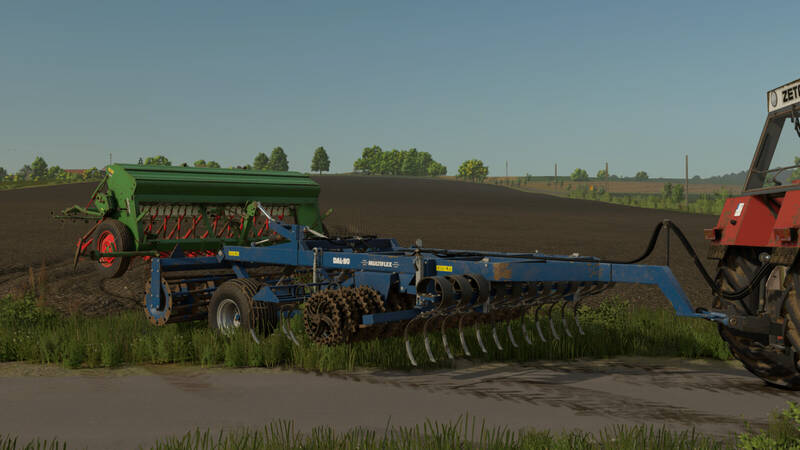
Dalbo Multiflex 300 Kultivator
Der Dalbo Multiflex 300 ist ein vielseitiger Kultivator zur Bodenbearbeitung und Saatbettbereitung.Preis: 35.000 $Benötigte Leistung: 100 hpArbeitsbreite: 3 m Der Dalbo Multiflex 300 ist ein vielseitiger Kultivator zur Bodenbearbeitung und Saatbettbereitung.
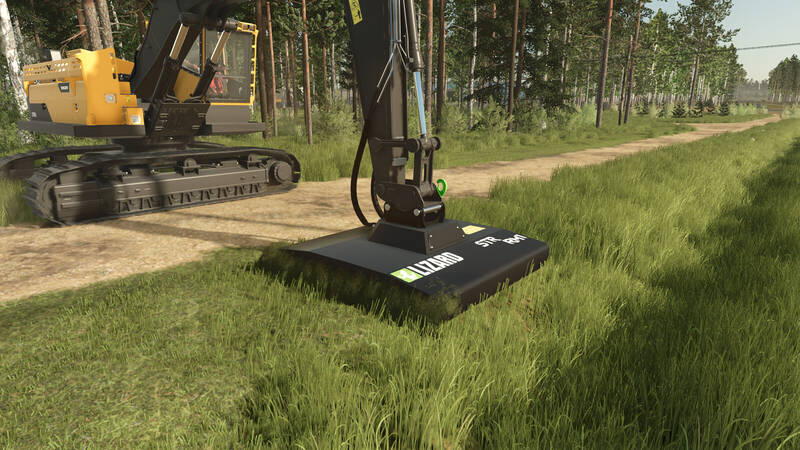
Lizard STR-Anbaugeräte
Dieses Paket enthält zwei leistungsfähige Lizard STR-Anbaugeräte:Lizard STR ML55 – Mulcher für die Bearbeitung von Buschwerk, Sickerhölzern und Grabenresten. Arbeitsbreite: 2,6 m. Erforderliche Leistung: 80 PS. Preis: 15.800 $.Lizard STR RM1 – Mähwerk für Gras- und Futterschnitte. Arbeitsbreite: 2,5 m. Erforderliche Leistung: 80 PS. Preis: 14.500 $.Beide Geräte sind für den Einsatz als Baggerwerkzeuge beziehungsweise an kompatiblen Trägern vorgesehen. Dieses Paket enthält zwei leistungsfähige Lizard STR-Anbaugeräte: Beide Geräte sind für den Einsatz als Baggerwerkzeuge beziehungsweise an kompatiblen Trägern vorgesehen.
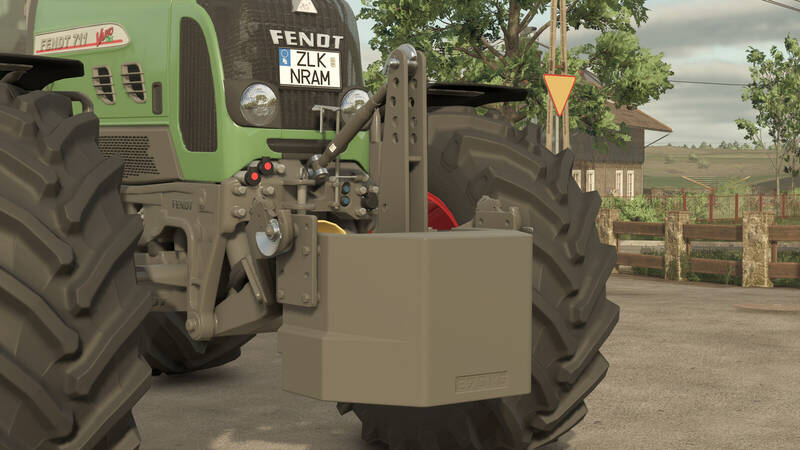
Fendt W 870 & W 1800 Gewichtspaket
Fendt W 870 und W 1800 BallastgewichteDieses Paket enthält die Gewichte W 870 und W 1800. Dank zusätzlicher Gewichtsplatten und verschiedener Anbaukonfigurationen können beide Varianten an unterschiedliche Traktoren und Einsatzzwecke angepasst werden. Sie eignen sich sowohl für den Front- als auch für den Heckeinsatz.W 870:- Preis: $1,150- Gewichtskonfigurationen: 870 / 990 / 1,110 / 1,230 kgW 1800:- Preis: $1,550- Gewichtskonfigurationen: 1,800 / 1,920 / 2,040 / 2,170 kgKonfigurationen:- Grundfarbe: Grau- Farbe des Fendt-Logos: Grau oder Rot- Farbe der Schraubenabdeckungen: Gelb oder Grau- Seilfarbe: Blau, Grau, Rot oder Grün- Bis zu drei zusätzliche Gewichtsplatten- Anhängerkupplung, Unterlenkerhaken oder beide kombiniert- Optionales Seil nur mit Anhängerkupplung oder kombinierter Konfiguration- Verstellbare Einbauposition
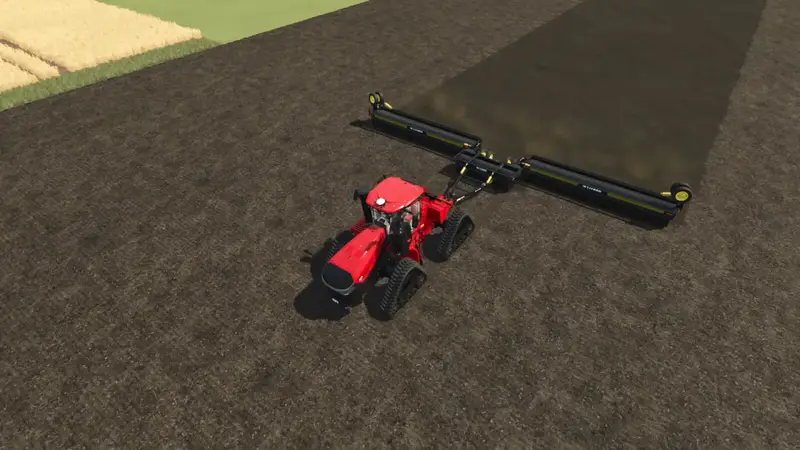
Lizard L4560 Bodenwalze
Die Lizard L4560 ist eine großflächige Bodenwalze für die Bodenbearbeitung.Kostenpunkt: 52.659 €Benötigte Leistung: 210 PSArbeitsbreite: 18,4 mArbeitsgeschwindigkeit: 30 km/h Die Lizard L4560 ist eine großflächige Bodenwalze für die Bodenbearbeitung.
- 15 per page
- 30 per page
- 45 per page
- 60 per page
-
See more per page
Bigger pages, fewer clicks - and no ads anywhere.
Go Pro