Farming Simulator 25 mods
78,883 results- 15 per page
- 30 per page
- 45 per page
- 60 per page
-
See more per page
Bigger pages, fewer clicks - and no ads anywhere.
Go Pro
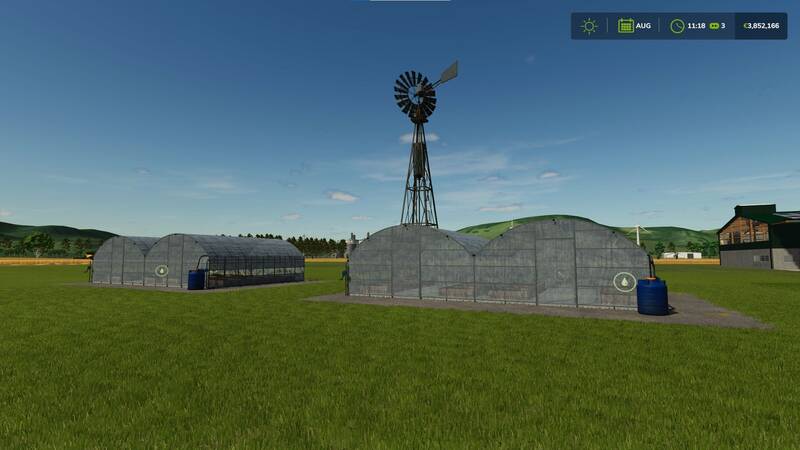
Automatische Wasser-Windmühle für Gewächshäuser und Ställe
Diese Windmühle ist eine platzierbare Silo-Erweiterung für die automatische Wasserversorgung kompatibler Tierställe, Ställe und Gewächshäuser. Sie wird direkt an das native Silo-Erweiterungssystem angebunden und liefert Wasser für Tiertränken sowie Gewächshäuser.Kaufpreis: 25.000 $Tägliche Wartung: 5 $Wasserkapazität: 5.000.000 LiterStartfüllstand: Vollständig gefülltKompatibilität: Einige Tierställe und Ställe von Drittanbieter-Mods unterstützen keine nativen Silo-Erweiterungen. In diesen Gebäuden wird zwar Wasser im Menü angezeigt, die Tiergesundheit verbessert sich jedoch möglicherweise nicht.Wichtig beim Verkauf: Die Pumpe wird mit 5.000.000 Litern Wasser gestartet. Beim Verkauf kann der Wert des gespeicherten Wassers gutgeschrieben werden und dadurch einen unbeabsichtigten Gewinn verursachen. Prüfe daher vor dem Verkauf die Abrechnung. Alternativ kann der unerwartete Betrag auf dem PC mit dem Mod Easy Development Controls ausgeglichen werden. Diese Windmühle ist eine platzierbare Silo-Erweiterung für die automatische Wasserversorgung kompatibler Tierställe, Ställe und Gewächshäuser. Sie wird direkt an das native Silo-Erweiterungssystem angebunden und liefert Wasser für Tiertränken sowie Gewächshäuser. Kompatibilität: Einige Tierställe und Ställe von Drittanbieter-Mods unterstützen keine nativen Silo-Erweiterungen. In diesen Gebäuden wird zwar Wasser im Menü angezeigt, die Tiergesundheit verbessert sich jedoch möglicherweise nicht. Wichtig beim Verkauf: Die Pumpe wird mit 5.000.000 Litern Wasser gestartet. Beim Verkauf kann der Wert des gespeicherten Wassers gutgeschrieben werden und dadurch einen unbeabsichtigten Gewinn verursachen. Prüfe daher vor dem Verkauf die Abrechnung. Alternativ kann der unerwartete Betrag auf dem PC mit dem Mod Easy Development Controls ausgeglichen werden.
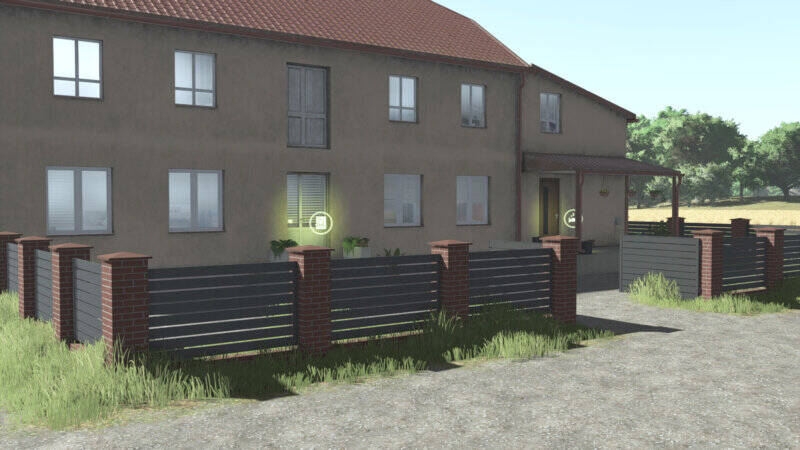
Ziegelstein mit Metallzaun
Platzierbarer Zaun aus roten Ziegeln und Metall.Preis: 240 €Torbreite: 4,3 mKategorie: ZäuneIn einem neuen Update wurde ein zusätzlicher Zauntyp hinzugefügt. Platzierbarer Zaun aus roten Ziegeln und Metall. Preis: 240 €Torbreite: 4,3 mKategorie: Zäune In einem neuen Update wurde ein zusätzlicher Zauntyp hinzugefügt.
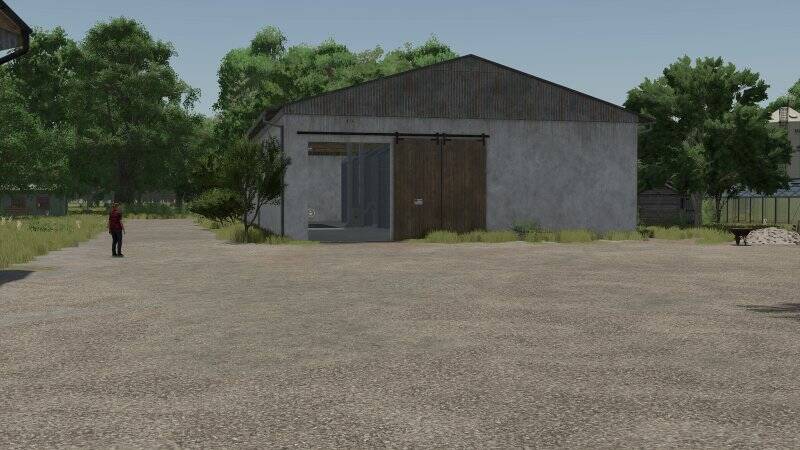
Schweinehof-Gebäudepaket
Mit diesem Gebäude-Paket kannst du deinen eigenen Schweinehof samt Betriebsgebäuden errichten. Enthalten sind ein funktionaler Schweinestall, eine Werkstatt, eine Fahrzeughalle, Getreide- und Silagesilos sowie mehrere Lager- und Dekorationsgebäude.SchweinestallZwei Ställe mit einem gemeinsamen AuslaufbereichMit Wasser- und StrohversorgungZwei Varianten: mit Güllebecken oder mit GülleschachtKapazität: 500 TierePreis: 220.000 € je VarianteUnterhalt: 150 € pro TagShopkategorie: Tiere / SchweineWeitere GebäudeWerkstatt mit Garage, Büro und Wartungsgrube: nur in 90°-Ausrichtung platzierbar; 150.000 €; 50 € Unterhalt pro Tag; Shopkategorie: GeräteFahrzeughalle: 90.000 €; 30 € Unterhalt pro Tag; Shopkategorie: HallenGetreidesilo: 120.000 €; 30 € Unterhalt pro Tag; Shopkategorie: GetreidesilosGeräte- oder Schüttguthalle: 75.000 €; 30 € Unterhalt pro Tag; Shopkategorie: HallenMistplatte mit Erweiterung: 25.000 €; 5 € Unterhalt pro TagMittleres Silagesilo: 45.000 €; 20 € Unterhalt pro TagGroßes Silagesilo: 55.000 €; 22 € Unterhalt pro TagDekorativer Ballenstapel: 1 €; kein UnterhaltÄnderungenDie Gülleproduktion des Schweinestalls wurde korrigiert.Eine zweite Variante des Schweinestalls ohne Güllebecken wurde ergänzt.Die Occluder-Modelle wurden angepasst.Alle Gebäude erhalten eine Schneeschicht auf ihren Dächern. Mit diesem Gebäude-Paket kannst du deinen eigenen Schweinehof samt Betriebsgebäuden errichten. Enthalten sind ein funktionaler Schweinestall, eine Werkstatt, eine Fahrzeughalle, Getreide- und Silagesilos sowie mehrere Lager- und Dekorationsgebäude.
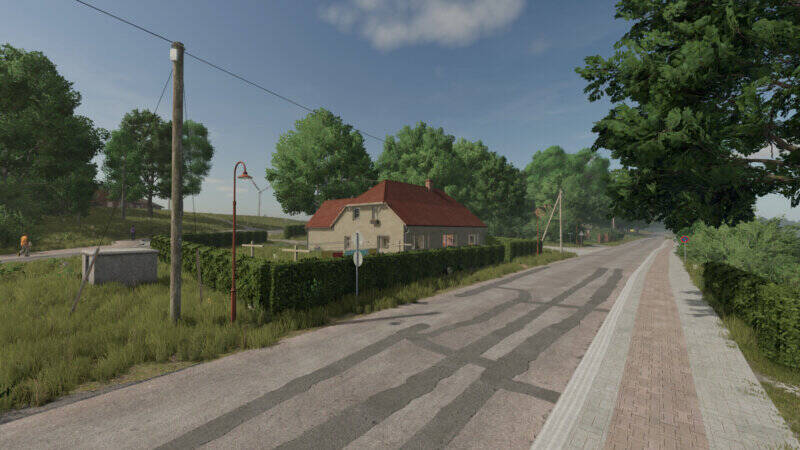
Mecklenburg-Dekohäuser-Paket
Dieses Paket erweitert deine Map um eine abwechslungsreiche Sammlung dekorativer Wohnhäuser, Garagen und Scheunen, die an die regionale Architektur in Mecklenburg-Vorpommern angelehnt sind. Viele Gebäude wurden nach realen Vorbildern detailgetreu nachgebaut.Mehrere Ausführungen mit unterschiedlichen Dachfarben und teilweise anpassbaren Wandfarben ermöglichen dir eine individuelle Gestaltung von Dörfern und Bauernhöfen.Preis und Unterhalt: 1 €; 0 €/Tag.Enthaltene Gebäude:Zweigeschossiges Wohnhaus – 3 VariantenDreigeschossiger Wohnblock – 2 VariantenEisdiele – 2 Etagen, 3 VariantenHaus 01Haus 02 – 4 VariantenHaus 03Haus 04 – 2 VariantenHaus 05 – 2 VariantenHaus 06Haus 09Haus 11SchuppenGarage 1 – 3 Varianten, 5.000 €, 5 €/TagGarage 2 – 25.000 €, 5 €/TagGarage 3 – 25.000 €, 5 €/TagGarage 4 – 2 Varianten, 22.000 €, 5 €/TagEnthaltene Verbesserungen: Fehlende Kollisionen am Wohnhaus und an der Eisdiele wurden korrigiert, die Garagen verfügen über Beleuchtung, zwei neue Häuser wurden ergänzt und alle Häuser erhalten eine Schneeschicht auf dem Dach. Dieses Paket erweitert deine Map um eine abwechslungsreiche Sammlung dekorativer Wohnhäuser, Garagen und Scheunen, die an die regionale Architektur in Mecklenburg-Vorpommern angelehnt sind. Viele Gebäude wurden nach realen Vorbildern detailgetreu nachgebaut. Mehrere Ausführungen mit unterschiedlichen Dachfarben und teilweise anpassbaren Wandfarben ermöglichen dir eine individuelle Gestaltung von Dörfern und Bauernhöfen. Preis und Unterhalt: 1 €; 0 €/Tag. Enthaltene Verbesserungen: Fehlende Kollisionen am Wohnhaus und an der Eisdiele wurden korrigiert, die Garagen verfügen über Beleuchtung, zwei neue Häuser wurden ergänzt und alle Häuser erhalten eine Schneeschicht auf dem Dach.
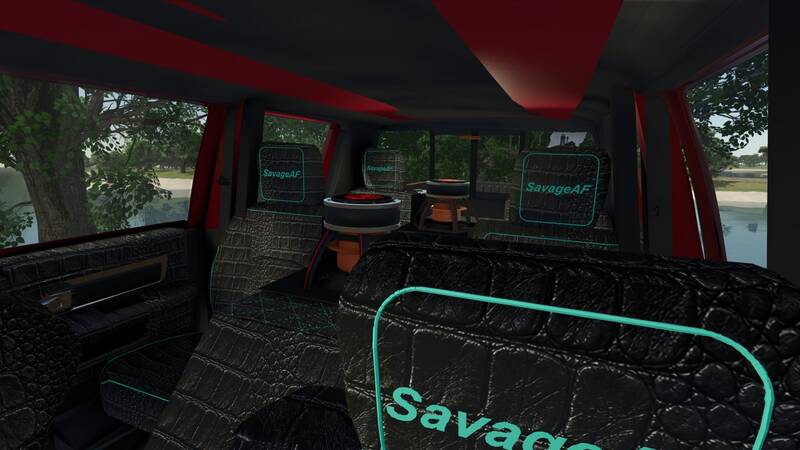
Dodge RAM 3500 Megacab 6-Türer
Go big or go home – das gilt besonders zur SEMA-Zeit! Nun ja, ich habe es groß angepackt und bin mit dem Best in Show nach Hause gegangen!! Dieses Biest ist eine echte Wucht, mit mehr Türen für mehr... naja, ihr wisst schon. Wenn du es nicht hoch magst, geht es auch runter – und damit meine ich frame-flach! Eigentlich sollte dieser Mod nicht kostenlos sein, aber er ist es. Viel Spaß damit!Preis: 31.200€Leistung: 330 - 615 PSHöchstgeschwindigkeit: 120 km/h
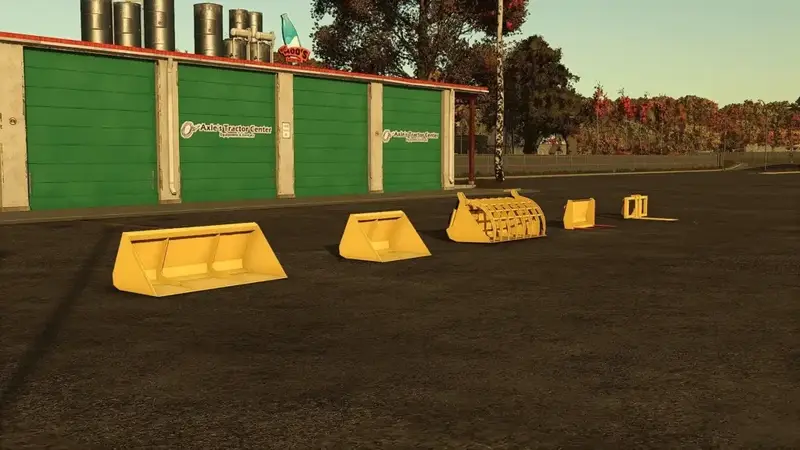
Stoll-Frontloader-Anbaupaket
Erweitert das Spiel um fünf vielseitige Stoll-Frontloader-Anbaugeräte:Greifschaufel – 3.500 €, 1.250 lStoll University Show – 1.600 €, 1.100 lStoll Universalschaufel Klein – 1.200 €, 610 lStoll Mistgabel – 1.200 €, 500 lStoll Gabel mit Zinken – 1.700 €Die ersten vier Anbaugeräte sind wahlweise in neuem Stoll-Gelb, verwittertem Stoll-Gelb und mit oder ohne Stoll-Aufkleber erhältlich. Die Gabel mit Zinken ist in beiden Gelbtönen verfügbar. Erweitert das Spiel um fünf vielseitige Stoll-Frontloader-Anbaugeräte: Die ersten vier Anbaugeräte sind wahlweise in neuem Stoll-Gelb, verwittertem Stoll-Gelb und mit oder ohne Stoll-Aufkleber erhältlich. Die Gabel mit Zinken ist in beiden Gelbtönen verfügbar.
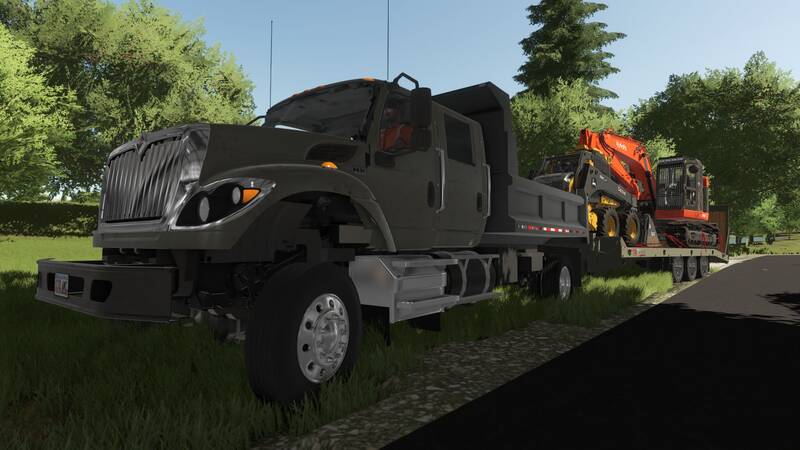
Talbert AC3
Der Talbert AC3 Tieflader ist ein robuster und zuverlässiger Anhänger für den täglichen Transportbedarf. Konzipiert für den Transport von Baumaschinen wie Baggern, Bulldozern, Radladern und Straßenbaumaschinen, bietet dieser Anhänger eine hohe Tragfähigkeit und Langlebigkeit.Merkmale:• Tragfähigkeit von 50.000 lbs• Beladene Deckhöhe von 33 Zoll• 30 ft. Plattform (24 ft. Flach, 6 ft. Beavertail)• Lange Luftdruckrampen mit HolzbodenbelagDer stark gebaute und modifizierte Tieflader ermöglicht den sicheren und effizienten Transport schwerer Geräte zur und von der Baustelle.
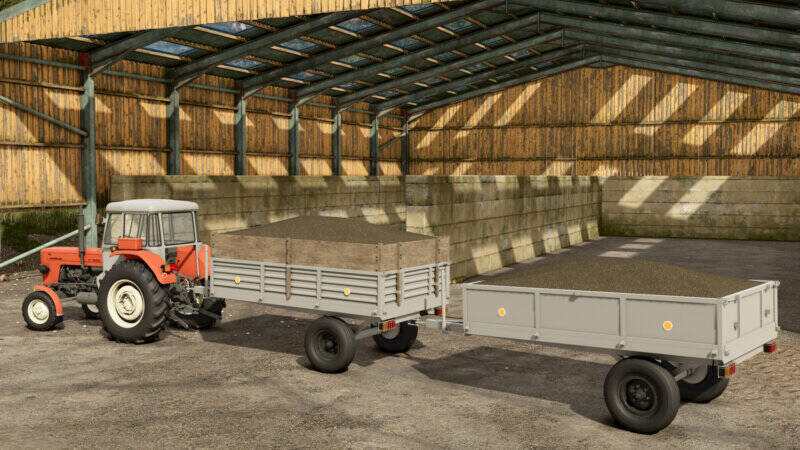
Eigenbau-Anhänger
Ein flexibel konfigurierbarer Eigenbau-Anhänger für vielfältige Transportaufgaben. Mit einem Fassungsvermögen von 2.500 bis 4.500 Litern bietet er Platz für unterschiedliche Ladungsmengen.Dank verschiedener Aufsatz-, Rad-, Reflektor-, Bordwand- und Heckkupplungskonfigurationen lässt sich der Anhänger individuell anpassen. Die verbesserte Holzplankentextur sorgt für eine authentische Optik.Kategorie: AnhängerPreis: 2.250 € Ein flexibel konfigurierbarer Eigenbau-Anhänger für vielfältige Transportaufgaben. Mit einem Fassungsvermögen von 2.500 bis 4.500 Litern bietet er Platz für unterschiedliche Ladungsmengen. Dank verschiedener Aufsatz-, Rad-, Reflektor-, Bordwand- und Heckkupplungskonfigurationen lässt sich der Anhänger individuell anpassen. Die verbesserte Holzplankentextur sorgt für eine authentische Optik. Kategorie: AnhängerPreis: 2.250 €
Volvo L90 Zwillingsbereifung
Hier kommt der Volvo L90 mit Zwillingsbereifung.Dieser Volvo-Mods wurde für die Community auf Discord veröffentlicht!- Beleuchtung und vieles mehr!Viel Spaß damit!

Volvo L90 Doppelbereifung
Der Volvo L90 mit Zwillingsbereifung – ein vielseitiger Radlader für den Einsatz auf Hof und Baustelle. Ausgestattet mit Doppelbereifung für verbesserte Traktion und Stabilität auf jedem Untergrund. Das Mod bringt eine originale Volvo-Optik ins Spiel und erweitert deinen Fuhrpark um eine leistungsstarke Maschine mit detailgetreuem Modell und funktionaler Beleuchtung.
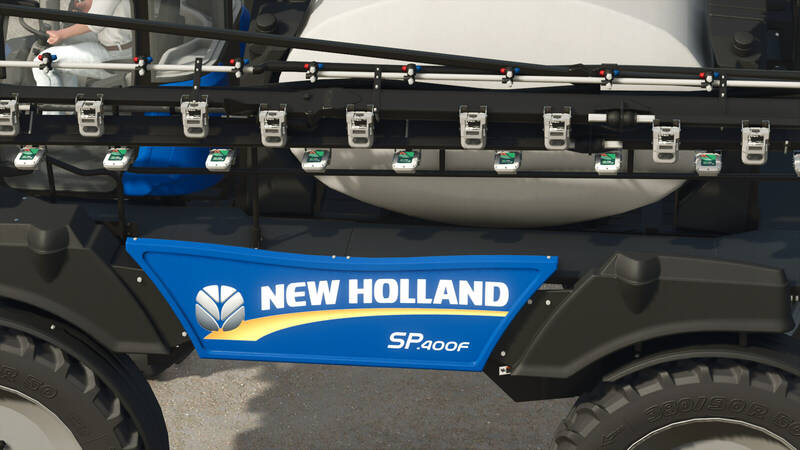
New Holland SP400F GUARDIAN Selbstfahrspritzer
Der New Holland SP400F ist ein leistungsstarker Selbstfahrspritzer aus der GUARDIAN-Baureihe. Dank des vorn montierten Auslegers bietet er während der Arbeit eine deutlich bessere Sicht auf die Düsen und den behandelten Bereich.Eigenschaften:Preis: 259.000 $Höchstgeschwindigkeit: 50 km/hMaximale Arbeitsgeschwindigkeit: 12 km/hLeistung: 400 PSArbeitsbreite: 36 mFull Precision Farming-Unterstützung für PTX Trimble WeedSeeker zum Punktsprühen und New Holland IntelliSpray zur impulsweisen Änderung der StrahlbreiteFarben: Blau, Gelb und Fiatagri-RotFelgenfarben: Silber, Weiß und SchwarzÄnderung in Version 1.1:Fehler bei der Spritzbreite wurde behoben.
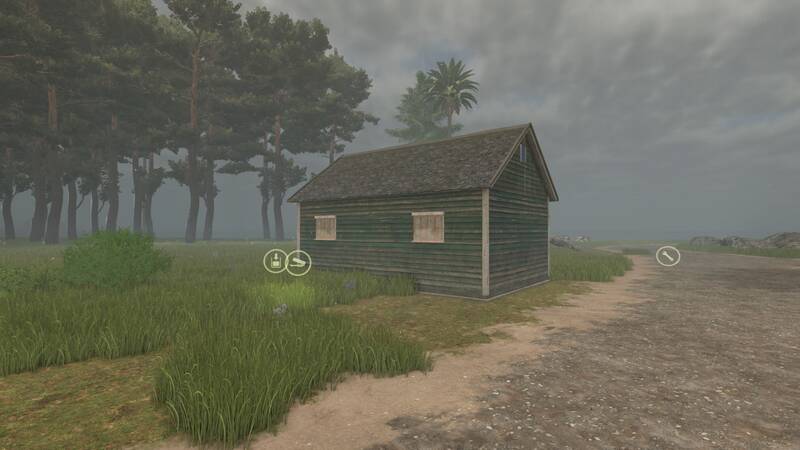
Holzfällerhütte
Mit der Holzfällerhütte wird die Holzproduktion auf bewaldeten Farmparzellen automatisiert. Platziere die Hütte, versorge sie mit Diesel und Wasser und sie beginnt mit der Ernte der vorhandenen Bäume.Die Hütte verarbeitet tatsächlich stehende Bäume auf der jeweiligen Parzelle. Diese werden schrittweise von innen nach außen entfernt, sobald die entsprechende Holzmenge produziert wurde. Sind keine geeigneten Bäume mehr vorhanden, stoppt die Produktion.Funktionen:Jede Farmparzelle verfügt über einen gemeinsamen Holzbestand.Der Bestand wird beim Laden des Speicherstangs angelegt und täglich um 12:00 Uhr aktualisiert.Mehrere Hütten auf derselben Parzelle teilen sich den verfügbaren Baumbestand, sodass kein Baum doppelt geerntet wird.Vom Spieler manuell gefällte Bäume werden zuverlässig vom Bestand ausgeschlossen.Mit zunehmender Entfernung steigen die Transportkosten um bis zu zusätzliche 10 % der Produktionskosten.Kosten:Kaufpreis: 10.000 €Tägliche Unterhaltung: 5 €Betriebskosten: 200 € pro aktivem Stunde, zuzüglich distanzabhängiger Transportkosten.Produktion:1 L Diesel + 1 L Wasser erzeugen 625 L Holz.Produktionsgeschwindigkeit: 1 Zyklus pro Stunde beziehungsweise bis zu 15.000 L in 24 Betriebsstunden, sofern ausreichend Ressourcen, geeignete Bäume und Lagerkapazität vorhanden sind.Die Hütte erscheint im BauMenü unter Produktion → Fabriken.Update: Manuell gefällte Bäume werden nun sicher aus dem Bestand entfernt, ohne gespeicherte Produktionsansprüche zu verbrauchen oder Transportkosten zu verursachen.Plattform: PC. Nur für den Singleplayer; Multiplayer und dedizierte Server werden nicht unterstützt.Autor: PilotUFO. Mit der Holzfällerhütte wird die Holzproduktion auf bewaldeten Farmparzellen automatisiert. Platziere die Hütte, versorge sie mit Diesel und Wasser und sie beginnt mit der Ernte der vorhandenen Bäume. Die Hütte verarbeitet tatsächlich stehende Bäume auf der jeweiligen Parzelle. Diese werden schrittweise von innen nach außen entfernt, sobald die entsprechende Holzmenge produziert wurde. Sind keine geeigneten Bäume mehr vorhanden, stoppt die Produktion. Kosten:Kaufpreis: 10.000 €Tägliche Unterhaltung: 5 €Betriebskosten: 200 € pro aktivem Stunde, zuzüglich distanzabhängiger Transportkosten. Produktion:1 L Diesel + 1 L Wasser erzeugen 625 L Holz.Produktionsgeschwindigkeit: 1 Zyklus pro Stunde beziehungsweise bis zu 15.000 L in 24 Betriebsstunden, sofern ausreichend Ressourcen, geeignete Bäume und Lagerkapazität vorhanden sind. Die Hütte erscheint im BauMenü unter Produktion → Fabriken. Update: Manuell gefällte Bäume werden nun sicher aus dem Bestand entfernt, ohne gespeicherte Produktionsansprüche zu verbrauchen oder Transportkosten zu verursachen. Plattform: PC. Nur für den Singleplayer; Multiplayer und dedizierte Server werden nicht unterstützt.Autor: PilotUFO.
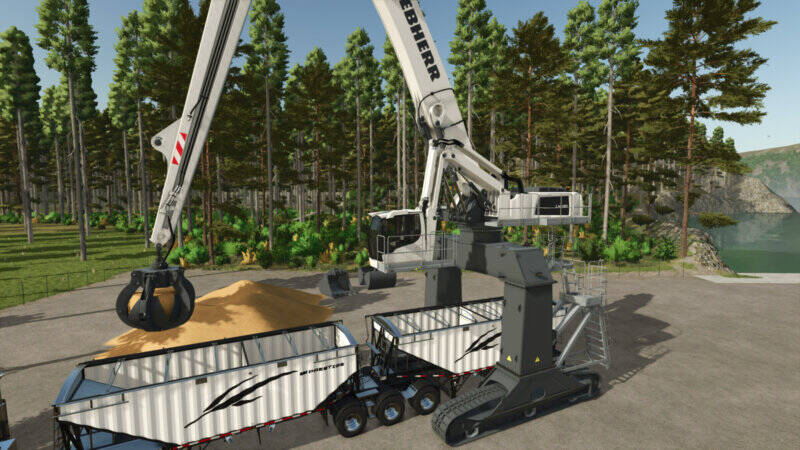
Liebherr LH110 C Gantry-Bagger mit Anbaugeräten
Dieses Paket enthält den Liebherr LH110 C Gantry-Bagger sowie fünf vielseitige Anbaugeräte für Baggerarbeiten. Die Anbaugeräte sind mit den Teilen aus Excavator Attachments und den weiteren Bagger-Mods des Erstellers kompatibel.Liebherr LH110 C GantryShop-Kategorie: BaggerPreis: 420.000 €Höchstgeschwindigkeit: 8 km/hLeistung: 640 PSFolgende Optionen können konfiguriert werden:Getönte ScheibenEinfache ArmsteuerungRundumleuchteKamerazielpunkt für die Außenkamera an Fahrgestell oder KabineFarbe des Aufbaus, der Kabine, des Innenraums und der KettenStandardsteuerungAutomatische Neigung des Schnellwechslers ein- oder ausschalten: IMPLEMENT_EXTRA3 (Taste Y)Kabine heben und senken: AXIS_CRANE_ARM2 oder AXIS_CRANE_ARM3 (Steuergruppe 2)Fünf AnbaugeräteAlle Anbaugeräte verfügen über Farbkonfigurationen und gehören zur Shop-Kategorie Bagger-Anbaugeräte.Zwei Holzgreifer mit fester oder pendelnder Aufhängung – je 30.000 €GMZ 120 Zweischalengreifer – 24.000 €, 10.000 Liter Kapazität, optionale MaterialkollisionMehrschalengreifer – 26.000 €, 8.000 Liter KapazitätUniversalschaufel – 14.000 €, 8.000 Liter Kapazität, optionale Planierfunktion und Materialkollision Dieses Paket enthält den Liebherr LH110 C Gantry-Bagger sowie fünf vielseitige Anbaugeräte für Baggerarbeiten. Die Anbaugeräte sind mit den Teilen aus Excavator Attachments und den weiteren Bagger-Mods des Erstellers kompatibel. Folgende Optionen können konfiguriert werden: Alle Anbaugeräte verfügen über Farbkonfigurationen und gehören zur Shop-Kategorie Bagger-Anbaugeräte.
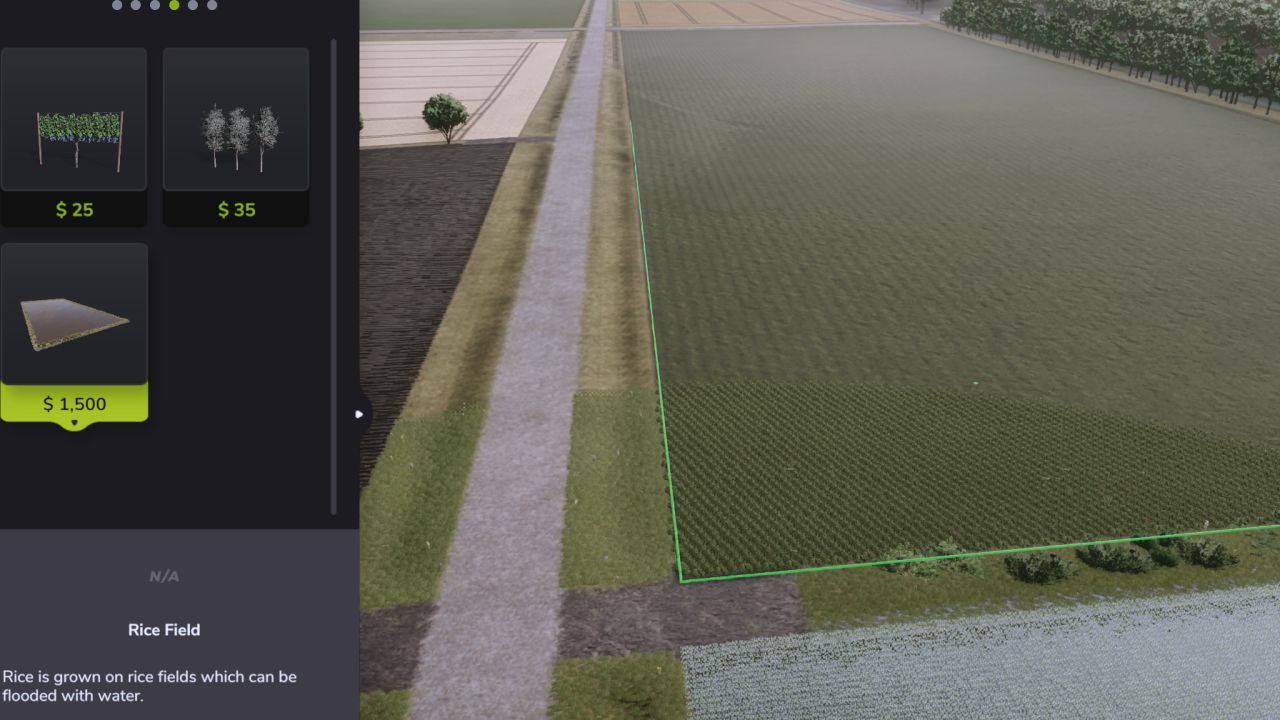
Unlimited Rice Fields FS25
Tired of hitting Farming Simulator 25's rice-field size limits when building large custom paddies? Unlimited Rice Fields removes the vanilla restrictions that normally prevent rice fields from being extended beyond a certain size or distance. This allows you to create much larger rice paddies for large farms, custom field layouts, and especially 4x or other large-scale maps. The mod keeps FS25's normal rice-field construction system intact while removing the restrictions that trigger messages such as "Maximum field size reached" and "Too far from corner." Features Removes the vanilla maximum rice-field size restriction Removes the "Too far from corner" distance limitation Allows significantly larger custom rice paddies Supports custom-shaped rice fields Keeps normal rice-field construction and placement behavior Preserves the standard rice-field water and field systems Great for large farms and 4x maps Lightweight script mod with no additional equipment required How to Use Install the mod and enable it when loading your save. Create a rice field normally through the Farming Simulator 25 construction menu. You can then continue extending the field beyond the limits normally imposed by the base game. No additional controls or configuration are required. Important This mod allows rice fields to be created far larger than GIANTS originally intended. Extremely large or complicated rice fields may have an increased impact on game performance depending on the map, field size, and your system. Avoid overlapping or self-crossing field boundaries when creating custom rice paddies, as the normal FS25 field validation system is still used. Compatibility Designed for Farming Simulator 25. Compatibility with other mods that directly modify the rice-field construction system cannot be guaranteed. Multiplayer The mod should be enabled by all players when used in multiplayer. AI Assistance AI tools were used to assist with the creation of the mod's cover artwork and during development for troubleshooting, testing guidance, and bug fixing. Final in-game testing and verification of the mod's functionality were performed manually. Credits Created by KashAshGaming.
Weeds After Plowing FS25
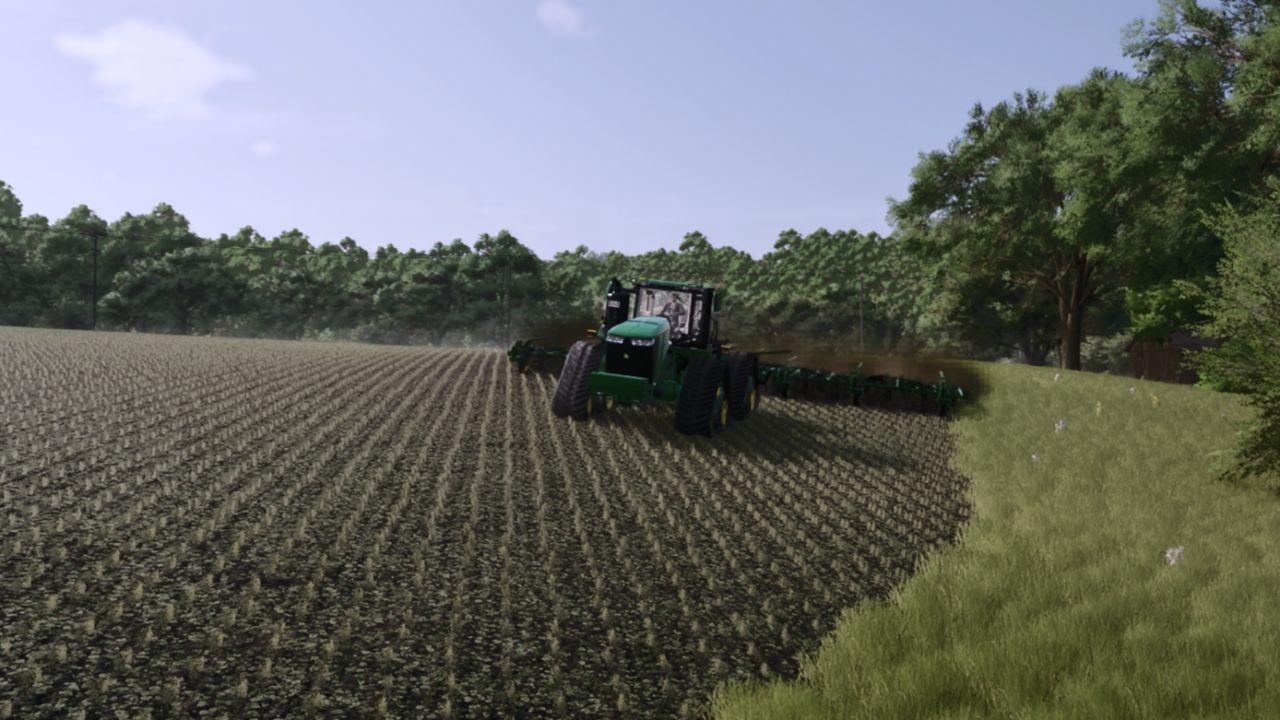
Want plowing to feel more realistic without completely removing weed management from your fields? Weeds After Plowing changes Farming Simulator 25 so weeds can still grow after planting a field that has been plowed. In the base game, plowing prevents weeds from appearing after sowing. This mod removes that weed-blocking behavior while keeping the rest of the plowing system intact. Features Allows weeds to grow after sowing plowed fields Keeps the normal plowed ground state and texture Preserves periodic plowing behavior Does not change crop growth Does not change yield calculations Keeps normal weeders, hoes, and herbicide working as intended Uses FS25's standard weed growth system Lightweight script mod with no additional equipment required How to Use Install the mod and enable it when loading your save. After that, simply farm normally: Plow your field Plant your crop Advance through the normal growth cycle Weeds can now emerge just like they would on cultivated or direct-drilled ground No additional controls or configuration are required. Important This mod does not remove the benefits of plowing or change the field into a cultivated state. It only removes the weed-blocking effect normally applied by plowing, allowing the game's standard weed system to function afterward. Compatibility Designed for Farming Simulator 25. The mod should work with normal base-game farming systems and Precision Farming, but compatibility with other mods that directly modify weed growth, sowing behavior, or field density maps cannot be guaranteed. Multiplayer The mod should be enabled by all players when used in multiplayer. AI Assistance AI tools were used to assist with the creation of the mod's cover artwork and during development for troubleshooting, testing guidance, and bug fixing. Final in-game testing and verification of the mod's functionality were performed manually. Credits Created by KashAshGaming.
- 15 per page
- 30 per page
- 45 per page
- 60 per page
-
See more per page
Bigger pages, fewer clicks - and no ads anywhere.
Go Pro