Farming Simulator 25 mods
78,883 results- 15 per page
- 30 per page
- 45 per page
- 60 per page
-
See more per page
Bigger pages, fewer clicks - and no ads anywhere.
Go Pro
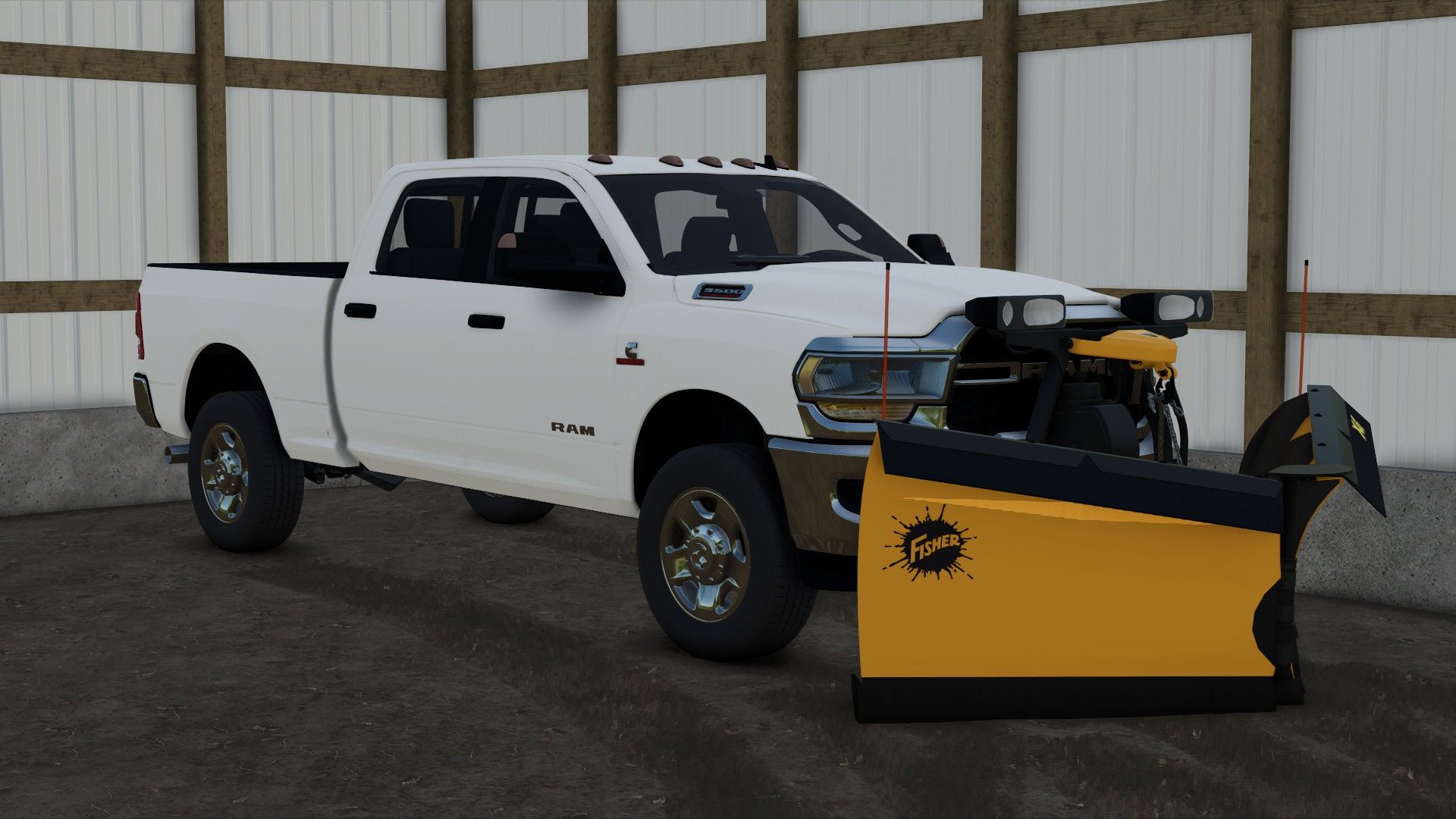
2020 Ram 3500 Crew Cab Short Bed FS25
Has a full interior, and working mirrors. Has options for: -Trim level -Plow mount -Strobe lights -Tailgate (yes or no) (for salter) -Back rack options -Tool box -Drop hitch / Gooseneck hitch This truck works with the Western Tornado salter, Western Wide Out plow and a bunch of other plows out there. The truck is under the "cars" category in the store!
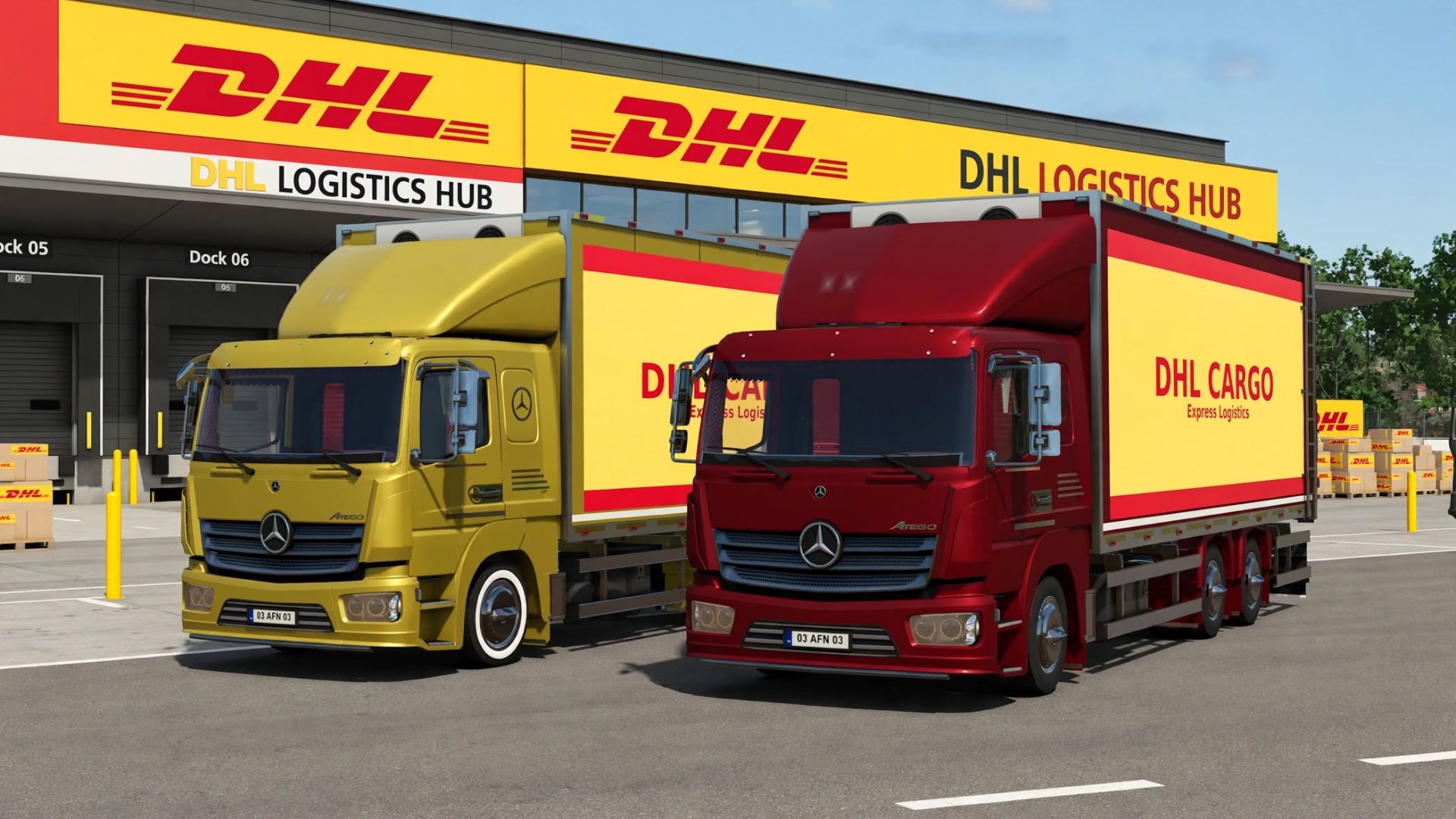
Mercedes Benz Atego 823 Box Truck Edit FS25
This is edited version of the original Mercedes Benz Atego 823 Truck by ylmzckr Edited and improved by SafariMods85 for better performance, stability and economy. New in Edited Version: PERFORMANCE: - Base Engine: 350 HP -> 550 HP - New Sport Engine: 700 HP (8000€) - Max Speed: 90 km/h -> 130 km/h / Sport 160 km/h - Torque Scale: 1.0 -> 1.6 / 2.1 Sport - Brake Force: 8 -> 10 / 12 - Gearbox: PowerShift 8G Safari / Sport (faster shifting 0.6s / 0.5s) VISUALS & DHL PACK: - DHL Cargo Skin: "DHL CARGO Express Logistics" livery - Cabin color matched to DHL Yellow (MERCEDES_TRUCK_YELLOW) - 12 Colors Total: Added 4 new colors - MERCEDES_TRUCK_YELLOW, SHARED_ORANGE1, SHARED_GREEN1, MERCEDES_TRUCK_ORANGE LANGUAGE: - Translated configurations from Turkish to English TECHNICAL: - DescVersion: 106 -> 113 - Price: 68000€ -> 85000€ - Center of Mass: 0 0.9 0.2 -> 0 0.8 0.1 (more stable at high speed)
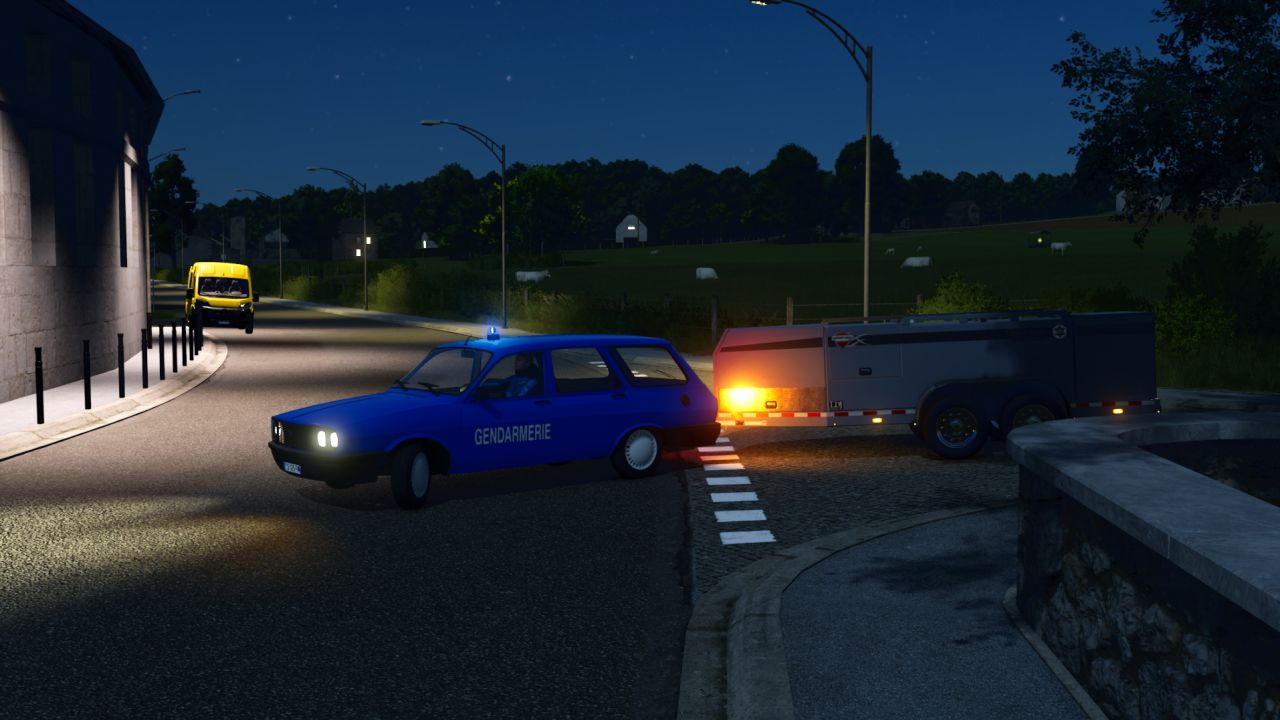
Renault Toros Gendarmerie FS25
Hello everyone! 🚔 Here is the Renault Toros R12 – Gendarmerie Discover this Renault Toros R12 in Gendarmerie colors for your RP sessions in FS25! Ideal for patrols and operations in rural areas, it will bring a retro and realistic touch to your gameplay. Details: -- Trailer hitch in the configuration -- Two-tone siren, activated via the interior IC -- €32,500 -- 150 km/h -- 72 HP Have fun playing!
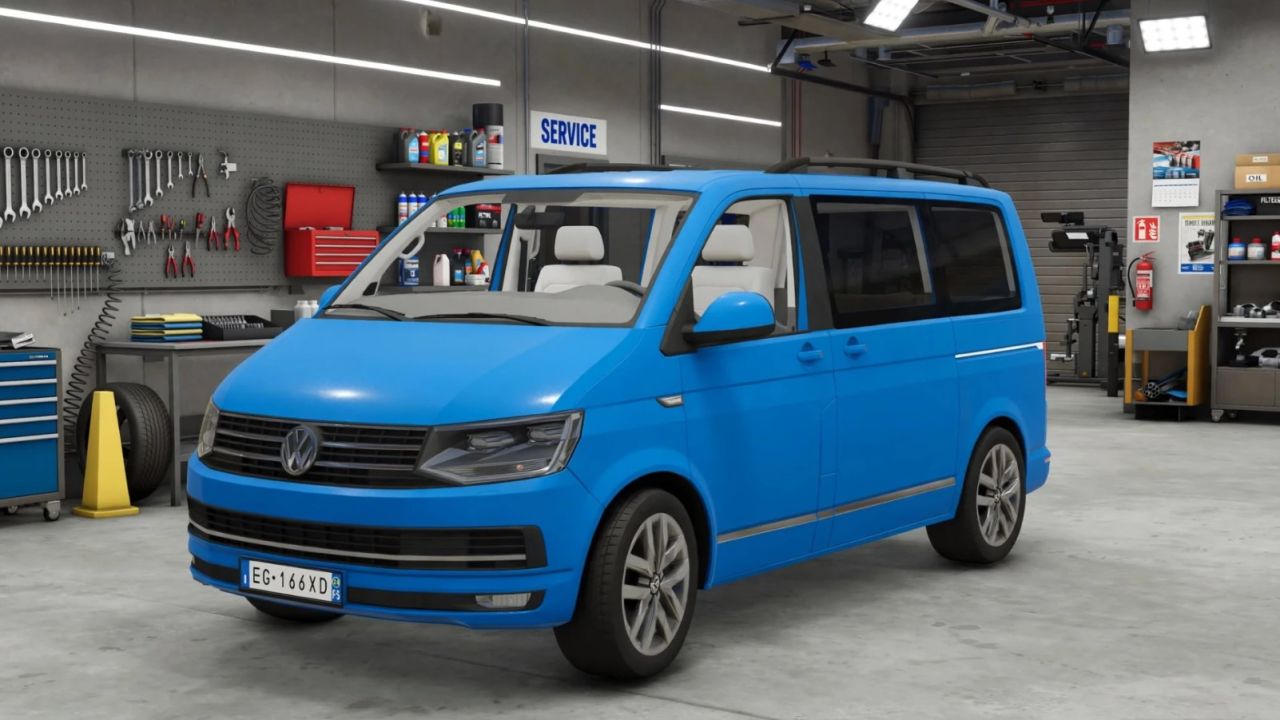
2016 Volkswagen T6 Edit FS25
This is edited version of the original Volkswagen T6 Car by TB.Simulationen Edited and improved by SafariMods85 for better performance, stability and economy. modDesc.xml descVersion 106 -> 93 - 93 is the most stable version for FS25, 106 was causing warnings on newer patches Brand VW -> VOLKSWAGEN - Now it shows correctly in the store under Volkswagen Added l10n translations - Proper names for configurations (Bumper / Roof Box / Front Bar / Tow Hitch) Icon .dds -> .png - FS25 prefers .png, prevents missing icon warnings Version 1.0.0.0 -> 1.0.1.0 and added LT/EN/DE description VW_T6.xml - Main Fixes 1. Physics & Wheels: Mass 2940kg -> 2200kg (real T6 weight) Center of Mass fixed from 0 0.57 0.67 to 0 0.5 0.1 - was making it flip over frictionScale 2.5 -> 1.2 - was sliding like on ice Wheel radius 0.38 -> 0.348 (correct 235/55 R17) Suspension spring/damper re-tuned: front 17/4 -> 22/8, much more stable 2. Engine - Complete Rework: Old motor had RPM mismatch: maxRpm 4500 but torque defined up to 6000rpm = no power Created 2 engine configurations: 2.0 TDI 204HP - realistic everyday engine 2.0 BiTDI 286HP - tuned version (+3500$) Brake force 1.95 -> 8.0 / 8.5 - now it actually brakes Fuel usage 80 -> 12 - old one emptied tank in 10 minutes 3. Transmission: axleRatio 15 -> 4.2 / 3.9 - 15 is for tractors, not cars Added 5 proper automatic gears (35, 70, 115, 150, 180 km/h) instead of one 4. Bugs Removed: Removed combination for trius and fst990 - why would a van pull a manure trailer and fuel tanker by default? Removed invalid vehicleType="VW_CADDY_2015" in design4 - that's why Front Bar config didn't show up Sound path skoda/kodiaq -> cars/sounds/car.xml - no more error if you don't have Skoda DLC Price 69200$ -> 42500$ - more realistic SKODA colors -> universal RGB colors
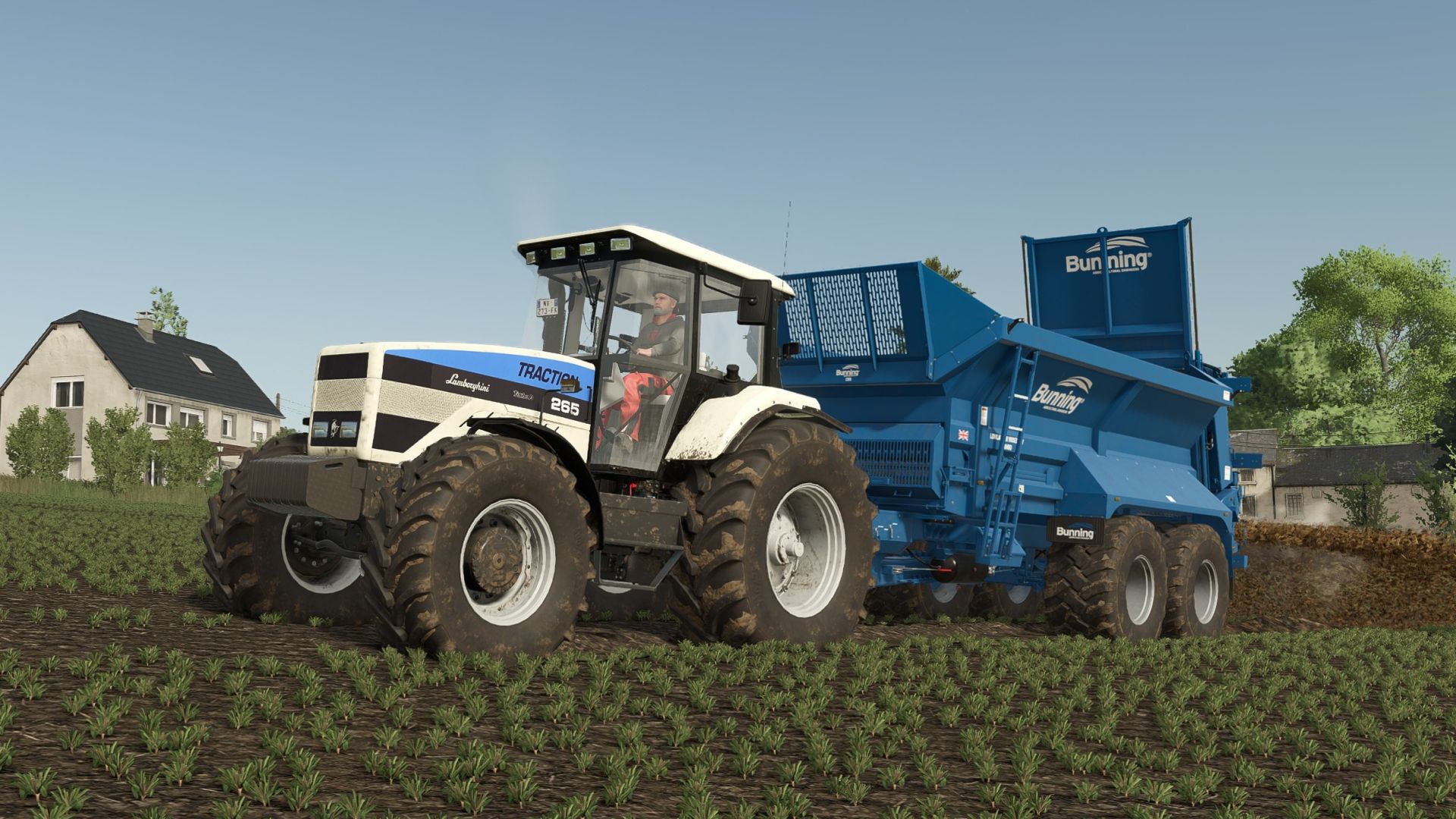
Lamborghini 240-265 FS25
Configurations: Engine variants: 240 (244 PS) 265 (263 PS) Various tire manufacturers with many wheel configurations Front fenders: yes/no Long rear fenders: yes/no Warning signs: yes/no Beacons: left, right, both GPS: yes/no (real GPS mod ready) Camera display: yes/no (works with compatible implements) Front weights or front loader Isaria sensors: yes/no (precision farming) Two different types of stripes on the hood For a suitable sound, I recommend the (BF6M Deutz/Fendt) from the "More Motor Sounds Pack" by the Farming Dudes.
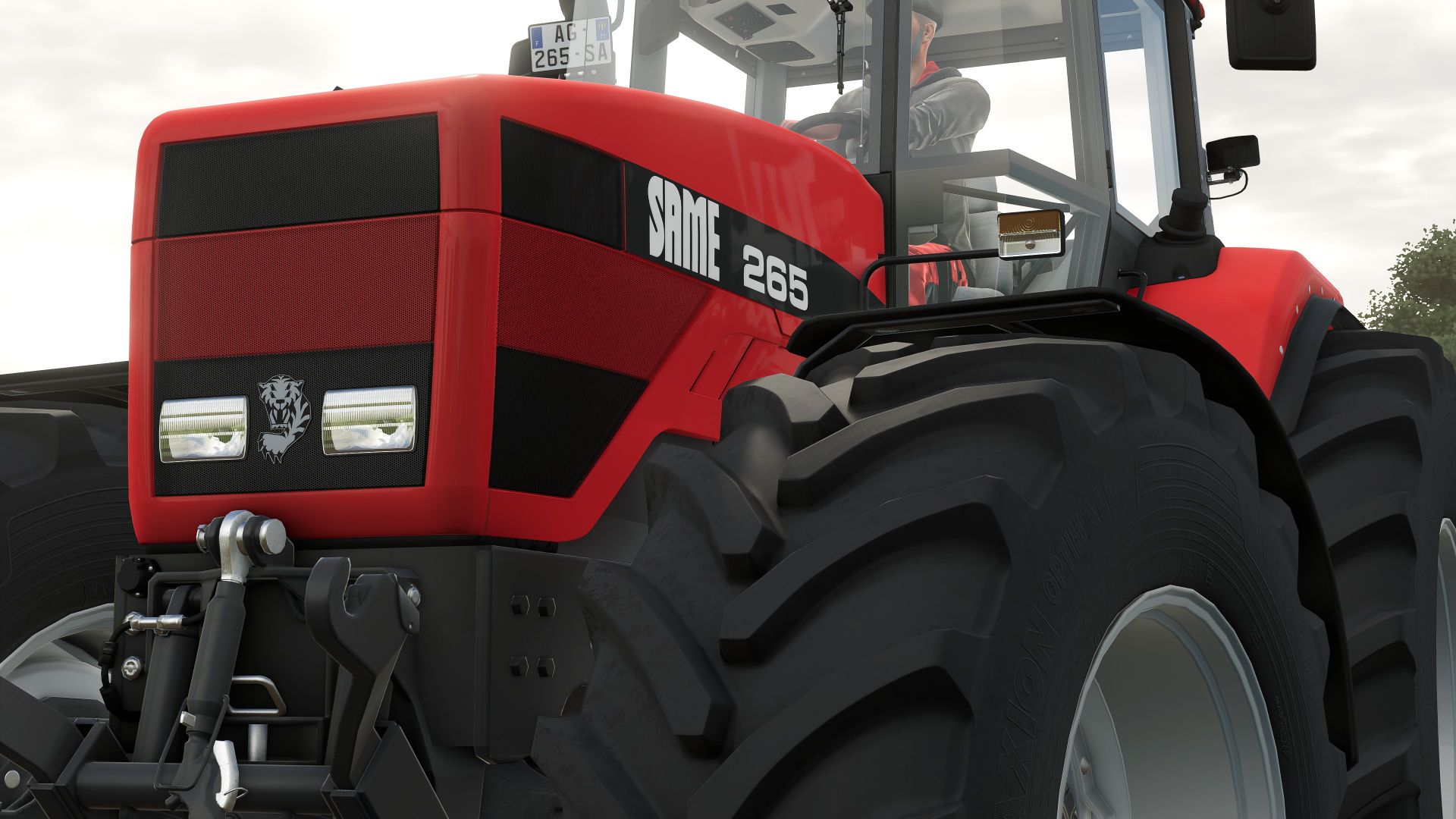
Same 265 FS25
Configuration: Various tire manufacturers with many wheel configurations Front fenders: yes/no Long rear fenders: yes/no Warning boards: yes/no Beacon lights: left, right, both GPS: yes/no (real GPS mod ready) Camera screen: yes/no (works with compatible implements) Front weights or front linkage Isaria sensors: yes/no (precision farming) For a suitable sound, I recommend the (BF6M Deutz/Fendt) from the "More Motor Sounds Pack" by the Farming Dudes.
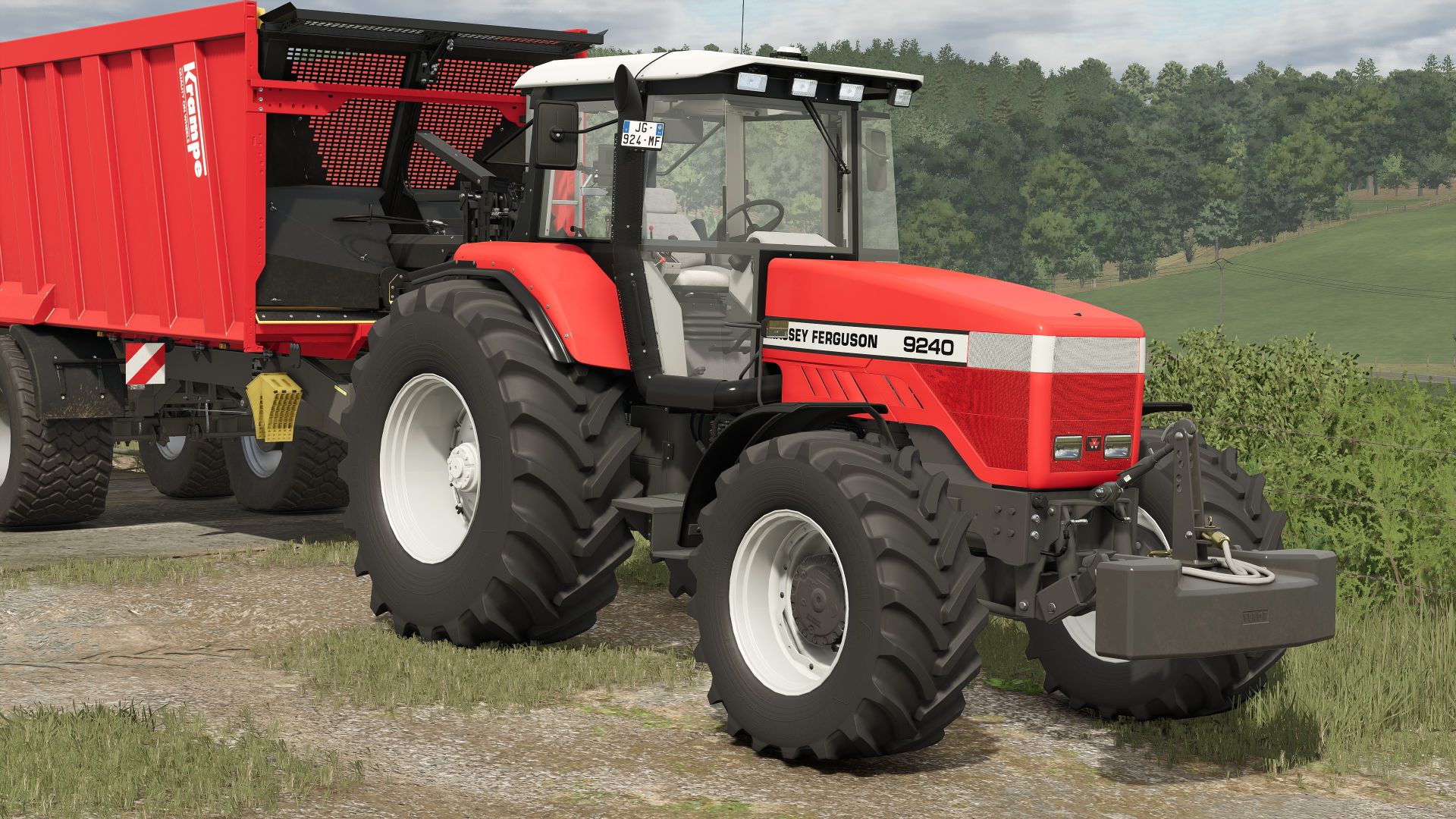
Massey Ferguson 9240 FS25
Configurations: Various tire manufacturers with many wheel configurations Front fenders: yes/no Long rear fenders: yes/no Warning boards: yes/no Beacon lights: left, right, both GPS: yes/no (Real GPS mod ready) Camera screen: yes/no (works with compatible implements) Front weights or front linkage Isaria sensors: yes/no (Precision Farming) For a very suitable sound for this tractor, I recommend the (BF6M Deutz/Fendt) from the mod "More Motor Sounds Pack" by Farming Dudes
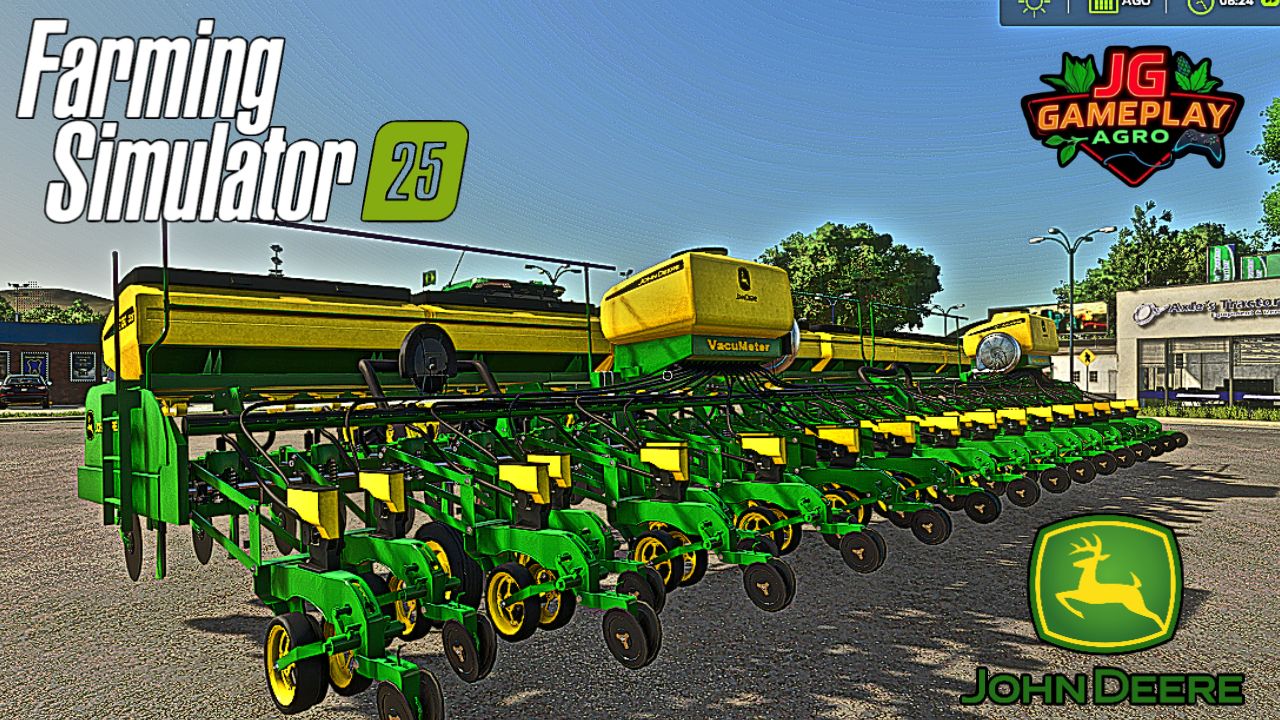
John Deere CCS2130 FS25
Implement specifications: - Capacity: 9,400 L - Weight: 11.9 T - Required power: 235 kW / 320 HP - Working width: 15 M - Maximum speed: 15 KM/H 💰 In-game prices: - Base price: €145,000 - Options: + €0 - Total price: €145,000 - Available balance: €855,000 Mod converted from 22 to 25 by JGGAMEPLAYAGRO
John Deere 8R BAXERO FS25
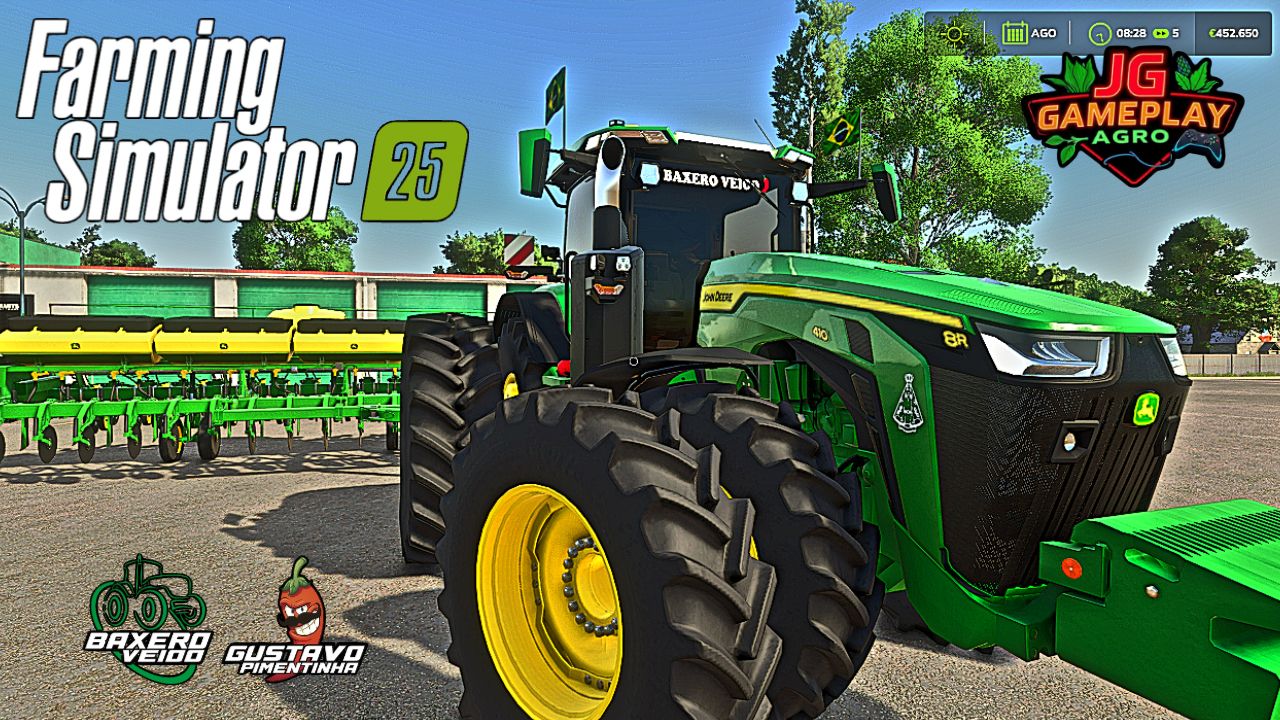
Main features: – 1200 hp engine with chip tuning – Custom Brazilian paintwork – Insulating film on the windows – Different wheel configurations Included options: – Brazilian flags (also available as a weight option) – Antennas – Removable fenders – Exhaust (partially chromed) – Axle extension (adjustable according to the wheel setup) – Fire extinguisher (installation option in the cab or on the weight) IMPORTANT: Always use the American tractor model to access all options correctly! You will need to choose an axle extension; otherwise, the tractor will not have one. Check all wheel types and brands before purchasing. RentTractors The mod may receive future updates, so all criticism is valid and will be read and may be incorporated into the next update. May God bless you all! Credits: aeslmods21 Edit JGGAMEPLAYAGRO
Realistic Rain on Windows FS25
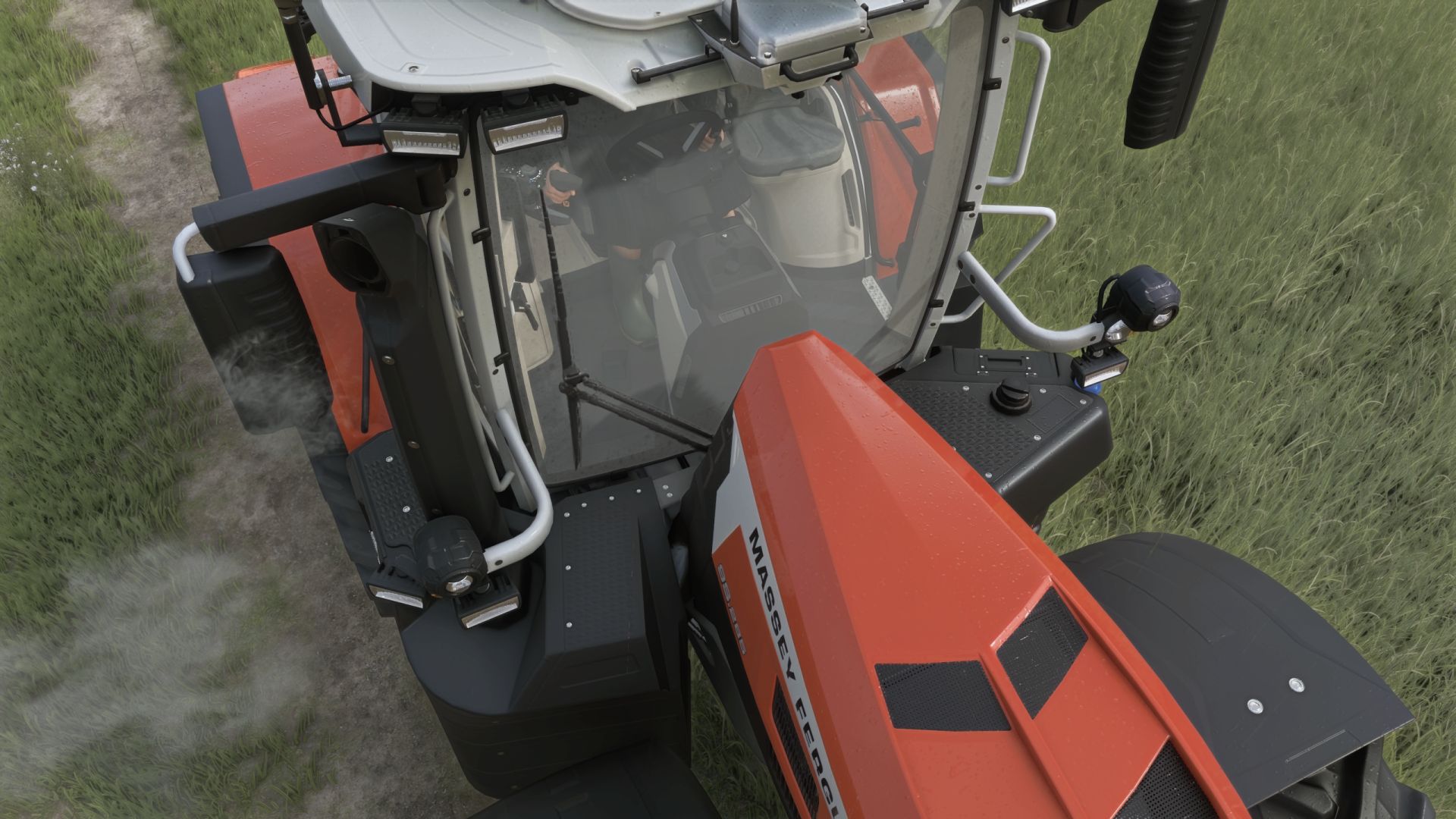
🌧️ Rain Glass v1.0 – Realistic Rain on Windows & Working Wipers 🚜 Take the realism of driving in Farming Simulator 25 to a whole new level! The Rain Glass mod completely transforms your experience of working in harsh weather conditions by introducing advanced visual effects to all machinery cabins. No more perfectly dry windows during a heavy downpour – now you can truly feel the atmosphere of unpredictable autumn weather on your farm! ✨ Key Features: • Dynamic Raindrops: Realistic water droplets appear on the front, side, and rear windows of your vehicles. • Animated Running Water: The drops don't just stay still! Watch authentic streams of water roll down the glass, reacting to gravity and the movement of the machine. • Fully Functional Wipers: Wipers on tractors and harvesters finally serve a practical purpose. When turned on, they effectively wipe away the water, leaving a clean, clear area and significantly improving visibility from inside the cabin (FPV view). • Immersive Weather: The effect syncs perfectly with the dynamic weather system of FS25, reacting directly to the intensity of the rainfall. 🛠️ Technical Info: • Compatibility: Works flawlessly with most base-game machines and properly optimized modded vehicles that follow standard FS25 window texture formats. • Game Version: Farming Simulator 25 • Performance Friendly: Highly optimized to ensure no FPS drops or performance issues. Turn a boring drive in the rain into an atmospheric challenge. Download the mod and hit the fields no matter the weather!
KTD AGRAR Crop Planner
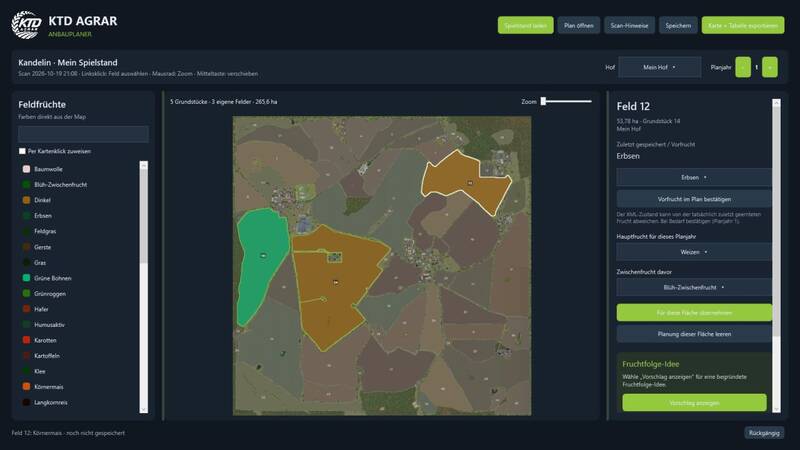
Der KTD AGRAR Crop Planner ist ein kostenloses, eigenständiges Windows-Programm zur Planung deiner Fruchtfolgen in Farming Simulator 25. Das Programm wird außerhalb des Spiels gestartet und ist kein Mod für den Mods-Ordner. Es verändert weder deine Speicherstände noch die Karte; das tatsächliche Säen erfolgt weiterhin im Spiel.Lade einen Speicherstand, wähle deinen Hof und ordne jedem deiner Felder Hauptfrüchte und optionale Zwischenfrüchte zu. Die Planung erfolgt direkt auf einer zoombaren und verschiebbaren Karte.Speicherstände als Ordner oder ZIP-Datei lesenPassende Standard- oder Modkarten automatisch erkennen, sofern die Kartendaten lokal vorhanden sindEigene Flächen und Schläge auf der Karte anzeigenFrüchte per Mausklick zuweisenFruchtfolgen und Fruchtzustände mehrerer Planungsjahre verwaltenBegründete Vorschläge für die Fruchtrotation anzeigenPläne in separaten .ktdplan-Dateien speichern und später fortsetzenFarbkarte mit Legende als PNG sowie den Plan als CSV exportierenDeutsche und englische Oberfläche ohne Neustart umschaltenZoom-, Seitenleisten- und Rückgabefunktionen nutzenInstallation: Entpacke das ZIP-Archiv in einen separaten Ordner und starte KTD-AGRAR-Crop-Planner.exe. Die EXE-Datei gehört nicht in den Mods-Ordner. Zusätzliche .NET-Installationen, ein Konto oder ein Online-Dienst sind nicht erforderlich. Eine Anleitung auf Deutsch und Englisch ist enthalten.Systemvoraussetzungen: Windows 10 oder 11, 64 Bit. Für die erste Analyse werden ein Speicherstand sowie die lokal verfügbaren Daten der passenden Karte benötigt. Die Standardkarten und Kandelin wurden getestet; andere Modkarten können verwendet werden, sofern ihre Datenstrukturen unterstützt werden.Hinweise: Der aus fields.xml gelesene Fruchtzustand enthält keine vollständige Erntehistorie und kann von der zuletzt geernteten Frucht abweichen. Neu angelegte oder zusammengeführte Felder werden nicht automatisch aus binären Dichtekarten erkannt. Die Fruchtrotationsvorschläge dienen lediglich als vereinfachte Planungshilfe. Die Anwendung ist derzeit nicht digital signiert.KTD AGRAR Crop Planner ist ein inoffizielles Community-Programm und kein offizielles GIANTS-Produkt. Der KTD AGRAR Crop Planner ist ein kostenloses, eigenständiges Windows-Programm zur Planung deiner Fruchtfolgen in Farming Simulator 25. Das Programm wird außerhalb des Spiels gestartet und ist kein Mod für den Mods-Ordner. Es verändert weder deine Speicherstände noch die Karte; das tatsächliche Säen erfolgt weiterhin im Spiel. Lade einen Speicherstand, wähle deinen Hof und ordne jedem deiner Felder Hauptfrüchte und optionale Zwischenfrüchte zu. Die Planung erfolgt direkt auf einer zoombaren und verschiebbaren Karte. Installation: Entpacke das ZIP-Archiv in einen separaten Ordner und starte KTD-AGRAR-Crop-Planner.exe. Die EXE-Datei gehört nicht in den Mods-Ordner. Zusätzliche .NET-Installationen, ein Konto oder ein Online-Dienst sind nicht erforderlich. Eine Anleitung auf Deutsch und Englisch ist enthalten. Systemvoraussetzungen: Windows 10 oder 11, 64 Bit. Für die erste Analyse werden ein Speicherstand sowie die lokal verfügbaren Daten der passenden Karte benötigt. Die Standardkarten und Kandelin wurden getestet; andere Modkarten können verwendet werden, sofern ihre Datenstrukturen unterstützt werden. Hinweise: Der aus fields.xml gelesene Fruchtzustand enthält keine vollständige Erntehistorie und kann von der zuletzt geernteten Frucht abweichen. Neu angelegte oder zusammengeführte Felder werden nicht automatisch aus binären Dichtekarten erkannt. Die Fruchtrotationsvorschläge dienen lediglich als vereinfachte Planungshilfe. Die Anwendung ist derzeit nicht digital signiert. KTD AGRAR Crop Planner ist ein inoffizielles Community-Programm und kein offizielles GIANTS-Produkt.

Realistische Physik
Realistische Physik – unterwegs mit echtem FahrgefühlHat euch auch gestört, dass sich Traktoren anfühlen, als wären sie am Boden festgeklebt? Dieser Mod sorgt für ein deutlich authentischeres Fahrverhalten auf dem Feld und auf der Straße.Funktionsumfang:Individuelle Federung pro Fahrzeugtyp: Große Traktoren, kleine Traktoren, Anhänger und PKWs erhalten jeweils eigene Federungseinstellungen. Auch Mod-Fahrzeuge werden automatisch berücksichtigt.Hüpfen bei durchdrehenden Rädern: Beim Durchdrehen beginnt das Fahrzeug aufzuhüpfen. Der Effekt ist auf Asphalt am stärksten und auf weichem Ackerboden kaum spürbar. Die Intensität richtet sich nach Schlupf, Beladung, Zuglast und Geschwindigkeit – bei normaler Fahrt bleibt das Fahrverhalten ruhig.Hinweis: Es handelt sich um eine Beta-Version. Das Fahrverhalten einzelner Fahrzeuge kann noch Optimierungsbedarf haben. Falls euch etwas Außergewöhnliches auffällt, meldet euch gerne mit Fahrzeug und Situation, damit nachgebessert werden kann.Autor: Márk Rónai Realistische Physik – unterwegs mit echtem Fahrgefühl Hat euch auch gestört, dass sich Traktoren anfühlen, als wären sie am Boden festgeklebt? Dieser Mod sorgt für ein deutlich authentischeres Fahrverhalten auf dem Feld und auf der Straße. Hinweis: Es handelt sich um eine Beta-Version. Das Fahrverhalten einzelner Fahrzeuge kann noch Optimierungsbedarf haben. Falls euch etwas Außergewöhnliches auffällt, meldet euch gerne mit Fahrzeug und Situation, damit nachgebessert werden kann.
Innenraum Seitenfenster-Kamera
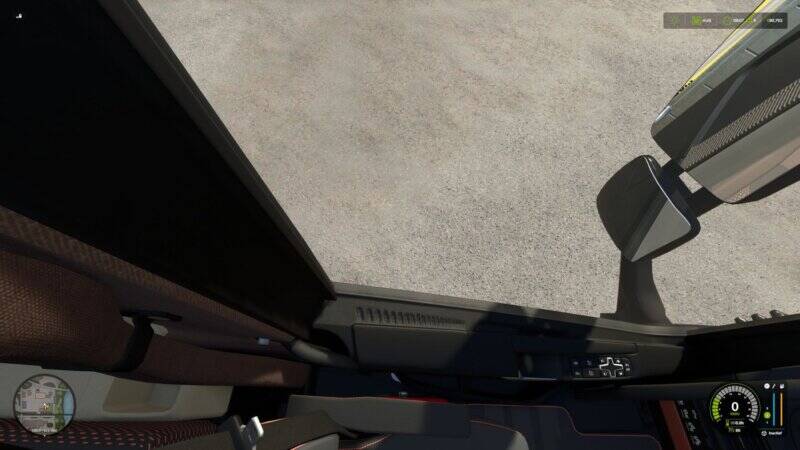
Mit diesem Mod kannst du in der Egoperspektive ganz einfach aus dem Seitenfenster deines Fahrzeugs schauen – genau wie in der Realität oder in ETS2.So behältst du beim Rückwärtsfahren und Rangieren immer den Überblick, ohne ständig in die Außenansicht wechseln zu müssen.Funktionen:Realistischer Blick aus dem Seitenfenster in der First-Person-AnsichtFlüssige Kamerabewegung, angelehnt an ETS2Deutlich verbesserte Sicht beim Rückwärtsfahren und ManövrierenAktiviert sich automatisch, sobald du weit genug zur Seite schaustOptionale Unterstützung für das rechte SeitenfensterEinstellbarer Abstand, wie weit du den Kopf aus dem Fenster lehnstKompatibel mit verschiedenen FahrzeugenSteuerung:Maus nach links: Blick aus dem Fenster aktivierenStrg + Numpad 0: Funktion ein-/ausschaltenStrg + Numpad-Enter: Rechtes Fenster ein-/ausblendenStrg + Numpad + / -: Abstand anpassenCredits:DBG Community – Anpassung für FS25kenny456 – Ursprüngliches Konzept für FS19Eine kleine, aber feine Erweiterung für alle, die gerne realistisch aus der Kabine heraus fahren! Mit diesem Mod kannst du in der Egoperspektive ganz einfach aus dem Seitenfenster deines Fahrzeugs schauen – genau wie in der Realität oder in ETS2. So behältst du beim Rückwärtsfahren und Rangieren immer den Überblick, ohne ständig in die Außenansicht wechseln zu müssen. Credits:DBG Community – Anpassung für FS25kenny456 – Ursprüngliches Konzept für FS19 Eine kleine, aber feine Erweiterung für alle, die gerne realistisch aus der Kabine heraus fahren!
Liter-zu-Tonnen-Gewichtskonverter
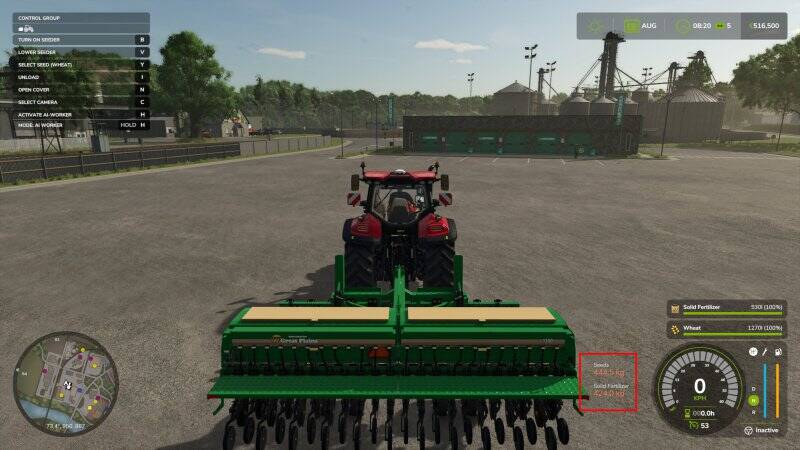
Zeigt das Ladegewicht in Echtzeit im Standard-Füllstand-HUD an und ersetzt dabei automatisch die Literanzeige, sobald du ein beladenes Fahrzeug betrittst.Funktionen:– Wechselt automatisch zu Kilogramm, wenn die Ladung weniger als eine Tonne wiegt– STRG+U wechselt zwischen Tonnen, Kilogramm, Pfund und Litern– Kompatibel mit Mods, die neue Materialien und Fülltypen hinzufügen Zeigt das Ladegewicht in Echtzeit im Standard-Füllstand-HUD an und ersetzt dabei automatisch die Literanzeige, sobald du ein beladenes Fahrzeug betrittst. Funktionen:– Wechselt automatisch zu Kilogramm, wenn die Ladung weniger als eine Tonne wiegt– STRG+U wechselt zwischen Tonnen, Kilogramm, Pfund und Litern– Kompatibel mit Mods, die neue Materialien und Fülltypen hinzufügen
Retro-Bandit
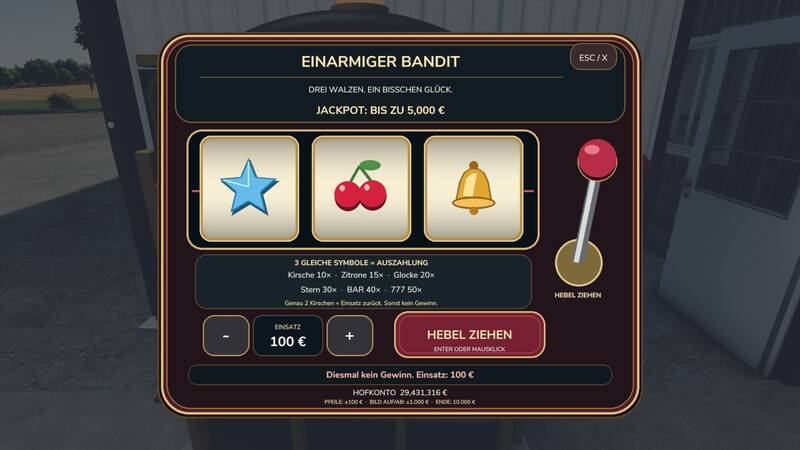
Ein markanter Retro-Spielautomat mit geschwungenem Korpus, abgerundeten Kanten, Chrom- und Goldzierleisten, rotem Hebelknauf und drei animierten Walzen. Alle Einsätze und Gewinne werden ausschließlich mit dem virtuellen Spielgeld abgewickelt. Die Maschine ist multiplayerfähig und erlaubt Einsätze bis 10.000 €.Gewinntabelle3 Kirschen: 10 × Einsatz3 Zitronen: 15 × Einsatz3 Glocken: 20 × Einsatz3 Sterne: 30 × Einsatz3 Geldscheine: 40 × Einsatz3 Siebenen: 50 × Einsatz – maximal 500.000 €Genau 2 Kirschen: Einsatz zurückAlle anderen Kombinationen: keine AuszahlungDer Einsatz kann in Schritten von 100 € zwischen 100 € und 10.000 € gewählt werden. Die Auszahlung enthält jeweils den Einsatz. Bei einem Einsatz von 10.000 € und drei Siebenen werden beispielsweise 500.000 € ausgezahlt, was einem Nettogewinn von 490.000 € entspricht.Das Spielkonto muss den Einsatz abdecken. Während die Walzen laufen, kann weder ein neues Spiel gestartet noch der Einsatz geändert werden. Server und Ergebnis werden vor Beginn der Animation verbucht. Das Schließen, Entfernen oder Speichern der Maschine während der Animation hat keinen Einfluss auf das bereits ermittelte Ergebnis. Ein markanter Retro-Spielautomat mit geschwungenem Korpus, abgerundeten Kanten, Chrom- und Goldzierleisten, rotem Hebelknauf und drei animierten Walzen. Alle Einsätze und Gewinne werden ausschließlich mit dem virtuellen Spielgeld abgewickelt. Die Maschine ist multiplayerfähig und erlaubt Einsätze bis 10.000 €. Gewinntabelle3 Kirschen: 10 × Einsatz3 Zitronen: 15 × Einsatz3 Glocken: 20 × Einsatz3 Sterne: 30 × Einsatz3 Geldscheine: 40 × Einsatz3 Siebenen: 50 × Einsatz – maximal 500.000 €Genau 2 Kirschen: Einsatz zurückAlle anderen Kombinationen: keine Auszahlung Der Einsatz kann in Schritten von 100 € zwischen 100 € und 10.000 € gewählt werden. Die Auszahlung enthält jeweils den Einsatz. Bei einem Einsatz von 10.000 € und drei Siebenen werden beispielsweise 500.000 € ausgezahlt, was einem Nettogewinn von 490.000 € entspricht. Das Spielkonto muss den Einsatz abdecken. Während die Walzen laufen, kann weder ein neues Spiel gestartet noch der Einsatz geändert werden. Server und Ergebnis werden vor Beginn der Animation verbucht. Das Schließen, Entfernen oder Speichern der Maschine während der Animation hat keinen Einfluss auf das bereits ermittelte Ergebnis.
- 15 per page
- 30 per page
- 45 per page
- 60 per page
-
See more per page
Bigger pages, fewer clicks - and no ads anywhere.
Go Pro