Farming Simulator 25 mods
77,956 results- 15 per page
- 30 per page
- 45 per page
- 60 per page
-
See more per page
Bigger pages, fewer clicks - and no ads anywhere.
Go Pro

FS2011 HUD Style (Addon for Zasty HUD) V1.0
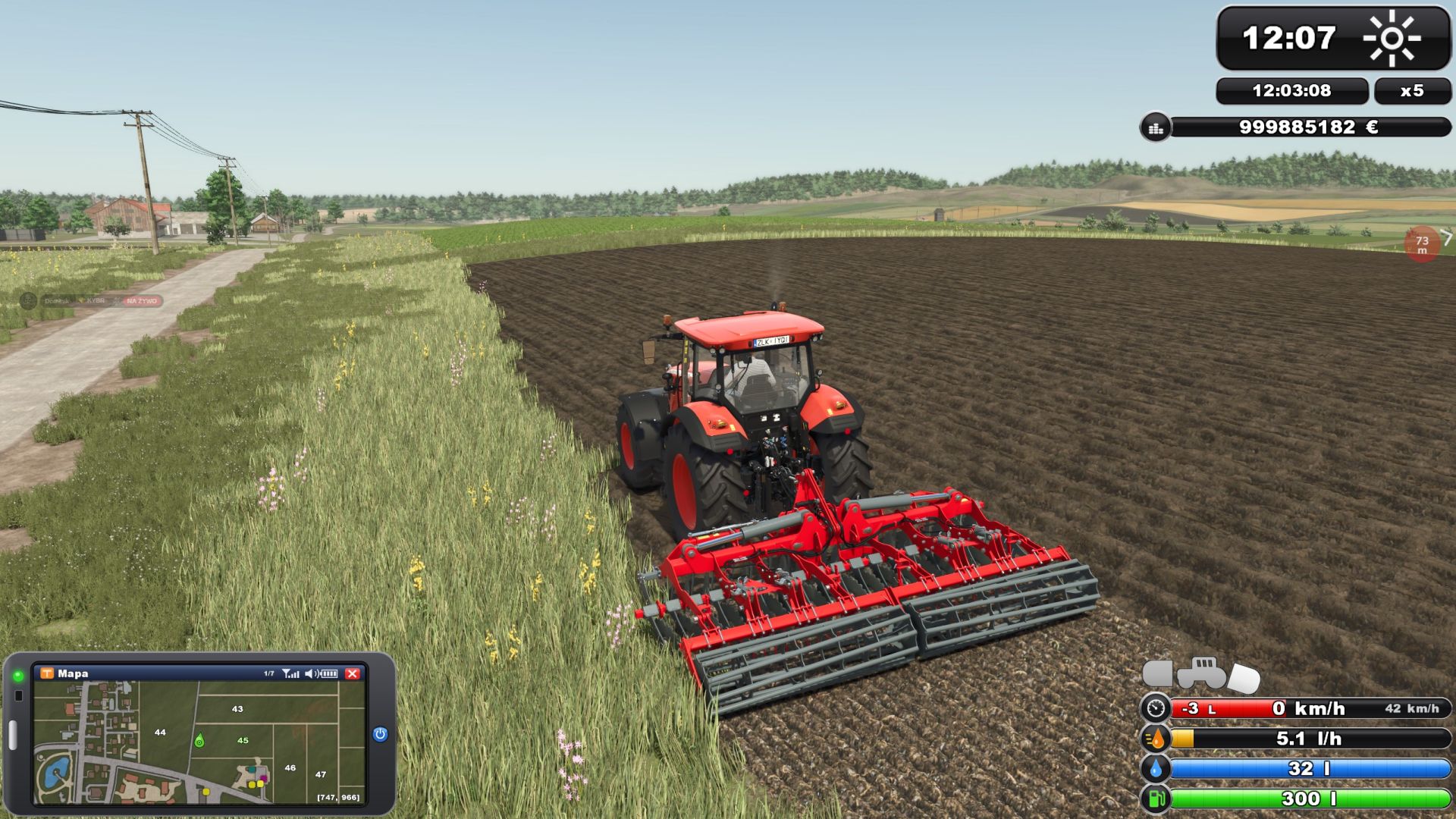
Play FS25 with the HUD of Farming Simulator 2011! This addon for Zasty HUD (by Zasty Chalk) adds a third style, “FS 2011”, next to “Bar” and “Round” in the Zasty HUD settings window. While it is active, the FS 2011 HUD fully replaces the FS25 HUD, so nothing overlaps. Bars (bottom right) – The classic FS 2011 bar stack: speed, fuel consumption (l/h), AdBlue and fuel – Speed bar: the red fill shows the engine rpm, gear and gear group on the left, set cruise control speed on the right; the speed icon turns green while cruise control is on – Fuel consumption in litres per hour (0 when the engine is off) – Blue AdBlue / DEF bar when the vehicle has a DEF tank (base game and AdBlue mods) – Vehicle schema above the bars: tractor with front and rear implements. Switched on (B) = green, selected (G) = brighter, lowered = tilted towards the ground Clock (top right) – FS 2011 clock with weather symbol – Real (computer) time and time scale below it – Your balance under the clock, on foot and in vehicles PDA (bottom left) – Replaces the FS25 minimap. The game’s minimap key (9) switches the PDA screens (Left Alt + I works too), one more press hides it, every change gives the PDA beep – Map: north up, heading marker, coordinates, field numbers (your fields in green) and the game’s icons for the shop, selling points, productions and animals – Weather Forecast: today and the next three days on FS 2011 day cards (symbol, max and min temperature) – Prices: best price for each crop – Statistics: silo storage and animals – Players: multiplayer only – Vehicles: tractor with all implements and trailers, state and fill levels – Engine: rpm, load, temperature, gear, direction, speed, operating hours, fuel, AdBlue, consumption, damage, wear, total mass – Tyres: with the Variable Tire Pressure mod (front axle, rear axle, trailer, road/field, inflating/deflating) – Farm: date, time scale, balance, field, crop, vehicles, farmlands, play time – PDA size in the Zasty HUD window (row “PDA size”, 40-100 %), changes live F1 help – One glossy FS 2011 box: key on the left, action on the right; grows with the number of actions – In build mode, the shop and menus it moves to the right side More – The whole FS25 HUD it replaces is hidden: speedometer, minimap, fill levels, vehicle schema, time/money box (notifications and warnings stay) – Variable Tire Pressure: its window is hidden, the pressures are on the PDA (its control panel Ctrl+Alt+U still works) – Languages: EN, DE, PL, FR, ES, IT, PT/BR, CZ, RU, NL, HU, TR. The addon also translates Zasty HUD itself into these languages and fixes its language detection in FS25 (Zasty HUD’s files stay unchanged) – Speed, volume and money follow your game settings (km/h / mph, litres / gallons, currency) – Bars and clock follow the “Size” setting of the Zasty HUD window HOW TO USE 1. Put FS25_ZastyHUD_FS2011.zip into your mods folder next to FS25_ZastyHUD.zip 2. Activate both mods in your savegame 3. Press Left Alt + H and choose Style: FS 2011 4. Press 9 (or Left Alt + I) to switch the PDA screens NOTES – Zasty HUD’s own files are not changed. Remove this addon and Zasty HUD works as before (a saved “FS 2011” style falls back to “Round”). With Bar or Round the minimap key works as usual. – Client side only, single player and multiplayer. Where the game gives no consumption figure (e.g. multiplayer clients) it is measured from the falling fuel level. – The forecast is read from the game when available; otherwise the Weather Forecast screen shows today only. – Other mods that change the game HUD may overlap. Please report problems with your log.txt. – Zasty HUD: Zasty Chalk – FS 2011 style addon: Siemanek – Original HUD design: GIANTS Software (Farming Simulator 2011), redrawn for this addon To start download click the filename. To open archive files use one of these programs: WinRAR, 7-Zip, WinZip. Some mod archives may need to be extracted before the mods will work.
FS2011 HUD-Stil (Add-on für Zasty HUD) V1.0.0.0
FS2011 HUD-Stil (Add-on für Zasty HUD) V1.0.0.0 Zasty HUD FS 2011 Style (Addon) Spiele FS25 mit dem HUD von Farming Simulator 2011! Dieses Add-on für Zasty HUD (von Zasty Chalk) fügt im Einstellungsfenster von Zasty HUD neben „Balken“ und „Rund“ einen dritten Stil hinzu: „FS 2011“. Solange es aktiv ist, ersetzt das FS 2011 HUD das FS25 HUD vollständig, sodass keine Überlappungen entstehen. MERKMALE Balken (unten rechts) Die klassische FS 2011-Balkenanzeige: Geschwindigkeit, Kraftstoffverbrauch (l/h), AdBlue und Kraftstoffstand Geschwindigkeitsanzeige: Die rote Füllung zeigt links die Motordrehzahl, den Gang und die Ganggruppe an, rechts die eingestellte Geschwindigkeit für den Tempomat; das Geschwindigkeitssymbol wird grün, wenn der Tempomat aktiviert ist. Kraftstoffverbrauch in Litern pro Stunde (0 bei ausgeschaltetem Motor) Blaue AdBlue-/DEF-Anzeige, wenn das Fahrzeug über einen DEF-Tank verfügt (Basisspiel und AdBlue-Mods). Fahrzeugschema über den Balken: Traktor mit Front- und Heckanbaugeräten. Eingeschaltet (B) = grün, ausgewählt (G) = heller, abgesenkt = zum Boden geneigt. Uhr (oben rechts) FS 2011 Uhr mit Wettersymbol Echtzeit (Computerzeit) und darunter liegende Zeitskala Ihr Gleichgewicht unter Zeitdruck, zu Fuß und in Fahrzeugen PDA (unten links) Ersetzt die FS25-Minikarte. Mit der Minikartentaste (9) im Spiel werden die PDA-Bildschirme umgeschaltet (alternativ Alt + I). Ein weiterer Tastendruck blendet sie aus; bei jedem Wechsel ertönt ein Signalton vom PDA. Karte: Norden oben, Richtungsmarkierung, Koordinaten, Feldnummern (Ihre Felder grün) und die Spielsymbole für Shop, Verkaufsstellen, Produktionen und Tiere Wettervorhersage: heute und die nächsten drei Tage auf FS 2011 Tageskarten (Symbol, Höchst- und Tiefsttemperatur) Preise: Bestpreis für jede Ernte Statistik: Silolagerung und Tiere Spieler: Nur Mehrspieler Fahrzeuge: Traktor mit allen Anbaugeräten und Anhängern, staatlicher und Füllstandsanzeiger Motor: Drehzahl, Last, Temperatur, Gang, Drehrichtung, Geschwindigkeit, Betriebsstunden, Kraftstoff, AdBlue, Verbrauch, Schäden, Verschleiß, Gesamtmasse Reifen: mit der Modifikation für variablen Reifendruck (Vorderachse, Hinterachse, Anhänger, Straße/Feld, Aufpumpen/Ablassen der Luft) Bauernhof: Datum, Zeitmaßstab, Gleichgewicht, Feld, Ernte, Fahrzeuge, Ackerland, Spielzeit Die PDA-Größe im Zasty-HUD-Fenster (Zeile „PDA-Größe“, 40–100 %) ändert sich live. F1-Hilfe Eine glänzende FS 2011-Box: Schlüssel links, Aktion rechts; wächst mit der Anzahl der Aktionen Im Baumodus werden der Shop und die Menüs auf die rechte Seite verschoben. Mehr Das gesamte FS25-HUD, das es ersetzt, wird ausgeblendet: Geschwindigkeitsmesser, Minikarte, Füllstandsanzeige, Fahrzeugschema, Zeit-/Geldanzeige (Benachrichtigungen und Warnungen bleiben erhalten). Variable Reifendruckanzeige: Das Fenster ist ausgeblendet, die Druckwerte werden auf dem PDA angezeigt (die Tastenkombination Strg+Alt+U funktioniert weiterhin). Sprachen: EN, DE, PL, FR, ES, IT, PT/BR, CZ, RU, NL, HU, TR. Das Add-on übersetzt außerdem Zasty HUD selbst in diese Sprachen und behebt die Spracherkennung in FS25 (die Dateien von Zasty HUD bleiben unverändert). Geschwindigkeit, Volumen und Geld richten sich nach Ihren Spieleinstellungen (km/h / mph, Liter / Gallonen, Währung). Balken und Uhr richten sich nach der Einstellung „Größe“ des Zasty-HUD-Fensters. ANFORDERUNGEN Zasty HUD (FS25_ZastyHUD), installiert und aktiv ANWENDUNG 1. Legen Sie die Datei FS25_ZastyHUD_FS2011.zip in Ihren Mods-Ordner neben die Datei FS25_ZastyHUD.zip. 2. Aktiviere beide Mods in deinem Spielstand. 3. Drücken Sie Alt + H und wählen Sie „Stil: FS 2011“. 4. Drücken Sie 9 (oder Alt links + I), um zwischen den PDA-Bildschirmen zu wechseln. ANMERKUNGEN Die Dateien von Zasty HUD selbst bleiben unverändert. Nach dem Entfernen dieses Add-ons funktioniert Zasty HUD wie zuvor (ein gespeicherter „FS 2011“-Stil wird auf „Rund“ zurückgesetzt). Sowohl bei Balken- als auch bei Rund-Designs funktioniert die Minimap-Taste wie gewohnt. Nur clientseitig, Einzelspieler und Mehrspieler. Wenn das Spiel keinen Verbrauchswert angibt (z. B. bei Mehrspieler-Clients), wird dieser anhand des sinkenden Treibstoffstands gemessen. Die Vorhersage wird, sofern verfügbar, aus dem Spiel vorgelesen; andernfalls zeigt der Wetterbildschirm nur den heutigen Tag an. Andere Mods, die das HUD des Spiels verändern, können Überschneidungen verursachen. Bitte melden Sie Probleme mit Ihrer log.txt-Datei. Zasty HUD: Zasty Chalk FS 2011-Style-Addon: Siemanek Originales HUD-Design: GIANTS Software (Farming Simulator 2011), für dieses Add-on neu gezeichnet Erforderliche Mods: Zasty HUD Tags: Erforderliche ModsFSHUDPDA
Direktverkauf von Feldfrüchten V1.0.0.0
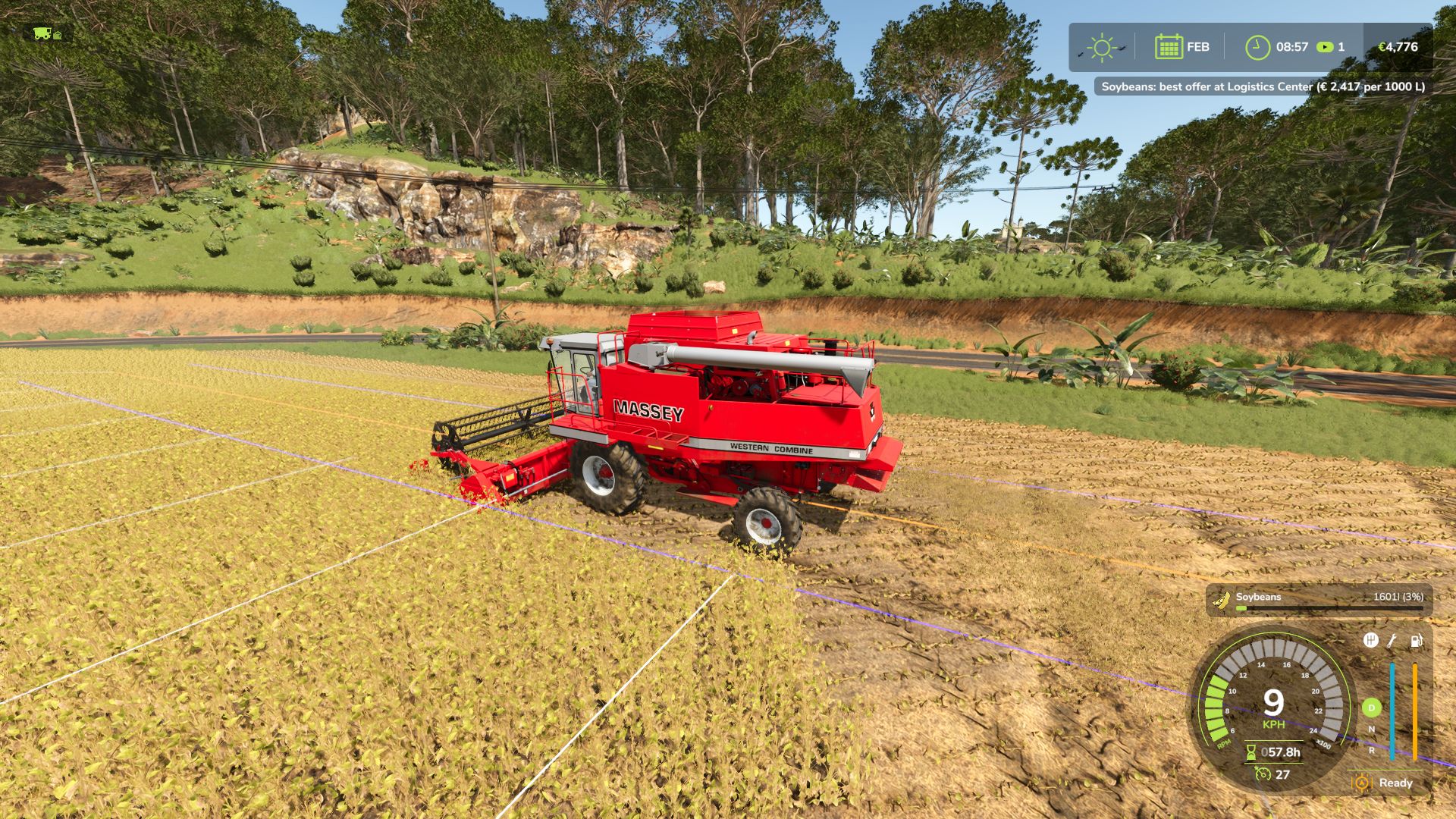
Direktverkauf von Feldfrüchten V1.0.0.0 Mit Direct Harvest Sale verkaufen Sie Ihre Ernte direkt während der Ernte, ohne dass Sie sie abladen oder zu einem Verkaufsort fahren müssen. SO FUNKTIONIERT ES Aktivieren Sie den Direktverkauf, und Ihre gesamte Ernte wird sofort zum besten Marktpreis verkauft. Das Geld fließt direkt auf Ihr Betriebskonto, und der Tank füllt sich nie, sodass Sie ohne Unterbrechung ernten können. BEDIENELEMENTE – U: Direktvertrieb ein- oder ausschalten Eine Meldung auf dem Bildschirm bestätigt den aktuellen Status und den Preismultiplikator. BESTER PREIS Während der Ernte prüft die Mod alle Verkaufsstellen auf der Karte, die deine Ernte annehmen, und verkauft sie immer zum besten Preis. Der Preis an jeder Verkaufsstelle spiegelt bereits die Nachfrage wider; die Verkaufsstelle mit dem höchsten Preis ist also diejenige, die deine Ernte am dringendsten benötigt. Eine Meldung auf dem Bildschirm zeigt dir an, welche Verkaufsstelle das beste Angebot hat und wie viel sie pro 1000 Liter zahlt. ANMERKUNGEN – Kompatibel mit Mähdreschern und Wurzelgemüseerntern. Es werden ausschließlich geerntete Feldfrüchte verkauft, sonst nichts. – Während des Direktverkaufs werden die Ernteprodukte niemals im Tank gelagert. – Funktioniert für alle Ihre eigenen Erntemaschinen, einschließlich derjenigen, die von KI-Helfern gesteuert werden. Nur Einzelspieler. Sprachen: Englisch, Deutsch, Französisch. Tags: ANMERKUNGENBEDIENELEMENTEDer PreisEine Meldung
Smart Slurry Storage V1.0
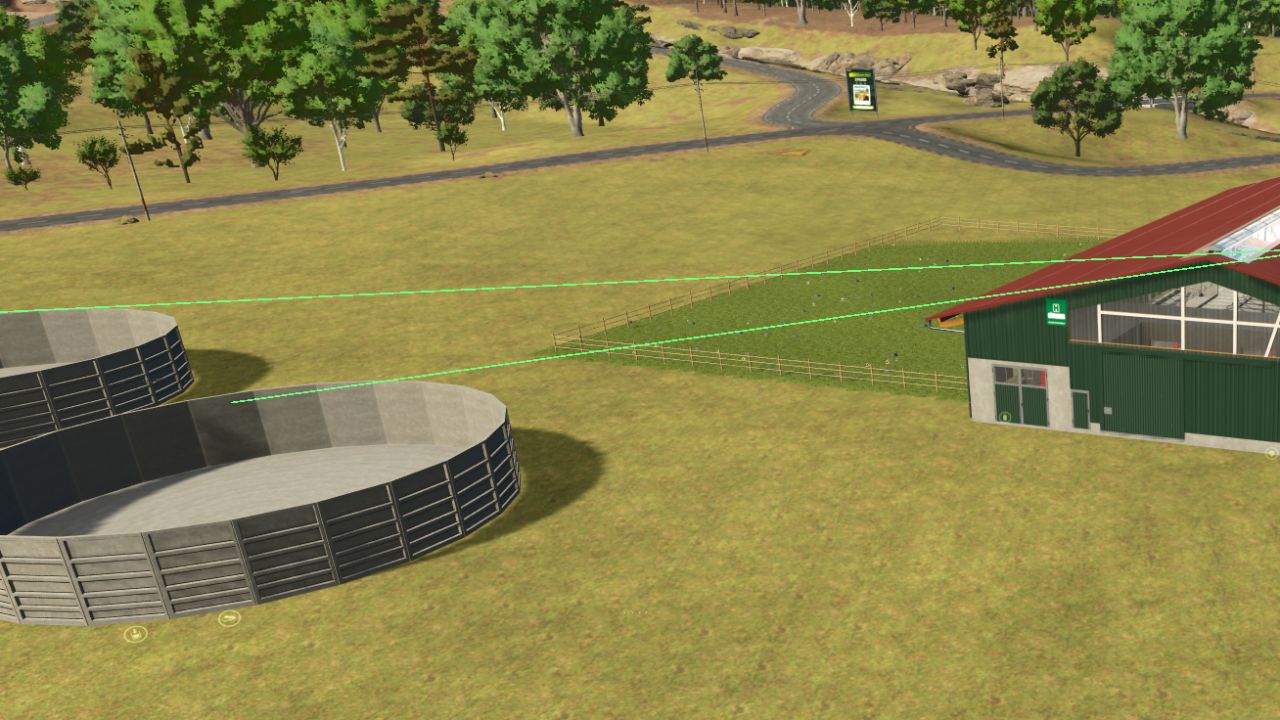
Smart Slurry Storage V1.0 Take full control of your slurry, digestate and manure storage in Farming Simulator 25! Smart Slurry Storage introduces an intelligent connection and storage management system, allowing you to connect animal barns, slurry tanks, manure heaps and biogas plants (BGA). Create your own storage networks, control filling priorities and automatically transfer materials between connected facilities. KEY FEATURES Smart Slurry Management: Connect animal barns to one or multiple slurry tanks. Digestate Support: Regular slurry tanks can also store digestate without converting it into liquid manure. Separate Storage: Liquid manure and digestate cannot mix in the same non-empty tank. Manure Management: Connect manure-producing barns to manure heaps and storage facilities. BGA Integration: Transfer liquid manure and manure to biogas plants and connect digestate output to storage tanks. Custom Fill Priority: Choose which connected storage fills first and change the priority at any time. Visual Connection System: Easily manage connections using the dedicated Slurry Mode. Storage Information: View connected buildings, destinations and filling priorities in the game’s existing information display. Automatic Saving: Connections and filling priorities are saved with your savegame. Multiplayer Support: Designed for singleplayer, multiplayer and dedicated servers. Multilingual Support: Includes translations for multiple languages. SLURRY MODE Open construction mode and press K to activate Slurry Mode. Select an animal barn, slurry tank, manure heap or biogas plant to manage its connections. Click another compatible storage facility to establish or remove a connection. Connected storage facilities display their filling priority (1, 2, 3, etc.) when a source is selected. Click an existing connection to: Change filling priority Remove connection Cancel You can also place new buildings while Slurry Mode is active. CONNECTION COLOURS Green: Liquid manure connections Blue: Digestate connections Purple: Manure connections Red highlight: Currently selected building STORAGE INFORMATION Walk up to a storage facility’s information trigger to view its existing capacity information together with additional details: Connected sources Connected destinations Filling priorities No additional HUD is required. COMPATIBILITY Designed for Farming Simulator 25 on PC/Mac. Supports singleplayer, multiplayer and dedicated servers. Version: 1.0.0.0 – Initial Release Author: Rexion Report bugs in the comments and help modders improve this mod. Always check the comments, you can find a solution. DOWNLOAD MOD
Lush Map Editor FS25
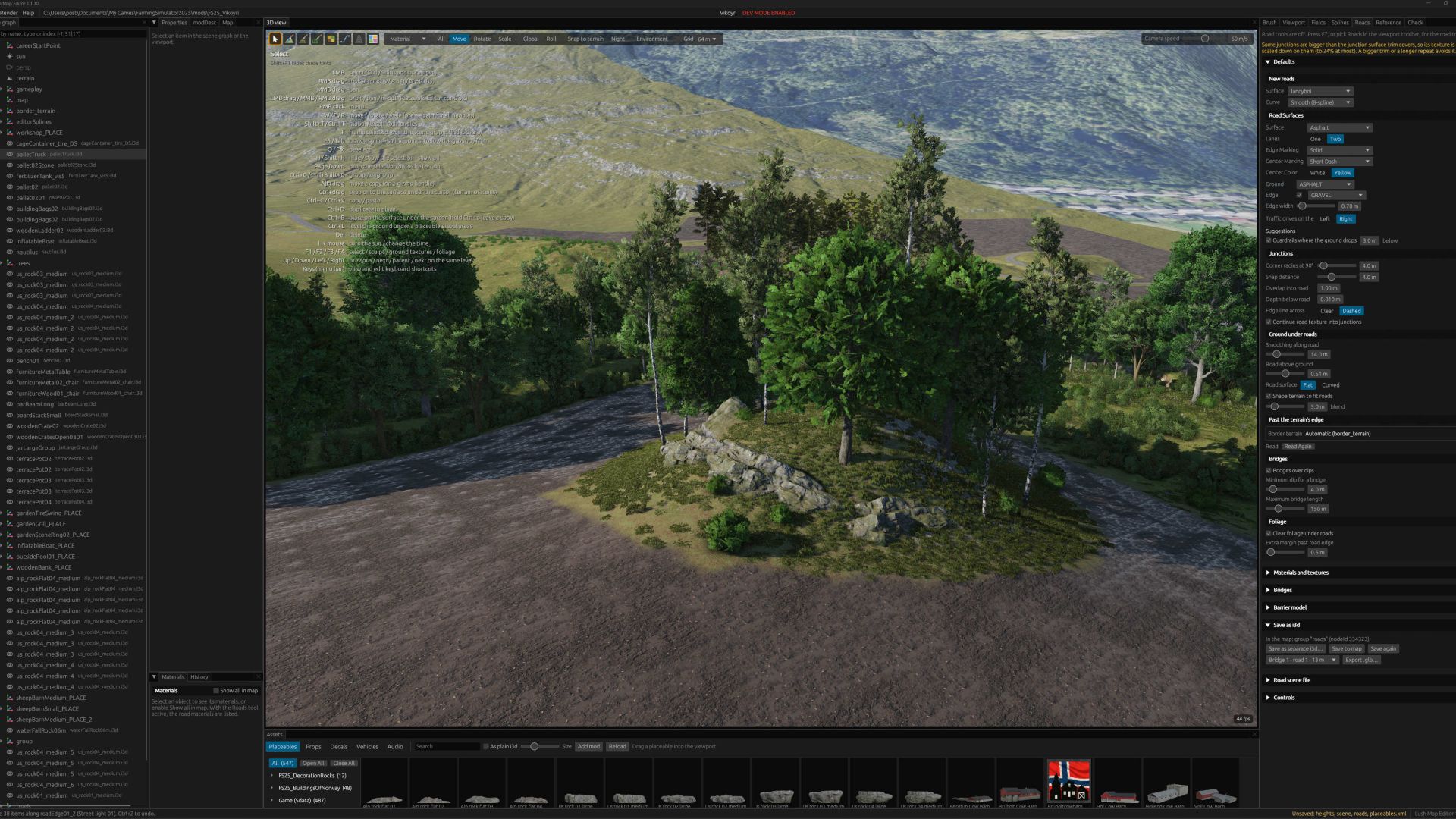
This is my dream map editor! All my ideas and wishes for map editing put into action in my own editor, and shared with you. :) Roads with junctions and roundabouts, fields and farmlands management, creating creeks and painting ground textures and foliage simultaneously. Traffic splines? Not a problem! Automatically created when you create the road! It's never been easier to create maps.
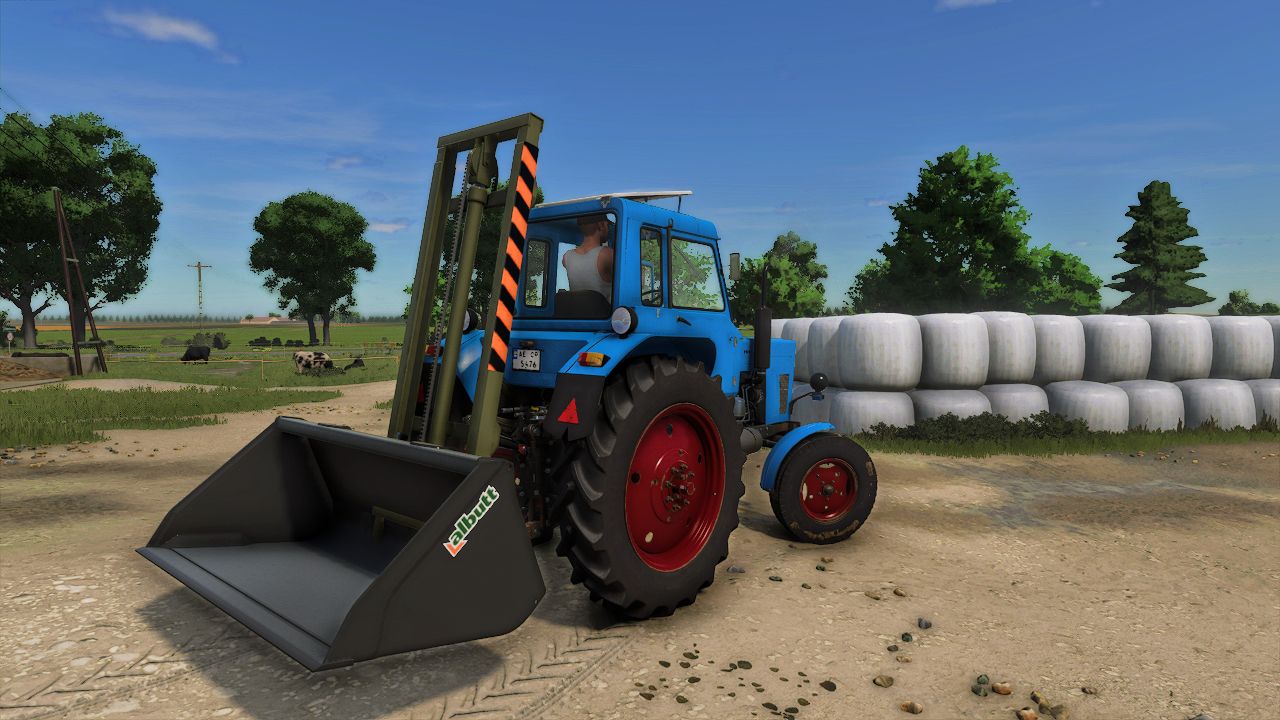
TVE-3200 Frontloader FS25
Changes: - Forks removed, replaced with a frontloader tool attachment point on the carriage - Compatible with standard frontloader tools from the shop (buckets etc.) - Tool moves up and down with the mast carriage Known issues: Problems are possible when used together with the "Attach Implements Manually" mod Original model: pikaso (original mod by Max945 on STMods) Edit:
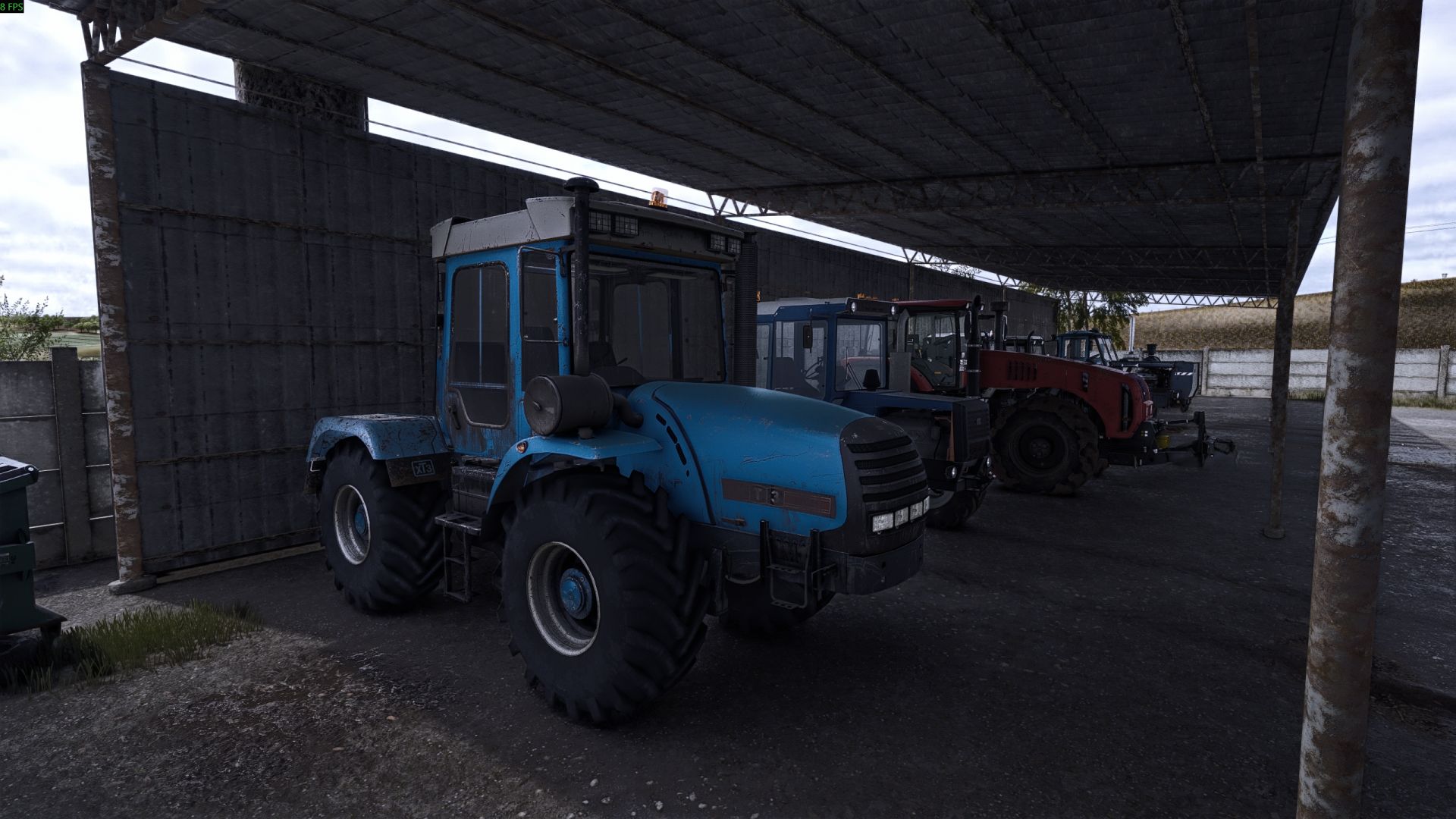
HTZ 17022 FS25
HTZ 17022 -Price $9500 -Power 175-300 hp -Speed 30 km/h Original author MARKELOF
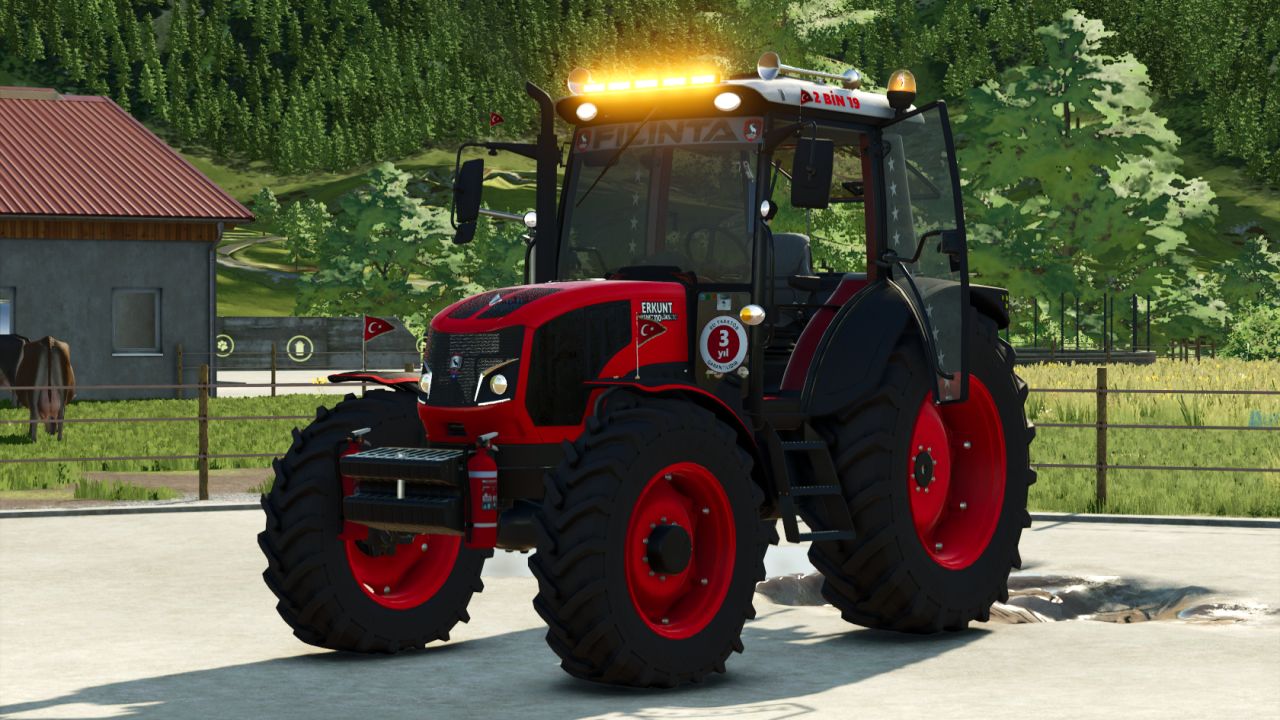
Erkunt Lüks CRD FS25
Price: 85000 - Power: 90/110 - Maximum speed: 43 km/h - Tire options: Vredestein, Continental, Trelleborg - Wheel weight option - Window tint option - Star sticker option on the windows - Front loader option - Beacon light option. This mod does not belong to me; I only translated it. Owner: Anatolian Yoruk Mods MrSkayer SemihCengi

FS25 Realistic window rain and dust beta 3
FS25 Realistic window rain and dust beta 3 Realistic rain on windows with dust that slowly washes away when it rains. Has manually working wipers that can be remapped to your liking. Window droplets also form when pressure washed and slowly dries afterwards. List of working base game vehicles so far as i am working on adding more to the list. Agrifac LightTraxx (Glass Fixed) – Included Antonio Carraro Mach 4 R Case IH Axial-Flow 7160 Case IH Farmall 120 C Case IH Puma 185 CVXDrive Challenger MT665 Claas Arion 530 Claas Evion 450 Claas Jaguar 990–930 (mod pack) Claas Lexion 620–670 C53 (mod pack) Claas Lexion 750–770 C56–C59 (mod pack) Deutz-Fahr 6115 C RVshift Deutz-Fahr 8280 TTV Dewulf ZK IV SE Fendt 512 Vario Fendt 700 Vario series, including 720 Fiat 160-90 Gregoire GL 8.4 IMPEX Hannibal T50 International Transtar II Iseki HJ6130 Iseki TJW 1233 JCB 435S Stage V CB Fastrac iCON 4000 (Highlands DLC) John Deere 3650 John Deere 6M 95 John Deere 6R 145 John Deere 6R 230/250 John Deere 9RX 770 John Deere 9700 / 9000 series John Deere 1270G John Deere 848L-II John Deere R4045 (mod) Komatsu 951 Krone BiG X 1180 Kubota M8-181 Landini REX 4-070 GT Lindner Lintrac 130 Lizard Pickup 2017 Mack Anthem 6×4, MP7 425 Mack Anthem 6×4, MP8 505 Mack Super-Liner 6×4 Massey Ferguson 7S 155 Massey Ferguson 9S.285 New Holland L318 Oxbo MKB-4TR Pfanzelt Felix Ponsse Bison Active Frame Rottne F20D Schaeffer 9660 T-2 Sennebogen 340 G (Glass Fixed) – Included Valtra T195 — Vermeer ZR5-1200 Volvo L120H Zetor Crystal 16045 Zetor Forterra HSX 120 Zetor Proxima HS80 This is a beta build so there may be issues with unfixed vehicles. BETA 3 Added Beans and Alpaca DLC vehicles and multiplayer functionality. Base game vehicles added Massey Ferguson MF 8570 Deutz-Fahr AgroStar 8.31 John Deere 8R John Deere 9R John Deere S7 John Deere 7R Case IH Magnum 340 Fendt 1038 / 1000 Vario John Deere 3650 John Deere 9RX 770 BETA 2 Added mod support for Belarus 550-82 by rantott hus modding
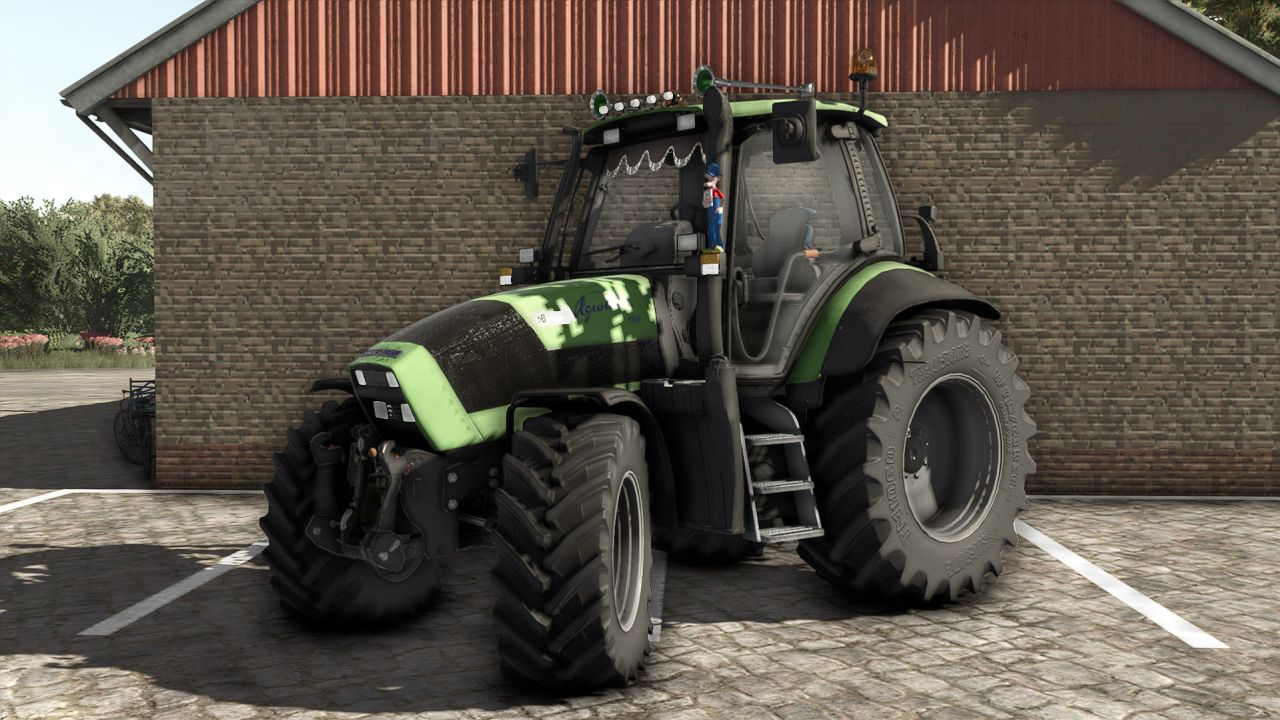
Deutz Agrotron 128 Edit FS25
The combination of a small engine and a reinforced ZF transmission makes the Agrotron 128 a model without precedent. The innovations of the 4th generation are based on proven technologies from the MK 3 model series. From 2004/2005 onwards, the Agrotron 128 was renamed Agrotron 150 with improved performance. Price: $ 31.000 – Agrotron 128: 128 hp – Agrotron 150.6: 150 hp. Have fun with the mod Kind regards, MW modding.
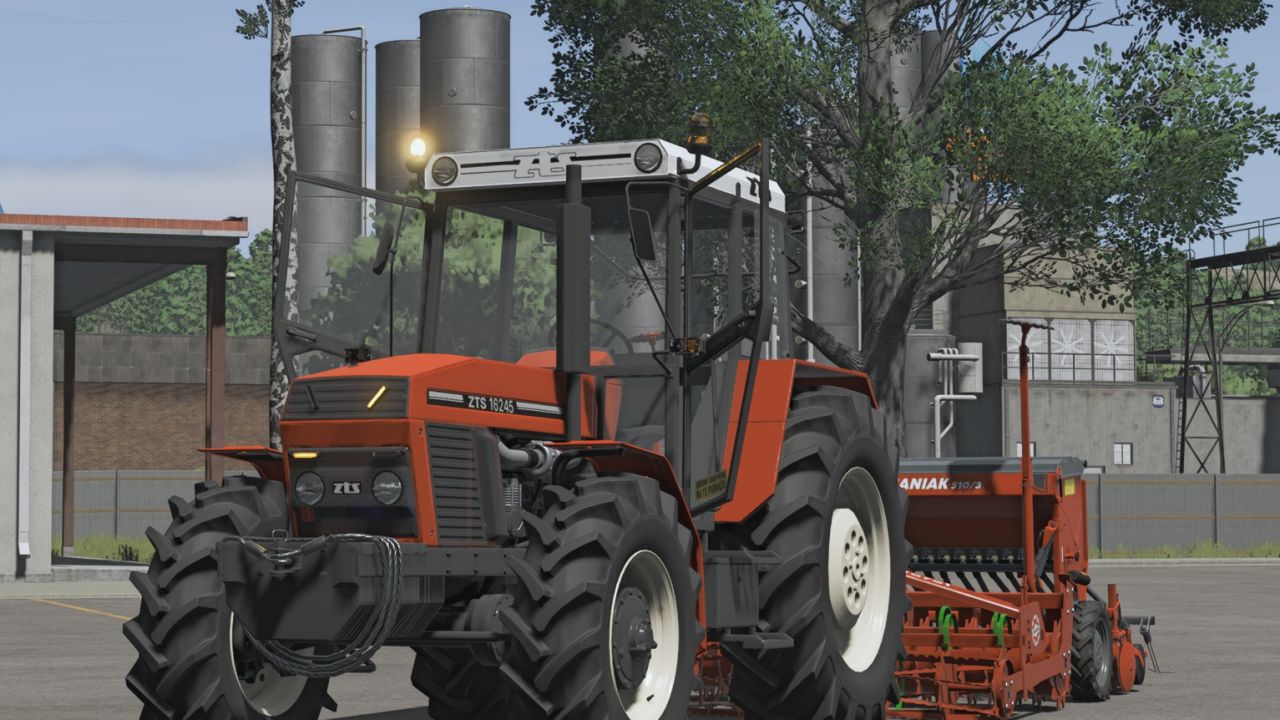
Zetor ZTS 16245/12245 FS25
Hey, I'm releasing a ZTS edit for you with: strobe lights stickers, etc. sounds
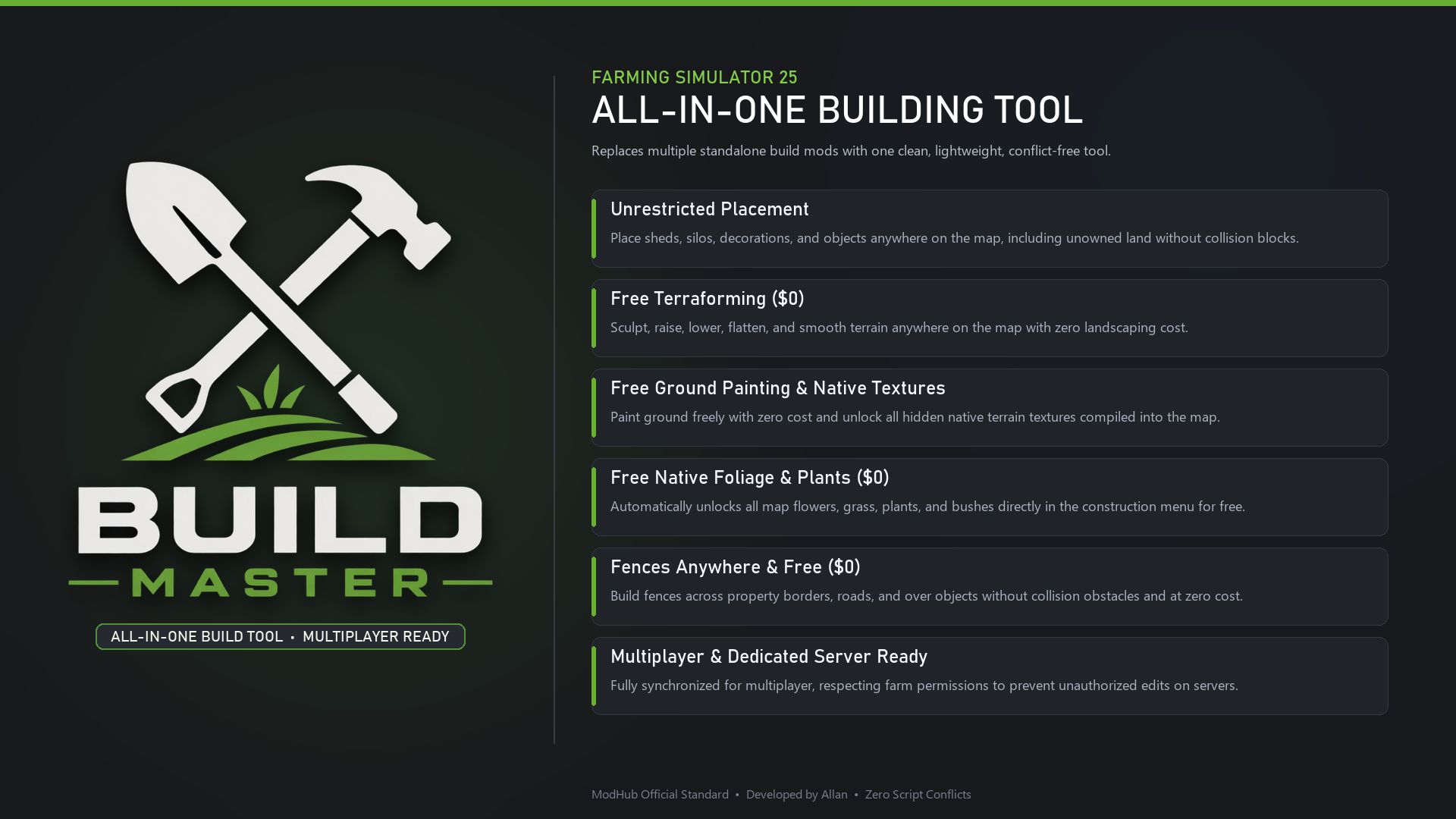
Build Master FS25
Build Master The All-in-One Building Tool. Designed for those who love freedom in landscaping, this clean and lightweight mod combines unrestricted placement, free terraforming & painting ($0), unlocked native foliage, and collision-free fences. Replaces multiple standalone build mods into a single solution, ensuring peak performance, zero script conflicts, and full Multiplayer compatibility. Created to meet personal needs, any feedback or suggestion is welcome!
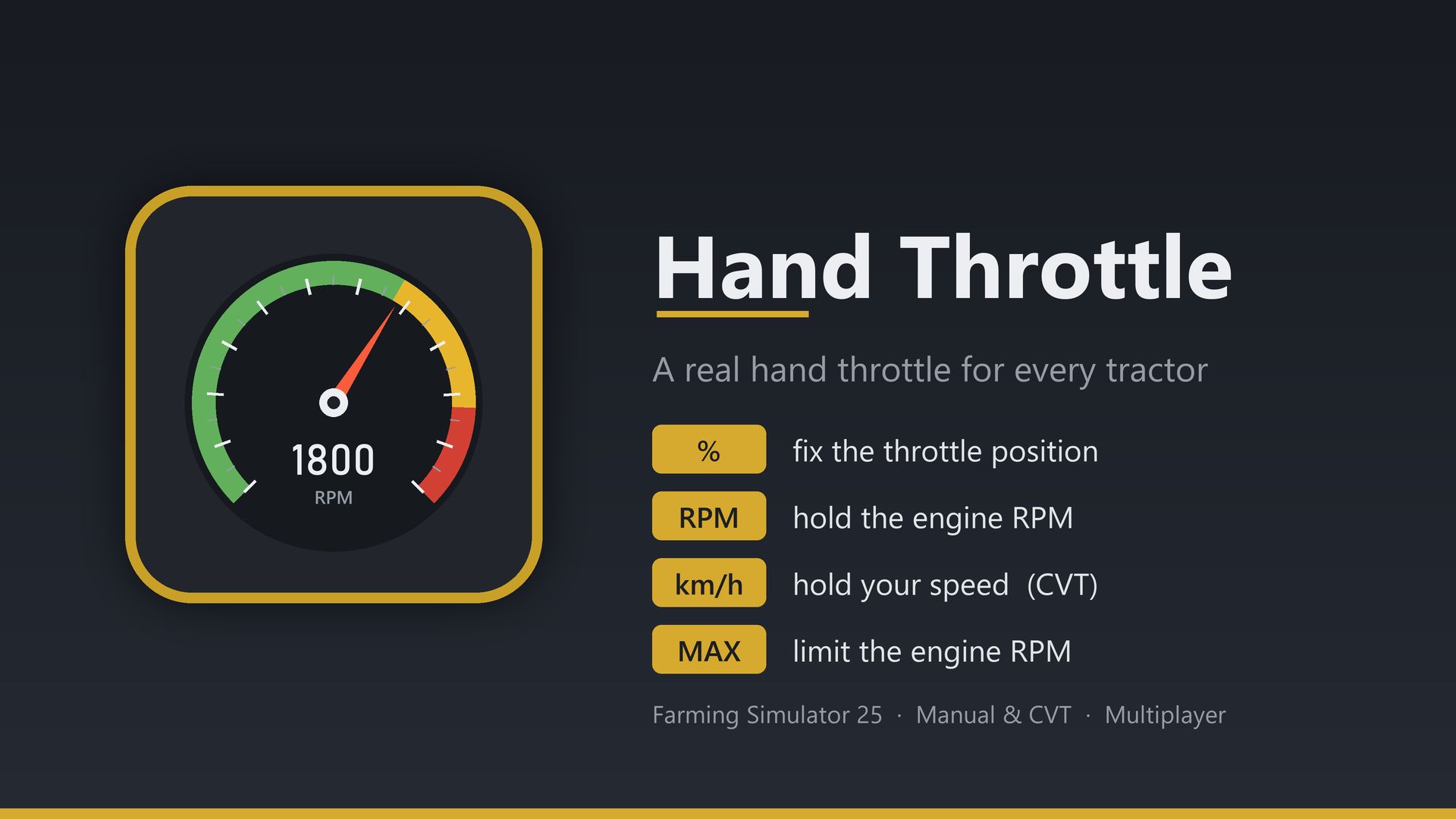
Hand Throttle FS25
A real hand throttle for every tractor. With a manual gearbox, set the throttle or the RPM and just work the gears; with a CVT, set the speed like the drive lever of modern tractors; and with any gearbox, cap the engine's maximum RPM.
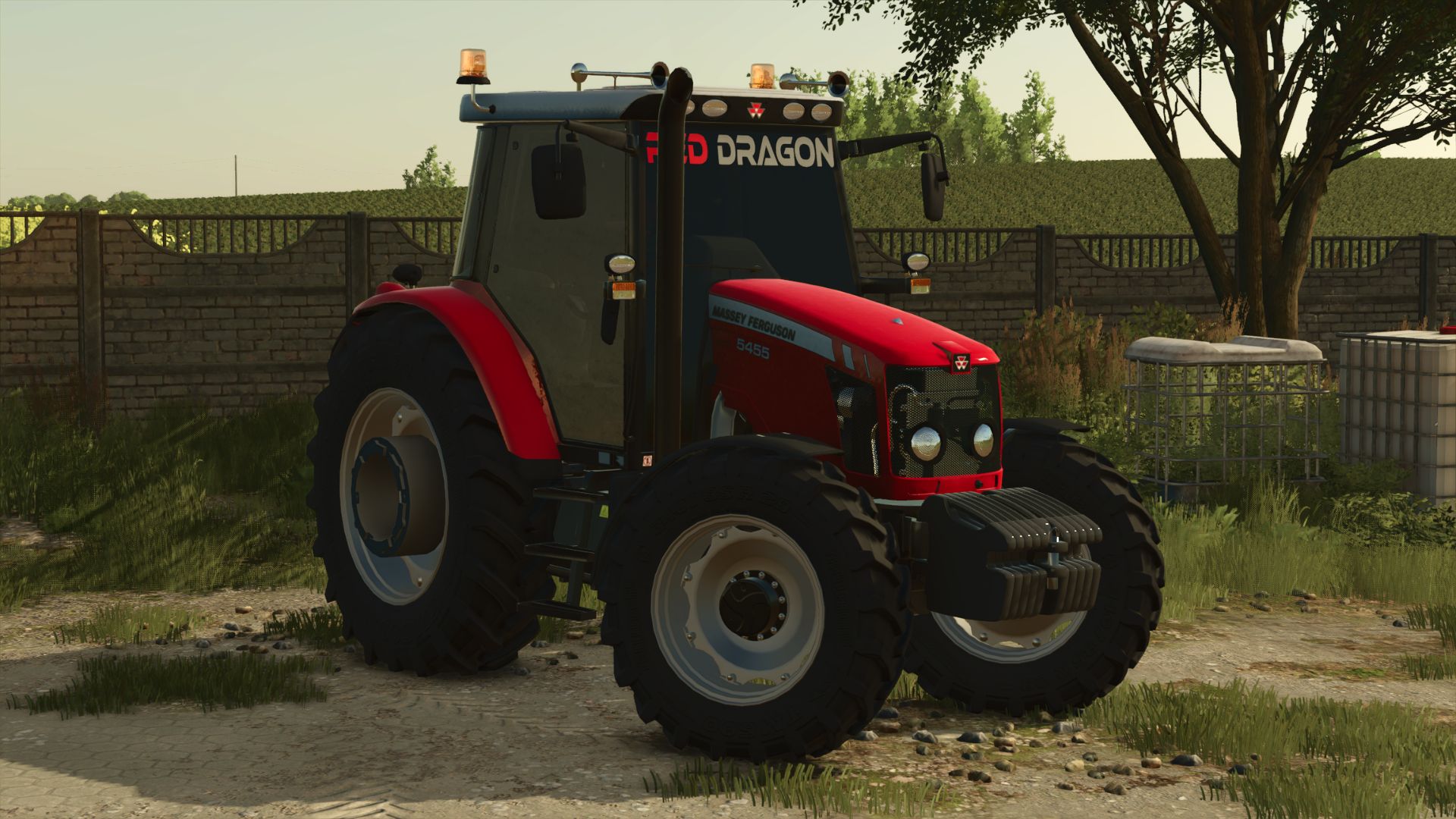
Massey Ferguson 5455 RED DRAGON FS25
I made a Massey Ferguson 5445 model tractor with tire lettering based on Ragnar's old 54D. Stealing parts is strictly forbidden. This is the version with tire lettering; editing it is also forbidden. If it is edited, that mod will be removed.
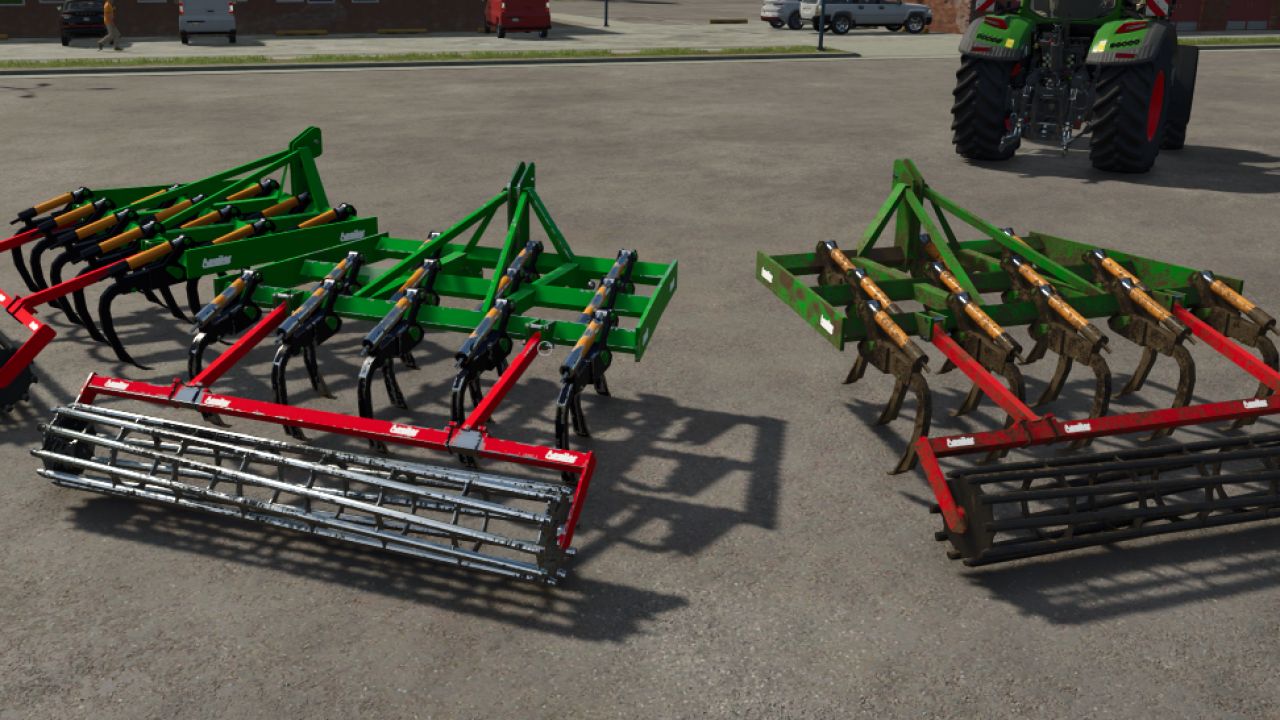
Aguilar Chisel FS25
Features: - Price: 8.000€ - Required power: 110cvx - Working width: 3M - Working speed: 13km/h Have fun everyone, and thank you for respecting my work.
- 15 per page
- 30 per page
- 45 per page
- 60 per page
-
See more per page
Bigger pages, fewer clicks - and no ads anywhere.
Go Pro