Farming Simulator 25 mods
76,924 results- 15 per page
- 30 per page
- 45 per page
- 60 per page
-
See more per page
Bigger pages, fewer clicks - and no ads anywhere.
Go Pro
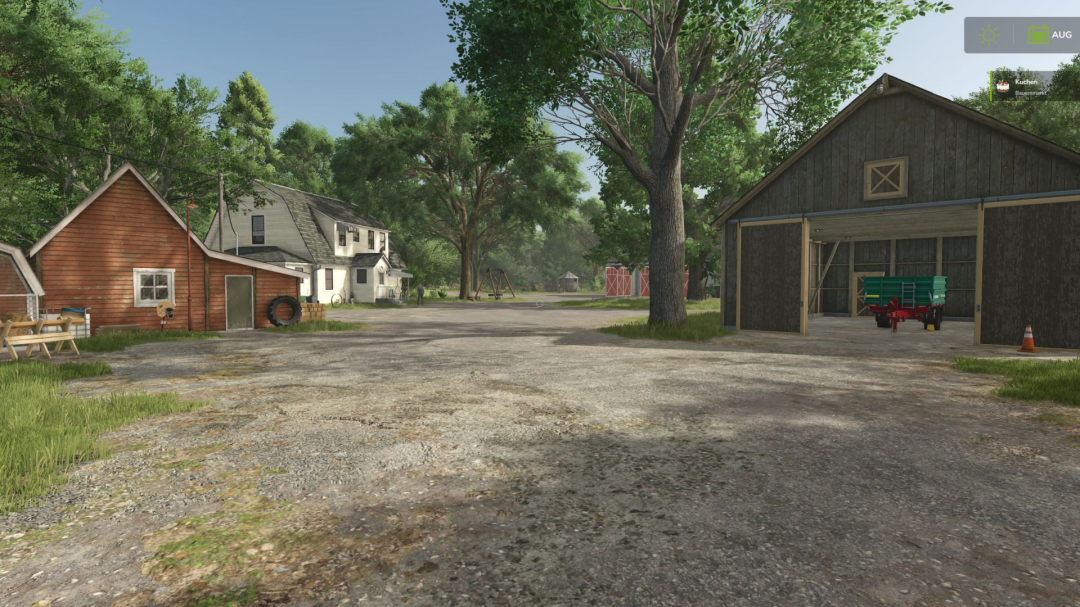
Market price helper V1.0.0.1
Are you tired of constantly opening the price menu just to avoid missing out on the best sale price? PriceTicker brings you the most important market prices directly into the game and complements Farming Simulator 25 with a clear LS25-style price menu. Instead of constantly switching through the standard price overview, you can see the best prices, points of sale, price trends, and your price alerts directly in your own menu or discreetly in the in-game HUD. **How it works:** - Open the ESC menu and select the PriceTicker tab - View the best sales prices and matching points of sale - Choose which fruit types and products to display in the HUD - Enable price alerts for specific products - Monitor price developments via small charts and trend indicators - Sell at the right time without having to constantly check the price overview **Features:** - Own PriceTicker menu in LS25 style - Overview of best sales prices and points of sale - Compact in-game HUD with product icon, price, point of sale, and trend - Support for standard fruits, productions, palettes, and compatible mod products - Automatic reading of the available price list entries - Product icons directly from the game and from supported mods - Seasonal price curve based on game data - Small price chart in the menu and HUD - Display whether a price is rising, falling, or remaining stable - Remaining time until the next price period - Price alerts with green message at top right - Sorting by trend, best price, or A-Z - Configurable HUD display: off, mini HUD, or alarms only - Multilingual support for all standard LS25 languages **Important:** - Works in single player and multiplayer - Also supports compatible mod fruit types and mod products - Prices are adjusted to the current economic difficulty - The display is based on the game’s available price and curve data Ideal for everyone who wants to keep a better eye on market prices and doesn’t want to miss the right time to sell. **V1.0.0.1** - Currency symbol is now dynamically read from the in-game currency selected (e.g., $, £, €) instead of being hardcoded as EUR
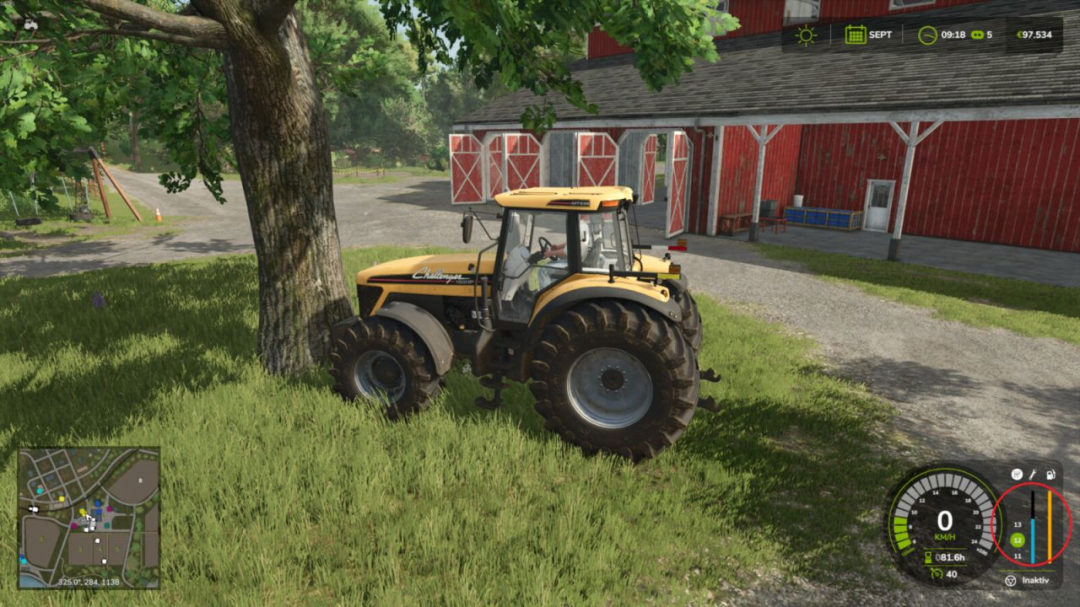
Collision Damage V1.0
Adds additional vehicle damage after stronger collisions. The mod utilizes the existing Giants damage system. It does not create visible deformations, but increases the normal vehicle damage value, which can be repaired as usual. The mod detects frontal, angled, and side impacts. When two usable vehicles, trailers, or tools collide, the hit object can receive the same additional damage if it has its own damage system. Static obstacles such as buildings, trees, terrain, map boundaries, water planes, and common interaction areas are not affected. Attached tools or trailers connected to the driven vehicle are not counted as a second collision participant. Damage calculations are performed on the server side, using the game's existing saving and synchronization mechanisms. Hotkeys: None. The mod works automatically.
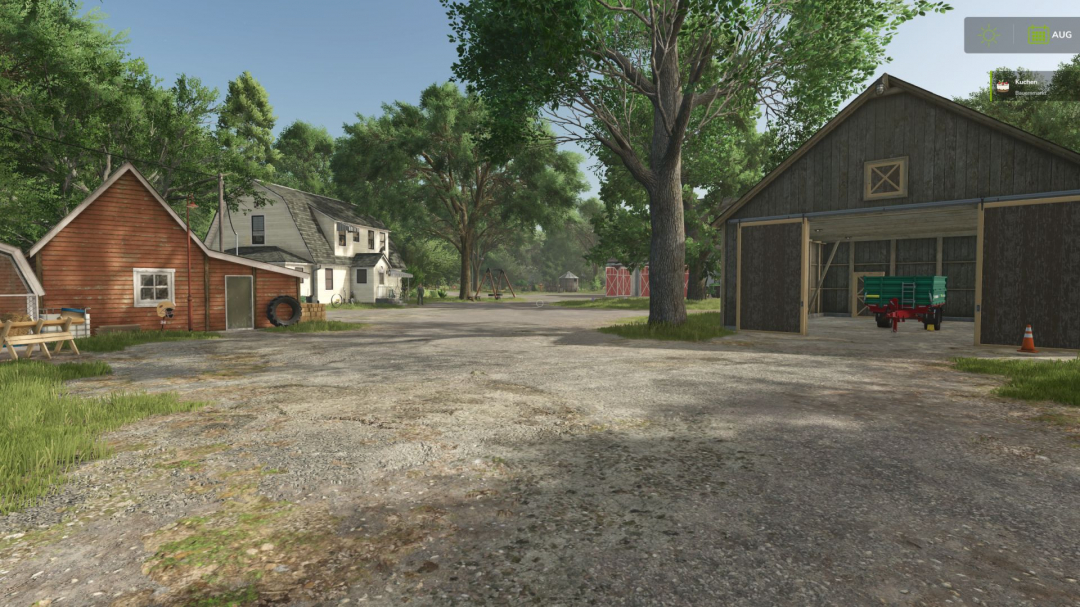
Market price helper V1.0.0.2
Are you tired of constantly opening the price menu just to avoid missing out on the best sale price? PriceTicker brings you the most important market prices directly into the game and complements Farming Simulator 25 with a clear LS25-style price menu. Instead of constantly switching through the standard price overview, you can see the best prices, points of sale, price trends, and your price alerts directly in your own menu or discreetly in the in-game HUD. **How it works:** - Open the ESC menu and select the PriceTicker tab - View the best sales prices and matching points of sale - Choose which fruit types and products to display in the HUD - Enable price alerts for specific products - Monitor price developments via small charts and trend indicators - Sell at the right time without having to constantly check the price overview **Features:** - Own PriceTicker menu in LS25 style - Overview of best sales prices and points of sale - Compact in-game HUD with product icon, price, point of sale, and trend - Support for standard fruits, productions, palettes, and compatible mod products - Automatic reading of the available price list entries - Product icons directly from the game and supported mods - Seasonal price curve based on game data - Small price chart in the menu and HUD - Display whether a price is rising, falling, or remaining stable - Remaining time until the next price period - Price alerts with green message at top right - Sorting by trend, best price, or A-Z - Configurable HUD display: off, mini HUD, or alarms only - Multilingual support for all standard LS25 languages **Important:** - Works in single player and multiplayer - Supports compatible mod fruit types and mod products - Prices are adjusted to the current economic difficulty - The display is based on the game's available price and curve data Ideal for everyone who wants to keep a better eye on market prices and doesn’t want to miss the right time to sell. **V1.0.0.2** - Added savegame storage for PriceTicker settings. - Selected fruit/product types, alarm values, HUD mode, sorting, and menu view are saved per save game. - Mod ZIP structure corrected so that LS25 can load the script files reliably. - Raw DDS warning texture fixed. - Savegame output improved: known fruit/product types are now saved explicitly.

RPM Work Mode V2.4.1
Work RPM for Farming Simulator 25 Release Notes Work RPM intelligently increases your engine speed during tasks that would normally leave the RPM at idle. It integrates seamlessly with the game’s existing dashboard and HUD, without extra displays or clutter. **What It Does** Automatic Work RPM Boost While controlling a vehicle from the cab, the mod dynamically raises engine RPM during active work situations: - Hydraulic Operations - Loader arms, telehandler booms, skid steers, forklifts, and other hydraulic movements. Loader-type machines receive a stronger boost, matching Giants’ intended high-flow behavior. - Tipping & Unloading - Maintains higher RPM during unloading for smoother operation. - Implement Folding - Activates when tools are folding or unfolding. - Attacher Movement - Engages during three-point linkage or hitch lifting/lowering. - Combine / Auger Pipe Movement - Applies when pipes are folding or unfolding. **Customization** All features can be individually enabled or disabled in the in-game settings, giving you full control over how the system behaves. **V2.4.1.0** Install / Folder Name The mod folder has been renamed to FS25_WorkMode (previously RPM_WorkMode). Remove the old folder from your mods directory and use only the new one. Settings are saved under Documents/My Games/FarmingSimulator2025/modSettings/ as FS25_WorkMode.xml. If you used the old name, copy or rename RPM_WorkMode.xml to FS25_WorkMode.xml to keep your toggles. **What’s New** Steadier engine RPM on telehandlers, wheel loaders, and similar machines while using the boom or hydraulics; the tachometer should no longer drop under hydraulic load. **Also in this release** - Reworked vehicle scripts for better stability (single player and multiplayer) - Improved compatibility with attached tools and Ifko’s Green Bean and Pea Harvest Addon - Game Settings: five categories under ESC Settings, Game Settings, RPM WorkMode - No extra key bindings required.
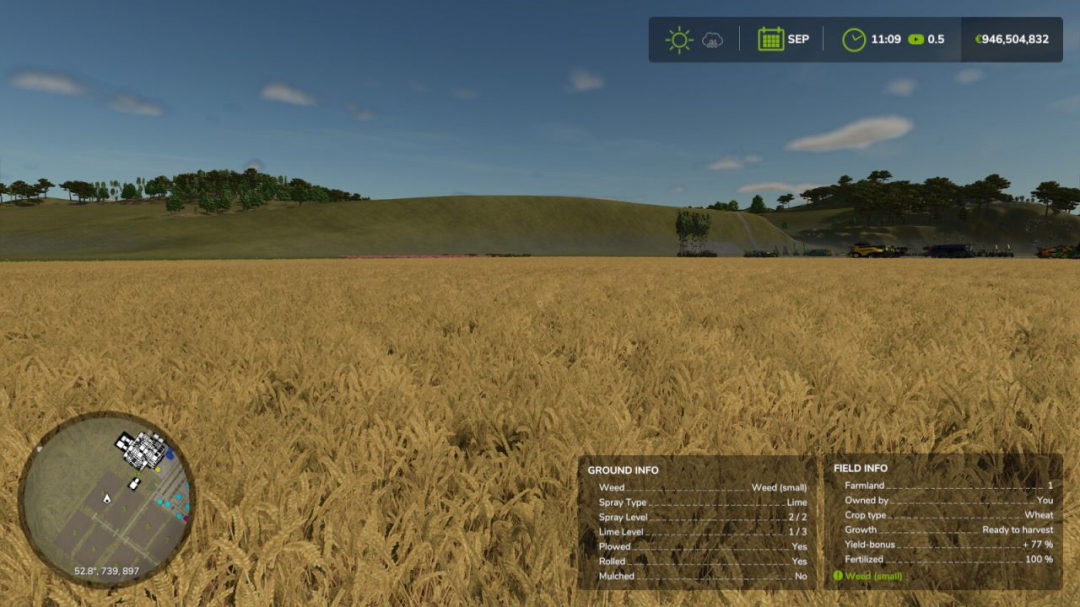
Field Detail Hud Infos V1.0
NEVER GUESS AGAIN — KNOW YOUR FIELD INSIDE OUT! Are you still driving over your fields wondering what’s going on under your tractor? Those days are OVER! Introducing Field Detail Infos — the mod that puts your soil’s deepest secrets right on your HUD, in real time, no questions asked! **With ONE glance you’ll know:** - Ground Type — exactly what state your soil is in - Weed Status — before it becomes your problem - Fertilizer Type & Level — know what’s been applied - Lime Level — never miss another lime cycle - Plowed? Rolled? Mulched? — YES or NO, instantly But wait — there’s MORE! Choose how your information is displayed: - OFF — for the minimalists - Stacked — your Ground Info box appears neatly below the Field Info box - Side by Side — both boxes displayed together, shoulder to shoulder Set it once in your game settings — and it stays saved. No fuss, no guesswork, no wasted passes across the field! Your soil knows everything. Now YOU do too. Field Detail Infos — because great farmers make informed decisions.

WayPoint GPS BETA 2 v1.0
WayPoint GPS Beta is a standalone GPS route guidance system for Farming Simulator 25. Open the full ESC map, hold CTRL, and click anywhere to set a GPS destination. WayPoint GPS will draw a clean route line on the minimap and map screen, providing a visual driving guide without the need for any external routing mod. This is a beta release shared for public testing and feedback before a wider release. **Features** - Standalone GPS route system - CTRL + left click on the ESC map to set or add waypoints - SHIFT + left click on the ESC map to remove the last waypoint - Support for multiple waypoints - Routes are rebuilt through all active waypoints in order - Route line displayed on the minimap and full map - Dedicated WayPoint GPS route graph system for supported maps - Built-in fallback routing for maps without a dedicated route graph - AI-road-based routing with off-road and last-mile connectors - Optional steering assist - Customizable route line color - Customizable waypoint pin color - Adjustable route thickness and visibility - Bindable controls in the controls menu - Custom GPS waypoint marker - Strict map matching to prevent loading the wrong route graph on custom maps If a map lacks a dedicated WayPoint GPS route graph, the mod automatically defaults to its built-in routing logic. **Important Beta Notes** - Path guidance is only approximate and may not always be perfect, especially around bridges, islands, ferry crossings, yards, field entrances, sharp turns, and off-road targets. - Steering assist is experimental and not a full autopilot. Always verify the route before driving and be prepared to steer, brake, or take manual control. - Feedback is welcome, especially for maps where routes do not follow roads correctly. **BETA 2** - Support for multiple waypoint stops added. - CTRL + left click on the full ESC map now adds a waypoint. - SHIFT + left click removes the last waypoint. - Routes are now rebuilt through all active waypoints in sequence. - Waypoint pins display for multiple stops on the map and minimap. - When the first waypoint is reached, the route automatically proceeds to the next stop. **Route Graph System** - WayPoint GPS uses its own internal route graph format. - If a map does not have a matching route graph, the mod defaults to its built-in routing logic. **Routing Improvements** - Enhanced strict map matching to prevent loading incorrect route graphs on custom maps. - Maintains support for base-game routes. **Routing Fallback Enhancements:** - AI road graph scanning - Traffic and AI road splines - Road-biased terrain routing - Off-road and last-mile connectors - Steering Assist / Pathing - Steering assist remains experimental. - Safe-turn penalties are active to discourage shortcuts across sharp corners. - Right-side road behavior remains enabled where supported by route data.
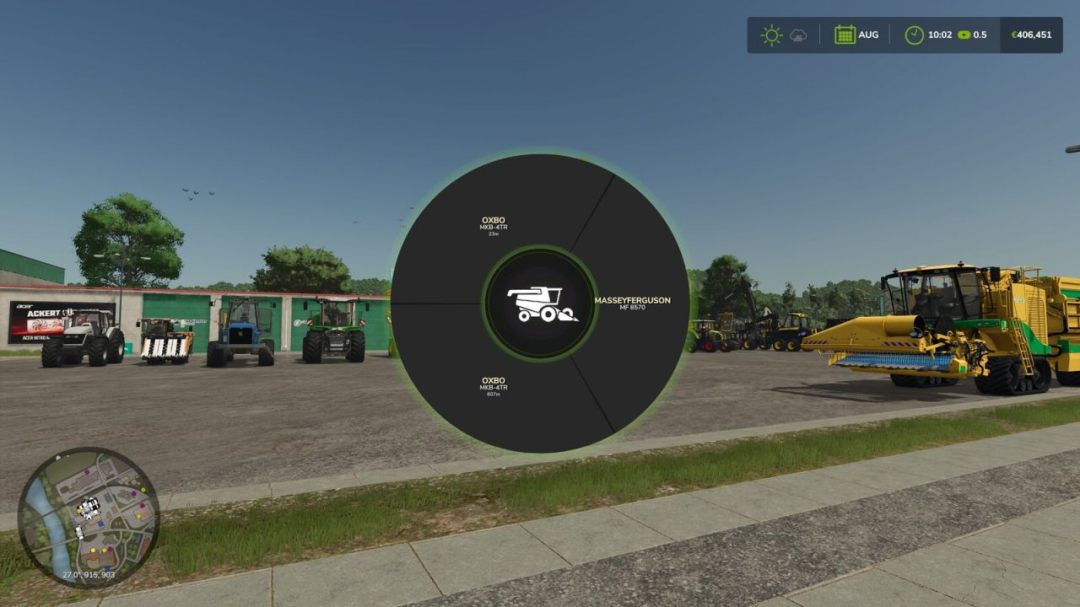
Machinery Pie Menu V1.3.0.1
Machinery Pie Menu adds a quick radial vehicle selector to Farming Simulator 25. Press T to open the menu, choose a machinery category, then select a machine from your farm to switch directly into it. **FEATURES:** - Two-step category and machine selection - Center icon updates to the selected category - Displays only vehicles accessible from the local farm - Seamless native FS25 vehicle switching flow **COMING SOON:** - Favorites and recently used machines - Free-text search for machines - Compact status badges - Cleanup of harvester category Default key: T

Farm Tablet V2.3.1.1
FarmTablet – A compact, all-in-one farm management tablet for Farming Simulator 25. Originally inspired by a tablet mod for FS17, built from scratch for FS22 and now fully converted and rewritten for FS25. The goal is simple: useful farm info at a glance, without getting in the way of gameplay. The mod has been rebuilt with a clean, modular structure — every app lives in its own file, making it easy to expand, fix, and improve over time. It’s actively developed and shaped by community feedback. **What’s in it right now:** - Dashboard — farm overview with balance, fields, vehicles, and world state - Weather — current conditions, temperature, wind, cloud cover, and forecast - Fields — all owned fields with crop type and growth stage - Animals — pen status with food, water, and cleanliness levels - Workshop — nearby vehicle diagnostics with fuel, wear, and operating hours - Bucket Tracker — load counter for wheel loaders and excavators - Digging — excavation tracking and soil scanner - App Store — browse and manage installed apps - Settings — configure the tablet from the pause menu - Updates — changelog and version history **Mod integrations (auto-detected at runtime, safe to run without them):** - NPC Favor, Soil Fertilizer, Seasonal Crop Stress, Income Mod, Tax Mod **What’s coming next:** - Better tablet visuals and frame design - Icons instead of text labels - Sounds, color tweaks, and UI polish - More apps and deeper interactions based on feedback - Multiplayer improvements The mod is in active development. Bug reports, ideas, and suggestions are always welcome — this is a community project and your feedback directly shapes what gets built next. **COPYRIGHT NOTICE:** All rights reserved. Unauthorized redistribution, copying, or claiming this mod as your own is strictly prohibited. **V2.3.1.1** - New: Danish translations added for the mod title, mod description, and the tablet toggle keybind. Thanks to DJWestDK! - Fixed: Digging App terrain height was reading incorrectly due to a wrong argument order in the terrain API call. Ground elevation now displays accurately. **Required mods:** - Income Mod - Tax Mod - NPC Favor - Realistic Soil & Fertilizer - Seasonal Crop Stress - Market Dynamics - Realistic Worker Costs - Random World Events

Realistic Worker Costs V1.0.9.1
Realistic Worker Costs Mod for Farming Simulator 25 adds authentic ongoing wage expenses for hired workers, making farm management more strategic and challenging. **MAIN FEATURES:** - Configurable wage system: Choose between hourly or per-hectare payments - Three wage levels: Low ($15/h), Medium ($25/h), High ($40/h) - Skill-based wages: Workers with higher skills earn higher wages - Full integration with in-game settings - Console commands for complete control - Multiplayer support - Supports 10 languages - Compatible with save games **HOW IT WORKS:** Workers now incur costs while active! The mod automatically calculates wages based on: 1. Time worked (hourly mode) OR hectares worked (per hectare mode) 2. Worker skill level (multiplier from 80% to 120%) 3. Your selected wage level or custom rate **SETTINGS OPTIONS:** - Enable/Disable: Turn the mod on or off - Cost Mode: Hourly or Per Hectare - Wage Level: Low, Medium, or High - Custom Rate: Set your own wage amount - Notifications: Toggle payment alerts - Debug Mode: Enable detailed logging **CONSOLE COMMANDS:** Type ‘workerCosts’ in console for a full list, including: - WorkerCostsEnable/Disable - WorkerCostsSetWageLevel 1|2|3 - WorkerCostsSetCostMode 1|2 - WorkerCostsSetCustomRate - WorkerCostsTestPayment - WorkerCostsShowSettings - WorkerCostsResetSettings **INSTALLATION:** 1. Extract to your FS25 mods folder 2. Enable in the mod menu 3. Configure settings in-game or via console **COMPATIBILITY:** - Compatible with FS25 (all versions) - Supports multiplayer - Compatible with most other mods - Safe to add or remove from existing saves This mod introduces a new financial layer to your farming operations. Now, you must consider not only equipment costs but also labor expenses when planning your farm’s profitability. It enhances realism and difficulty, perfect for players seeking a deeper economic experience. **Note:** All rights reserved. Redistribution or claiming as your own work is prohibited. **COPYRIGHT NOTICE:** All rights reserved. Unauthorized redistribution, copying, modification, or claiming this mod as your own is strictly forbidden. **V1.0.9.1:** - Fixed: NPC neighbor workers (e.g., from FS25 Working Neighbor On Field) were incorrectly billed to your farm. Worker cost tracking now verifies farm ownership, so only your hired workers are counted. - New: Added full Danish translation (63 strings). Thanks to DJWestDK!
Vehicle trade-in V1.1.0.2
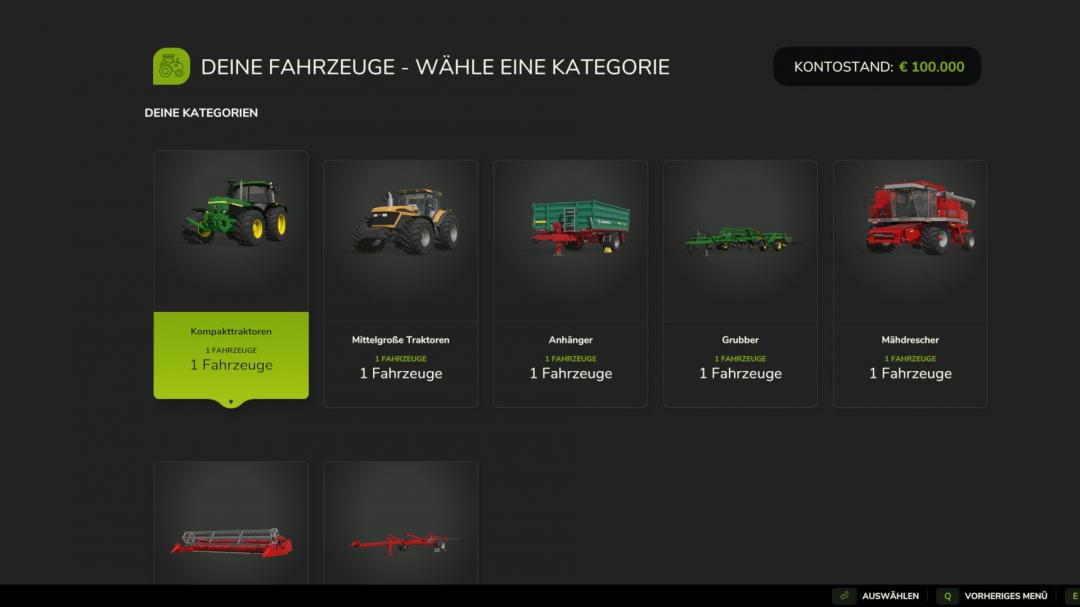
Are you tired of selling your old vehicles for little money and then having to buy new ones at full price? The vehicle trade-in mod introduces a realistic trade-in system to Farming Simulator 25 — just like a real dealer. Instead of selling and buying separately, you can now exchange your existing vehicles directly for new ones. The trade-in value is calculated realistically based on several factors and automatically deducted from the purchase price. **Control:** - CTRL + T opens the statistics menu - The menu can now be found in the LS 25 shop **How it works:** - Press Ctrl+T to open the trade-in menu - Select a category and the vehicle you want to trade in - Browse the shop and choose your new replacement vehicle - Confirm the exchange — the value will be credited automatically - The configurator opens immediately so you can customize colors, wheels, license plates, and other options - The new vehicle appears at the nearest dealer **6-stage price calculation:** - Level 1: Base value (original purchase price) - Level 2: Operating hours deduction (more hours = less value) - Level 3: Damage factor (damaged vehicles lose value) - Level 4: Pollution penalty (dirty vehicles lose up to 10%) - Level 5: Age factor (older vehicles are worth less) - Level 6: Minimum value limit (vehicles always retain a minimum value) **Features:** - Trade-in financing for configured vehicle purchases - Realistic trade-in value based on age, hours, damage, and contamination - Supports all standard FS25 vehicle categories (tractors, harvesters, trailers, attachments, trucks, etc.) - Full vehicle configurator after exchange (colors, wheels, license plates) - Customizable pricing rules (value loss per hour, minimum value, damage factor, age factor, etc.) - Complete sales statistics with totals, averages, and records - Optional cleaning and repair required before exchange **Important:** - Works in single player and multiplayer - Placeable objects and bundle items are automatically filtered out Ideal for anyone seeking more realistic vehicle management on their farm. **V1.1.0.2** - Hardcoded German UI texts in the financing dialog have been converted to localization keys. - The trade-in settings in the game menu now use localized texts instead of fixed German titles. - Vehicle card texts such as surcharge, new price, active trade-in, and bonus/cost lines now run via voice files.

Random World Events V2.1.6.2
Random World Events is the complete FS25 rewrite of the original FS22 mod. It features a probabilistic event engine that triggers timed world events during gameplay, impacting your economy, vehicles, fields, and more. Each event can be customized with adjustable intensity, duration, and cooldown. A dedicated physics layer applies terrain-aware wheel grip and suspension tuning to your vehicle every frame. All settings are saved per savegame, allowing each farm to have its own configuration. — Over 43 unique events across 4 active categories — Customizable frequency (1–10), intensity (1–5), and cooldown (1–240 min) — Events trigger automatically based on a probability timer during gameplay — Manual activation via settings panel or the rweTest console command — Enable or disable categories individually (economic, vehicle, field, special) — In-game HUD notifications and warnings when events start and end — Only one event can be active at a time — cooldown prevents event spam **Known Limitations** — Wildlife/animal events: category toggle exists but events are not yet implemented — Weather events: category toggle exists but events are not yet implemented — Multiplayer: supported in theory, but money and physics changes are local-only; proper network sync is not yet available — Physics values (articulationDamping and comStrength) are configurable but not yet integrated with an FS25 physics API All rights reserved. Unauthorized redistribution, modification, reuploading, or claiming this mod as your own is strictly prohibited. **V2.1.6.2** — Fixed: Active events and cooldown timers now persist through save/load. Previously, reloading a game would cancel active events and reset cooldowns, making contracts and timed events unreliable. — New: Full German translation (98 strings). Thanks to Phasen-kasper! — New: Danish translation (102 strings). Thanks to DJWestDK! Enjoy a more unpredictable farming experience!

Market price helper V1.0.0.3
Are you tired of constantly opening the price menu just to avoid missing out on the best sale price? PriceTicker brings you the most important market prices directly into the game and complements Farming Simulator 25 with a clear LS25-style price menu. Instead of constantly switching through the standard price overview, you can see the best prices, points of sale, price trends, and your price alerts directly in your own menu or discreetly in the in-game HUD. **How it works:** - Open the ESC menu and select the PriceTicker tab - View the best sales prices and matching points of sale - Choose which fruit types and products to display in the HUD - Enable price alerts for specific products - Monitor price developments via small charts and trend indicators - Sell at the right time without having to constantly check the price overview **Features:** - Own PriceTicker menu in LS25 style - Overview of best sales prices and points of sale - Compact in-game HUD with product icon, price, point of sale, and trend - Support for standard fruits, productions, palettes, and compatible mod products - Automatic reading of the available price list entries - Product icons directly from the game and from supported mods - Seasonal price curve based on game data - Small price chart in the menu and HUD - Display whether a price is rising, falling, or remaining stable - Remaining time until the next price period - Price alerts with green message at top right - Sorting by trend, best price, or A-Z - Configurable HUD display: off, mini HUD, or alarms only - Multilingual support for all standard LS25 languages **Important:** - Works in single player and multiplayer - Also supports compatible mod fruit types and mod products - Prices are adjusted to the current economic difficulty - The display is based on the game's available price and curve data Ideal for everyone who wants to keep a better eye on market prices and doesn’t want to miss the right time to sell. **V1.0.0.3:** - A search field has been added to the Fruit Varieties and Alarms tabs. - The search filters by product/filling type and sales station. - Select All and Deselect All now refer to the filtered results when a search is active. - Localized search texts for all supported languages have been added.
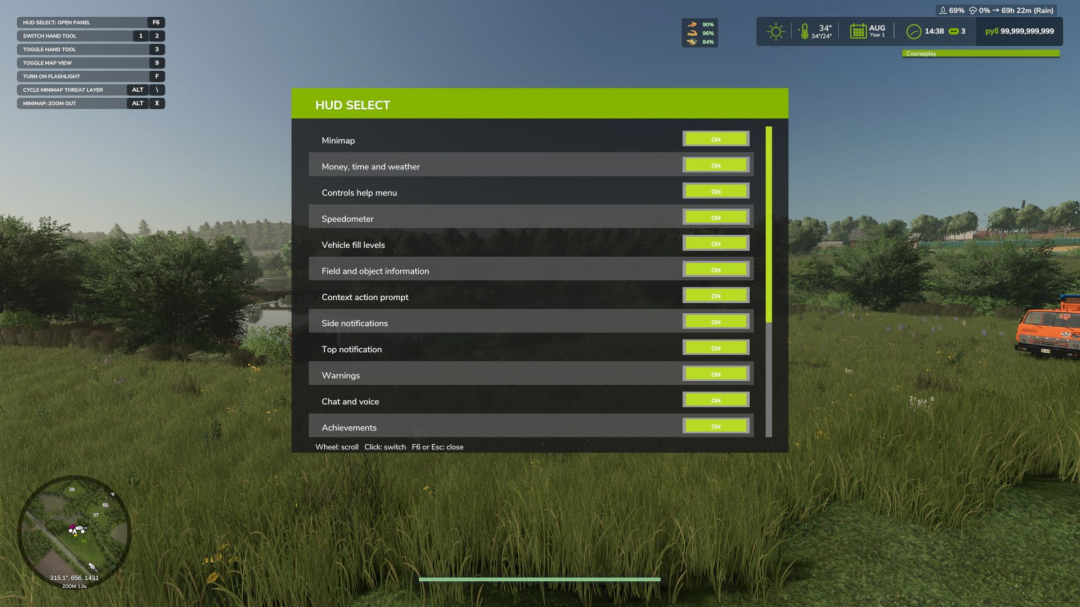
HUD Select V1.0
HUD Select allows you to independently choose which elements of the game interface will be displayed on the screen. Disable unnecessary panels, free up your view, and customize the HUD to suit your playstyle: for field work, first-person travel, screenshots, or cleaner, more realistic gameplay. The mod works both on foot and in vehicles. **Mod features** Using a convenient settings panel, you can separately turn on and off standard game HUD elements: - minimap; - block of money, time, and weather; - control hint menu; - speedometer; - equipment filling levels; - information about the field and objects; - contextual actions; - side notifications; - top notifications; - warnings; - chat and voice communication; - achievements; - game messages; - name of the technique. The panel supports a scrollable list, so all elements are conveniently collected in one place and do not take up unnecessary space on the screen. **HUD support for other mods** HUD Select can find and add to its list some interface panels of third-party mods. For supported HUDs, you can also separately turn on and off the display through the general settings panel. **Currently, support is provided for, among other things:** - Live Farmer HUD; - Mud Wetness Mini HUD; - Haul Counter HUD; - Soil Fertilizer HUD; - Courseplay Vehicle HUD; - Courseplay Messages. Support for other modded HUDs may be expanded in future versions. **Management** - F6 – open or close the HUD Select panel. - Esc – close the HUD Select panel. - Left mouse button – turn on or off the selected interface element. - Mouse wheel – scrolls the list of elements. The panel open key can be reassigned in the standard game control settings.
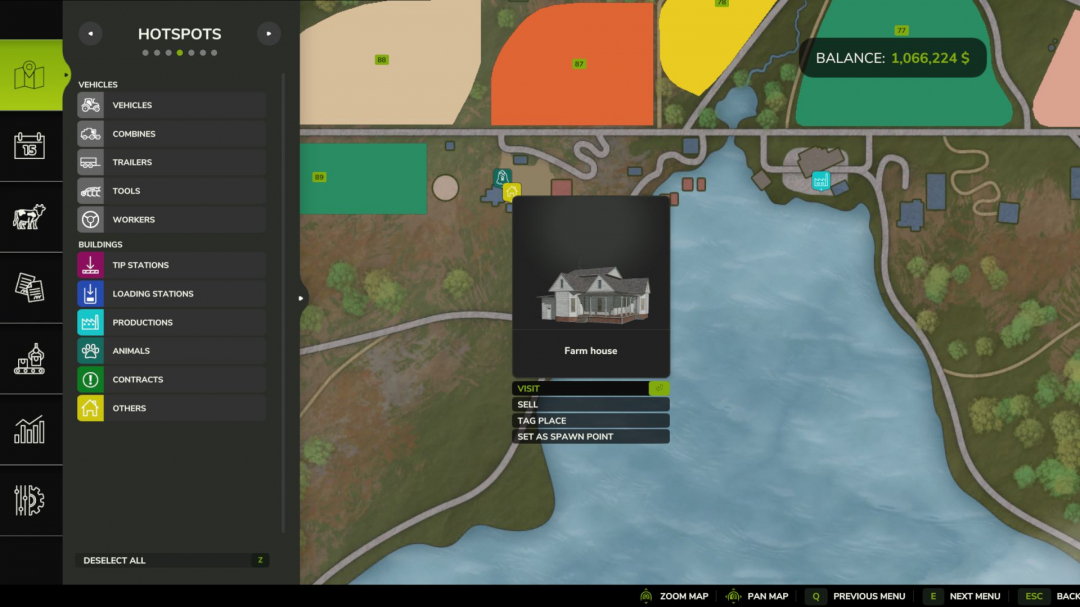
Set Spawn Location V1.0
A small Farming Simulator 25 mod that allows farm managers to select which farmhouse their farm spawns the player at upon game load. By default, FS25 uses the first farmhouse owned by your farm. With this mod, anyone with farm-manager rights can open the in-game map, click on a farmhouse hotspot owned by their farm, and select 'Set as spawn point'. From then on, every player on that farm will spawn at the chosen house. Clicking the same house again will clear the setting and revert to the default behavior. Usage Open the in-game map (default: ESC ? Map ? Hotspots) Click a farmhouse hotspot belonging to your farm In the context menu, select 'Set as spawn point' To revert, click the same farmhouse again and choose 'Clear spawn point' The button only appears on farmhouses that belong to your active farm, and only if you are a farm manager (or admin / single-player owner). Multiplayer and dedicated server compatible.
Market price helper V1.0.0.4
Are you tired of constantly opening the price menu just to avoid missing out on the best sale price? PriceTicker brings you the most important market prices directly into the game and complements Farming Simulator 25 with a clear LS25-style price menu. Instead of constantly switching through the standard price overview, you can see the best prices, points of sale, price trends, and your price alerts directly in your own menu or discreetly in the in-game HUD. **How it works:** - Open the ESC menu and select the PriceTicker tab - View the best sales prices and matching points of sale - Choose which fruit types and products to display in the HUD - Enable price alerts for specific products - Monitor price developments via small charts and trend indicators - Sell at the right time without having to constantly check the price overview **Features:** - Own PriceTicker menu in LS25 style - Overview of best sales prices and points of sale - Compact in-game HUD with product icon, price, point of sale, and trend - Support for standard fruits, productions, palettes, and compatible mod products - Automatic reading of the available price list entries - Product icons directly from the game and from supported mods - Seasonal price curve based on game data - Small price chart in menu and HUD - Display whether a price is rising, falling, or remaining stable - Remaining time until the next price period - Price alerts with green message at top right - Sorting by trend, best price, or A-Z - Configurable HUD display: off, mini HUD, or alarms only - Multilingual support for all standard LS25 languages **Important:** - Works in single-player and multiplayer - Also supports compatible mod fruit types and mod products - Prices are adjusted to the current economic difficulty - The display is based on the game’s available price and curve data Ideal for everyone who wants to keep a better eye on market prices and doesn’t want to miss the right time to sell. **V1.0.0.4** - Added automatic currency support for all price displays. - Prices now use the currency set in the game instead of a fixed EUR/t display. - HUD, ESC menu, history, detail popups, and price alerts now show the active in-game currency.
- 15 per page
- 30 per page
- 45 per page
- 60 per page
-
See more per page
Bigger pages, fewer clicks - and no ads anywhere.
Go Pro