Farming Simulator 22 mods
50,366 results- 15 per page
- 30 per page
- 45 per page
- 60 per page
-
See more per page
Bigger pages, fewer clicks - and no ads anywhere.
Go Pro

FS25 Claas Mercator Sound Prefab
FS25 Claas Mercator Sound Prefab Advanced realistic sounds of Claas Mercator combine series
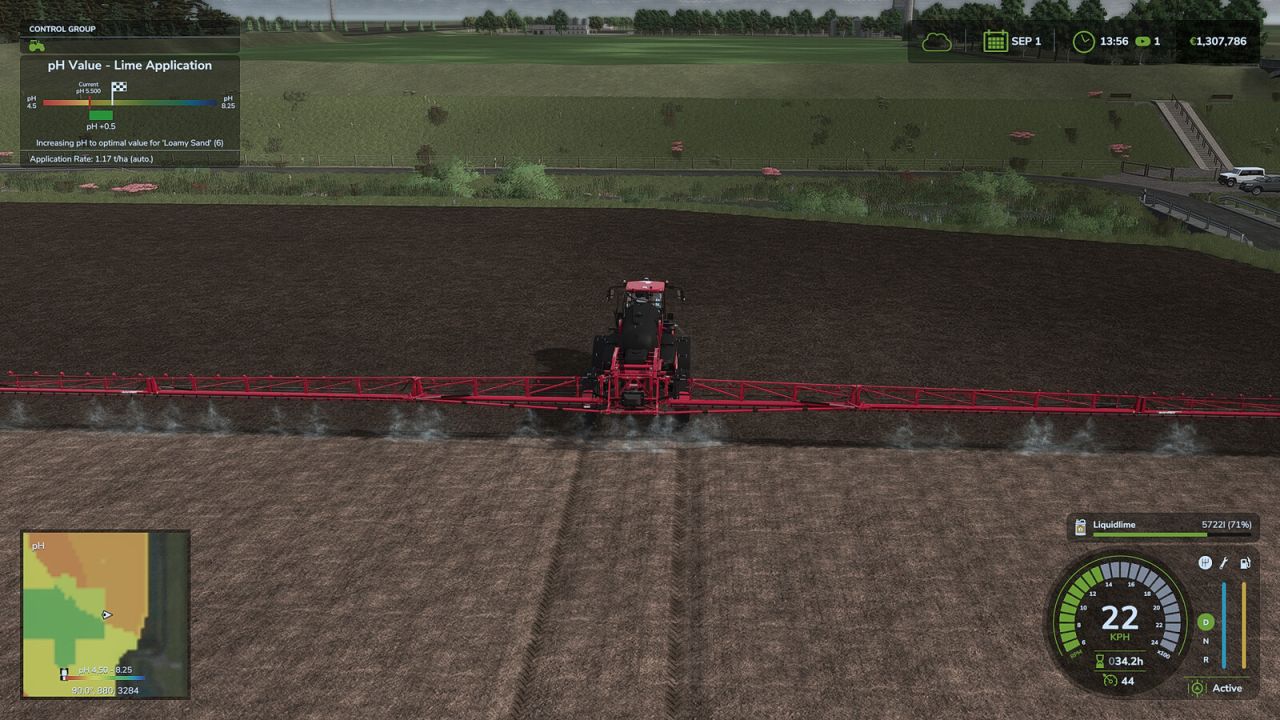
Precision Farming Liquid Lime Fix FS25
Fixes liming with Precision Farming. - Liquid lime is recognized as lime by Precision Farming. The usage depends on the weights the map defines for lime and liquid lime, compared to solid lime you save 20 percent with liquid lime - The HUD shows the matching application rate for liquid lime if the map defines a realistic weight for liquid lime - Sections without a valid measuring point get the soil type and target value of their own position instead of the average of the working width This mod does not add liquid lime to the game. The map must already include it with sensible values. Uploading to sites other than ModHub is prohibited and therefore illegal, linking only with original download link. NO substitute link! Modifying and re-uploading in whole or in part is not allowed! Bugs and suggestions welcome on GitHub: https://github.com/Achimobil/FS25_PrecisionFarmingLimeFix
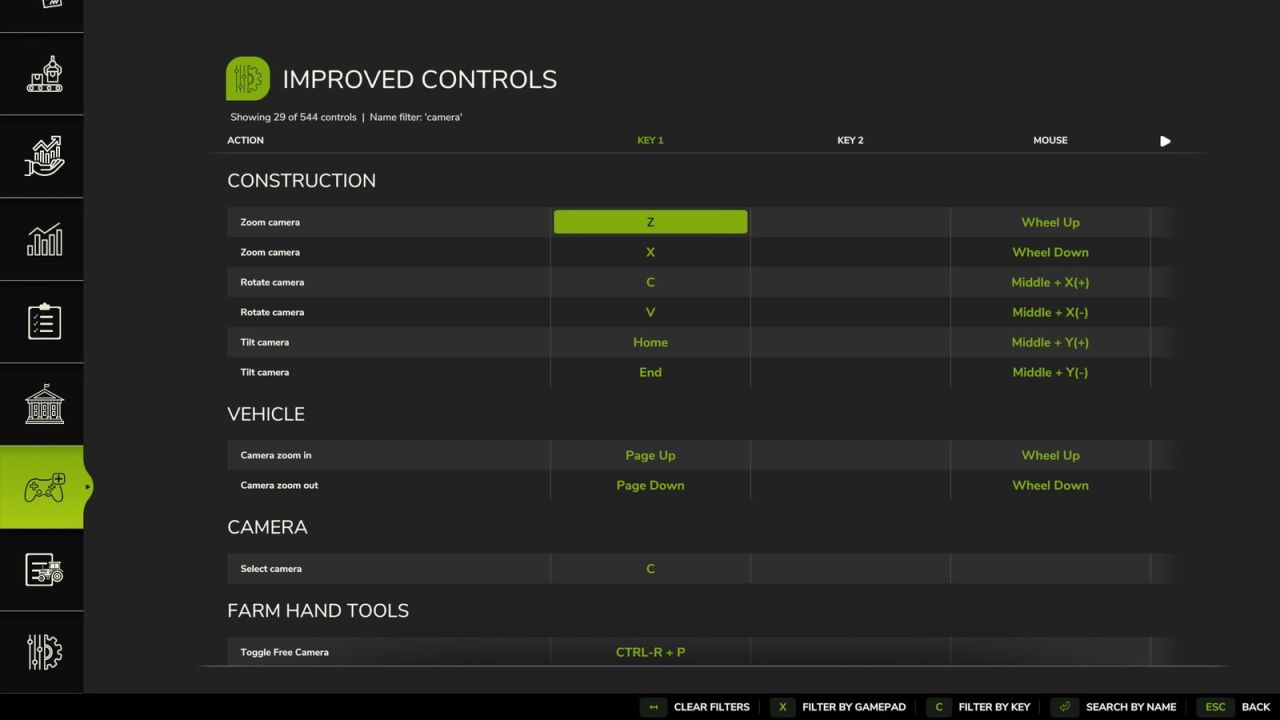
Improved Controls Menu FS25
This mod allows you to manage your control bindings in an easier way. Features: - Filter controls by name - Filter controls by key or controller input - Allows you to bind 'locked' controls e.g. menu navigation to any device. - Fix joystick axis filtering to find bindings in both directions. - Use "controller" wording for the input filter. - Controls now render with icon glyphs where applicable. - Add a slider to the controls list for easier navigation.

FS25 Shaders by Frinks (DLSS 5) v1.0.0.1
FS25 Shaders by Frinks (DLSS 5) v1.0.0.1 Hello. I’m sharing my custom shaders. They look best with DLSS 5 neural rendering. Below, I’ll provide Rajot’s guide on how to install DLSS 5. Thank you in advance. V1.0.0.1 Added a little more light.

FS25 Realistic Rain on Windows beta
FS25 Realistic Rain on Windows beta Rain Glass v1.0 – Realistic Rain on Windows & Working Wipers Take the realism of driving in Farming Simulator 25 to a whole new level! The Rain Glass mod completely transforms your experience of working in harsh weather conditions by introducing advanced visual effects to all machinery cabins. No more perfectly dry windows during a heavy downpour – now you can truly feel the atmosphere of unpredictable autumn weather on your farm! Key Features: • Dynamic Raindrops: Realistic water droplets appear on the front, side, and rear windows of your vehicles. • Animated Running Water: The drops don’t just stay still! Watch authentic streams of water roll down the glass, reacting to gravity and the movement of the machine. • Fully Functional Wipers: Wipers on tractors and harvesters finally serve a practical purpose. When turned on, they effectively wipe away the water, leaving a clean, clear area and significantly improving visibility from inside the cabin (FPV view). • Immersive Weather: The effect syncs perfectly with the dynamic weather system of FS25, reacting directly to the intensity of the rainfall. Technical Info: • Compatibility: Works flawlessly with most base-game machines and properly optimized modded vehicles that follow standard FS25 window texture formats. • Game Version: Farming Simulator 25 • Performance Friendly: Highly optimized to ensure no FPS drops or performance issues. Turn a boring drive in the rain into an atmospheric challenge. Download the mod and hit the fields no matter the weather!


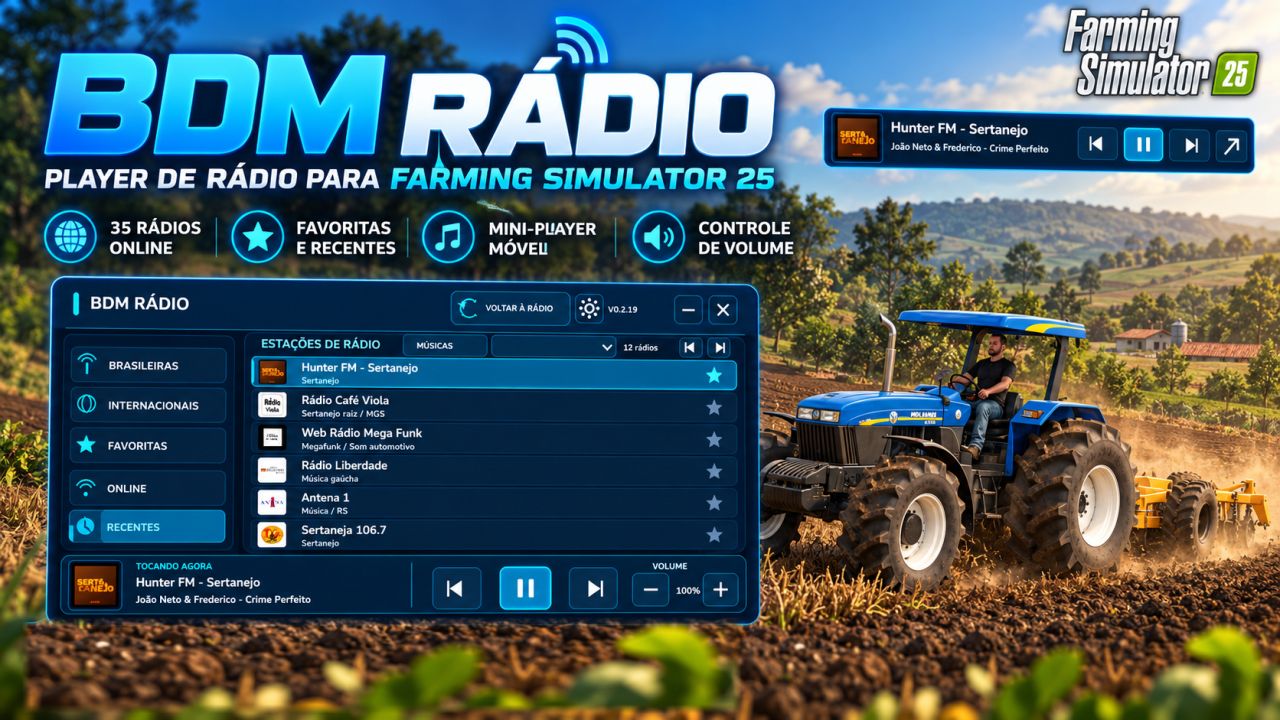
BDM Radio FS25
🎵 YOUR SOUNDTRACK IN THE FIELD! BDM Radio adds a modern radio player to Farming Simulator 25, allowing you to listen to online stations while working in the fields, transporting loads or exploring the map. The mod includes 35 Brazilian and international radio stations, featuring styles such as sertanejo, rock, pop, funk, MPB, classical music and others. 📻 MAIN FEATURES - 35 online radio stations - Modern and organized interface - Station logos - Movable mini-player - Volume control - Favorites system - Recent radio history - Station name, artist and song when available - Play, pause, previous and next controls - Saved preferences and settings 📥 INSTALLATION Two files are required. 1. Place FS25_BDMRadio.zip in: Documents\My Games\FarmingSimulator2025\mods Do not extract the ZIP file. 2. Place streamingInternetRadios.xml in: Documents\My Games\FarmingSimulator2025\music If a file with this name already exists, make a backup before replacing it. Then: - Activate BDM Radio in the mod selection. - Keep the original FS25 radio activated. - In the game settings, choose whether the radio should play only inside vehicles or all the time. - Load the game normally. 🎮 HOW TO USE Main shortcut: CTRL + ALT + 0 Opens or minimizes the BDM Radio panel. In the interface, you can access: - Brazilian stations - International stations - Favorites - Recent - Add/remove favorites - Play/pause - Previous/next station - Volume control - Mini-player ⚠️ COMPATIBILITY A conflict with FS25_RadioEnhancements has been identified. With both mods active, the BDM Radio volume control may stop working correctly. Recommendation: disable FS25_RadioEnhancements when using BDM Radio. 📡 IMPORTANT INFORMATION - An internet connection is required. - The original Farming Simulator 25 radio must remain activated. - Station availability depends on the streaming servers. - Some stations may temporarily go offline or change their addresses. - Song and artist information depends on the data provided by the stations. - BDM Radio does not host the broadcasts and has no official connection with the stations.
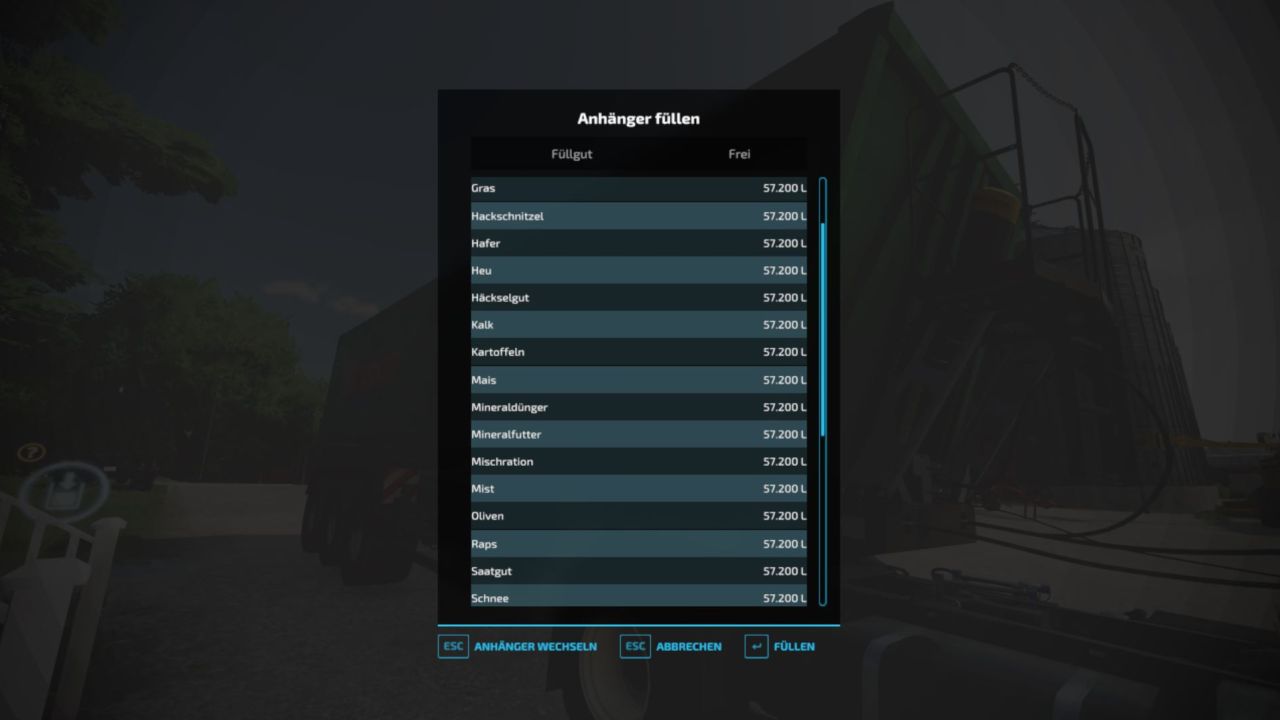
Fill Trailer Menu FS22
FS22 Trailer Fill Menu A handy tool for quickly and freely filling trailers. Function: Open the menu (Default: Left Shift + H) to list all fill types for the nearest or attached trailer. Select the desired fill type and press "Fill" – the trailer is instantly filled to the brim! Features: • Free: No money is deducted (cheat function). • Safe: Prevents accidentally overwriting already mixed cargo. • Smart Detection: Uses attached trailers or the nearest trailer within a 40m radius (when on foot). • Multiplayer: Fully synchronized and compatible with dedicated servers. (The keybind can be freely changed in the controls settings.)
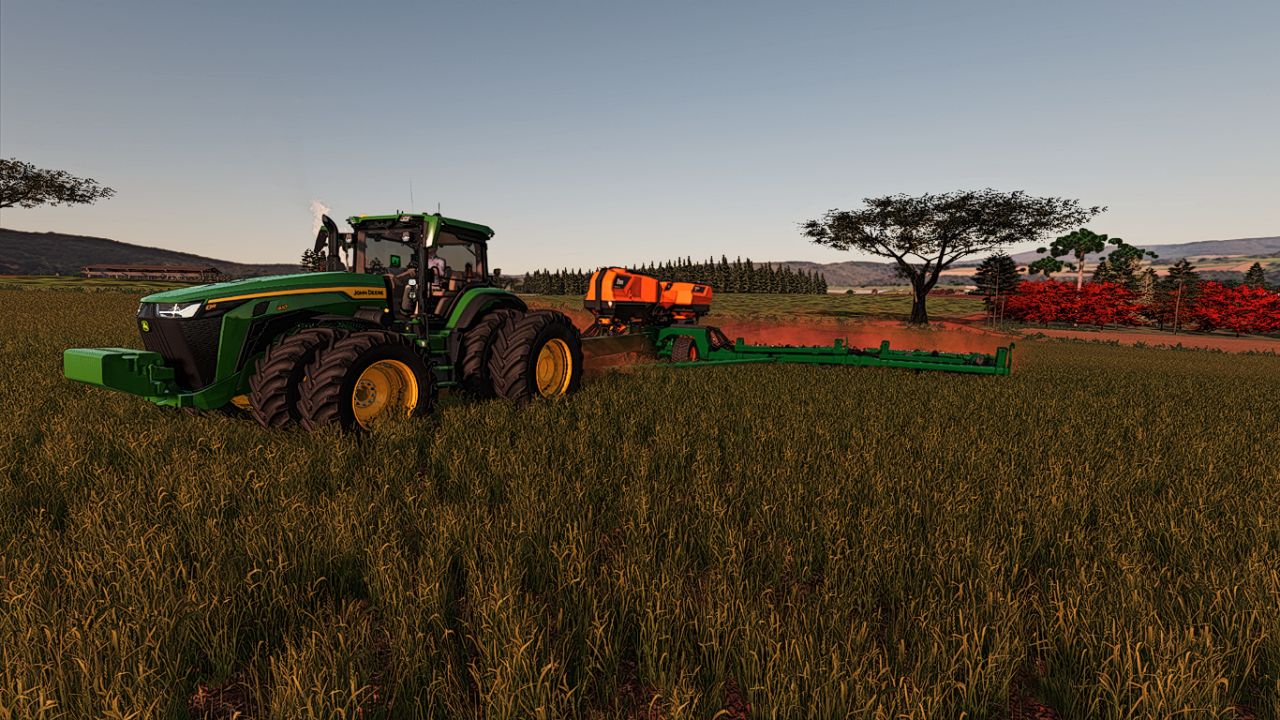
Stara Absoluta 49 FS22
Mod converted from FS25 to FS22 Stara Absoluta 49 Category: Planters Price: $355,000 Required power: 380 hp Working width: 21.6m Working speed: 15 kph Capacity: 5700 seeds L Capacity: 3200 liquid fertilizer
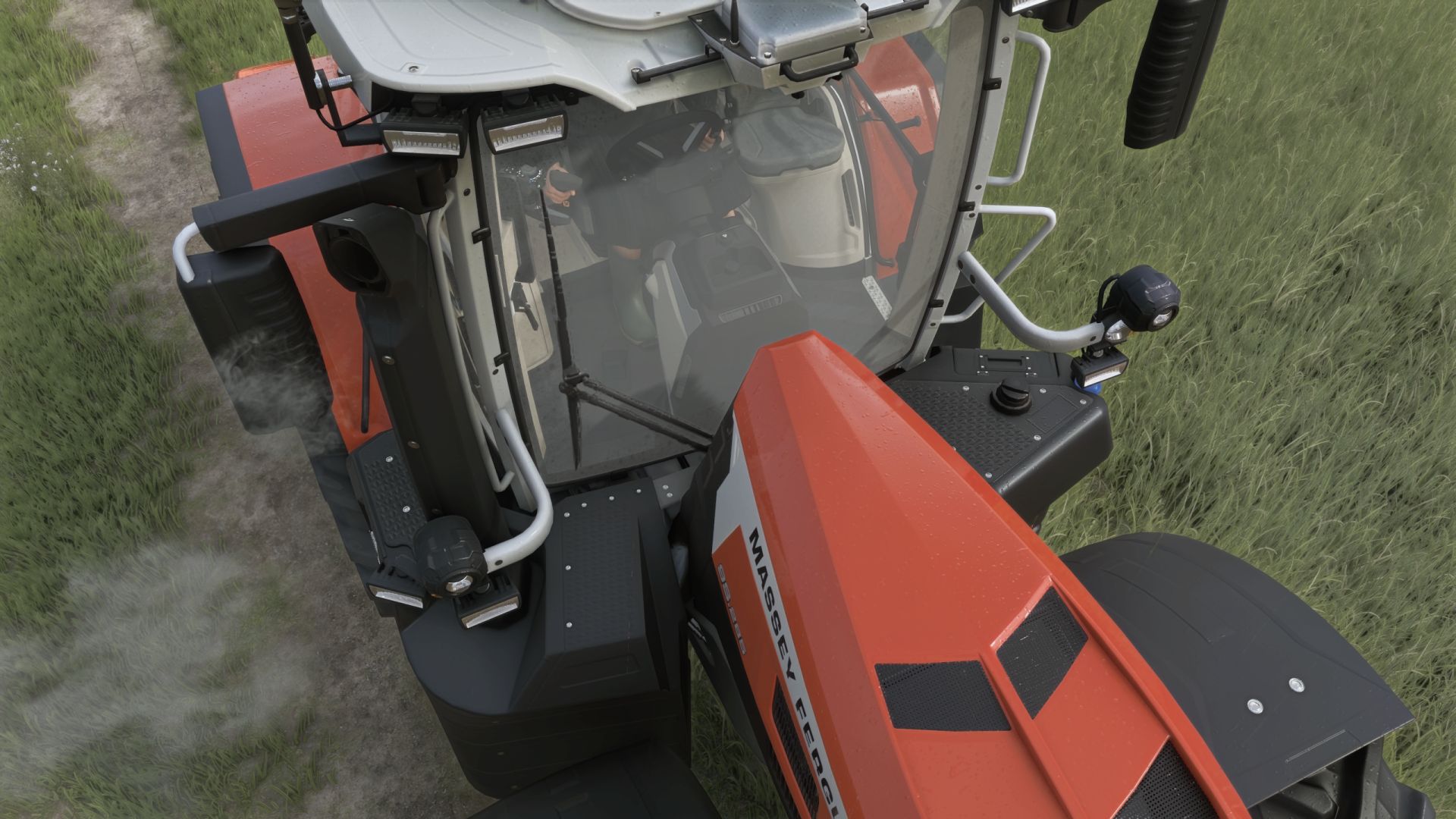
Realistic Rain on Windows FS25
🌧️ Rain Glass v1.0 – Realistic Rain on Windows & Working Wipers 🚜 Take the realism of driving in Farming Simulator 25 to a whole new level! The Rain Glass mod completely transforms your experience of working in harsh weather conditions by introducing advanced visual effects to all machinery cabins. No more perfectly dry windows during a heavy downpour – now you can truly feel the atmosphere of unpredictable autumn weather on your farm! ✨ Key Features: • Dynamic Raindrops: Realistic water droplets appear on the front, side, and rear windows of your vehicles. • Animated Running Water: The drops don't just stay still! Watch authentic streams of water roll down the glass, reacting to gravity and the movement of the machine. • Fully Functional Wipers: Wipers on tractors and harvesters finally serve a practical purpose. When turned on, they effectively wipe away the water, leaving a clean, clear area and significantly improving visibility from inside the cabin (FPV view). • Immersive Weather: The effect syncs perfectly with the dynamic weather system of FS25, reacting directly to the intensity of the rainfall. 🛠️ Technical Info: • Compatibility: Works flawlessly with most base-game machines and properly optimized modded vehicles that follow standard FS25 window texture formats. • Game Version: Farming Simulator 25 • Performance Friendly: Highly optimized to ensure no FPS drops or performance issues. Turn a boring drive in the rain into an atmospheric challenge. Download the mod and hit the fields no matter the weather!
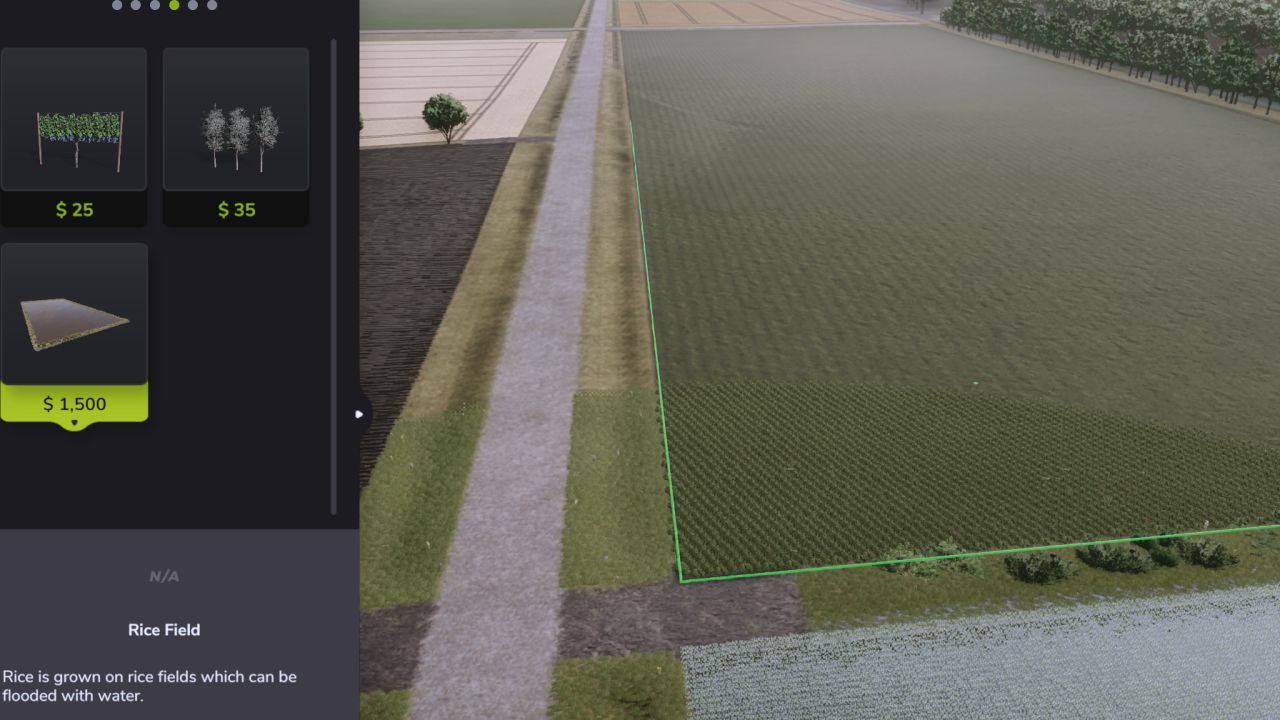
Unlimited Rice Fields FS25
Tired of hitting Farming Simulator 25's rice-field size limits when building large custom paddies? Unlimited Rice Fields removes the vanilla restrictions that normally prevent rice fields from being extended beyond a certain size or distance. This allows you to create much larger rice paddies for large farms, custom field layouts, and especially 4x or other large-scale maps. The mod keeps FS25's normal rice-field construction system intact while removing the restrictions that trigger messages such as "Maximum field size reached" and "Too far from corner." Features Removes the vanilla maximum rice-field size restriction Removes the "Too far from corner" distance limitation Allows significantly larger custom rice paddies Supports custom-shaped rice fields Keeps normal rice-field construction and placement behavior Preserves the standard rice-field water and field systems Great for large farms and 4x maps Lightweight script mod with no additional equipment required How to Use Install the mod and enable it when loading your save. Create a rice field normally through the Farming Simulator 25 construction menu. You can then continue extending the field beyond the limits normally imposed by the base game. No additional controls or configuration are required. Important This mod allows rice fields to be created far larger than GIANTS originally intended. Extremely large or complicated rice fields may have an increased impact on game performance depending on the map, field size, and your system. Avoid overlapping or self-crossing field boundaries when creating custom rice paddies, as the normal FS25 field validation system is still used. Compatibility Designed for Farming Simulator 25. Compatibility with other mods that directly modify the rice-field construction system cannot be guaranteed. Multiplayer The mod should be enabled by all players when used in multiplayer. AI Assistance AI tools were used to assist with the creation of the mod's cover artwork and during development for troubleshooting, testing guidance, and bug fixing. Final in-game testing and verification of the mod's functionality were performed manually. Credits Created by KashAshGaming.
Weeds After Plowing FS25
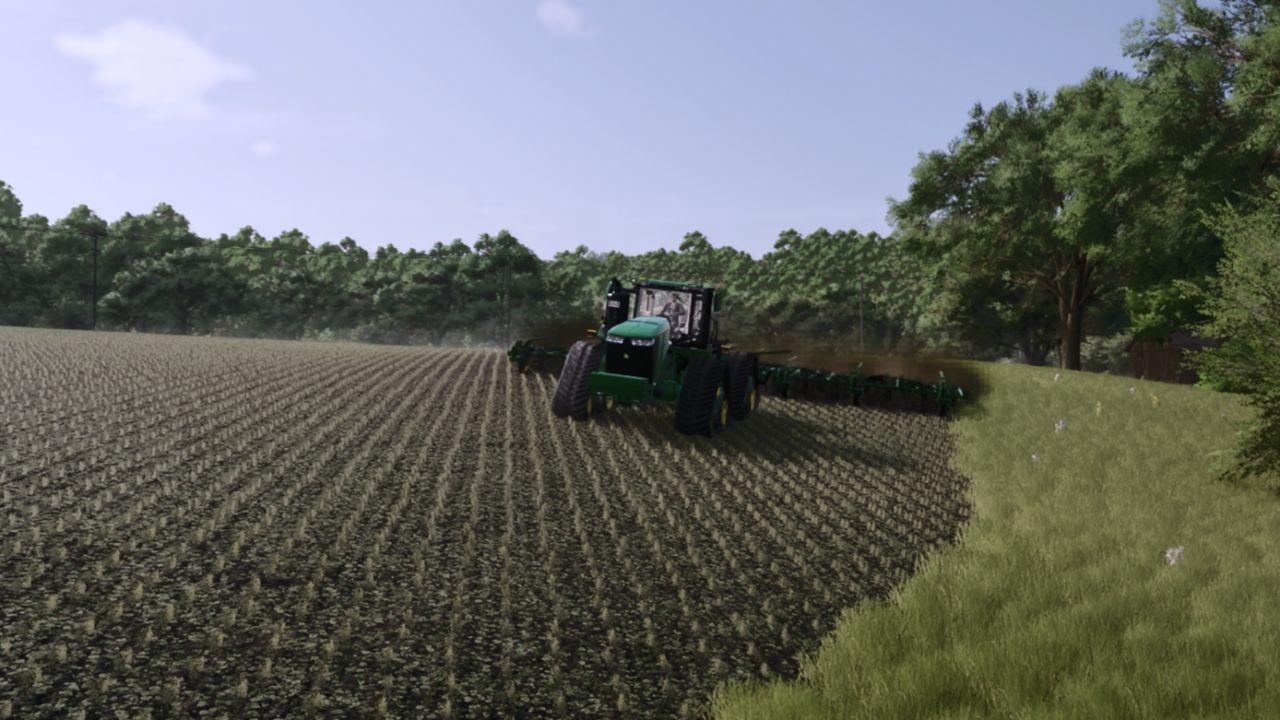
Want plowing to feel more realistic without completely removing weed management from your fields? Weeds After Plowing changes Farming Simulator 25 so weeds can still grow after planting a field that has been plowed. In the base game, plowing prevents weeds from appearing after sowing. This mod removes that weed-blocking behavior while keeping the rest of the plowing system intact. Features Allows weeds to grow after sowing plowed fields Keeps the normal plowed ground state and texture Preserves periodic plowing behavior Does not change crop growth Does not change yield calculations Keeps normal weeders, hoes, and herbicide working as intended Uses FS25's standard weed growth system Lightweight script mod with no additional equipment required How to Use Install the mod and enable it when loading your save. After that, simply farm normally: Plow your field Plant your crop Advance through the normal growth cycle Weeds can now emerge just like they would on cultivated or direct-drilled ground No additional controls or configuration are required. Important This mod does not remove the benefits of plowing or change the field into a cultivated state. It only removes the weed-blocking effect normally applied by plowing, allowing the game's standard weed system to function afterward. Compatibility Designed for Farming Simulator 25. The mod should work with normal base-game farming systems and Precision Farming, but compatibility with other mods that directly modify weed growth, sowing behavior, or field density maps cannot be guaranteed. Multiplayer The mod should be enabled by all players when used in multiplayer. AI Assistance AI tools were used to assist with the creation of the mod's cover artwork and during development for troubleshooting, testing guidance, and bug fixing. Final in-game testing and verification of the mod's functionality were performed manually. Credits Created by KashAshGaming.
- 15 per page
- 30 per page
- 45 per page
- 60 per page
-
See more per page
Bigger pages, fewer clicks - and no ads anywhere.
Go Pro