Farming Simulator 22 mods
50,377 results- 15 per page
- 30 per page
- 45 per page
- 60 per page
-
See more per page
Bigger pages, fewer clicks - and no ads anywhere.
Go Pro
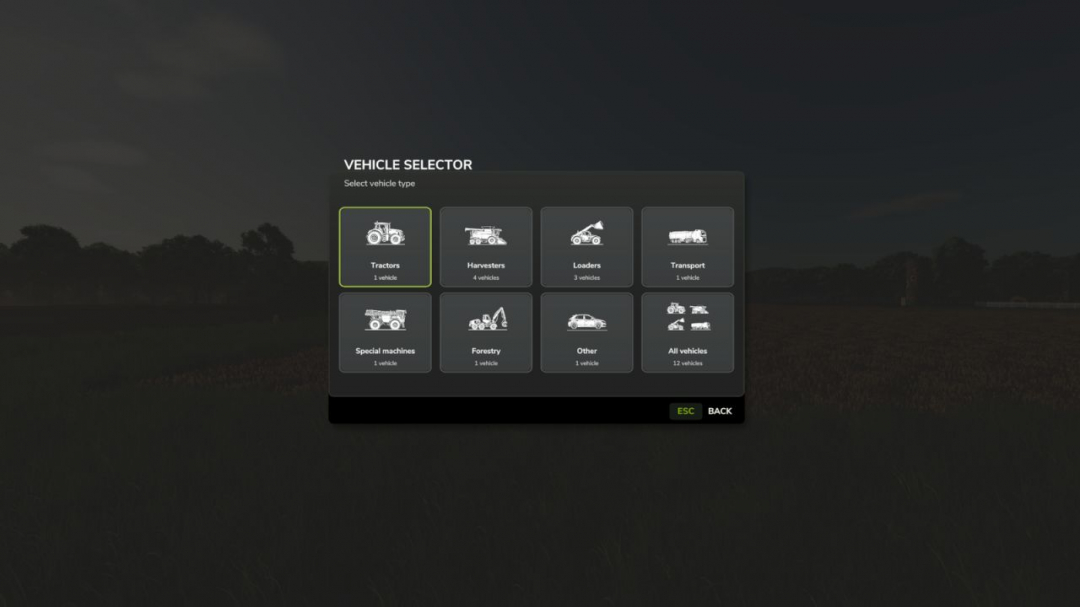
Vehicle Overview V1.0.1.1
Vehicle Selector offers a quick and clear way to display all enterable vehicles on your farm and switch directly to the desired vehicle with a single click. Open the menu with Left Alt + V. Then simply click on a vehicle tile to close the menu and switch directly to the selected vehicle. The vehicles are automatically divided into the categories Tractors, Harvesters, Loaders, Transport, Special Machines/Self-Propelled, Forestry and Miscellaneous. The currently controlled vehicle is highlighted in cyan, while vehicles with an active AI worker are marked in yellow. This allows you to immediately see which machines are currently in use. Harvesters with a limited internal grain tank also display the current fill level directly on the vehicle tile, including color-coded warnings as the fill level increases. The manufacturer and model are displayed on every tile. Larger vehicle fleets are automatically distributed across multiple pages. Tip: For particularly quick access, the Vehicle Selector can also be assigned to a mouse thumb button or another freely assignable key. The standard method of switching vehicles with the TAB key remains unchanged.V1.0.1.1 Completely revised and modernized vehicle selection menu New unified tile design in the style of the Farming Simulator user interface New, consistent category icons for all vehicle classes Categories: Tractors, Harvesters, Loaders, Transport, Special Machines/Self-Propelled, Forestry and Miscellaneous The currently controlled vehicle and its category are now highlighted in cyan Vehicles with an active AI worker are highlighted in yellow Grain tank fill level for suitable harvesters is now directly visible on the vehicle tile Color-coded warnings as the grain tank fills up Manufacturer and model are displayed directly on the vehicle tiles Automatic page navigation for larger fleets No tile is automatically preselected when opening the menu Improved English and German localization Default key binding remains Left Alt + V A freely assignable key or mouse button remains possible Normal vehicle switching with TAB remains unchanged Various graphical cleanups and minor optimizations Unnecessary mipmaps removed from GUI-only textures Old labels and files no longer required have been removed from the release. Please change the mod name from Vehicle Overview to Vehicle Selector. The mod has been completely switched to the new name. The user interface, internal mod name, file name, GitHub repository and current release now consistently use Vehicle Selector.
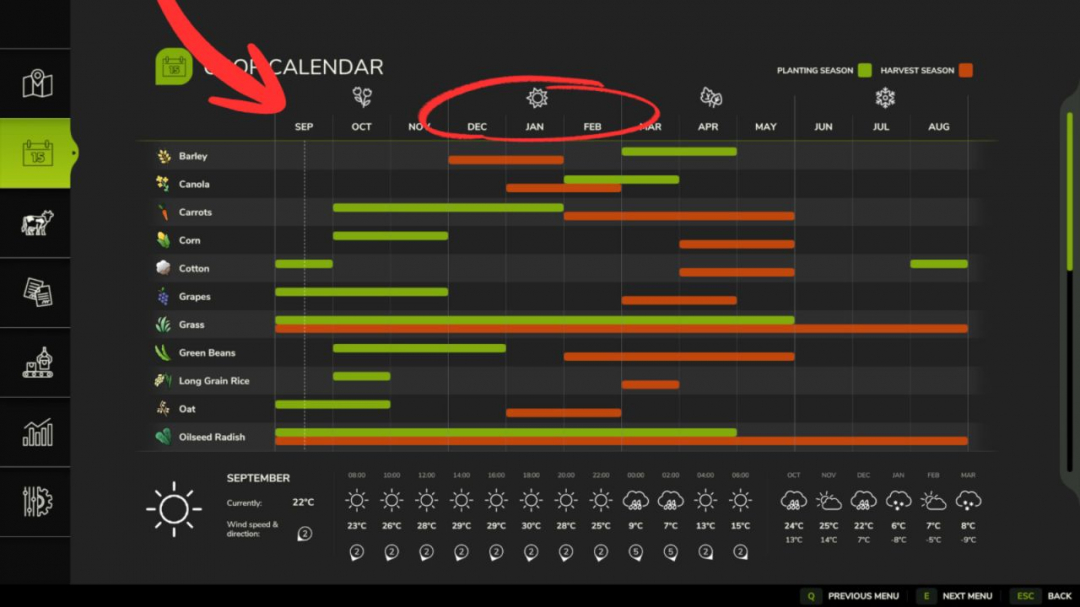
Southern Hemisphere Seasons V1.0
Adapt Farming Simulator 25’s climate and lighting to reflect the reality of the Southern Hemisphere! This mod adjusts solar latitude and season cycles so that sun trajectories and temperatures accurately match those of the Southern Hemisphere.Features: Realistic Southern Hemisphere solar latitude adjustment (-25.75°). New savegames start in September (Early Spring). Fully compatible with any standard or modded map.Notes: Supports singleplayer and multiplayer modes. Compatible with existing savegames.
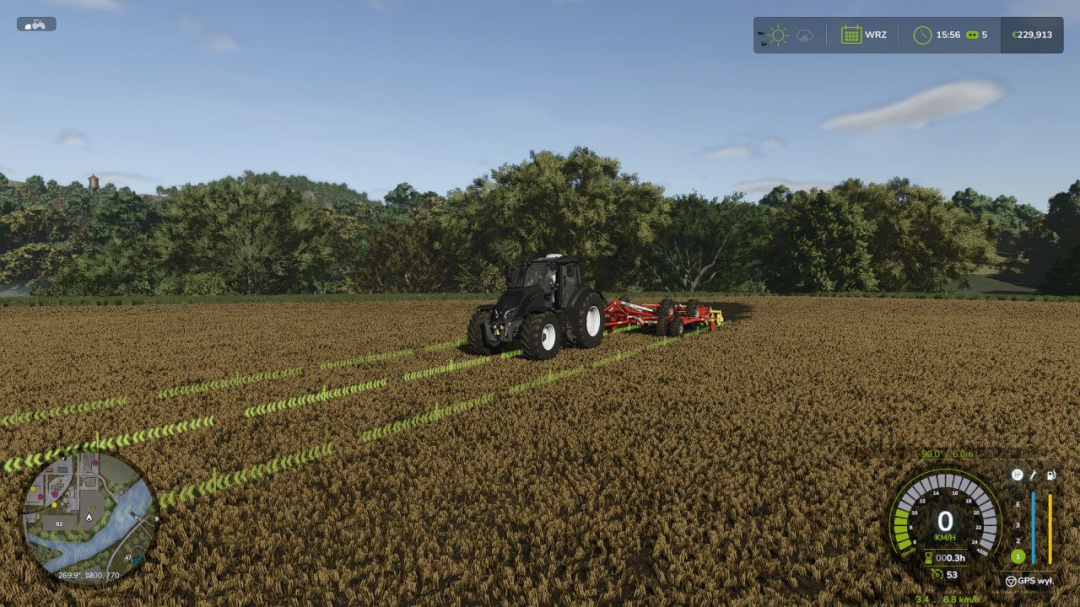
Vehicle Control Addon (VCA) V1.0
Vehicle Control Addon (VCA) is a set of features that make driving vehicles in Farming Simulator 25 easier and more customizable. Choose the settings that suit your play style, keyboard, or controller. Adaptive steering adjusts the steering response to the vehicle’s speed. The camera can rotate according to the direction of travel and steering; quick glances in a selected direction are also available. GPS guidance helps maintain direction and drive the vehicle along parallel tracks. You can set the working width, offset, and the track selected when turning around. Two GPS line styles are available: classic VCA and a new version. The new line adapts its height to the terrain and crop growth stage, fades smoothly at the ends, and can be occluded by vehicles and buildings. The VCA menu has been refreshed, with the HUD and GPS line accent color matching the game’s active HUD color. Speed control offers additional options for cruise control, speed limiter, speed holding, and manual throttle. Transmission and drivetrain settings include automatic shifting, clutch, and Powershift, as well as manual control of the drivetrain and differential locks if supported by the vehicle. Additional options include traction control, handbrake, and transmission HUD. Most features are disabled by default. The vehicle settings menu opens by default with Left Ctrl + C, while GPS guidance is activated with Left Ctrl + W. Other shortcuts can be checked and customized in the game’s controls menu under Vehicle Control Addon.


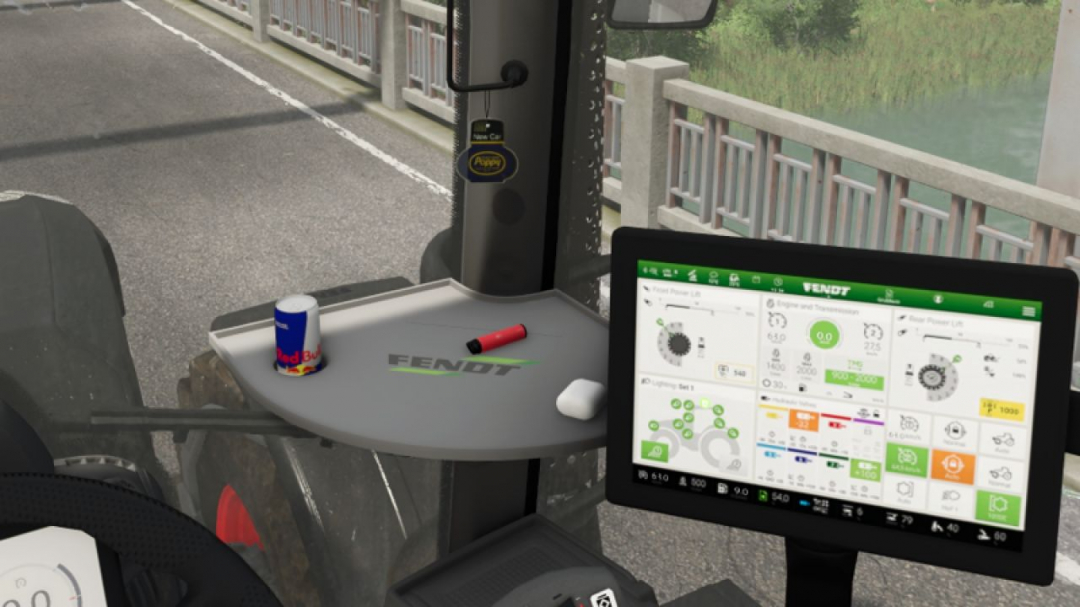
Poppy air freshener (Prefab) v1.0
A small air freshener from Poppy/New Car. The air freshener must be installed manually in GE.

FS25 Realistic Hydraulic
FS25 Realistic Hydraulic Here is a mod to manually unfold, fold, lower and raise your implements! Set your key bindings in the menu!

FS25 Forage Wagon Hay Lock beta 3
FS25 Forage Wagon Hay Lock beta 3 PURPOSE Prevents hay already collected in a forage wagon from being overwritten by grass or by another hay type. BEHAVIOUR – More of the SAME hay type collects normally. – Normal grass is ignored while hay is loaded. – Fresh Clover and fresh Alfalfa are ignored while hay is loaded when those fill types exist. – A DIFFERENT hay type is ignored while hay is loaded. – Empty wagons and wagons containing non-hay material retain normal game behaviour. SUPPORTED HAY TYPES – Hay: DRYGRASS_WINDROW – Clover Hay: DRYCLOVER_WINDROW – Alfalfa Hay: DRYALFALFA_WINDROW BETA 3 Fixed – Fixed hay being replaced by grass when collecting mixed windrows. – Replaced the previous pickup-area check with protection applied directly to actual material pickup. – Added a safeguard against queued material changing the wagon’s locked fill type. – Protected small loads below the game’s normal fill-type change threshold. Behaviour – The first supported grass or hay type collected stays locked until the wagon is emptied. – Matching material can still be collected; incompatible grass/hay remains on the ground. – Supports grass, hay, and registered clover/alfalfa windrow variants. Tested – Confirmed working on Castlereagh with the Pöttinger 8450 Windrower and Fliegl Cargos 9500 mod wagons. Diagnostics – Added limited log messages showing when protection activates and blocks incompatible pickup. BETA 2 Version 0.1.0.5 * Fixed registration for standard and custom forage-wagon vehicle types. * Grass already loaded can no longer be overwritten by Hay. * Hay already loaded can no longer be overwritten by Grass. * More of the same fill type continues to collect normally. * Supported Clover and Alfalfa variants are also kept separate. * Tested successfully with the 8450 Windrower forage wagon on the Kinlaig map.

Cellar V1.0.0.4
Wine Cellar Storage This is an underground cellar storage mod for your farm. Simply place supported items—such as pallets, big bags, and bales—in front of the cellar entrance trigger, and the system automatically stores them down below with full visual representation. How it works: Storage: Drop your items at the front entrance trigger to store them underground. Accessing the cellar: Walk up to the entrance and press the key to teleport down into the basement. Unloading: Inside the cellar, interact with the storage trigger using the key to open the menu and retrieve your stored goods. Spawn location: Retrieved items will spawn back outside on the surface, marked clearly by the warning stripes area. The storage capacities have been calibrated for realistic farm management, with further fine-tuning planned for future updates. An animated mouse has found its way in; it’s down there in the depths of the cellar. V1.0.0.4 Mouse white texture fix.

Real Physics Tire Wear V1.2.2.7
Real Physics Tire Wear V1.2.2.7 This mod expands Farming Simulator 25 with a standalone and significantly more detailed wear system for tires, rubber tracks, and steel tracks. The next generation—the next stage of evolution: 2.0! Tires and track systems (rubber or steel) wear down based on the actual distance traveled, stress caused by wheel slip, and various other factors. Your driving style, the type of ground you are driving on, weather conditions, the weight you are hauling, and the dynamic load distribution across your wheels or tracks all play a role. Wear is tracked and saved individually for every vehicle and every wheel or track unit, making it independent of the standard GIANTS vehicle wear system. This applies to all vehicles owned by your farm—whether purchased, rented, or leased. AI traffic vehicles, vehicles from other farms, or machinery “rented” specifically for a mission are not tracked. The goal of this mod is to visually display realistic wear on wheels, rubber tracks, and steel tracks, accurately reflecting the actual level of wear. It supports conventional wheeled vehicles as well as machines with rubber tracks or steel tracks. Trailers and implements with their own wheels are also included and tracked. For rubber and steel track systems, the wear of road wheels is calculated based on their actual design and displayed separately via a combined icon. Most in-game vehicles and many mods have been tested; while 100% compatibility isn’t guaranteed, it is well over 90%. There may be isolated cases where tracking isn’t possible—such as with two-wheelers, three-wheelers, or specialized machinery mods—but work on compatibility is ongoing. For specific mods, however, I require the mod itself, including its i3d files, UV masks, i3d mappings/shapes, and vehicle XML files. Only then can I determine whether it is feasible to implement. As wear increases, the visual appearance isn’t the only thing that changes; heavily worn tires lose traction, thereby affecting handling. This introduces a shift in momentum or a lag that causes the vehicle to slide—whether accelerating, braking, or turning. Tires, suspension systems, and track rollers can be replaced at the workshop; costs depend on factors such as the vehicle type, the number and size of tires or track components, and a small multiplier based on the selected reference mileage. The desired reference lifespan can be adjusted in the settings. Options include 350, 500, and 750 km for smaller or classic 2×2 maps, and 1,000, 1,500, and 2,000 km for larger 4×4 maps and correspondingly longer periods of use. It is important to note that a 1,000 km setting does not guarantee the tire or suspension will last at least 1,000 km; the reference value simply serves as the basis for calculating wear. Consequently, the tire might last less time—or potentially longer—depending on driving style, the nature of the work, and the load. Furthermore, the mod supports wear calculations for AI-controlled vehicles—specifically those using Courseplay, AutoDrive, or the built-in Giants AI. To ensure this functions smoothly, I developed an electronic immobilizer designed to lock the vehicle until the startup phase and system initialization are complete, preventing any external input during that time. This is necessary because Courseplay and AutoDrive bypass the standard startup sequence intended by Giants, which could otherwise lead to inconsistent states or unintended issues. Simply think of it as a “Parking Brake 2.0”: once the vehicle is ready to drive, the immobilizer disengages, and everything operates as usual. The mod introduces three specific penalties. First, there is a loss of traction for tires and running gear depending on their wear level. However, it remains possible to drive the vehicle to the workshop—albeit with a performance penalty and potentially without a trailer. Second, there is a speed penalty for AI-controlled vehicles. The AI cruise control speed is throttled down to as low as 20 km/h, depending on wear, to ensure the vehicle can still be steered and follow its route. At normal speeds, the AI driver (AD) is unable to compensate for the tire slippage and loss of traction. If you drive the vehicle manually, there is no speed restriction, though the corresponding performance penalties still apply. Third, there is a penalty affecting the maximum speed of rubber tracks and steel tracks. Depending on the wear of the inner rollers, the maximum speed can be reduced by up to 50%. Once the rollers are replaced, the penalty is removed. Current wear levels can be displayed directly in the HUD when using the “FS25 Lights & Symbol HUD” mod. It is therefore recommended to install the Lights & Symbol HUD alongside this mod. V1.2.2.7 4.10.26 cooperation with the real mud physic mod in coordination API integration and compatibility update Going forward, a standardized mod file name: “Reifenverschleiss.zip”; only internal version numbers in the description Language packs (German/English/Spanish/French/Russian) on l10n 10/04/2026 cooperation with the real mud physic mod API integration and compatibility update Going forward, a standardized mod name: Reifenverschleiss.zip; only internal version numbers in the description Language packs (German/English/Spanish/French/Russian) on l10n

Livestock Yield Booster V1.0.0.0
Livestock Yield Booster V1.0.0.0 This mod makes livestock production more efficient in Farming Simulator 25. It increases the production of eggs from chickens, wool from sheep, milk from cows and goats, as well as manure and liquid manure from animals, using multipliers. Players can adjust the production speed according to their preferred playstyle. Egg Multiplier: Increases the egg production of chickens. Wool Multiplier: Increases the wool production of sheep. Milk Multiplier: Increases the milk production of cows and goats. Solid Manure Multiplier: Increases the manure production of animals. Liquid Manure Multiplier: Increases the liquid manure production of animals. Dynamic Settings: Multiplier values can be changed from the in-game menu. Savegame Restart Note: The savegame must be restarted for the changes to take effect. Advantages Faster production → More income Multipliers adjustable to suit your playstyle Suitable for anything from a small farm to a large operation Language Support: Turkish, English, German, French, Italian
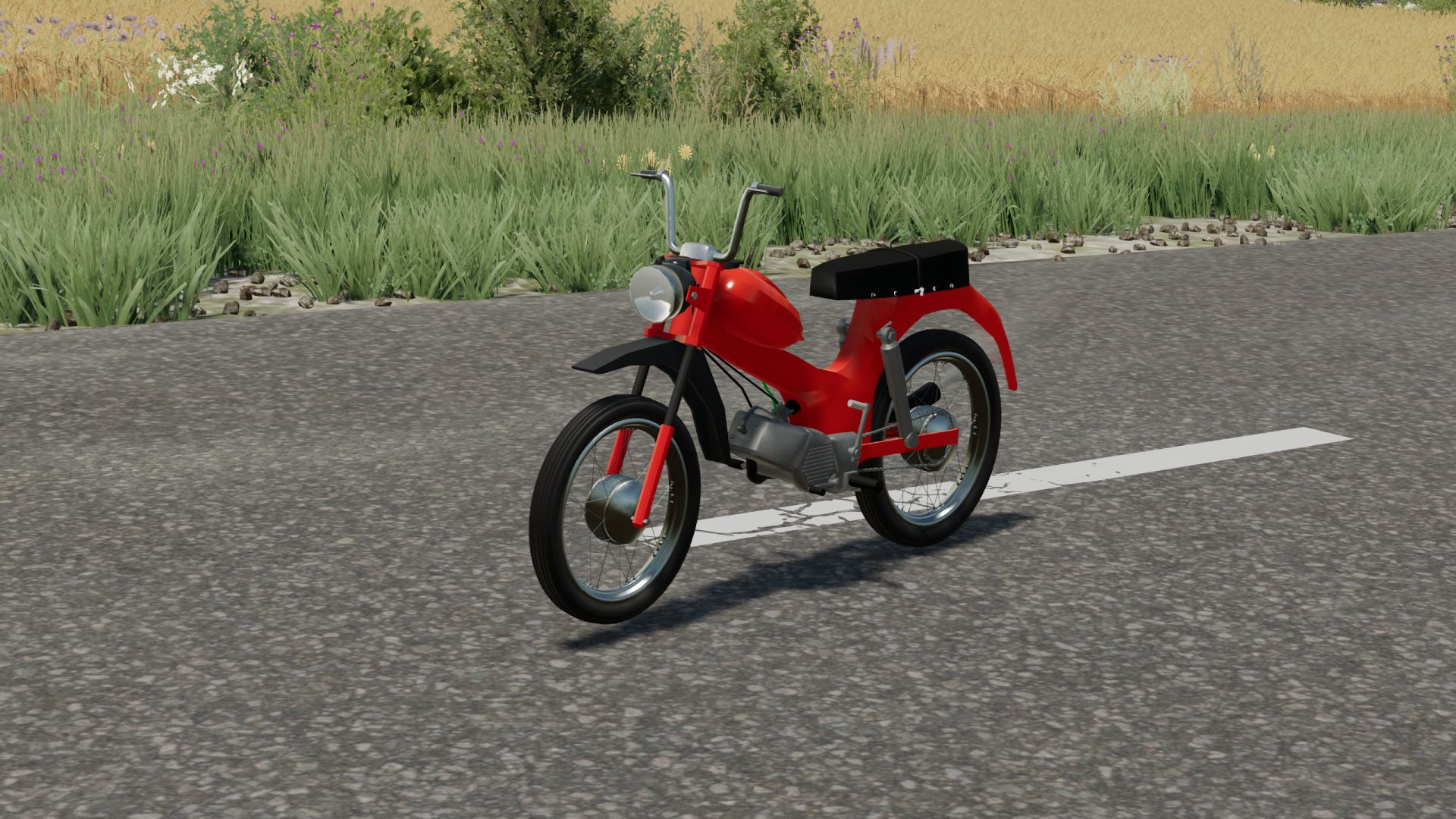
Tomos APN4 FS22
A small bike, perfect for running errands or taking a short ride after work Maximum power – 4 hp. Maximum speed – 55 km/h. Track formation, dust formation.
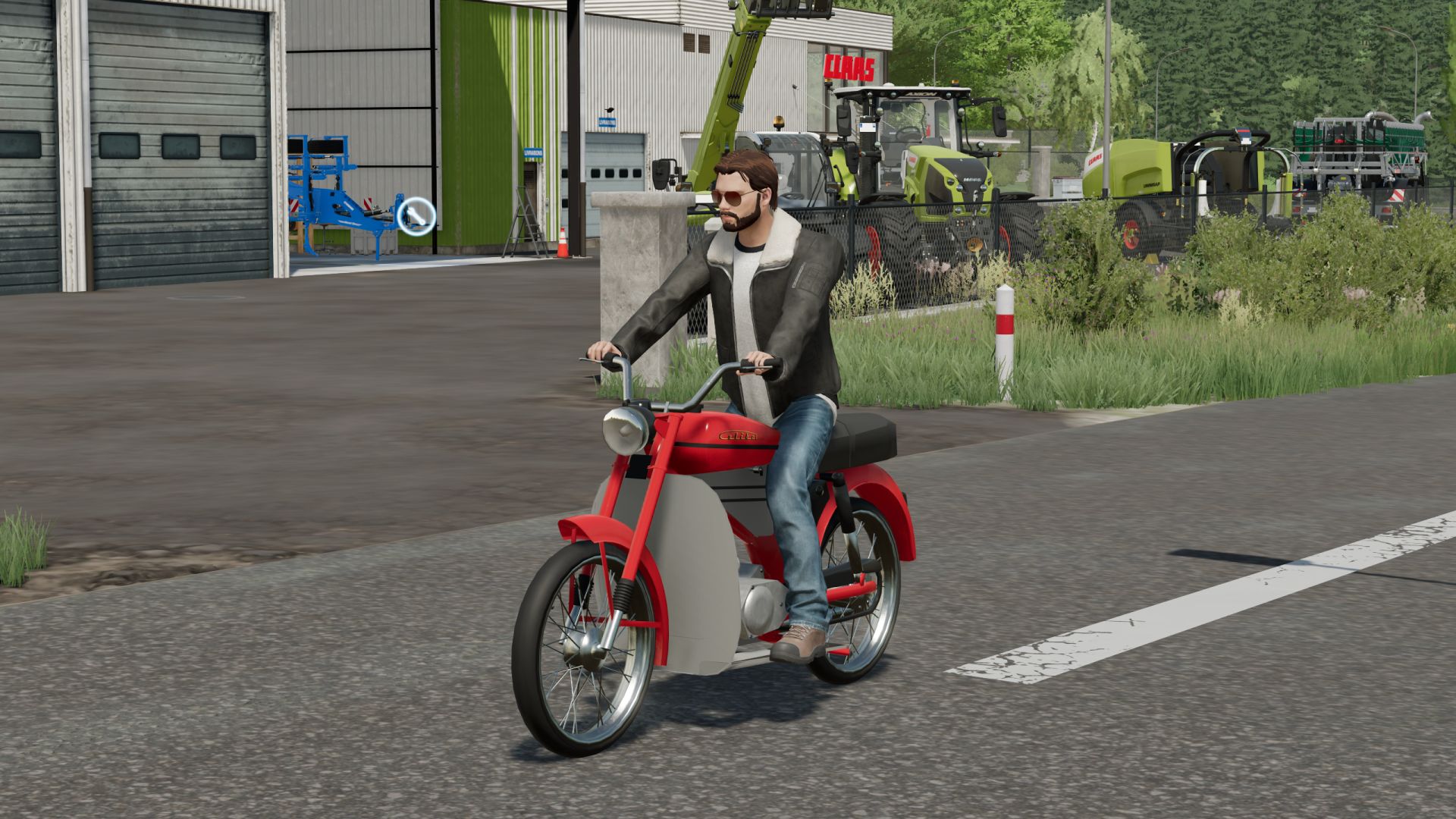
Tomos 14V FS22
A small bike, perfect for running errands or taking a short ride after work Maximum power – 5 hp. Maximum speed – 60 km/h. Color selection, traces, dust.
- 15 per page
- 30 per page
- 45 per page
- 60 per page
-
See more per page
Bigger pages, fewer clicks - and no ads anywhere.
Go Pro