Farming Simulator 22 mods
50,369 results- 15 per page
- 30 per page
- 45 per page
- 60 per page
-
See more per page
Bigger pages, fewer clicks - and no ads anywhere.
Go Pro

FS25 DLSS5-Swapper v2.2.9.0
FS25 DLSS5-Swapper v2.2.9.0 Install, tune and restore DLSS 5 in your games with one click. Native RenoDX, DLSS5-Feeder for games without DLSS, OptiScaler and multipass routes; DirectX 8/9/11/12, Vulkan, OpenGL, DirectDraw and emulators. In-game F8 overlay, automatic backups, and a community page showing what works on your games and your graphics card. -Easy installation: native DLSS games, or compatible non-DLSS games through DLSS5-Feeder. -Your library: Steam, Epic, GOG, modern Xbox Game Pass folders, and manually added games/emulators. -Search and filters: combine title, graphics API, DLSS status/version and add-ons; click counters to filter. -Flexible layout: group by store or show everything in one list, with game artwork and light/dark themes. -Controlled scanning: full-drive scanning is off by default. Added folders still scan normally; enable all-drive discovery or remove scan folders in Settings. -Right-click shortcuts: open/copy folder, rescan, change cover, restore originals or hide a game. -Backups and History: restore original files, keep installation records, and copy History/activity/install logs. -Save diagnostics: one file with the install log, the game’s own ReShade and Feeder logs, the manifest and your driver – shown to you before it is written, and ready to attach to a report. -In-game overlay: press F8 to open the app’s own panel over the running game and move the real DLSS Neural Rendering sliders while you play. Supports the DLSS5-Feeder and RenoDX routes only, and it knows both RenoDX builds the app ships (6.5.3 and the older 4.7). Drag the grip in its bottom right corner to resize it; each game remembers its own size. -Rendering API override: optional, per game, with Automatic as the default; detection is never overwritten. -Custom add-ons: the Add-ons page remains available alongside the integrated installation routes. -Multipass neural rendering: an installation route that runs the neural pass up to ten times per frame, on DX12, DX11 and 64-bit DX9 – including games with no DLSS of their own. -Community (BETA): read what worked for other people, narrowed to the games on your PC and the graphics card in it, leave your own report, and talk it over underneath it. Opt-in, and everything you leave can be edited, deleted or withdrawn. -Community chat: one live room for everyone using the app – screenshots, game cards, replies with mentions and reactions.

FS25 Combine Blockage v1.1.0.0
FS25 Combine Blockage v1.1.0.0 The mod is global and installs itself in any vehicle that has a cutting unit. Simulates header utilization during harvesting. Utilization depends, among other things, on the driving speed and the actual amount of crop the header is taking in. Up to approximately 6 km/h, utilization increases to about 80%. At around 7 km/h, header utilization can already reach 100%. From approximately 8 km/h at 100% utilization, the header can become completely clogged. At high utilization, additional malfunctions can occur (inclined conveyor and threshing drum). After a load event, the random check is only reactivated when the utilization drops to approximately 60% or less. In the event of a cutting unit blockage, the cruise control is deactivated, the cutting unit is switched off, and the blockage must be cleared manually. The default key combination is Left Alt + B. In the event of a drum blockage, the combine harvester stops, the cruise control is deactivated, the combine is switched off, and the header is disengaged. Default key: Left Alt + T. In the event of a conveyor blockage, the cruise control is deactivated, the combine harvester is switched off, and then the combine harvester must be switched back on. Default key: Left Alt + S. The HUD displays the current “cutter utilization,” including its status (NORMAL or HIGH). Blockages are indicated with clear warning messages such as CUTTER CLOGGED, DRUM CLOGGED, or INCLINED CONVEYOR BLOCKED. If an AI helper is active, the blockage detection system is deactivated to prevent the helper from getting stuck due to malfunctions.

FS22 Photorealistic Environment v2.0.0.0
FS22 Photorealistic Environment v2.0.0.0 PHOTOREALENV II – A complete graphical overhaul for Farming Simulator 22! It’s a reshade preset featuring 19 placeable additional custom sky (tutorial added) If you want to see more of this, check out this post: https://www.instagram.com/pankorne/p/Dd6M3sRjsoS/ After opening the “env map files” folder, move all the files to your maps folder: FS22_KrajowLazniki.zip\maps\mapUS FS22_Polowa.zip\maps\mapUS FS22_Ujret.zip\maps\mapFR The same goes for the other maps, except if Relight is already built into the map by default For example: Thüringen III and Eifel maps The custom skies are only supports normal and 4x maps! EasyDevControls is needed for editing the weather Don’t use the night skies on 4x maps! (7 4x, 18 4x) Special thanks to Suchsneak for the relight base lighting! Same goes for User12 and his friends for the original real sky mod V2.0.0.0 More realistic reshade preset All custom skies got reworked (or replaced with newer ones) V1.0.0.0 15 new sky added (19 in total) Natural version removed

FS22 Kuhn XS Discover v1.0.0.1
FS22 Kuhn XS Discover v1.0.0.1 Hi friends! As promised,The long-awaited mod is finally here!! Characters: Name: Kuhn Discover XS Price: 10500$ Brand: KUHN Category: discHarrows Working Width: 3.0m NeededPower: 100HP SpeedLimit value: 17 km P.S: (it’s for FS22 only,Fs25 conversions are not allowed,already dealt with this issue) Anyway,I hope you liked my work & have a sweet gameplay keep the original link,no uploading. NO FS25 conversion without given permission! NO FS25 conversion without given permission !!!

FS22 Simson KR51 Schwalbe v1.1.0.0
FS22 Simson KR51 Schwalbe v1.1.0.0 A small bike, perfect for going to buy bread or for a Sunday ride. Maximum power – 4 hp. Maximum speed – 60 km/h. Lighting, speedometer, mirrors, color selection, tire marks, dust buildup, running board animation. Washable.

FS22 Simson S51 v1.1.0.0
FS22 Simson S51 v1.1.0.0 A small bike, perfect for going to buy bread or for a Sunday ride. Maximum power: 4 hp. Maximum speed: 60 km/h. Lighting, speedometer, tachometer, mirrors, accessory headlight guard/subframe, 2 mufflers, choice of color, signs of wear, dust, animated running boards.

FS22 Simson SR4-2 Star v1.1.0.0
FS22 Simson SR4-2 Star v1.1.0.0 A small bike, perfect for going to buy bread or for a Sunday ride. Maximum power – 4 hp. Maximum speed – 60 km/h. Lighting, speedometer, mirrors, tire marks, dust accumulation, animated running board. Washable.

FS25 Advanced Damage System beta 9
FS25 Advanced Damage System beta 9 Advanced Damage System (ADS) Advanced Damage System overhauls vehicle wear, breakdowns, and maintenance in Farming Simulator 25. Your machine’s reliability depends on how you operate it and how well you maintain it. Repairs take time, so looking after your fleet and planning its maintenance matters. BETA — Open Testing This is a test version intended exclusively for testing. It may contain bugs, unfinished features, and compatibility issues. Stability and bug-free operation are not guaranteed. Always back up your savegames and preferably use a separate test save. What’s New? Individual Components ADS now simulates individual components instead of entire systems. Each vehicle has its own set of components with specific wear rules, failures, and repair or replacement options. Consumables and Maintenance Engine oil, hydraulic oil, coolant, filters, batteries, and lubrication points all require attention. Neglecting maintenance can lead to costly failures. Do-It-Yourself Servicing Replace consumables yourself using canisters, an oil dispenser, replacement batteries, air filter boxes, and other maintenance items. Air Blowers and Grease Guns help you prepare your machines for work. Reworked Workshops Dealers have service queues and warranty repairs. Mobile workshops charge additional fees and require waiting for a mechanic. In your own workshop, you can hire staff and purchase equipment. Vehicle Tuning Upgrade your machines with chip tuning, transmission adjustments, protective body coatings, and more. Redesigned Interface A completely reworked interface brings together component condition, maintenance, and workshop services. Maintenance Has Consequences Returning leased equipment in poor condition can result in substantial fines. Neglecting maintenance can also void your warranty. Join the Open Test! Everyone is welcome on our Discord server! Get the test build, share your impressions, discuss features, and report bugs: https://discord.gg/fW63Aqkap When reporting a bug, please include a description, steps to reproduce it, and your log.txt file. Learn Before You Drive Read the Mod Guide on the GitHub main page to understand the mechanics and avoid unnecessary breakdowns: https://github.com/id577/FS25_AdvancedDamageSystem BETA 9 0.10.0.0: – Spare parts are now physical boxes labeled with the vehicle model and part quality. – Added the PARTS menu, accessible from inspections, the shop and your own workshop. – Added pickup and paid delivery to your vehicle or workshop, with up to 6 items per delivery. – Unified part prices across workshops and the PARTS menu. – Added the “Me” option. Equip an impact wrench, bring a toolbox and hold R near the vehicle to open the workshop. – Left-click starts or resumes real-time work with sounds and a progress indicator. – Work pauses when requirements are no longer met or a menu is opened. – Parts are reserved at the start and consumed when the operation finishes. – Players can use their own workshop’s equipment. – Staff service vehicles only inside the workshop zone. Added the “Me / Staff” switch. – Added an inventory view covering supplies and parts within 30 m. Without a storekeeper, staff use physical stock. – Added a machine shop and welding station. – Added five staff roles: mechanic, diagnostic specialist, service advisor, storekeeper and bodywork specialist. – Higher staff levels improve work speed, reduce mistakes and restore some component lifespan during repairs. – Unavailable jobs and tabs are hidden. – Unified tool requirements across all workshops and DIY repairs. – Poor repairs can cause early repeat failures. Level 3 staff never perform poor repairs. – Dealer repairs include a warranty of 6 months or 10% of the component’s lifespan, covering repeat failures free of charge. – Dealer painting costs 4,000 + 3% of the vehicle’s value, limited to 5,000–40,000. – Own-workshop painting costs 100% / 50% / 20% of the dealer price, depending on the bodywork specialist’s level. – Added hydraulic cylinders, pins and bushings for loader equipment, with boom wear effects. – Added track tensioners. – Added instantaneous, average and per-hectare fuel consumption readings. – Added options for dashboard warning indications. – Improved portable charging speed. – Parts and consumable boxes now become dirty. – Fixed three-point hitch detection. BETA 8 0.9.9.6: – Individual component simulation with unique wear, failures, repairs, and replacements. – Full simulation of oils, coolant, filters, batteries, and lubrication points. – DIY servicing with new maintenance items. – Reworked workshops: dealer queues and warranties, mobile mechanic callouts, staff hiring, and equipment purchases. – Vehicle tuning and upgrades. – Completely redesigned interface. – And much more! BETA 7 0.9.2.6: – Added adjustable throttle input for keyboard players, simulating gas pedal pressure. A corresponding tutorial message – has been added to explain this mechanic. – Fixed an issue where AI workers could not operate large plows in multiplayer (issue #131). – Improved the mechanism for detecting whether a vehicle is under cover. – Fixed incorrect ADS behavior on servers with no players, which could cause unpredictable issues such as voltage drops despite a charged battery (issues #154 and #124). Special thanks to JoellenbeckModding for helping reproduce the issue and test the fixes. – Fixed an issue where the tutorial module could cause an infinite loading screen in multiplayer (issue #179). – Added a console command to manually include or exclude vehicles from ADS: ads_setExcluded true|false. – Added a setting to adjust the thermal model simulation speed. – Fixed a conflict with TerraFarm that could prevent certain vehicles from starting (issue #118). – Fixed a conflict with Courseplay that caused vehicles to slow down while collecting soil samples (issue #152). – Improved engine load calculation compatibility with the More Realistic mod. – Fixed an issue where AI workers ignored vehicles stalling due to active breakdown effects and continued driving them with the engine turned off. – Updated the Turkish translation (by GHART-coder). 0.9.2.5: – Added vehicle icons to the ADS Fleet Management menu (by Squallqt). – Improved protection against invalid values received from the game engine. – Excluded more unsupported vehicle types from ADS processing. – Fixed a tutorial error when using CVT Addon. – Rebalanced most wear factor multipliers, generally reducing them by 20-30%. – Fixed incorrect wheel slip and stationary steering wear triggers. – Improved PTO angle calculation. – Added minimum and maximum inspection price limits. – Capped overhaul cost so it cannot exceed the vehicle value. – Mobile workshop service and repairs no longer wash vehicles. – Improved service interval display in reports and workshop status. – Added Czech, Finnish, Turkish, and Ukrainian translations. – Updated Hungarian translation. BETA 6 Changelog 0.9.2.4: – ADS settings have been moved again; they are now located next to the ADS Fleet Management menu – Significantly expanded the list of available settings – Added several new tutorial tips Changelog 0.9.2.3: – ADS settings have been moved to a dedicated tab, allowing more settings to be added in the future without overloading the Game Settings section – Fixed ADS specialization being incorrectly applied to conveyorBelt – Fixed a bug that prevented changing the driving direction when pressing Space – Fixed a bug that prevented viewing the last report after an inspection – Added the console command ads_setOpertaingTime for setting operating hours, since Easy Development Controls cannot set operating hours for ADS vehicles BETA 5 Changelog 0.9.2.2: – Added optional tutorial tips that help explain the mod mechanics and warn the player when something is being done incorrectly. Singleplayer only – Added Hungarian and Portuguese translations BETA 4 Changelog 0.9.2.1: – Added new tabs for vehicles currently undergoing service to easily track completion times. A dedicated tab for non-ADS equipment has also been added, creating a centralized hub for your entire fleet. – Added compatibility with Ingame Time Operating Hours mod. Service intervals now scale dynamically based on the current time scale (time acceleration). – Resolved an issue where the script would enter an infinite loop if no valid damage types were available to be added to the system. – Fixed a bug where certain modded vehicles failed to warm up while idling. – Fixed an issue causing excessive hydraulic system stress on harvesters due to incorrect PTO (Power Take-Off) angle detection. – Relocated the overdue service indicator to ensure compatibility with the Enhanced Vehicle mod (fixing the overlap with the EV odometer). – Mobile and owned workshops now operate 24/7 (ignoring standard operating hours) – Added Brazilian Portuguese translation by gustavojpa20 – Added Korean translation by ppananaa BETA 3 Changelog 0.9.2.0: – Significant rebalancing of system wear factors. – Enabling the “Quick Inspection” setting while an inspection is in progress now completes it instantly. – Enabling the “Park Vehicle” option during service procedures now applies immediately to vehicles currently being serviced. – Warnings for cold or overheated engine/transmission now appear as a single notification instead of staying on screen. – Added dashboard alerts for vehicles experiencing critical loads. – Redesigned dashboard indicators with added sound effects upon activation. – Added an option to disable all warning messages (cold engine, overheating, breakdowns). – Fixed engine and CVT temperature synchronization when the engine is under load. – Battery capacity setting changes now apply correctly and no longer cause mass discharge across all batteries. – Maintenance Log: Fixed the counter for repaired breakdowns in the maintenance log. – Fixed an issue where queuing service procedures (e.g., “Do X after Y”) caused unintended vehicle repainting and unexpected charges. – Fixed an issue where AutoDrive AI ignored critical breakdowns and continued driving. – Minor UI improvements. BETA 2 Changelog 0.9.1.2: – Added compatibility with CVT Addon – Expanded the in-game adjustment ranges for service interval and vehicle lifespan settings – Scaled breakdown progression and other time-based mechanics to match custom service intervals and extended vehicle lifespans – Fixed operating hours synchronization in multiplayer – Fixed service interval progress calculation during initial vehicle initialization – Added Polish and Spanish translations – Minor UI fixes Changelog 0.9.1.1: – Increased interaction and connection distances for jumper cables – Implemented a filter for system wear and stress accumulation that dampens sustained high-value factors while allowing short impulses to pass through – Added new configuration options and expanded the adjustment ranges for existing ones – Rebalanced wear factor multipliers (generally reduced for better gameplay balance) Changelog 0.9.1.0: – Reworked stress accumulation: stress can no longer exceed the current condition level of its system. When stress reaches condition, a breakdown occurs instantly – Returning leased ADS vehicles now applies penalties for active breakdowns and overdue maintenance. Compatible with Extended Leasing – Fixed: lubrication on harvesting vehicles now decays correctly instead of always staying at a normal level – Fixed: harvesting activity is now detected correctly for work process wear calculations and for checking the presence of large debris – Radiator and air intake clogging speed is now tied to the selected service interval length, allowing better adaptation to different gameplay styles – Removed the long harvest factor from the work process system – Reworked the fuel system’s High Pressure Factor: it is now triggered by high fuel consumption instead of indirect engine load – Fixed incorrect data display in the maintenance log and inspection report – ADS now controls the vanilla engine temperature value – Fixed a bug where the battery could discharge too quickly when AI tried to start a vehicle while ENGINE_HARD_START_MODIFIER was active. As a temporary solution, AI is immune to ENGINE_HARD_START_MODIFIER – ADS now controls operating hour accumulation for ADS vehicles, so hours continue to accumulate even when the player leaves the engine running Changelog 0.9.0.0: – Added multiplayer support – Reworked the vehicle condition model: overall condition is now built from multiple individual systems, each with its own condition and wear factors – Added a new stress system that accumulates stress in vehicle systems when machinery is used improperly, increasing breakdown risk – Added an advanced battery and alternator simulation – Added pre-shift vehicle inspection – Added new shop items: Grease Gun, Air Blower, and Jumper Cables for pre-shift service and jump-starting vehicles with a discharged battery – Added a fleet management table with all ADS vehicles for easier overview and control – Added many new breakdowns and reworked existing ones; breakdowns now have strict assignment to specific systems – Added a breakdown selection system that chooses failures based on which system factors were stressed or violated the most – Added new workshop options and reworked existing service and repair flows – Changed the hard engine start logic: the starter must now be held to crank the engine – Numerous minor balance and interface improvements


FS25 Adjust Reel and Auger Speed
FS25 Adjust Reel and Auger Speed No more opening the platform XML to adjust the reel! With this mod, you can control the speed of the reel and auger of any harvesting header directly in-game, as a percentage. How it works Enter a vehicle with an attached header, open the menu using the shortcut, and choose the desired speed for the reel and auger separately. Features Independent adjustment of the reel and auger Speed from 10% to 400%, in 10% increments Works with any header, without editing XML Each header remembers its own speed (new ones start at 100%) Settings are saved with your savegame Button to reset the current header to 100% Button to reset all headers at once Multiplayer compatible Fully configurable keys in the game’s control settings Texts in Brazilian Portuguese, Portuguese, and English Shortcuts (default) Left Alt + O: open/close the menu Left Alt + Up/Down: select reel or auger Left Alt + Left/Right: decrease/increase the speed Left Alt + R: reset this header to 100% Left Alt + T: reset all headers to 100%

FS25 GPS Lite v1.3.0.2
FS25 GPS Lite v1.3.0.2 GPSLite is a lightweight navigation mod for Farming Simulator 25. Select a destination using the standard map marker, and GPSLite calculates a route using the roads provided by the map. The complete route is shown on the large map, while the minimap displays the nearby section of the route. A small optional information bar provides simple instructions such as Ahead, Next Left, Next Right, or Turn Around. The road network is cached locally for faster loading. Navigation, the route line, and the information bar can each be enabled or disabled under ESC > General Settings. Your choices are saved automatically and everything is enabled by default. Features: – Lightweight, clean-room implementation – No keybindings required – Uses native FS25 map targets and road splines – Route display on the large map and minimap – Locally cached road network – Persistent player settings – Suitable for multiplayer and dedicated-server environments – Available in English, German, Dutch, and French Compatibility depends on the map providing usable native traffic or AI road splines. Maps containing only painted roads without navigation splines cannot provide accurate street routing. V1.3.0.2 On request of players biggest chqnge is the edition of a record function. for maps with poor road suport. – GPSLite settings have their own native section heading. – Ctrl+Alt+R starts/stops recording; rebind through Controls or disable the shortcut in GPSLite settings. – Stopping automatically saves and checks the recorded file; write failures are reported accurately. – Delete last recording removes the last complete recording, including its split segments, and rebuilds the road graph. – Existing files remain readable; old segments without recording-group metadata are deleted one segment at a time. – Select one of eight map/minimap line colors; the original green remains the default. Color persists locally. – Existing 8 m route samples, exact 15 m split threshold, native map targets and per-map client storage retained. V1.2.1.0 Added – Hold Alt and right-click anywhere on the large map to select a free GPS destination. – The exact selected position is displayed with a green destination marker. Improved – A normal map click clears the free destination immediately. – Selecting a native map target automatically replaces the free destination. – Free destinations use the existing lightweight road-routing system, minimap guidance and local road cache. Compatibility – Works in singleplayer and on multiplayer clients. – Dedicated servers remain excluded from client-only GPS calculations and rendering. – No additional configurable keybind was added. Note – Route availability and accuracy still depend on the native road-spline network supplied by the map. V1.2.0.7 Added – Strict client/server separation for dedicated-server environments. – GPS runtime activation only when a real local player and HUD are available. – Delayed client activation after map loading for hosted multiplayer sessions. Fixed – Dedicated servers no longer initialise client-only settings, HUD, routing, or road-cache work. – Hosted dedicated runtimes no longer enter the client GPS path accidentally. – Client routing remains available after the player and map HUD finish loading. Preserved – Large-map route planning with minimap guidance. – Local road-cache support for faster repeat loading. – General Settings controls with saved preferences. – Four-language interface and documentation. – No additional keybinds required. Notes – GPSLite is designed as a lightweight client feature; the dedicated server carries the mod but does not run client HUD or route rendering. – Route quality depends on the native road and navigation data provided by the selected map.
FS25 Straw output control v1.2.0.0
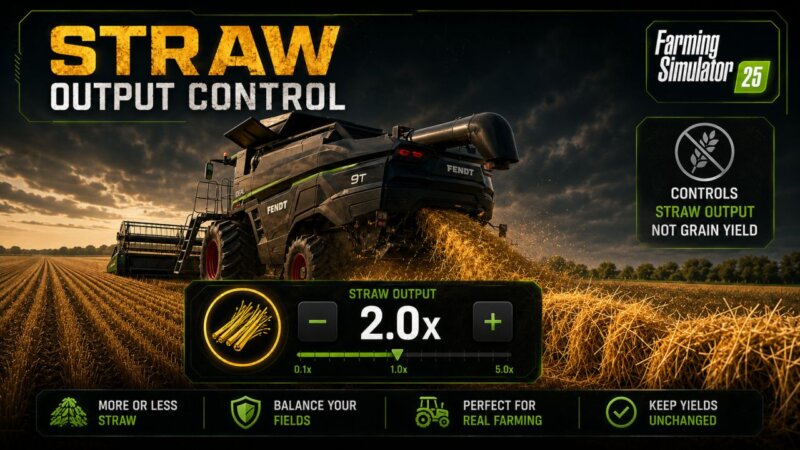
FS25 Straw output control v1.2.0.0 Straw Output Control allows you to change the amount of standard straw created in the swath behind the combine. Features: – Control the output of standard straw through a separate in-game window. – By default, the window opens with the F12 key. You can change this key in the game’s control settings. – Multiplier range: from 0.5x (-50%) to 5.0x (+400%). – Value 1.0x: the game’s base value with no changes. – The setting is stored in the modSettings folder separately for each savegame. – Each savegame can have its own straw output value. – Changes are applied without restarting the game or reloading the savegame. Value examples: – 0.5x: reduced straw output (-50%) – 1.0x: the game’s base value with no changes – 5.0x: increased straw output (+400%) Important: – The multiplier only affects the amount of straw swath created. – The crop yield itself is not changed. – The mod works with standard crops, modded crops, modded maps and other mods, as long as they use the standard fillType=”STRAW” for the straw swath. V1.2.0.0 – Updated the settings saving system. – Fixed synchronization of the straw multiplier in multiplayer games and on dedicated servers. – Added support for Field Contractors. When harvesting with straw enabled, the straw yield multiplier can now be configured directly in the contractor settings window. As before, the multiplier is applied globally, not to an individual field or contract. Integration with Field Contractors has been added for convenience — the desired amount of straw can be configured immediately when creating a harvesting contract, without having to open the Straw Output Control window separately. V1.1.0.0 – Fixed a bug due to which the selected multiplier was reset to 1.0x after restarting.
FS25 Straw Chopper Mod 1.0.0.1
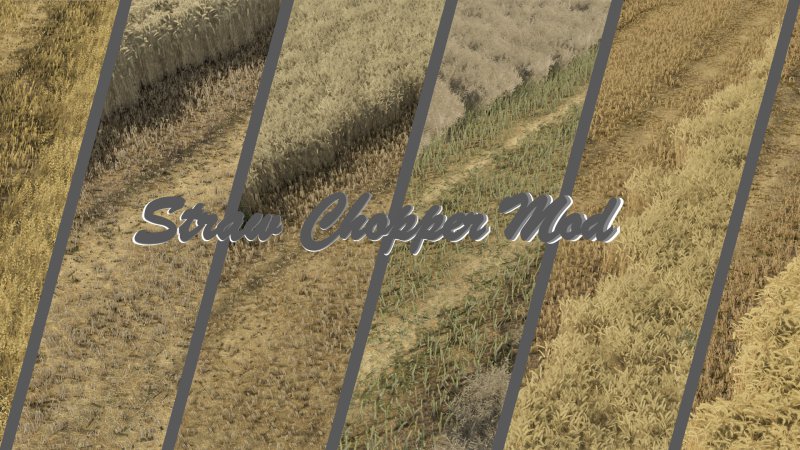
FS25 Straw Chopper Mod 1.0.0.1 I present to you a mod I’ve been quietly working on for some time: the Straw Chopper Mod. This mod introduces more realistic behavior for combine harvester straw choppers. When harvesting with the chopper active, a fine layer of chopped straw appears on the field instead of the straw simply vanishing completely. This makes the field look much more natural and closer to real-world conditions. The modification functions entirely as a standalone mod—it does not interfere with vehicle files or require any editing of the vehicles themselves. Works with the following crops: – Wheat – Barley – Canola (Rapeseed) – Oats – Rye – Triticale – Spelt Important note: The final visual result may vary depending on the map; this is due to the specific crop settings, textures, and straw configurations defined for that particular map. -1.0.0.1: *Functionality Improvements for RYE [Too Much Straw]
- 15 per page
- 30 per page
- 45 per page
- 60 per page
-
See more per page
Bigger pages, fewer clicks - and no ads anywhere.
Go Pro