Farming Simulator 22 mods
50,369 results- 15 per page
- 30 per page
- 45 per page
- 60 per page
-
See more per page
Bigger pages, fewer clicks - and no ads anywhere.
Go Pro

FS25 Manual connection system v2.0.0.0
FS25 Manual connection system v2.0.0.0 Get even more realism in FS25! Supported compressed-air, hydraulic and electrical lines can be connected and disconnected individually via Interactive Control (IC). If a vehicle or implement uses additional or different hose definitions that cannot be reliably operated via IC, the hose function of Manual Attach remains available as a fallback. Headers and comparable harvesting attachments are deliberately operated exclusively via Manual Attach. Trailers and header trailers behind harvesters can continue to use the IC connection system, provided the connections are supported. IMPORTANT: Starting with V2, Manual Attach by Wopster is required; it no longer works with Bayerngamers’ Manual Attach! Features: – Manually connect/disconnect supported lines via IC – Realistic implementation of the compressed-air brake – Fallback to Manual Attach for unsupported hose definitions – Multiplayer compatible V2.0.0.0 – Support for BayernGamers Manual Attach removed – Wopster’s FS25_manualAttach is now required – Y fallback for hoses available again – Unsupported vehicles/equipment can therefore continue to be used normally – IC connections remain the preferred method – Improved behavior for unrecognized or unusually configured hose connections – Improved compatibility with various modded vehicles and equipment – Headers and special harvesting attachments are still not fully handled via the IC system – Improved error handling for hose nodes that cannot be found – Note: With some mods, IC points may be missing if the hose nodes are not placed directly on the coupling – Minor internal adjustments and clean-up Important: If a connection does not work via IC, you can still connect the hoses using Y / Manual Attach and use the equipment normally.

FS25 GPS Wheel Sync beta 2
FS25 GPS Wheel Sync beta 2 This mod allows your physical steering wheel to follow the tractor’s steering movements while the built-in FS25 GPS steering assist is active. Starts automatically when GPS line following is activated with H. Left Ctrl – enable or disable wheel following. Adjustable response, movement smoothing and steering wheel rotation range. Status displayed in the controls help panel. Multiplayer support added – each player has their own wheel settings. Settings: Game Settings → GPS Wheel Sync. Set the wheel rotation range to match your wheel driver. Motor strength is controlled by the game’s Force Feedback setting. For PC and force-feedback steering wheels. Tracking accuracy depends on your wheel and settings. Multiplayer requires the same mod version on the server and all clients; testing in a live multiplayer session is still pending. BETA 2 Removed the vibration status check that could prevent wheel tracking from starting, even on FFB-supported wheels. The mod no longer changes the game’s vibration setting.
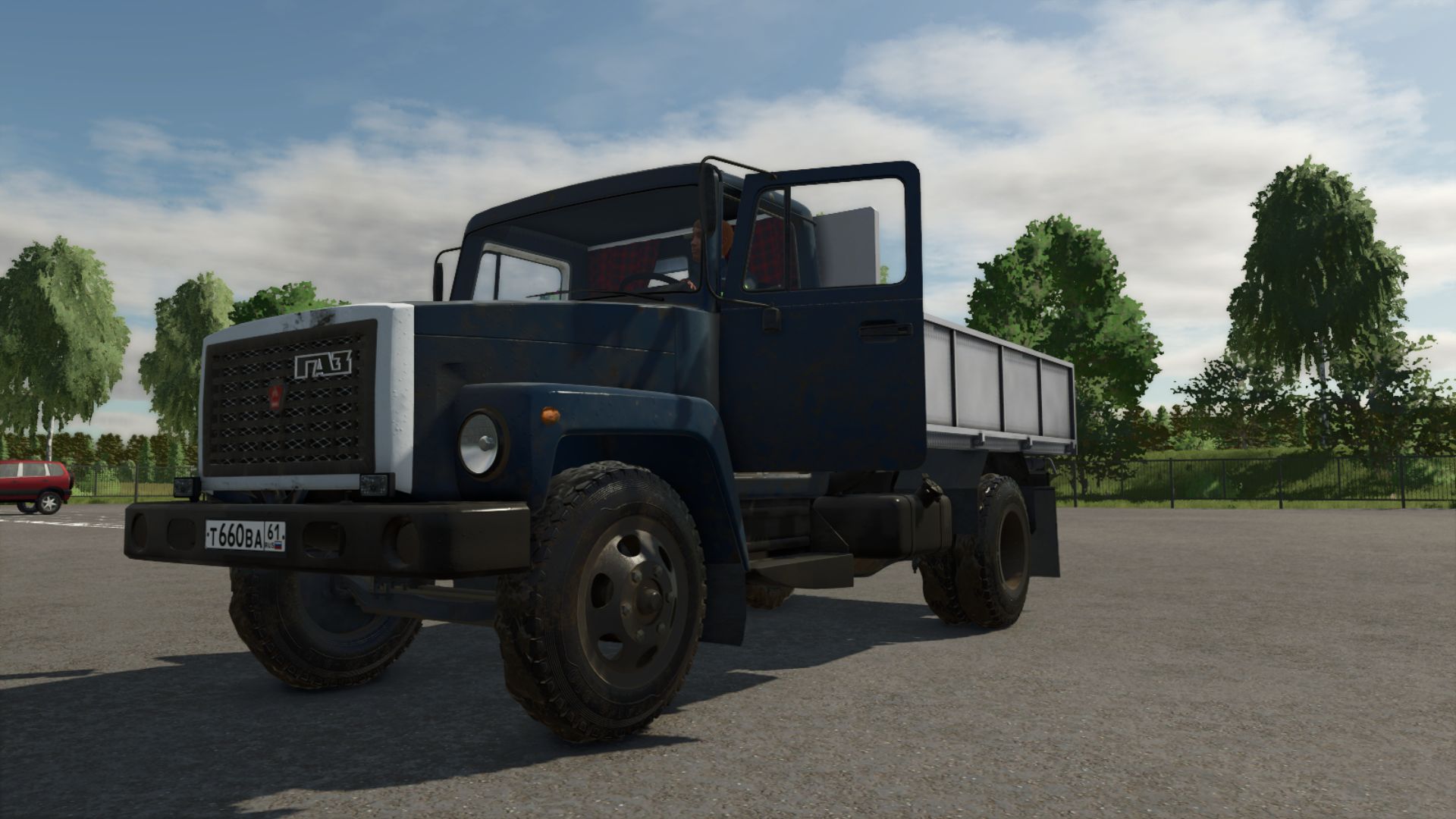
Ukrainian internet radio stations FS25
The file contains 45 Ukrainian internet radio stations (Хіт FM, Kiss FM, Radio ROKS, Наше Радіо, Мелодія FM, Радіо Байрактар, Українське радіо, Армія FM, etc.). Installation ------------ [STEAM / Epic] 1. Open Windows Explorer 2. Go to the Farming Simulator 25 installation folder, for example: C:\\Program Files (x86)\\Steam\\steamapps\\common\\Farming Simulator 25 3. Open data\\music 4. Replace the streamingInternetRadios.xml file with this file [Documents — recommended] 1. Open Documents\\My Games\\FarmingSimulator2025\\music 2. Replace the streamingInternetRadios.xml file with this file (if the music folder does not exist yet — launch the game once) After replacing the file, restart the game. The stations will appear on the radio in the vehicle cab. Tip: in the game settings, you can set Radio Range = Always, so that the radio also plays outside the vehicle. Adding your own stations ----------------------- Edit streamingInternetRadios.xml in a text editor. Line format: Links to .mp3, .aac, .m3u, .pls files are supported (as well as many direct Icecast/Shoutcast streams). Version: 2.0 (FS25, Ukrainian channels)
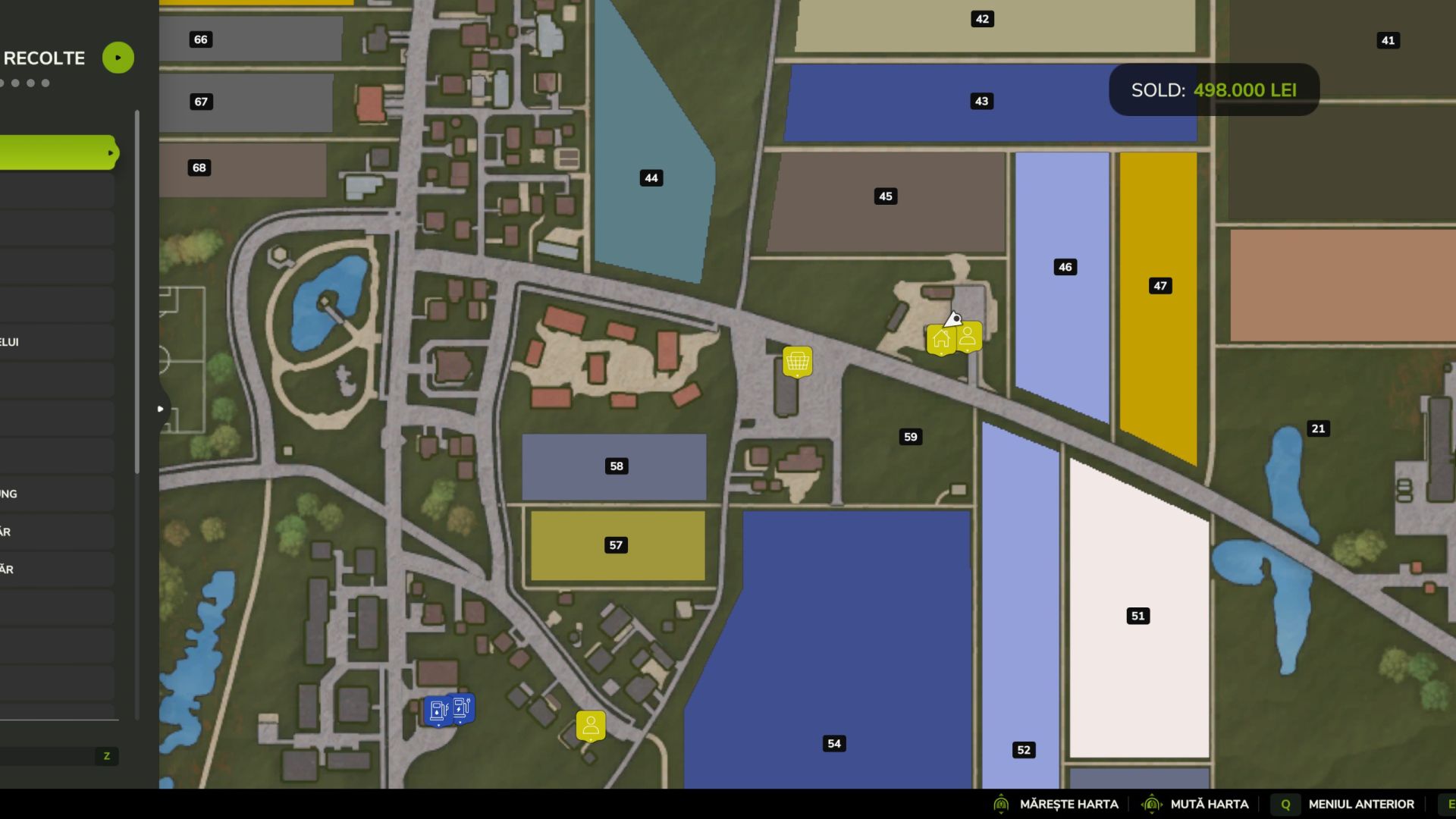
Work For Your Neighbors FS25
Work on your neighbors’ fields using your own machinery and earn money for completing jobs. The mod adds a Work for Your Neighbors tab to the ESC menu. Choose a type of work to display eligible fields, then select a field to view its crop, area, current condition and payment. Your own fields and fields already reserved by standard contracts are excluded. Available work depends on the field’s condition, the crop calendar and the mission types supported by the game and map. Features Use your own equipment, seeds and consumables. Use the standard AI helper where the equipment and job support it. Follow the game’s crops and seasonal settings. Track job progress in the menu. Collect payment manually when the job reaches 100%. For harvesting, fulfil the native contract delivery requirements at the assigned selling point. Cancel a job without receiving payment. Keep the game’s standard contract limits and deadlines. Payment per hectare Work Payment Plowing 20,000 Root crop harvesting, including required preparation 20,000 Sowing / planting 10,000 Stone picking 10,000 Fertilizing 5,000 Herbicide spraying / weeding 7,000 Cultivating / discing and other supported light work 7,000 Other crop harvesting 15,000 Payment is calculated from the field’s area. Consumables and helper costs are your responsibility and are not reimbursed separately. Controls Press ESC and open the Work for Your Neighbors tab. Use the arrows beside the work selector to choose a job type. The field list updates automatically. Click a field to select it. Select START in the bottom bar to accept the job. Select DECLINE to cancel the selected job or remove a failed job. At 100%, select COLLECT YOUR MONEY to receive payment. You can use the mouse or the keyboard shortcuts displayed beside the bottom-bar buttons. Shortcuts follow your game’s control bindings. For Farming Simulator 25 on PC/Mac, single player. Designed to follow seasonal growth settings both enabled and disabled. Available jobs depend on map and game support. Beta notice: This version is still being tested. The latest herbicide spraying and weeding changes require confirmation in-game. If a job fails, report the displayed message and provide your log.txt.

MAN Lions Coach C 2017 Oranget FS22
MAN Lions Coach C 2017 Oranget - Character - No interior - Realistic suspension - Simple IC (doors) Features: - Price: 117975 - Power: 171 3D PURCHASED FROM: 3D MODEL: HUM3d MODDER: MG COMMUNITY FS PS: Modification and conversion authorized for private use; no re-upload, authorized. Have fun!
AI Farm Manager FS25
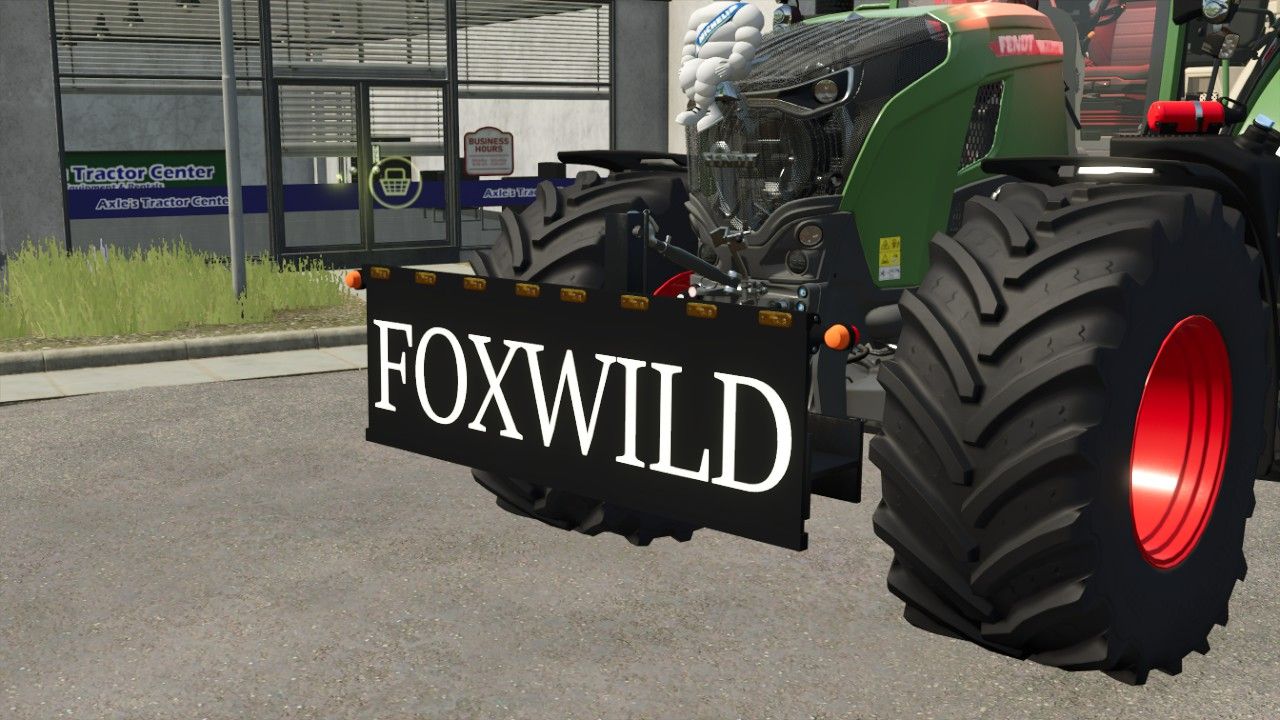
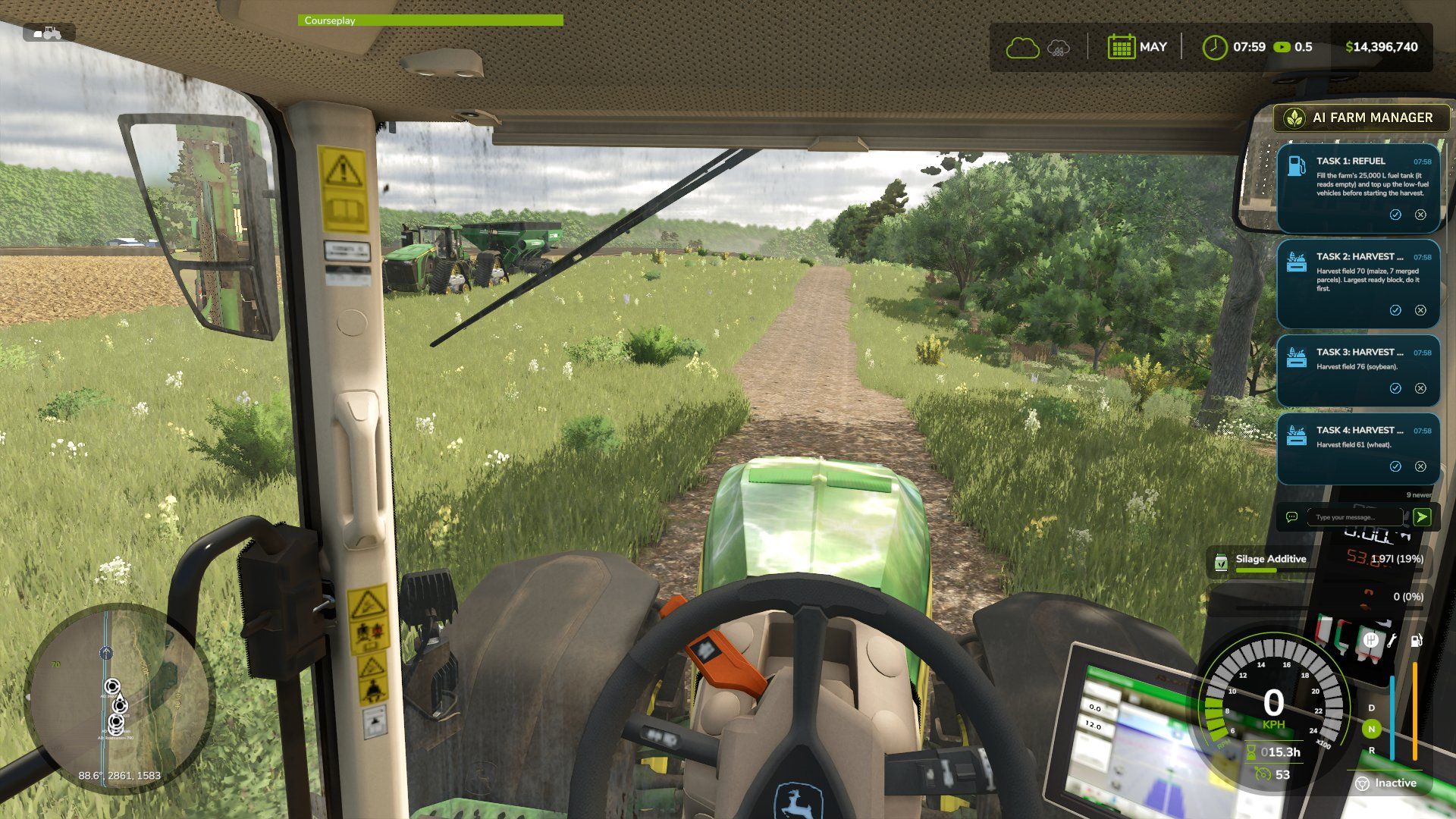
YOUR FARM FINALLY HAS A MANAGER — one that actually reads your save, watches the prices, and taps you on the shoulder when it matters. AI Farm Manager 25 gives your farm a real manager: an AI that reads your ACTUAL savegame — cash, fields, fleet, prices, weather, the clock — remembers your farm across sessions, puts colour-coded cards on your screen when something needs a decision, and adds its own page to the game menu. Answer a card right there in the game with a click or a typed reply, and it answers back. Full description: https://github.com/Hidden-History/FS25-AI-Farm-Manager Got a feature idea or hit a bug? Please open it on GitHub — that's where this grows: 👉 https://github.com/Hidden-History/FS25-AI-Farm-Manager (setup guide, how-to docs, issues, feature requests) Full changelog: https://github.com/Hidden-History/FS25-AI-Farm-Manager/releases/tag/v3.1.9.0 A new architecture for how Cyrus reads your farm, plus a round of fixes from the manager's first live sessions on a real save. Added Setup now asks your name and what language to speak, right at the start. Before this, the manager never asked either — it addressed you as "partner" and spoke English no matter what language you actually use. Now it asks first, and speaks the language you give it from that point on. A new cache layer. Dedicated scripts now gather your farm's state and write it to a verified cache whenever the game saves — including pushing fleet fuel/repair alerts straight to your on-screen overlay the moment a threshold is crossed, with no need to ask. Cyrus reads what those scripts already produced instead of gathering and reporting everything itself in one conversation, so a session starts from more of what the game knows, read the same way every time. Closeout can now offer to send issues to the project's GitHub tracker. At the end of a session, if anything logged looks like a product defect, Cyrus asks whether to send it — and always asks whether there's anything else you'd like added or changed, defect or not. Every issue is scanned and the scan result is told to you plainly ("scanned for usernames, home paths and author identifiers" — not a claim your finances were checked); you see the exact title and body before anything is sent, and approve, edit, defer, or drop each one individually. Nothing is batched, and nothing goes anywhere without your say-so. Setup now asks which farm is yours when your save has more than one (for example, a joined multiplayer save), instead of assuming. A field-by-field work list of what needs doing today. Each field reports the operation its own state calls for — ploughing, liming, weeding, and more — grounded in the same read of the field's own state, not a generic checklist, and with the reading behind each recommendation carried alongside it. Cyrus can now tell you which of your production lines are running dry, and how many hours you have before each one empties — checked against that line's own input stock, not your farm's stock as a whole, so a full silo elsewhere doesn't hide a bin that's actually about to run out. Where the underlying data can't say, it tells you that instead of guessing. Changed The "can I sell this?" check no longer states a flat "no" it can't actually back up. It previously could tell you an item you own (manure, wool, milk, and others) can't be sold, when it had simply not found where — it now only reports what it has confirmed. File-size limits on your farm's memory files are now recommendations that warn when crossed, instead of hard caps that block you from continuing. Your farm can also record its own preferred size, which overrides the shipped recommendation. A mistyped notification command is no longer reported as "the game must be closed" — argument mistakes and real delivery failures are now told apart. Fixed Several documented commands referenced a Claude Code variable not defined in current versions, so they silently could not run. Every command in the skill now uses a direct path. Updating an older farm's memory to a newer format now always backs up your data first, or refuses to run — it could previously destroy your only restore point if interrupted partway through. A background freshness check could keep reporting your farm's cached data as out of date immediately after it had just been refreshed. Fixed for the affected data sources. "I have no mods" is now accepted as a complete, final answer during setup — the manager no longer keeps re-asking or goes searching your disk for a folder that isn't there. Checking what equipment you're missing could time out on a large fleet; it now gets more time to finish that specific check. A quick freshness check on your cached data (used when a full re-check would take too long) could report that data as "verified" when it had only compared each file's timestamp and size, never read its actual contents. It no longer claims more than it checked. Every field's crop-growth stage was reading as unknown, always, on every save — a step in building the underlying growth-stage table was silently missing its data, so the table never built. It now builds correctly, and crop state populates the way it was always meant to. Whether a crop was ready to harvest was being judged by the name of its growth stage instead of the flag that actually marks it ready. On this map several crops have a stage named as if it were ready when it isn't, while the truly ready stage is named something unrelated — so a crop could read as ready when it wasn't, and vice versa. Readiness is now read from the correct flag. Added Setup now asks how you want to play — your scenario, challenge, or preset — so the manager's advice fits your run from the start. Mouse-wheel scrolling through the on-screen card stack. A draggable scrollbar on the card panel, so you can scroll through your notifications even without a mouse wheel. A dedicated keybind (Ctrl+Comma) to raise or lower the mouse cursor on foot, so you can click, drag, and scroll the notification panel without needing to be in a vehicle. A settings page (Ctrl+Alt+Period, on foot or in a vehicle): toggle the panel on/off, change its size, reset its position, and set how long messages linger when the panel is off. The manager now keeps a single running plan for your farm — read at the start of every session and updated as decisions are made — instead of only tracking scattered long-term notes. Nothing to set up; it starts empty and fills in as you play. Changed The manager now remembers your game settings — such as season length and crop growth mode — between sessions, instead of only reading them once during setup. Session history now tracks the in-game season and day, so your progress reads on the farm's own calendar rather than only the real-world date. Shortened the mod's keybind names so they no longer get cut off in FS25's Controls menu. The notification overlay now renders at higher resolution, so the cards, panel, and top bar stay crisp on high-resolution (1440p/4K) displays instead of looking soft, and the scrollbar sits clear of the cards. Fixed When several notifications were active, the on-screen card list could grow to fill most of your screen. It's now capped to a fixed number of visible cards, with the rest reachable by scrolling. Bales stored in modded storage sheds weren't counted in your farm's holdings. They're now detected and included in your totals. Removed a stretched backdrop panel behind the cards that distorted their rounded corners. Cards now render cleanly. Long notification titles no longer run past the edge of the card or overlap the timestamp — they're shortened with an ellipsis when needed.
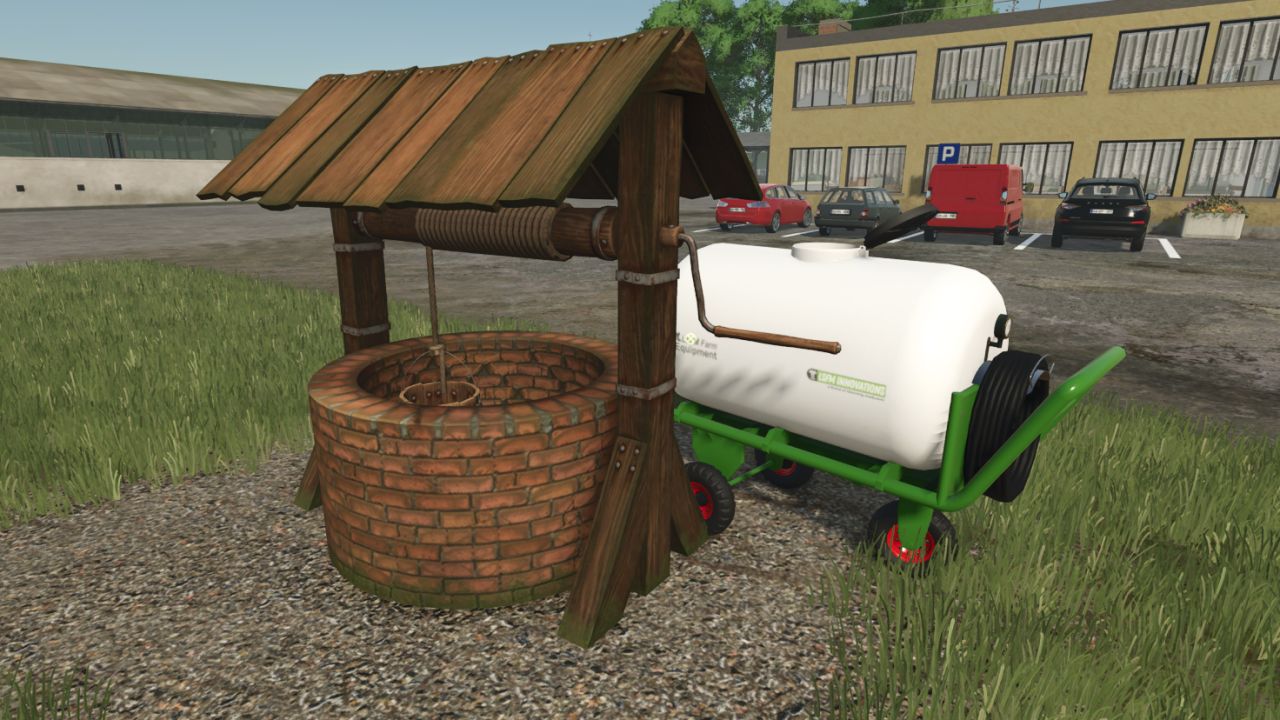
Old Water Well FS25
Traditional Windlass Water Well Add a touch of nostalgia to your farm with this traditional windlass water well! This placeable well is not just for decoration; it is fully functional and highly interactive. Features: Interactive Control Support: If you have the Interactive Control mod installed, you can manually interact with the well. You can animate the crank to lower the bucket into the water and roll it back up. Realistic Water Drawing: Every time you roll the bucket to the surface, it brings up 100 liters of water. Animal & Trailer Supply: You can use the drawn water to hydrate your animals or fill your water trailers and tanks by pressing the 'R' key. Immersive Mechanics: Water transfer is only possible if you have successfully rolled the bucket all the way to the surface! Perfect for small farms, vintage setups, or players who love realistic and interactive gameplay! - water filltype fill volume fix texture
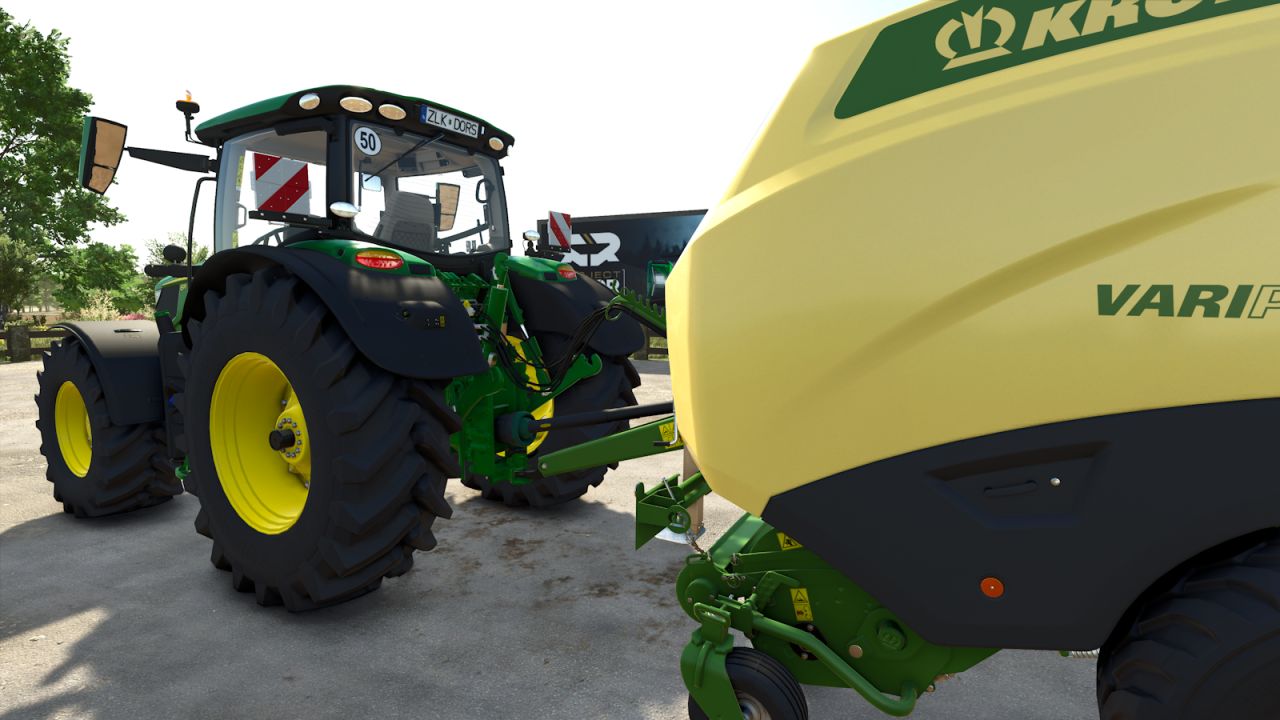
Manual connection system FS25
Get even more realism in FS25! Supported compressed-air, hydraulic and electrical lines can be connected and disconnected individually via Interactive Control (IC). If a vehicle or implement uses additional or different hose definitions that cannot be reliably operated via IC, the hose function of Manual Attach remains available as a fallback. Headers and comparable harvesting attachments are deliberately operated exclusively via Manual Attach. Trailers and header trailers behind harvesters can continue to use the IC connection system, provided the connections are supported. IMPORTANT: Starting with V2, Manual Attach by Wopster is required; it no longer works with Bayerngamers' Manual Attach! Features: - Manually connect/disconnect supported lines via IC - Realistic implementation of the compressed-air brake - Fallback to Manual Attach for unsupported hose definitions - Multiplayer compatible - Support for BayernGamers Manual Attach removed - Wopster's FS25_manualAttach is now required - Y fallback for hoses available again - Unsupported vehicles/equipment can therefore continue to be used normally - IC connections remain the preferred method - Improved behavior for unrecognized or unusually configured hose connections - Improved compatibility with various modded vehicles and equipment - Headers and special harvesting attachments are still not fully handled via the IC system - Improved error handling for hose nodes that cannot be found - Note: With some mods, IC points may be missing if the hose nodes are not placed directly on the coupling - Minor internal adjustments and clean-up Important: If a connection does not work via IC, you can still connect the hoses using Y / Manual Attach and use the equipment normally.
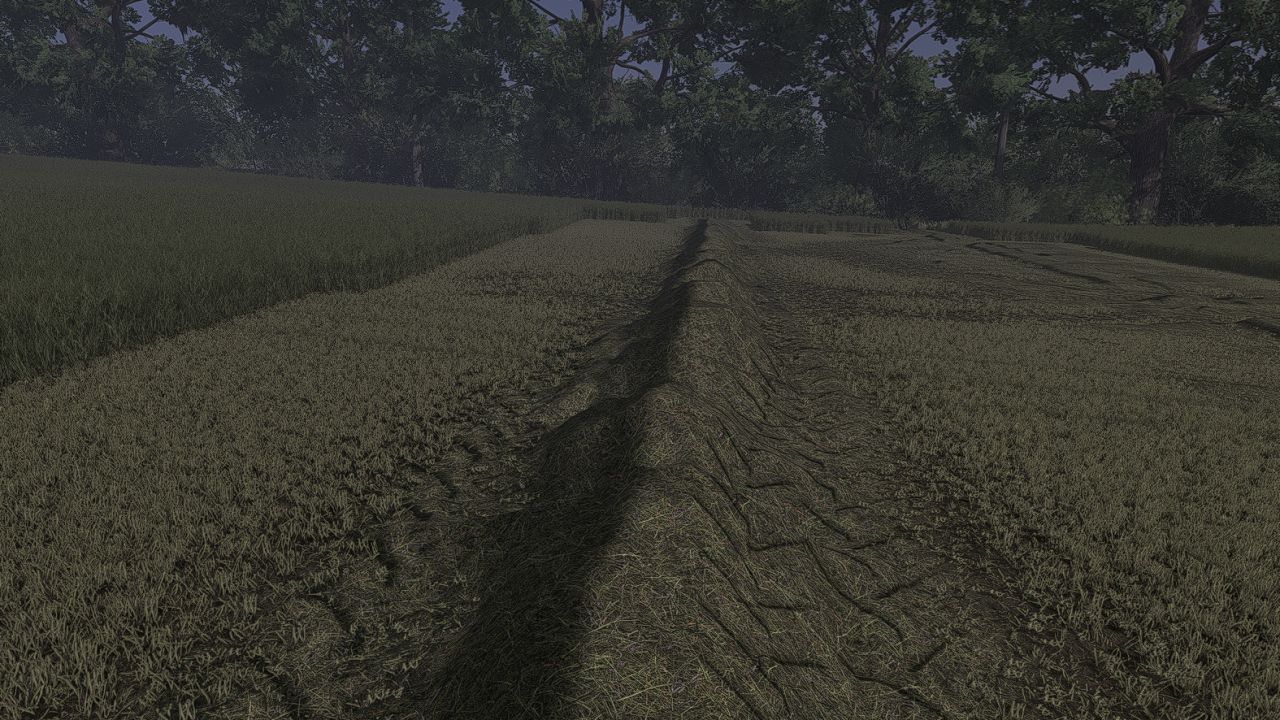
Grass Texture FS25
I am releasing my own grass texture, which I think looks very, very nice and creates beautiful swaths.

GPS Wheel Sync FS25
This mod allows your physical steering wheel to follow the tractor’s steering movements while the built-in FS25 GPS steering assist is active. ✅ Starts automatically when GPS line following is activated with H. ✅ Left Ctrl – enable or disable wheel following. ✅ Adjustable response, movement smoothing and steering wheel rotation range. ✅ Status displayed in the controls help panel. ✅ Multiplayer support added – each player has their own wheel settings. Settings: Game Settings → GPS Wheel Sync. Set the wheel rotation range to match your wheel driver. Motor strength is controlled by the game’s Force Feedback setting. For PC and force-feedback steering wheels. Tracking accuracy depends on your wheel and settings. Multiplayer requires the same mod version on the server and all clients; testing in a live multiplayer session is still pending. ✅ Removed the vibration status check that could prevent wheel tracking from starting, even on FFB-supported wheels. ✅ The mod no longer changes the game’s vibration setting.
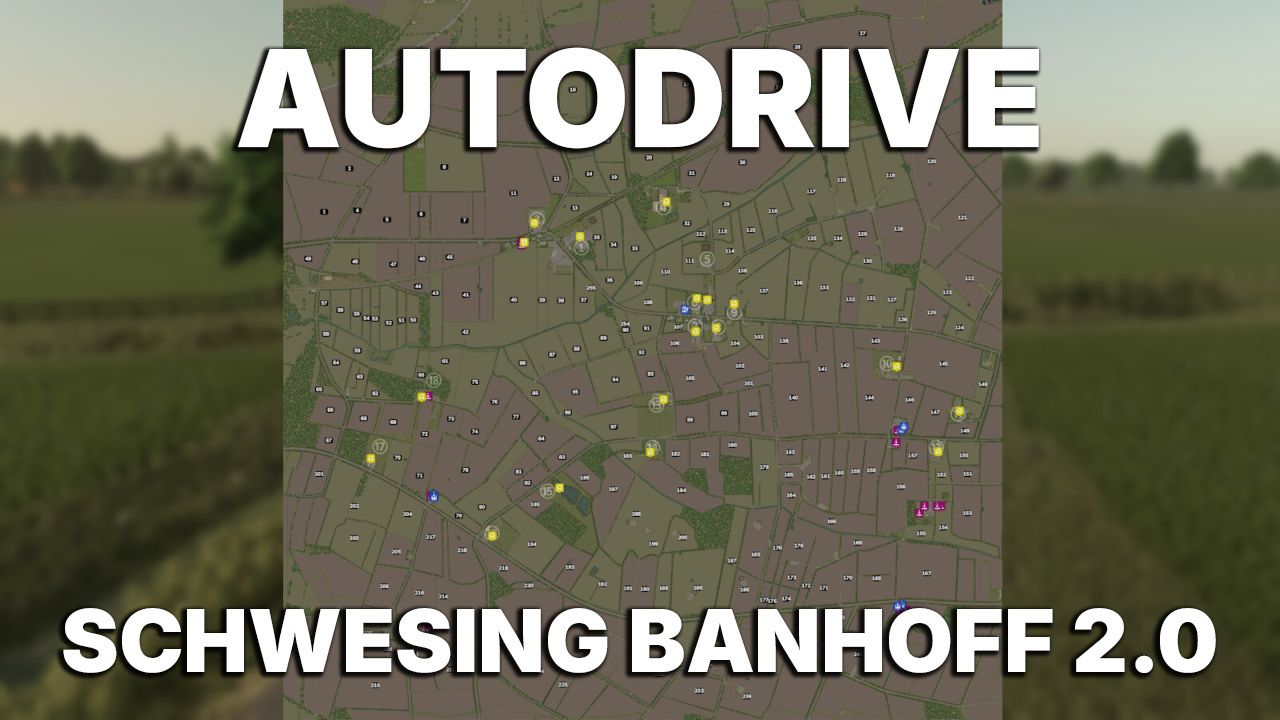
Autodrive Schwesing Bahnhof V2 FS25
AutoDrive network for the map: Schwsing Bahnhof V2. An English version is included in the download! Basic course with farms. After reviewing Schwesing V2, we decided to start from scratch. Since the course has been in development since February, and there were unfortunately long breaks during which no work was done on it, it is only now being released. Due to the long breaks, the courses were created in different AutoDrive versions, but this currently poses no problems with navigating to destinations or right-of-way rules. Almost everyone on the team was involved in the course in some way and contributed important work; thank you for that. The following have been driven: Fields and field exits The farms have an access road. Sales and purchasing points If we've missed anything, encountered problems, or forgotten anything, please let us know. We've checked that all fields are present. Recommended settings: Cornering speed: 70% Field exit: Nearest Folder: ON Collision detection: OFF

FS22 WSK 125 Pack
FS22 WSK 125 Pack I’m releasing a WSK 125 mod for you. It’s not exactly a masterpiece, but it’ll do for screenshots.

FS25 JS GPS beta
FS25 JS GPS beta JS GPS – Farming Simulator 25 (version 0.9.9.3) By JS Moding. INSTALLATION 1. Copy the FS25_JSGPS.zip file (without extracting it) to: Documents\My Games\FarmingSimulator2025\mods 2. If you have the FS25_Courseplay.zip mod in the mods folder, remove it. The two mods do not work together. 3. Open the game and activate JS GPS when loading the save. KEYS (can be changed in Options > Controls) Ctrl+J ……… Field assistant: scans the field, compares the routes and starts the work Ctrl+G ……… Generate route Ctrl+H ……… Turn the assistant on / off Ctrl+U ……… GUIDE mode (GPS only steers, you control the speed) Ctrl+L ……… Skip row D / A ………. One turn inward / outward (with the assistant turned on) Delete ……… Open / close the GPS screen Alt+G ………. JS GPS menu (settings and route generator) Right mouse button .. Show the mouse to click on the GPS screen QUICK USE 1. Enter the field with the machine and the attached implement. 2. Press Ctrl+J. Within a few seconds, the field status and route list will appear. 3. Choose the route (the first one is recommended) and confirm “Start the work now?”. 4. Done: the assistant works by itself. During harvesting, it continues until the field reaches 100%. If it stops (full tank, no product, fuel, rain), a message explains the reason; press Ctrl+J again to continue only where work is still missing. TIPS – The width, turning radius and implement size are detected automatically; no configuration is needed. – If something goes wrong, send the log.txt file (Documents\My Games\FarmingSimulator2025).

- 15 per page
- 30 per page
- 45 per page
- 60 per page
-
See more per page
Bigger pages, fewer clicks - and no ads anywhere.
Go Pro