Farming Simulator 22 mods
50,512 results- 15 per page
- 30 per page
- 45 per page
- 60 per page
-
See more per page
Bigger pages, fewer clicks - and no ads anywhere.
Go Pro

Realistic Graphics Preset By GUSTAVO GATI V1.0
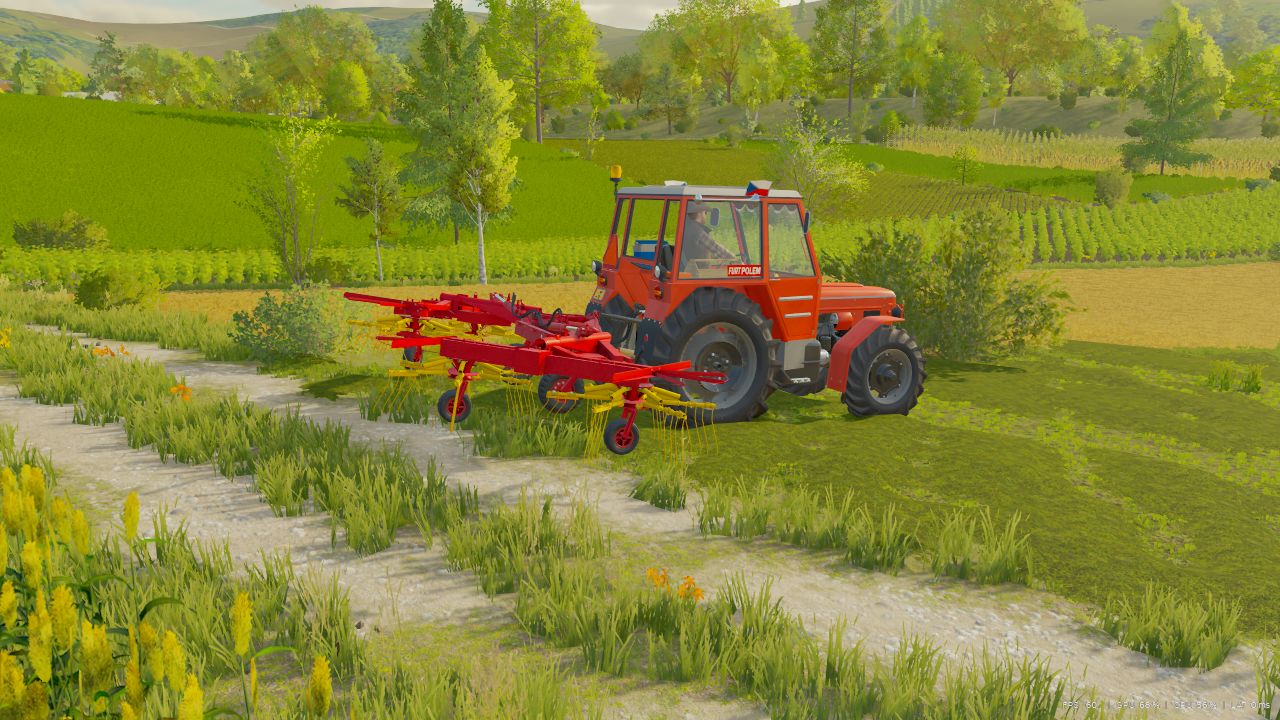
Hey, King Mods community! I present my Graphics Preset for Farming Simulator 22, developed to completely transform the game’s lighting and colors, bringing the realism you can see in these photos. Graphics Preset Highlights Natural Lighting: Advanced contrast and exposure adjustments to simulate real sunlight, removing the “washed-out” and grayish appearance of the base game. Vibrant and Authentic Colors: The shades of green in the vegetation, the soil, and the colors of the machines (such as the green and yellow of this John Deere) become much more vivid and true to life. Enhanced Shading: Improved ambient occlusion and contrast, deepening the shadows on vehicle parts, the cab, and the implements. Extra Sharpness: Texture details and metallic reflections become much more defined and sharper on screen. (How to Install) Make sure you have ReShade (or the equivalent program you are using) installed in your Farming Simulator 22. Download the preset file and place it in the root folder of your game. Open the ReShade menu in-game and select the preset. This Is Only the First Version of This Preset Credits: Gustavo Gati 5/5 - (2 votes) Download mod File File size Preset REALISTA V1 By GUSTAVO GATI 14 KB

FS25 Reshade with DLSS5
FS25 Reshade with DLSS5 I’m releasing a personally made reshade that fits well with the new DLSS5 options. To get the same effect as in the photos, you need: – Download my reshade – Download the black light – Download the reshade application. I downloaded RHI in this case. Graphics settings: High, Ultra, Terrain I recommend brightness between 0.7-1.2 I’m uploading photos here that show the most important moments in the game, shadows, lighting, and so on. Reshade includes: – Game sharpening, which really gives a powerful effect – HDR and better shadows – Shadows on vegetation and infrastructure I don’t play on a powerful computer, but on a gaming laptop: RTX 4060, 8v RAM, I7 13Gen, 16GB RAM So, even though I’m using a laptop, the FPS stays between 60 and 100 FPS. I recommend In the Nvidia application, enable the smooth motion option, which will, so to speak, unlock the fps and make it easier and smoother to play on high and ultra settings.

Realistic Graphics Preset By GUSTAVO GATI FS22
Hey, King Mods community! I present my Graphics Preset for Farming Simulator 22, developed to completely transform the game's lighting and colors, bringing the realism you can see in these photos. Graphics Preset Highlights Natural Lighting: Advanced contrast and exposure adjustments to simulate real sunlight, removing the "washed-out" and grayish appearance of the base game. Vibrant and Authentic Colors: The shades of green in the vegetation, the soil, and the colors of the machines (such as the green and yellow of this John Deere) become much more vivid and true to life. Enhanced Shading: Improved ambient occlusion and contrast, deepening the shadows on vehicle parts, the cab, and the implements. Extra Sharpness: Texture details and metallic reflections become much more defined and sharper on screen. (How to Install) Make sure you have ReShade (or the equivalent program you are using) installed in your Farming Simulator 22. Download the preset file and place it in the root folder of your game. Open the ReShade menu in-game and select the preset. This Is Only the First Version of This Preset Preset Made By (Gustavo Gati)
Script Sentry – Mod Conflict Notifications FS25
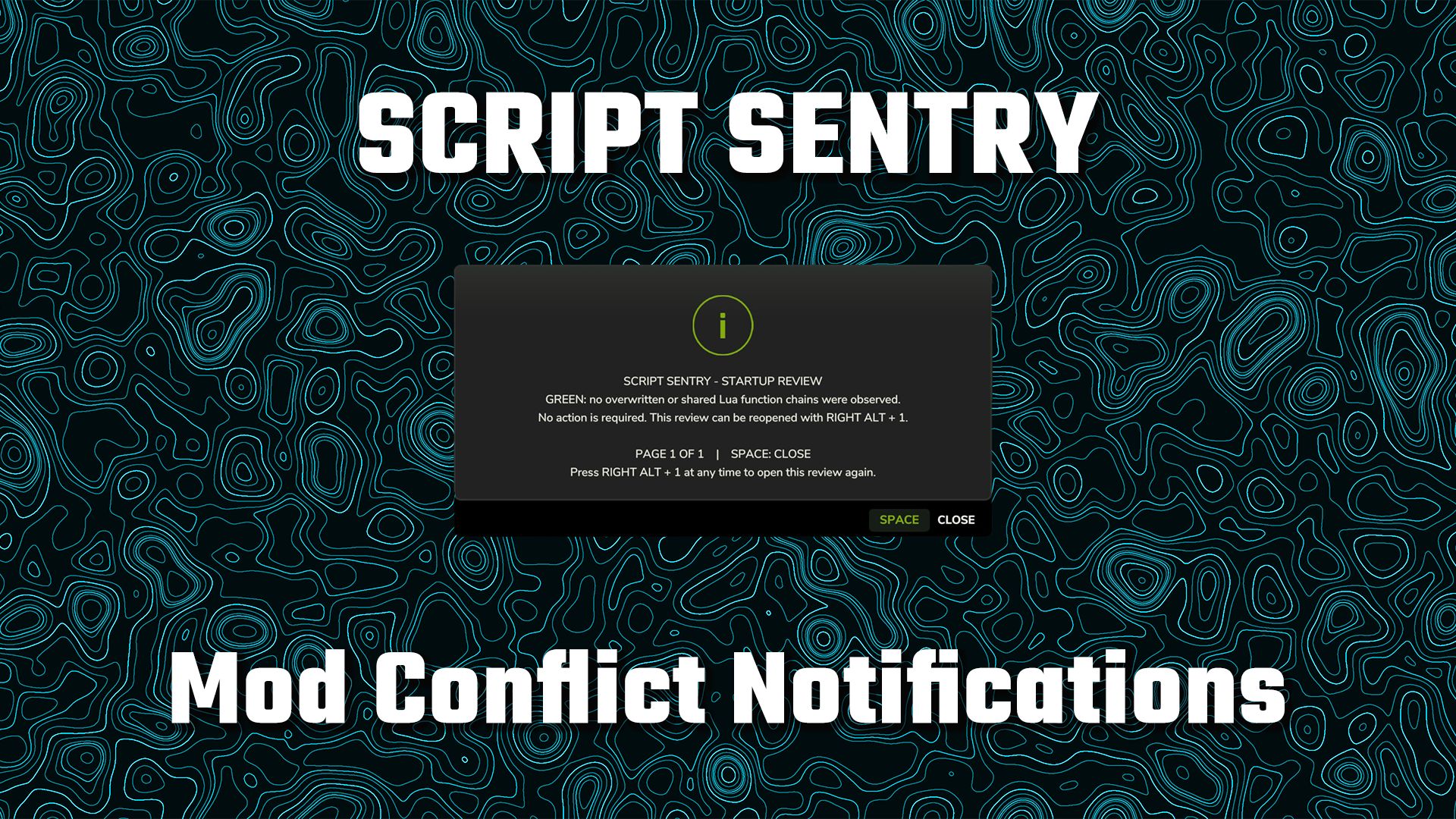
Script Sentry – FS25 Mod Conflict Notifications Have you ever installed a new mod and then discovered that another mod’s feature or control mysteriously stopped working? Script Sentry is a read-only diagnostic utility for Farming Simulator 25. It observes live Lua function chains during startup and provides an easy-to-read in-game review—no developer console or log reading required. How the review works GREEN: No broken function chains were found. AMBER: Multiple mods share a function, but the official function chain remains intact. No action is usually required unless a feature is missing. RED: A later mod replaced a function without preserving the previous implementation. Script Sentry identifies the mods involved, the affected function, and a recommended next step. The review opens shortly after gameplay begins and remains visible until you close it. Controls Space: Close the review. Right Alt + top-row 1: Reopen the review at any time. Longer reports are divided into numbered pages. Close the current page with Space and press Right Alt + 1 to open the next page. Script Sentry leaves no permanent icon, badge, or message covering the gameplay HUD. Features In-game startup review Detects observed Lua function-chain overlaps and replacements Names the mods and functions involved Separates intact shared chains from likely overwrites Native FS25 popup menu Review can be reopened whenever needed No developer console required No manual log reading required No savegame changes No keybinding-file changes No automatic conflict resolution No mod disabling or load-order changes No persistent gameplay HUD clutter Script Sentry is a notification and diagnostic tool. It is not a mod manager or generic log extractor. It reports what it observes and leaves every decision with the player.


FS25 Blackstack’s Wheelie Extension
FS25 Blackstack’s Wheelie Extension This mod adds a universal wheelie system to most ALL FS25 vehicles. Designed to work across everything from bikes and cars to larger trucks, the script applies controlled lift to bring the front end up and stable. Works with bikes, trucks & other compatible vehicles Dynamic wheelie assistance based on vehicle size Keyboard & controller support Controlled lift with reduced jumping Plug-and-play script extension Controls Keyboard: Hold O while accelerating to activate the wheelie. Controller: Hold LSB (Left Stick Button) while accelerating to activate the wheelie. Release the wheelie control to bring the front end back down. Changing Your Keybinds Don’t like the default controls? You can change them directly in-game. Go to: ESC → Settings → Controls Find the Blackstack Wheelie Extension controls, select the Wheelie action, and assign whatever keyboard key or controller button you want. Keybinds can be changed at any time without editing the mod files.

FS25 DLSS 5 in Farming Simulator 25 – Installation Guide
FS25 DLSS 5 in Farming Simulator 25 – Installation Guide Want to run DLSS 5 in Farming Simulator 25? The videos below show you step-by-step how to install and configure this technology in Farming Simulator 25. DLSS 5 uses generative artificial intelligence and 3D-Guided Neural Rendering technology to improve graphical realism, including lighting, materials, shadows, and vegetation. The videos will show you which files are needed, where to place them, and how to run DLSS 5 in Farming Simulator 25.
Script Sentry v1.0.0.0
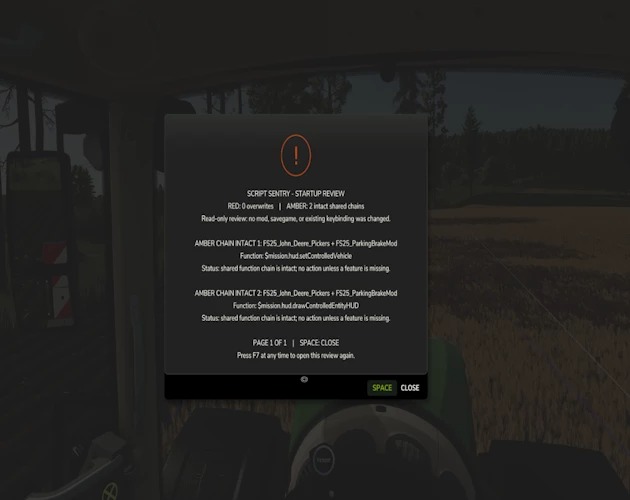
Script Sentry v1.0.0.0 Script Sentry is a free mod. All mods released by SecondChanceGaming3709 are free. If you enjoy my work and would like to donate, it is always appreciated, but donations are never required. Script Sentry – FS25 Mod Conflict Notifications Version 0.3.2.0 — Public Beta Have you ever installed a new mod and then discovered that another mod’s feature or control mysteriously stopped working? Script Sentry is a read-only diagnostic utility for Farming Simulator 25. It observes live Lua function chains during startup and provides an easy-to-read in-game review—no developer console or log reading required. How the review works GREEN: No broken function chains were found. AMBER: Multiple mods share a function, but the official function chain remains intact. No action is usually required unless a feature is missing. RED: A later mod replaced a function without preserving the previous implementation. Script Sentry identifies the mods involved, the affected function, and a recommended next step. The review opens shortly after gameplay begins and remains visible until you close it. Controls Space: Close the review. Right Alt + top-row 1: Reopen the review at any time. Longer reports are divided into numbered pages. Close the current page with Space and press Right Alt + 1 to open the next page. Script Sentry leaves no permanent icon, badge, or message covering the gameplay HUD. Features In-game startup review Detects observed Lua function-chain overlaps and replacements Names the mods and functions involved Separates intact shared chains from likely overwrites Native FS25 popup menu Review can be reopened whenever needed No developer console required No manual log reading required No savegame changes No keybinding-file changes No automatic conflict resolution No mod disabling or load-order changes No persistent gameplay HUD clutter Script Sentry is a notification and diagnostic tool. It is not a mod manager or generic log extractor. It reports what it observes and leaves every decision with the player. Optional companion mod Script Sentry is fully compatible with FS25 FillType Monitor. The two mods can be installed together: Script Sentry reviews Lua function chains. FillType Monitor tracks fill-type usage and remaining capacity. Each mod works independently. Neither mod is required for the other to function. Important: Do not rename the ZIP Keep the exact filename: AAA_FS25_ScriptSentry.zip Farming Simulator loads script mods according to their filenames. The AAA prefix places Script Sentry near the beginning of the load order so it can begin observing function activity before most other script mods make their changes. If the ZIP is renamed, Script Sentry may load too late and miss an overlap or overwrite, resulting in an incomplete startup review. Do not: Remove the AAA prefix. Add words or version numbers to the filename. Allow Windows to rename it with additions such as (1). Unzip the mod into the mods folder. Keep multiple copies of Script Sentry installed. When updating, remove or replace the older copy so only one file named AAA_FS25_ScriptSentry.zip remains in the mods folder. Public beta notice Script Sentry reports observable function-chain activity, but no automated detector can identify every possible incompatibility. An amber result does not automatically mean that two mods are incompatible. It means both mods are using the same function while the function chain remains intact. Results should be treated as diagnostic guidance. If everything is working correctly, an amber result may require no action. Please report unexpected results and include your FS25 log.txt when possible. Platform: PC/Mac Multiplayer: Not currently supported Created by: SecondChanceGaming3709
- 15 per page
- 30 per page
- 45 per page
- 60 per page
-
See more per page
Bigger pages, fewer clicks - and no ads anywhere.
Go Pro