Farming Simulator 22 mods
50,512 results- 15 per page
- 30 per page
- 45 per page
- 60 per page
-
See more per page
Bigger pages, fewer clicks - and no ads anywhere.
Go Pro
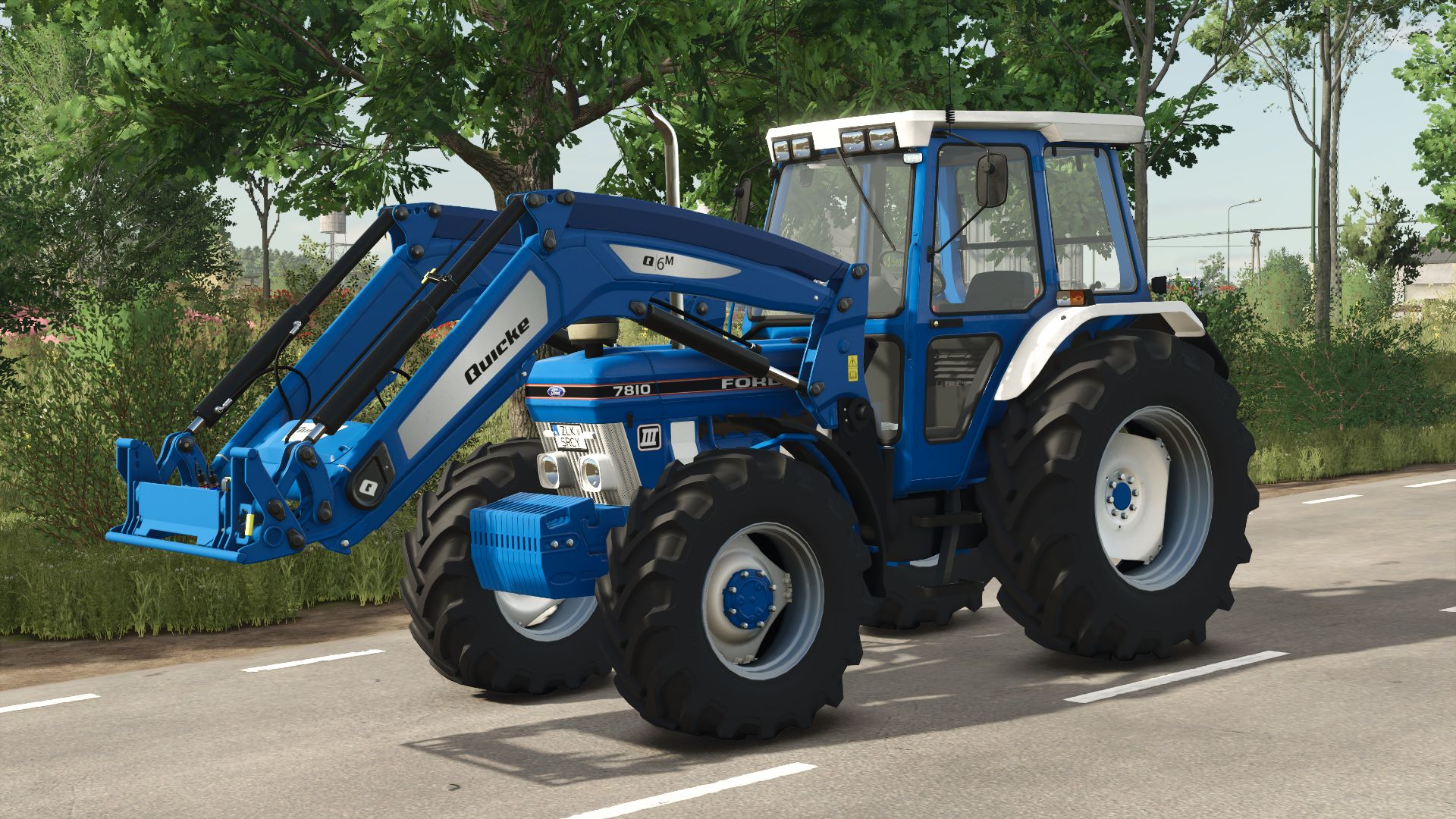
Ford 7810 V1.0.0.4
V1.0.0.4 Interactive control added Ford 7810 was the most powerful produced model betwen 1988-1991 featuring the Super Q cab
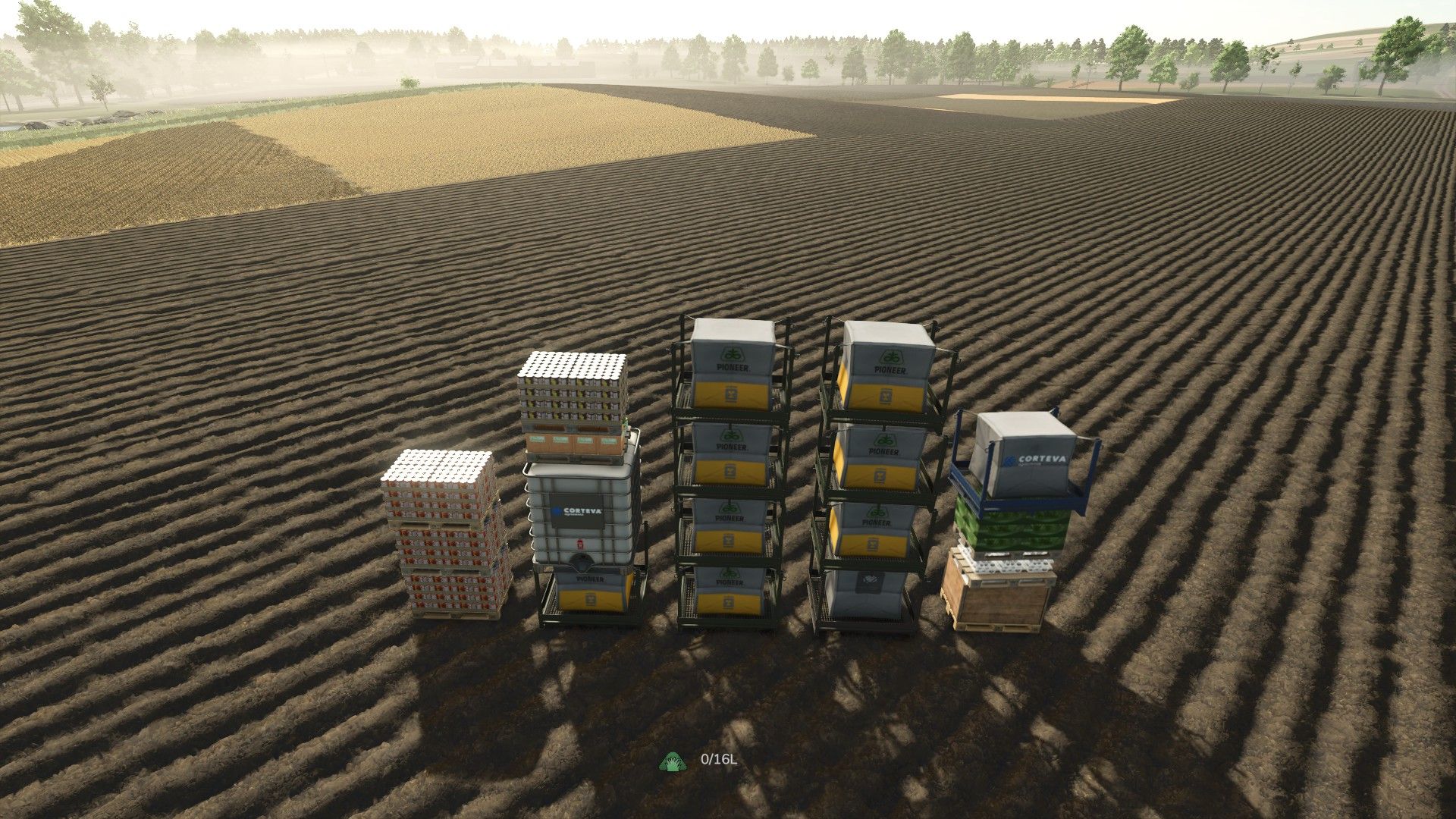
Pallet Teleporter V1.0.0.1
Pallet Teleporter V1.0.0.1 Pallets have a habit of ending up everywhere. A few at the greenhouse, a stack behind the sawmill, some at a production point you visited once, and a handful still sitting where you unloaded them three fields away. Collecting them means a long trip with a trailer and a lot of reversing. Pallet Teleporter replaces that trip with one keypress. Hit Alt + G and every loose pallet in the world is teleported in front of you and arranged into a neat grid of stacks, facing the same way you are – ready to load or sell in a single run. It is a small, self-contained script mod. No store items, no map changes, no new gameplay systems: it simply moves pallets you already own. HOW TO USE – Stand, or sit in a vehicle, where you want the pallets to end up. – Press Alt + G. – The pallets appear a few metres ahead of you, neatly stacked and aligned with your view direction. – A notification tells you how many pallets were moved and how many were skipped. – Repeat any time – newly produced pallets are picked up on the next press. FEATURES – Collects every pallet on the map at once: production pallets, big bags, tree sapling pallets and pallets added by other mods. – Stacks them automatically – 4 pallets per stack, 5 stacks per row by default, both adjustable. – Same pallet types are grouped together, so stacks come out uniform instead of mixed. – The grid is centred on your view direction and always lands in front of you. – Works on foot and from the driver’s seat. In a vehicle, the pallets are placed clear of the vehicle rather than inside it. – Spacing is derived from the real dimensions of each pallet, so different pallet types never clip into each other. – Pallets standing on a trailer are unmounted and teleported as well; this can be turned off if you would rather leave loaded trailers alone. – Pallets currently held on forks or in a grab are left untouched, so nothing you are carrying gets ripped out of the machine. – Pallets are moved with the game’s own positioning routine and taken out of physics for the move, so they land settled instead of shooting across the yard. – Also available as a console command: ptTeleportPallets CONFIGURATION Open scripts/PalletTeleporter.lua in any text editor – the settings block sits at the very top of the file: – palletsPerStack – how many pallets go into one stack (default 4) – gridColumns – how many stacks per row (default 5) – spawnDistance – how far in front of you the grid starts (default 6 m) – gridMargin – extra clearance between stacks – stackGap – vertical clearance between pallets in a stack – unmountMounted – whether pallets on trailers get unmounted and teleported – debug – verbose logging to log.txt CHANGING THE KEYBIND In game: Options > Controls, look for “Teleport & stack pallets” and assign whatever suits you. The default is Alt + G. INSTALLATION Drop the ZIP into: Documents/My Games/FarmingSimulator2025/mods/ then enable the mod in the mod list. REQUIREMENTS AND LIMITATIONS – Farming Simulator 25, PC only – this is a script mod. – SINGLEPLAYER ONLY. Multiplayer is disabled on purpose: moving other players’ objects safely needs network synchronisation this mod does not implement. – No store items, no map edits, no savegame changes. – Pallets held on forks or in a grab are skipped by design. NOTES This is a convenience mod: it only relocates pallets that already exist in your world. It does not create, duplicate or delete anything. If something misbehaves, set debug = true in the script and send me the “” lines from Documents/My Games/FarmingSimulator2025/log.txt. V1.0.0.1 New: pallet picker. – A new “Choose” mode opens a selection window instead of teleporting everything at once. – The window lists every pallet type currently on the map as tiles with the store icon, the pallet name and how many of them exist. – After picking a type you choose how many to bring: the counter starts at the maximum, so pressing Enter twice teleports all of that type. The counter can never exceed the number actually present on the map. – Keyboard (arrows / Enter / Esc) and mouse are both supported. – Player movement and camera are locked while the window is open, so you cannot wander off mid-selection. New: in-game setting. – Game Settings now has a “Pallet Teleporter” section with a “Hotkey action” option: Everything or Choose. – The choice is saved to modSettings/FS25_PalletTeleporter.xml and survives a restart. – No more editing the Lua file to change how the mod behaves. Improved. – Pallets of the same type are grouped together, so stacks come out uniform instead of mixed. – The hotkey now re-registers itself when the input context changes, so it keeps working after entering a vehicle, opening a menu or loading a savegame. – On-screen messages are now translated. The mod ships in English, German and Polish; previously the result notification was Polish only. Also available as console commands: ptTeleportPallets and ptMode all | select.
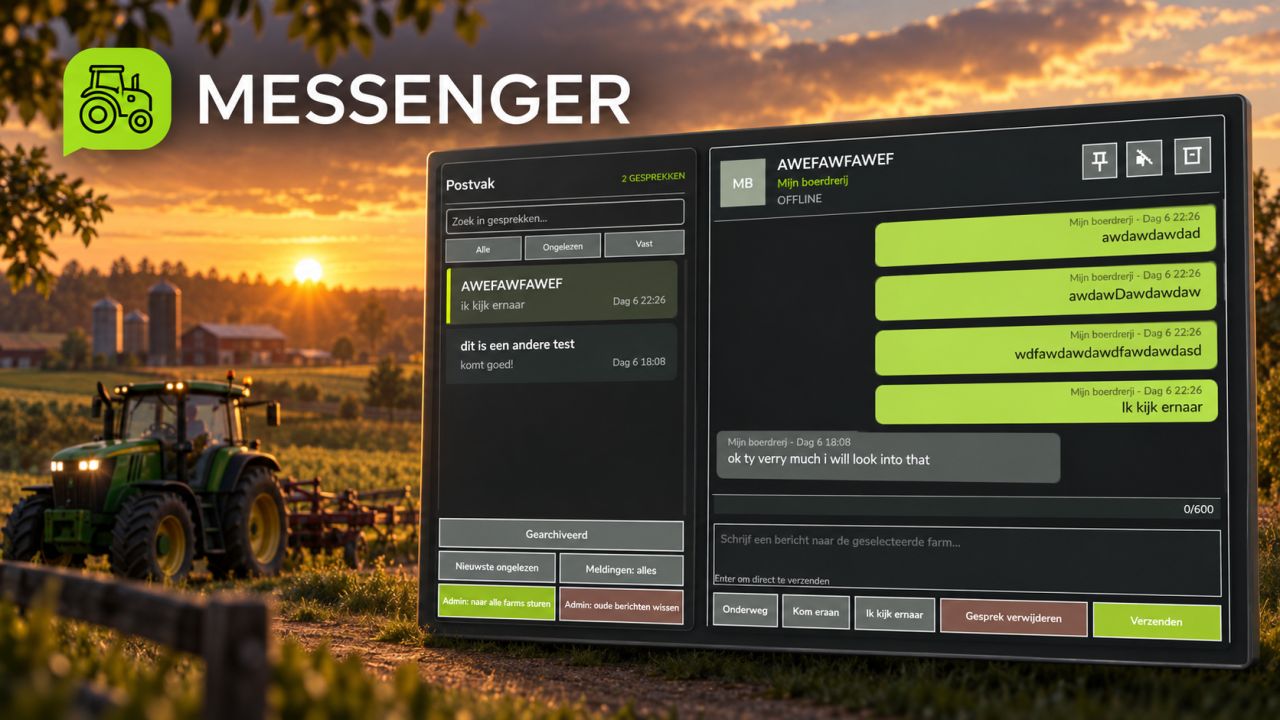
Messenger V1.0.2.3
Messenger adds a server-managed mailbox for messages between farms in Farming Simulator 25. Features: Send messages with a subject between farms. Persistent offline delivery after reconnecting or restarting the server. Uses actual server time for message ordering, with the newest messages shown first. Farm online status and unread message notifications. Search conversations and filter by unread messages. Pin, mute, archive, restore, and delete conversations. Farm members can manage their own conversations. Server admins can clean up old messages. Server admins can send a persistent announcement to every valid player farm. Scalable interface styled after the native GIANTS menus. Multiplayer and dedicated server support. Mailbox data is stored in the savegame. PC/Mac only. V1.0.2.3 – Completely redesigned the Messenger interface with a cleaner, native FS25-inspired layout. – Added responsive positioning and improved scaling across different screen resolutions. – Added rounded, variable-height message bubbles to prevent long messages from overlapping. – Improved colours, contrast, spacing, borders and conversation selection visibility. – Added clear icons for pinning, muting and archiving conversations. – Added Sent and Read status indicators. – Added a shortcut to open the newest unread conversation. – Added a pinned-conversations filter. – Added three editable quick replies. – Added personal notification modes: All, Quiet, Pinned Only and Off. – Added automatic draft preservation when switching conversations. – Added mailbox backup and recovery support. – Added automatic cleanup of messages belonging to deleted farms. – Improved the message composer and alignment of its input fields and controls.
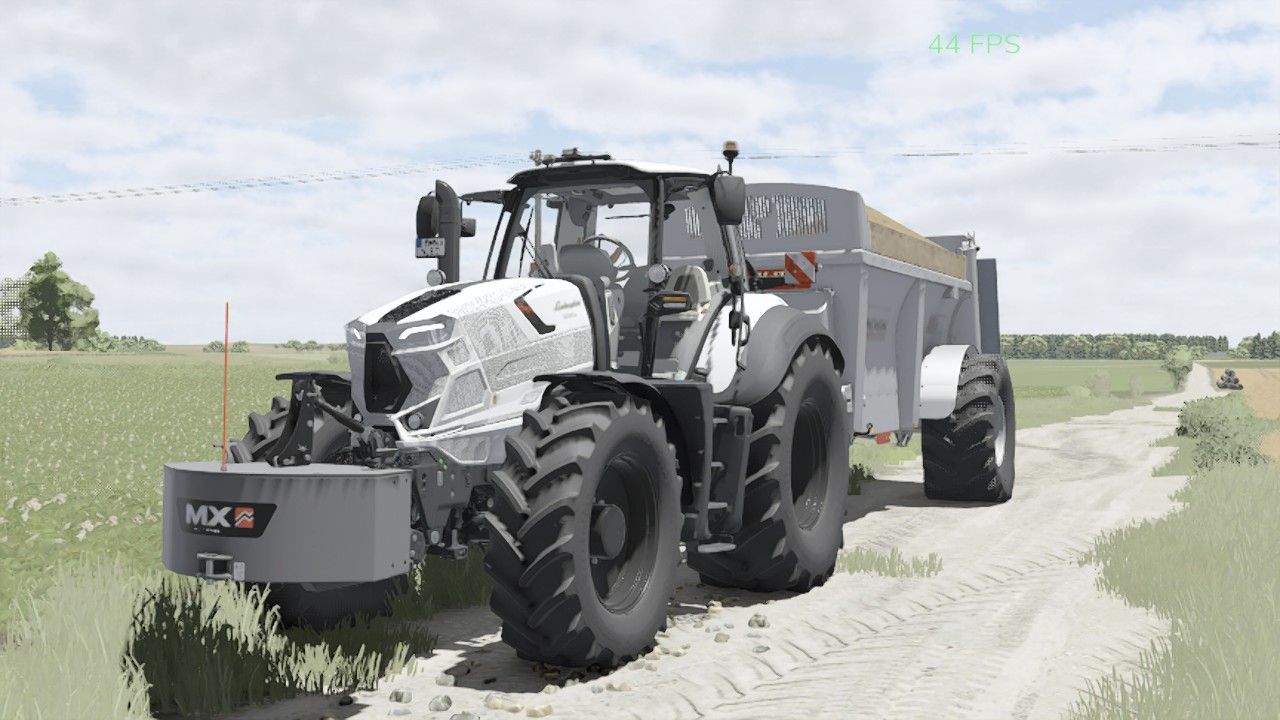
Lamborghini Mach 250 VRT V1.0.0.1
Lamborghini Mach 250 VRT V1.0.0.1 Shop Category: Medium Tractors Price: 158,500$ Engine power: 224 hp Max. speed: 60 kph Configurations: Main Color: White, Black, Gray, Light Gray, Silver Warning signs Front loader protection V1.0.0.1 I fixed the problem with the front loader.
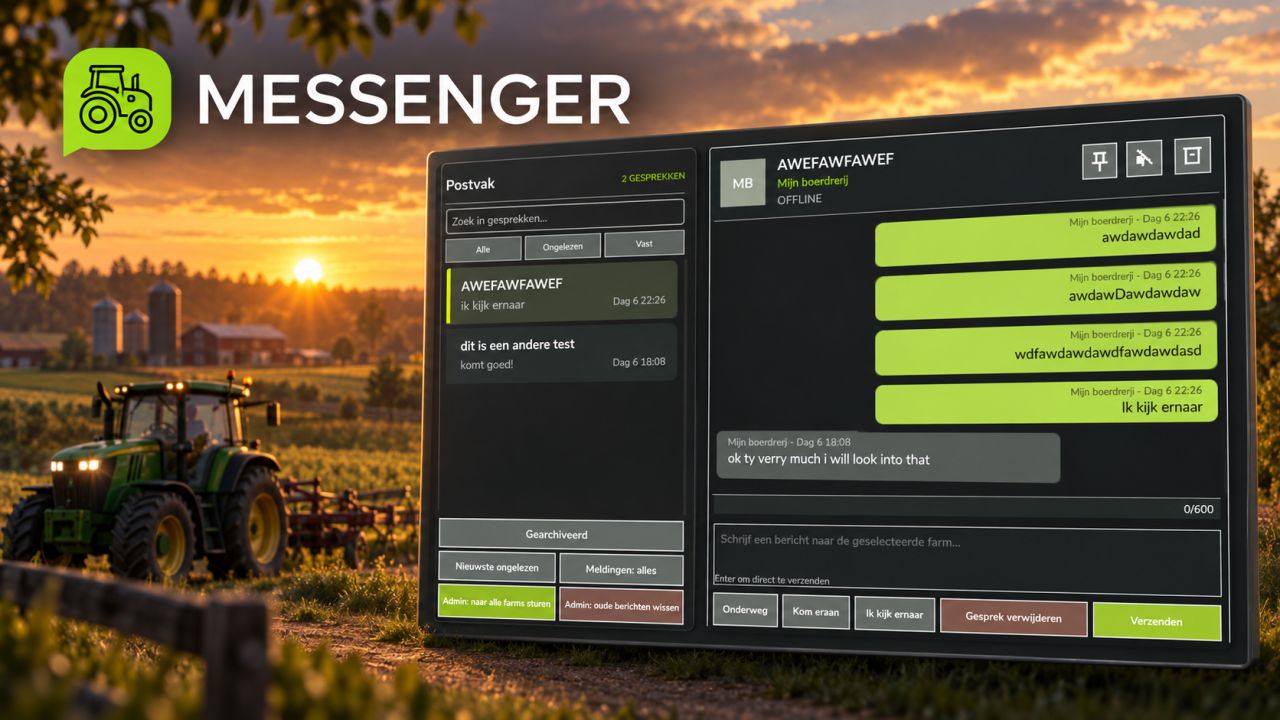
Messenger FS25
Messenger adds a server-managed mailbox for messages between farms in Farming Simulator 25. Features: Send messages with a subject between farms. Persistent offline delivery after reconnecting or restarting the server. Uses actual server time for message ordering, with the newest messages shown first. Farm online status and unread message notifications. Search conversations and filter by unread messages. Pin, mute, archive, restore, and delete conversations. Farm members can manage their own conversations. Server admins can clean up old messages. Server admins can send a persistent announcement to every valid player farm. Scalable interface styled after the native GIANTS menus. Multiplayer and dedicated server support. Mailbox data is stored in the savegame. PC/Mac only. - Completely redesigned the Messenger interface with a cleaner, native FS25-inspired layout. - Added responsive positioning and improved scaling across different screen resolutions. - Added rounded, variable-height message bubbles to prevent long messages from overlapping. - Improved colours, contrast, spacing, borders and conversation selection visibility. - Added clear icons for pinning, muting and archiving conversations. - Added Sent and Read status indicators. - Added a shortcut to open the newest unread conversation. - Added a pinned-conversations filter. - Added three editable quick replies. - Added personal notification modes: All, Quiet, Pinned Only and Off. - Added automatic draft preservation when switching conversations. - Added mailbox backup and recovery support. - Added automatic cleanup of messages belonging to deleted farms. - Improved the message composer and alignment of its input fields and controls. - Fixed an issue where message text and chat boxes could overlap. - Message rows now resize correctly when messages are received or deleted. - Improved the display of long incoming and outgoing messages. - Existing conversations and saved messages remain fully compatible. - Improved overall stability of the Messenger interface.

1970-1972 Ford F-250 V1.0
This truck isn’t anything too fancy, but it’s well optimized, has some decent options, and overall is a perfect farm truck for all of you who need one. IC equipped, has bed straps, proper Ford branding, etc. – Options – – Standard or Offroad tires and 2×4 or 4×4 drivetrains – Exhaust configs – Step configs – Bumper and Tow Hitch configs – Gooseneck config – Toolboxes and bedside boards – 1970-1972 front grilles – All factory colors available from 67-72, as well as Ford Tu-Tone paint options – License Plates Credits: – ItsC0WB0YGamez – Credit to Farm Centro Sul for the original mod – – With parts from Diesel Division Customs & TNM – 3/5 - (1 vote) Download mod File File size FS22_70_72_Ford_F250 57 MB

Foliage Wind Scale v1.0.0.0
Foliage Wind Scale v1.0.0.0 Dynamically adjusts how much of an effect wind has on all foliage types (crops, grass, trees, bushes, etc). You can adjust a multiplier in Game Settings to suit your taste. At 1x, there is no change. You can increase to 1.5x, 2x, 2.5x, or 3x. Keep in mind, on Sunny days when the windspeed is low, you may not notice much difference even at higher multipliers because this mod does not alter individual weather settings. If a weather setting has a low windspeed, multiplying that will have an effect but will be subtle. However, on cloudy or rainy weather that has a higher base windspeed, you will definitely notice. Tornados? Crops and trees really get grooving at higher multipliers. I prefer 2x as it seems to provide a nice balance.. On nice weather days, foliage is a little more lively. On bad weather days, foliage definitely moves around more and is more noticable. This is a companion mod to Cloud Time Dilation (decouples cloud/cloud shadow movement from timescale so clouds only move in realtime avoiding cloud shadow strobing effect at higher timescales), but that mod is NOT required for this to work. Other mods that alter crop/foliage movement would not work properly with Cloud Time Dilation so I created this one which is 100% compatible. Plus, this mod works a little differently than the others and gives you more granular control over how much foliage movement you want. You can adjust the multiplier in Game Settings (Default is 1x). This mod will NOT work with other mods that adjust wind or foliage movement (Crop Waving Boost). However, I have not fully tested it with mods like Dynamic Wind. It might work with some weather mods as long as they don’t alter windspeed or windupdater. This mod is free for anyone to use, but please request permission if wanting to package it with something else. This mod is essentially final, however I have not tested it with every mod out there. If you’re not sure it’s working, make sure your weather is either cloudy or rainy as those have the higher windspeeds. If you do not see any difference between 1x and 3x, please comment below and list any script mods you have active. AI disclosure: Used Claude to help figure out the optimal path to adjust foliage wind dynamics completely independent from my Cloud Time Dilation mod. Plus, I’m not a coder.
Pallet Racking With Safety Grilles V1.0
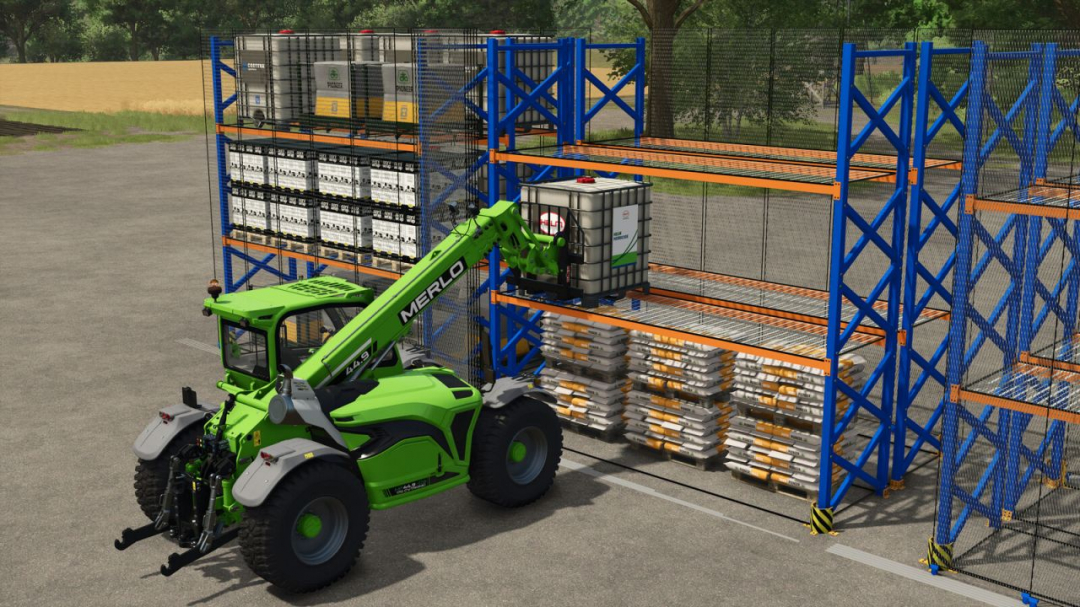
Optimize storage and organization on your farm or in your logistics buildings with this high-security industrial pallet rack! Designed to accommodate all your pallets, crates, and equipment, this rack features safety grilles that slide open and closed via a trigger mechanism. Open the grilles to quickly load goods using a telehandler or forklift, then close them to secure your storage area. Key features: Movable grilles: Grilles slide open via a trigger mechanism on the front to protect your stock. Robust structure: Reinforced metal frame (blue/orange) with metal grating decking. Pallet retention: Stops on the decking to hold pallets in place when forks are withdrawn. Enhanced safety: High-visibility corner protectors with yellow and black safety stripes at the base of the rack. Versatile: Ideal for storing pallets of seeds, fertilizer, processed products, or spare parts. Technical information: Category: Storage. Price: €2,500. Maintenance cost: €1/day.
Agro Drone – AeroSpray S70L V1.2.0.1
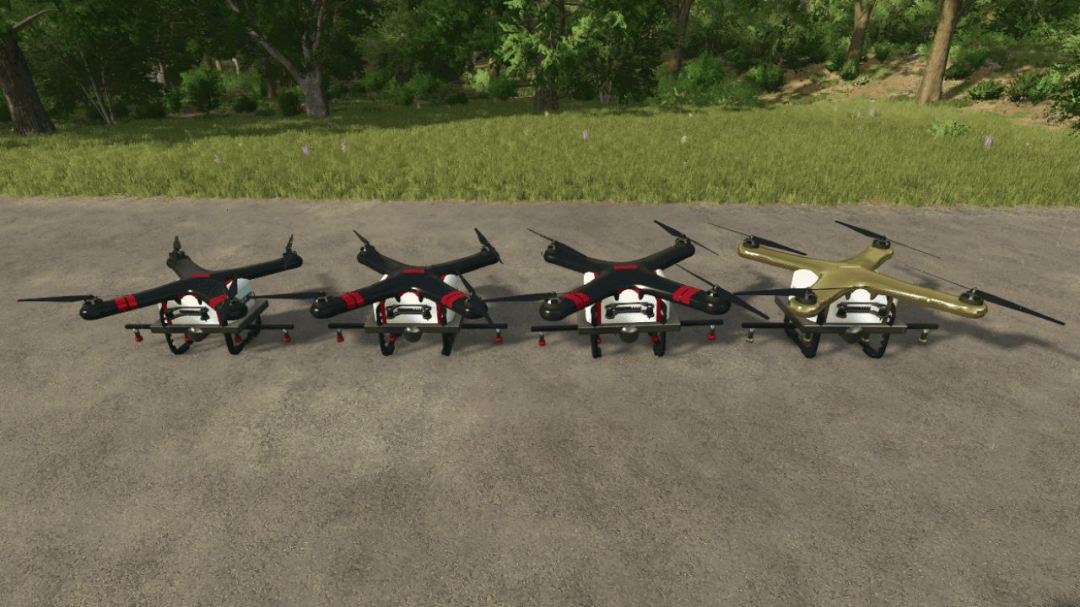
Agro Drone – AeroSpray SeriesThe AeroSpray Series introduces several agricultural spraying drones to Farming Simulator 25, each with different tank capacities to suit your farm and play style. You can operate the drones manually or activate the autonomous spraying system to handle field work independently.Available Models S45L — 45 L tank — $22,000 S70L — 70 L tank — $26,000 S100L — 100 L tank — $31,000 S2000L Unreal — 2,000 L tank — $40,000 Each model features its own size and identification labels for easy recognition when parked. The S70L has been slightly reduced in size to make the differences between models more noticeable.Main Features: Manual flight and spraying controls Autonomous field spraying Automatic field detection Can resume unfinished work Automatic return to base when battery or product is low Supports liquid fertilizer, herbicide, and compatible custom spraying productsBatteries: Removable and rechargeable battery packs Spare batteries available for purchase, manual swapping possibleWorking Specs: 10 m working width Approx. 14 L/ha application rate Recommended working speed: 15–18 km/h Maximum flight speed: 35 km/h The smaller models are designed for a more realistic drone experience, while the S2000L Unreal offers a larger capacity for fewer refill stops. All controls can be customized via the Farming Simulator 25 control settings. Developed by Level55 GamesV1.2.0.1 Added Solid Spreader configuration. Choose between Liquid Sprayer and Solid Spreader in the shop. Supports seeds and solid fertilizer. Seeds and fertilizer can be applied simultaneously. Added crop selection. New rotating spreading disc. Improved conical particle effects. Denser, smaller solid particles.
Realistic Weather Lite V1.4
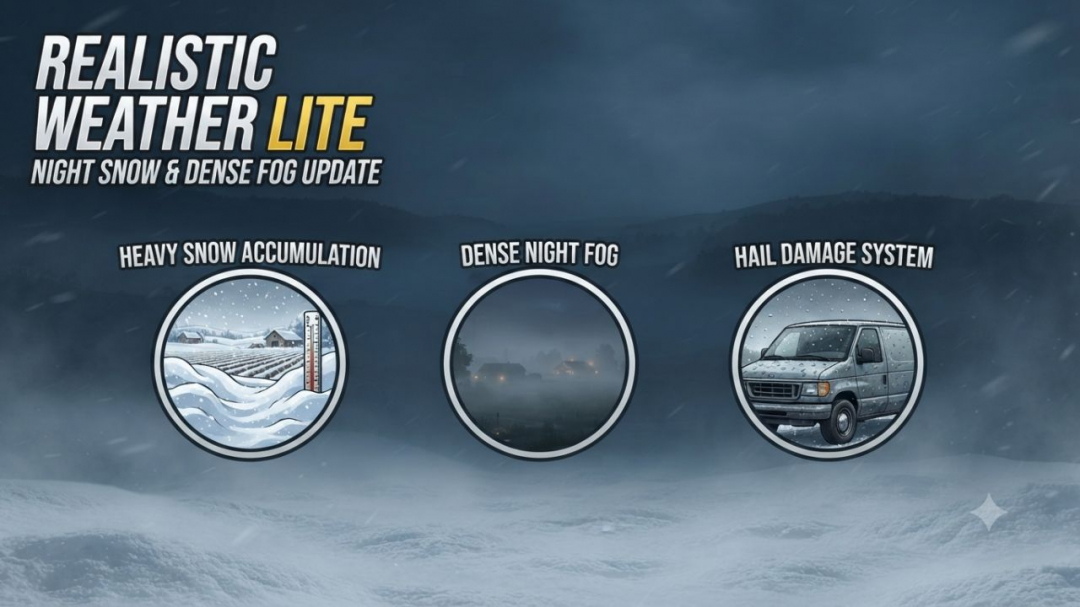
Hello everyone! I am releasing a major update for this mod, which is now fully stable, tested, and 100% working.Credits & Inspiration: This mod is inspired by the original concept created by Arrow, further developed and optimized to deliver a smooth and immersive weather experience.HOW THE MOD WORKS (Features) Dense & Dynamic Fog: Very thick and rare fog, generated randomly during rain, snow, or cold winter mornings, with a density and height much higher than the base game. Atmospheric Transitions: Climatic changes and realistic effects during bad weather. Advanced Snow Accumulation: Detailed management of snow depth on the ground and random blizzards with significant snowdrifts. Hail & Vehicle Damage: Hailstorms cause wear and visual damage to uncovered vehicles (fully compatible with advanced damage management mods like Advanced Damage System).V1.4.0.0 Version 1.4.0.0 introduces a complete overhaul of winter mechanics, an enhanced fog simulation model based on real-time environmental physics, new HUD indicators, and key compatibility updates.Detailed Changes 1. Snow System & Dynamic Accumulation Rework Intensity-Based Depth Scaling: Snow accumulation is no longer static. Depth now scales proportionally with snowfall severity. Accumulation Caps: Standard snowfall events peak at a maximum depth of 50 cm. Severe blizzards and intense winter storms can now push accumulation over 1.0 meter. Realistic Snow Fog Synergy: Snowfall no longer guarantees instant 100% dense fog. Visibility drops dynamically depending on storm severity—light snow creates subtle haze (~45%), while severe blizzards trigger dense white-outs (~95%). 2. HUD & User Interface Additions Real-Time Snowfall Tracker: Added live HUD metrics displaying active snowfall status. Predicted Snow Limit Display: The HUD now calculates and displays the expected maximum snow depth (in centimeters) for the current weather event, allowing players to prepare fields and clearance equipment in advance. 3. Refined Dense Fog Physics Elimination of False Triggers: Overhauled global activation logic (fogRoll). Simple cloudy days no longer trigger accidental fog. Wind Speed Dissipation: Integrated active wind vectors. Wind speeds exceeding 5.5 m/s (~20 km/h) actively dissipate fog or prevent its formation entirely. Probabilistic Winter Fog: Removed unconditional winter fog forced density. Winter fog now strictly depends on active humidity, snowfall, or cold morning dew points (04:00-11:00 window). Dynamic Density Transitions: Implemented smoothSpeed scaling tied to game speed (timeScale), ensuring smooth visual transitions during normal gameplay (1x) and fast-forwarding, with map-wide coverage up to 120 meters. 4. Compatibility, Stability & Settings Status Temporary Settings Menu Hibernation: In-game mod settings options have been temporarily disabled in version 1.4.0.0 to prevent UI mapping conflicts and ensure maximum overall stability. Upcoming Hotfix (v1.4.0.1): A minor update (v1.4.0.1) will be released very soon to officially restore and re-enable the fully working in-game settings menu, fix persistent saving, and resolve multiplayer UI sync (special thanks to community support and contributor feedback!).
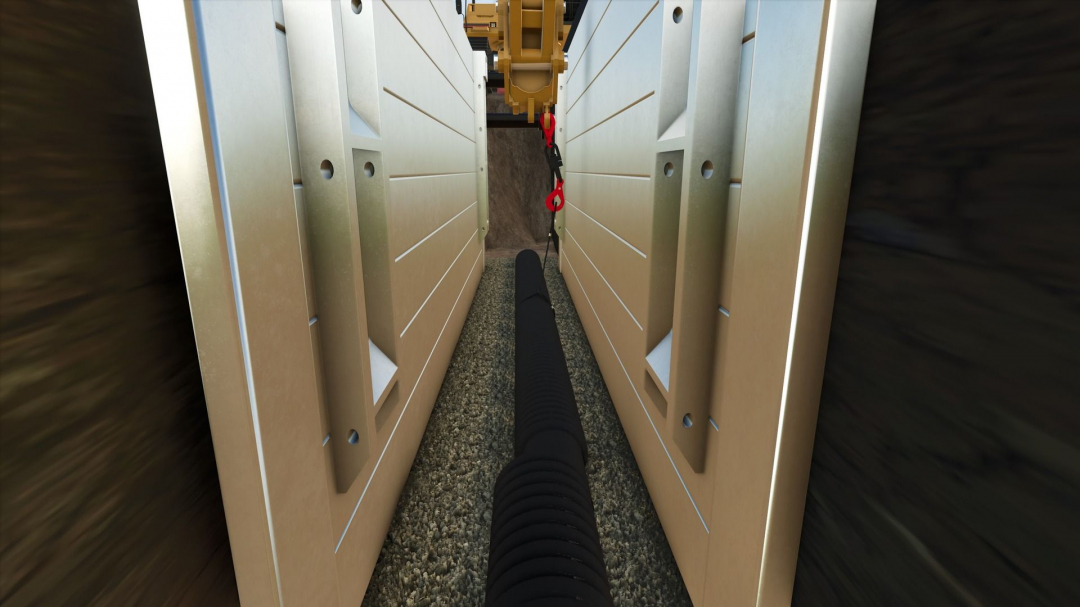
Trench Box pack V1.0
This is a pack of trench boxes and manhole boxes to keep your pipelayer safe during your projects, now converted to FS25! I suggest using my load chain mod to move the boxes around. The trench boxes can connect together when stacked, and the hydraulics can be spread out to expand the trench boxes using mouse controls. The 4-way chains will appear when you connect to the trench boxes at the higher spot in the middle. This mod, like most of my mods, is a WIP. I add features as I think of them and am constantly tweaking and updating it. As always, let me know if you have any suggestions or feedback.Required mods: JWeezy Store Category Load chains
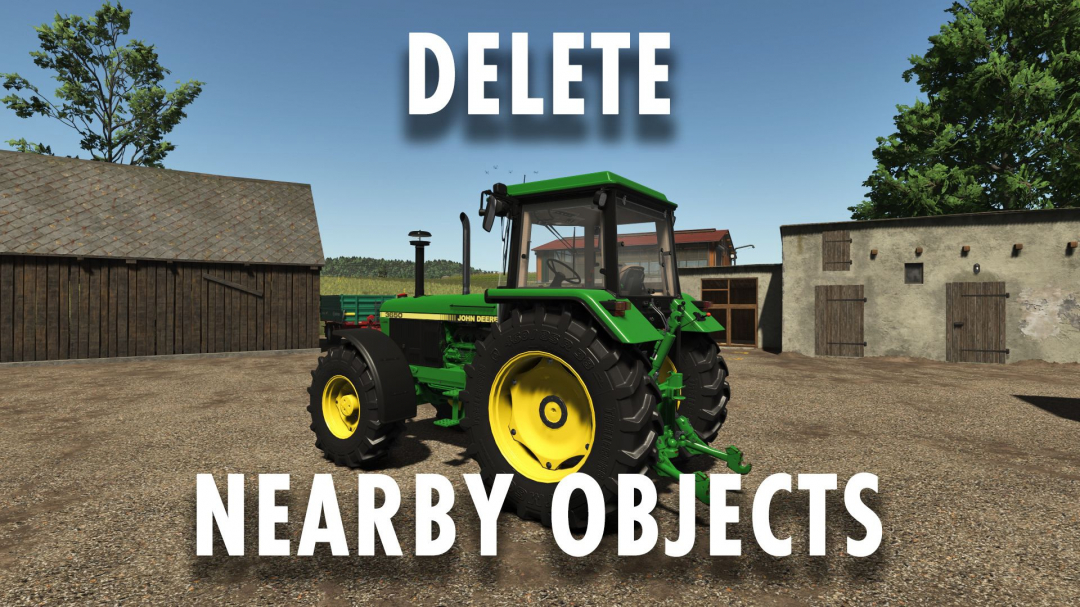
Delete nearby objects V1.0
Delete nearby objects Stand close to an object, look at it, and press the delete button to remove it. Supports trees, logs, stumps, bales, pallets, vehicles, physical objects, and registered placeable objects. Be cautious in multiplayer mode, as deleted objects are permanently removed from the game.Overview of “Delete Nearby Objects”: “Delete Nearby Objects” is a utility mod by Sumro Gaming for Farming Simulator 25. This page explains the mod before the player downloads it. Simply stand near an object, aim at it, and press the “Delete” key to remove it. Supported objects include trees, logs, stumps, bales, pallets, vehicles, physics objects, and registered placeables. Caution is advised in multiplayer, as deletions are permanent. This mod is designed for players seeking faster farm cleanup, easier save management, and fewer manual tasks. The principle is simple: stand near an object, aim, and press delete. It supports various objects like trees, logs, stumps, bales, pallets, vehicles, and physics-based items. “Delete Nearby Objects” is about functionality, safety, and testing in a real game save.The “Delete Nearby Objects” mod focuses on quick deletion of nearby objects with one keystroke; ideal for cleaning saves, farms, and misplaced items; a proven utility script from Sumro Gaming for FS25. The mod detects the object the player is near or targeting and removes supported items with a simple command. It’s a handy cleanup tool. The benefit is saving time without navigating complex menus, especially during testing or farm management. This mod is especially useful for farm cleanup and testing, reducing manual repetitive steps without changing the core savegame style. The six screenshots demonstrate the mod in action, helping players visualize its use before downloading. To evaluate, try the process with and without the mod and compare results under normal gameplay. Key indicators of success include the mod’s behavior, the savegame state after reload, and the proper functioning of the mod folder.
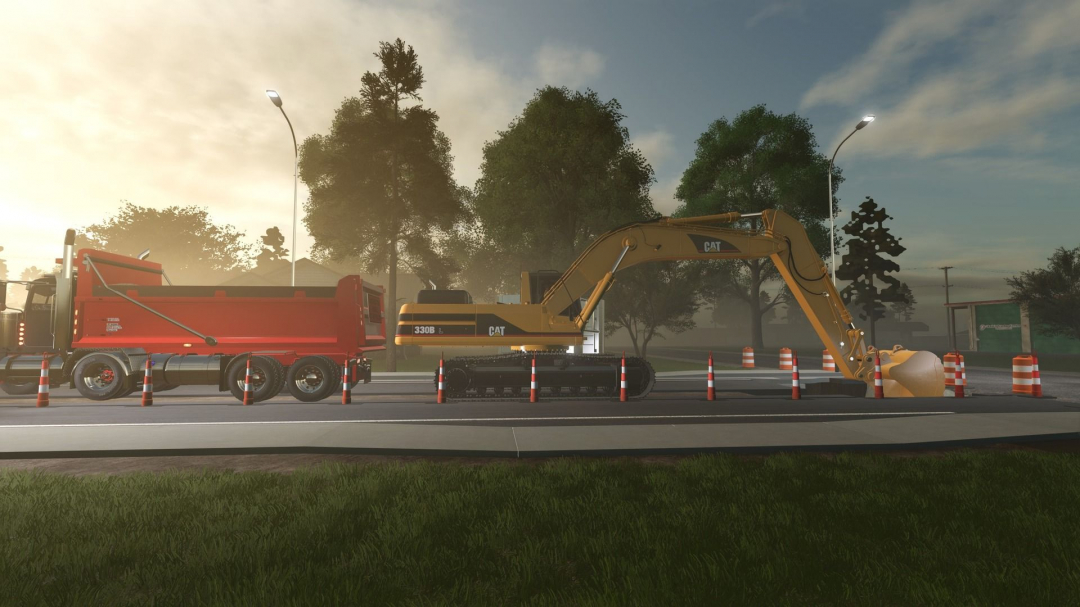
JWeezy Terrafarm V1.0
This is simply an add-on mod to incorporate my equipment into Terrafarm. YOU STILL NEED THE TERRAFARM MOD; THIS IS JUST AN ADD-ON. I will update it as I convert more equipment!
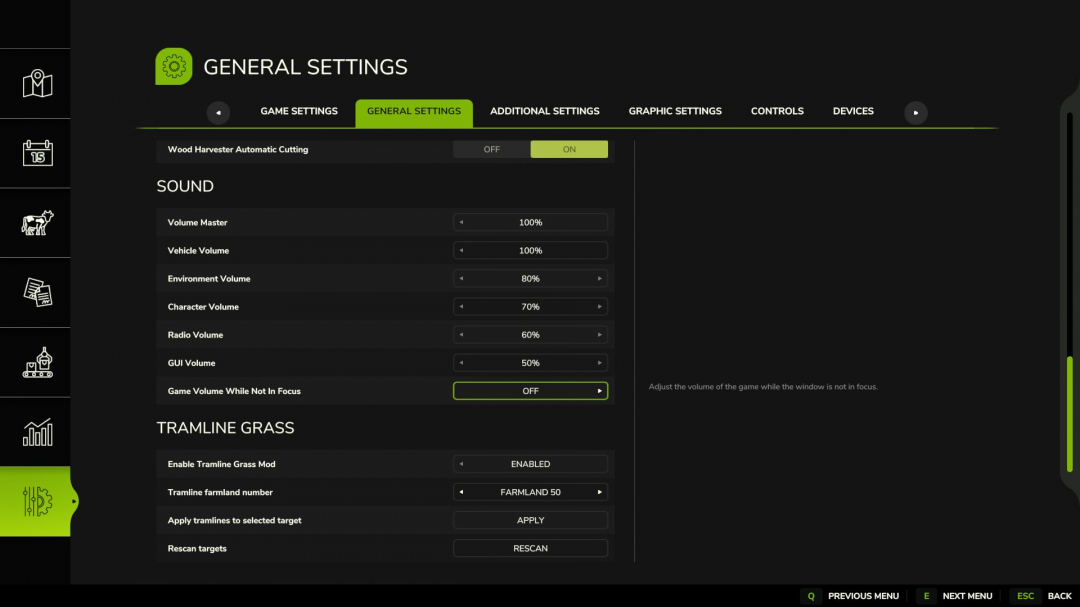
Grass Tram Line V1.0
“Tramline Grass” is a mod for Farming Simulator 25 (Fields & Crops category) by Sumro Gaming. This page provides an overview of the mod before you download it. With “Tramline Grass,” players can create tramlines directly through the in-game settings menu without needing to reseed the field. Simply select a field number, click “Apply,” and the mod will generate visible tramlines on the chosen field. This standalone mod by Sumro Gaming is designed for Farming Simulator 25 and aims to enhance realism in crop and field management during regular farming activities. The main feature is the ability to create tramlines in the settings menu without sowing new seeds. Choose the field number, confirm, and let the mod handle the rest. “Tramline Grass” is not just about visual effects; it improves field orientation during spraying and passes, especially on well-structured farms where tramlines should look intentional. The mod analyzes the selected field, creates tramlines, clears crops from tire tracks, fills them with grass, and keeps the grass visually shorter after vehicles pass. It’s particularly useful for realistic farm layouts. This mod is best used in active savegames with ongoing operations, allowing players to compare field behavior before and after activation—such as during sowing, spraying, harvesting, or headland work. The accompanying screenshots show the mod in action, helping you assess its effects before downloading. To evaluate “Tramline Grass,” perform the same task before and after activating the mod, and compare the results under normal conditions. Focus on the feature’s functionality, the savegame’s condition after reloading, and whether the rest of the mod folder continues to work properly.
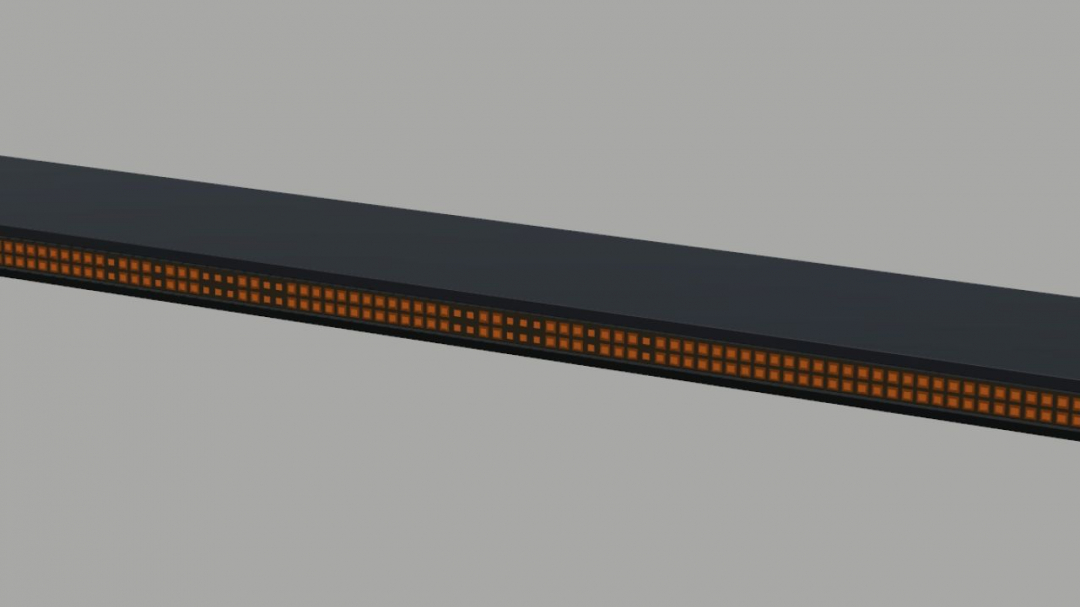
Strands Big Energy XL 1800 (Prefab) V1.0
A roof-mounted amber warning lightbar for Farming Simulator 25 vehicle mods, based on the Strands Big Energy XL 1800. The package includes the 3D model, textures, mounting clamps, XML files for the flashing lights, and installation instructions. It features an alternating triple-flash pattern. Only the 1800 version is included. The mounting position and light connections must be adapted to the receiving vehicle. This is a prefab for modders. It must be integrated into a vehicle mod and cannot be purchased separately in the game shop.
- 15 per page
- 30 per page
- 45 per page
- 60 per page
-
See more per page
Bigger pages, fewer clicks - and no ads anywhere.
Go Pro