Farming Simulator 22 mods
50,512 results- 15 per page
- 30 per page
- 45 per page
- 60 per page
-
See more per page
Bigger pages, fewer clicks - and no ads anywhere.
Go Pro
Configurable Animal Reproduction V1.0
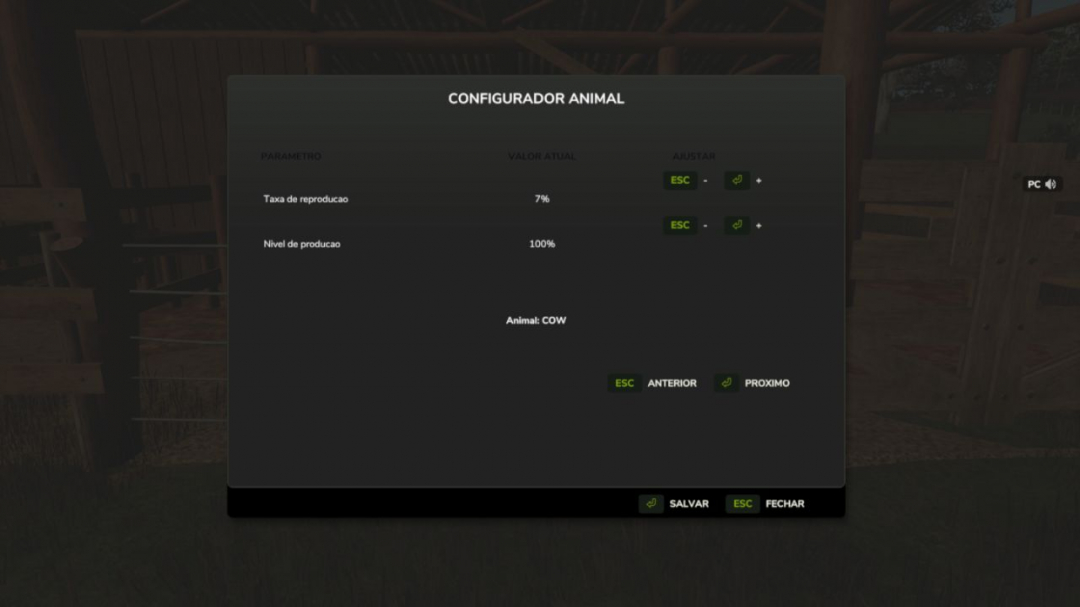
This mod was developed based on the author's ideas and creative vision, aiming to enhance the gaming experience for players with limited playtime. Artificial intelligence was used solely as a support tool to identify and fix technical issues and to create illustrative images for the project. Configurable Animal Reproduction allows you to adjust the reproduction duration of supported animals without altering the original game files. The duration is set in months of in-game time. The default value is 2.94 months, which results in approximately 34% reproduction progress per month. Supported animals include cows, pigs, chickens, horses, sheep, goats, rabbits, ducks, and buffalo. To change the reproduction rates, open the main.lua file inside this ZIP archive and modify the values in EAS_GestacaoConfiguravel.duracoes. **Example:** Setting COW = 5 results in about 20% progress per month, while COW = 2 results in about 50% per month. **Formula:** reproduction progress per month = 100 divided by the reproduction duration. This mod requires Enhanced Animal System 1.1.0.1 or newer and is designed for multiplayer use. All players must have the same version of the mod. **Explanatory images are included in the docs folder:** showing how the mod works, how to calculate the rate, and compatibility with other animal mods.
AI Worker Dynamic Speed V1.0
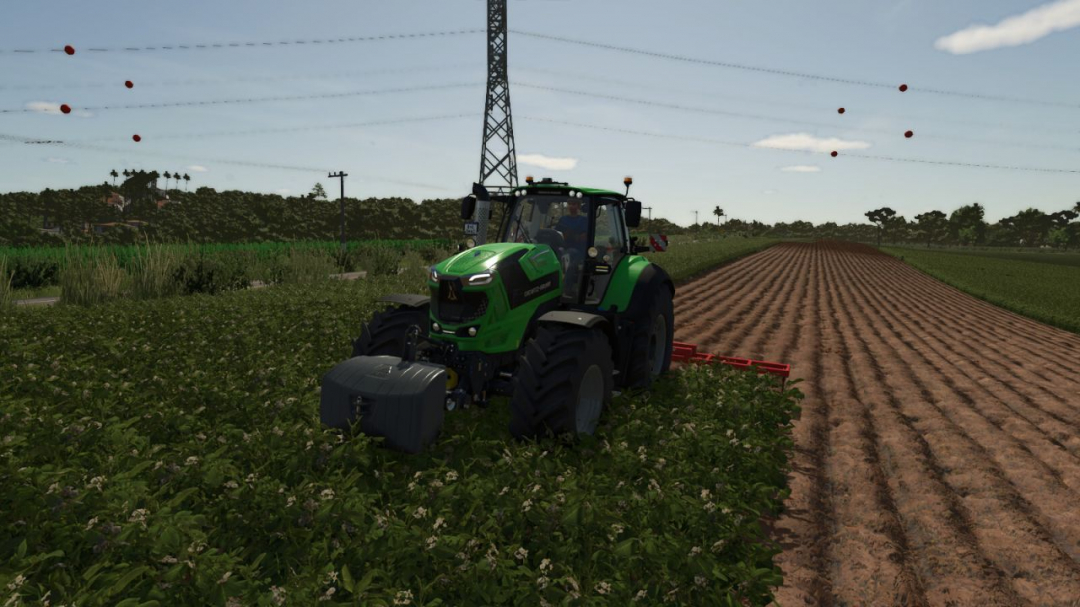
AI field workers can operate both forward and reverse at the maximum speed available from the current machine. Turns are executed with a controlled and smooth speed profile. Stopping and row-end behaviors are managed by the base game. Player-driven vehicles can optionally bypass implement working-speed limits up to the vehicle’s maximum speed. Both features are disabled by default and can be configured independently for each vehicle. Hotkeys: - Toggle AI dynamic speed: Left Alt + 8 - Toggle player implement-speed override: Left Alt + 9 Controller users can assign both actions in the Controls menu.
Yield control V2.1
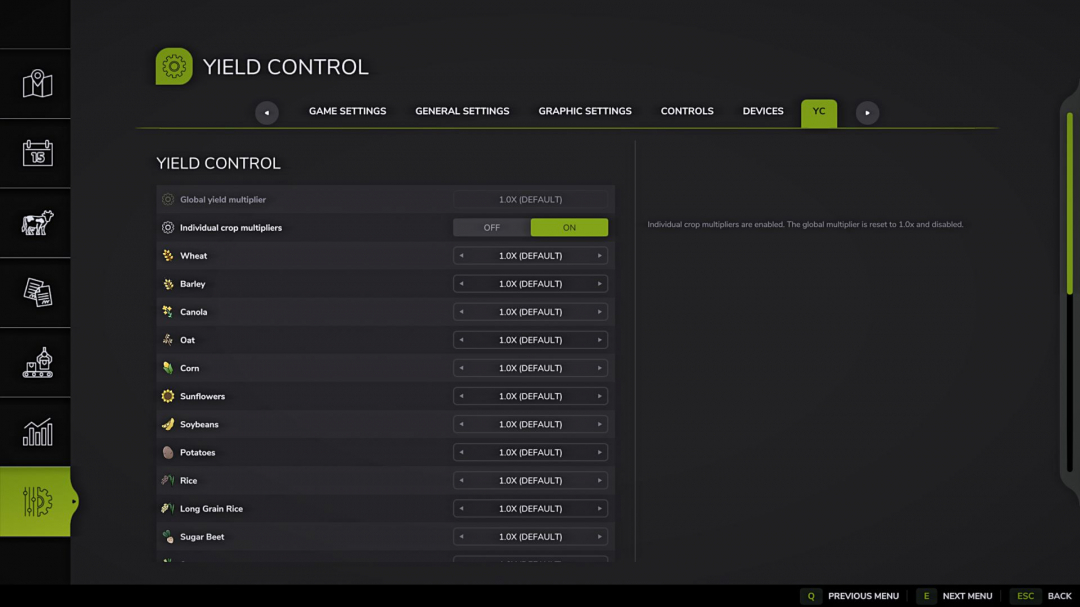
Yield Control adds a dedicated YC tab to the game settings, allowing you to adjust yield multipliers for all crops registered on the current map. **Features:** - Separate YC tab in the game settings. - Global yield multiplier affecting all crops. - Individual crop multipliers with toggle switches. - Default multipliers are disabled. - Enabling individual multipliers resets the overall multiplier to 1.0x and deactivates it. - Disabling individual multipliers resets all crop multipliers to 1.0x and deactivates them. - Automatic crop detection: if there are 27 crops on the map, 27 settings are available; new crops added by mods are automatically included. - Supports standard crops, DLC, mod maps, and additional crops registered via fruitTypes. - Crop names are sourced from the game or the map/mod that added them. - Crop icons are taken from fillType data if available; otherwise, a placeholder icon is used. - Settings are saved separately for each save slot. - Multiplier range: 0.5x (-50%) to 5.0x (+400%). - Changes take effect immediately without restarting the game or reloading the save. **Important note about straw:** The mod adjusts the yield of the main product. Straw volume is calculated separately by the game and is not proportionally affected by grain yield. Suitable for players seeking flexible economic difficulty adjustments, crop yield reduction, or increased profitability of specific crops. **V2.1.0.0** - Minor fixes. - Updated to the latest game version.
Income Mod V2.2
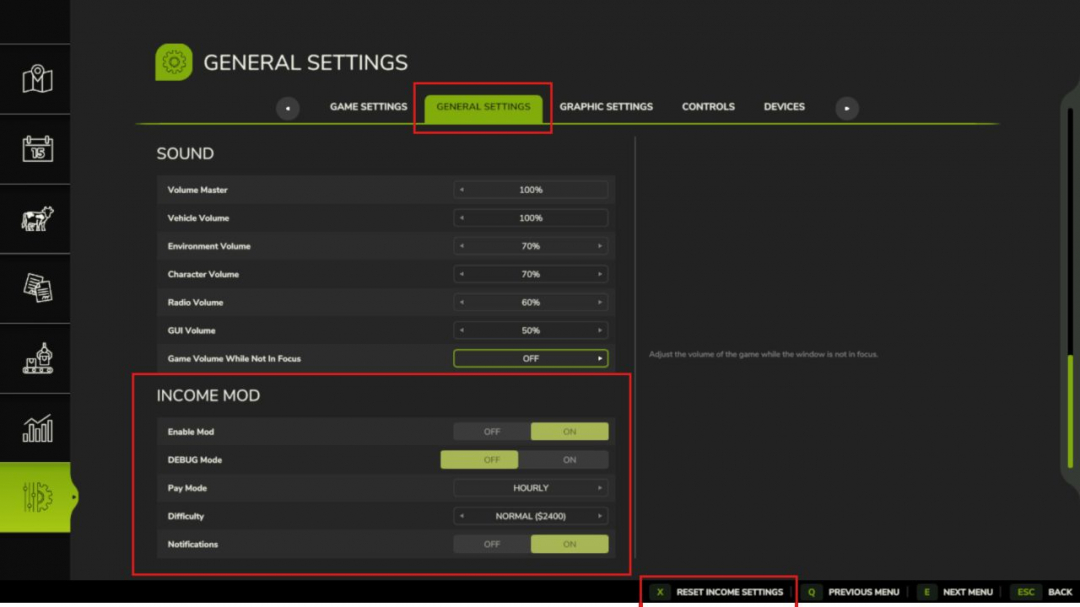
Converted from FS22_IncomeMod Income Mod offers players a simple and balanced way to generate passive income. Automatically earn money either hourly or daily, based on your selected difficulty level or a custom amount. Ideal for players seeking steady cash flow without solely relying on missions or selling goods. **Features:** - Easy / Normal / Hard difficulty presets - Custom income amount option - In-game notifications - Fully configurable via console commands or in the pause menu - Settings saved automatically - Compatible with singleplayer and multiplayer modes - Lightweight and stable **Please note:** You need to enable developer mode to access the console. This can be done in your FS game folder by editing the "game.xml" file. Set to "true". Enjoy your farming experience with my Income Mod! <3 **V2.2.0.0** The Emergency Loan feature now provides detailed information about your finances instead of just showing a balance. **What’s new:** - The loan report now includes a forecast: your expected regular income, upcoming bills, a separate estimate of recent daily expenses, and a projection of your cash flow. If the projection turns negative, it’s flagged as a shortage warning so you can act before running out of money. - You can now repay the loan for any amount, not just the full sum. - A new show/hide toggle for the Income HUD has been added to the Control Center (requires SettingsHub). No save migration needed.

OZZ XR2 P7 (Prefab) V1.0
Detailed OZZ XR2 P7 driving light prefab for Farming Simulator 25, created by NorthernLight Modding. Features: - Amber and white position light versions. - Illuminated OZZ logo matching the position lights. - Functional high beam with a separate light source. - Detailed reflectors, clear lens, and cooling fins. - Modeled inner housing walls in both detail levels. - Adjustable lamp tilt with a separate mounting bracket. - Short black cable stub. Includes I3D files, textures, editable Blender files, installation XML, and instructions. - Uses steady position lighting. The animated startup sequence is not included. This is a prefab for modders. It must be installed on a vehicle using GIANTS Editor and cannot be purchased separately in the in-game shop.
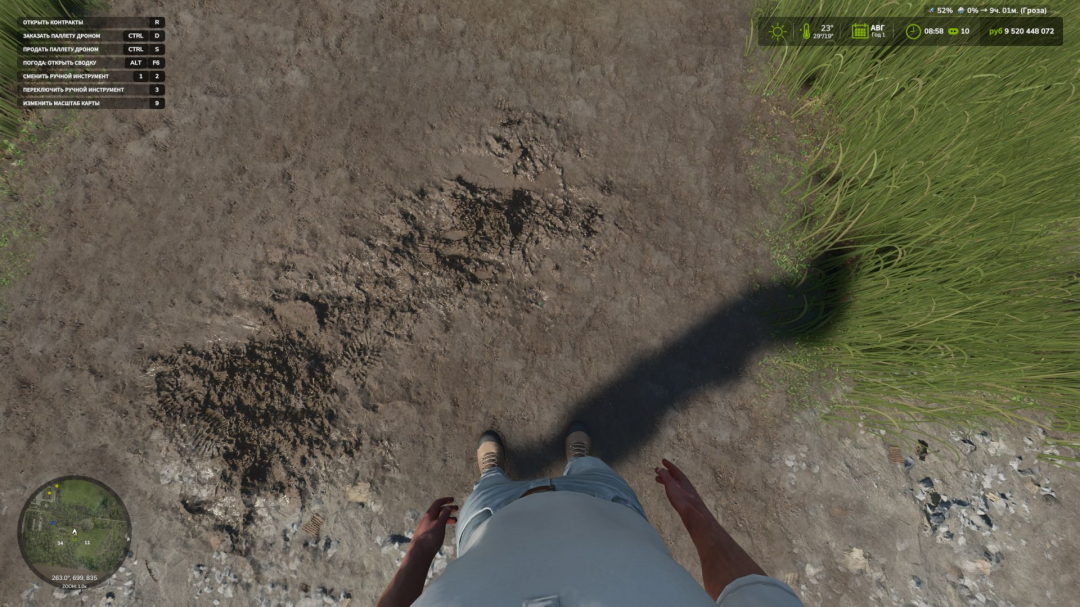
First Person Player Body V1.0.5
First-Person Player Body adds a "full" character display in first-person mode in Farming Simulator 25. Now, when looking down, the player can see their animated body, legs, and arms, with the character’s movements correctly synchronized with the camera. The head remains behind the camera to avoid obstructing the view but still casts a shadow, enhancing realism. The mod also improves the first-person perspective inside vehicles. When using the interior camera, the default seated driver model is shown, with the camera following the eye animation and the seated character’s movements. The mod settings include: - On foot: - Player body visibility - Camera side-to-side movement - In vehicles: - Driver body visibility - Camera position — default or eye level - Camera following the driver’s animation V1.0.5.0 adds interior cabin zoom or FOV adjustment, which can be controlled with the mouse wheel; press the wheel to reset. Note: Compatibility with other FOV mods has not been tested. To avoid issues, it’s recommended not to use conflicting mods. Various minor fixes have also been implemented.
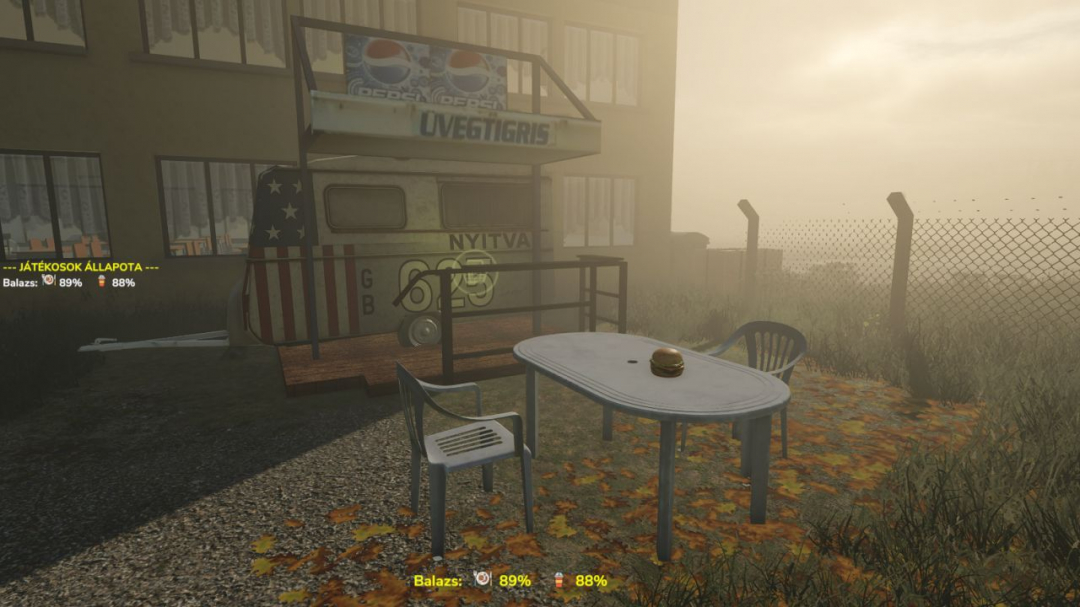
Food Place V1.0
Food Place v1.0 – Hunger & Thirst System Take care of your driver, not just your animals! The Food Place mod introduces a dynamic hunger and thirst survival system to Farming Simulator, requiring you to manage your own health alongside your farm operations. **Features (v1.0)** Hunger & Thirst System: Track and maintain your character’s vital meters to stay healthy in the field. Placeable Food Stand: Place a local food buffet anywhere on your map to buy individual consumables. **Available Menu:** Hamburger Lángos Coca-Cola (More food and drink options will arrive in future updates!) Severe Death Penalty: If both your hunger and thirst meters reach 0%, your character dies. Emergency hospital resuscitation costs €2,000,000. Multiplayer Management: Keep an eye on your crew! If a teammate’s meters hit 0%, your farm is penalized €2,000,000 per person. Audio FX: Features eating and drinking sound effects. (Multi-language voice and audio updates are currently in development). **How to Consume Items** Approach your placeable food stand and purchase an item. Pick up the food or drink in your hand. Press the ‘R’ key and wait a few seconds to eat or drink. Your hunger and thirst percentages will increase. Stay healthy, look after your team, and enjoy the game! **Required mods:** Interactive Control
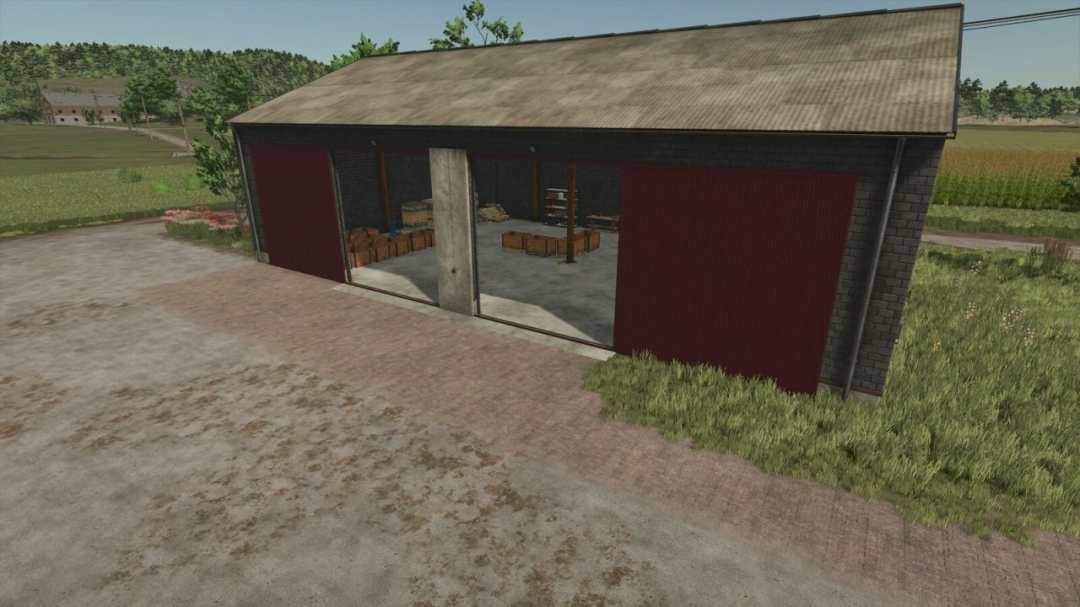
Potato Sorting Factory V1.0
Potato sorting factory that separates harvested potatoes into premium and waste categories. Category: Productions Price: $75,000 Daily Maintenance: $40 Products: Premium potatoes, Waste potatoes Premium potatoes fetch a higher price, while waste potatoes are sold at a much lower rate. I have plans to upgrade and improve production in the future.
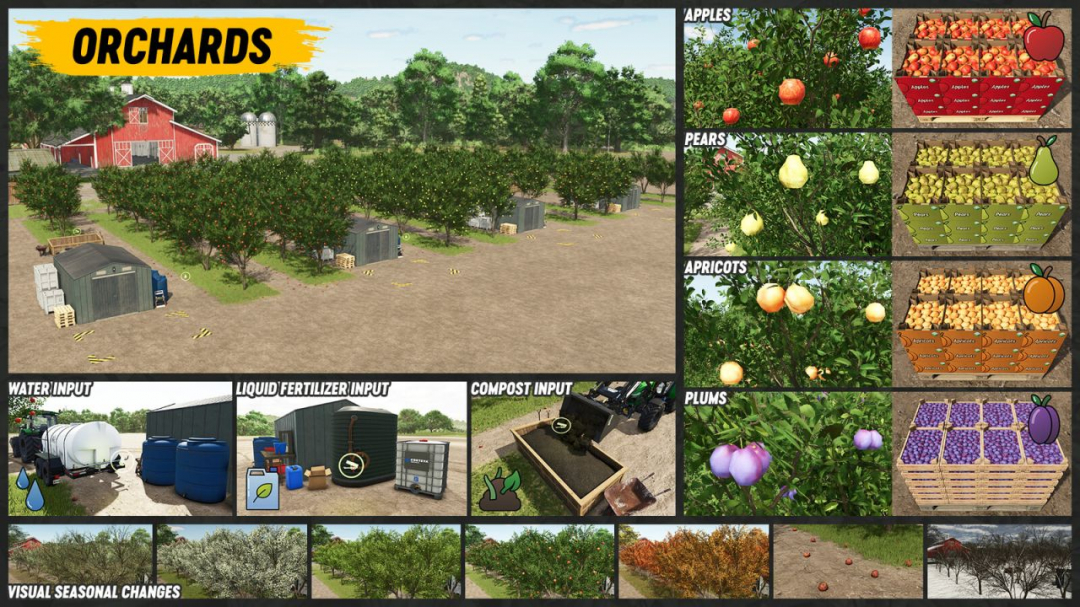
Orchards And Greenhouses V1.0.2
Extensive package of placeable production points, other placeables, and related components all working together. Orchards producing fruits. Advanced greenhouses that require more attention for higher yields and new fruits. Fruit and vegetable processing plant, Farmers market sell point, compost silo, and other components. **Orchards** - Functions as a standard production point. - Needs water, liquid fertilizer, and compost to produce apples, pears, apricots, or plums. - Apples, apricots, and plums can be sold or processed further in the Fruit and vegetable processing plant for higher profits. - Pears can only be sold directly at the Farmers market. - Price: $15,000 - Daily upkeep: $30 **Advanced greenhouses** - Similar to the base game greenhouses but with additional requirements for larger yields and more fruit varieties. - Available in large, medium, and small sizes. - Require water, liquid fertilizer, and compost to produce tomatoes, lettuce, strawberries, spring onions, napa cabbage, chili, garlic, green peppers, cucumbers, onions, and watermelons. - Organic waste is a byproduct, which can be used in the compost silo to make compost. - Tomatoes, strawberries, napa cabbage, and cucumbers can be sold or processed further for higher profits. - Small amounts of green peppers, spring onions, chili, garlic, and onions are needed for recipes in the processing plant, but most can be sold at the Farmers market. - Lettuce and watermelons can only be sold directly at the Farmers market. - Prices: Large greenhouse - $54,000; Medium greenhouse - $27,000; Small greenhouse - $13,500. - Daily upkeep: Large - $30; Medium - $20; Small - $10. **Fruit and vegetable processing plant** - Processes fruits and vegetables from orchards and greenhouses for higher profits. - Products include raisins, grape juice, kimchi, apple juice, strawberry juice, apricot jam, plum jam, ketchup, and pickles. - Some recipes require sugar. - Products can be sold at the Farmers market. - Organic waste is a byproduct, usable in the compost silo. - Price: $180,000 - Daily upkeep: $40 - Also available as a smaller variant with lower production speed, priced at $36,000 and daily upkeep of $8. **Compost silo and compost** - Compost is produced here and needed for orchards and greenhouses. - Ingredients include organic waste, straw, grass, hay, or optionally sugarbeet, potato, beetroot, carrot, parsnip, green bean, pea, spinach, sugarcane, grape, olive, and manure. - Place materials in the compost silo, compact, cover, and compost will be ready within 24 in-game hours. - Price: $25,000 - Daily upkeep: $5 - Compost can also be purchased in the shop, packed in bigbags. - Bigbag price: $250 - Capacity: 1,000 liters - Excess compost can be sold. Compost is compatible with any selling station accepting the relevant fillTypes. **Farmers market** - Placeable selling station for all products from this mod pack. - All products are included in the PRODUCT and SELLINGSTATION_PRODUCTSFOOD fillTypes categories, so any compatible selling station will accept these products. - If no selling station accepting these products exists on your map, an alternative solution is available: Stackable Pallet Object Storage Extension mod support. **V1.0.2.0** - Added support for the Stackable Pallet Object Storage Extension mod. - Included onions and garlic in the ketchup recipe. - Increased ketchup price and production volume. - Adjusted pallet textures.
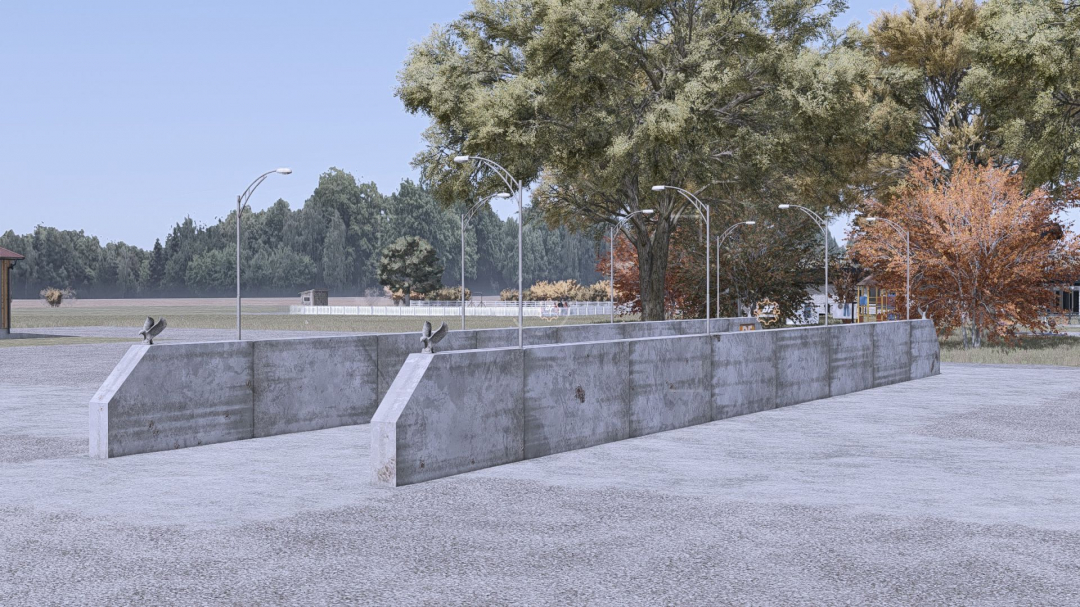
DF Industries M37 Large Silage Bunker (6m High Wall) V1.0
Say goodbye to overflowing standard silos on your large farm! The DF Industries M37 silage bunker breaks all previous capacity limits in Farming Simulator 25 and brings you a brutal 6-meter wall height directly to the farm. The proven structure from the Giants Editor serves as a solid basis, which has been completely retextured, renovated, and provided with elaborate industrial details in the brutal, red-orange corporate design of DF Industries. Features & Technical Specifications: - Impressive dimensions: Extra-high, solid 6-meter side walls for maximum rolling and storage efficiency. - Economically sound: Purchase price of €30,000 and absolutely €0 daily maintenance costs (true GIANTS standard!). - Premium look: Custom-designed DF Industries decals and the unmistakable custom triggers at the entrances. - No graphical frustration: The familiar and annoying decal flickering on the silo walls has been completely eliminated in GE. - Future-proof: 100% patch- and script-safe according to the latest GIANTS standard (descVersion 113). Changelog v1.0.0.0 (release version): - Massive 6 m wall structure successfully optimized for the LS25 large-scale operating standard. - Exclusive, redesigned DF Industries decals and custom triggers installed at the entrances. - Annoying and unsightly decal flickering (Z-Fighting) on silo walls in the Giants Editor has been completely fixed. - Critical errors in the XML structure have been completely cleaned up in modDesc.xml (descVersion="113"). - Special spillage protection integrated to prevent the shredded material from spilling out at the open ends. - Extensive in-game live test successfully completed (The silage stops perfectly in front of the entrances!). - [Log Check] The in-game log file is 100% pristine and error-free! - GIANTS-TestRunner with enhanced LUA/XML testing passed flawlessly (15 out of 15 points, top grade).
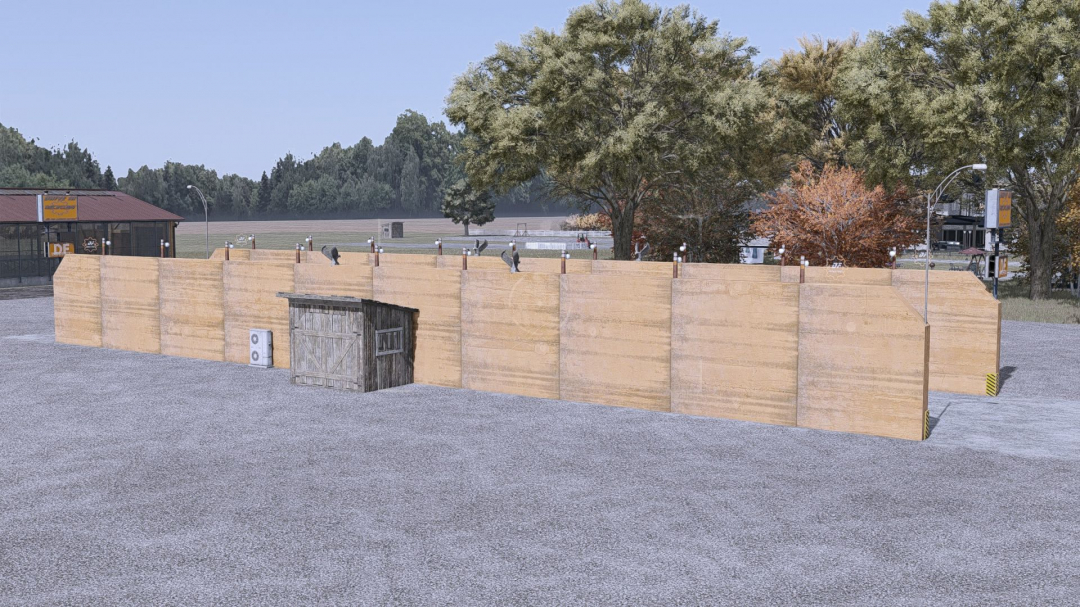
DF Industries M39 Drive-In Recycling Center (Exclusive Retail Station Edition) V1.0
Welcome to the next generation of farm logistics for Farming Simulator 25! This specially converted DF Industries M39 Drive-In combines the impressive look of a large drive-through silo with the full functionality of a modern recycling sales station. Thanks to a custom-designed, exclusive Lua script, the object is seamlessly registered in the game and operates independently of standard silos on your map. Whether on Riverbend Springs or a modded map – drive in, recycle, earn money! **Exclusive map hotspot:** The recycling center is marked with its own interactive selling station icon directly on your in-game map and minimap. **Real sales function:** The spot acts as a fully-fledged drop-off point for your recyclables and credits you with the money directly, instead of storing material for fermentation. The building was designed in the distinctive red-orange DF Industries corporate style and features an integrated wardrobe function for the player directly at the warden’s house. **Changelog (version history):** **Version 1.0.0.0 (release version):** - Economics: Purchase price €98,000 | Daily maintenance costs €0. - Added an exclusive feature RecyclingHofSpot.lu to cleanly register the selling station in the game and differentiate it from standard drive-through silos. - Automatic map hotspot system implemented: Dynamic generation of the sales point icon on the minimap based on the placement coordinate. - Integrated safety check for position determination in LS25 self.components.node( getWorldTranslationSafe-Fix). - Added automatic disposal of the map icon when the building is demolished to avoid “ghost icons”. - Conversion and renovation of a drive-through silo into a universal XXL drive-in receiving station. - Custom texture in the red-orange DF Industries industrial look. - Placement of a universal unload trigger in the center of the passage. - Integration of a working wardrobe trigger (wardrobe). - Dedicated aiUnloadingNodecomponents installed for smooth AutoDrive and helper operation. - In-game live test successfully completed (log file 100% clean).
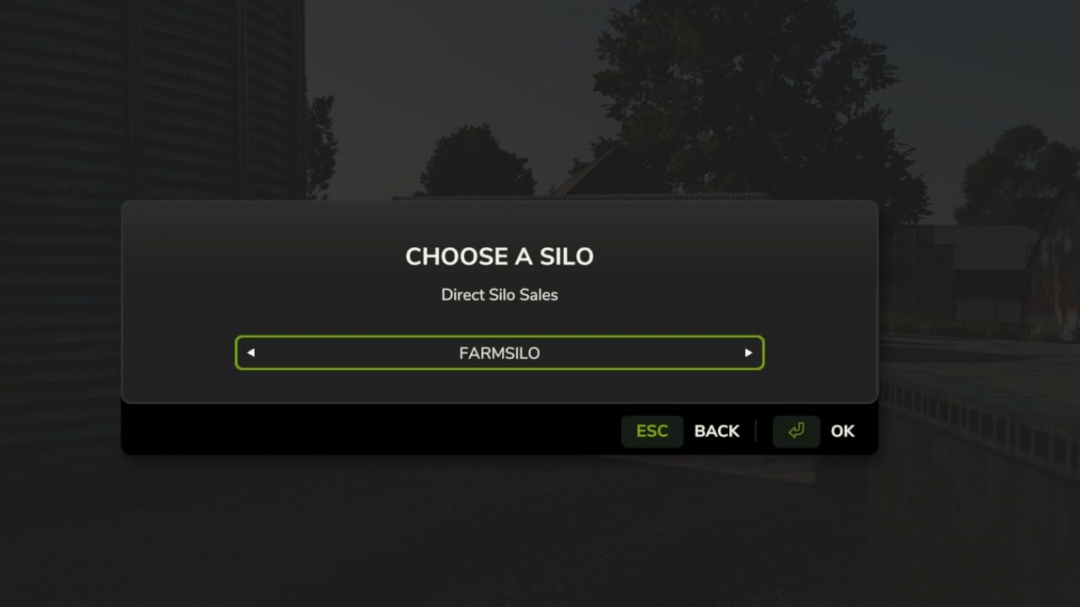
Direct Silo Sell V1.0
Direct Silo Sales for Farming Simulator 25 (PC, single-player) Install: Copy FS25_DirectSiloSales.zip into Documents/My Games/FarmingSimulator2025/mods. Enable the mod for your save. Press Left Shift + S to open the sale menu (or rebind in game). You must be on foot for this keyboard shortcut. You can also use dssMenu in the developer console. Choose a silo, crop, selling point, and 25%, 50%, or all of the stored crop. The menu shows each selling point's current price per 1,000 L and asks for confirmation. The developer console commands remain available as an alternative:Commands: dssList Lists your owned silos, stored crops, and all selling points. dssSell Sells the entire stored amount if liters is omitted. Example: dssSell 1 WHEAT 3 10000 Fully compatible with Market Dynamics. Adds realism by selling grain forward for a better price. Ideal for large-scale farming.
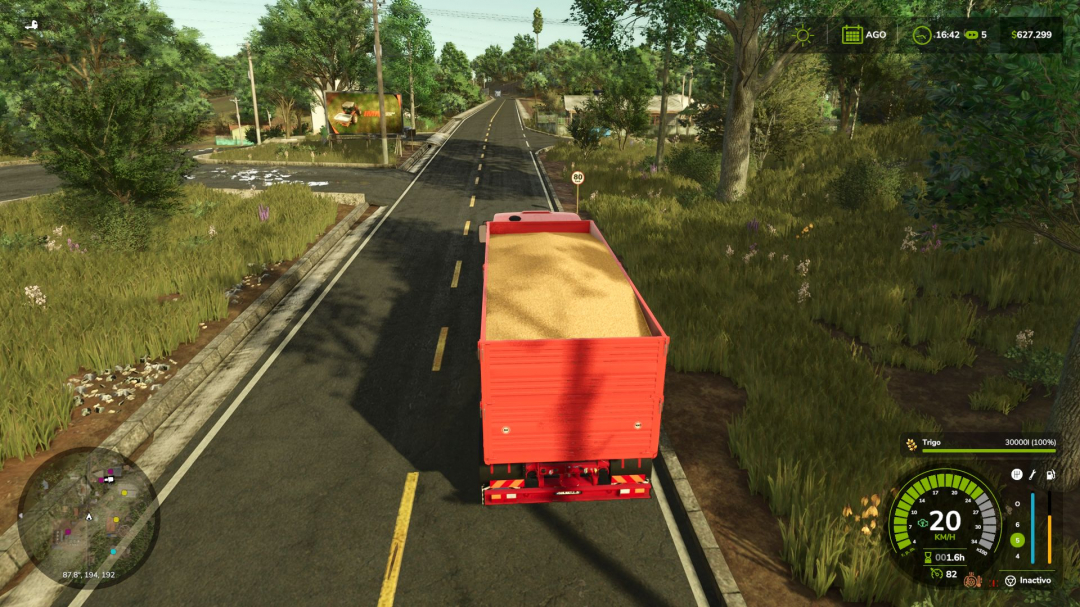
Realistic Brakes V1.2
Realistic braking system for trucks and tractors, designed to add an extra layer of simulation to your game. A companion to Realistic Diesel Start (GN Realism), but it works perfectly on its own too.What’s Included Real Handbrake It’s not a magic button. The braking force depends on the vehicle’s weight (including trailers) and the slope of the terrain. Did you leave a loaded truck on a downhill slope with too much weight for the brake to handle? It’ll roll away on its own, just like in real life. The usual solution: chock it or leave it running.Dynamic Engine Brake Engine braking now depends on the gear you’re in. In a higher gear, you release the accelerator and the vehicle keeps rolling. You downshift, and the engine starts pulling in reverse for real—just like engine braking in a real truck.Reinforced Engine Brake (Jake Brake type) For when the normal engine brake isn’t enough. It activates automatically when you release the accelerator (like a modern retarder), or manually with the B key if you prefer full control—you choose the mode from the game’s Settings menu. It has 3 intensity levels and only works with the engine running, not accelerating, and at sufficient RPM.Brake Fade Brakes now really heat up, and each type of vehicle does so at its own rate: a car with ventilated discs cools down quickly, a tractor with oil-immersed brakes is difficult to overheat, and a loaded truck on a long downhill can reach critical brake fade in just a few minutes if you don’t use engine braking. If you keep them very hot for too long, they’ll be permanently damaged—at that point, there’s no going back without a trip to the garage.Sound Engine braking has its own distinct sound (the classic “swish-swish” of the exhaust during engine braking). And when the brakes enter the alert zone (200°C), you’ll start to hear the brake pads squeal when you press the pedal—another warning, in addition to the HUD, that your brakes are failing.Discreet HUD Brake temperature, efficiency, and parking brake status, with alerts when you enter the alert zone or risk damaging them.All configurable from Game Settings Engine braking mode (automatic/manual), engine braking level, thermal fatigue intensity, show or hide the HUD. No need to touch the console or game files.Compatibility It works seamlessly with Enhanced Vehicle — if you have it installed, the handbrake is controlled by this mod, eliminating any conflicts over vehicle control. If you have Realistic Diesel Start (GN Realism) installed, the air brakes of its compressed air system are automatically integrated with the parking brake. Multiplayer compatible.Notes Mod under active development — please report any bugs or suggestions in the comments. Translated into Spanish, English, German, and French. Created with passion for a realistic farming simulation.V1.2.0.0 Fixed an issue where the engine brake did not work on any truck in some cases. Fixed an issue where the handbrake did not work on certain occasions. New dashboard warning lights: brighter and faintly visible when switched off. The brake temperature and malfunction warning only appear on trucks. Compatibility with Advanced Damage System: the icons are repositioned when the mod is active to prevent them from overlapping.
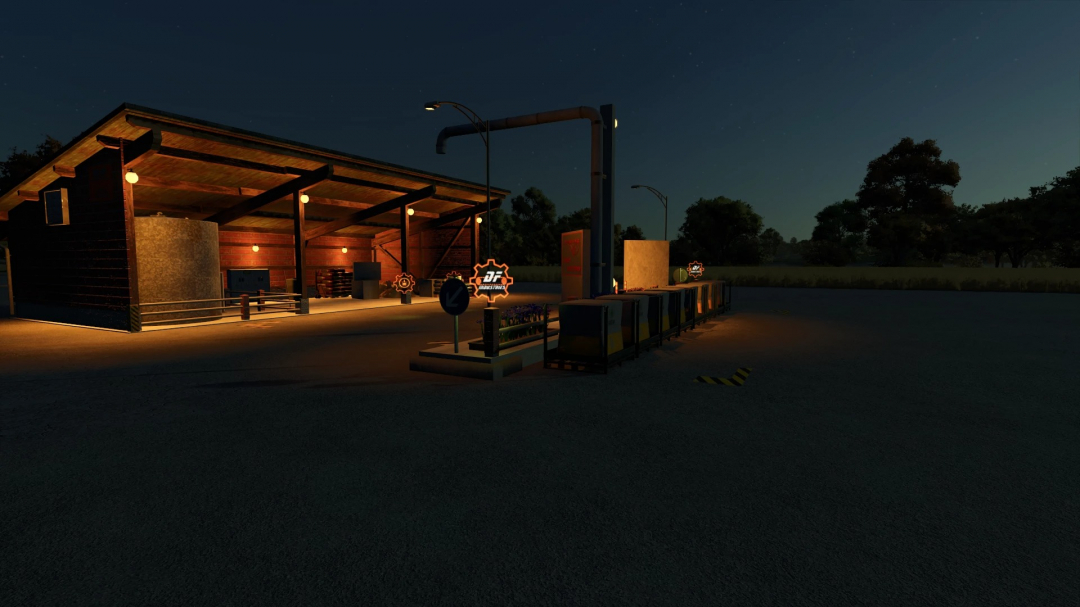
DF Industrial Seed Factory M41 v1.0.1
Welcome to the premier league of seed production!Changelog V1.0.1.0: Storage capacities in the XML adjusted to match the mod description. Recipes and storage slots for barley and sunflowers fully integrated and optimized. Production speed increased to 20 cycles/hour. The DF Industrial Seed Factory M41 from DF INDUSTRIES delivers maximum efficiency for your farm. This high-performance seed factory was designed specifically for large-scale operations and contractors tired of constantly shuffling pallets. It features an elite industrial aesthetic with heavy timber framing and dark, modern brickwork, seamlessly fitting into any farm setting, modern or traditional. With a massive 5-million-liter storage capacity for finished seed and large raw material bunkers, it brings true industrial power to your map. The factory efficiently processes wheat, corn, sunflowers, or barley—combined with mineral fertilizer—into top-quality premium seed.Production Overview: Wheat + Mineral Fertilizer ?? Seeds (Ratio: 1500L + 100L ?? 1500L) | Corn + Mineral Fertilizer ?? Seeds (Ratio: 1500L + 100L ?? 1500L) | Sunflowers + Mineral Fertilizer ?? Seeds (Ratio: 1500L + 100L ?? 1500L) | Barley + Mineral Fertilizer ?? Seeds (Ratio: 1500L + 100L ?? 1500L)Technical Data & Features: Manufacturer / Brand: DF INDUSTRIES Purchase Price: €147,000 Maintenance Costs: €0 / day Total Capacity (Seeds): 5,000,000 liters Raw Material Capacities: 1,250,000 liters each (Wheat, Corn, Barley, Sunflowers) Fertilizer Capacity: 500,000 liters (Mineral Fertilizer) Multiplayer / Dedicated Server: Fully supported Languages: German, English, FrenchChangelog v1.0.0.0 (Initial Release): GIANTS certification successfully passed. Corrected incorrect capitalization in the French translation. Resolved LUA log error related to pallet spawn area by splitting into start and end nodes. Corrected missing FS25 tag schema for productionPoint; mod now loads error-free. Official multiplayer and dedicated server support integrated. Storage capacities scaled up to industrial levels (5 million liters of seed output). Multilingual shop feature descriptions added (DE, EN, FR).
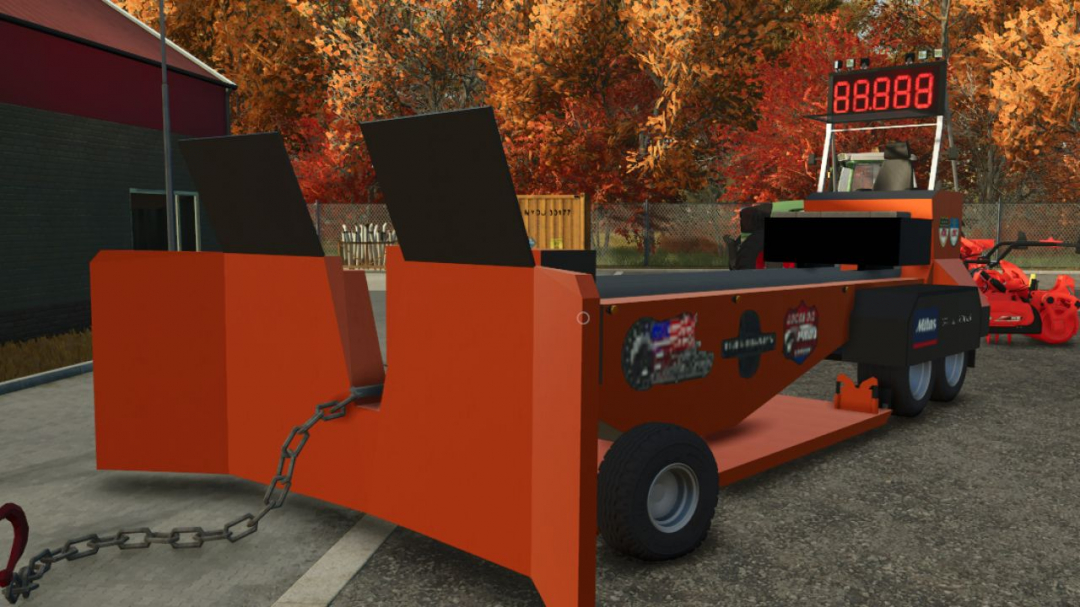
Tractor Pulling Sled Big Benz V1.0
A pulling sled to test the power of your tractors! I converted this mod from FS22, credits to LesiTheDog Price: 15,000
- 15 per page
- 30 per page
- 45 per page
- 60 per page
-
See more per page
Bigger pages, fewer clicks - and no ads anywhere.
Go Pro