Farming Simulator 19 mods
55,156 results- 15 per page
- 30 per page
- 45 per page
- 60 per page
-
See more per page
Bigger pages, fewer clicks - and no ads anywhere.
Go Pro

ERDEVIK MAP V2.0 Mod
ERDEVIK MAP V2.0 Mod – Map Creator: Stevan Martinko [For Farming Simulator 13] – Convert Slavonija & Šokčević – Za male mašine / For Small Machines You need to play the map on medium graphic,because the map has some bug and can’t support higher graphic than medium.So put it on medium and play.
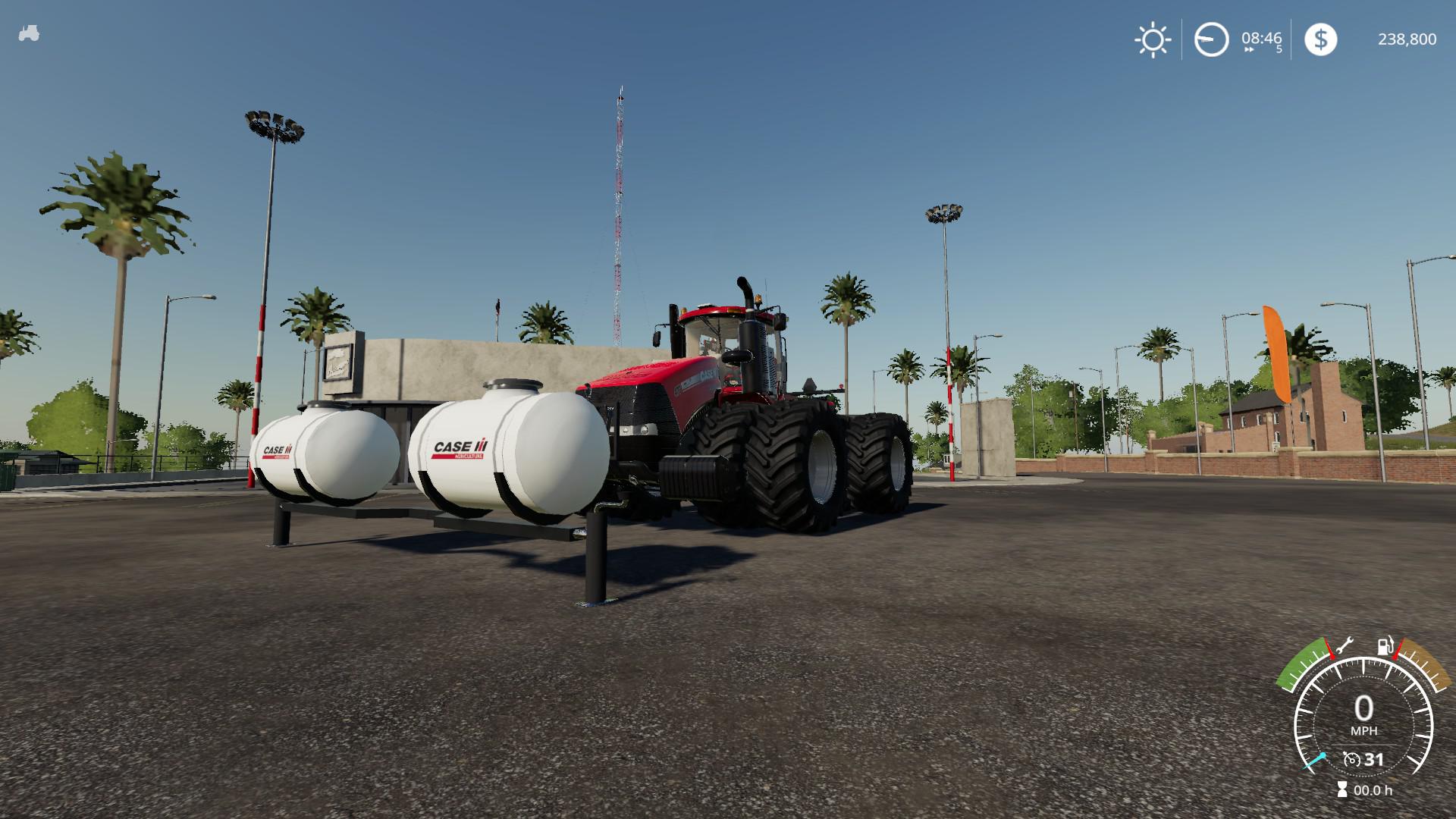
Case Steiger v1.1 FS19
Case Steiger v1.1 FS19 CaseIH Steiger with Weight and 3 point front configs . This an updated version of one released by “vFAITHv” and “JASON” with NO ERRORS v1.1 Change Log: New Wheel Configs to replace old ones: – Single 710, 710 Weight, 900, 900 weight – Dual 710, 800, 900 – Triple 520, 710 Modifications: – Added z rotation in articulating joint to allow lateral movement when traversing hills/bumps – Added additional lights on the sides and front of the tractor – Added Steiger weights to vehicle store configs instead of it being its own entity – Added rear quick connect 3 point hitch – Modified sound from the original quadtrac – Increased dirt accummulation rate to match quadtrac Seat Camera installed: – Camera will move with seat suspension Fixed issues with multiple parts, decals, and lights not moving with cab rotation Added compatibility to attach saddle tanks to the front – Case IH saddle tanks are included and can be found in the store (4000l) – Saddle tanks are NOT COMPATIBLE with the sprayer usage mod – Saddle tanks MAY NOT BE VISIBLE IN THE SHOP MENU, but they will be at the store when purchased – Saddle tanks can be attached while weight config is applied (for now) I have lots of plans yet for the Steiger, so stay turned for updates! Let me know if any issues are found. Enjoy! Credits:KarlFarms, vFAITHv, JASON, Taylor Farms (Saddle Tanks)

Animal Species v1.0 FS19
Animal Species v1.0 FS19 Instead of looking for having 10 000 animals per husbandry, this mod will satisfy you ! This mod will replace your basic animal livestock ! You can still buy animal who eat & produce for 1 but others allow you to produce a lot more milk/pallets , OR manure & liquid Manure ! But they will eat as much as they produce ! You are warned ! 😀 (but they wont spit food spillage in consequence, untouched) Do you think you are ready for a 30 000 cows husbandry ? (i saw and i can say you… NO ! You are not ! 😀 ) Future Versions : E-Sport compatible (i am myself the old aT-Valhalla on Warcraft 3, sponsored by Intel Inside with armaTeam ), also separated version for different kind of animals (when i will find the tip to create new animals subtypes lol !) Full Animal Pack. This mod modify the original buyable animals to be more different, eat & produce more depending the species you buy. ALSO Pigs : Now they produce nearly same amount as cows, giving them a real purpose > feed your fields ! About other animals it keep a standard increase in difficulty. x5 = This animal EAT & PRODUCE as much as 5 of his vanilla coworkers. Look into your local Animal Dealer Credits:Meliandah

Zmaj 142 V1.0.0.1 FS19
Zmaj 142 V1.0.0.1 FS19 I am converting a dragon 142 combine from fs17 to farming simulator 19 enjoy Credits:ImT Je CooL
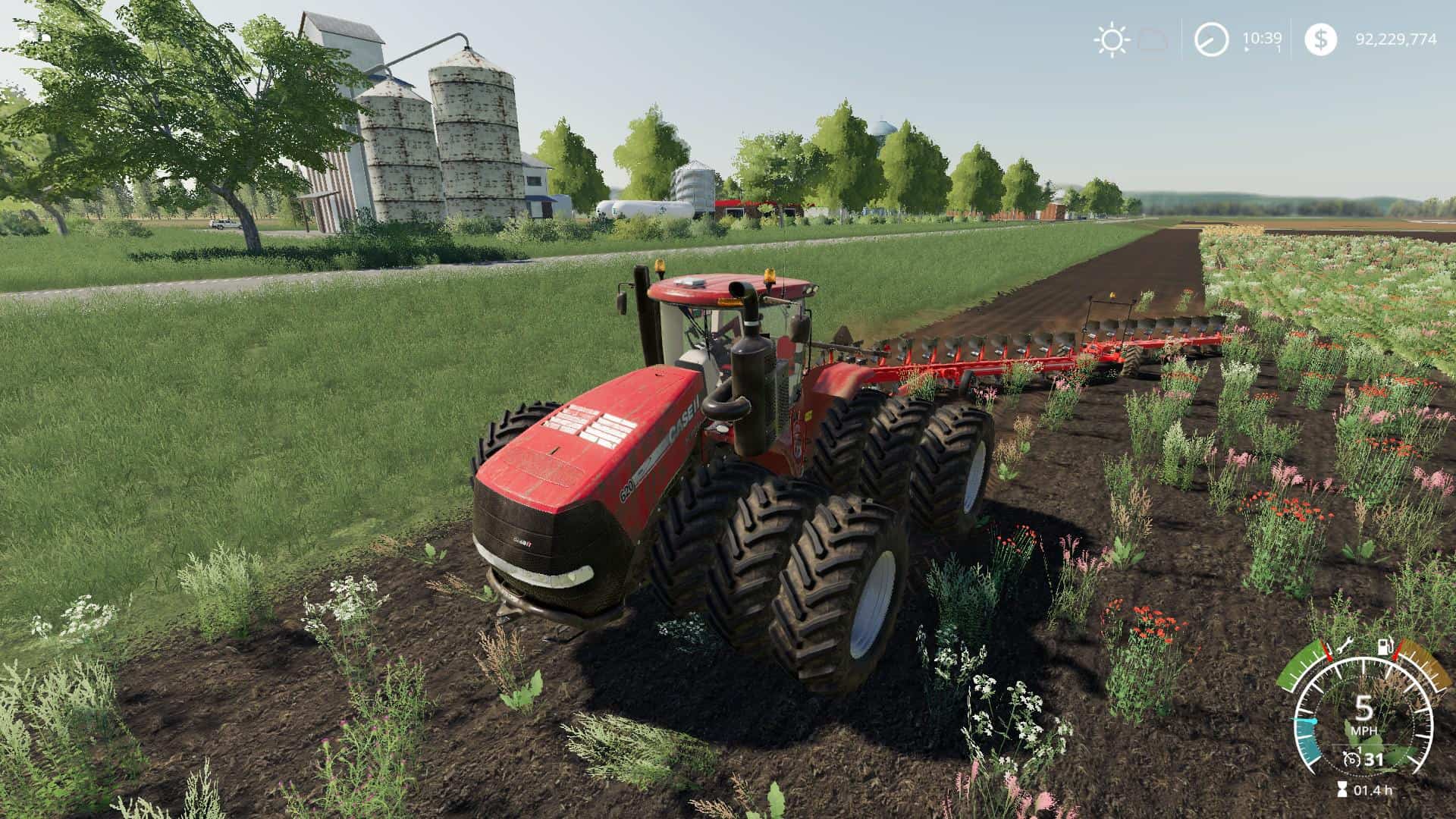
CASE STEIGER V1.1 Tractor
CASE STEIGER V1.1 Tractor This an updated version of one released by “vFAITHv” and “JASON” with NO ERRORS To get frequent develpoment updates and early access to future releases/mods, check out my facebook “KarlFarms” v1.1 Change Log: New Wheel Configs to replace old ones: – Single 710, 710 Weight, 900, 900 weight – Dual 710, 800, 900 – Triple 520, 710 Modifications: – Added z rotation in articulating joint to allow lateral movement when traversing hills/bumps – Added additional lights on the sides and front of the tractor – Added Steiger weights to vehicle store configs instead of it being its own entity – Added rear quick connect 3 point hitch – Modified sound from the original quadtrac – Increased dirt accummulation rate to match quadtrac Seat Camera installed: – Camera will move with seat suspension Fixed issues with multiple parts, decals, and lights not moving with cab rotation Added compatibility to attach saddle tanks to the front – Case IH saddle tanks are included and can be found in the store (4000l) – Saddle tanks are NOT COMPATIBLE with the sprayer usage mod – Saddle tanks MAY NOT BE VISIBLE IN THE SHOP MENU, but they will be at the store when purchased – Saddle tanks can be attached while weight config is applied (for now) I have lots of plans yet for the Steiger, so stay turned for updates! Let me know if any issues are found. Enjoy!
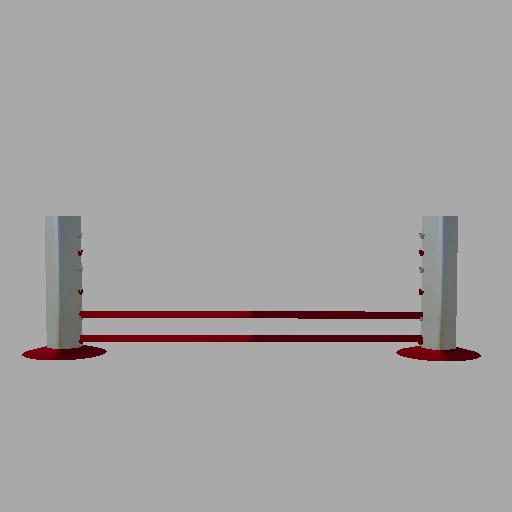
Placeable horse jumps v0.01 FS19
Placeable horse jumps v0.01 FS19 Name: Placeable horse jumps I was asked to make a jump for a track someone was making on there farm so I made a pack enjoy Credits:ITSSDOT
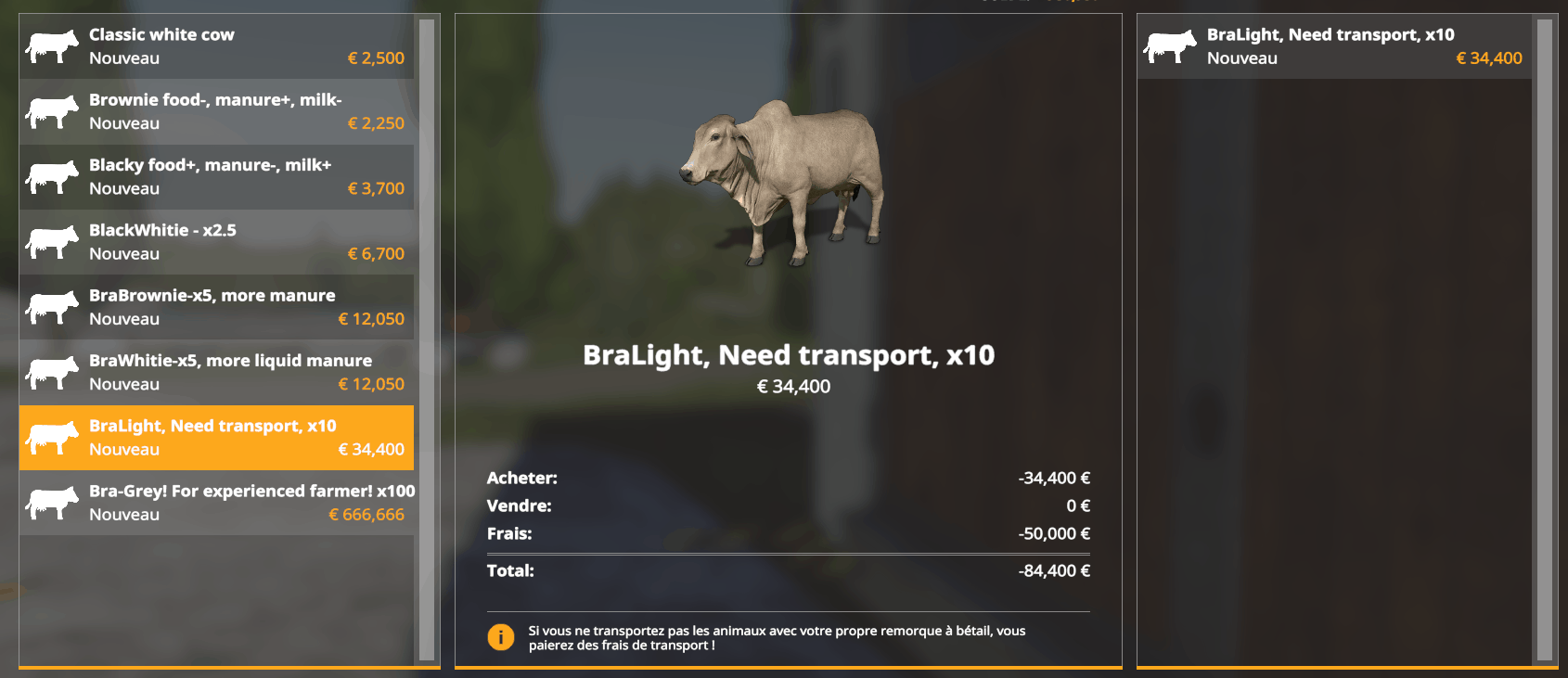
Animal Species Mod
Animal Species Mod This mod modify the original buyable animals to be more differents, eat & produce more depending the species you buy. ALSO Pigs : Now they produce nearly same amount as cows, giving them a real purpose > feed your fields !. About other animals it keep a standard increase in difficulty. x5 = This animal EAT & PRODUCE as much as 5 of his vanilla coworkers. Look into your local Animal Dealer

VEHICLE EXPLORER V0.9.1.0 Mod
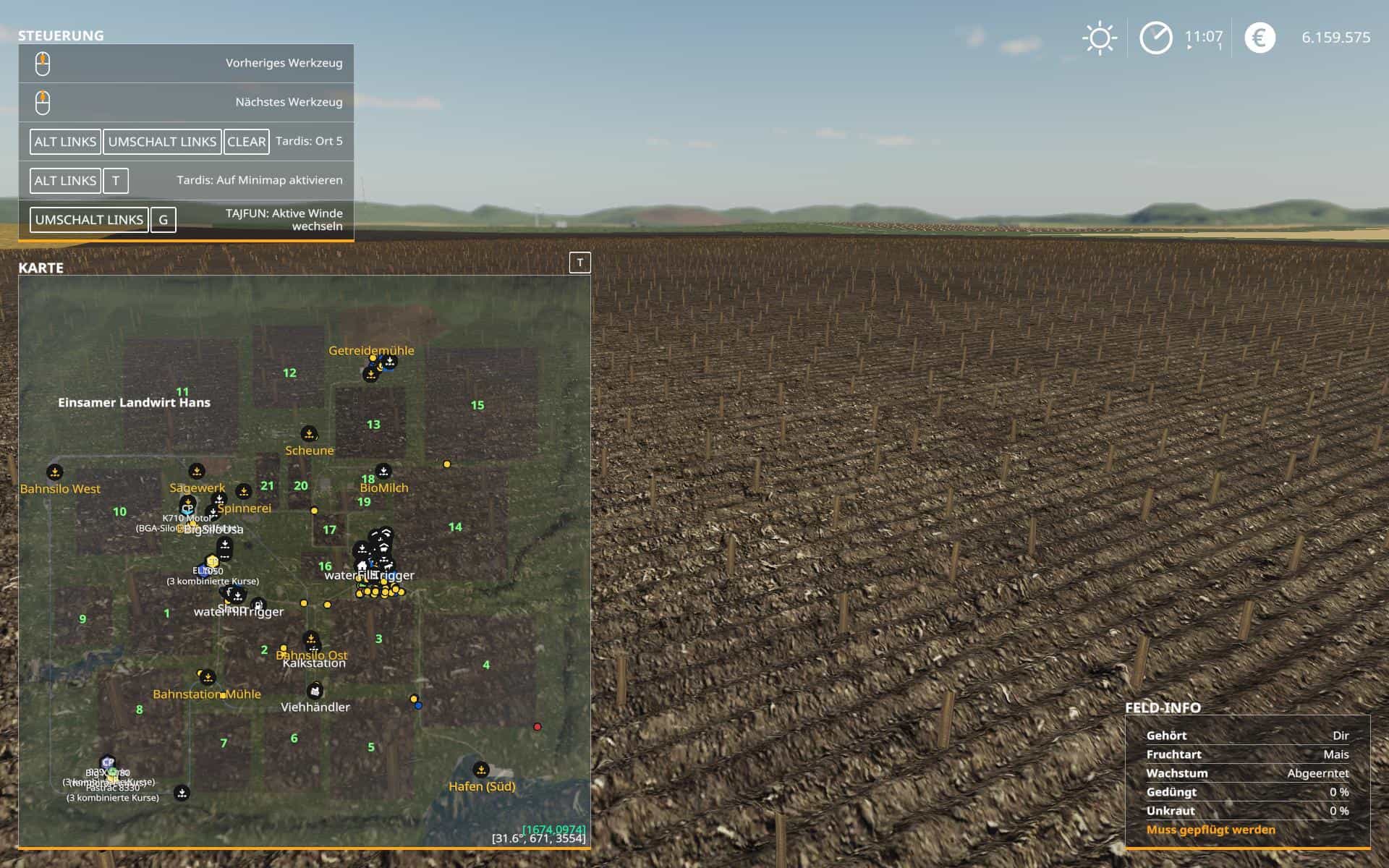
VEHICLE EXPLORER V0.9.1.0 Mod Latest Version 0.9.1.0 – I consider it as Beta. I tested it quite a lot myself, but hope for some helpful feedback from the community. This is a revamp of the good old VehicleSort from FS17 For beginners: VehicleExplorer helps you organize your vehicles, by showing you a list which can be organized, well, sorted by you. Besides that it has a couple of additional functionality. See below. Features List of all steerable vehicles (Specialization: Enterable) Set a customer order for your vehicles Your order is saved in the default vehicles.xml, so no additional clutter Enter your vehicles directly with a click of a (mouse) button This is meant literally, see known issues Park your vehicles, so that a switch of vehicles via Tab ignores them Repair vehicles and its implements Let your vehicle and implements get cleaned on a repair from your friendly VeEx staff Displaying a store image next to the list Info box with additional informations Motor on/off, turned on/off (for e.g. harvester) and light status is saved and restored Different colors in the list if a vehicle is selected, or currently used by a helper/Courseplay Config Menu Config is saved per savegame within modsSettings/VehicleExplorer/savegameX Show/hide trains in the list Show/hide station cranes in the list (No idea if that actually works, would need a map with a crane to test) Show/hide steerable implements/trailers (e.g. forwarder trailer with crane) Show/hide brand names in the list Show/hide your own name when you enter a vehicle Show/hide horse power in the list Show/hide fill levels in the list Show/hide implements in the list Show/hide store images Show/hide infobox Move infobox up/down Show/hide a background for the infobox/store image Change text size Change text alignment Change list background transparency Enable/disable saving of the additional vehicle status (motor, turnedOn, lights) Show/hide keybindings in the game F1 help menu (needs a game restart to take affect) Clean vehicle & implements on a repair Tardis integration With Tardis you can teleport yourself AND your vehicles to any position on the map With VehicleExplorer & Tardis you can select a vehicle on the list, and teleport that to any location without entering it. You can also configure if you want to enter the vehicle after teleportation or just drop the vehicle to another location With Tardis Map Hotspots you can again, select a vehicle and quickly teleport that to one of those hotspots Known issues Although you can change all the keyboard bindings, the mouse actions are hardcoded for now Left mouse click: Enter vehicle Right mouse click: Select vehicle (to e.g. move it) Right mouse click: Change value in the config menu Mouse wheel: Selection up/down in list T -> Workaround available Metric measuring units are used Max of three columns. If you’ve more vehicles (which would be insane anyways 😉 , just disable the display of brand name etc A wrong value for horse power is displayed for trains Sometimes selling or resetting a vehicle is causing a flickering of the vehicle list. I’ve already an idea why, just have to look more into it. As a workaround you just have to move any vehicle a position up or down, then a reshuffle is triggered and the list is rendered properly again. If a train is parked, although this state gets saved, on loading a savegame it’s not restored. So the train is tabbable. Incompatible Mods S A Changed the default keybinding. So there is no overlap anymore. Default Keybinding Key Combi Action LAlt + v Show/hide vehicle list LAlt + KeyPad Minus Show/hide config menu KeyPad Enter Enter vehicle LAlt + p Toggle parking LAlt + KeyPad 5 Select item (for moving the vehicle) or to change values in the config LAlt + KeyPad 8 Move up in the list/config LAlt + KeyPad 2 Move down in the list/config LAlt + 1 Move up fast in the list/config LAlt + 2 Move down fast in the list/config LAlt + R Repair vehicle incl. implements Tab Next vehicle; VeEx own switch vehicle implementation (necessary to tab through vehicles in your own order) Shift + Tab Previous vehicle; VeEx own switch vehicle implementation (necessary to tab through vehicles in your own order) Mouse Left Enter vehicle Mouse Right Select item/change values in config Mouse Wheel List up/down _ If you want to use the ‘sorted tabbing’, make sure you drop the default key binding in the game menu. I didn’t find a way to overwrite the default vehicle switching, and I think it’s better to let you, the user, this choice anyways. _ Meaning of colors used Color Meaning White Standard Green Current player is controlling vehicle Orange Vehicle selected Red Vehicle locked (necessary to move it up/down in the list) Grey Vehicle is parked Blue Vehicle is controlled by AI (Helper or Courseplay) Light Pink Vehicle is controlled by FollowMe (not yet available) Yellow Engine is running Note that the current version does NOT support multiplayer! There were reports that VehicleExplorer does work in MP if you simply change the moddesc.xml. Although I assume not everything works then. Anyways, I decided to work on a MP version. Just have no idea yet till when it will be available.
TARDIS V0.9.1.0 Mod
TARDIS V0.9.1.0 Mod This is a revamp of the good old Tardis from FS17 For beginners: With Tardis you can teleport yourself or your vehicles to any location on the map. Besides that it has a couple of additional functionalities. See below. Features Teleport yourself (the player) to any location on the map Enter a vehicle to teleport yourself AND the vehicle (incl. implements, trailers) to any location on the map Reset a crashed/turned over vehicle. Reset in this case means to turn it over again Set up to 5 map hotspots to easily teleport yourself and/or vehicles to one of those spots. Those hotspots obviously get saved & restored. Integration with Vehicle Explorer Known issues You can’t teleport goods like pallets on a trailer. Filllevels work though Incompatible Mods No known ones Default Keybinding Key Combo Action LAlt + t Activate Tardis LAlt + Backspace Reset LAlt + LShift + KeyPad 1 – 5 Set or visit the map hotspot LAlt + LShift + Backspace Delete a map hotspot in a 25m range Mouse Left Teleport Note that the current version does NOT support multiplayer! Quite frankly, I’ve no idea about the MP code needed and also no possibility to test it. Actually I think it shouldn’t be a big deal, and maybe it already works by just changing the MP setting in the moddesc.xml from false to true. I assume just the parking possibility has an impact to MP.
JOHN DEERE 6R – 6M + BREDAL K105 – K165 V1.0 Mod
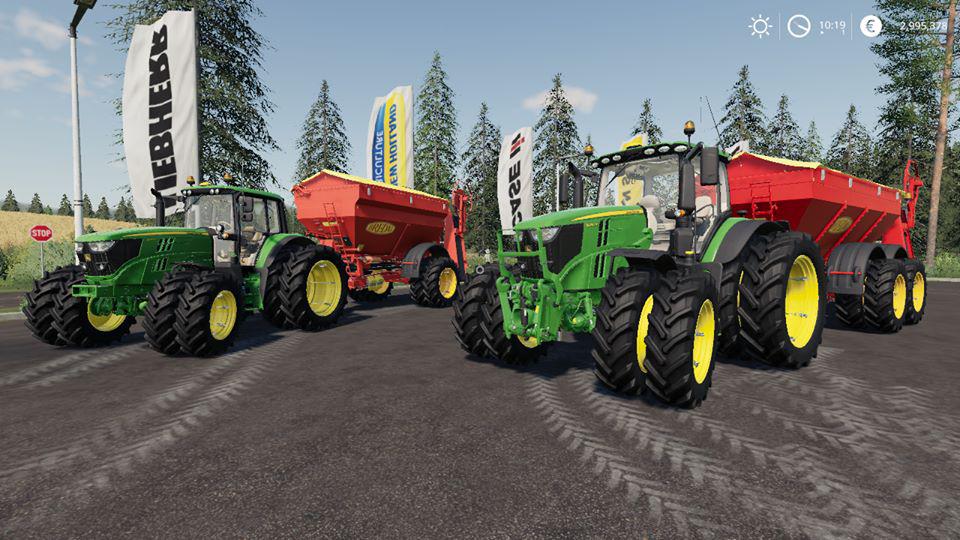
JOHN DEERE 6R – 6M + BREDAL K105 – K165 V1.0 Mod First Up here is a HUGE! thank you to NW for your very kind donation and support sir. Regards Stevie. Second up I appreciate all of your patience regarding the Fenton Forest public release I’m sure it won’t be to long now. Lastly here’s a few mod updates for you, they all have extended repair intervals now. The John Deere 6M and 6R have dual narrows added to their wheel selections and a CBradio which Luke BK has kindly made tonight for them. The Bredal’s have had twin narrow tyres added as well.
CLAAS AXION 800 SERIES V1.0.0.0 Tractor
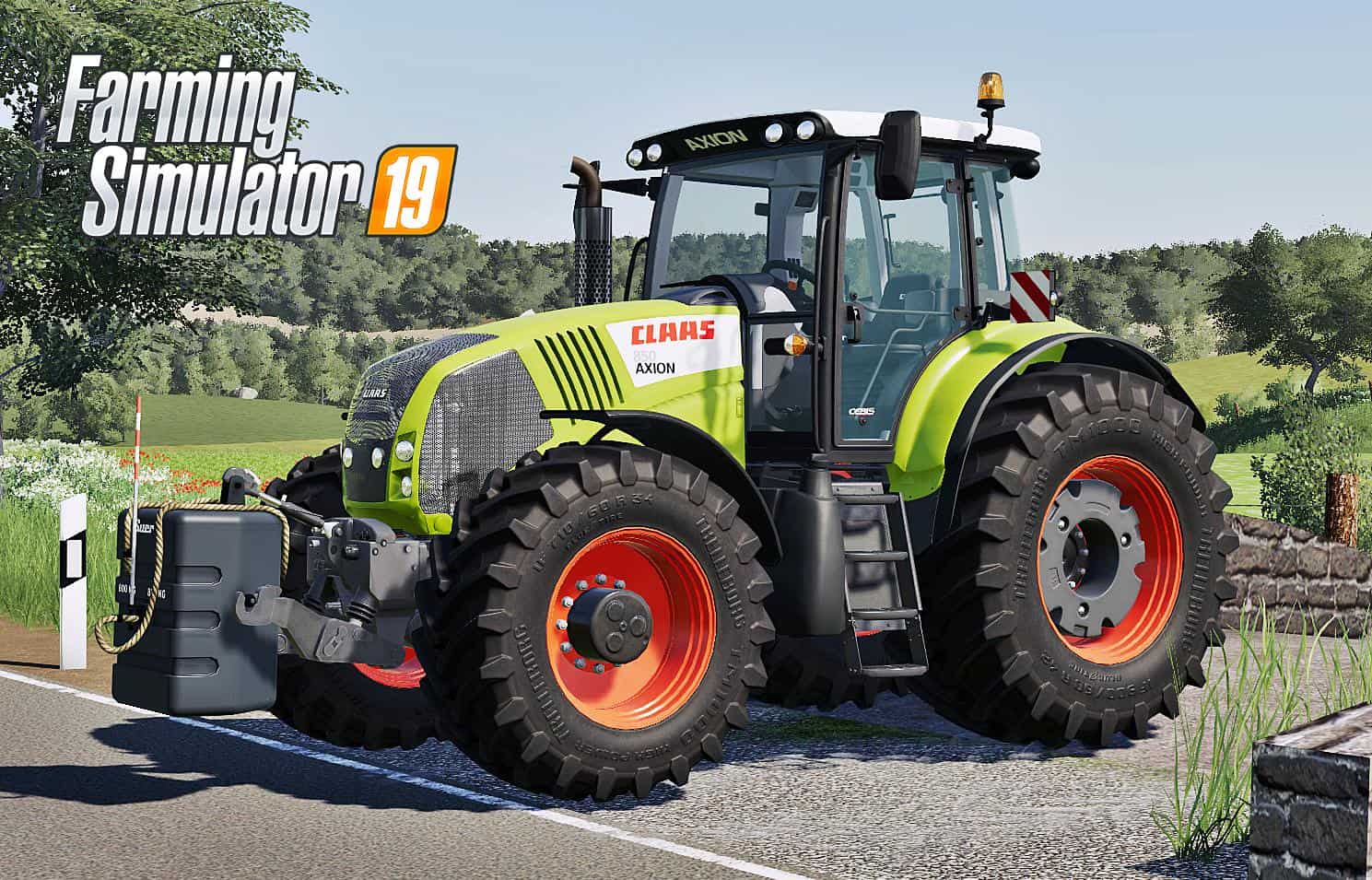
CLAAS AXION 800 SERIES V1.0.0.0 Tractor Hello Farming Simulator Community! I’m presenting you my first project for FS 2019, this is my Claas Axion 800 Series. Over time, new versions will appear with various improvements. Important! This is version 1.0, please note the possibility to find bugs! Have a nice game. Claas Axion 800 Series Features: -Real color textures -Full Washable -Wearable -Configurations engine power (810/830/850) -Movable front axle -Amortivating seat -Exhaust configuration:normal and chrome -Warning Sings configuration -Dynamic Hoses -Animation of gas and brake pedals -Working lights, turn signals, brake lights -Wheels configurations(normal, with weight, wide and twins wheels) -Animated hydraulic -Animation wiper -Rims color configuration -Speedometer and tachometer -Dust, tire tracks -Movable front fender -And other…
BREDAL F2WS 4000 V1.0.0.0 Mod
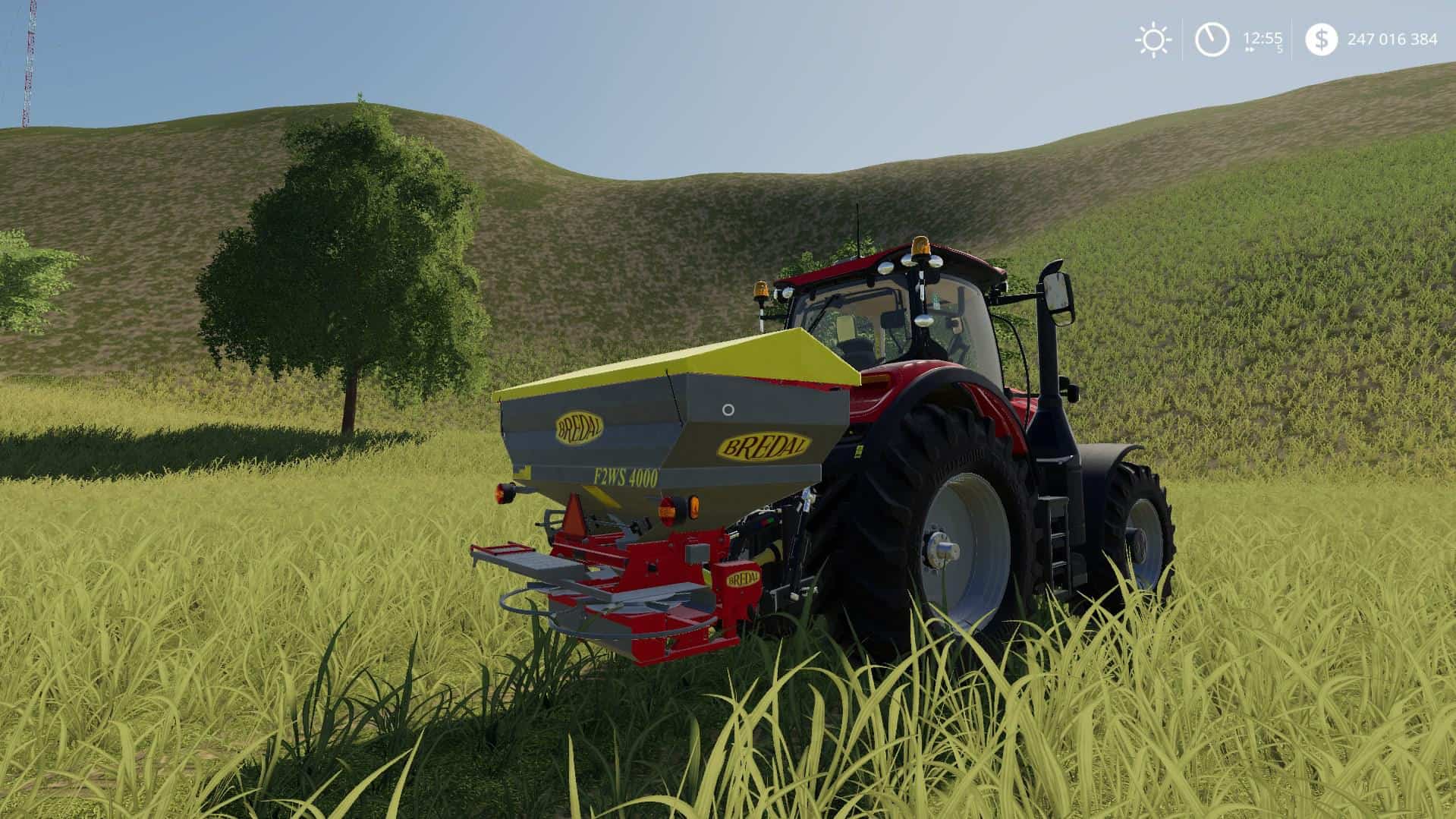
BREDAL F2WS 4000 V1.0.0.0 Mod Bredal F2WS 4000 Fertilized Spreader for Farming simulator 19 Working Width: 24.0 Price: 28000 Brand: Bredal Category: fertilizer Spreaders
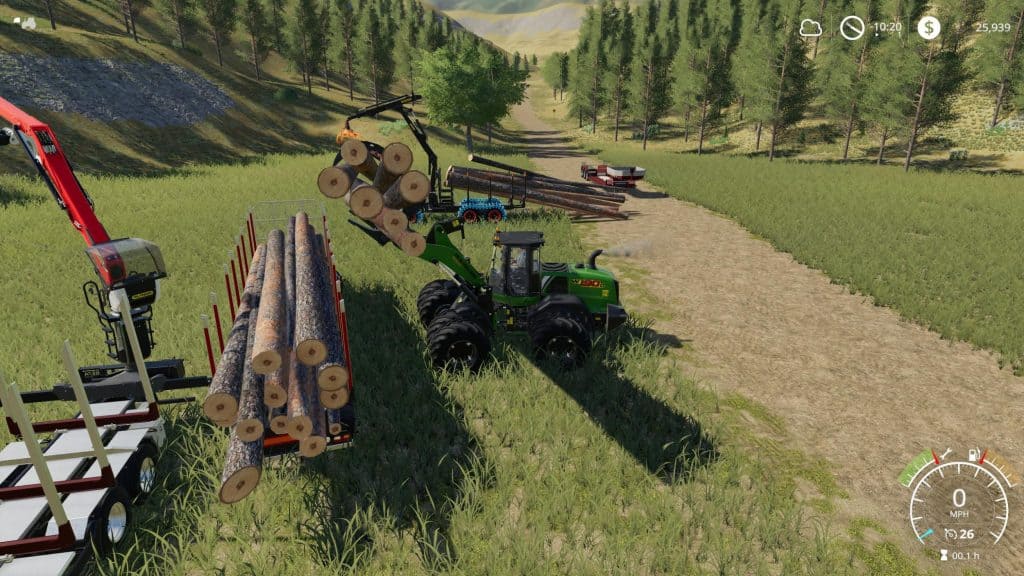
NEW HOLLAND 190 WHEEL LOADER PACK V1.0 Mod
NEW HOLLAND 190 WHEEL LOADER PACK V1.0 Mod This is an edited version of the NH w190 loader and includes modified log fork as well as modified bucket. This was made for logging but can be used for whatever you have a use for a loader might be Features: it has many different wheel options color options as well as engine options it has much more weight so it will pick up alot and tons of power to spare the bucket will tip over farther as well making it much easier to pickup logs on the ground the bucket just has capacity increased to 15000 the log forks will open much farther allowing you to get more logs in the fork and the fork pressure is much greater so you can force logs to go into the fork I have tested this in single player as well as multiplayer and it works fine in both and no errors in single player or or server multiplayer log.
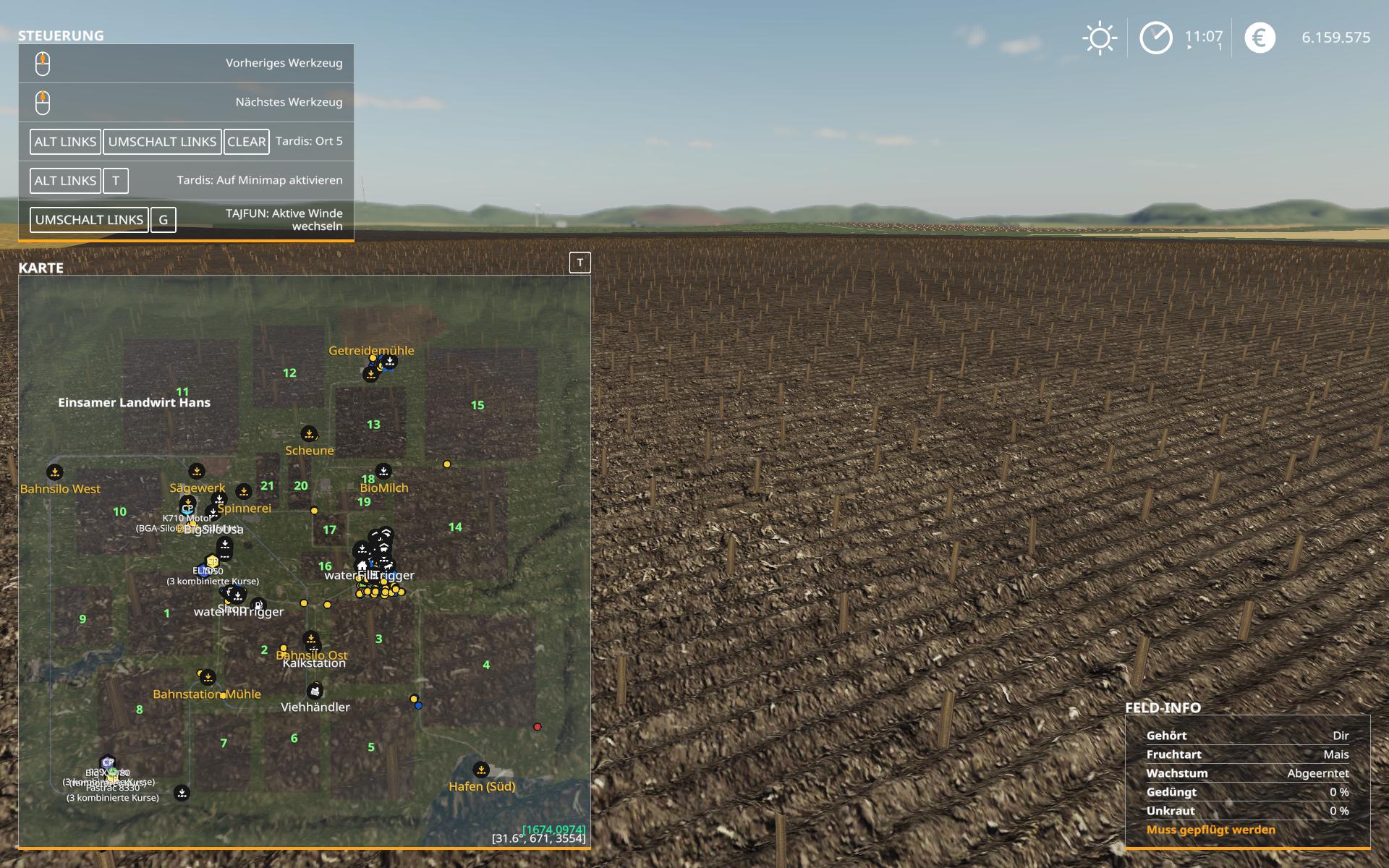
Tardis teleport v0.9.1.0 FS19
Tardis teleport v0.9.1.0 FS19 Tardis for FS19 This is a revamp of the good old Tardis from FS17 For beginners: With Tardis you can teleport yourself or your vehicles to any location on the map. Besides that it has a couple of additional functionalities. See below. Features Teleport yourself (the player) to any location on the map Enter a vehicle to teleport yourself AND the vehicle (incl. implements, trailers) to any location on the map Reset a crashed/turned over vehicle. Reset in this case means to turn it over again Set up to 5 map hotspots to easily teleport yourself and/or vehicles to one of those spots. Those hotspots obviously get saved & restored. Integration with Vehicle Explorer Known issues You can’t teleport goods like pallets on a trailer. Filllevels work though Incompatible Mods No known ones Default Keybinding Key Combo Action LAlt + t Activate Tardis LAlt + Backspace Reset LAlt + LShift + KeyPad 1 – 5 Set or visit the map hotspot LAlt + LShift + Backspace Delete a map hotspot in a 25m range Mouse Left Teleport Note that the current version does NOT support multiplayer! Quite frankly, I’ve no idea about the MP code needed and also no possibility to test it. Actually I think it shouldn’t be a big deal, and maybe it already works by just changing the MP setting in the moddesc.xml from false to true. I assume just the parking possibility has an impact to MP. Latest Version 0.9.1.0 – I consider it as Beta. I tested it quite a lot myself, but hope for some helpful feedback from the community. Credits:Author: sperrgebiet aka release; For additional credits see included ReadMe or on GitHub

Claas Axion 800 Series v1.0 FS19
Claas Axion 800 Series v1.0 FS19 Hello Farming Simulator Community! I’m presenting you my first project for FS 2019, this is my Claas Axion 800 Series. Over time, new versions will appear with various improvements. Important! This is version 1.0, please note the possibility to find bugs! Have a nice game. Claas Axion 800 Series Features: -Real color textures -Full Washable -Wearable -Configurations engine power (810/830/850) -Movable front axle -Amortivating seat -Exhaust configuration:normal and chrome -Warning Sings configuration -Dynamic Hoses -Animation of gas and brake pedals -Working lights, turn signals, brake lights -Wheels configurations(normal, with weight, wide and twins wheels) -Animated hydraulic -Animation wiper -Rims color configuration -Speedometer and tachometer -Dust, tire tracks -Movable front fender -And other… Credits:TomasT150,Sotillo
- 15 per page
- 30 per page
- 45 per page
- 60 per page
-
See more per page
Bigger pages, fewer clicks - and no ads anywhere.
Go Pro