Farming Simulator 17 mods
22,727 results- 15 per page
- 30 per page
- 45 per page
- 60 per page
-
See more per page
Bigger pages, fewer clicks - and no ads anywhere.
Go Pro
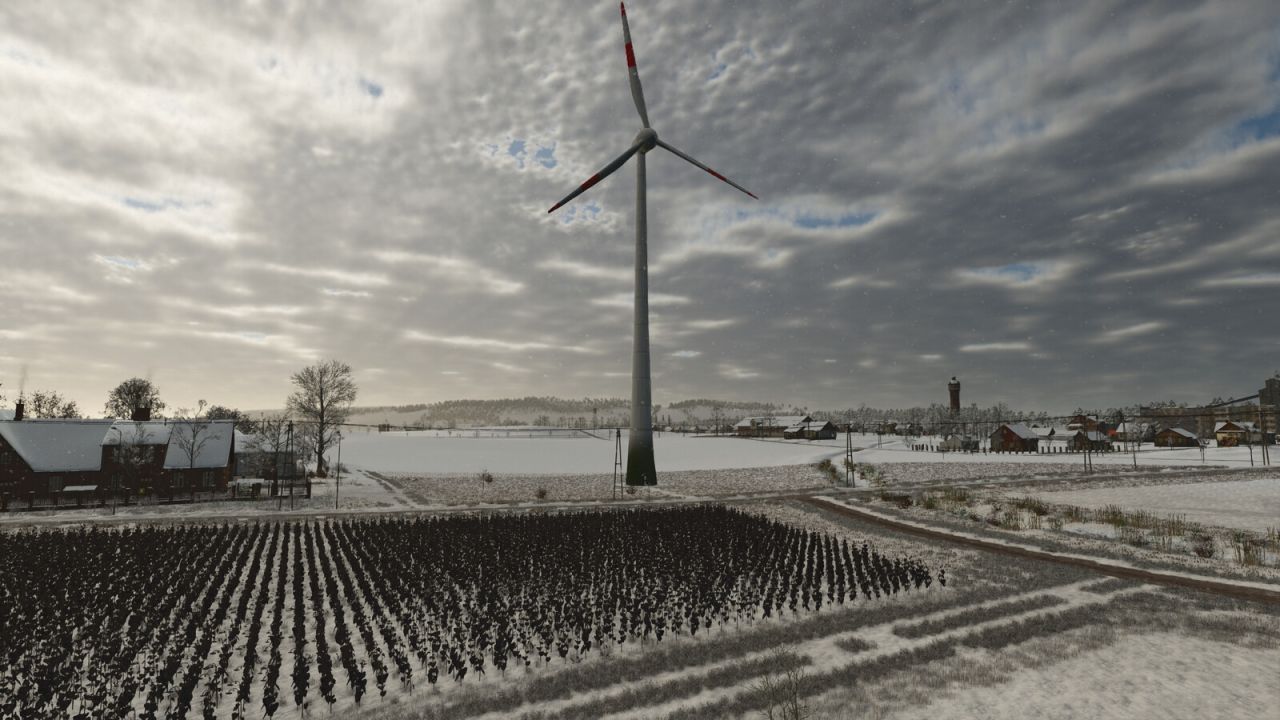
Wind Turbine Package FS25
This package includes four wind turbines with hub heights ranging from 60 meters to 169 meters. Each turbine dynamically adjusts to wind direction and wind speed, providing a realistic representation of modern wind energy. Whether for small farms or large businesses, these turbines allow you to expand your energy park with powerful, visually appealing, and economically attractive energy generators. Wind turbine 169m hub height: Price: 3500000 $ Income per hour: 0 - 14750 $ Maintenance: 150 $/day Wind turbine 75m hub height: Price: 1200000 $ Income per hour: 0 - 4512 $ Maintenance: 80 $/day Wind turbine 67.5m hub height: Price: 1080000 $ Income per hour: 0 - 4061 $ Maintenance: 72 $/day Wind turbine 60m scar height: Price: 960000 $ Income per hour: 0 - 3610 $ Maintenance: 64 $/day - Updated modDesc version - Replaced the concrete base with a new, smaller one (most of the base is usually underground) - Updated the tower and collision -Wind turbine with 169m hub height added -modDesc version adjusted -visibility of the wind turbines adjusted -Fixed an error in the description
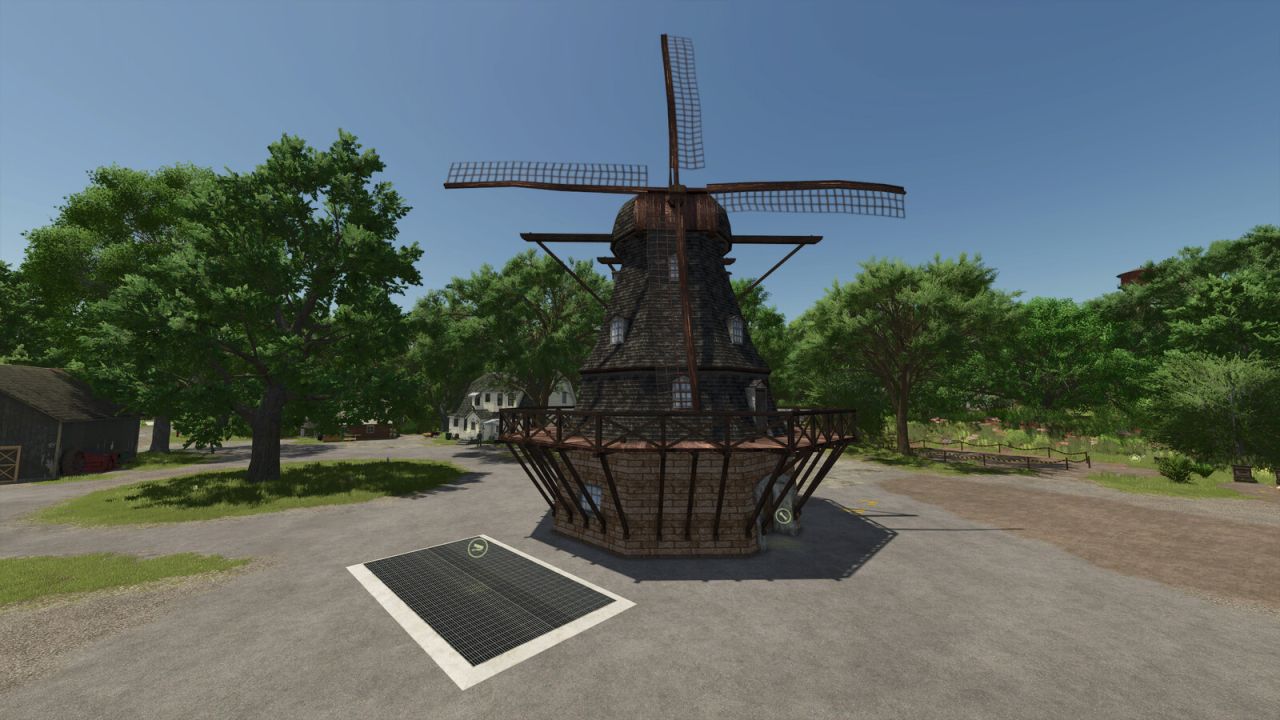
Windmill FS25
In this windmill, you can produce flour, sugar and oil. Name: Windmill Shop category: Production Price: $50,000 Maintenance: $30/day Production recipes: Wheat, barley, oats, millet, maize, sunflowers, rapeseed, soya beans -> Flour Rice, long-grain rice -> Rice flour Sugar beet, sugar cane -> Sugar Sunflowers -> Sunflower oil Rapeseed -> Rapeseed oil Olives -> Olive oil Rice, long-grain rice -> Rice oil Name: Windmill Generator Shop category: Generators Price: $30,000 Income: $100 per hour - Rice flour production added -Oil production added
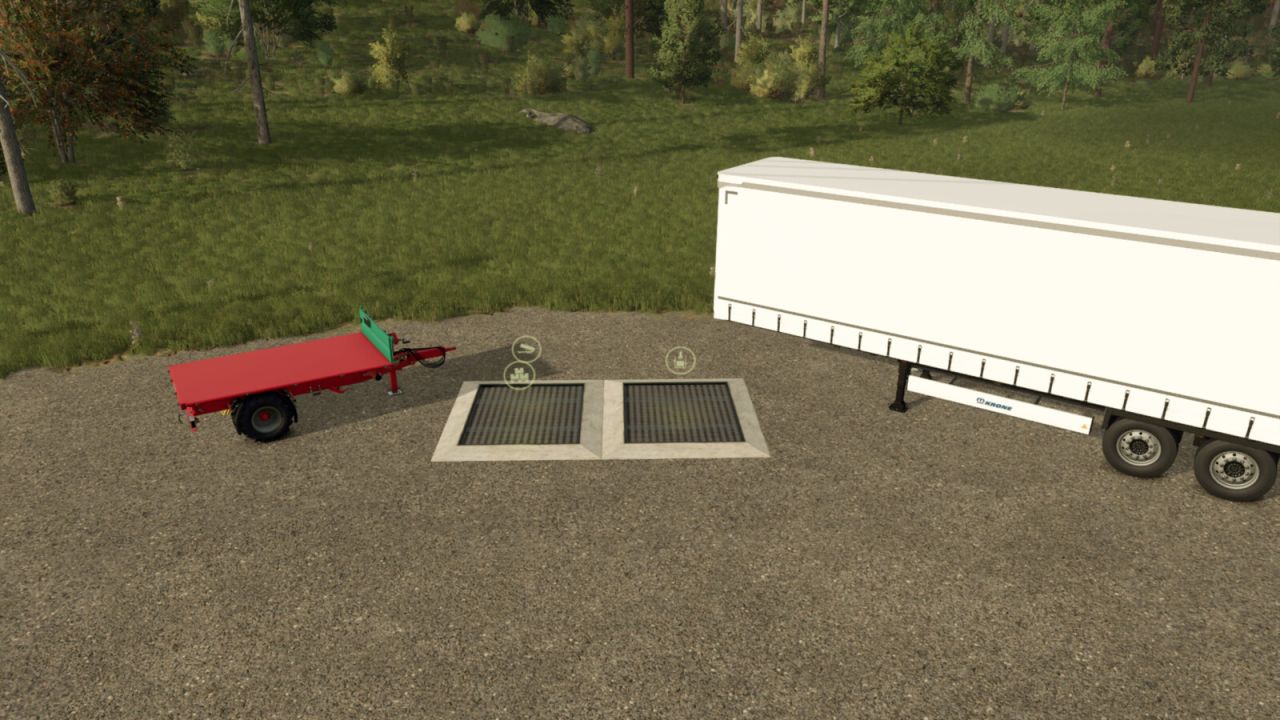
Pallet Silo With Autoload Trailers FS25
Do those pallets have you frustrated? We have a solution for you! This mod includes a silo to place in your pallet spawn points that will temporarily hold your pallets. When you are ready to transport them, use one of the included trailers to load up your products and transport them to sell. First, place the silo within your pallet spawn point of your production. As your pallets spawn, they will drop directly into your silo. Second, bring your trailer over and load up your pallets just like you would at any other grain type silo. No more loading up pallets one by one! If you do not want to use the silo, the trailers have been setup to automatically load pallets into them. ***Liftable Pallets and Bales from Jos is not required for the mod to function, but is needed for trailers to "Autoload" pallets not inside the silo*** If a selling station or production isn't setup correctly, you can still unload regular pallets. Pallets will be unloaded at the rear of the trailers. You have configurable options to load 1 or multiple product types into the trailers. If autoloading isn't your thing, you can still load the pallets onto the highly customizable trailers if you configure them into a standard or bale trailer configuration. Please note that tension belts will NOT work if the trailers are configured in the Autoload setup. Tension belts do work in the standard and bale trailer configurations. Pallet Silo Category: Grain silos Price: $5,000 Daily upkeep: $120 *Only stores things that are currently on pallets* Farmtech EDK 650 Category: Trailers Price: $5,000 Capacity: 30,000 - 150,000 m³ Lizard CR 504 Container Trailer (Pallet Autoload Only) Category: Trailers Price: $25,000 Capacity: 30,000 - 150,000 m³ KRONE Trailer Profi Liner Categories: Semi Trailers, Flatbed Trailers Price: $20,000 Capacity: 60,000 - 250,000 m³ - Beans and Alpacas DLC compatible **Requires “Liftable Pallets - Beans & Alpacas” by Jos to “autoload”** - Added Goat Milk to work with the trailers at the community’s request NOTE: Modded productions will only “autoload” if the modder has added triggers to the pallets. Modded products should go into the silo if the mod maker has marked them as “product.” This can be found in the mod’s XML files. REMINDER: ***Liftable Pallets and Bales by Jos is not required for the mod to function, but is needed for trailers to “autoload” pallets that are not inside the silo.*** To report bugs, please click our logo on the official ModHub website, which will direct you to our social media. - Shop configuration for loading guides (on/off) NEW: Demco Steel Drop Deck Categories: Low Loaders, Semi Trailers Price: $45,000 Capacity: 60,000 - 250,000m³ Stema Trius Category: Miscellaneous Price: $5,000 Capacity: 2,870 - 250,000m³ NOTE: Modded productions will only "autoload" if the modder added triggers to the pallets. The modded products should go into the silo if the mod maker marked them as "product." This is found in the xml files of the mod. REMINDER: ***Liftable Pallets and Bales from Jos is not required for the mod to function, but is needed for trailers to "Autoload" pallets not inside the silo*** - Corrected fill units overriding prodcuts inside a chamber that was less than 5% full. - Added guides to show where autoload function is. Guides are hidden until the trailer unfolds. - Improved autoloading functions
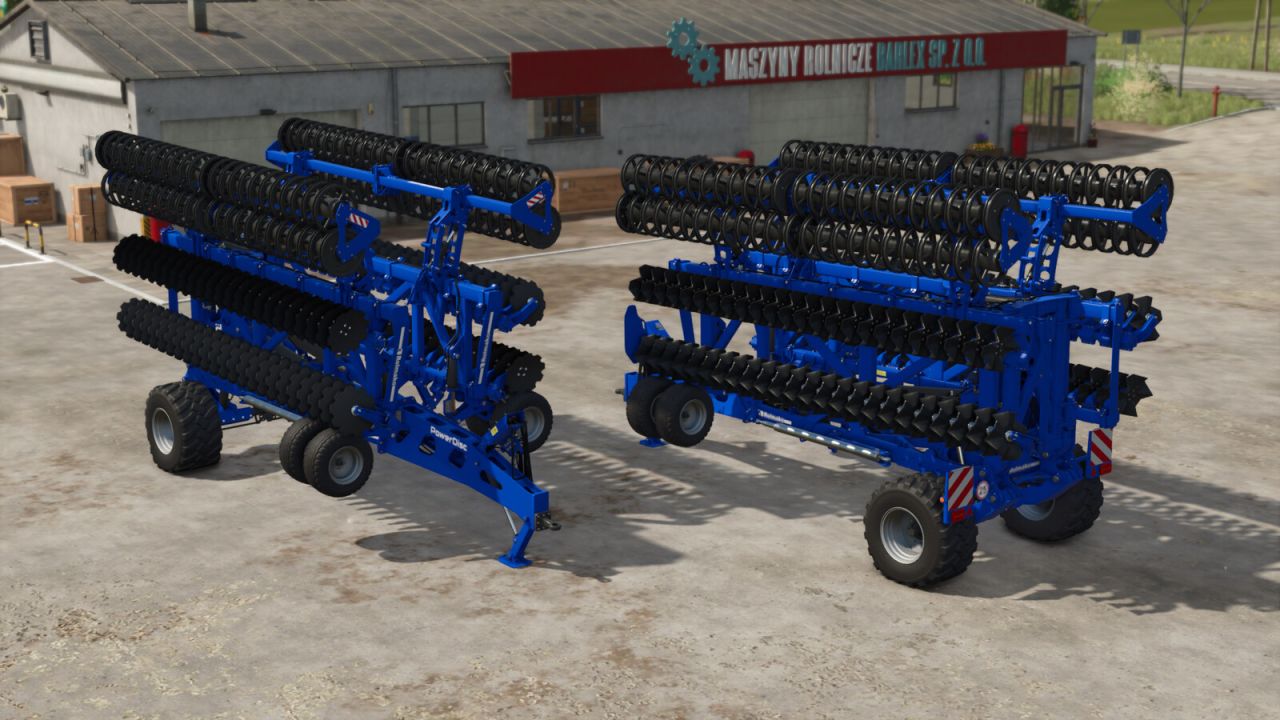
Rolmako U665 PowerDisc FS25
The PowerDisc harrow from Rolmako is an excellent tool for large-scale preparation of agricultural areas, indispensable for mixing large quantities of crop residues into the soil. The possibility to configure the discs allows the disc harrow to be transformed into a mulching version thanks to the corrugated discs used. This is an excellent choice for the largest farms. - Price: 73100 $ - Max. working speed: 18 km/h - Power requirement: 420 HP - Working width: 12.0 m [Configurations:] - Standard or corrugated discs (disc harrow or mulcher function!) - Lighting - Levelling screens [Features:] *Adjustable working depth (mouse control) *Animated disc posts *Animated levelling roller arms (adapting to the terrain) -Wheel physics have been improved -Fixed mass centres of gravity to improve stability
Animal Planner FS25
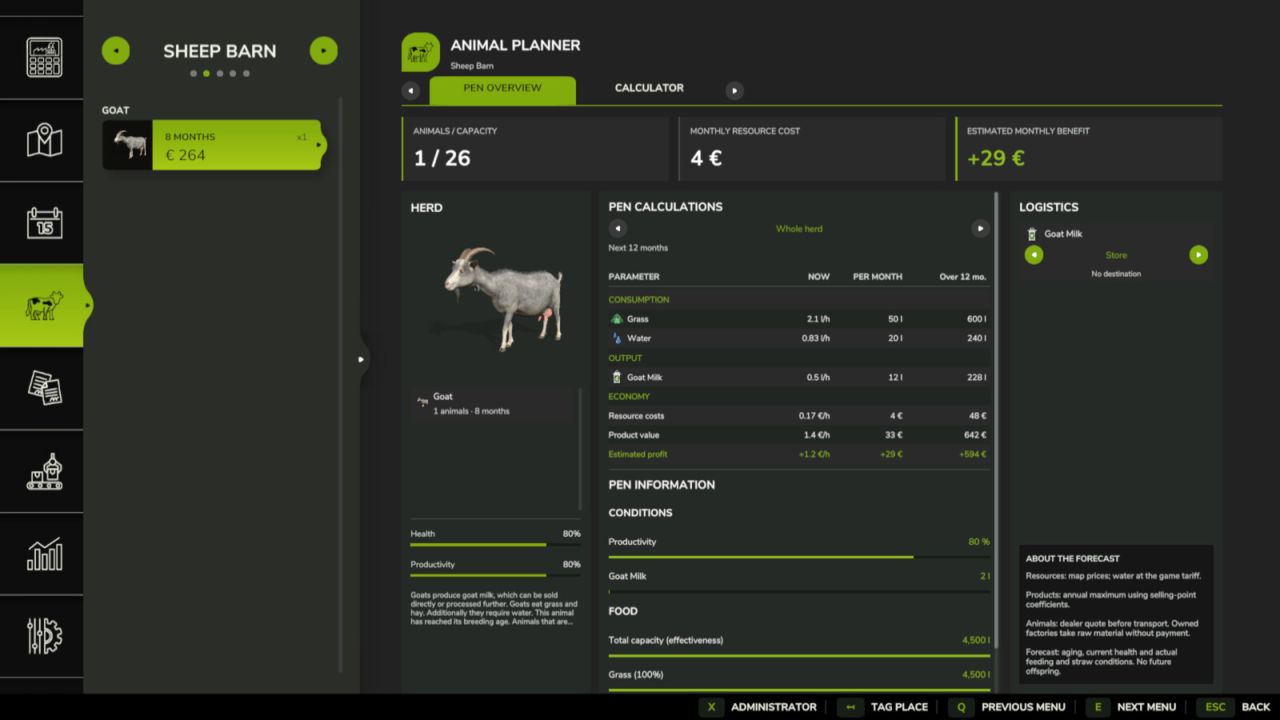
Animal Planner adds detailed husbandry planning directly to the Animals menu. Features: - Current hourly consumption and production, adjusted to the game's days-per-month setting. - Overview of the current herd or a selected group, with age-aware forecasts. - A separate calculator for breed, purchase age and animal count, without buying animals. - Economic overview with feed costs, product value, herd value growth and expected profit. - Sale-age recommendations for animals raised primarily for sale. - Product logistics: internal storage, pallet unloading, equal automatic distribution to compatible farm-owned productions and automatic selling. - Standard storage warnings at 10%, 1% and 0% free capacity. - Administrator controls for animal and storage capacities. - Distribution and automatic selling are disabled by default and can be enabled separately by a server administrator for each husbandry. - Multiplayer and dedicated server support. The Animals page shows the planner and logistics beside the selected pen. Use the arrows beside each product to change its logistics mode. Only administrators see the administration popup. - Redesigned the animal planner interface with updated visuals, navigation, and calculation displays. - Reworked the animal husbandry calculator. Forecasts now account for animal growth, age-dependent consumption and production curves, and animal settings on the selected map. - Added a choice of husbandry conditions: with or without straw. The selected conditions affect resource consumption, product output, and expected profit calculations. - Added warnings for unavailable products and storage facilities that are not connected. - Updated the administrator panel: logistics and capacity settings are now in separate sections, with arrow selectors, manual value entry, and Apply and Reset buttons.
Automatic Tramline System FS25
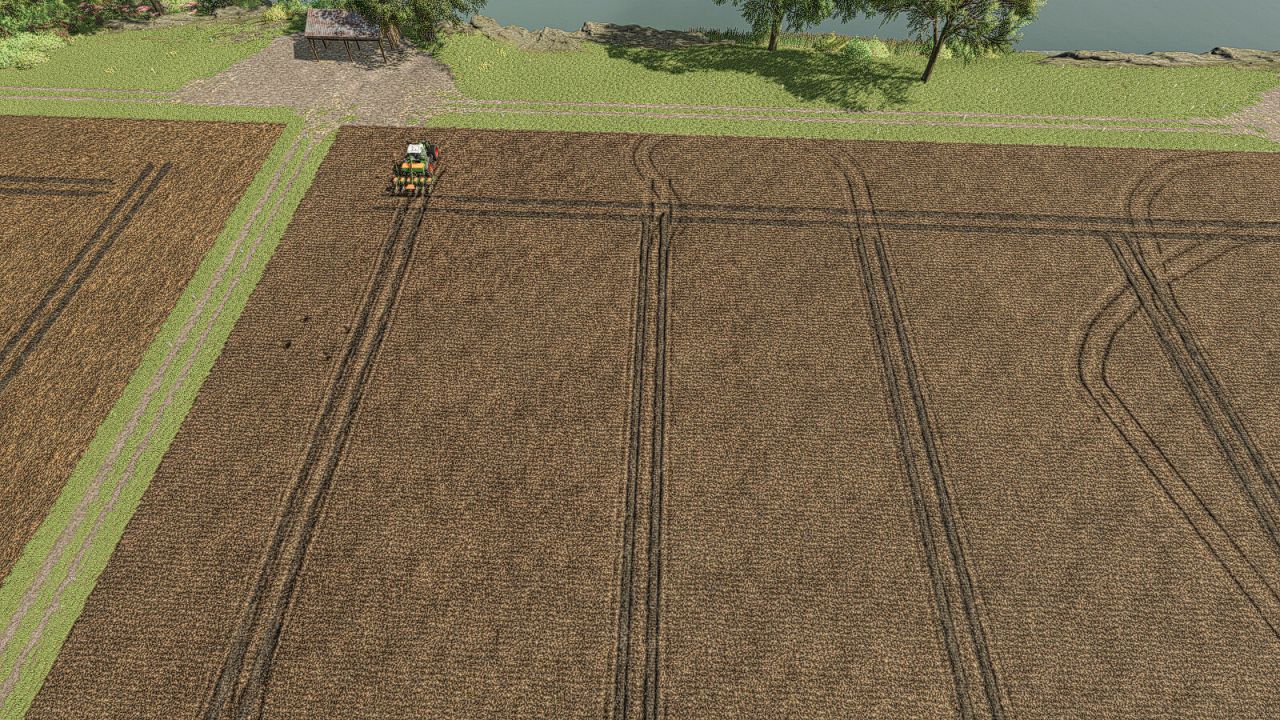
Tramline Automation for FS25 This is my first script mod for FS25. Since the tramlines from Precision Farming did not always convince me. It automatically integrates into all implements that can be used as seeders. The HUD can be controlled with the mouse, which can be activated via an assigned key. Set Tramline Distance: Here you set the working width of the sprayer or fertilizer spreader. This can either be adjusted using two assigned keys or by clicking the plus and minus buttons with the mouse. Rhythm: Here you can see the number of passes required for one working width of the sprayer or fertilizer spreader. In Semiautomatic mode, the current pass can be adjusted with + and – if necessary. I refer here to the help pages now available in the game in the ESC menu. The half pass should only be done on the second pass. If you are using GPS and a half pass is required, it should look like this: First pass normal. Starting from the second pass, set an offset of half the working width in the GPS menu. See the description further below under GPS Offset Mode. Mode: The active working mode of the tramline automation can be changed either via an assigned key or with the mouse by clicking on the selected mode. Pause: No tramlines will be created. The counter is paused. Always: Tramlines are always active when the implement is lowered. GPS: Automatic track detection via GIANTS Steering Assist. At the beginning, a reference track must be set. This can be done using an assigned key. Semiautomatic: Counting is done by raising/lowering the implement. The symbol behind it indicates whether a tramline is currently being created or not. Enhanced Vehicle GPS: Automatic Lane Detection Via the Enhanced Vehicle GPS, this mode is only available when an Enhanced Vehicle GPS course is active. The current pass can be adjusted using the plus and minus buttons if it does not match. Courseplay: This mode is only available if Courseplay is installed. Please read the help page for this! GPS Offset: Requirement: GPS mode Since with an even rhythm number you must work with half the working width on the first pass, you can set the offset so the track does not start jumping. This value can either be adjusted via an assigned key or with the mouse using the + and – buttons next to the rhythm. In GPS mode, these buttons are repurposed to increase or decrease the GPS offset. Track Width: Here you can see the configured tramline track width. This can be adjusted with two assigned keys or by clicking the plus and minus buttons with the mouse to match the track width of the crop care tractor, because smaller tractors have a narrower track width than larger tractors. Buttons: Tramline distance +/-: Increase or decrease the tramline distance CURSOR ON/OFF: Show or hide the mouse pointer Tramline Mode switch: Switch the tramline mode GPS reference Lane set: Sets the GPS reference track reference -½ lane or reference +½ lane: Move the GPS reference track half the working width to the right or left Track width +/-: Adjusts the track width from 1m to 6m - GPS mode fixed, as it had been broken by one of the latest updates and was not working as intended in some cases. - There are now two GPS modes: the normal mode as before, and GPS Auto mode, which generates passes based on the GPS course. This mode now works like Courseplay mode, but for the standard GPS. - Adjustment for the Additional Game Settings mod — the green color is now also changed when a different color is set in that mod. Fix for SKY Agriculture Pack - Ridgemarkers auto mode fixed — switching sequence now works correctly, previously it did not switch at one with an odd number of lanes. - For some Sowingmachine the auto mode has been fixed in general, as it was partially not switching at all. - New key added where you can now trigger a Tramline at any time in any mode with a key press — however ATTENTION this must also be deactivated again via the key, as it overrides all modes. - Save on dedicated servers adjusted the HUD position, GPS reference line and the half-side deactivation are now saved correctly. - Two new rows added where you can now set the position of the track lane behind the seed drill — these are accessed via the gear icon. - Since it did not fit correctly on some seed drills, it can now be adjusted. - On the Alpego DMAX 800 + Rubber Seeding Units, the track lane is now created centered by default. - Ridgemarkers can now be controlled with 5 different modes. The setting is also accessed via the gear icon. - You can now deactivate the pre-emergence marking so that the Tramlines are only visible from the first growth stage onwards. - Help pages updated for the new settings. - The HUD is now also displayed when the seed drill is not selected. - An additional row has been added where you can set the lane width for maps with more ground angles where the grid is smaller. - Courseplay support added with new mode "Courseplay" - Enhanced Vehicle GPS support added with new mode "Enhanced Vehicle GPS" - Help page added in the ESC menu where you can read what each mode does and how it works, including a graphic for tramline distances - Two hectare counters added, one of which can be reset — a key must be assigned for this - The HUD has been removed from the F1 display and added as its own HUD, as it caused too many problems - The HUD can be moved and closed with the mouse and reopened with the mouse cursor toggle key - The values and HUD position are now saved - Manual mode renamed to Semiautomatic - Two additional buttons added for adjusting the current pass if you don't want to use the mouse - Hectare counter added, one resettable counter and one total counter, reset via an assigned key. - Fixed a HUD bug where the HUD was displayed for everyone on a dedicated server even though only one person was in the seeder - Fixed a bug where the HUD wasn't always displayed when too many keys were in the F1 menu.
Liquid Lime FS25
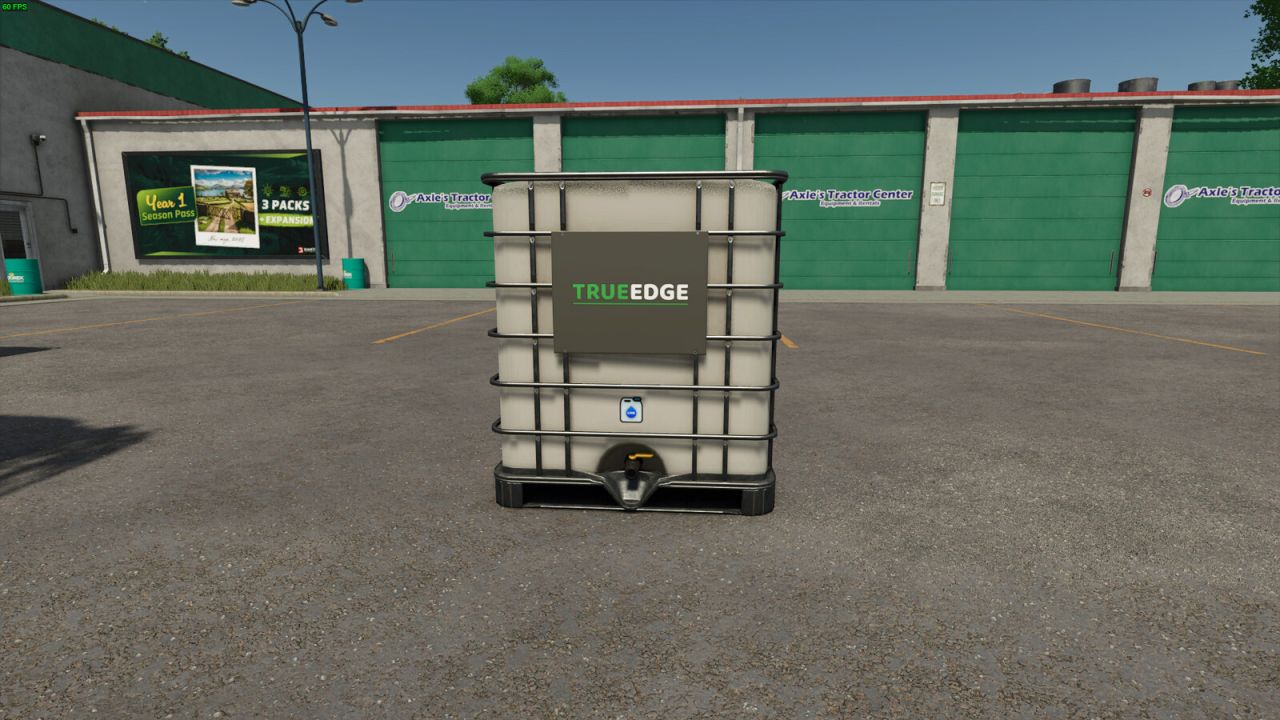
Liquid Lime Revolutionize your farming experience with Liquid Lime, specially formulated for use with sprayers. Helper auto-buy works when Liquid Lime is the selected or last used fill type. If an empty multi-product sprayer defaults to fertilizer, load Liquid Lime once before starting the helper. Key Features: - Liquid Lime Fill Type: - Adds Liquid Lime to the game as a new material compatible with sprayers. Items: - TrueEdge Liquid Lime Tank: - Capacity: 2000 liters - Price: $1,100 - Meridian Liquid Lime Silo: - Capacity: 155,000 liters - Price: $46,500 - Daily upkeep: $100 - TrueEdge Liquid Lime Production: - Price: $42,500 - Daily upkeep: $100 - Liquid Lime recipe: LIME and WATER - Liquid Lime Sell Point: - Sell loose Liquid Lime from production output and filled Liquid Lime tanks - Price: $10,000 Liquid Lime provides a practical and efficient solution for soil treatment, aiming to replicate the characteristics of real liquid lime as closely as possible. Please report any issues you may have here: https://github.com/FearlessNite345/FS25_Liquid_Lime/issues - Fixed temporary Precision Farming fill-type overrides remaining after switching materials or unloading. - Fixed empty tanks being treated as if they still contained Liquid Lime, affecting refill detection. - Increased the Liquid Lime Sell Point multiplier from 0.23 to 0.50. Buying prices are unchanged. - Added the Liquid Lime Sell Point for selling loose Liquid Lime from trailers, production output, and filled Liquid Lime IBC tanks. - Updated the Liquid Lime tank visuals by replacing the old floating decal mesh with texture-based Liquid Lime icon artwork on the tank. - Fixed the Liquid Lime sprayer material holder export so it no longer logs missing GS_ATTR_COLOR0 vertex attribute errors. - Fixed the Liquid Lime spray material registration so spray effects appear on compatible sprayers. - Rebalanced shop tank prices, production operating costs, and the Liquid Lime Sell Point payout to keep production profitable while preventing shop resale exploits. - Added seasonal Liquid Lime prices with stronger spring and autumn demand. - Fixed Liquid Lime Precision Farming detection so loaded herbicide, liquid fertilizer, and other spray types no longer behave as Liquid Lime because of stale PF state. - Improved the Precision Farming application label and low-volume debug logging. - Added built-in Precision Farming support for Liquid Lime. - Added Precision Farming pH usage-rate scaling so Liquid Lime respects its configured spray rate. - Added runtime Precision Farming lime mapping so Liquid Lime is treated as lime only while PF code is processing it. - Added Precision Farming sprayer flag handling, cleaner pH HUD labeling, usage statistics, and improved spray effect handling for Liquid Lime. - Added helper/AI worker auto-buy support for Liquid Lime when Liquid Lime is the active or last used fill type. - Added Lua-based Liquid Lime fill type support for ABI 550, ABI 1600, Lizard MKS 8, and Lizard MKS 32 without shipping edited vehicle XMLs. - Added direct Liquid Lime IBC unloading into the Liquid Lime Silo. - Added trailer loading for Liquid Lime stored in the Liquid Lime Production. - Rebalanced the Liquid Lime Production recipe and operating cost for the new usage rate. - Improved dedicated server compatibility by skipping client-only material loading. - Fixed duplicate spray type registration when another mod registers Liquid Lime first. - Updated the Liquid Lime material holder setup to reduce graphics pipeline errors. - Reduced Liquid Lime usage rate for better sprayer balance while keeping the same price. - Removed the old PF Configurator-specific modDesc config because Precision Farming support is now built in. - Removed broad slurry tank category support so slurry-only equipment does not unintentionally accept Liquid Lime. - Split the Lua code into smaller runtime, vehicle, Precision Farming, helper auto-buy, and registration modules. - Added a Czech mod description. - Added a new production to produce Liquid Lime with Lime and Water. (This can bring cost savings) - Increased the Liquid Lime Silo storage capacity from 140,000 liters to 155,000 liters. - Added Liquid Lime to Slurry Tanks.


Time stop while loading FS25
Time Stop When Loading When loading a game, the mod initially sets the time to 0. The reason is quite simple: Especially when I create new game saves, it annoys me that the time in the farming simulator starts directly, although you are often still busy with hints, queries or simply the first orientation. That's exactly what this mod is for. After loading, a short question appears: Should the playing time remain stopped after loading? At "Yes" the time for this start stops. At the next load of the same game, ask again. At "No" the mod sets the time to 1 and remembers this decision directly in the respective game score. There the query does not appear again afterwards. • “No” now restores the previous time speed instead of always setting it to 1 • In multiplayer, only the host is prompted; their decision applies to everyone • Dedicated Server: The mod is no longer active there, so the game time can no longer remain stuck at 0 • Please report errors via GitHub or Forbidden Mods
Texture eyedropper FS25
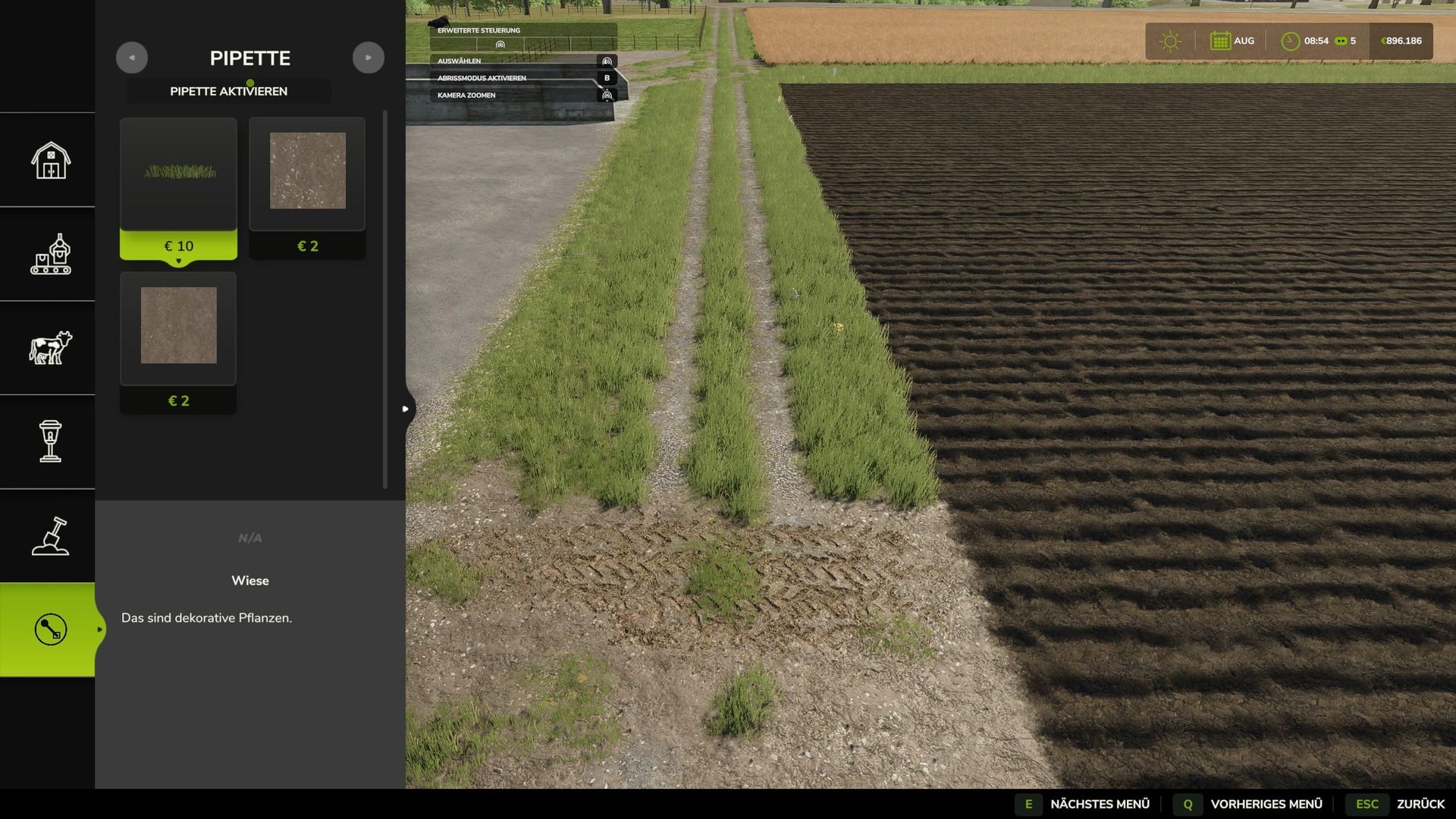
Terrain Texture And Object Picker expands the build menu with an eyedropper feature for ground textures, foliage, bushes, trees and supported placeable objects. The pipette can be used to capture already used painting textures, visible foliage such as grasses, flowers and bushes, placeable trees and supported objects directly on the map and find them again in the construction menu. For mixed areas, multiple matching hits can be displayed. Application: 1. Open the “Pipette” tab in the build menu. 2. Press the “Activate pipette” button. 3. Click on a ground texture, foliage, bush, tree, or supported object. 4. Confirm the desired hit in the construction menu. 5. Paint or build as usual. The pipette can be reactivated at any time if necessary. The active brush is reset before recording. The mod takes into account available ground textures and suitable foliage of the respective map. Map foliage is recognized without loading additional entries into the normal build menu without checking. Credits: Thanks to PeterPwn247 for “All Decorative Foliage” and to modelleicher (Farming Agency) for “All The Ground Textures Ingame”. Both mods helped to understand how map content can be usefully made available in the build menu. Changelog 2.0.0.0: - Name changed to Terrain Texture And Object Picker. - Detection of bushes and trees expanded. - Detection improvements for ground textures, foliage and supported construction menu items. - Improved map foliage detection for additional map content. - The previous debug mode was removed because it led to extensive log entries in normal use. - Shift + mouse wheel in the build menu: cycle through brush size, tree growth stage and bush size. Stops at the smallest and largest level. - Fixed error messages in the log during pipetting that could occur on maps with incorrectly entered foliage layers. - Internal revision: removed a no longer needed diagnostic code and adapted error handling to current GIANTS specifications. Version 2.1.0.0 - New tab “Search” in the construction menu: searches all categories for keywords, regardless of the order, sorted by relevance. - First related object groups recognized for the search: trees and animal husbandry are found even without a literal name hit. - StoreItems from new prefab/card templates are now found reliably, even if paths differ in spelling. - Trees without a clear assignment to a construction menu entry are no longer incorrectly displayed as tiles, but only as information text. Version 2.0.0.0 - Name changed to Terrain Texture And Object Picker. - Detection of bushes and trees expanded. - Detection improvements for ground textures, foliage and supported construction menu items. - Improved map foliage detection for additional map content. - The previous debug mode was removed because it led to extensive log entries in normal use.
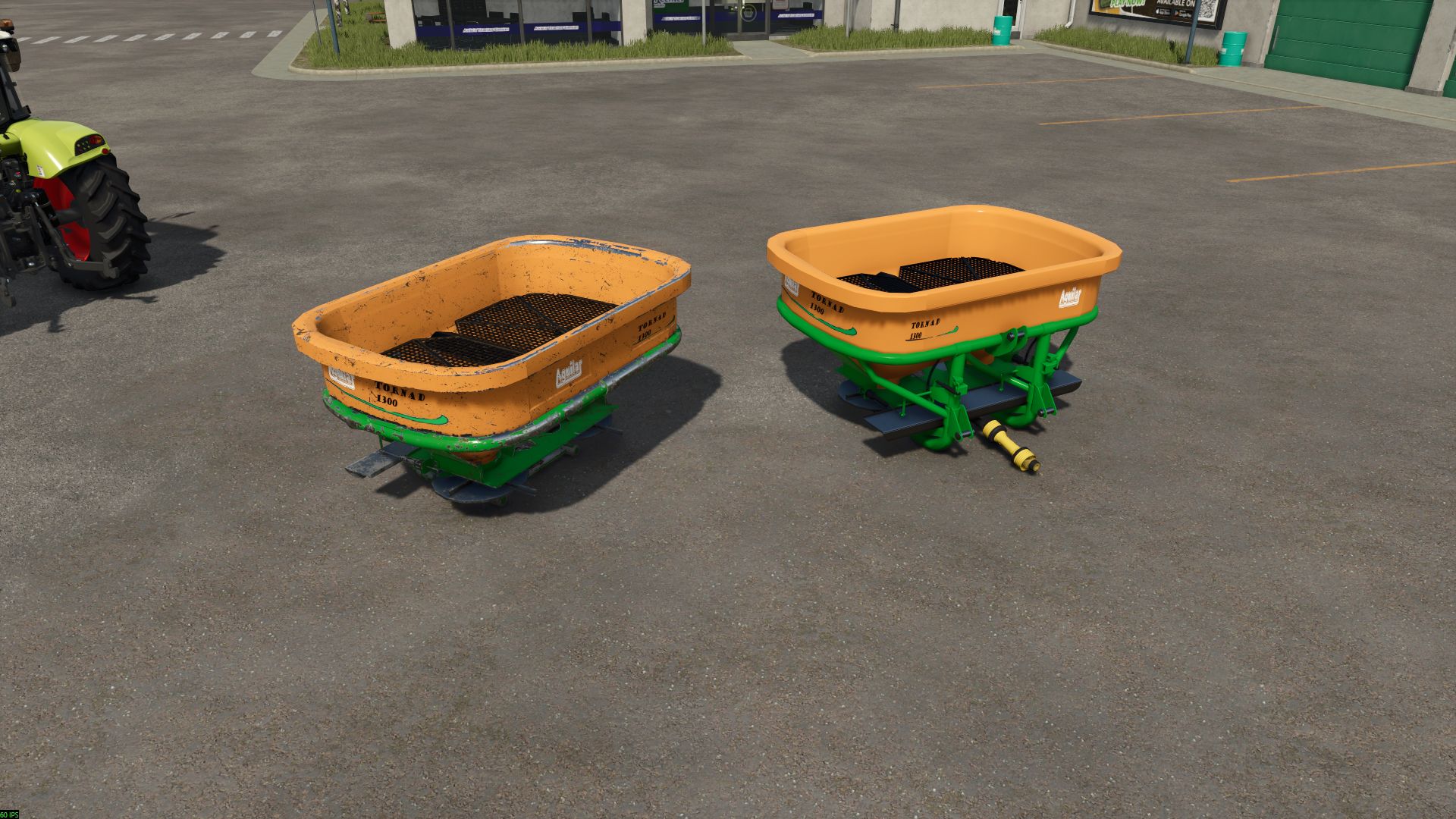
Aguilar Tornad 1300 FS25
Aguilar Tornad 1300 is a magnificent fertilizer spreader that will be perfect for all farms Features: - Price: 9.500 € - Capacity: 1.300 L - Width: 21 m
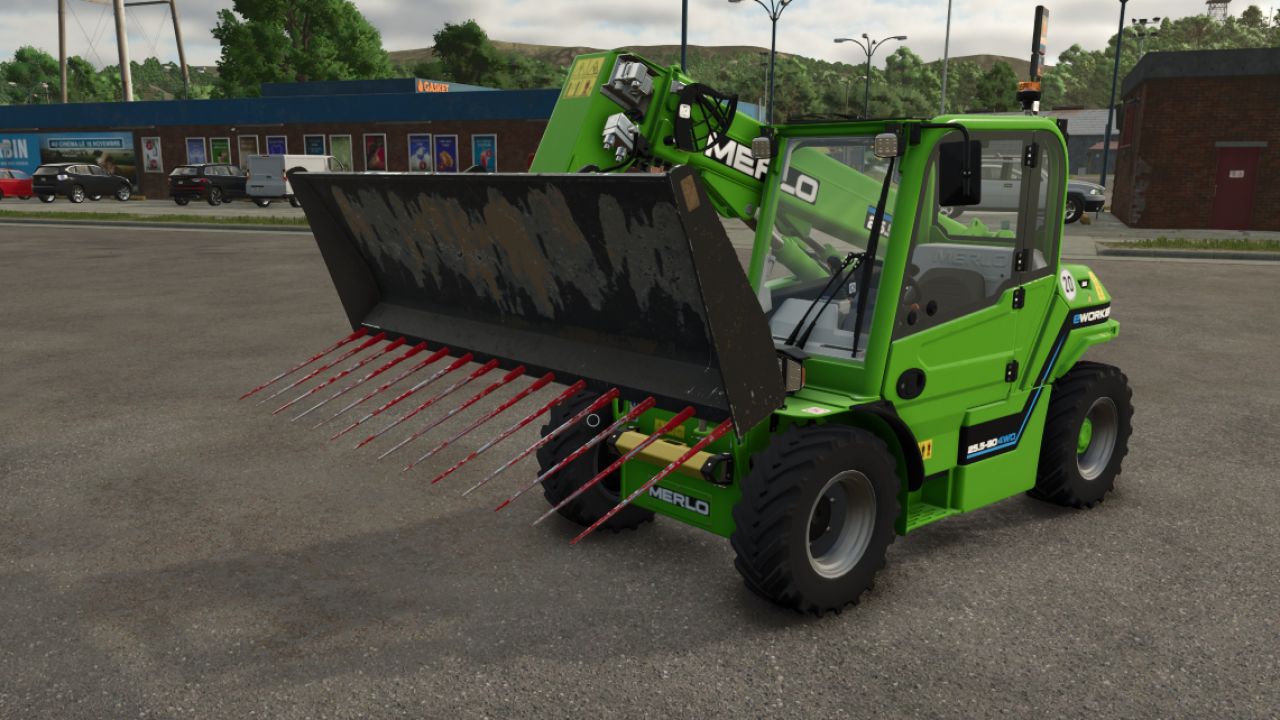
Biobeltz Manure Fork FS25
Hello, I’m sharing this XL manure fork with you -price: 1200 euros Biobeltz front loader manure fork with a capacity of 2860 liters -main color configuration -fork color configuration
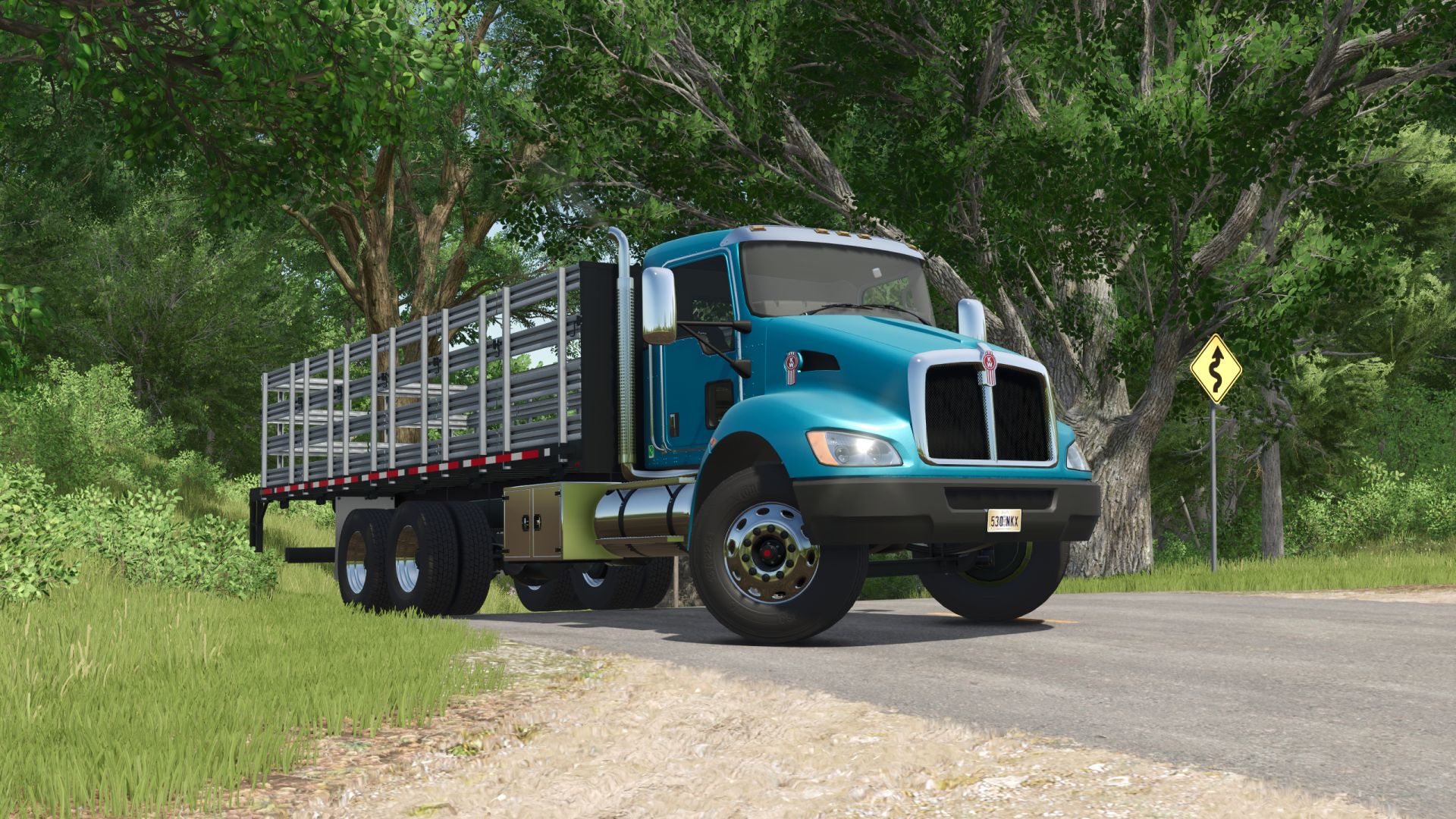
Kenworth T370 Stakebed FS25
Specifications: - Speed 130 km/h - Selectable wheels - Selectable main, bumper, mirror, mudflaps and rim color - Selectable lightbar - Working liftgate - Passenger support - Animated front suspension, drive shafts, mudflaps, dashboard, turn signal switch, pedals.
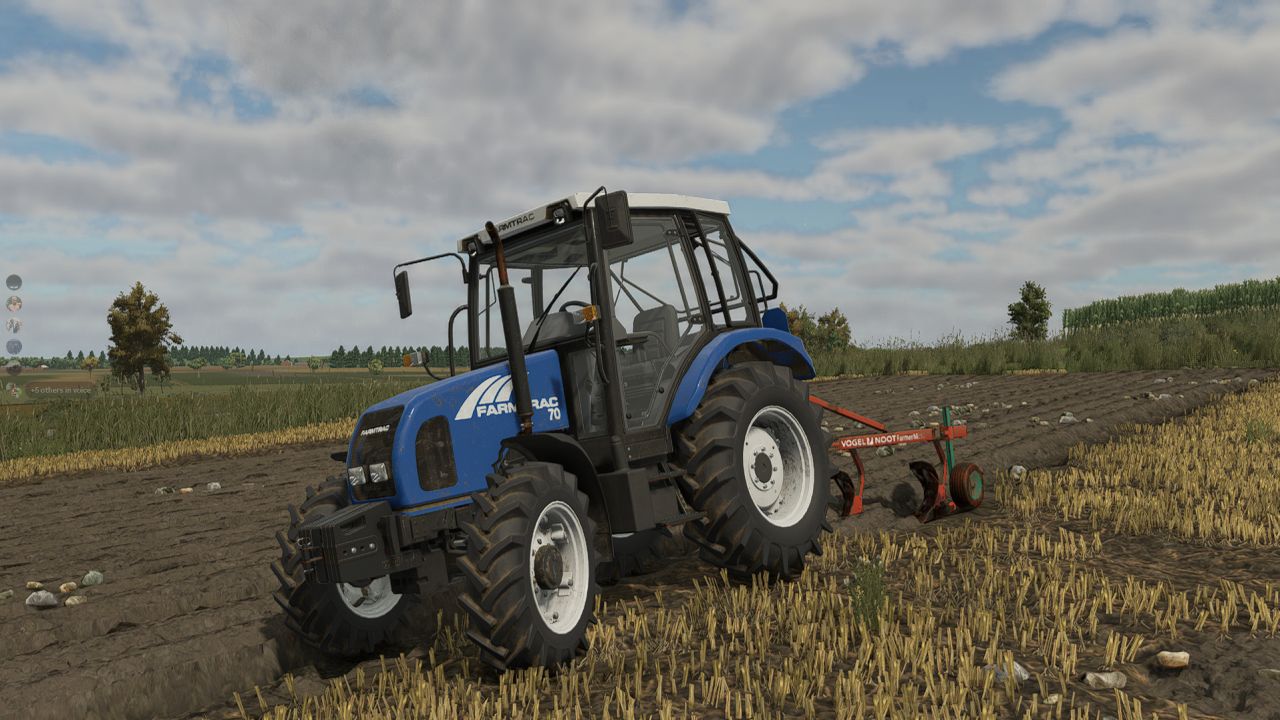
Farmtrac 70 FS25
Engine power: 75 hp Maximum speed: 31 km/h Interactive Control (by Vertex Dezign) supported Changelog 1.2.1.0: - some cabin textures fixed - increased turning radius Changelog 1.2.0.0: - rear and front work light models improved - front loader console model improved - minor bugs fixed Changelog 1.1.1.0: - fixed the FOV (field of view) of the interior and exterior cameras Changelog 1.1.0.0: - some visual issues fixed - front indicator configuration added - new rim colors added - interior camera height improved - front and rear ballast configurations fixed
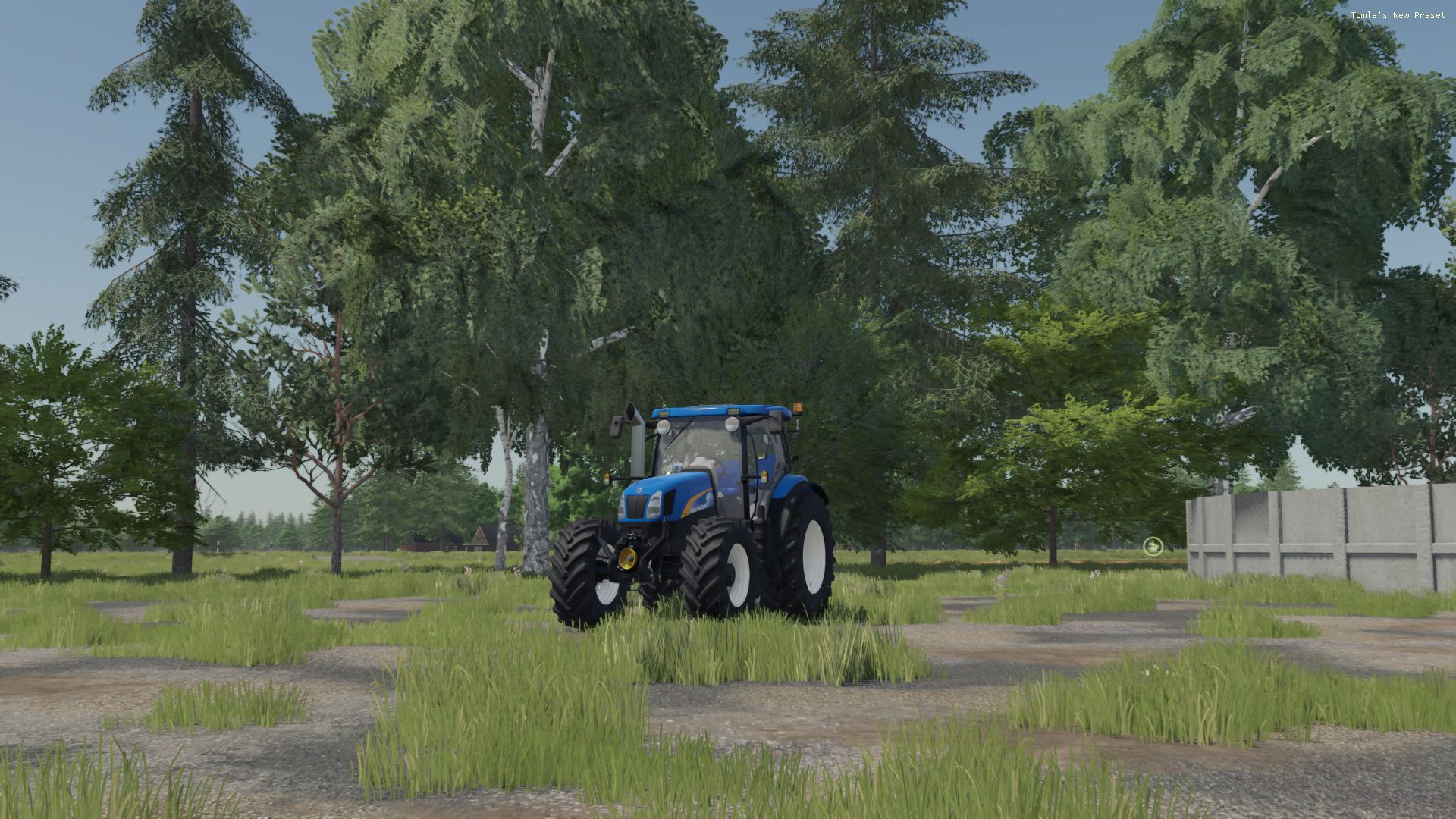
New Holland 60XX FS25
New Holland 60XX Plain pipe table use it or don't (Use it or don't)
- 15 per page
- 30 per page
- 45 per page
- 60 per page
-
See more per page
Bigger pages, fewer clicks - and no ads anywhere.
Go Pro