Farming Simulator 17 mods
22,727 results- 15 per page
- 30 per page
- 45 per page
- 60 per page
-
See more per page
Bigger pages, fewer clicks - and no ads anywhere.
Go Pro

FS17 Seasons GEO: U.S. Midwest v1.1
FS17 Seasons GEO: U.S. Midwest v1.1 Do you want to experience farming in the productive soils of the U.S. known as the Corn Belt? Enjoy the weather and growth of one of the most intensely farmed regions in the world. Note that sugarbeet does not grow in this part of the world. The latest version of the Seasons mod is required. Version 1.1.0.0 – Added Sugarcane (no growth) – Updated calendar for Seasons 1.2

FS17 Seasons Geo: Western Germany v1.1
FS17 Seasons Geo: Western Germany v1.1 Seasons Geo: Western Germany. Changelog: Seasons V1.1 ready, grass now grows on every seasons transition.

FS17 Work RPM v1.1
FS17 Work RPM v1.1 V1.1 – fixed slowning down vehicle when running with implement turned on This mod increase motor RPM when using hydraulics tools (moving tools) and show RPM Hud. RPM increase at 1600 rpm when moving your moving tools by default. You can set work rpm in your vehicle xml file adding this line: 2400. Now works for moving tools of attached implements too.

FS17 Simple Reset v1.0.0.1
FS17 Simple Reset v1.0.0.1 This mod allows you to upright your vehicle in its current location when it’s overturned. Controls: Press Left Shift + Backspace for an instant reset Hold Left Shift + Backspace for a reset that’s increasing in height every 1.5 seconds, especially useful for maps where the actual ground is below the object you drive on. Changelog: v1.0.0.1 Fixed multiplayer issues
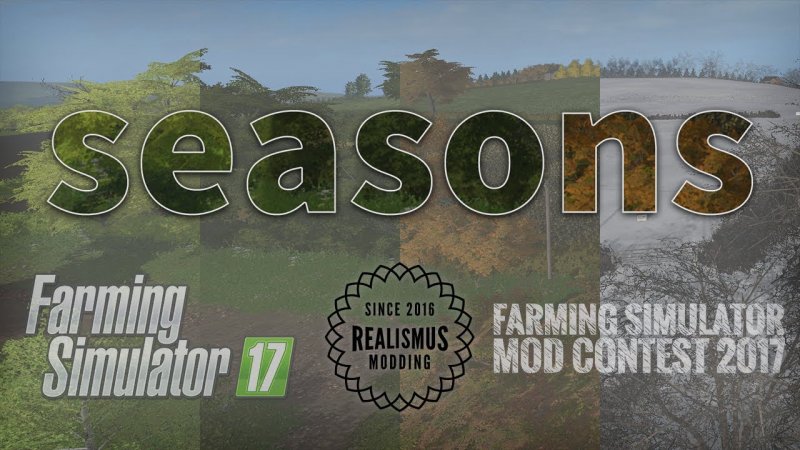
FS17 Seasons v1.2.1
FS17 Seasons v1.2.1 Winter is coming… and spring, summer and autumn too. The Seasons mod changes the fundamental way to play Farming Simulator by introducing seasons and changing all aspects of the gameplay, such as weather, growth, economy, vehicle maintenance and husbandry to suit. Experience the trials and tribulations of a real life farmer worrying if you will get all your crops planted on time before it gets too cold, or too dry, for them to germinate and whether you will complete the harvest before the rainy days of autumn when crops will be wet. Beautiful visuals to suit the seasons, such as the birth of life in spring, the richness of colour of autumn and bare trees on a bleak winter’s day when you are clearing the snow, or doing forestry, will help to fully immerse you in this new environment. For further info on game play checkout the Seasons section of the in-game help. A full list of features can be found in the mod’s readme file and on our website. The release notes can be found on our website as well.

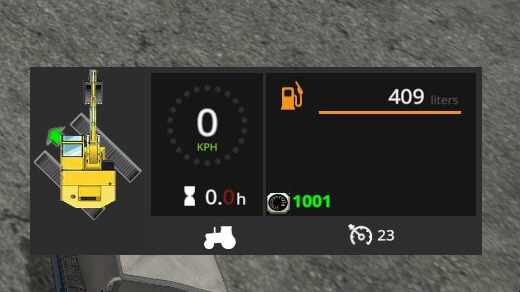
FS17 Excavators Tracks Position
FS17 Excavators Tracks Position This mod show you current position of tracks against the cab of your excavator. So when using indoor camera, you can easily know, where your vehicle will move, when you press throttle pedal. Mod is loaded to all vehicle with spec. “drivable”, which have movingTool “AXIS_CRANE_TOOL” or “AXIS_FRONTLOADER_TOOL” or “AXIS_CRANE_ARM” or “AXIS_FRONTLOADER_ARM” with no limit rotation. -position is showed in small icon next to speedometer -green arrow icon shows direction of move -you can reverse direction by pressing “KEY_KP_minus”, if direction is displayed opposite (e.g. Ponsse Buffalo) -reversed direction will be save for each vehicle in savegame If you find any errors or issues, let me know in comment or to [email protected] and i will fix it in next version.

FS17 Reshade: More vivid and Realistic Colors v1.9.5
FS17 Reshade: More vivid and Realistic Colors v1.9.5 The custom setting v1.9.5 offers better color, contrast, and more realistic color temperature. It does not increase the brightness and glow (Bloom), for more realistic graphics, compatibility with many games and graphics Mod. Recommendation: Avoid modifying the default brightness and contrast of the monitor *, play in Full HD (1920X1080) or higher and use the graphics settings that I recommend to get the best possible result in the game. Preset v1.9.5 By JuanBonX Features: – Vivid colors – Better contrast – Sharpness and Focus – Realistic Color Temperature Changelog: Adjustments and improvements in DPX. Better color contrast. Important: The SweetFX 2.0 package is not included. Incorrect operation with OpenGL. Adjustments required * in the Game General: – Resolution: The Maximum of the Monitor (*) – Fullscreen: ON – Brightness: 1.0 (*) Important: Increasing the brightness in an excessive way decreases the realism and the quality of the colors. Advanced Configuration: – Hardware Profile: Very High – Anti-Aliasing MSAA: 8x (*) – Texture Filtering: Anisotropic 16x (*) ##### Important: Reshade 3.0.8 does not display the effects correctly with the Render D3D_11 by default of the game. The solution is to change to OpenGL by modifying the following file: Path: Documents\My Games\FarmingSimulator2017\game.xml OpenGL: OGL_4
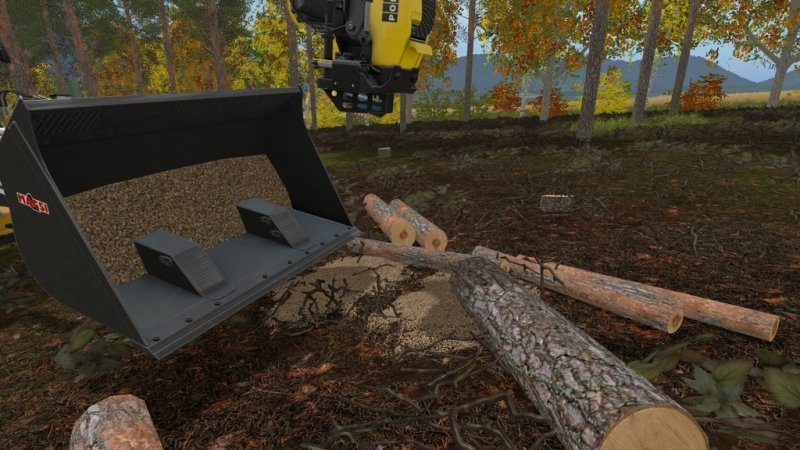
FS17 Sawdust mod v1.2
FS17 Sawdust mod v1.2 Sawdust to ground from cleaning delimb and cut of tree. When cut with chainsaw or woodharvester machine, this mod simulate the leavings and sawdust with default woodchips tipped to ground, that then need to be load or clean. When chainsaw in use or when woodharvester he grabbed tree, is possible to change “dust” level from 0 (off) to 3 (max), default 2. Please note that only in zone ok for tip to ground woodchips are generated. ChangeLog: Ver. 1.2.0 – fix issue with Seasons Wopstr instrument – code refactoring ChangeLog: Ver. 1.1.1 – fix for some treesaw error Ver. 1.1.0 – added sawdust to stump cutter and tree saw like DFM TurboSaw – other minor adjustment
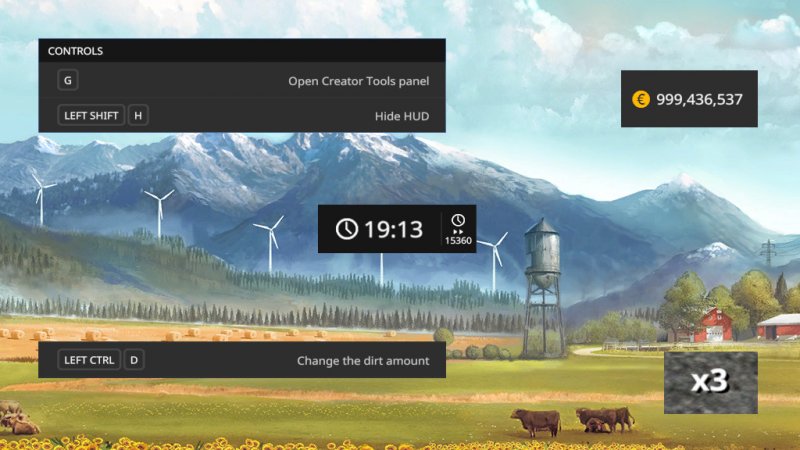
FS17 Creator Tools v1.3
FS17 Creator Tools v1.3 Creator Tools allow you to do magics with HUD, camera and much more. Changelog 1.3.0.0 – Added new translations – Removed helpline at start – Fixed issues with “Start” button – Dirt applied also to selected implement – Changed dirt and speed steps – Improved camera smoothness – Increased camera height range

FS17 bkt FL693
FS17 bkt FL693 FL 693 is the ideal radial tire for those who frequently travel on the road with trailers/tank trucks. Actually designed for 75% on-the-road use, FL 693 provides excellent road performance prioritizing both comfort and self-cleaning properties. The speed index classes D/E of the range stands for higher speeds when travelling on the road leading to significant time savings. The low rolling resistance contributes to less fuel consumption.

FS17 bkt FL630 super
FS17 bkt FL630 super FL 630 SUPER is suitable for trailers, tankers and spreaders. Thanks to its constructive features and tread design, FL630 SUPER is the ideal tire for multipurpose use on any kind of land or on the road, where qualities like uniform drive and resistance are further highlighted.
FS17 Simple Reset v1.0.0.2
FS17 Simple Reset v1.0.0.2 This mod allows you to upright your vehicle in its current location when it’s overturned. Note: Be very careful with resetting hooklift implements (ITRunner equipment). The attached containers might reset in an unexpected, gamebreaking way. Unhook the container first, then reset. Controls: Press Left Shift + Backspace for an instant reset Hold Left Shift + Backspace for a reset that’s increasing in height every 1.5 seconds, especially useful for maps where the actual ground is below the object you drive on. Changelog: v1.0.0.1 Fixed multiplayer issues v1.0.0.2 Fixed bug where tractor had to be selected for the reset to work, in effect disabling the reset with increasing height.

FS17 Better Fuel Usage v3.8
FS17 Better Fuel Usage v3.8 Makes the fuel usage of motorized vehicles more realistic and displays the live fuel consumption. Changelog 3.8.0.0 – Fixed overall fuel usage – Fixed differences with Gearbox Addon consumption – Fixed lifters load – Fixed cylinders load – Fixed issues with trailers – Fixed issues with Claas Dominator 118SL – Tons of other small fixes and improvements

FS17 Wood Harvester Automation
FS17 Wood Harvester Automation Wood Harvester Automation adds some automation to all wood harvester: When the machine is on and ready to work, it will show a new hud. It will show three pre-set length and one function for auto, full-auto, manual and off operations. It also becomes possible to cut any type of tree, when you are near a tree ready to be cut and when a tree is grabbed, you can see projected informations about type and size. Quick guide: activate mouse pointer with left ctrl key and go over the icons on hud, set desidered pre-set length with mouse wheel, activate with click, try auto or manual operations with click on right icons or hired helper key (default H). …the best way to understand everything is to try! cut! cut!! cut!!! the default help in game contain a page dedicated to all Wood Harvester Automation function and behaviour.
- 15 per page
- 30 per page
- 45 per page
- 60 per page
-
See more per page
Bigger pages, fewer clicks - and no ads anywhere.
Go Pro