1 / 10
Amplified, Trucks Reverse Beep Sound v1.0
Amplified, Trucks Reverse Beep Sound v1.0
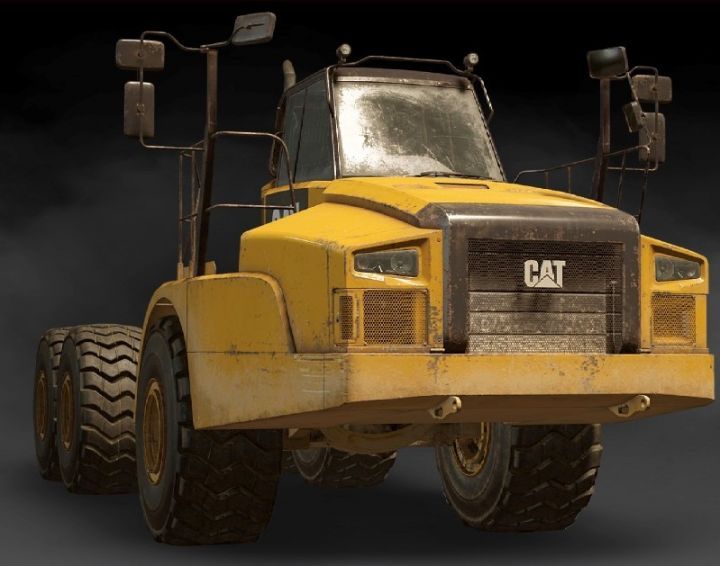
1, azov_64131 2, cat_ct680 3, cat745c 4, derry_longhorn_3194 5, derry_longhorn_4520 6, freightliner_114sd *****CHERRYMAN_SDK****** 7, kolob_74760 8, kolob_74941 9, pacific_p16 10, ws_6900xd_twin
How to Install *****CHERRYMAN_SDK****** First Read Note below:
PASSWORD : cherryman_sdk
Copy files inside Archive(out_reverase sound) into Your Game location – ( Your local disk)\Epic Games\SnowRunner\en_us\preload\paks\client Then open archive “Shared_sound.pak” (using Winrar/winzip or any other archive opener). and open sound\trucks and overwrite existing files inside it.
Note: 1, First make a Backup of “trucks”. ( MUST MAKE )
2, If you have any issues inside the game after installing this mod , copy above backup files to “( Your local disk)\Epic Games\SnowRunner\en_us\preload\paks\client\Shared_sound.pak\sound\ and remove existing “Trucks” folder.
1, azov_64131 2, cat_ct680 3, cat745c 4, derry_longhorn_3194 5, derry_longhorn_4520 6, freightliner_114sd *****CHERRYMAN_SDK****** 7, kolob_74760 8, kolob_74941 9, pacific_p16 10, ws_6900xd_twin
How to Install *****CHERRYMAN_SDK****** First Read Note below:
PASSWORD : cherryman_sdk
Copy files inside Archive(out_reverase sound) into Your Game location – ( Your local disk)\Epic Games\SnowRunner\en_us\preload\paks\client Then open archive “Shared_sound.pak” (using Winrar/winzip or any other archive opener). and open sound\trucks and overwrite existing files inside it.
Note: 1, First make a Backup of “trucks”. ( MUST MAKE )
2, If you have any issues inside the game after installing this mod , copy above backup files to “( Your local disk)\Epic Games\SnowRunner\en_us\preload\paks\client\Shared_sound.pak\sound\ and remove existing “Trucks” folder.
Download Links
Report a problem
Amplified, Trucks Reverse Beep Sound v1.0
Advertisement
Remove ads