Microsoft Flight Simulator mods
111,653 results- 15 per page
- 30 per page
- 45 per page
- 60 per page
-
See more per page
Bigger pages, fewer clicks - and no ads anywhere.
Go Pro
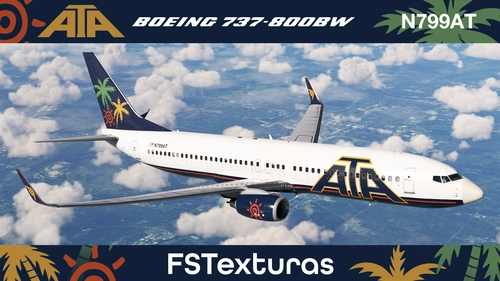
ATA American Trans Air | PMDG 737-800BW | N799AT
This add-on provides a fictional ATA American Trans Air livery for the PMDG Boeing 737-800BW in Microsoft Flight Simulator. Developed by Jonathan Alba, it features accurate visual details for the aircraft registration N799AT. Installation is done by copying the provided folder to the MSFS 2020 community directory. Suitable for users seeking a classic ATA-inspired look for their PMDG 737-800BW.
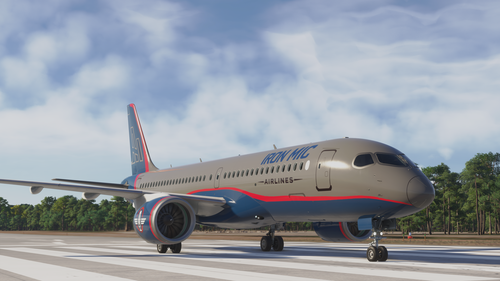
Iron Mic Airlines A220-300
This add-on provides a fan-made Iron Mic Airlines livery for the A220-300 in Microsoft Flight Simulator. It includes only the repaint files, requiring users to own and install the original aircraft separately. The release is in early beta and may feature visual or texture issues. Feedback from users is encouraged to support future improvements and refinements.
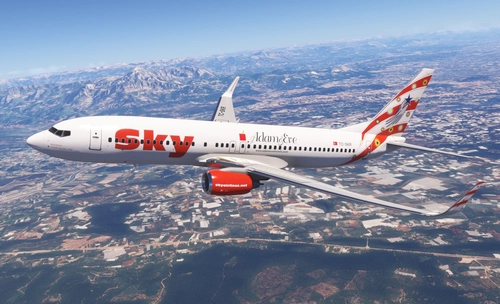
PMDG 737-800 Sky Airlines TC-SKR 4K
This add-on features a detailed 4K livery for the PMDG 737-800, depicting Sky Airlines' TC-SKR aircraft, named Bodrum. The livery replicates the iconic paint scheme of the now-defunct Turkish airline, which was known for its colorful tail designs. Designed using original photographic references, the texture aims for high realism. Installation is supported through the PMDG Operations Center v3.
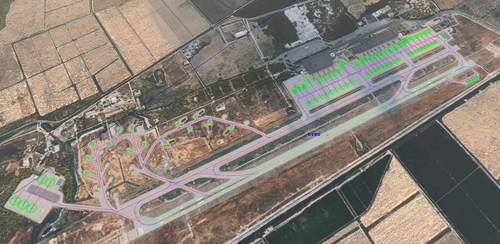
LTBS - MMsimulations Dalaman Enhancement for BATC
This add-on provides a scenery enhancement for MMsimulations LTBS Dalaman International Airport, focusing on improved compatibility with AI traffic injectors such as BeyondATC, FSLTL, AIG, and FSHud. The update includes corrections to runway start positions, hold short points, parking paths, and taxiway names. Military parking and relevant paths have also been added. Requires MMsimulations LTBS Dalaman Airport version 1.7.0 for use.

NASA New Livery N577NA By WingtipLight
This add-on introduces a new NASA livery for the aircraft with the registration N577NA in Microsoft Flight Simulator. The livery is designed for accurate visual representation and is compatible with versions from 2020 and 2024. Users can install the livery by placing the decompressed files in the Community folder. No additional software or configuration is required.
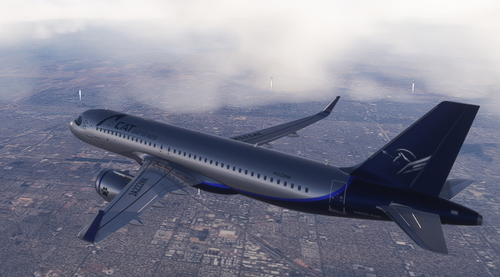
CATairlines
This add-on introduces a custom livery inspired by CATairline for Microsoft Flight Simulator. The design replicates the branding and appearance of the CATairline fleet. Users can apply this livery to the supported aircraft in their simulator. The add-on aims to provide a unique and visually distinctive look for virtual flights.
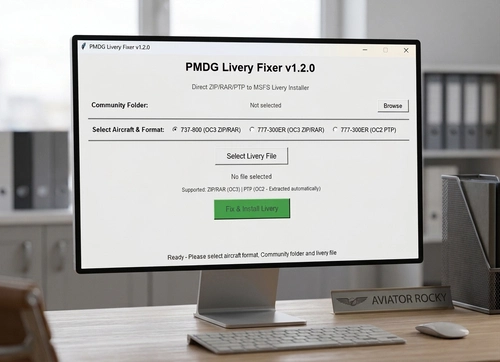
PMDG Livery Fixer (MSFS 2020)
PMDG Livery Fixer is a utility for Microsoft Flight Simulator 2020 that streamlines the installation of liveries for the PMDG 737-800 and 777-300ER aircraft. It supports ZIP, RAR, and PTP livery formats and installs them directly to the Community folder without requiring manual extraction or use of the PMDG Operations Center. The tool is compatible with Windows 10 or 11 and requires .NET Framework 4.7.2 for some formats. It is designed to resolve issues with livery installation for users experiencing problems with official tools.
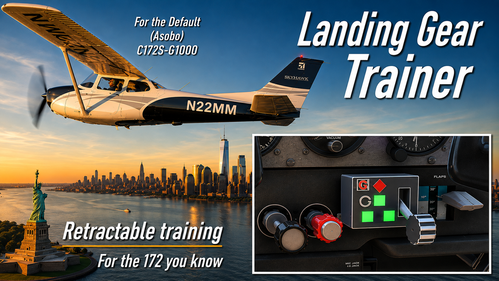
Landing Gear Trainer
Landing Gear Trainer adds retractable-gear procedural training to the Asobo C172 SP G1000 in MSFS 2024. It provides a clickable cockpit gear handle, position and transit lights, warning horn, silence control, unsafe-touchdown feedback, and optional controller-button assignments. A companion Windows application operates the trainer logic and sounds without changing the C172’s exterior landing gear, handling, or flight dynamics.

MSFS Layout Generator (Cross-Platform)
MSFS Layout Generator is a cross-platform C++ tool for generating layout.json files for Microsoft Flight Simulator packages. It eliminates .NET and other external dependencies, running natively on Windows and Linux. The tool replicates the original drag-and-drop and command-line functionalities, ensuring identical output to MSFS and previous generators. Released under the MIT License, it is designed for seamless integration into various development environments.
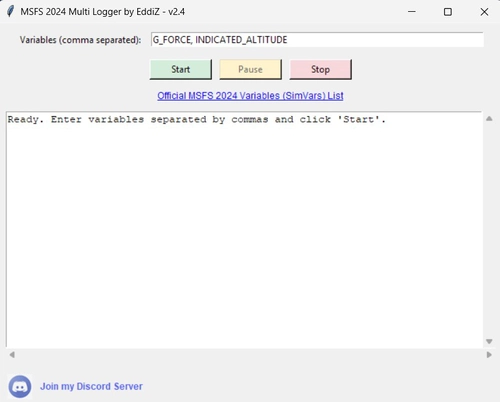
MSFS Logger
MSFS Logger is a standalone telemetry tool for Microsoft Flight Simulator 2024 that enables real-time monitoring and recording of multiple simulation variables. It logs data only on variable changes to minimize file size and exports results as CSV files directly to the desktop. No administrator permissions are required, and it connects using SimConnect. Designed for cockpit builders, virtual pilots, analysts, and developers who require detailed simulation data.
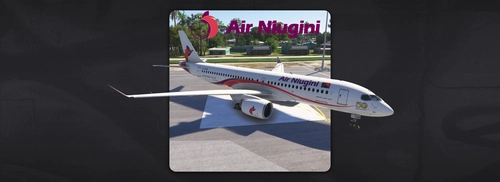
Air Niugini A220-300 P2-PGB
This livery adds the Air Niugini A220-300 P2-PGB to Microsoft Flight Simulator, featuring the airline's standard paint scheme. The aircraft displays the Celebration of 50 Years Of Independence sticker on the nose along with the phrase Celebrate Our History. Inspire Our Future. This is the second A220 delivered to Air Niugini. The livery is suitable for simulating the airline's latest fleet additions.
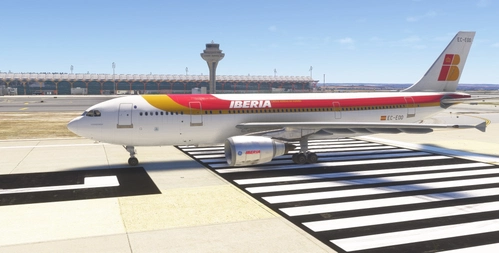
Iberia - EC-EOO - Inibuilds A300-600R GE (P) Fictional
This add-on provides a fictional repaint for the Inibuilds A300-600R GE model in the classic Iberia livery. While Iberia operated the A300B4, they did not use the A300-600 variant. The livery aims to recreate the historic look of Iberia on a modern aircraft. Intended for use with the IniBuilts A300-600R PREMIUM in Microsoft Flight Simulator.
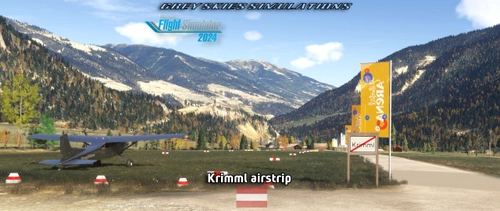
Krimml airstrip & waterfalls, Austria
Krimml airstrip offers a detailed rendition of a small general aviation airstrip in western Salzburg, Austria, serving as a gateway to the Krimml Waterfalls. The scenery features custom models, landmark points of interest, and nearby non-airside details. The airfield is suitable for day VFR operations with a grass runway and limited go-around possibilities. Additional features include helicopter starting locations, unique local touches, and accurate terrain representation.

HPG H160 "Dragon and Phoenix of the Red Firmament"
This livery pack for the HPG H160 helicopter features a design inspired by the ancient Chinese poem "Dragon and Phoenix of the Red Firmament." The add-on includes two variants with light grey and dark trim options. Both versions reflect traditional themes and motifs. Suitable for flight simulator users seeking culturally inspired liveries.
![LOT Polish Airlines [SP-LWG] w/Cabin/Tablet PMDG B737-900ER](https://cdn.flightsim.to/images/28/20260804_232614_5879b22fec83f77d_lot-polish-airlines-sp-lwg-w-cabin-tablet-pmdg-b737-900er.png?width=500)
LOT Polish Airlines [SP-LWG] w/Cabin/Tablet PMDG B737-900ER
This add-on provides a highly detailed and realistic LOT Polish Airlines livery for the PMDG Boeing 737-900ER in Microsoft Flight Simulator 2024. It includes accurate logo placement, custom registration, and weathering effects based on real-world references. The package features a fully modeled cabin and cockpit, as well as a custom background for the cockpit tablet. Installation is compatible with PMDG Operations Center 3 for easy setup.
- 15 per page
- 30 per page
- 45 per page
- 60 per page
-
See more per page
Bigger pages, fewer clicks - and no ads anywhere.
Go Pro