Farming Simulator 25 mods
78,272 results- 15 per page
- 30 per page
- 45 per page
- 60 per page
-
See more per page
Bigger pages, fewer clicks - and no ads anywhere.
Go Pro
Farm radios & Proxy chat FS25
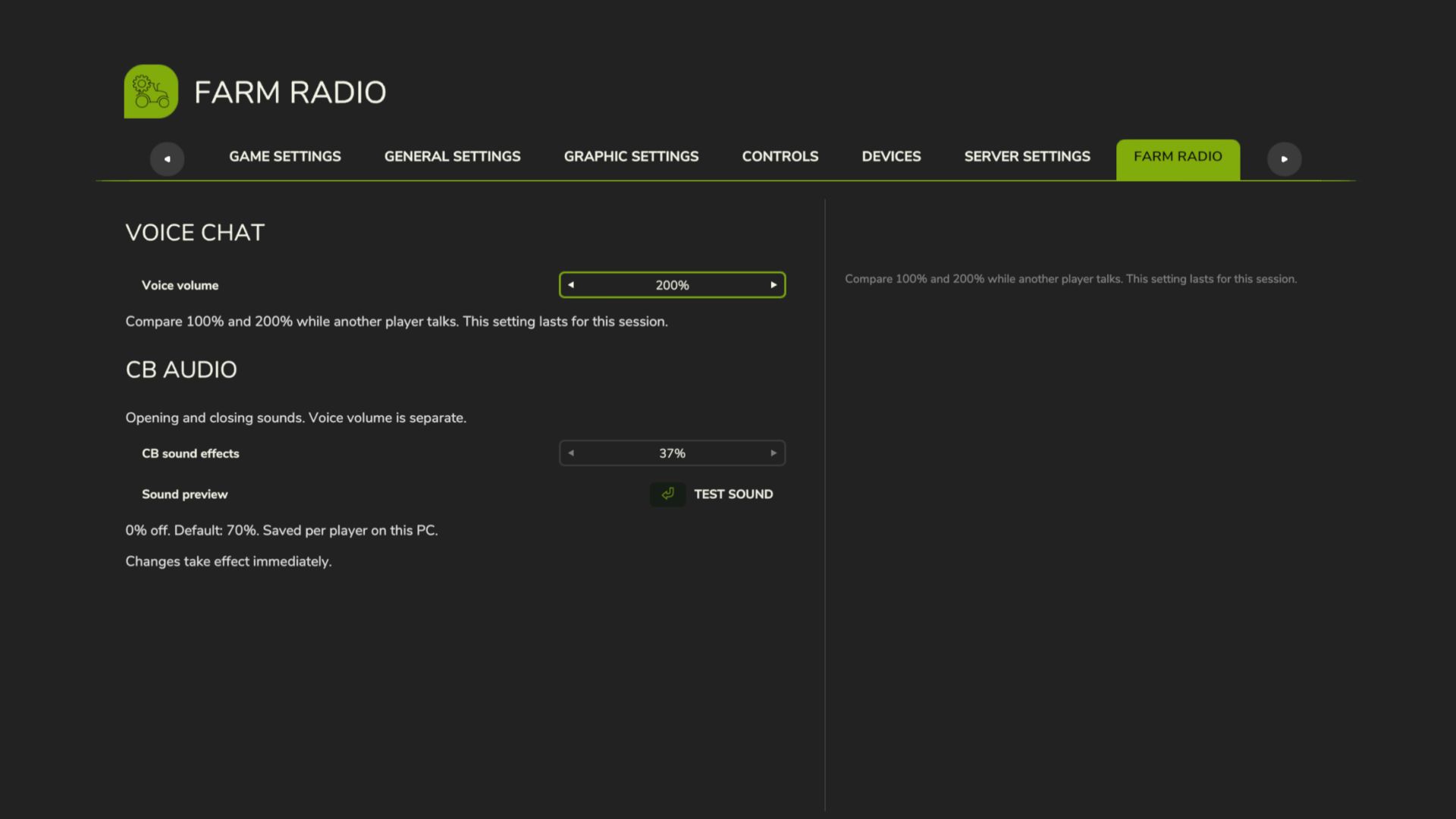
Farm Radio for Farming Simulator 25 Keep your crew connected with farm-based radio communication and proximity voice for Farming Simulator 25 multiplayer. Coordinate with your own farm across the map, contact neighboring farms through the Repeater channel, or speak with players nearby. A compact radio display shows transmission activity, while character animations bring the handheld radio into the game. Getting Started - Install and enable the same mod version on the multiplayer host/server and all participating players. - Enable in-game voice chat and check your microphone settings. - Join a farm to access the Local and Repeater radio channels. Radio Controls - Local — hold Comma (,): Speak to members of your own farm, regardless of distance. - Repeater — hold Forward Slash (/): Speak to players across all farms, including your own. - Proximity voice: Speak with nearby players using the game’s voice activation or normal push-to-talk setting. Radio channels are available only to players assigned to a farm. Players without a farm cannot transmit or receive radio calls. Changing Key Bindings Open Settings → Controls and look under Player for: - Farm Radio (hold) - Repeater Radio (hold) Both controls can be reassigned independently of the game’s normal voice-chat control. Reading the Radio Display - Local highlights in your farm color while you transmit on the Local channel. - Repeater highlights red while you transmit on the Repeater channel. - Your own name and speaker icon match your outgoing channel color. - Incoming calls from your farm highlight the speaking member. - Incoming Repeater calls from another farm display that farm’s name and color. Existing voice mute and block settings remain respected. Test Release Feedback Please report audio issues, vehicle key-binding problems, animation glitches, or incorrect display indicators. Include a short description, your game log, and a screenshot or recording where possible. This build includes an experimental voice-volume increase. The audible result may vary and remains under testing. Boosted volumes, added a menu to adjust volumes in settings.
CCM Bunker Tools V1.0.0.0
CCM Bunker Tools V1.0.0.0 Standardmäßige Bunkersilos erkennen Silage oder CCM automatisch. Wenn nur noch maximal 10 % des Inhalts vorhanden sind, kann der Rest manuell aus dem geöffneten Silo mit *Strg + Entf* endgültig entfernt werden. Erforderlich: CCM Production Pack oder eine Karte mit geeigneten CCM-Fülltypen. Erweitert Standard-Bunkersilos um eine automatische CCM-Erkennung. Die erste gekippte Ladung bestimmt, ob normale Silage oder CCM produziert wird. Nachdem das Silo vollständig geleert wurde, steht die Auswahl wieder zur Verfügung. Wenn der verbleibende Betrag nicht mehr als 10 % beträgt, können Sie den Rest manuell und endgültig aus Ihrem geöffneten Silo entfernen, indem Sie die linke Strg-Taste + Entf drücken. Diese Taste kann frei belegt werden. Mod-Abhängigkeit: Erfordert kompatible CCM-Fülltypen, beispielsweise über das CCM Production Pack von Kastor / DS-Agrarservice. Dies muss separat installiert und im Spielstand aktiviert werden. Erforderliche Mods: CCM Produktionspaket Tags: CCMDiese TasteErforderliche ModsStrg Entf
AUSSEERLAND 4X V1.4.0.2
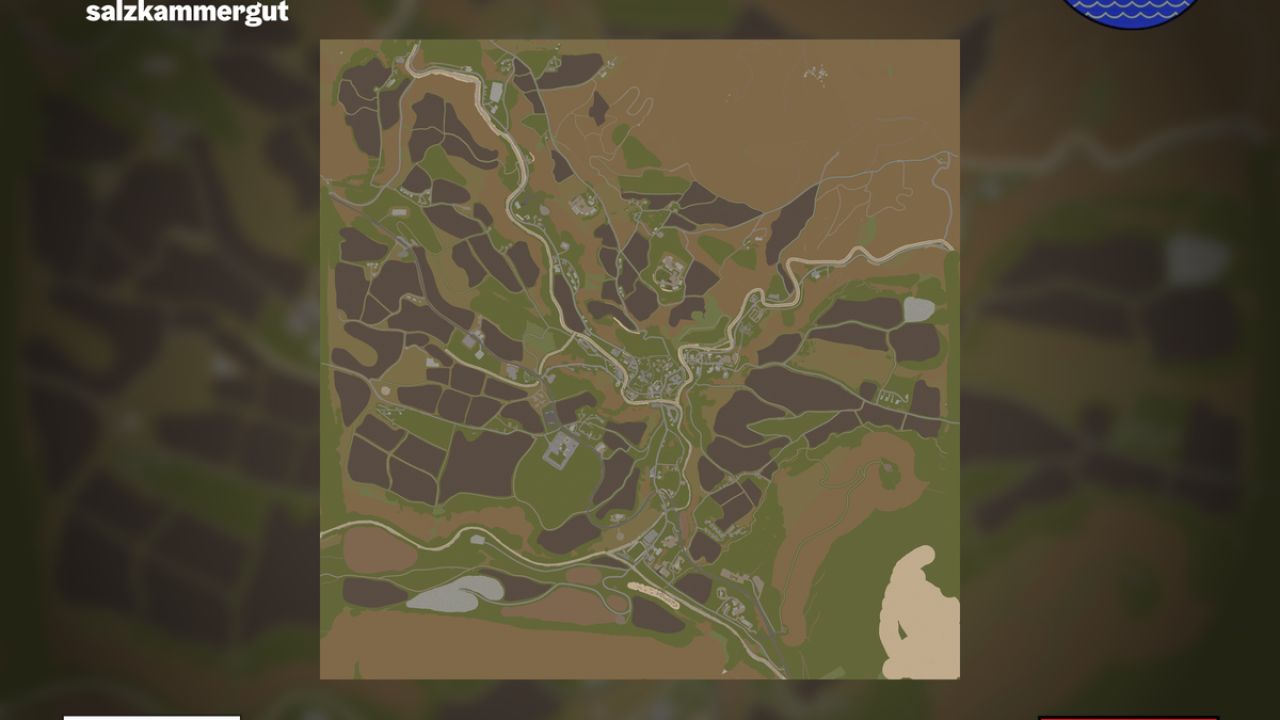
AUSSEERLAND 4X V1.4.0.2 Nachbildung der Region Ausseerland Salzkammergut mit realistischem Straßenverlauf, verschiedenen Obstsorten, 255 Bodenwinkeln und vielem mehr AUSSEERLAND 4-fache Karte (Englische Version unten, Französische Übersetzung unten) Willkommen im Ausseerland, einer malerischen Region im geografischen Zentrum Österreichs. Diese Karte umfasst das Gebiet um Bad Aussee und reicht bis an die Grenzen von Altaussee und Grundlsee. Die in den Alpen gelegene Region zeichnet sich durch ein abwechslungsreiches Terrain aus, das von flach über hügelig bis hin zu teils sehr steil reicht. Sie können Folgendes erwarten: Mehrfruchtanbau: Roggen, Triticale, Dinkel, Grünroggen, Klee, Luzerne, Sommerweizen, Sommergerste Weitere Bodenwinkel: 255 Winkel Mehrere benutzerdefinierte Mods Realistische Nachbildung von Straßenlayouts Bereit für Präzisionslandwirtschaft Verschiedene Städte und Dörfer 122 Felder (durchschnittlich rund 3 Hektar) 11 Waldgebiete (über 130.000 Bäume wurden verwendet) 5 vorgefertigte Bauernhöfe (können auch abgerissen werden) 3 separate Gebäudebereiche Mehrere Wald- und Entwicklungsgebiete 2 Tankstellen 1 Viehhändler 1 Geschäft KI-gesteuerte Autos und Fußgänger Österreichische Kennzeichen für Fahrzeuge und Ausrüstung Bis zu 8 Verkaufsstellen, abhängig von den verkauften Waren 11 Produktionsstätten (Bäckerei, 2 Getreidemühlen, Kalkwerk, Molkerei usw.) V1.4.0.2 Für das Update ist kein neuer Spielstand erforderlich: Die Downloads sind jetzt getrennt –> die Karte und das zugehörige Modpack müssen nun separat heruntergeladen werden. Die Download-Links verweisen jetzt auf meine Dropbox, sodass Sie den Download nicht mehrmals bestätigen müssen. Visueller Vertrieb aus den Abhängigkeiten entfernt Bitte entfernen Sie alle Skript-Mods aus Ihrem Spielstand, die Folgendes beinhalten: Erhöhung der Obergrenze für die Anzahl der Tiergehege Erhöhen Sie die Begrenzung der Anzahl der Füllarten. Erhöhen Sie die Begrenzung der Produktionsanzahl. Erhöhen Sie die Obergrenze für die Anzahl der Bäume Beschränkungen für Bäume, Füllarten, Tiergehege und Giants-Produktionen werden umgangen. Daher ist kein separates Skript mehr erforderlich. maxAnimalsLimitIncrease aus den Abhängigkeiten entfernt (benutzerdefiniertes Skript direkt in die Karte integriert) 2 Bushaltestellen hinzugefügt Alle rund 2200 Wegweiser wurden im Gelände aufgestellt. KI-Fußgänger-Splines geprüft/korrigiert KI-Verkehrs-Splines geprüft/korrigiert Tags: Diese KarteIhrem SpielstandMehrfruchtanbau RoggenRegion Ausseerland Salzkammergut
Financial Dashboard FS25
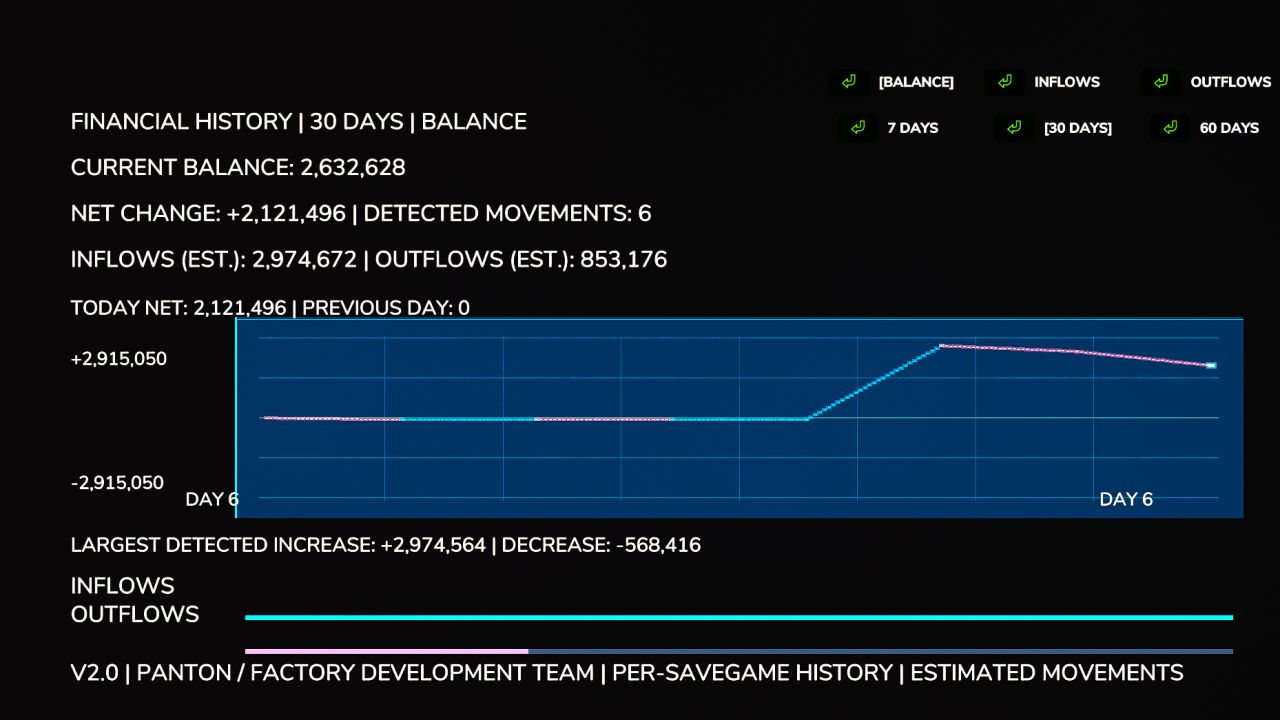
Financial Dashboard introduces a dedicated financial overview directly into the Farming Simulator 25 in-game menu, allowing you to monitor your farm's financial performance through a clean, easy-to-read interface. Whether you're managing a small family farm or a large agricultural operation, Financial Dashboard helps you visualize how your money changes over time. Features Live Financial Graph: Track your farm's balance movements with a visual graph that responds to gains and losses. Zero-Centered Tracking: Your starting balance is used as the baseline, so existing money isn't incorrectly counted as profit. Color-Coded Performance: Cyan/green indicates positive financial movements, while pink/red indicates negative movements. 7-30/60-Day Views: Switch between two selectable history windows. Current Balance: View your farm's available funds directly in the dashboard. Estimated Inflows and Outflows: Monitor detected money gained and spent. Largest Transactions: See the largest detected balance increases and decreases. Integrated Menu: Access the dashboard through its own tab in the FS25 pause menu. Important Information Financial Dashboard tracks balance changes during the current gameplay session. Historical graph data is not saved between game sessions. The dashboard records changes in your farm's balance rather than categorizing individual transactions. Inflow and outflow figures are estimates based on detected balance movements. The initial financial baseline is established when you first open the dashboard. Compatibility: Farming Simulator 25 — PC. Designed and tested for single-player use. Multiplayer and dedicated server compatibility have not been verified. Version: 2.0.0.0 Multiplayer compatible. Developer: Panton (Factory Development Team) Copyright & Licensing © 2026 Panton (Factory Development Team). All rights reserved. Financial Dashboard 2.0 is an independently developed mod for Farming Simulator 25. Unauthorized redistribution, reuploading, modification, or republishing of the original mod files is prohibited without prior permission from the author, except where permitted by applicable law or existing licenses. Officially authorized distribution platforms may host and distribute the mod under their respective terms. For redistribution requests, modifications, or other licensing inquiries, please contact the original author. For full licensing terms, please refer to the LICENSE.txt file included in the mod ZIP. - Added license.txt (Copyright / takedown's) - Small patch Fix for issue's related to the menu - Future update's include (New Icon, Redefined Line's & Text.) Added - Added persistent financial history. Financial records are now saved individually for each savegame and restored after restarting the game. - Added automatic financial tracking when loading a savegame, without requiring the dashboard to be opened first. - Added separate graph modes for Balance, Inflows, and Outflows. - Added a 7-day history view, alongside the existing 30-day and 60-day views. - Added daily net financial change statistics, including comparisons with the previous in-game day. - Added estimated total inflows and outflows based on detected balance changes. - Added tracking of the largest detected financial increase and decrease. - Added detection of balance changes caused by compatible external mods, including money trainers. Improved - Completely redesigned the graph with a modern blue financial-terminal appearance. - Improved graph readability with refined gridlines, clearer trend lines, and highlighted endpoints. - Improved graph scaling to display both positive and negative financial movements. - Redesigned the inflow and outflow indicators with thinner bars and less intrusive colors. - Improved graph labels, text sizing, and spacing to prevent overlapping information. - Improved financial history management with automatic cleanup of older records. - Improved live financial tracking so new balance changes are reflected without waiting for the next in-game day. Fixed - Fixed financial history being lost when closing or restarting Farming Simulator 25. - Fixed financial history not loading correctly due to farm ID handling. - Fixed savegame persistence issues by integrating financial history saving with the game's save process. - Fixed graph layout issues involving overlapping labels and statistics. - Fixed visual inconsistencies introduced during the graph redesign. - Preserved compatibility with the existing ESC menu, sidebar navigation, and Save/Quit functionality. Changed - Updated the mod version from 1.0.0.0 to 2.0.0.0. - Updated the mod description and documentation to reflect the new financial tracking features. - Financial history is now stored in a dedicated `financialDashboard.xml` file within each savegame.
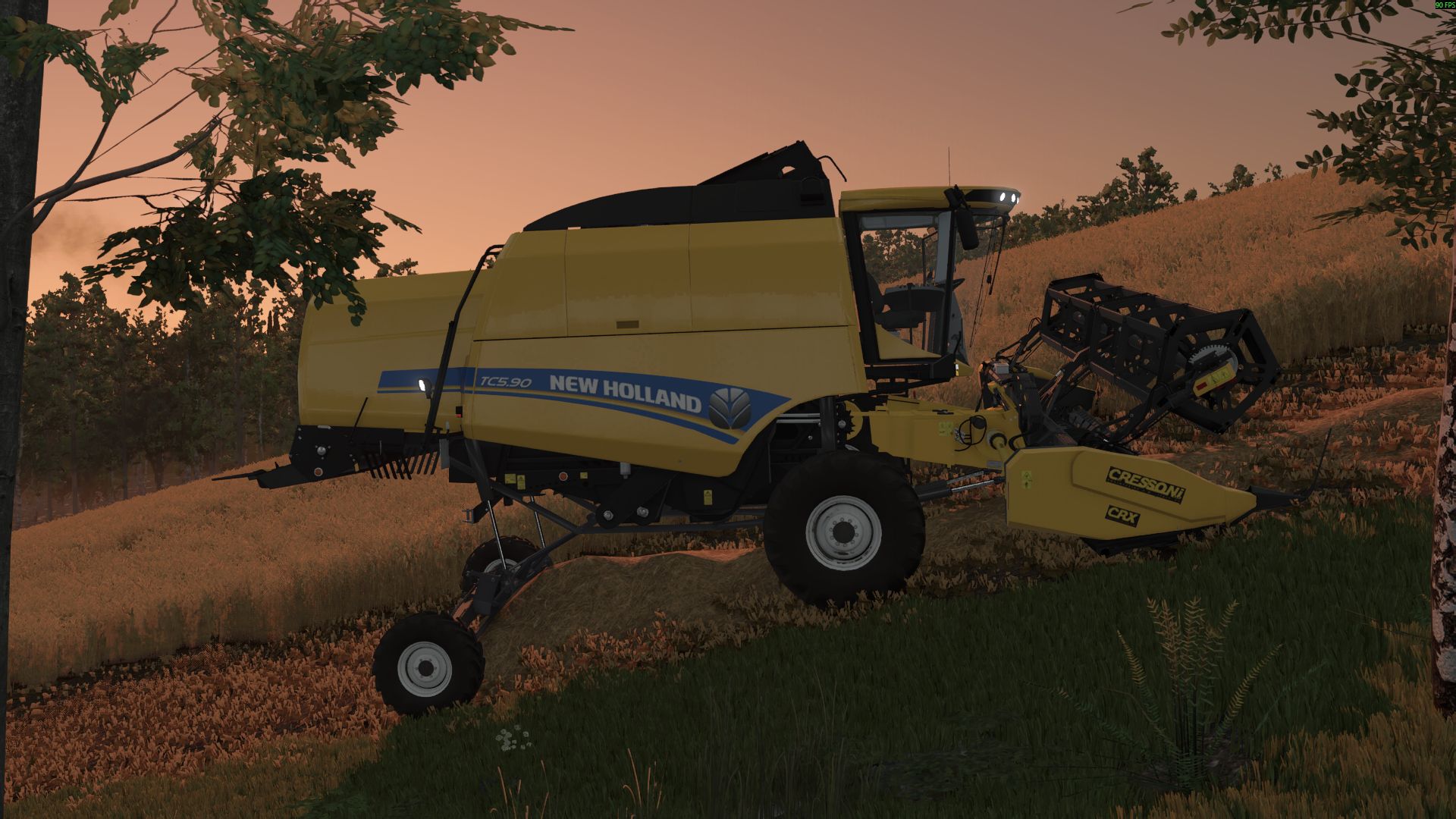
New Holland TC 5.90 FS25
New Holland TC 5.90 Hillside: - Engine power: 258HP - Fuel tank: 220 l - Grain tank: 6400 l - Maximum speed: 40 kph - Price: $150,000 -fix some bug -add engine sound
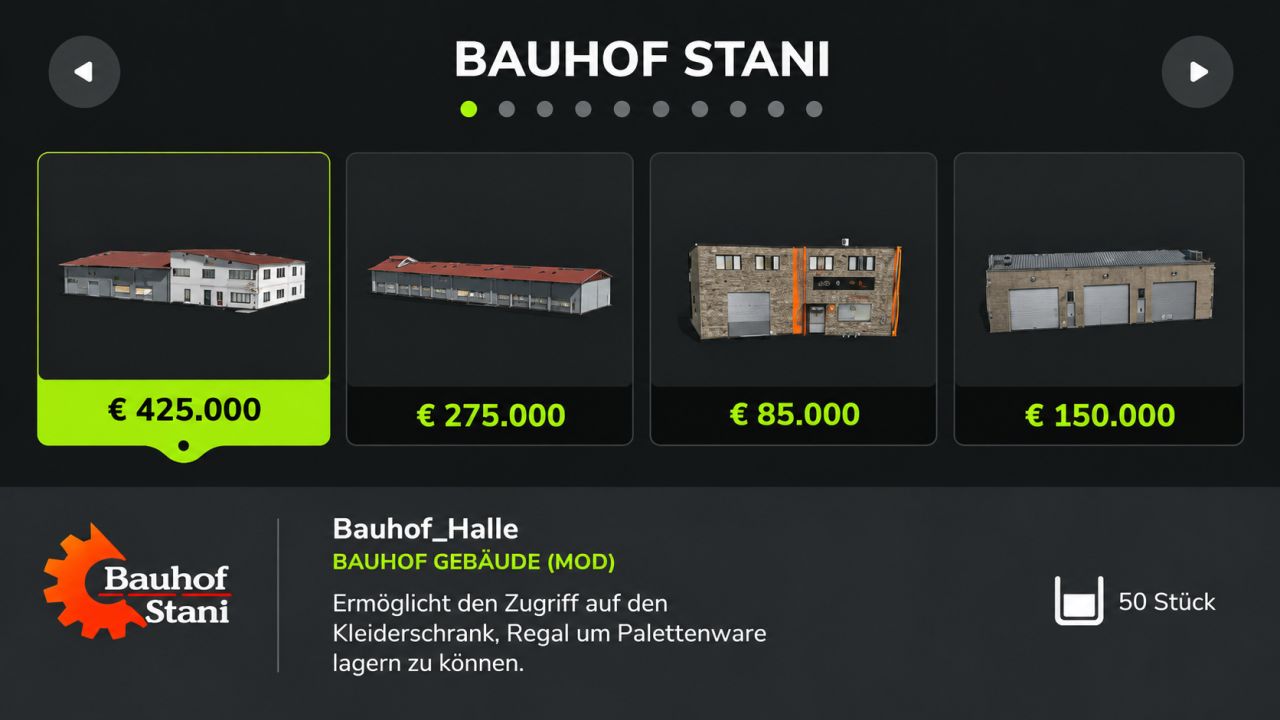
Stani's building category FS25
Good Morning, I have something nice for you or we, dear Samofgaming, has built an own category in the LS25 for us. You just have to insert the mod into your mod folder and also activate this in the game, then you will find all of our buildings in your own category 🙂 P.S The buildings that have been to the DL so far will be updated for the next few weeks! Added: - Decorations - Production - Administration/Education - Added by Rudi's crane rental
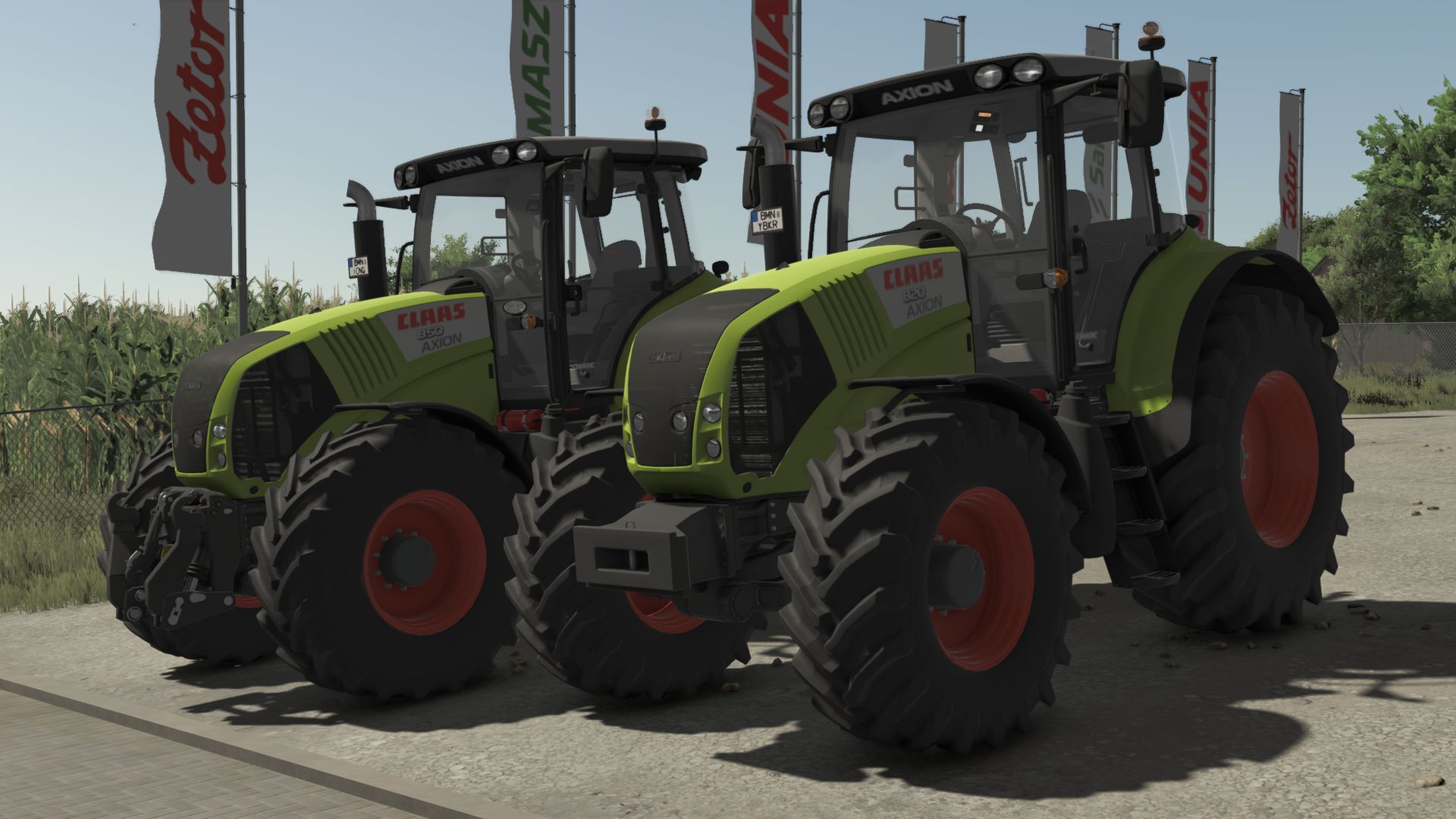
CLAAS Axion 800 Cebis FS25
Price: 122400 $ Manufacturer: CLAAS Model: 800 Axion Production: 2006 - 2016 Standard engine: DPS 6,87 litres Max speed: 50 km/h Configurations: - Models: From Axion 820 - 197HP to Axion 850 264HP - Wheels: TRELLEBORG NOKIAN MICHELIN MITAS CONTINENTAL BKT VREDESTEIN - light configuration - beacon lights configuration - configuration of side signs - front weight and front hydraulic configuration - work lights configuration - Precision Farming configuration - front fender configuration - back fender configuration - Interactive control - Increased modDesc version - Color corrected - Fixed colors - Increased modDesc version
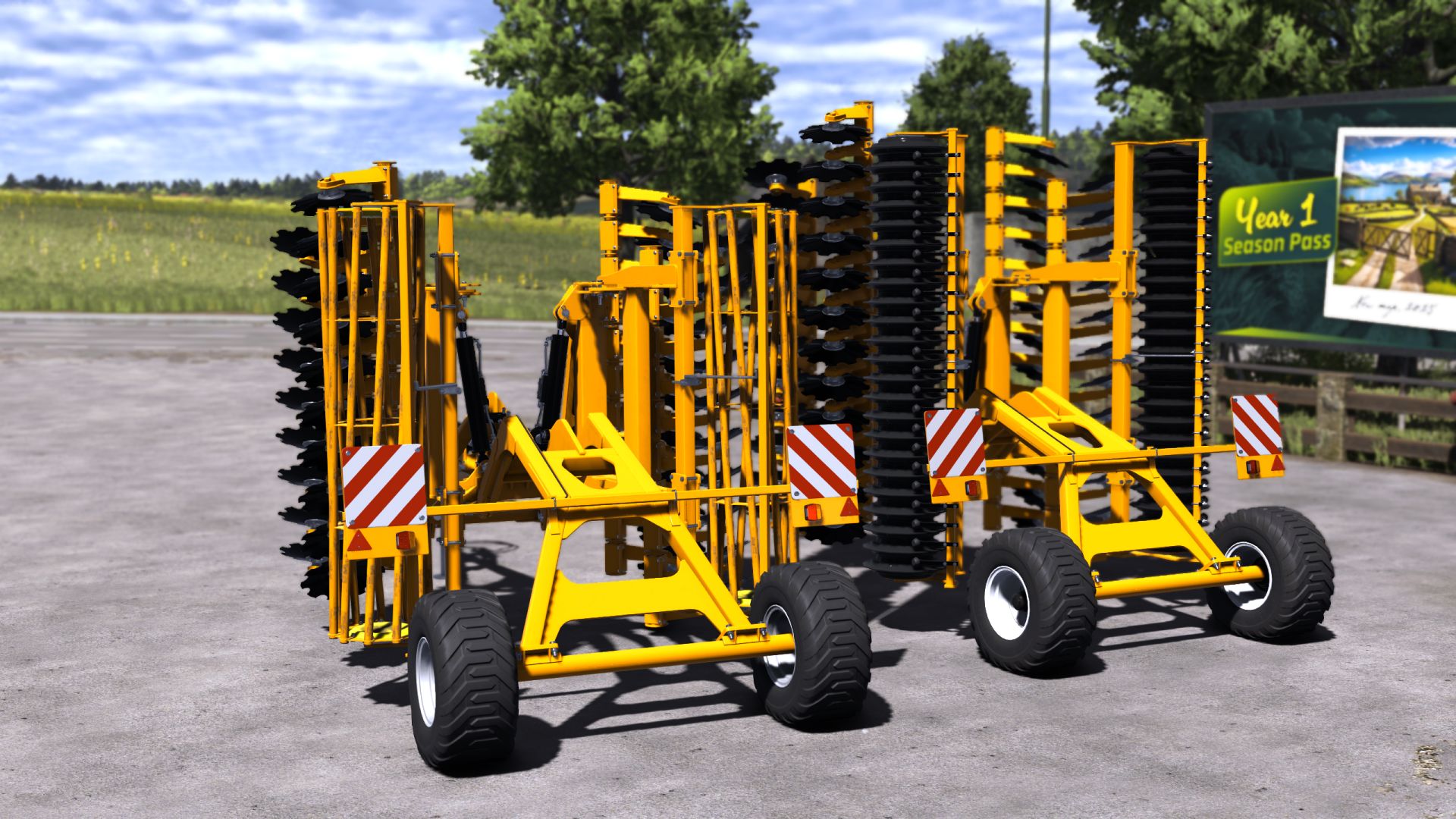
Staltech Pack FS25
***Price: 34000-39000 €*** ***Max working speed: 18 kph*** ***Working width: 5m-6m*** ***Horsepower Needed: 150hp-180hp*** ***2 options roller*** - Added Vehicle Years support - ModDesc changes - DescVersion changed - Version changed
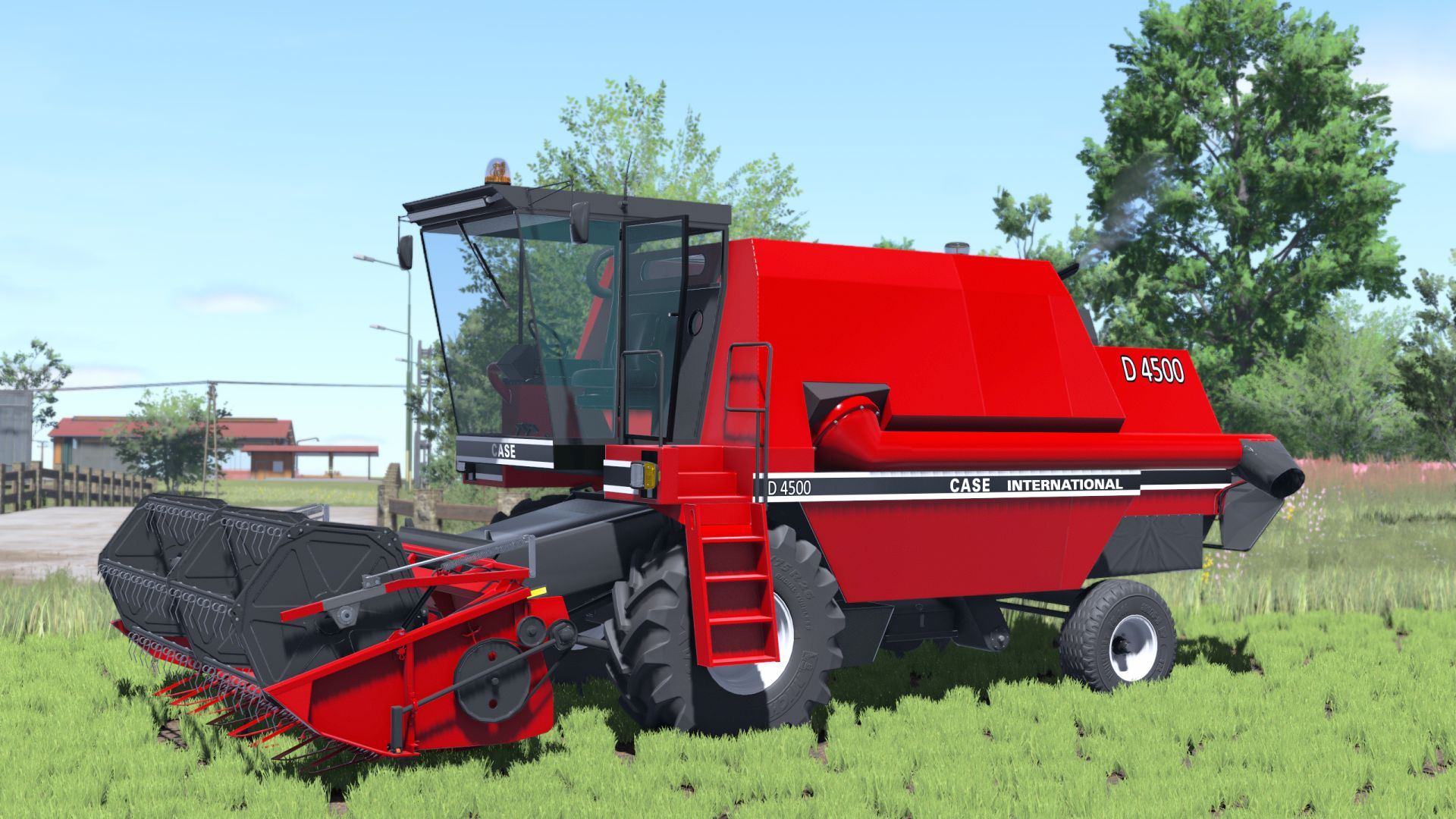
Case IH D4500 FS25
*Rim color *Capacity: 8000 l - Added Vehicle Years support - ModDesc changes - DescVersion changed - Version changed *Added Interactive Control support *Added seat color
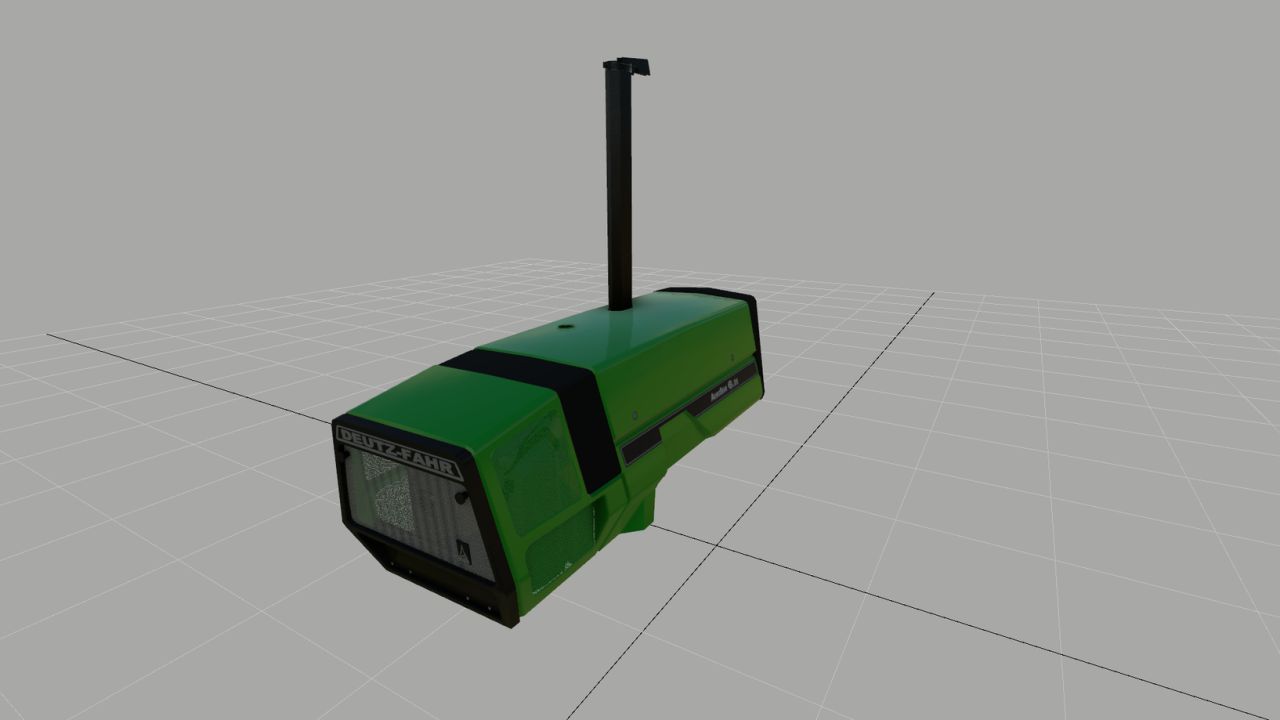
Deutz 681 Motorhaube (Fertigteil) V1.0.0.0
Deutz 681 Motorhaube (Fertigteil) V1.0.0.0 Hier habe ich eine Deutz-Dunstabzugshaube gebaut, die optisch meinen Erwartungen entspricht, und vielleicht gefällt sie ja auch dem einen oder anderen von euch. Und er kann es für sein eigenes 681er-Modell verwenden. Im Grunde ist alles auf dem gleichen Stand wie in FS25; allerdings bilden sich keine Regentropfen auf der Motorhaube. Ich weiß, wie ich das Problem beheben kann, finde aber kein UV-Toolkit, um die UVs in Blender zu verschieben. Ich wäre sehr dankbar, wenn mir jemand dabei helfen könnte. Ansonsten viel Spaß mit der Motorhaube, und ich hoffe, dass du dein Modell damit optisch aufwerten kannst. Tags: Im Grunde
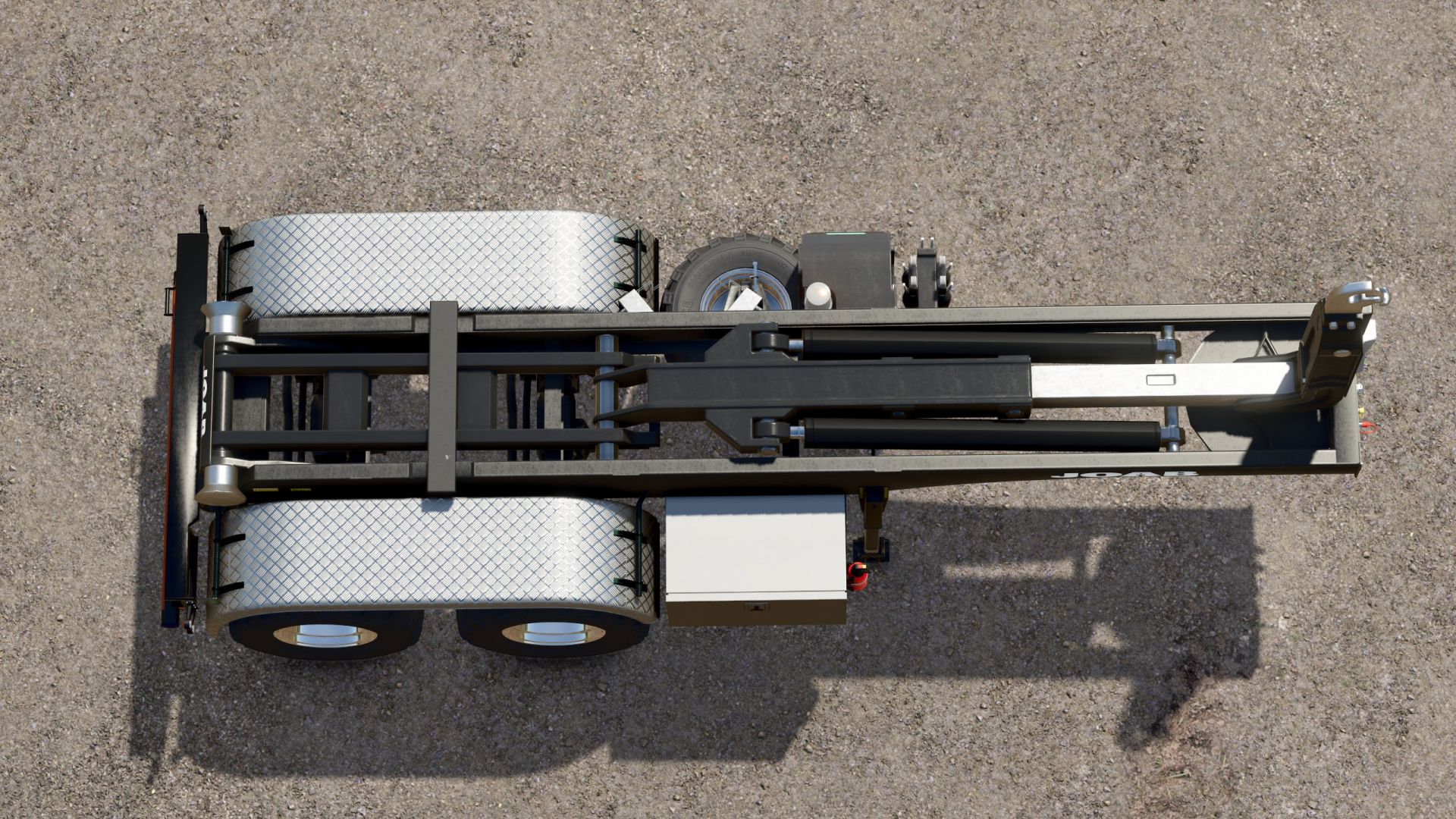
Hakenliftanhänger V1.0.0.1
Hakenliftanhänger V1.0.0.1 Hakenlift-Sattelanhänger Bevor ich meinen Scania vorstelle, präsentiere ich zunächst einen HKL-Anhänger. Da ich für Feldarbeiten gerne landwirtschaftliche Reifen verwende, diese aber nicht direkt auf den Scania montieren möchte, habe ich diesen Anhänger entwickelt. Es passt perfekt zum Mercedes Heizomat, da es speziell für diesen Zweck entwickelt wurde. Ich werde die ITRunner-Container verwenden, die es schon seit Jahren gibt. Mein Scania-Paket wird in den nächsten Tagen online verfügbar sein, nachdem ich es gründlich getestet habe. Dort finden Sie auch eine große Auswahl an Containern. Der Trailer bietet nur grundlegende Konfigurationsoptionen: Felgenfarbe und die Wahl zwischen Kunststoff- und Riffelblechkotflügeln. Ich denke, das ist ausreichend. V1.0.0.1 Ein Rollkollisionsfehler wurde behoben. Farbauswahl hinzugefügt Die Rollen bewegen sich nun beim Anheben des Containers – 100 % kompatibel mit den Containern des Scania Transportpakets Tags: Der TrailerDie RollenMercedes HeizomatScania Transportpakets
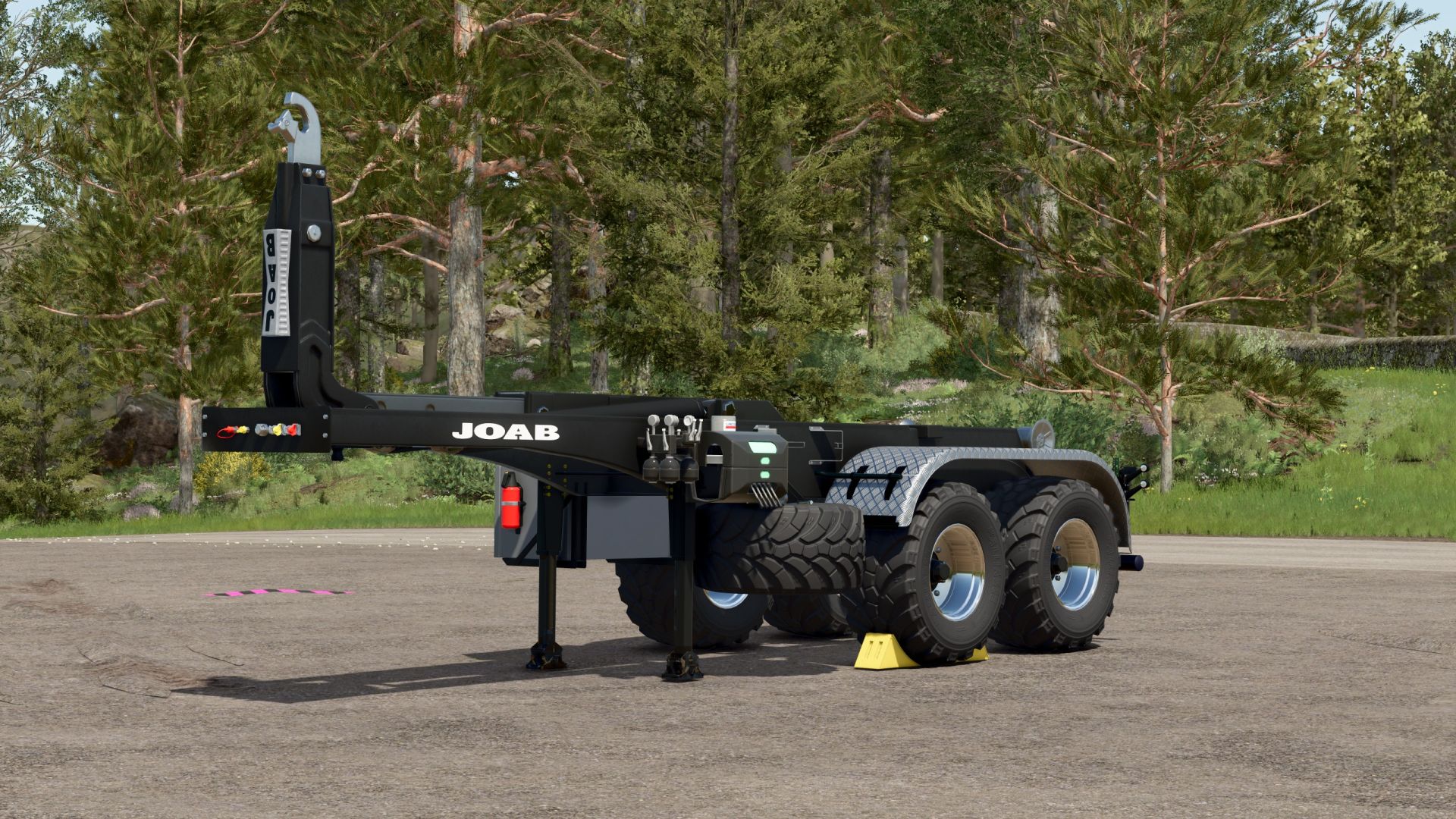
Hooklift trailer V1.0.0.1
Hooklift trailer V1.0.0.1 Hooklift semi-trailer Before I release my Scania, I’ll first present an HKL trailer. Since I like to use agricultural tires for fieldwork, but don’t want to fit agricultural tires to the Scania itself, I’ve created this trailer. It fits the Mercedes Heizomat perfectly, as it was specifically designed for that purpose. I’ll be using the ITRunner containers, which have been around for years. My Scania pack will be available online in the next few days after I’ve thoroughly tested it, and you’ll find a large collection of containers there as well. The trailer only offers basic configuration options: rim color and the choice between plastic and checker plate fenders. I think that’s sufficient. V1.0.0.1 Fixed a roll collision error Color choice added Rollers now move when the container is pulled up – 100% compatible with the containers from the Scania Transport Pack Author: Ap0lLo Report bugs in the comments and help modders improve this mod. Always check the comments, you can find a solution. DOWNLOAD MOD

Camera follows steering angle – head tracker replacement V1.0.0.7
This mod is essentially a “head tracker replacement.” It follows the vehicle’s steering angle in the interior view. Simply copy the mod into your mods folder and activate it in your save game! The mod offers the following features: Control of the viewing angle in the interior view based on the steering angle (similar to the previous VCA mod); “A quick look”: using key or joystick assignments to look up/down/left/right/backward (similar to the option in the previous VCA mod); Adjustment of the camera’s “seating position” up/down/left/right/forward/backward (similar to a head tracker, but the adjustment is made directly in the game). Settings can be adjusted in the menu: Camera guidance enable/disable: Camera guidance while stationary: enable/disable (specifies whether the steering angle is also taken into account when stationary) Rotation sensitivity: sets the sensitivity of how the script reacts to the steering angle Maximum rotation angle: determines how far the camera rotates in the corresponding direction Quick look – horizontal: determines how far the “quick look” allows the camera to rotate left/right Quick look – vertical: determines how far the “quick look” allows the camera to rotate up/down Quick look reset speed: determines how quickly the camera returns to the steering angle after the “quick look” Rotate view 180°: determines how quickly the camera rotates 180 degrees Steering dead zone: sets the “dead zone” until the camera reacts to the steering input Activate rear view in reverse: on/off –> determines whether the camera “looks behind” as soon as reverse gear is engaged. You can freely assign key bindings in the settings. I deliberately avoided using predefined ones to prevent conflicts with other active mods. The camera position itself can be adjusted as follows (I have predefined the key assignments here; they are set using the mouse wheel): Mouse wheel up/down: Camera position up/down; L-Shift + mouse wheel up/down: Camera position forward/backward; L-Ctrl + mouse wheel up/down: Camera position left/right This mod has been tested in single-player and multiplayer modes. To start download click the filename. To open archive files use one of these programs: WinRAR, 7-Zip, WinZip. Some mod archives may need to be extracted before the mods will work.

Agra GPS V1.1
AgraGPS expands Farming Simulator 2025 with an optional GPS screen and a user interface for managing courses. What does AgraGPS offer for pre-configured vehicles? -A full lane guidance screen that displays the lane guidance lines completely. -The area worked by the attached device is displayed and recorded, so that the area worked can still be seen even after saving or leaving the field when work is resumed. -Optional GPS terminal screen for the cabin. Multiple screens are possible and can be operated separately. – The display shows the worked area, field boundaries, and the steering assist lines. – Recording of the worked area. – Recording per field and work type, linked to the tractor and loadable for other tractors, also for AI helpers and players in multiplayer. – Terminal with overview map and extensive settings: Opens with “Alt left + G” (can be changed in the control menu) New: – GPS window added for vehicles without a screen or external view player. Adjustable like the screens via the GPS menu. Opens with “Alt left + H” (changeable in the control menu). – The GPS window can be docked left, right, top, or bottom and resized via the GPS menu. – GPS screen and window colors can be personalized via the GPS menu and are linked to the vehicle type. – Recording of worked areas revised. Shared recording only occurs if two tractors have the same recording loaded. – AI helper recording can now be enabled separately for each helper. – Automatic deletion after X days removed. – The screen can now be operated without text and LED strip attributes. To do this, set the attribute value “onlyMapLayer” to “true” in the XML file. Note on the recording process: – A field recording always starts, regardless of the task being performed in the field, even without active guidance. – When you start a task in the field, recording starts automatically and your vehicle is linked to the recording. – If an AI helper or other player wants to perform the same task in the field, they must load the existing recording. Both vehicles will then record the work in the recording. – If the AI helper or other player does not load the recording, a new recording will start, even if the task is the same. – After completing the field, the task should be completed (in the GPS menu). The task will then be saved and can be accessed later (to see if the entire area has been worked). – Once an area is completed, it can no longer be loaded, only viewed and deleted. – Incomplete areas can be loaded into a vehicle at any time. To start download click the filename. To open archive files use one of these programs: WinRAR, 7-Zip, WinZip. Some mod archives may need to be extracted before the mods will work.
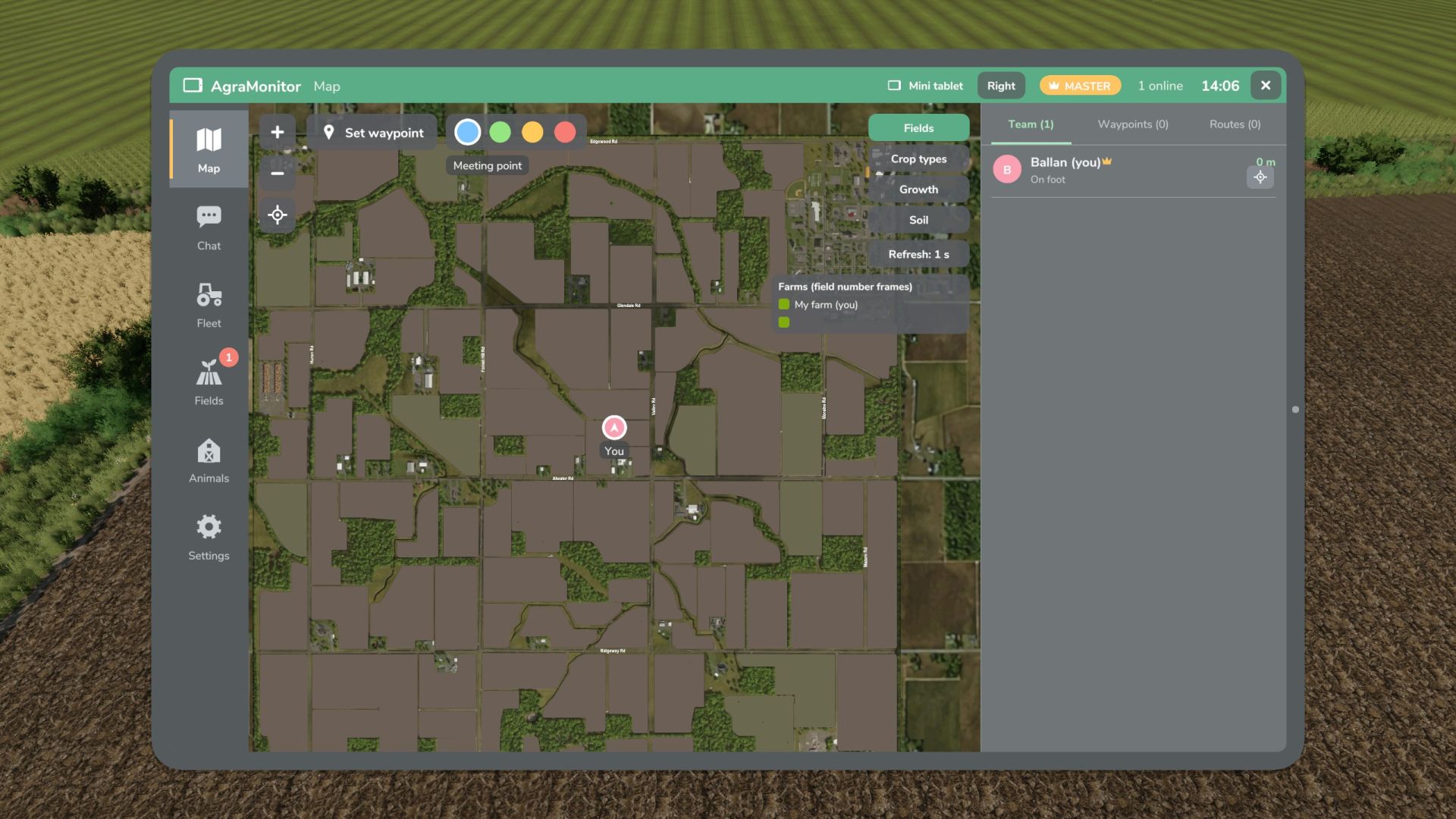
Agra Monitor V1.1
Agra Monitor V1.1 This mod allows you to manage various modules on your farm, such as animals, fields, AI helpers, multiplayer players, etc. An optional display can be installed in vehicles. Fleet tool for multiplayer and singleplayer games. Live map showing all players, AI helpers, vehicles, fuel levels, and brief information. Waypoints with navigation across the map’s roads (AutoDrive network or AI roads). Team chat and direct messages. Fleet overview, vehicle inventory with damage, operating hours, age, fuel level, etc. “Mini-tablet” function at the edge of the HUD. Field management: fields with crop, growth, and soil condition. Animals: stables with animals and their parameters. Notifications with adjustable thresholds. Notifications for AI helpers, animals, fields, and messages. Display for prepared vehicles with map, player/AI helper information, and brief messages. Tablet: Left Alt + A, Mini-tablet: Left Alt + S (changeable in the control menu) V1.1.0.0 New: Field view on the cockpit display Field view can be switched on and off in the field view section of the app Field view added to the app. The field view controls the map on the tablet, mini-tablet, and cockpit display. Changes: The control of the field view in the Map area has been removed. DEBUG: Feedback needed, as the field view on the cockpit display is still in testing! Please report: FPS drops, stuttering, or lag with the field view active on the cockpit display. Helpful: Compare field view ON/OFF and indicate what hardware you are using (CPU/GPU). Feedback is welcome via the comments, even if it is working well. The reason for this is that I am not entirely satisfied with the resolution, but my skills limit me from improving it. If it is satisfactory as is, I will leave it. If not, I need help from someone with shader experience. Author: Guner348, Guner348 Report bugs in the comments and help modders improve this mod. Always check the comments, you can find a solution. DOWNLOAD MOD
- 15 per page
- 30 per page
- 45 per page
- 60 per page
-
See more per page
Bigger pages, fewer clicks - and no ads anywhere.
Go Pro