Farming Simulator 25 mods
72,491 results- 15 per page
- 30 per page
- 45 per page
- 60 per page
-
See more per page
Bigger pages, fewer clicks - and no ads anywhere.
Go Pro
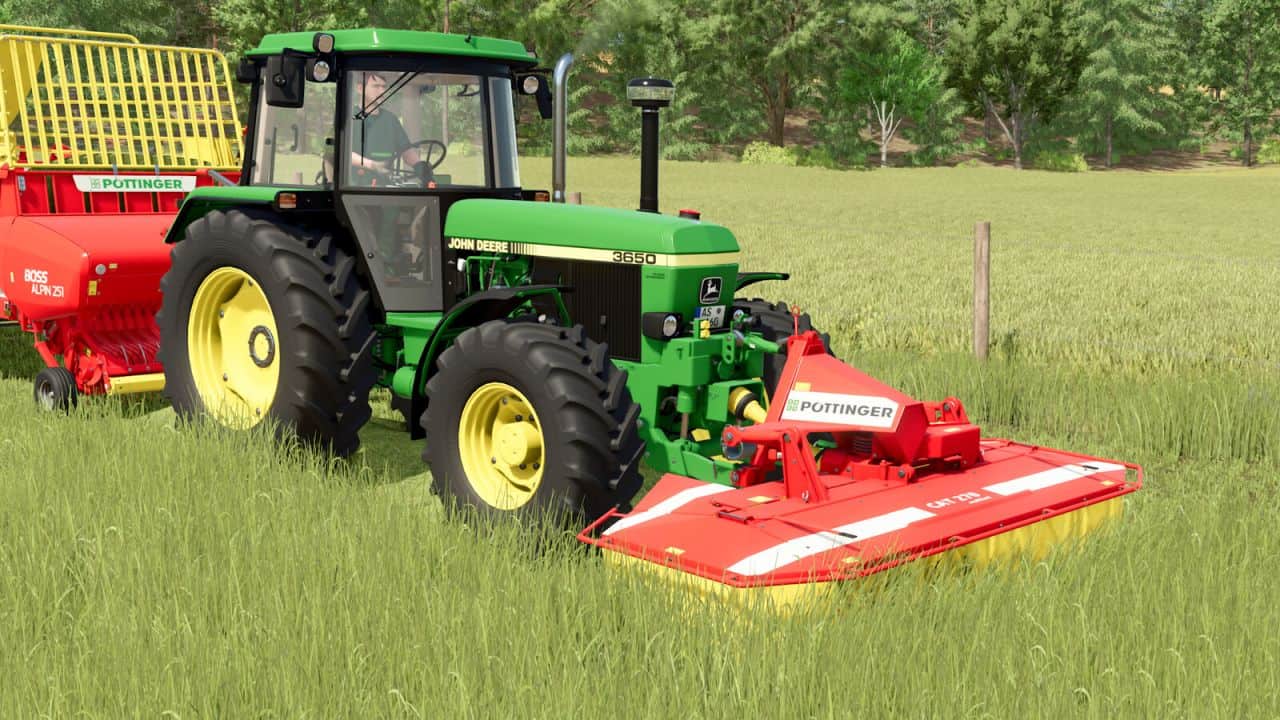
Pöttinger CAT Pack v1.0.0.1
Consists: – Pöttinger CAT 270 – Pöttinger CAT 310 Pöttinger CAT 270: – Category: Mowers – Price: 3,300 $ – Needed power: 55 hp – Working speed: 20 kph – Working width: 2.65 m – Weight: 615 kg – Mowing drums: 4 – Attachment: with or without tractor triangle Pöttinger CAT 310: – Category: Mowers – Price: 5,500 $ – Needed power: 60 hp – Working speed: 20 kph – Working width: 3.05 m – Weight: 670 kg – Mowing drums: 4 – Attachment: with or without tractor triangle Properties: – Original sound – Mouse control for folding and unfolding the side panels – Switch work mode (Width of swath) Configurations: – Warning signs added – Swath plate Standard or MULTITAST configurable (effect on the swath width) V1.0.0.1 – Fixed missing material systems on various parts – Added additional warning stickers – Sound adjustments – Various other improvements
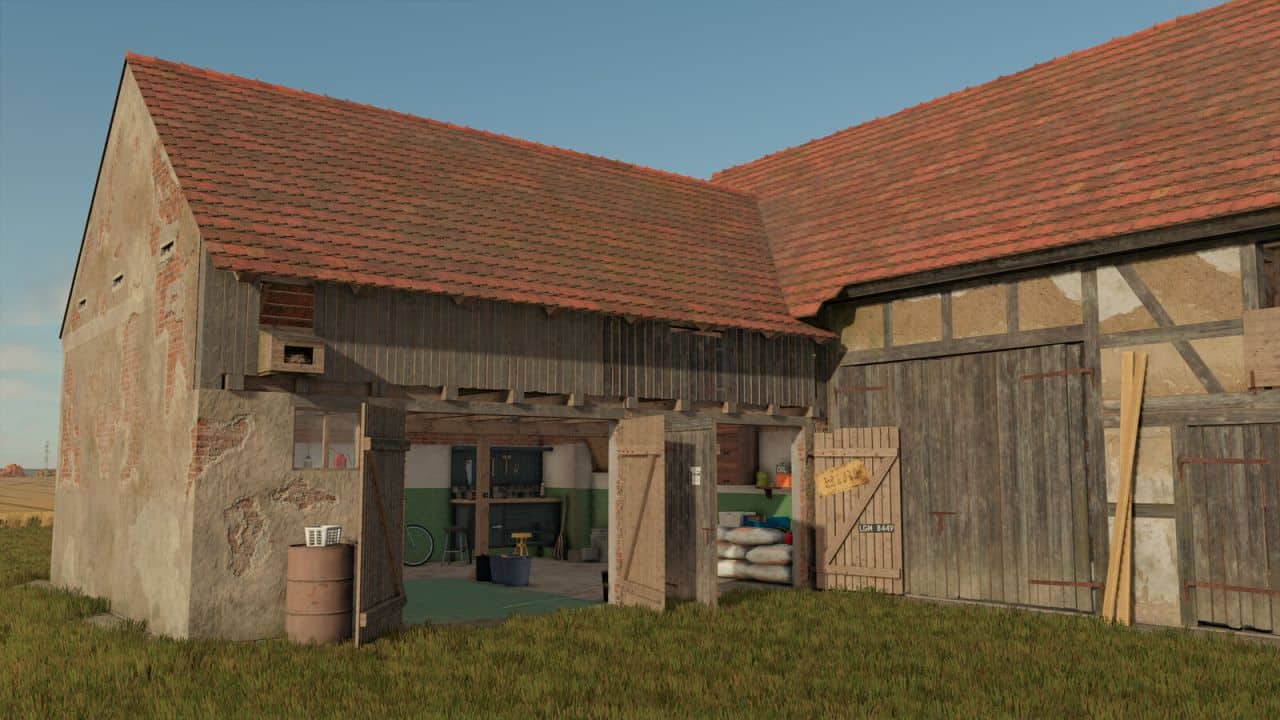
Barn With Grain Loft v1.0.0.1
A half-timbered barn with a small garage built around 1850, with an attic space for grain storage. V1.0.0.1 – Added bale storage – Capacity: 594 bales (small square bales recommended)
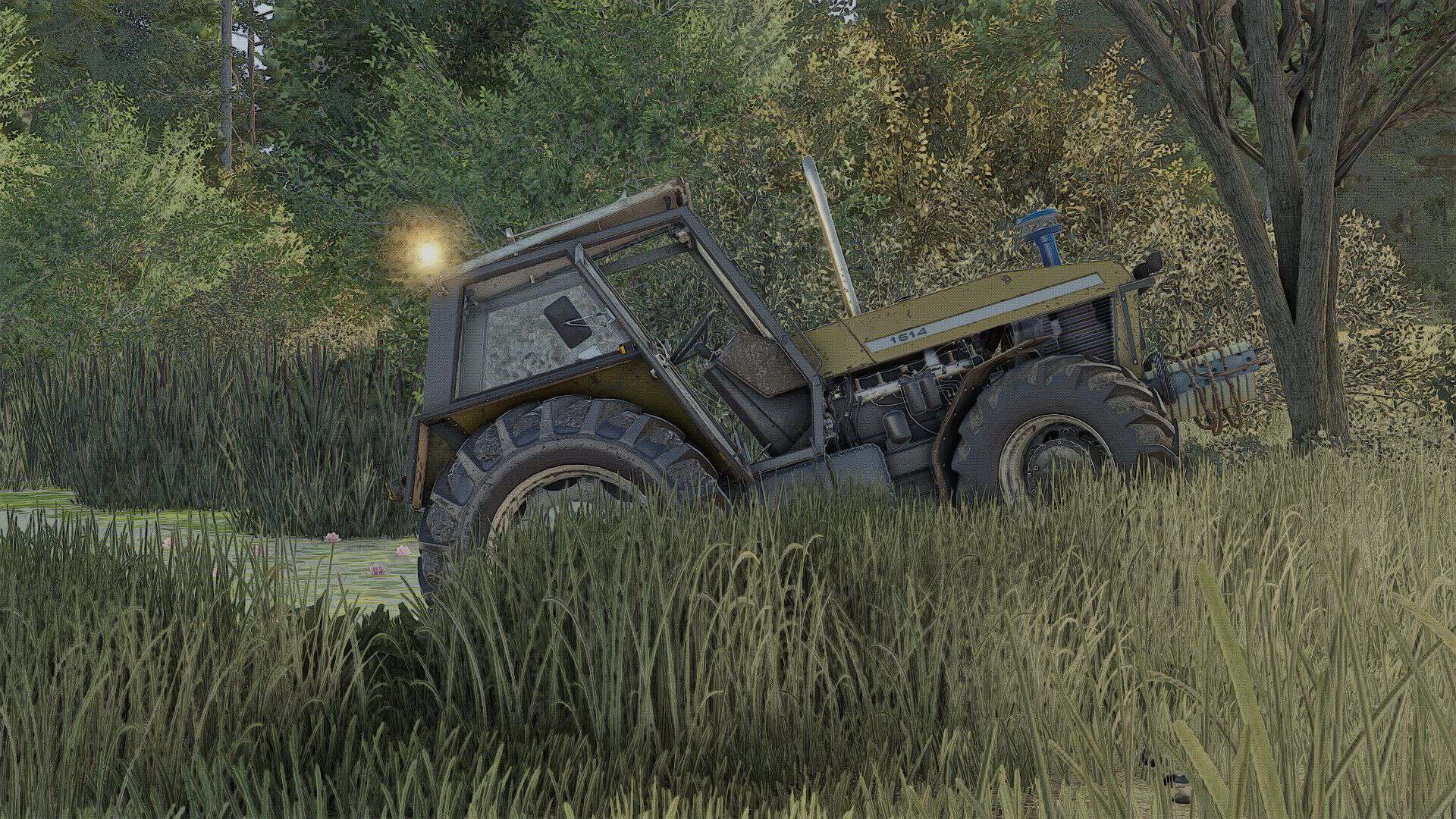
Ursus 6cyl Pack Mokrzyn (Rust Edition) v1.2
I added, for example: – Mokrzyn-style lights – Mokrzyn-style air filter – Mokrzyn-style front weight – Roof – Realistic sounds + Turbo – This is version 1.1.0.0; there are still many things to add. Cheers! – I GUARANTEE A CLEAN LOG; if that is not the case, the problem lies with your other mods. – Models: 1201, 1204, 1214, 1222, 1224, 1604, 1614 – “Mokrzyn Addons” 6-cylinder URSUS package – these are 6-cylinder models that work 100% correctly; they have a clean log (0 errors, 0 warnings). – Why “Mokrzyn Addons” and not simply “Mokrzyn”? Because I decided to keep the 10-year-old “Mokrzyn” model from FS15, but I added the distinctive visual features of the Mokrzyn version to the 6-cylinder Ursus tractors I repaired (which are the only clean and functional ones in FS25). Configurations: – Mokrzyn-style lights – Mokrzyn-style air filter – Mokrzyn-style front weight – Air horn – Strobe lights – Decal – Tires – Gearbox – Stickers – Front weight – Wheel weights – Rear fenders – Front fenders – Mudguards – Cab – Front lights – Grille – Rear hitch – Exhaust – Steering wheel – Hood – Front loader console – Animations: IC/MC Color configurations: – Engine – Hood – Fenders – Cab – Grille – Rims – Front weight – Wheel weights – Roof V1.2.0.0 – a few errors and textures
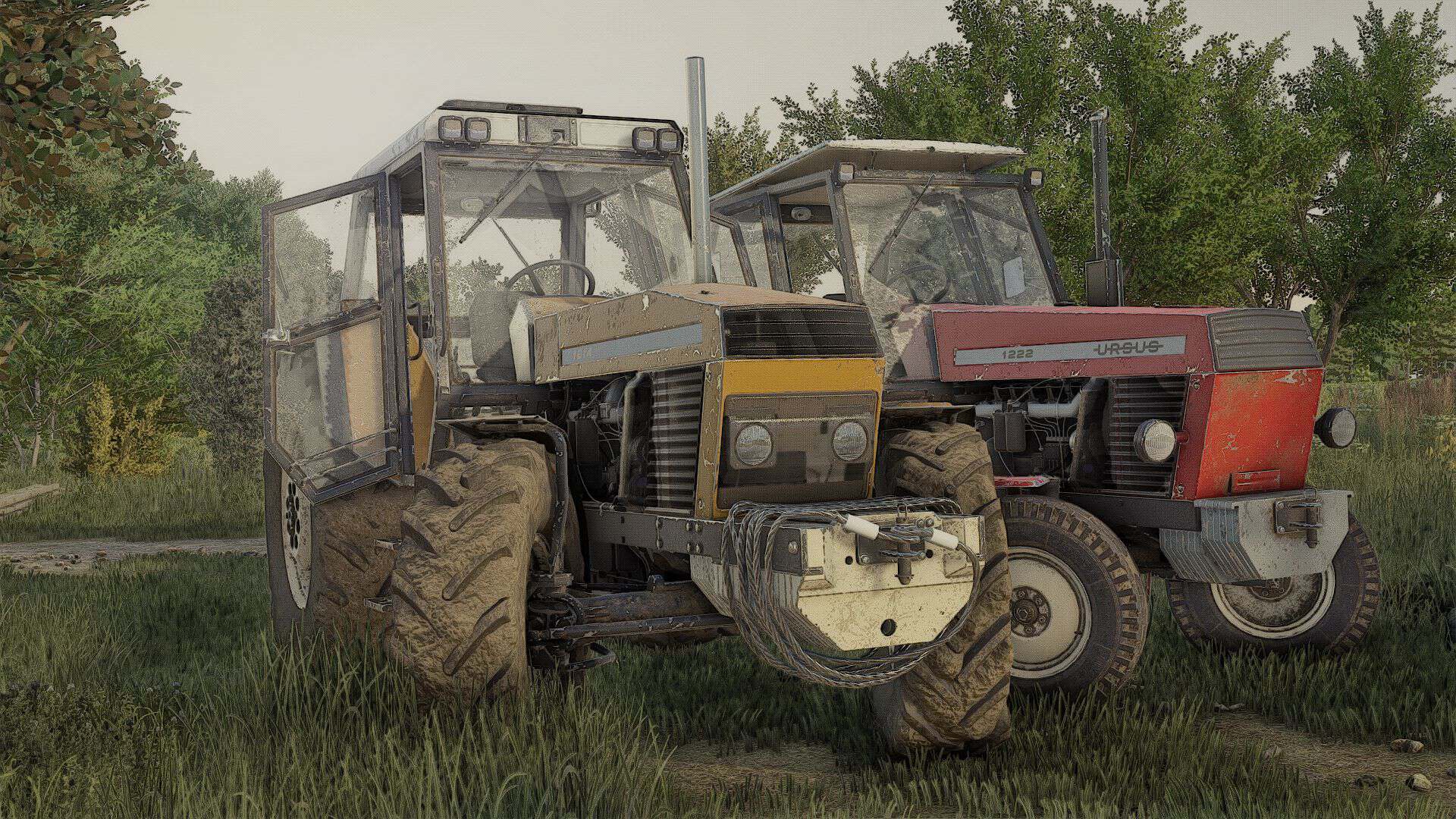
Ursus 6cyl Pack v1.4
Models: 1201, 1204, 1214, 1222, 1224, 1604, 1614 Ursus 6-cylinder package: these are 100% functional 6-cylinder models with a clean log (0 errors, 0 warnings). – Decals – Tires – Gearbox – Markings – Front weight – Wheel weights – Rear fenders – Front fenders – Mud flaps – Cab – Front lights – Grille – Rear hitch – Exhaust system – Steering wheel – Hood – Front loader console – Animations: IC Color configurations: – Engine – Hood – Fenders – Cab – Grille – Rims – Front weight – Wheel weights – Roof V1.4.0.0 – fixed stickers and a few minor changes Required: – Interactive Control
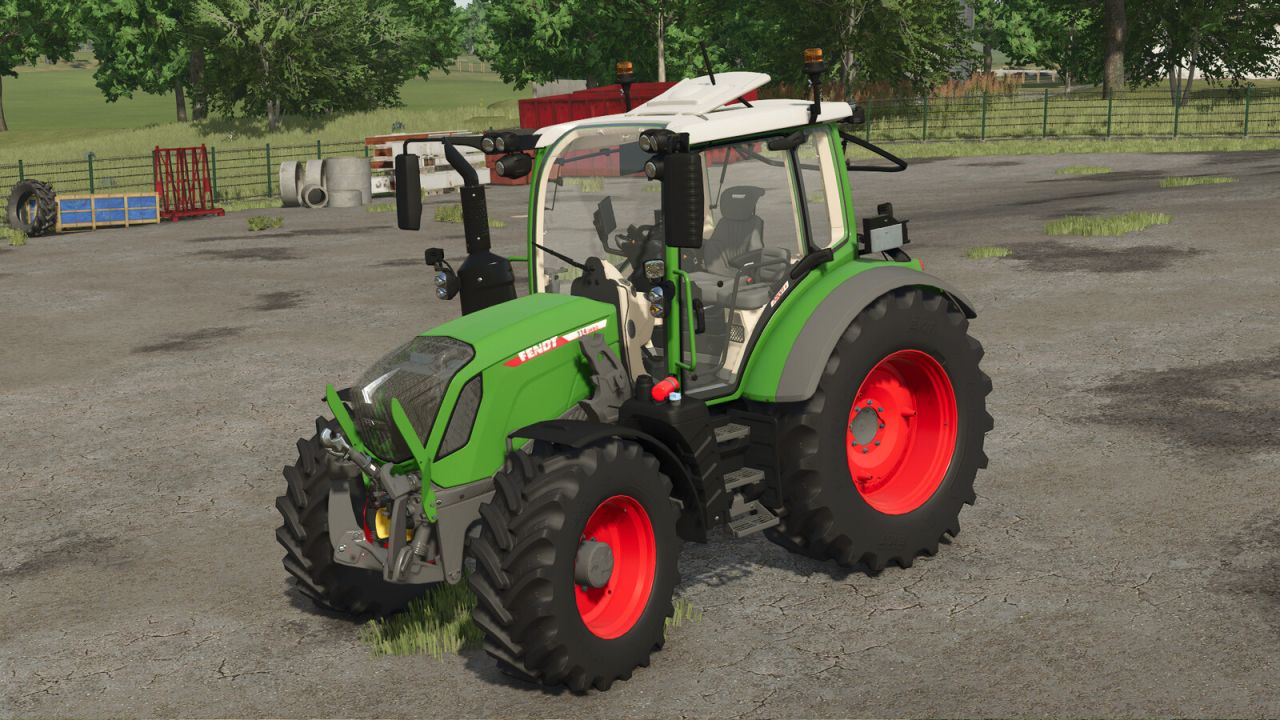
Fendt 300 Vario Gen4 V1.0.0.2
Fendt 300 Vario Gen4 V1.0.0.2 Fendt 300 Vario Gen4 Shop-Kategorie: Kleintraktoren Grundpreis: 134.500 US-Dollar Leistung: 113 PS bis 142 PS Höchstgeschwindigkeit: 40 km/h Konfigurationen: – Rotierende Leuchtfeuer – Farbauswahl für Karosserie und Felgen – Dachterminal – Warnschilder – Gerätelinien: Power, Power+, Profi, Profi+ – Frontlader – Frontscheinwerferabdeckung – Motorhaubenschutz/Federhalter – Spiegel – Fahrerhaus: Standard, Panorama, Panorama + Tür rechts Animationen: – Fenster und Türen öffnen – Rotierende Leuchtfeuer – Warnschilder Diese Modifikation ist vollständig kompatibel mit dem Fendt Cargo Frontlader-Paket und für die interaktive Steuerung bereit. V1.0.0.2 Warnhinweis angepasst Tags: Diese ModifikationPS
Distribution Redux v1.1
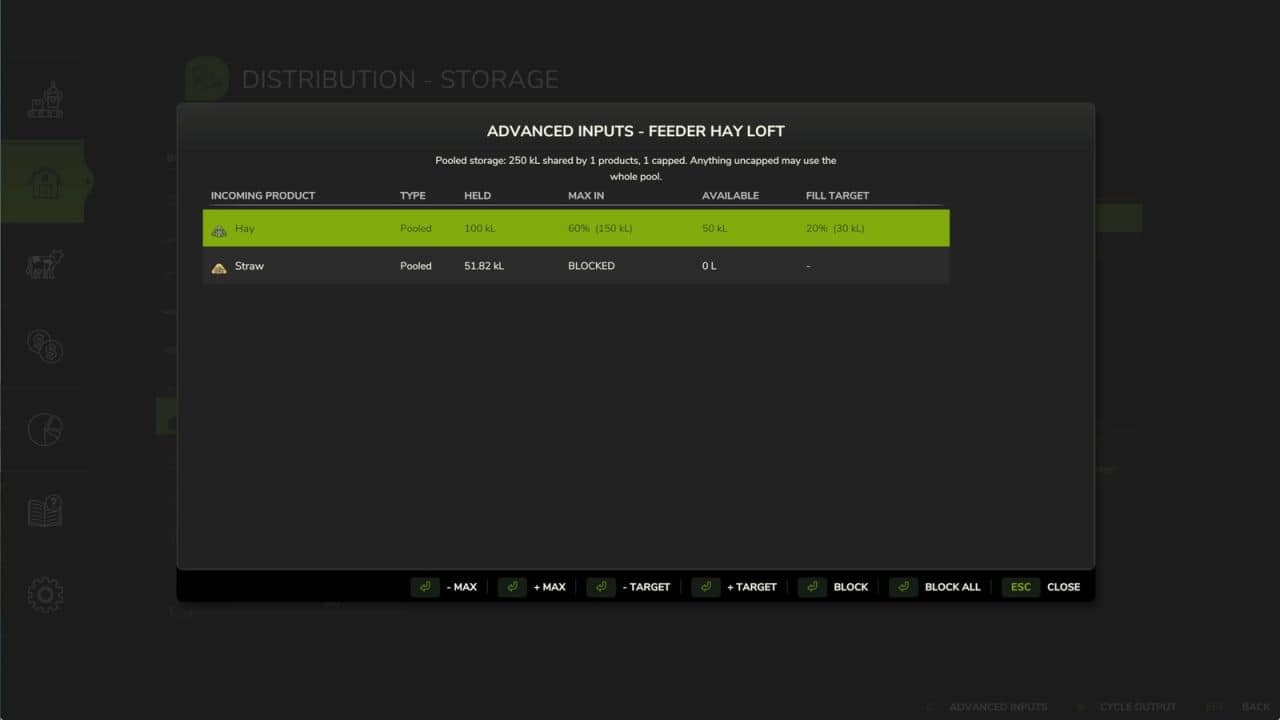
Replace Farming Simulator 25’s standard distribution system with a smarter, demand-driven logistics network. Distribution Redux automatically moves resources between productions, animal husbandries, silos, and storages based on actual demand. It prioritises the nearest available source, supports automatic feed, straw, and water distribution, and gives you full control over how each output is handled. Features – No additional placeables required – Works with existing productions, storages, silos, and animal husbandries – Demand-driven distribution based on real consumption – Automatic feed, straw, and water supply – Multiple output modes: Hold, Distribute, Sell, Store, and combinations – Hold Internal mode: keep bulk product in a production and spawn pallets on demand – Proximity-based or whole-farm distribution – Per-building and per-product configuration – Multiplayer supported Compatibility Designed for the base game and compatible with most standard mods. Some custom buildings may require additional support. V1.1.0.0 1. Over 39 bug fixes (see the GitHub README for full details). 2. Over 17 QoL additions (see the GitHub README for full details). 3. Compatibility added for many mods, with the code strengthened to improve overall mod compatibility (see the GitHub README for full details). 4. Added an Overview tab that allows you to view all distribution activity and distribution settings for all buildings in one place (includes filters and can be set to show all sources and productions contributing to a specific end product). 5. Added advanced input and output management (block, prioritise, reserve stock, fill target, max in) for all buildings. 6. Added the ability to move and sort products between storage facilities (i.e. silos, pallet stores, etc.).
Traffic Density Control v1.0.0.5
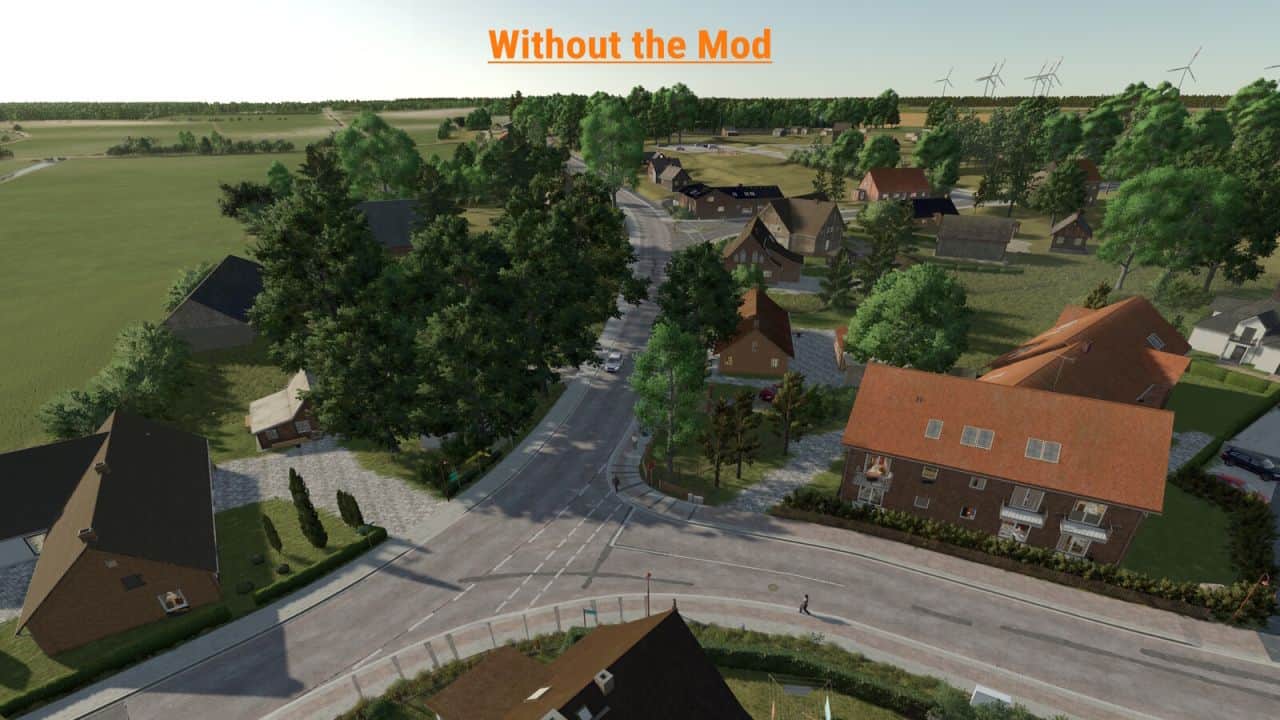
Traffic Density Control adds a dedicated section to the game settings where the AI traffic density can be adjusted. The number of active AI vehicles can be set directly in-game. Values from 15 to 150 vehicles are possible. – For map creators, traffic splines can optionally use the user attribute trafficDensity or density. – Example values are 0 for blocked traffic, 0.1 for very low traffic, 0.25 for low traffic, 0.5 for medium traffic and 1 for normal traffic. – Splines without this user attribute keep their normal map behavior. A manual reload function is also available for singleplayer. It can reload the AI traffic once if needed, for example when vehicles are stuck or traffic behaves unusually. In multiplayer, only the host or an admin can change the number of AI vehicles. For the change to take effect, the server must be saved and restarted once after adjusting the vehicle count. Important note: A higher number of AI vehicles can, depending on the map, system performance and gameplay situation, cause performance issues, traffic jams or unusual AI traffic behavior. Therefore, increase the value carefully and test the setting individually on each map. V1.0.0.5 – Custom AI traffic on mod maps is now supported. – New mapper function “trafficDensity” to control traffic density on individual traffic splines. – Installation instructions added as a text file.
Vehicle Tab Sorting v1.2
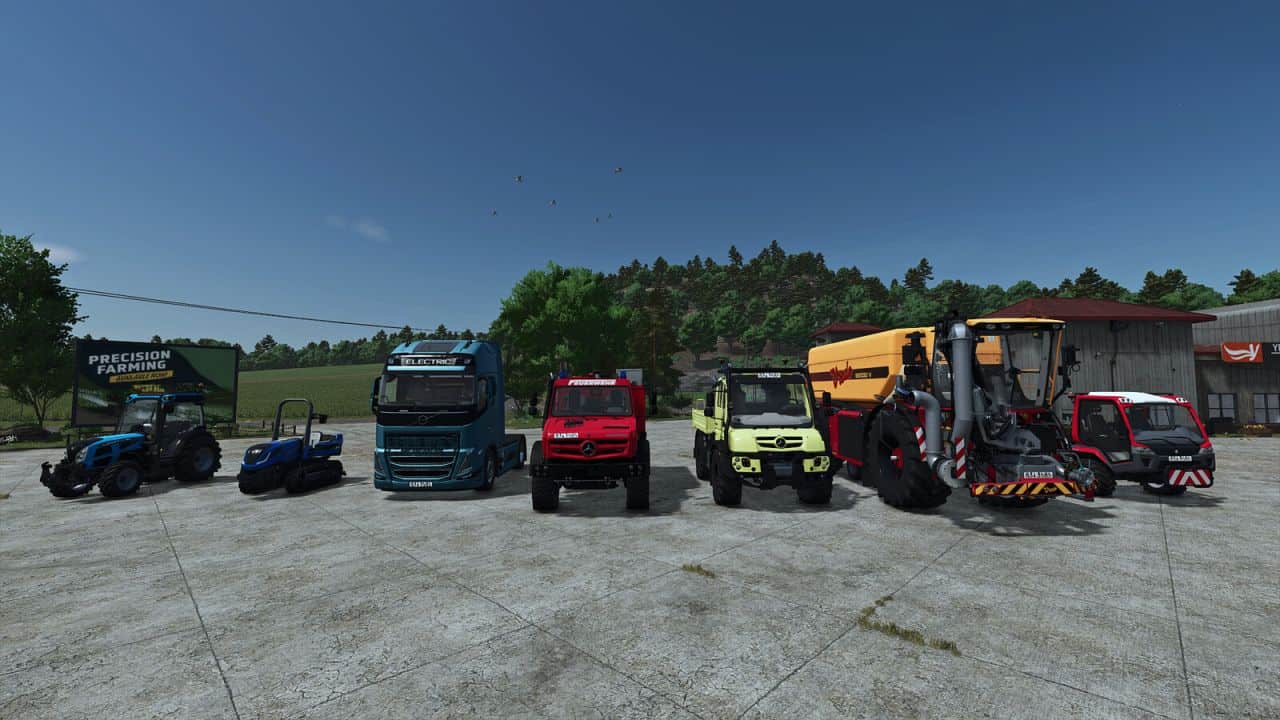
Say Goodbye to Tab Chaos You know the drill: You want to quickly hop into the combine harvester to empty a full grain tank. You hit Tab. And end up… in the skid steer loader on the other side of the map. You hit Tab again—and find yourself in a tractor that’s just sitting idle. After what feels like 40 clicks, you finally reach your target, but in the meantime, your hired worker has already taken out the fence. Put an end to virtual travel roulette! This mod gives you total control over the Tab sequence of your vehicles. What the mod does (and why you need it): Your order, your rules: Sort your vehicles exactly the way that makes sense for your workflow. From the farm tractor straight to the harvester? One click, instead of frantic, endless tabbing. The “Leave Me Alone” list: Got vehicles that are just sitting around for decoration or working the same field for weeks? Simply remove them from the Tab loop entirely. They’ll be ignored until you decide to bring them back in. Plug & Play (No exceptions!): The real highlight? The mod works automatically with absolutely every enterable vehicle—whether it’s from the base game, an official DLC, or the craziest mod creation from your favorite modders. No manual configuration required. The true next-level feature: Full multiplayer support & strict savegame separation! This is where the wheat is separated from the chaff: The mod is smart and doesn’t lump everything together. Everything is saved separately with precision. Each single-player savegame is separate: Running a livestock farm on Map A and a dedicated contracting business on Map B? No problem. The sorting order is saved individually for every single-player savegame. When you switch savegames, the mod loads the exact sequence you set up for that specific game. – Full multiplayer support (independent of single-player): Your single-player settings aren’t overwritten when you go online. On servers, the mod runs completely independently and saves your personal settings specifically for you. Per player, per server: On a multiplayer server, everyone does their own thing. Each player can set their own custom Tab order and choose which of their vehicles to ignore. Nothing gets overwritten. Does your farm partner love perfect organization while your buddy prefers chaos? No problem—settings are saved per server and per player. Got three multiplayer servers? Then you have three different sets of settings. Perfect! The bottom line: Waste less time searching and spend more time harvesting. Take back control of your vehicle fleet—no matter the save game, where you play, or who you play with! V1.2.0.0 – No longer lists attachments; now only shows vehicles that can be entered and driven – Additional buttons in the sorting options (Move to Top, Move to Bottom) – Display and configuration of vehicles for farms where you have hired-worker status / contract access – Display of the associated farm in the list – Highlight the selection in the sorting overview with a background color, making it easier to see which vehicle you are editing – Fixed the saving issue in multiplayer on dedicated servers (the server name only needs to remain the same for existing sort orders to be saved on the client side)
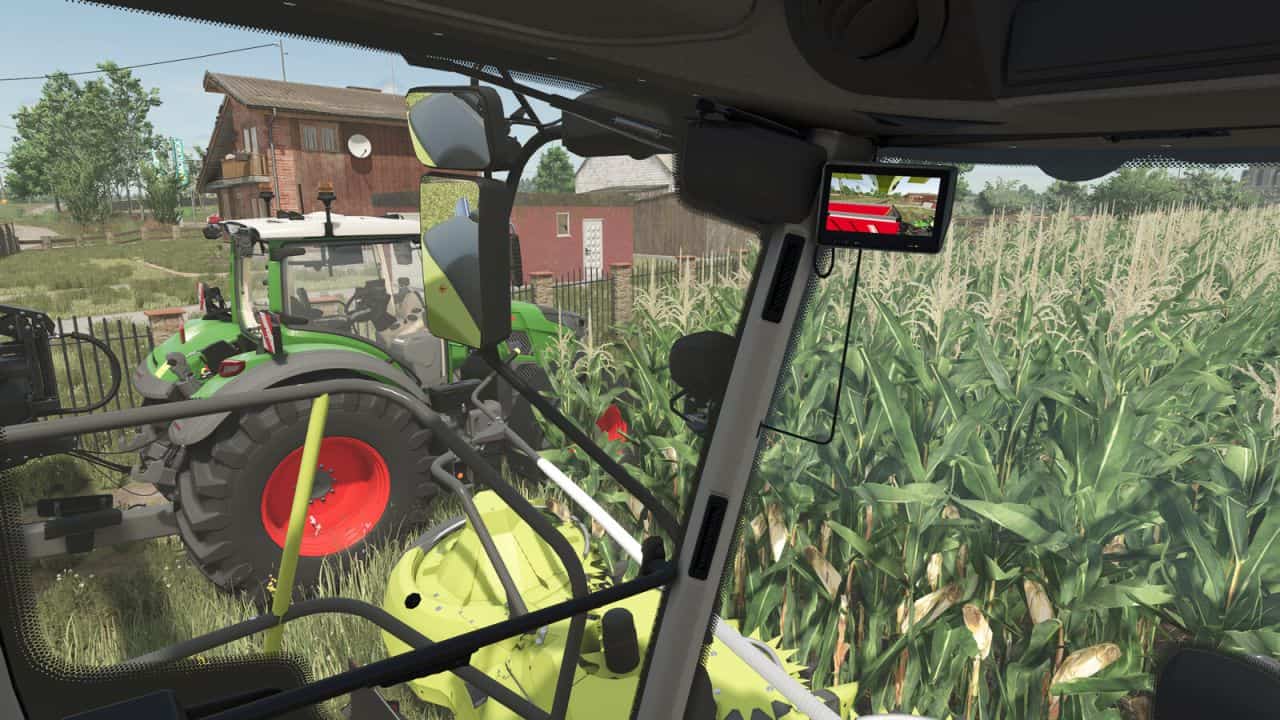
MB DLC Work Cameras For All Vehicles v1.0.0.1
This mod enables the functional cameras of the Mercedes Benz DLC vehicles to be used in all vehicles. The Mercedes Benz Trucks Pack is required for this. The cameras in the vehicles can be split into different groups, in which the cameras can be switched through. In addition, an automatic switching of the cameras can be activated, which selects the appropriate camera depending on the driving direction and/or status of the unloading pipe. The mod adds the cameras to existing vehicles from the base game, so you can start using them right away with the available vehicles. For some implements and trailers, cameras are available as well. These will be displayed in suitable pulling vehicles as soon as the implement is attached. Mod vehicles that are properly prepared can also use Work Cameras. A guide for integration can be found in the mod directory. The control of the camera functions is done via the following key bindings: – Switch camera group: Right Ctrl key + Quote key – Activate/deactivate camera group: Right Alt key + Semicolon key + Numpad / key – Select next camera: Right Alt key + Semicolon key + Numpad + key – Select previous camera: Right Alt key + Semicolon key + Numpad – key – Toggle automatic mode: Right Alt key + Semicolon key + Numpad * key With the upcoming version 2.1.0.0 of Dashboard Live, the cameras will also be usable in a large number of standard vehicles with DBL displays. The cameras are integrated into the displays there. V1.0.0.1 – Fixed errors caused by camera groups without assigned cameras – Fixed cameras in New Holland Braud9090X – Fixed cameras in Agrifac LightTraxx
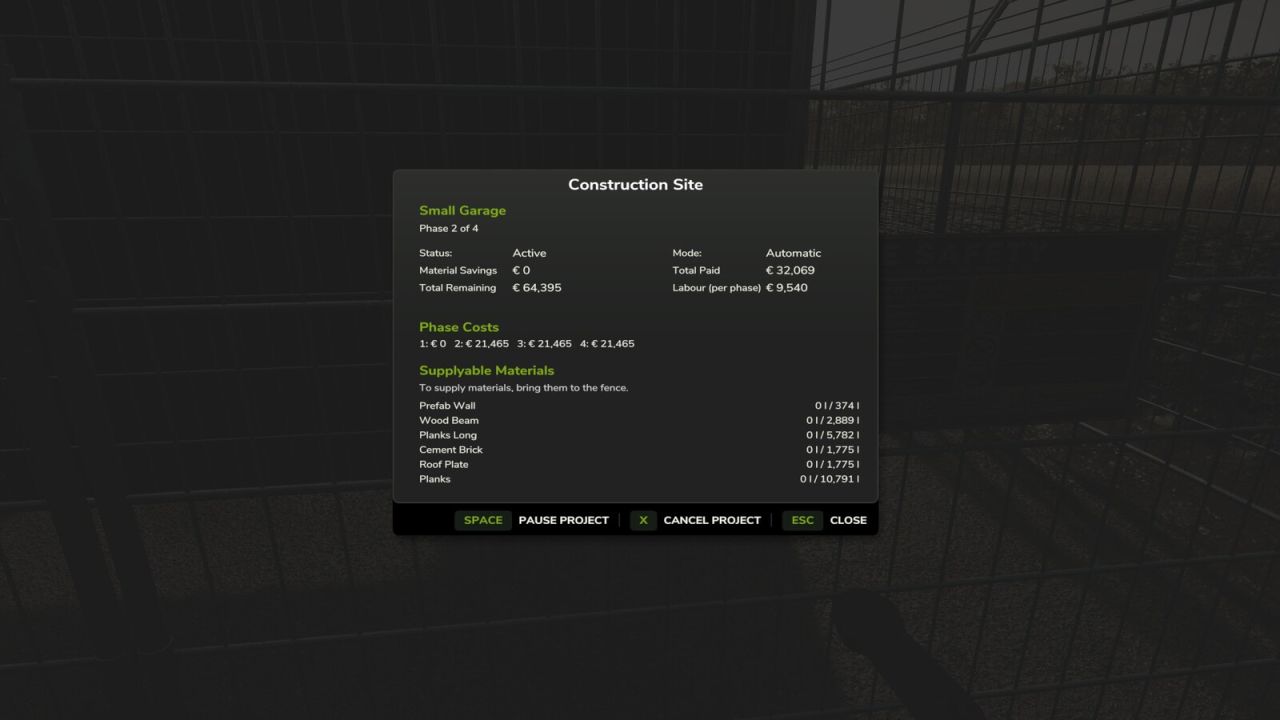
Everything Constructable v1.0.0.3
Buildings no longer appear instantly. Instead, placing a building creates a realistic multi-phase construction project with fenced sites, monthly progress, and resource delivery. You can disable and enable this process at will. For construction projects, you can deliver material yourself to reduce the cost. Projects will take a number of months, depending on the cost. You can pause a project if you want to wait and supply materials. You must always pay for labour, but can configure the portion of the total cost for labour vs materials. Fully supports multiplayer. Excludes base game simple pastures and those in FS25_FencelessPastures. V1.0.0.3 – Fixed an issue with temporary husbandry fences left over from an earlier version of the mod.
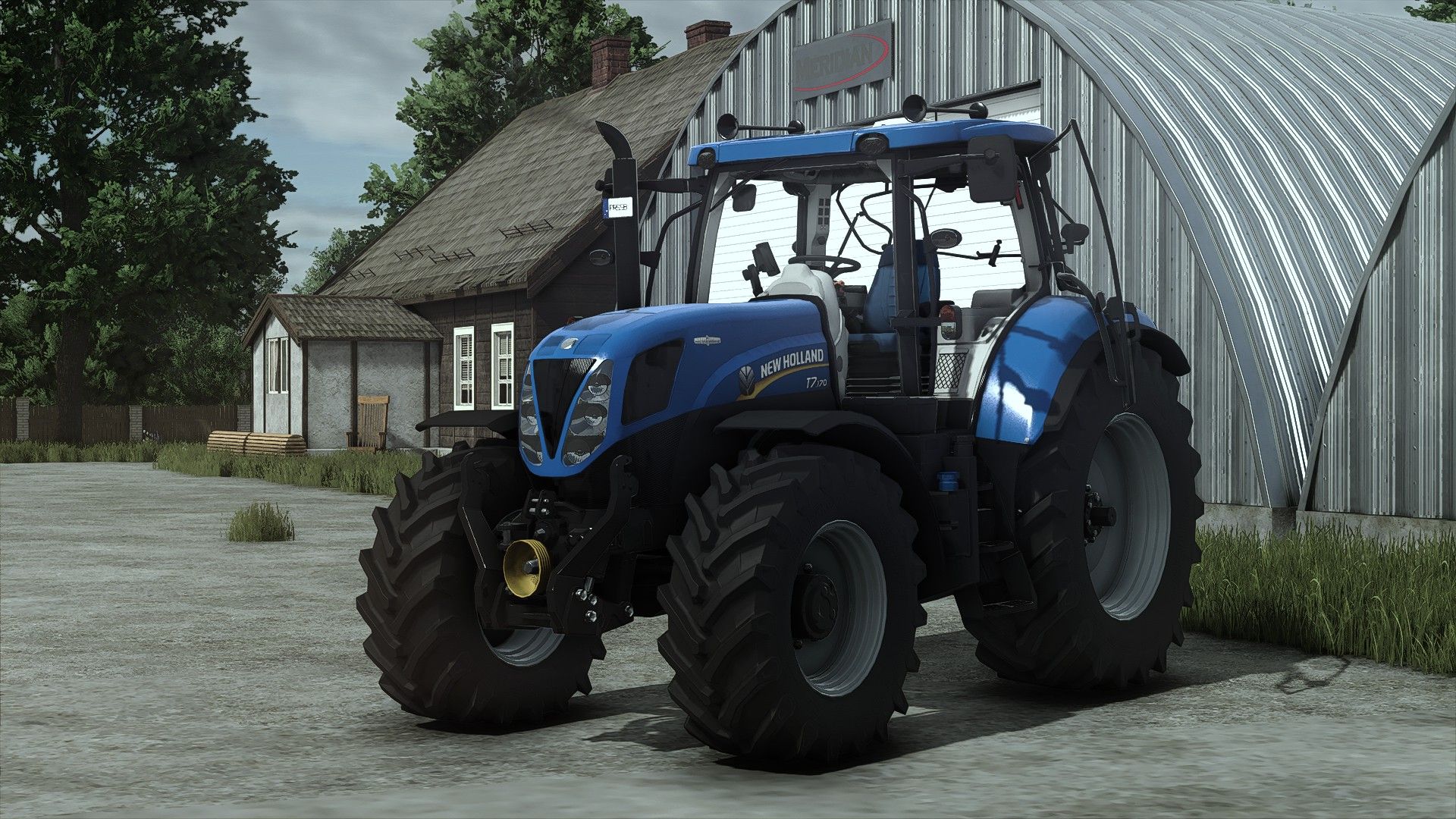
New Holland T7 2011 OpenPipe V1.0.0.6
New Holland T7 2011 OpenPipe V1.0.0.6 Die erste Version des T7 mit offenem Auspuffrohr und Blow-Off-Geräuschen für FS25 wird im Laufe der Zeit verbessert. Preis: 100.000 Leistung: 171 PS-212 PS Höchstgeschwindigkeit: 43-53 km/h Konfigurationen Motor Marke für Räder Radsatz Felgenfarbe Leuchtfeuer Frontlader Vordere Kotflügel Hauptfarbe Interaktive Steuerung für Türen/Heckfenster realGPS OpenPipe-Geräusche mit BlowOff-Geräusch Trompeten ertönen zum Hupen V1.0.0.6 Die Konfiguration wurde um die Farben „Spezial“ Blau und Rot erweitert. Neue Mod-/Shop-Symbole (FS25-Version) Erforderliche Mods Interaktive Steuerung Präzisionslandwirtschaft RealGPS Variabler Reifendruck MP-Lift Frontlader Fahrzeugjahre Dashboard Live Tags: Erforderliche ModsInteraktive SteuerungNew Holland T7Vordere Kotfl

FS25 LIZARD SSK60
FS25 LIZARD SSK60 The Lizard SSK60 is a bulk tank trailer, this type of trailer is used to transport dry goods such as flour, lime powder and pellets. Trailer ——- Capicity: 60.000l Price: 86.000$

BMW 3 Series G20 v1.0.0.8
– Price: 73900 – Power: 340 – Max. Speed: 250kph – Design configurations – Interactive control support – Color configurations V1.0.0.8 – Default configurations adjusted – “Black 0” color added (0 0 0 darkest black you can get) Required: – Interactive Control – Vehicle Years
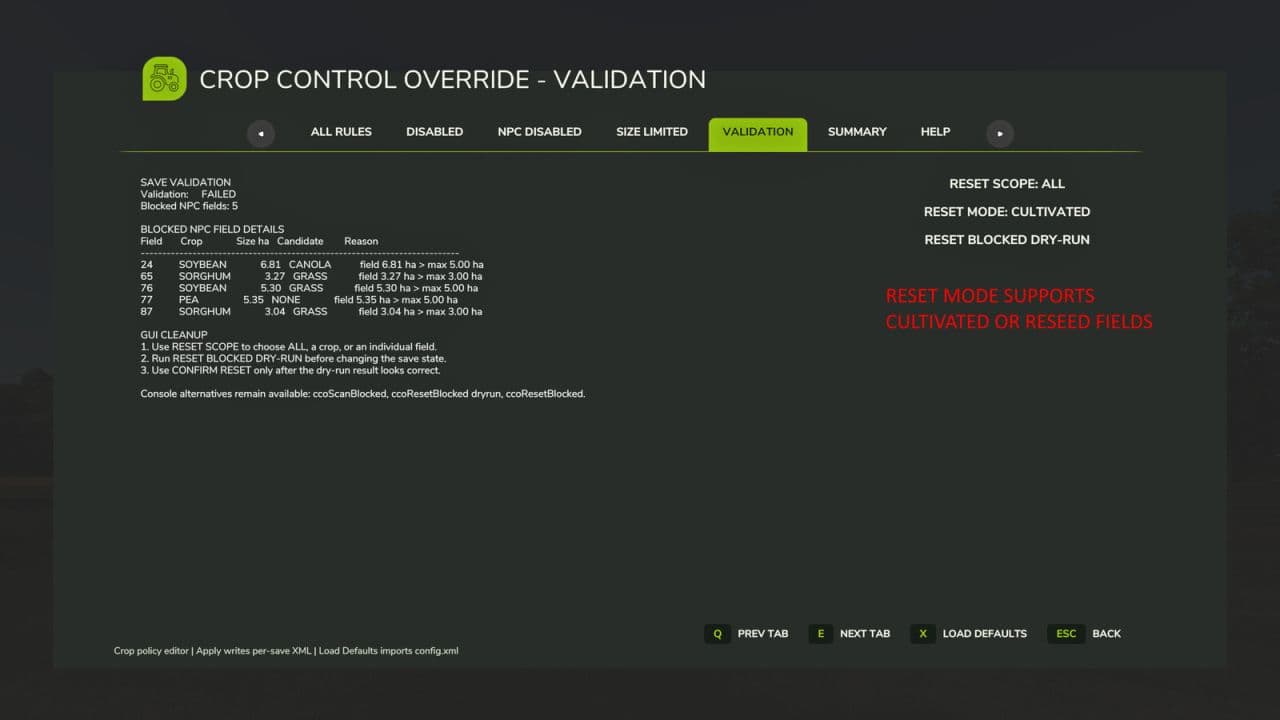
Crop Control Override v2.0.3.6
Crop Control Override is a per-save crop policy manager for Farming Simulator 25. It lets players control which crops are permitted for the player, which crops NPC farmers may plant, and whether NPC crop planting should be limited by field size. The mod includes an editable FS25-style GUI, per-save XML rule files, NPC field validation, blocked NPC field reporting, and a guarded Apply / Force Apply workflow to prevent accidental invalid save states. Main GUI features: – ALL RULES: view and edit crop policy rules. – DISABLED: view globally disabled crops. – SIZE LIMITED: view crops with NPC field-size limits. – NPC DISABLED: view crops NPCs should not plant. – VALIDATION: view existing NPC fields that violate the active policy and use the guarded dry-run / confirm reset workflow. – SUMMARY: view active config, rule counts, and validation state. – HELP: view in-game guidance. Configuration: – APPLY / FORCE APPLY writes staged crop-rule changes to the active per-save XML. – DISCARD resets staged values. – SAVE DEFAULTS TO CONFIG.XML backs up the existing template config and writes the current full active rule set to config.xml. – Existing per-save XML files are not overwritten by Save Defaults. – RESET BLOCKED DRY-RUN does not change the save state. CONFIRM RESET performs the actual blocked-field reset after review. – VALIDATION includes RESET MODE: CULTIVATED or RESEED SEASONAL. – RESEED SEASONAL uses the current seasonal planting window and CCO policy rules to choose a replacement crop for blocked NPC fields. – Each crop has an individual reseed weight from 0 to 5, editable in the GUI and stored as reseedWeight on its fruit rule. – A crop weight of 0 excludes that crop from NPC-field reseeding without disabling it for the player. – The global leaveCultivated weight remains available, allowing weighted resets to leave some fields cultivated instead of reseeding them. V2.0.3.6 – Replaced the seasonalMission and seasonalLifecycle category weights with an individual 0–5 reseed weight for every crop. – Added GUI controls for editing the reseed weight of the selected crop. – A crop weight of 0 now excludes that crop from NPC field reseeding while leaving the crop otherwise enabled. – Retained the global leaveCultivated weighting. – Added automatic migration of existing per-save XML files, assigning the default weight of 5 where reseedWeight is missing and removing obsolete category weights when files are normalized. – Added multiplayer synchronization for per-crop reseed weights. – Fixed dedicated server player joins changing loaded seeder selections, commonly back to Wheat. – Prevented remote CCO seed-list refreshes from sending seed-selection changes back to the authoritative server. – Hardened NPC crop planning so a failed replacement does not leave SowMission with an invalid fruit reference. – Added recovery for legacy invalid sow contracts that can trigger repeated getIsPlantableInPeriod errors.

FS25 American Farm Buildings
FS25 American Farm Buildings With this building pack, you can create an American-style farmstead. It includes 18 buildings, most with color selection options, comprising: – 3 walkable farmhouses: two small and one large. – 1 typical American barn with large doors, suitable even for larger tractors. You can configure the barn to feature either visible signs of dirt or a clean look. – 5 sheds of various sizes with retractable rear walls (3 landscape-oriented, 2 portrait-oriented). – 3 bale storage buildings of different sizes. – 1 workshop. – 2 multi-crop silos. – 1 fermenter silo that produces hay and TMR in addition to silage. – 1 buying station for farm supplies and animal feed. – 1 double garage for cars. American Barn Category: Sheds Price: $30,000 Daily upkeep: $5 Small Shed Category: Sheds Price: $3,000 Daily upkeep: $1 Small Shed 2 Category: Sheds Price: $3,000 Daily upkeep: $1 Medium Sized Shed Category: Sheds Price: $4,000 Daily upkeep: $1 Large Shed Category: Sheds Price: $5,000 Daily upkeep: $1 Long Shed Category: Sheds Price: $5,000 Daily upkeep: $1 Garage with Workshop Category: Sheds Price: $5,000 Daily upkeep: $1 Multifruit Silo Category: Grain silos Price: $20,000 Daily upkeep: $5 Multifruit Silo Category: Grain silos Price: $20,000 Daily upkeep: $5 Buying Station Category: Miscellaneous Price: $5,000 Daily upkeep: $5 Fermenting Silo Category: Production Sites Price: $30,000 Daily upkeep: $5 Bale and Pallet Storage Category: Storages Price: $5,000 Daily upkeep: $5 Bale and Pallet Storage Category: Storages Price: $5,000 Daily upkeep: $5 Bale and Pallet Storage Category: Storages Price: $35,000 Daily upkeep: $5 Farmhouse 1 Category: Farmhouses Price: $20,000 Daily upkeep: $2 Farmhouse 2 Category: Farmhouses Price: $20,000 Daily upkeep: $2 Farmhouse Large Category: Farmhouses Price: $100,000 Daily upkeep: $2 Farm Garage Category: Sheds Price: $500 Daily upkeep: $5
- 15 per page
- 30 per page
- 45 per page
- 60 per page
-
See more per page
Bigger pages, fewer clicks - and no ads anywhere.
Go Pro