Farming Simulator 25 mods
78,035 results- 15 per page
- 30 per page
- 45 per page
- 60 per page
-
See more per page
Bigger pages, fewer clicks - and no ads anywhere.
Go Pro

Helper Profiles V1.0
Give your farm a consistent team of workers and choose who takes the next AI job. Helper Profiles expands the standard helper roster to 20 permanent worker slots (A-T), with a clear status overlay and a two-tab Helper Management screen. Manage your team: – Choose which workers are available for hire in each savegame. – Switch individual workers ON or OFF roster, enable all workers, or disable the others while keeping your selected worker and any active workers. – OFF-roster workers are excluded from selection, the overlay and new hires. Their saved appearance bindings and HelperPayroll assignments are retained when they return. – Active workers cannot be switched OFF, and at least one worker must remain ON roster. Choose who works next: – Cycle through available workers using a shortcut. – Prefer Selected mode hires your chosen worker when free, falling back to another available worker when needed. – First Free mode hires the first available worker in roster order. – See your selected worker, the next worker expected to be hired, and which helpers are available or active in an automatically sized table. – The overlay pages between A-J and K-T, can be shown or hidden, and offers configurable position, size and appearance. Personalise your helpers with optional companion mods: – AvatarSwitcher lets you bind saved appearance presets to individual helpers through the Appearances tab. Bindings are saved separately for each savegame. – HelperPayroll adds a read-only role display to the overlay and roster screen. Manage roles, pay rates and wages in HelperPayroll. – Helper Profiles works without either companion mod; custom appearance bindings and payroll role information require the corresponding mod. Default keyboard controls: – Semicolon (;): cycle workers. – Shift + ;: switch hiring mode. – Right Ctrl + ;: open Helper Management (Appearances and Helper Roster tabs). – Right Alt + ;: show or hide the overlay. Controls can be reassigned in the game’s control settings. Single player only. Not compatible with Hired Helper Tool or conflicting helper-roster expansion mods. Helper Profiles disables itself for the session when an incompatible roster owner is detected. To start download click the filename. To open archive files use one of these programs: WinRAR, 7-Zip, WinZip. Some mod archives may need to be extracted before the mods will work.

Field Painter V1.0
Paint real field ground directly in Construction > Landscaping > Painting. Field Painter adds 15 ground-state brushes, including harvested wheat stubble, shallow cultivation, cultivated soil, seedbed, plowed soil, rolled seedbed and ridges. Use the normal painting controls to paint, resize and switch between round and square brushes. The free-mode button rotates the rows by 45 degrees. Painting costs 1.00–2.50 per square metre, depending on the state. Prices are shown on the tiles. It is limited to your own accessible land with landscaping permission. Painting replaces crops and clears weeds, stones and decorative foliage in the brush area. Harvested stubble uses wheat; grass brushes create real grass. The grass-field brush starts young and must grow before harvesting. Sown and planted ground brushes set the soil state only and do not sow a crop. Existing lime and fertilizer levels are retained. Terrain elevation is preserved. PC/Mac script mod. To start download click the filename. To open archive files use one of these programs: WinRAR, 7-Zip, WinZip. Some mod archives may need to be extracted before the mods will work.

MultiTask Mowers V1.0
Adds three selectable modes to compatible grass mowers: normal mowing, mowing with a central windrow, and mowing with direct hay production in a central windrow. When several front and rear mowers are working together, their active cutting areas are treated as one group. The windrow is centered across the complete working width and deposited behind the rearmost active mower. Its width adapts to the amount of material, while the native ground system controls its height. Forage harvester headers and mowers with an internal fill unit are excluded. Compatible with manual work and AI systems that use the standard mower specialization. Controls: Ctrl+N, configurable in the controls menu. F1 displays the selected mode instead of the original work mode. To start download click the filename. To open archive files use one of these programs: WinRAR, 7-Zip, WinZip. Some mod archives may need to be extracted before the mods will work.

Disaster Control V1.0
Adds new settings that lets you enable or disable each disaster (hail, twister) individually, instead of only the base game’s global “on / visuals only / off” switch. To start download click the filename. To open archive files use one of these programs: WinRAR, 7-Zip, WinZip. Some mod archives may need to be extracted before the mods will work.

Camera Motion V1.0
Adds smooth camera movement effects and refines player and vehicle camera behavior, including sway and responses to acceleration, braking, cornering and uneven terrain. Features: – Customize 4 profiles for vehicle and player cameras, in first and third person. – Adjust movement strength with one slider or fine-tune individual effects in advanced mode. – Enable natural head movement in the cab and leaning in first person. – Set camera offsets per vehicle. Settings are saved automatically. Hotkeys: – Press F9 to open settings. – Press or hold the first side mouse button (Mouse 4) to lean, depending on your settings. Other mods that modify vehicle or player cameras may interfere with camera effects. To start download click the filename. To open archive files use one of these programs: WinRAR, 7-Zip, WinZip. Some mod archives may need to be extracted before the mods will work.
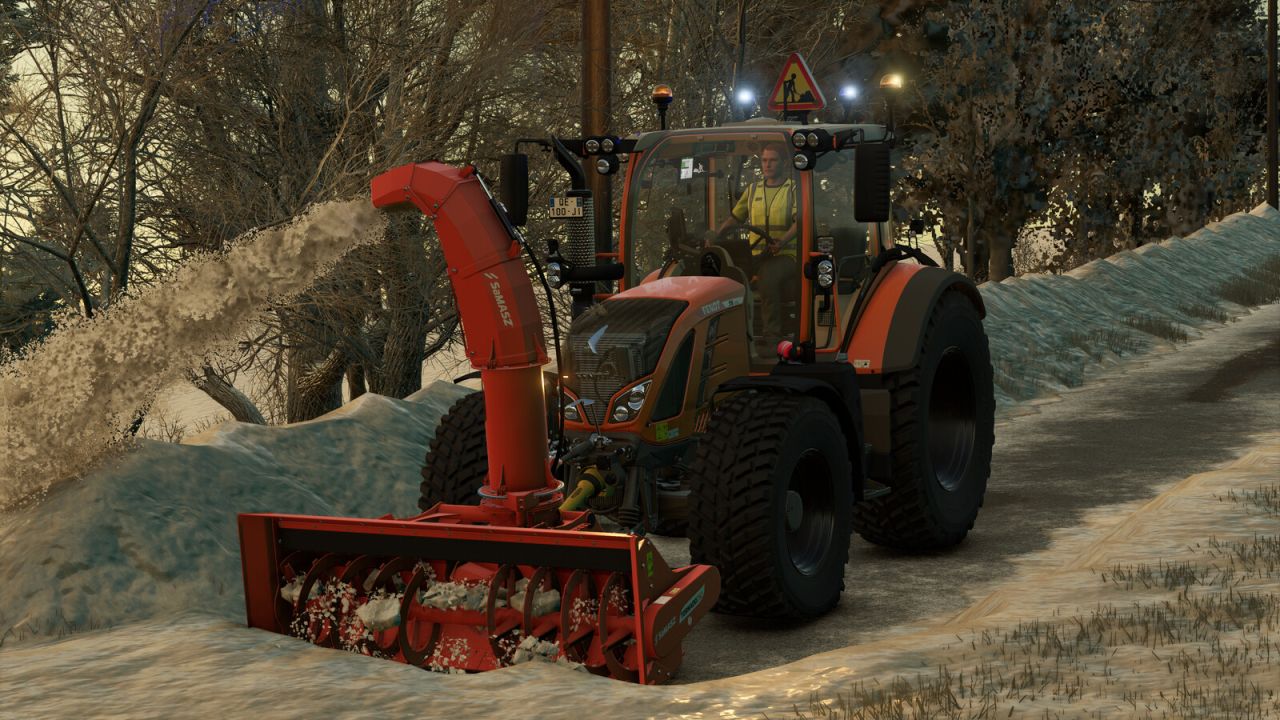
Fendt Vario 500 Municipal FS25
Discover the Fendt Vario 500 in its ‘Municipal’ edition. Ideal for all your public works, road maintenance, mowing and snow clearance in Farming Simulator 25. Specially modified to meet the requirements of local authorities, this tractor is equipped to ensure the safety of your workers and other road users. With its advanced warning equipment, it is ready to tackle any urban or road worksite. – Features: Advanced safety warning system: addition of a triangular illuminated “Roadworks” sign (AK50 type) mounted on the roof, ideal for securing your work areas. Work lighting: customised lighting configuration with the addition of orange rotating beacons and blue strobe lights for maximum visibility day and night. Municipal styling: municipal orange paintwork. Fendt styling: Fendt green paintwork. Ready for work: Equipped with a front linkage and compatible with front loaders for easy attachment of snow ploughs, sweepers or brush cutters. Suspension: softer suspension at the front and rear. – Technical specifications: Base price: 152,500 $. Power: 131 – 171 hp. Top speed: 31 mp/h. - Manual actions: Opening/closing: left door, right door and rear window. - Configurations: - Municipal. - Rotating beacons. - Flash LEDs. - Construction site LEDs. - Blue rotating beacons. Recommended configurations: – Tyre brand: Nokian Tyres. – Wheel configuration: Municipal. – Municipal: Yes. – Rotating beacons: LEDs 1. – Flash LEDs: All. – Blue rotating beacons: Snow clearance.

Economy Scale V1.0
A simple mod that scales all finances in the game based on a given year, or custom factor. Designed with the idea of working alongside Vehicle Years and Through the Years mods. The year can also move forward on its own as you play, stepping on each January so that prices slowly climb over a long save. If Through the Years is installed, the year is taken from that mod automatically, and the Year and Advance Year settings are disabled. A custom factor can still be used instead. Prices can be converted to Euros, GBP or USD. In single player this follows the game’s currency setting automatically. In multiplayer the host or an admin chooses it, separately from each player’s display currency. To start download click the filename. To open archive files use one of these programs: WinRAR, 7-Zip, WinZip. Some mod archives may need to be extracted before the mods will work.
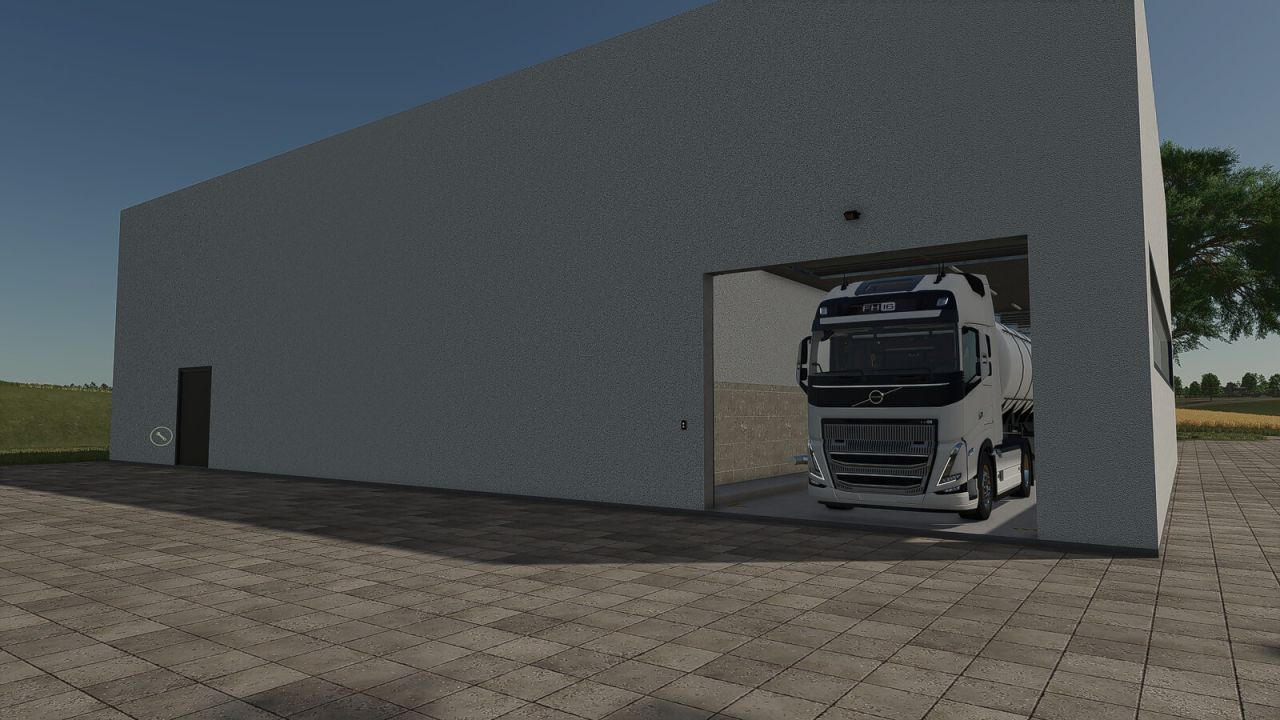
Big Dairy FS25
This large dairy facility offers ample space for professional milk processing and is ideally suited for larger farms, production sites, and industrial areas. A key feature of this dairy is that both the intake point and the pallet spawn point are located entirely inside the building. This allows raw materials to be delivered under cover and finished goods to be collected directly within the hall. The dairy utilizes all standard recipes from the base game. Features Large dairy facility with a spacious interior Intake point located inside the building Pallet spawn point inside the hall Weather-protected delivery and collection Ample space for larger vehicles and combinations Illuminated interior Includes all standard base game recipes Category: Factories Price: $360.000 Daily maintenance costs: $40
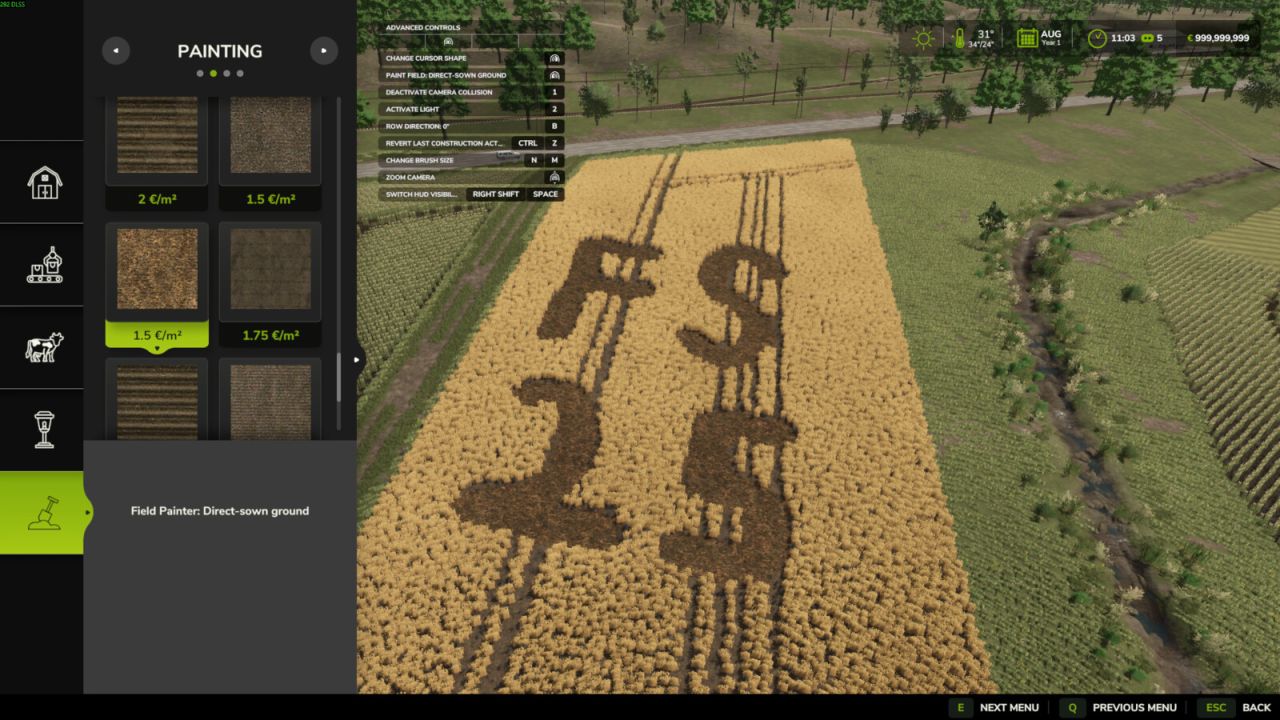
Field Painter FS25
Paint real field ground directly in Construction > Landscaping > Painting. Field Painter adds 15 ground-state brushes, including harvested wheat stubble, shallow cultivation, cultivated soil, seedbed, plowed soil, rolled seedbed and ridges. Use the normal painting controls to paint, resize and switch between round and square brushes. The free-mode button rotates the rows by 45 degrees. Painting costs 1.00–2.50 per square metre, depending on the state. Prices are shown on the tiles. It is limited to your own accessible land with landscaping permission. Painting replaces crops and clears weeds, stones and decorative foliage in the brush area. Harvested stubble uses wheat; grass brushes create real grass. The grass-field brush starts young and must grow before harvesting. Sown and planted ground brushes set the soil state only and do not sow a crop. Existing lime and fertilizer levels are retained. Terrain elevation is preserved. PC/Mac script mod.
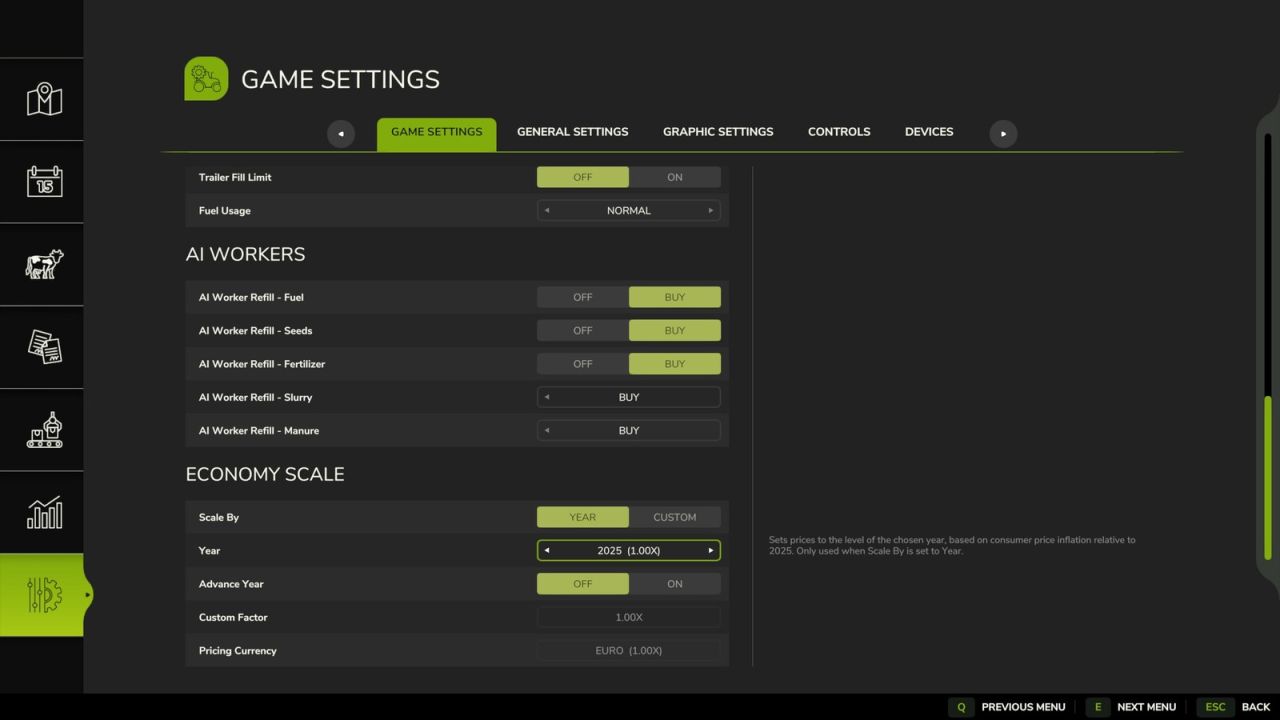
Economy Scale FS25
Economy Scale A simple mod that scales all finances in the game based on a given year, or custom factor. Designed with the idea of working alongside Vehicle Years and Through the Years mods. The year can also move forward on its own as you play, stepping on each January so that prices slowly climb over a long save. If Through the Years is installed, the year is taken from that mod automatically, and the Year and Advance Year settings are disabled. A custom factor can still be used instead. Prices can be converted to Euros, GBP or USD. In single player this follows the game's currency setting automatically. In multiplayer the host or an admin chooses it, separately from each player's display currency.

FS25 Nysa 522 v2.0.0.0
FS25 Nysa 522 v2.0.0.0 Nysa 522 is one of the most recognizable Polish delivery vans of the PRL era — a model that served the militia, emergency services, administration, agriculture and ordinary people for years. cost 5400 power 70km speed 80km/h interactive control V2.0.0.0 Added interactive controls -doors -warning triangle -oil can Fixed all errors in the log Improved the driver’s seat
Grow Now FS25
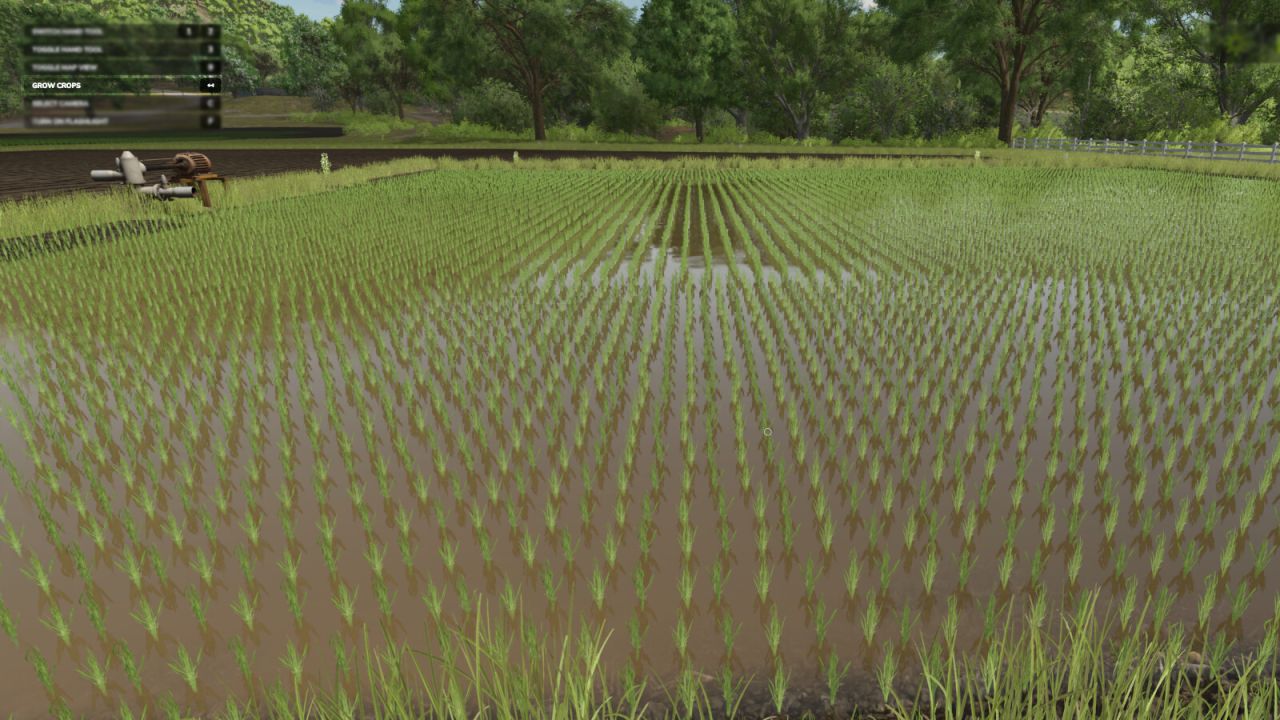
Press a button to advance the growth of your crops, or trees. - There are 2 methods for crop growth as of version 2.0.0.0. -- Method 1 (new) : You can stand in a field or planted area of a field and it will only advance that area, and instantly.* -- Method 2 : All crops in the map are advanced in growth with a slight delay (as per previous version of mod).** Note: Some crops take two stages (button presses) per visual state advance. * Player must be at least 1 meter from the edge of the desired area for it to be detected. ** Seasonal growth setting will be changed to "off" (option 2) when used. -Default Button for current crop : Backspace -Default Button for all crops : Left Shift + Backspace -Default Button for trees : Left alt + Backspace - Added a new feature that allows you to individually advance the growth stage of a planted crop area you are standing in. - Added a new feature to advance tree growth.
Real Speed Limit FS25
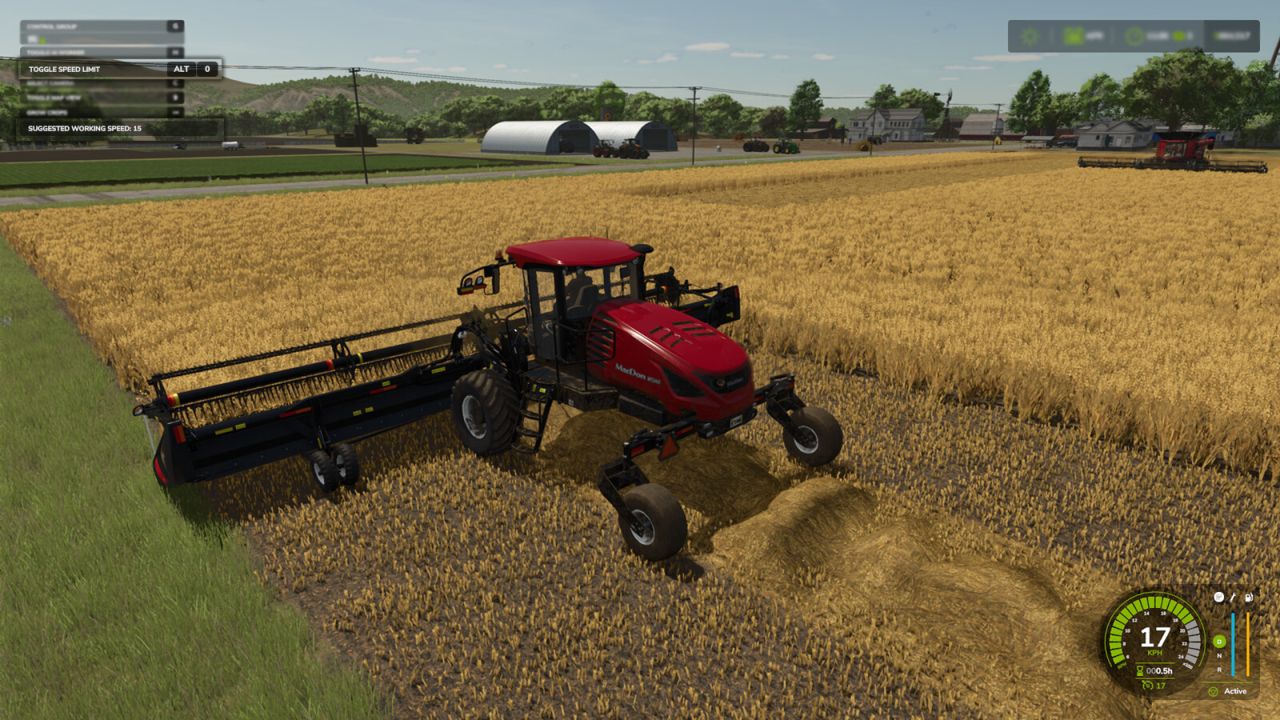
Real Speed Limit gives players the ability to disable the speed limit given to tools so they can use the cruise control speed instead. Each vehicle can have the limit disabled individually. By default the limit remains active. Useful for large fields. Horsepower and mass will still limit top speed. *Note that ai helpers will be able to drive faster than the player, due to them having cheat/unreal physics (vanilla method which is intended to prevent ai issues). Default Key: Left Alt + 0 - The vehicles speed limit override “state” is now saved with your game.
Indoor Camera Position FS25
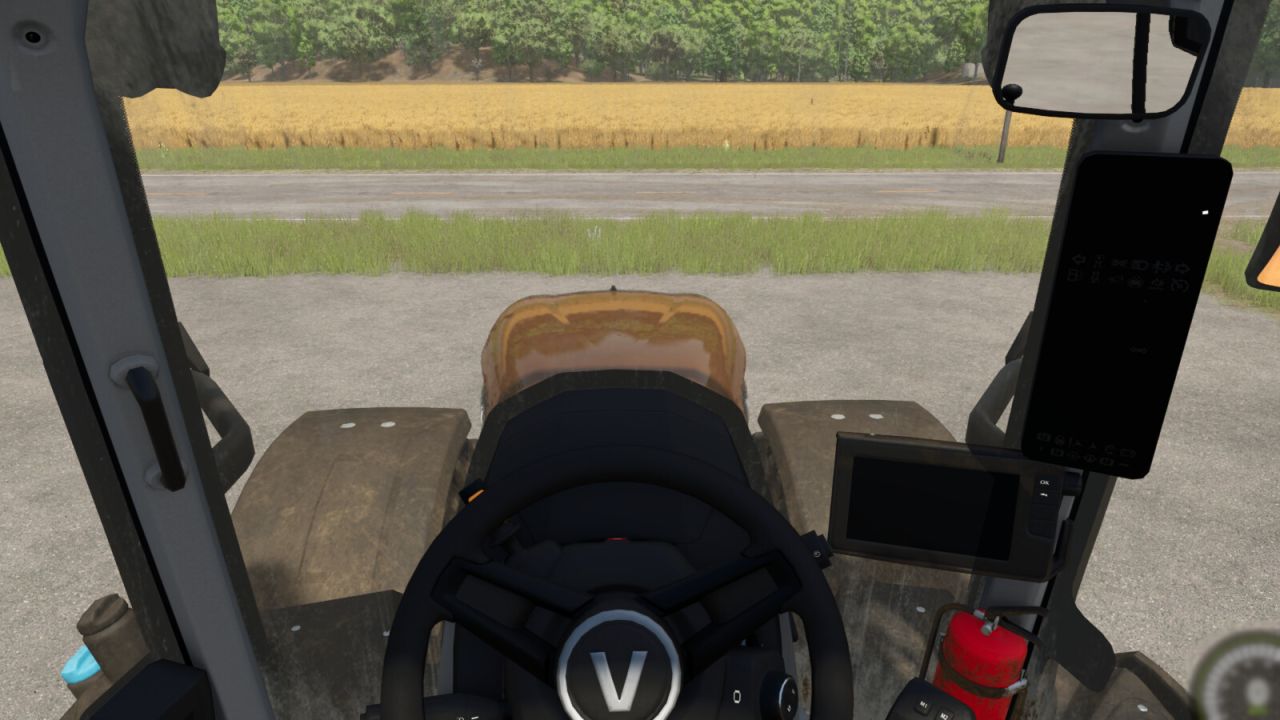
Allows the player to change the position of the indoor vehicle camera. The mouse wheel changes the position up and down. Hold the Left Shift key while using the mouse wheel to move the camera forward and backwards. Hold the Left Ctrl key while using the mouse wheel to move the camera left and right. To reset to center easily: Press the middle mouse button (press on the mouse wheel) to reset the up and down position. Hold the Left Shift key and press the middle mouse button to reset the forward and backward position. Hold the Left Ctrl key and press the middle mouse button to reset the left and right position. - Prevented adjustments from being made with the mouse while in menus.

Farm Monitor V Beta
Farm Monitor is a mod for Farming Simulator 25 that allows you to quickly monitor the feed level of your animal husbandries directly during gameplay, without having to constantly open the animal menu. The mod offers two display modes: – Compact mode: displays only the animal icons and feed percentage at the top center, taking up very little screen space. – Window mode: displays a more complete overview with the animal husbandry name, feed percentage, visual bar, available supply and overall status. The display can be opened and closed using the Alt+L key combination. Main features: – quick monitoring of feed levels at animal husbandries – compact and unobtrusive HUD – detailed window that can be opened when needed – dynamic colors: – green = good level – yellow = attention – red = critical – displays only animal husbandries with animals – support for multiple animal types, including dedicated icons – ideal for quickly checking whether a husbandry needs to be replenished To start download click the filename. To open archive files use one of these programs: WinRAR, 7-Zip, WinZip. Some mod archives may need to be extracted before the mods will work.
- 15 per page
- 30 per page
- 45 per page
- 60 per page
-
See more per page
Bigger pages, fewer clicks - and no ads anywhere.
Go Pro