Farming Simulator 25 mods
71,416 results- 15 per page
- 30 per page
- 45 per page
- 60 per page
-
See more per page
Bigger pages, fewer clicks - and no ads anywhere.
Go Pro
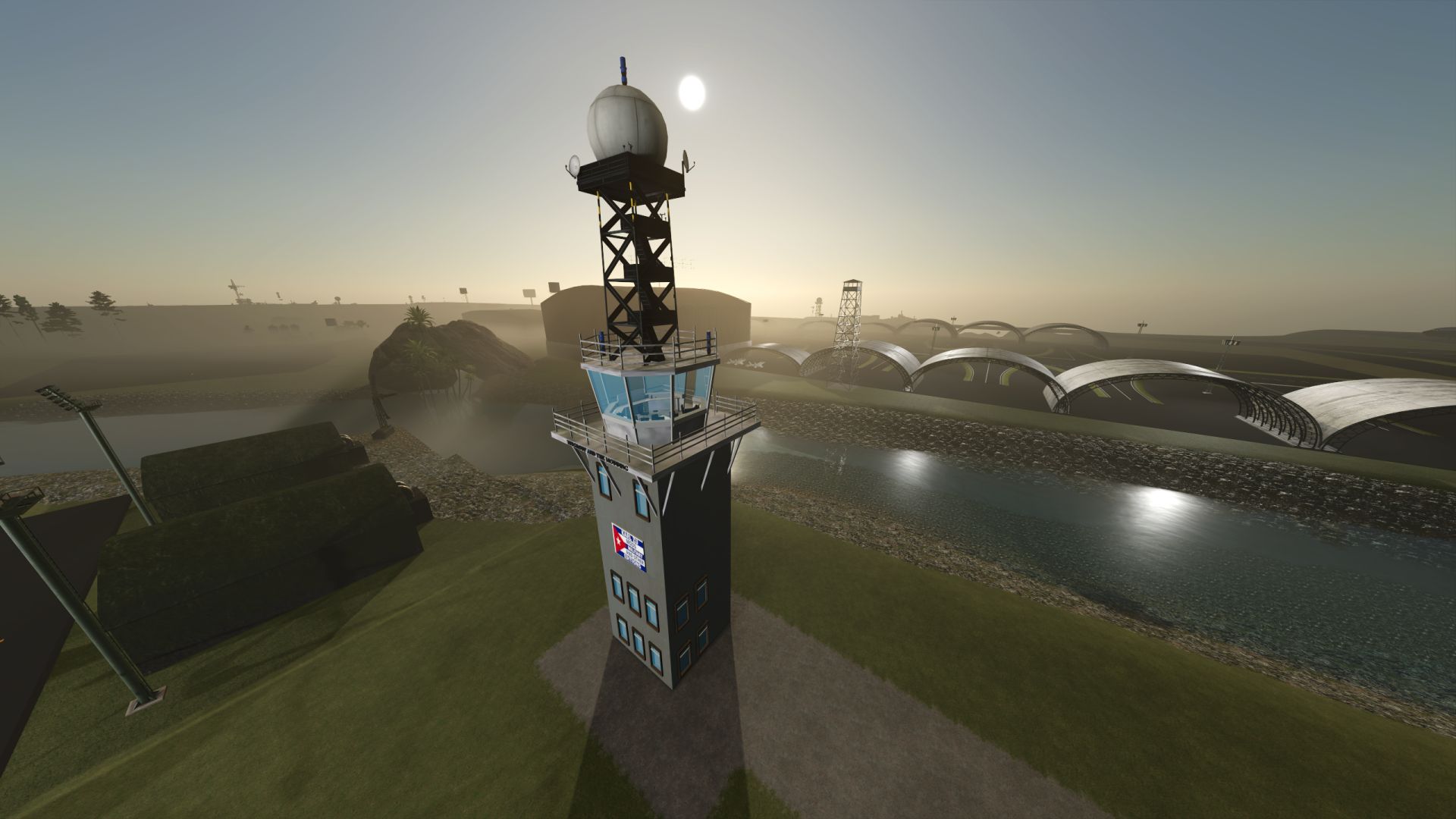
Military Control and Radar Tower V1.0
Military Control and Radar Tower V1.0 Military Control and Radar Tower (Farming Simulator Mod): Analysis and Description Detailed Description Tower Architecture: Features a traditional airport control structure with a panoramic glass surveillance cabin, mounted on a solid base decorated with custom emblems (Karl Zu Mods) and collaborative signage (TFSGroup and The Modding). Upper Radar System: Includes an elevated metal lattice turret supporting a spherical radome tracking dome, designed for air traffic control and long-range surveillance functions. Lighting and Beaconing: Incorporates strobe lights and blue perimeter beacons along adjacent fields and the upper structure, optimizing visibility during nighttime or low-visibility operations. Scenario Integration: Strategically located in the vicinity of reinforced arch-style hangars and runway zones, contributing an advanced tactical military atmosphere to the simulation environment. Utility and Importance in Modding Tactical Immersion: Transforms the standard agricultural environment into a militarized base of operations or a controlled airfield, ideal for themed maps and custom projects. Co-authorship and Design: Reflects community editing and customization work focused on the expansion of unique structural elements for vehicle simulators and virtual maps. Author: karl zu Report bugs in the comments and help modders improve this mod. Always check the comments, you can find a solution. DOWNLOAD MOD

SaveSaver — Automatically creating smart backups V1.0
SaveSaver — a standalone Windows application for automatically creating smart backups of Farming Simulator 25 saves. Unlike simple folder copying, it saves only the changes between backups (incrementally), allowing you to roll back to any moment with minute precision. No more “what if I break something” — just play, and SaveSaver takes care of your progress.
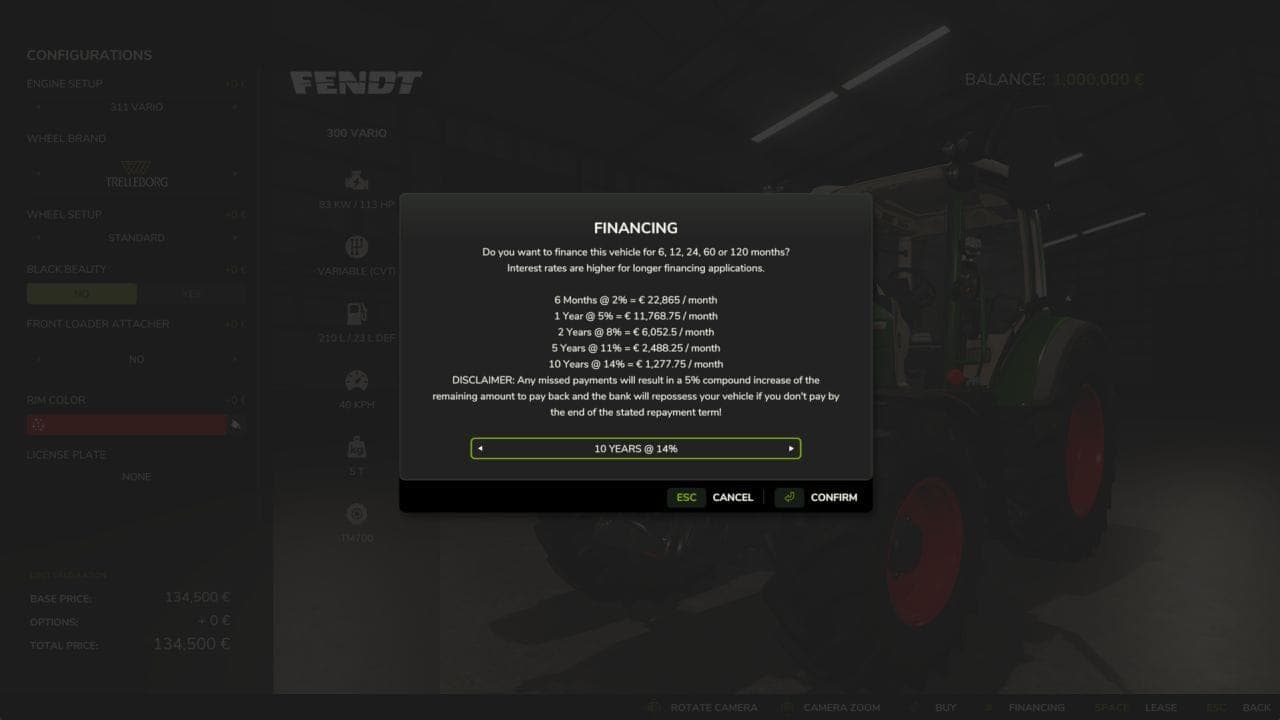
Financing BETA v1.0
– Mod who can finance your vehicle and your tools during 6 months, 2, 5, and 10 years. – In the finish version there will a gui for follow your financement of your vehicle.
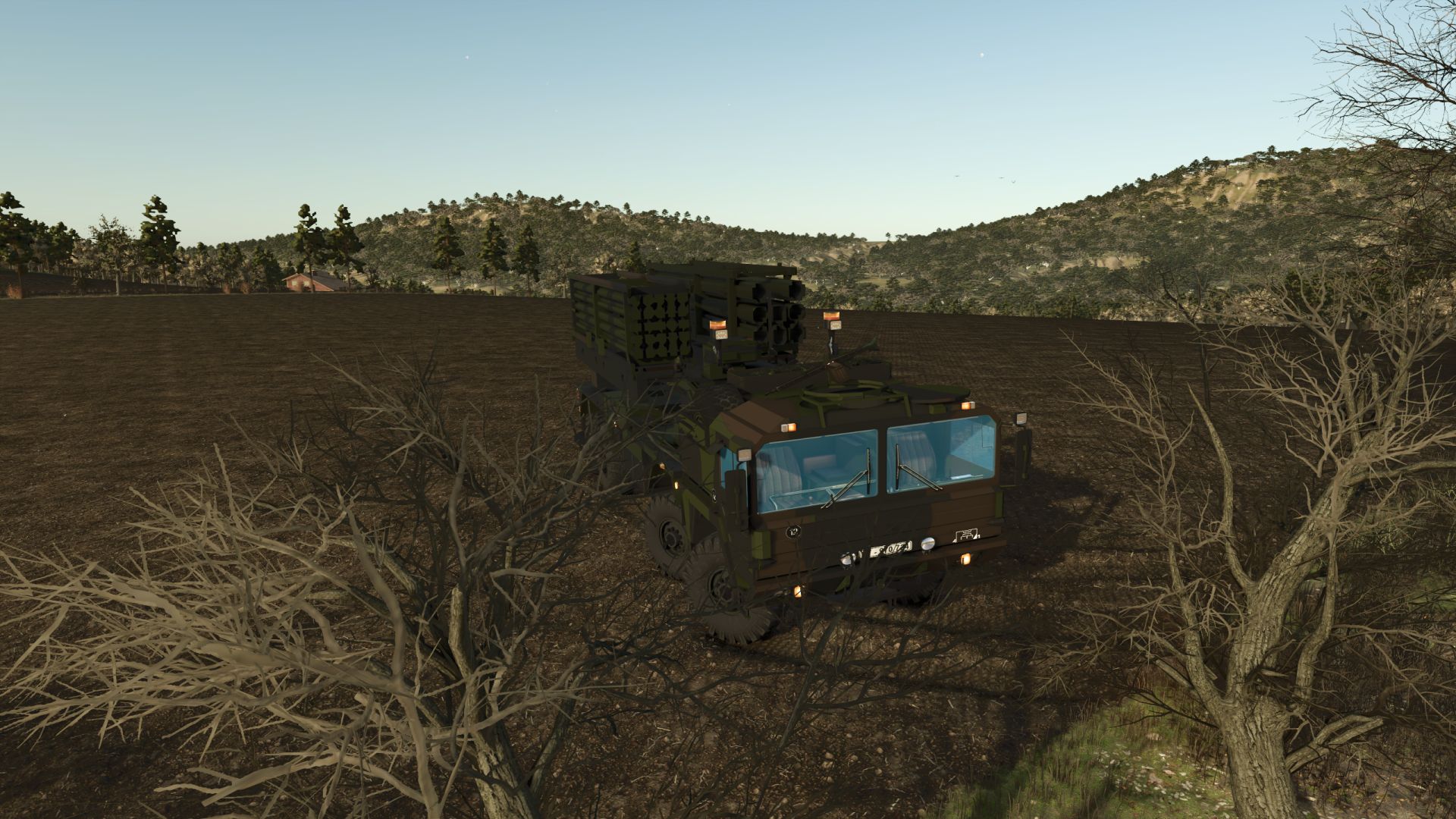
MAN 8×8 Luftverteidigungs- und ballistisches Raketensystem V1.0.0.0
MAN 8×8 Luftverteidigungs- und ballistisches Raketensystem V1.0.0.0 MAN 8×8 Luftverteidigungs- und ballistisches Raketensystem: Technische, operative und strategische Analyse Detaillierte und ausführliche Beschreibung Hochmobile Chassis-Architektur: Basierend auf einem robusten 8×8-Chassis von MAN, das mit überlegener Torsionssteifigkeit und verstärkten Achsen konstruiert wurde, um massive Nutzlasten zu tragen, ohne die Stabilität in unwegsamem Gelände zu beeinträchtigen. Fortschrittliche Traktions- und Antriebssysteme: Ausgestattet mit einem Dieselmotor mit extrem hoher Leistung, der für eine außergewöhnliche Drehmomentabgabe optimiert ist, gepaart mit Allradantrieb an allen acht Rädern und fortschrittlichen Reifendruckregelsystemen, die es dem Fahrzeug ermöglichen, Schlamm, Sand und starke Steigungen zu bewältigen. Integrierte Start- und Radarplattform: Fungiert als ein äußerst vielseitiges Transport-, Aufricht- und Startfahrzeug (TEL), das in der Lage ist, Boden-Luft-Raketenwerfer oder ballistische Verteidigungssysteme zusammen mit Hochfrequenz-Zielerfassungsradargeräten zu integrieren. Schnelle Einsatzfähigkeit (Shoot-and-Scoot): Bei der Konstruktion steht die Geschwindigkeit beim Positionieren, Nivellieren mittels hydraulischer Heber und Starten im Vordergrund. Dadurch kann die Einheit ihren Standort innerhalb weniger Minuten verlassen, um potenziellen Gegenangriffen des Feindes zu entgehen. Schutz und Überlebensfähigkeit der Besatzung: Verfügt über eine modulare, gepanzerte Kabine, die in der Lage ist, Beschuss mit Handfeuerwaffen, Artilleriesplittern und Minen zu widerstehen und gleichzeitig nukleare, biologische und chemische (ABC-)Schutzsysteme integriert. Strategische Rolle in der modernen Verteidigung: Ihr grundlegendes Ziel ist die Bereitstellung eines hochgradig anpassungsfähigen mobilen Luftverteidigungsschildes, der mechanisierte Kolonnen, vorgeschobene Operationsbasen und kritische Infrastrukturen vor Luftangriffen und taktischen Raketen schützt. Tags: Antriebssysteme AusgestattetMANRadarplattform FungiertRaketensystem Technische

Polish Flag v1.0
Polish flag I3D ready to be added to your vehicle/machine, with waving animations that make it look realistic.
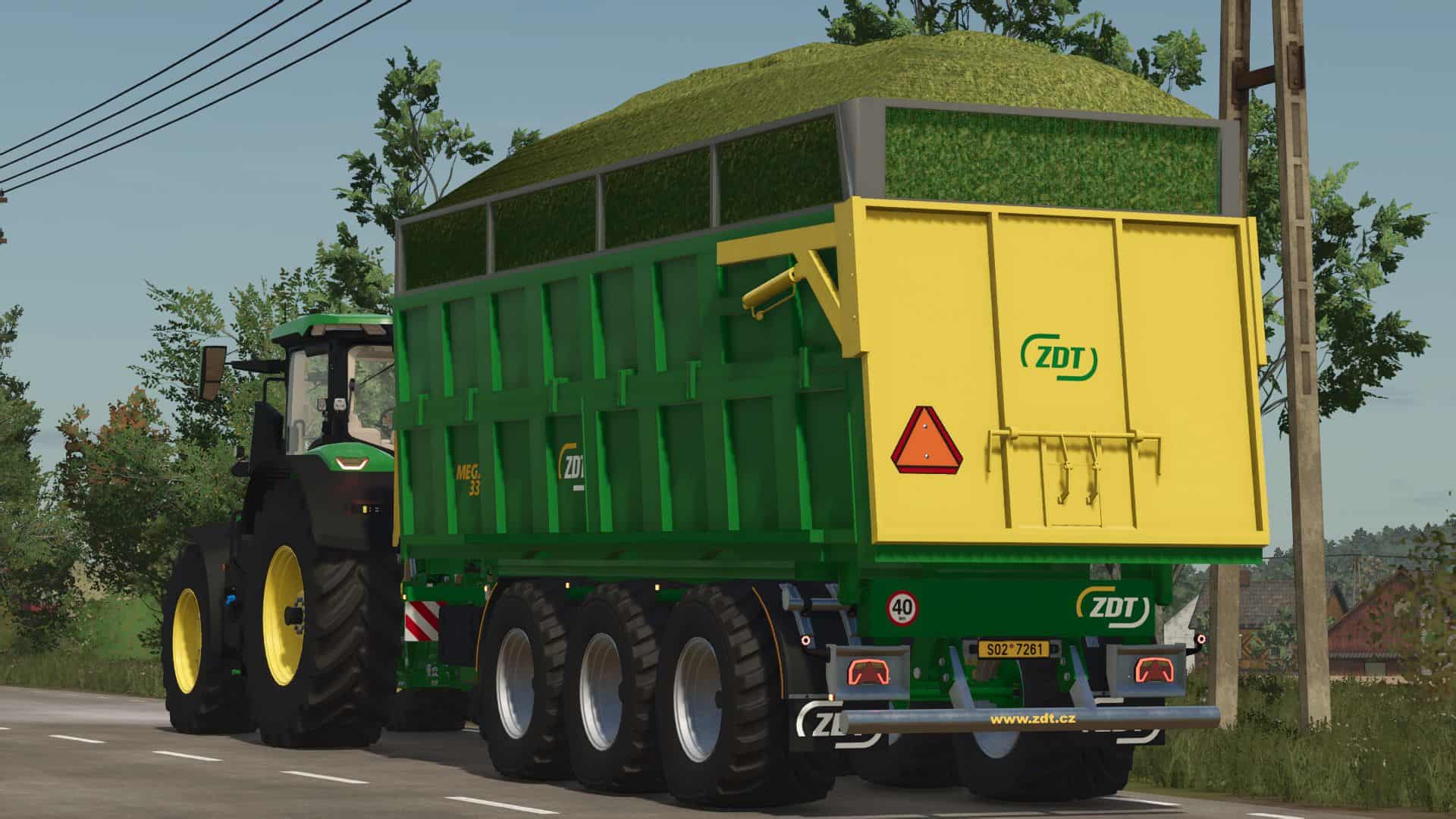
ZDT MEGA 33 BETA v1.0
– WHEEL CONFIG – RIMS COLOR CONFIG – CAPACITY CONFIG – 35 800 – 45 000 – 48 000 ZDT RM – 33 – 28 500 ZDT GIGA 45 – 45 000
Score Onion Harvest Pack BETA v1.0
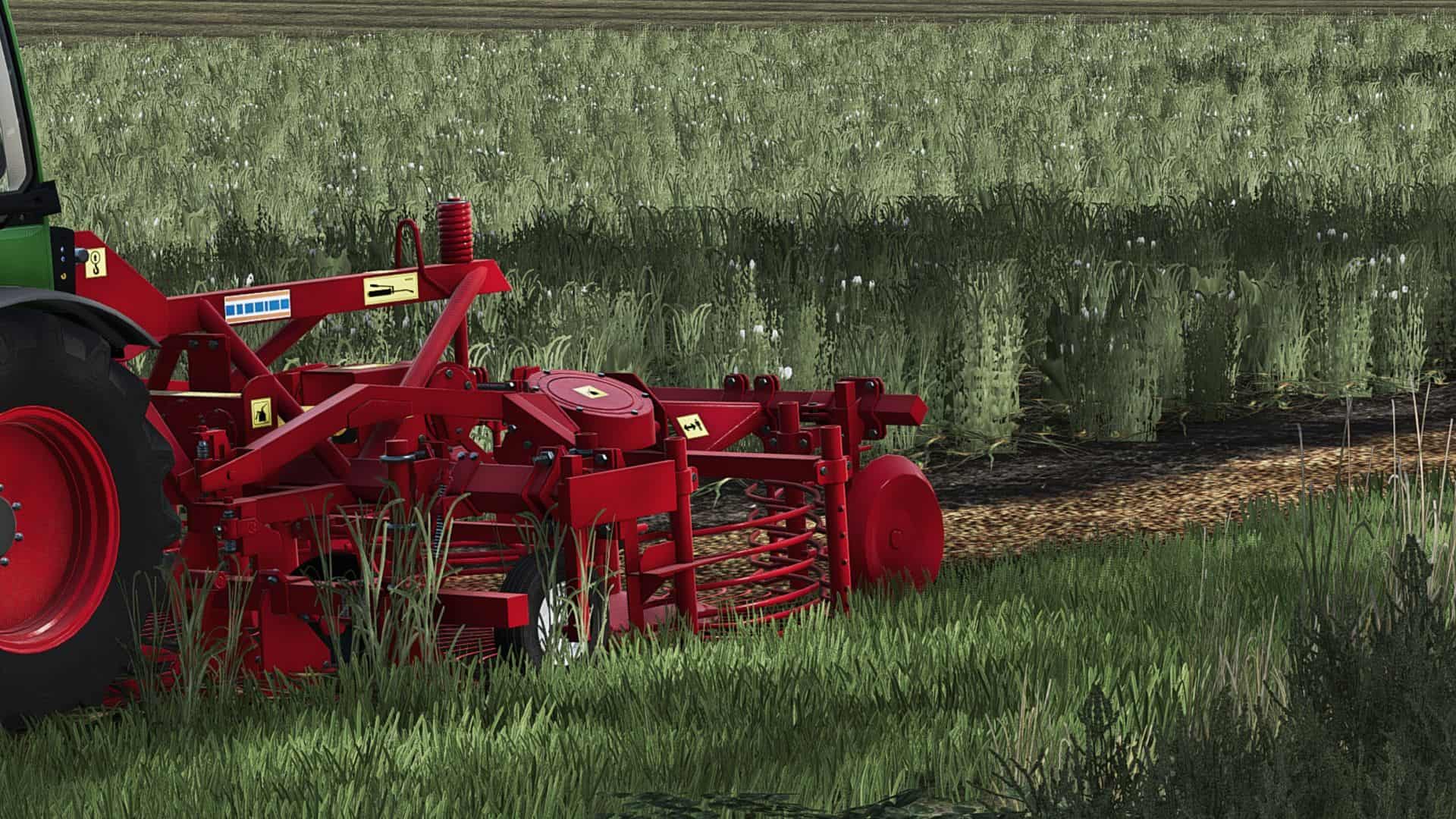
Score Onion Harvesting Pack The Score Onion Harvesting Pack brings a significantly more realistic and varied harvesting process to onion farming in Farming Simulator 25. Tailored specifically for onions (`ONION`), the complete pack consists of several coordinated machines that handle the entire workflow—from field preparation to final loading. Instead of simply harvesting onions directly from the field into a trailer using a single machine, this pack utilizes a multi-stage, realistic process. First, the onion tops are removed; next, the onions are lifted and formed into a narrow windrow. Finally, the **HU-Super** collects the windrow and transfers the onions into a trailer. Realistic Workflow 1. Score-1 – Onion Topper The Score-1 removes the onion tops and prepares the crop for the subsequent harvest stage. 2. Score-2 – Onion Harvester The Score-2 lifts the prepared onions from the ground. The harvested onions are then deposited behind the machine in a single, narrow, centrally aligned windrow. 3. HU-Super – Onion Pickup & Transfer In the final step, the HU-Super collects the onion windrow. From there, the onions can be transferred directly into a trailer and hauled away. ### 🔧 Features – Entire pack converted for onions – Custom, realistic onion harvesting process – Correct removal of onion tops (haulm) – Score-2 deposits the onions back onto the field – A single, narrow central onion windrow – True ground/terrain windrow placement – HU-Super picks up the deposited onions – Onions can subsequently be transferred into trailers – Sugar beet functions removed – Reworked for Farming Simulator 25 – Prepared for multiplayer – Dedicated server support – Onion windrow logic runs server-side for the cleanest possible synchronization – XML, I3D, and file paths revised – Old, problematic FS22 functions and effects removed or adjusted Technical Data – Score-1 Onion Topper – Price: €16,800 – Working width: 3.0 m – Working speed: 10 km/h – Score-2 Onion Harvester – Price: €18,900 – Working width: 3.0 m – Working speed: 10 km/h – HU-Super Onion Loader – Price: €35,600 – Working speed: 10 km/h From Crop to Trailer – The complete workflow is as follows: – Remove onion tops → Pick up onions → Deposit onions in windrow → Pick up windrow → Transfer onions → Transport away This makes the pack particularly suitable for players who value more realistic workflows, the use of multiple machines, and cooperative multiplayer gameplay. Important: – The map being used must support—or have registered—the Onion (`ONION`) crop type.
Başak BK series BETA v1.0
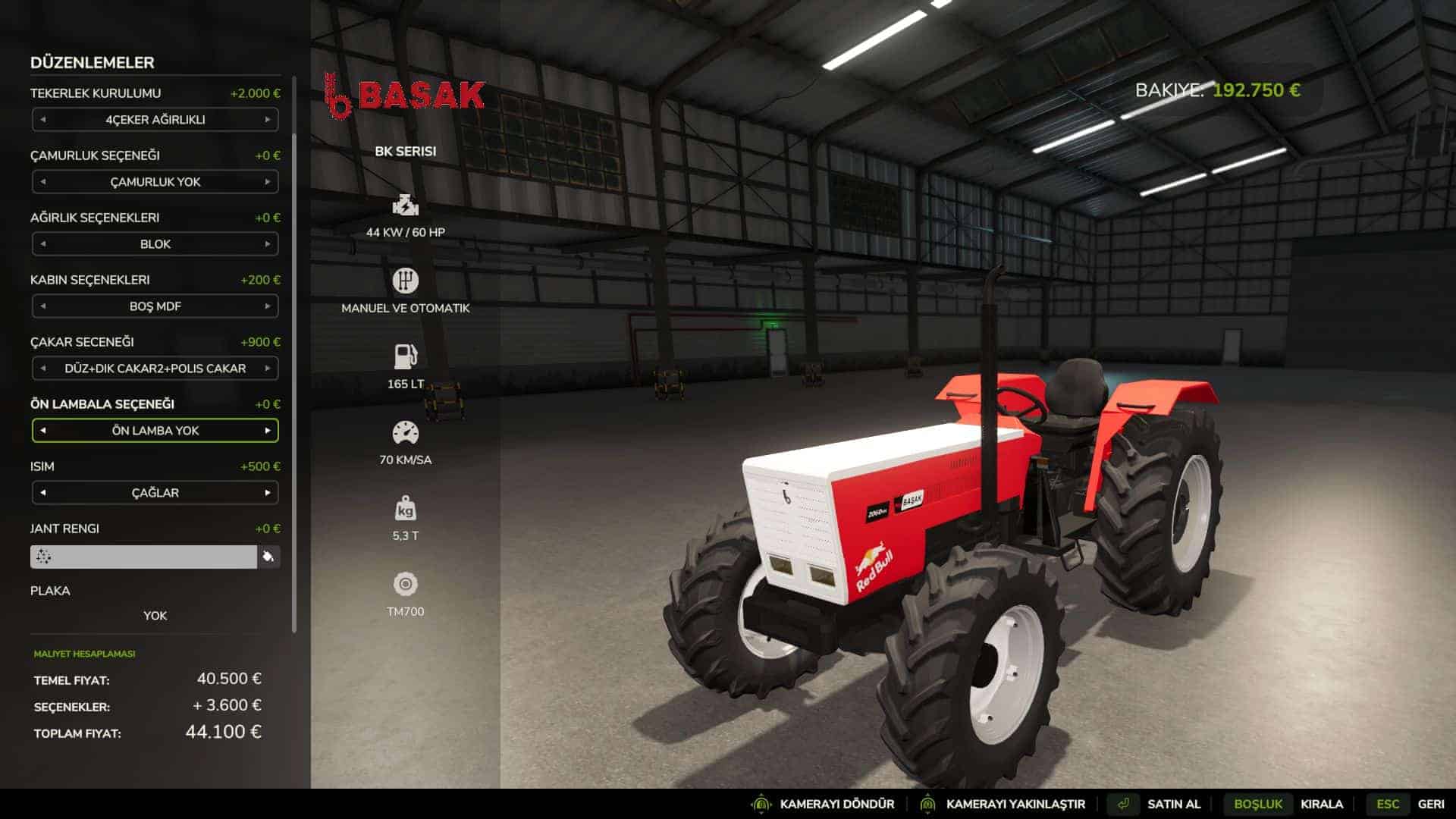
– 2050bk+ 2050bk+ with torque 2060bk+ 2060bk+ with torque 2075bk+ 2075bk+ with torque – 2WD/4WD option – Weight guard, second guard option – Guard rail canopy cab MDF cab option – Beacon option – Front light option – Name option
Tumosan 5155 BETA v1.0
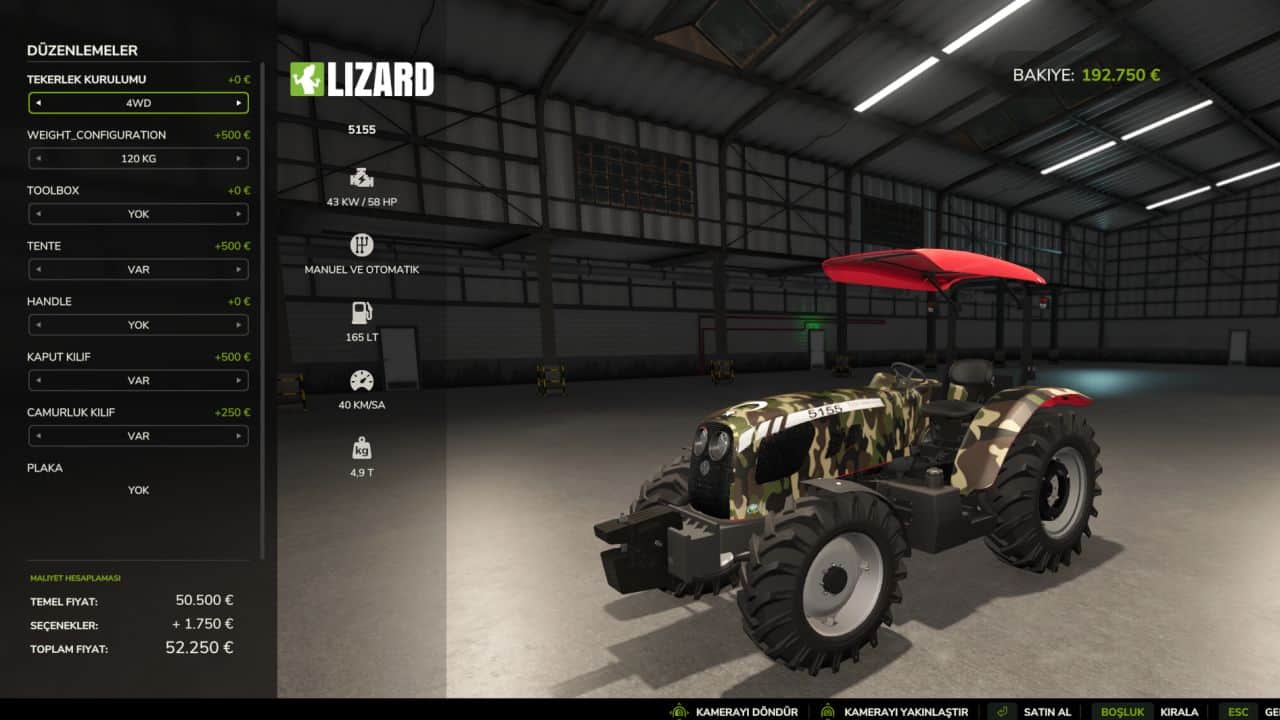
– engine option: 5155 – cover option – 58 HP – 4WD 2WD – canopy option – weight configurations

Vehicle XML Previewer V1.0
Vehicle XML Previewer for GIANTS Editor 10 **Vehicle XML Previewer** is a handy script for Farming Simulator 25 modders that allows you to preview and configure vehicle XML settings directly within **GIANTS Editor**, without having to constantly launch the game. The script automatically detects the XML file associated with the currently open I3D model, displays available configurations, animations, and hoses, and applies selected options immediately in the viewport. This significantly speeds up the process of configuring vehicles—including cabs, hoods, wheels, colors, doors, dynamically loaded parts, hoses, and other visual elements. – Automatically loads the XML file sharing the same name as the open I3D file. – Displays all detected vehicle configuration categories. – Allows for quick option switching with immediate visual feedback in GIANTS Editor. – Supports `configurationSets` and automatic dependencies between configurations. – Applies `objectChange` logic: hides unselected parts and displays selected ones. – Supports color and material configurations defined in the XML. – Loads external I3D parts via `dynamicallyLoadedParts`. – Displays wheel configurations, external wheel XMLs, additional wheels, and tracks. – Allows previewing XML-defined animations directly in the editor. – Enables editing of animation parts and saving changes back to the XML. – Supports previewing and editing `connectionHoses` and `localHose` elements. – Allows creating, modifying, and saving hoses within the XML. – Highlights selected hoses and connection points for easy identification in the scene. – Can automatically set up a working camera and lighting for optimal model viewing. – Features a compact, tabbed interface: **Configurations**, **Animations**, **Hoses**. Instead of the tedious “open game, check, close, edit XML” cycle, you can view most visual changes directly within the GIANTS Editor. ## Installation (your folder paths may vary, but the installation method is standard: simply place the files in the `scripts` folder) Extract the **VehicleXMLPreviewer** folder into the GIANTS Editor scripts directory: “`text C:\Users\Username\AppData\Local\GIANTS Editor 64bit 10.0.13\scripts “` Once installed, the script will appear in the menu: “`text Scripts > User Scripts > VehicleXMLPreviewer > Vehicle XML Previewer “` 1. Open the vehicle’s I3D file in GIANTS Editor. 2. Run the **Vehicle XML Previewer** script. 3. If an XML file with the same name exists alongside the I3D file, it will load automatically. 4. Select the desired configurations, animations, or hoses within the script’s tabs. 5. View the changes immediately in the viewport. 6. Save edited animations or hoses back to the XML file if necessary. It is recommended to back up your project before saving changes to the XML file. The script interacts with numerous game XML blocks; therefore, with complex mods featuring non-standard structures, there may be slight discrepancies compared to actual in-game behavior.
Marston Bale 22ft Trailer 1993 v1.0
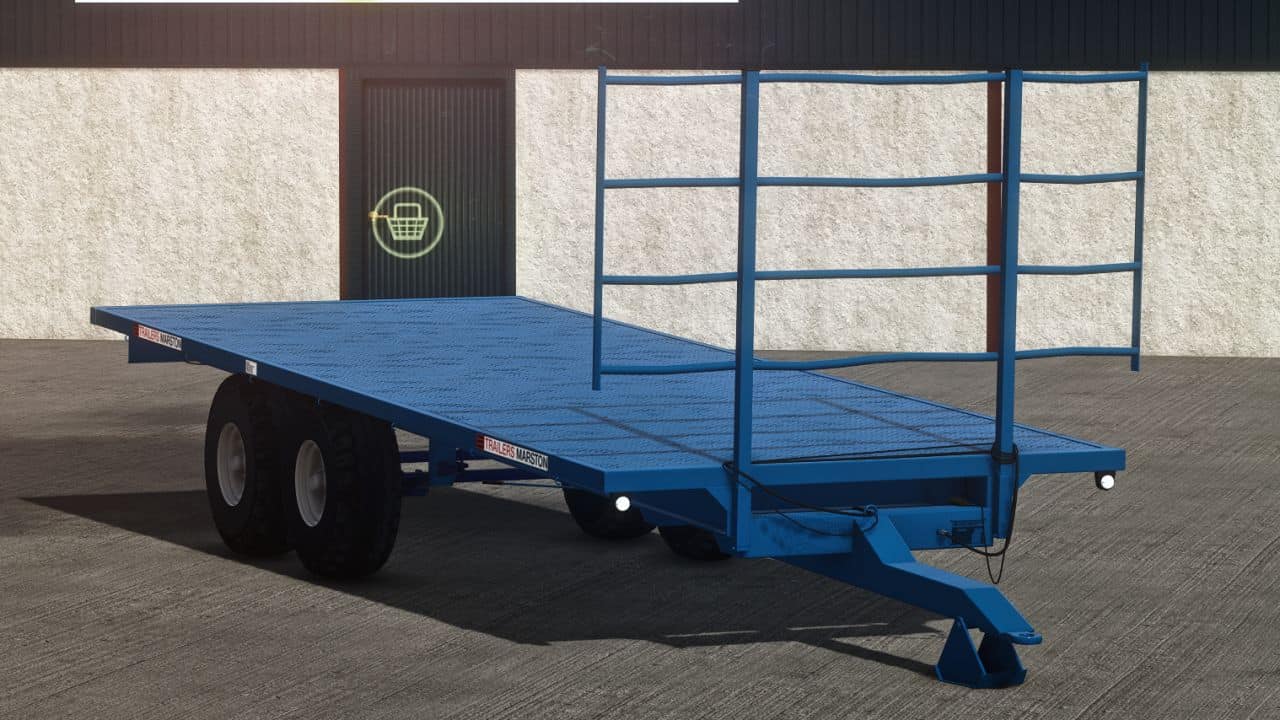
– Price 12500 – WIDTH 22FT – POWER – 50hp – Configs – non i think
Land Survey & Claims V1.0.4.1
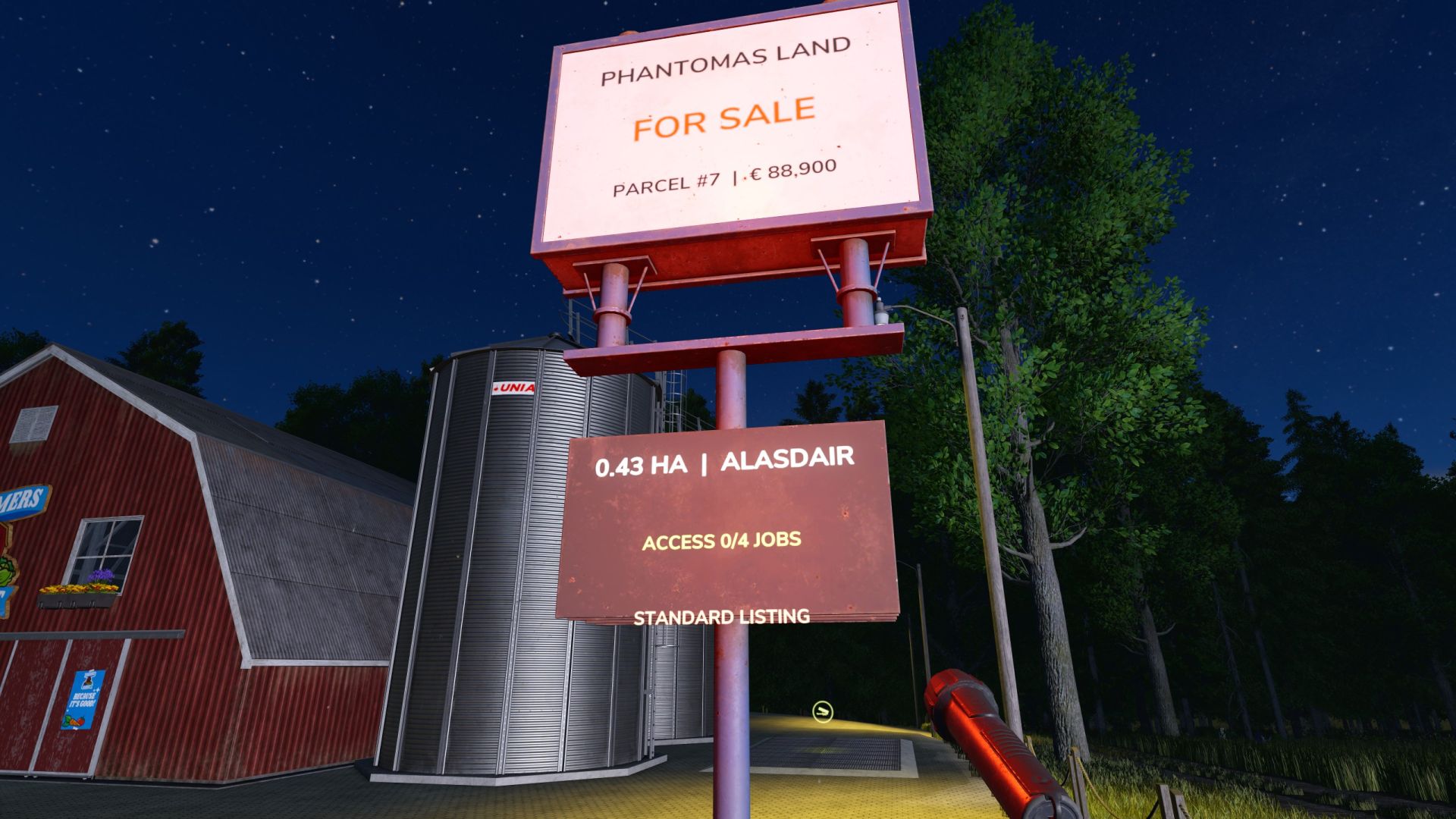
Land Survey & Claims V1.0.4.1 Create new farm yards in normally unbuyable areas by surveying a custom parcel on foot. Features: – Place physical survey stakes from Build Mode > Production > Cultivation – Remove any misplaced active stake with Construction Mode’s normal Demolish tool – Closing Build Mode automatically closes and lists a valid parcel – Completed parcel stakes and temporary boundary lines disappear, leaving an illuminated registry sign – Physical FOR SALE sign with parcel number, area, asking price and market status – Live boundary, area and estimated asking-price preview – Polygon validation: minimum spacing, self-intersection, native farmland and parcel overlap checks – NPC seller and deterministic market RNG: seller mood, local demand, parcel size, terrain buildability and rare Lucky Find listings – Wide high-value RNG tiers can create High Demand, Strategic Site and rare Developer Bidding War valuations – Stronger premium custom-land valuation and a fixed registration fee keep special construction parcels meaningful before loyalty discounts – Every listed parcel requires a stable RNG total of 1-5 completed jobs for its NPC seller before purchase – Job-gate progress appears on the physical sign, map marker and interaction; completed NPC jobs persist as spendable credits – Buying a parcel consumes the seller’s complete NPC job-credit balance in sync with Better Contracts, forcing fresh missions before another purchase from that NPC – Better Contracts loyalty discounts use the parcel seller NPC, show on the sign and are consumed after purchase – Buy a completed parcel beside its FOR SALE sign with the normal R interaction and a detailed confirmation dialog – Sell an owned parcel back to the market from the same sign; resale value is always below its saved purchase basis – After purchase the smaller sign remains as a PRIVATE PROPERTY registry marker – Native main-map markers identify listed and owned custom parcels at their polygon centre – Selecting a parcel marker shows its area, value, seller and Better Contracts discount; owned land is labelled MY PARCEL – Map markers are rebuilt cleanly after loading and update immediately after purchase or resale – Parcel markers use validated native icons and are skipped safely if the game cannot initialize one, so map controls remain available – Custom red FOR SALE and green MY PARCEL icons distinguish surveyed land from every native map hotspot – Selecting a parcel marker provides the native VISIT action and places the player safely in front of its registry sign – Purchased parcels grant land access, construction and landscaping ownership checks – Buying land never transfers an existing factory, production, shop or other placeable; those remain separate purchases – Independent savegame persistence; no map files are modified – Completely independent from Farmland Market Controls: – No survey hotkeys are required: place the corner stakes and leave Build Mode – Before leaving Build Mode, use Demolish on any misplaced survey stake – R beside a FOR SALE sign: buy the surveyed parcel Important limitations: – Use only in normally unbuyable areas; existing native farmland is deliberately protected – The physical sign uses a shared base-game model with surface-fitted one-sided lettering: red while listed and green after purchase – A short transaction chime confirms a successful parcel purchase – Automatic map scanning is not included; manual surveying deliberately allows roads, rivers and other custom projects – Single-player proof of concept; multiplayer synchronization is not implemented yet better contracts mod recomended for discount system Fixed a conflict that could block the normal interaction key at productions, greenhouses, fuel pumps, object storages and other map triggers Survey signs now use Farming Simulator’s native contextual interaction system The interaction key is active for PHANTOMAS Land Survey only while standing beside a surveyed parcel sign Native map and placeable triggers retain their normal interaction priority Existing savegames, registered parcels, NPC job progress and purchased properties remain compatible Fixed a conflict that could block the normal interaction key at productions, greenhouses, fuel pumps, object storages and other map triggers Survey signs now use Farming Simulator’s native contextual interaction system The interaction key is active for PHANTOMAS Land Survey only while standing beside a surveyed parcel sign Native map and placeable triggers retain their normal interaction priority Existing savegames, registered parcels, NPC job progress and purchased properties remain compatible VERSION 1.0.4.1 — INTERACTION HOTFIX Fixed a conflict that could block the normal interaction key at productions, greenhouses, fuel pumps, object storages and other map triggers Survey signs now use Farming Simulator’s native contextual interaction system The interaction key is active for PHANTOMAS Land Survey only while standing beside a surveyed parcel sign Native map and placeable triggers retain their normal interaction priority Existing savegames, registered parcels, NPC job progress and purchased properties remain compatible V1.0.4.1 INTERACTION HOTFIX – Fixed a conflict that could block the normal interaction key at productions, greenhouses, fuel pumps, object storages and other map triggers – Survey signs now use Farming Simulator’s native contextual interaction system – The interaction key is active for PHANTOMAS Land Survey only while standing beside a surveyed parcel sign – Native map and placeable triggers retain their normal interaction priority – Existing savegames, registered parcels, NPC job progress and purchased properties remain compatible Author: PHANTOMAS Report bugs in the comments and help modders improve this mod. Always check the comments, you can find a solution. DOWNLOAD MOD
Ursus 6-Zylinder-Paket Mokrzyn V1.2.0.0
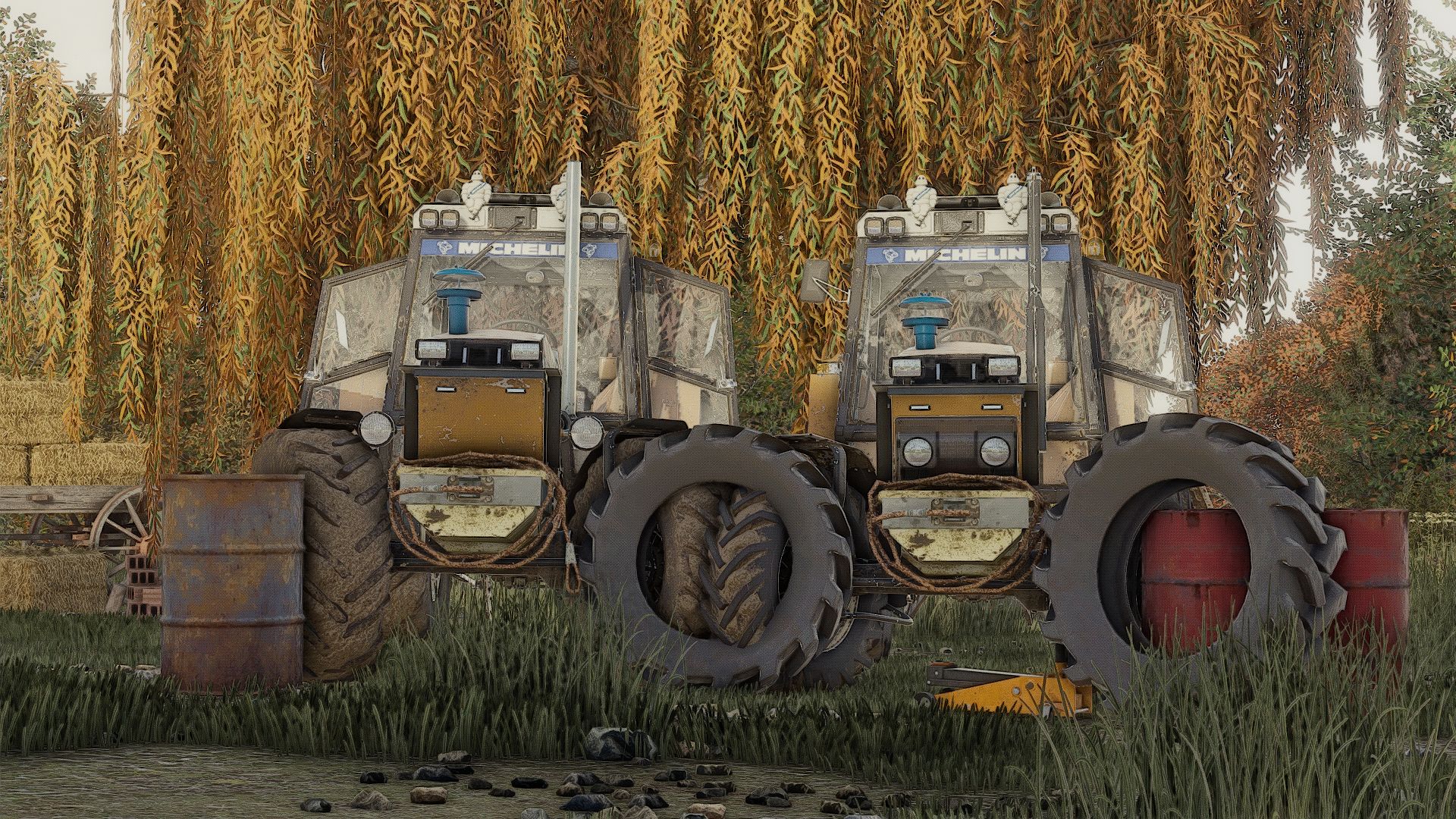
Ursus 6-Zylinder-Paket Mokrzyn V1.2.0.0 Dies ist Version 1.0.0.0, viele weitere werden hier folgen. Mit freundlichen Grüßen Ich sorge dafür, dass das Log sauber ist, es sei denn, deine Mods sind schuld. Modelle-1201 1204 1214 1222 1224 1604 1614 fs22-chestnut18m fs25-Derbia URSUS 6-Zylinder-Paket Mokrzyn Addons sind 6-Zylinder, 100% funktionsfähig, sie haben ein sauberes Protokoll mit 0 Fehlern und 0 Warnungen. Warum „Mokrzyn Addons“ und nicht „Mokrzyn“? Weil ich beschlossen habe, dieses 10 Jahre alte Modell von Mokrzynów in FS15 zu belassen. Ich habe die charakteristischen physikalischen Merkmale von Mokrzynów den zuvor reparierten 6-Zylinder-Ursus-Fahrzeugen hinzugefügt (dem einzigen sauberen und in FS25 funktionierenden). Ich habe z.B. hinzugefügt. Sumpflampen Feuchtgebietsfilter Feuchtgebietssenker Konfigurationen: Sumpflampen Feuchtgebietsfilter Feuchtgebietssenker Lufthupe blinkend Aufkleber Reifen Übertragung Aufkleber Frontgewicht Radgewicht Hintere Kotflügel Vordere Kotflügel Schmutzfänger Kabine Frontscheinwerfer Grill Rückenbefestigung Auspuff Lenkrad Haube Frontladerkonsole Animationen: IC/MC Farbkonfigurationen: Motor Haube Kotflügel Kabine Grill Felgen Frontgewicht Radgewichte Dach V1.2.0.0 Es wurde ein Fehler behoben, der dazu führte, dass das Ballastgewicht zusammen mit der Dreipunktaufhängung angezeigt wurde. Tags: URSUSVordere KotflWarum Mokrzyn Addons

Ursus 6-Zylinder-Paket Mokrzyn (Rust Edition) V1.4.0.0
Ursus 6-Zylinder-Paket Mokrzyn (Rust Edition) V1.4.0.0 Ich habe beispielsweise Folgendes hinzugefügt: Mokrzyn-Leuchten Luftfilter im Mokrzyn-Stil Frontgewicht im Mokrzyn-Stil Dach Realistische Sounds + Turbo Dies ist Version 1.1.0.0; es gibt noch viel hinzuzufügen. Viel Spaß! Ich garantiere ein sauberes Logbuch; sollte dies nicht der Fall sein, liegt das Problem an Ihren anderen Mods. Modelle: 1201, 1204, 1214, 1222, 1224, 1604, 1614 fs22-kasztan18m fs25-Derbii „Mokrzyn Addons“ 6-Zylinder URSUS Paket – dies sind 6-Zylinder-Modelle, die zu 100% korrekt funktionieren; sie haben ein sauberes Protokoll (0 Fehler, 0 Warnungen). Warum „Mokrzyn Addons“ und nicht einfach „Mokrzyn“? Weil ich mich entschieden habe, das 10 Jahre alte „Mokrzyn“-Modell aus FS15 beizubehalten, aber die markanten optischen Merkmale der Mokrzyn-Version zu den von mir reparierten 6-Zylinder-Ursus-Traktoren hinzugefügt habe (die die einzigen sauberen und funktionsfähigen in FS25 sind). Konfigurationen: Mokrzyn-Leuchten Luftfilter im Mokrzyn-Stil Frontgewicht im Mokrzyn-Stil Lufthupe Stroboskoplichter Abziehbild Reifen Getriebe Aufkleber Frontgewicht Radgewichte Hintere Kotflügel Kotflügel vorne Schutzbleche Taxi Frontscheinwerfer Gitter Heckkupplung Auspuff Lenkrad Haube Frontladerkonsole Animationen: IC/MC Farbkonfigurationen: Motor Haube Kotflügel Taxi Gitter Felgen Frontgewicht Radgewichte Dach V1.4.0.0 Es wurde ein Fehler behoben, der dazu führte, dass der Ballast zusammen mit der Dreipunktaufhängung angezeigt wurde. Tags: Warum Mokrzyn Addons
MAN 8×8 Utility Truck V1.0
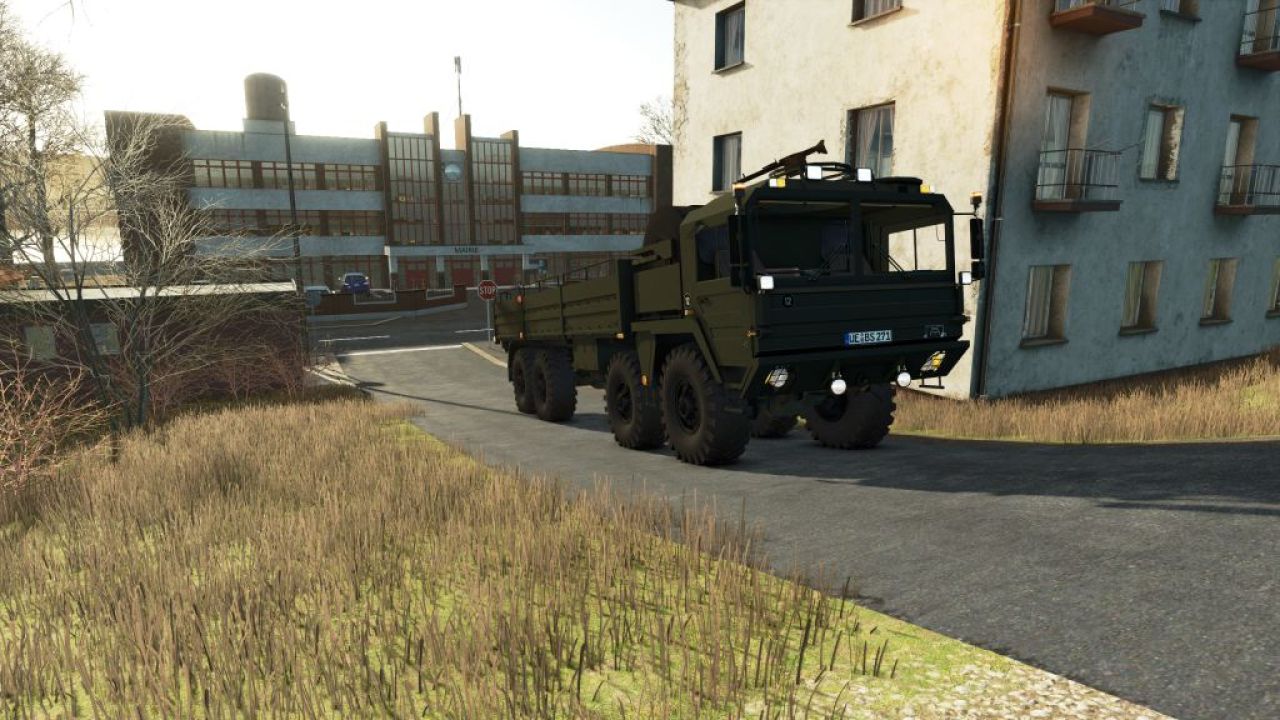
MAN 8×8 Utility Truck V1.0 MAN 8×8 Utility Truck (Farming Simulator Mod): Technical and Operational Analysis Technical Characteristics High-Mobility Chassis Architecture: Built upon a heavy-duty 8×8 configuration chassis of MAN origin, engineered with reinforced axles and robust suspension to handle heavy loads across rough virtual terrain. Drivetrain and Traction: Features permanent all-wheel drive across all eight wheels, delivering maximum grip in muddy fields, unpaved tracks, and steep inclines. Covered Cargo Bed: Equipped with a large cargo utility bed protected by a canvas tilt (tarpaulin) cover, ideal for hauling bulk farm produce, equipment, or supplies. Military-Styled Cab: Utilizes a distinctive heavy-duty cab design with high-visibility glazing and custom lighting configurations suited for specialized transport mods. Utility Heavy Farm Logistics: Serves as a heavy-capacity transport vehicle for moving large quantities of crops, seeds, fertilizer, or pallets across expansive maps. All-Terrain Cargo Delivery: Capable of bypassing standard roads to deliver supplies directly to remote fields, construction sites, or operational zones on the map. Roleplay and Immersion: Acts as a specialized military-to-civilian conversion mod that adds unique visual variety and robust hauling capabilities to gameplay sessions. Importance Modding Versatility: Highlights custom vehicle conversion work (such as the Karl Zu modifications), bringing heavy tactical utility platforms into agricultural simulation environments. High-Capacity Efficiency: Bridges the gap between standard agricultural tractors and heavy-duty logistics trucks, drastically cutting down the number of trips required for large-scale harvests. Objective Streamline Heavy Virtual Logistics: Its core purpose in-game is to provide reliable, high-volume cargo transport with superior cross-country mobility, ensuring seamless farm supply chains regardless of terrain conditions. Author: karl zu Report bugs in the comments and help modders improve this mod. Always check the comments, you can find a solution. DOWNLOAD MOD
- 15 per page
- 30 per page
- 45 per page
- 60 per page
-
See more per page
Bigger pages, fewer clicks - and no ads anywhere.
Go Pro