Farming Simulator 25 mods
71,416 results- 15 per page
- 30 per page
- 45 per page
- 60 per page
-
See more per page
Bigger pages, fewer clicks - and no ads anywhere.
Go Pro
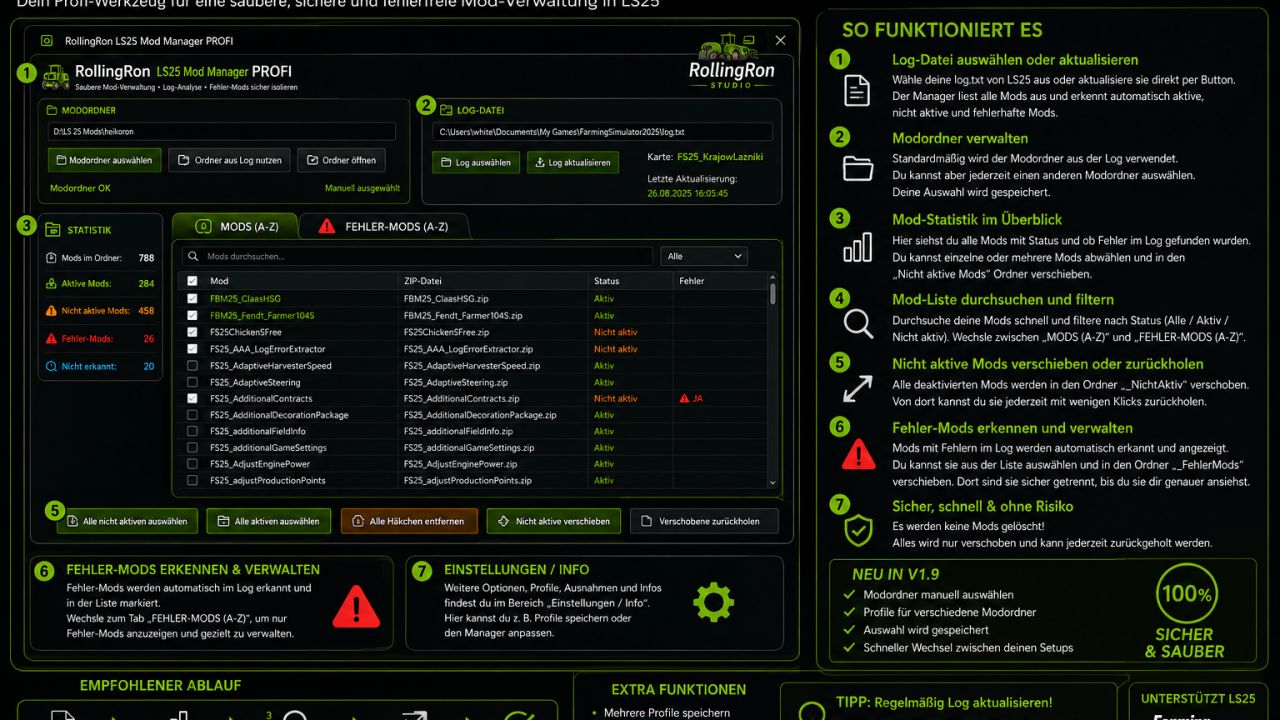
RollingRon Mod Manager PROFI v1.0
The RollingRon FS25 Mod Manager PROFI helps you quickly locate active, inactive and faulty mods – without having to laboriously search for them in the LS25 mod menu or in your mod folders. The mods are automatically detected based on the LS25 log and displayed clearly. Unneeded or faulty mods can be safely moved aside and restored at any time – without deleting them. Ideas, requests or suggestions for improvement? Feel free to write them in the comments! – No more cluttered mod folders and tedious searches for unused or faulty mods. – The RollingRon FS25 Mod Manager PROFI is a standalone management and analysis tool for Farming Simulator 25. – The program evaluates the LS25 log.txt and compares the mods detected in it with your selected mod folder. Features – Select the mod folder manually – Automatically use the mod folder from the FS25 log – Select and update the FS25 log.txt at any time – Display mods alphabetically from A–Z – Detect active mods – Detect inactive mods – Detect and assign faulty mods based on the log – Display mods that could not be clearly identified – Search and filter mods specifically – Select individual or multiple mods – Select all inactive mods with one click – Move inactive mods out of the active mod folder – Restore moved mods at any time – Isolate faulty mods separately – Restore faulty mods – Display error details from the log – Export detected errors as a TXT file No mods are deleted – The manager deliberately follows a safe principle. – When moving mods aside, the selected mods are not deleted but moved to separate folders. – This means they can be restored at any time later. Error analysis – The integrated error section analyzes the current FS25 log and attempts to assign error messages to the corresponding mods. – Detected faulty mods are displayed separately and alphabetically. – This makes it much quicker to investigate a problematic mod folder. Ideal for large mod folders – Especially with several hundred FS25 mods, it quickly becomes unclear which mods are actually being used. – The RollingRon LS25 Mod Manager PROFI provides a clear separation between active, inactive, faulty and not clearly identified mods. Installation – Fully extract the download. – Start RollingRon FS25 Mod Manager PROFI. – Select the FS25 log.txt. – Select the desired mod folder or automatically use it from the log. – Analyze and manage the mods. – Important: A backup is generally recommended before making extensive changes to the mod folder. – For mods that are required by vehicles, buildings, productions or other content in a savegame, check before moving them aside whether they are still needed. This version is not final. Suggestions for improvement are welcome in the comments.
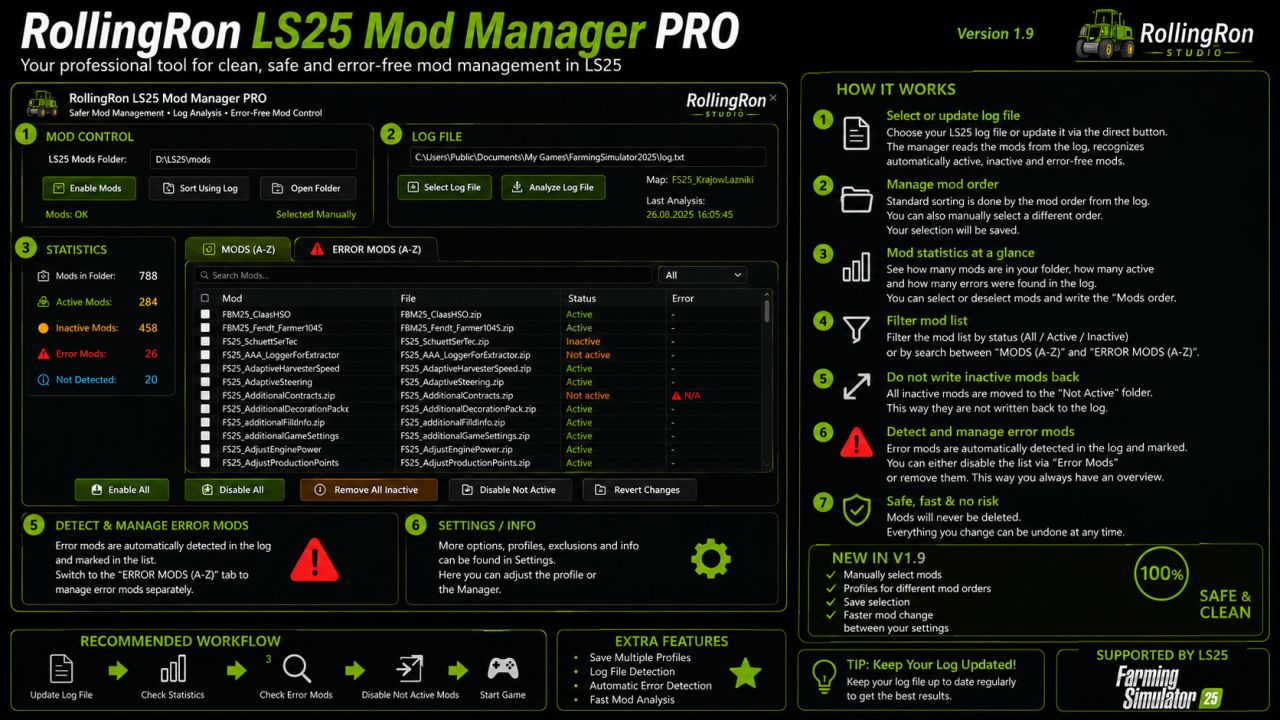
RollingRon Mod Manager PROFI v2.0
The RollingRon FS25 Mod Manager PROFI helps you quickly locate active, inactive and faulty mods – without having to laboriously search for them in the LS25 mod menu or in your mod folders. The mods are automatically detected based on the LS25 log and displayed clearly. Unneeded or faulty mods can be safely moved aside and restored at any time – without deleting them. Ideas, requests or suggestions for improvement? Feel free to write them in the comments! – No more cluttered mod folders and tedious searches for unused or faulty mods. – The RollingRon FS25 Mod Manager PROFI is a standalone management and analysis tool for Farming Simulator 25. – The program evaluates the LS25 log.txt and compares the mods detected in it with your selected mod folder. Features – Select the mod folder manually – Automatically use the mod folder from the FS25 log – Select and update the FS25 log.txt at any time – Display mods alphabetically from A–Z – Detect active mods – Detect inactive mods – Detect and assign faulty mods based on the log – Display mods that could not be clearly identified – Search and filter mods specifically – Select individual or multiple mods – Select all inactive mods with one click – Move inactive mods out of the active mod folder – Restore moved mods at any time – Isolate faulty mods separately – Restore faulty mods – Display error details from the log – Export detected errors as a TXT file No mods are deleted – The manager deliberately follows a safe principle. – When moving mods aside, the selected mods are not deleted but moved to separate folders. – This means they can be restored at any time later. Error analysis – The integrated error section analyzes the current FS25 log and attempts to assign error messages to the corresponding mods. – Detected faulty mods are displayed separately and alphabetically. – This makes it much quicker to investigate a problematic mod folder. Ideal for large mod folders – Especially with several hundred FS25 mods, it quickly becomes unclear which mods are actually being used. – The RollingRon LS25 Mod Manager PROFI provides a clear separation between active, inactive, faulty and not clearly identified mods. Installation – Fully extract the download. – Start RollingRon FS25 Mod Manager PROFI. – Select the FS25 log.txt. – Select the desired mod folder or automatically use it from the log. – Analyze and manage the mods. – Important: A backup is generally recommended before making extensive changes to the mod folder. – For mods that are required by vehicles, buildings, productions or other content in a savegame, check before moving them aside whether they are still needed. This version is not final. Suggestions for improvement are welcome in the comments. V2.0.0.0 Version 2.0 of the RollingRon LS25 Mod Manager PROFI has been extensively expanded and revised. The focus is on quickly locating active, inactive, faulty, and ambiguous LS25 mods without having to tediously search for them in the game or the mod folder. The manager evaluates Farming Simulator 25log.txt, compares the detected mods with the selected mod folder, and presents the results clearly in separate areas. New features and functions in version 2.0: – Clear division into Mods, Inactive Mods, Error Mods and Not Recognized – Detection of active and inactive mods based on the LS25 log – Improved error detection and assignment of faulty mods – Inactive mods can safely be moved out of the actual mod folder. – Faulty mods can be removed separately. – Outsourced mods can be retrieved at any time. – Select all for convenient editing of multiple mods simultaneously. – Search function also for outsourced and faulty mods – Freely selectable storage locations for inactive mods and faulty mods. – This means that the external folders no longer need to be located within the LS25 mod folder and will not be recognized as mods or errors themselves. – Support for existing swap folders from previous versions – Update the log directly via the program. – Detected errors can be clearly displayed and saved as a TXT file. – Freely selectable LS25 mod folder – Revised and clearer professional user interface in the style of LS25 – Improved sorting and display of the mod lists – Settings and selected folders will be taken into account for further use. – Mods are not deleted when they are moved to a safe, user-defined location. Important: The RollingRon LS25 Mod Manager PROFI does not modify the mods. Version 2.0 is used for analyzing, locating, sorting, and securely storing mods. This allows for significantly faster identification, especially with large mod collections, of which mods are active, inactive, faulty, or have not been clearly identified.
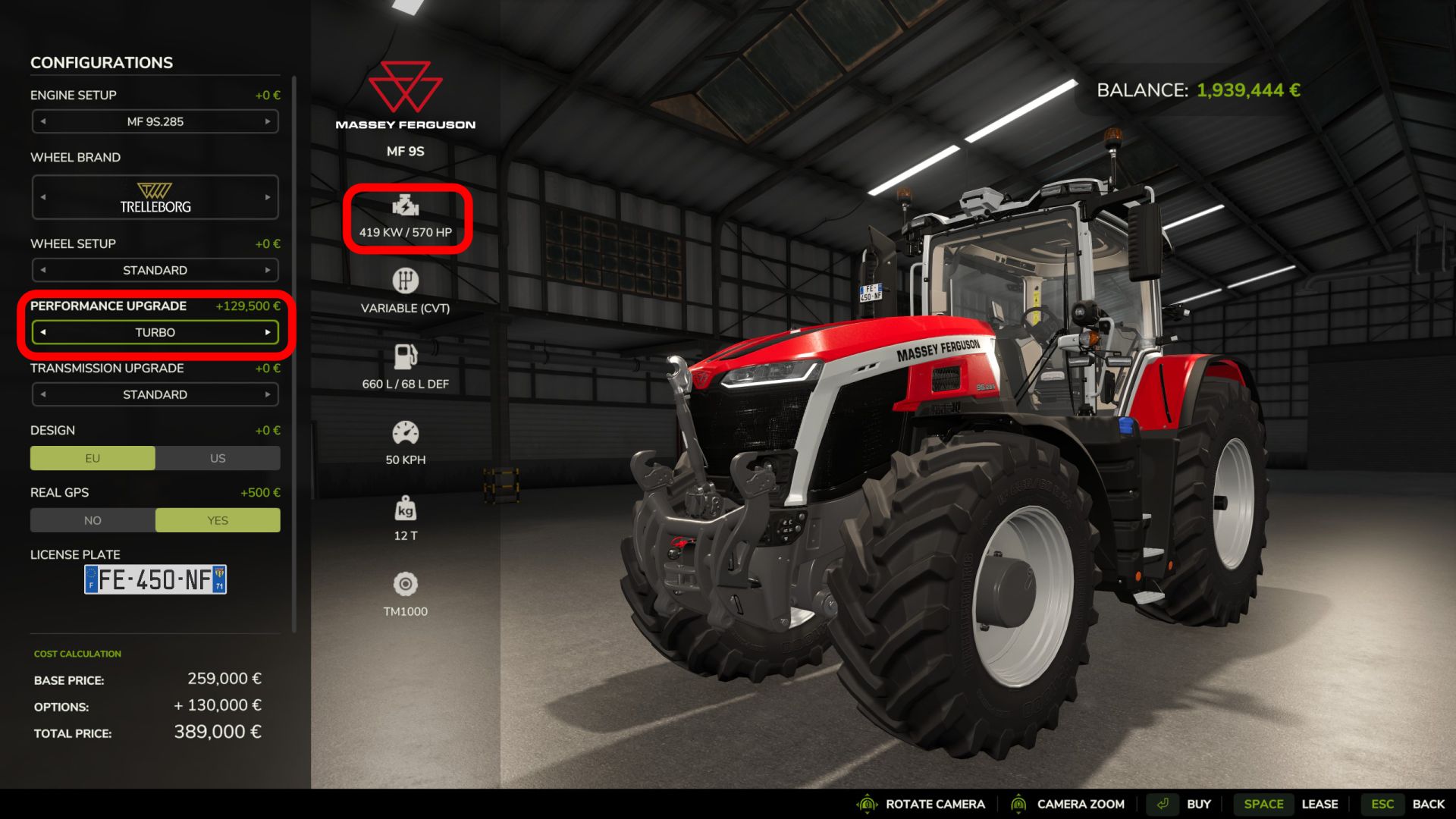
Performance Upgrades v1.0
Upgrade compatible vehicles in Farming Simulator 25 with selectable engine and transmission upgrades that offer real performance gains – not just cosmetic names. “JAGTECH Performance Upgrades” adds two separate shop categories, allowing you to configure each vehicle specifically for its intended use. Increase engine power, improve transmission cooling, and experience realistic effects from overload, insufficient engine power, or wheel spin under load. Engine performance upgrades Choose directly from seven engine configurations in the vehicle shop: – Standard: Stock engine power – Intercooler: +10% power – Valve train: +15% power – Displacement: +20% power – Crankshaft & pistons: +40% power – Engine control unit (ECU): +50% power – Turbocharger: +100% power Each upgrade alters the actual torque curve and peak power of the engine during operation. The increased power is taken into account by the vehicle physics, attachments, power consumption calculations, and compatible gameplay systems. The standard shop information in FS25 updates automatically and displays the correct horsepower and kW values for the selected engine and vehicle configuration, increased by the upgrade. Upgrade prices are based on the original purchase price of the vehicle; at the same time, minimum prices prevent high-performance upgrades from being unrealistically cheap for inexpensive vehicles. Separate transmission upgrades Engine and transmission upgrades are selected independently. This allows you to increase engine power while simultaneously choosing the transmission components necessary to handle the additional load and heat generation. Each stage of the “Advanced Damage System” gradually reduces heat build-up in the gearbox: – Gearbox housing with cooling fins: 10% reduction; – Clutch or torque converter upgrade: 18% reduction; – Oil cooler: 30% reduction; – Oil flow upgrade: 40% reduction; – Bearing upgrade: 50% reduction; – Gear upgrade: 60% reduction
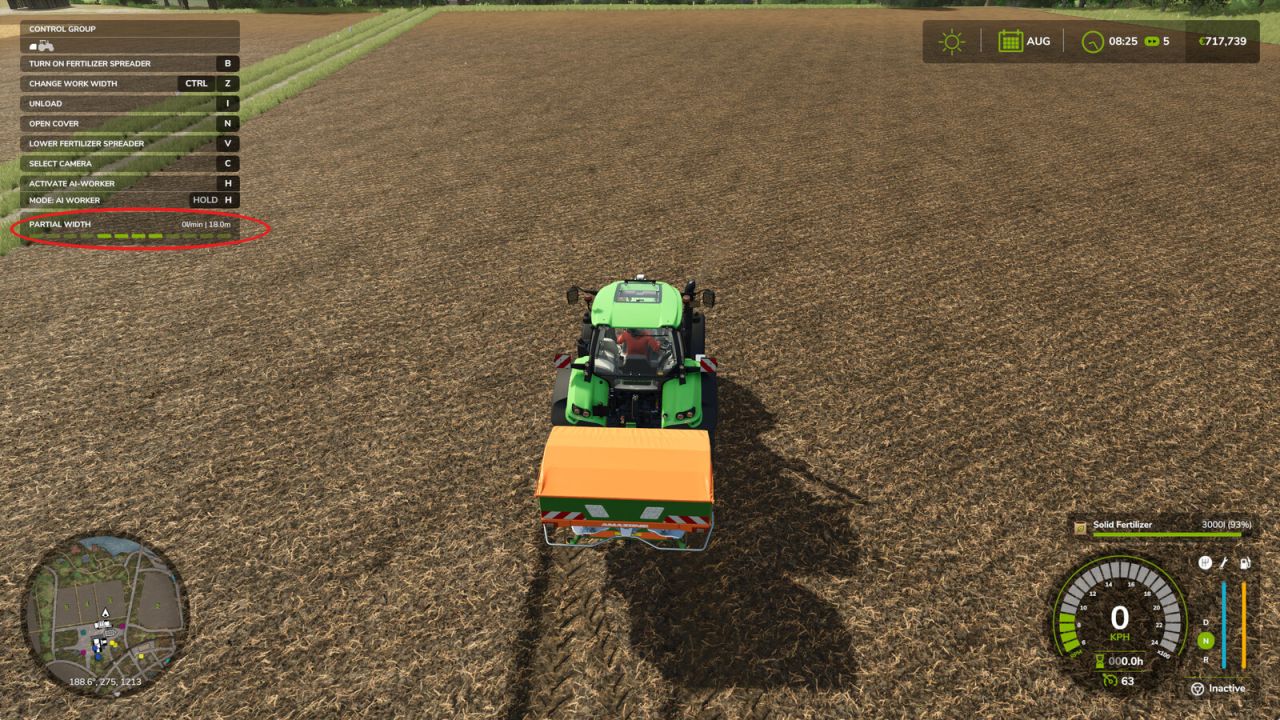
Fertilizer WorkWidth v1.1
Keeps the section width you selected by hand, instead of resetting it to the implement’s maximum when work is started. Set a spreader or sprayer to 12 m, hand the job to the AI helper or to Courseplay, and the game reopens every section: you are back to 48 m and working well outside the field. This mod stops that. How it works: the game already has a flag for this, aiKeepCurrentWidth, which it checks before resetting the sections. It is off by default and no vehicle sets it. The mod simply raises it. No game function is replaced and no behaviour is rewritten, so it does not fight Courseplay or other script mods. Safety net: if you start work with every section closed, the mod lets the game reopen them, because an implement at zero width would produce a degenerate course. It reports this in the log. Note: Courseplay reads the working width when it GENERATES the course. Set your width first, then generate. Works with any implement that has variable work width sections. Working width and the built-in AI helper: when you hand over the job, the helper does not read your section setting, it offers the implement’s full width. Set the Working Width field in the AI settings screen to the width you selected, and the mod keeps the sections there for the whole job. With Courseplay the selected width is picked up when the course is generated, so no extra step is needed. Having the built-in helper read it automatically is planned for the next update. Courseplay compatible: the mod only appends to the vanilla functions, it never replaces them, so Courseplay and other script mods keep working alongside it. Tested with Courseplay 8.1.0.3.
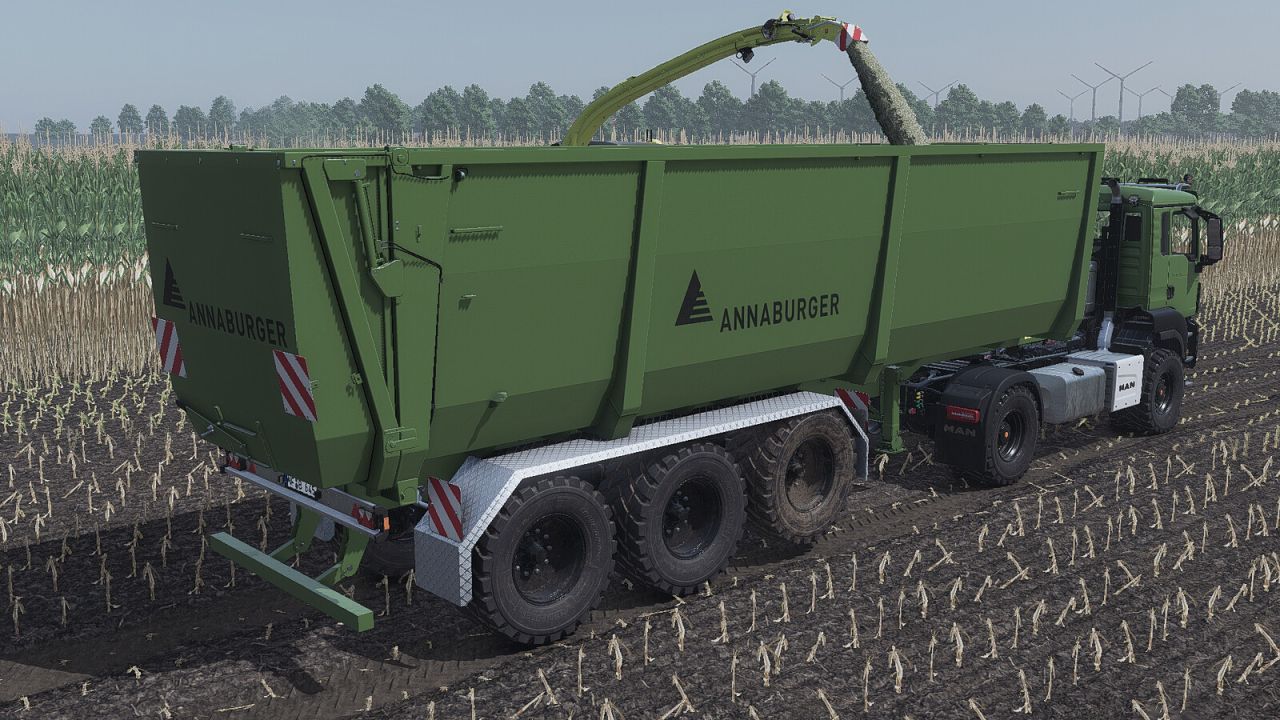
Annaburger Schubmax 34.17 Semitrailer v1.0.0.3
The Annaburger SchubMax is a powerful trailer designed for large-scale transport tasks and is ideally suited for use behind a truck or a dolly. The lift axle can be raised and lowered by pressing the X key. The special feature of the truck-drawn SchubMax is its unloading system: instead of tipping the load, the cargo is pushed out of the trailer by a moving push wall. This allows for smooth, precise, and virtually residue-free unloading. In addition, lightweight bulk materials can be compacted, increasing the vehicle’s overall payload efficiency. – Price: 120,000 $ – Capacity: 55,000 liters – Dolly that fits the Annaburger – Fs25_krampe_dolly10L From us Configurations – and Trailer and AugerWagon
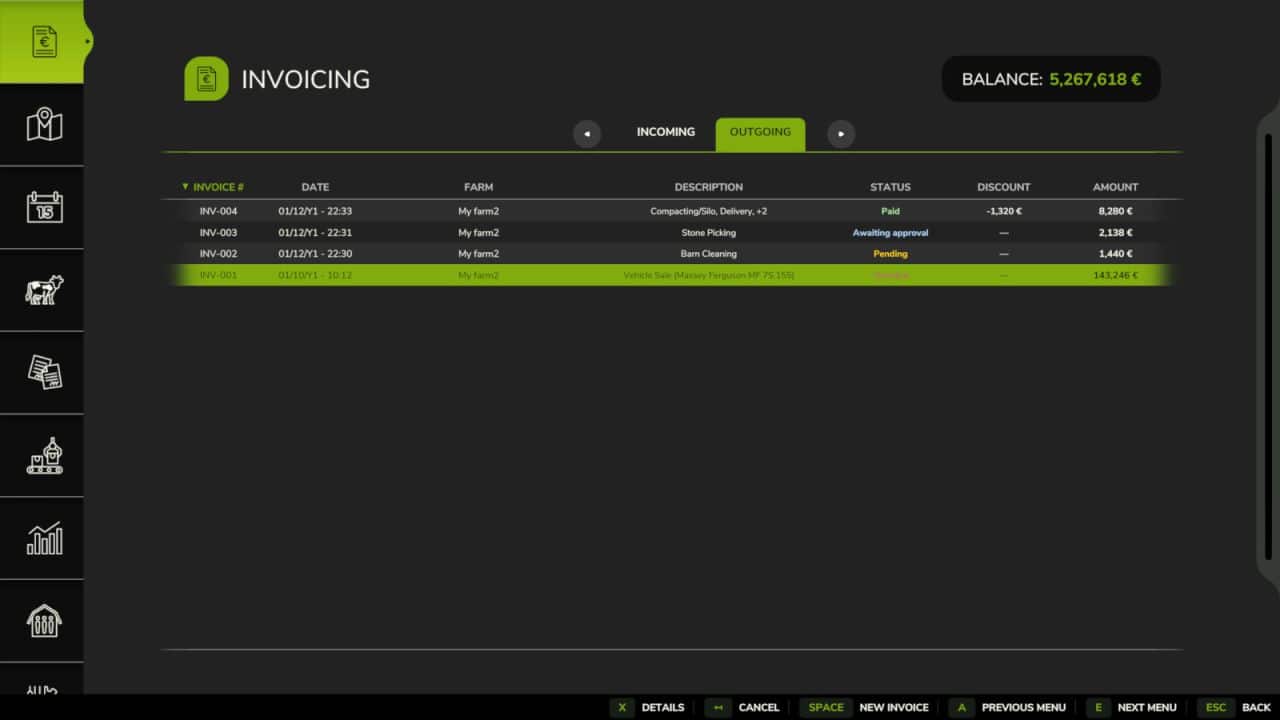
Invoices v1.2.1.0
Create, send, propose and track invoices between farms in multiplayer. Ideal for contractor gameplay and structured MP servers, Invoices lets you bill other farms for fieldwork, transport, forestry, animal care and direct sales. Features: – Farm-to-farm invoicing with status tracking – Invoice proposals with approval workflow – Vehicles, consumables and products can be billed directly, with automatic transfer when relevant – Prices, discounts and VAT can be adjusted line by line – Payment reminders, late fees, finance integration and FS25_RedTape support Important: Only consumables physically present in the world (not stored inside buildings) can be invoiced and transferred. Make sure to eject bales, pallets or bigbags from storage buildings before creating an invoice. Access via the dedicated tab in the InGame Menu (ESC). V1.2.1.0 – Fixed line prices when reopening an invoice draft – Fixed payment due dates and late fees: invoices are due after one in-game month, then accrue 5% per started overdue month from the first overdue day, capped at 25% – Fixed field area on hectare-based invoicing: enlarged or trimmed fields now bill their measured worked area. Thanks to jordan-picard for reporting this issue in GitHub Issue #13 – Improved multiplayer safety: invoices are now only synced from the host, preventing corrupted or tampered invoice data on clients.
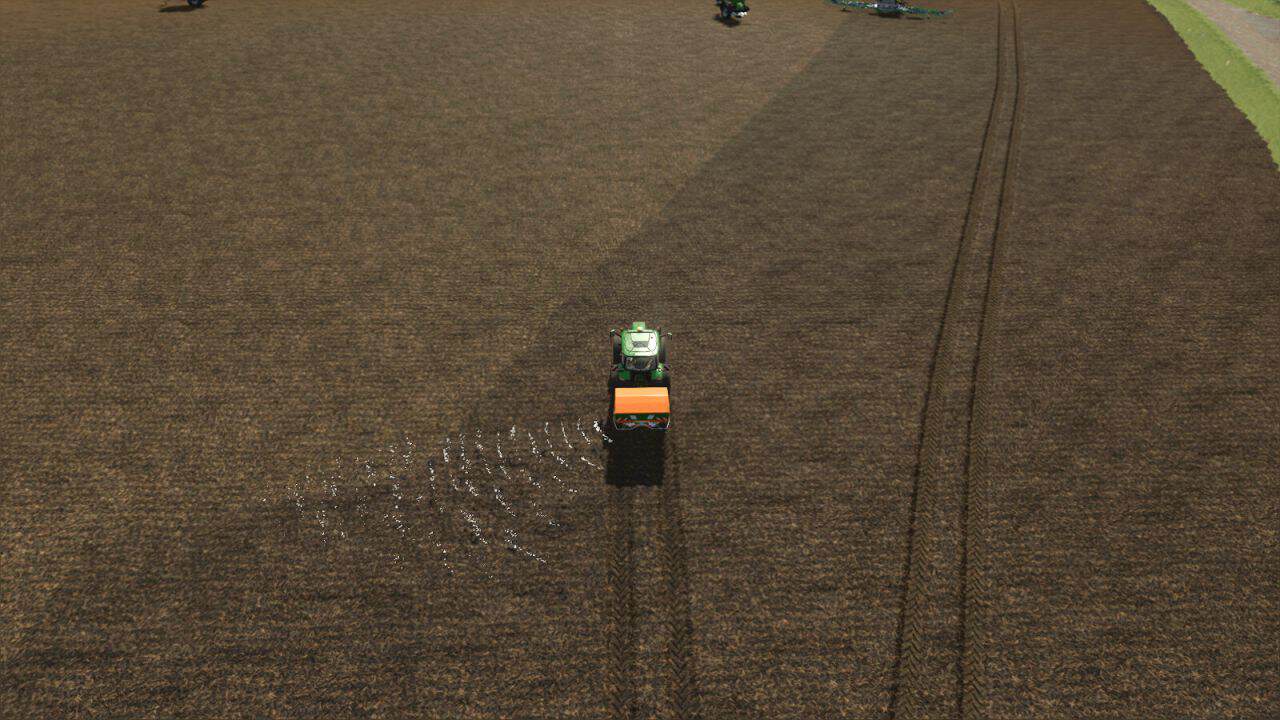
Spreader Section Control v1.2
– Spreader Section Control adds automatic section control to all fertilizer spreaders and slurry trailing-shoe or trailing-hose booms that are already equipped with manual section control. Works with and without Precision Farming. – Can be switched on and off using the T key. – It controls only the working width you have defined. – It adjusts the fertilizer application rate up or down based on speed and working width. V1.2.0.0 – Fixed issues with maps that have their own fertilizerEffects.xml
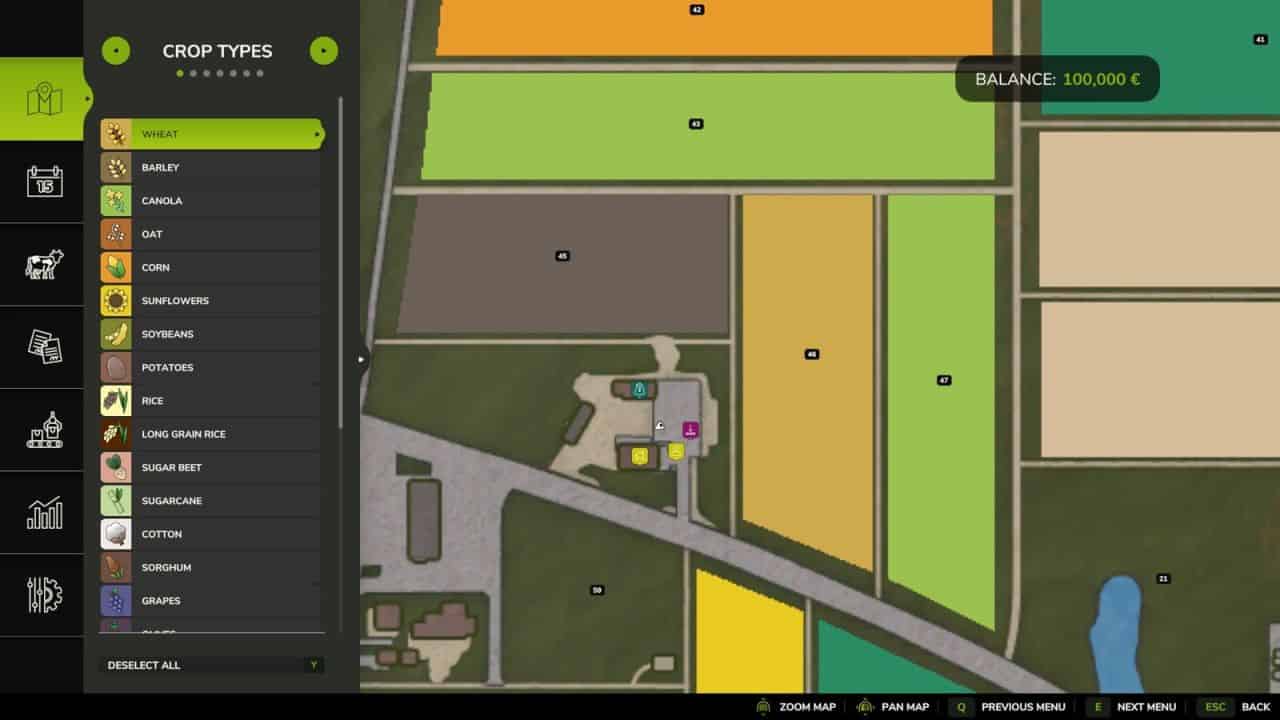
Reveal Farms On The Map v1.1
On many maps, farms with stables, pens and pastures only appear on the minimap once you’ve bought the land they sit on. This mod shows these farms on the map right away, so you get a better overview of where the interesting farms are before deciding what to buy. The purchase itself, prices, and all other game mechanics stay completely untouched, only the map icon is shown earlier. V1.1.0.0 – You can now turn off the farmhouse icons in the settings if they feel cluttered on maps with lots of small properties. Stables, storage and production buildings are not affected.

Schäffer 222 V1.0
The Schäffer 222 is a compact and maneuverable farm loader with 25 PS, a width of about 85 cm, and a tipping load of approximately 850 kg, designed primarily for use in tight working spaces in agriculture and on the farm. Category: Front Loader Vehicles Price: $24,300 Power: 25 hp Max. speed: 12 kph Fuel tank: 28 L Hitch types: -Front: Front loader, Schäffer -Rear: Tow hitch, car trailer

Liebherr SC350T V1.0
This machine can be used for loading and unloading shipping containers of different sizes. Supported containers: – Basegame wood containers – Containers from Fliegl Shipping Container Pack mod (by HR Forst und Fahrzeugbau) Shop category: Drivable miscellaneous Price: $340,000 Power: 485 HP Max. speed: 30 kph Stacking height: 3 containers Color configurations Basegame containers ca be attached with IMPLEMENT_EXTRA4 (default key Z). There is an option to move the interior camera forward for a better view of the ground when loading – IMPLEMENT_EXTRA3 (default key Y). The interior dashboard (speed, rpm and gear) is displayed correctly only with this graphics settings: Object draw distance – min. 170 percent. Recommended mod (by HR Forst und Fahrzeugbau): Fliegl Shipping Container Pack

Ozdoken Ayn-K Pack V1.0
AYN-K: – Manufacturer: OZDOKEN A.S. – Base Price: $20.000 – Working Width: 8.1m – Working Speed: 25 kph – Required Power: 160 HP AYN-K Front-Mounted: – Manufacturer: OZDOKEN A.S. – Base Price: $20.000 – Working Width: 8.1m – Working Speed: 25 kph – Required Power: 160 HP

Old US Barn V1.0
Lightning outside is automatic, inside is switch. Price: 15.000$ Daily maintenance costs: 1$

Case IH Magnum CVX Serie v1.0.0.1
Case IH Magnum CVX Serie v1.0.0.1 Ein Traktor, der ursprünglich aus dem Landwirtschafts-Simulator 19 stammt. Kategorie: Große Traktoren Preis: 321.000 US-Dollar Leistung: 409–435 PS Höchstgeschwindigkeit: 50 km/h Änderungsprotokoll 1.0.0.1: Kollisionsproblem behoben Tags: Kategorie GroPS
Dünger-Arbeitsbreite v1.1.0.0
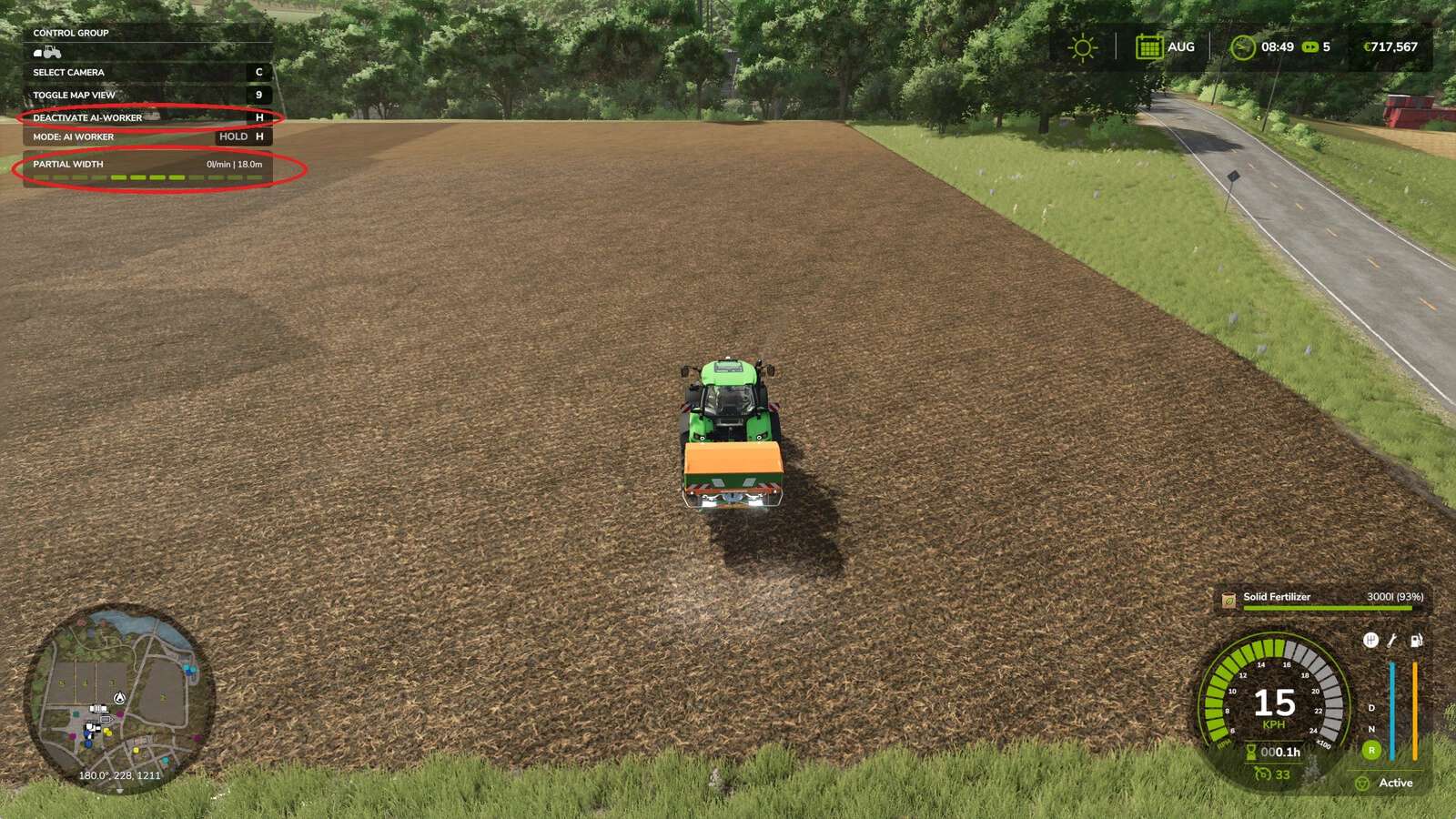
Dünger-Arbeitsbreite v1.1.0.0 Behält die von Ihnen manuell ausgewählte Abschnittsbreite bei, anstatt sie beim Arbeitsbeginn auf den Maximalwert des Geräts zurückzusetzen. Stellt man einen Streuer oder eine Spritze auf 12 m ein, übergibt man die Arbeit dem KI-Assistenten oder Courseplay, öffnet das Spiel alle Abschnitte neu: Man befindet sich wieder auf 48 m und arbeitet weit außerhalb des Feldes. Diese Modifikation verhindert das. So funktioniert es: Das Spiel verfügt bereits über ein Flag namens „aiKeepCurrentWidth“, das vor dem Zurücksetzen der Abschnitte überprüft wird. Es ist standardmäßig deaktiviert und wird von keinem Fahrzeug gesetzt. Die Mod setzt es lediglich. Es werden keine Spielfunktionen ersetzt und kein Verhalten umgeschrieben, daher gibt es keine Konflikte mit Courseplay oder anderen Skript-Mods. Sicherheitsnetz: Falls Sie mit geschlossenen Abschnitten beginnen, ermöglicht die Mod dem Spiel, diese wieder zu öffnen, da ein Werkzeug mit Breite Null einen fehlerhaften Kurs erzeugen würde. Dies wird im Protokoll vermerkt. Hinweis: Courseplay liest die Arbeitsbreite beim Generieren des Kurses. Legen Sie daher zuerst die Breite fest und generieren Sie den Kurs anschließend. Funktioniert mit allen Werkzeugen, die über Arbeitsbreitenabschnitte mit variabler Breite verfügen. Arbeitsbreite und der integrierte KI-Assistent: Bei der Auftragsübergabe liest der Assistent nicht Ihre Abschnittseinstellung, sondern bietet die volle Arbeitsbreite des Geräts an. Stellen Sie im Einstellungsbildschirm der KI das Feld „Arbeitsbreite“ auf die von Ihnen gewählte Breite ein. Die Modifikation behält die Abschnitte dann für den gesamten Auftrag bei. Bei Courseplay wird die gewählte Breite bei der Kursgenerierung automatisch übernommen, sodass kein zusätzlicher Schritt erforderlich ist. Die automatische Übernahme der Arbeitsbreite durch den integrierten Assistenten ist für das nächste Update geplant. Courseplay-kompatibel: Die Mod erweitert lediglich die Standardfunktionen, ersetzt sie aber nicht. Daher funktionieren Courseplay und andere Skript-Mods weiterhin problemlos. Getestet mit Courseplay 8.1.0.3. Tags: Das SpielDie ModifikationKIStellen Sie
Holzlagerung v1.0.0.1
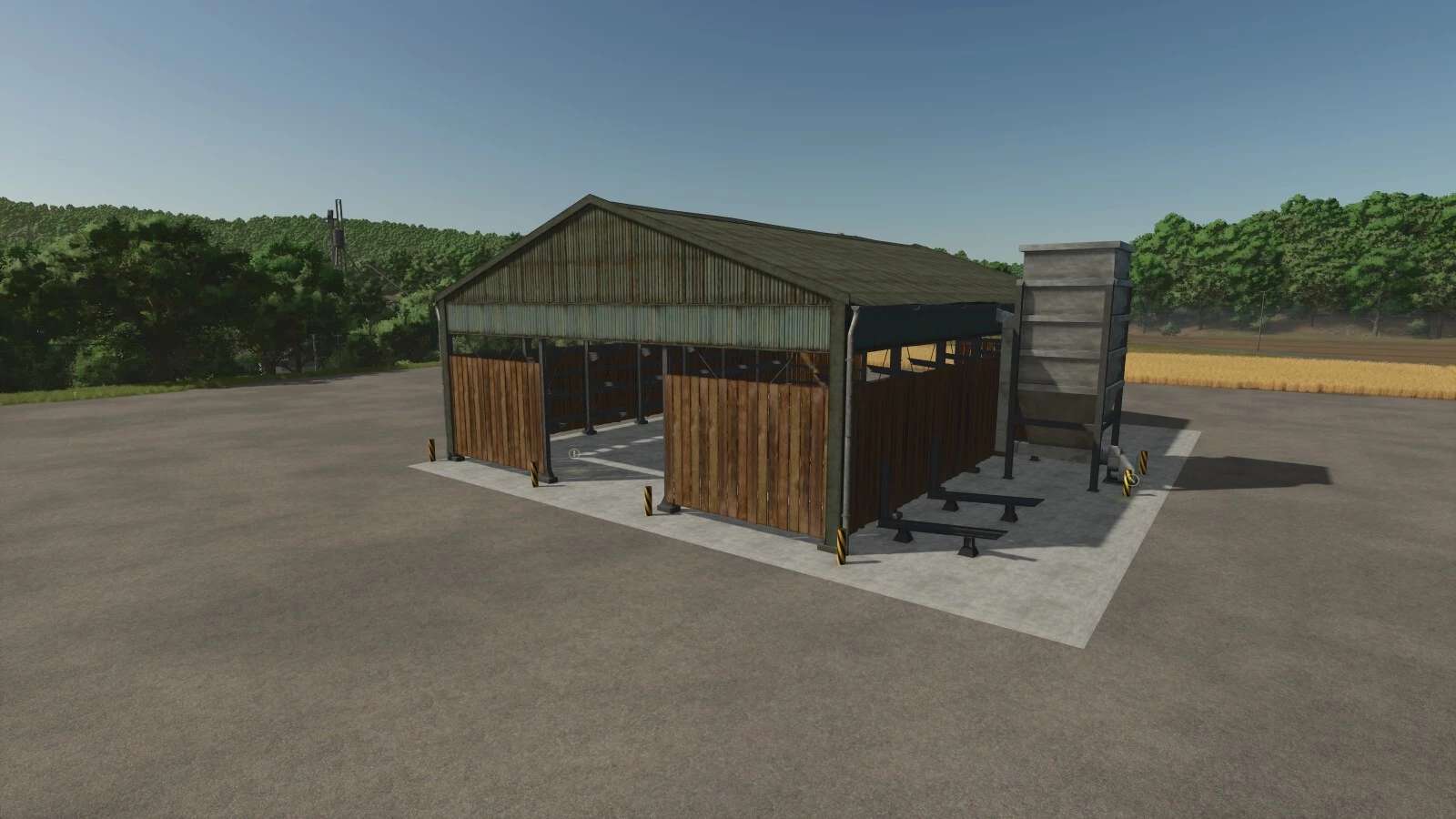
Holzlagerung v1.0.0.1 Diese Modifikation beinhaltet separate Holzlager für Fichtenstämme und alle Kiefernarten. Gegen einen Aufpreis werden alle anderen Baumarten gespalten und zu Hackschnitzeln verarbeitet. Änderungsprotokoll 1.0.0.1: Die Protokollausgabe auf dedizierten Servern wurde korrigiert. Die Protokollausgabe verwendet nun ein Menü zur Auswahl der gewünschten Protokolllänge. Ein fehlerhafter Kapazitätswert in der HUD-Anzeige wurde korrigiert. Preis: 50.000 US-Dollar Tägliche Wartung: 50 $ Tags: Die Protokollausgabe
- 15 per page
- 30 per page
- 45 per page
- 60 per page
-
See more per page
Bigger pages, fewer clicks - and no ads anywhere.
Go Pro