Farming Simulator 25 mods
67,854 results- 15 per page
- 30 per page
- 45 per page
- 60 per page
-
See more per page
Bigger pages, fewer clicks - and no ads anywhere.
Go Pro
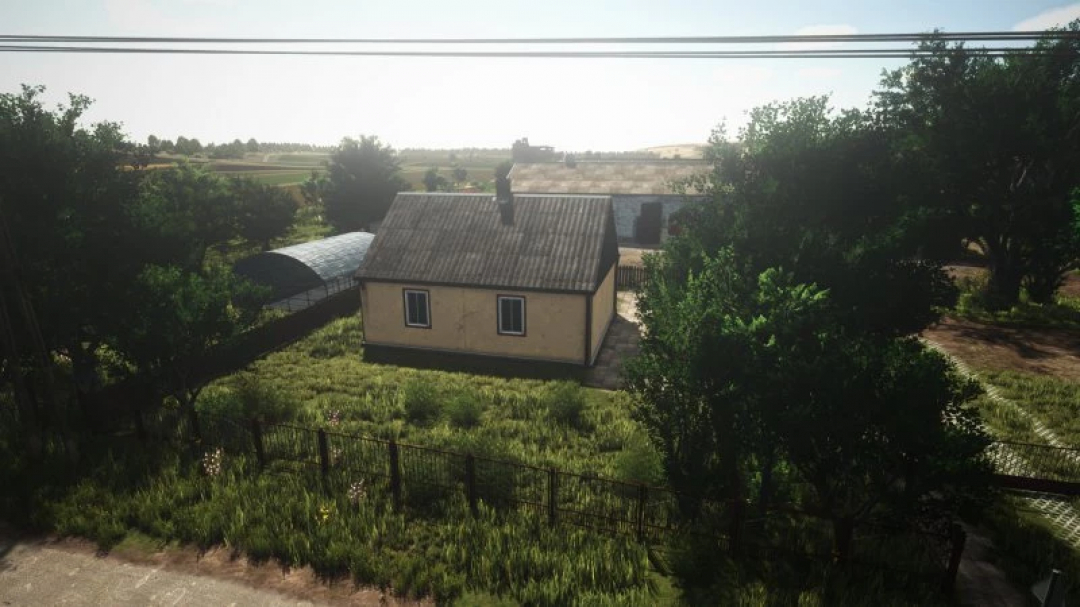
FS25 Old Farmhouse v1.0.0.0
An old house inspired by a real residence in a Polish village. – Price: $14,000 – Daily Upkeep: $4/day
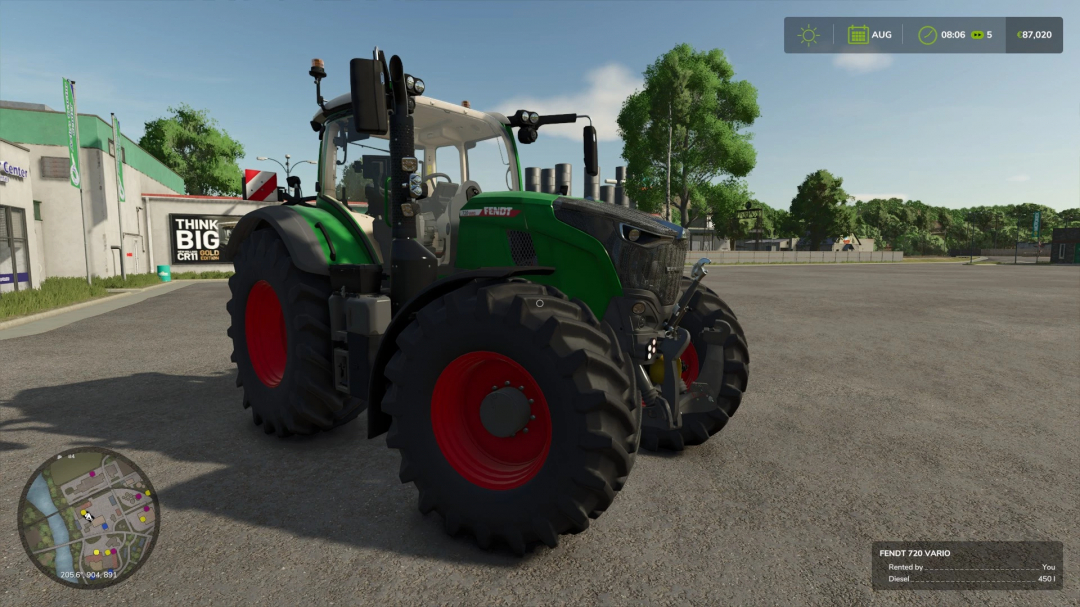
Fendt 728 gen 7 color selection v1.0.0.0
Offering a Fendt 700 with a full range of colors and a configurable exhaust panel.
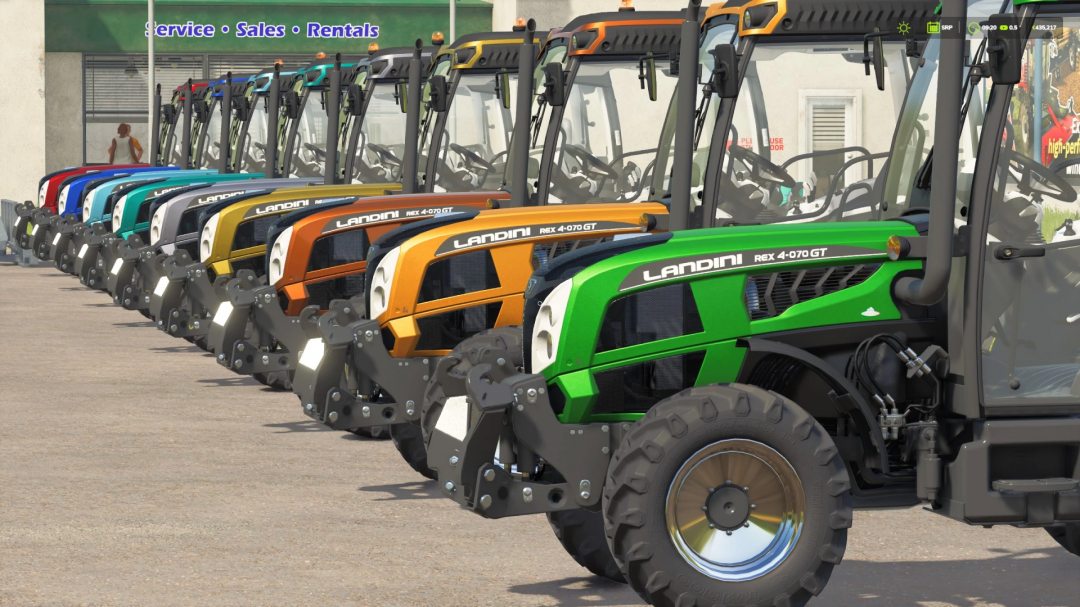
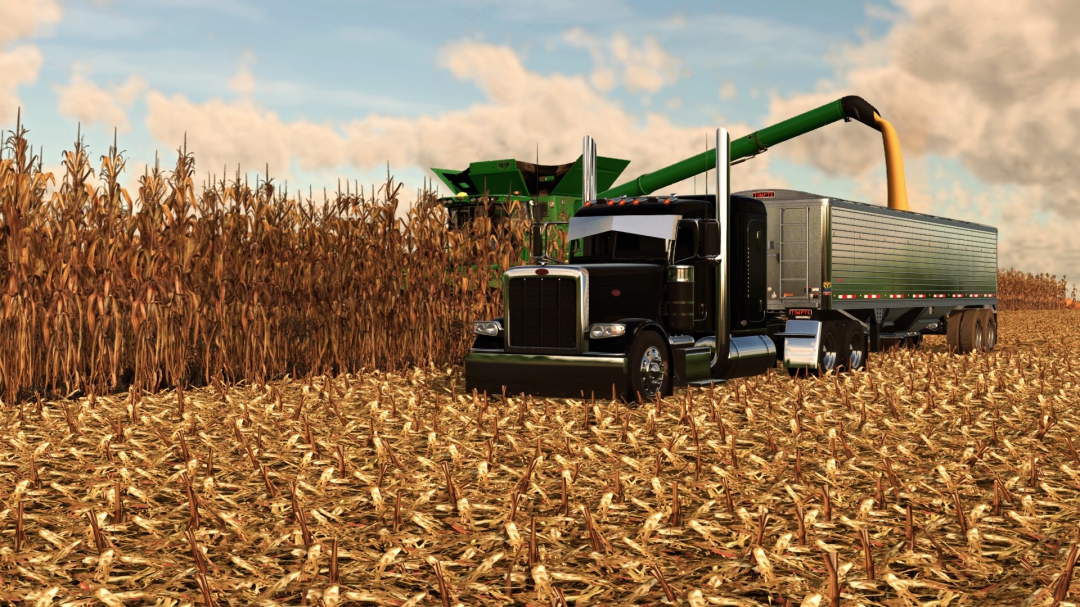
FS25_MR_seriesREX4
A palette of colors, including beautiful metallic shades. A touch of more realistic physics, just for fun.
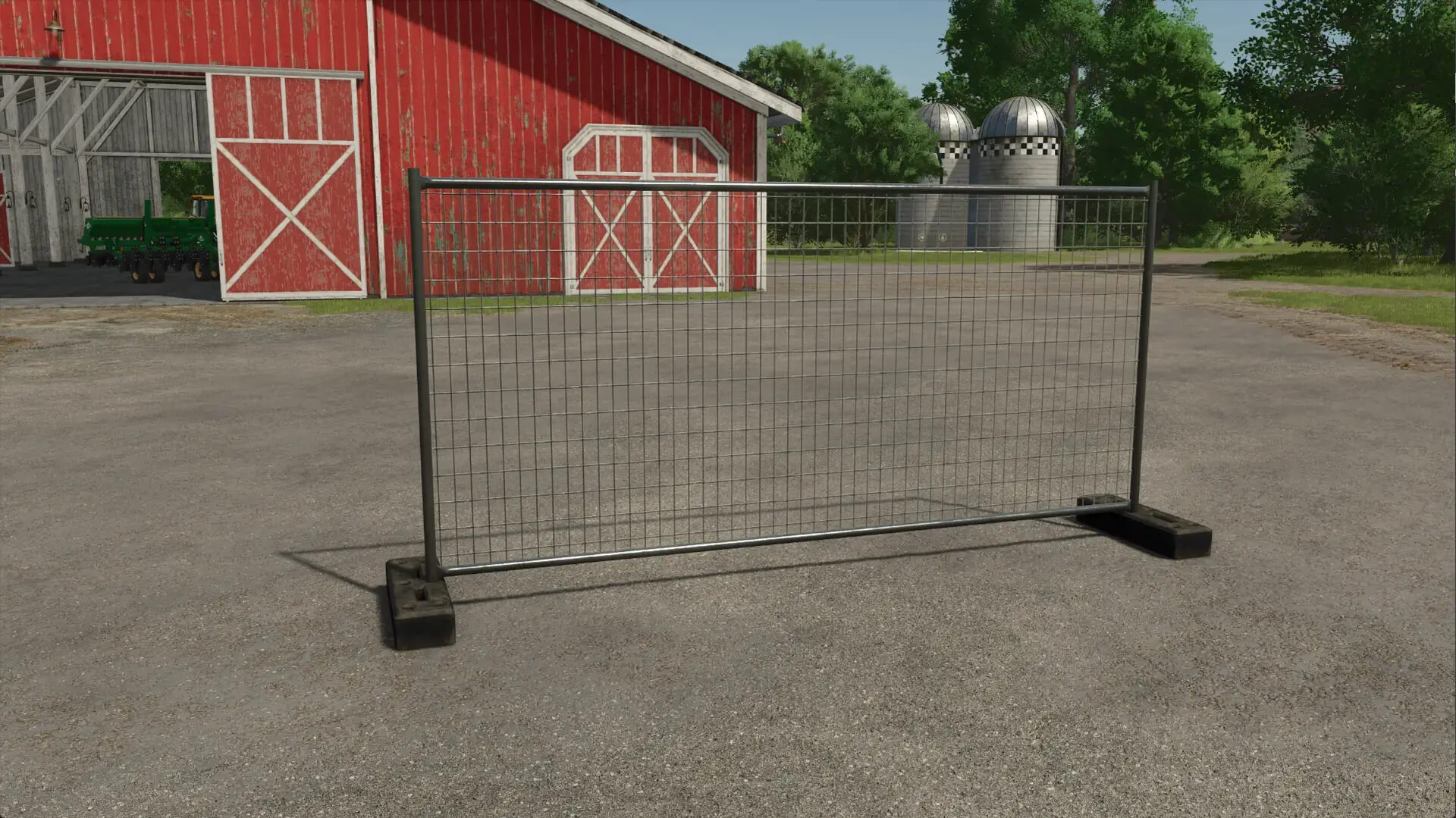
FS25 Construction Fence V1.0.0.0
FS25 Construction Fence V1.0.0.0 This construction fence is perfect for securing your construction site. Price: 150 € Daily maintenance 1 € Category: Decorations / Other There are two versions, one with one foot and one with two feet. Clamps can be selected by pressing F during placement. Tip: Press B to activate free mode to place the fences closer together. Credits:Janni1101
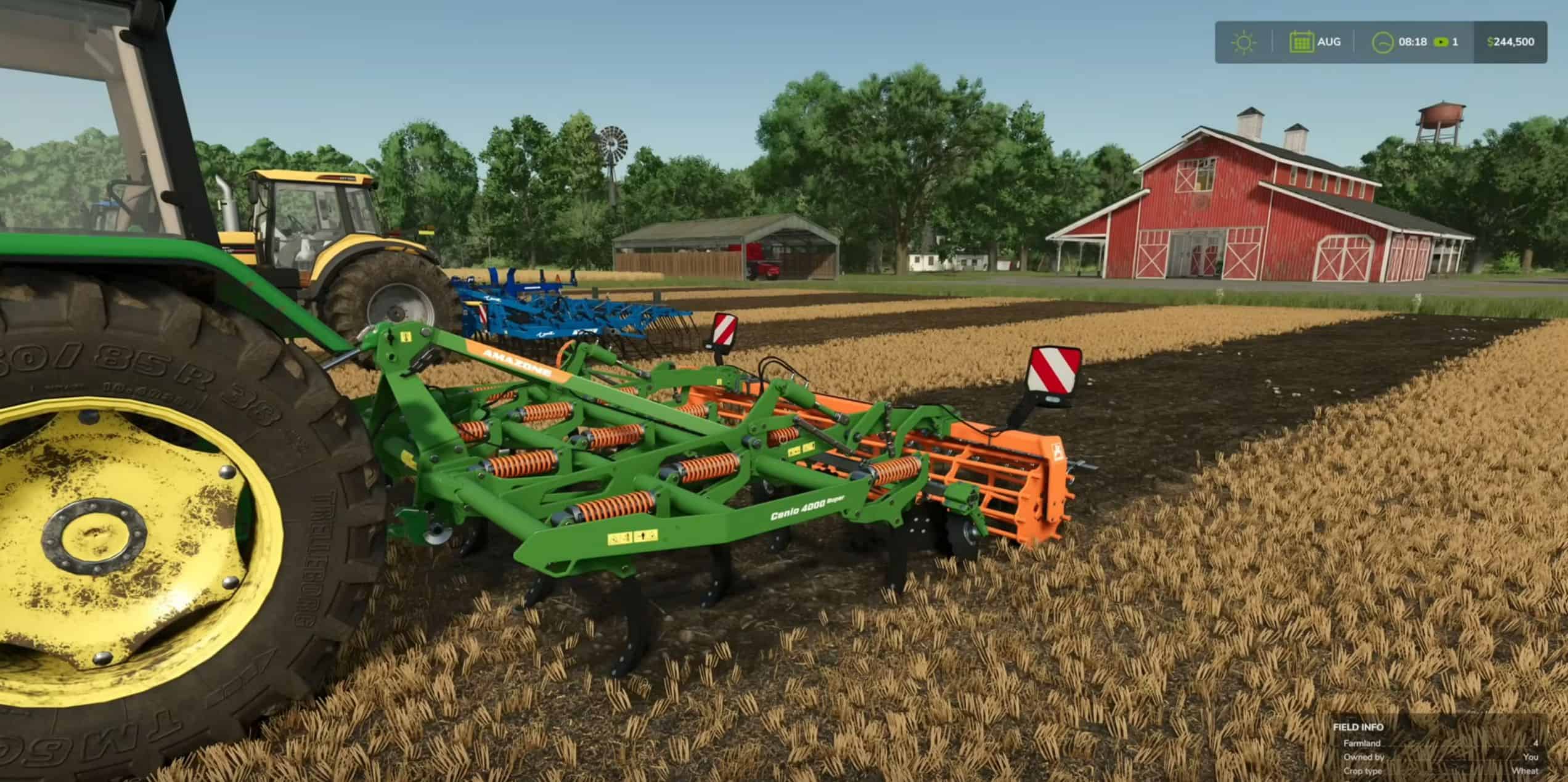
FS25 Tips: Cultivating, Disc Harrows & Power Harrows
FS25 Tips: Cultivating, Disc Harrows & Power Harrows Cultivating is an essential step in Farming Simulator 25, ensuring that your fields are properly prepared for the next crop cycle. In this guide, we’ll cover everything you need to know about using cultivators, shallow cultivators, disc harrows, and power harrows to get the best results for your farm. Whether you’re looking to improve yields or simply prepare your fields for the next planting season, this guide has you covered. What is Cultivating? Cultivating is the process of loosening the soil before sowing new crops. It helps break up the soil surface, making it easier for seeds to take root. Proper cultivation can also help control weeds and prepare your fields for higher yields. There are four main types of soil cultivation tools in Farming Simulator 25: Regular Cultivators Shallow Cultivators Disc Harrows Power Harrows Each tool serves a slightly different purpose and has varying effects on your soil. Let’s dive into the details of each one. 1. Regular Cultivators Purpose: Ideal for deep soil cultivation and removing weeds. Pros: – Highly effective against weeds. – Thoroughly loosens the soil for better seed germination. Cons: – Digs up large stones that need to be removed afterward. – Requires higher tractor power and can be slower than other tools. When to Use: Regular cultivators are great if you’re looking to fully turn over the soil and prepare it for a new crop cycle. However, keep in mind that you’ll need additional equipment to remove the stones it uncovers. 2. Shallow Cultivators Purpose: Provides a quicker way to prepare your fields without digging too deep. Pros: – Faster working speed and lower tractor power requirements. – Covers a wider area, saving time on larger fields. – Digs up smaller stones that can often be rolled back into the soil. Cons: – Less effective at removing weeds compared to regular cultivators. – More expensive than regular cultivators. When to Use: Shallow cultivators are perfect if you’re looking for efficiency and speed, especially on larger fields. They are less aggressive on the soil, making them ideal for regular field maintenance. 3. Disc Harrows Purpose: Combines speed with soil preparation, ideal for shallow cultivation. Pros: – Faster working speed with lower power requirements. – Does not dig up stones, making it easier to manage your fields. – Can be used with direct sowing machines for simultaneous cultivation and sowing. Cons: – Not as thorough as regular cultivators. – Limited effectiveness against weeds. When to Use: If you’re looking to prepare your fields quickly without having to deal with stones, disc harrows are a great choice. They’re also compatible with direct sowing, making them a versatile option for efficient farming. 4. Power Harrows Purpose: Offers a more refined cultivation process, ideal for breaking up soil clumps. Pros: – Lower power requirements and moderate working speed. – Provides a smooth seedbed, perfect for delicate crops. Cons: – Can dig up large stones, requiring additional management. – Slower than disc harrows and shallow cultivators. When to Use: Power harrows are best when you want a finely prepared field, especially for crops that need a smooth seedbed. They work well in combination with other soil preparation tools to ensure optimal conditions for planting. How to Choose the Right Cultivator When deciding which tool to use, consider: Field Size: For larger fields, opt for shallow cultivators or disc harrows for faster coverage. Weed Control: Regular cultivators are your best bet if you’re dealing with heavy weed growth. Stone Management: If you want to avoid digging up stones, stick with disc harrows or shallow cultivators. Tractor Power: Make sure your tractor has the necessary horsepower to handle the chosen equipment. Step-by-Step Guide to Cultivating Your Field Check Field Status: – Open the Soil Composition menu to see if your fields need cultivation. Cultivated fields will appear in blue on the map. Attach Your Cultivator: – Head to the shop, select a cultivator that suits your needs, and attach it to your tractor. – Ensure your tractor meets the horsepower requirements for the chosen cultivator. Start Cultivating: – Lower the cultivator into the soil and start moving across your field. – For disc harrows and power harrows, remember to turn on the implement before starting. – Observe the soil to check if stones are being dug up. Large stones will need to be removed with a rock picker, while smaller stones can be rolled back into the ground. Tips for Efficient Cultivating Use GPS Mods: Keep your lines straight and avoid missing spots by using GPS systems if available. Direct Sowing: Save time by using direct sowing machines with disc harrows for simultaneous cultivation and planting. Prevent Stone Issues: If you want to avoid dealing with stones, consider using shallow cultivators or disc harrows. Conclusion Cultivating is a critical part of maintaining your fields in Farming Simulator 25. Whether you’re using a regular cultivator, shallow cultivator, disc harrow, or power harrow, understanding the strengths of each tool can help you optimize your farm’s efficiency. By choosing the right equipment and cultivation method, you can ensure that your fields are ready for the next planting season, boost crop yields, and save time in your farming operations. Happy farming!
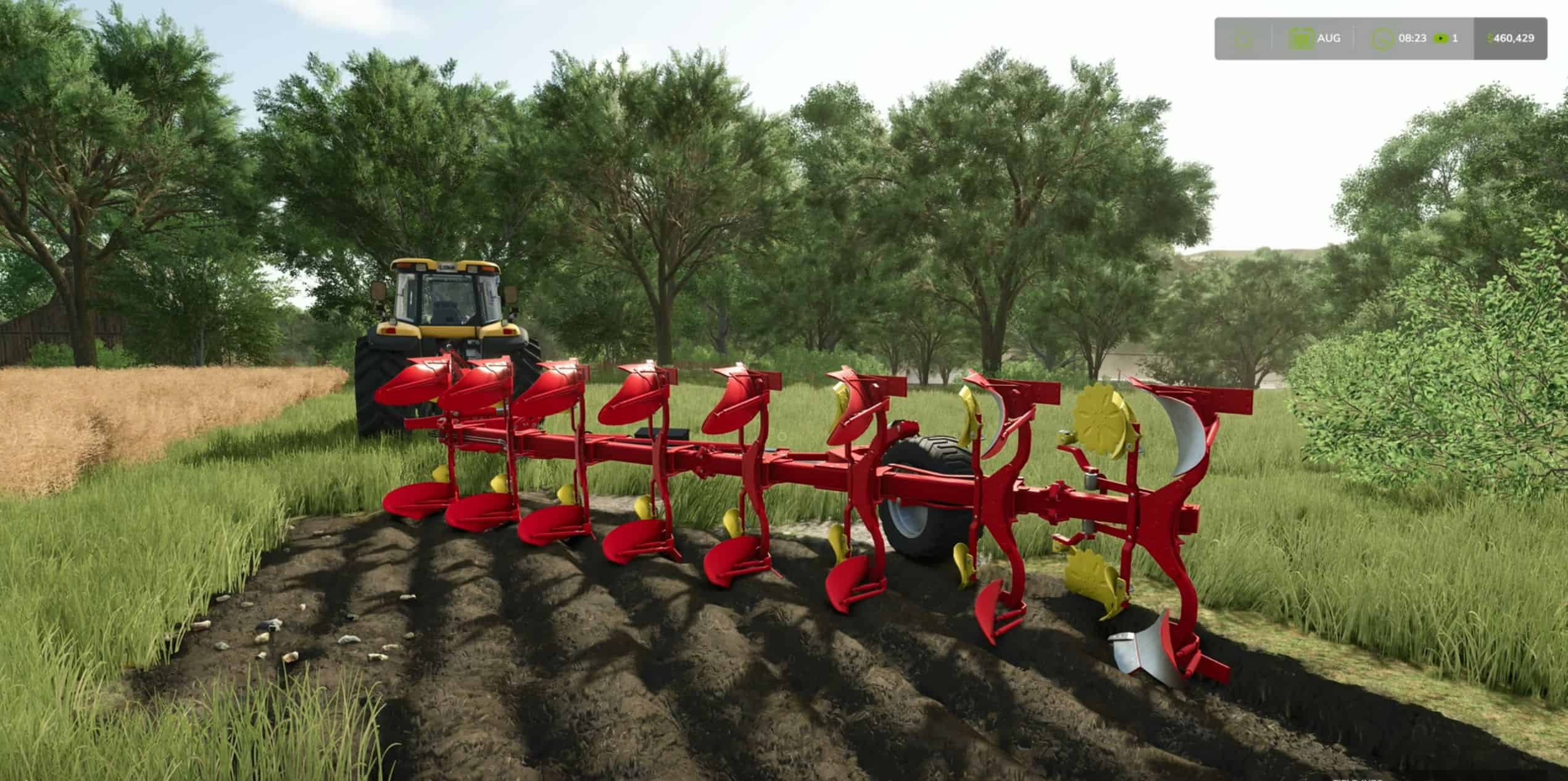
FS25 Tutorial: Master Plowing, Subsoiling, and Spading
FS25 Tutorial: Master Plowing, Subsoiling, and Spading Plowing is an essential task in Farming Simulator 25, especially if you want to maximize your crop yields and keep your fields healthy. Whether you’re preparing for the next planting season, merging fields, or simply maintaining your land, plowing plays a key role in your farming operations. In this guide, we’ll break down everything you need to know about plowing, including the tools available, how to increase yields, and how to prevent weeds. Why You Need to Plow Plowing is necessary after harvesting root crops such as: Potatoes Corn Sugar beets By plowing, you prevent weeds from growing, which in turn boosts your crop yields for the next harvest. Additionally, plowing can help: Create new fields: Expand your farm by combining multiple fields or creating entirely new ones. Reduce weed growth: Plowing or using alternatives like subsoilers can prevent weeds, saving you time during crop maintenance. Uncover stones: Plowing will bring stones to the surface, which may require additional steps to manage. Plowing Tools: What You Need to Know In Farming Simulator 25, you have three main tools for soil cultivation: Plows: – Can create new fields and merge existing ones. – Helps increase yields by turning over the soil. – Moderate speed and higher power requirements. – Brings up small stones that can be easily managed. Subsoilers: – Faster than traditional plows and require less tractor power. – Cannot create or expand fields. – Can also be used as a cultivator, making them a versatile option. – Brings up large stones that will require removal. Spaders: – The least commonly used option but still effective. – Ideal for turning and aerating the soil. – Requires more power and can be slower than subsoilers. – Also brings up large stones similar to subsoilers. How to Choose the Right Plowing Equipment When selecting a plow, subsoiler, or spader, consider the following: Horsepower Requirements: – Check the horsepower your tractor has and choose a plow that fits within its capabilities. – Alternatively, pick a plow you like and then purchase a tractor powerful enough to handle it. Shop for Equipment: – Head to the shop menu under Soil Cultivation to browse available plows. – Choose between different options based on your farm’s needs and budget. Turning Off Plowing Requirements: – If you want to simplify your farming experience, you can turn off the Periodic Plowing Required setting in the game options. Step-by-Step Guide to Plowing a Field Determine if Plowing is Needed: – Open the menu and navigate to Soil Composition. – Fields that need plowing will be marked in red. Use a Plow: – Attach your plow to the tractor and lower it to start plowing. – For fields that need expansion or merging, use the create field option. On an Xbox controller, this can be done with the left bumper + Y button. Try Subsoiling for Faster Results: – Subsoilers can plow the field at higher speeds and also act as cultivators. – However, keep in mind that subsoilers will bring up larger stones, which will need to be removed using a rock picker. Using a Spader: – The spader works similarly to a plow but needs to be turned on before use. – It turns the soil thoroughly but will also generate large stones, requiring additional field maintenance. Managing Stones: What You Need to Know Small Stones: These can be easily rolled back into the soil using a field roller. Large Stones: Subsoilers and spaders generate larger stones that need to be picked up with a rock picker. Failing to remove stones can damage your equipment and reduce crop yields, so it’s essential to deal with them after plowing. Pro Tips for Efficient Plowing Use GPS Systems: If you have access to GPS mods, you can use them to keep your plowing lines straight, saving time and fuel. Create Custom Fields: If you’re looking to expand your farm, use the plow’s create-field option to merge fields or create new sections on your map. Turn Off Periodic Plowing: If you’re focusing on other aspects of the game and want to skip plowing, turn off the periodic plowing requirement in your game settings. Conclusion Plowing is more than just turning soil in Farming Simulator 25. It’s a crucial process for maintaining field health, increasing yields, and optimizing your farm’s productivity. Whether you use a plow, subsoiler, or spader, each tool has its unique benefits and challenges. By following this guide, you’ll be well-equipped to make the most out of your plowing efforts and keep your farm running efficiently. Happy farming!
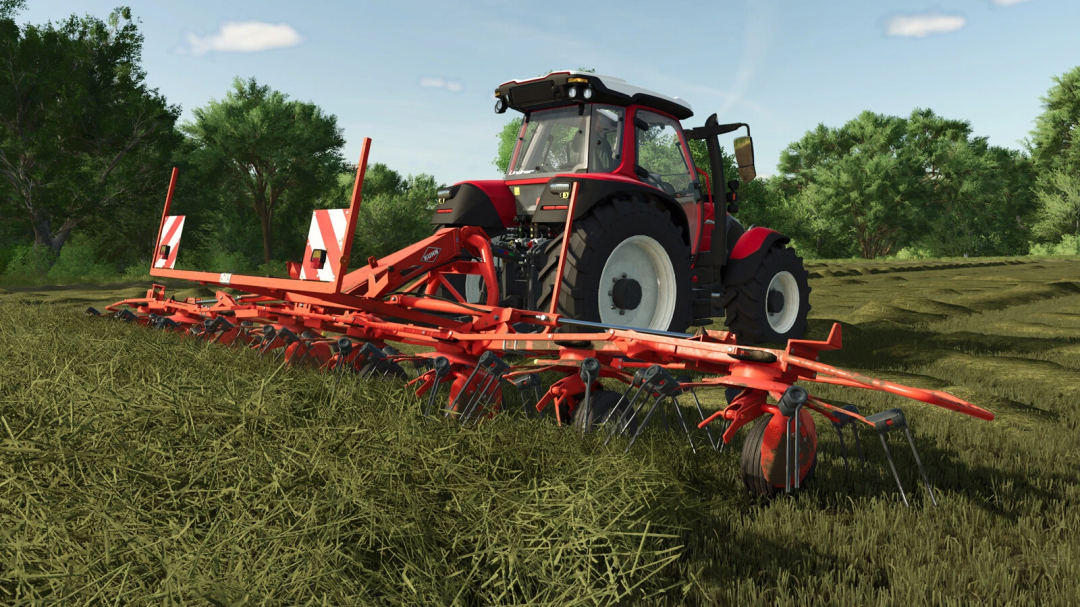
Kuhn GF 8712 v1.0.0.0
Kuhn GF 8712Category: TeddersPrice: $16,000Required power: 60 hpWorking width: 8.7mWorking speed: 15 kph
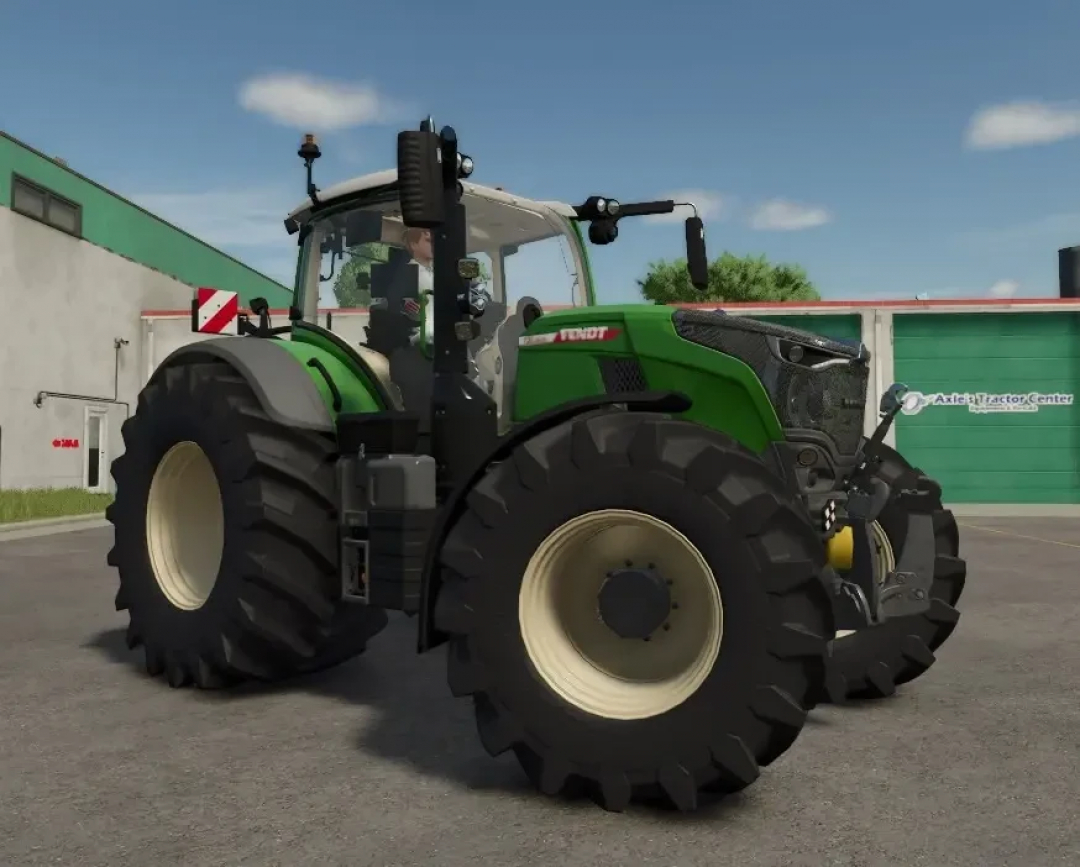
Fendt Vario 700 wide tires + choice of rim color v1.0.0.0
Fendt Vario 700 with wide tires and a choice of rim color. The width of the wide tires has been adjusted, and you can select your preferred rim color.
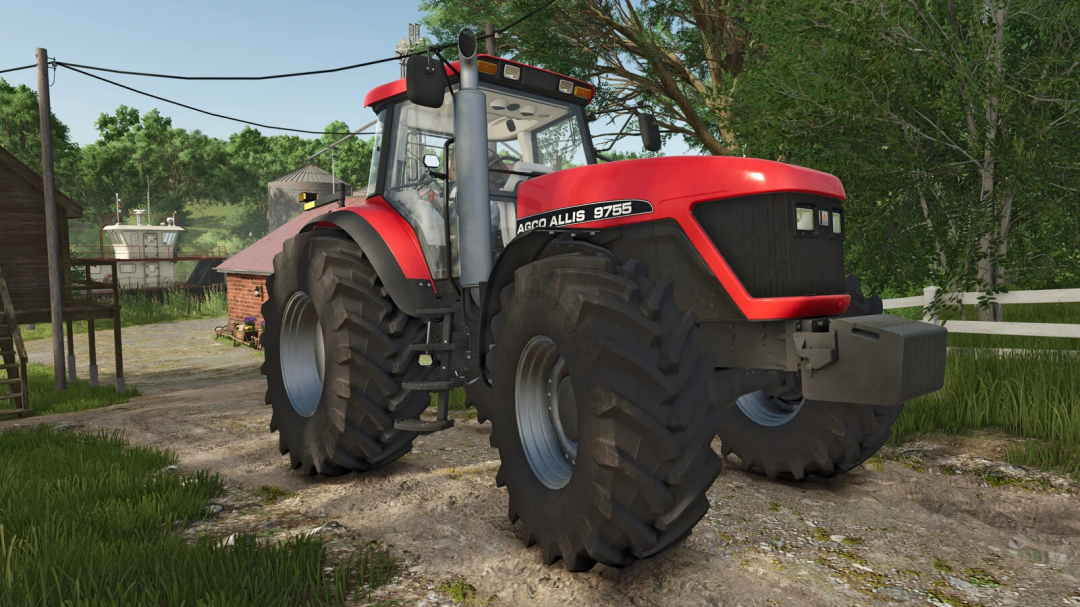
AGCO Allis Series 9700 v1.0.0.0
AGCO Allis Series 9700: Category: Medium Tractors Price: €58,500 Power: 160 - 225 hp Max. speed: 40 kph Engine, wheel, and front weight configurations

FS25 Exclusive: Baby Animals, Livestock Variety & Pasture Dynamics
Right before the release of Farming Simulator 25, we figured a dose of cuteness was in order. Let’s kick things off with a GIF that you can almost hear: We also caught up with our Senior Animator, Rahul Narode, to discuss the charming animations of newborn and young animals, both four-legged and two-legged (because, chickens!). Read the interview below, and stick around for more baby animal GIFs to keep you entertained. But that’s not all! We’ve gathered details on the various animal types and how you can customize their living spaces, including the ability to build custom fences for animal pens. This allows for more personalized farms centered around animal husbandry. Pretty cool, right? Create Custom Pens & Pastures: Craft Your Ideal Farm To give animal farmers more control over their pens, you can now personalize them by changing colors, adding solar panels, and most importantly, drawing the fences yourself. Design the layout to fit any shape you want, allowing you to build pastures around obstacles or existing structures! Animal Variety: Colorful Barns & Customized Pens With the addition of baby animals, along with Water Buffalos and Goats in Farming Simulator 25, your animal farm is about to become even more vibrant and lively. Animals begin as tiny newborns, grow into juveniles, and eventually become productive adults. Let’s explore what each type of animal offers and how you can make the most of them! Chicken Pigs Sheep & Goats Cows & Water Buffalos Horses Who’s behind all this adorable animation? This guy right here! First, tell us a bit about yourself and your role! I’m a Senior Animator at GIANTS Software. For Farming Simulator 25, I’ve worked on various animations, reviewed them, and refined them to meet our standards before integrating them into the game. How do you typically begin the animation process? What are the key steps? Before diving into animation, I take time to understand exactly what’s needed for each animal and the desired outcome. This involves studying animal characteristics, observing their movements, and gathering proper references. I look for videos that showcase real animals to capture their natural behavior. Once I’ve gathered enough inspiration and I’m satisfied with the references, I move on to creating the animations, followed by multiple rounds of revisions to ensure they meet our standards. What unique behaviors do baby animals have, and what was challenging about animating them? The challenge was to make them realistic for each species while also capturing their speed and cuteness. Baby animals are incredibly quick and agile, which makes animating them tricky. Capturing every subtle movement, especially using keyframe animation, is quite demanding. Do you have a favorite (baby) animal in the game? Why? In Farming Simulator 25, my favorite would be the baby goats because they hop and jump around with so much playful energy. It’s just adorable! But in real life, I’m a big fan of rabbits. I love how small yet speedy they are. Their quick, jerky movements and the way their ears twitch are fascinating to me. Anything else you’d like to share with our fans? We’ve crafted something truly unique with Farming Simulator 25. I hope our fans and players have a blast with it. The entire team has poured so much effort into making this game special!
Cheats for Farming Simulator 25 – Guide for PC and Console
Cheats for Farming Simulator 25 – Guide for PC and Console Farming Simulator 25 is the latest entry in the wildly popular simulator game series. As expected, this simulator is even more realistic than ever, offering an in-depth depiction of working at and managing your farm. But realism comes at a price – this game can still be challenging for many beginners and experienced players. It can be challenging to see all the exciting techniques the game offers when you have to fight for your life to stay afloat. This is why it’s a great idea always to know a cheat or two that can make your gameplay a little easier and let you explore the game at your own pace. In this article, we’ll look at the available cheats on Farming Simulator 25, such as the money cheat – and see what options are available for both PC and console players. What do we know about Farming Simulator 25 Cheats for PC The PC version of the game is famously very easy to edit. Options for scripting and other such features make it very cheat-friendly. You can edit just about anything about your game, and there are a lot of workarounds. More experienced coders can easily make some homemade cheats of their own. – You can use FS25 console commands to change your gameplay, giving you plenty of money, changing time, or even enabling the ability to fly. There is also an option to go a bit simpler and edit your FS25 save file, which can earn you much more money. This is exactly the option we’re going to discuss right here. Let’s look at the most simple FS25 money cheat on PC and learn how to use it. 1. Farming Simulator 25 Money Cheat for PC The money cheat is the most popular – on FS25 – this is unchanged for almost every game version. Unlimited money solves any problem you could have in the game. This money cheat is popular because you don’t need to download anything. All you have to do is to make a few edits to your existing save file. First, have your game saved in a file. It can be a new game, but you need to create it in the game. Once done, you must go to the folder where all your game files are. This is usually found on the main drive, where you’ll find a folder called “farmingsimulator25“. After opening it, you will see folders of your saved game files. They will be numbered, referring to the slot in your game. So, if your save is in slot number 3, the folder you’re looking for will be called “savegame3“. Open it, and look for a file called “farms.xml“. Right-click and access it with a simple text editor like Notepad. Then, search for the line called “money“. You will see something like “money=150000.000“. Change the number before the decimal dot to a sum you wish to have, i.e. “money=1000000.000“. Save the file, and restart your FS25 game. Your new save game progress should have turned with your added money. 2. How to use mods to increase money If you don’t want to edit your save game files, there are mod cheats to increase the money in the game. For example, if you want a mod that lets you add money manually and even works in multiplayer mode! We recommend checking out Money Tool MP V1.0. By simply using the CTRL+ALT+0 shortcut, you’ll get an instant infusion of 10 million dollars. The same shortcut – also works on the FS25 Money tool mod, giving you 1 million every time you type in CTRL+ALT+0. For either mod to work in Multiplayer mode, you first need to be joined to a farm. Mods are the best way to use cheats on Farming Simulator 25 if you don’t play the game on a PC. This is what the next part of this article is about. 3. How to use Cheats in Farming Simulator 25 on Consoles (PS5, Xbox) The classic PC cheats for Farming Simulator 25 don’t work on Xbox or Playstation because consoles don’t let you run your commands or edit save files. However, there are still some ways you can use cheats – by using mods! Some mods, created by the FS25 modding community can be used like cheats. You must go to the Mods category in the game menu to reach money cheats for FS25 on the Console. For example, the Government Subsidy mod can easily get you up to 100 million dollars yearly, trying to justify why your farm suddenly became rich. It’s one of the most popular mods out there! If you don’t find the exact mod you’re looking for, you can find cheat mods on our website and choose any unlimited money or money tool mod. But first, we recommend watching the video by FSClub to see a guide on having unlimited money on the Console. More cheats: Farming Simulator 25: Single-player money cheats FS25 Infinite Money Cheat for Consoles Tip Anywhere Cheat on Farming Simulator 25 Farming Simulator 25 Money Cheat Farming Simulator 25 Best Cheats and Cheat Codes Farming Simulator 25 Money Tool Money Tool v1.0 FS25 Author: farmingsimulator25mods.com Report bugs in the comments and help modders improve this mod. Always check the comments, you can find a solution.
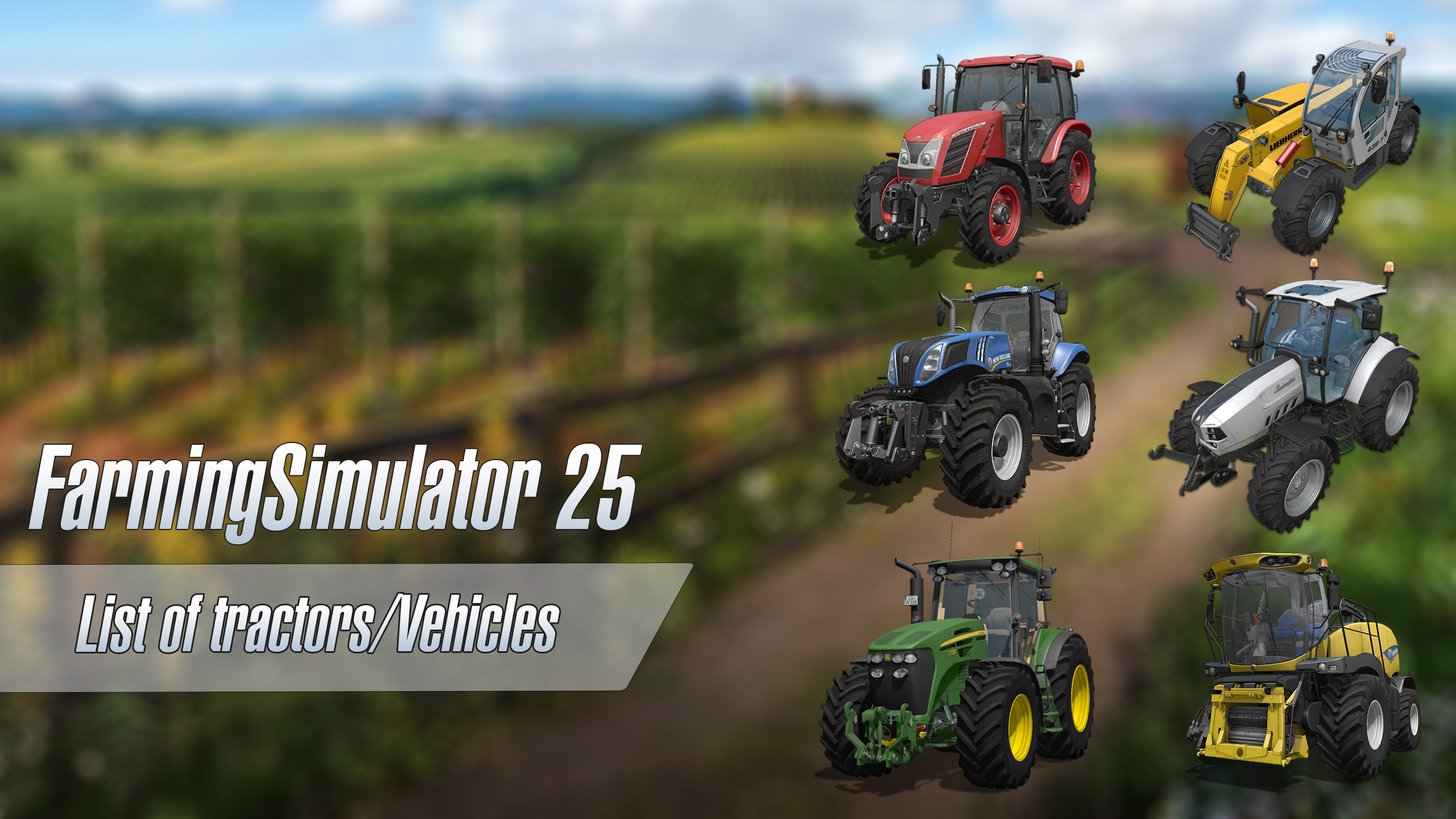
List of tractors/Vehicles for Farming Simulator 25
List of tractors/Vehicles for Farming Simulator 25
- 15 per page
- 30 per page
- 45 per page
- 60 per page
-
See more per page
Bigger pages, fewer clicks - and no ads anywhere.
Go Pro