Farming Simulator 25 mods
70,574 results- 15 per page
- 30 per page
- 45 per page
- 60 per page
-
See more per page
Bigger pages, fewer clicks - and no ads anywhere.
Go Pro
Workplace Triggers FS25
Turn any location on any map into a legitimate workplace. Open the Workplace Manager, add a trigger, give it a name and a wage, place it anywhere on the map — then walk in and clock in. Perfect for roleplayers who want their farmer to have a side job, or anyone looking to supplement farm income with off-farm work. FEATURES - Placeable trigger zones — invisible zones you drop anywhere, indoors or outdoors - Three pay schedules per trigger: Hourly, Flat Rate per shift, or Daily rate - Shift tracking HUD — live workplace name, time elapsed, and current earnings; drag and resize it anywhere on screen - Workplace Manager (F4) — view, edit, and delete all your triggers from one screen - Shift history log — last 50 completed shifts saved with name, duration, payout, and in-game day - Persistent saves — all triggers, names, wages, and schedules survive reloads; each savegame has its own set - Multiplayer — each player tracks their own shifts; earnings go to the shared farm account - Optional FS25_NPCFavor integration — completing shifts builds NPC relationships - Optional FS25_WorkerCosts integration — off-farm income tracked alongside AI worker wages HOW TO USE 1. Press F4 to open the Workplace Manager and click Add 2. Name the workplace, set a wage, choose a pay schedule, then confirm 3. Place the trigger at any location on the map 4. Walk into the zone and press E to start your shift 5. Press E again to end your shift and collect your wages CONTROLS E - Start / end shift (when inside a trigger zone) F4 - Open / close Workplace Manager Settings > General Settings > Workplace Triggers: - Show Shift HUD - HUD Scale - Show Notifications - Wage Multiplier (global modifier on top of per-trigger wages) - End Shift on Leave (auto-end shift when leaving the zone) - Show Earnings in HUD - Debug Mode Languages: EN / DE / FR / IT / NL / PL Multiplayer: Yes What's fixed - Ending a shift no longer pays the earned money twice What's new - Workplace HUD show/hide toggle is now available from the suite Control Center (with Settings Hub installed) - The workplace interact action now has a default E key binding No save migration needed. Drop-in replacement for v1.1.1.2. Previously, the server used a single shared slot to track the active shift. When a second player clocked in, it would silently end the first player's shift early — paying them out immediately and leaving their client stuck showing a running shift they could no longer stop. What was fixed: - The server now tracks shifts per farm using an independent slot per farmId. Multiple farms can have concurrent active shifts without interfering with each other. - A duplicate clock-in guard prevents the same farm from accidentally starting a second shift if the event fires twice. - Deleting a trigger now correctly cleans up any active per-farm shifts using that trigger, not just the single-slot state. - SP and listen-server host behaviour is unchanged — the single-slot fields used for zone checks and HUD updates are preserved and still work as before. This fix only matters in multiplayer / dedicated server sessions with two or more farms clocked in at the same time. Singleplayer and single-farm multiplayer sessions were unaffected by the original bug. - Fully rewrote the Workplace Manager list dialog using the proven structure from FS25_CustomTriggerCreator. Fixes columns (Wage, Sched/Radius, Edit, Del) stacking at center instead of spreading across the row. - List dialog matches Custom Trigger Creator dimensions exactly — intermediate base profiles carry anchorTopCenter, leaf profiles do not repeat it, all position attributes use single-space separators. Several bugs found during live MP testing have been fixed, plus a quality-of-life improvement based on tester feedback. What's fixed: - Other farms could start a shift but not stop it — fixed, all farms can now start and stop independently - Zone-leave countdown showed a frozen "10 seconds" warning that never moved — countdown now starts the moment you step outside the trigger - "End shift on leave" was stuck in the admin-only settings menu, making it useless for other players What's new: - "End shift on leave" is now a per-trigger option, set when creating or editing a trigger — choose End Shift (shift ends when you leave the zone) or Stay Active (shift keeps running even if you walk away). No admin access needed, works for everyone Notes: - No save migration needed - Existing triggers default to End Shift — no behaviour change - All MP fixes only affect listen-server and dedicated server play; singleplayer is unaffected If you run a dedicated server or play in multiplayer, this update is for you. Triggers now survive server restarts and client relogins, and pay the right farm every time. What's fixed / What's new: - Triggers now load correctly after a server restart — no more placing them again every session - Clients who relog now see all triggers within a few seconds of rejoining - Shift earnings now always go to your own farm, not just Farm 1 - Replaced the Real Time / In-Game toggle with a 5-step time multiplier: Auto, x1, x3, x5, x10 - Various dedicated server crash fixes from earlier versions Save compatibility: existing saves are fully supported — no reset needed. Several crashes and bugs were introduced in the 1.0.1.x series. This update resolves all of them and makes the mod fully functional on dedicated servers. What's fixed: - Dedicated server no longer crashes when placing or loading workplace triggers - Zone penalty (pay deductions for leaving work area) now works correctly in multiplayer - Various crash and regression fixes carried over from the 1.0.1.x audit No save migration needed — existing saves will load normally. What was broken: After creating a new workplace trigger, the map marker and floating 3-D beacon appeared to be queued ("pending") but were never actually placed in the world. Shift start, proximity detection, and deletion were also silently broken for any trigger created during that session. Fixed: Newly placed triggers now correctly inherit the server-assigned stable ID the moment the placeable loads. Map icons, 3-D markers, shift tracking, and trigger deletion all work as expected from the first placement. No save-game changes required; existing saves are unaffected. - Deleting a trigger no longer crashes with a "wrong type" error. The 3D marker was passing a file path where the game expected a numeric handle — fixed. - Left Shift no longer accidentally toggles HUD edit mode while sprinting. The key has been moved to F7 (rebindable in the key bindings menu). - Edit and Delete buttons in the trigger list dialog now show a tooltip on hover. - Shift payments no longer log an error on every payout. The broken economyManager call has been removed — farm:changeBalance is now used directly, which is the confirmed working path in FS25. Some players reported the mod failing silently on load, and others were confused about needing to buy something from the shop. This update fixes both and clarifies how the mod actually works. What's fixed: - Fixed a crash on load that caused all mod files to appear missing in the log — no functionality was available until this was resolved - Removed the Work Trigger Zone from the shop — it was never supposed to be there and was confusing people looking for an item that didn't behave like a normal placeable - Updated the in-game Help screen (ESC > Help > Workplace Triggers) to explain the correct way to create triggers - Removed raw texture warnings for the mod icon How to create a trigger (if you weren't sure): 1. Press F4 to open the Workplace Manager, click Add New Trigger, set a name and wage, and confirm. 2. The trigger is placed at your current position — no shop required. No migration needed. Existing saves load as normal.
Lighting Day/Sunset/Night + Nvidia v1.0
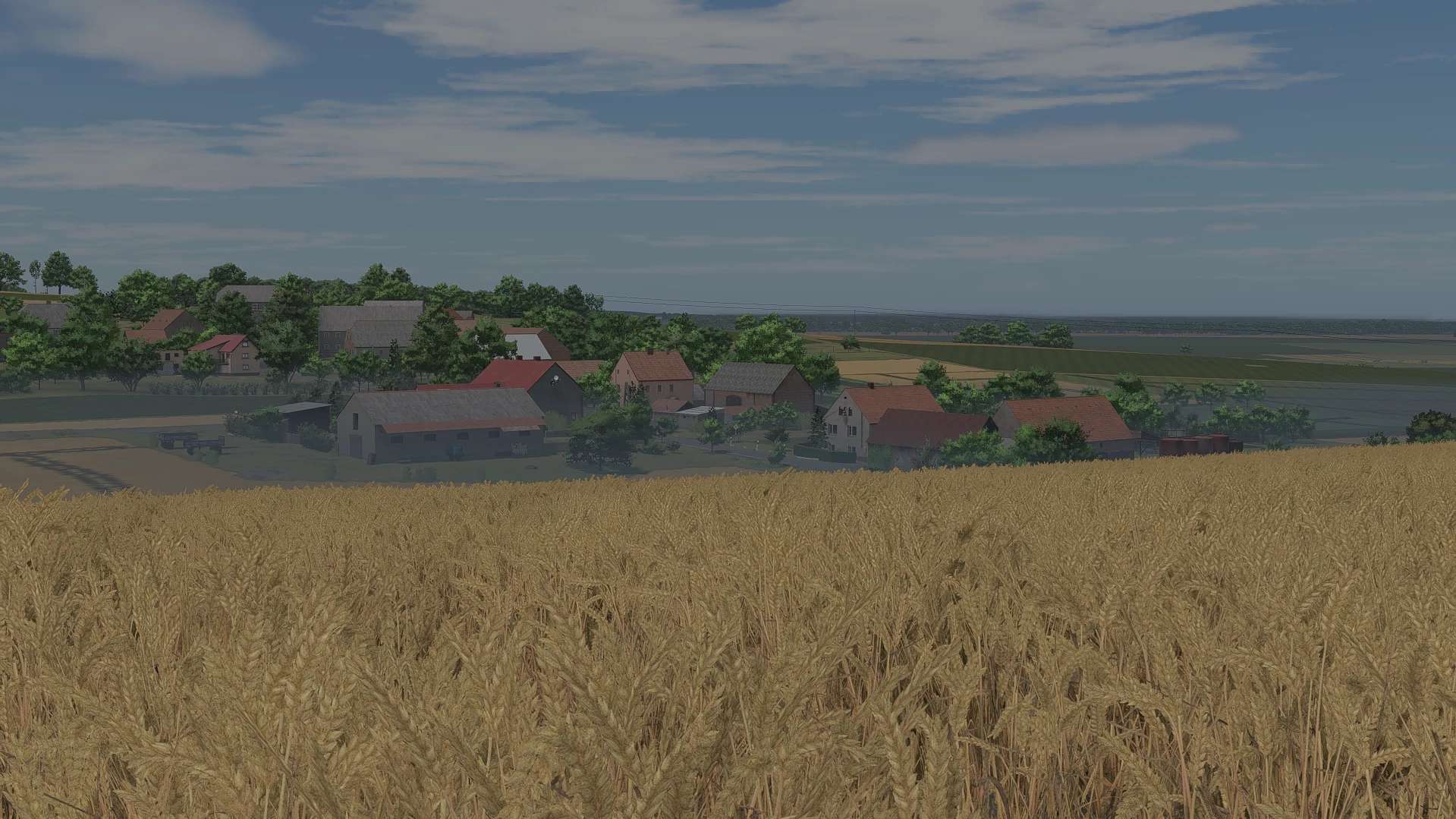
Full instructions on how to correctly install the lighting are included in the downloaded file. Nvidia filters are also included there. IMPORTANT: Set your in-game brightness to 1.2–1.4, or be sure to read the included file after downloading.

Mclaren 620R V1.0
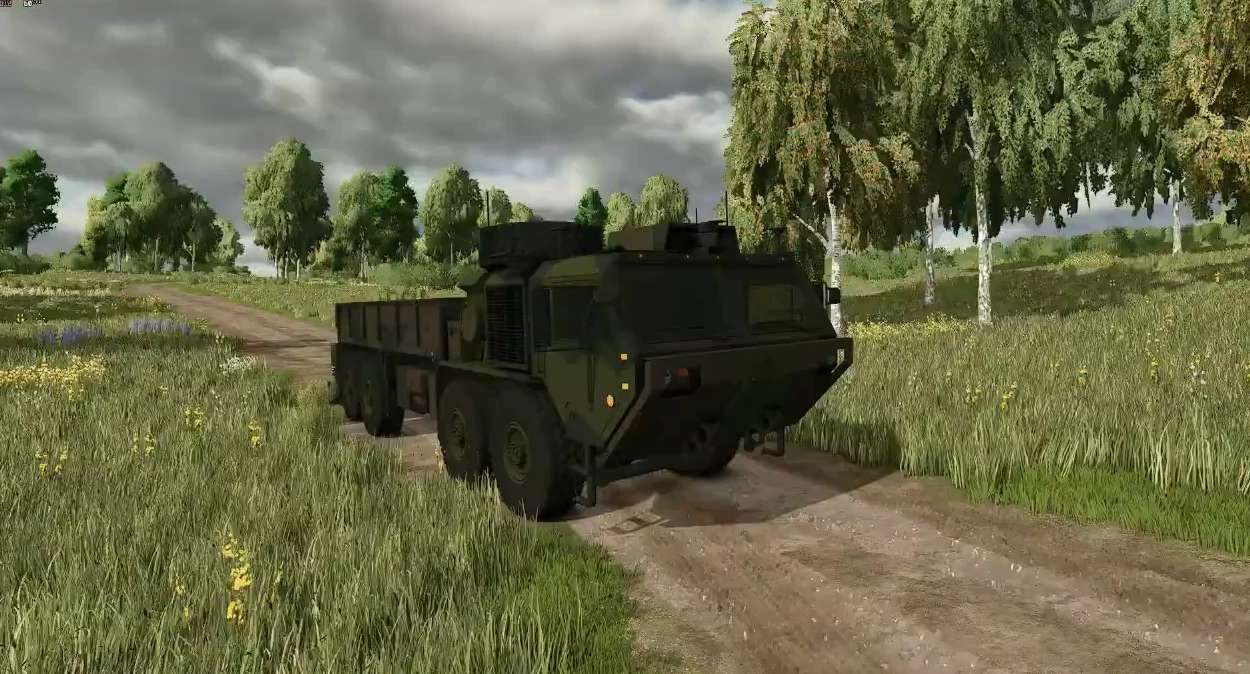
Characteristics: -Selectable Body color. -Selectable Interior color. -Selectable Rim color. -Selectable Caliper color. -Supports license plates. -Interactive Control Support. -Price: $250.000 -Engine: -3.8L V8 TT 612HP , 322KPH. Custom Sound.
Lighting Day/Sunset/Night + Nvidia v 1.0
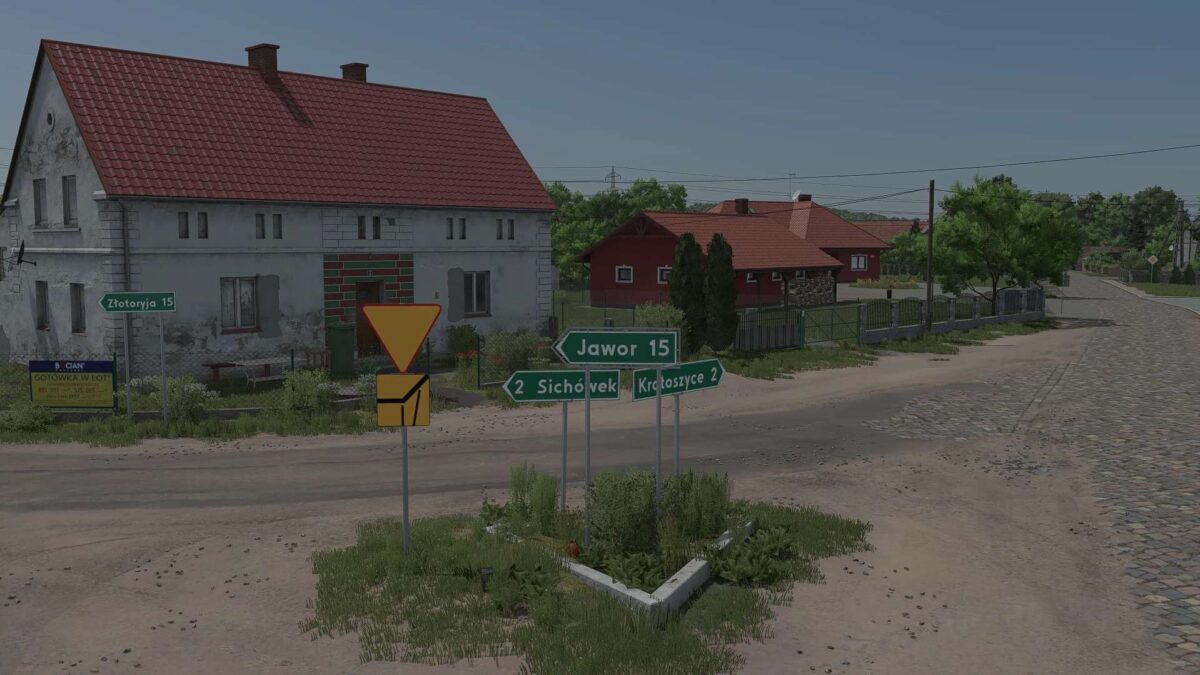
Full instructions on how to correctly install the lighting are included in the downloaded file. Nvidia filters are also included there. IMPORTANT: Set your in-game brightness to 1.2–1.4, or be sure to read the included file after downloading.

Missouri River Bottom Legacy Farm Challenge v 1.0
Missouri River Bottom 25 • Precision Farming • Advanced Damage System • Realistic Livestock – Ritter Version. Objective: build a debt heavy Midwestern family grain farm into a profitable, resilient, integrated commercial operation without cheats, save scumming, or unrealistic expansion.
Separate Driving Controls v 1.0
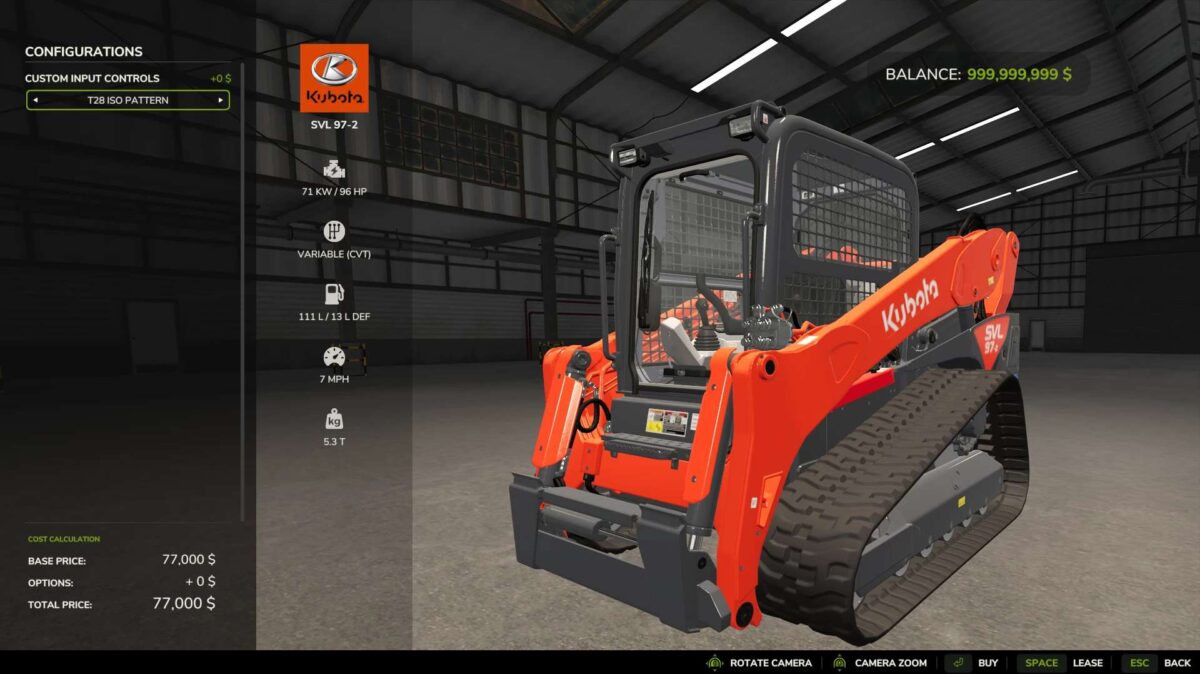
Custom Input Controls adds selectable control profiles to drivable vehicles in Farming Simulator 25. Choose between the standard game controls, a H Pattern, or a ISO Pattern directly from the vehicle configuration menu. Each purchased vehicle can use its own control setup, allowing identical machines to have different control layouts. This is useful when running dual joysticks, you can run a skid steer on left stick, then seamlessly enter an excavator/crane controls vehicle, and have left joystick run that and not the driving axis. The mod provides custom driving, steering, boom, and bucket input routing designed for equipment such as skid steers and loaders. ISO controls can include preset keyboard and Xbox controller bindings, while all custom inputs can still be changed through the normal FS25 Controls menu. You will need to setup your bindings in control settings for this to work. Features include: Standard, H Pattern, and ISO control profiles Per-vehicle control configuration Independent left/right drive controls for H Pattern ISO forward/reverse and left/right steering Boom raise/lower controls Bucket curl/dump controls Keyboard, Xbox controller, and joystick-compatible input actions Works with base-game and modded drivable vehicles Does not alter vehicles when Standard Controls are selected This is a standalone mod that add functionality to all drivable vehicles, selected by a menu option in the shop. Tested on keyboard/mouse, Thrustmaster T16000M, and Xbox One controller.

Finance Your Fleet v 1.0
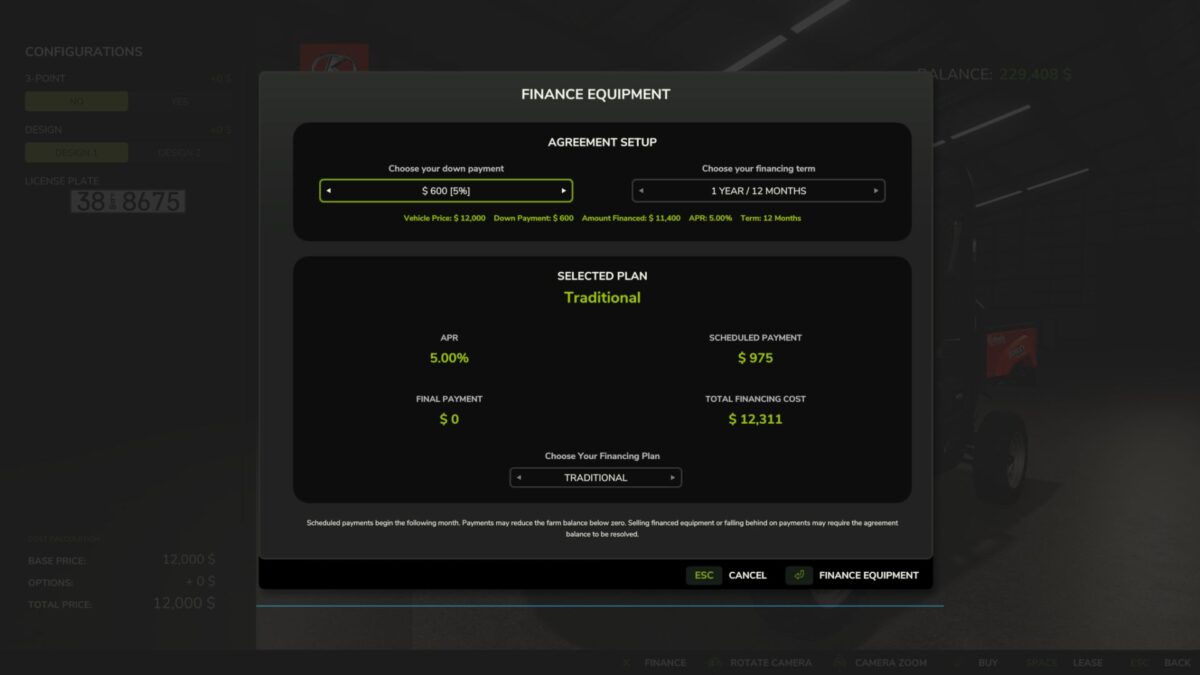
Finance Your Fleet: Equipment Financing System Finance Your Fleet adds a complete equipment financing system to Farming Simulator 25, giving players another way to purchase vehicles and equipment without paying the full price up front. Instead of buying every machine outright, Finance Your Fleet allows you to choose a down payment, select a financing term, manage monthly payments, pay off agreements early, and deal with late-payment consequences if your farm falls behind. Whether you’re starting a new farm, expanding an existing operation, or simply want a more realistic financial challenge, Finance Your Fleet adds another layer of planning and risk to equipment ownership. Important — Financing Mod Conflicts Finance Your Fleet should not be used alongside other vehicle financing systems. If another financing system is detected, Finance Your Fleet will automatically become dormant for that game session and display a warning. This helps prevent duplicate payments, conflicting agreements, and possible savegame issues. To use Finance Your Fleet, disable the other financing mod and reload your savegame. Choose How You Finance When purchasing eligible equipment, Finance Your Fleet allows you to configure the agreement before completing the purchase. Available down payments include: 5%, 10%, 20%, 30%, 40%, or 50% Your selected down payment affects the interest rate applied to the agreement. Larger deposits reduce the amount financed and provide lower interest rates. Financing terms are available from 1 to 10 years, using 12-month increments. You can also choose between several financing structures depending on how you want to balance monthly payments and the amount remaining at the end of the agreement. Traditional Higher monthly payments with no large final payment. Balanced Reduces monthly costs while leaving a manageable final payment. Reduced Monthly Further lowers regular payments in exchange for a larger final payment. Minimum Monthly Provides the lowest monthly payment while leaving the largest final payment at the end of the agreement. Finance Management Once equipment has been financed, agreements can be managed directly through the Finance Your Fleet menu. Each agreement displays important information including: Financed balance Scheduled payment Payments remaining Interest rate Final payment Agreement status Early payoff amount Finance information is also displayed directly in the vehicle information panel while viewing financed equipment. Manual Payments Finance Your Fleet allows you to make your next scheduled payment early. Making a manual payment advances the agreement by one payment and updates the remaining balance and payment count. Manual payments require enough available farm funds to cover the amount due. Early Payoff Financed equipment can be paid off before the end of the agreement. Before completing an early payoff, Finance Your Fleet displays the total amount required to settle the agreement. Once the payoff is completed, the finance agreement is removed and the equipment remains fully owned by the farm. Final Payments Depending on the financing plan selected, an agreement may include a final payment. Agreements with no final payment complete automatically after the last scheduled installment. Agreements with a remaining final payment stay active until that amount is paid. Late Payments Scheduled payments continue to process even when the farm does not have enough money available. If a scheduled payment leaves the farm with a negative balance, the agreement becomes delinquent. Consecutive late payments increase the next scheduled payment: 1st consecutive late payment — 5% surcharge 2nd consecutive late payment — 10% surcharge 3rd and later consecutive late payments — 15% maximum surcharge The surcharge is capped at 15%. If the farm returns to a positive balance after a scheduled payment, the late-payment streak is cleared and the agreement returns to normal status. Recovery & Repossession If an agreement reaches six consecutive late payment cycles, it enters Recovery. During recovery: Regular scheduled payments are paused. The agreement status changes to: RECOVERY – PAY OFF The farm is then given a one-month grace period to pay off the remaining agreement balance. If the agreement is not settled before the recovery period expires, the financed equipment is repossessed and removed from the farm. The equipment’s forced-sale value is applied against the remaining finance obligation, including any resulting surplus or shortfall. Savegame Persistence Finance Your Fleet agreements are saved and restored with the game. Agreement information such as payment progress, remaining balance, late-payment status, recovery state, final-payment information, and vehicle association is preserved across save and reload cycles. Additional persistence protection is included to help recover finance information if the normal finance save data becomes unavailable. Legacy Finance Data Import Finance Your Fleet can detect compatible finance data from a previously used financing system and offer a one-time import. When compatible legacy finance data is detected, the player can choose whether to import the existing agreements. Imported information may include: Vehicle association Remaining balance Payment progress Financing term Interest information Final payment Late-payment status Recovery status The original legacy finance data is treated as read-only during the import process. After a successful import, Finance Your Fleet uses its own finance agreement system going forward. Financing Mod Conflict Protection Finance Your Fleet includes built-in protection against running alongside other vehicle financing systems. If another financing system is detected, Finance Your Fleet automatically becomes dormant for that game session and displays a warning. This helps prevent duplicate payments, conflicting agreements, and possible savegame problems. To continue using Finance Your Fleet, disable the other financing system and reload the savegame. Current Features Equipment financing during vehicle purchase 5%–50% down-payment options Deposit-based interest rates 1–10 year financing terms Multiple financing structures Scheduled monthly payments Manual early installment payments Early payoff system Final-payment financing Finance management menu Vehicle information finance display Consecutive late-payment tracking 5% / 10% / 15% late-payment surcharge system Recovery grace period Equipment repossession Forced-sale balance settlement Savegame persistence Finance-data recovery protection Compatible legacy finance-data import Financing mod conflict protection Testing Finance Your Fleet has undergone extensive single-player testing, including: Normal financing Manual payments Insufficient-funds handling Multiple financed vehicles Late-payment escalation Late-payment reset Save/reload during delinquency Recovery-state persistence Early payoff Final-payment completion Mass repossession Missing vehicle handling Finance-save recovery Creating new agreements after previous agreements have been completed or repossessed The current build has also passed the GIANTS Farming Simulator 25 TestRunner checks used during development. Multiplayer and dedicated-server behavior are not currently part of the actively tested release scope. Installation Place the downloaded ZIP file directly into: Documents/My Games/FarmingSimulator2025/mods Do not extract the ZIP file. Enable Finance Your Fleet: Equipment Financing System when loading your savegame. If compatible legacy finance data is detected, follow the in-game prompt if you wish to import it. Important Always keep backups of important Farming Simulator savegames when testing new script mods. Finance Your Fleet changes how financed equipment, payments, delinquency, recovery, and repossession are handled. Players using large mod collections should keep regular savegame backups, especially when testing new versions. Finance Your Fleet: Equipment Financing System Developed and maintained by JerseyShoreModding Finance Your Fleet includes the changes, improvements, redesigned systems, additional features, user interface, persistence handling, migration tools, and gameplay mechanics developed for this version. Short Tagline Finance your equipment, manage monthly payments, survive late fees, and avoid repossession in this complete Farming Simulator 25 equipment financing system.
John Deere 6930 v 1.0
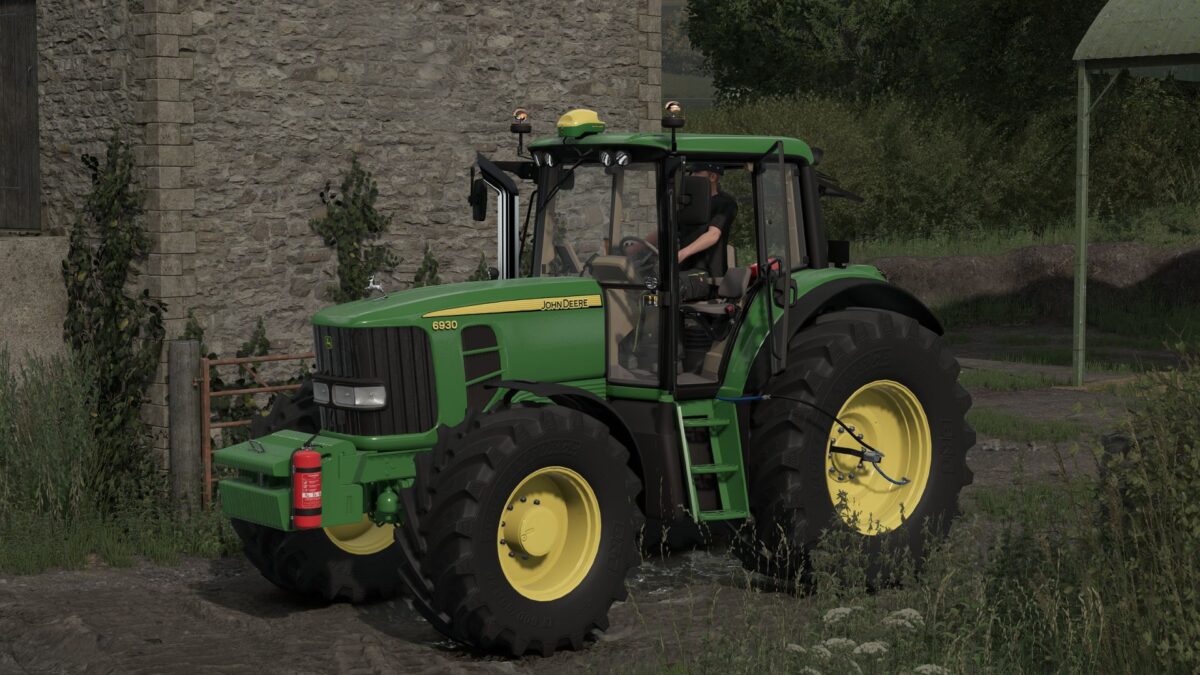
Models: 6530 – 125 hp 6630 – 135 hp 6830 – 145 hp 6930 – 155 hp 6930 Chiptuning – 185 hp Wheels: Trelleborg Michelin Mitas Nokian Continental BKT Configurations: Light configuration Configuration of Beacons Front weights and front hydraulic configuration Configuration of the front loader console GPS configuration (Real GPS) Asset configuration Rim color configuration Sticker configuration Wheel weight configuration RDA Exhaustcon figuration Realistic Sound Realistic Physics
Custom Map Lighting v 1.0
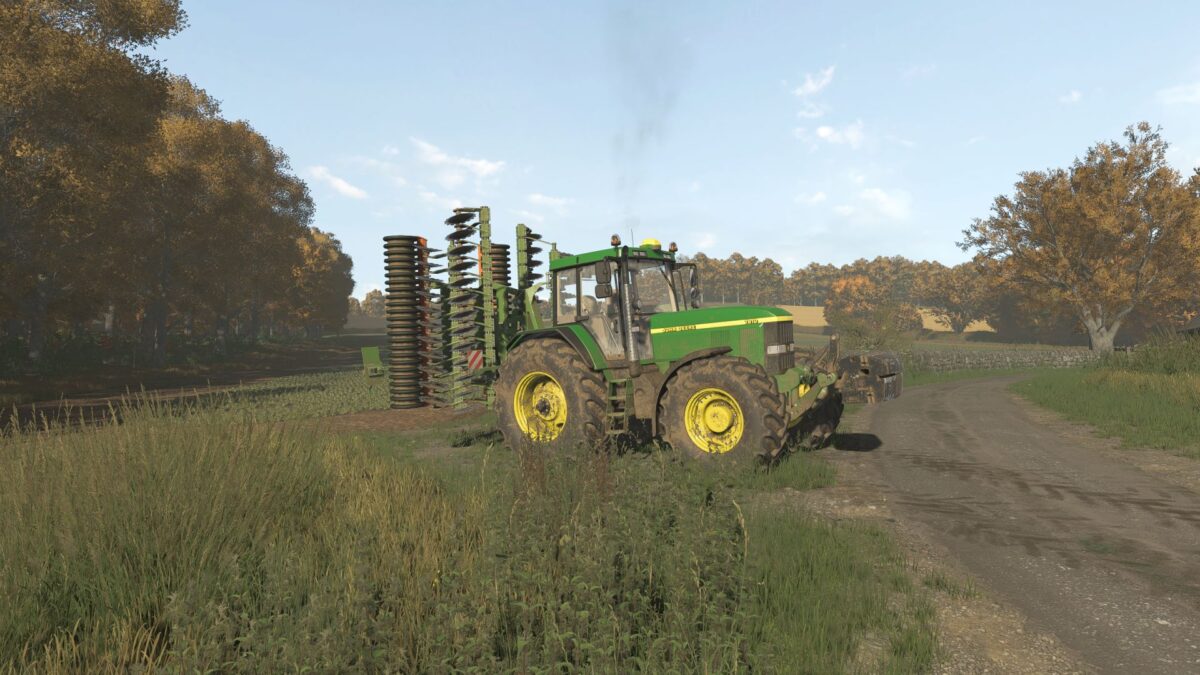
Don’t forget to unzip the file then we upload the lighting files here: C:/Program Files (X86)/Farming Simulator 2025/data/maps/mapUS/config… Then select the map lighting (Riverbend Springs) in Additional Game Settings.
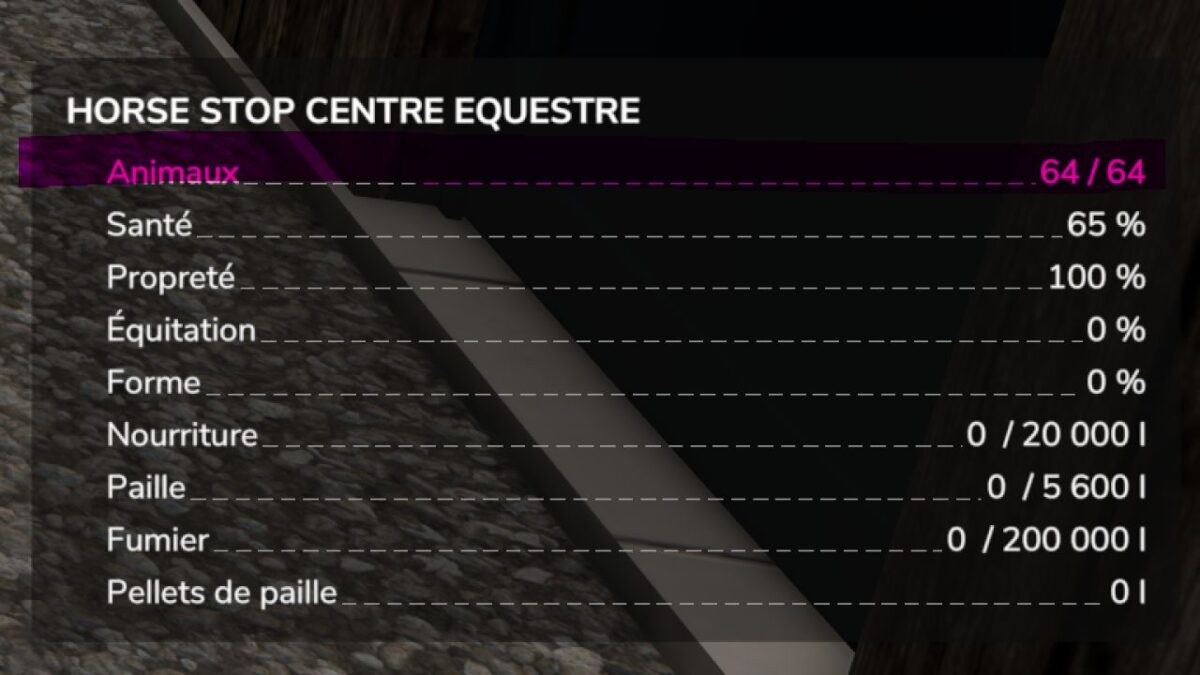
Capacity of 64 Horses per Pen v 1.0
A small script to increase the capacity to 64 horses per pen. You can have up to 64 horses per pen.
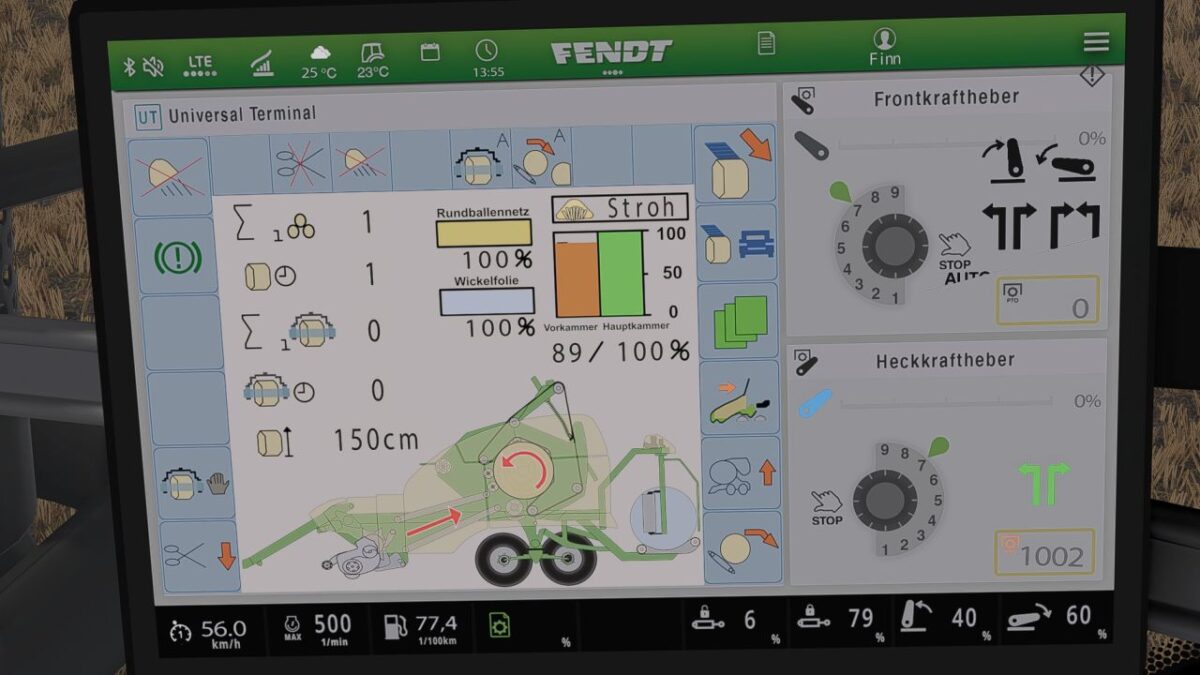
Krone Ultima Isobus Screen (Prefab) v 1.0
It displays all the important information for a baler wrapper combination. The screen is of course intended for a Krone Ultima, but it can also be used with other balers. However, changes to the XML will probably be necessary, as the fill types differ from one baler to another. For the installation itself, included instructions as well as the corresponding entry for the implement’s XML.
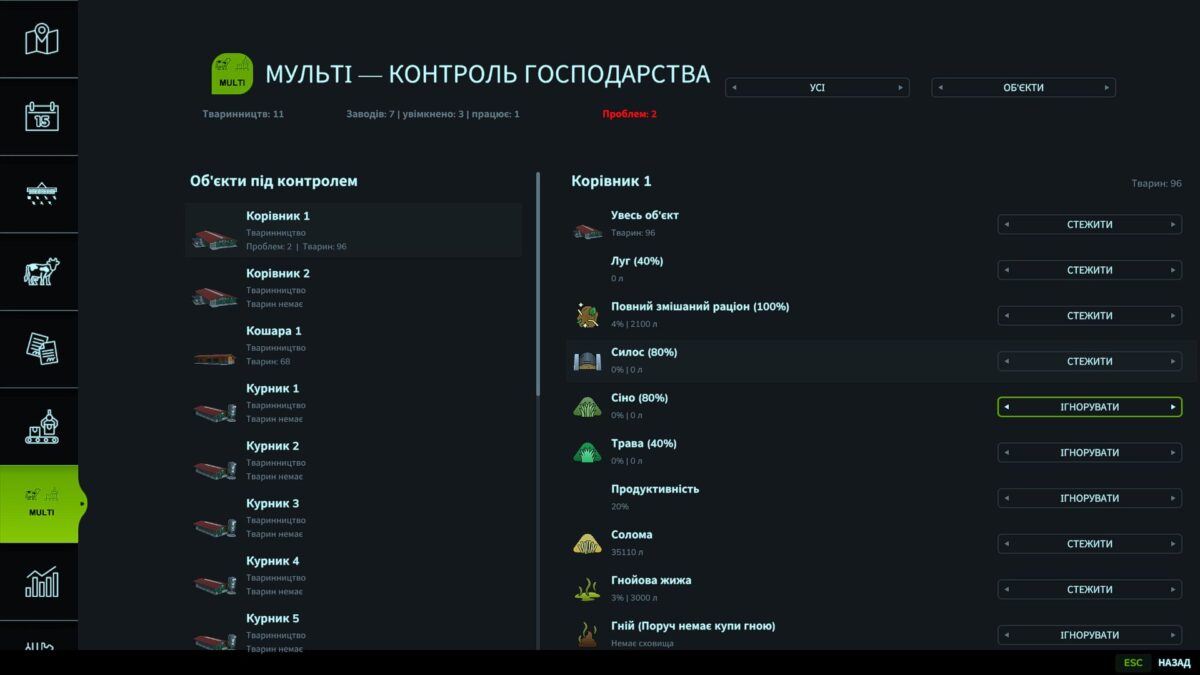
Multi Production Monitor v 0.2
A script mod for Farming Simulator 25 that combines production and livestock management in a single menu. Main features: A separate MULTI page in the game menu; Control of your own factories and livestock facilities; Counter for active production processes; Warnings about insufficient raw materials, feed and water; Monitoring of finished product storage levels; Notifications about a blocked pallet spawning location; Separate activation of monitoring for each object, resource and process; Warning threshold settings from 0 to 100%; Adjustment of the HUD position, size and number of lines; Notifications remain active until the problem is resolved. Right Ctrl + P toggles the display of problems and active processes. The key can be changed in the control settings. The mod does not change recipes, speed or profitability of productions — it only displays information. Platform: PC Tested: Steam version of Farming Simulator 25 Multiplayer: use with multiple players has not been tested yet Languages: Ukrainian and English
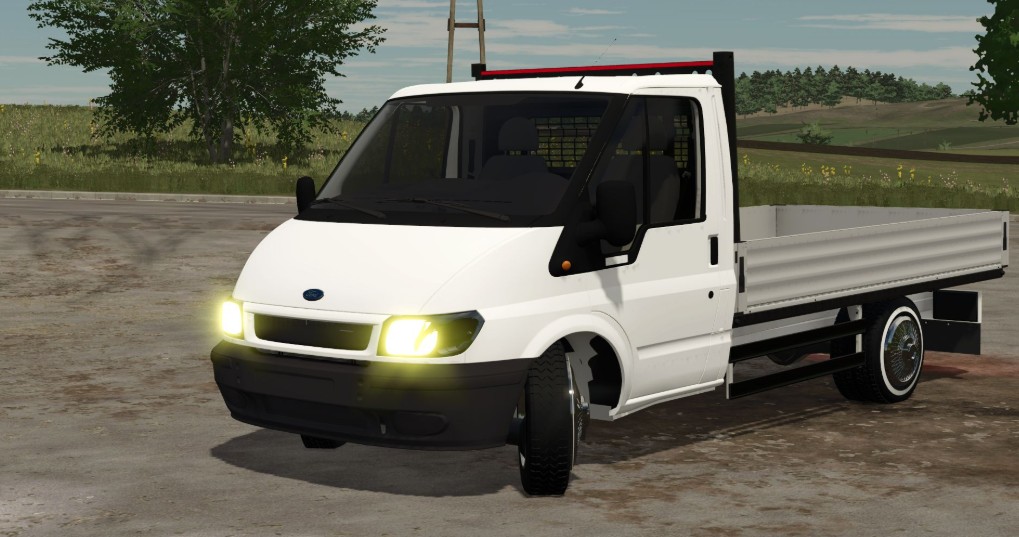
Ford Transit Mk6 v 1.0
Features: Tire sidewall & rim options Side guards for the cargo bed
- 15 per page
- 30 per page
- 45 per page
- 60 per page
-
See more per page
Bigger pages, fewer clicks - and no ads anywhere.
Go Pro