Farming Simulator 25 mods
70,454 results- 15 per page
- 30 per page
- 45 per page
- 60 per page
-
See more per page
Bigger pages, fewer clicks - and no ads anywhere.
Go Pro
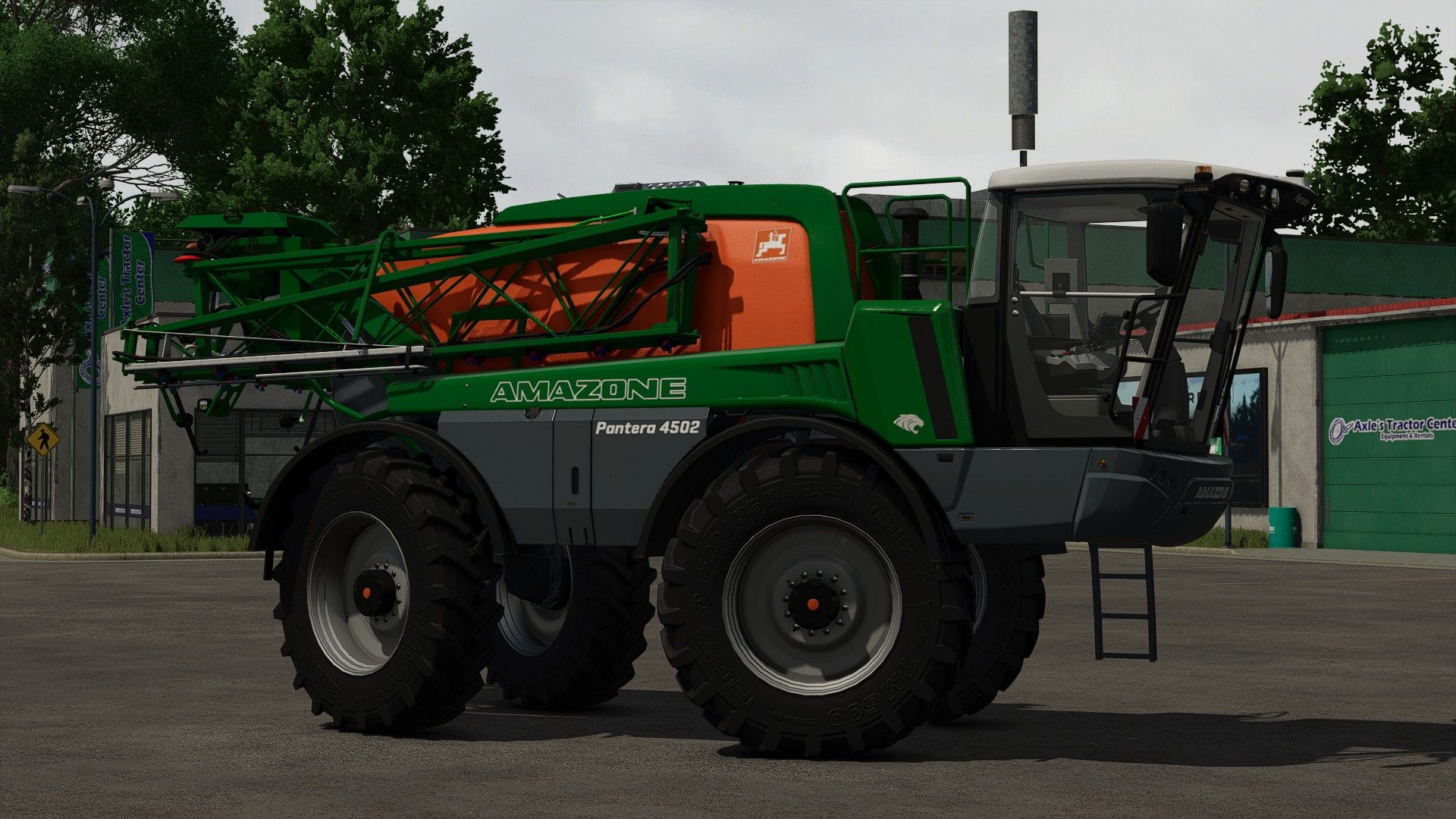
Amazone Pantera 4502 FS25
Hello, here is the amazone pantera spanner of FS 22 completely redone Price: $ 275,000 Max. Power: 218 hp Max. Speed: 50 km/h Max. Working speed: 20 km/h Capacity: 4500 liters Working width: 21.0-40.0 m Configurations: - Lights (default, Amazon, LED) - Adding LED lights - Addition gyro ar - Interior color (beige, graydark) - screens (amatron 3, CCI 200, amapad) - Transport coupling. - Addition of the Trigger Fuel
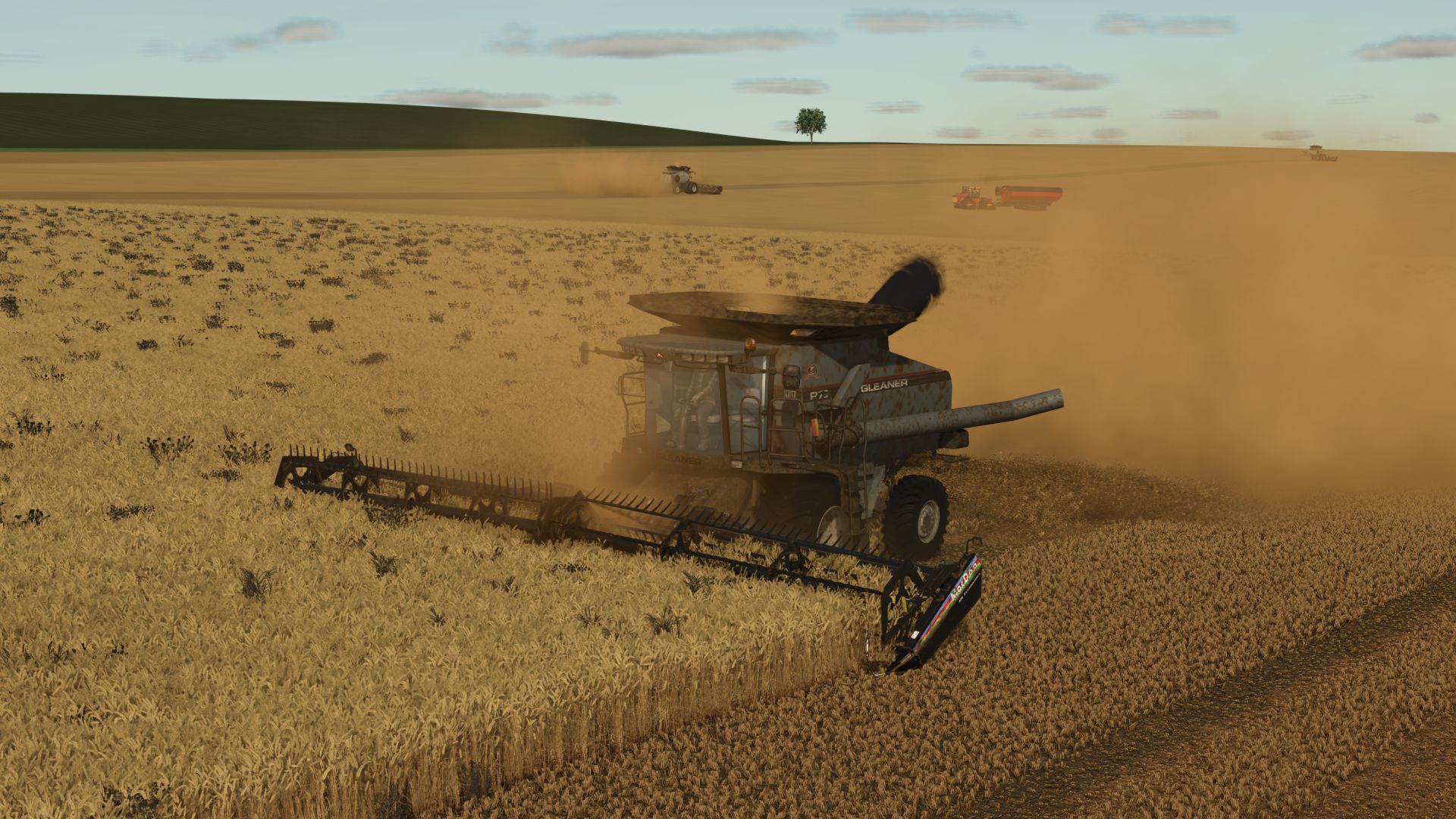
Gleaner R 65/75 Series FS25
FS25 Version! FINALLY Here is my conversion of the popular FS19/FS22 versions. New Galvanized metal skin material New interior materials Realistic Sounds Realistic Straw Chopper and Dropper off the left hand side of the rear. * Price: $183874 - $264374 * Power: R65 (351hp) / R75 (451hp) * Capacity: 10,571 - 14,095 L * Fuel: 945 * Complete with working exhaust, grain smoke, chaffer and mirrors. -Readjusted unloading auger -Fixed rear axle tie rod texture -Fixed Fill node error -Fixed Hydrostat sound error -Fixed Outdoor camera snapping -Adjusted turning radius and velocity More realistic in cab muffled sounds Lighter galvanized skin texture FuelFillTrigger adjusted Fixed Trailer Trigger for Courseplay and Autodrive Fixed Fill Volume Visual for Mauer Quickler Dirt Accumulation

Wilson Premier Flatbed Trailer v 1.0
Inspired by Wilson’s Premier all-aluminum flatbed, this trailer is built for corrosion-resistant hauling with an aluminum deck, strong crossbars, and practical load securement. Price: $42,000 Category: Flatbed / Semi Trailer Features: Pallet autoload with Default, Semi-Automatic, and Automatic modes Rear, left, and right unload positions Spread or tandem axle configurations Rear impact guard, Premier Quad, or Palfinger forklift bumper setup Optional bulkhead, log bunks, toolboxes, dunnage racks, deck colors, toolbox colors, and rim colors Pallet Autoloading Usage: By default, the pallet autoload configurations will be able to load consumable pallets like fertilizer, lime or seeds. Trailer is set up to work with “Pallet Silo with Autoload Trailers” by ChrisS&RileyS To autoload production pallets, “Liftable Pallets and Bales” or “Autoload Pallets” by Jos is required

Felsbrunn Map v 1.0.0.2
– Main Farm – Animals – 36 fields – Production and selling points – Biogas Plants Version 1.0.0.2: * Added a new German style town * Replaced all houses * Added compatibility with the Highlands Fishing DLC * Fixed visual bugs

Meadow Trails v 1.0
Repeated vehicle traffic through map generated wild grass and woodland style ground foliage slowly creates visible wheel paths. Each tire uses a real rectangular wheel footprint. Nearby repeated tire areas accumulate into the same trail, gradually wearing wild grass and decorative foliage into wheel paths and then dirt tracks. Hard surfaces such as asphalt, gravel, concrete, cobblestone, plates, and roads are ignored so trails stay limited to grass, meadow, and woodland style ground. Crop fields use a separate gradual damage system. Owned and unowned fields are handled the same way, and the crop damage setting controls how many repeated passes are needed before the native crop destruction effect is allowed. Planted grass fields are protected so they are not treated as meadow trails. Fully damaged crop tracks now regrow through visible growth stages over three ingame months instead of returning to the original crop stage on the next month. Settings are available in ESC > Game Settings: Grass Wear Passes Crop Damage Per Pass Trail Recovery Time Trail recovery defaults to 1 Month. When enabled, unused wild grass or woodland trail areas remove their saved wear progress and attempt to grow back. No hotkeys are required.

MiniMap Plus v 1.0.1.0
Enhanced minimap functionality with additional overlay options, zoom and more. Features added in version 1.0: All in game overlays supported on the minimap (Alt + 9 to cycle forward, Ctrl + 9 to cycle backward) Settings for disabling specific overlays on the minimap Zoom functionality for round and square minimap (Shift + 9 to toggle zoom) Supports all minimap modes (round, square, big) Supports PrecisionFarming overlays Supports multiplayer Version 1.0.1.0: * Added support for saving the currently selected overlay and zoom state across game sessions * Fixed Precision Farming sampling overlays not appearing on the minimap

Automatic Bale Storage v 1.0.0.3
Changes how bale and pallet storage placeables unload their contents. Instead of spawning all objects at once, an unload request from the storage UI is queued and dispatched in batches every 5 seconds. If the output area is full the mod waits and retries automatically, so you never lose queued items. The pending count is saved to the savegame and survives a reload. The vanilla unload amount cap is also removed, so the UI slider goes up to the actual number of objects currently stored rather than the vanilla hard limit. Compatible with all base-game and modded placeables that use the GIANTS object storage specialization. Version 1.0.0.3: * Fixed: Selling or deleting a storage while an unloading operation was still pending could cause the mod to continue working on the removed placeable.

Wood and Weight Info v 1.0.1.0
A lightweight HUD overlay built for wood/forestry data and weight information – shows your strapped wood volume/piece count, as well as any strapped pallets/machinery and bulk materials at a glance while driving, so you always know exactly what you’re hauling, and how much it weighs. Primary display function (wood): Wood pieces: live count of physically strapped logs Wood volume (L): total volume of strapped wood As an added feature, the HUD also includes full cargo weight information for all vehicles: Total Weight: Weight of the bare vehicle and attached implements + Load mass. Load: Current “load/cargo” mass across the entire current vehicle chain: (Fill units, and all strapped down vehicle attachments, wood, pallets, vehicles, and more!) Weight shown in metric (kg) or imperial (lbs), plus short tons (t) available in imperial! You can choose any size and any position! Use the keybinds (unbound by default) to resize and reposition the display, and switch it between vertical and horizontal in the settings menu! Completely customizable! Any mass data (non fill-unit, i.e. wood logs, bales, pallets, vehicles, etc) are only displayed when cargo is strapped down with tension belts. Fill unit mass is calculated automatically. The entire HUD hides automatically when on foot, and can be toggled on and off when in a vehicle with a keybind. Settings: Open the in-game Settings menu and look for the “Wood and Weight Info” section under General Settings: Orientation: Show the HUD boxes stacked vertically, or side by side horizontally. Mass Units: Metric (kg) or Imperial (lbs and short tons). Keybinds: Toggle HUD: Show or hide the overlay Reposition HUD: Move the HUD display using the mouse cursor Increase HUD Size: Make the HUD larger Decrease HUD Size: Make the HUD smaller All keybinds are unbound by default. Assign them in the in-game Controls menu under “Wood and Weight Info”. HUD Reposition: Press the Reposition HUD key to enter reposition mode. The mouse cursor appears automatically, with the reposition box. Move the mouse to place the HUD, then LEFT-CLICK to save. Note: Total mass numbers may differ with the readout from any in-game scalehouse due to the math giant’s uses to calculate the mass on the scales. This issue is only apparent in very specific cases (multi-vehicle and fillunit chains loaded onto the back of a trailer), and should not be a problem otherwise. Note: The wood information box will not display for some autoload trailers. Autoload trailers in general may not be fully compatible with this mod, and may not provide results as accurate as using base game equipment. Version 1.0.1.0: * HUD labels now display in your game language (English, German, French) * Reposition mode text is now localized as well * The wood volume and piece count box now appears for logs that are not strapped down, including logs simply resting on a trailer * Note: wood weight still requires the load to be secured with tension belts, just like pallets, vehicles, etc. * Note: autoload trailers may provide inaccurate or unexpected results, and the wood information box will not be displayed for some autoload trailers.

Configure Placeables again v 1.0
This mod allows you to reconfigure already built placeables without having to sell and rebuild them. In build mode, click on one of your buildings. There is now a “Configure” button that allows you to change its color and solar panels as often as you want. You see every change on the building straight away, and only pay when you press Apply. The price is the same as in the shop and you pay it only once per building. After that you can switch back and forth for free. For the colour, click the bar to open the usual colour selection.

HUD+ v 1.0
HUD+ expands the original Farming Simulator 25 interface while preserving the game’s visual style. Features: – trip distance and permanently stored vehicle total distance, – fuel or battery level, – vehicle condition percentage, – real-time clock, – loader tool height and tilt indicators, – options to hide the speedometer, top information panel and F1 help, – ready-made color themes and a custom HUD color, – mouse-controlled HUD position editor. HUD+ settings are available in the ESC pause menu under Settings. Reset trip distance: Right Alt + period HUD editor: Right Alt + H

Configurable Sales v 1.0
This mod for Farming Simulator 25 unlocks a large number of used vehicles and machines in the store menu. All settings can be configured directly ingame via the pause menu > Settings > Configurable Sales section.

Double Shop Prices v 1.0
Take your farm management to the limit. This script mod completely changes the economy of Farming Simulator 25, doubling the purchase price of absolutely everything for sale. What changes? Vehicles and Tools: All tractors, harvesters, trailers, and implements cost twice as much. Workshop Configurations: Powerful engines, tire brands, and extra attachments also have doubled prices. Build Mode: All animal barns, silos, factories, greenhouses, and decorations cost twice as much to build.

Camera Tool v 1.0
To take a good photo, you need to take your time. Camera Tool lets you pause time, while you set up and frame the perfect shot. Take screenshots from the Pause screen Free-fly camera with mouse and keyboard control Activate High Quality mode Change the camera exposure Adjust the Field of View Adjust the colour temperature and intensity of the sunlight Rotate the sun with the middle mouse button Toggle a handheld fill light Toggle the HUD for clean shots Save your favourite look to one of 5 presets, then recall it anytime On-screen readout of your current sun temperature, sun intensity, exposure, and field of view Features for modders: Press alt+R to reload the active vehicle. alt+shift+R to reload all vehicles within 10m. alt+shift+ctrl+R to reload all vehicles within 100m Press alt+P to reload all placeables on the map Camera Tool is built on the idea and groundwork of Mantrid’s FS22 mod ProShot.

Crop Calendar Filter v 1.0
Ever get frustrated having to scroll past all those crops you never plant, or maybe trying to locate your favourite crop on the calendar when it’s right at the bottom? Well, the Crop Calendar Filter now gives you the flexibility to hide those crops you never use, and position your favourite crops at the top of the list, making it easier to find and compare planting and harvesting timeframes. Features: Set individual crop visibility Pre-defined filters for different crop types Adjust the order the crops are displayed Easily reset to default Customisable per save – row crop farming on one save, root crops on another; easily set the filters to prioritise those on each

Dynamic PTO Speed v 1.0
This mod finally brings realistic dynamics to the PTO. Instead of a fixed PTO speed, the working speed of all attached implements adapts directly to the tractor’s current engine speed. The higher the engine revs, the faster mowers, forage harvesters, balers or conveyor belts operate. Main features The PTO speed is no longer fixed but is calculated live from the engine speed. Implements react noticeably differently to low, medium or high engine speeds. A multiplier for each implement allows individual settings for every implement. Realistic working speeds: Low engine speed → slower operation Medium engine speed → normal operation High engine speed → faster operation Technical implementation The mod is fully LS25-compatible and uses its own scripts to link engine speed, PTO speed and implement behavior. Animations, effects and working speed are adjusted dynamically. Both vehicles and implements are extended via hooks in their update functions. Implement behavior Mowers spin faster and respond more directly to the throttle. Forage harvesters operate more powerfully at high engine speeds. Balers work faster and process material more quickly. Conveyor belts transport material depending on the engine speed. Each implement can be finely adjusted using its own factor. Mod contents Complete mod structure with modDesc and Lua scripts Example implement XML with dynamic PTO configuration Optional overlay displaying the current PTO RPM Mod objective “Dynamic PTO Speed” provides a noticeably more realistic gameplay experience. PTO performance finally depends on engine speed – rev higher and work faster. As a result, all implements operate more naturally, variably and closer to real-world farming.
- 15 per page
- 30 per page
- 45 per page
- 60 per page
-
See more per page
Bigger pages, fewer clicks - and no ads anywhere.
Go Pro