Farming Simulator 25 mods
77,300 results- 15 per page
- 30 per page
- 45 per page
- 60 per page
-
See more per page
Bigger pages, fewer clicks - and no ads anywhere.
Go Pro
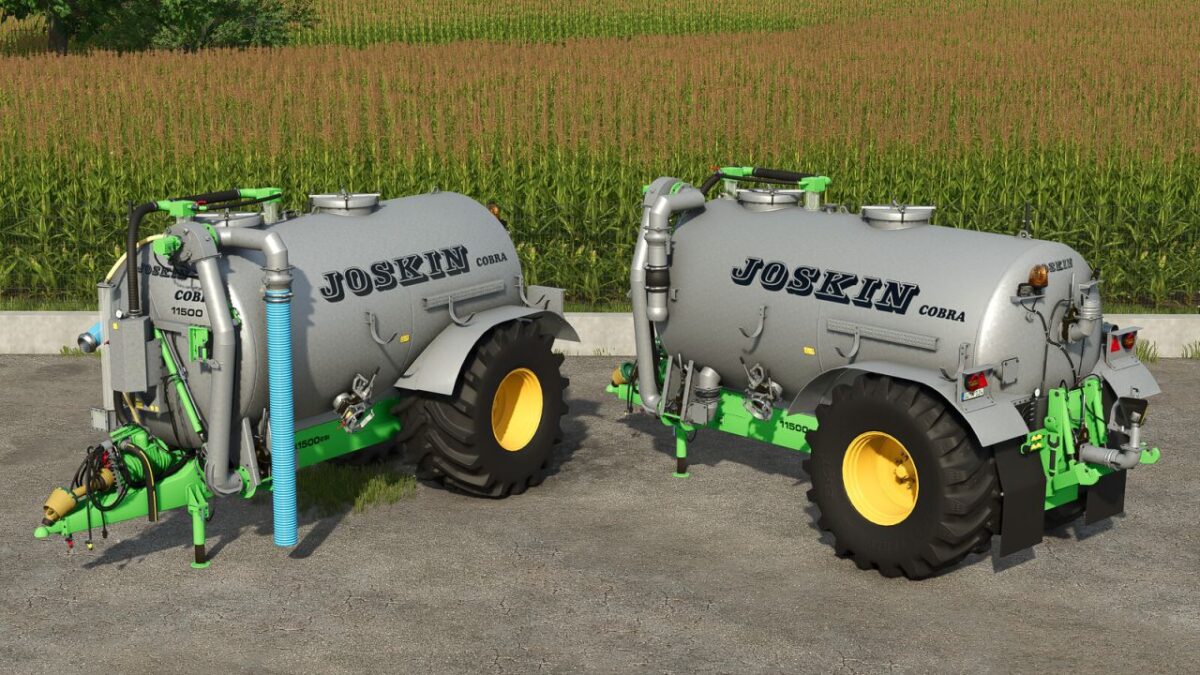
Joskin Cobra
Joskin Cobra GüllefassKategorie: GüllefassPreis: 55.500 €Fassungsvermögen: 11.500 LiterKonfigurierbarer Saugarm: lang oder kurzVerteilerdüsen: Standard oder Möscha-Düse (Hubwerk bleibt funktionsfähig, außer bei Anbau eines Einarbeitungsgeräts)Farbwahl für Schläuche und FelgenUpdate 1.0.0.1: Hubwerksanpassung Joskin Cobra Güllefass Update 1.0.0.1: Hubwerksanpassung

FS25 Barkas B1000 v1.0.0.1
FS25 Barkas B1000 v1.0.0.1 There are lights, several passenger seats, there are configurations with and without seats, optional, indicator lights can also be installed, iconic old car exterior, retro effect. Need Interactiv control , animated doors. V1.0.0.1 -Wear and tear textures have been improved.

FS25 Bus Jelcz 272 Mex
FS25 Bus Jelcz 272 Mex A modification intended for Farming Simulator 25. The modification has properly functioning work lighting.

FS25 Sipma Pro-Chop 150
FS25 Sipma Pro-Chop 150 Sipma Pro-Chop 150 reskin of the bedding machine from hispano cost 26000 required power 75 HP

FS25 ZDT AGRIMEGA 330 v1.1.0.0
FS25 ZDT AGRIMEGA 330 v1.1.0.0 Converted from fs22 Configuration: capacity: 36,000 – 45,000 l rim color decals Edit: mud flaps eu marking license plate v1.1.0.0 All warnings and errors removed Tweaked susspension a bit

FS25 One Axle Trailer v1.0.0.2
FS25 One Axle Trailer v1.0.0.2 – Price: 6900 € – Capacity: 5453 l Configurations: tires, fenders, capacity V1.0.0.2 -Added color config V1.0.0.1 – painted hydraulic cables – works island from silo
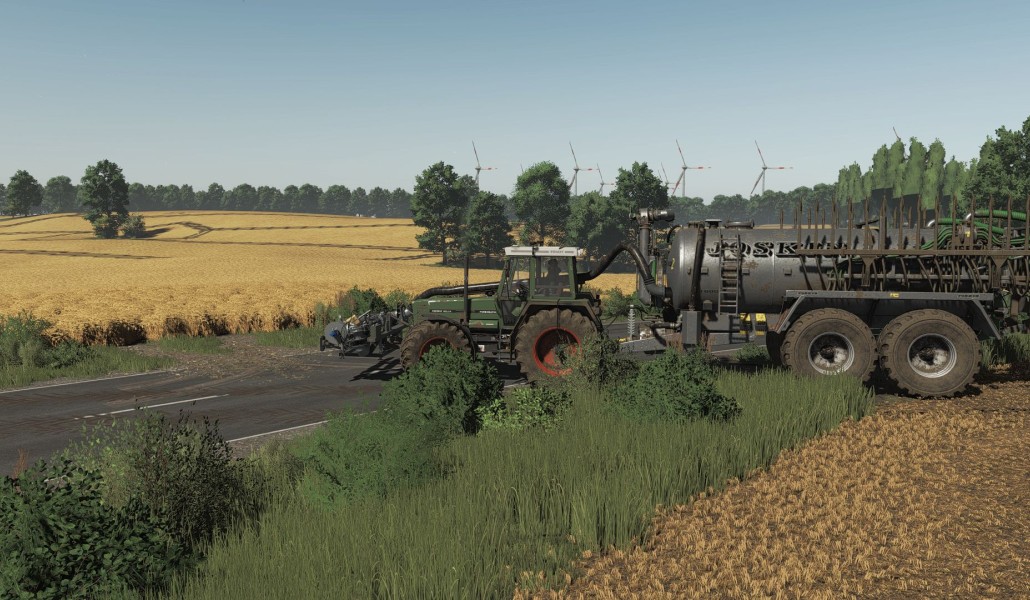
Joskin Modulo2
Joskin Modulo2 – Gülle mit Stil & PowerDer Joskin Modulo2 wurde komplett überarbeitet, modernisiert und für die neueste Spielversion angepasst.Neue Beleuchtung für modernen Look bei Tag und NachtVollständig von früheren Versionen auf FS25 übertragenAnschluss für Frontsaugarm und neue SchlauchführungWienhoff FreeSight integriertSkinned Mesh für realistischeres AussehenTechnische Daten:Preis: 65.500 €Gewicht: 8,3 tArbeitsbreite: 12 mFassungsvermögen: 15.780 LWählbare FelgenfarbeEgal ob Multiplayer, Rollenspiel oder Realismus-Fan – dieses Güllefass bietet ein realistisches Erlebnis mit vielen Details und macht jede Fahrt über das Feld zum Vergnügen.Viel Spaß beim Güllefahren und macht eure Felder fruchtbar! Joskin Modulo2 – Gülle mit Stil & Power Der Joskin Modulo2 wurde komplett überarbeitet, modernisiert und für die neueste Spielversion angepasst. Egal ob Multiplayer, Rollenspiel oder Realismus-Fan – dieses Güllefass bietet ein realistisches Erlebnis mit vielen Details und macht jede Fahrt über das Feld zum Vergnügen. Viel Spaß beim Güllefahren und macht eure Felder fruchtbar!
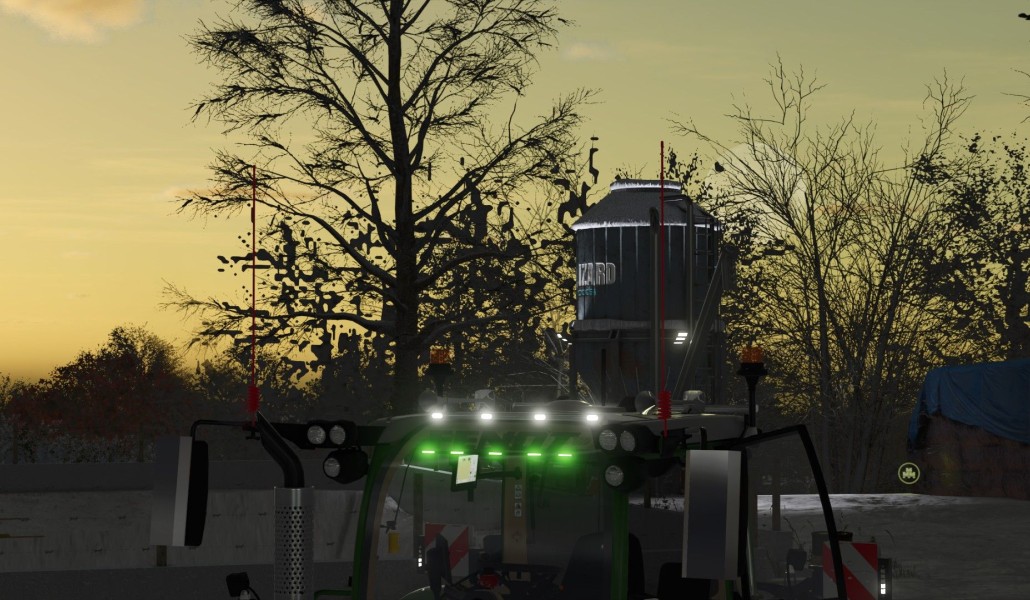
Fendt Vario 700 Gen6 Bearbeitung
Dies ist eine bearbeitete Version der Fendt Vario 700 Gen6 Serie.CB-AntennenSpiegelschutz an einem bestimmten SpiegelLufthorn mit SoundAgri Essentials LichtleisteDrei FensteraufkleberBenötigtes Mod: Interactive Control Dies ist eine bearbeitete Version der Fendt Vario 700 Gen6 Serie. Benötigtes Mod: Interactive Control
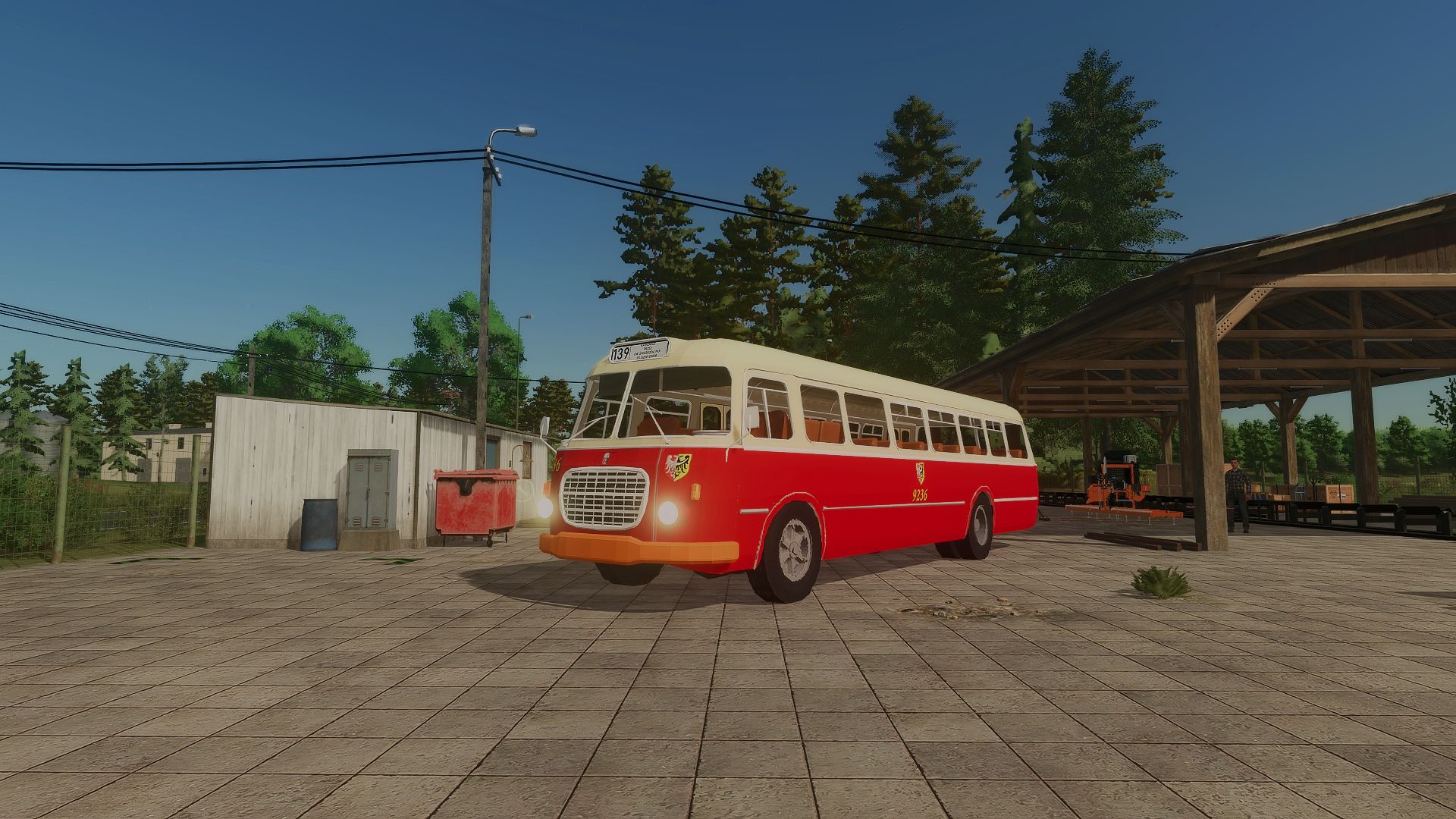
Bus Jelcz 272 Mex V1.0.0.0
Bus Jelcz 272 Mex V1.0.0.0 A modification intended for Farming Simulator 25. The modification has properly functioning work lighting. Required mods: Interactive Control
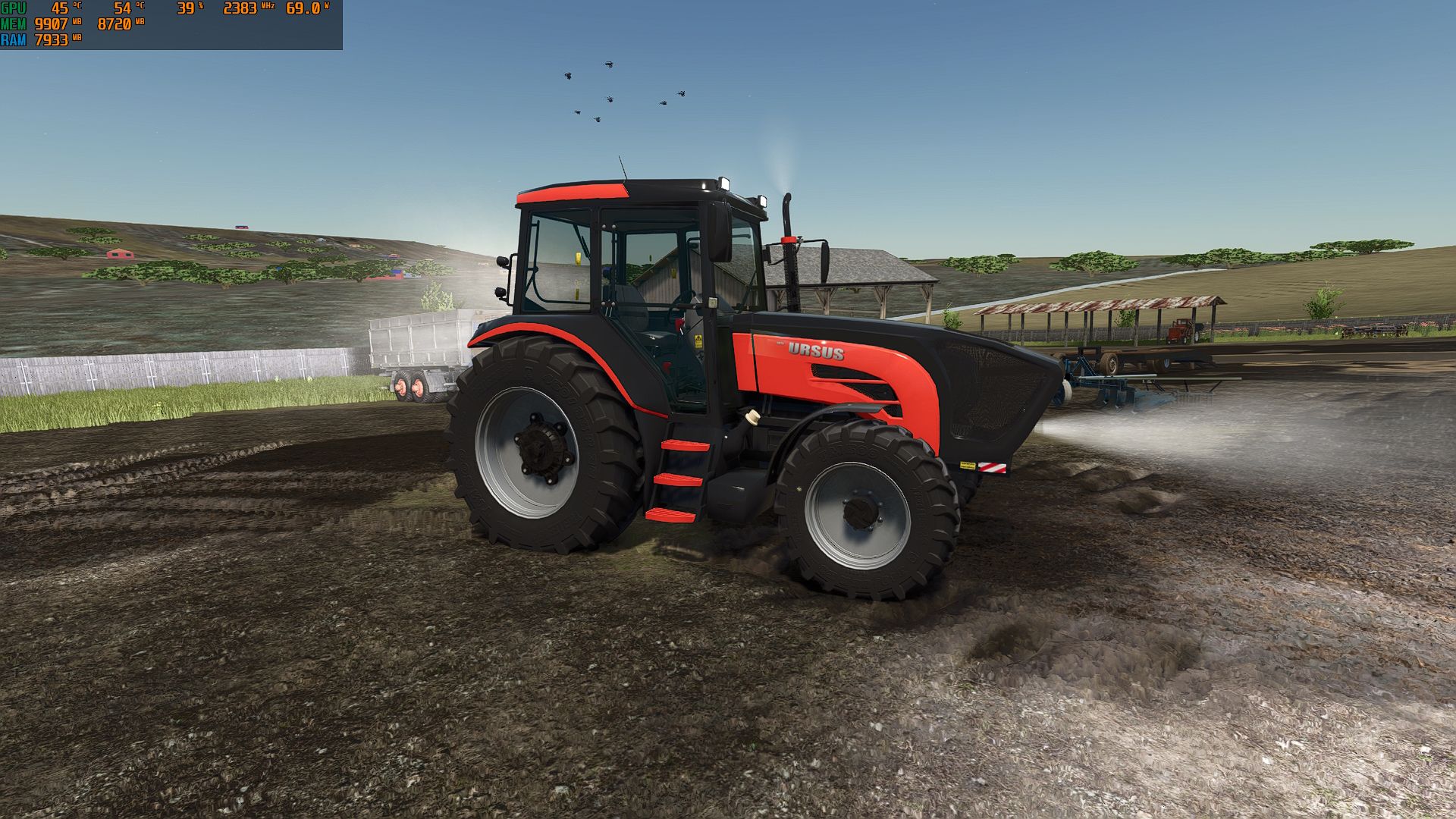
Ursus 1674 V1.0.0.0
Ursus 1674 V1.0.0.0 Leistung 105 PS Automatikgetriebe Geschwindigkeit 40 km/h Tags: PS
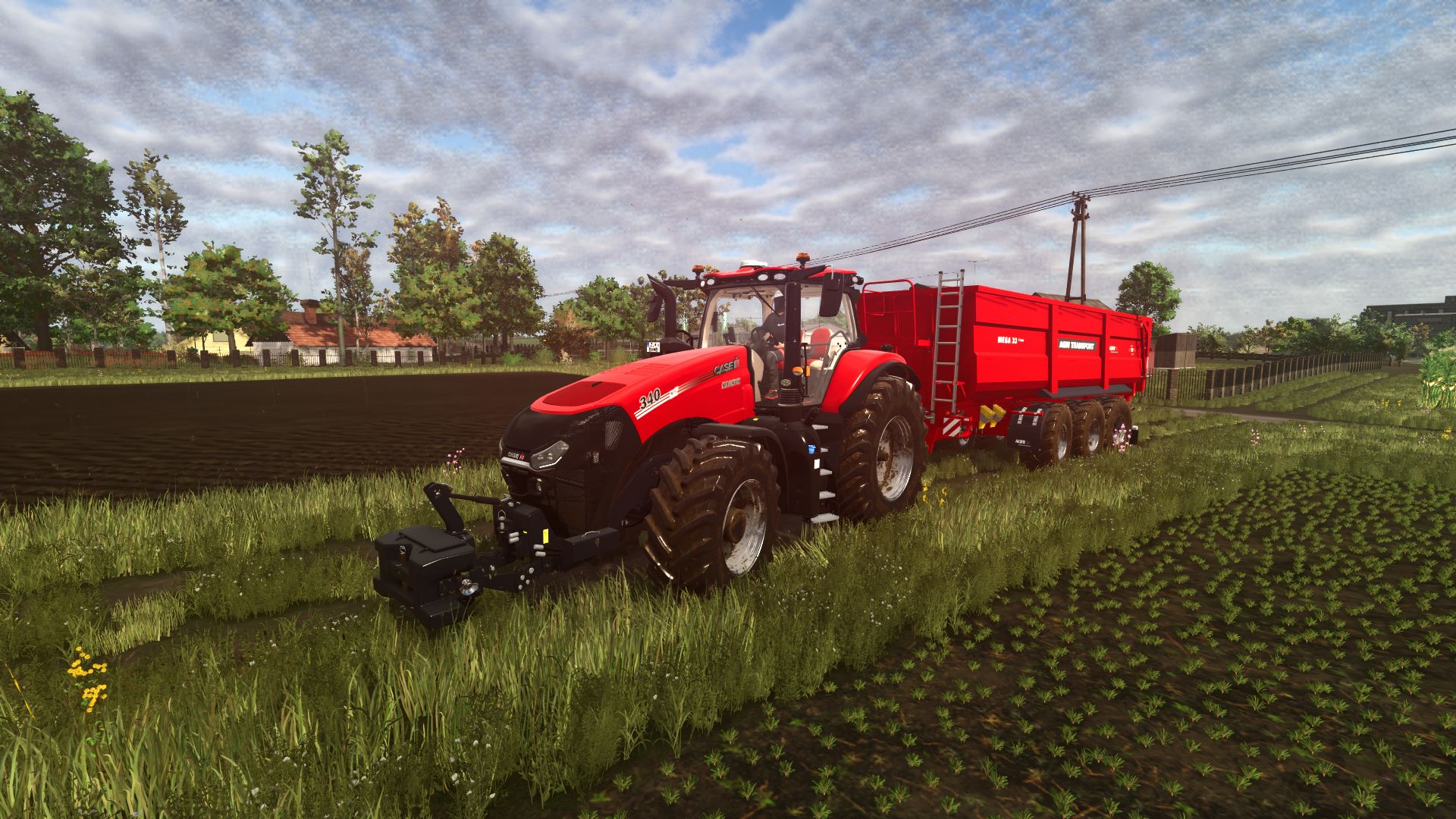
ZDT Agrimega 330
Der ZDT Agrimega 330 ist ein Hochleistungshänger, der aus der vorherigen Spielversion konvertiert wurde. Er bietet zahlreiche Konfigurationsmöglichkeiten für deinen Hof.Kapazität: 36.000 - 45.000 LiterFelgenfarbauswahlIndividuelle AufkleberSchmutzfängerEU-KennzeichnungNummernschild-UnterstützungUpdate v1.1.0.0:- Alle Warnungen und Fehler entfernt- Federung überarbeitet Der ZDT Agrimega 330 ist ein Hochleistungshänger, der aus der vorherigen Spielversion konvertiert wurde. Er bietet zahlreiche Konfigurationsmöglichkeiten für deinen Hof. Update v1.1.0.0:- Alle Warnungen und Fehler entfernt- Federung überarbeitet
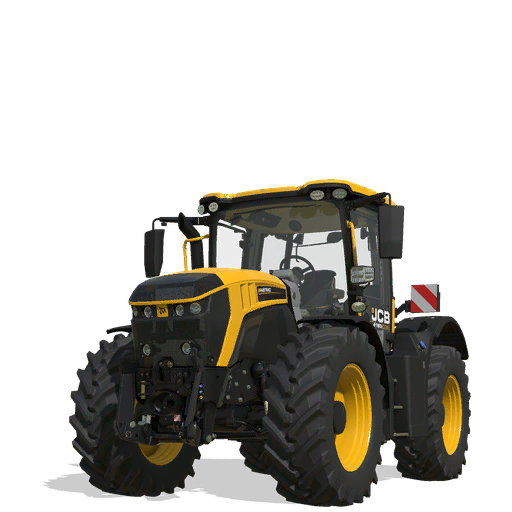
JCB Fastrac 4220 ICON Bearbeitung
Dies ist eine überarbeitete Version des JCB Fastrac 4220 ICON von RossN Mods. Er bietet etwas mehr Leistung, beschleunigt besser und meistert jede Aufgabe problemlos.Höchstgeschwindigkeit: 155,6 km/hGesamtlaufleistung: 1005 kmHinweis: Auf den Screenshots ist der Traktor etwas schmutzig – ein Zeichen harter Arbeit!Credits an den ursprünglichen Mod-Ersteller: RossN Mods. Sehr empfehlenswert! Dies ist eine überarbeitete Version des JCB Fastrac 4220 ICON von RossN Mods. Er bietet etwas mehr Leistung, beschleunigt besser und meistert jede Aufgabe problemlos. Hinweis: Auf den Screenshots ist der Traktor etwas schmutzig – ein Zeichen harter Arbeit! Credits an den ursprünglichen Mod-Ersteller: RossN Mods. Sehr empfehlenswert!

HoT online Farm 2025 V1.0
It’s finally here, Farming Simulator 2025! Required Mods: Modpack Farming Simulator 2025 defaultFilltypes Production Storage Control Recommended Mods: Construction Screen Extension Interactive Control Bunker Silo HUD Recommended Information: Infos HoF 2025 We hope you enjoy the map.

Default Types V1.0.3.5
Updated for game update 1.7+ Configuration rerouting has been removed in favor of the new vanilla loading system, which does about the same as the old Default Types version did. This mod is used, primarily by map makers, to remove vanilla items from the game to free up slots. For example, you could remove a crop along with store items that are specific to that crop to make room for a new custom one. Things of that nature. This is done by embedding a small configuration file into your map and adding the following line to your map.xml file. From there, configuration is fairly simple. Each “type” has its own section and you simply list the items you want to remove. The mod does the rest. Some things will show warnings when removing vanilla types. These warnings are addressed by removing the entries from the corresponding configuration. For example, if you remove cotton, you could also remove the store items that may show warnings about the missing cotton fill type. Finally, the new vanilla load system was not applied to fill type loading. For this reason, there are a couple of optional keys you can add to your defaultTypes.xml file that switches that behavior. The first, loadMapFirst=”true” will only load a vanilla fill type from the game install location if that same fill type is not defined in your map embedded fillTypes.xml file. The second, loadDefaults=”false” will prevent the entire game install maps_fillTypes.xml file from loading in favor of your map embedded fillTypes.xml. Setting loadDefaults=”false” automatically implies loadMapFirst=”true”, so you don’t need to use both values. Double registrations, while not as common as in previous game versions, are still addressed with this mod. You should see a warning if this happens for some reason. Note: I originally left the old version up for maps that were configured to use it. This was actually causing too many issues for a variety of reasons. The vanilla double registration bug was fixed in 1.7 and the load order was changed. Because of that, you only need Default Types now if you want to remove vanilla items. In that case, it is recommended to update to the new version. If your map no longer works with this update, you may have to make a slight map.xml change. This is for maps that used this mod to fix a vanilla bug that has now been fixed. First, open your map.xml. This file may also be named something like mapUS.xml, etc. It’s usually in the maps folder of the map mod. Inside that file, find this section: Above is the old configuration. Many maps no longer need default types, and I knew this would eventually happen when I wrote it. That’s why I made an easy way to revert. Simply copy everything inside of the section and paste it directly in the map.xml like this: Remove the lines and done. Just make sure you don’t have multiple , , , sections in your map.xml. If you do, the extra entries have to be removed. Now the map should work stand alone. The only issue you may run into is if vanilla items were removed. In these cases, contact me or the map author and let me/them know. Also, if your map does not have a section inside the map.xml, you should be fine running without it. That is all, have fun! Fixes an issue where, if another mod makes an incorrect call to a vanilla function, Default Types would crash. V1.0.2.9 Updated to new game version (v1.7+). While the old version remains for maps that still use it, functionality is not guaranteed. The vanilla game configuration has changed, so even with the old version Default Types, it might not work quite as expected. Switched to a more blacklist style configuration due to the base game now having a feature similar to the original Default Types rerouting feature. Base game rerouting is mainly for fruit types (other types still use the old game first map append method). Fill types can be switched to the new map first load method (optional). Fixes a vanilla 88% lockup issue when a placeable meadow uses a fill type not found or supported by the target animal. “Restricted” items (like snow) can no longer be removed. This is based on a list of items known to be hard coded into the game. – Uploaded older version that still had a code type. This should now be fixed. Note: If you are using this with a map already set up for Default Types, you don’t have to do anything other than have this mod in your mods folder and enabled in game. The instructions below are for people who want to add the functionality to a new map. Also, as said before, you do not need to configure anything to fix the double registration issue. Again, just having this mod installed and enabled in game will address address that automatically. Adding to your map.xml: You don’t have to use them all. For example, if you wanted to just re-route the fruit types, you could include just the line and either comment out or remove all of the other entries from the section. Remember, this is just rerouting the loading of default information (the part you normally do not see) from the game install location to a location inside of your map. This step occurs in vanilla before the map loads. The map configuration and everything else will still load as normal with this mod installed. For example, do not make your default filename the same as your map configuration filename or it would load twice. Example blackListItems.xml:
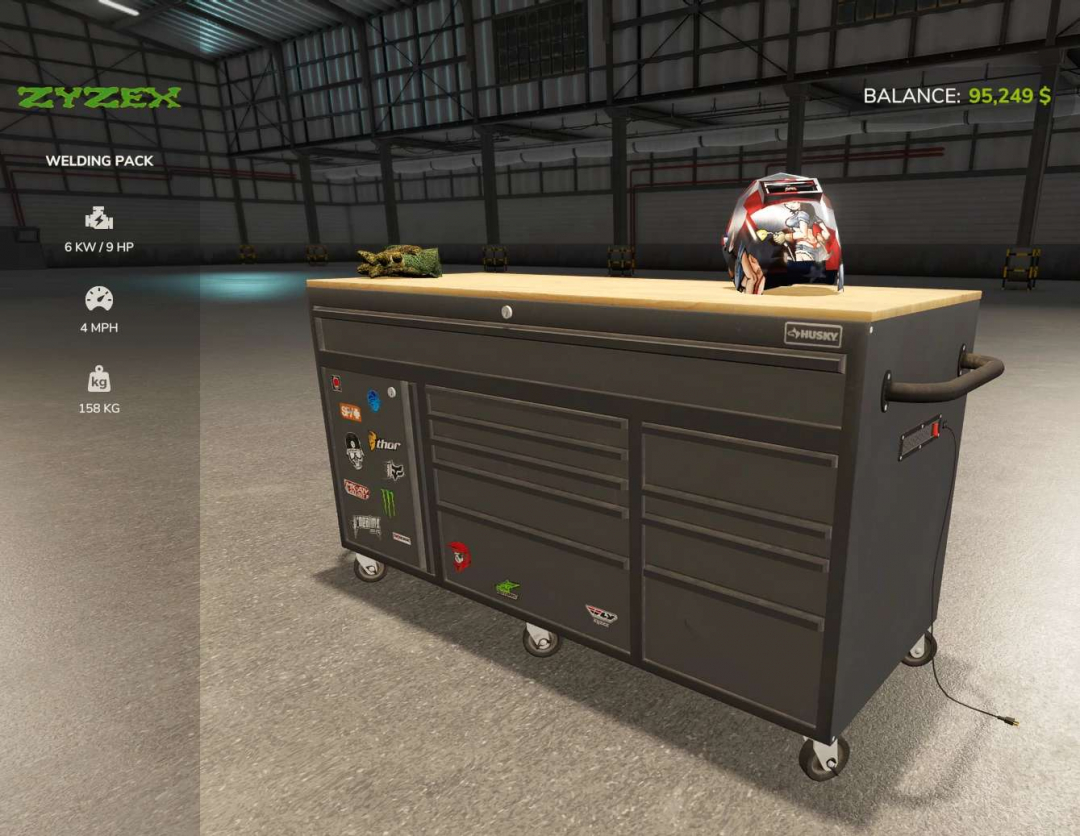
Husky Toolbox v1.0
To repair the tractor, walk up to the toolbox and press R to pick up the adjustable wrench. Approach the tractor and hold the left mouse button to perform the repair for free. Use super strength to lift and move objects as needed.
- 15 per page
- 30 per page
- 45 per page
- 60 per page
-
See more per page
Bigger pages, fewer clicks - and no ads anywhere.
Go Pro