Farming Simulator 25 mods
78,883 results- 15 per page
- 30 per page
- 45 per page
- 60 per page
-
See more per page
Bigger pages, fewer clicks - and no ads anywhere.
Go Pro


Schwarzmüller Semi Lowloader 3A V1.0.0.1
Schwarzmüller Semi Lowloader 3A V1.0.0.1 Schwarzmüller Semi Lowloader 3A Kategorie: Tieflader Preis: 64.000 US-Dollar Schwarzmüller Transport-Riser Kategorie: Verschiedenes Preis: 250 $ Was hat sich geändert? – Beleuchtung ersetzt – Unsere eigenen Spanngurte installiert – Reifen mit und ohne Beschriftung – Kompatibel mit den Behältern aus dem Fliegl Container Pack – Containerpositionen angepasst – Der Lowloader ist jetzt erweiterbar – Die erste Achse ist anhebbar – Die dritte Achse ist gelenkt – Beaconlight-Konfiguration – Verschiedene Farbauswahlmöglichkeiten – Diverse Korrekturen am 3D-Modell – Transportpfosten im Arbeitsmodus hinzugefügt, 8 Positionen – Die Transporterhöhung kann an 6 Positionen befestigt werden V1.0.0.1 Die durch Patch 1.18 verursachten Änderungen an den Lenkachsen wurden behoben. Sie funktionieren nun wieder einwandfrei. Tags: Kategorie TiefladerKategorie Verschiedenes

Rau Unicorn 3 v1.0
Rau Unicorn 3 v1.0 Rau Unicorn 3: – Category: Seeding / Seeders – Price: 12.000/24.000/34.000$ – Required power: 60/90/120 hp – Max. working speed: 15 kph – Working width: 3.0/4.5/6.0m – Color configurations – Capacity configurations Front Tank: – Category: Seeding / Seed Tanks – Price: 8.000$ – Capacity: 1000l – Color configurations

Teach-IN Extension – Mod pour Farming Simulator 25
Teach-IN Extension – Mod pour Farming Simulator 25

Fiat 682 T2 V1.0
Fiat 682T, 4×2 road tractor with 3.3m wheelbase two-wheel drive. Produced in 1960. Price: 58.000 $ Power: 132 HP Color configuration Recommended mod: Lizard Semi-Trailer (Semi-trailer from the 1960s Made in Italy)

Ifor Williams TA510T v1.0.0.1
Ifor Williams TA510T v1.0.0.1 Ifor Williams Trailers TA510T 16’x7’ (Tri-Axle) Livestock Trailer. The TA510 range offers substantial high specification trailers, designed for those who require the maximum volume and gross weight available. Featuring the new improved EasyLoad Deck System. – Price: $12,500 Please note as FS25 doesnt currently support animal capacities based on growth stage, larger animals may not visually fit at full capacity. This is required in order to allow increased capacity of smaller animals. We recommend loading as per the following: – Capacity Growth Stage (GS) – Cows Allowed – 6 – Cows Recommended GS1 – 6 (layer 1 fold deck) – Cows Recommended GS2 – 5 (layer 1 fold deck) – Cows Recommended GS3/4 – 3 (layer 1 fold deck) – Pigs Allowed – 30 – Pigs Recommended GS1/2 – 30 (15 layer 1 + 15 Layer 2, unfold deck) – Pigs Recommended GS3 – 20 (10 layer 1 + 10 Layer 2, unfold deck) – Pigs Recommended GS4 – 8 (layer 1 fold deck) – Sheep/Goats Allowed – 30 – Sheep/Goats Recommended GS1/2 – 30 (15 layer 1 + 15 Layer 2, unfold deck) – Sheep/Goats Recommended GS3 – 10 (layer 1 fold deck) – Sheep/Goats Recommended GS4 – 8 (layer 1 fold deck) – Chickens Allowed – 182 – Chickens Recommended All – 182 (91 layer 1 + 91 Layer 2, unfold deck) – Horses Allowed – 2 – Horses Recommended All – 2 (layer 1 fold deck) V1.0.0.1 – Minor visual fixes

Lizard Forestry Spezial-Tieflader TL38 V2.0.0.0
Lizard Forestry Spezial-Tieflader TL38 V2.0.0.0 Preis: ab 31.650 $ Kategorie: Tieflader Spezifikationen: – Selbstlenkende Achsen sind im Shop auswählbar. – Abnehmbare Hilfsrampen – Verschiedene Farbauswahlmöglichkeiten – Verschiedene Leuchtfeuer – Unsere eigenen Spanngurte V2.0.0.0 – Um Mod-Fehler im Spiel aufgrund der kompletten Überarbeitung zu vermeiden, Die Trailer-XML-Datei wurde umbenannt. Daher ist ein erneuter Kauf erforderlich. – Unsere eigenen Spanngurte wurden installiert – Farbauswahl überarbeitet Die Begrenzungsleuchten blinken nun, wenn der Blinker betätigt wird. – Beleuchtung überarbeitet – Rampenanimation vereinfacht – Das automatische Haltesystem wurde entfernt, da es nicht mehr ordnungsgemäß funktionierte. – Komplette Überarbeitung der Shop-Optionen – Anpassungen am 3D-Modell – Das Überfahren von Hilfsrampen kann nun im Spiel deaktiviert werden, nicht nur im Shop. – Mod-Beschreibung überarbeitet Tags: Die BegrenzungsleuchtenKategorie Tieflader
GE10 Script – TreeGenerator v1.0
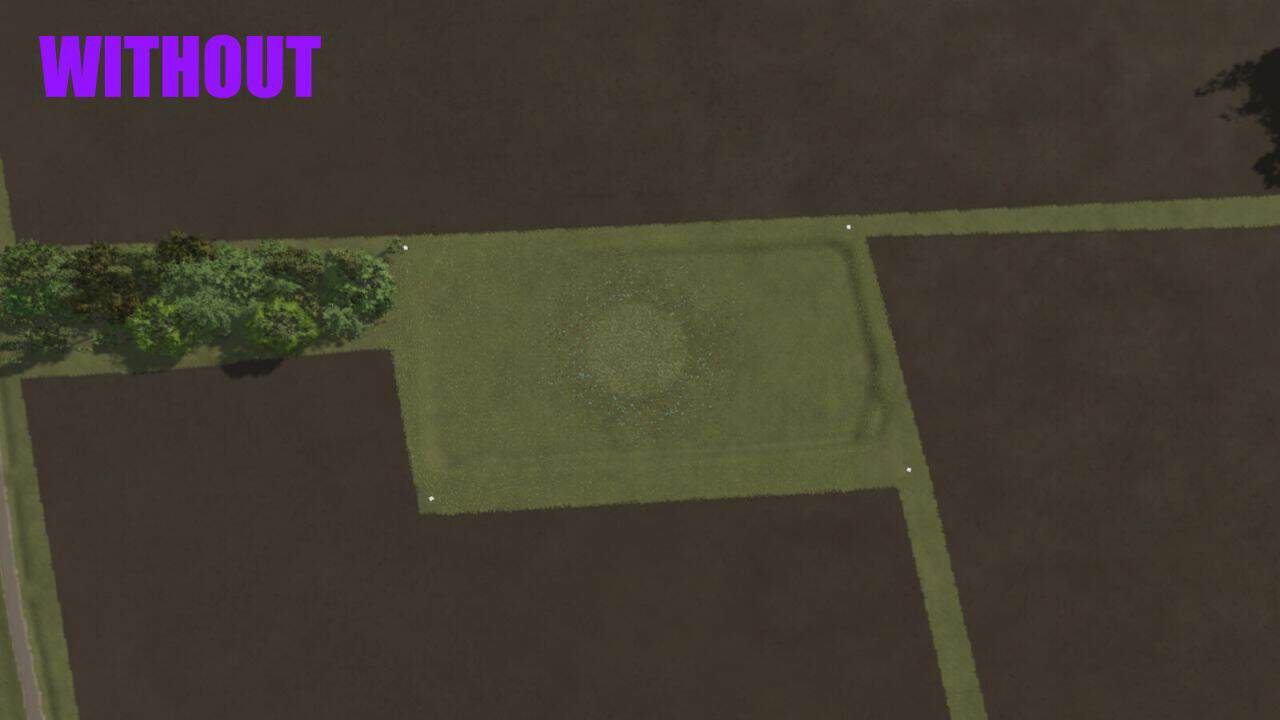
With this practical script for the GIANTS Editor 10, a complete forest can be automatically created. The Random Tree Generator offers a simple way to randomly place trees from an existing pool within a defined area – considering minimum distances, terrain alignment, and random rotation. The tool allows any area (treeArea) to be defined as a forest area and automatically filled with trees from a treePool. Density, minimum distance, height alignment, and rotation can be individually adjusted. A special focus is on user-friendliness: – Easy configuration via a graphical user interface – Real-time progress display during generation – All trees are automatically grouped together (autoForest_X) – Clear status messages and error notifications For maximum control, the script offers numerous configuration options: Density (trees/m²): Determines how many trees are generated per square meter. Higher values create denser forests. Minimum Distance (m): Defines the minimum distance between two trees. Prevents overlaps and ensures natural distribution. Max Attempts per Tree: Specifies how many times the script tries to find a suitable spot for a tree. Higher values increase the success rate in dense forests. Random Rotation: Activates random rotation of each tree around its own axis. Provides more variety. Align to Terrain: Automatically adjusts the height of each tree to the terrain surface. Prevents floating or buried trees. Height Offset (m): Vertically shifts the trees. Positive values raise them, negative values lower them. The tool is aimed at both beginners and experienced modders and significantly speeds up the creation of forests and woodland areas on custom maps. Installation: 1.) Navigate to the installation directory of the GIANTS Editor. Default: “C:UsersUserAppDataLocalGIANTS Editor 64bit 10.0.11+” 2.) Copy the file “TreeGenerator.lua” into the scripts folder of the GIANTS Editor. “C:UsersUserAppDataLocalGIANTS Editor 64bit 10.0.11+scripts” 3.) The script is then available in the GIANTS Editor via the menu bar under “Scripts”. Scene Preparation: Before you can use the script, your scene must have the following structure: Root ├── terrain ├── treeArea (TransformGroup with cubes or other objects) ├── point1 ├── point2 ├── point3 └── point4 … └── treePool (TransformGroup with tree models) ├── treeOak01 ├── treeSpruce01 ├── treeBirch01 └── … The treeArea defines the area in which trees are generated. Each child of this group represents a corner point of the polygon. At least three points are required. The treePool contains the template trees from which random selection is made. The more different trees, the more varied the forest will be. Troubleshooting: “treeArea not found!” > The TransformGroup “treeArea” does not exist in the scene. “treePool not found!” > The TransformGroup “treePool” does not exist in the scene. “No trees in treePool!” > The treePool contains no tree models. “treeArea needs at least 3 points!” > The treeArea contains fewer than 3 points. “No trees generated!” > The area is too small or the density is too low.
GE10 Script – Ext. FieldToolkit v1.0
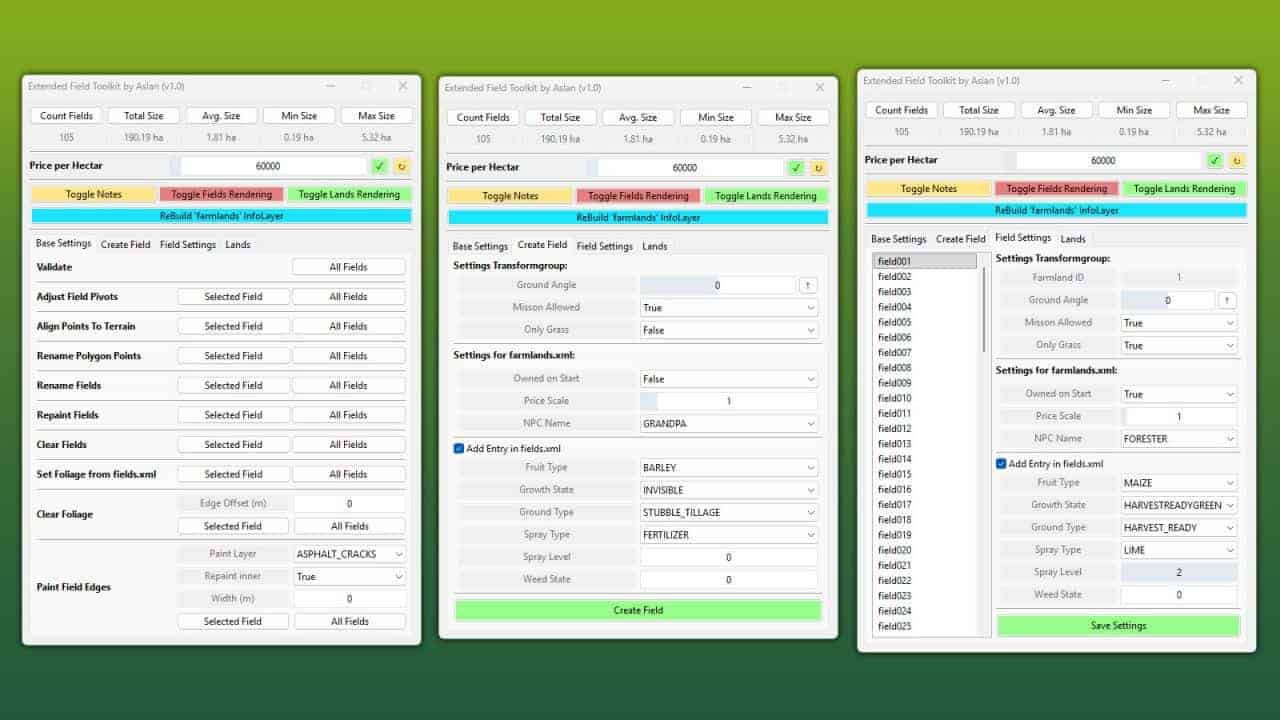
The Extended FieldToolkit expands the standard GIANTS FieldToolkit with a wide range of new features and an improved debug view, making it significantly easier to create and manage fields. FEATURES: – Create or edit fields entirely through the UI – Create and manage land parcels (e.g. farms, forests, lakes, etc.) Debug View – Field names are rendered in the 3D viewport at each field’s pivot position – Polygon points and names are shown for the selected field – Duplicate polygon vertices are highlighted Tools – Validate Fields: Checks all fields for misconfiguration, InfoLayer overlaps and missing attributes – with a clear / / output – Adjust Field Pivots: Moves each field’s TransformGroup pivot to the area centroid of its polygon (correct even for concave fields) – Set Foliage from fields.xml: Paints the fruits defined in fields.xml directly onto the fields – Repaint Fields: Repaints all fields into the farmlands InfoLayer – Clear Fields: Removes all fields from the farmlands InfoLayer – Clear Foliage: Removes foliage from fields, with an optional configurable edge offset – Paint Field Edges: Paints a chosen terrain texture along field borders, optionally inwards as well – Rename Fields: Renames all fields with a consistent 3-digit numbering – Align Polygon Points: Aligns all polygon points to the terrain height – Field statistics (total area, field count) are displayed at the top of the window INFO: On first launch, the tool automatically adds the userAttribute “farmlandID” to all fields that don’t already have it. This attribute is used to determine farmland ownership and replaces the name-based approach used by the standard FieldToolkit. Installation: 1.) Navigate to the GIANTS Editor AppData path. Default: “C:UsersAppDataLocalGIANTS Editor 64bit 10.0.XXscripts” 2.) Copy the file “FieldToolkitExt.lua” from the prefab into the scripts folder. 3.) The script will then be available in the GIANTS Editor via the menu bar under “Scripts”.

Schwarzmüller Lowloader Pack V1.0.0.1
Schwarzmüller Lowloader Pack V1.0.0.1 Tieflader 4A Kategorie: Tieflader Preis: 60.000 US-Dollar Niedriglaster 5A Kategorie: Tieflader Preis: 80.000 US-Dollar Die Rampen können von außen, an der Rampe, ohne IC gesteuert werden. (Externe Fahrzeugsteuerung/Crossplay) Die Rampen können von außen, direkt an der Rampe, mit IC gesteuert werden. (Interaktive Steuerung/Nur PC) Die Verbreiterung kann in 2 Schritten erfolgen. Verschiedene Leuchtfeuer Entwurf der Feuerwehr Diverse weitere Anpassungen Unsere eigenen Spanngurte V1.0.0.1 Die durch Patch 1.18 verursachten Änderungen an den Lenkachsen wurden behoben. Sie funktionieren nun wieder einwandfrei. Tags: Die RampenICKategorie Tieflader

Advanced Hay Drying V1.0
Adds a realistic moisture system to the drying of grass and hay. This mod focuses exclusively on the drying behavior of hay; it does not affect any other crops or material qualities, making it perfect if you only want hay and don’t need a complex moisture system. This mod is currently available for single-player only. – Moisture-based drying system – Grass must be dry enough before baling – Tedding increases drying speed – Seasonal influence on starting moisture – Weather affects drying and re-wetting – Adjustable gameplay settings Manage your drying process carefully to get the best results.

Tanker Anhänger Pack
Dieses Tanker Anhänger Pack ist vielseitig einsetzbar und kann eine Vielzahl von Flüssigkeiten und Substanzen transportieren, darunter verschiedene Milchsorten, Öle, Säfte, Suppendosen, Wasser, Diesel, Gärreste, Gülle, Dünger, Herbizide und Silagezusätze.Paletten entladen (für geeignete Waren)Fahrzeuge auffüllen (Diesel, Dünger, Herbizid)Anpassbare Karosserie- und FelgenfarbenAquatrans 7300S Merkmale:Preis: 9.000 $Kapazität: 7.300 - 14.600 LiterKategorie: FässerMKS 8 Merkmale:Preis: 25.000 $Kapazität: 8.000 - 16.000 LiterKategorie: FässerMKS 32 Merkmale:Preis: 90.000 $Kapazität: 32.000 - 64.000 LiterKategorie: FässerABI 550 Merkmale:Preis: 5.850 $Kapazität: 2.080 - 4.160 LiterKategorie: FässerABI 1600 Merkmale:Preis: 17.000 $Kapazität: 6.050 - 12.100 LiterKategorie: FässerZunhammer ULT 18 Merkmale:Preis: 37.500 $Kapazität: 15.000 - 30.000 LiterKategorie: GülletransportZunhammer ULT 24 Merkmale:Preis: 52.000 $Kapazität: 21.000 - 42.000 LiterKategorie: GülletransportKotte TSA 30000 Merkmale:Preis: 95.500 $Kapazität: 30.000 - 60.000 LiterKategorie: GülletransportChangelog v1.2.0.0:Neue Fülltypen hinzugefügtChangelog v1.1.0.1:Entladeproblem bei Joskin Aquatrans 7300S behobenChangelog v1.1.0.0:Joskin Aquatrans 7300S hinzugefügtFarboptionen für das Fahrgestell bei Zunhammer ULT 18 & ULT 24 hinzugefügtChangelog v1.0.1.0:Büffelmilch hinzugefügtOption zur Verdoppelung der Füllkapazität hinzugefügt Dieses Tanker Anhänger Pack ist vielseitig einsetzbar und kann eine Vielzahl von Flüssigkeiten und Substanzen transportieren, darunter verschiedene Milchsorten, Öle, Säfte, Suppendosen, Wasser, Diesel, Gärreste, Gülle, Dünger, Herbizide und Silagezusätze.

Sattelauflieger V1.0.0.0
Sattelauflieger V1.0.0.0 Sattelauflieger aus den 1960er Jahren (Hergestellt in Italien). Sie können damit Schüttgut transportieren oder mit der Pritschenversion andere Güter (z. B. Ballen, Paletten). Kategorie: Sattelauflieger Preis: 26000 $ Kapazität: 23000/45000 L Tags: Kategorie Sattelauflieger

GE10 Script – TreeGenerator (Prefab*) V1.0
With this practical script for the GIANTS Editor 10, a complete forest can be automatically created. The Random Tree Generator offers a simple way to randomly place trees from an existing pool within a defined area – considering minimum distances, terrain alignment, and random rotation. The tool allows any area (treeArea) to be defined as a forest area and automatically filled with trees from a treePool. Density, minimum distance, height alignment, and rotation can be individually adjusted. A special focus is on user-friendliness: – Easy configuration via a graphical user interface – Real-time progress display during generation – All trees are automatically grouped together (autoForest_X) – Clear status messages and error notifications For maximum control, the script offers numerous configuration options: Density (trees/m²): Determines how many trees are generated per square meter. Higher values create denser forests. Minimum Distance (m): Defines the minimum distance between two trees. Prevents overlaps and ensures natural distribution. Max Attempts per Tree: Specifies how many times the script tries to find a suitable spot for a tree. Higher values increase the success rate in dense forests. Random Rotation: Activates random rotation of each tree around its own axis. Provides more variety. Align to Terrain: Automatically adjusts the height of each tree to the terrain surface. Prevents floating or buried trees. Height Offset (m): Vertically shifts the trees. Positive values raise them, negative values lower them. The tool is aimed at both beginners and experienced modders and significantly speeds up the creation of forests and woodland areas on custom maps. 1.) Navigate to the installation directory of the GIANTS Editor. Default: “C:\Users\User\AppData\Local\GIANTS Editor 64bit 10.0.11+” 2.) Copy the file “TreeGenerator.lua” into the scripts folder of the GIANTS Editor. “C:\Users\User\AppData\Local\GIANTS Editor 64bit 10.0.11+\scripts\” 3.) The script is then available in the GIANTS Editor via the menu bar under “Scripts”. Before you can use the script, your scene must have the following structure: Root ├── terrain ├── treeArea (TransformGroup with cubes or other objects) ├── point1 ├── point2 ├── point3 └── point4 … └── treePool (TransformGroup with tree models) ├── treeOak01 ├── treeSpruce01 ├── treeBirch01 └── … The treeArea defines the area in which trees are generated. Each child of this group represents a corner point of the polygon. At least three points are required. The treePool contains the template trees from which random selection is made. The more different trees, the more varied the forest will be. “treeArea not found!” > The TransformGroup “treeArea” does not exist in the scene. “treePool not found!” > The TransformGroup “treePool” does not exist in the scene. “No trees in treePool!” > The treePool contains no tree models. “treeArea needs at least 3 points!” > The treeArea contains fewer than 3 points. “No trees generated!” > The area is too small or the density is too low.
- 15 per page
- 30 per page
- 45 per page
- 60 per page
-
See more per page
Bigger pages, fewer clicks - and no ads anywhere.
Go Pro