Farming Simulator 25 mods
79,027 results- 15 per page
- 30 per page
- 45 per page
- 60 per page
-
See more per page
Bigger pages, fewer clicks - and no ads anywhere.
Go Pro

Lizard R120-R135 FS25
Lizard R120 tractor is built in Serbia. It has a 117 hp, or 133 hp engine. - Models: Lizard R120, R135 - Base price: 35.000 $ - Power: 117 hp to 133 hp - Max. speed: 30 kph Configuration: - Front weight: *Standard *60kg front weight *R120kg front weight *180kg front weight *240kg front weight *300kg front weight *360kg front weight *420kg front weight *480kg front weight *3-Point Wheel brand: - Trelleborg - Michelin - Vredestein - Continental - BKT Wheel setup: - Standard - Rear twin wheels Exhaust setup: - Straight Pipe - 45-Degree - 90-Degree Filter setup: - Right - Left - Middle Engine setup: - R120 (117hp) - R135 (133hp) Converted From FS22 Fixed Sound And Wheels

Additional Game Settings V1.0.0.5c
This mod adds a new settings tab to the pause menu. Available functions: – Enable/disable the interface, – Change the interface color (custom colors can be added to the file “…/modSettings/FS25_additionalGameSettings/uiColors.xml”), – Enable/disable the crosshair, – Display a transition effect when switching cameras, – Enable/disable unnecessary informational windows, – Enable/disable blinking notifications, – Enable/disable mouse camera movement in object placement mode, – Enable/disable automatic game save start, – Filter objects in the shop (all/base/mods/DLC), – Toggle lighting from other maps (custom lighting can be added to the folder “…/modSettings/FS25_additionalGameSettings/lighting”), – Smooth camera movements, – Start the vehicle engine by pressing the acceleration key, – Enable/disable depth of field (DoF), – Enable/disable camera collision, – Display the current date (customizable format/position/background/color/font boldness), – Added “Quit to desktop” button. Changelog 1.0.0.5b: The “Exit to Desktop” key now always triggers a notification before exiting the game Fixed a conflict with some mods Changelog 1.0.0.5: – Added tooltips for disabled interface options, – Improved compatibility with some mods. Changelog 1.0.0.4b: Fixed an issue where the month name was displayed incorrectly on the clock (November instead of October) Changelog 1.0.0.4: Fixed the function “Easier engine starting”, which was not working after patch 1.7.0.0 Changelog 1.0.0.3: – Fixed an issue with the unavailable HUD color change option, – Fixed the error “…/AdditionalSettings.lua:1363: attempt to index nil with ‘delete'”. Changelog 1.0.0.2: – Added an option to switch between walking and running mode (press and hold/press), – Added an option to switch between walking and crouching mode (press and hold/press), – Added the ability to choose a custom color for HUDs and the clock, – Fixed clock HUD scaling. Changelog 1.0.0.1: – Added support for version 1.6.0.0 of the game, – Added the ability to change the HUD color for mods: Courseplay, Enhanced Vehicle, Extended Game Info Display.

Unload Garage V1.0
This is a functional garage trigger for Farming Simulator 25, allowing you to temporarily remove equipment from the world and store it inside the garage. Vehicles are saved in XML format and can be retrieved at any time via a convenient menu. The mod is especially useful for: - Optimizing the number of vehicles on the map; - Reducing maintenance workload; - Storing rarely used equipment; - Organizing a vehicle fleet on a multiplayer server or in single-player mode. Multiplayer support included. How the mod works: - Set up a garage at the store location. - Drive equipment into the garage trigger. - Press R to open the menu.Select: - Put it in the garage — the equipment will disappear from the world and be stored.To retrieve equipment: - Open the garage menu; - Select a vehicle from the list; - Take it out of the garage. The equipment will reappear at the spawn point near the garage.

Rental Station V1.0
A mod for Farming Simulator 25 that enables you to rent out your equipment to NPCs and earn passive income. You can assign your machinery to work for others, after which it temporarily disappears from the world and starts generating rental income.

Lucas Castor 20R V1.0
The Lucas brand Castor 20R straw blower is an excellent addition to your farm. Length: 2.7m Width: 2.1m Height: 1.9m Capacity: 4000l Weight: 700kg (empty) Power: 65hp Price: €8,500. If the straw blower is not listed in the straw blower category, it can be found in the 'miscellaneous' category next to the winter equipment. If you encounter any issues, please visit our Discord link in the bio to report problems with the mod. We will resolve them as quickly as possible.

FS25 Auto Arm Positions
FS25 Auto Arm Positions Auto Arm Positions **Save your loader positions once — and recall them whenever you need them. No more fiddling with lift, tilt, and telescoping.** ## What does this mod do? Imagine you’re driving silage into your silo. Each time: – Bucket down → scoop up material – Bucket up → drive to the trailer – Bucket tilted → tipping – Bucket down again Constantly repeating the same movements, constantly adjusting three axes. **With this mod, you save each position once — and recall it at the touch of a button.** Your loader automatically moves into the desired position. Lifting arm, bucket tilt, and even telescopic extension — all at once. Works for: – **Shovels** (silage, manure, bulk materials) – **Pallet forks** – **Bale spikes** – **Forklifts** With **4 modes** and **12 slots per mode** you have up to **48 positions per vehicle**. ## Key assignment | Key | What it does | |——-|—————| | **O** | Switch mode (shovel → pallet forks → bales → forklift → shovel…) | | **Alt + O** | Save current position in active mode | | **Numpad 7** | Move to next saved position | | **Numpad 8** | Move to previous saved position | **Note:** Num Lock must be enabled for Num Lock keys. If the keys don’t respond or conflict with other mods, simply reassign them in the game menu under **Options → Input**. ## Step-by-step: First use ### Example: Loading silage into the trailer with the front loader **1. Select Mode** – Get on the loader (or the tractor with the front loader attached) – Press **O** until the HUD displays: *”Mode: Bucket”* **2. Saving Positions** – Move the shovel to **Loading Position** (at the bottom of the material, slightly tilted) → **Alt + O** → *”Shovel – Slot 1 saved”* – Move the shovel to **Transport Position** (high, slightly tilted back) → **Alt + O** → *”Shovel – Slot 2 saved”* – Move the shovel to **Dump Position** (over a trailer, tilted forward) → **Alt + O** → *”Shovel – Slot 3 saved”* – Move the shovel to **Reverse Position** (medium height, empty) → **Alt + O** → *”Shovel – Slot 4 saved”* **3. Use during operation** – Arrived at the material → **Numpad 7** → Bucket moves to loading position – Material picked up → **Numpad 7** → Bucket automatically lifts – Over trailer → **Numpad 7** → Bucket automatically tilts – Returning to the material → **Numpad 7** → Bucket in reverse position – At the material again → **Numpad 7** → Returns to first position Four keystrokes per cycle instead of constant mast pushing! ## Tips for optimal use ### Separate Slots for Each Vehicle Each vehicle stores its own **slots**. Your front loader tractor and your wheel loader have independent positions. For front loader attachments, the slots are linked to the **loader itself** — you can attach it to a different tractor, and your positions will be retained. ### The correct mode for each attachment When switching between bucket and pallet forks: – Press **O** until the appropriate mode is active – Slots of the respective mode remain saved separately – Switching back with **O** restores the old slots ### Empty slots are skipped. You don’t have to fill all 12 slots. If you only fill slots 1–4, **Numpad 7** will jump back to slot 1 after slot 4 — slots 5–12 will be skipped. ### Overwrite Slot **Alt + O** saves to the next slot in the sequence (1 → 2 → 3 → … → 12 → 1). When all 12 slots are full, slot 1 is overwritten. ### Caution in enclosed spaces: When starting up, **all axes move simultaneously**. If your “High Drop” slot was saved in a hall and you are standing in a low barn, collisions with the ceiling may occur. No problem in open areas. ## Supported Vehicles | Vehicle Type | Status | |————-|——–| | Front loaders on tractors (Bressel & Lade XB190 etc.) | Works | | Wheel loaders (Volvo L120H, JCB etc.) | Works | | Telescopic handlers (Sennebogen G340, JCB Loadall etc.) | Works (incl. telescopic extension) | | Forklifts (Jungheinrich EFG etc.) | Works | | Manure fork, high-tip bucket, grapple attachments | Works | Basically, the mod supports any vehicle that has hydraulic controls in the game. ## Save to Savegame All saved positions are **automatically** saved in the game. They will be restored when you start the game. This applies to each vehicle separately. You don’t need to manually export or save anything. ## Multiplayer **Multiplayer compatible** — the mod can be used on MP servers. – Slots belong to the vehicle, not the player. – If you save slots and another player takes over the loader, they can use the same slots. – When saving on a multiplayer server, the slots are stored in the server’s save file. **Multiplayer Beta Notice:** Saving slots by client players has not been extensively tested. If you encounter any problems, please let us know. ## Installation 1. **Do not extract the ZIP file** 2. Copy it to the FS25 mod folder:`C:\Users\\Documents\My Games\FarmingSimulator2025\mods\` 3. Start the game → load a save game or create a new profile 4. Activate the mod in the mod menu 5. Get on a loader — let’s go! ## FAQ **What happens if I accidentally save to the wrong slot?** Press **Alt + O** repeatedly — the next save operation will go to the next slot. After 12 repetitions, slot 1 will be available again and can be overwritten. Alternatively, you can move the loader to the desired position for that slot and press **Alt + O** at the right time. **Are the claw positions of grippers also saved?** Yes. For gripper tools with an additional claw axis, the claw state is also saved. So, if you save slot 1 with “claw open” and slot 2 with “claw closed,” these states will also be restored when the gripper is moved. **Does this also work if I want to open/close a grabber while the movement is running?** Yes, but it will jerk because the mod is trying to move the claw to the saved value at the same time, and you’re working against it. Let the auto-movement finish first. **Can I change the keys?** Yes, in the game menu under **Options → Input** you can reassign each key. **What if the mod doesn’t do anything on a particular vehicle?** The vehicle probably doesn’t use the standard hydraulic system (cylindered) or doesn’t have any controllable tools. This can happen with very old or exotic mod vehicles.
FS25 Field Notes v1.3.0.0
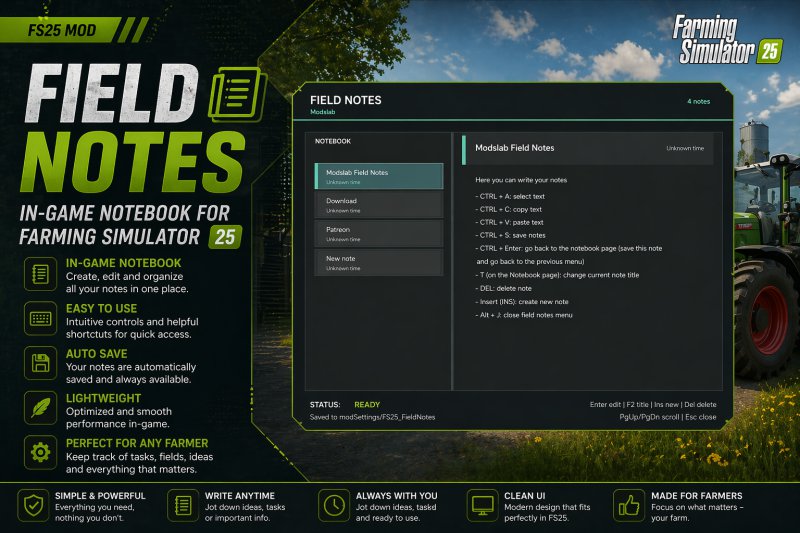
FS25 Field Notes v1.3.0.0 Field Notes adds a separate notebook where you can create and manage your notes. You can: – Create multiple notes; – Write, save, and delete anything you want; – Select, copy, and paste text (basic editor functions). To open, press Alt + J. V1.3.0.0: – Added the ability to place icons next to the note title – Added the ability to create separate task notes. You add tasks, and once you complete them, you tick the checkbox and the text gets crossed out. A convenient daily planner for tracking completed tasks.

FS25 AustriaModding Modern Shed v1.1.0.0
FS25 AustriaModding Modern Shed v1.1.0.0 3 different halls with 5 gates and 2 entrance doors v1.1.0.0 – Warehouse with shelving is now a pallet warehouse for 5000 pallets Hall 1: Standard vehicle hall, price €90,000, 5 gates, 2 doors (left and right), light switches inside Hall 2: Hall with storage shelving, price €93,000, 5 gates, 2 doors (left and right), storage shelving along the long side and on the left and right, light switches inside Hall 3: Hall with office extension for agricultural contractors or other uses, price €95,000, 5 gates, 2 doors (left and right), an office building is attached to the right with office furniture, a TV that can be switched on and off. The trigger for this is to go behind the TV and the trigger should then appear. In the office building, the light in front of the desk by the door is switched on, and the light in the hall is also switched on. A solar system can be selected or not. Textures have been completely changed compared to the LS22 mod. Maintenance is €40 Credits:AustriaModding Sascha Tags: LS22TV

FSI ST 65 T
Der FSI ST 65 T ist ein robuster und effizienter Mulcher, ideal zur Pflege Ihrer Felder. Mit einem Preis von nur 5.000 $ ist er eine erschwingliche Ergänzung für Ihre landwirtschaftlichen Geräte. Der FSI ST 65 T ist ein robuster und effizienter Mulcher, ideal zur Pflege Ihrer Felder. Mit einem Preis von nur 5.000 $ ist er eine erschwingliche Ergänzung für Ihre landwirtschaftlichen Geräte.

SPSH-12 Berestye Pneumatische Sämaschine
Die moderne SPSH-12 „Berestye“ Pneumatische Sämaschine mit einer Breite von 12 Metern sorgt für perfektes kontinuierliches Säen. Diese große Trichter-Sämaschine bietet hervorragende Leistung, wodurch die mit der Nutzung eines Traktors verbundenen Kosten reduziert werden. Die SPSH-12 Berestye kombiniert hohe Leistung mit maximaler Benutzerfreundlichkeit, intuitiven und logischen Layout-Steuerungen und einem hohen Maß an innovativen Technologien.Leistungsanforderung: 230 PSBreite: 12 MeterKosten: 168.500 Euro Die moderne SPSH-12 „Berestye“ Pneumatische Sämaschine mit einer Breite von 12 Metern sorgt für perfektes kontinuierliches Säen. Diese große Trichter-Sämaschine bietet hervorragende Leistung, wodurch die mit der Nutzung eines Traktors verbundenen Kosten reduziert werden. Die SPSH-12 Berestye kombiniert hohe Leistung mit maximaler Benutzerfreundlichkeit, intuitiven und logischen Layout-Steuerungen und einem hohen Maß an innovativen Technologien. Leistungsanforderung: 230 PS

FS25 Small Shed with Garage
FS25 Small Shed with Garage cost 12000 daily Upkeep 12 model: TitanICA scripting/texturing: Toficz3k1

FS25 XXL Flag Pack Prefab (Prefab*)
FS25 XXL Flag Pack Prefab (Prefab*) Flag Pack 2.0 – Now Over 400 Flags for Farming Simulator 25 This flag pack brings a huge selection of flags to Farming Simulator 25. With over 400 different flags, the prefab offers the perfect design for almost every taste. Included are: All manufacturer flags featured in Farming Simulator 25 All German federal states All US stats flags All UK county flags All Austrian state flags Selected national flags such as Australia, Brazil, Canada, Germany, England, and many more Other flags such as GIANTS, Farming Simulator, or checkered flags The flags are perfect for decorating farms, barns, events, or maps, adding individuality and brand recognition to your farm. All textures are neatly sorted, and unwanted ones can be easily found and deleted. INFO – Basegame trademarks only! Changelog 2.0.1.0 The prefab has been completely redesigned and new flags have been added. For questions, requests, or suggestions, please get in touch – constructive criticism is very welcome, most easily via yt@DaAndyGaming (*) This is not a Mod. This object can be used in building maps for Farming Simulator.

FS25 AUDI A6 AVANT 1.0.0.0
FS25 AUDI A6 AVANT 1.0.0.0 Audi A6 AVANT 2026 1.0.0.0 Characteristics: -Price:$64.000 -Selectable Body color. -Selectable Interior color 1. -Selectable Trailer Hitch. -Supports license plates. -Engine:3.0L V6T 362HP 6 SPEED AUTO Custom Sound.
Auto Arm Positions V1.0
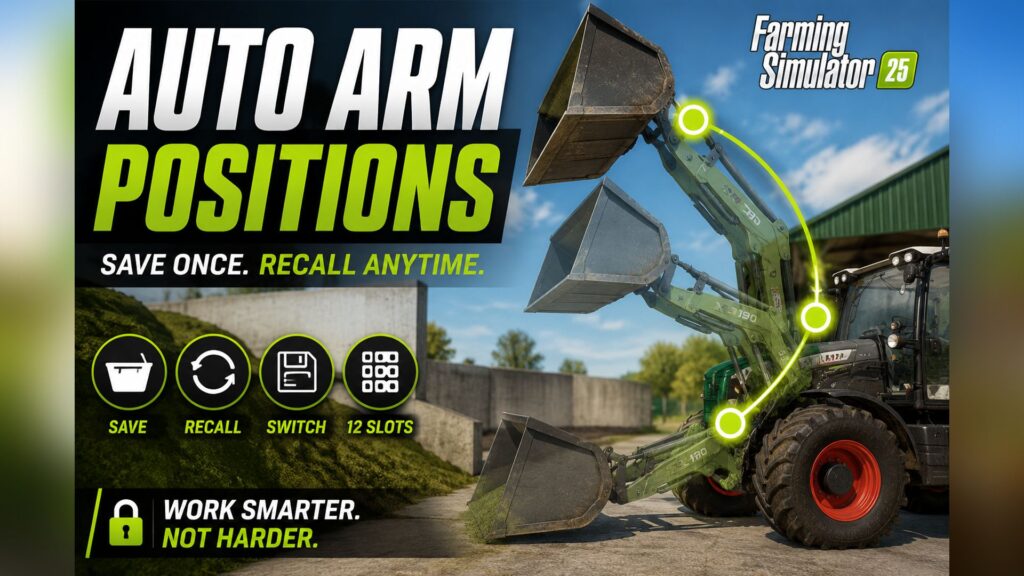
Save your loader positions once — and recall them whenever you need them. No more fiddling with lift, tilt, and telescoping.** ## 💡 What does this mod do? Imagine you’re driving silage into your silo. Each time: – Bucket down → scoop up material – Bucket up → drive to the trailer – Bucket tilted → tipping – Bucket down again Constantly repeating the same movements, constantly adjusting three axes. **With this mod, you save each position once — and recall it at the touch of a button.** Your loader automatically moves into the desired position. Lifting arm, bucket tilt, and even telescopic extension — all at once. Works for: – 🪣 **Shovels** (silage, manure, bulk materials) – 🪜 **Pallet forks** – 🌾 **Bale spikes** – 🏗️ **Forklifts** With **4 modes** and **12 slots per mode** you have up to **48 positions per vehicle**. | Key | What it does | |——-|—————| | **O** | Switch mode (shovel → pallet forks → bales → forklift → shovel…) | | **Alt + O** | Save current position in active mode | | **Numpad 7** | Move to next saved position | | **Numpad 8** | Move to previous saved position | 💡 **Note:** Num Lock must be enabled for Num Lock keys. If the keys don’t respond or conflict with other mods, simply reassign them in the game menu under **Options → Input**. ## 📋 Step-by-step: First use ### Example: Loading silage into the trailer with the front loader **1. Select Mode** – Get on the loader (or the tractor with the front loader attached) – Press **O** until the HUD displays: *”Mode: Bucket”* **2. Saving Positions** – Move the shovel to **Loading Position** (at the bottom of the material, slightly tilted) → **Alt + O** → *”Shovel – Slot 1 saved”* – Move the shovel to **Transport Position** (high, slightly tilted back) → **Alt + O** → *”Shovel – Slot 2 saved”* – Move the shovel to **Dump Position** (over a trailer, tilted forward) → **Alt + O** → *”Shovel – Slot 3 saved”* – Move the shovel to **Reverse Position** (medium height, empty) → **Alt + O** → *”Shovel – Slot 4 saved”* **3. Use during operation** – Arrived at the material → **Numpad 7** → Bucket moves to loading position – Material picked up → **Numpad 7** → Bucket automatically lifts – Over trailer → **Numpad 7** → Bucket automatically tilts – Returning to the material → **Numpad 7** → Bucket in reverse position – At the material again → **Numpad 7** → Returns to first position Four keystrokes per cycle instead of constant mast pushing! ## 🎯 Tips for optimal use ### Separate Slots for Each Vehicle Each vehicle stores its own **slots**. Your front loader tractor and your wheel loader have independent positions. For front loader attachments, the slots are linked to the **loader itself** — you can attach it to a different tractor, and your positions will be retained. ### The correct mode for each attachment When switching between bucket and pallet forks: – Press **O** until the appropriate mode is active – Slots of the respective mode remain saved separately – Switching back with **O** restores the old slots ### Empty slots are skipped. You don’t have to fill all 12 slots. If you only fill slots 1–4, **Numpad 7** will jump back to slot 1 after slot 4 — slots 5–12 will be skipped. ### Overwrite Slot **Alt + O** saves to the next slot in the sequence (1 → 2 → 3 → … → 12 → 1). When all 12 slots are full, slot 1 is overwritten. ### Caution in enclosed spaces: When starting up, **all axes move simultaneously**. If your “High Drop” slot was saved in a hall and you are standing in a low barn, collisions with the ceiling may occur. No problem in open areas. ## 🚜 Supported Vehicles | Vehicle Type | Status | |————-|——–| | Front loaders on tractors (Bressel & Lade XB190 etc.) | ✅ Works | | Wheel loaders (Volvo L120H, JCB etc.) | ✅ Works | | Telescopic handlers (Sennebogen G340, JCB Loadall etc.) | ✅ Works (incl. telescopic extension) | | Forklifts (Jungheinrich EFG etc.) | ✅ Works | | Manure fork, high-tip bucket, grapple attachments | ✅ Works | Basically, the mod supports any vehicle that has hydraulic controls in the game. ## 💾 Save to Savegame All saved positions are **automatically** saved in the game. They will be restored when you start the game. This applies to each vehicle separately. You don’t need to manually export or save anything. ✅ **Multiplayer compatible** — the mod can be used on MP servers. – Slots belong to the vehicle, not the player. – If you save slots and another player takes over the loader, they can use the same slots. – When saving on a multiplayer server, the slots are stored in the server’s save file. ⚠️ **Multiplayer Beta Notice:** Saving slots by client players has not been extensively tested. If you encounter any problems, please let us know. 1. **Do not extract the ZIP file** 2. Copy it to the FS25 mod folder:`C:\Users\\Documents\My Games\FarmingSimulator2025\mods\` 3. Start the game → load a save game or create a new profile 4. Activate the mod in the mod menu 5. Get on a loader — let’s go! **What happens if I accidentally save to the wrong slot?** Press **Alt + O** repeatedly — the next save operation will go to the next slot. After 12 repetitions, slot 1 will be available again and can be overwritten. Alternatively, you can move the loader to the desired position for that slot and press **Alt + O** at the right time. **Are the claw positions of grippers also saved?** Yes. For gripper tools with an additional claw axis, the claw state is also saved. So, if you save slot 1 with “claw open” and slot 2 with “claw closed,” these states will also be restored when the gripper is moved. **Does this also work if I want to open/close a grabber while the movement is running?** Yes, but it will jerk because the mod is trying to move the claw to the saved value at the same time, and you’re working against it. Let the auto-movement finish first. **Can I change the keys?** Yes, in the game menu under **Options → Input** you can reassign each key. **What if the mod doesn’t do anything on a particular vehicle?** The vehicle probably doesn’t use the standard hydraulic system (cylindered) or doesn’t have any controllable tools. This can happen with very old or exotic mod vehicles.

Bio Farming
🌱 Bio Farming Mod — Spielerhandbuch Mod-Version: 1.43.22.0 Autor: BIO Farmer Many Spiel: Farming Simulator 25 🌟 Ein völlig neues Spielerlebnis Vergiss alles, was du bisher erlebt hast — mit diesem Mod betrittst du eine völlig neue Dimension der Landwirtschaft. Der Bio Farming Mod baut ein komplettes, lebendiges ökologisches System in dein Spiel ein. Von der Feldarbeit bis zum Anhänger, vom Stall bis zum Silo — jede Entscheidung, die du triffst, zählt. Wirst du dich auf konventionelle Landwirtschaft mit maximalen Erträgen oder auf nachhaltige Bio-Produktion mit Premiumpreisen konzentrieren? Vielleicht beides, geschickt kombiniert? 🌾 Erlebe authentische Bio-Landwirtschaft mit über 50 Bio-Fruchtsorten und Produkten, einem intelligenten Zertifizierungssystem, das jeden Schritt deiner Arbeit verfolgt, und einer vollständigen Wertschöpfungskette, die dir echte unternehmerische Entscheidungen bietet. 🐄 Spüre den Unterschied zwischen einem konventionellen und einem Bio-Bauernhof — mit eigener Bio-Tierhaltung, Bio-Dünger und Bio-Gärresten, die den Ertrag deiner Felder messbar erhöhen, und einem visuellen HUD, das dir auf einen Blick zeigt, wo dein Hof steht. 💼 Werde ein Bio-Bauer mit echter Tiefe: Der Bio-Status auf Feldern, in Silos, auf Anhängern und sogar in Ballen wird permanent verfolgt, bleibt über Speichern & Laden erhalten und ist Teil eines durchdachten Spielmechanismus, der dich stundenlang fesseln wird. 🚜 Wachse mit deinem Hof — starte klein mit ein paar Bio-Hühnern und einem zertifizierten Feld, erweitere deinen Hof Schritt für Schritt, baue deine eigenen Bio-Lagerstrukturen wie das spezielle NL16-22 Hochsilo und entwickle dich zu einem großflächigen Bio-Bauernhof mit Premium-Marketing. Dieser Mod ist nicht nur ein Add-on — er ist eine Einladung, den Farming Simulator 25 neu zu entdecken. Bereit für nachhaltige Landwirtschaft? Dann greif zum Lenkrad — dein Bio-Bauernhof wartet. 🌿 👋 Willkommen Mit diesem Mod kannst du deinen eigenen Bio-Bauernhof aufbauen — von Bio-Feldern und Bio-Tieren bis hin zu Bio-Lagerung. Bio-Produkte verkaufen sich erheblich besser, und dir steht eine vollständige Bio-Wertschöpfungskette zur Verfügung. ✅ Funktioniert auf JEDER Karte — Vanilla-Karten und Mod-Karten. Egal, welche Karte du spielst, der Bio-Status wird auf allen Feldern erkannt und verwaltet. 🚀 Schnellstart 1. Mod installieren: Kopiere die ZIP-Datei in deinen Mods-Ordner. 2. Lade dein gespeichertes Spiel oder starte einen neuen Hof. 3. Schalte das Bio-HUD ein: Drücke Linke Alt + B — du siehst jetzt den Bio-Status deiner Felder. 4. Starte sofort: Ungefähr 40% aller Felder sind bereits automatisch als Bio zertifiziert, wenn du das Spiel startest! Du musst nichts umstellen. 5. Pflanzen, ernten, verkaufen: — Bio-Ernten bringen 36 % mehr Geld. 💡 Möchtest du noch mehr Bio-Felder? Einfach ein konventionelles Feld nur mit Bio-Dünger und ohne Chemikalien bearbeiten — es wird mit der Zeit zertifiziert. 🌾 Wie wird ein Feld bio? Ein Feld erhält automatisch Bio-Status, sobald die folgenden Regeln eingehalten werden: ✅ ERLAUBT auf Bio-Feldern (mit Ertragsbonus!): - Bio-Gülle — +6 % Ertrag - Bio-Festmist — +9 % Ertrag - Bio-Gärreste / Bio-Gülle — +12 % Ertrag (aus der Biogasanlage) - Normale Gülle/Festmist/Gärreste (kein Bonus, aber Bio-Status bleibt) - Kalk - Mechanische Unkrautbekämpfung (Egge, Hacke) - Mulchen ❌ VERBOTEN — entzieht den Bio-Status: - Künstliche Düngemittel (alle Arten) - Herbizide (Pflanzenschutzmittel mit Chemikalien) Das Bio-HUD zeigt dir den Status jedes Feldes in der oberen linken Ecke: - 🟢 ORGANISCH — alles in Ordnung, dein Feld ist zertifiziert - 🔴 NICHT ORGANISCH — es wurden künstliche Düngemittel oder Herbizide verwendet 🚜 Was du organisch ernten kannst Getreide & Ölsaaten - Bio-Weizen, Bio-Gerste, Bio-Hafer - Bio-Raps, Bio-Sonnenblumen, Bio-Sojabohnen - Bio-Sorghum, Bio-Mais, Bio-Reis - Bio-Baumwolle Gemüse & Wurzelfrüchte - Bio-Grüne Bohnen, Bio-Erbsen, Bio-Spinat - Bio-Kartoffeln, Bio-Zuckerrüben, Bio-Rote Bete - Bio-Karotten, Bio-Pastinaken Spezialkulturen - Bio-Oliven, Bio-Trauben Futterpflanzen & Stroh - Bio-Gras (Schwaden), Bio-Trockenes Gras (Schwaden) - Bio-Heu / Gewendet Heu - Bio-Stroh, Bio-Silage - Bio-Häckselgut, Bio-Mischfutter, Bio-Futter Wenn du auf einem Bio-Feld erntest, wird deine Ernte automatisch zu Bio-Häckselgut, Bio-Weizen usw. — sichtbar auf der Anhängeranzeige. 🎁 Bio-Pressen Alle Ballentypen werden korrekt erkannt und behalten ihren Bio-Status: - Rundballen (Stroh, Heu, Silage) - Quaderballen (Stroh, Heu, Silage) Beim Pressen auf einem Bio-Feld werden die Ballen automatisch als Bio markiert. Auch nach dem Speichern und Neuladen bleibt der Bio-Status der Ballen erhalten. 🛒 Kaufe Bio-Ballen im Shop Wenn du noch keine Bio-Felder gepresst hast, kannst du Bio-Ballen direkt im Shop kaufen — ideal als Tierfutter für den Einstieg: - 🌾 Bio-Strohballen (Quadratisch & Rund) - 🌿 Bio-Heuballen / Getrocknetes Gras (Quadratisch & Rund) - 🟢 Bio-Silageballen (Quadratisch & Rund) Du findest sie im Shop unter der Kategorie "Paletten / Ballen". 🏭 Bio-Lagerung Durchfahrsilos (Bunkersilos) Bio-Häckselgut und Bio-Silage bleiben im Durchfahrsilo bio. Du kannst es auch fermentieren — der Bio-Status bleibt während des gesamten Prozesses erhalten. Hochkipp-Schaufel / Frontlader Wenn du Bio-Material aus einem Bio-Bunkersilo aufnimmst, bleibt es bio. Du kannst es sicher für Tierfutter oder zu einem Anhänger transportieren. NL16-22-2000 Hochsilo (NEU!) ⭐ Finde es im Shop unter Silos / Neuero. Das spezielle bio-kompatible Hochsilo lagert Bio- und Vanilla-Produkte getrennt voneinander: - Vanilla rein → Vanilla raus - Bio rein → Bio raus - Gemischte Lagerung möglich: Beide Sorten können gleichzeitig im Silo sein Während des Beladens zeigt das Silo dir beide Sorten zur Auswahl an. Du wählst aus, welche du möchtest. Wichtig: Fahre den Anhänger nah an das Silo heran (ca. 25 m) und entlade — der Mod erkennt automatisch, ob dein Anhänger Bio-Material enthält. 🐄 Bio-Tiere Halte deine Tiere bio und erhalte 60 % höhere Preise für ihre Produkte. Wie man Tiere biologisch hält: - Nur Bio-Futter füttern (Bio-Heu, Bio-Silage, Bio-Mischfutter, Bio-Getreide) - Nicht mit Vanilla-Futtermitteln mischen Bio-Produkte zu Premiumpreisen: - 🥛 Bio-Milch (Kühe) - 🐃 Bio-Büffelmilch (Wasserbüffel) - 🐐 Bio-Ziegenmilch (Ziegen) - 🥚 Bio-Eier (Hühner) - 🐑 Bio-Wolle (Schafe) - 💩 Bio-Mist (für Bio-Dünger) - 💧 Bio-Gülle (für Bio-Dünger) Das Bio-HUD zeigt dir auch den Bio-Status deiner Tierställe. 🌿 Bio-Dünger mit Ertragsbonus Wenn du Bio-Dünger auf deinen Bio-Feldern verwendest (anstatt normalen Düngemittel), erhältst du zusätzlich höhere Erträge: Dünger | Quelle | Ertragsbonus 💧 Bio-Gülle | Bio-Tiere (Kühe, Schweine) | +6 % 💩 Bio-Festmist | Bio-Tiere (Alle Tiere) | +9 % 🟢 Bio-Gärreste / Bio-Gülle | Biogasanlage (mit Bio-Substraten) | +12 % Wichtig: Die Boni stapeln sich mit dem Bio-Status: - Bio-Feld → +36 % Verkaufspreis - Bio-Gärreste auf Bio-Feld → +36 % Verkaufspreis PLUS +12 % Ertrag So holst du das Beste aus deinem Bio-Bauernhof heraus! 💰 💰 Preise Produkttyp | Preisbonus Bio-Ernte | +36 % Bio-Tierprodukte | +60 % 🎮 Steuerung Taste | Funktion Linke Alt + B | Bio-HUD ein-/ausschalten 🔮 In der nächsten Aktualisierung Bio-Produktionsketten! Alle Bio-Produkte sind bereits im Code vorbereitet — die Produktionsstätten werden mit dem nächsten Update hinzugefügt. Backwaren & Getreideprodukte - 🌾 Bio-Mehl - 🍞 Bio-Brot - 🍚 Bio-Reismehl - 🍰 Bio-Kuchen - 🍫 Bio-Schokolade - 🍬 Bio-Zucker Milchprodukte - 🥛 Bio-Flaschenmilch - 🧀 Bio-Käse - 🧈 Bio-Butter Öle - 🌻 Bio-Sonnenblumenöl - 🌿 Bio-Rapsöl - 🫒 Bio-Olivenöl Eingelegtes & Konserviertes - 🥒 Bio-Erbsen-Eingelegtes - 🫛 Bio-Grüne Bohnen-Eingelegtes - 🥕 Bio-Karotten-Eingelegtes - 🍠 Bio-Pastinaken-Eingelegtes - 🍷 Bio-Rote Bete-Eingelegtes - 🥬 Bio-Spinat in der Tüte - 🍇 Bio-Rosinen Textilien - 🧵 Bio-Stoff - 👕 Bio-Kleidung All dies natürlich zu Premiumpreisen! 💡 Tipps & Tricks - Beginne mit einem Tierstall: Du benötigst Bio-Mist/Gülle für deine Felder. Ein paar Hühner oder Schafe reichen für den Anfang. - Presse Trockenes Gras: Bio-Heuballen sind sehr profitabel, und du wirst sie sowieso als Tierfutter benötigen. - Halte das HUD aktiv: Das Bio-HUD zeigt dir auf einen Blick deinen Bio-Status. - Speichere oft: Der Bio-Status auf Feldern, in Silos, auf Anhängern und in Ballen bleibt beim Speichern erhalten — nutze diese Funktion. ❓ Häufig gestellte Fragen F: Mein Feld hat plötzlich seinen Bio-Status verloren — warum? A: Du hast wahrscheinlich künstliche Düngemittel oder Herbizide verwendet. Das HUD zeigt dir das an. Du musst das Feld zurückkonvertieren — das kann mehrere Erntezyklen dauern. F: Meine Tracking-Leiste zeigt nur Vanilla, obwohl ich von einem Bio-Feld geerntet habe. A: Überprüfe, ob dein Feld tatsächlich als bio markiert war (HUD). Wenn ja, sende die `log.txt`-Datei, damit ich nachsehen kann. F: Kann ich Vanilla- und Bio-Felder mischen? A: Ja! Jedes Feld hat seinen eigenen Status. Du kannst auf einigen Feldern biologisch und auf anderen konventionell wirtschaften. F: Wie benutze ich das NL16-22 Silo richtig? A: Fahre einfach mit einem Anhänger zum Entladen vor — der Mod erkennt automatisch, ob du Bio oder Vanilla entlädst und speichert die Daten separat. Beim Laden zeigt der Vanilla LoadTrigger beide Typen zur Auswahl an. F: Funktioniert der Bio-Status auch mit anderen Mods? A: Ja, mit den meisten Mod-Maschinen, aber normalerweise nicht mit speziellen Mod-Silos (außer dem NL16-22). Wenn du Probleme hast, sende einfach ein Log.
- 15 per page
- 30 per page
- 45 per page
- 60 per page
-
See more per page
Bigger pages, fewer clicks - and no ads anywhere.
Go Pro