Farming Simulator 25 mods
69,794 results- 15 per page
- 30 per page
- 45 per page
- 60 per page
-
See more per page
Bigger pages, fewer clicks - and no ads anywhere.
Go Pro
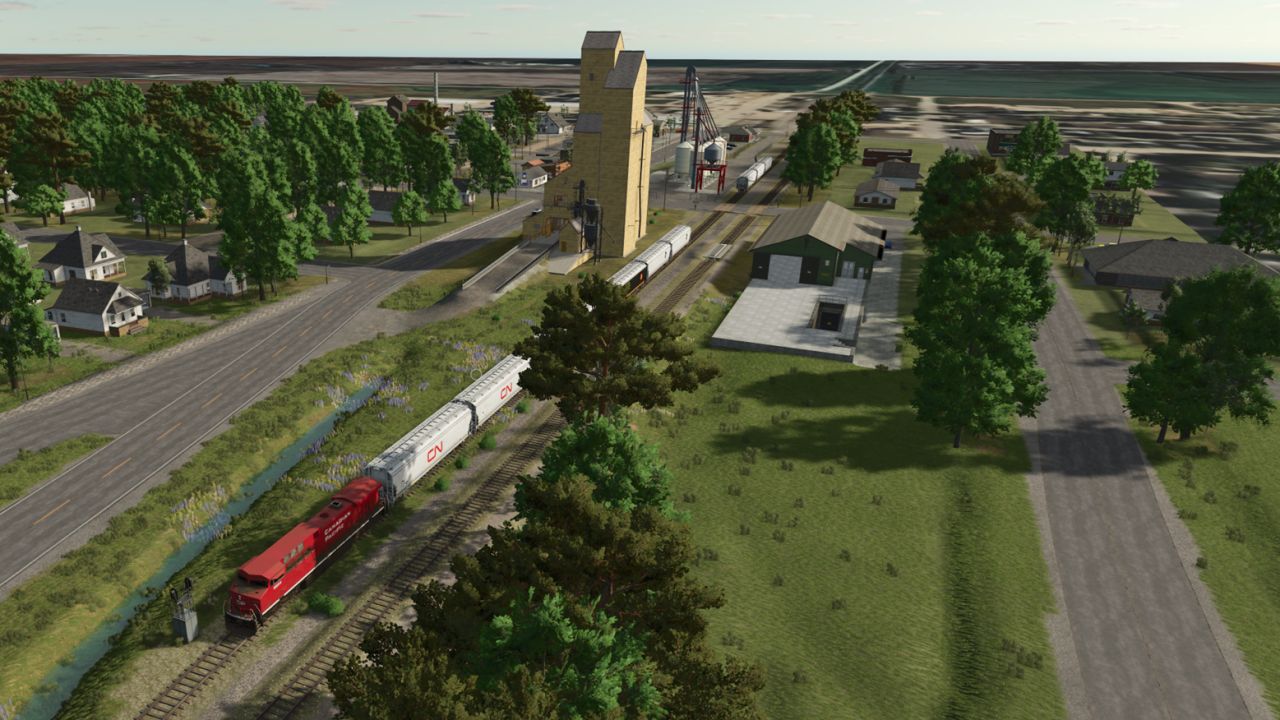
SW Manitoba 4x FS25
Welcome to the Manitoba Prairies. A 4x map that matches to true world conditions that contains 35 fields of varying sizes from 160 acres to 320 acres, generally, there are some smaller. There are small island fields alfalfa ready and a couple dedicated grass pasture for your mowing and baling needs. There is 10 yards, 4 are prefabricated, the are not for your design. There is a centralized chemical yard for your anhydrous, propane, BGA sell point and some silage bunkers. A municipal water well is located by Field 19 for your water needs. This is a multi fruit map, multi terrain and NH3 ready. Enjoy at your leisure - please feel free to respond with any feedback for improvements. The map is open to the public but please note - I do not own or author some of the integrated mods placed in this map, I have reached out to as many as I could for permission and have credited them below. Send me a dm via discord KrazyKanuck or join Augers and Lagers LINK: https://discord.gg/xSBBZXQkPV Credits: Maps4FS, Snakebizzle, Schultz Modding, MrHector, RowCropSpecial, Dogface, Collins Custom Modding, Antler22, MA7Studio, Setka Simulators,TakerLS,BCBhuler,ShowMeDirt (NH3), WittyMods ### If I have missed credits, please notify me and I'll rectify, thank you. ### ** Major Additions ** - integrated my own script into the map that corrects the yield and allows the ability to mow grass and aquatic vegetation on non-buyable lands; the vegetation regenerates in September for a short season second cut; **Minor Additions** - removed dead end productions - corrected production lines for oils, canned products and groats - added water as a fill type to the integrated livestock barns - corrected farm buildings to be sellable - re-organized town buildings for easier access (flour mill) - add some additional decoration features - corrected an error in silage maize and customized silage maize and maize calendar seasons a bit - corrected the environment for more traditional weather - softened corners in Field 26 in hopes course play may recognize it better - cleaned up artifacts in a few fields - cleaned up snow mask for ai travelled routes (WIP still more to work) - rounded corners and removed sharp/confined turns in a few fields - fixed grass foliage mowing and added mowing of aquatic foliage - added the ability to mow and bale the road allowances - the integrated animal barns now accept bales - fixed horse paddock and conflicts with trees and quonset in Farm 39 - added missed slough in Field 21 - adjusted map boundary fences - fixed floating and sunken trees - adjusted some clip distances - adjusted all fruit types seasonal periods to reflect more closely to the region -updated image previews FULL CHANGELOG FROM ITCH - added train system with town sell point for crops and bales - cleaned up some AI splines - workers should route better - cleaned up some foliage along roads - was slowing down traffic - added some new buildings and detail to town (curbs, signage, sidewalks) - add Nutrien buy point for lime etc - finished up small livestock farm - finished up large silo farm with train access - balanced out clip distances on numerous items - changed seed rates for added crops - fixed gate animations and triggers - regenerated snow mask - added some ai splines for sell points in ag area - cleaned up some textures - minor fixes all around - corrected field validation - in game gps and courseplay should now register correctly - changed water hue - added field decorations - fixed fence collisions - added anhydrous to map - fixed seed, fert and lime rates - adjusted base economy -adjusted foliage - added liquid fertilizer fill point to chemical yard - add time hours to gates at chem yard and nutrien plant - added "seeds" to nutrien yard for fill - added Manitoba licence plates (WittyMods) - Fixed trees at gate near field 17 - Fixed L10N and player trigger at grain dryer
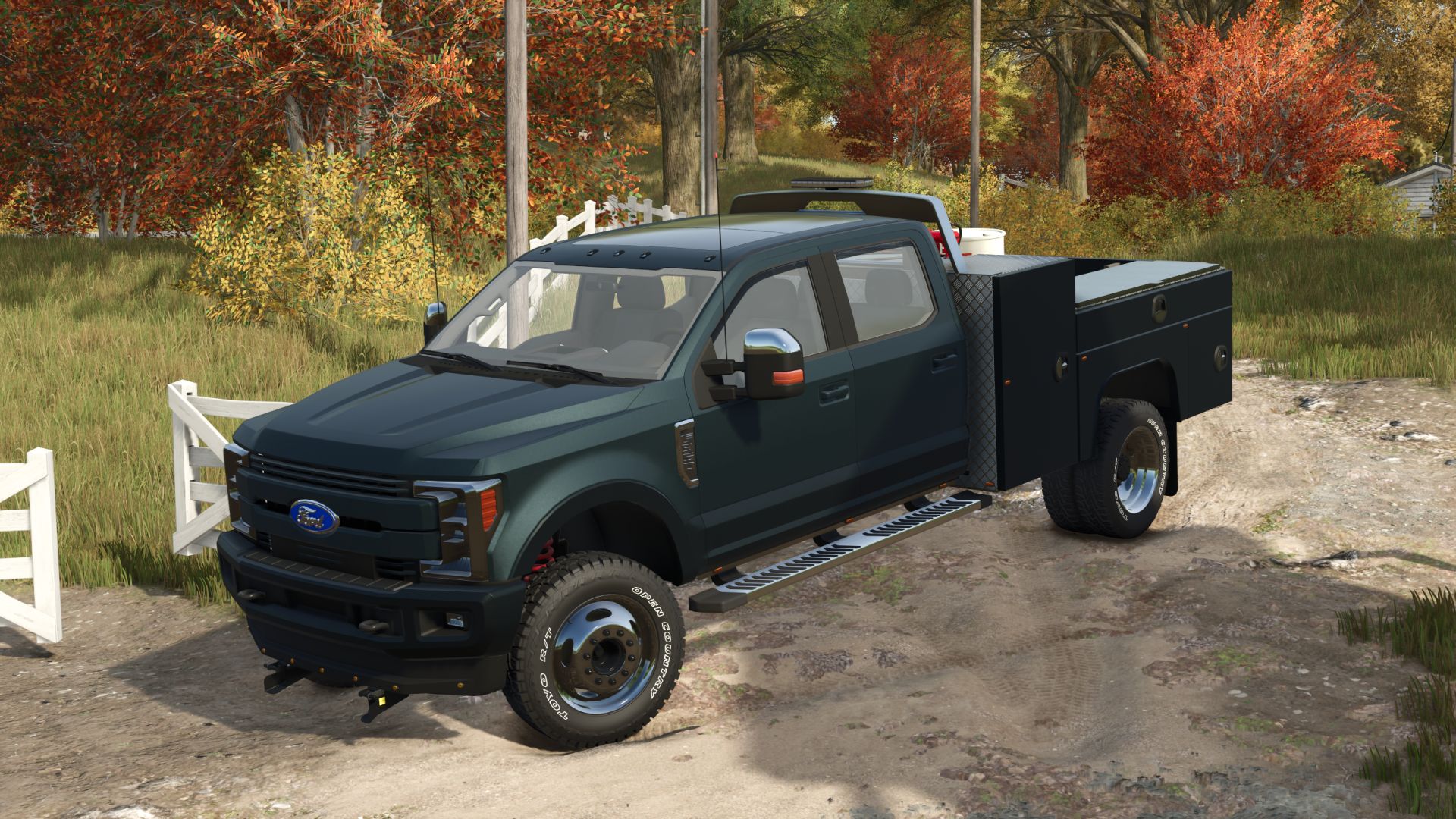
2019 Ford F350 Limited Martin Bed FS25
Service and fuel truck. The volume of transported fuel is 1946L. The activation point of service functions is located near the rear right wheel. All sections of the service platform are opened (IC). - Speed 120 km/h - Selectable Wheels - Selectable License Plates - Selectable Antenna - Selectable Valence Lights - Selectable Tint - Selectable Steps - Selectable Window Visors - Selectable Headlight Glass - Choice of color (main, bed, mirror, grill, front end, side emblems, headlights) - Improved front suspension. - Improved stock wheels and added the ability to paint them. - Added more tire options. - Improved materials. - Added more details to the bed. - Improved wheels (TIS Dually only). Added mud, wet, deformation, and color selection. Fixed a warning message related to them. - Numerous other improvements.
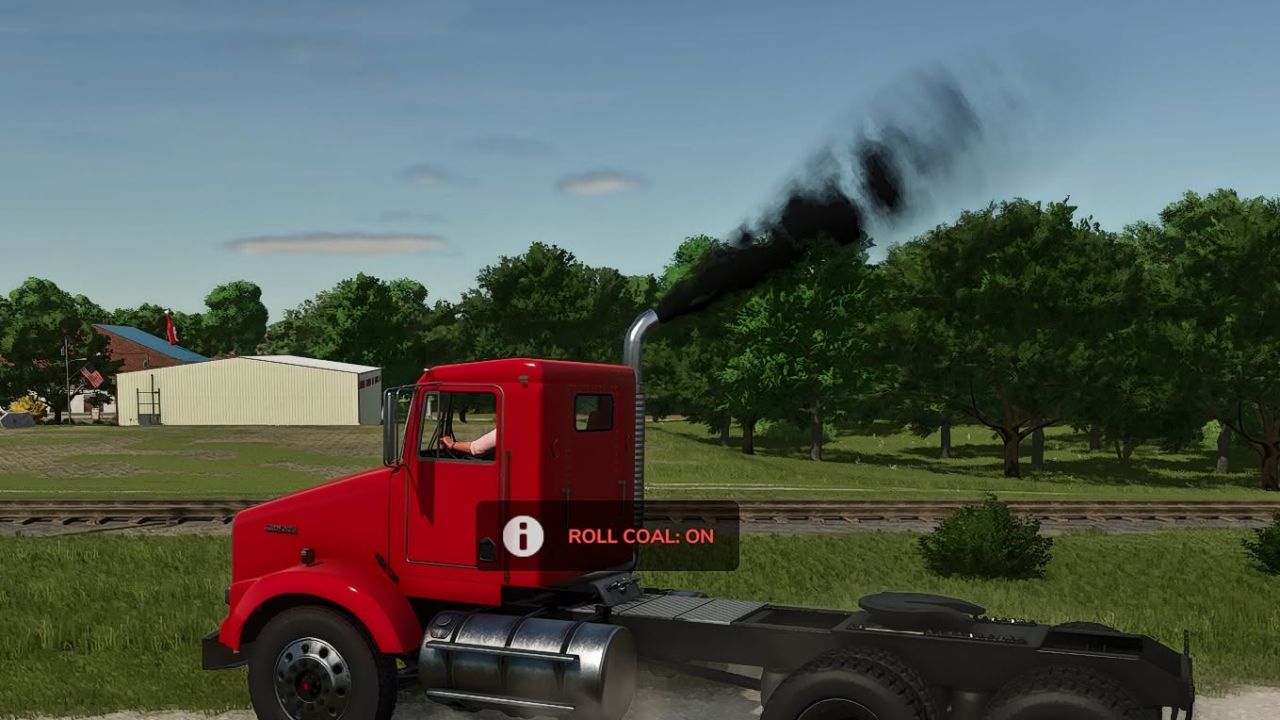
Blackstack’s Exhaust Extension FS25
Blackstack’s Exhaust Extension v2 Built for diesel lovers who want to roll coal. This mod enables thick black exhaust smoke on any vehicle that has properly configured exhaust nodes The exhaust extension can now be toggled individually for each vehicle. This allows you to disable it on gas vehicles while keeping it active on your diesel trucks and equipment. Press C on the keyboard Each vehicle’s setting is saved and remembered, so you only have to configure it once. Designed to enhance diesel builds, performance trucks, and coal-rolling setups, this extension pushes heavier smoke output for a more aggressive and realistic diesel feel. ✅ Works with any compatible vehicle ✅ Increased black exhaust smoke ✅ Perfect for diesel performance builds ✅ Plug-and-play script extension What’s New v2.0.0.0 Added a per-vehicle ON/OFF toggle Added saved settings for every vehicle Added automatic weight-based smoke balancing Increased smoke density and particle output Added multiplayer synchronization Added keyboard and controller controls Improved compatibility and vehicle-loading stability Fixed exhaust values stacking incorrectly Turning the extension off now restores the vehicle’s original exhaust settings If the vehicle has working exhaust nodes, it’ll roll coal. Changing Your Keybinds Don't like the default controls? You can change them directly in-game. Go to: ESC → Settings → Controls Find the Blackstack Exhaust Extension controls, select the Exhaust action, and assign whatever keyboard key or controller button you want. Keybinds can be changed at any time without editing the mod files. Added a per-vehicle ON/OFF toggle Added saved settings for every vehicle Added automatic weight-based smoke balancing Increased smoke density and particle output Added multiplayer synchronization Added keyboard and controller controls Improved compatibility and vehicle-loading stability Fixed exhaust values stacking incorrectly Turning the extension off now restores the vehicle’s original exhaust settings If the vehicle has working exhaust nodes, it’ll roll coal. - Fixed smoke when off - Fixed icon
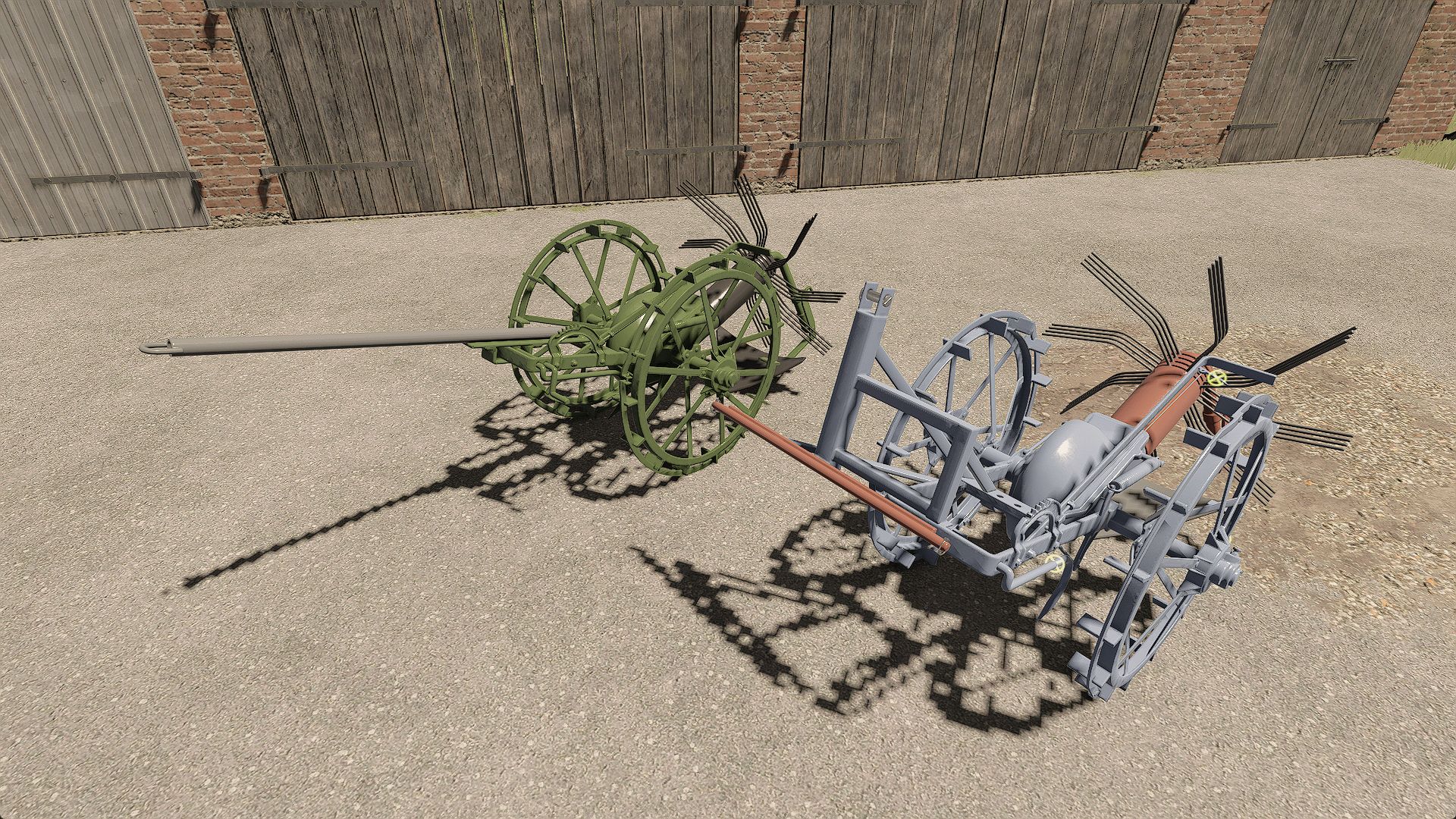
Pionier Z602 FS25
Old Polish horse-drawn potato digger manufactured by Zakłady Pionier in Strzelce Opolskie. It can also be used for digging up beets, carrots, parsnips and onions Features: - Ability to remove the wheel rims - IC for all functions (unfolding, starting, rims, claw) - Unfolding the hitch and lowering the claw can be done using the mouse - Digging without cutting the stems Configurations: - 2 hitch types - Color configurations for each element - Claw presence configuration - Added the possibility of digging without cutting the tops - Added the possibility of digging beets, carrots, parsnips and onions - Improved textures, dirt accumulation and wear
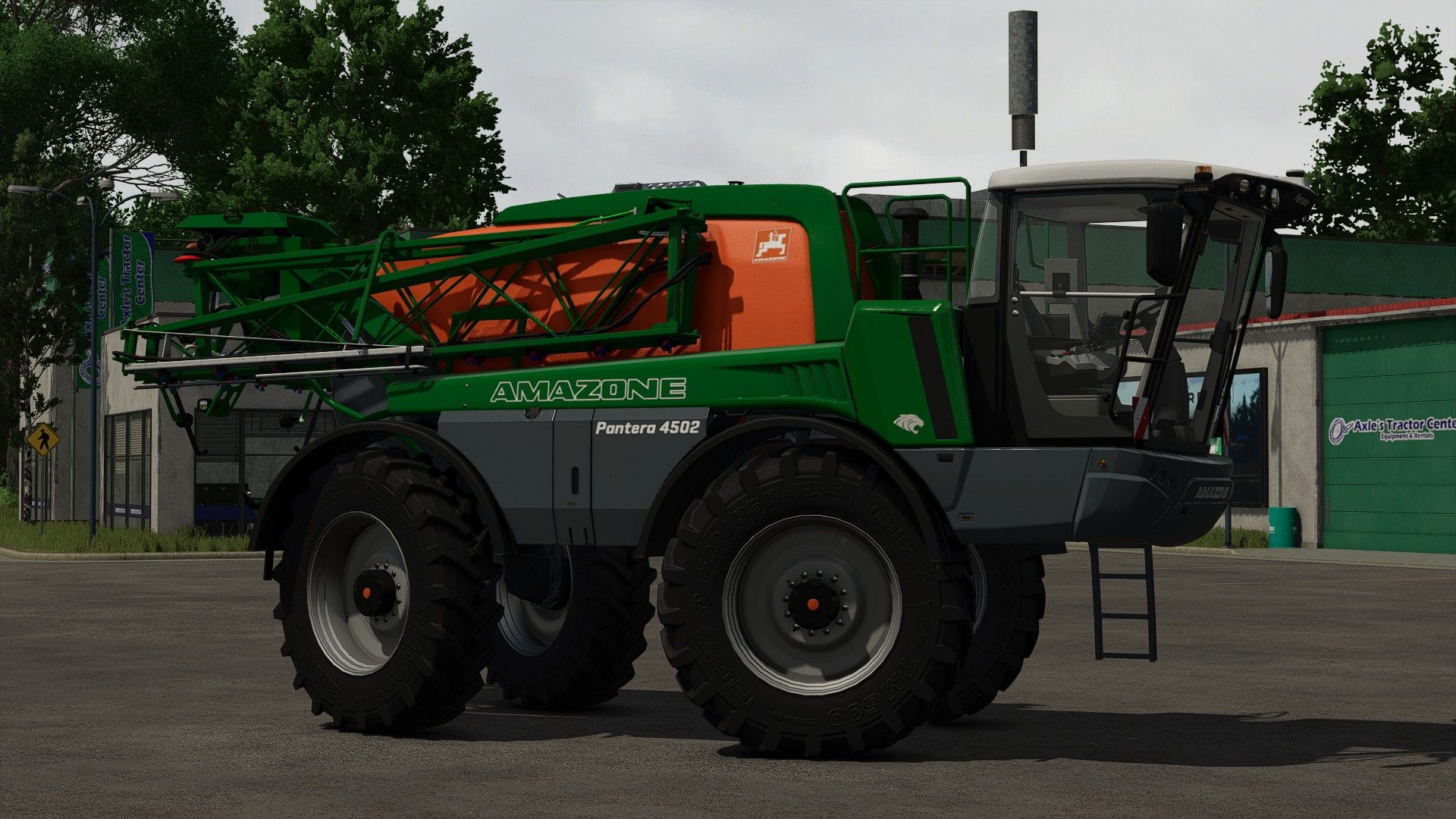
Amazone Pantera 4502 FS25
Hello, here is the amazone pantera spanner of FS 22 completely redone Price: $ 275,000 Max. Power: 218 hp Max. Speed: 50 km/h Max. Working speed: 20 km/h Capacity: 4500 liters Working width: 21.0-40.0 m Configurations: - Lights (default, Amazon, LED) - Adding LED lights - Addition gyro ar - Interior color (beige, graydark) - screens (amatron 3, CCI 200, amapad) - Transport coupling. - Addition of the Trigger Fuel
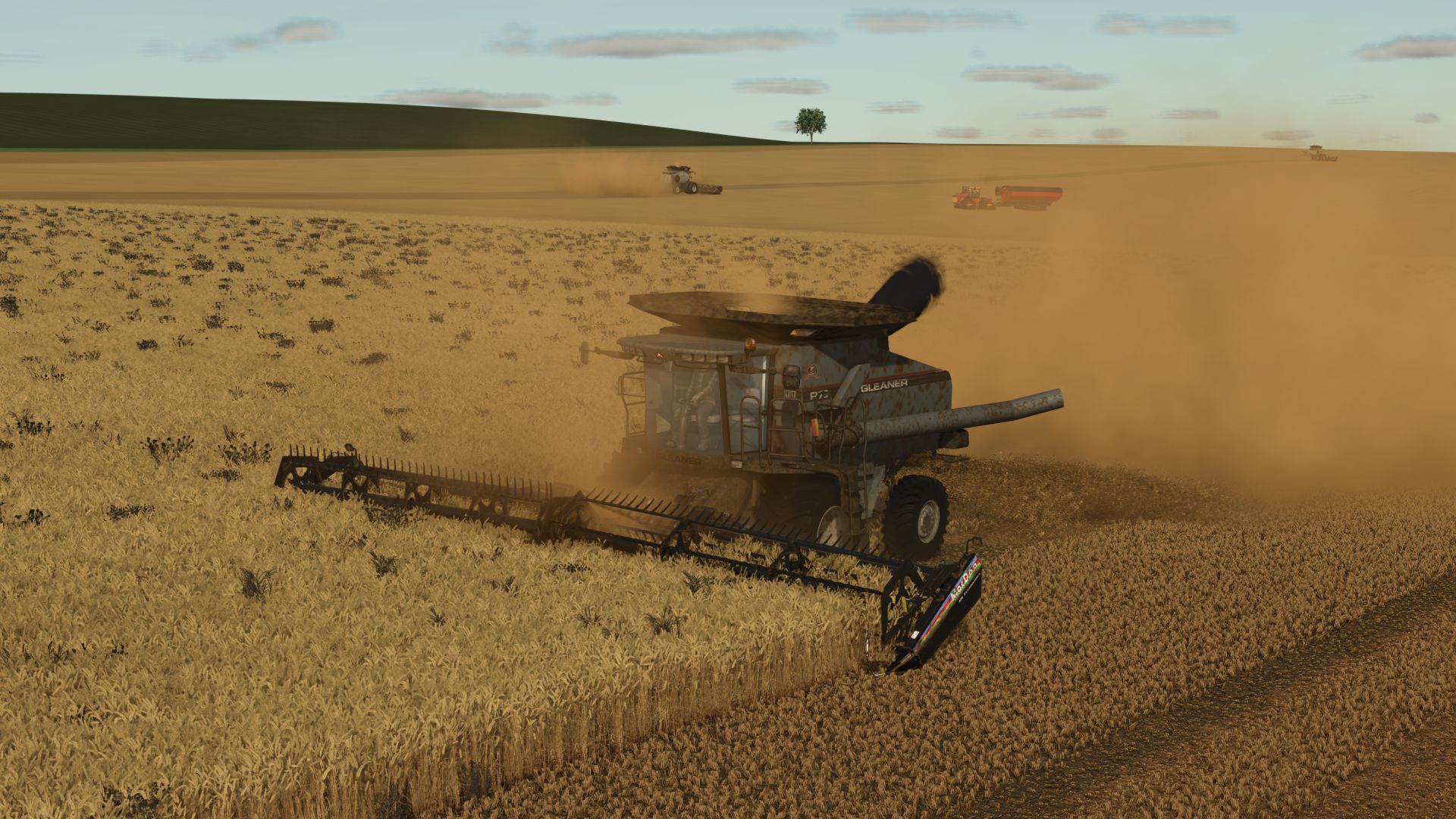
Gleaner R 65/75 Series FS25
FS25 Version! FINALLY Here is my conversion of the popular FS19/FS22 versions. New Galvanized metal skin material New interior materials Realistic Sounds Realistic Straw Chopper and Dropper off the left hand side of the rear. * Price: $183874 - $264374 * Power: R65 (351hp) / R75 (451hp) * Capacity: 10,571 - 14,095 L * Fuel: 945 * Complete with working exhaust, grain smoke, chaffer and mirrors. -Readjusted unloading auger -Fixed rear axle tie rod texture -Fixed Fill node error -Fixed Hydrostat sound error -Fixed Outdoor camera snapping -Adjusted turning radius and velocity More realistic in cab muffled sounds Lighter galvanized skin texture FuelFillTrigger adjusted Fixed Trailer Trigger for Courseplay and Autodrive Fixed Fill Volume Visual for Mauer Quickler Dirt Accumulation

Wilson Premier Flatbed Trailer v 1.0
Inspired by Wilson’s Premier all-aluminum flatbed, this trailer is built for corrosion-resistant hauling with an aluminum deck, strong crossbars, and practical load securement. Price: $42,000 Category: Flatbed / Semi Trailer Features: Pallet autoload with Default, Semi-Automatic, and Automatic modes Rear, left, and right unload positions Spread or tandem axle configurations Rear impact guard, Premier Quad, or Palfinger forklift bumper setup Optional bulkhead, log bunks, toolboxes, dunnage racks, deck colors, toolbox colors, and rim colors Pallet Autoloading Usage: By default, the pallet autoload configurations will be able to load consumable pallets like fertilizer, lime or seeds. Trailer is set up to work with “Pallet Silo with Autoload Trailers” by ChrisS&RileyS To autoload production pallets, “Liftable Pallets and Bales” or “Autoload Pallets” by Jos is required

Felsbrunn Map v 1.0.0.2
– Main Farm – Animals – 36 fields – Production and selling points – Biogas Plants Version 1.0.0.2: * Added a new German style town * Replaced all houses * Added compatibility with the Highlands Fishing DLC * Fixed visual bugs

Meadow Trails v 1.0
Repeated vehicle traffic through map generated wild grass and woodland style ground foliage slowly creates visible wheel paths. Each tire uses a real rectangular wheel footprint. Nearby repeated tire areas accumulate into the same trail, gradually wearing wild grass and decorative foliage into wheel paths and then dirt tracks. Hard surfaces such as asphalt, gravel, concrete, cobblestone, plates, and roads are ignored so trails stay limited to grass, meadow, and woodland style ground. Crop fields use a separate gradual damage system. Owned and unowned fields are handled the same way, and the crop damage setting controls how many repeated passes are needed before the native crop destruction effect is allowed. Planted grass fields are protected so they are not treated as meadow trails. Fully damaged crop tracks now regrow through visible growth stages over three ingame months instead of returning to the original crop stage on the next month. Settings are available in ESC > Game Settings: Grass Wear Passes Crop Damage Per Pass Trail Recovery Time Trail recovery defaults to 1 Month. When enabled, unused wild grass or woodland trail areas remove their saved wear progress and attempt to grow back. No hotkeys are required.

MiniMap Plus v 1.0.1.0
Enhanced minimap functionality with additional overlay options, zoom and more. Features added in version 1.0: All in game overlays supported on the minimap (Alt + 9 to cycle forward, Ctrl + 9 to cycle backward) Settings for disabling specific overlays on the minimap Zoom functionality for round and square minimap (Shift + 9 to toggle zoom) Supports all minimap modes (round, square, big) Supports PrecisionFarming overlays Supports multiplayer Version 1.0.1.0: * Added support for saving the currently selected overlay and zoom state across game sessions * Fixed Precision Farming sampling overlays not appearing on the minimap

Automatic Bale Storage v 1.0.0.3
Changes how bale and pallet storage placeables unload their contents. Instead of spawning all objects at once, an unload request from the storage UI is queued and dispatched in batches every 5 seconds. If the output area is full the mod waits and retries automatically, so you never lose queued items. The pending count is saved to the savegame and survives a reload. The vanilla unload amount cap is also removed, so the UI slider goes up to the actual number of objects currently stored rather than the vanilla hard limit. Compatible with all base-game and modded placeables that use the GIANTS object storage specialization. Version 1.0.0.3: * Fixed: Selling or deleting a storage while an unloading operation was still pending could cause the mod to continue working on the removed placeable.

Wood and Weight Info v 1.0.1.0
A lightweight HUD overlay built for wood/forestry data and weight information – shows your strapped wood volume/piece count, as well as any strapped pallets/machinery and bulk materials at a glance while driving, so you always know exactly what you’re hauling, and how much it weighs. Primary display function (wood): Wood pieces: live count of physically strapped logs Wood volume (L): total volume of strapped wood As an added feature, the HUD also includes full cargo weight information for all vehicles: Total Weight: Weight of the bare vehicle and attached implements + Load mass. Load: Current “load/cargo” mass across the entire current vehicle chain: (Fill units, and all strapped down vehicle attachments, wood, pallets, vehicles, and more!) Weight shown in metric (kg) or imperial (lbs), plus short tons (t) available in imperial! You can choose any size and any position! Use the keybinds (unbound by default) to resize and reposition the display, and switch it between vertical and horizontal in the settings menu! Completely customizable! Any mass data (non fill-unit, i.e. wood logs, bales, pallets, vehicles, etc) are only displayed when cargo is strapped down with tension belts. Fill unit mass is calculated automatically. The entire HUD hides automatically when on foot, and can be toggled on and off when in a vehicle with a keybind. Settings: Open the in-game Settings menu and look for the “Wood and Weight Info” section under General Settings: Orientation: Show the HUD boxes stacked vertically, or side by side horizontally. Mass Units: Metric (kg) or Imperial (lbs and short tons). Keybinds: Toggle HUD: Show or hide the overlay Reposition HUD: Move the HUD display using the mouse cursor Increase HUD Size: Make the HUD larger Decrease HUD Size: Make the HUD smaller All keybinds are unbound by default. Assign them in the in-game Controls menu under “Wood and Weight Info”. HUD Reposition: Press the Reposition HUD key to enter reposition mode. The mouse cursor appears automatically, with the reposition box. Move the mouse to place the HUD, then LEFT-CLICK to save. Note: Total mass numbers may differ with the readout from any in-game scalehouse due to the math giant’s uses to calculate the mass on the scales. This issue is only apparent in very specific cases (multi-vehicle and fillunit chains loaded onto the back of a trailer), and should not be a problem otherwise. Note: The wood information box will not display for some autoload trailers. Autoload trailers in general may not be fully compatible with this mod, and may not provide results as accurate as using base game equipment. Version 1.0.1.0: * HUD labels now display in your game language (English, German, French) * Reposition mode text is now localized as well * The wood volume and piece count box now appears for logs that are not strapped down, including logs simply resting on a trailer * Note: wood weight still requires the load to be secured with tension belts, just like pallets, vehicles, etc. * Note: autoload trailers may provide inaccurate or unexpected results, and the wood information box will not be displayed for some autoload trailers.

Configure Placeables again v 1.0
This mod allows you to reconfigure already built placeables without having to sell and rebuild them. In build mode, click on one of your buildings. There is now a “Configure” button that allows you to change its color and solar panels as often as you want. You see every change on the building straight away, and only pay when you press Apply. The price is the same as in the shop and you pay it only once per building. After that you can switch back and forth for free. For the colour, click the bar to open the usual colour selection.

HUD+ v 1.0
HUD+ expands the original Farming Simulator 25 interface while preserving the game’s visual style. Features: – trip distance and permanently stored vehicle total distance, – fuel or battery level, – vehicle condition percentage, – real-time clock, – loader tool height and tilt indicators, – options to hide the speedometer, top information panel and F1 help, – ready-made color themes and a custom HUD color, – mouse-controlled HUD position editor. HUD+ settings are available in the ESC pause menu under Settings. Reset trip distance: Right Alt + period HUD editor: Right Alt + H

Configurable Sales v 1.0
This mod for Farming Simulator 25 unlocks a large number of used vehicles and machines in the store menu. All settings can be configured directly ingame via the pause menu > Settings > Configurable Sales section.
- 15 per page
- 30 per page
- 45 per page
- 60 per page
-
See more per page
Bigger pages, fewer clicks - and no ads anywhere.
Go Pro