Farming Simulator 25 mods
79,027 results- 15 per page
- 30 per page
- 45 per page
- 60 per page
-
See more per page
Bigger pages, fewer clicks - and no ads anywhere.
Go Pro
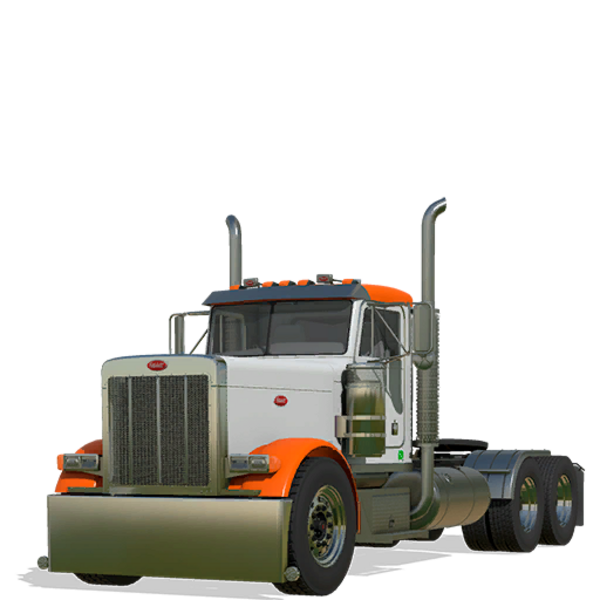
Peterbilt 379
Erleben Sie die Kraft und Anpassungsmöglichkeiten des Peterbilt 379. Wählen Sie aus einem 330 PS starken Motor und passen Sie ihn mit wählbaren Kennzeichen, Verkleidungen, Sonnenblenden, Stoßfängern, Kotflügeln, Auspuffanlagen, Stack-Böden, Abgassystemen, Endrohren, Rädern und Farben an. Genießen Sie animierte Funktionen wie Pedale, Schalthebel, Sitz und Antriebswelle für ein realistisches Fahrerlebnis. Erleben Sie die Kraft und Anpassungsmöglichkeiten des Peterbilt 379. Wählen Sie aus einem 330 PS starken Motor und passen Sie ihn mit wählbaren Kennzeichen, Verkleidungen, Sonnenblenden, Stoßfängern, Kotflügeln, Auspuffanlagen, Stack-Böden, Abgassystemen, Endrohren, Rädern und Farben an. Genießen Sie animierte Funktionen wie Pedale, Schalthebel, Sitz und Antriebswelle für ein realistisches Fahrerlebnis.
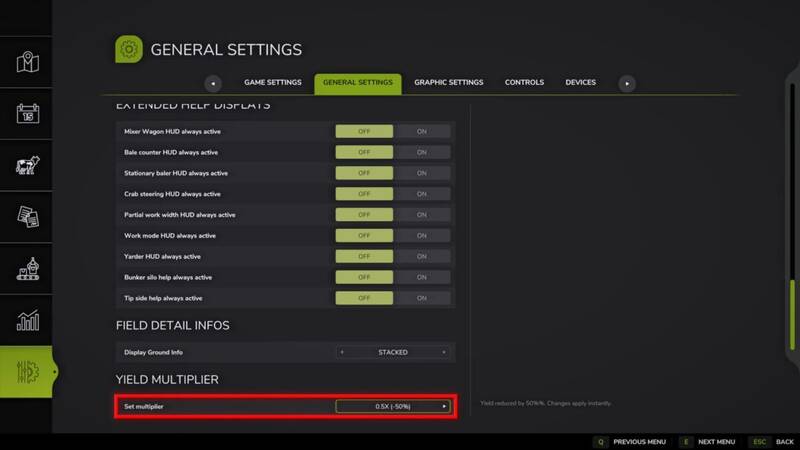
Ertragskontrolle
Dieses Mod ermöglicht es Ihnen, den Basis-Ertragsmultiplikator für alle geernteten Kulturen direkt über die Spieleinstellungen anzupassen.Hauptmerkmale: - Kompatibel mit allen Kulturen, einschließlich Getreide, Wurzeln (Zuckerrüben, Karotten, Pastinaken usw.), Gras und Pappeln. - Ändern Sie den Multiplikator sofort von 0,5x (Hardcore) auf 5,0x, ohne das Spiel neu zu starten oder den Speicherstand neu zu laden. - Der Infotext der Felder wird sofort nach der Änderung der Einstellungen aktualisiert, was eine präzise Ertragsplanung ermöglicht.Wichtige Informationen zu Stroh: - Das Mod erhöht das Volumen des Hauptprodukts (Getreide, Gemüse). Das Volumen des Strohs wird vom Spiel separat berechnet und nicht proportional zur Getreideernte multipliziert.Perfekt für Spieler, die die wirtschaftliche Schwierigkeit anpassen oder die Effizienz großer Farmen maximieren möchten.Wichtig: Wenn Sie frühere Versionen des Mods verwendet haben, löschen Sie die alte globale Einstellungsdatei: Documents/MyGames/FarmingSimulator2025/modSettings/FS25_YieldControl.xmlDies ist notwendig, damit das neue System zum Speichern der Einstellungen für jeden Speicherstand korrekt funktioniert.Version 1.3 Updates: - Das System zum Speichern der Ertragsmultiplikatoreinstellungen wurde komplett überarbeitet. - Die Multiplikatoreinstellungen werden jetzt separat für jeden Speicherstand gespeichert, im Gegensatz zur vorherigen globalen Einstellung. - Verbesserte Lade- und Anwendungseinstellungen. Dieses Mod ermöglicht es Ihnen, den Basis-Ertragsmultiplikator für alle geernteten Kulturen direkt über die Spieleinstellungen anzupassen. Hauptmerkmale: - Kompatibel mit allen Kulturen, einschließlich Getreide, Wurzeln (Zuckerrüben, Karotten, Pastinaken usw.), Gras und Pappeln. - Ändern Sie den Multiplikator sofort von 0,5x (Hardcore) auf 5,0x, ohne das Spiel neu zu starten oder den Speicherstand neu zu laden. - Der Infotext der Felder wird sofort nach der Änderung der Einstellungen aktualisiert, was eine präzise Ertragsplanung ermöglicht. Wichtige Informationen zu Stroh: - Das Mod erhöht das Volumen des Hauptprodukts (Getreide, Gemüse). Das Volumen des Strohs wird vom Spiel separat berechnet und nicht proportional zur Getreideernte multipliziert. Perfekt für Spieler, die die wirtschaftliche Schwierigkeit anpassen oder die Effizienz großer Farmen maximieren möchten. Wichtig: Wenn Sie frühere Versionen des Mods verwendet haben, löschen Sie die alte globale Einstellungsdatei: Documents/MyGames/FarmingSimulator2025/modSettings/FS25_YieldControl.xml Dies ist notwendig, damit das neue System zum Speichern der Einstellungen für jeden Speicherstand korrekt funktioniert. Version 1.3 Updates: - Das System zum Speichern der Ertragsmultiplikatoreinstellungen wurde komplett überarbeitet. - Die Multiplikatoreinstellungen werden jetzt separat für jeden Speicherstand gespeichert, im Gegensatz zur vorherigen globalen Einstellung. - Verbesserte Lade- und Anwendungseinstellungen.
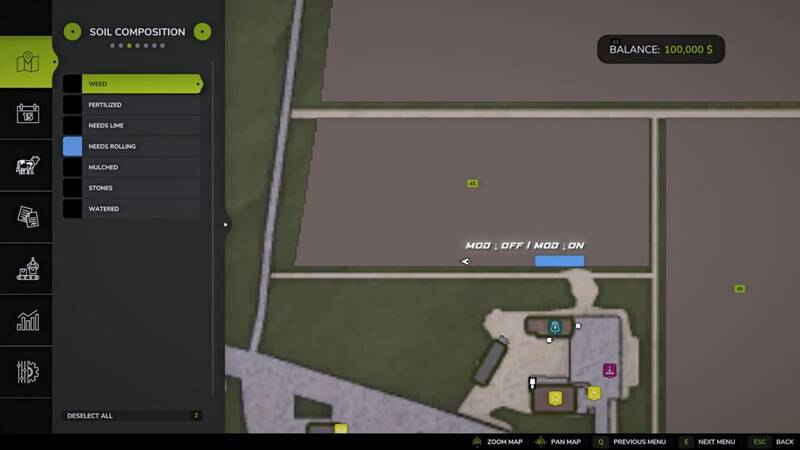
Kein Walzen erforderlich
Fügt eine Einstellung hinzu, um das Walzen für neue Kulturen zu deaktivieren.Funktionsweise des Mods:Wenn aktiviert, benötigen neue Kulturen und Pflanzungen kein Walzen mehr. Der Walzbonus wird ohne Verwendung eines Walzen erhalten. Felder, die mit deaktiviertem Mod gesät wurden, können weiterhin manuelles Walzen erfordern. Änderungen gelten nur für neue Kulturen nach Aktivierung des Mods.Zweck:Entfernt eine unnötige Phase der Feldbearbeitung und beschleunigt das Gameplay.Hinweis:Das Walzen ist nur für neue Kulturen/Pflanzungen deaktiviert, die nach Aktivierung des Mods gemacht wurden. Diese neuen Felder erhalten den Walzbonus automatisch. Felder, die mit deaktiviertem Mod gesät wurden, können weiterhin manuelles Walzen erfordern.Version 1.1:* Hinzufügen der Möglichkeit, den Mod in den Spieleinstellungen zu aktivieren/deaktivieren* Mehrsprachige Lokalisierung hinzugefügt* Mod-Einstellungen werden jetzt separat für jeden Spielstand gespeichert* Verbesserte Lade- und Anwendungseinstellungen* Mod-Beschreibung und Übersetzungen aktualisiert Fügt eine Einstellung hinzu, um das Walzen für neue Kulturen zu deaktivieren. Funktionsweise des Mods:Wenn aktiviert, benötigen neue Kulturen und Pflanzungen kein Walzen mehr. Der Walzbonus wird ohne Verwendung eines Walzen erhalten. Felder, die mit deaktiviertem Mod gesät wurden, können weiterhin manuelles Walzen erfordern. Änderungen gelten nur für neue Kulturen nach Aktivierung des Mods. Zweck:Entfernt eine unnötige Phase der Feldbearbeitung und beschleunigt das Gameplay. Hinweis:Das Walzen ist nur für neue Kulturen/Pflanzungen deaktiviert, die nach Aktivierung des Mods gemacht wurden. Diese neuen Felder erhalten den Walzbonus automatisch. Felder, die mit deaktiviertem Mod gesät wurden, können weiterhin manuelles Walzen erfordern. Version 1.1:* Hinzufügen der Möglichkeit, den Mod in den Spieleinstellungen zu aktivieren/deaktivieren* Mehrsprachige Lokalisierung hinzugefügt* Mod-Einstellungen werden jetzt separat für jeden Spielstand gespeichert* Verbesserte Lade- und Anwendungseinstellungen* Mod-Beschreibung und Übersetzungen aktualisiert
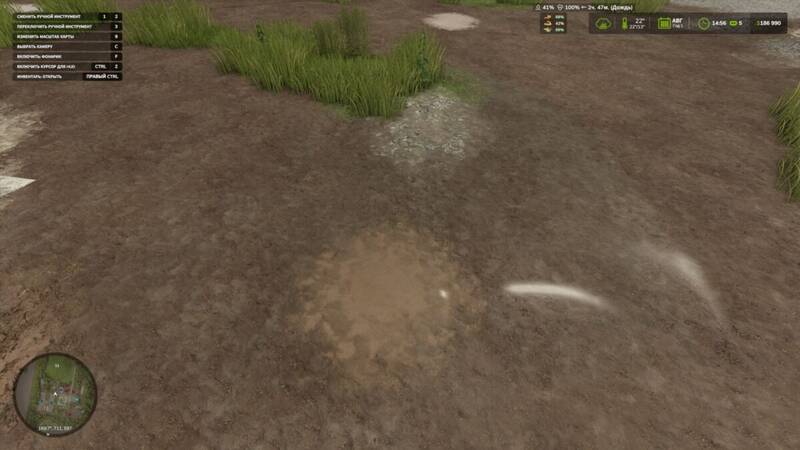
Dynamische Pfützen
Verbessere dein Spielerlebnis mit dem Mod 'Dynamische Pfützen', der realistische Pfützen hinzufügt, die auf der Karte entstehen, wenn es regnet. Dieser Mod analysiert klug das Gelände der Karte, identifiziert tieferliegende Bereiche, in denen sich Wasser natürlich ansammelt, und erstellt Pfützen, die sich bei nassem Wetter dynamisch vergrößern und allmählich verschwinden, wenn der Boden trocknet.Funktionen:– Automatische Pfützenerstellung auf der Karte.– Pfützen erscheinen nur bei Regen.– Pfützen schrumpfen und verschwinden nach dem Regen.– Identifiziert tiefe Geländebereiche für realistische Wasseransammlungen. Hinweis: Nicht empfohlen für Karten mit extremen Unebenheiten, da dies schwebende Pfützen verursachen kann.– Bewertet Felder, Gewässer und Geländeneigungen.Für Debugging-Zwecke verwenden Sie den Konsolenbefehl: gsPuddleDebug 1, um Debug-Informationen für Pfützen ein- oder auszuschalten.Hinweis: Dieser Mod befindet sich derzeit in der Beta-Version. Wir freuen uns auf Ihr Feedback.Version 1.0.2.0 Updates:* Partikeleffekte für Tropfen, die unter den Rädern spritzen, hinzugefügt. Verbessere dein Spielerlebnis mit dem Mod 'Dynamische Pfützen', der realistische Pfützen hinzufügt, die auf der Karte entstehen, wenn es regnet. Dieser Mod analysiert klug das Gelände der Karte, identifiziert tieferliegende Bereiche, in denen sich Wasser natürlich ansammelt, und erstellt Pfützen, die sich bei nassem Wetter dynamisch vergrößern und allmählich verschwinden, wenn der Boden trocknet. Funktionen:– Automatische Pfützenerstellung auf der Karte.– Pfützen erscheinen nur bei Regen.– Pfützen schrumpfen und verschwinden nach dem Regen.– Identifiziert tiefe Geländebereiche für realistische Wasseransammlungen. Hinweis: Nicht empfohlen für Karten mit extremen Unebenheiten, da dies schwebende Pfützen verursachen kann.– Bewertet Felder, Gewässer und Geländeneigungen. Für Debugging-Zwecke verwenden Sie den Konsolenbefehl: gsPuddleDebug 1, um Debug-Informationen für Pfützen ein- oder auszuschalten. Hinweis: Dieser Mod befindet sich derzeit in der Beta-Version. Wir freuen uns auf Ihr Feedback. Version 1.0.2.0 Updates:* Partikeleffekte für Tropfen, die unter den Rädern spritzen, hinzugefügt.
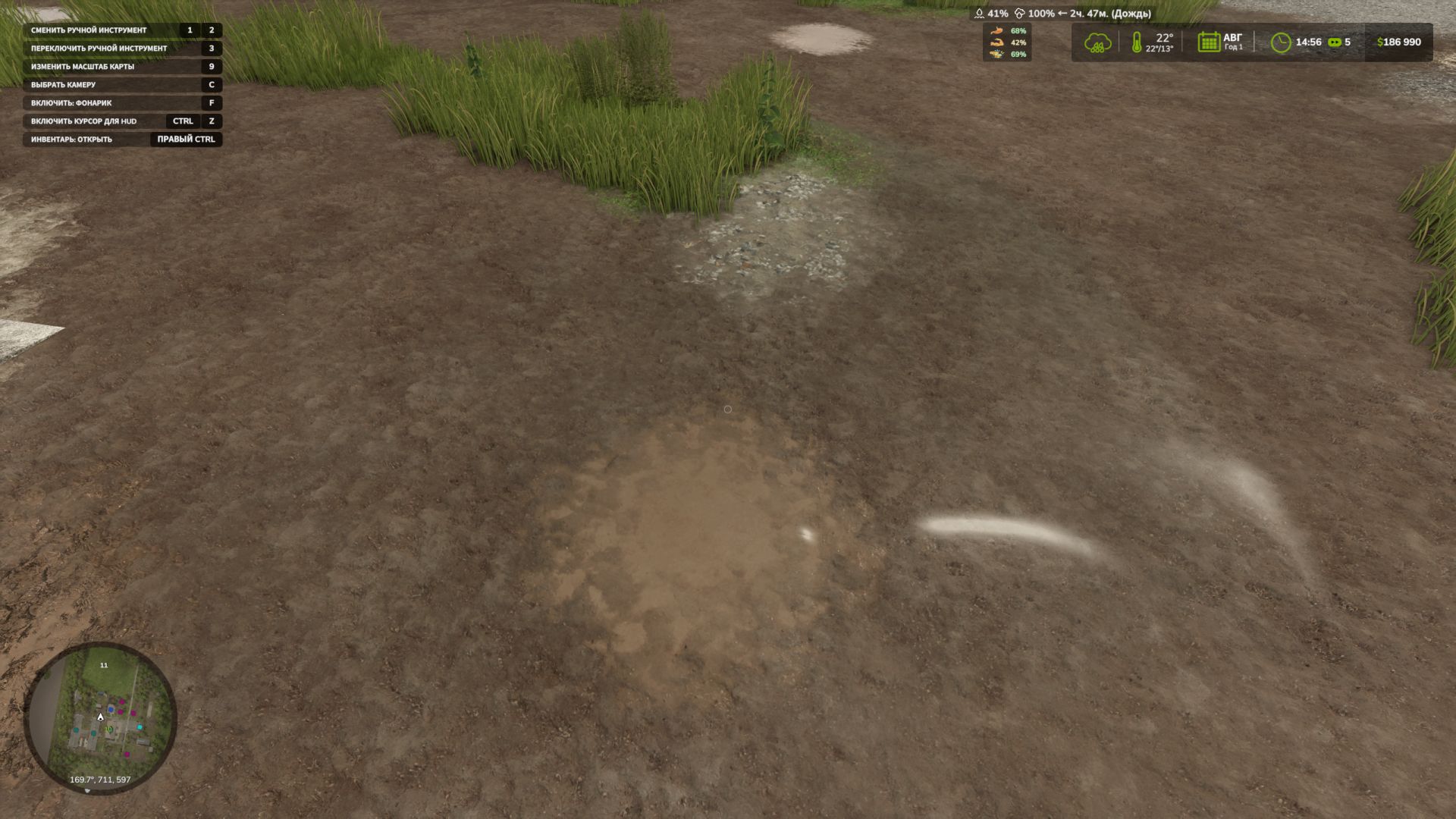
Dynamic Puddles V1.0.2
A mod that adds dynamic puddles to the map when it rains. The mod itself analyzes the map’s relief, looks for lowlands and suitable places, and then gradually creates water puddles. (I don’t recommend using it on maps that are too uneven; there may be ugly puddles that will stick out halfway and hang in the air) Puddles appear during rain, increase in wet weather and gradually disappear after drying. What does the mod do? – Automatically creates puddles on the map. – Puddles appear only when it rains. – After the rain stops, the puddles gradually decrease and disappear. – The mod looks for low places on the terrain where water could accumulate. (I don’t recommend using it on maps that are too uneven, they may there will be not beautiful puddles that will stick out halfway and hang in the air) – Checks fields, water and land slope. For debugging there is a console command: gsPuddleDebug It turns on or off the display of debugging information for puddles. PS. The mod is in Beta version to evaluate your opinion about the mod. BETA 2 Added mod settings – Enable disabling the appearance of puddles in the fields – Estimated maximum number of puddles – Minimum distance between puddles
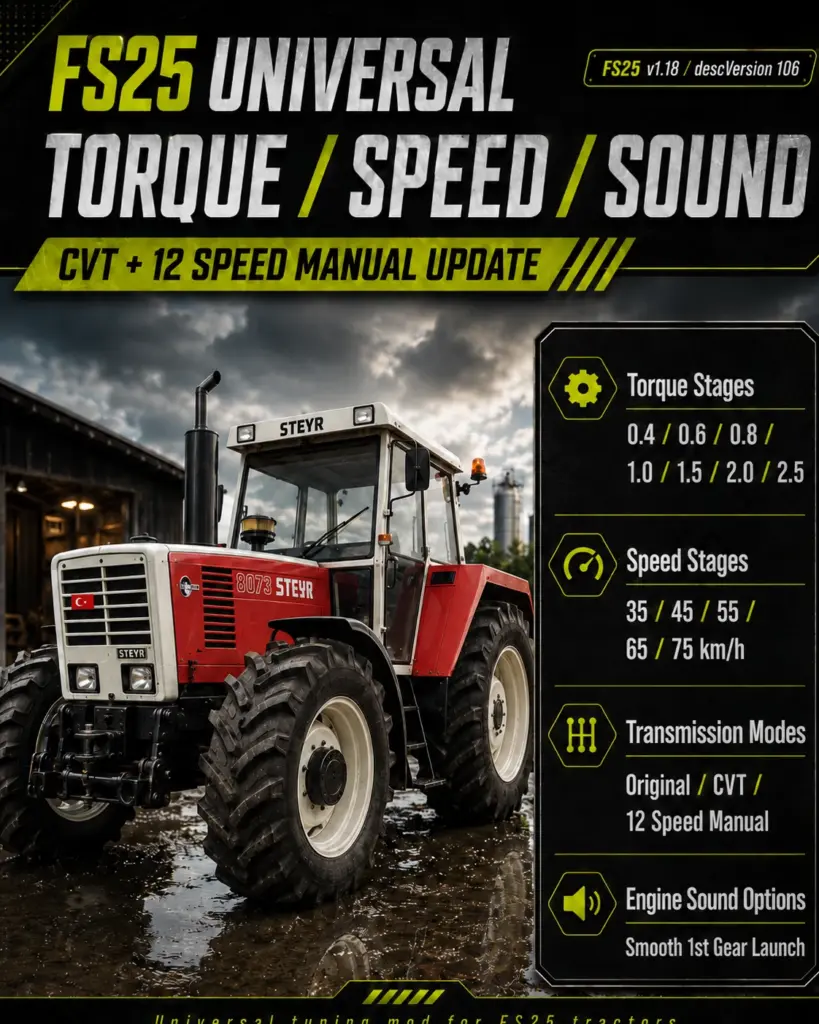
Universal Torque / Speed / Sound CVT + 12 Speed Manual Update V1.0
This universal mod for Farming Simulator 25 allows you to customize your tractors with selectable torque levels, top speed options, engine sound settings, and transmission types directly in the shop. With this update, the mod now includes CVT transmission and 12-speed manual transmission options. Features Torque Stages: 0.4 / 0.6 / 0.8 / 1.0 / 1.5 / 2.0 / 2.5 Speed Stages: 35 / 45 / 55 / 65 / 75 km/h Transmission Modes: Original CVT 12 Speed Manual Engine Sound Options Smooth 1st Gear Launch More controlled and progressive acceleration More flexible and enjoyable driving experience 12 Speed Manual Feature In the 12-speed manual transmission mode, the final gear is automatically adjusted according to the selected speed stage. Example: If 35 km/h is selected, 12th gear = 35 km/h If 45 km/h is selected, 12th gear = 45 km/h If 55 km/h is selected, 12th gear = 55 km/h If 65 km/h is selected, 12th gear = 65 km/h If 75 km/h is selected, 12th gear = 75 km/h This allows vehicles to start naturally from 1st gear and accelerate in a more realistic and progressive way. Compatibility FS25 Game Version: 1.18 descVersion: 106 Installation Place the ZIP file into the following folder without extracting it: Documents / My Games / FarmingSimulator2025 / mods
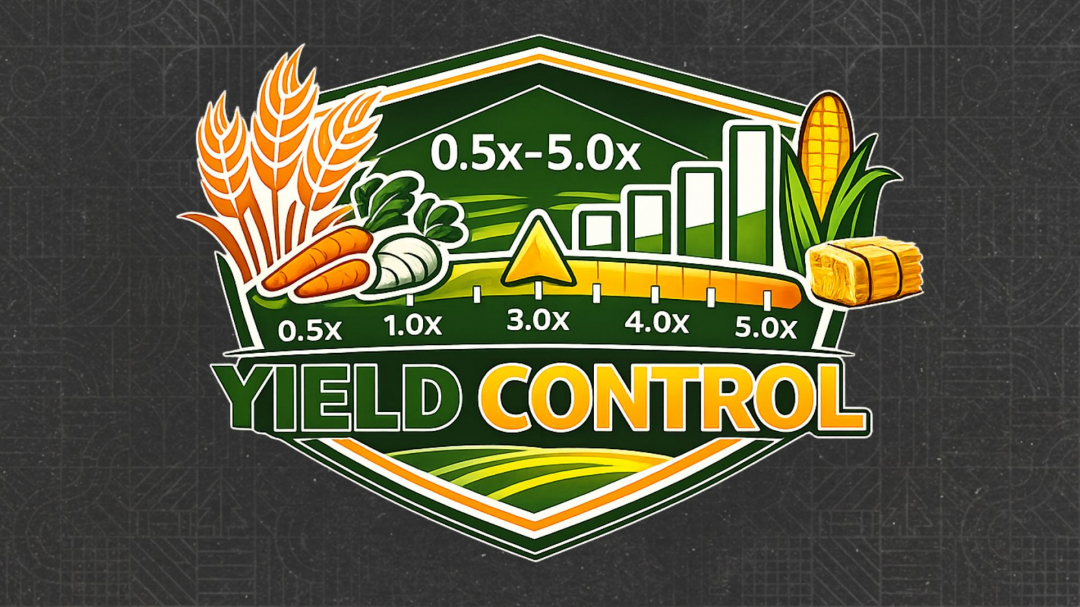
Yield control V2.0
This mod allows you to adjust the yield multiplier directly through the game settings — both globally for all crops and individually for each crop on the current map.Key Features: - General yield multiplier for all crops. - Individual multipliers for each crop available on the map. - Automatic detection of crops: if there are 20 crops on the map, there will be 20 points; if there are 30 or more, the list expands automatically. - Support for standard crops, DLC, mod maps, and additional crops registered through fruitTypes. - Settings are saved separately for each save slot. - Multiplier range: 0.5x (-50%) to 5.0x (+400%). - Changes are applied instantly, without restarting the game or reloading the save.Important: - If the overall multiplier is set to 1.0x, individual crop multipliers can be adjusted separately. - When the overall multiplier changes, individual crop multipliers are reset. - Changing an individual crop multiplier resets the overall multiplier to 1.0x. - The names of mod crops use the localization of the map/mod if provided by the author.Important information about straw: - The mod changes the yield of the main product. The volume of straw is calculated separately by the game and is not multiplied proportionally to the grain yield.Ideal for players who want to flexibly adjust economic difficulty, reduce the yield of certain crops, or increase the profitability of desired crops.V2.0.0.0 I believe this will be the final version of the mod. - The yield multiplier system has been completely redesigned. - Added individual yield multipliers for each crop on the current map. - The general yield multiplier for all crops has been preserved. - Added automatic detection of crops from the current map: the number of items in the settings depends on the number of available crops. - Added support for mod maps and additional registered crops: new crops automatically appear in the settings if registered through fruitTypes. - The names of mod crops use the localization of the map/mod if provided by the author. - Settings are now saved separately for each save slot. - Added protection against loading old settings after deleting a save and creating a new career in the same slot. - Settings have been moved to a separate folder: `modSettings/FS25_YieldControl/FS25_YieldControl.xml` - Improved settings file structure. - Improved loading and saving of settings. - Added automatic clearing/updating of save data when creating a new career in the same slot. - Removed unnecessary messages in the log when changing multipliers. - Lua script has been cleared of temporary lines. - Improved descriptions of settings in the game menu. - Updated localization for all languages. Note: If the overall multiplier is set to 1.0x, individual crop multipliers can be adjusted separately. When the overall multiplier changes, individual crop multipliers are reset. Changing an individual crop multiplier resets the overall multiplier to 1.0x.
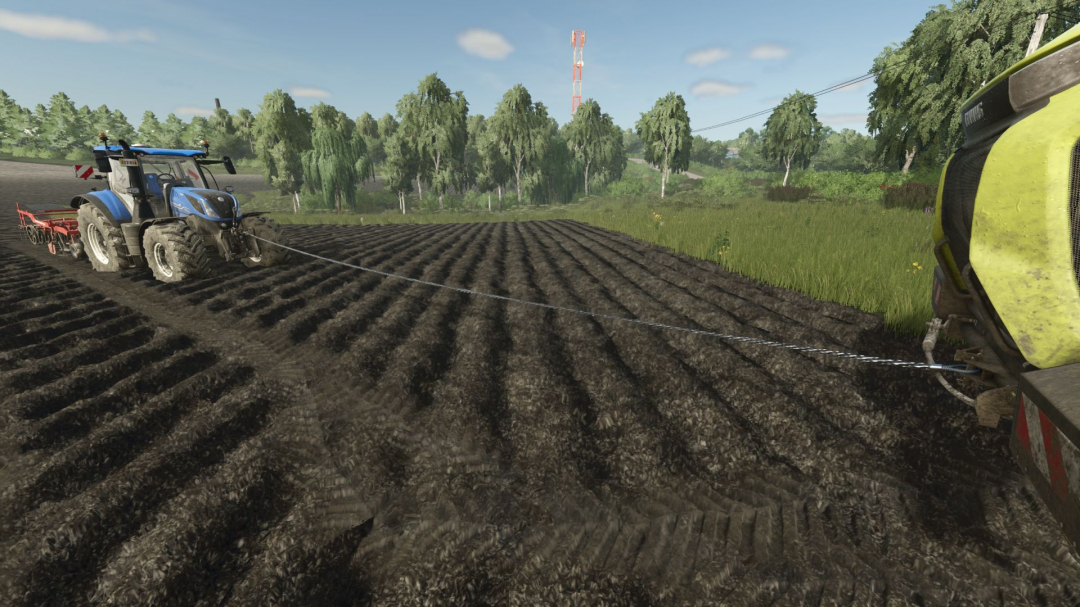
Connecting Tow Cable V1.0.1
Connecting Tow Cable introduces a system for quick equipment connection via a tow cable. This mod allows you to manually link two pieces of equipment using a physical cable and existing attacher points. The mod is ideal for: towing stuck machinery; rescuing tractors from mud; creating realistic rescue and transport scenarios; coordinating equipment in tough conditions. The cable features physics and visually connects the equipment, simulating a real towing cable. Multiplayer compatibility has not been tested. V1.0.1.0 The towing assistant system has been completely rewritten. There is no longer a choice of steering mode; simply activate the assistant mode, and it will follow your path precisely. This is the most user-friendly option, making it easier to operate and perceive. You can also adjust the distance of the assistant from your vehicle, with the default set to 0. All mod keys can be customized in the settings.
Radio Volume Hotkeys v1.0
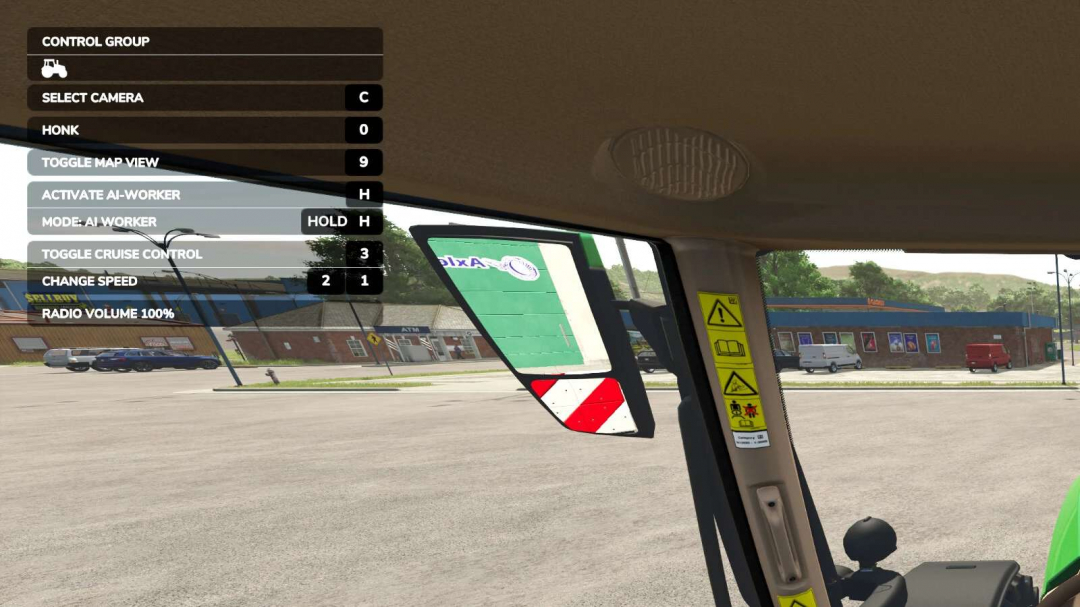
This script adds 3 new keybinds to allow the following functions in-game: – Increase radio volume – Decrease radio volume – Mute the radioNo need to keep opening the sound settings to adjust the volume. In the F1 menu, you will see the current volume displayed as the keys are pressed, then it will fade away after a few seconds.You can find the keybinds under: Settings ? Controls ? Radio Volume Keybinds
Compass Heading Display v1.0
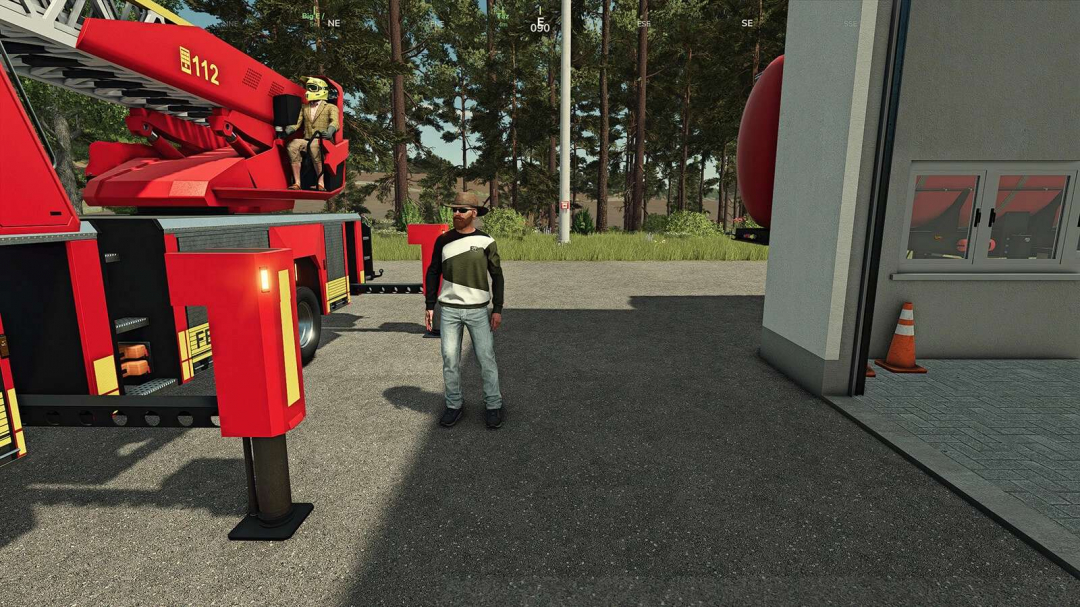
Compass Heading Display adds a smooth, scrolling horizontal compass bar to the top of your screen. Features a full 16-point compass rose with tick marks every 10 degrees, a gold centre indicator showing your live numeric heading, waypoint tracking with distance, tornado tracking with a flashing red marker, multiplayer player tracking with farm colours, and AI helper tracking with blocked-helper alerts. Filter players and helpers by farm, and customize everything via settings.xml, including bar position, width, field of view, opacity, colours, and visibility toggles. Works in singleplayer and multiplayer. No performance impact. No dependencies required. Many thanks to our translators and to our community for reporting bugs, giving us feedback and great ideas.
Auto Run v1.0
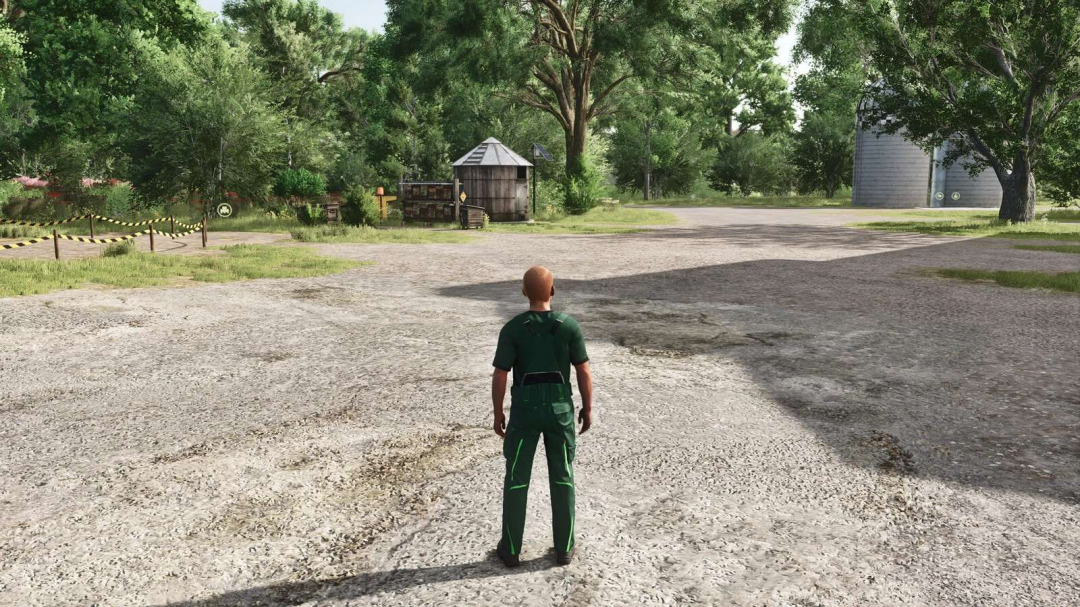
Adds simple on-foot auto-walk and auto-run toggles for the player.Hotkeys: – Toggle Auto Walk / Run: Default V, rebindable in Controls – Shift while active: Toggle Walk/Run – W or S: Cancel Auto Walk/RunWhen enabled, your player continues moving forward on foot. The camera direction still determines where you go. Use the same toggle again to turn it off.
Enhanced Help Menu V1.1.0.1
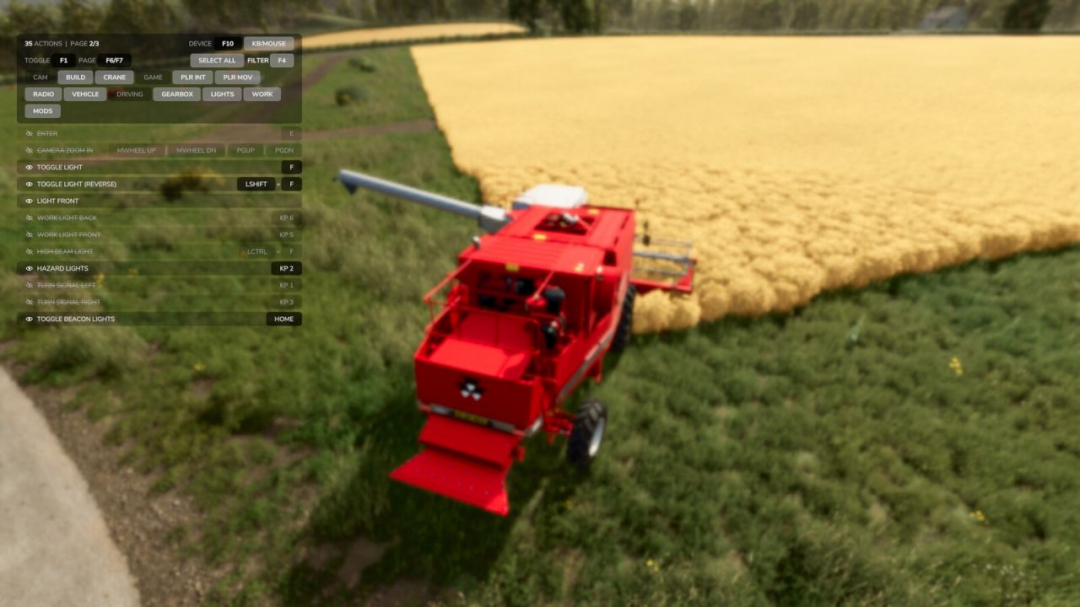
Replaces the built-in F1 help menu with a smarter, always-visible overlay that shows every active input action and its key binding, not just the handful the game chooses to highlight. The list updates as your context changes: on foot, in a vehicle, near interactive objects, or using attachments. New actions get a subtle green accent bar and slide to the top of the list so you notice them straight away. Features include listing all active actions across connected input devices, displaying real key bindings with proper formatting (keyboard, mouse, joystick, gamepad), highlighting new actions with a smooth fade-in and green accent bar, auto-sorting to the top, automatic wrapping of long bindings, category filtering (Camera, Vehicle, Driving, Lights, etc.), hiding memorized rows, a filter mode with a blurred background, device cycling, pagination, and persistent settings. Controls (all remappable in the Controls menu): F1 cycles display modes; F4 opens/closes filters; F6 and F7 navigate pages; F10 cycles device filters. Version 1.1.0.1 introduces new defaults, an enhanced settings tab, German localization, an all-devices mode, live AI status lines, improved widget coexistence, UI scaling, refined header, filter mode improvements, and various bug fixes.
Production Logistics BETA 2 v1.0
Production Logistics adds a custom logistics HUD for managing owned productions and ordering missing supplies from one central screen. Instead of opening every production point one by one, you can view production inputs, check available storage, see supplier stock, and place logistics orders directly from the HUD. Features: View owned productions in one logistics screen Filter by production tabs Order missing inputs with Standard or Express delivery Delivery queue with ETA timers Pending deliveries panel Recipe Planner for calculating required supplies Choose how much output you want to produce and see what materials are needed Monthly supplier stock limits for more realistic importing Supplier stock refreshes each in-game month Wood and sawmill-chain products cannot be importedHotkey: Right Shift + L opens Production Logistics. This is a beta release. Future versions may add physical pickup points, warehouse routing, delivery depots, and deeper supply-chain automation. BETA 2 Fixed Key binds
Storage Overhaul: Pallet Degradation System V1.1.0.1
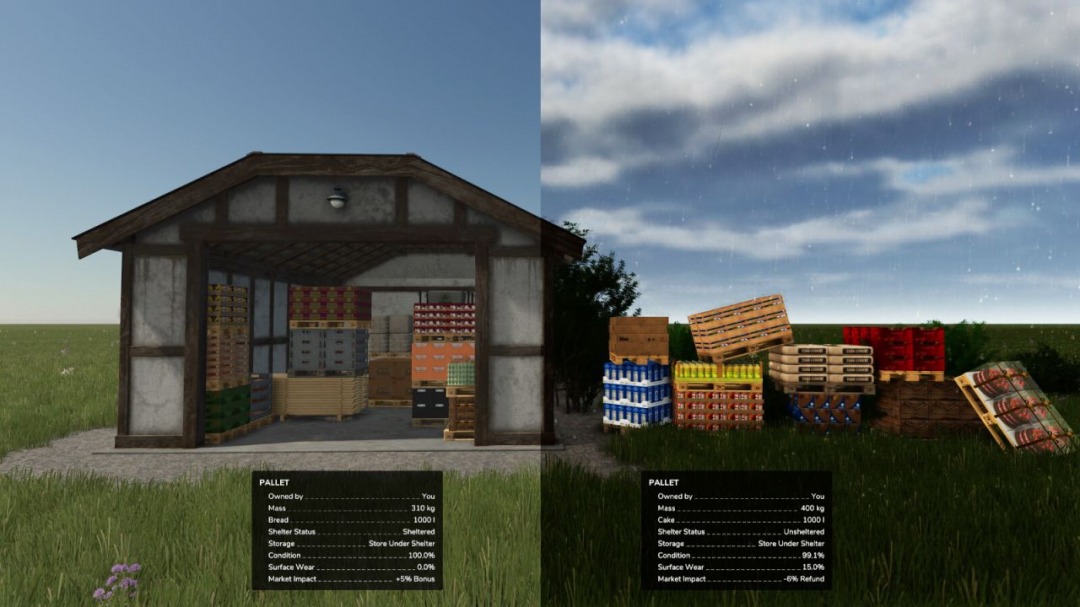
Give yourself a new reason to use all of the incredible shed mods on the ModHub! This Pallet Degradation System aims to simulate the realistic physical toll that outdoor storage takes on your goods. The old tactic of leaving produce exposed to the elements for months while waiting for the best market prices will now result in both temporary and permanent damage with in-game financial consequences.KEY MECHANICS: – Exposure is calculated every 30 in-game minutes for palleted goods. – Status is visible in the info GUI (Sheltered vs. Exposed). – A financial bonus/deduction is applied, based on the condition at sale. – Configurable whitelist of products affected by exposure (via in-game settings). – All vanilla game filltypes have individual decay rates – bread decays faster than beetroot. – Configurable decay speed, recovery rate & financial impact (via in-game settings).SURFACE WEAR (Temporary Damage) Represents external dirt and moisture on the packaging. – Accumulates quickly when exposed to weather. – Naturally “cleans and dries” over time when stored under shelter. – Reduces sale value if sold while dirty/wet.Condition (Permanent Damage) Represents the decay of the actual goods. – Accumulates much more slowly but is more financially punishing. – Irreversible: Once damage is done, moving it indoors will not fix it.FINANCIAL IMPACT: – PRISTINE BONUS: Sell high-quality, sheltered goods for a profit bonus. – MARKET REFUND: If you sell damaged or weather-worn goods, the buyer will demand a refund! Protect your profit—keep your pallets under a roof!
- 15 per page
- 30 per page
- 45 per page
- 60 per page
-
See more per page
Bigger pages, fewer clicks - and no ads anywhere.
Go Pro