Farming Simulator 25 mods
78,906 results- 15 per page
- 30 per page
- 45 per page
- 60 per page
-
See more per page
Bigger pages, fewer clicks - and no ads anywhere.
Go Pro
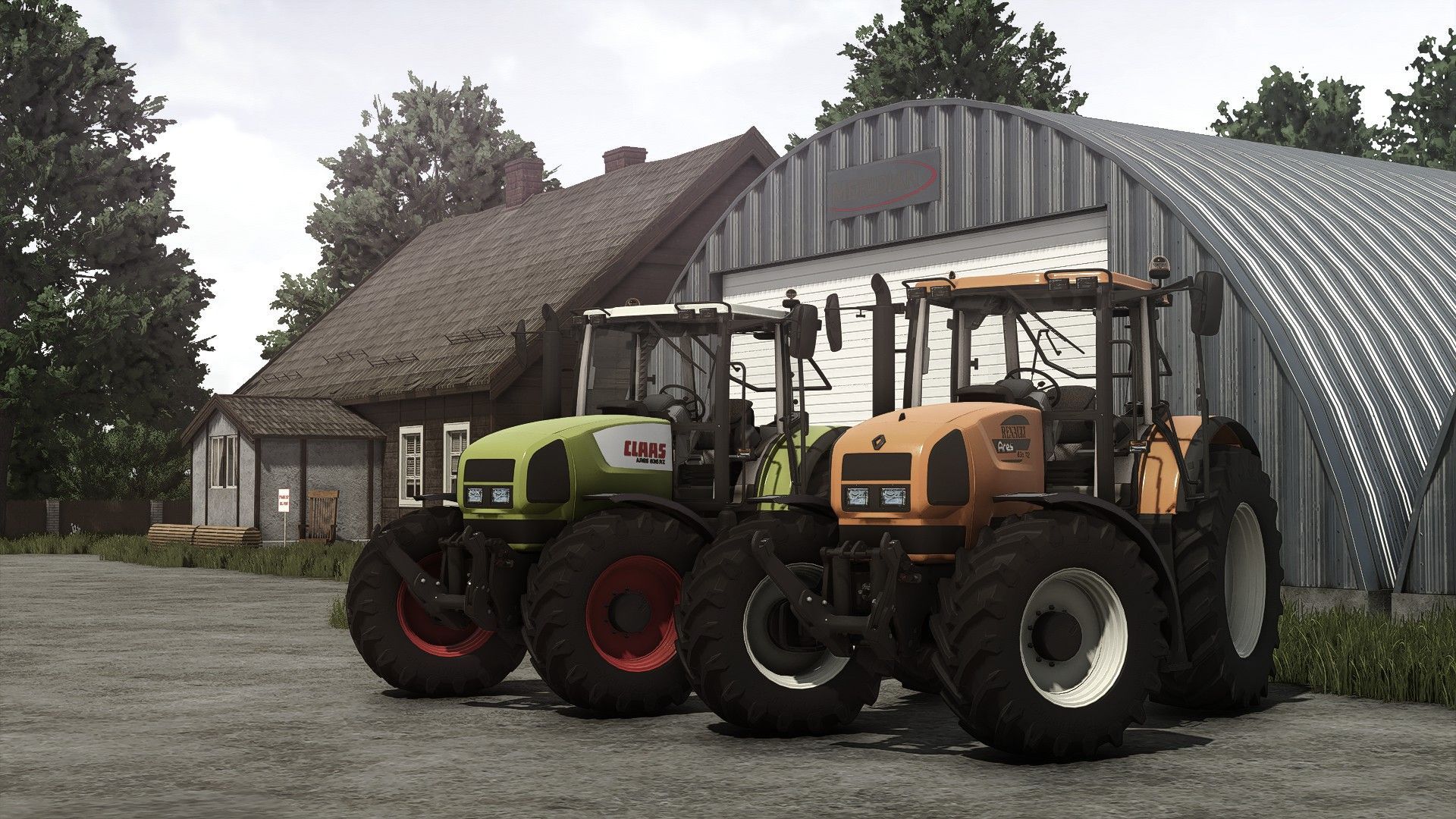
CLAAS / Renault Ares 836 RZ (Rust Edition) FS25
Configurations Tires brand Wheels setup Rims color Brand: Claas/Renault Power:194 hp Max speed: 43 km/h Interactive control for doors/back window (With sound modifier ) Rust shader for wear effect Standard version: https://www.kingmods.net/en/fs25/mods/68665/claas-renault-ares-836-rz Added all the missing updates from non Rust Shader version Wheels configuration order changed: All Standard options --> All Weights options --> All Twin back options ---> All Twin All options Added configurations with all weights/twin options: 540_65R28 650_65R42 If you have suggestions for wheels options that you want to be added, you can leave them in the comments. All wheels that exist can be found here: https://fs25assets.mantrid.net/tirefinder/ Brand does not matter, only dimensions matters for example: 540_65R28 etc. Wheels configuration reworked Variable tire pressure mod support added modDesc changes descVersion changed Version changed Vehicle Years mod support added Passenger seats for multiplayer added IC functions added Tool turn on/off, folding, lift/lower Cruise control Engine start/stop Added Dashboard live support Added DashboardLive configuration with: Lemken, Zunhammer, Kuhn, Krone, Amazone dashboards Claas configuration stickers fixed MP Lift frontloaders console added Engine configuration Ares 836 chip added with 223hp Rims color configuration adjusted Design configurations adjusted Added sounds to doors/backwindow animations closing/opening Added Rain/Hail sounds effects for indoor
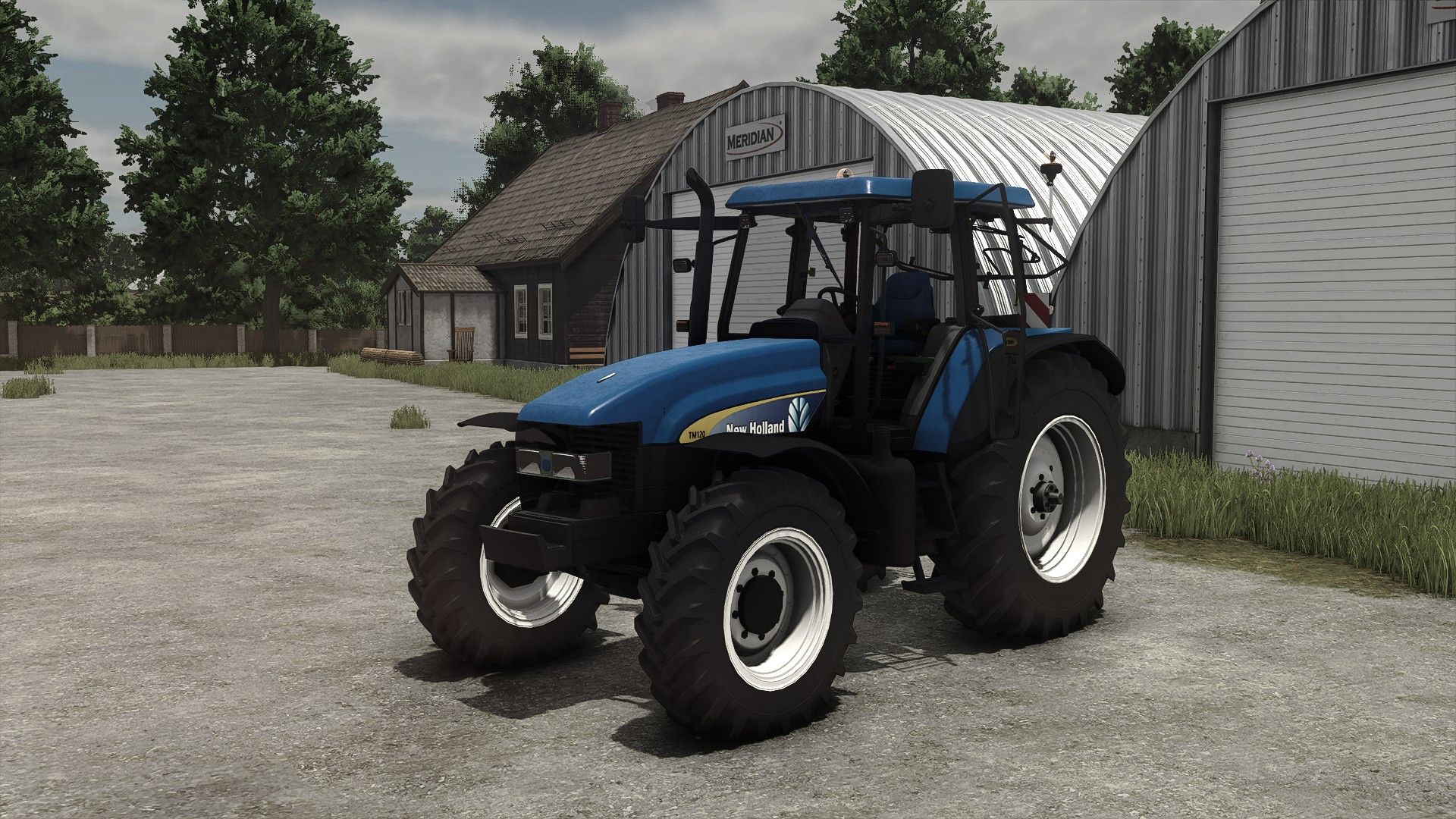
New Holland TM 120 - TM 190 FS25
Models from TM 120 to TM 190 Both 1990 and 2000 decals Wheels configurations Wheels setup configurations Design configurations IC Stoll frontloader console added Visual corrections Displayed brand corrected (Before it was lizard, now NH) Player seat place adjusted for First Person Player Body Vehicle years mod support added Precision farming crops sensors configuration added Mouse control/Interactive control configuration added (if IC selected, mouse control does not work) Main color configuration added with all base game NH colors Front lights visual light fixed
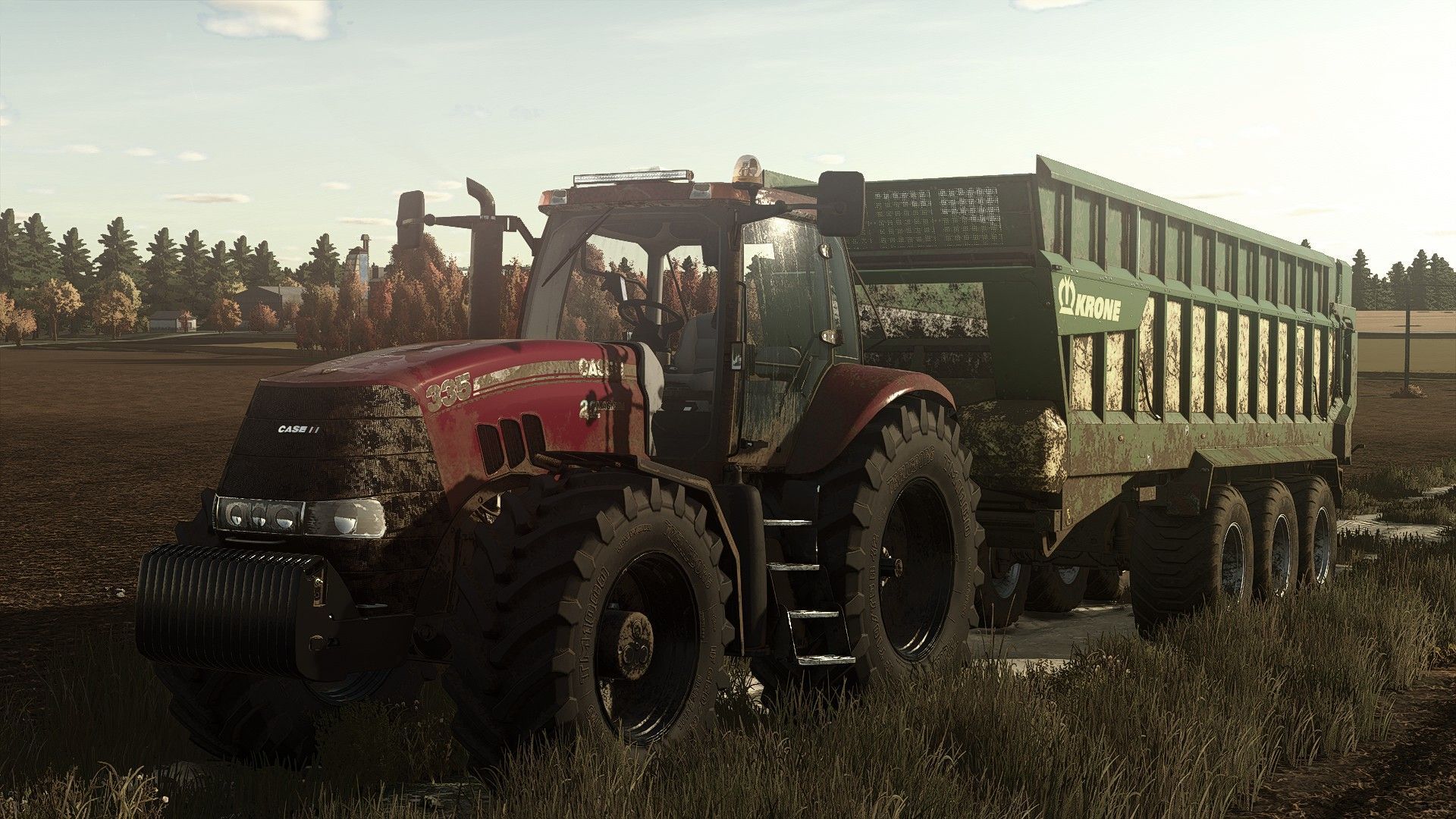
Case IH Magnum 2007/8 Series (rust edition) FS25
Case IH Magnum 2007/8 Series Base Price $75000 Models: 215-221HP 245-248HP 275-275HP 305-304HP 335-330HP Configurations: Main color Seat color Interior color FrontLoader Fenders Attachers realGPS dashboard Ledbar Precision farming crop sensors Interactive control with sound modifiers Animation sounds Passenger seats for multiplayer Rust shader for wear effect Standard version: https://www.kingmods.net/en/fs25/mods/63621/case-ih-magnum-20078-series Added all the missing updates from non rust shader version New Mod/Store icons (FS25 version) Added rain mask to parts that had it missing Fixed water drops on interior parts like arm rest, screen Few visual improvements for armrest, joystick Windows glass material/texture changed to clear Variable Tire Pressure mod support added modDesc changes descVersion changed Version changed Chrome part near front wheel replaced to plastic IC functions added Attacher Turn off/on, Lift, fold Cruise control Engine start/stop Few decal improvements inside Added Dashboard live support Added DashboardLive configuration with: Lemken, Zunhammer, Kuhn, Krone, Amazone
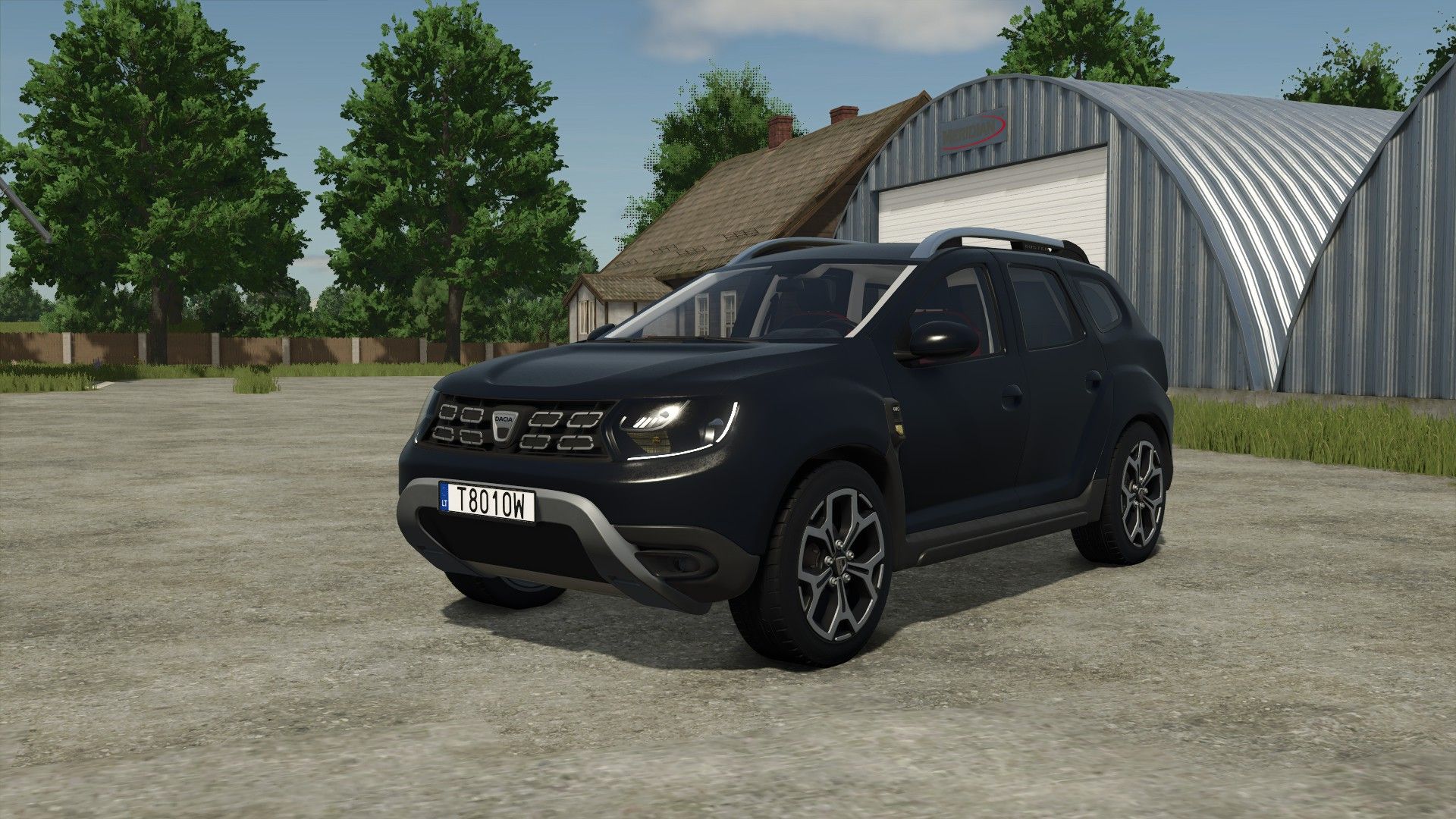
Dacia Duster 2019 FS25
Dacia Duster 2019 - Price : 20.000 $ - Selectable Colors - Trailer Hitch Passenger seats for multiplayer Fixed issue of FPS drops while trunk is open Added vehicle type configuration Standard/Mobile Workshop How to use it? Open back left doors from outside, and press M to activate Workshop mode. Convoy plate configuration added Convoy plate text configuration added Driver seat adjusted Few visual improvements Passenger seats hands position corrected Passenger seats hats sticking out corrected modDesc changes descVersion changed Version changed Sounds modifier added New ic icons added Added "Vehicle Years" mod support attacher for car trailers added Exit point corrected Interactive control mod support corrected Passenger seats added Back license plate adjusted
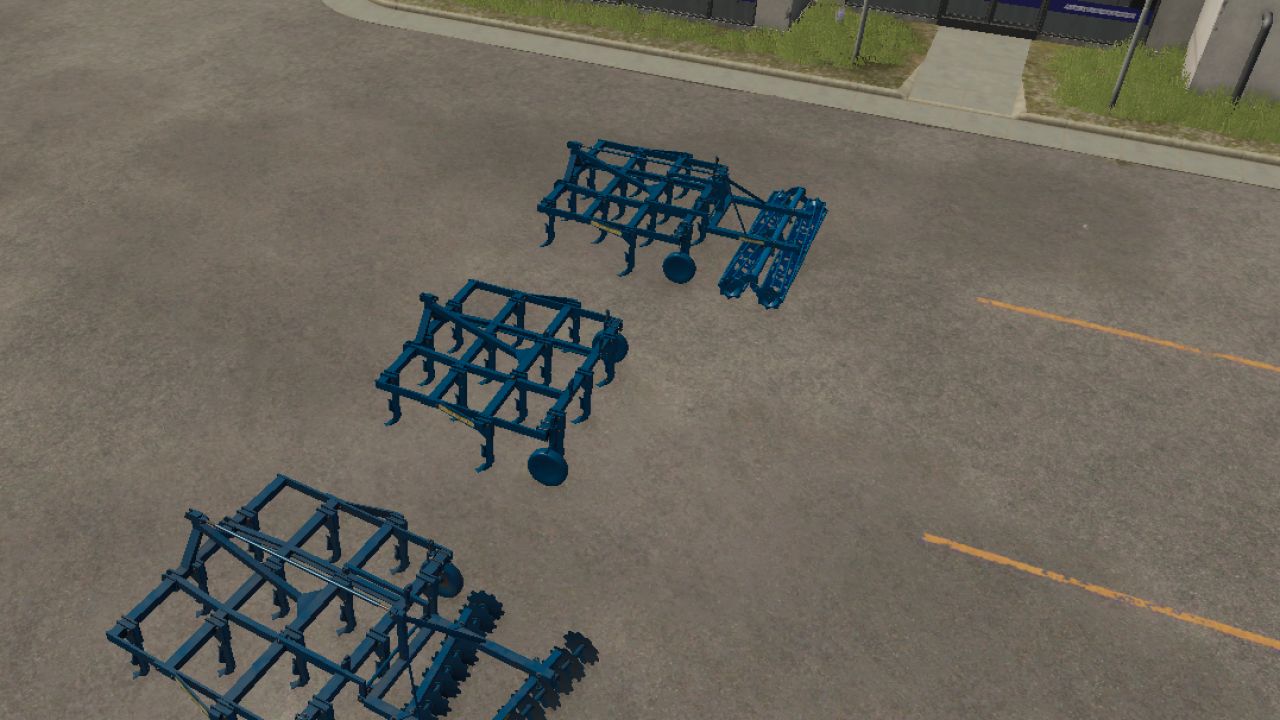
Rabe Sturbock FS25
I present to you the Rabe cultivator that I converted from FS22 price: €6,700 weight: 1.4 t category: cultivator width: 3.2 m If you encounter any bugs, let me know in the comments
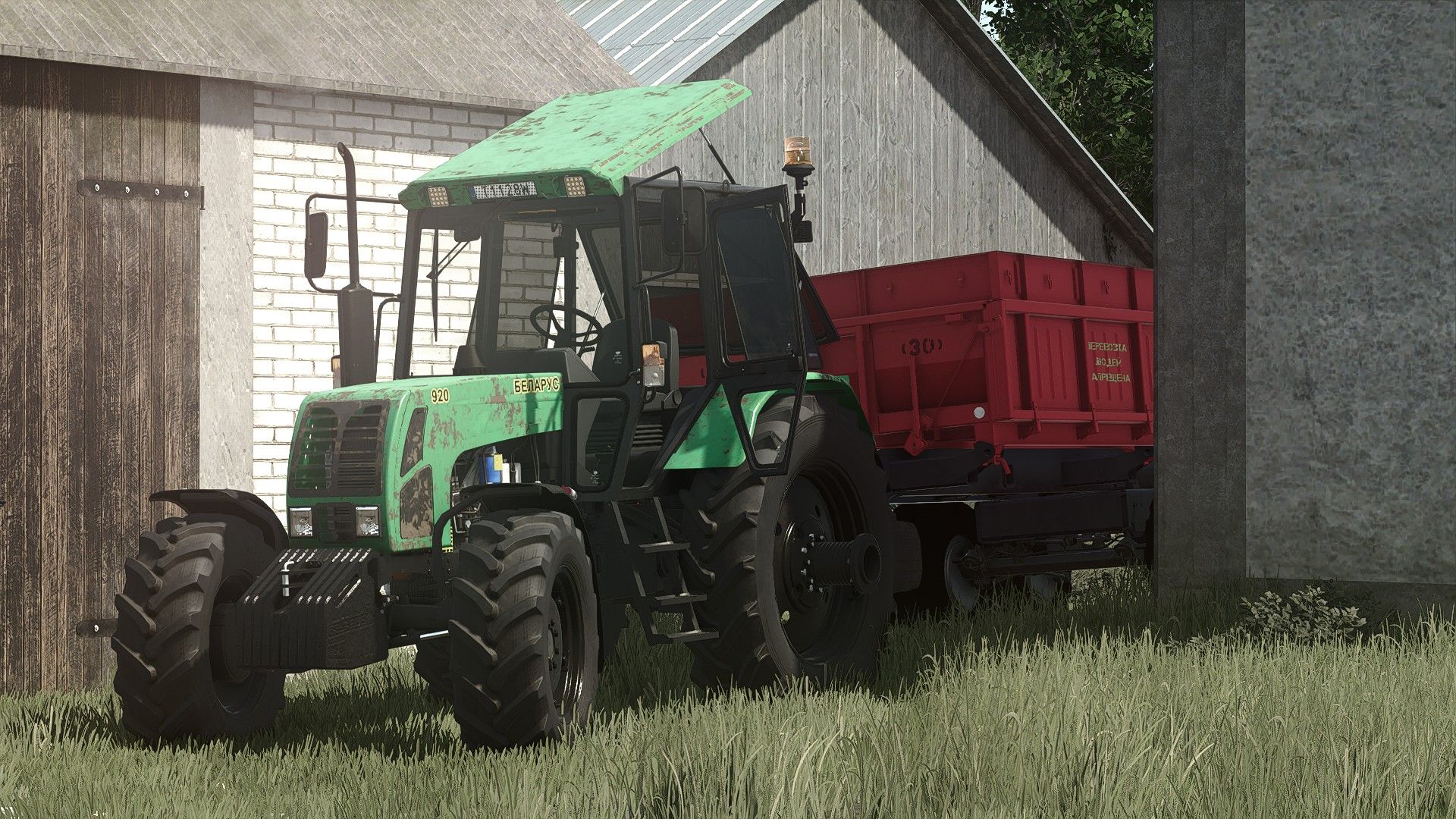
MTZ 920 FS25
Price: 12000 € Max. power: 107 hp Max. speed: 43 kph Configurations: Colors: Maiin/Rims Front most selection Standart/Dual wheels selection Additional wheel weight Front hydraulics Beacon light Side panels Air filter type Steering wheel Exhaust Rust shader for wear Multiplayer passenger seat Interactive control: - Doors/Windows/Roof/Hood (With sound modifier) - Motor start/stop - Front hydraulic Implement lift and Implement turn on/off function - Back hydraulic implement lift and implement turn on/off function - Manual attach from outside for front and back hydraulics (By clicking point from outside) - Drive direction toggle - Cruise control toggle - Implements fold/unfold function - Trailer discharge function Turbo exhaust replaced with different model MX Frontloader console added for MX Frontloaders New Mod/Store icons (FS25 version) Vehicle years mod support added
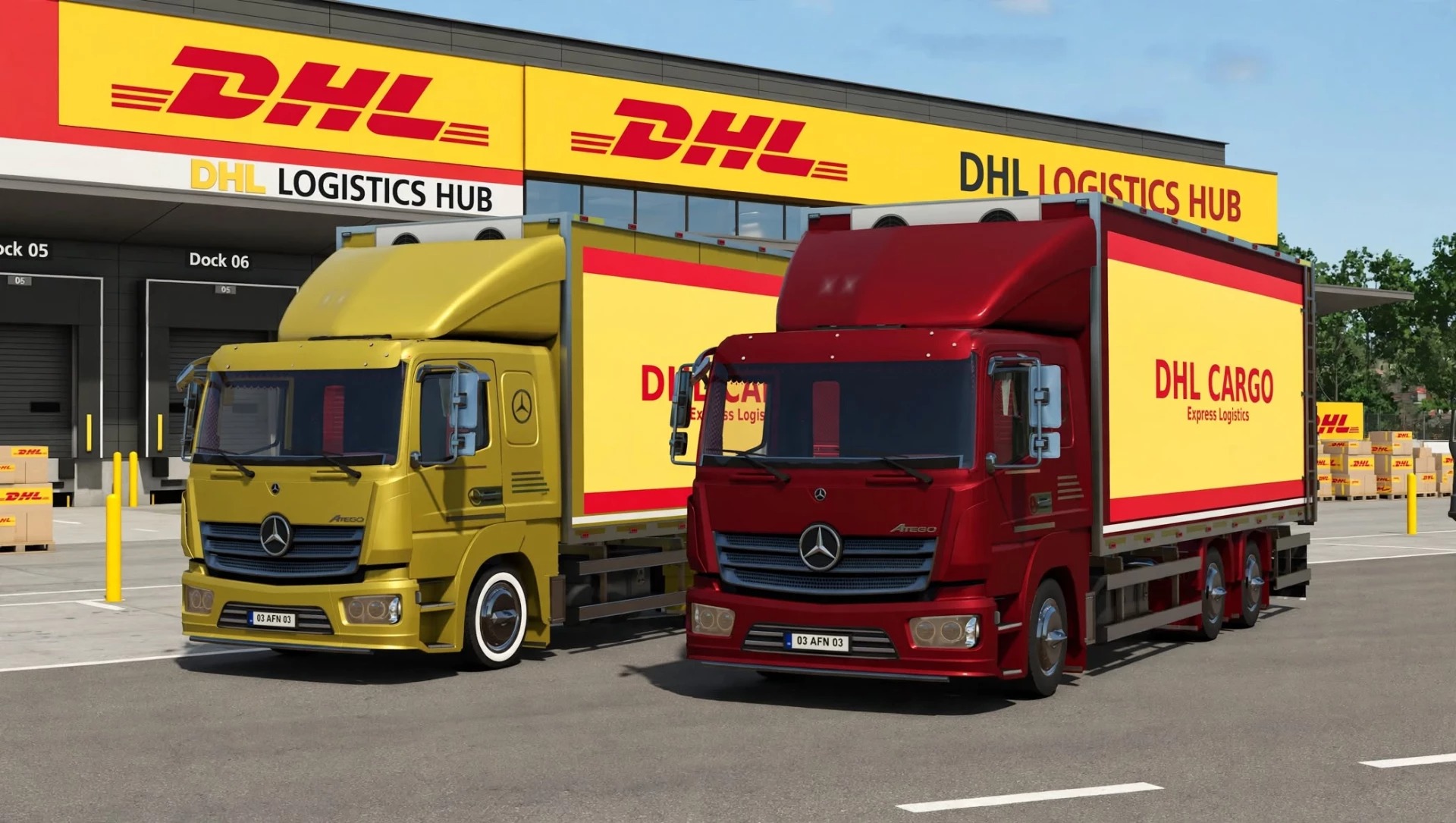
Mercedes-Benz Atego 823 Kastenwagen (Bearbeitete Version 2.0.0.0)
Mercedes-Benz Atego 823 Kastenwagen (Bearbeitete Version 2.0.0.0) Bearbeitete Version des Mercedes-Benz Atego 823 Kastenwagens von SafariMods: Neu in der bearbeiteten Version: LEISTUNG: Basismotor: 350 PS -> 550 PS Neuer Sportmotor: 700 PS (8000 €) Höchstgeschwindigkeit: 90 km/h -> 130 km/h / Sport 160 km/h Drehmomentskala: 1,0 -> 1,6 / 2,1 Sport Bremskraft: 8 -> 10 / 12 Getriebe: PowerShift 8G Safari / Sport (schnellere Schaltzeiten 0,6 s / 0,5 s) VISUELLES & DHL-VERPACKUNG: DHL Cargo Skin: Lackierung „DHL CARGO Express Logistics“ Kabinenfarbe angepasst an DHL Gelb (MERCEDES_TRUCK_YELLOW) Insgesamt 12 Farben: 4 neue Farben hinzugefügt: MERCEDES_TRUCK_YELLOW, SHARED_ORANGE1, SHARED_GREEN1, MERCEDES_TRUCK_ORANGE SPRACHE: Übersetzte Konfigurationen aus dem Türkischen ins Englische TECHNISCH: DescVersion: 106 -> 113 Preis: 68.000 € -> 85.000 € Schwerpunkt: 0 0,9 0,2 -> 0 0,8 0,1 (stabiler bei hoher Geschwindigkeit) Tags: LEISTUNGPS
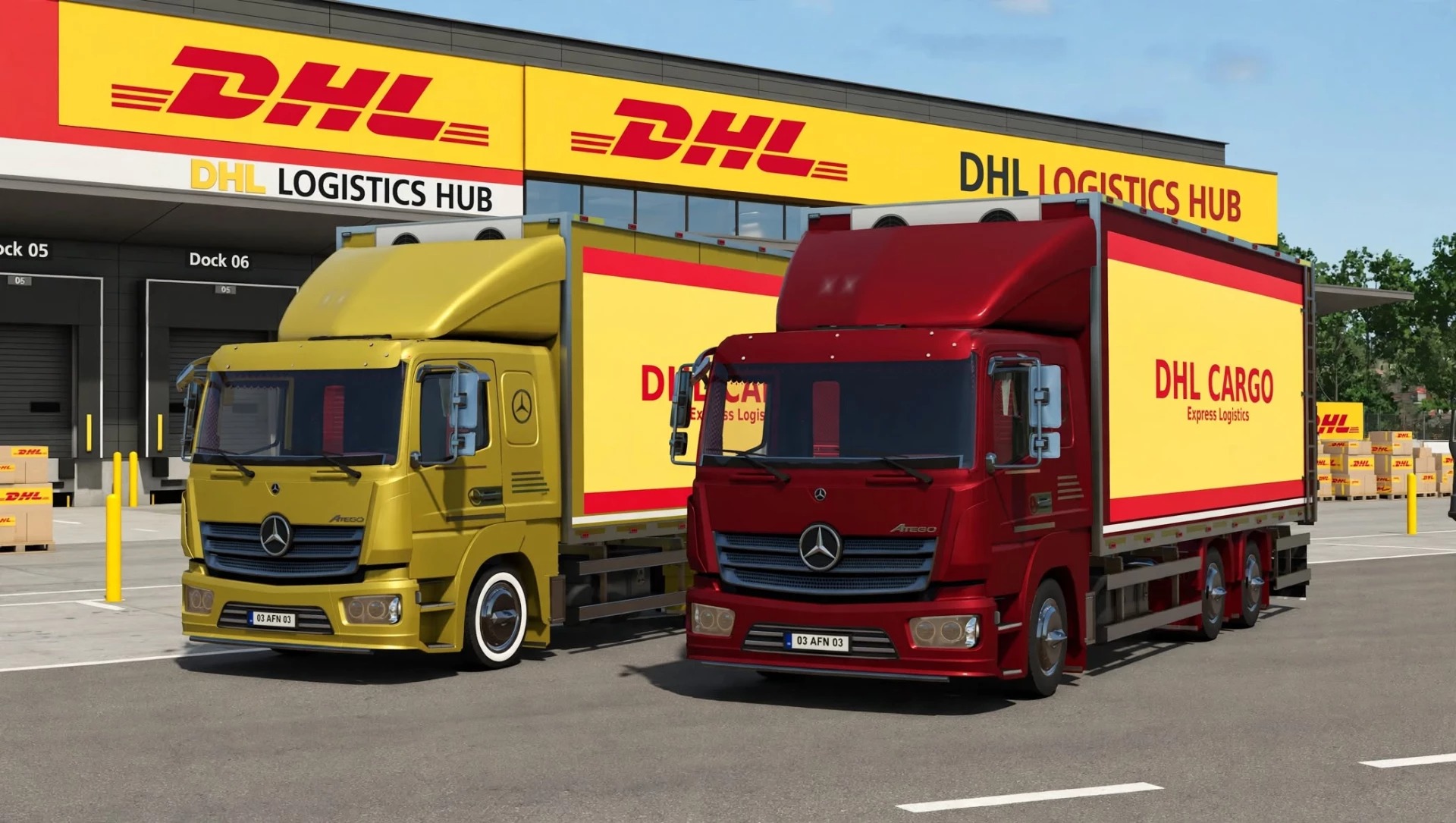
Mercedes Benz Atego 823 Box Truck Edited v2.0
Mercedes Benz Atego 823 Box Truck Edited v2.0 Edited Version of Mercedes Benz Atego 823 Box Truck by SafariMods: New in Edited Version: PERFORMANCE: Base Engine: 350 HP -> 550 HP New Sport Engine: 700 HP (8000€) Max Speed: 90 km/h -> 130 km/h / Sport 160 km/h Torque Scale: 1.0 -> 1.6 / 2.1 Sport Brake Force: 8 -> 10 / 12 Gearbox: PowerShift 8G Safari / Sport (faster shifting 0.6s / 0.5s) VISUALS & DHL PACK: DHL Cargo Skin: “DHL CARGO Express Logistics” livery Cabin color matched to DHL Yellow (MERCEDES_TRUCK_YELLOW) 12 Colors Total: Added 4 new colors MERCEDES_TRUCK_YELLOW, SHARED_ORANGE1, SHARED_GREEN1, MERCEDES_TRUCK_ORANGE LANGUAGE: Translated configurations from Turkish to English TECHNICAL: DescVersion: 106 -> 113 Price: 68000€ -> 85000€ Center of Mass: 0 0.9 0.2 -> 0 0.8 0.1 (more stable at high speed) Author: SafariMods Report bugs in the comments and help modders improve this mod. Always check the comments, you can find a solution. DOWNLOAD MOD

Cotech PPCR Snow Plow V1.0
All I did was fix the random colors and convert it, that was it. To start download click the filename. To open archive files use one of these programs: WinRAR, 7-Zip, WinZip. Some mod archives may need to be extracted before the mods will work.

Case IH 496 25Ft Disk Harrow V1.0
Introducing my latest mod release: a Case IH 25 FT 496 Flex Disk Harrow! This disk cultivates and smooths at the same time, so it’s an all-in-one pass to make your perfect seedbed! FEATURES: -Flexing Disk with Dynamic Harrow that scrapes the ground rather than digs it to finish off the seedbed -Dynamic Wings that realistically fold and unfold based on wing weights and gravity. -4 design options: Faded Red, Case IH Red, Barn Kept Red, and Sun bleached -Rust textures to replace the wear textures (provided via modhub released by Puszkap) -Dynamic sounds for folding/Unfolding and Lifting/Lowering -Factory welds visible around This is the first time I’ve ever enjoyed using a disk since the start of the game, with how much detail is on here, and I’m glad to release it to the public! Enjoy! To start download click the filename. To open archive files use one of these programs: WinRAR, 7-Zip, WinZip. Some mod archives may need to be extracted before the mods will work.

Peerless 21ft Peanut Wagon V1.0
21 ft peanut drying wagon with perforated floor, turntable steering and rear tip. Work in progress. To start download click the filename. To open archive files use one of these programs: WinRAR, 7-Zip, WinZip. Some mod archives may need to be extracted before the mods will work.

Amadas 9997 Magnum Fource Peanut Picker V1.0
Amadas 9997 “Magnum Fource” 4-row pull-type peanut combine, scratch-built by Bailey Farms. – 12 ft pickup with U-band header and finger rotor – Side-shift tongue: folds centered for the road, swings offset for the field – Lowering tilts the whole machine onto the pickup, just like the real one – High-dump basket on lift arms, ~11.6 ft to the spout lip – Built on the base-game attachableCombine for Connect Modding’s peanut system. No custom scripts. To start download click the filename. To open archive files use one of these programs: WinRAR, 7-Zip, WinZip. Some mod archives may need to be extracted before the mods will work.

OVERBURDEN V1.1
Stake your claim. Survey the ground. Work down to the pay layer. Overburden brings a stake-and-survey mining workflow to TerraFarm. Mark a mine, name it, choose what lies above and below the pay boundary, and pay for a survey. Your compatible equipment works inside the surveyed area using TerraFarm’s existing controls. A small depth display tells you how far remains to the pay layer. RECOMMENDED MAPS AND USEFUL LINKS 1. Our first recommendation for a mining setup. Local testing used Yukon Back Country Check each map’s own download page for its materials and requirements. 2. Additional Filltypes — by w33zl An optional source of additional materials for your setup. 3. FilltypesTP for All — by Nonnus 4. TerraFarm — by scfmod — REQUIRED Download the packaged mod from the project’s Releases, rather than the source code ZIP. Your equipment must also have a compatible TerraFarm configuration. The filltype add-ons are optional when your map already provides the materials you want. Follow each creator’s compatibility and installation instructions. Maps, TerraFarm and the linked add-ons are separate downloads. IMPORTANT: MATERIALS AND PAINT TEXTURES DEPEND ON YOUR MAP Filltypes are the actual materials collected in your bucket: stone, iron, coal, limestone and so on. Available choices depend on your map, installed filltype mods, TerraFarm’s enabled material list, and what your equipment can receive. Overburden does not add its own filltypes, selling points or processing plants. Paint textures control how the exposed terrain looks. The appearance selectors use terrain paint textures available through TerraFarm on your current map. Adding a material does not automatically add a matching terrain paint texture. For example, iron may be selectable as a material even when there is no Iron ground texture. Choose a suitable available appearance or Use tool texture. Appearance does not change the material you collect. The ground can use a rocky dirt texture while the bucket receives stone. Automatic matches are suggested when available, and you can choose different appearances in the survey popup. – Farming Simulator 25 on PC; single-player only. – TerraFarm, installed and enabled. Developed and tested with TerraFarm 1.6.5.0. – TerraFarm-compatible equipment that accepts your selected materials. – A map or compatible filltype add-on providing the materials you want to mine. 1. On foot, walk around the intended boundary in perimeter order. Press Right Shift + K at each corner to place a stake. Use at least three stakes. Right Shift + Backspace removes the last unpaid stake. 2. Press Right Shift + Enter to close the boundary and open Mine Survey. Enter the mine name, choose different overburden and pay materials, then choose an appearance for each. Check the texture previews before ordering. 3. Review the marked area, price and estimated survey time. Pay & start commissions the survey. Cancel keeps the unpaid stakes for editing. Survey price is 250 plus 5 per square metre, in your save’s currency. Survey duration is 2 plus area/400 active play minutes, rounded up. A 1,600 m² mine therefore costs 8,250 and takes 6 active play minutes. 4. Wait for completion. Survey progress pauses with the game and is saved during normal saving; it does not advance while offline. Completion uses the base-game notification system, or Derwen Mobile Phone if available. 5. Enter the ready mine with your farm’s compatible TerraFarm equipment. The working point automatically selects the mine as its digging area. Activate TerraFarm and use its normal mode controls. Lower digs toward the mine floor. Grade levels toward the terrain height under the vehicle, or the root vehicle for an attached implement. Grade follows that ground reference as you move; it does not lock a permanent bench height. Above the surveyed pay boundary, cuts yield the chosen overburden. At or below it, cuts yield the chosen pay material. Different places can be at different depths, so moving between shallow and deep patches can switch the material. Empty the bucket before changing material. A bucket containing stone cannot receive a new iron cut until it is emptied. With TerraFarm input ground texturing enabled, newly excavated surface patches use the selected appearances. Existing dug ground is not repainted just by loading the save. Narrow or mixed-depth patches can remain unchanged. The depth display appears only inside the mine. Mine outlines appear on the minimap while inside or within 50 metres of a mine edge. Depth follows the original local terrain, including hillsides. Save normally to keep your stakes, mine settings, survey progress and original terrain reference. For discharge Grade, select the mine separately as the TerraFarm discharge area. Filling uses your tool’s actual material and available amount. CLOSE A FINISHED MINE AND REUSE THE LAND When you are done mining, get out of the vehicle and stand inside that completed mine. With no unpaid stakes in progress, press Right Shift + Enter. The help panel shows Close mine. Check the mine name and confirm Close Mine, or Cancel. Closing permanently removes the mine record, stakes, minimap outline and TerraFarm polygon, freeing its landscaping area slot. TerraFarm is turned off on equipment assigned to that mine, and those mine assignments are cleared. Other mines and existing bucket contents stay intact. The survey fee is not refunded. The excavated terrain stays as dug. Use the normal landscaping tools to smooth, reshape or reclaim the site for other uses. If you use TerraFarm equipment for that work, reactivate it and choose its normal settings. Save the game after closing the mine. Mining the same location as an Overburden mine again requires placing a new boundary and commissioning a new survey. Right Shift + K — place mine stake Right Shift + Enter — finish boundary / open survey; inside a completed mine, with no unpaid stakes, open Close Mine Right Shift + Backspace — undo the last unpaid stake Saved or custom controls take precedence. Look for Place mine stake, Finish boundary / close mine and Undo last mine stake in the game’s controls settings. – Single-player only. Mine boundaries need 3–32 stakes, edges at least 2 m, and an area of at least 36 m². Crossed or overlapping boundaries are rejected. – TerraFarm’s 63 landscaping areas are shared with other paths and polygons. – One material is selected per cut; a cut through the seam is not split into two yields. Native brush edges can extend beyond the boundary. – Very large uneven mines use wider reference sampling. Long minimap edges and narrow or mixed-depth paint patches still need further refinement. – Completed mines currently have no in-game material/appearance editor or survey-refund option. Close Mine permanently removes a completed mine. – Other add-ons replacing TerraFarm material or mining-layer behavior may conflict. Please report problems in the comments on this page. Include your Overburden, FS25 and TerraFarm versions; map; equipment; selected materials and appearances; what you did; and what happened. Screenshots and log.txt from the same session help me reproduce problems. Let me know whether it repeats after save/reload. Successful tests are useful too. Tell me which maps, equipment and materials worked for you. Reports will help guide fixes and future versioned updates. Overburden by SecondChanceGaming. Thanks to scfmod for TerraFarm, RGC for their maps, and the filltype creators linked above. All linked projects remain the work of their respective creators. SecondChanceGaming3709 To start download click the filename. To open archive files use one of these programs: WinRAR, 7-Zip, WinZip. Some mod archives may need to be extracted before the mods will work.

GratteFM Box Plow V1.0
All I did was convert this, nothing special To start download click the filename. To open archive files use one of these programs: WinRAR, 7-Zip, WinZip. Some mod archives may need to be extracted before the mods will work.

Snow Wolf Blade V1.0
All I did was delete the decals and make the blade paintable CR Modding, Chris Thacker, B.M.F models syn To start download click the filename. To open archive files use one of these programs: WinRAR, 7-Zip, WinZip. Some mod archives may need to be extracted before the mods will work.
- 15 per page
- 30 per page
- 45 per page
- 60 per page
-
See more per page
Bigger pages, fewer clicks - and no ads anywhere.
Go Pro