Farming Simulator 25 mods
78,883 results- 15 per page
- 30 per page
- 45 per page
- 60 per page
-
See more per page
Bigger pages, fewer clicks - and no ads anywhere.
Go Pro
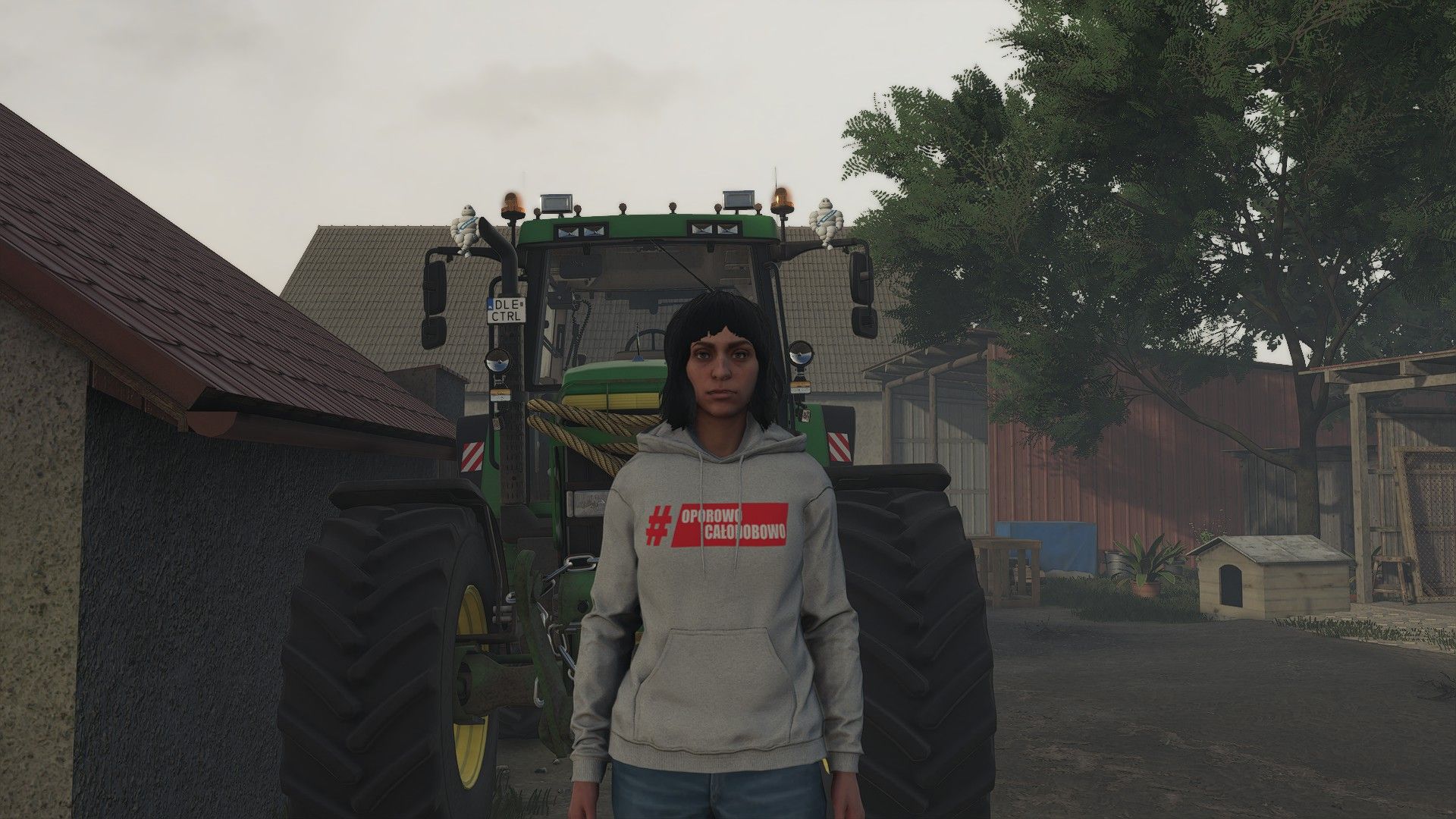
Sweatshirt Hardcore 24/7 V1.0.0.0
Sweatshirt Hardcore 24/7 V1.0.0.0 Die Mod fügt dem Farming Simulator 25 einen Hoodie hinzu, der vom Original-Hoodie aus dem FarmSklep-Laden inspiriert ist und das Oporowo Całodobowo-Design aufweist. Perfekt für Fans der Landwirtschaft und des sportlichen Fahrsports! Hinweis: Fan-Modifikation. Veröffentlicht mit Genehmigung des Inhabers der Rechte an den verwendeten Grafiken und Marken. Erforderliche Mods: Garderoben-Zusatzartikel Tags: Erforderliche ModsFarming Simulator
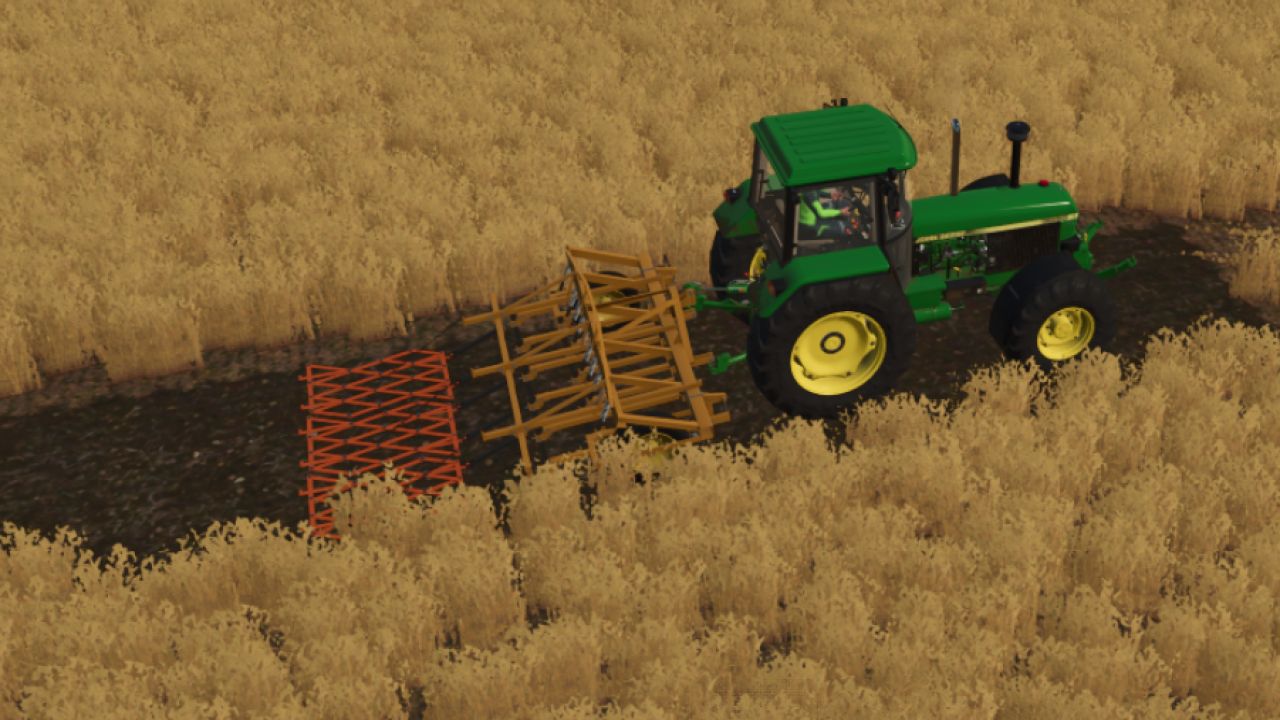
PAK KPS-4 v1.0.0.0
PAK KPS-4 v1.0.0.0 Paket mit KPC-4 Anbaugrubbern und SP-5 Anhängevorrichtung für Farming Simulator 25 Legendäre sowjetische Geräte für die flächendeckende Saatbettbereitung und die Brachepflege kehren auf die Felder von FS25 zurück! Mit diesem Paket können Sie die Geräte flexibel an Ihre Aufgaben anpassen – von der Bearbeitung kleiner Parzellen mit einem einzelnen Grubber bis hin zur Zusammenstellung eines leistungsstarken Breitarbeitsaggregats für große Felder mithilfe des hydraulischen Anbaugeräts. Die Mod ist vollständig an den Landwirtschafts-Simulator 25 angepasst, verfügt über ein sauberes Log, unterstützt das neue Bodenpartikelsystem und moderne Grafiktechnologien. Packungsinhalt und technische Daten: 1. KPC-4 Hochgeschwindigkeits-Grubber Preis: 1.700 € Arbeitsbreite: 4,0 m Arbeitsgeschwindigkeit: 12–17 km/h Erforderliche Leistung: ab 75 PS (funktioniert perfekt mit Traktoren vom Typ MTZ-80/82, YuMZ, T-70 usw.). 2. Hydraulische Anhängevorrichtung SP-5 Ziel: Schaffung eines Arbeitsbreitenaggregats aus zwei KPC-4 Kultivatoren. Preis: 500 € Arbeitsbreite (montiert): 8,0 m Arbeitsgeschwindigkeit: 12–17 km/h Erforderliche Leistung: ab 110 PS (ideal für die MTZ-1221, KhTZ, T-150K oder ähnliche Zugmaschinen). Im Shop verfügbare Konfigurationen: Farbeinstellungen: Eine vollständige Farbauswahl für Rahmen, Arbeitswerkzeuge (Schare) und Felgen, separat für Kultivator und Anhängevorrichtung. Optionen für die Arbeitswerkzeuge: Wahl zwischen Flügelscharen oder Lockerungszinken für verschiedene Bodentypen. Zusätzliche Ausstattung: Konfiguration mit zusätzlichen Zinkeneggen oder Packerwalzen für eine perfekte abschließende Feldnivellierung. Anpassungsmerkmale für FS25-Standards: Vollständiges UDIM: Moderne Texturen mit realistischer Darstellung von Lackabnutzung, Rost sowie dynamischer Schmutz- und Staubansammlung. 100% Animationen: Sanftes Ausklappen des hydraulischen SP-5-Anbausystems, Heben/Senken der Grubberrahmen, Radrotation sowie animierte Vibration der Arbeitszinken während des Betriebs. Tags: Erforderliche LeistungFarming SimulatorIm ShopPS
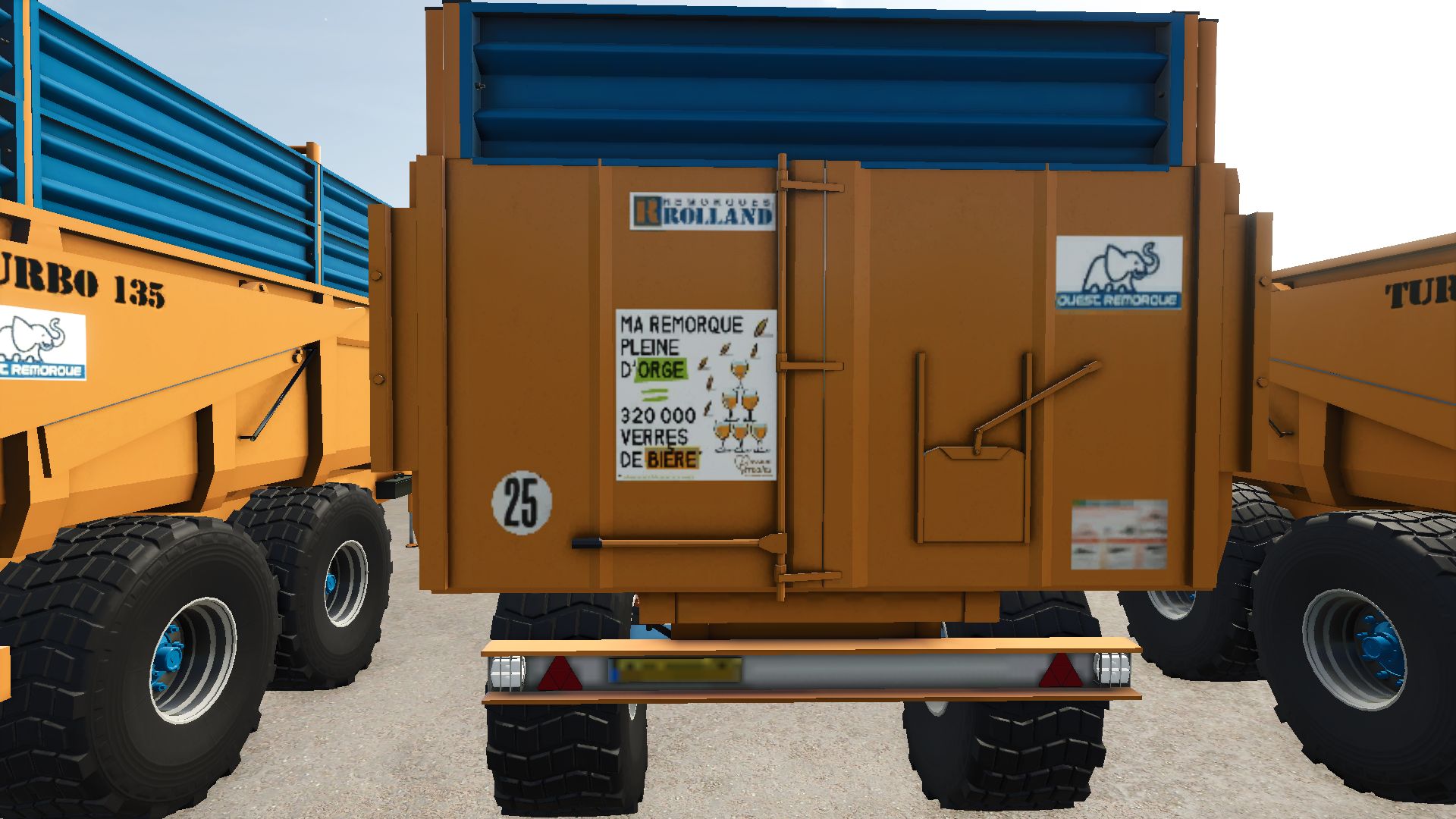
Rolland Turbo 135 V1.0.0.0
Rolland Turbo 135 V1.0.0.0 Rolland Turbo 135 Kippanhänger, konvertiert von FS19 nach FS22 und dann nach FS25 Preis: 15.000 € Kapazität: 12.500 l–16.500 l (je nach Konfiguration) Kategorie: Kippanhänger Gewicht: 6,6 t Konfiguration: Getreide- und Silage-Sideboard Falls ihr auf Fehler stoßt, lasst es mich in den Kommentaren wissen. Viel Spaß euch allen! Tags: Kategorie KippanhRolland TurboViel Spa

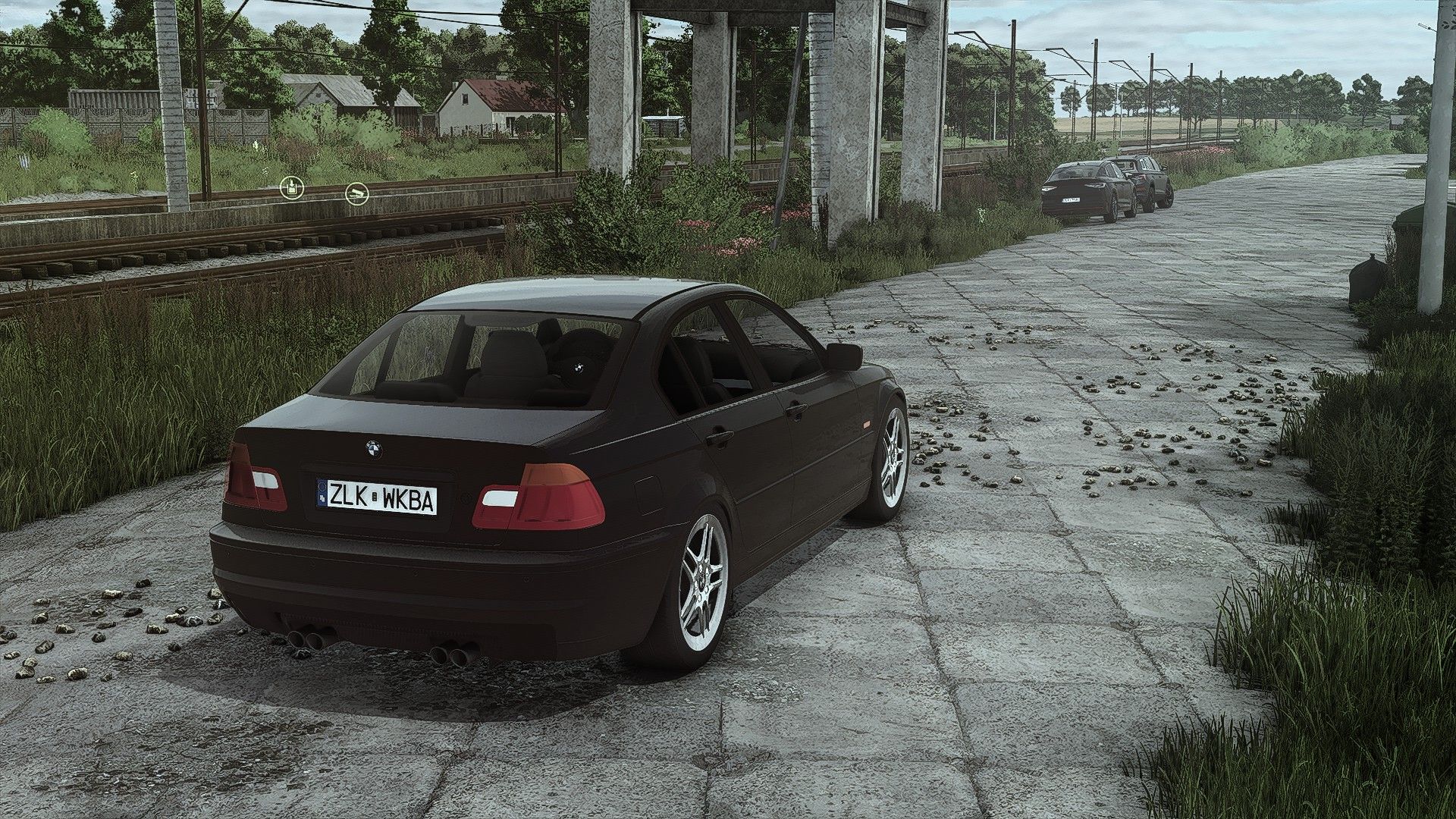
BMW E46 V1.0.0.4
BMW E46 V1.0.0.4 V1.0.0.4 Charakterkörperposition für First-Person-Spielerkörper angepasst Hauptkörper-Farbauswahl Höchstgeschwindigkeit 250 km/h Leistung 200 PS Funktionierende Beifahrersitze für Mehrspieler V1.0.0.3 Neue Mod-/Shop-Symbole (FS25-Version) Erforderliche Mods: Fahrzeugjahre Tags: Erforderliche ModsPS
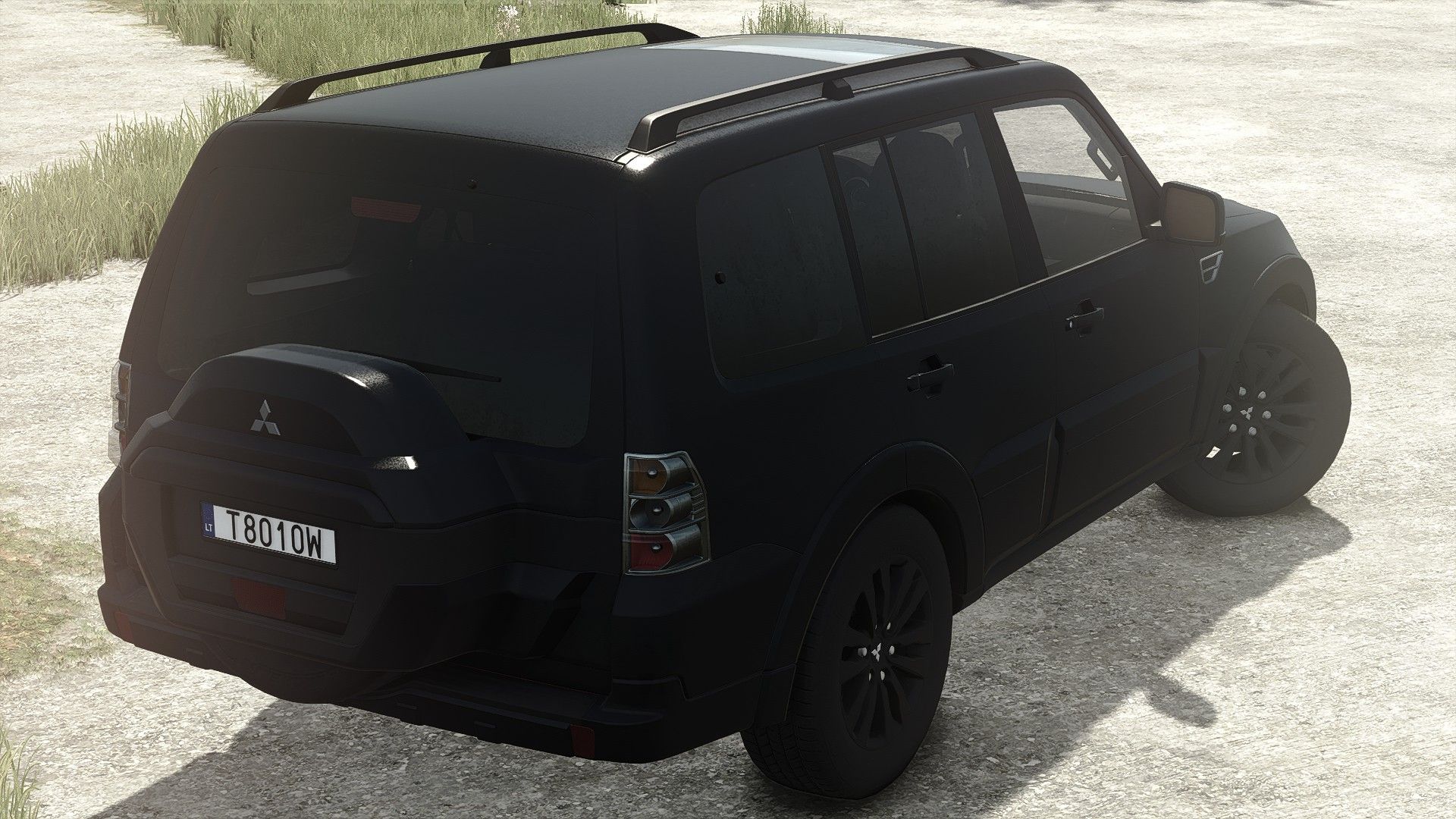
Mitsubishi Pajero V1.6.0.5
Mitsubishi Pajero V1.6.0.5 V1.6.0.5 Charakterkörperposition für First-Person-Spielerkörper angepasst V1.6.0.4 Fahrzeugtypkonfiguration hinzugefügt: Standard-/Mobile Werkstatt Wie benutzt man es? Öffnen Sie die hintere linke Tür von außen und drücken Sie M, um den Werkstattmodus zu aktivieren. Konvertiert von FS22 Mitsubishi Pajero Preis: 38,990 $ Motorleistung: 200 / 300 PS Geschwindigkeit: 120 / 220 km/h 2 Felgentypen Wählbare Farbe Anhängerkupplung V1.6.0.3 Neue Mod-/Shop-Symbole (FS25-Version) Erforderliche Mods: Interaktive Steuerung Fahrzeugjahre Tags: Erforderliche ModsInteraktive SteuerungMitsubishi PajeroPS
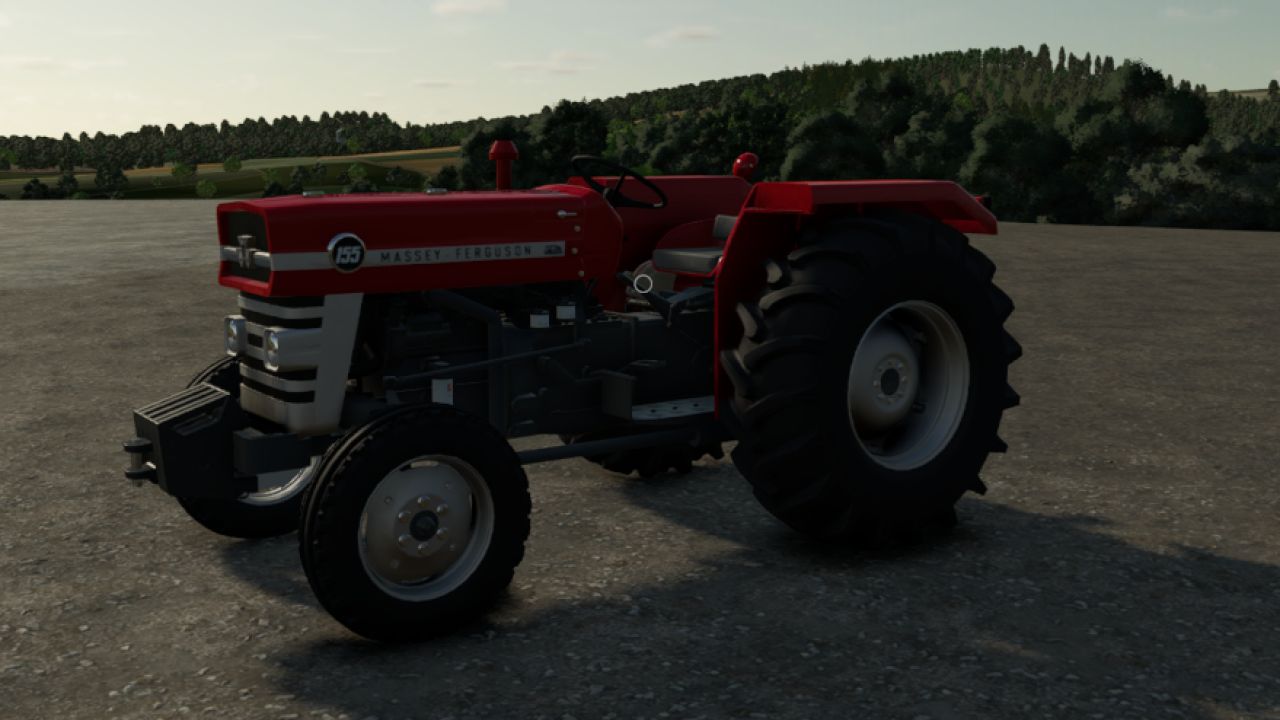
Massey Ferguson 155 V1.0.0.0
Massey Ferguson 155 V1.0.0.0 Ich habe die 135er-Mod des 55ragnar-Mod-Teams in eine 155er umgewandelt. Viel Spaß beim Spielen! Der Massey Ferguson 155 ist unter Landwirten als alter und robuster Traktor bekannt und erfreut sich bei vielen Landwirten großer Beliebtheit. Motorleistung: 55 PS Es gibt eine Option für ein Seitenlicht. Es gibt die Option einer leeren Fahrerkabine. Optionen für oben- und untenmontierte Abgasanlage. Gewichtsoption. Reifenoptionen von Continental und Mitas. Tags: Der Massey FergusonPSViel Spa
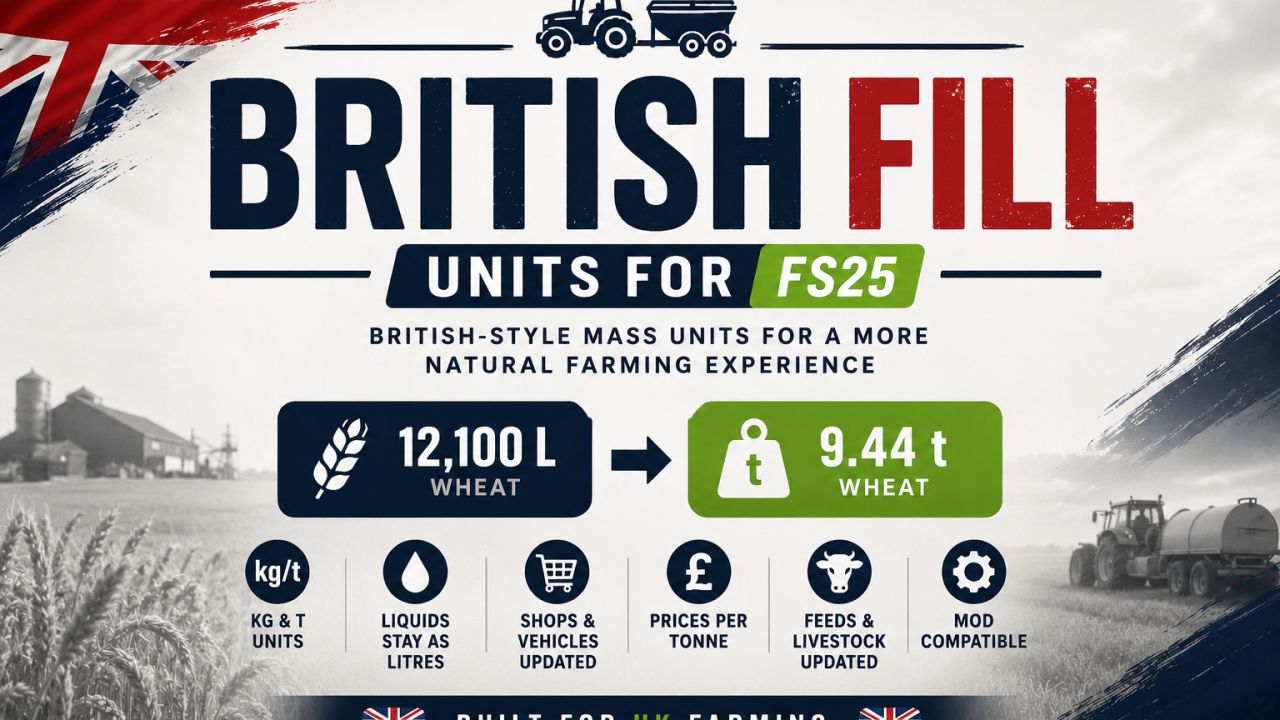
Britische Fülleinheiten V1.3.2.0
Britische Fülleinheiten V1.3.2.0 Britische Fülleinheiten Schließlich wurde Getreide wie Getreide gemessen. British Fill Units ist eine Mod zur Lokalisierung der Landwirtschaft im britischen Stil für den Landwirtschafts-Simulator 25. Die Modifikation führt authentische britische Landwirtschaftsterminologie und realistische metrische Einheiten in das Spiel ein, indem sie auf Litern basierende Anzeigen für feste Materialien durch Kilogramm und Tonnen ersetzt und gleichzeitig ausgewählte Begriffe lokalisiert, um die britischen Landwirtschaftspraktiken besser widerzuspiegeln. Von der Umbenennung von Raps (Canola) in Ölsaat (OSR) bis hin zu Mais (Corn) in Mais (Maize) – die britischen Fülleinheiten tragen dazu bei, dass sich der Farming Simulator für britische Spieler vertrauter anfühlt und gleichzeitig die Einheiten in vielen Bereichen des Spiels standardisiert werden. Merkmale Zeigt Feststoffe in kg unter 1 Tonne an. Zeigt feste Materialien in t bei und über 1 Tonne an. Flüssigkeiten werden weiterhin in Litern angezeigt. Preise für Feststoffe werden pro Tonne angegeben. Die Preise für Flüssigkeiten werden pro 1.000 Liter (kL) angezeigt. Die Speicherkapazitäten werden anhand realistischer Massenwerte angezeigt. Die Kapazitäten von Fahrzeug und Anhänger werden anhand realistischer Massenwerte angezeigt. Unterstützt Lagerung, Preise, Produktion, Konstruktion, Fahrzeugwerkstatt, Objekt-HUDs und kompatible Viehhaltungssysteme. Lokalisiert britische landwirtschaftliche Fachbegriffe, einschließlich OSR (Ölraps) und Mais, sofern dies unterstützt wird. Kompatibel mit dem neuesten Farming Simulator 25 Update. Kompatibel mit unterstützten Drittanbieter-Mods, einschließlich Realistic Livestock. V1.3.2.0 VERBESSERUNGEN Einheitliche Wareneinheiten in allen unterstützten Lager-, Produktions-, Verkaufs- und Futtermittelabteilungen. Klare Preisangaben für An- und Verkauf, inklusive Auswahl von Flaschenprodukten. Die Beschriftungen im Diagramm enthalten die aufgezeichneten saisonalen Preise und die aktuellen Angebote des Senders. Stabilere Preisangaben beim Wechsel der Waren und bei der Wiederverwendung von Stationszeilen. Weniger wiederholte Preisformatierungsarbeiten und unauffälligere Veröffentlichungsprotokollierung. BEHEBUNGEN Behandelt fehlende Stationsangebote während der Aktualisierung der Preisseite und stündlicher Aktualisierungen ohne Die fehlgeschlagene native Preisberechnung wird aufgerufen. Nicht verfügbare Kurse werden mit einem Bindestrich angezeigt. Nicht verfügbare Stationsangaben werden aus den Grafikbereichseingaben von BFU ausgeschlossen. Nicht verfügbare Untertitel werden gelöscht, wenn eine Zeile für ein gültiges Zitat wiederverwendet wird. Behält die native Währungsformatierung und gültige Preis-/Verkaufsberechnungen bei. Tags: British Fill UnitsFarming SimulatorOSRVERBESSERUNGEN

FS25 Realistic RayTracing Reshade Preset v1.9.6.2
FS25 Realistic RayTracing Reshade Preset v1.9.6.2 -> This is a Reshade Preset that makes the Game look much more Realistic. -> How to Install: https://youtu.be/KVh4A48hVy8 -> Help / Support: https://discord.gg/VhtyW9Gw2c -> Use Reshade 6.8.0 or Newer with NiceGuyLighting Everytime you restart your Game you need to Select the right Resolution V1.9.6.2 VERSION: 1.25.6.2 => Compatable with GameVersion 1.25.x V1.9.6.2 VERSION: 1.24.6.2 => Compatable with GameVersion 1.24.x V1.9.6.2 VERSION: 1.23.6.2 => Compatable with GameVersion 1.23.x => Compatable with ReShade 6.8.0 V1.9.6.2 VERSION: 1.21.6.2 => Compatible with GameVersion 1.21.x V1.9.6.2 VERSION: 1.20.6.2 => Compatible with GameVersion 1.20.x V1.9.6.2 VERSION: 1.19.3.8 => Compatible with GameVersion 1.19.x V1.9.6.2 VERSION: 1.18.6.2 => Compatible with GameVersion 1.18.x V1.9.6.2 VERSION: 1.17.6.2 => Compatible with GameVersion 1.17.x => Compatible with ReSahde 6.7.3 V1.9.6.2 (Actual Version: 1.16.6.2) => Compatable with ReShade 6.7.2 => Fixed Effect Error V1.9.6.1 (Actual Version: 1.16.6.1) => Now compatable with the newest Game-Version 1.16 => Now compatable with the newest ReShade-Version 6.7.1 -> Improved Performance V1.9.6.0 (Actual Version: 1.15.6.0) => New Shader Version 6.0! -> Completely new Shader and new Look -> Better Colors and Lighting for more Realism V1.9.5.4 (Actual Version: 1.15.5.4) => Made some important Changes to the Lighting and Sharpness for a clearer Picture => Added a V6.0 Beta Version for You to try V1.9.5.3 (Actual Version: 1.15.5.3) => Made some Adjustments to the Colorgrading for a more realistic Look -> Added new Pictures V1.9.5.2 (Actual Version: 1.15.5.2) => Added Tutorial for the Installation of NiceGuyLighting V1.9.5.1 (Actual Version: 1.15.5.1) => Made the Rainy-Shader look way more natural and realistic! V1.9.5.0 (Actual Version: 1.15.5.0) => Complete Shader Overhaul! -> More realistic Look -> 2x better Performance -> Installation-Guide for NiceGuyLighting -> … V1.9.4.3 (Actual Version: 1.15.4.3) => Changed Colorgrading for more realistic Coloring V1.9.4.2 (Actual Version: 1.15.4.2) => Compatible with Game-Version 1.15.X => Compatible with ReShade 6.2.2 V1.9.4.2 (Actual Version: 1.14.4.2) -> Added new Pictures V1.9.4.2 (Actual Version: 1.14.4.2) -> Some small Changes for more natural Lighting V1.9.4.1 (Actual Version: 1.14.4.1) => Added Support for NiceGuyLighting (If you have NiceGuyLighting, the Preset will use it to look even better!) V1.9.4.0 (Actual Version: 1.14.4.0) => Compatable with Patch 1.14 V1.9.4.0 (Actual Version: 1.13.4.0) => Complete Shader Overhaul -> More realistic V1.9.3.5 (Actual Version: 1.13.3.5) => Compatable with Patch 1.13 => Edited Shaders for more realistic Visuals V1.9.3.0 (Actual Version: 1.11.3.0) => ColorGrading Improvements V8.1.0.0 (Actual Version: 1.11.2.0) => Small Changes V8.0.0.0 => New Look! -> More realistic Colors -> Better Lighting V7.4.0.0 -> Small Fixes V7.3.0.0 -> New Pictures -> Updated Storepage V7.2.0.0 -> Updated Shaders for Game Version 1.9 and ReShade 6.5 -> Added and Modifyed Effects V7.1.0.0 -> Added new Pictures -> Updated Storepage V7.0.0.0 => Updated Shaders for even more Realism -> Better Colors -> New Effects => Added New Photo Shaders -> Bokeh / DoF Effect -> Better Light V6.2.0.0 -> Added new Pictures -> Updated Storepage V6.1.0.0 -> Added new Pictures -> Updated Storepage V6.0.0.0 -> Added more Features -> More realistic Colors for more Realism V5.0.0.0 => Updated Shaders for even more Realism -> Added Godrays / Sunrays and More -> Enjoy! V4.0.0.0 => Updated Shaders for even more Realism V3.3.0.0 – Updated Storepage – Updated Mod-Files V3.2.0.0 – Updated Storepage V3.1.0.0 – Updated Storepage V3.0.0.0 – Updated Storepage – Minor Bugfixes -> NEW: Updated Shaders to be even more realistic => Probably FINAL UPDATE V2.2.0.0 – Updated Storepage -> NEW: Added better installation Tutorial V2.1.0.0 -> Updated Storepage -> Added new Pictures V2.0.0.0 – Fixed Lagg and Flickering – Tweaked Shader for more Realism -> NEW: Added Rainy Shader Preset
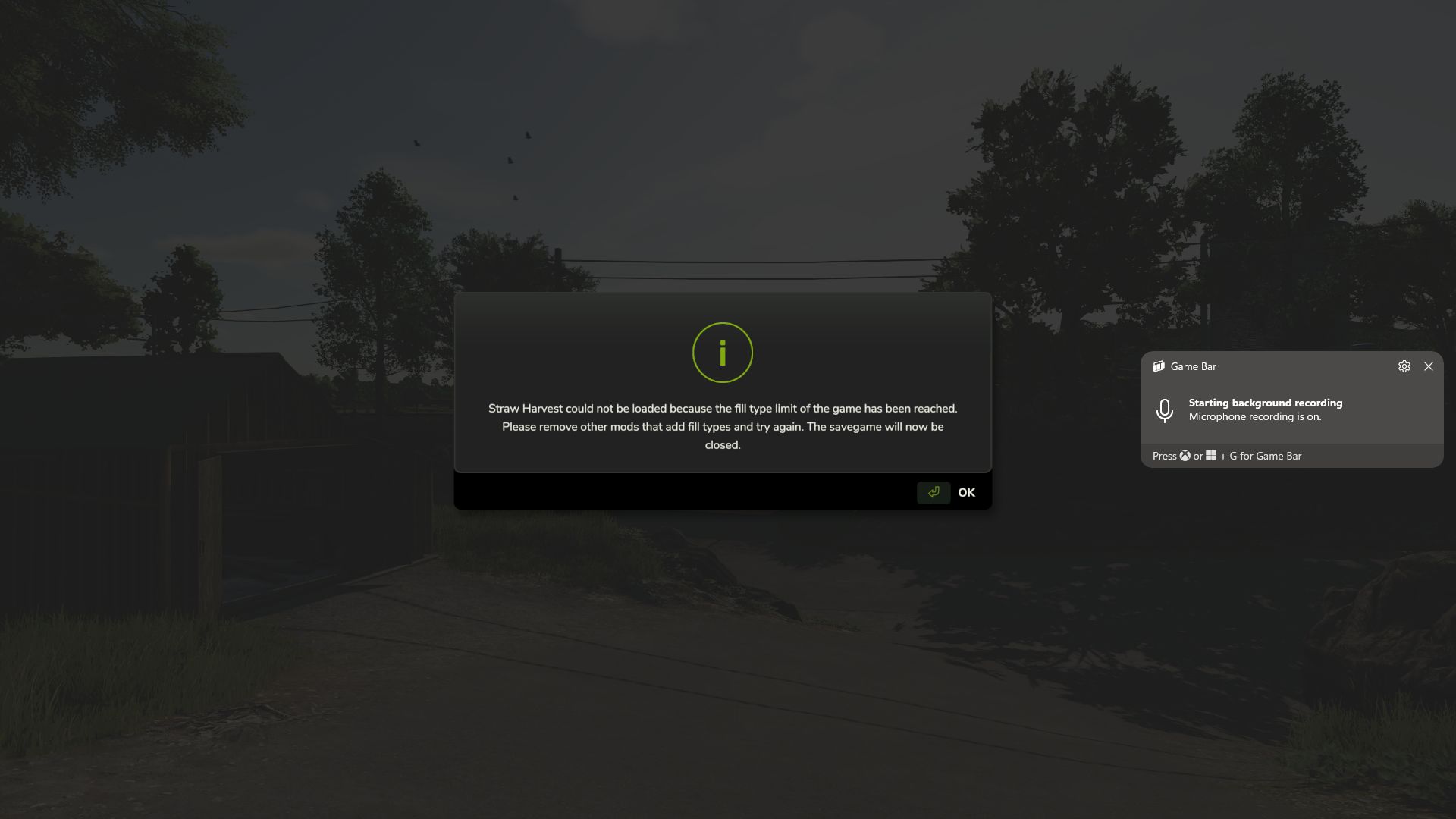
Priorität der Stroherntehöhe V1.0.0.1
Priorität der Stroherntehöhe V1.0.0.1 FS25_StrawHarvestHeightPriority Version: 1.0.0.0 Spiel: Landwirtschafts-Simulator 25 Getestet mit: FS25 v1.24.0.0+ Was diese Korrektur bewirkt Nach dem FS25-Update 1.24 traten bei einigen stark modifizierten Spielständen Probleme beim Laden auf. Es erschien eine Meldung, dass das Limit für Fülltypen erreicht sei, selbst wenn ein FillType Extender installiert war. Bei den betroffenen Spielständen lag das eigentliche Problem nicht im normalen FillType-Limit. Die Karte hatte ihr DensityMap HeightType-Limit erreicht, wodurch die Strohernte die benötigten Bodenmaterialien nicht erfassen konnte. Diese Korrektur priorisiert Folgendes: Heupellets STROH-PELLETS Dadurch kann Straw Harvest die benötigten Pelletmaterialien registrieren und der Spielstand wird beim Start nicht geschlossen, sondern weiter geladen. Wichtig: Dies ist eine Umgehungslösung. Diese Modifikation erhöht die Kapazität des DensityMap HeightType der Karte nicht wirklich. Es: Die Karte wird nicht bearbeitet. Der Spielstand wird nicht bearbeitet. konvertiert keine 63-HeightType-Karte in eine 127-HeightType-Karte ändert nicht die in der Karte gespeicherten physikalischen Dichtekartenkanäle Stattdessen ändert es die Priorität der Materialien, wenn die verfügbaren Slots für den Bodenhöhentyp bereits voll sind. Was geschieht mit den anderen Füllarten? Da die Strohernte Priorität hat, verlieren einige andere benutzerdefinierte Materialien möglicherweise ihren DensityMap HeightType-Slot. Dies bedeutet normalerweise nicht, dass der FillType selbst aus dem Spiel entfernt wird. Ein fallengelassenes Material kann im Allgemeinen in Systemen, die diesen Fülltyp unterstützen, weiterhin funktionieren, einschließlich: Anhänger Silos Produktionen Lagereinrichtungen Verkaufsstellen Fülltrigger unterstützte Maschinen und Fülleinheiten Das Wichtigste, was es verliert, ist die Fähigkeit, als loser physischer Haufen auf dem Boden zu existieren. Ein Material kann beispielsweise noch in einen Anhänger verladen, transportiert, in einem Silo gelagert und in der Produktion verwendet werden, aber es ist nicht möglich, es direkt als losen Haufen auf das Gelände zu kippen und später wieder aufzuschaufeln. Jegliche Modifikation oder Spielfunktion, die speziell darauf angewiesen ist, dass dieses Material als Bodenhaufen vorhanden ist, könnte daher betroffen sein. Materialien verlieren während der Tests an Bodenhaftung. Je nach Karten- und Mod-Konfiguration können betroffene Materialien beispielsweise Folgendes umfassen: MAISESTALKS_PELLETS SILO_GRASS SILO_CLOVER SILO_ALFALFA GRASS_FERMENTED FERMENTIERTE ALFALFA Kleefermentiert KALKSTEIN KOHLE BODEN SCHMUTZ Feiner Kies GROBER KUIS KIES_GEMISCHT KIES_UMGEKÜHLT SAND OBERBODEN KOHLENERDE HOLZKOHLE Eisenerz TRENNUNGSMÜLL Welche Materialien genau betroffen sind, hängt von der Karte und den geladenen Mods ab. Empfehlung Wenn Sie das Strohernte-Paket nicht verwenden, ist es vorerst besser, die Strohernte deaktiviert zu lassen, anstatt diesen Workaround zu nutzen. Dadurch wird vermieden, dass HeightType-Slots für HAY_PELLETS und STRAW_PELLETS reserviert werden, sodass diese begrenzten Slots für Bodenmaterialien für die anderen benutzerdefinierten Materialien zur Verfügung stehen, die von Ihrer Karte und Ihren Mods verwendet werden. Falls Sie die Strohernte benötigen, ermöglicht diese Korrektur das Laden des Spielstands, allerdings besteht der Nachteil darin, dass einige benutzerdefinierte Materialien mit niedrigerer Priorität möglicherweise nicht mehr in der Lage sind, lose Haufen auf dem Gelände zu bilden. Installation Platzieren Sie ZZZ_FS25_StrawHarvestHeightPriority.zip direkt in Ihrem Farming Simulator 25 Mods-Ordner. Benennen Sie die Mod nicht um. Das Präfix ZZZ_ ist beabsichtigt und trägt dazu bei, dass die Mod an der richtigen Stelle in der Mod-Ladereihenfolge geladen wird. Wann Sie diese Modifikation verwenden sollten Verwenden Sie diese Lösung, wenn: Ihr Spielstand konnte nach dem FS25-Update 1.24 nicht mehr geladen werden. Die Strohernte meldet, dass das Limit für Fülltypen erreicht wurde. Sie haben bereits einen FillType Extender installiert. Der Speichervorgang wird während des Ladevorgangs abgebrochen, da Straw Harvest seine Pelletmaterialien nicht registrieren kann. Die Strohernte muss aktiviert sein. Sie verstehen, dass einige andere kundenspezifische Materialien die Fundamentstütze verlieren können. Wann Sie es wahrscheinlich NICHT verwenden sollten Nutzen Sie diese Umgehungslösung nur, wenn sie unbedingt notwendig ist. Wenn Sie die Strohernte nicht verwenden, ist das Deaktivieren der Strohernte derzeit die sauberere Option, da dadurch die DensityMap HeightType-Slots, die von anderen benutzerdefinierten Materialien verwendet werden, nicht belegt werden. Erfolgreich getestet Erfolgreich getestet auf Farming Simulator 25 v1.24.0.0 mit aktivierter Strohernte auf einem stark modifizierten Spielstand, der zuvor beim Start fehlschlug. Mit diesem Fix aktiviert: Der Spielstand wurde erfolgreich geladen. Straw Harvest schloss den Spielstand nicht mehr während des Ladens. HAY_PELLETS und STRAW_PELLETS konnten sich registrieren Andere benutzerdefinierte Fülltypen blieben für normale Füllsysteme verfügbar, obwohl einige aufgrund der bestehenden Höhenbegrenzung der Karte die Unterstützung für Schüttgut verloren. Abschließender Hinweis: Dies ist als vorübergehende Kompatibilitätslösung gedacht, bis eine bessere Lösung von GIANTS, Straw Harvest, dem Kartenautor oder eine andere Methode verfügbar ist, die die tatsächliche DensityMap HeightType-Kapazität sicher erhöht, ohne die Karte zu verändern. V1.0.0.1 Pumpen & Schläuche / Kompatibilitätsproblem für Stroh & Ballen Dieses Update behebt Registrierungs- und Ladekonflikte beim FillType im Zusammenhang mit dem Pumps & Hoses DLC, der Strohernte sowie benutzerdefinierten Stroh- und Ballenkonfigurationen. Was wurde behoben? Behebt Konflikte mit dem Fülltyp, die das korrekte Laden von Pumpen und Schläuchen verhindern könnten. Behebt Kompatibilitätsprobleme im Zusammenhang mit Straw Harvest und benutzerdefinierten Stroh-/Ballen-Mods. Passt die Prioritäten für die Stroh- und Ballenregistrierung an, um Konflikte zwischen den Modulen zu reduzieren. Behebt Ladekonflikte, die dadurch entstehen, dass mehrere Mods dieselben fillTypes modifizieren oder registrieren. Verhindert, dass Karten und DLC-Inhalte aufgrund von Konflikten bei der FillType-Registrierung nicht initialisiert werden können. Die bestehende Funktionalität von Stroh und Ballen bleibt erhalten, ohne die Spielmechanik absichtlich zu verändern. Wichtig: Bekannte Einschränkungen Dies ist eine Übergangslösung, keine dauerhafte Behebung. Aufgrund von Einschränkungen des fillType-Registrierungssystems des Spiels werden manche fillTypes möglicherweise nicht angezeigt, wenn sie direkt auf den Boden abgeladen werden. Diese Fülltypen funktionieren jedoch weiterhin und bleiben in Anhängern, Schaufeln und anderen unterstützten Geräten sichtbar. Dies ist in erster Linie ein Problem der Sichtbarkeit des Bodenmaterials und bedeutet nicht, dass der Fülltyp selbst fehlt oder unbrauchbar ist. Ziel dieser Umgehungslösung ist es, dass Pumpen & Schläuche, Strohernte und betroffene Karten geladen werden und zusammen funktionieren, ohne dass die fillType-Konflikte das Gameplay beeinträchtigen. Installation Entfernen Sie alle vorherigen Versionen dieses Kompatibilitätsfixes. Platzieren Sie die aktualisierte ZIP-Datei direkt in Ihrem FS25-Mods-Ordner. Aktiviere die Mod in deinem Spielstand. Starten Sie das Spiel neu und überprüfen Sie, ob Pumpen & Schläuche, Strohernte und Ihre benutzerdefinierten Ballenkonfigurationen korrekt geladen werden. Schlussbemerkungen Diese Korrektur priorisiert die Spielfunktionalität und Kompatibilität gegenüber der Darstellung von Bodenmaterialien. Einige Materialien werden möglicherweise nicht korrekt dargestellt, wenn sie auf den Boden gelegt werden, sollten aber beim Transport oder der Handhabung mit unterstützten Geräten weiterhin normal funktionieren. Dies ist eine Übergangslösung, bis eine umfassendere Lösung entwickelt werden kann. Tags: Der SpielstandDiese KorrekturPumpen SchlStraw Harvest
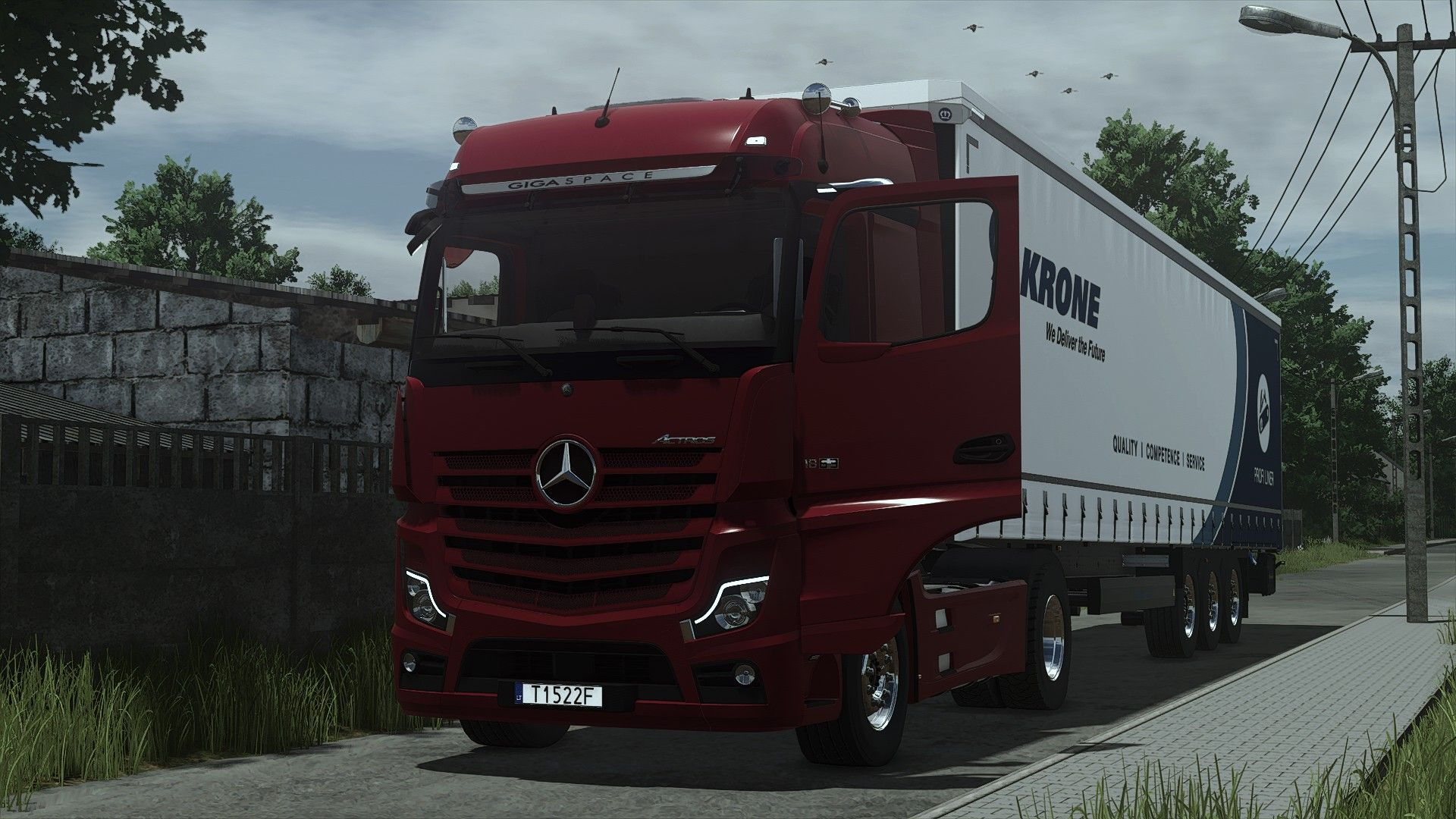
Mercedes-Benz Actros 2020 FS25
Converted from FS22 Color configurations Price: 128000 Interactive control with sounds modifier Passenger seats for multiplayer Character body position adjusted for First Person Player Body Fixed right hand placement on steering wheel Adjusted legs placement (its not perfect but probably best it can be (For first person body mod) ) Ledbar configuration added New Mod/Store icons (FS25 version) Vehicle Years mod support added Passenger seats for multiplayer added
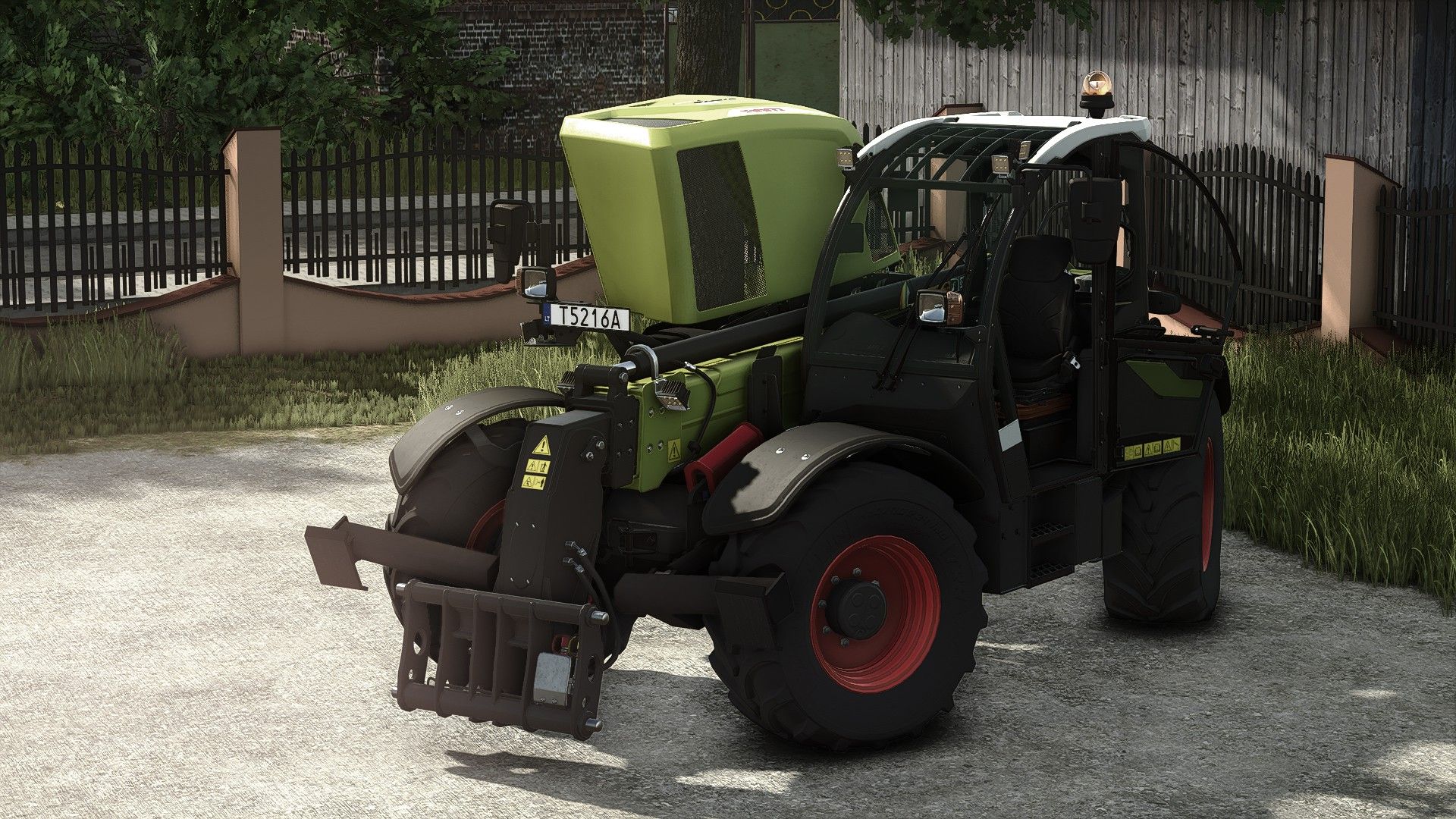
CLAAS Scorpion 1033 Rust Edition FS25
Price: $101,000 Power: 136 hp Max. speed: 40 km/h Main color configurations Roof color configurations Rims color configurations Interactive control for windows/doors/hood Rush shader for wearing effect Standart version without rust shader: https://www.kingmods.net/en/fs25/mods/58983/claas-scorpion-1033 Character body position adjusted for First Person Player Body Ledbar configuration added modDesc changes descVersion changed Version changed Vehicle Years mod support added
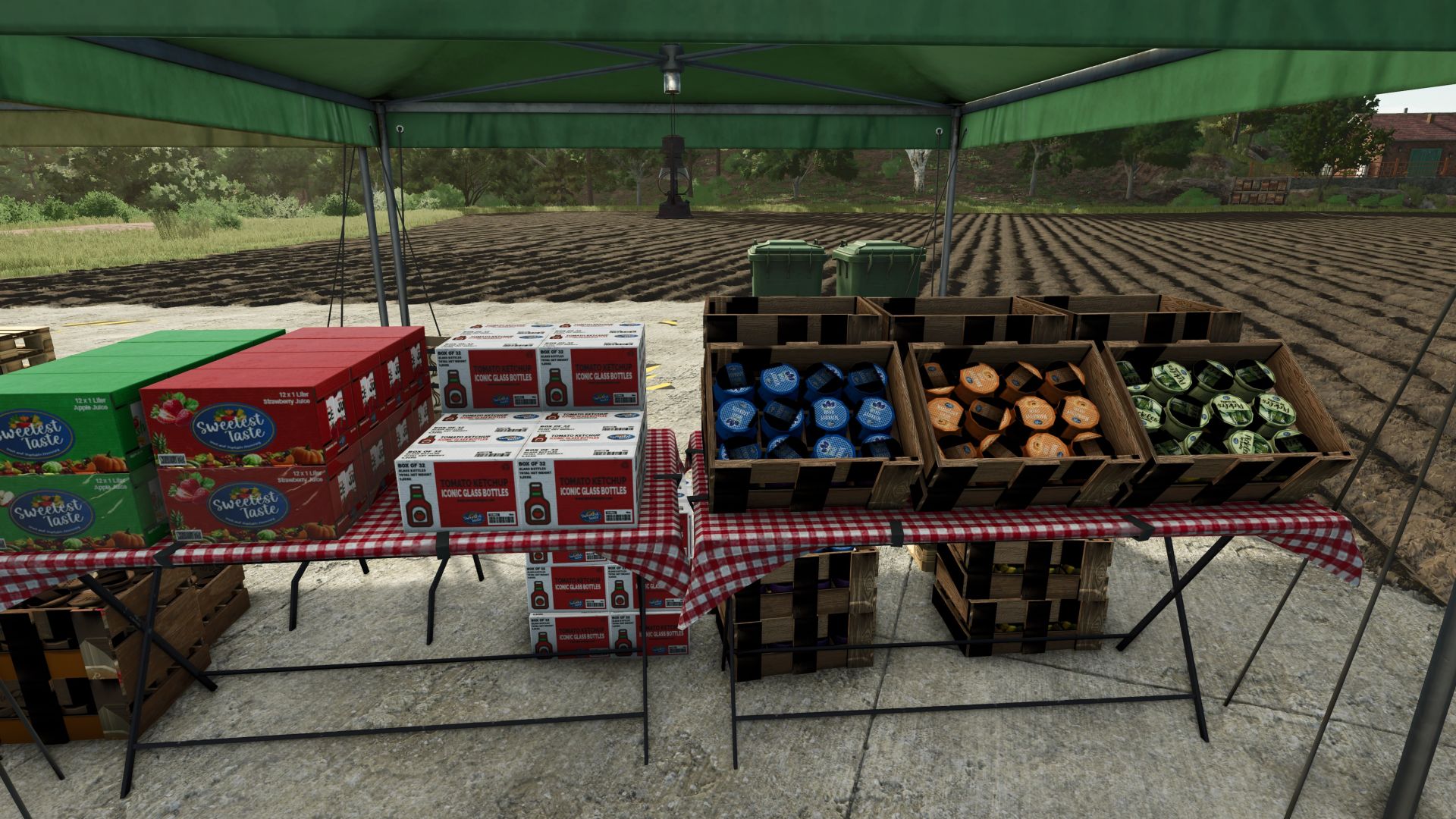
Farm Market V1.0.1.7
Farm Market V1.0.1.7 Wir freuen uns, Ihnen unsere neue Verkaufsstelle für den Wiederverkauf frischer und qualitativ hochwertiger Produkte vorstellen zu können. Aktuell verfügbare Produkte: Milch, Eier, Mehl, Butter, Zucker, Honig, Getreide, Sonnenblumenöl, Olivenöl, Rapsöl, Weintrauben, Oliven, Traubensaft, Salat, Tomaten, Erdbeeren, Äpfel, Pfirsiche, Aprikosen, Pflaumen, grüne Paprika, Gurken, Zwiebeln, Wassermelonen, Apfelsaft, Aprikosenmarmelade, Pflaumensaft, Faden, Bananen, Blaubeeren, Kirschen, Zitronen, Melonen, Orangen. V1.0.1.7 Marmeladenverkäufe hinzufügen Aprikosenmarmelade Kirschmarmelade Erdbeermarmelade Himbeermarmelade Melonenmarmelade Blaubeermarmelade Apfelmarmelade Pflaumenmus Traubenmarmelade Erforderliche Mods: Obstplantagen Tags: Erforderliche Mods
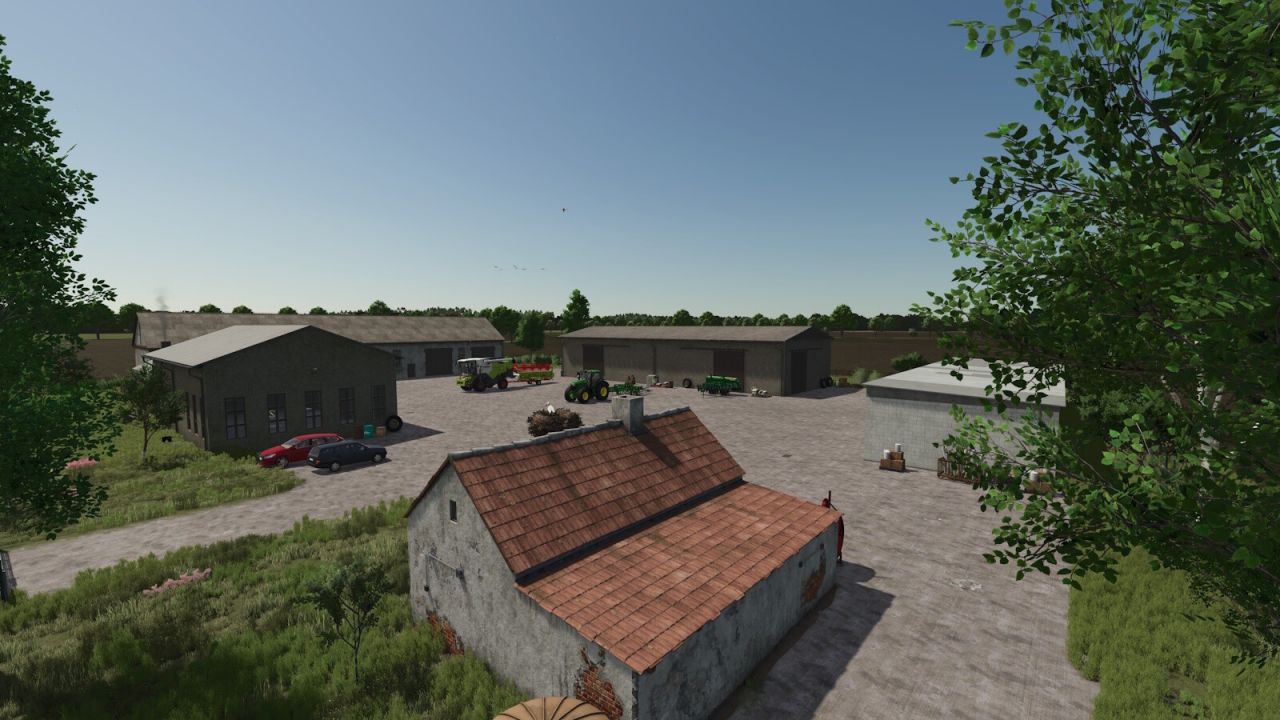
New Bartelshagen FS25
Welcome to Neu Bartelshagen, a small town on Grabower Bodden. All standard functions of the LS 25 are installed. There are 21 fields. 15 production buildings. 5 purchasable farms. 6 Purchasable Forest Pieces. 3 purchasable building plots. Horse pasture, pigsty, cow pasture, a BGA. The helper drives large tractors and a trailer to every production facility and sales point; trucks should be driven by the helper. If the helper says the destination is unreachable, check the unloading point and possibly use a different, smaller trailer. Sometimes the helper doesn't want to drive every trailer to the unloading point. - A new game start is required for the changes to take effect. – Fields reworked; some enlarged. – New field shapes, including field islands and power pylons. – New modular BGA and new farm sheds. – New production facilities. - Highlands and Fishing DLC (Fishing Boat, Highland cattle, fishing in any body of water while the DLC is active). - Guided tour revised; now fully functional. - Refined the lagoon area, made cosmetic adjustments, and added moving boats. - Vehicle dealership relocated to a spacious new site. - Several gates (entrances) that were too narrow have been modified and enlarged. – New decorations, etc. - AI helper splines improved. - The helper drives up to large tractors and a trailer to every production facility and sales point. Trucks should be driven by the player. - If the helper says the destination is unreachable, check the unloading point and consider using a different, smaller trailer. Sometimes the helper doesn't want to drive to the unloading point with every trailer. - Vegetation completely changed. - The grain mill area has been enlarged. - All important gates that the AI must go through are now open from the start. - New decorative houses, etc. - Space character not recommended in filename Fixed. - Unknown Map Name server Fixed.
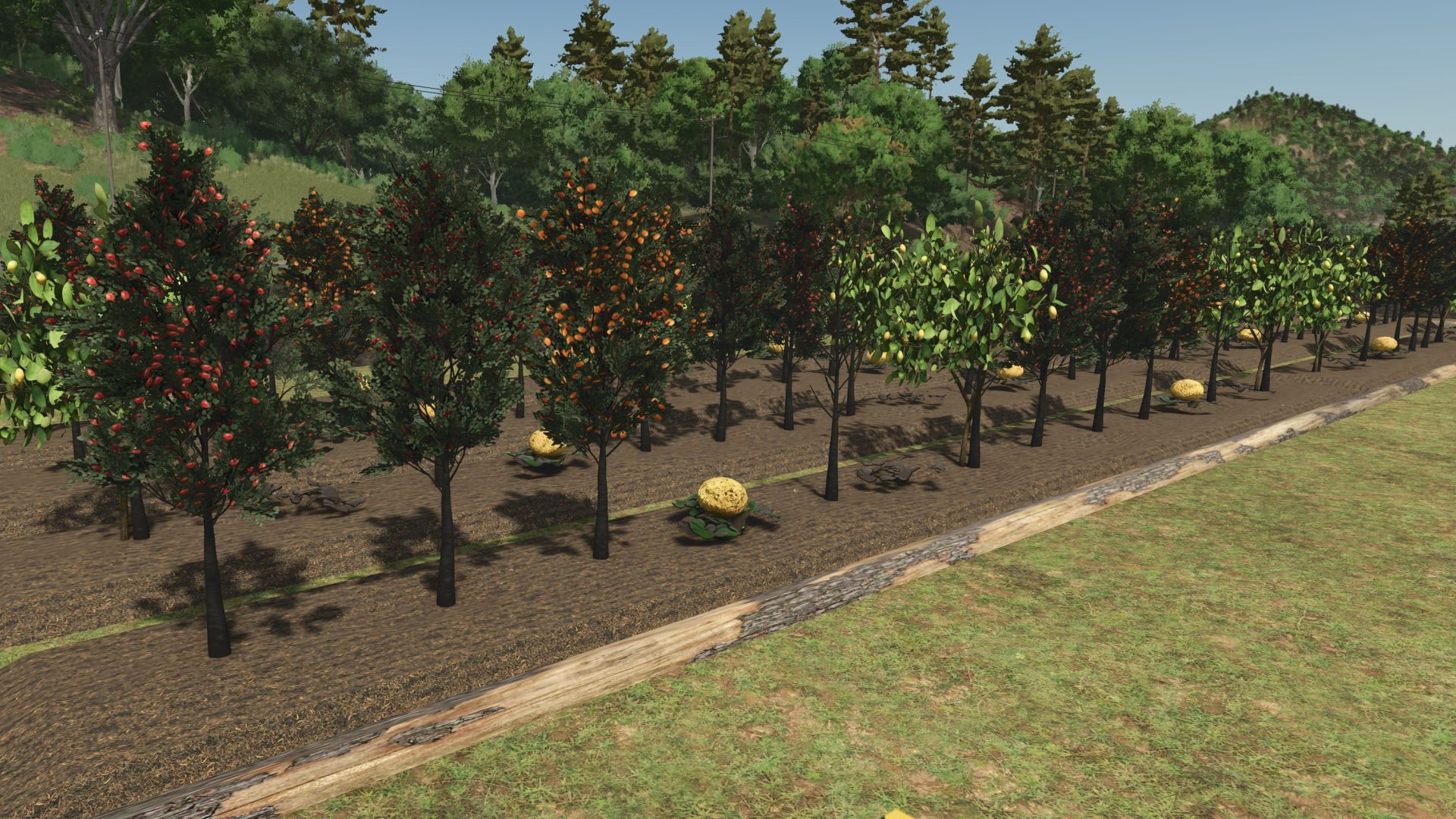
Obstplantagen V1.2.2.1
Obstplantagen V1.2.2.1 Präsentation des neuen Obstgewächshauses 1.2.2.0 Wir freuen uns, Ihnen unser brandneues Obstgewächshaus präsentieren zu können. Dort werden Sie schon bald eine große Vielfalt an leckeren Früchten anbauen können: 🍋 Zitrone 🍊 Orange 🍌 Banane 🍒 Kirsche 🍈 Melone 🍉 Wassermelone 🍎 Apple 🍑 Pflaume 🌰 Mandel 🍑 Aprikose 🫐 Blaubeere 🥭 Khaki 🥝 Kiwi 🥥 Kokosnuss 🥭 Mango (Neu) 🌟 Demnächst Neues In wenigen Tagen wird ein Ladengeschäft eröffnet, in dem Sie Ihr Obst verkaufen und Ihr Geschäft ausbauen können! V1.2.2.1 Korrektur und Übersetzung sind in folgenden Sprachen verfügbar: Englisch Portugiesisch Französisch Polieren Erforderliche Mods: Obstverkäufer Tags: Erforderliche ModsIhr Gesch
- 15 per page
- 30 per page
- 45 per page
- 60 per page
-
See more per page
Bigger pages, fewer clicks - and no ads anywhere.
Go Pro