Farming Simulator 25 mods
78,883 results- 15 per page
- 30 per page
- 45 per page
- 60 per page
-
See more per page
Bigger pages, fewer clicks - and no ads anywhere.
Go Pro
Auto Leveler - Landscaping Terraformer, Slopes & Roads FS25
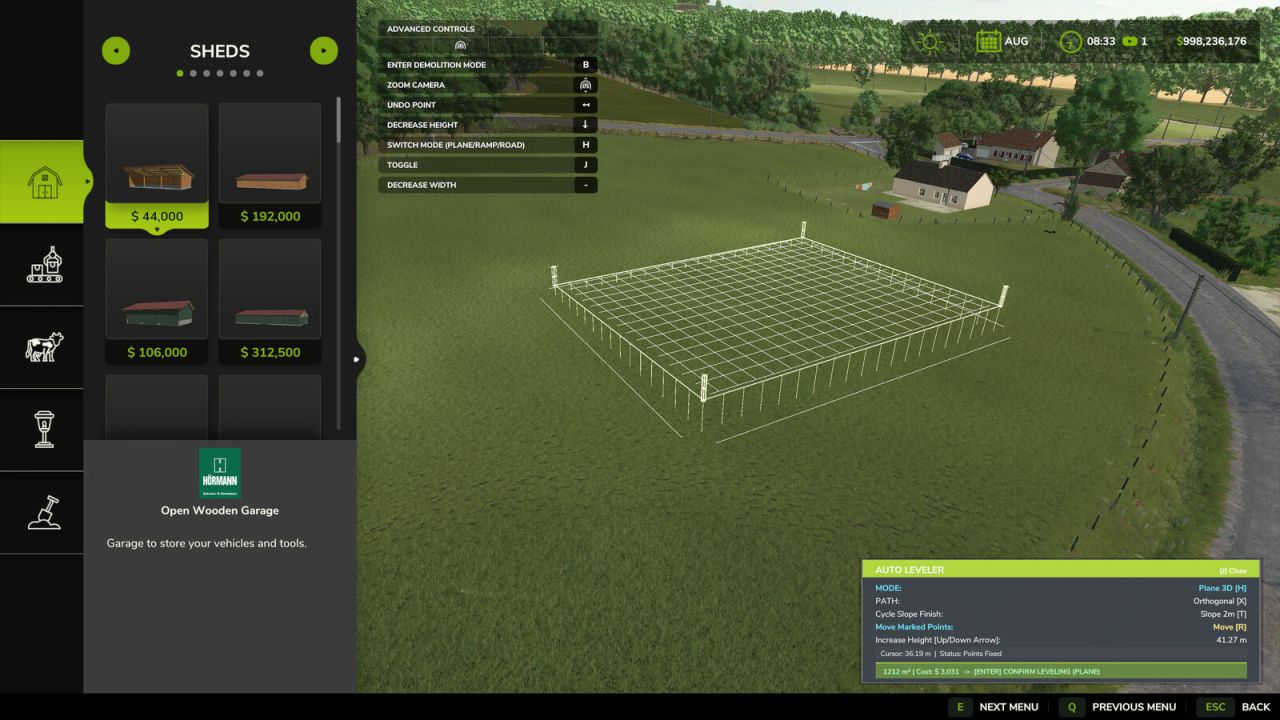
Tired of spending hours fighting the default landscaping tool, dealing with bumpy terrain, distorted hills, and endless money wasted trying to flatten an area for your farm? The Auto Leveler completely transforms terraforming in Farming Simulator 25! Instead of manually dragging brushes for hours, simply mark the boundary corners of the desired zone, preview the elevation plane in real time, and press to flatten the entire area in seconds with mathematical perfection. How to Use / Activation Note: To activate the Auto Leveler, enter the Construction Menu and ensure you are on the main overview/selection screen (without any active building or specific landscaping brush selected). Press to open the mod interface and start creating your custom planes, ramps, or roads. If you have a building or landscaping tool currently selected, simply press to return to the main construction menu screen, and then press to activate the mod seamlessly. Why use Auto Leveler? - Save Countless Hours: Create large construction pads, yard expansions, and flat building sites in seconds instead of grinding with the manual brush. - 100% Flat & Level: No uneven bumps, glitches, or holes under your sheds, silos, and factories. - Smooth Transition Slopes: Say goodbye to vertical jagged terrain cuts with automatic edge blending (Talude) of 2m, 4m, or 6m. - Perfect 3D Ramp Builder: Connect elevated yards and roads with precise slope percentage readouts and adjustable width. - 3D Dirt Road Builder: Trace natural curved roads following the terrain contours with zero race-track banking, adjustable width (3m to 8m), and auto clearing of grass, rocks, and field foliage. - Financial Control: Real-time area (m²) and estimated cost preview before spending a single dollar. Key Features: - 3D Holographic Plane: Real-time elevation preview with volumetric posts showing the exact target height. - Auto 90°/45° Alignment & Square: Smart magnetic snap and Neon Green guide line to align with Point 1 for flawless rectangles and squares. - Easy Polygon Closing: Click directly on Point 1 or double-click anywhere to lock and close the area. - Realistic Slope Smoothing (Talude): Vertical cut or smooth transitional slopes (2m, 4m, 6m) for natural terrain blending. - 3D Ramp Builder: Start and end heights with adjustable road width (2m to 30m) and real-time slope percentage calculation. - 3D Dirt Road / Path Builder: Place consecutive points to carve realistic dirt roads with smooth spline curves, adjustable width (3m to 8m), and automatic dirt ground painting. - Dynamic Height Control: Raise or lower the entire flat plane or individual ramp/road points instantly using Up/Down Arrow keys. - Live Financial & Area Telemetry: Real-time m² area calculation and estimated cost preview. - Add Points Mode: Press 'Y' to place and mark points on the terrain. - Move & Adjust Points: Press 'R' to drag and adjust marked points directly on the ground. Controls: - : Activate / Deactivate Auto Leveler (inside Construction Mode). - : Switch Mode (3D Flat Plane vs. 3D Ramp vs. 3D Road). - : Toggle Alignment (Free Drawing vs. 90°/45° Orthogonal Snap). - : Add Points Mode. - : Move / Drag Marked Points. - : Cycle Edge Finish (Vertical Cut, 2m Slope, 4m Slope, 6m Slope). - [Up Arrow] / [Down Arrow]: Increase / Decrease Height. - [+] / [-]: Increase / Decrease Width (Ramp & Road). - [Left Click]: Place point on terrain / Click Point 1 to close polygon. - [Double Click]: Quick lock and fix polygon points. - / [Right Click]: Undo last placed point. - : Apply terraforming to the terrain. - Added 3D Dirt Road Builder mode: create smooth, curved dirt roads that follow the terrain, with adjustable widths from 3 m to 8 m and automatic removal of grass, crops, and stones. - Fixed overlapping key bindings for actions: is now used to add points, and to move marked points.
VIP Order Manager FS25
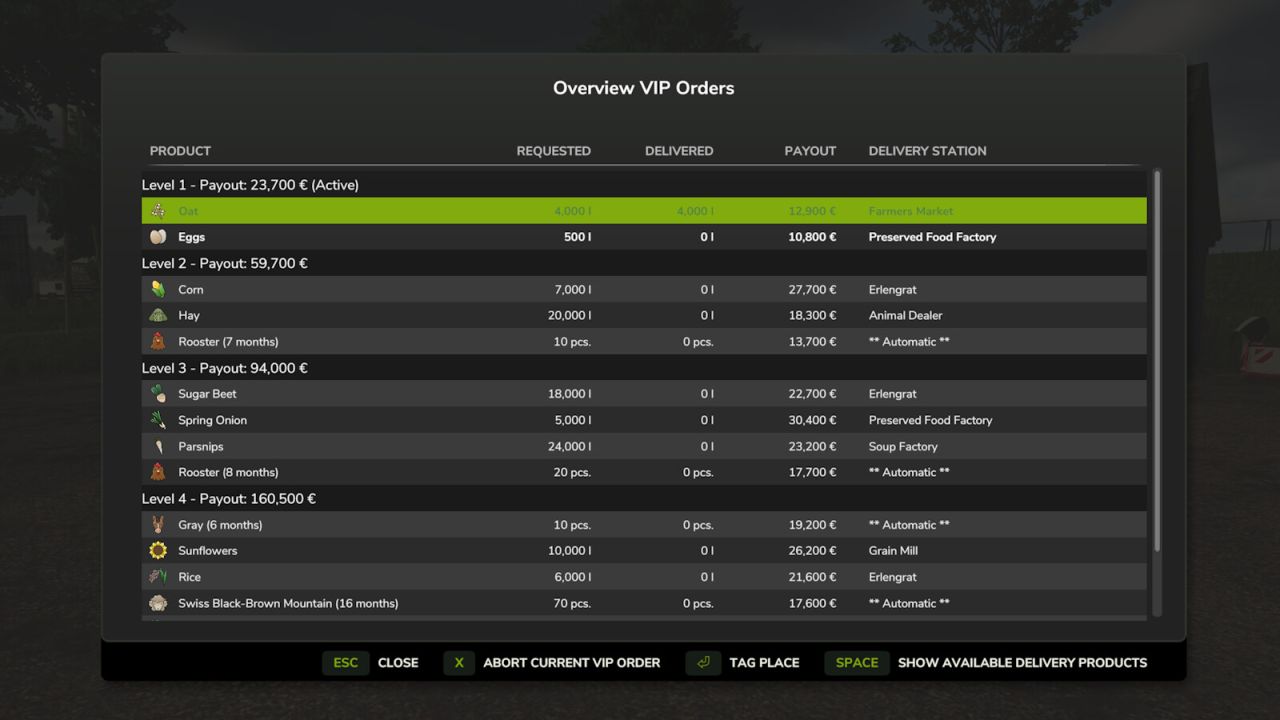
The VIP Order Manager offers the farmer VIP orders consisting of several products to be delivered. For each product with explicit specification of the quantity to be delivered and the destination. In addition to the current VIP order, the next VIP orders to follow can also be seen. However, only the current order can be delivered. Animal orders are also generated. Please note that delivery is automatic. It is checked every hour whether animals exist with the requested age or older and whether they have at least 75% health. With CTRL right + O the current order is displayed for a few seconds. ALT right + O displays the overview of all VIP Orders. In this view, you can also cancel the current VIP Order for a fee for the partial orders that have not yet been fulfilled. With each VIP Order, the current level is increased and thus also the number of individual orders contained and the quantities to be delivered are increased and the revenues are reduced. The area owned is also taken into account in the calculation. As the level increases, more products are also taken into account. Already with FS19, I had started to develop the VIP Order Manager to represent something like campaigns. I wanted to make the game a little more interesting, by telling me what I have to grow. Multiplayer is currently not supported. I would also like to thank all the other modders whose mods have given me many ideas and solutions over the time. For any error messages or suggestions, please visit: https://github.com/Fetty42/FS25_VIPOrderManager/issues or https://forum.giants-software.com/viewtopic.php?t=208708 - Fixed compatibility issues with some other mods when saving the game state - Fixed that deliveries via train were not counted - Fixed that in deliveries sometimes the quantities were counted twice - Fixed that in deliveries sometimes the quantities were counted twice - Fixed issues with FillType converters in productions (e.g. BGA) - Fixed compatibility issues with the "Animal Package Vanilla Edition" - Optimized game balance
Steel Sheds Pack FS25
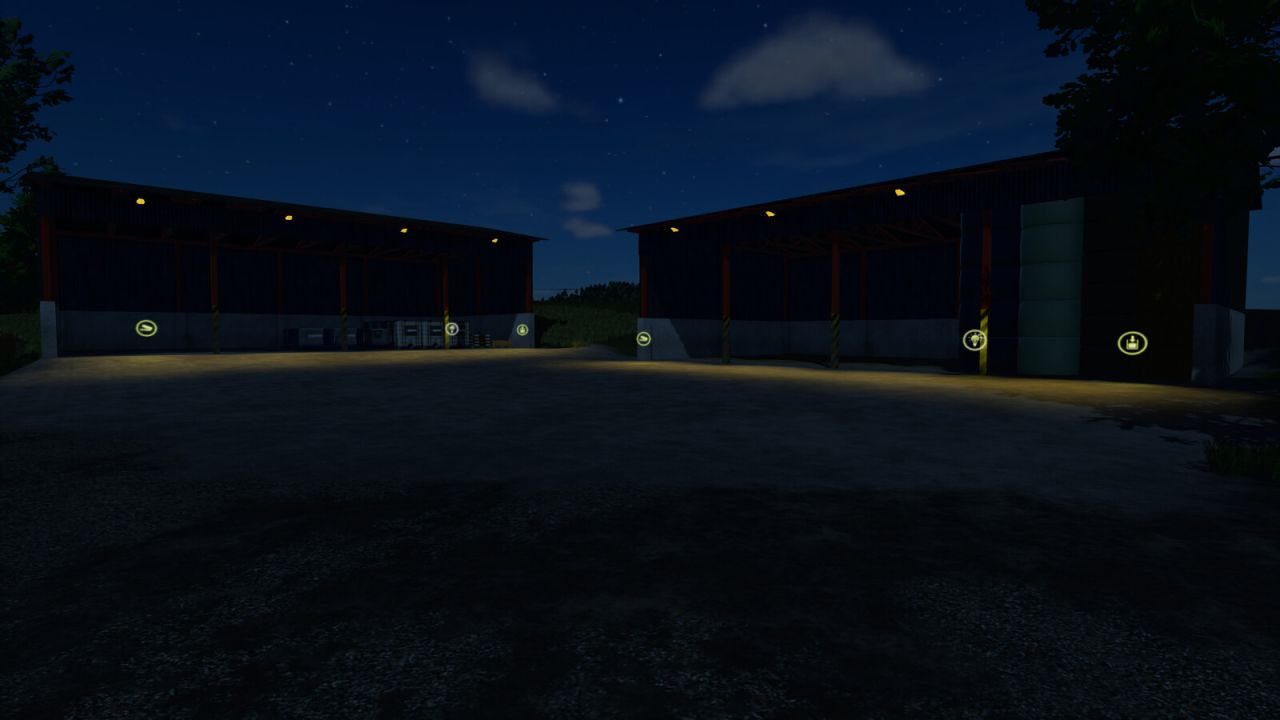
Steel shelter - open from both side Price: $2700 Upkeep: $3 Steel shelter - open from one side Price: $3500 Upkeep: $5 Steel shelter - closed with 2 doors Price: $5000 Upkeep: $5 Steel shelter - Pallet storage Price: 3500€ Daily upkeep: 5€ Steel shelter - Bale storage Price: 3500€ Daily upkeep: 5€ Added two shelters for storage – one version for pallets and the other for bales. Added lighting to all open shelters – exterior lighting controlled by the game and interior lighting via a switch. Snow position correction
Pig Food Production FS25
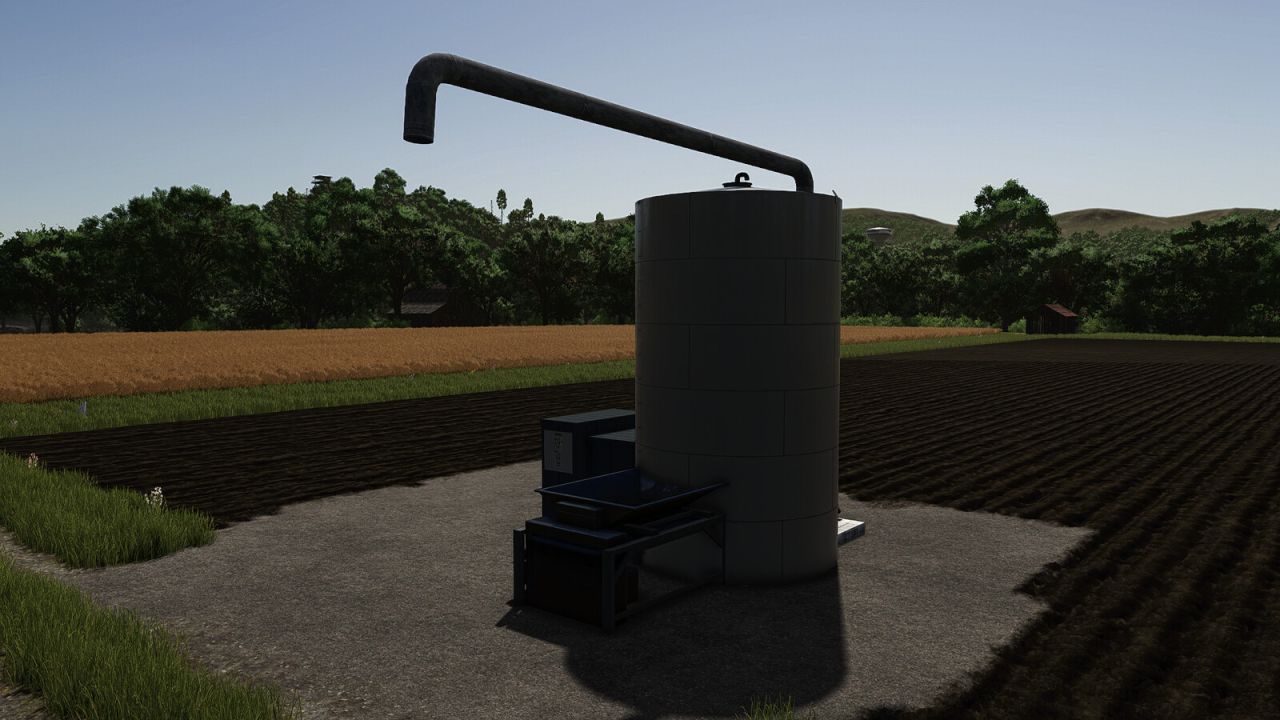
Machine to transform crops into PIGfood on your farm. Category: Placeable - Production - Factories Price: $25,000 - INPUT: 1500 Potato + 450 Maize + 450 Wheat + 250 Canola OUTPUT: 2650 Pig Food - INPUT: 1500 Beetroot + 450 Carrot 450 Potato + 250 Sugarbeet OUTPUT: 2650 Pig Food - INPUT: 1500 Sugarbeet + 450 Maize + 450 Wheat + 250 Canola OUTPUT: 2650 Pig Food - INPUT: 1500 Flour + 450 Maize + 450 Sunflower + 250 Canola OUTPUT: 2650 Pig Food - INPUT: 1000 Flour + 700 Soybean + 700 Pea + 250 Mineral feed OUTPUT: 2650 Pig Food - INPUT: 500 Maize + 500 Soybean + 500 Wheat + 1000 Pea + 150 Mineral feed OUTPUT: 2650 Pig Food
Compost Production Pack FS25
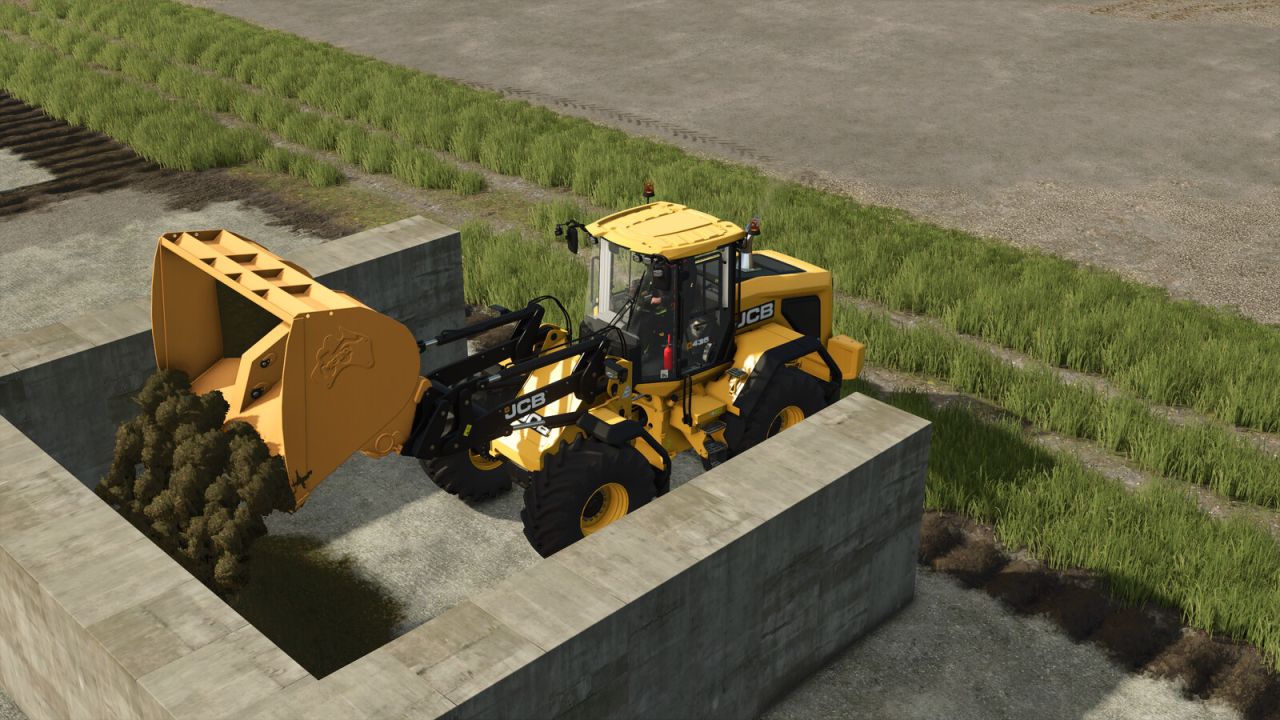
Production pack for the production of compost and high-quality compost. Includes several composting silos: Compost silo 8x8m Shop category: Silos Price: $8,000 Daily maintenance: $5 Compost silo Shop category: Silos Price: $15,000 Daily maintenance: $7 Hörmann compost hall Shop category: Silos Price: $145,000 Daily maintenance: $20 In this hall, composting can take place on the left side, and compost can be stored or vehicles and equipment can be parked on the right side. Hörmann Compost Hall Shop category: Silos Price: $75,500 Daily maintenance: $10 Hall with a straight wall on the right. Hörmann Compost Hall Shop category: Silos Price: $75,500 Daily maintenance: $10 Hall with a straight wall on the left. You can fill the silo with chaff, grass windrow , drygrass windrow, straw, woodchips, TMR, pig food, manure, silage, and feed, then compact and cover it like a normal mobile silo. After fermentation, you will obtain compost. This compost can be sold directly as bulk material or packaged in one of the compost packaging plants. To be able to package the compost, the mod FS25_emptyPalletFactory.zip is required. https://www.farming-simulator.com/mod.php?mod_id=314284&title=fs2025 Compost packaging plant Shop category: Production facilities Price: $12,500 Daily maintenance: $9 Storage capacity: - Compost: 26,000 l - Quality compost: 26,000 l - Empty pallets: 30 Output: 24 pallets of high-quality compost, 1050 l each, per month Compost packaging plant Shop category: Production facilities Price: $160,000 Daily maintenance: $50 Storage capacity: - Compost: 120,000 l - High-quality compost: 80,000 l - Stones: 2,000 liters - Empty pallets: 80 pieces - Empty pallet boxes: 80 pieces Output: 72 pallets of high-quality compost at 1050 liters per month Output: 72 pallets of compost at 1000 liters per month Compost and high-quality compost can be sold at various points of sale on the map. The production building also serves as a storage; compost can be collected from the unloading pipe at the rear. *****IMPORTANT INFORMATION FOR MODDERS AND MAPPERS***** The mod includes a compost_installation_guide.pdf file that explains how to install it in mod maps. If this mod has been added to a map as a mod dependency, then compost is a full-fledged fertilizer with full PrecisionFarming support. Furthermore, the silos may be integrated into the map in order to add additional fill types that are to be composted. - Added an additional fill type for raw compost, COMPOST_RAW, to ensure compatibility with other mods. - Compatible with the Greenhouse Modular Pack by Kastor [D-S-Agrarservice]. - Palettes in the mod are now compatible with ObjectStorageVisuals - Size and position of light triggers in the arched halls adjusted to facilitate covering of silos. - CPU mesh warnings fixed - LOD error in the round arch halls fixed - Fixed fill type warnings and errors with pallets when playing without pallet production. - Compost added to manure spreaders - Farmtech Variofex 750 with compost support added - Rcompost_installation_guide.pdf file added to add compost with this mod as a mod dependency to modmaps with full Precision Farming compatibility. - Removed mod dependency FS25_emptyPalletFactory.zip, as it is only needed if you want to package compost. - Mod dependency FS25_AdditionalFilltypes.zip removed - Larger compost silo added - Quality compost can now be sold
Vegetable Container FS25
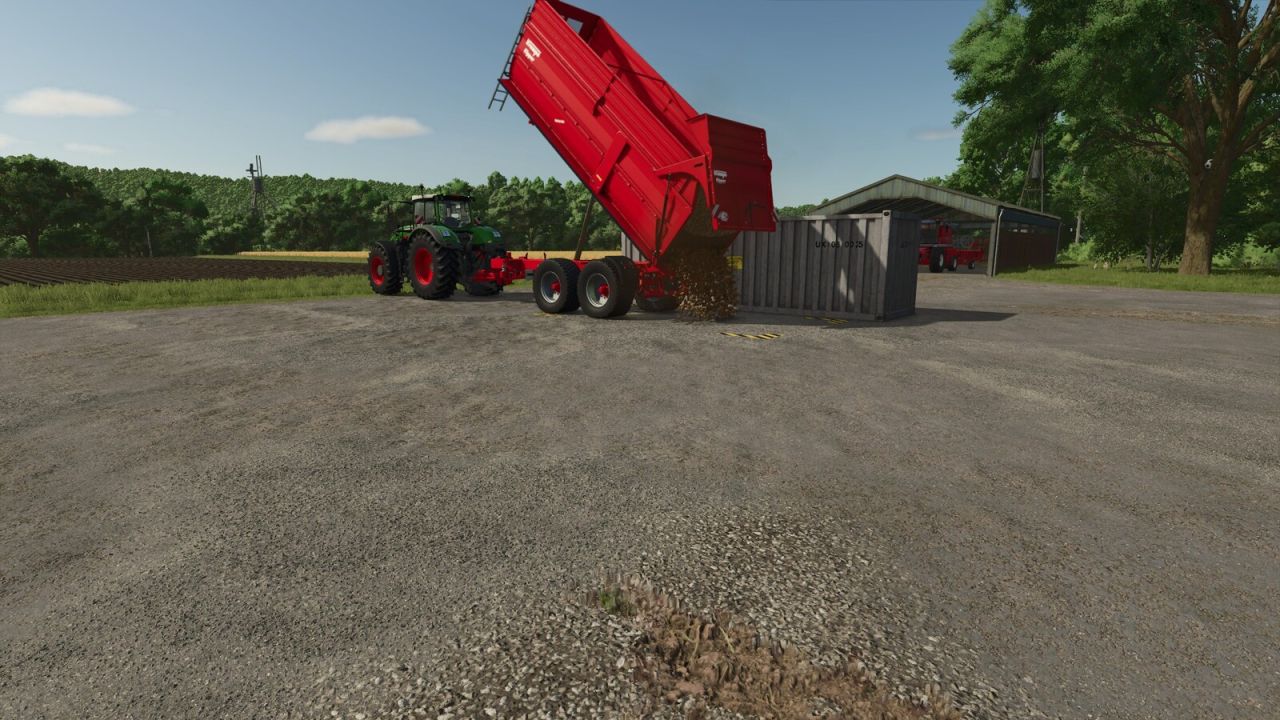
Placeable container for unloading, storing, distributing and selling bulk vegetables. Compatible with PC and consoles (crossplay). Ideal for solo players: place the container near your harvest and avoid multiple truck trips to the factory or selling point. Capacity: 1,000,000 L per crop. To store, set the production chain to "Storing". To distribute among your factories, use the "Distributing" mode. To sell directly from the menu, use the "Selling" mode. Supported crops: - Potato - Sugar Beet - Beetroot - Carrot - Parsnip - Green Bean - Spinach - Sugar Cane - Pea - Onion (requires Highlands Fishing DLC) - Rice - Long Grain Rice Category: Production Sites Price: $5,000 Daily upkeep: $3 Total capacity: 1,000,000 L per crop - Added Peas, Onions, Rice, and Long-Grain Rice. Onions require the Highlands Fishing DLC. - Updated total capacity to 1,000,000 L. - Improved descriptions and translations for all languages. - Added crossplay and solo player info.
Multi-Family House FS25
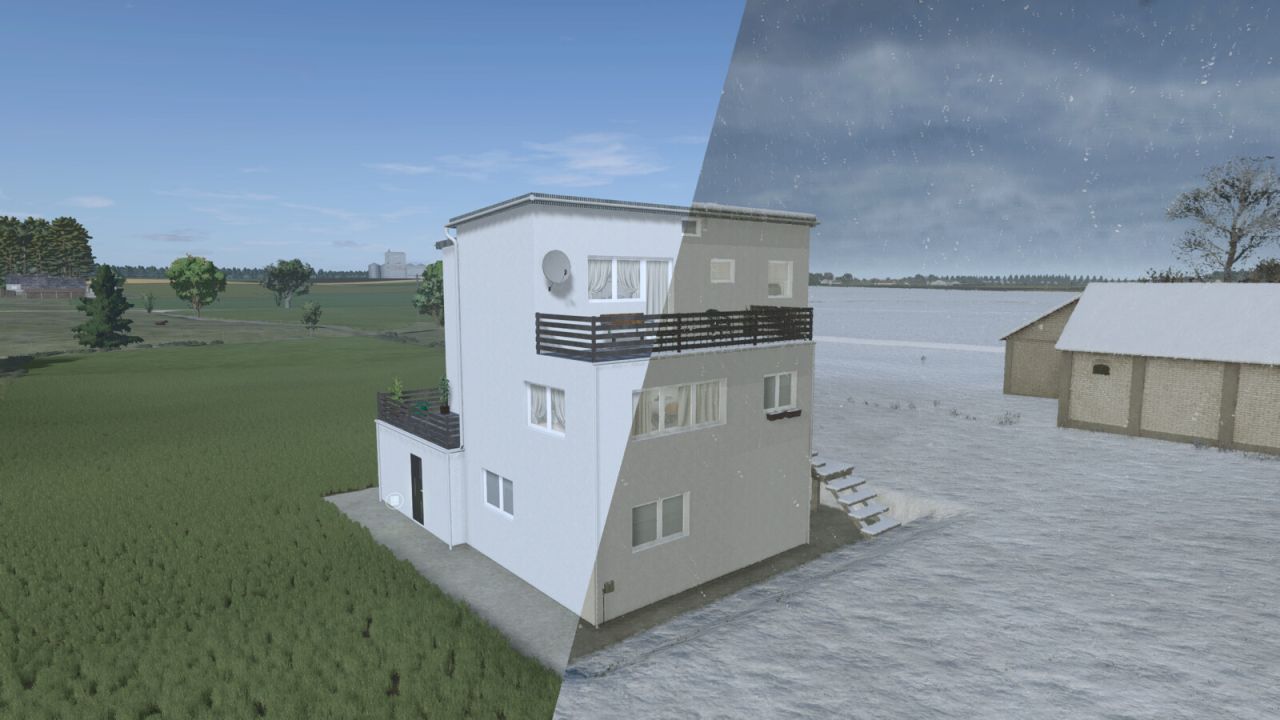
A house that you can place on your farm. - Price: $85,000 - Daily maintenance: $40 - Category: Farmhouses - New variant added ($1,000)
Mecklenburg Decorative Houses Package FS25
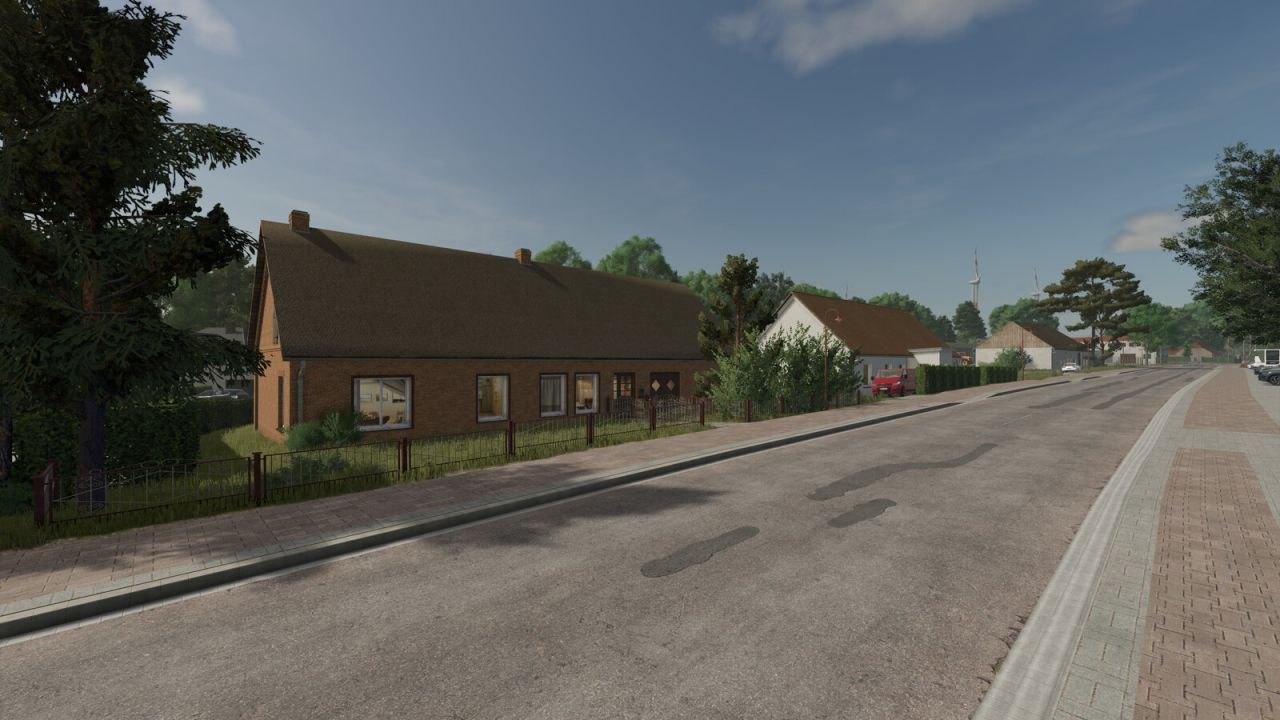
With this pack, you’ll receive a diverse selection of decorative buildings, garages, and barns from the Mecklenburg-Western Pomerania region. Many of the included buildings are based on real-life models and have been faithfully recreated in detail. In addition, several variants with different roof colors and, in some cases, customizable wall colors are available, allowing you to customize your village or farm. Category: Decoration / Miscellaneous Price: $1 Maintenance: $0/day Included buildings: 2-story house – 3 variants 3-story apartment building – 2 variants 2-story ice cream parlor – 3 variants House 01 House 02 – 4 variants House 03 House 04 – 2 variants House 05 – 2 variants House 06 House 09 House 11 Shed ------------------------------------ Garage 1 – 3 variants Price: $5,000 Maintenance: $5/day Garage 2 Price: $25,000 Maintenance: $5/day Garage 3 Price: $25,000 Maintenance: $5/day Garage 4 – 2 variants Price: $22,000 Maintenance: $5/day This package is ideal for designing realistic villages and farms in the style of Mecklenburg-Western Pomerania. - Added 2 new houses - Added snow to the roofs of all houses - Fixed a collision issue with the residential building and ice cream shop - Added lighting to the garages
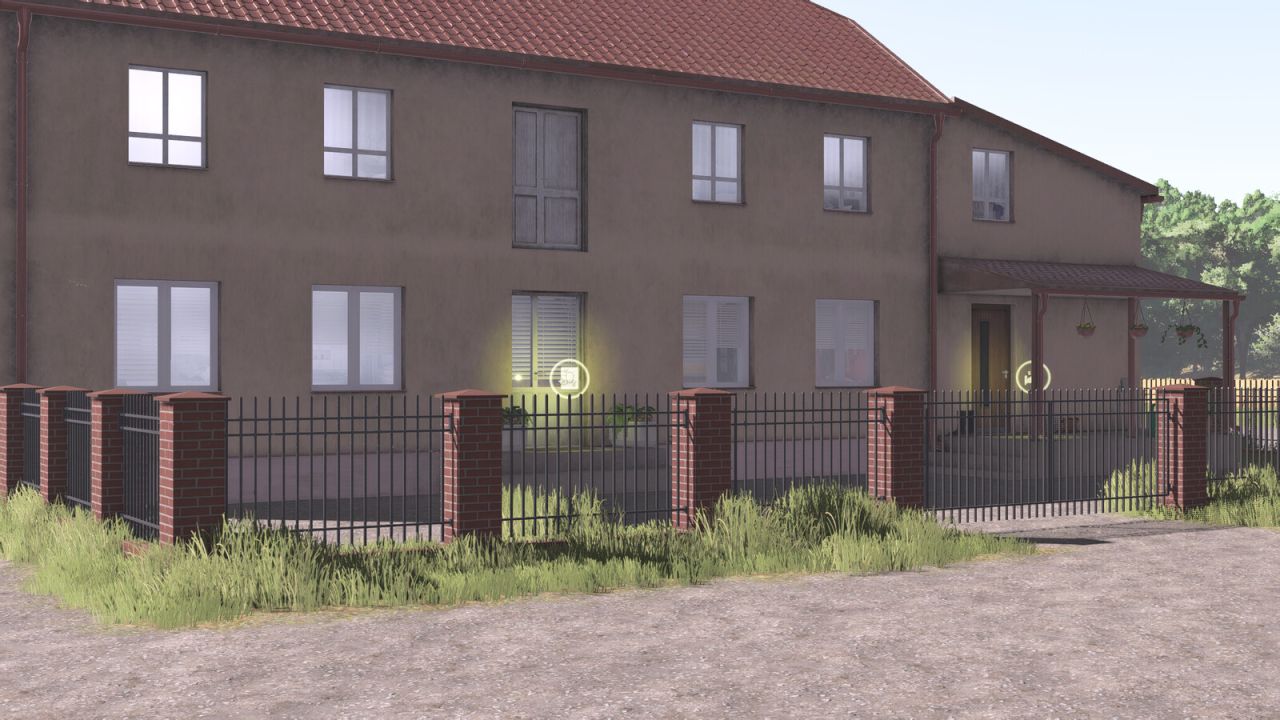
Red Brick And Metal Fence FS25
Red Brick And Metal Fence. Price: 240$ Gate: 4.3m Category:Fences - A new type has been added.

Einarmiger Bandit (Spielautomat) V1.2.0.1
Einarmiger Bandit (Spielautomat) V1.2.0.1 Ein einzigartiger Retro-Spielautomat mit geschwungenem Gehäuse und abgerundeten Kanten. Chrom-/Goldverzierungen, ein roter Hebelknopf und drei animierte Walzen. Alle Wetten und Auszahlungen erfolgen ausschließlich mit LS25-Spielgeld. Unterstützung für Mehrspielermodi und Einsätze bis zu 10.000 €. GEWINN 3 Kirschen: 10 × Pfahl 3 Zitronen: 15 × Pfahl 3 Glocken: 20 × Einsatz 3 Sterne: 30 × Einsatz 3 Bargeld: 40 × Einsatz 3 Siebenen: 50 × Einsatz – maximale Auszahlung 500.000 € Genau 2 Kirschen: Rückpfosten Alle anderen Kombinationen: keine Auszahlung Einsätze sind von 100 € bis 10.000 € in Schritten von 100 € möglich. Die Auszahlungen beinhalten den Einsatz. Beispielsweise führt ein Einsatz von 10.000 € und drei Siebenen zu einer Auszahlung von 500.000 € und einem Nettogewinn von 490.000 €. Das Spielerkonto muss den Einsatz decken. Während sich die Walzen drehen, kann kein zweites Spiel gestartet und der Einsatz nicht geändert werden. Einsatz und Gewinn werden vom Server vor der Animation vollständig erfasst. Das Schließen, Entfernen oder Speichern der Maschine während der Animation ändert nichts am bereits gezeichneten Ergebnis. Tags: Alle WettenChrom- GoldverzierungenDas SchlieGEWINN

FS25 Spirit AT400 Autonomous V1.1.0.0
FS25 Spirit AT400 Autonomous V1.1.0.0 Spirit AT400 Autonomous Changelog 1.1.0.0 – Added Heavy Duty Body Addon – Added Interactive Control – Price: 39,000 $ – Power: 404 HP – Fuel Capacity: Diesel: 980 Litres / DEF: 88 Litres – MaxSpeed: 32 KM/H – Transmission: Variable CVT – Weight: 12.8 Tonnes – Working Speed: 8 KM/H – Winch capacity: 8.6 Tonnes Options: – Chassis color configuration – Attachers – Front winch – Engine bay lights – Beacon light options Interactive Control: – All Doors (Open/Close) Interactive Control (Recommended): https://www.farming-simulator.com/mod.php?mod_id=323135&title=fs2025

FS25 Kusbass Seed Container beta
FS25 Kusbass Seed Container beta A component of the sowing system, consisting of a pneumatic seed hopper with a capacity of 6500 liters. The seed hopper is a central element of the sowing system. It is equipped with a diesel engine or a hydraulic motor to drive the blower. The seeding system allows sowing both directly into stubble fields – without prior soil preparation – and on areas that have previously been conventionally plowed. Seed and fertilizer are conveyed via metering devices into the main conveying pipe of the hopper and, by means of a strong airflow, are transported directly under the individual shares of the cultivator-seeder unit, where they are applied in strips. Compatible with the “Kusbass” and “Tom” seeding systems and their modifications. Information: – Price: €23,300 – €24,000. – Capacity: 6,500 liters (Chamber 1: 2,600 liters; Chamber 2: 3,900 liters). – Choice of drive for the seeding system: hydraulic or diesel engine. – Choice of filling auger: direct or chain drive; auger drive can be switched off. – Design options: position of the railings. – Choice of warning signs: marking for excessive width. – Choice of seeding unit: cultivator seed unit “Kusbass” or disc seeder “Tom”. – Choice of frame color. – Choice of wheel color. – Choice of tires. – Leaves tire tracks. – Gets dirty and can be cleaned. – Aging effect. – Effect in wet conditions.

FS25 Kuzbass Grubber beta
FS25 Kuzbass Grubber beta A cultivator from the series of “Kuzbass” seeding complexes, consisting of cultivator seed drills with a working width of 6.1 to 9.7 meters. The “Kuzbass” cultivator is a universal soil cultivation implement designed for soil preparation, maintenance, and yield enhancement on areas that have not previously been treated with erosion-reducing methods – such as stubble fields of grain or other crops. In a single pass, the cultivator performs the following tasks: cultivating (loosening), harrowing, and leveling the soil. The “Kuzbass” seeding complex is pulled by a tractor and consists of a seeding unit and a trailed or mounted seed and fertilizer tank. The tank is equipped with a diesel engine (or, alternatively, a more economical hydraulic drive) that powers a blower. In 2005, specialists developed and implemented a new reconsolidation system that uses spiral metal rollers instead of rubber tires. This eliminated gaps between the roller elements and ensured continuous reconsolidation of the soil. Information: – Price: €59,636 – €76,855. – Selection of operating mode: cultivator, seed drill, cultivator with rollers, or seed drill with rollers. – Selection of reconsolidation elements: rubber tires or spiral metal rollers. – Selection of harrow types: harrow or combination harrows. – Configuration option: scrapers for the rubber tires. – Color selection: for frame and seed lines. – Additional hydraulic lines for a hydraulically driven tank. – Traction marks. – Soiling and self-cleaning effect. – Aging effect (visual wear). – Effect in wet conditions (visual change due to moisture).

FS25 3-way tipper v1.0.0.1
FS25 3-way tipper v1.0.0.1 Three-way tippers with various manufacturer and body variants. – Price: from €5,500 – Capacity: 4,000 / 6,000 / 8,000 / 12,000 liters – 12 body variants – Platform and timber transport variants – Various open side panel variants – Various tire variants – Optional tarpaulin – Color configurations – Optional equipment such as access ladder, mudguards, bumpers, and chute. Available brands: – Strautmann SEK 802 – Brantner E 8041 – Fuhrmann FF 8000 – Krone DK 210-8 – Meiller 8t – Mengele MEDK 8000. Optional bale autoload: Autoload for: – Round bales: – 85 cm: 36 bales – 125 cm: 10 bales – 150 cm: 6 bales – 180 cm: 4 bales – Square bales: – 120 cm small bales: 147 bales – 180 cm: 15 bales – 220 cm: 12 bales – 240 cm: 12 bales – 70 cm high square bales: – 180 cm: 20 bales – 220 cm: 16 bales – 240 cm: 12 bales – Hesston square bales 240 cm: 8 bales How the bale autoload works: Important notes: – The bale autoload is only available if the corresponding autoload variant has been configured in the shop or workshop. – The EASY and PRO working modes are available. – In EASY mode, bales are automatically picked up within the extended pickup area. – In PRO mode, the bales must be placed directly into the designated pickup area of the trailer. – The working mode can be changed at any time. – The unloading aid is available for unloading. The bales can be moved and rotated on all axes before being unloaded.

Kuhn PRIMOR 15070 Limited Edition V1.0
Configurations are free TestRunner public 0.9.23 checked Rear lights renewed Position lights installed Shop category: Bedding equipment Price 32000 Rear logo selection Side logos selection Side lettering selection Side lettering 2 selection Decorative stripe selection km/h sign selection Reflective stripe selection Color selection for main color, design color, mesh, reflector and rim color Repair interval increased To start download click the filename. To open archive files use one of these programs: WinRAR, 7-Zip, WinZip. Some mod archives may need to be extracted before the mods will work.
- 15 per page
- 30 per page
- 45 per page
- 60 per page
-
See more per page
Bigger pages, fewer clicks - and no ads anywhere.
Go Pro